Flutter for OpenHarmony 流体气泡模拟器:用物理引擎与粒子系统打造沉浸式交互体验
在数字艺术与人机交互的交汇处,流体模拟 始终是令人着迷的课题。它既是对自然现象的致敬,也是对计算性能与视觉表现力的挑战。本文将深入解析一段完整的
Flutter
代码,带你构建一个可交互的流体气泡模拟器 ------它不仅实现了气泡的物理运动、碰撞融合、拖拽操控,还通过自定义绘制营造出梦幻般的流体光效,堪称
Flutter 动画与 Canvas 绘图能力的集大成者。
完整效果展示
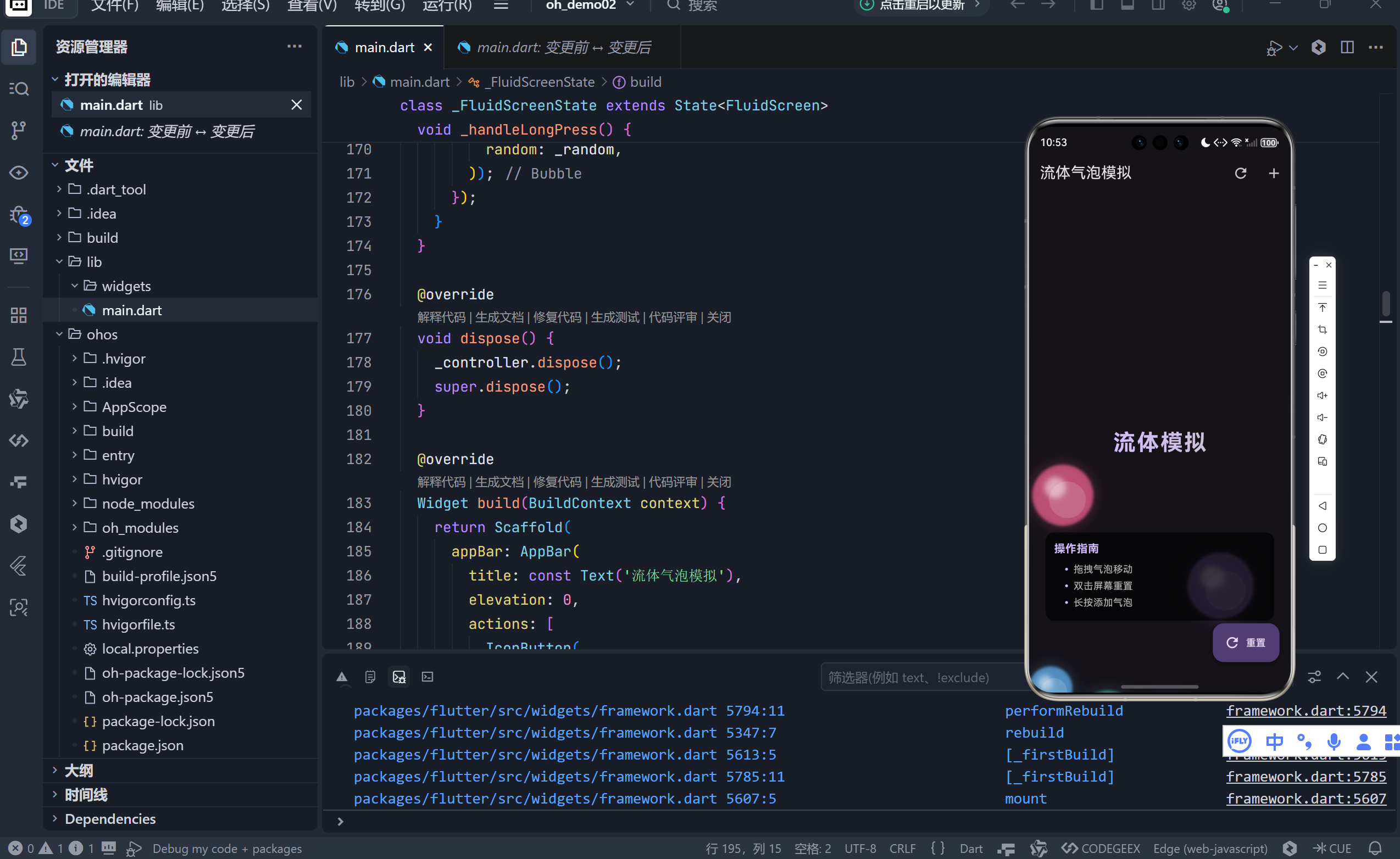
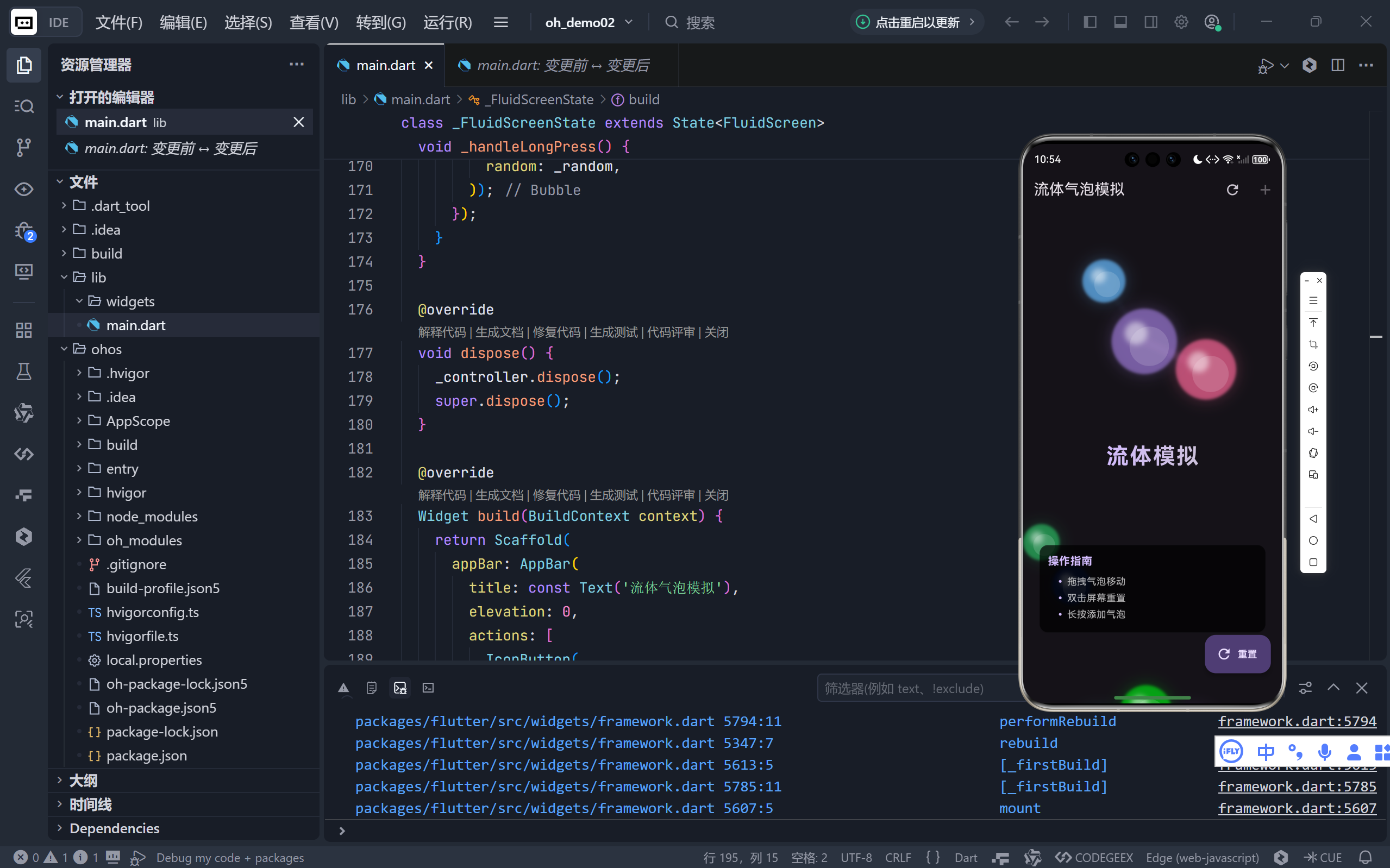
一、核心架构:动画驱动 + 物理模拟 + 自定义绘制
整个应用由三大支柱构成:
| 模块 | 技术实现 | 作用 |
|---|---|---|
| 动画循环 | AnimationController + SingleTickerProviderStateMixin |
提供每秒 60 帧的稳定更新节奏 |
| 物理引擎 | 自定义 Bubble 类(含位置、速度、边界反弹) |
模拟真实世界的运动规律 |
| 视觉渲染 | CustomPainter + Canvas |
绘制气泡本体、光晕、连接线与融合特效 |
💡 这种"逻辑-表现"分离的架构,使得物理计算与视觉效果可独立演进。
二、气泡的生命:从初始化到动态演化
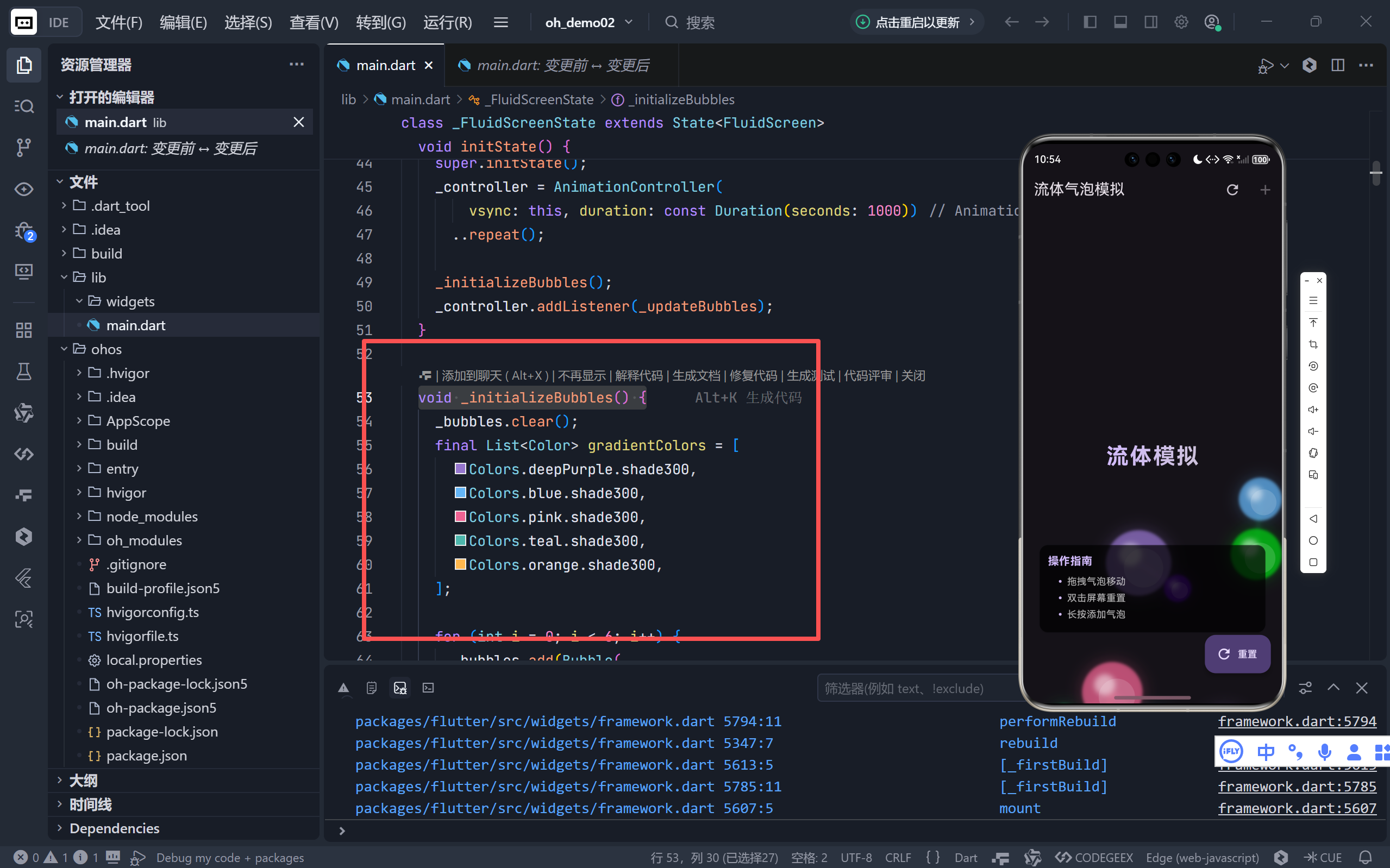
1. 气泡的诞生
dart
void _initializeBubbles() {
  final List<Color> gradientColors = [
    Colors.deepPurple.shade300,
    Colors.blue.shade300,
    // ... 共5种主色调
  ];

  for (int i = 0; i < 6; i++) {
    _bubbles.add(Bubble(
      radius: _random.nextDouble() * 25 + 25, // 半径 25~50
      color: gradientColors[i % gradientColors.length].withValues(alpha: 0.7),
      random: _random,
    ));
  }
}
- 色彩策略:使用 Material Design 调色板,确保视觉和谐;
- 尺寸随机:避免单调,增强自然感;
- 半透明处理 :
alpha: 0.7为后续融合效果奠定基础。
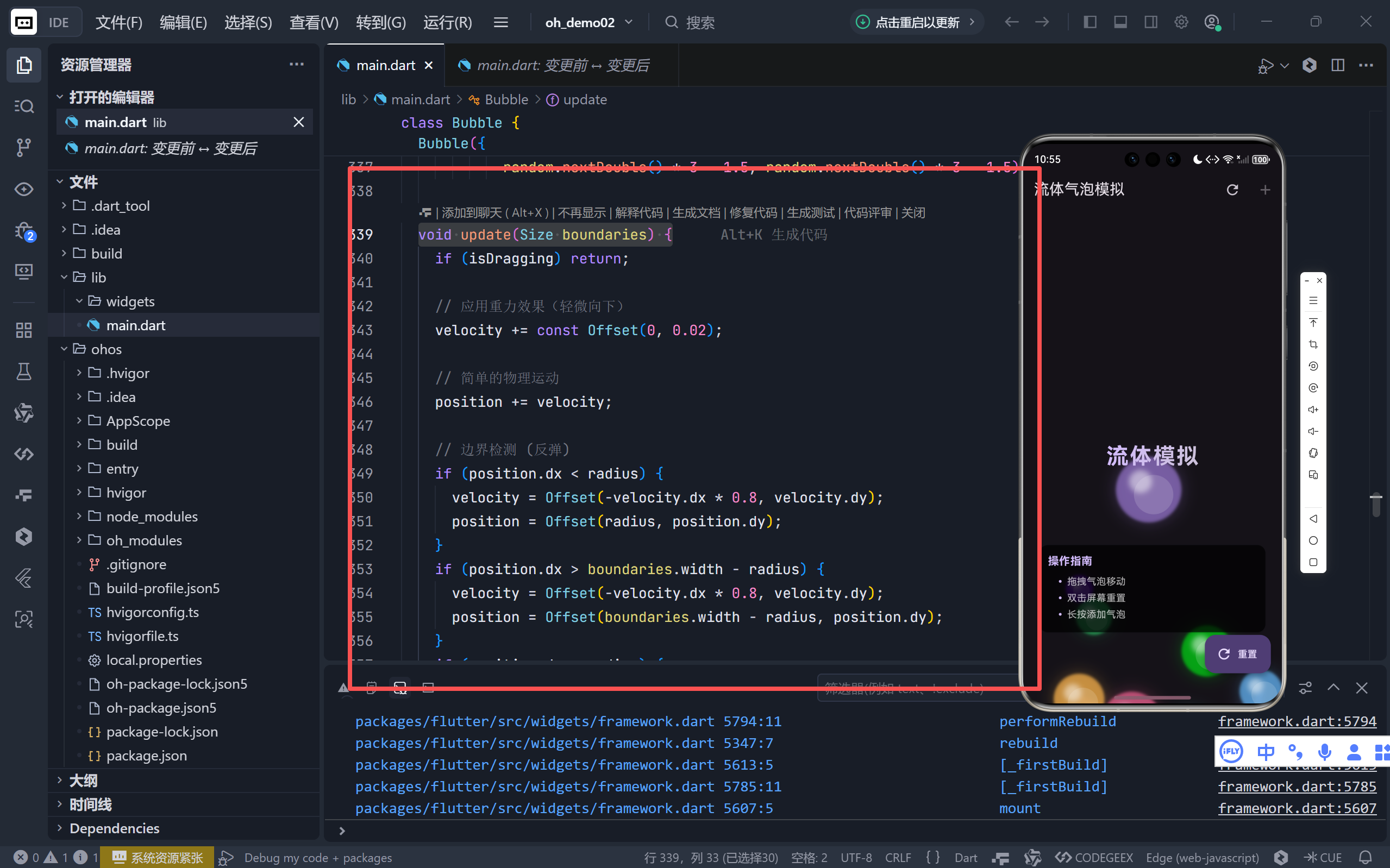
2. 气泡的运动:简易物理引擎
dart
void update(Size boundaries) {
  if (isDragging) return;

  velocity += const Offset(0, 0.02); // 模拟重力
  position += velocity;

  // 边界反弹(带能量损耗)
  if (position.dx < radius) {
    velocity = Offset(-velocity.dx * 0.8, velocity.dy);
    position = Offset(radius, position.dy);
  }
  // ... 其他三边同理

  // 限速防爆炸
  if (velocity.distance > maxSpeed) {
    velocity = velocity / velocity.distance * maxSpeed;
  }
}
- 重力模拟 :微小的向下加速度(
0.02)让气泡缓慢下沉;- 弹性碰撞:反弹时保留 80% 速度,模拟能量损耗;
- 速度钳制:防止高速运动导致穿模或失控。
三、流体的灵魂:气泡间的智能交互
1. 融合检测与响应
dart
void _handleBubbleInteraction(Bubble a, Bubble b) {
  final double distance = (a.position - b.position).distance;
  final double connectionThreshold = a.radius + b.radius;

  if (distance < connectionThreshold) {
    a.isFused = true;
    b.isFused = true;

    // 弹性分离(避免重叠)
    final double overlap = connectionThreshold - distance;
    final Offset normal = (a.position - b.position) / distance;
    a.position += normal * overlap * 0.5;
    b.position -= normal * overlap * 0.5;
  } else {
    a.isFused = false;
    b.isFused = false;
  }
}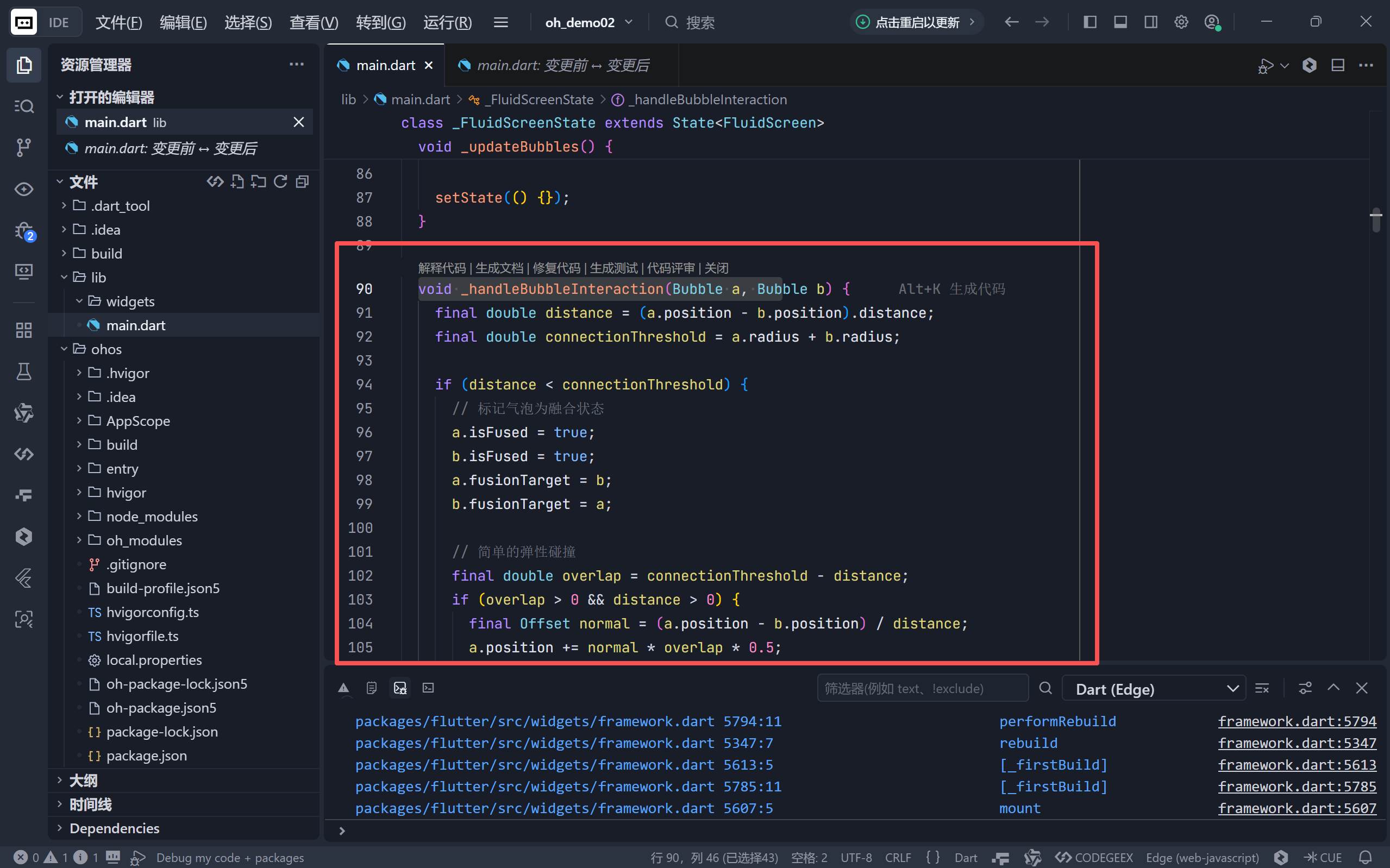
- 融合判定:当两气泡中心距小于半径和时触发;
- 非穿透处理:通过法向量推离重叠部分,保持物理合理性;
- 状态标记 :
isFused标志用于后续绘制特效。
2. 用户交互系统
| 手势 | 行为 | 实现要点 |
|---|---|---|
| 拖拽 | 移动气泡 | onPanStart/Update/End 捕获位置,暂停物理更新 |
| 双击 | 重置场景 | 清空并重新生成初始气泡 |
| 长按 | 添加新气泡 | 随机颜色+尺寸,上限 10 个防卡顿 |
| AppBar 按钮 | 重置/添加 | 提供非手势操作入口 |
✨ 拖拽结束时赋予气泡初速度:
velocity = details.velocity.pixelsPerSecond * 0.01,实现"甩出"效果。
四、视觉魔法:CustomPainter 的流体艺术
FluidPainter 是整个应用的视觉核心,通过多层绘制营造深度感:
1. 气泡本体(由内到外四层)
dart
// 1. 内部光泽(偏移白色圆)
canvas.drawCircle(position + Offset(0.15r, 0.15r), 0.6r, white@0.15);

// 2. 主体填充
canvas.drawCircle(position, r, color@0.7);

// 3. 高光(左上角白色小圆)
canvas.drawCircle(position - Offset(0.25r, 0.25r), 0.35r, white@0.5);

// 4. 外发光晕
canvas.drawCircle(position, 1.1r, color@0.2 + blur(10));- 立体感来源:高光(光源假设在左上)+ 内部漫反射;
- 呼吸感:模糊光晕模拟光线散射。
2. 流体连接特效
dart
if (distance < connectionThreshold * 1.5) {
  // 绘制渐变连接线
  final alpha = 1 - (distance / (threshold * 1.5));
  canvas.drawLine(a, b,
    Paint()
      ..color = lerp(a.color, b.color, 0.5)@alpha*0.6
      ..strokeWidth = (threshold*1.5 - distance)*0.3
      ..blur(3)
  );

  // 融合中心光晕
  if (distance < threshold) {
    canvas.drawCircle(midpoint, fusionRadius*0.5,
      lerp(a.color, b.color, 0.5)@alpha*0.3 + blur(8)
    );
  }
}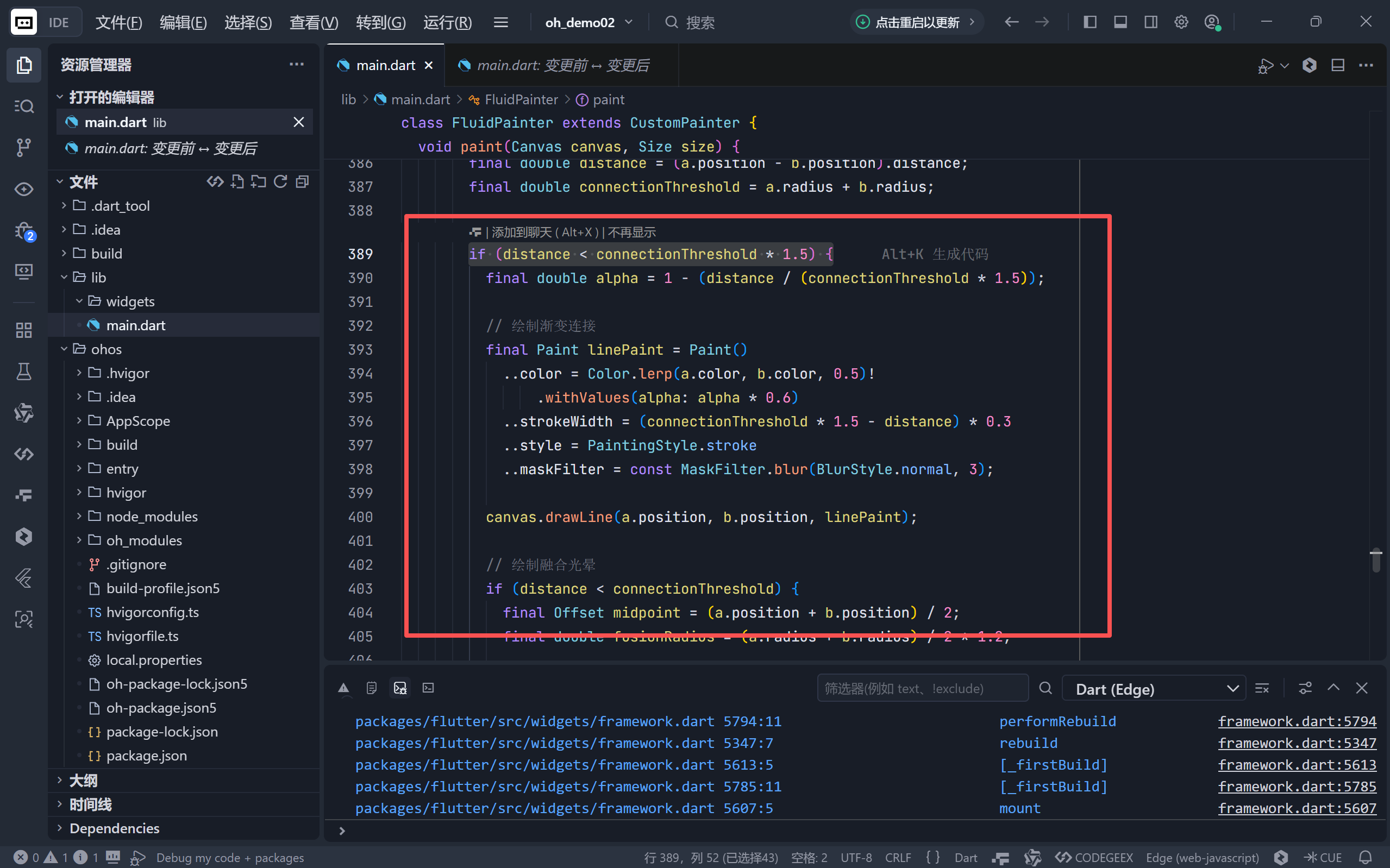
- 距离衰减:越近连接越强(线宽+透明度);
- 色彩融合 :
Color.lerp平滑过渡两气泡颜色;- 动态模糊 :
MaskFilter.blur制造流体粘稠感。
五、性能优化与用户体验细节
1. 高效重绘
- 局部更新 :
setState()仅触发CustomPaint重绘;- 帧率控制 :
AnimationController默认 vsync 同步屏幕刷新率;- 对象复用 :
_bubbles列表直接修改,避免频繁创建。
2. 交互反馈
- 操作指南卡片:底部半透明提示新手操作;
- 禁用状态:添加气泡按钮在数量达上限时置灰;
- 多入口设计:重置功能同时存在于 AppBar、FAB、双击手势。
3. 视觉层次
- 标题文字 :
ShaderMask+ 线性渐变,呼应主题色;- 深色主题 :
ThemeData(brightness: Brightness.dark)凸显气泡光效;- 卡片设计 :指南区域使用磨砂玻璃效果(
black@0.6)。
六、扩展方向:从玩具到专业工具
当前实现已具备坚实基础,未来可拓展:
| 方向 | 实现思路 |
|---|---|
| 真实流体动力学 | 引入 Navier-Stokes 方程简化版(如 metaball 算法) |
| 粒子系统 | 气泡破裂时迸发小粒子 |
| 音频联动 | 根据气泡碰撞频率生成音效 |
| AR 集成 | 通过 ARKit/ARCore 将气泡投射到现实桌面 |
| 性能监控 | 显示 FPS 与气泡数量关系曲线 |
🌐 加入社区
欢迎加入 开源鸿蒙跨平台开发者社区 ,获取最新资源与技术支持:
👉 开源鸿蒙跨平台开发者社区
完整代码展示
bash
import 'dart:math';
import 'package:flutter/material.dart';

void main() {
  runApp(const FluidApp());
}

class FluidApp extends StatelessWidget {
  const FluidApp({super.key});

  @override
  Widget build(BuildContext context) {
    return MaterialApp(
      title: '流体气泡',
      theme: ThemeData(
        useMaterial3: true,
        colorScheme: ColorScheme.fromSeed(
          seedColor: Colors.deepPurple,
          brightness: Brightness.dark,
        ),
      ),
      home: const FluidScreen(),
      debugShowCheckedModeBanner: false,
    );
  }
}

class FluidScreen extends StatefulWidget {
  const FluidScreen({super.key});

  @override
  State<FluidScreen> createState() => _FluidScreenState();
}

class _FluidScreenState extends State<FluidScreen>
    with SingleTickerProviderStateMixin {
  late AnimationController _controller;
  final List<Bubble> _bubbles = [];
  int _selectedBubbleIndex = -1;
  final Random _random = Random();

  @override
  void initState() {
    super.initState();
    _controller = AnimationController(
        vsync: this, duration: const Duration(seconds: 1000))
      ..repeat();

    _initializeBubbles();
    _controller.addListener(_updateBubbles);
  }

  void _initializeBubbles() {
    _bubbles.clear();
    final List<Color> gradientColors = [
      Colors.deepPurple.shade300,
      Colors.blue.shade300,
      Colors.pink.shade300,
      Colors.teal.shade300,
      Colors.orange.shade300,
    ];

    for (int i = 0; i < 6; i++) {
      _bubbles.add(Bubble(
        radius: _random.nextDouble() * 25 + 25,
        color: gradientColors[i % gradientColors.length].withValues(alpha: 0.7),
        random: _random,
      ));
    }
  }

  void _updateBubbles() {
    final Size size = MediaQuery.of(context).size;

    // 更新每个气泡的位置
    for (var bubble in _bubbles) {
      bubble.update(size);
    }

    // 检查气泡之间的交互和融合
    for (int i = 0; i < _bubbles.length; i++) {
      for (int j = i + 1; j < _bubbles.length; j++) {
        _handleBubbleInteraction(_bubbles[i], _bubbles[j]);
      }
    }

    setState(() {});
  }

  void _handleBubbleInteraction(Bubble a, Bubble b) {
    final double distance = (a.position - b.position).distance;
    final double connectionThreshold = a.radius + b.radius;

    if (distance < connectionThreshold) {
      // 标记气泡为融合状态
      a.isFused = true;
      b.isFused = true;
      a.fusionTarget = b;
      b.fusionTarget = a;

      // 简单的弹性碰撞
      final double overlap = connectionThreshold - distance;
      if (overlap > 0 && distance > 0) {
        final Offset normal = (a.position - b.position) / distance;
        a.position += normal * overlap * 0.5;
        b.position -= normal * overlap * 0.5;
      }
    } else {
      a.isFused = false;
      b.isFused = false;
      a.fusionTarget = null;
      b.fusionTarget = null;
    }
  }

  void _handlePanStart(DragStartDetails details) {
    final Offset localPosition = details.localPosition;
    for (int i = 0; i < _bubbles.length; i++) {
      if ((localPosition - _bubbles[i].position).distance <=
          _bubbles[i].radius) {
        setState(() {
          _selectedBubbleIndex = i;
          _bubbles[i].isDragging = true;
        });
        break;
      }
    }
  }

  void _handlePanUpdate(DragUpdateDetails details) {
    if (_selectedBubbleIndex >= 0) {
      setState(() {
        _bubbles[_selectedBubbleIndex].position = details.localPosition;
      });
    }
  }

  void _handlePanEnd(DragEndDetails details) {
    if (_selectedBubbleIndex >= 0) {
      setState(() {
        _bubbles[_selectedBubbleIndex].isDragging = false;
        // 给予一个随机速度
        _bubbles[_selectedBubbleIndex].velocity = Offset(
          details.velocity.pixelsPerSecond.dx * 0.01,
          details.velocity.pixelsPerSecond.dy * 0.01,
        );
        _selectedBubbleIndex = -1;
      });
    }
  }

  void _handleDoubleTap() {
    setState(() {
      _initializeBubbles();
    });
  }

  void _handleLongPress() {
    // 添加新气泡
    if (_bubbles.length < 10) {
      setState(() {
        _bubbles.add(Bubble(
          radius: _random.nextDouble() * 20 + 20,
          color: Color.fromRGBO(
            _random.nextInt(255),
            _random.nextInt(255),
            _random.nextInt(255),
            0.7,
          ),
          random: _random,
        ));
      });
    }
  }

  @override
  void dispose() {
    _controller.dispose();
    super.dispose();
  }

  @override
  Widget build(BuildContext context) {
    return Scaffold(
      appBar: AppBar(
        title: const Text('流体气泡模拟'),
        elevation: 0,
        actions: [
          IconButton(
            icon: const Icon(Icons.refresh),
            onPressed: () {
              setState(() {
                _initializeBubbles();
              });
            },
            tooltip: '重置气泡',
          ),
          IconButton(
            icon: const Icon(Icons.add),
            onPressed: _bubbles.length < 10
                ? () {
                    setState(() {
                      _bubbles.add(Bubble(
                        radius: _random.nextDouble() * 20 + 20,
                        color: Color.fromRGBO(
                          _random.nextInt(255),
                          _random.nextInt(255),
                          _random.nextInt(255),
                          0.7,
                        ),
                        random: _random,
                      ));
                    });
                  }
                : null,
            tooltip: '添加气泡',
          ),
        ],
      ),
      body: GestureDetector(
        onPanStart: _handlePanStart,
        onPanUpdate: _handlePanUpdate,
        onPanEnd: _handlePanEnd,
        onDoubleTap: _handleDoubleTap,
        onLongPress: _handleLongPress,
        child: Stack(
          children: [
            Positioned.fill(
              child: CustomPaint(
                painter: FluidPainter(_bubbles),
              ),
            ),
            Positioned(
              bottom: 100,
              left: 20,
              right: 20,
              child: Card(
                color: Colors.black.withValues(alpha: 0.6),
                child: Padding(
                  padding: const EdgeInsets.all(12),
                  child: Column(
                    mainAxisSize: MainAxisSize.min,
                    crossAxisAlignment: CrossAxisAlignment.start,
                    children: [
                      Text(
                        '操作指南',
                        style: TextStyle(
                          fontSize: 16,
                          fontWeight: FontWeight.bold,
                          color: Theme.of(context).colorScheme.primary,
                        ),
                      ),
                      const SizedBox(height: 8),
                      _buildGuideItem('拖拽气泡移动'),
                      _buildGuideItem('双击屏幕重置'),
                      _buildGuideItem('长按添加气泡'),
                    ],
                  ),
                ),
              ),
            ),
            Center(
              child: ShaderMask(
                shaderCallback: (bounds) => LinearGradient(
                  colors: [
                    Theme.of(context).colorScheme.primary,
                    Theme.of(context).colorScheme.secondary,
                  ],
                ).createShader(bounds),
                child: const Text(
                  '流体模拟',
                  style: TextStyle(
                    fontSize: 32,
                    color: Colors.white,
                    fontWeight: FontWeight.bold,
                    letterSpacing: 2,
                  ),
                ),
              ),
            ),
          ],
        ),
      ),
      floatingActionButton: FloatingActionButton.extended(
        onPressed: () {
          setState(() {
            _initializeBubbles();
          });
        },
        label: const Text('重置'),
        icon: const Icon(Icons.refresh),
      ),
    );
  }

  Widget _buildGuideItem(String text) {
    return Padding(
      padding: const EdgeInsets.only(left: 16, bottom: 4),
      child: Row(
        children: [
          Container(
            width: 4,
            height: 4,
            decoration: BoxDecoration(
              color: Theme.of(context).colorScheme.primary,
              shape: BoxShape.circle,
            ),
          ),
          const SizedBox(width: 8),
          Text(
            text,
            style: const TextStyle(fontSize: 14, color: Colors.white70),
          ),
        ],
      ),
    );
  }
}

class Bubble {
  Offset position;
  Offset velocity;
  double radius;
  Color color;
  bool isDragging = false;
  bool isFused = false;
  Bubble? fusionTarget;
  final Random random;

  Bubble({
    required this.radius,
    required this.color,
    required this.random,
  })  : position = Offset(
            random.nextDouble() * 250 + 50, random.nextDouble() * 450 + 100),
        velocity = Offset(
            random.nextDouble() * 3 - 1.5, random.nextDouble() * 3 - 1.5);

  void update(Size boundaries) {
    if (isDragging) return;

    // 应用重力效果(轻微向下)
    velocity += const Offset(0, 0.02);

    // 简单的物理运动
    position += velocity;

    // 边界检测 (反弹)
    if (position.dx < radius) {
      velocity = Offset(-velocity.dx * 0.8, velocity.dy);
      position = Offset(radius, position.dy);
    }
    if (position.dx > boundaries.width - radius) {
      velocity = Offset(-velocity.dx * 0.8, velocity.dy);
      position = Offset(boundaries.width - radius, position.dy);
    }
    if (position.dy < radius) {
      velocity = Offset(velocity.dx, -velocity.dy * 0.8);
      position = Offset(position.dx, radius);
    }
    if (position.dy > boundaries.height - radius) {
      velocity = Offset(velocity.dx, -velocity.dy * 0.8);
      position = Offset(position.dx, boundaries.height - radius);
    }

    // 限制最大速度
    const maxSpeed = 5.0;
    if (velocity.distance > maxSpeed) {
      velocity = velocity / velocity.distance * maxSpeed;
    }
  }
}

class FluidPainter extends CustomPainter {
  final List<Bubble> bubbles;

  FluidPainter(this.bubbles);

  @override
  void paint(Canvas canvas, Size size) {
    // 绘制融合连接效果
    for (int i = 0; i < bubbles.length; i++) {
      for (int j = i + 1; j < bubbles.length; j++) {
        final Bubble a = bubbles[i];
        final Bubble b = bubbles[j];
        final double distance = (a.position - b.position).distance;
        final double connectionThreshold = a.radius + b.radius;

        if (distance < connectionThreshold * 1.5) {
          final double alpha = 1 - (distance / (connectionThreshold * 1.5));

          // 绘制渐变连接
          final Paint linePaint = Paint()
            ..color = Color.lerp(a.color, b.color, 0.5)!
                .withValues(alpha: alpha * 0.6)
            ..strokeWidth = (connectionThreshold * 1.5 - distance) * 0.3
            ..style = PaintingStyle.stroke
            ..maskFilter = const MaskFilter.blur(BlurStyle.normal, 3);

          canvas.drawLine(a.position, b.position, linePaint);

          // 绘制融合光晕
          if (distance < connectionThreshold) {
            final Offset midpoint = (a.position + b.position) / 2;
            final double fusionRadius = (a.radius + b.radius) / 2 * 1.2;

            final Paint glowPaint = Paint()
              ..color = Color.lerp(a.color, b.color, 0.5)!
                  .withValues(alpha: alpha * 0.3)
              ..style = PaintingStyle.fill
              ..maskFilter = const MaskFilter.blur(BlurStyle.normal, 8);

            canvas.drawCircle(midpoint, fusionRadius * 0.5, glowPaint);
          }
        }
      }
    }

    // 绘制气泡
    for (var bubble in bubbles) {
      // 外层光晕
      final Paint glowPaint = Paint()
        ..color = bubble.color.withValues(alpha: 0.2)
        ..style = PaintingStyle.fill
        ..maskFilter = const MaskFilter.blur(BlurStyle.normal, 10);
      canvas.drawCircle(bubble.position, bubble.radius * 1.1, glowPaint);

      // 主体
      final Paint bodyPaint = Paint()
        ..color = bubble.color
        ..style = PaintingStyle.fill
        ..maskFilter = const MaskFilter.blur(BlurStyle.normal, 2);
      canvas.drawCircle(bubble.position, bubble.radius, bodyPaint);

      // 高光
      final Paint highlightPaint = Paint()
        ..color = Colors.white.withValues(alpha: 0.5)
        ..style = PaintingStyle.fill
        ..maskFilter = const MaskFilter.blur(BlurStyle.normal, 4);
      canvas.drawCircle(
        bubble.position - Offset(bubble.radius * 0.25, bubble.radius * 0.25),
        bubble.radius * 0.35,
        highlightPaint,
      );

      // 内部光泽
      final Paint innerGlowPaint = Paint()
        ..color = Colors.white.withValues(alpha: 0.15)
        ..style = PaintingStyle.fill;
      canvas.drawCircle(
        bubble.position + Offset(bubble.radius * 0.15, bubble.radius * 0.15),
        bubble.radius * 0.6,
        innerGlowPaint,
      );
    }
  }

  @override
  bool shouldRepaint(covariant CustomPainter oldDelegate) {
    return true;
  }
}