Flutter for OpenHarmony实现高性能流体粒子模拟:从物理引擎到交互式可视化
在移动图形编程领域,实时粒子系统一直是衡量框架性能与开发灵活性的重要标杆。本文将深入剖析一段完整的 Flutter
代码,展示如何构建一个支持触摸交互、动态参数调节和视觉特效 的流体粒子模拟应用。这不仅是一次对 Flutter
自定义绘制能力的极致探索,更是对经典物理模拟思想的现代实践。
完整效果展示
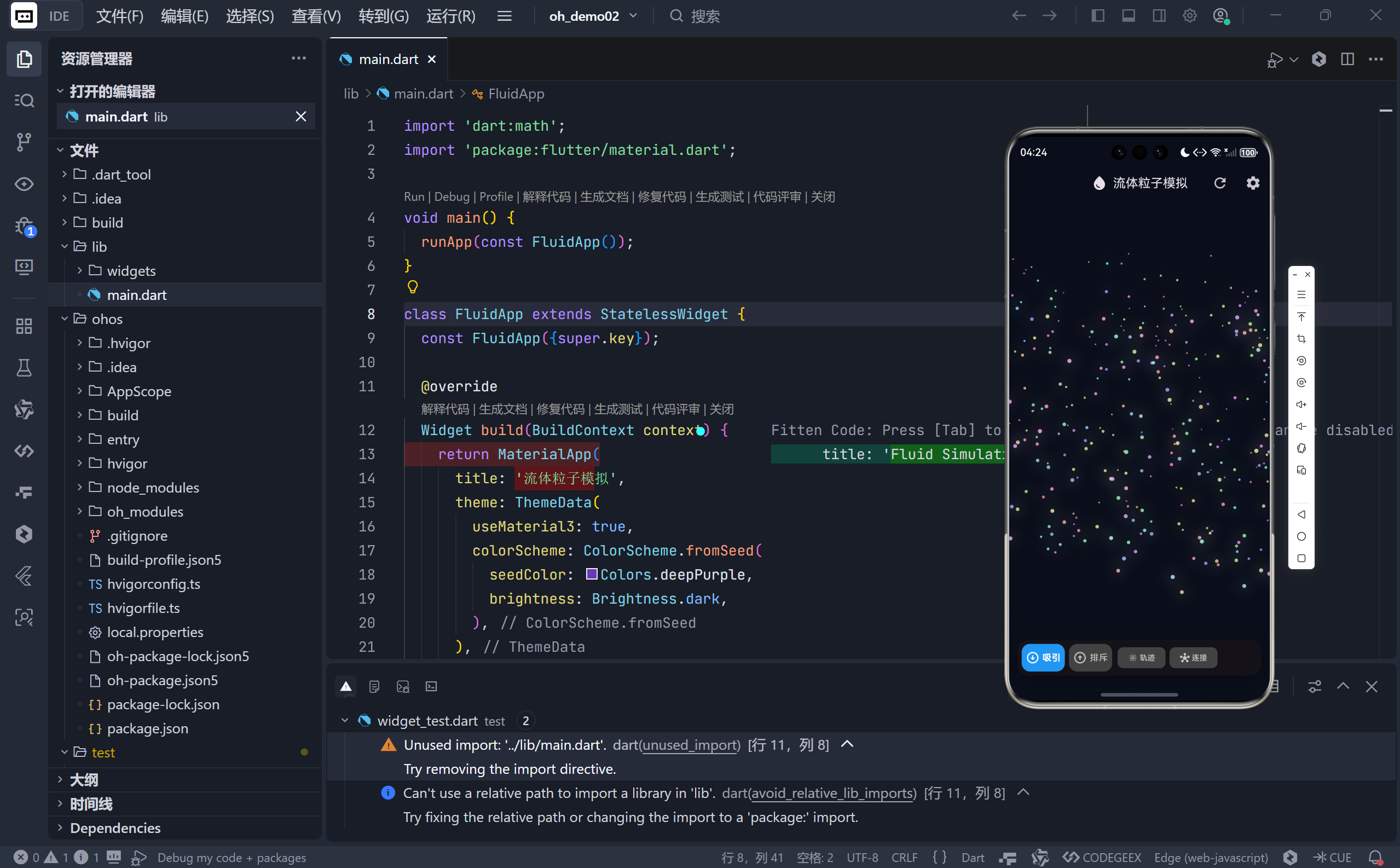
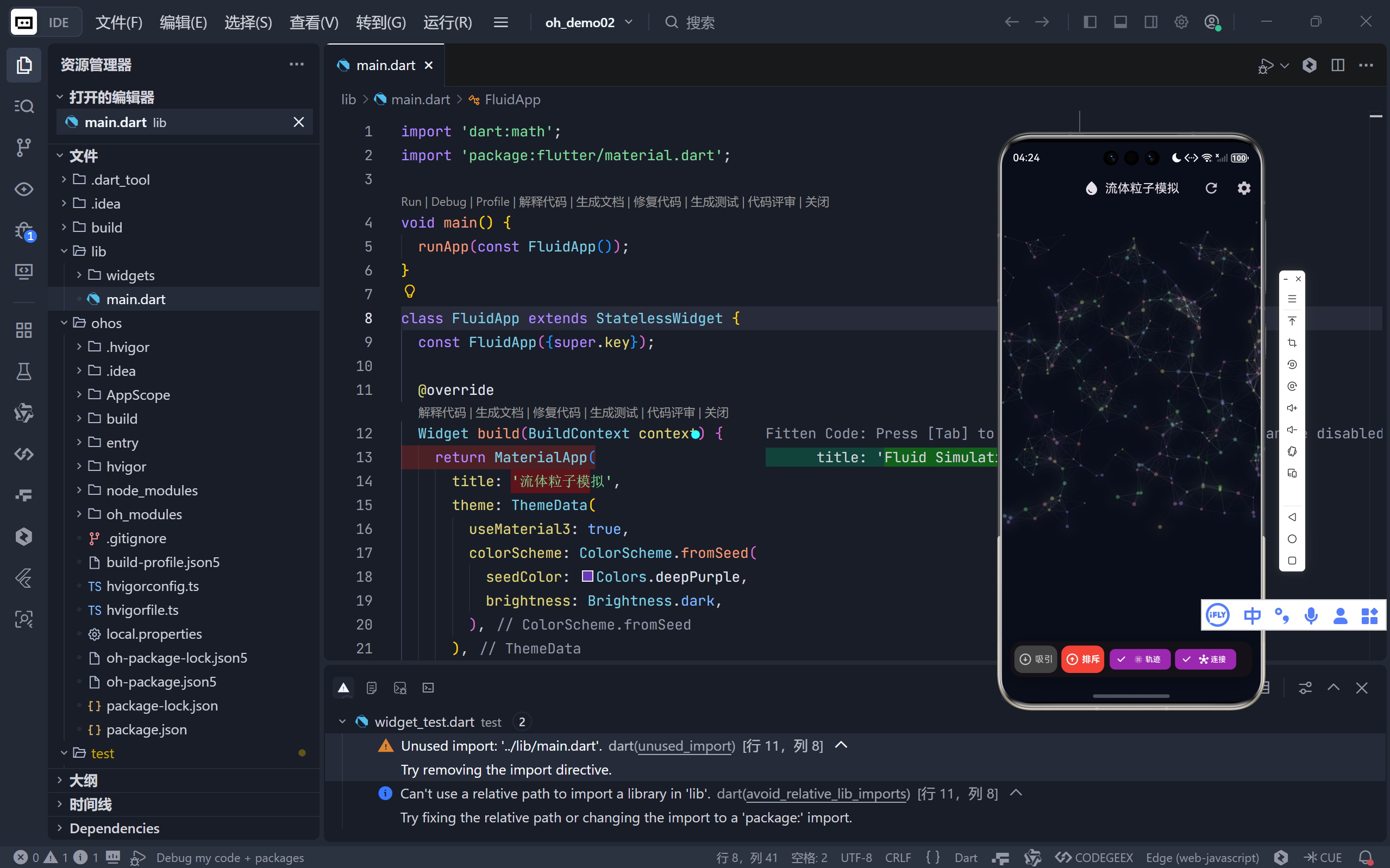
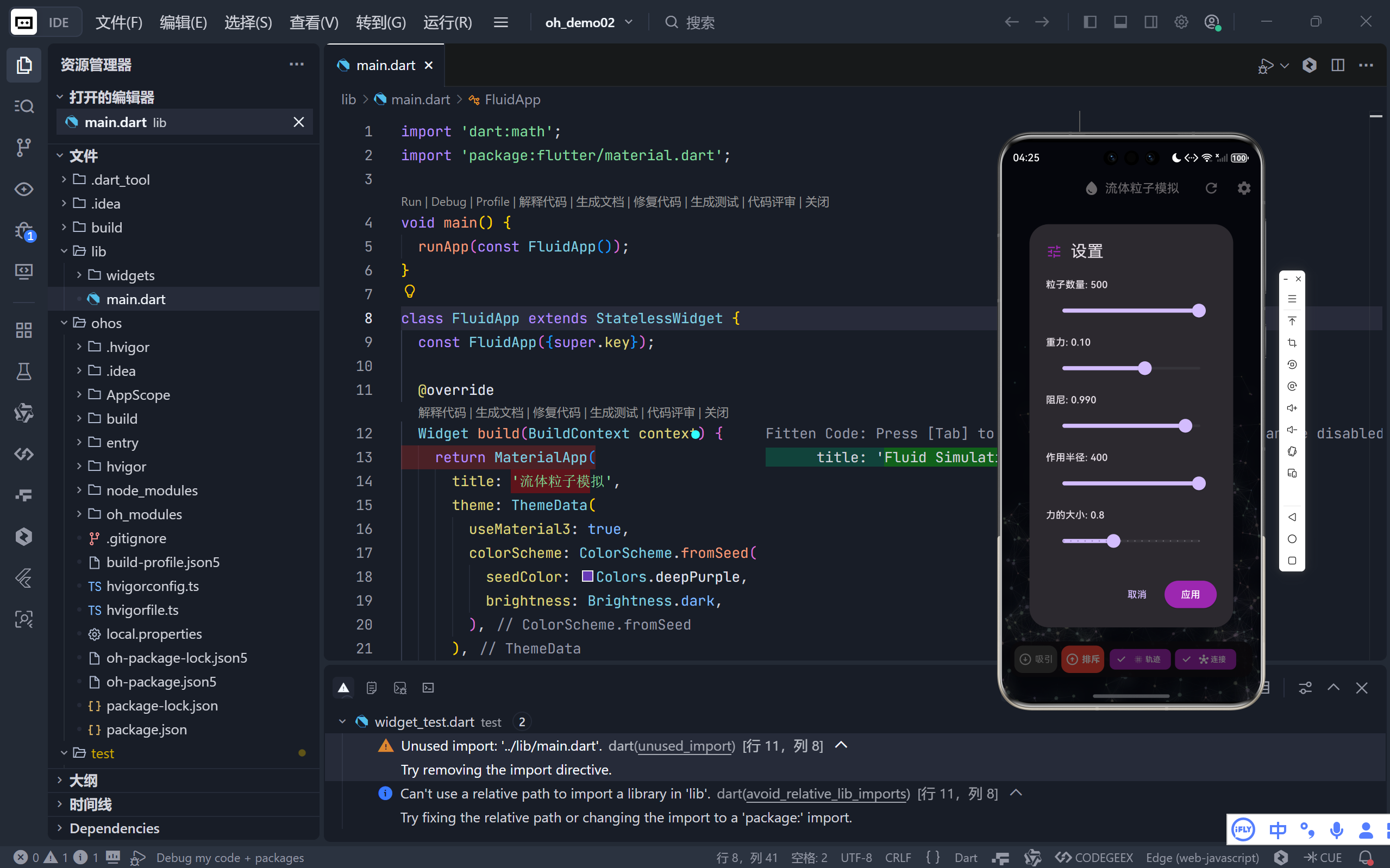
一、整体架构设计
1. 三层核心结构
- 数据层 :
Particle类封装粒子状态(位置、速度、质量、颜色);- 逻辑层 :
_FluidSimulationState管理全局物理规则(重力、阻尼)与交互逻辑;- 渲染层 :
FluidPainter负责高性能绘制(粒子、连接线、力场范围)。💡 这种分层实现了关注点分离------修改物理规则不影响渲染代码,调整视觉效果无需触碰核心逻辑。
2. 实时动画驱动
dart
_controller = AnimationController(vsync: this, duration: 16ms)..repeat();
_controller.addListener(() {
  // 每帧更新所有粒子
  for (var particle in _particles) particle.update(...);
  setState(() {}); // 触发重绘
});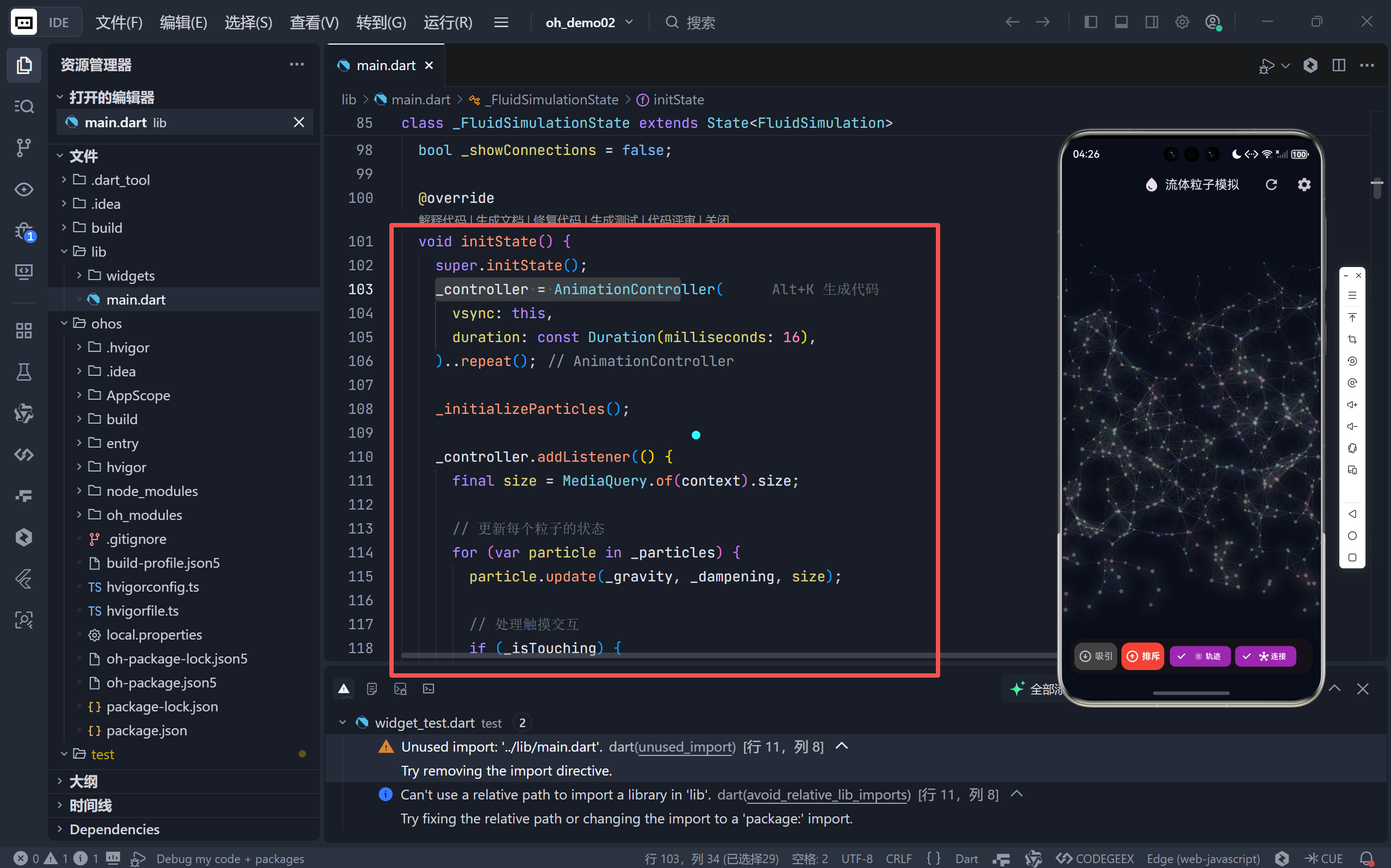
- 60 FPS 流畅体验:16ms 帧间隔匹配屏幕刷新率;
- 高效状态管理 :避免
setState在循环内调用,仅在帧结束时触发一次重绘。
二、粒子物理系统详解
1. 基础运动学模型
每个粒子遵循经典牛顿力学:
dart
void update(double gravity, double dampening, Size size) {
  vy += gravity * mass;    // 重力加速度(质量越大下落越快)
  x += vx; y += vy;        // 位置更新
  vx *= dampening;         // 空气阻力(速度衰减)
  vy *= dampening;

  // 边界碰撞(弹性系数 0.8)
  if (x < 0 || x > size.width) {
    vx *= -0.8;
    x = x.clamp(0, size.width);
  }
}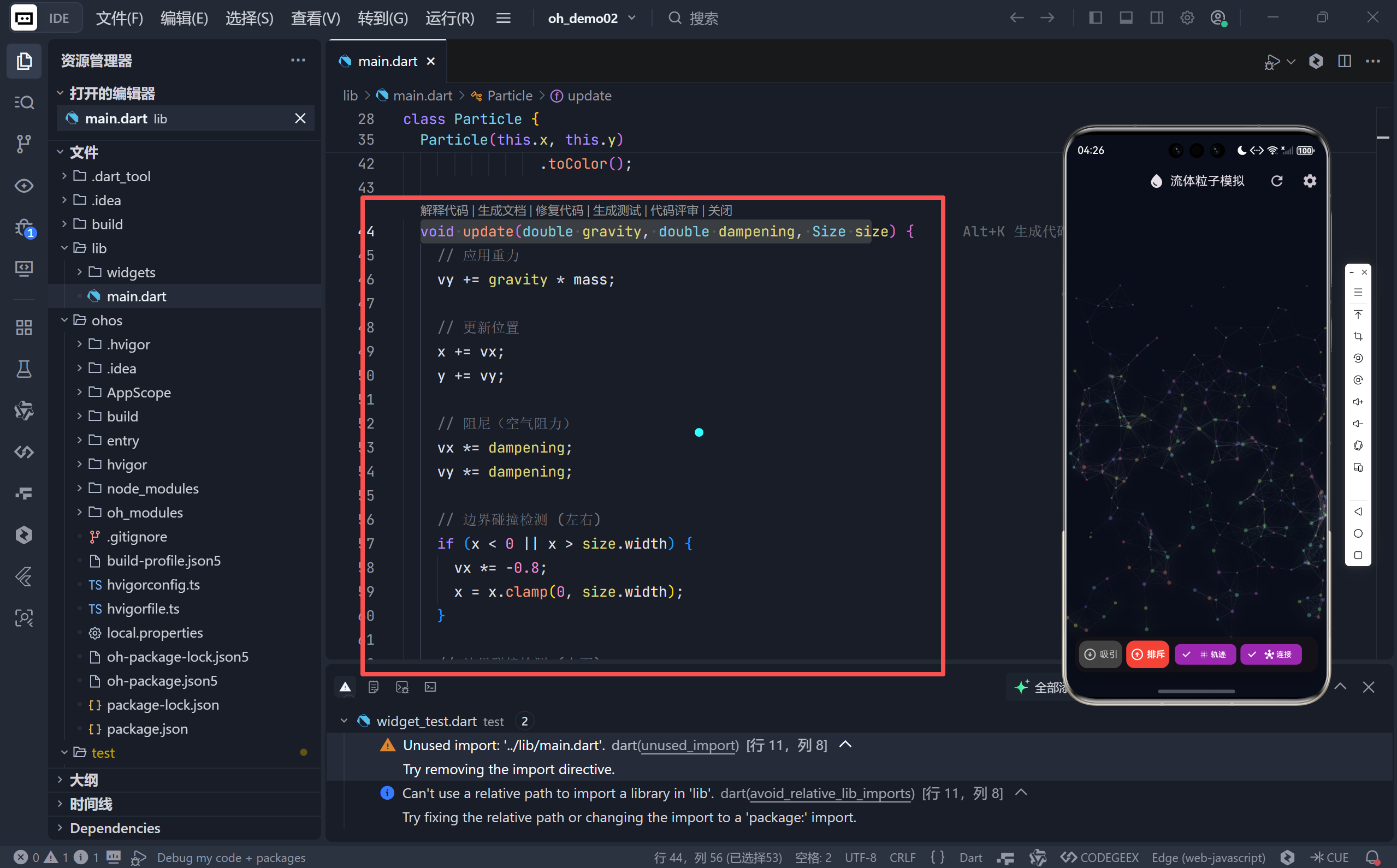
- 质量差异化 :
mass = Random().nextDouble() * 2 + 1使粒子运动更自然;- 非完全弹性碰撞:能量损失模拟真实物理世界。
2. 触摸交互力场
当用户触摸屏幕时,创建动态力场影响附近粒子:
dart
// 计算粒子与触摸点的距离
final distance = sqrt(dx*dx + dy*dy);
if (distance < _interactionRadius) {
  final forceFactor = (1 - distance / _interactionRadius); // 距离衰减
  final force = (_isAttractMode ? 1 : -1) * forceFactor² * _forceMultiplier;

  // 应用力(F=ma → a=F/m)
  particle.vx += cos(angle) * force / particle.mass;
  particle.vy += sin(angle) * force / particle.mass;
}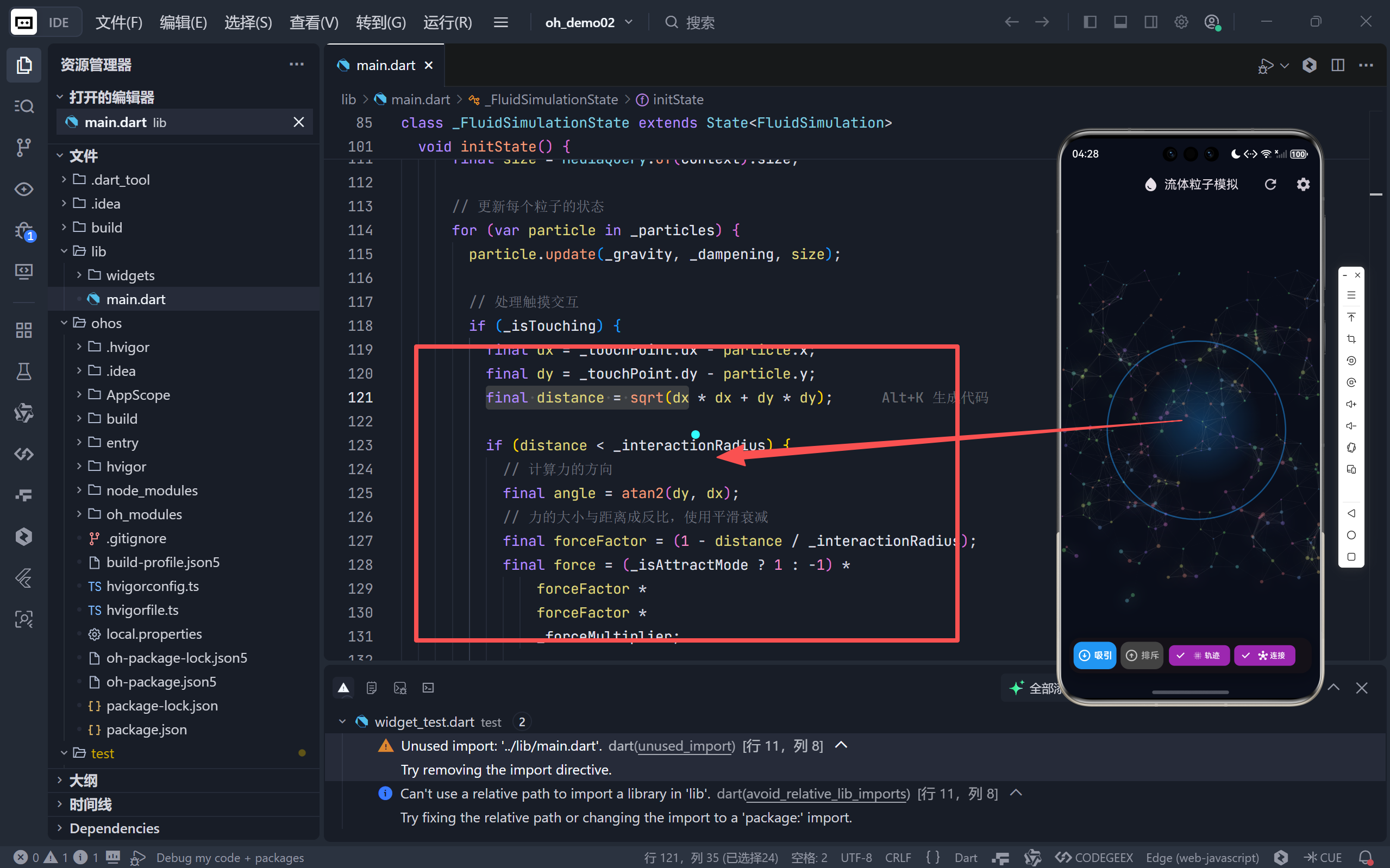
- 平方反比衰减 :
forceFactor²使力场边缘更平滑;- 质量归一化:轻粒子响应更灵敏,重粒子更稳定。
三、高级视觉特效实现
1. 动态发光粒子
dart
// 根据速度混合颜色
final speedFactor = (speed / 10).clamp(0, 1);
final color = Color.lerp(particle.baseColor, Colors.white, speedFactor * 0.7)!;

// 绘制光晕(仅高速粒子)
if (speedFactor > 0.3) {
  final glowPaint = Paint()
    ..color = color.withValues(alpha: speedFactor * 0.3)
    ..maskFilter = MaskFilter.blur(BlurStyle.normal, 10);
  canvas.drawCircle(Offset(x,y), mass*2, glowPaint);
}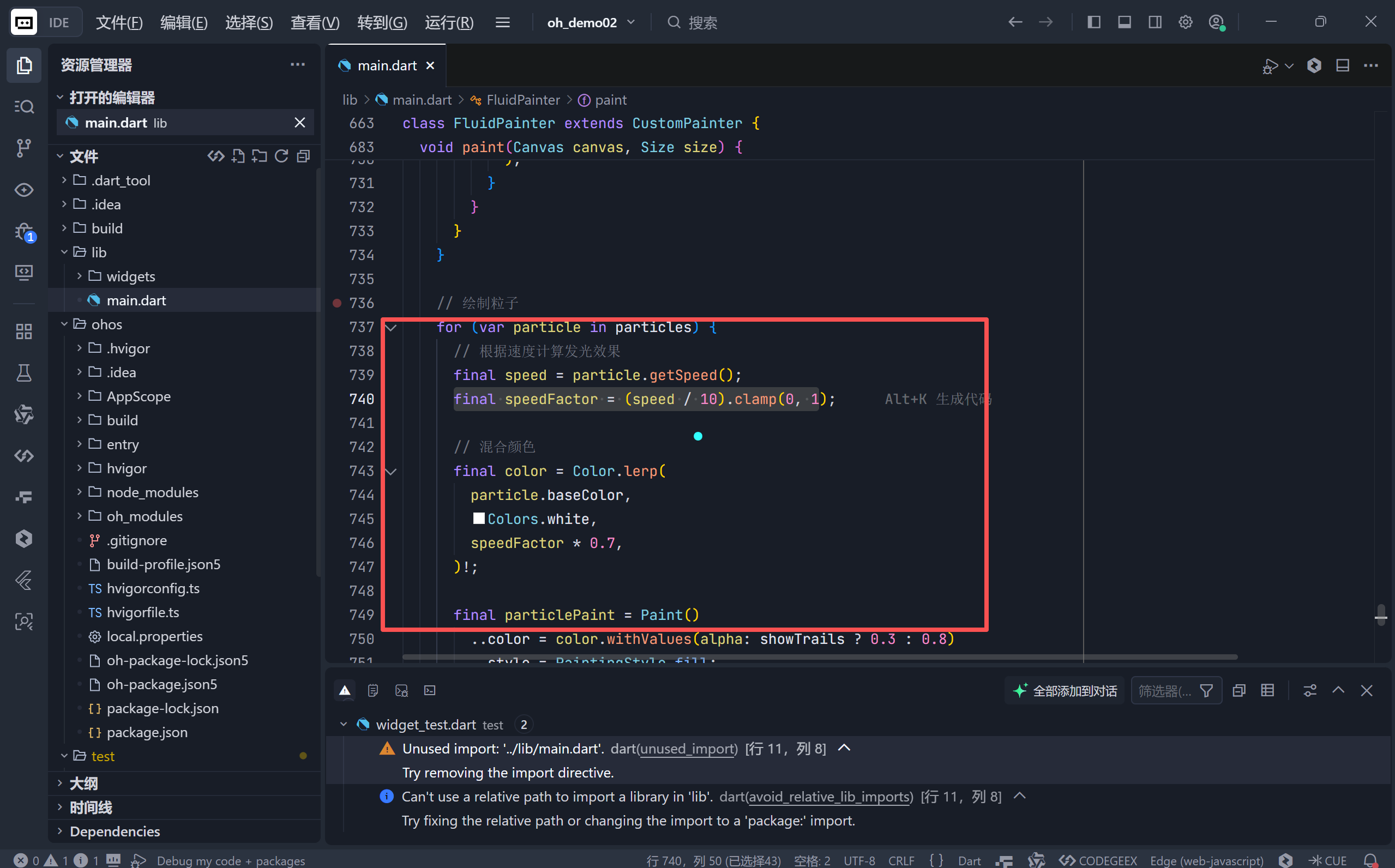
- 速度感知:粒子越快越亮白,静止时保持原始色相;
- 性能优化 :仅当
speedFactor > 0.3时绘制光晕,避免过度绘制。
2. 粒子连接网络
dart
if (showConnections) {
  for (int i=0; i<particles.length; i++) {
    for (int j=i+1; j<particles.length; j++) {
      if (distance < 50) {
        final alpha = 1 - (distance / 50); // 距离越近连线越亮
        connectionPaint.color = Colors.white.withValues(alpha: alpha * 0.2);
        canvas.drawLine(p1, p2, connectionPaint);
      }
    }
  }
}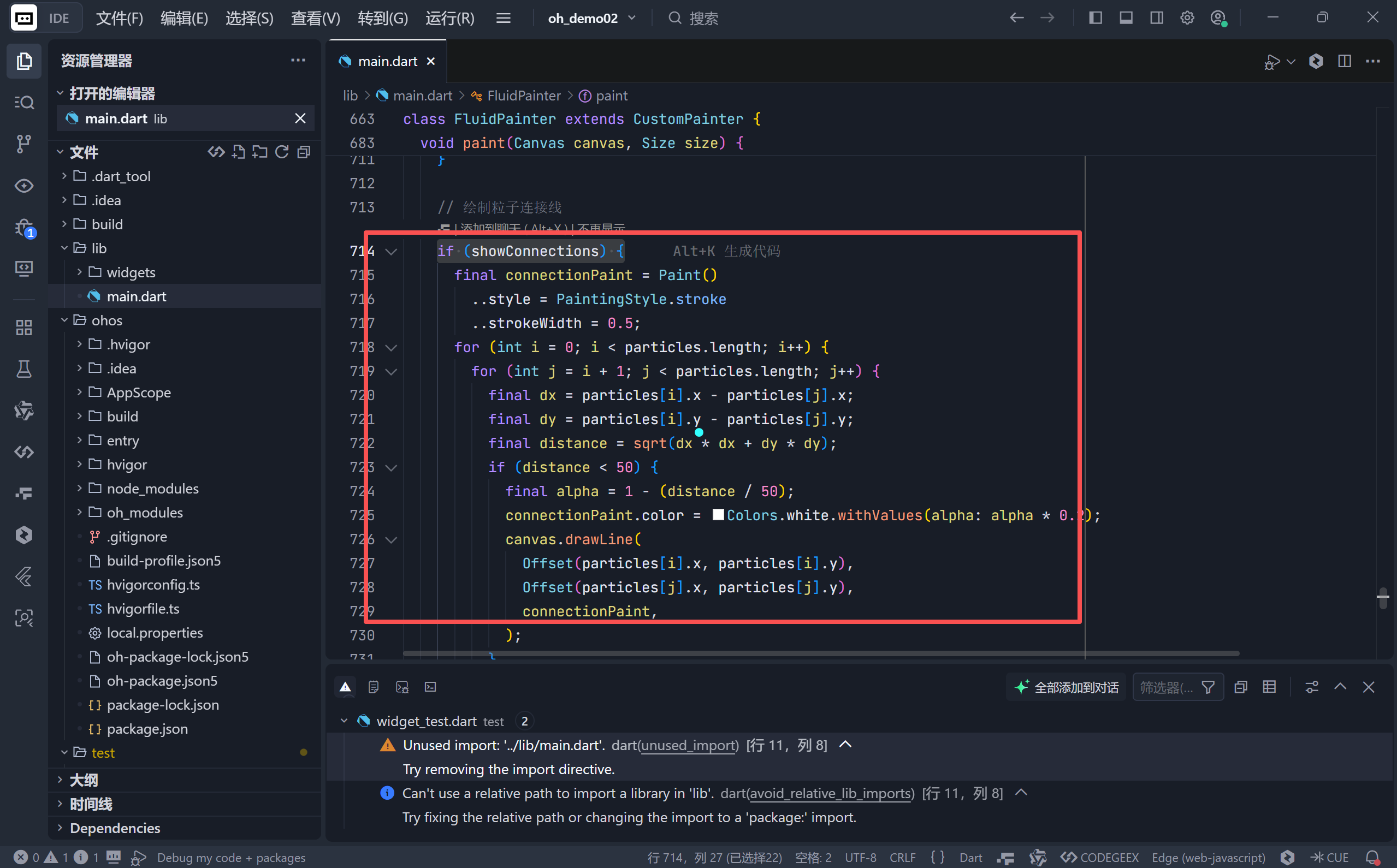
- O(n²) 优化:通过距离阈值(50px)大幅减少连线数量;
- 半透明渐变:近距离连线更明显,远距离近乎隐形。
3. 交互力场可视化
dart
// 径向渐变力场
final gradient = RadialGradient(
  colors: [modeColor.withAlpha(77), modeColor.withAlpha(0)],
  radius: interactionRadius / size.width,
);
canvas.drawCircle(touchPoint, interactionRadius, fieldPaint);

// 边界圆环
final ringPaint = Paint()..color = modeColor.withAlpha(128);
canvas.drawCircle(touchPoint, interactionRadius, ringPaint);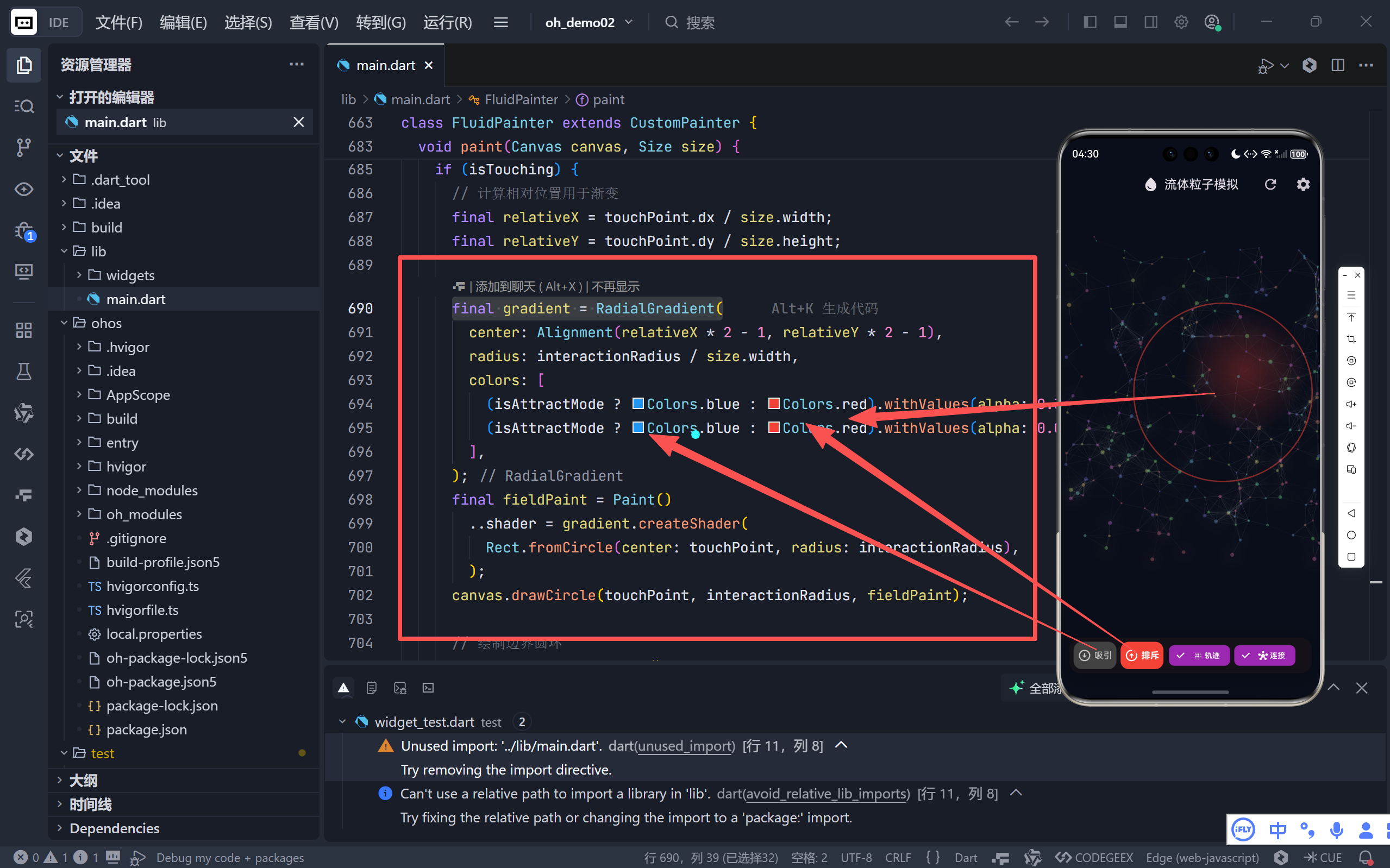
- 模式区分:吸引模式(蓝色)、排斥模式(红色);
- 深度感营造:内实外虚的渐变模拟力场强度衰减。
四、交互控制面板设计
1. 双模式切换
| 模式 | 图标 | 行为 | 视觉反馈 |
|---|---|---|---|
| 吸引 | ↓ 圆箭头 | 粒子向触摸点聚集 | 蓝色高亮 |
| 排斥 | ↑ 圆箭头 | 粒子远离触摸点 | 红色高亮 |
2. 视觉增强开关
- 轨迹模式 :降低粒子透明度(
alpha: 0.3),形成运动残影; - 连接模式:显示粒子间动态连线,揭示群体行为模式。
3. 深度设置系统
通过 AlertDialog 提供六维参数调节:
| 参数 | 范围 | 物理意义 |
|---|---|---|
| 粒子数量 | 50-500 | 系统复杂度 |
| 重力 | -0.5~0.5 | 垂直加速度方向/强度 |
| 阻尼 | 0.9-1.0 | 能量耗散速率 |
| 作用半径 | 50-400px | 力场影响范围 |
| 力的大小 | 0.1-2.0 | 交互强度 |
⚠️ 注意:
StatefulBuilder确保滑块拖动时实时预览参数变化,但仅在点击"应用"后更新主界面。
五、性能优化策略
1. 绘制效率保障
- 条件绘制 :
showTrails/showConnections开关避免无效计算; - 智能重绘 :
shouldRepaint仅当关键参数变化时触发重绘; - Canvas 批处理 :单次
paint调用完成所有绘制操作。
2. 内存管理
- 对象复用 :粒子列表
_particles初始化后不再重建; - 控制器释放 :
dispose()中清理AnimationController。
3. 坐标转换优化
dart
// 高效获取局部坐标
final renderBox = context.findRenderObject() as RenderBox?;
_touchPoint = renderBox!.globalToLocal(details.globalPosition);
避免使用 MediaQuery 在每帧中重复计算。
六、潜在扩展方向
3D 粒子系统 结合
flutter_cube或three_dart实现 Z 轴深度。流体动力学 引入 Navier-Stokes 方程模拟真实流体(需 GPU 加速)。
粒子生命周期 添加生成/消亡机制,支持喷泉、爆炸等特效。
WebGL 导出 通过
flutter_web_plugins将 Canvas 转换为 WebGL 渲染。
结语:Flutter 的图形潜力
这个粒子模拟项目证明了 Flutter 不仅能构建精美 UI,更能胜任高性能图形计算 任务。通过合理利用 CustomPainter、AnimationController 和 Dart 的数值计算能力,我们实现了:
- 60 FPS 流畅动画
- 复杂物理交互
- 动态视觉特效
🌐 加入社区
欢迎加入 开源鸿蒙跨平台开发者社区 ,获取最新资源与技术支持:
👉 开源鸿蒙跨平台开发者社区
完整代码展示
bash
import 'dart:math';
import 'package:flutter/material.dart';
void main() {
runApp(const FluidApp());
}
class FluidApp extends StatelessWidget {
const FluidApp({super.key});
@override
Widget build(BuildContext context) {
return MaterialApp(
title: '流体粒子模拟',
theme: ThemeData(
useMaterial3: true,
colorScheme: ColorScheme.fromSeed(
seedColor: Colors.deepPurple,
brightness: Brightness.dark,
),
),
home: const FluidSimulation(),
debugShowCheckedModeBanner: false,
);
}
}
class Particle {
double x, y;
double vx, vy;
double mass;
Color baseColor;
double hue;
Particle(this.x, this.y)
: vx = (Random().nextDouble() - 0.5) * 2,
vy = (Random().nextDouble() - 0.5) * 2,
mass = Random().nextDouble() * 2 + 1,
hue = Random().nextDouble() * 360,
baseColor =
HSLColor.fromAHSL(1.0, Random().nextDouble() * 360, 0.8, 0.6)
.toColor();
void update(double gravity, double dampening, Size size) {
// 应用重力
vy += gravity * mass;
// 更新位置
x += vx;
y += vy;
// 阻尼(空气阻力)
vx *= dampening;
vy *= dampening;
// 边界碰撞检测 (左右)
if (x < 0 || x > size.width) {
vx *= -0.8;
x = x.clamp(0, size.width);
}
// 边界碰撞检测 (上下)
if (y < 0 || y > size.height) {
vy *= -0.8;
y = y.clamp(0, size.height);
}
// 颜色缓慢变化
hue = (hue + 0.5) % 360;
baseColor = HSLColor.fromAHSL(1.0, hue, 0.8, 0.6).toColor();
}
double getSpeed() {
return sqrt(vx * vx + vy * vy);
}
}
class FluidSimulation extends StatefulWidget {
const FluidSimulation({super.key});
@override
State<FluidSimulation> createState() => _FluidSimulationState();
}
class _FluidSimulationState extends State<FluidSimulation>
with SingleTickerProviderStateMixin {
late AnimationController _controller;
List<Particle> _particles = [];
Offset _touchPoint = Offset.zero;
bool _isTouching = false;
bool _isAttractMode = true;
double _gravity = 0.1;
double _dampening = 0.99;
double _interactionRadius = 200;
double _forceMultiplier = 0.8;
int _particleCount = 300;
bool _showTrails = false;
bool _showConnections = false;
@override
void initState() {
super.initState();
_controller = AnimationController(
vsync: this,
duration: const Duration(milliseconds: 16),
)..repeat();
_initializeParticles();
_controller.addListener(() {
final size = MediaQuery.of(context).size;
// 更新每个粒子的状态
for (var particle in _particles) {
particle.update(_gravity, _dampening, size);
// 处理触摸交互
if (_isTouching) {
final dx = _touchPoint.dx - particle.x;
final dy = _touchPoint.dy - particle.y;
final distance = sqrt(dx * dx + dy * dy);
if (distance < _interactionRadius) {
// 计算力的方向
final angle = atan2(dy, dx);
// 力的大小与距离成反比,使用平滑衰减
final forceFactor = (1 - distance / _interactionRadius);
final force = (_isAttractMode ? 1 : -1) *
forceFactor *
forceFactor *
_forceMultiplier;
particle.vx += cos(angle) * force / particle.mass;
particle.vy += sin(angle) * force / particle.mass;
}
}
}
setState(() {});
});
}
void _initializeParticles() {
_particles = List.generate(
_particleCount,
(index) => Particle(
Random().nextDouble() * 400,
Random().nextDouble() * 400,
),
);
}
void _resetParticles() {
setState(() {
_initializeParticles();
});
}
@override
void dispose() {
_controller.dispose();
super.dispose();
}
@override
Widget build(BuildContext context) {
final theme = Theme.of(context);
return Scaffold(
backgroundColor: const Color(0xFF0A0E1A),
appBar: AppBar(
title: const Row(
mainAxisSize: MainAxisSize.min,
children: [
Icon(Icons.water_drop, size: 24),
SizedBox(width: 8),
Text('流体粒子模拟', style: TextStyle(fontSize: 18)),
],
),
centerTitle: true,
elevation: 0,
backgroundColor: Colors.transparent,
titleSpacing: 8,
toolbarHeight: kToolbarHeight,
actions: [
IconButton(
icon: const Icon(Icons.refresh, size: 24),
onPressed: _resetParticles,
tooltip: '重置粒子',
padding: const EdgeInsets.all(12),
constraints: const BoxConstraints(minWidth: 48, minHeight: 48),
),
IconButton(
icon: const Icon(Icons.settings, size: 24),
onPressed: () => _showSettingsDialog(context),
tooltip: '设置',
padding: const EdgeInsets.all(12),
constraints: const BoxConstraints(minWidth: 48, minHeight: 48),
),
],
),
body: Stack(
children: [
// 粒子画布
Positioned.fill(
child: GestureDetector(
onPanStart: (details) {
setState(() {
_isTouching = true;
final renderBox = context.findRenderObject() as RenderBox?;
if (renderBox != null) {
_touchPoint =
renderBox.globalToLocal(details.globalPosition);
}
});
},
onPanUpdate: (details) {
final renderBox = context.findRenderObject() as RenderBox?;
if (renderBox != null) {
_touchPoint = renderBox.globalToLocal(details.globalPosition);
}
},
onPanEnd: (details) {
setState(() {
_isTouching = false;
});
},
child: CustomPaint(
size: Size.infinite,
painter: FluidPainter(
_particles,
_touchPoint,
_isTouching,
_isAttractMode,
_interactionRadius,
_showTrails,
_showConnections,
),
),
),
),
// 交互模式切换
Positioned(
bottom: 16,
left: 0,
right: 0,
child: SafeArea(
top: false,
minimum: const EdgeInsets.only(bottom: 8),
child: _buildControlPanel(theme),
),
),
],
),
);
}
Widget _buildControlPanel(ThemeData theme) {
return Container(
margin: const EdgeInsets.symmetric(horizontal: 16),
padding: const EdgeInsets.symmetric(horizontal: 8, vertical: 10),
decoration: BoxDecoration(
color: theme.colorScheme.surface.withValues(alpha: 0.9),
borderRadius: BorderRadius.circular(20),
boxShadow: [
BoxShadow(
color: Colors.black.withValues(alpha: 0.3),
blurRadius: 20,
offset: const Offset(0, 4),
),
],
),
child: Row(
mainAxisAlignment: MainAxisAlignment.spaceEvenly,
children: [
Expanded(
child: _buildModeButton(
icon: Icons.arrow_circle_down,
label: '吸引',
isActive: _isAttractMode,
color: Colors.blue,
onTap: () => setState(() => _isAttractMode = true),
),
),
const SizedBox(width: 8),
Expanded(
child: _buildModeButton(
icon: Icons.arrow_circle_up,
label: '排斥',
isActive: !_isAttractMode,
color: Colors.red,
onTap: () => setState(() => _isAttractMode = false),
),
),
const SizedBox(width: 12),
Expanded(
child: _buildToggleChip(
icon: Icons.blur_on,
label: '轨迹',
isActive: _showTrails,
onTap: () => setState(() => _showTrails = !_showTrails),
),
),
const SizedBox(width: 8),
Expanded(
child: _buildToggleChip(
icon: Icons.hub,
label: '连接',
isActive: _showConnections,
onTap: () => setState(() => _showConnections = !_showConnections),
),
),
],
),
);
}
Widget _buildModeButton({
required IconData icon,
required String label,
required bool isActive,
required Color color,
required VoidCallback onTap,
}) {
return Material(
color: isActive ? color : Colors.grey[800],
borderRadius: BorderRadius.circular(12),
child: InkWell(
onTap: onTap,
borderRadius: BorderRadius.circular(12),
child: Padding(
padding: const EdgeInsets.symmetric(horizontal: 4, vertical: 12),
child: Row(
mainAxisAlignment: MainAxisAlignment.center,
mainAxisSize: MainAxisSize.min,
children: [
Icon(icon,
color: isActive ? Colors.white : Colors.white70, size: 22),
const SizedBox(width: 6),
Text(
label,
style: TextStyle(
color: isActive ? Colors.white : Colors.white70,
fontWeight: isActive ? FontWeight.bold : FontWeight.normal,
fontSize: 14,
),
),
],
),
),
),
);
}
Widget _buildToggleChip({
required IconData icon,
required String label,
required bool isActive,
required VoidCallback onTap,
}) {
return FilterChip(
label: Row(
mainAxisAlignment: MainAxisAlignment.center,
mainAxisSize: MainAxisSize.min,
children: [
Icon(icon, size: 16, color: isActive ? Colors.white : Colors.white70),
const SizedBox(width: 4),
Text(
label,
style: TextStyle(
color: isActive ? Colors.white : Colors.white70,
fontSize: 12,
),
),
],
),
selected: isActive,
onSelected: (_) => onTap(),
selectedColor: Colors.purple,
backgroundColor: Colors.grey[800],
checkmarkColor: Colors.white,
padding: const EdgeInsets.symmetric(horizontal: 8, vertical: 8),
visualDensity: VisualDensity.compact,
);
}
void _showSettingsDialog(BuildContext context) {
showDialog(
context: context,
builder: (context) => StatefulBuilder(
builder: (context, setDialogState) => AlertDialog(
title: const Row(
children: [
Icon(Icons.tune, color: Colors.purple),
SizedBox(width: 12),
Text('设置'),
],
),
content: SizedBox(
width: double.maxFinite,
child: SingleChildScrollView(
child: Column(
mainAxisSize: MainAxisSize.min,
crossAxisAlignment: CrossAxisAlignment.start,
children: [
_buildSliderSetting(
label: '粒子数量: $_particleCount',
value: _particleCount.toDouble(),
min: 50,
max: 500,
divisions: 45,
onChanged: (value) {
setDialogState(() => _particleCount = value.toInt());
},
),
_buildSliderSetting(
label: '重力: ${_gravity.toStringAsFixed(2)}',
value: _gravity,
min: -0.5,
max: 0.5,
divisions: 100,
onChanged: (value) {
setDialogState(() => _gravity = value);
},
),
_buildSliderSetting(
label: '阻尼: ${_dampening.toStringAsFixed(3)}',
value: _dampening,
min: 0.9,
max: 1.0,
divisions: 100,
onChanged: (value) {
setDialogState(() => _dampening = value);
},
),
_buildSliderSetting(
label: '作用半径: ${_interactionRadius.toInt()}',
value: _interactionRadius,
min: 50,
max: 400,
divisions: 70,
onChanged: (value) {
setDialogState(() => _interactionRadius = value);
},
),
_buildSliderSetting(
label: '力的大小: ${_forceMultiplier.toStringAsFixed(1)}',
value: _forceMultiplier,
min: 0.1,
max: 2.0,
divisions: 19,
onChanged: (value) {
setDialogState(() => _forceMultiplier = value);
},
),
],
),
),
),
actions: [
TextButton(
onPressed: () => Navigator.pop(context),
child: const Text('取消'),
),
ElevatedButton(
onPressed: () {
setState(() {
// 应用设置
});
Navigator.pop(context);
},
style: ElevatedButton.styleFrom(
backgroundColor: Colors.purple,
foregroundColor: Colors.white,
),
child: const Text('应用'),
),
],
),
),
);
}
Widget _buildSliderSetting({
required String label,
required double value,
required double min,
required double max,
required int divisions,
required ValueChanged<double> onChanged,
}) {
return Padding(
padding: const EdgeInsets.symmetric(vertical: 6),
child: Column(
crossAxisAlignment: CrossAxisAlignment.start,
mainAxisSize: MainAxisSize.min,
children: [
Text(
label,
style: const TextStyle(fontWeight: FontWeight.w500, fontSize: 14),
),
const SizedBox(height: 4),
Slider(
value: value,
min: min,
max: max,
divisions: divisions,
label: label.split(': ').last,
onChanged: onChanged,
),
],
),
);
}
}
class FluidPainter extends CustomPainter {
final List<Particle> particles;
final Offset touchPoint;
final bool isTouching;
final bool isAttractMode;
final double interactionRadius;
final bool showTrails;
final bool showConnections;
FluidPainter(
this.particles,
this.touchPoint,
this.isTouching,
this.isAttractMode,
this.interactionRadius,
this.showTrails,
this.showConnections,
);
@override
void paint(Canvas canvas, Size size) {
// 绘制力场范围
if (isTouching) {
// 计算相对位置用于渐变
final relativeX = touchPoint.dx / size.width;
final relativeY = touchPoint.dy / size.height;
final gradient = RadialGradient(
center: Alignment(relativeX * 2 - 1, relativeY * 2 - 1),
radius: interactionRadius / size.width,
colors: [
(isAttractMode ? Colors.blue : Colors.red).withValues(alpha: 0.3),
(isAttractMode ? Colors.blue : Colors.red).withValues(alpha: 0.0),
],
);
final fieldPaint = Paint()
..shader = gradient.createShader(
Rect.fromCircle(center: touchPoint, radius: interactionRadius),
);
canvas.drawCircle(touchPoint, interactionRadius, fieldPaint);
// 绘制边界圆环
final ringPaint = Paint()
..color =
(isAttractMode ? Colors.blue : Colors.red).withValues(alpha: 0.5)
..style = PaintingStyle.stroke
..strokeWidth = 2;
canvas.drawCircle(touchPoint, interactionRadius, ringPaint);
}
// 绘制粒子连接线
if (showConnections) {
final connectionPaint = Paint()
..style = PaintingStyle.stroke
..strokeWidth = 0.5;
for (int i = 0; i < particles.length; i++) {
for (int j = i + 1; j < particles.length; j++) {
final dx = particles[i].x - particles[j].x;
final dy = particles[i].y - particles[j].y;
final distance = sqrt(dx * dx + dy * dy);
if (distance < 50) {
final alpha = 1 - (distance / 50);
connectionPaint.color = Colors.white.withValues(alpha: alpha * 0.2);
canvas.drawLine(
Offset(particles[i].x, particles[i].y),
Offset(particles[j].x, particles[j].y),
connectionPaint,
);
}
}
}
}
// 绘制粒子
for (var particle in particles) {
// 根据速度计算发光效果
final speed = particle.getSpeed();
final speedFactor = (speed / 10).clamp(0, 1);
// 混合颜色
final color = Color.lerp(
particle.baseColor,
Colors.white,
speedFactor * 0.7,
)!;
final particlePaint = Paint()
..color = color.withValues(alpha: showTrails ? 0.3 : 0.8)
..style = PaintingStyle.fill;
// 绘制光晕效果
if (speedFactor > 0.3) {
final glowPaint = Paint()
..color = color.withValues(alpha: speedFactor * 0.3)
..maskFilter = const MaskFilter.blur(BlurStyle.normal, 10);
canvas.drawCircle(
Offset(particle.x, particle.y),
particle.mass * 2,
glowPaint,
);
}
// 绘制粒子本体
canvas.drawCircle(
Offset(particle.x, particle.y),
particle.mass,
particlePaint,
);
}
}
@override
bool shouldRepaint(covariant FluidPainter oldDelegate) {
return oldDelegate.particles != particles ||
oldDelegate.touchPoint != touchPoint ||
oldDelegate.isTouching != isTouching ||
oldDelegate.showTrails != showTrails ||
oldDelegate.showConnections != showConnections;
}
}