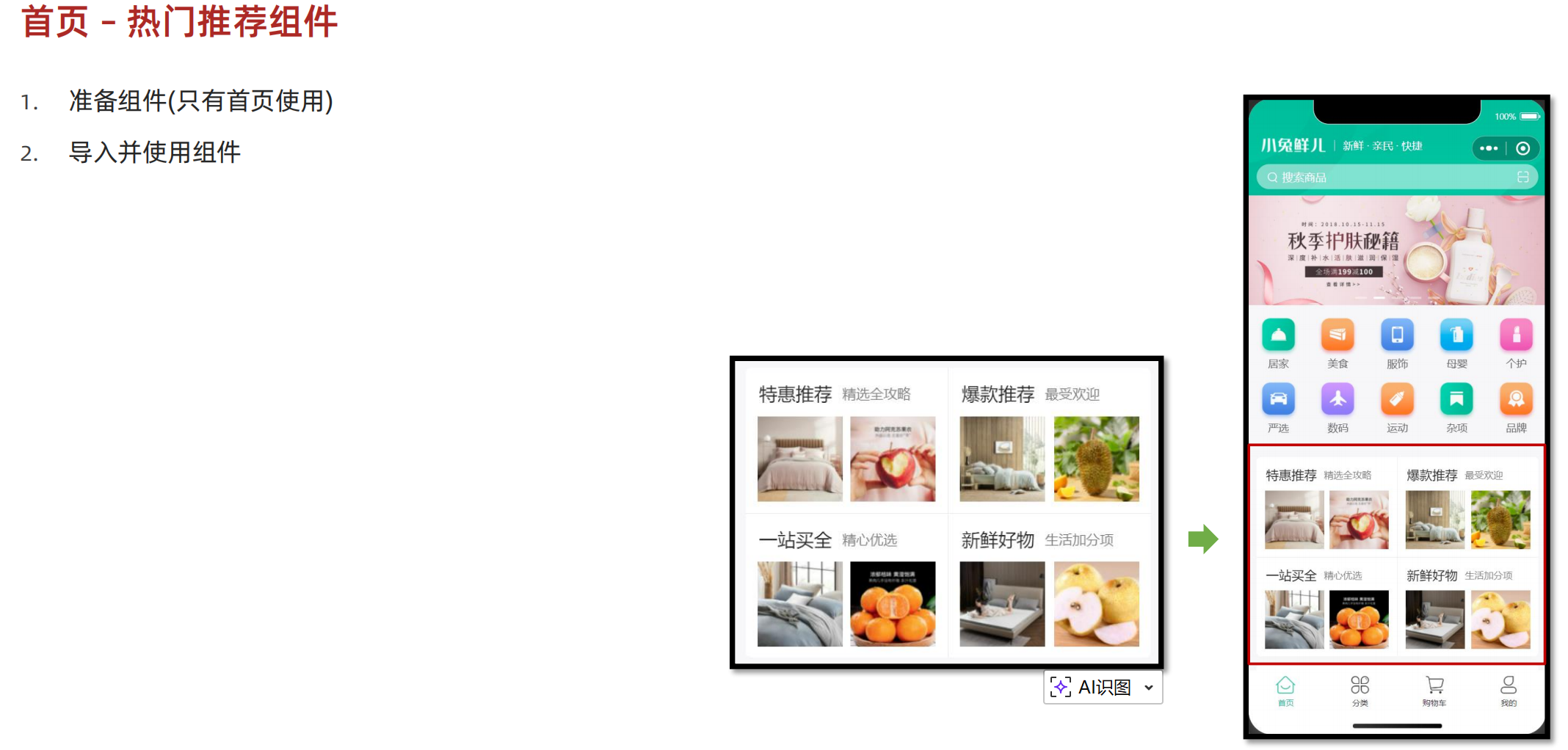
//HotPanel.vue
<script setup lang="ts">
import type { HotItem } from '@/types/home'

// 定义 props 接收数据
defineProps<{
  list: HotItem[]
}>()
</script>

<template>
  <!-- 推荐专区 -->
  <view class="panel hot">
    <view class="item" v-for="item in list" :key="item.id">
      <view class="title">
        <text class="title-text">{{ item.title }}</text>
        <text class="title-desc">{{ item.alt }}</text>
      </view>
      <navigator hover-class="none" :url="`/pages/hot/hot?type=${item.type}`" class="cards">
        <image
          v-for="src in item.pictures"
          :key="src"
          class="image"
          mode="aspectFit"
          :src="src"
        ></image>
      </navigator>
    </view>
  </view>
</template>

<style lang="scss">
/* 热门推荐 */
.hot {
  display: flex;
  flex-wrap: wrap;
  min-height: 508rpx;
  margin: 20rpx 20rpx 0;
  border-radius: 10rpx;
  background-color: #fff;

  .title {
    display: flex;
    align-items: center;
    padding: 24rpx 24rpx 0;
    font-size: 32rpx;
    color: #262626;
    position: relative;
    .title-desc {
      font-size: 24rpx;
      color: #7f7f7f;
      margin-left: 18rpx;
    }
  }

  .item {
    display: flex;
    flex-direction: column;
    width: 50%;
    height: 254rpx;
    border-right: 1rpx solid #eee;
    border-top: 1rpx solid #eee;
    .title {
      justify-content: start;
    }
    &:nth-child(2n) {
      border-right: 0 none;
    }
    &:nth-child(-n + 2) {
      border-top: 0 none;
    }
    .image {
      width: 150rpx;
      height: 150rpx;
    }
  }
  .cards {
    flex: 1;
    padding: 15rpx 20rpx;
    display: flex;
    justify-content: space-between;
    align-items: center;
  }
}
</style>

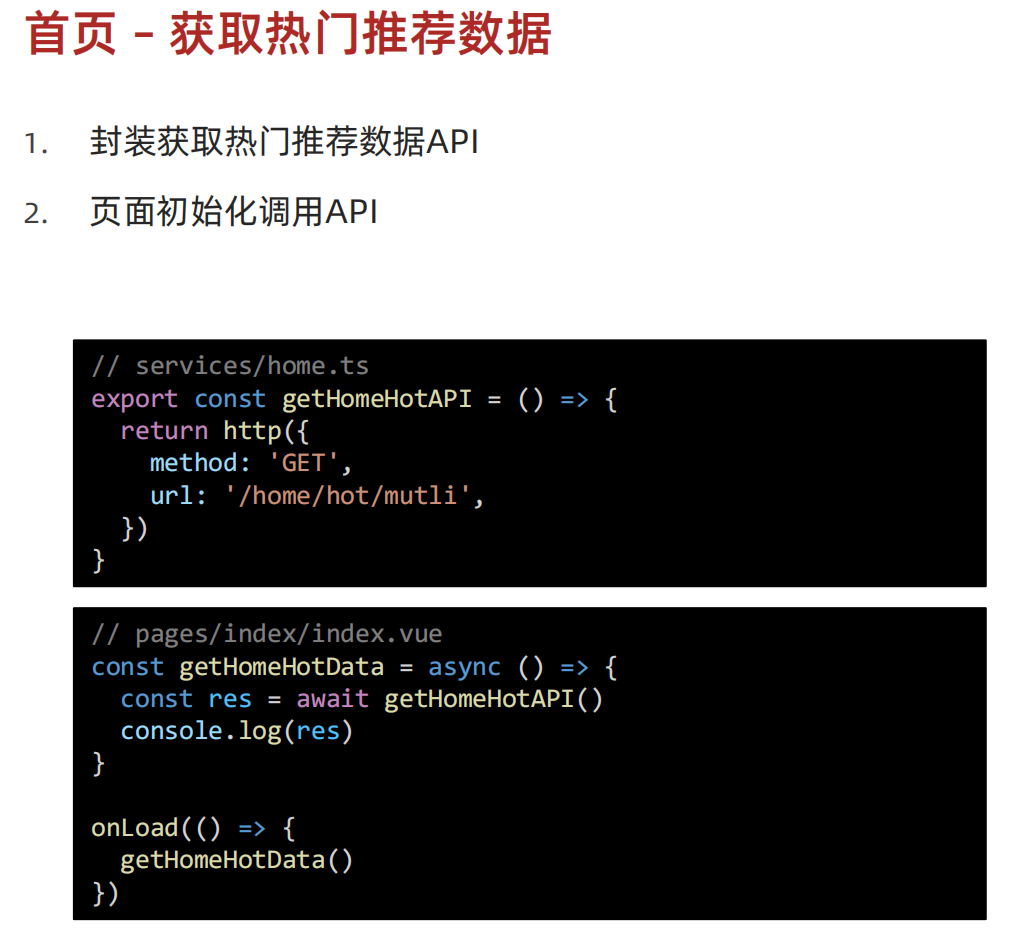
//home.ts
/**
 * 首页-热门推荐-小程序
 */
export const getHomeHotAPI = () => {
  return http<HotItem[]>({
    method: 'GET',
    url: '/home/hot/mutli',
  })
}

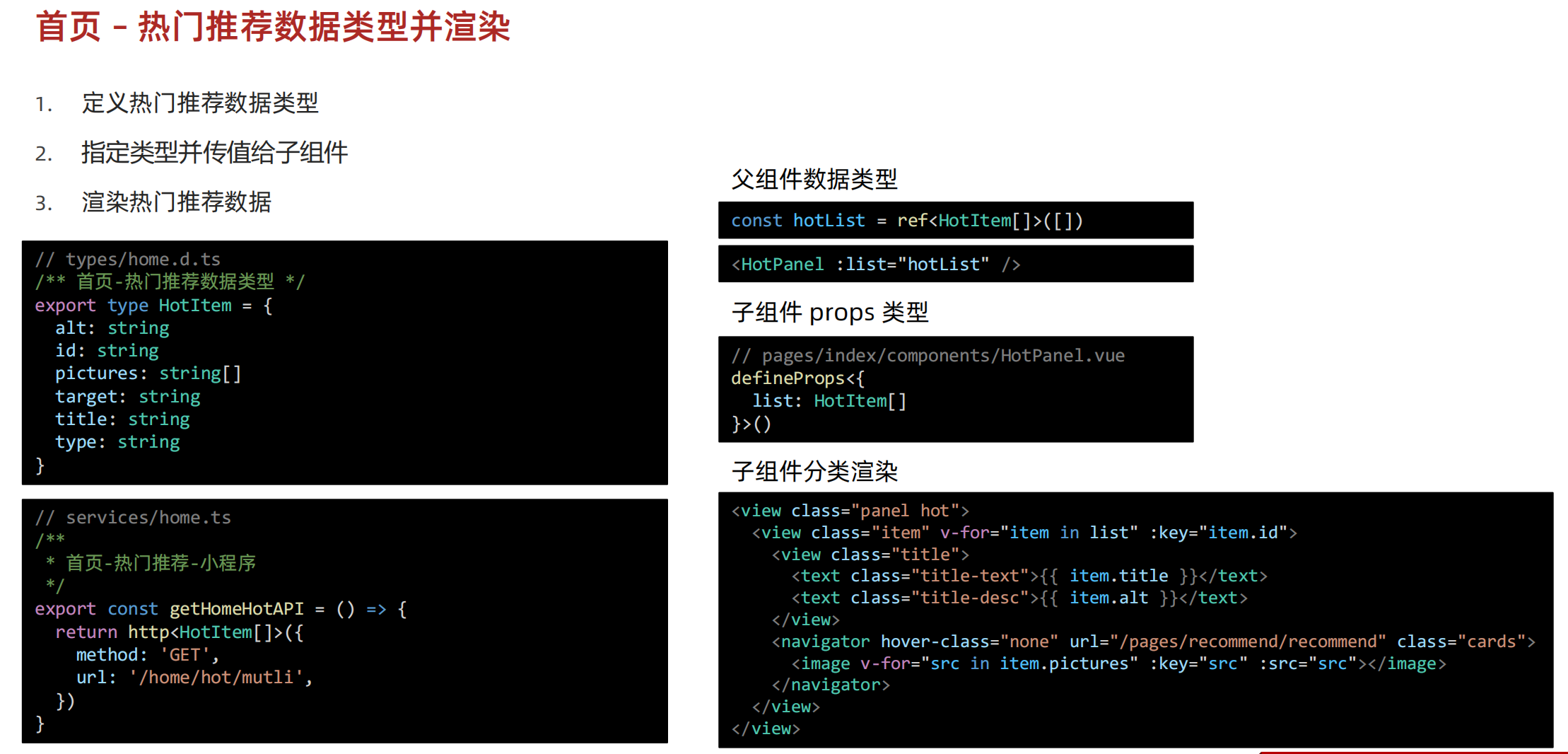
//home.d.ts
/** 首页-热门推荐数据类型 */
export type HotItem = {
  /** 说明 */
  alt: string
  /** id */
  id: string
  /** 图片集合[ 图片路径 ] */
  pictures: string[]
  /** 跳转地址 */
  target: string
  /** 标题 */
  title: string
  /** 推荐类型 */
  type: string
}

//index.vue
<script setup lang="ts">
import CustomNavbar from './componets/CustomNavbar.vue'
import {getHomeBannerAPI} from '@/services/home'
import {onLoad} from '@dcloudio/uni-app'
import type {BannerItem} from '@/types/home'
import { ref } from 'vue'
import CategoryPanel from './componets/CategoryPanel'
import {getHomeCategoryAPI} from '@/services/home'
import HotPanel from './componets/HotPanel'
import {getHomeHotAPI} from '@/services/home'

const bannerList = ref<BannerItem[]>([])
const getHomeBannerData = async () =>{
  const res = await getHomeBannerAPI()
  console.log(res)
  bannerList.value = res.result
}

const categoryList = ref<CategoryItem[]>([])
const getHomeCategoryData = async () => {
  const res = await getHomeCategoryAPI()
  categoryList.value = res.result
}

const hotList = ref<HotItem[]>([])
const getHomeHotData = async () => {
  const res = await getHomeHotAPI()
  hotList.value = res.result
}

onLoad(() => {
  getHomeBannerData()
  getHomeCategoryData()
  getHomeHotData()
})
</script>


<template>
  <CustomNavbar />
  <XtxSwiper :list="bannerList" />
  <CategoryPanel :list="categoryList" />
  <HotPanel :list="hotList" />
  <view class="index">index</view>
</template>

<style lang="scss">
page {
  background-color: "#f7f7f7";
}
</style>
觉得有帮助的话,打赏一下呗。。


需要商务合作(定制程序)的欢迎私信!!