一、前言
1、什么是grpc, 设计该通信协议的背景、目的、可以用来做什么?
grpc全称:"Google Remote Procedure Call", 谷歌远程过程调用;
背景:原来在开发架构中很多采用"单体架构",将所有的功能模块集成到一个exe程序,但是当针对某个模块功能进行升级时,需要将整个程序进行升级;且当程序中某个模块宕机了,会导致整个软件的宕机;且当某个功能需要增加资源开支时,是对整个软件资源的开支增加,整体按照功能模块的伸缩性差;代码直接的耦合性高;
目的:为了解决模块间解耦,加强功能模块的伸缩性,这里引入了"微服务"架构;
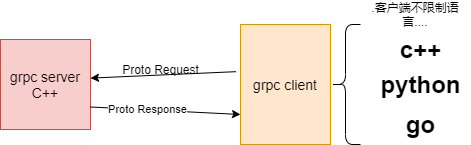
微服务架构,采用grpc通信的方式进行,功能服务之间的解耦,服务之间是进程之间的关系;
grpc远程调用屏蔽计算机底层调用细节以及编程语言之间的差异。跟本地调用一个函数一样,底层的通信实现交给了grpc处理。
2、grpc协议的特点?以及优缺点?
grpc,数据是二进制字节流,采用了约定的编码,这里使用的是protobuff,因此安全性高;
跨平台,跨语言,接口即代码;
grpc支持多种通信模式,支持一对一,多对一,一对多,或多对多,支持断点续传;
缺点:
(1)、可读性差;
(2)、数据结构更改需要重新编译;
(3)、学习成本高;
二、编译安装(C++)
本文中提供编译好的库文件,编译好的环境是基于(msvc 2019 + 64位)
1、编译源码
1.1、下载源码以及第三方库依赖
这里下载1.34版本的grpc, 这里使用国内镜像源仓库下载:(如果网络条件好,可以从github上下载)也可以从下面网盘地址获取:
通过网盘分享的文件:grpc.zip
链接: https://pan.baidu.com/s/1__auslBbTnmbL99EEI16_w 提取码: 8888
cpp
git clone -b v1.34.0 https://gitee.com/mirrors/grpc-framework.git grpc_1.34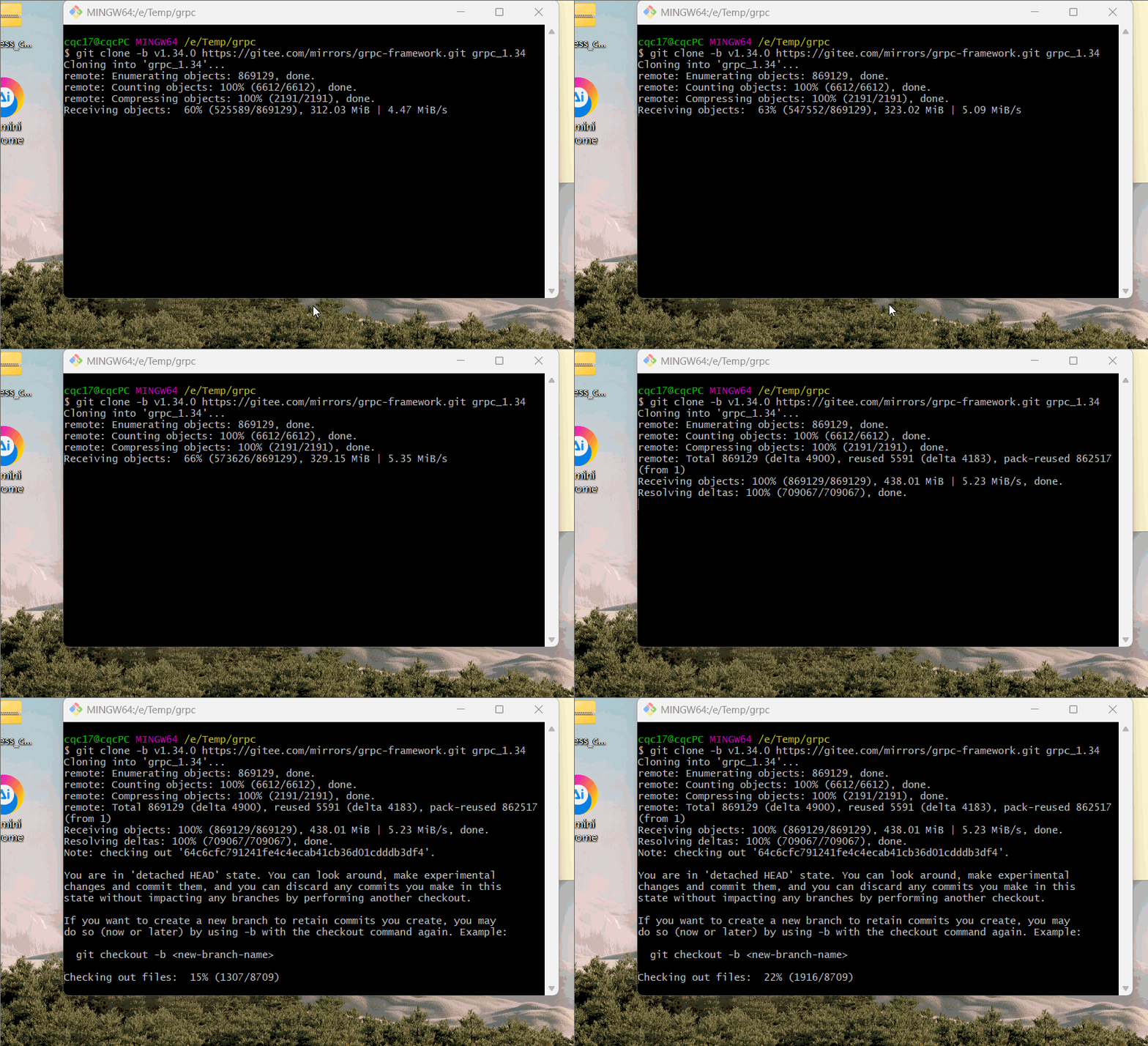
查看下载后的仓库所在文件夹:
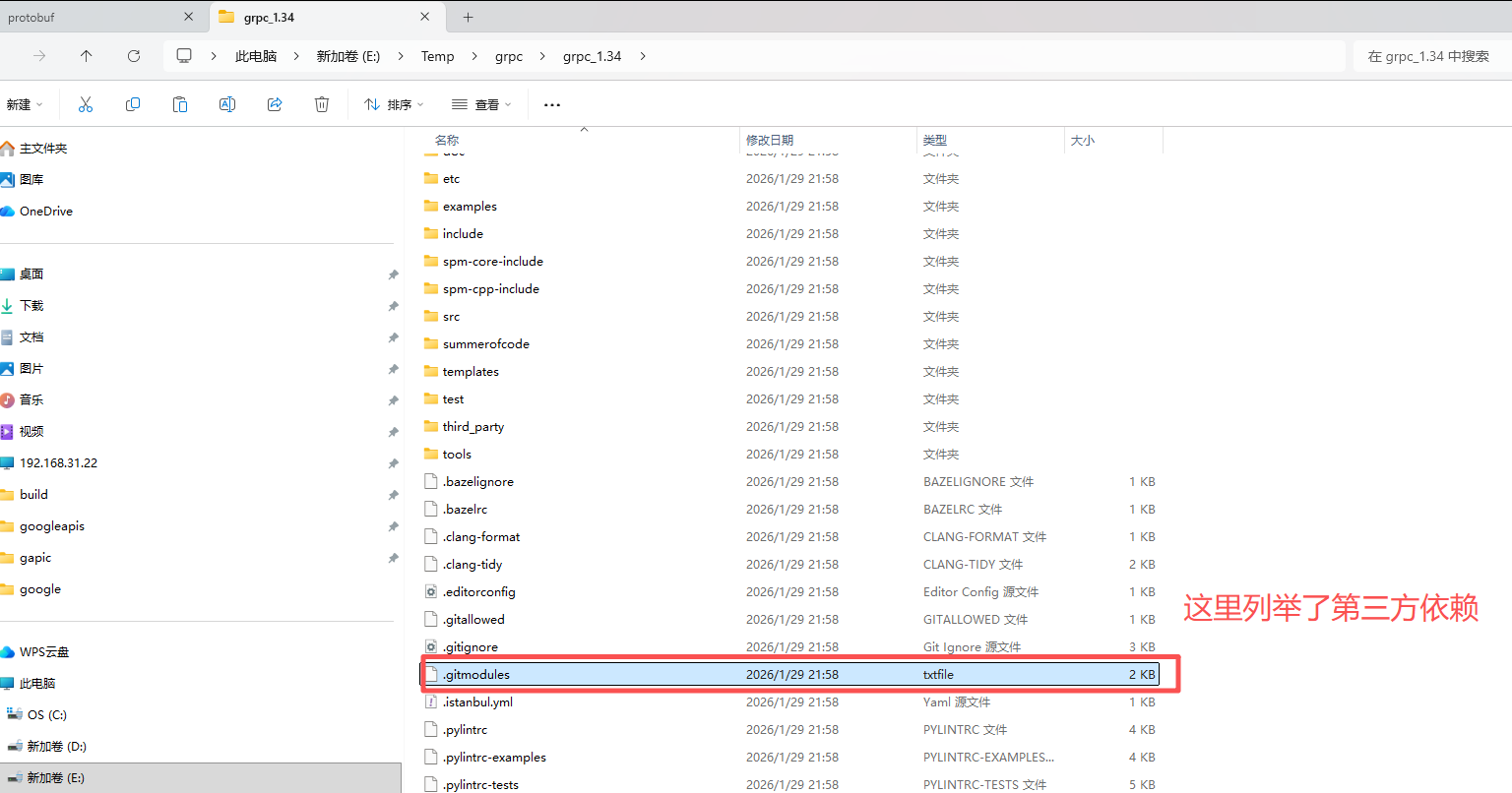
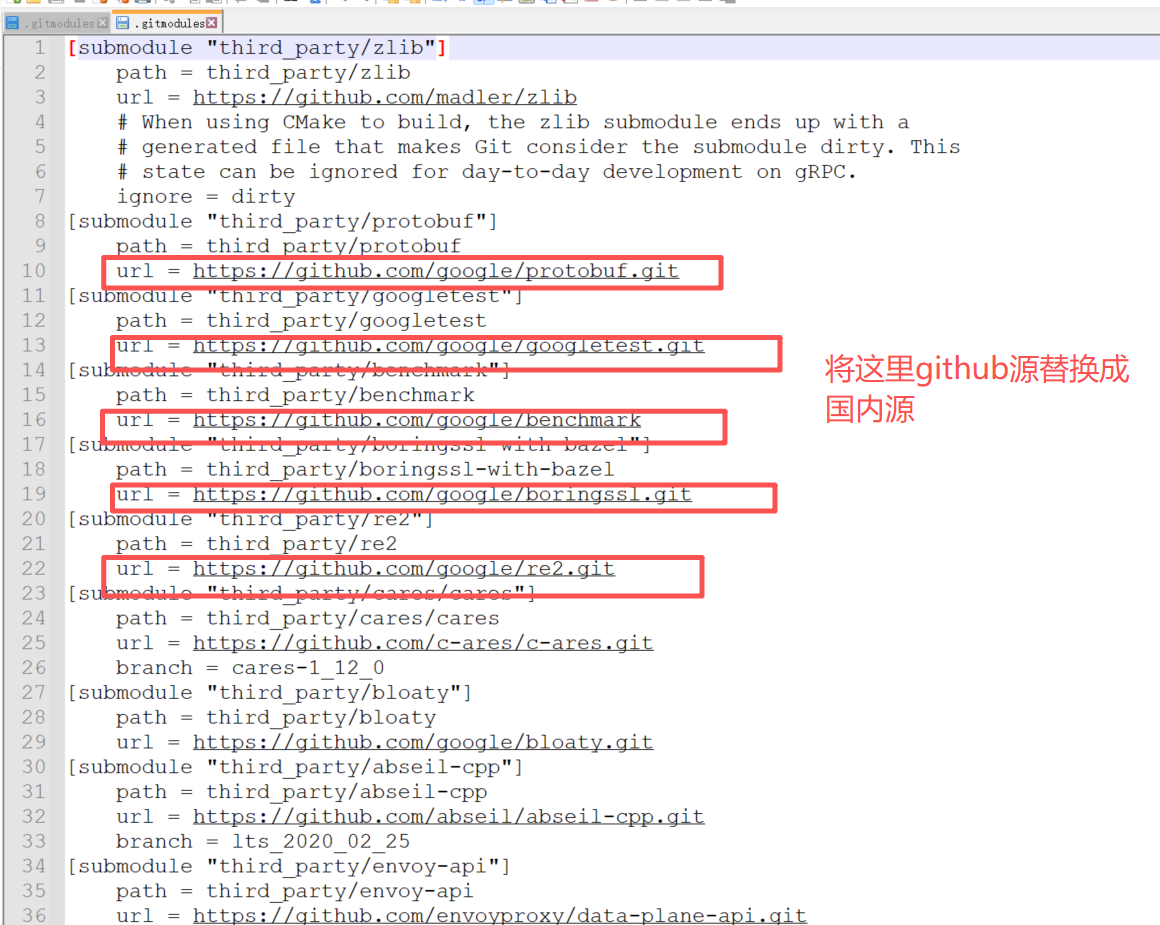
cpp
[submodule "third_party/zlib"]
	path = third_party/zlib
	url = https://gitee.com/mirrors/zlib.git
	# When using CMake to build, the zlib submodule ends up with a
	# generated file that makes Git consider the submodule dirty. This
	# state can be ignored for day-to-day development on gRPC.
	ignore = dirty
[submodule "third_party/protobuf"]
	path = third_party/protobuf
	url = https://gitee.com/local-grpc/protobuf.git
[submodule "third_party/googletest"]
	path = third_party/googletest
	url = https://gitee.com/local-grpc/googletest.git
[submodule "third_party/benchmark"]
	path = third_party/benchmark
	url = https://gitee.com/mirrors/google-benchmark.git
[submodule "third_party/boringssl-with-bazel"]
	path = third_party/boringssl-with-bazel
	url = https://gitee.com/mirrors/boringssl.git
[submodule "third_party/re2"]
	path = third_party/re2
	url = https://gitee.com/local-grpc/re2.git
[submodule "third_party/cares/cares"]
	path = third_party/cares/cares
	url = https://gitee.com/mirrors/c-ares.git
	branch = cares-1_12_0
[submodule "third_party/bloaty"]
	path = third_party/bloaty
	url = https://gitee.com/local-grpc/bloaty.git
[submodule "third_party/abseil-cpp"]
	path = third_party/abseil-cpp
	url = https://gitee.com/mirrors/abseil-cpp.git
	branch = lts_2020_02_25
[submodule "third_party/envoy-api"]
	path = third_party/envoy-api
	url = https://gitee.com/local-grpc/data-plane-api.git
[submodule "third_party/googleapis"]
	path = third_party/googleapis
	url = https://gitee.com/mirrors/googleapis.git
[submodule "third_party/protoc-gen-validate"]
	path = third_party/protoc-gen-validate
	url = https://gitee.com/local-grpc/protoc-gen-validate.git
拉取第三方依赖:
bash
git submodule update --init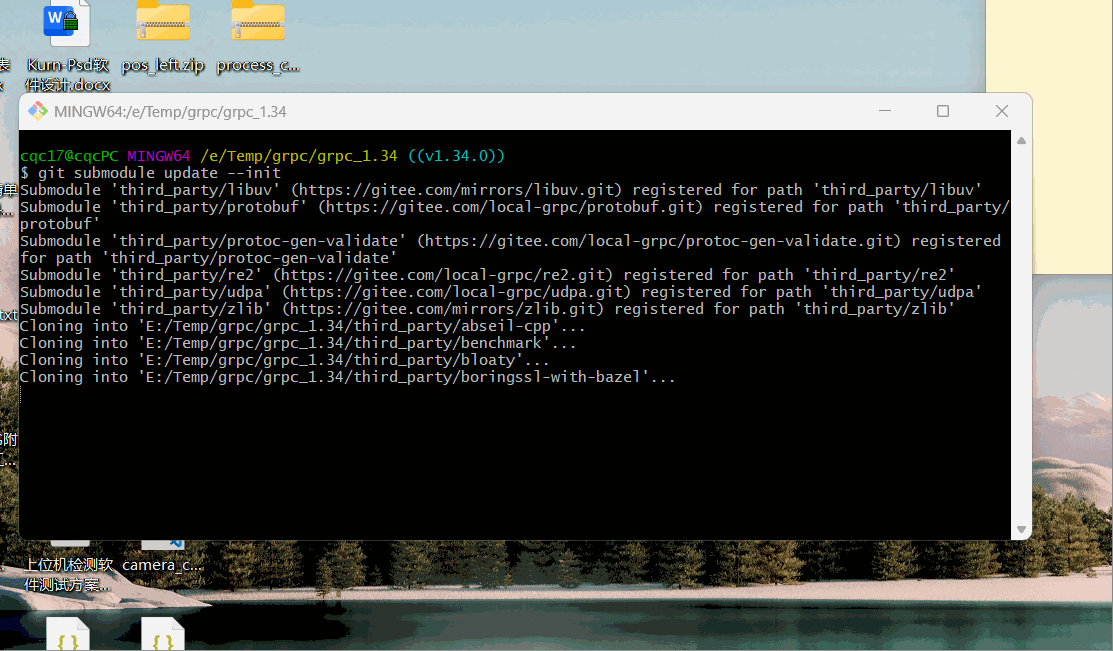
1.2 grpc这边需要汇编编译器,这里从下面链接下载:
bash
https://www.nasm.us/pub/nasm/releasebuilds/2.16.03/win64/ 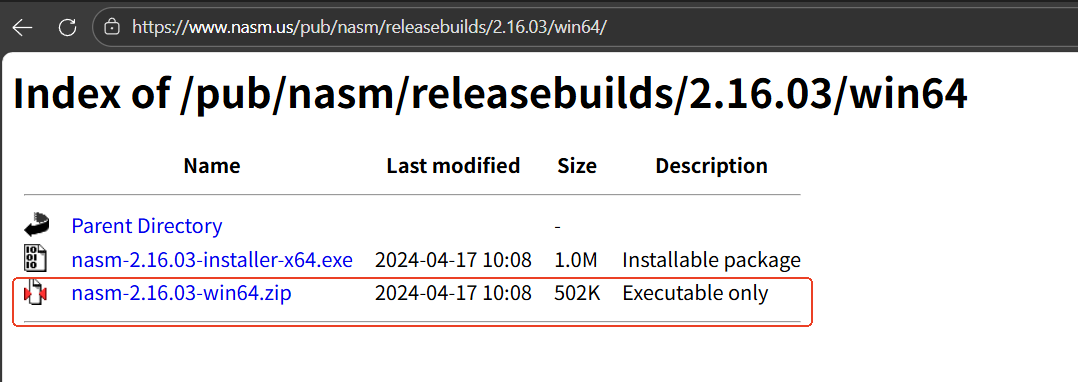
下载解压完,将路径放到环境变量中:
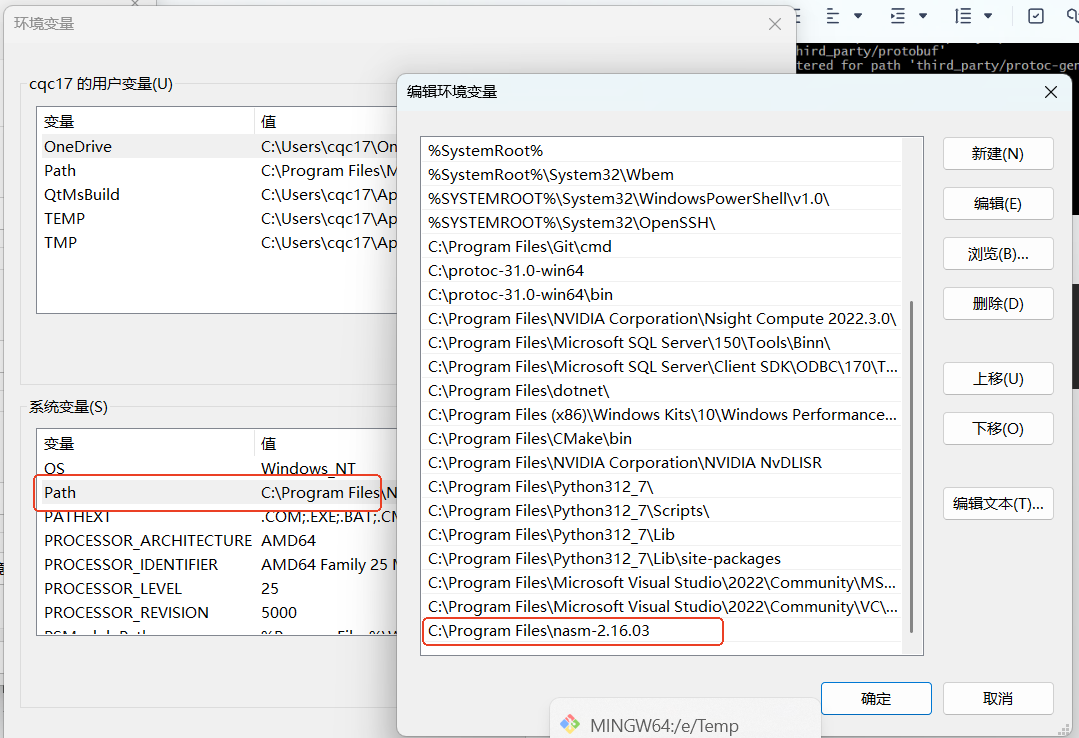
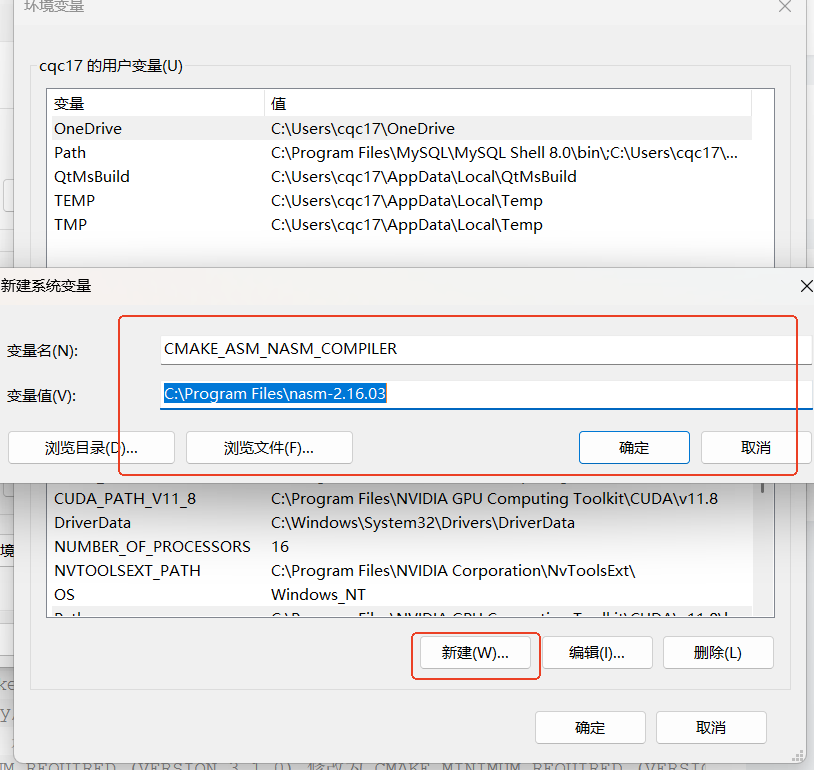
1.3、下载安装好cmake
创建编译目录,跟安装文件夹如下:
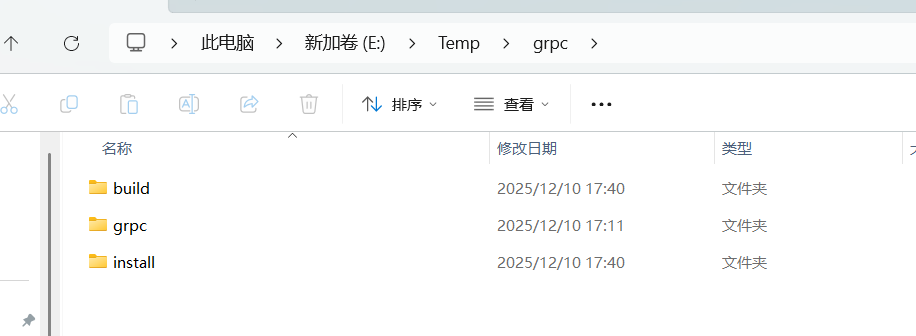
1.4、构建项目
cmake构建时,必须保证自己已经安装了相关的编译工具链,我已经安装了Vs Msvc2017的工具链;
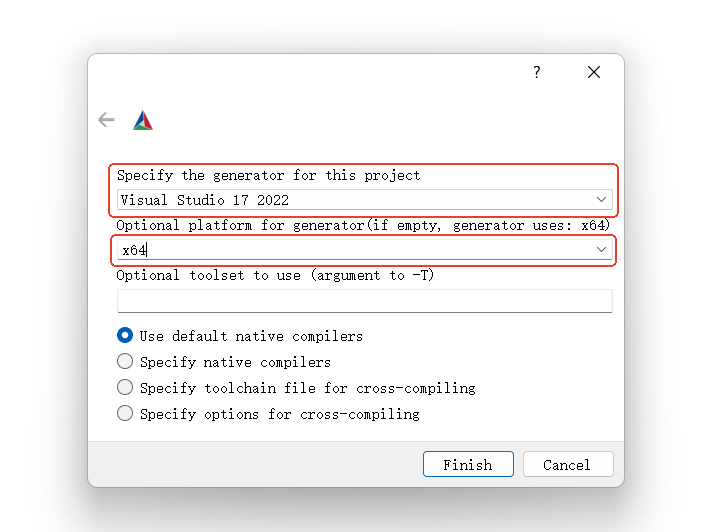
构建选择有如下修改:
所有与测试相关的属性都不要勾选


我这里只使用C++跟Python版本的插件,所以下面选择这两个:

grpc依赖protobuf,所以这里需要选择protobuf的依赖跟生成器:

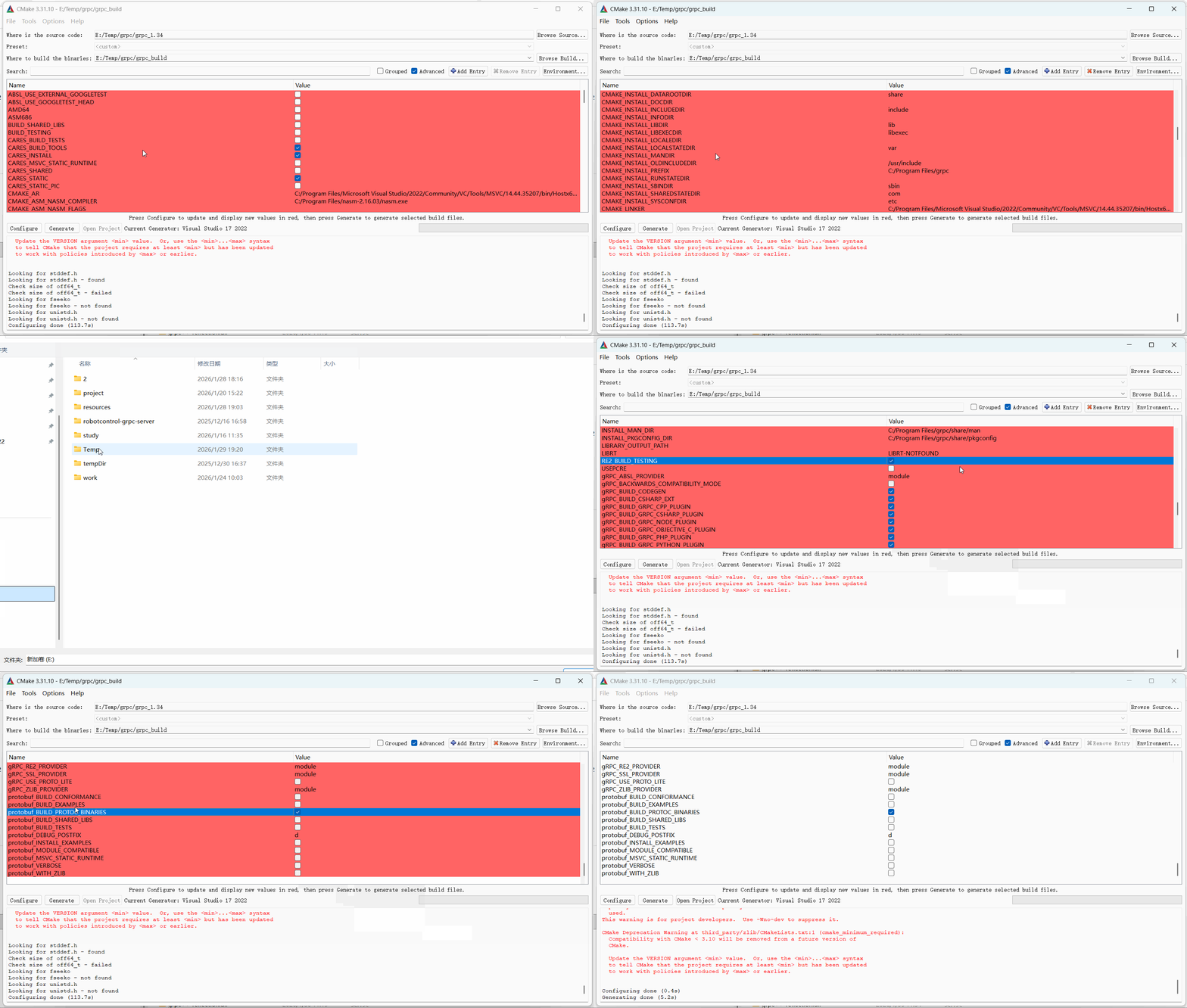
构建过程中的警告可以忽略,但是ERROR一定要解决!
1.5、编译
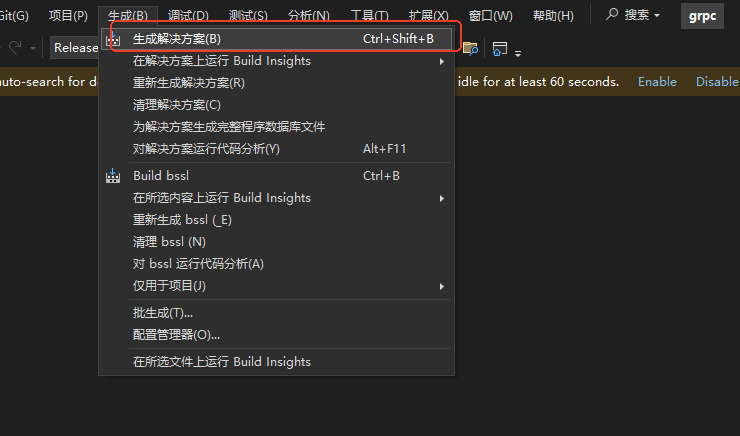
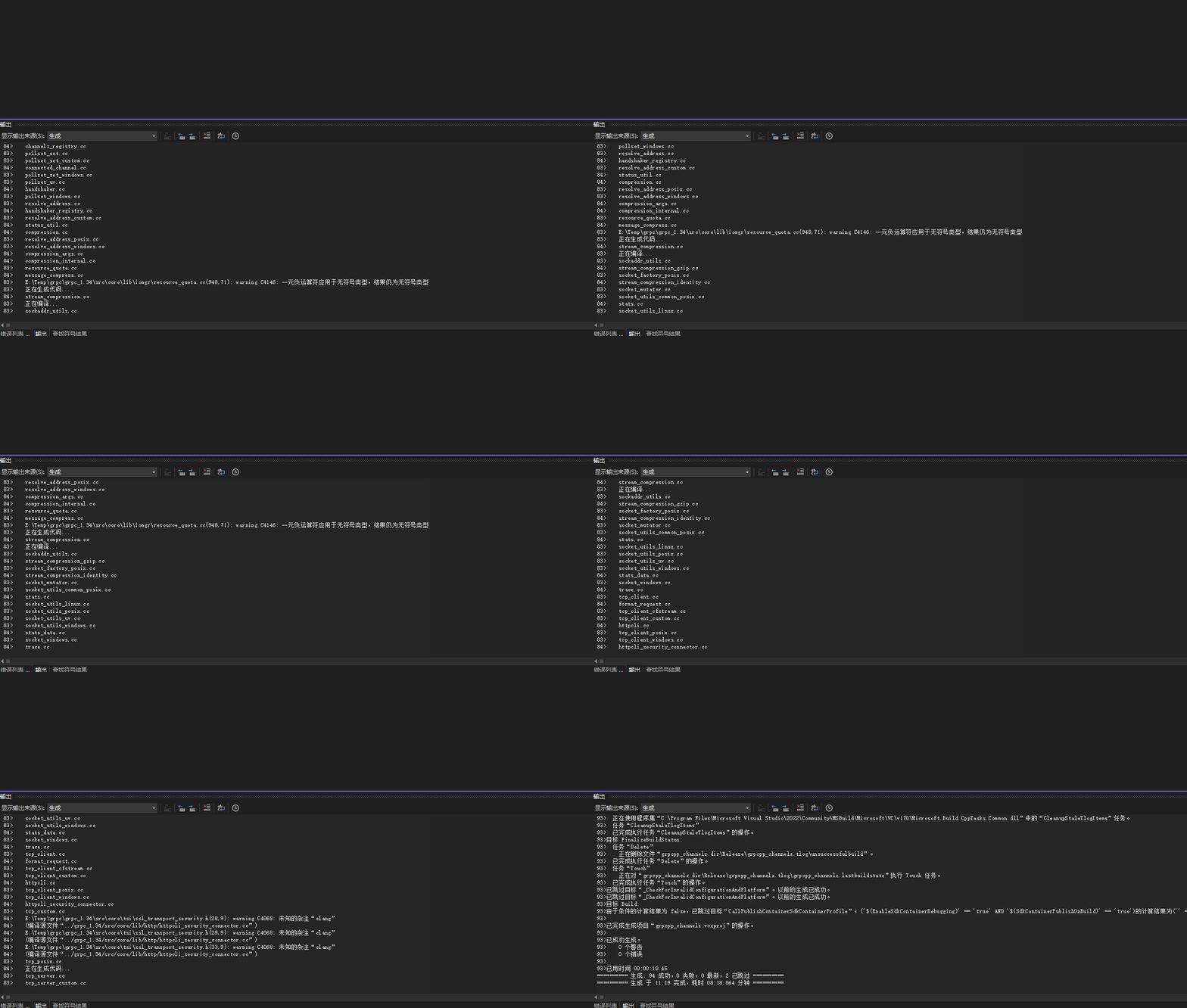
2、部署导出
用管理员方式打开CMD
进入到编译目录下grpc_build\
bash
cmake --install .  --config Debug    # 导出debug版本
cmake --install .  --config Release    # 导出Release版本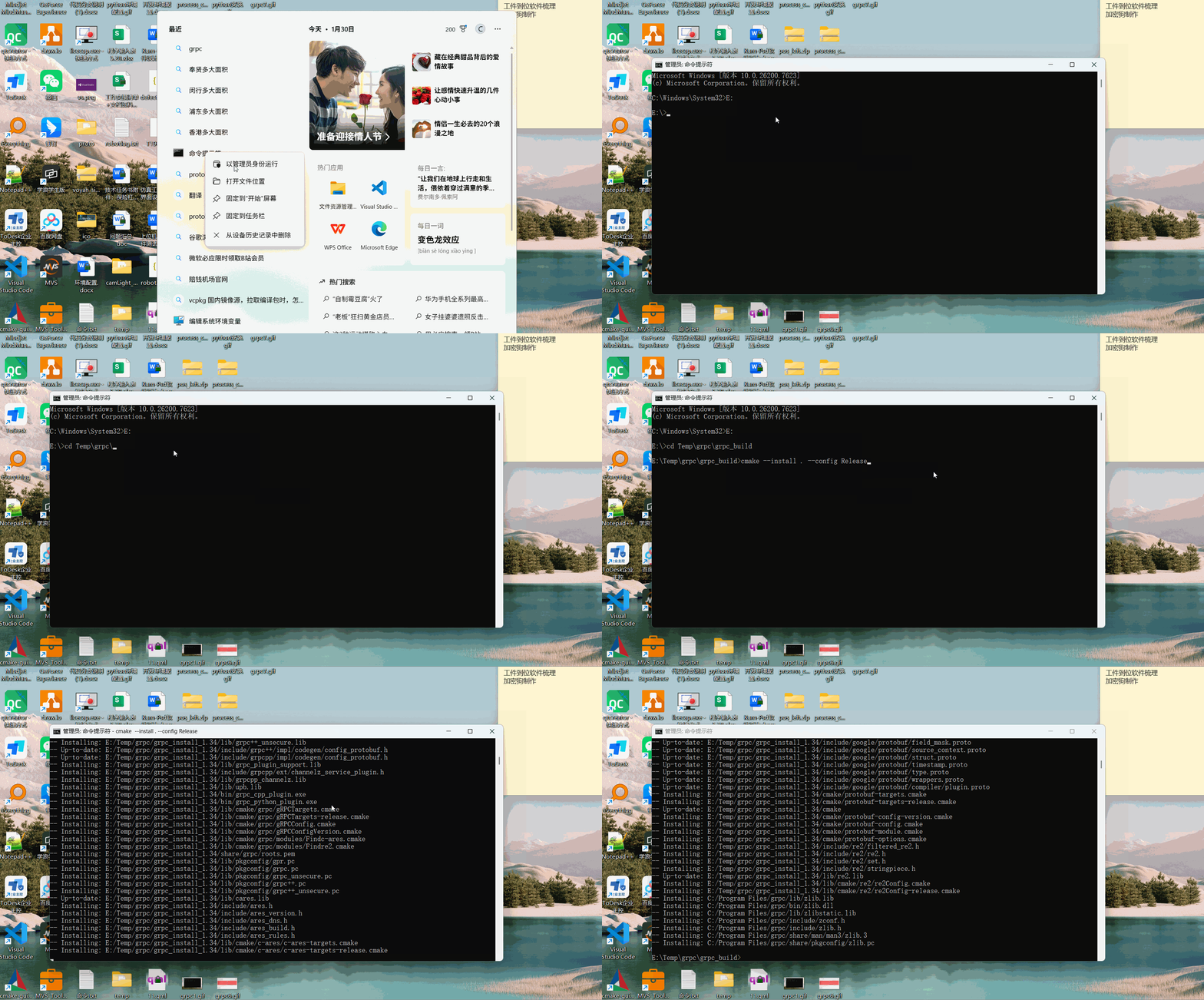
三、使用教程
在进行grpc通信之前先定义好通信服务的接口,例如下文举例:
msg.proto
bash
syntax = "proto3";

// 消息包名,类似于C++中的名字空间
package demo;

// 求和请求
message addRequest{
    int32 paramA = 1;   // 1 表示第一个参数
    int32 paramB = 2;   // 2 表示第二个参数
}

// 求和答复
message addResReply{
    bool res = 1;
    int32 sum = 2;
}

// 服务定义(用于 RPC 框架,如 gRPC,定义接口方法)
service demoService{
    // 两数求和
    rpc GetTwoParamSum(addRequest) returns(addResReply);
}
根据msg.proto文件生成对应使用到的头文件跟源文件
bash
./protoc.exe -I . --cpp_out=. --grpc_out=. --plugin=protoc-gen-grpc="grpc_cpp_plugin.exe" msg.proto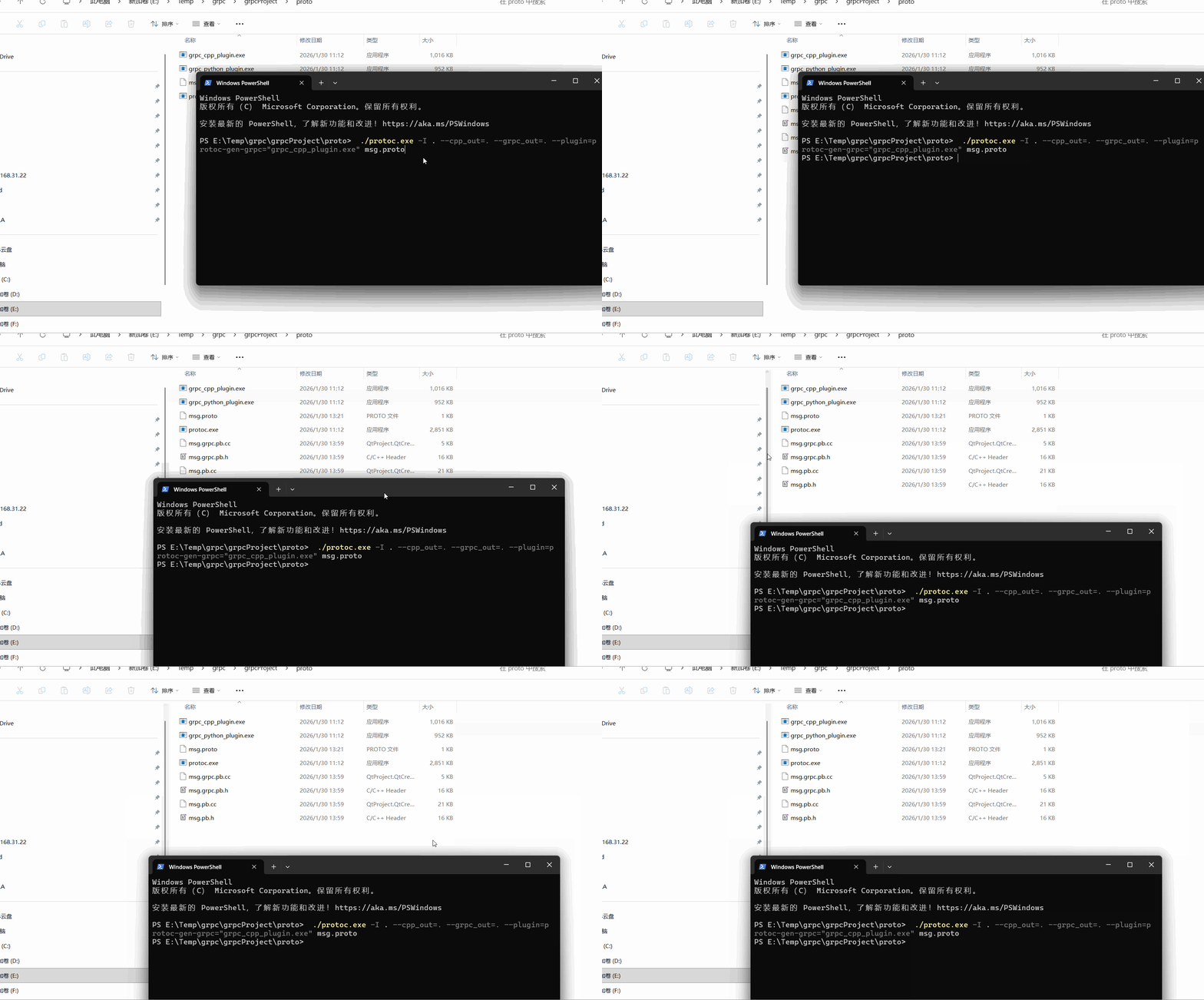
下面列举一个服务端,客户端的使用的实例:
服务端:
demo_server.h
bash
#ifndef _DEMO_SERVER_H
#define _DEMO_SERVER_H

#include <iostream>
#include <cstdio>
#include <grpcpp/grpcpp.h>
#include "msg.grpc.pb.h"

class Demo_Server: public demo::demoService::Service
{
public:
    explicit Demo_Server();
    ~Demo_Server() override;

    // 实现远程调用接口
    virtual grpc::Status GetTwoParamSum(grpc::ServerContext* context,
        const demo::addRequest* request, demo::addResReply* response) override;
};

#endif
demo_server.cpp
cpp
# include "demo_server.h"

Demo_Server::Demo_Server(){

}

Demo_Server::~Demo_Server(){

}

/*
   参数:
    context: 上下文远程调用的额外信息
    request: 客户端传递数据参数
    response: 返回值
*/
grpc::Status Demo_Server::GetTwoParamSum(grpc::ServerContext* context,
                                         const demo::addRequest* request, demo::addResReply* response)
{
    int inParamA = request->parama();
    int inParamB = request->paramb();
    int iOutRes = inParamA + inParamB;
    response->set_res(true);
    response->set_sum(iOutRes);
    return grpc::Status::OK;
}
main.cpp
cpp
#include <stdio.h>
#include <iostream>
#include <grpcpp/grpcpp.h>
#include "demo_server.h"

std::unique_ptr<grpc::Server> gServer;
// 设置服务参数,启动服务器
bool runServer(std::shared_ptr<Demo_Server> pService){
    grpc::ServerBuilder builder;
    builder.AddListeningPort("0.0.0.0:50052", grpc::InsecureServerCredentials()); // 第二个参数表示不安全连接
    builder.RegisterService(pService.get());
    gServer = builder.BuildAndStart();
    gServer->Wait();
    return true;
}

int main(){
    std::shared_ptr<Demo_Server> pServer = std::make_shared<Demo_Server>();
    runServer(pServer);
    return 0;
}
客户端:
bash
#include <iostream>
#include <cstdio>
#include <grpcpp/grpcpp.h>
#include "msg.grpc.pb.h"

using namespace demo;

void runClient(){
    // 构建连接通道
    std::shared_ptr<grpc::Channel> channel = grpc::CreateChannel("127.0.0.1:50052", grpc::InsecureChannelCredentials());
    // 创建远程调用代理
    std::unique_ptr<demoService::Stub> pStub = demoService::NewStub(channel);
    // 通过代理远程调用服务端程序
    grpc::ClientContext comtext;
    addRequest addReq;
    addReq.set_parama(20);
    addReq.set_paramb(35);

    addResReply addRep;
    addRep.set_res(false);
    grpc::Status resState = pStub->GetTwoParamSum(&comtext, addReq, &addRep);

    if(resState.ok())
    {
        std::cout << "add result:" << addRep.sum() << std::endl;
    }
    else{
        std::cerr << "exec GetTwoParamSum error:" <<resState.error_code() << "" <<resState.error_message() << std::endl;
    }
}

int main(){
    runClient();
    return 0;
}
运行效果:
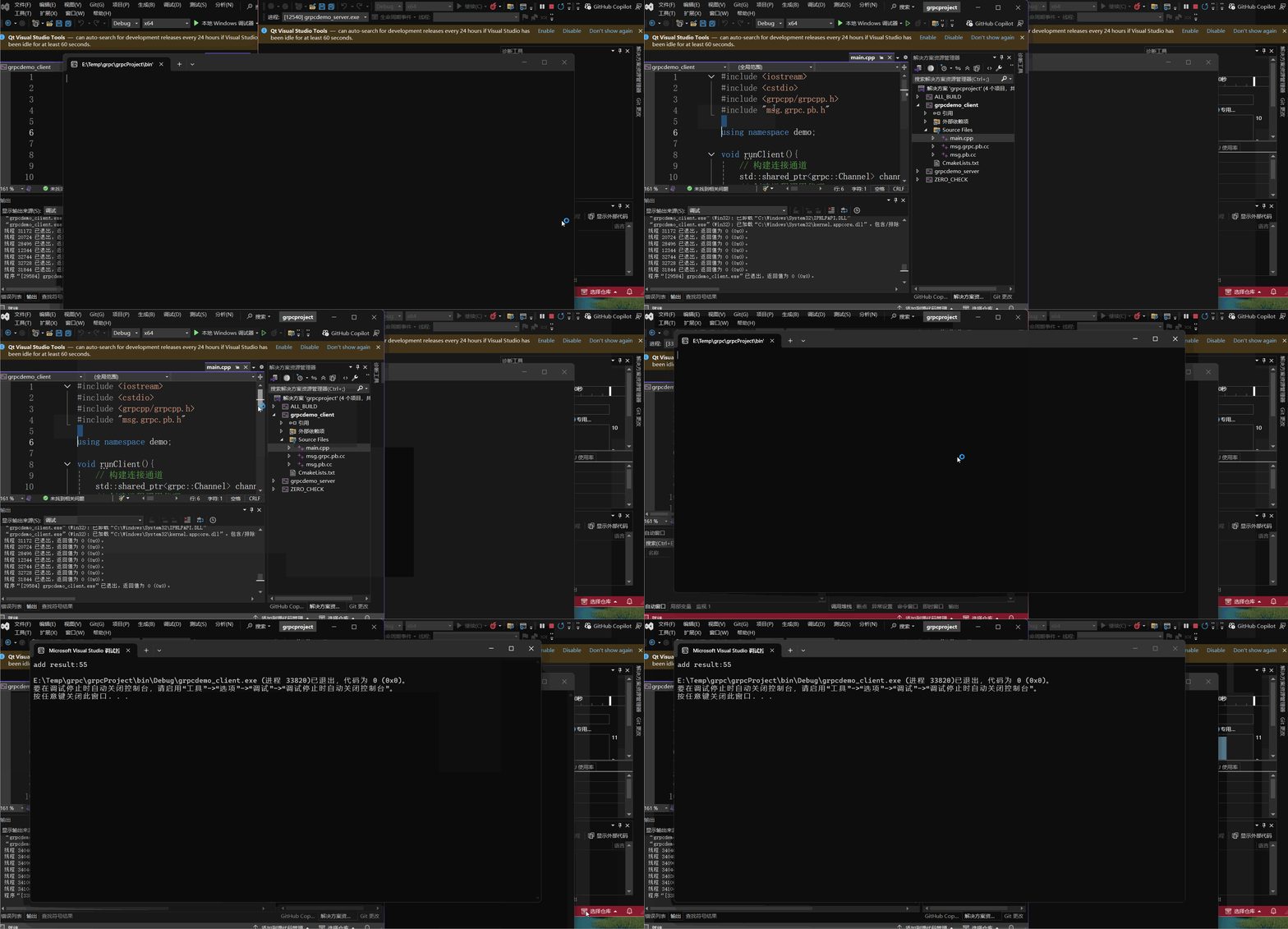
 https://download.csdn.net/download/weixin_36323170/92626411?spm=1001.2014.3001.5503