欢迎加入开源鸿蒙跨平台社区:开源鸿蒙跨平台开发者社区
Flutter for OpenHarmony 实战:记忆棋游戏完整开发指南
文章目录
- [Flutter for OpenHarmony 实战:记忆棋游戏完整开发指南](#Flutter for OpenHarmony 实战:记忆棋游戏完整开发指南)
-
- 摘要
- 一、项目背景与功能概述
-
- [1.1 记忆棋游戏介绍](#1.1 记忆棋游戏介绍)
- [1.2 应用功能规划](#1.2 应用功能规划)
- [1.3 游戏配置](#1.3 游戏配置)
- 二、数据模型设计
-
- [2.1 颜色定义](#2.1 颜色定义)
- [2.2 游戏状态](#2.2 游戏状态)
- 三、游戏流程控制
-
- [3.1 开始游戏](#3.1 开始游戏)
- [3.2 进入下一关](#3.2 进入下一关)
- 四、序列展示算法
-
- [4.1 定时器展示序列](#4.1 定时器展示序列)
- [4.2 按钮高亮](#4.2 按钮高亮)
- 五、玩家输入处理
-
- [5.1 点击处理](#5.1 点击处理)
- [5.2 游戏结束](#5.2 游戏结束)
- 六、UI界面实现
-
- [6.1 游戏面板布局](#6.1 游戏面板布局)
- [6.2 游戏按钮](#6.2 游戏按钮)
- [6.3 颜色变亮函数](#6.3 颜色变亮函数)
- 七、状态指示
-
- [7.1 游戏信息面板](#7.1 游戏信息面板)
- 八、资源管理
-
- [8.1 定时器销毁](#8.1 定时器销毁)
- 九、总结
摘要
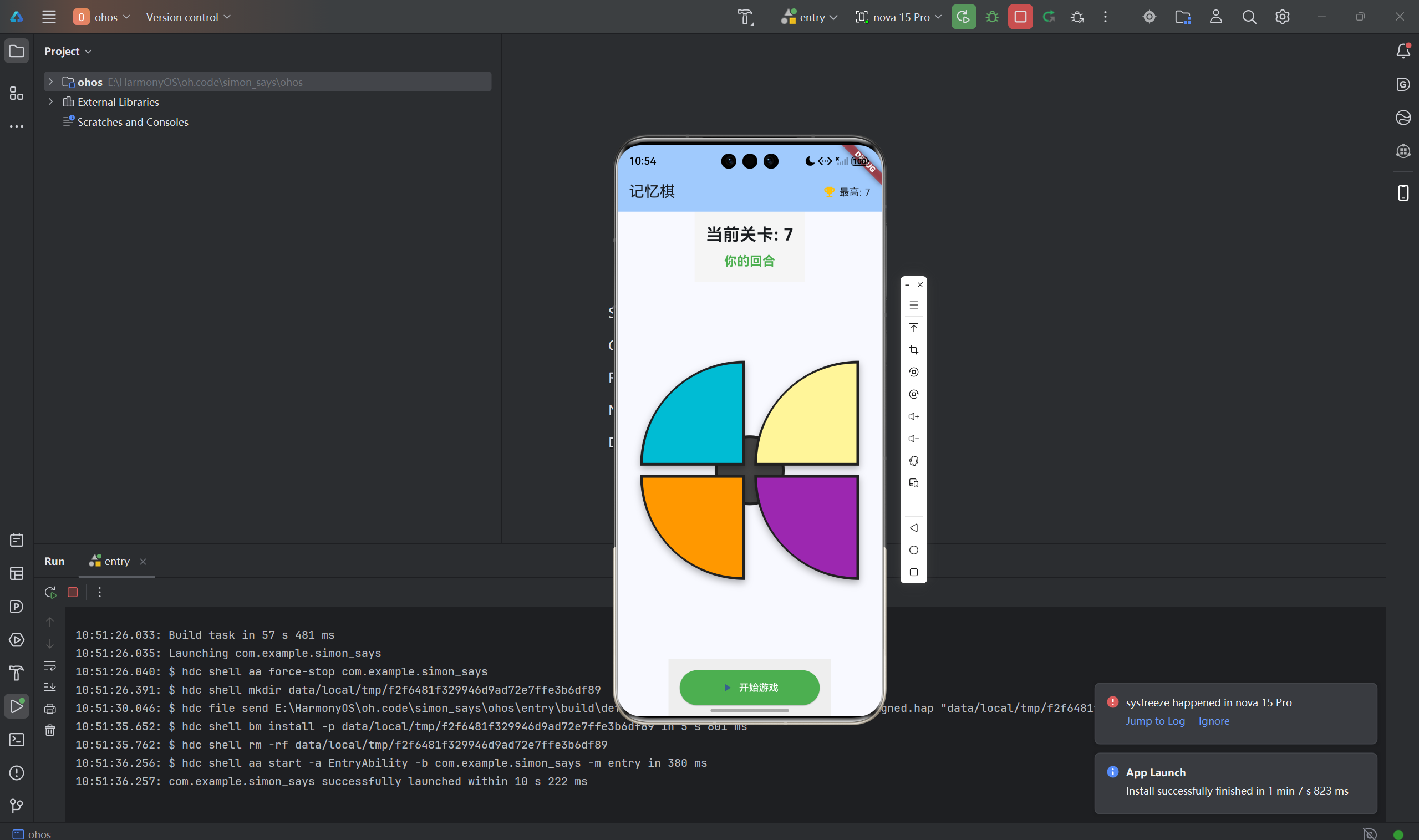
记忆棋(Simon Says)是一款经典的记忆力训练游戏,玩家需要记住并重复越来越长的颜色序列。本文将详细介绍如何使用Flutter for OpenHarmony框架开发一款功能完整的记忆棋游戏。文章涵盖了序列生成算法、定时器协调、音效模拟、按钮高亮等核心技术点。通过本文学习,读者将掌握Flutter在节奏类游戏开发中的完整流程,了解定时器协调和状态同步的应用。
一、项目背景与功能概述
1.1 记忆棋游戏介绍
记忆棋(Simon Says)是一款考验记忆力的经典电子游戏:
- 目标:尽可能长地记住并重复颜色序列
- 规则 :
- 游戏展示一个颜色序列
- 玩家按相同顺序点击按钮
- 每回合增加一个新的颜色
- 出错则游戏结束
1.2 应用功能规划
| 功能模块 | 具体功能 |
|---|---|
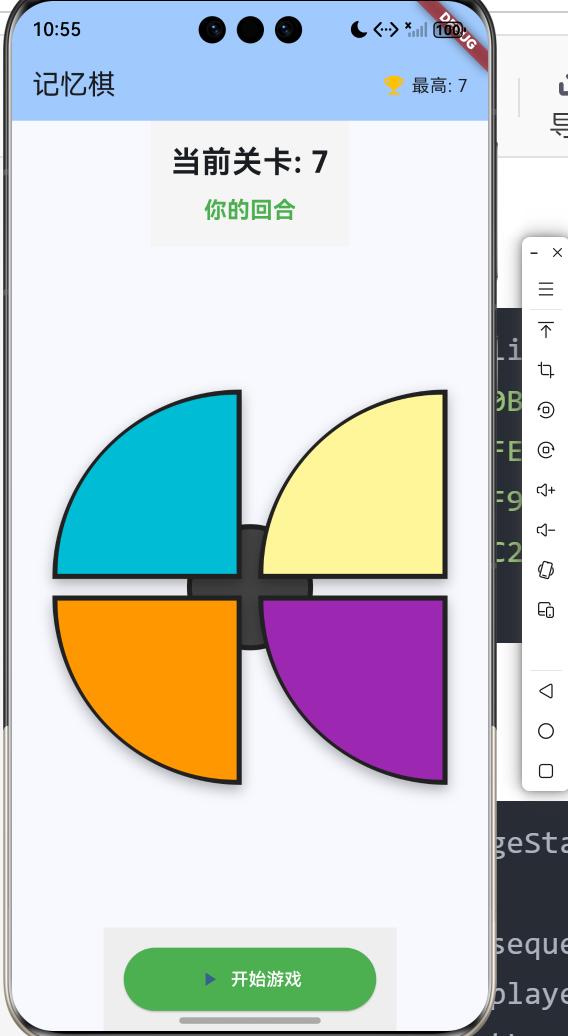
| 四色按钮 | 青色、黄色、橙色、紫色 |
| 序列生成 | 随机生成颜色序列 |
| 序列展示 | 按顺序高亮显示 |
| 玩家输入 | 点击按钮重复序列 |
| 正误判断 | 实时检测玩家输入 |
| 关卡计数 | 记录当前关卡 |
| 最高分记录 | 保存最高关卡数 |
1.3 游戏配置
| 参数 | 值 | 说明 |
|---|---|---|
| 按钮数量 | 4 | 四种颜色 |
| 高亮时长 | 400ms | 按钮亮起时间 |
| 序列间隔 | 800ms | 颜色之间间隔 |
| 按钮布局 | 2×2 | 四个象限 |
二、数据模型设计
2.1 颜色定义
dart
static const List<Color> _colors = [
  Color(0xFF00BCD4), // 青色 (左上 - 0)
  Color(0xFFFFEB3B), // 黄色 (右上 - 1)
  Color(0xFFFF9800), // 橙色 (左下 - 2)
  Color(0xFF9C27B0), // 紫色 (右下 - 3)
];
2.2 游戏状态
dart
class _GamePageState extends State<GamePage> {
  // 游戏状态
  List<int> _sequence = [];          // 完整的颜色序列
  List<int> _playerSequence = [];    // 玩家的输入序列
  int _currentLevel = 0;             // 当前关卡
  int _highScore = 0;                // 最高分
  bool _isShowingSequence = false;   // 是否正在展示序列
  bool _isGameActive = false;        // 游戏是否进行中
  int? _highlightedButton;           // 当前高亮的按钮

  Timer? _sequenceTimer;             // 序列展示定时器
  Timer? _highlightTimer;            // 按钮高亮定时器
  final _random = Random();
}
三、游戏流程控制
3.1 开始游戏
dart
void _startGame() {
  setState(() {
    _sequence = [];
    _playerSequence = [];
    _currentLevel = 0;
    _isGameActive = true;
  });
  _nextLevel();
}
3.2 进入下一关
dart
void _nextLevel() {
  setState(() {
    _currentLevel++;
    _playerSequence = [];
  });

  // 添加新的颜色到序列
  _sequence.add(_random.nextInt(4));
  _showSequence();
}算法流程:
- 关卡数加1
- 清空玩家输入
- 随机选择一个新颜色
- 展示完整序列
四、序列展示算法
4.1 定时器展示序列
dart
void _showSequence() {
  setState(() {
    _isShowingSequence = true;
  });

  int index = 0;
  _sequenceTimer = Timer.periodic(
    const Duration(milliseconds: 800),
    (timer) {
      if (index >= _sequence.length) {
        timer.cancel();
        setState(() {
          _isShowingSequence = false;
        });
        return;
      }

      _highlightButton(_sequence[index]);
      index++;
    }
  );
}关键点:
- 使用
Timer.periodic定期触发 - 每800ms展示一个颜色
- 展示完成后允许玩家输入
4.2 按钮高亮
dart
void _highlightButton(int buttonIndex) {
  setState(() {
    _highlightedButton = buttonIndex;
  });

  _highlightTimer = Timer(
    const Duration(milliseconds: 400),
    () {
      setState(() {
        _highlightedButton = null;
      });
    }
  );
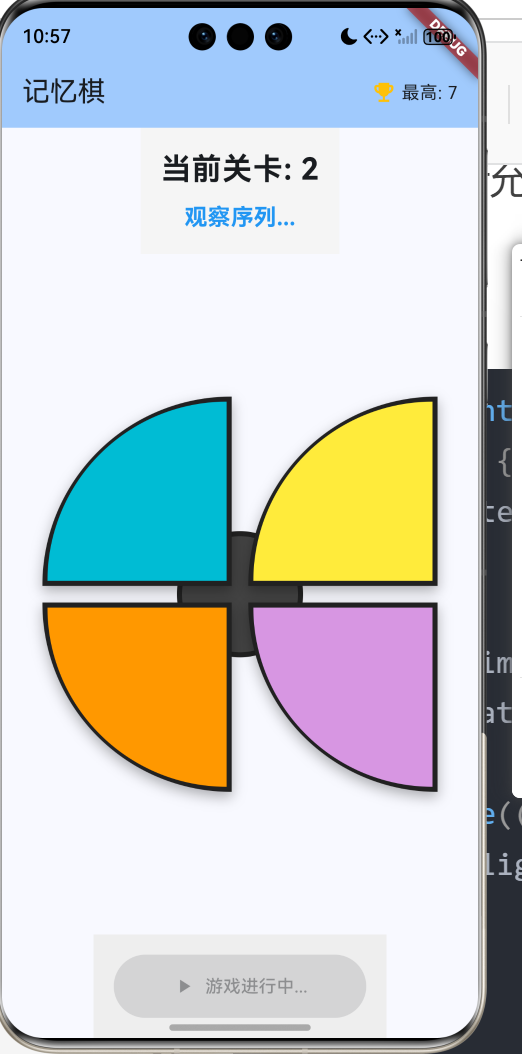
}动画效果:
- 立即设置高亮状态
- 400ms后取消高亮
- 使用
AnimatedContainer实现平滑过渡
五、玩家输入处理
5.1 点击处理
dart
void _onButtonTap(int buttonIndex) {
  // 防护检查
  if (!_isGameActive) return;
  if (_isShowingSequence) return;

  // 高亮按钮
  _highlightButton(buttonIndex);

  // 添加到玩家序列
  _playerSequence.add(buttonIndex);

  // 检查是否正确
  final currentIndex = _playerSequence.length - 1;
  if (_playerSequence[currentIndex] != _sequence[currentIndex]) {
    _gameOver();
    return;
  }

  // 检查是否完成当前关卡
  if (_playerSequence.length == _sequence.length) {
    Future.delayed(
      const Duration(milliseconds: 500),
      () {
        if (_isGameActive) {
          _nextLevel();
        }
      }
    );
  }

  setState(() {});
}验证逻辑:
- 检查游戏状态和展示状态
- 比较玩家输入与目标序列
- 错误则游戏结束
- 完成则进入下一关
5.2 游戏结束
dart
void _gameOver() {
  _sequenceTimer?.cancel();
  _highlightTimer?.cancel();

  if (_currentLevel > _highScore) {
    _highScore = _currentLevel;
  }

  setState(() {
    _isGameActive = false;
    _isShowingSequence = false;
  });

  _showGameOverDialog();
}
六、UI界面实现
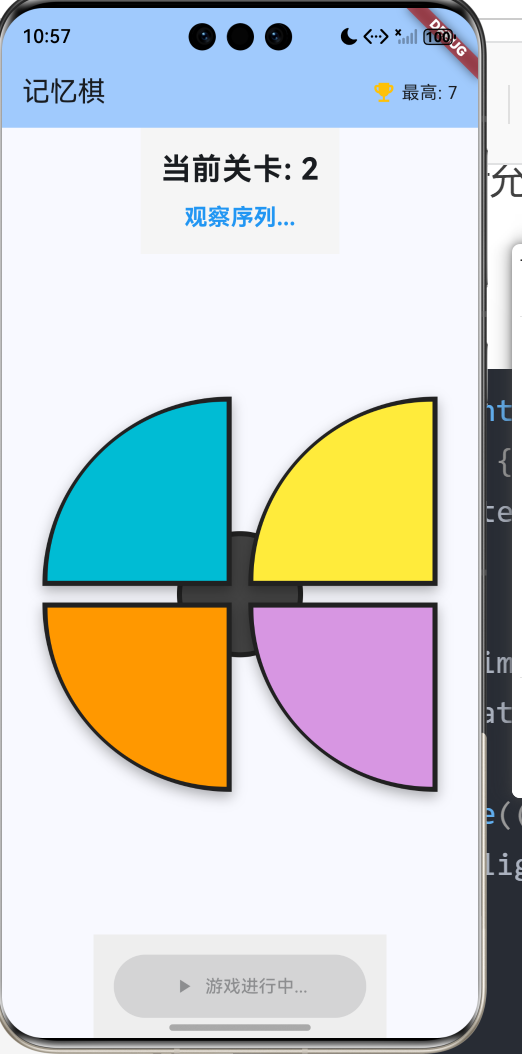
6.1 游戏面板布局
dart
Widget _buildGameBoard() {
  return Stack(
    children: [
      // 中心圆
      Center(
        child: Container(
          width: 100,
          height: 100,
          decoration: BoxDecoration(
            color: Colors.grey.shade800,
            shape: BoxShape.circle,
            border: Border.all(
              color: Colors.grey.shade900,
              width: 4,
            ),
          ),
        ),
      ),

      // 四个象限按钮
      Positioned(top: 0, left: 0, child: _buildGameButton(0, 0)),
      Positioned(top: 0, right: 0, child: _buildGameButton(0, 1)),
      Positioned(bottom: 0, left: 0, child: _buildGameButton(1, 0)),
      Positioned(bottom: 0, right: 0, child: _buildGameButton(1, 1)),
    ],
  );
}
6.2 游戏按钮
dart
Widget _buildGameButton(int row, int col) {
  final index = row * 2 + col;
  final isHighlighted = _highlightedButton == index;
  final color = _colors[index];

  return GestureDetector(
    onTap: () => _onButtonTap(index),
    child: AnimatedContainer(
      duration: const Duration(milliseconds: 100),
      width: 150,
      height: 150,
      decoration: BoxDecoration(
        color: isHighlighted ? _lightenColor(color) : color,
        borderRadius: row == 0
          ? const BorderRadius.only(topLeft: Radius.circular(150))
          : const BorderRadius.only(bottomLeft: Radius.circular(150)),
        border: Border.all(
          color: Colors.grey.shade900,
          width: 4,
        ),
        boxShadow: [
          BoxShadow(
            color: Colors.black.withValues(alpha: 0.3),
            blurRadius: 8,
            offset: const Offset(0, 4),
          ),
        ],
      ),
    ),
  );
}
6.3 颜色变亮函数
dart
Color _lightenColor(Color color) {
  final hsl = HSLColor.fromColor(color);
  return hsl.withLightness(0.8).toColor();
}
七、状态指示
7.1 游戏信息面板
dart
Container(
  padding: const EdgeInsets.all(16),
  color: Colors.grey.shade100,
  child: Column(
    children: [
      Text(
        '当前关卡: $_currentLevel',
        style: const TextStyle(
          fontSize: 24,
          fontWeight: FontWeight.bold,
        ),
      ),
      const SizedBox(height: 8),
      Text(
        _isShowingSequence ? '观察序列...' : '你的回合',
        style: TextStyle(
          fontSize: 18,
          color: _isShowingSequence ? Colors.blue : Colors.green,
          fontWeight: FontWeight.bold,
        ),
      ),
    ],
  ),
)
八、资源管理
8.1 定时器销毁
dart
@override
void dispose() {
  _sequenceTimer?.cancel();
  _highlightTimer?.cancel();
  super.dispose();
}
重要 :在dispose方法中取消所有定时器。
九、总结
本文详细介绍了使用Flutter for OpenHarmony开发记忆棋游戏的完整过程,涵盖了以下核心技术点:
- 数据模型:颜色定义、序列存储、游戏状态
- 游戏流程:开始游戏、关卡递进、序列展示
- 序列展示:定时器协调、按钮高亮
- 玩家输入:点击处理、正误判断
- UI实现:堆叠布局、圆角按钮、动画效果
- 状态管理:展示状态、游戏状态
- 资源管理:定时器销毁、内存管理
这个项目展示了Flutter在节奏类游戏开发中的完整流程,特别是定时器协调和状态同步的应用。
欢迎加入开源鸿蒙跨平台社区 : 开源鸿蒙跨平台开发者社区