要求:
1.使用os和os.path以及函数的递归完成:
给出一个路径,遍历当前路径所有的文件及文件夹
打印输出所有的文件(遇到文件输出路径,遇到文件夹继续进文件夹)
python
import os   #导入os模块
def traverse_files(path):  #定义遍历函数
    files = os.listdir(path)   #以列表形式返回目录下的所有文件及文件夹
    for f in files:             #路径拼接
        real_path = os.path.join(path,f)    # 判断路径是文件还是文件夹,是文件时,返回完整路径
        if os.path.isfile(real_path):
            print(os.path.abspath(real_path))
        #是文件夹时,再次调用遍历函数
        elif os.path.isdir(real_path):
            traverse_files(real_path)
        #其他情况
        else:
            print("其他情况")

            pass
#调用函数
traverse_files("D:/python/code") 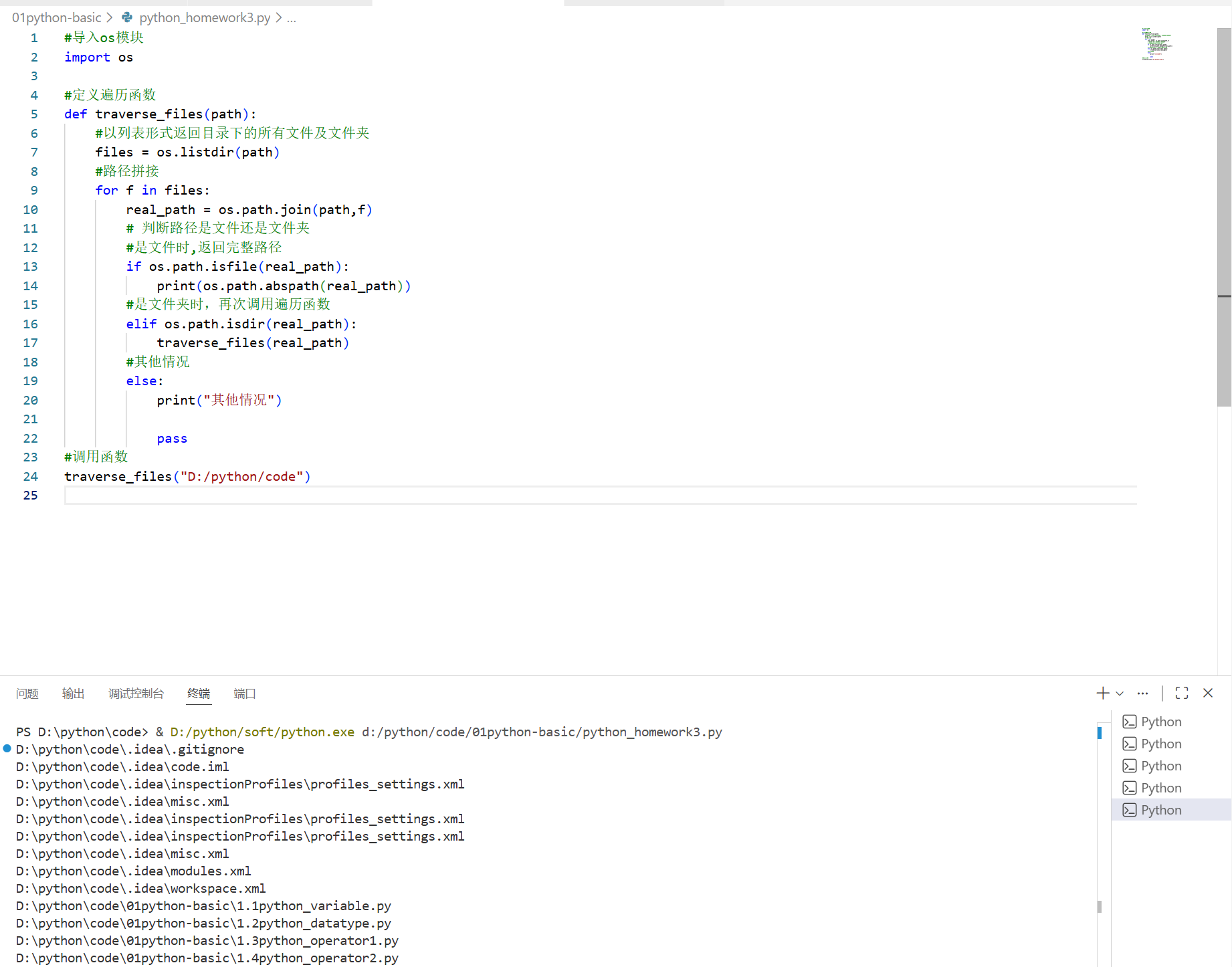
2.使用加密模块及IO模拟登录功能,要求使用文件模拟数据库存储用户名和密码。
python
import hashlib
import os

# 定义模拟数据库的文件路径
DB_FILE = "users.txt"

def hash_password(password):
    return hashlib.sha256(password.encode()).hexdigest()

def register_user(username, password):
    # 检查用户是否已存在
    if os.path.exists(DB_FILE):
        with open(DB_FILE, 'r', encoding='utf-8') as f:
            for line in f:
                existing_user, _ = line.strip().split(':')
                if existing_user == username:
                    print("注册失败:用户名已存在。")
                    return

    # 加密密码并写入文件
    hashed_pwd = hash_password(password)
    with open(DB_FILE, 'a', encoding='utf-8') as f:
        f.write(f"{username}:{hashed_pwd}\n")
    print("注册成功!")

def login_user(username, password):
    if not os.path.exists(DB_FILE):
        print("登录失败:用户数据库不存在。")
        return False

    hashed_pwd = hash_password(password)
    with open(DB_FILE, 'r', encoding='utf-8') as f:
        for line in f:
            stored_user, stored_pwd = line.strip().split(':')
            if stored_user == username and stored_pwd == hashed_pwd:
                print("登录成功!")
                return True
    print("登录失败:用户名或密码错误。")
    return False

# 示例调用
if __name__ == "__main__":
    print("=== 用户注册/登录系统 ===")
    while True:
        choice = input("请选择操作 (1-注册, 2-登录, 3-退出): ")
        if choice == '1':
            username = input("输入用户名: ")
            password = input("输入密码: ")
            register_user(username, password)
        elif choice == '2':
            username = input("输入用户名: ")
            password = input("输入密码: ")
            login_user(username, password)
        elif choice == '3':
            break
        else:
            print("无效选择,请重试。")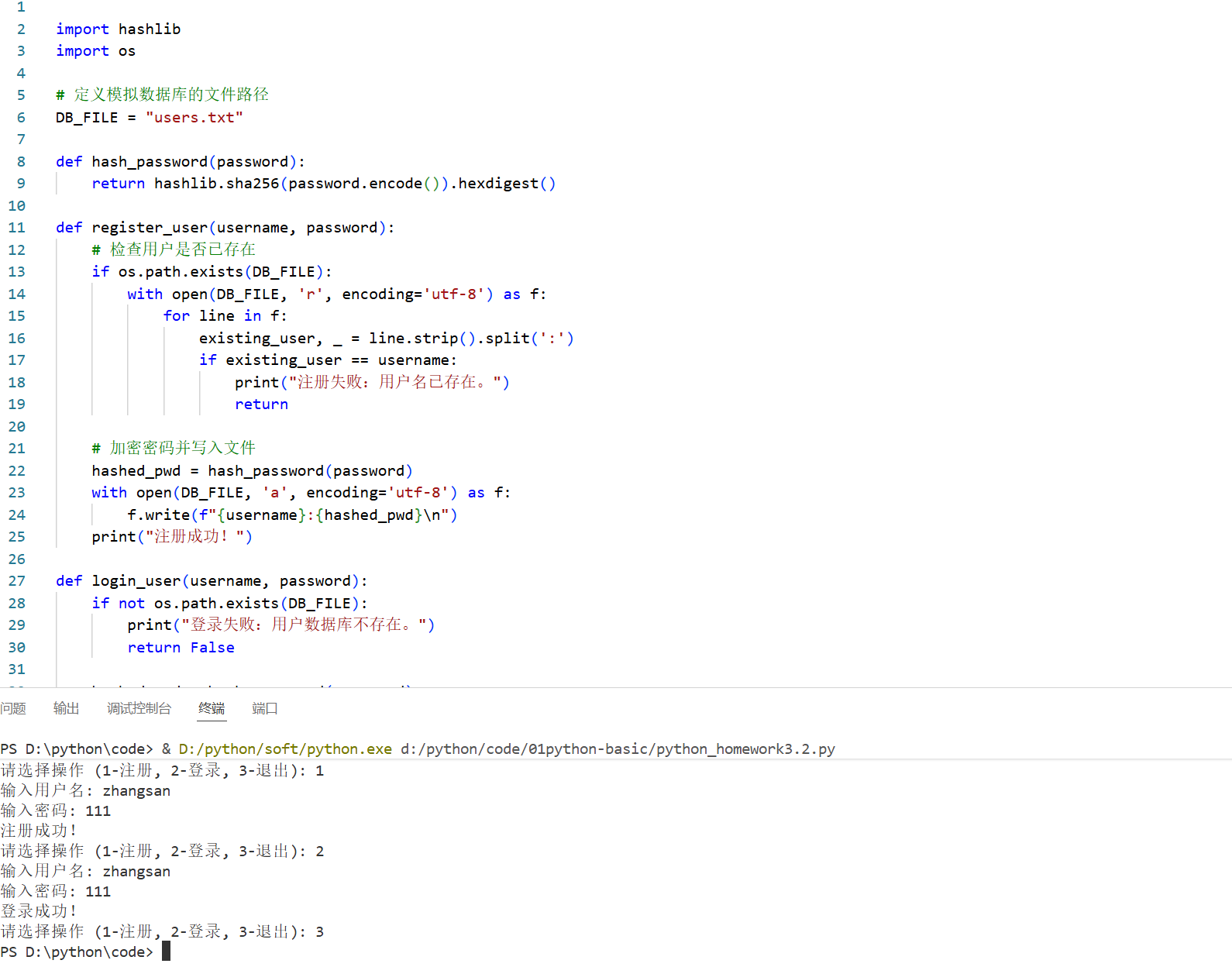
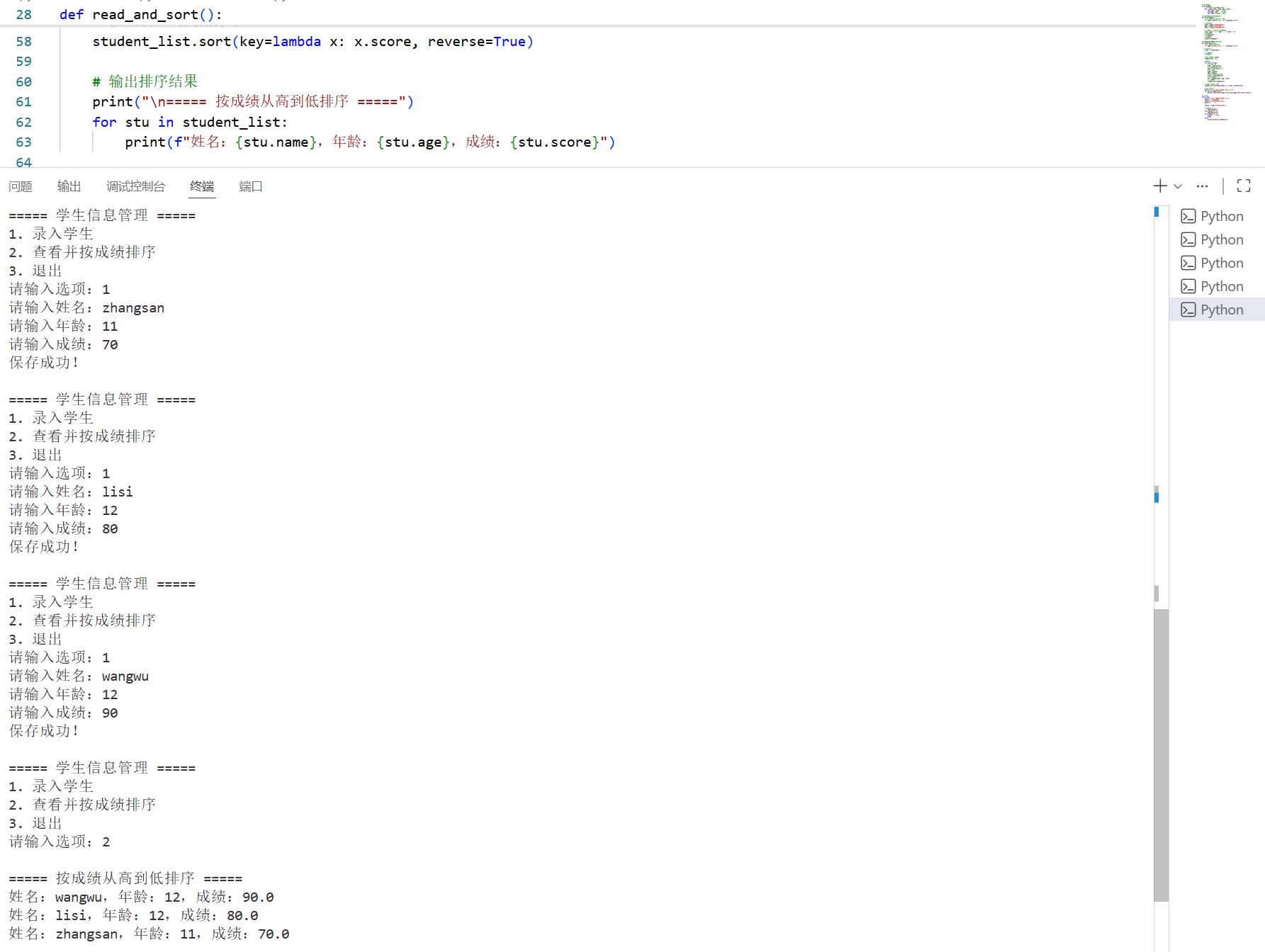
3.使用面向对象编程完成学生信息录入功能,数据存储在本地文件txt中,并读取学生信息并按照成绩进行排序,学生其他属性自行规划
python
# 定义学生类
class Student:
    # 初始化方法:给学生对象赋值
    def __init__(self, name, age, score):
        self.name = name    # 姓名
        self.age = age      # 年龄
        self.score = score  # 成绩

# 录入学生信息并保存到文件
def save_student():
    # 打开文件,模式a表示追加写入
    f = open("students.txt", "a", encoding="utf-8")

    # 输入信息
    name = input("请输入姓名:")
    age = input("请输入年龄:")
    score = input("请输入成绩:")

    # 拼接成一行字符串,用逗号分隔
    line = name + "," + age + "," + score + "\n"
    # 写入文件
    f.write(line)
    # 关闭文件
    f.close()
    print("保存成功!")

# 从文件读取学生并按成绩排序
def read_and_sort():
    # 打开文件,r表示只读
    f = open("students.txt", "r", encoding="utf-8")

    # 读取所有行
    lines = f.readlines()

    # 关闭文件
    f.close()

    # 存放学生对象的列表
    student_list = []

    # 遍历每一行
    for line in lines:
        # 去掉换行符
        line = line.strip()
        # 按逗号切分成三部分
        data = line.split(",")
        # 取出数据
        name = data[0]
        age = data[1]
        # 成绩转成数字才能排序
        score = float(data[2])
        # 创建学生对象
        stu = Student(name, age, score)
        # 加入列表
        student_list.append(stu)

    # 按成绩从高到低排序
    student_list.sort(key=lambda x: x.score, reverse=True)

    # 输出排序结果
    print("\n===== 按成绩从高到低排序 =====")
    for stu in student_list:
        print(f"姓名:{stu.name},年龄:{stu.age},成绩:{stu.score}")

# 主菜单
while True:
    print("\n===== 学生信息管理 =====")
    print("1. 录入学生")
    print("2. 查看并按成绩排序")
    print("3. 退出")

    choice = input("请输入选项:")

    if choice == "1":
        save_student()
    elif choice == "2":
        read_and_sort()
    elif choice == "3":
        print("退出程序")
        break
    else:
        print("输入错误,请重新输入")