Flutter for OpenHarmony实现 RSA 加密:从数学原理到可视化演示
RSA 是现代密码学的基石之一,支撑着 HTTPS、数字签名、安全通信等无数关键应用。然而,其背后的数学原理------大数分解、模幂运算、欧拉定理------常令人望而生畏。本文将通过一段完整的 Flutter 代码,带你亲手构建一个交互式 RSA 加密演示器。它不仅实现了核心算法,还以直观的 UI 展示了"公钥加密、私钥解密"的全过程。这是一次从抽象数学到具体代码的精彩转化。
🌐 加入社区 欢迎加入 开源鸿蒙跨平台开发者社区 ,获取最新资源与技术支持: 👉 开源鸿蒙跨平台开发者社区
完整效果展示
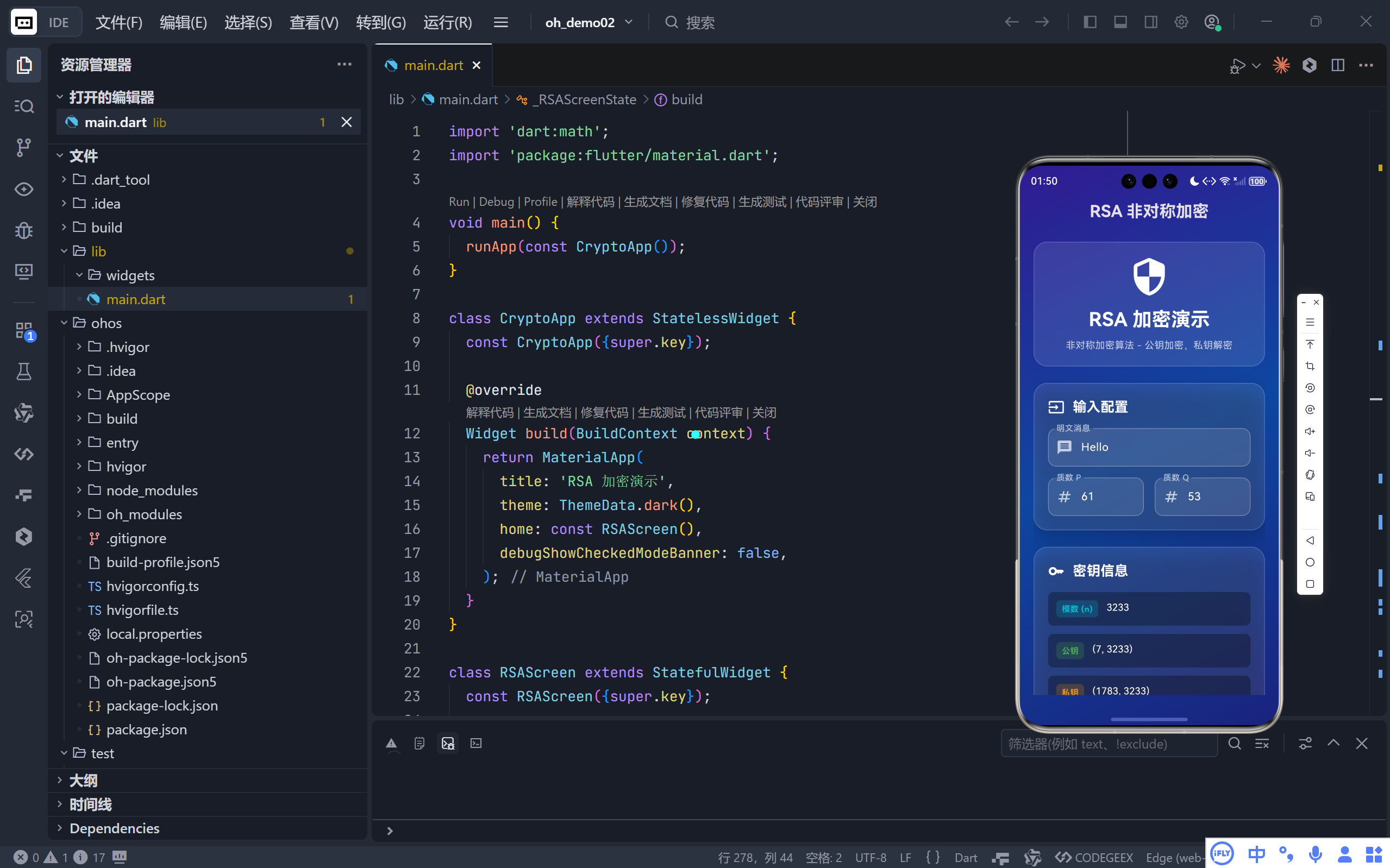
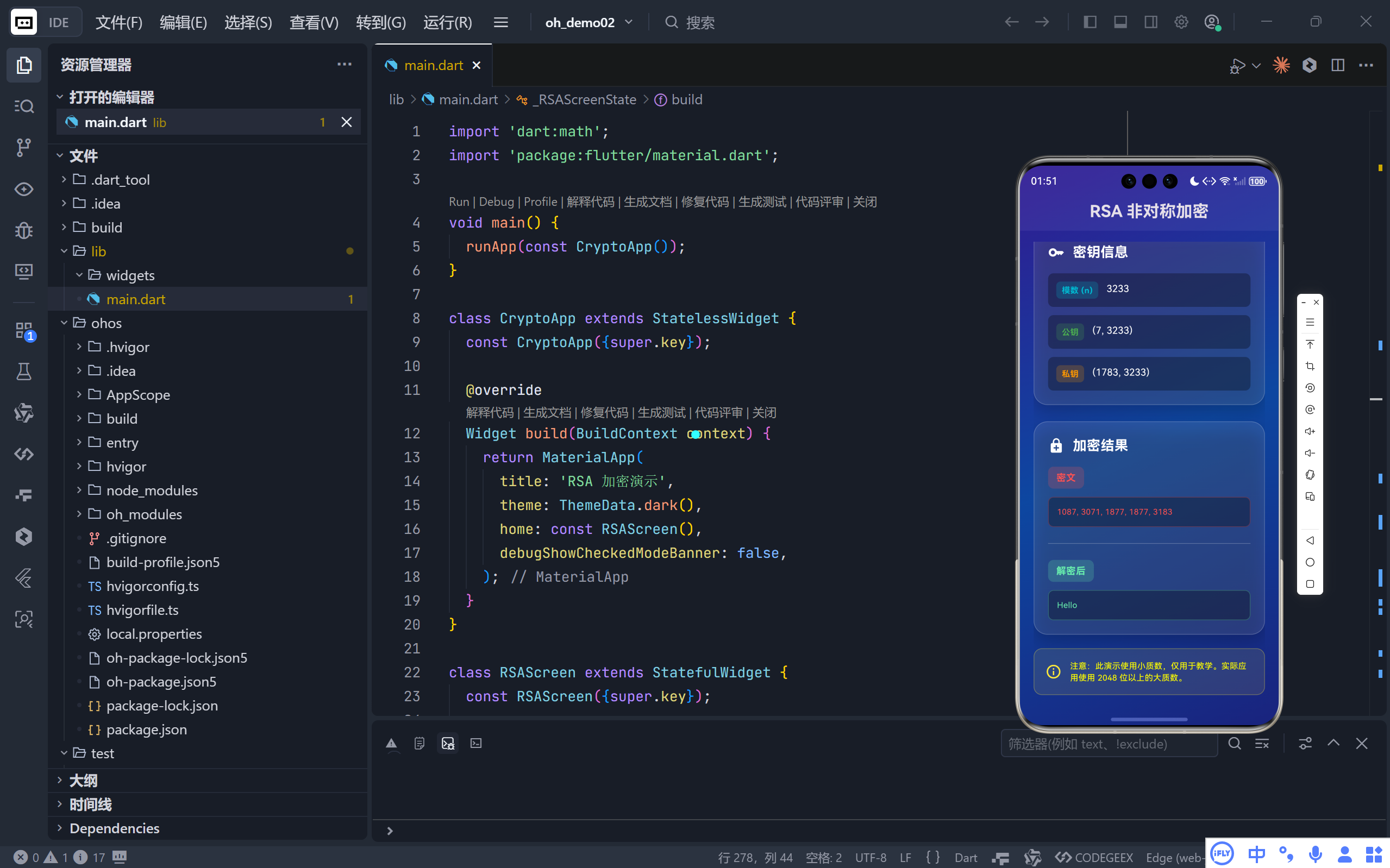
一、整体架构:教学导向的设计
该应用围绕 RSA 的五步核心流程 构建:
- 输入两个质数
p和q - 计算模数
n = p × q和欧拉函数φ(n) = (p-1)(q-1) - 选择公钥指数
e(与φ(n)互质) - 计算私钥指数
d(e关于φ(n)的模逆元) - 执行加密(
c = m^e mod n)与解密(m = c^d mod n)
💡 设计目标:所有步骤在客户端完成,无需网络,确保教学纯粹性;UI 实时响应,输入即计算。
二、核心数学工具:纯 Dart 实现
1. 质数判断 _isPrime()
dart
bool _isPrime(int n) {
  if (n < 2) return false;
  if (n == 2) return true;
  if (n % 2 == 0) return false;
  for (int i = 3; i <= sqrt(n); i += 2) {
    if (n % i == 0) return false;
  }
  return true;
}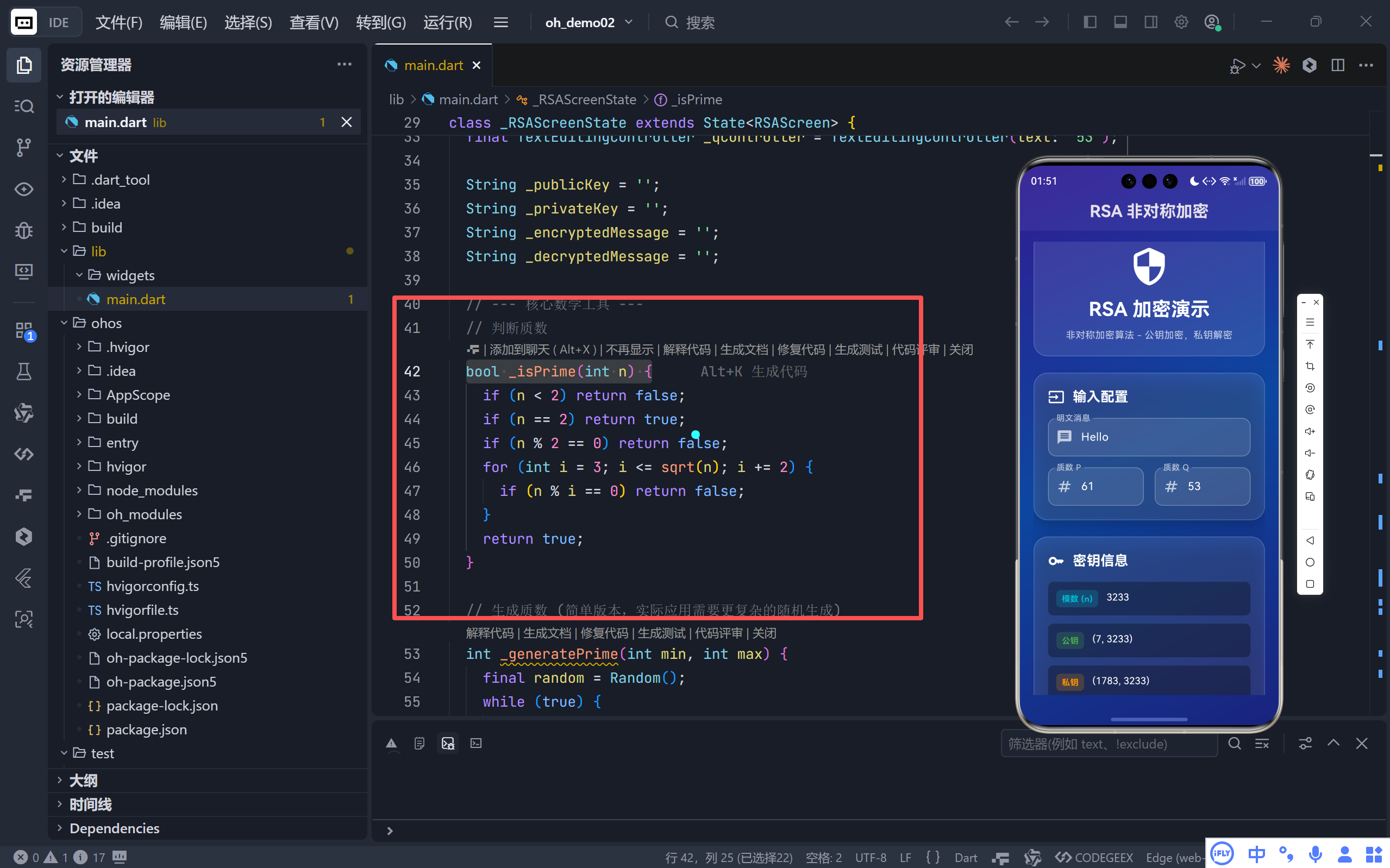
- 效率优化 :跳过偶数,仅检查至
√n;- 教学用途:适用于小质数(如 61, 53),真实场景需米勒-拉宾等概率算法。
2. 扩展欧几里得算法 _modInverse()
dart
int _modInverse(int a, int m) {
  // 求 x 使得 (a * x) % m == 1
  int m0 = m, y = 0, x = 1;
  while (a > 1) {
    int q = a ~/ m;
    (a, m) = (m, a % m);
    (x, y) = (y, x - q * y);
  }
  return x < 0 ? x + m0 : x;
}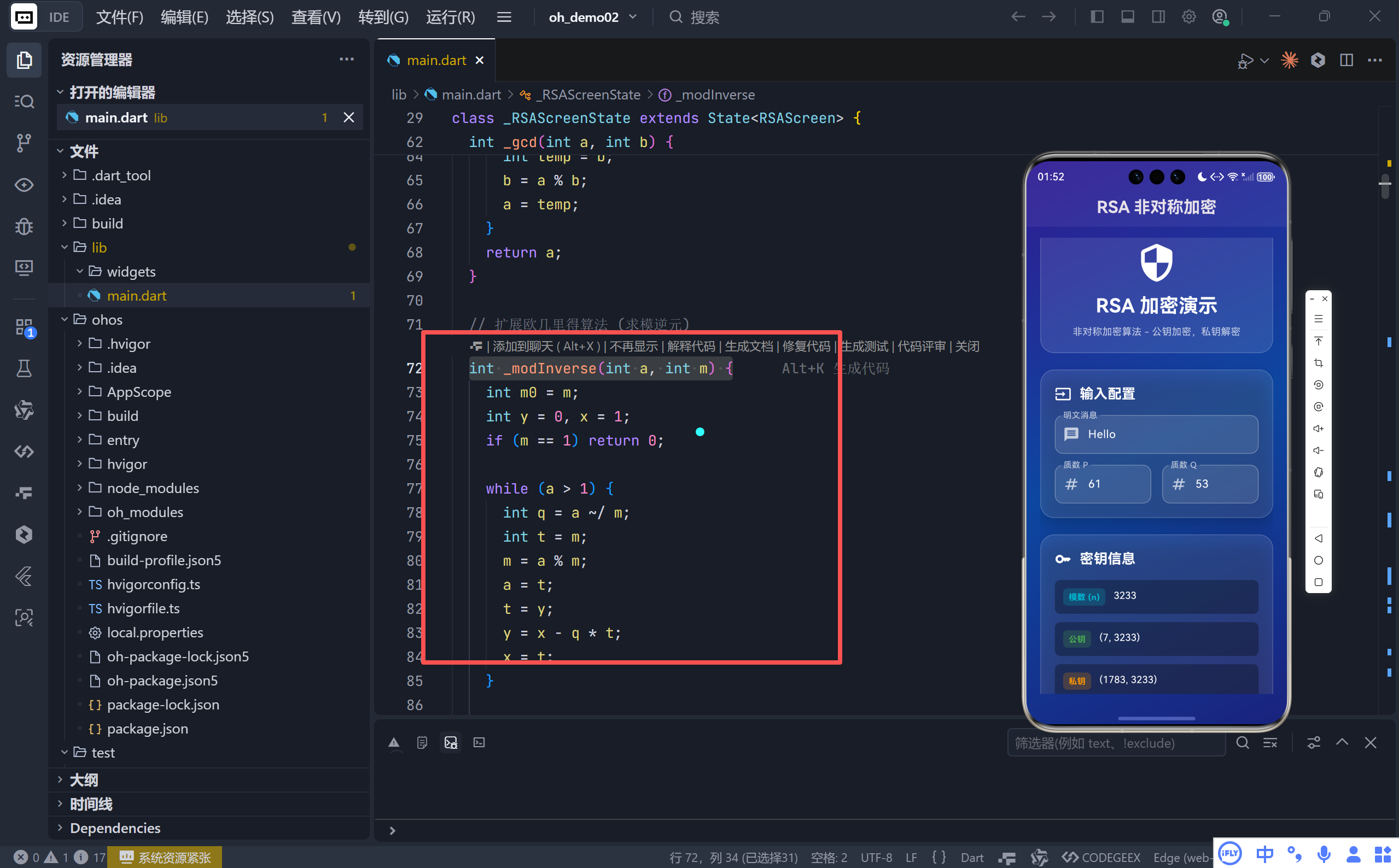
- 关键作用 :计算私钥
d = e⁻¹ mod φ(n);- 数学基础 :贝祖等式
ax + my = gcd(a, m),当gcd=1时x即为模逆元。
3. 快速模幂运算 _modExp()
dart
int _modExp(int base, int exp, int mod) {
  int result = 1;
  base = base % mod;
  while (exp > 0) {
    if (exp % 2 == 1) result = (result * base) % mod; // 奇数次幂
    exp >>= 1; // exp /= 2
    base = (base * base) % mod; // 平方底数
  }
  return result;
}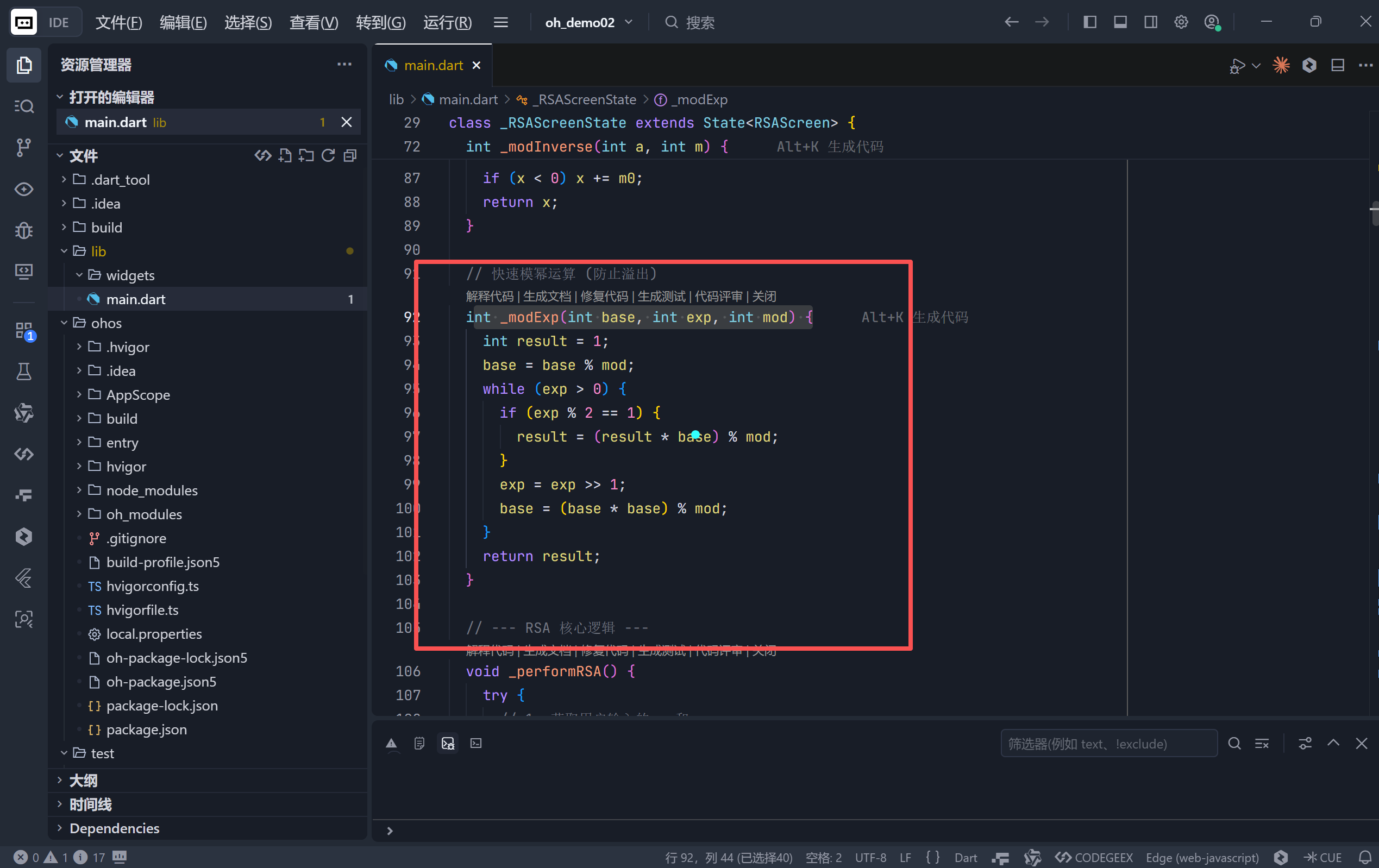
- 防溢出 :避免直接计算
base^exp(会迅速超出整数范围);- 时间复杂度:O(log exp),使大指数运算可行。
三、RSA 核心逻辑:五步实现
1. 密钥生成
dart
// 用户输入 p=61, q=53
int n = p * q; // 3233
int phi = (p - 1) * (q - 1); // 3120

// 选择 e(常用 65537,若太大则用 3)
int e = _gcd(65537, phi) == 1 ? 65537 : 3;

// 计算 d = e⁻¹ mod φ(n)
int d = _modInverse(e, phi); // 如 e=17 → d=2753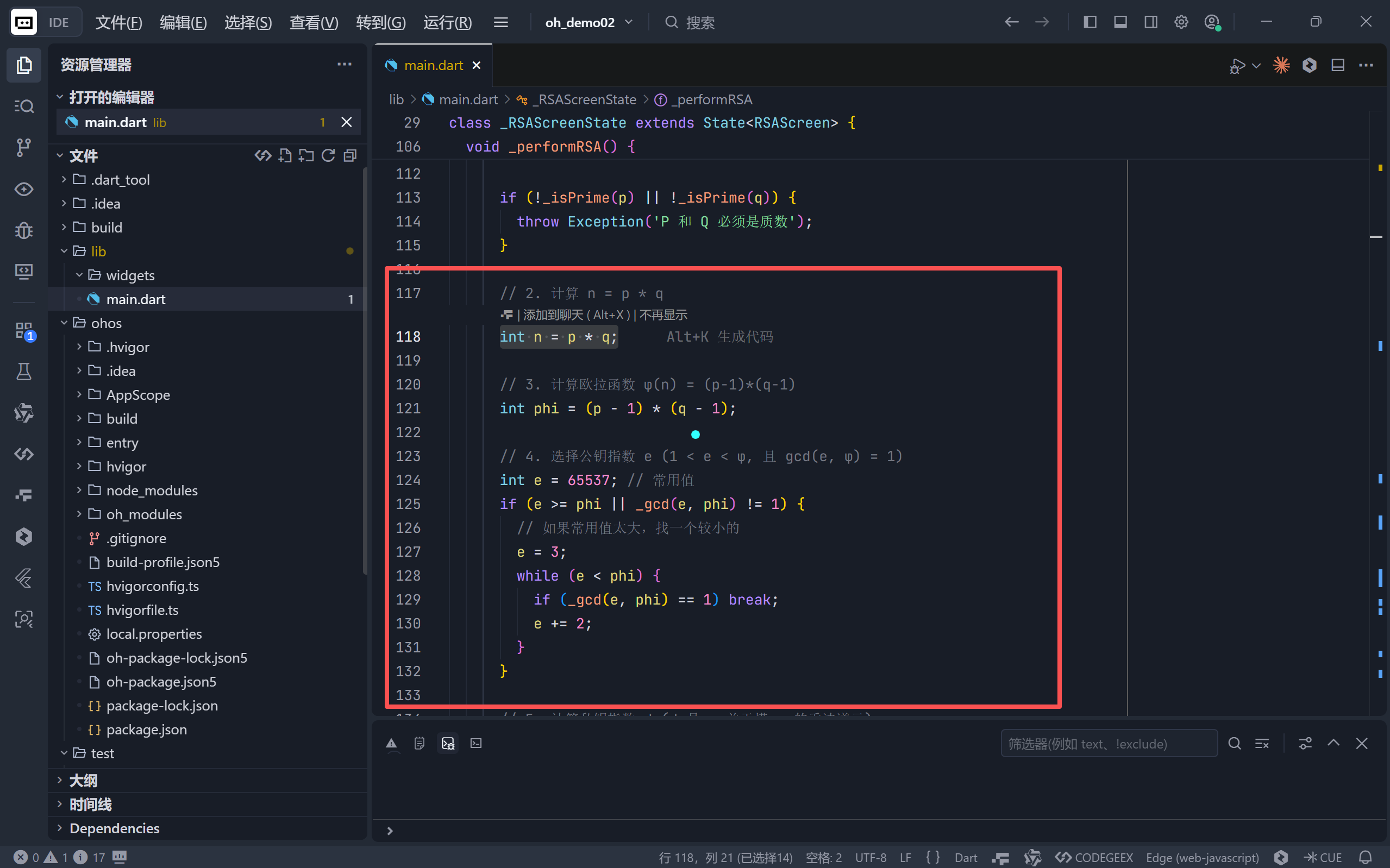
- 公钥 :
(e, n)- 私钥 :
(d, n)
2. 加密与解密
dart
// 加密 "Hello" → [72, 101, 108, 108, 111]
List<int> encrypted = messageBytes.map((b) => _modExp(b, e, n)).toList();

// 解密
List<int> decrypted = encrypted.map((c) => _modExp(c, d, n)).toList();
String result = String.fromCharCodes(decrypted); // "Hello"- 逐字节处理:将字符串转为 ASCII 码列表;
- 完美还原 :验证
m = (m^e)^d mod n成立。
四、用户界面:玻璃拟态 + 教学友好
1. 深色渐变背景
dart
decoration: BoxDecoration(
  gradient: LinearGradient(
    colors: [Colors.deepPurple.shade900, Colors.blue.shade900, ...],
  ),
)- 科技感:紫→蓝渐变呼应"加密"主题;
- 可读性:白色文字在深色背景上清晰易读。
2. 四大信息模块
▶ 输入配置区
- 明文消息:默认 "Hello",支持任意文本;
- 质数 P/Q:默认 61/53(经典教学组合),实时校验是否为质数;
- 即时反馈:任一输入变化,自动重新计算。
▶ 密钥信息区
- 模数 (n) :动态显示
p × q; - 公钥/私钥 :格式化为
(e, n)和(d, n); - 色彩编码 :
- 公钥:绿色(公开、安全)
- 私钥:橙色(私有、敏感)
▶ 加密结果区
- 密文 :以逗号分隔的整数列表(如
2790, 1234, ...); - 解密后:还原的原始消息;
- 字体 :使用等宽字体
Courier,便于对齐数字。
▶ 安全提示区
⚠️ 注意:此演示使用小质数,仅用于教学。实际应用使用 2048 位以上的大质数。
- 明确边界:防止用户误以为可投入生产环境。
3. 交互细节
- 玻璃拟态卡片:半透明背景 + 白色边框,层次分明;
- 聚焦高亮:输入框获得焦点时边框变青色;
- 可选中文本:密钥和密文支持长按复制。
五、教育价值:揭开非对称加密的面纱
这个演示器精准传达了 RSA 的三大核心思想:
| 概念 | 本应用体现 |
|---|---|
| 单向陷门函数 | 已知 p,q 易算 n;但已知 n 难分解 p,q(小数例外) |
| 公私钥分离 | 公钥 (e,n) 可公开用于加密;私钥 (d,n) 必须保密用于解密 |
| 数学之美 | 欧拉定理保证 m^(ed) ≡ m mod n,使加解密可逆 |
正如 Rivest、Shamir 和 Adleman 在 1977 年所展示的:数论可以成为守护信息安全的盾牌。本应用正是这一伟大思想的微型重现。
六、局限性与改进方向
当前限制:
- 仅支持 ASCII 字符:无法处理 Unicode(如中文);
- 小整数限制 :Dart
int在 Web 上为 53 位,p*q过大会溢出; - 无填充方案:真实 RSA 使用 OAEP/PKCS#1 填充防攻击。
改进建议:
- 引入 BigInt:支持任意精度整数,突破 53 位限制;
- Base64 编码:将密文转为可读字符串;
- 密钥导出:允许保存/加载密钥对;
- 攻击演示:展示小质数如何被快速分解(教学用)。
结语:人人皆可理解的密码学
这个 Flutter 应用证明了一件事:最前沿的密码学,也可以被拆解为清晰的代码和直观的界面。当你输入 "Hello",看到它变成一串神秘数字,再完美还原时,你不仅见证了 RSA 的魔力,更触摸到了现代数字信任的根基。
完整代码
bash
import 'dart:math';
import 'package:flutter/material.dart';
void main() {
runApp(const CryptoApp());
}
class CryptoApp extends StatelessWidget {
const CryptoApp({super.key});
@override
Widget build(BuildContext context) {
return MaterialApp(
title: 'RSA 加密演示',
theme: ThemeData.dark(),
home: const RSAScreen(),
debugShowCheckedModeBanner: false,
);
}
}
class RSAScreen extends StatefulWidget {
const RSAScreen({super.key});
@override
State<RSAScreen> createState() => _RSAScreenState();
}
class _RSAScreenState extends State<RSAScreen> {
final TextEditingController _messageController =
TextEditingController(text: 'Hello');
final TextEditingController _pController = TextEditingController(text: '61');
final TextEditingController _qController = TextEditingController(text: '53');
String _publicKey = '';
String _privateKey = '';
String _encryptedMessage = '';
String _decryptedMessage = '';
// --- 核心数学工具 ---
// 判断质数
bool _isPrime(int n) {
if (n < 2) return false;
if (n == 2) return true;
if (n % 2 == 0) return false;
for (int i = 3; i <= sqrt(n); i += 2) {
if (n % i == 0) return false;
}
return true;
}
// 生成质数 (简单版本,实际应用需要更复杂的随机生成)
int _generatePrime(int min, int max) {
final random = Random();
while (true) {
int candidate = min + random.nextInt(max - min);
if (_isPrime(candidate)) return candidate;
}
}
// 最大公约数
int _gcd(int a, int b) {
while (b != 0) {
int temp = b;
b = a % b;
a = temp;
}
return a;
}
// 扩展欧几里得算法 (求模逆元)
int _modInverse(int a, int m) {
int m0 = m;
int y = 0, x = 1;
if (m == 1) return 0;
while (a > 1) {
int q = a ~/ m;
int t = m;
m = a % m;
a = t;
t = y;
y = x - q * t;
x = t;
}
if (x < 0) x += m0;
return x;
}
// 快速模幂运算 (防止溢出)
int _modExp(int base, int exp, int mod) {
int result = 1;
base = base % mod;
while (exp > 0) {
if (exp % 2 == 1) {
result = (result * base) % mod;
}
exp = exp >> 1;
base = (base * base) % mod;
}
return result;
}
// --- RSA 核心逻辑 ---
void _performRSA() {
try {
// 1. 获取用户输入的 p 和 q
int p = int.parse(_pController.text);
int q = int.parse(_qController.text);
String message = _messageController.text;
if (!_isPrime(p) || !_isPrime(q)) {
throw Exception('P 和 Q 必须是质数');
}
// 2. 计算 n = p * q
int n = p * q;
// 3. 计算欧拉函数 φ(n) = (p-1)*(q-1)
int phi = (p - 1) * (q - 1);
// 4. 选择公钥指数 e (1 < e < φ, 且 gcd(e, φ) = 1)
int e = 65537; // 常用值
if (e >= phi || _gcd(e, phi) != 1) {
// 如果常用值太大,找一个较小的
e = 3;
while (e < phi) {
if (_gcd(e, phi) == 1) break;
e += 2;
}
}
// 5. 计算私钥指数 d (d 是 e 关于模 φ 的乘法逆元)
int d = _modInverse(e, phi);
// 设置显示密钥
setState(() {
_publicKey = '($e, $n)';
_privateKey = '($d, $n)';
});
// --- 加密过程 ---
// 将字符串转换为字节,然后转换为整数
List<int> messageBytes = message.codeUnits;
List<int> encryptedInts = [];
for (int byte in messageBytes) {
// 加密: ciphertext = plaintext^e mod n
int cipher = _modExp(byte, e, n);
encryptedInts.add(cipher);
}
setState(() {
_encryptedMessage = encryptedInts.join(', ');
});
// --- 解密过程 ---
List<int> decryptedBytes = [];
for (int cipher in encryptedInts) {
// 解密: plaintext = ciphertext^d mod n
int plain = _modExp(cipher, d, n);
decryptedBytes.add(plain);
}
String decryptedStr = String.fromCharCodes(decryptedBytes);
setState(() {
_decryptedMessage = decryptedStr;
});
} catch (e) {
setState(() {
_publicKey = '错误';
_privateKey = '错误';
_encryptedMessage = '错误: $e';
_decryptedMessage = '';
});
}
}
@override
void initState() {
super.initState();
_performRSA();
}
@override
Widget build(BuildContext context) {
return Scaffold(
extendBodyBehindAppBar: true,
appBar: AppBar(
title: const Text(
'RSA 非对称加密',
style: TextStyle(fontWeight: FontWeight.bold, fontSize: 24),
),
centerTitle: true,
elevation: 0,
backgroundColor: Colors.transparent,
),
body: Container(
decoration: BoxDecoration(
gradient: LinearGradient(
begin: Alignment.topLeft,
end: Alignment.bottomRight,
colors: [
Colors.deepPurple.shade900,
Colors.blue.shade900,
Colors.indigo.shade900,
],
),
),
child: SafeArea(
child: Padding(
padding:
const EdgeInsets.symmetric(horizontal: 20.0, vertical: 16.0),
child: SingleChildScrollView(
child: Column(
crossAxisAlignment: CrossAxisAlignment.stretch,
children: [
// 标题区域
Container(
padding: const EdgeInsets.all(20.0),
decoration: BoxDecoration(
color: Colors.white.withOpacity(0.1),
borderRadius: BorderRadius.circular(20),
border: Border.all(
color: Colors.white.withOpacity(0.2),
width: 1,
),
),
child: Column(
children: const [
Icon(
Icons.security_rounded,
size: 60,
color: Colors.white,
),
SizedBox(height: 12),
Text(
'RSA 加密演示',
style: TextStyle(
fontSize: 28,
fontWeight: FontWeight.bold,
color: Colors.white,
),
),
SizedBox(height: 8),
Text(
'非对称加密算法 - 公钥加密,私钥解密',
textAlign: TextAlign.center,
style: TextStyle(
fontSize: 14,
color: Colors.white70,
),
),
],
),
),
const SizedBox(height: 24),
// 输入区域
_buildGlassCard(
title: '输入配置',
icon: Icons.input,
children: [
_buildTextField(
controller: _messageController,
label: '明文消息',
hint: '输入要加密的消息',
icon: Icons.message,
),
const SizedBox(height: 16),
Row(
children: [
Expanded(
child: _buildTextField(
controller: _pController,
label: '质数 P',
hint: '输入质数',
icon: Icons.numbers,
keyboardType: TextInputType.number,
),
),
const SizedBox(width: 16),
Expanded(
child: _buildTextField(
controller: _qController,
label: '质数 Q',
hint: '输入质数',
icon: Icons.numbers,
keyboardType: TextInputType.number,
),
),
],
),
],
),
const SizedBox(height: 24),
// 密钥信息
_buildGlassCard(
title: '密钥信息',
icon: Icons.key,
children: [
_buildKeyInfoRow(
label: '模数 (n)',
value:
'${(int.tryParse(_pController.text) ?? 0) * (int.tryParse(_qController.text) ?? 0)}',
color: Colors.cyan,
),
const SizedBox(height: 12),
_buildKeyInfoRow(
label: '公钥',
value: _publicKey,
color: Colors.green,
),
const SizedBox(height: 12),
_buildKeyInfoRow(
label: '私钥',
value: _privateKey,
color: Colors.orange,
),
],
),
const SizedBox(height: 24),
// 加密结果
_buildGlassCard(
title: '加密结果',
icon: Icons.enhanced_encryption,
children: [
_buildResultSection(
label: '密文',
value: _encryptedMessage,
color: Colors.redAccent,
),
const SizedBox(height: 16),
const Divider(color: Colors.white24),
const SizedBox(height: 16),
_buildResultSection(
label: '解密后',
value: _decryptedMessage,
color: Colors.greenAccent,
),
],
),
const SizedBox(height: 20),
// 提示信息
Container(
padding: const EdgeInsets.all(16.0),
decoration: BoxDecoration(
color: Colors.yellow.withOpacity(0.1),
borderRadius: BorderRadius.circular(12),
border: Border.all(
color: Colors.yellow.withOpacity(0.3),
width: 1,
),
),
child: Row(
children: const [
Icon(Icons.info_outline, color: Colors.yellow),
SizedBox(width: 12),
Expanded(
child: Text(
'注意:此演示使用小质数,仅用于教学。实际应用使用 2048 位以上的大质数。',
style: TextStyle(
fontSize: 12,
color: Colors.yellowAccent,
),
),
),
],
),
),
],
),
),
),
),
),
);
}
Widget _buildGlassCard({
required String title,
required IconData icon,
required List<Widget> children,
}) {
return Container(
padding: const EdgeInsets.all(20.0),
decoration: BoxDecoration(
color: Colors.white.withOpacity(0.1),
borderRadius: BorderRadius.circular(20),
border: Border.all(
color: Colors.white.withOpacity(0.2),
width: 1,
),
boxShadow: [
BoxShadow(
color: Colors.black.withOpacity(0.2),
blurRadius: 20,
offset: const Offset(0, 10),
),
],
),
child: Column(
crossAxisAlignment: CrossAxisAlignment.start,
children: [
Row(
children: [
Icon(icon, color: Colors.white, size: 24),
const SizedBox(width: 12),
Text(
title,
style: const TextStyle(
fontSize: 20,
fontWeight: FontWeight.bold,
color: Colors.white,
),
),
],
),
const SizedBox(height: 16),
...children,
],
),
);
}
Widget _buildTextField({
required TextEditingController controller,
required String label,
required String hint,
required IconData icon,
TextInputType? keyboardType,
}) {
return TextField(
controller: controller,
keyboardType: keyboardType,
onChanged: (_) => _performRSA(),
style: const TextStyle(color: Colors.white),
decoration: InputDecoration(
labelText: label,
hintText: hint,
hintStyle: TextStyle(color: Colors.white.withOpacity(0.5)),
labelStyle: const TextStyle(color: Colors.white70),
prefixIcon: Icon(icon, color: Colors.white.withOpacity(0.7)),
filled: true,
fillColor: Colors.white.withOpacity(0.1),
border: OutlineInputBorder(
borderRadius: BorderRadius.circular(12),
borderSide: BorderSide(color: Colors.white.withOpacity(0.3)),
),
enabledBorder: OutlineInputBorder(
borderRadius: BorderRadius.circular(12),
borderSide: BorderSide(color: Colors.white.withOpacity(0.3)),
),
focusedBorder: OutlineInputBorder(
borderRadius: BorderRadius.circular(12),
borderSide: const BorderSide(color: Colors.cyanAccent, width: 2),
),
),
);
}
Widget _buildKeyInfoRow({
required String label,
required String value,
required Color color,
}) {
return Container(
padding: const EdgeInsets.all(12),
decoration: BoxDecoration(
color: Colors.black.withOpacity(0.3),
borderRadius: BorderRadius.circular(8),
),
child: Row(
crossAxisAlignment: CrossAxisAlignment.start,
children: [
Container(
padding: const EdgeInsets.symmetric(horizontal: 8, vertical: 4),
decoration: BoxDecoration(
color: color.withOpacity(0.2),
borderRadius: BorderRadius.circular(6),
),
child: Text(
label,
style: TextStyle(
fontWeight: FontWeight.bold,
color: color,
fontSize: 12,
),
),
),
const SizedBox(width: 12),
Expanded(
child: SelectableText(
value,
style: const TextStyle(
fontFamily: 'Courier',
fontSize: 14,
color: Colors.white,
),
),
),
],
),
);
}
Widget _buildResultSection({
required String label,
required String value,
required Color color,
}) {
return Column(
crossAxisAlignment: CrossAxisAlignment.start,
children: [
Row(
children: [
Container(
padding: const EdgeInsets.symmetric(horizontal: 12, vertical: 6),
decoration: BoxDecoration(
color: color.withOpacity(0.2),
borderRadius: BorderRadius.circular(8),
),
child: Text(
label,
style: TextStyle(
fontWeight: FontWeight.bold,
color: color,
fontSize: 14,
),
),
),
],
),
const SizedBox(height: 12),
Container(
width: double.infinity,
padding: const EdgeInsets.all(12),
decoration: BoxDecoration(
color: Colors.black.withOpacity(0.3),
borderRadius: BorderRadius.circular(8),
border: Border.all(color: color.withOpacity(0.3)),
),
child: SelectableText(
value,
style: TextStyle(
fontFamily: 'Courier',
fontSize: 12,
color: color,
height: 1.5,
),
),
),
],
);
}
}