为什么要更新/迁移?
Clawdbot → OpenClaw 改名时间线
2026年1月,项目经历三次改名:
makefile
1月24日: Peter Steinberger 发布 Clawdbot
1月26日: Anthropic 发律师函(商标问题)
1月27日: 紧急改名 Moltbot
1月29日: 最终定名 OpenClaw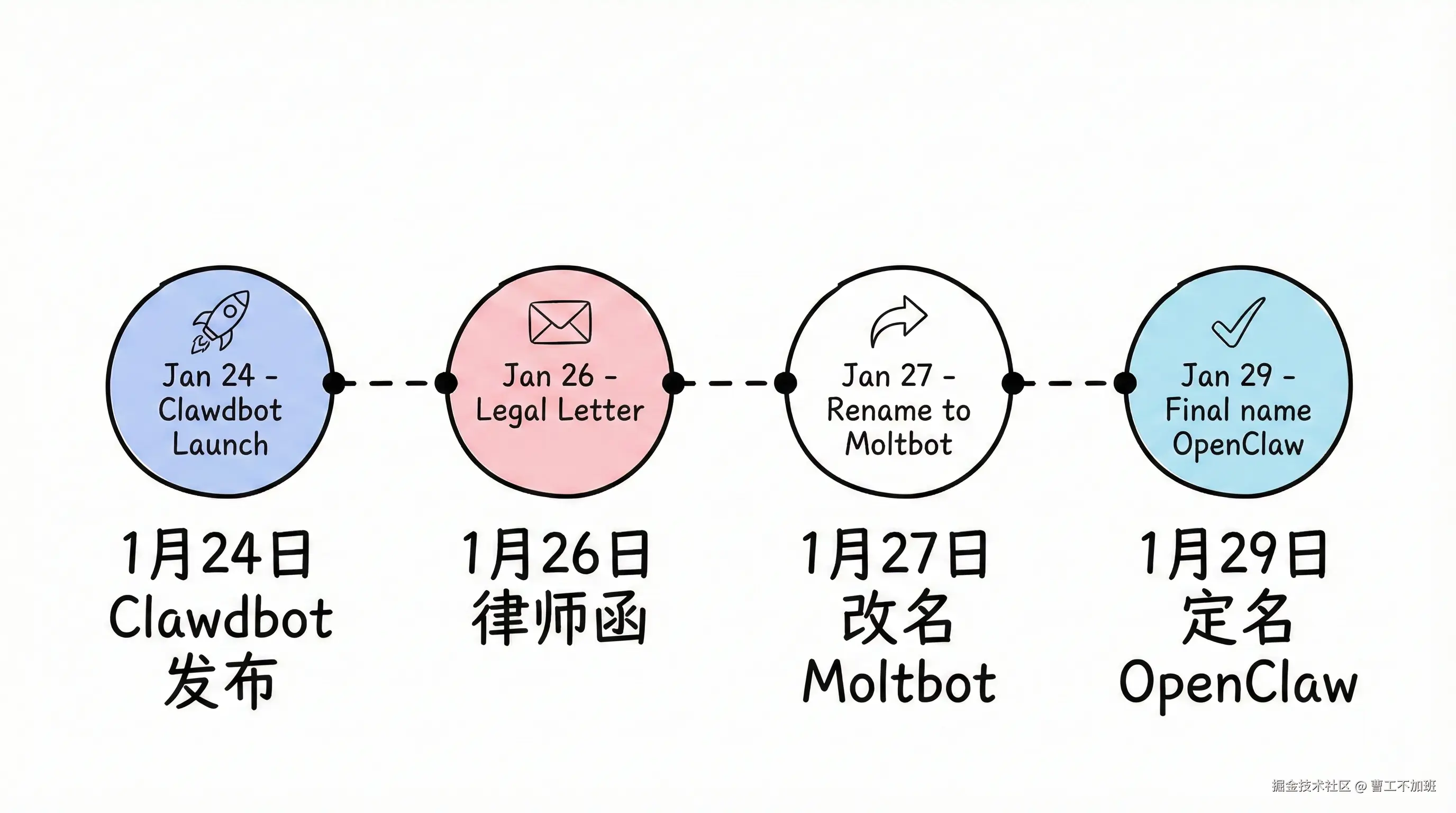
虽然旧命令 clawdbot 仍可用,但新功能、安全更新和 bug 修复只在 OpenClaw 维护。
更新/迁移的理由
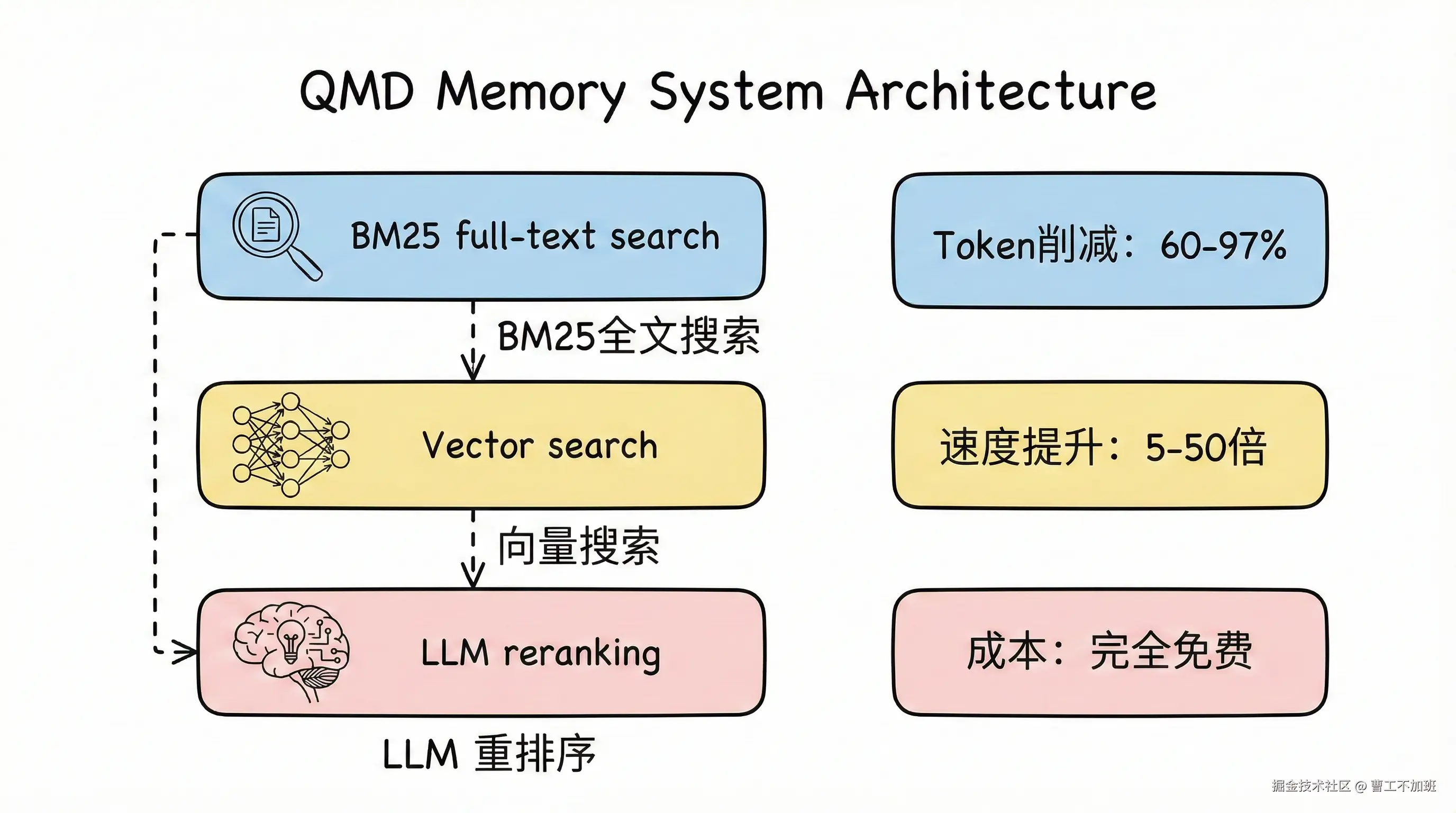
1. QMD 记忆系统(2026.2.2+)
Shopify CEO Tobi 开发的本地语义搜索引擎,已集成到 OpenClaw:
- Token 削减 60-97%
- 响应速度提升 5-50 倍
- 完全免费,零 API 成本
- 自动降级到 SQLite(QMD 失败时)
2. 新模型支持
- Anthropic Opus 4.6
- OpenAI GPT-5.3-codex
- xAI Grok(含网络搜索)
3. 安全增强
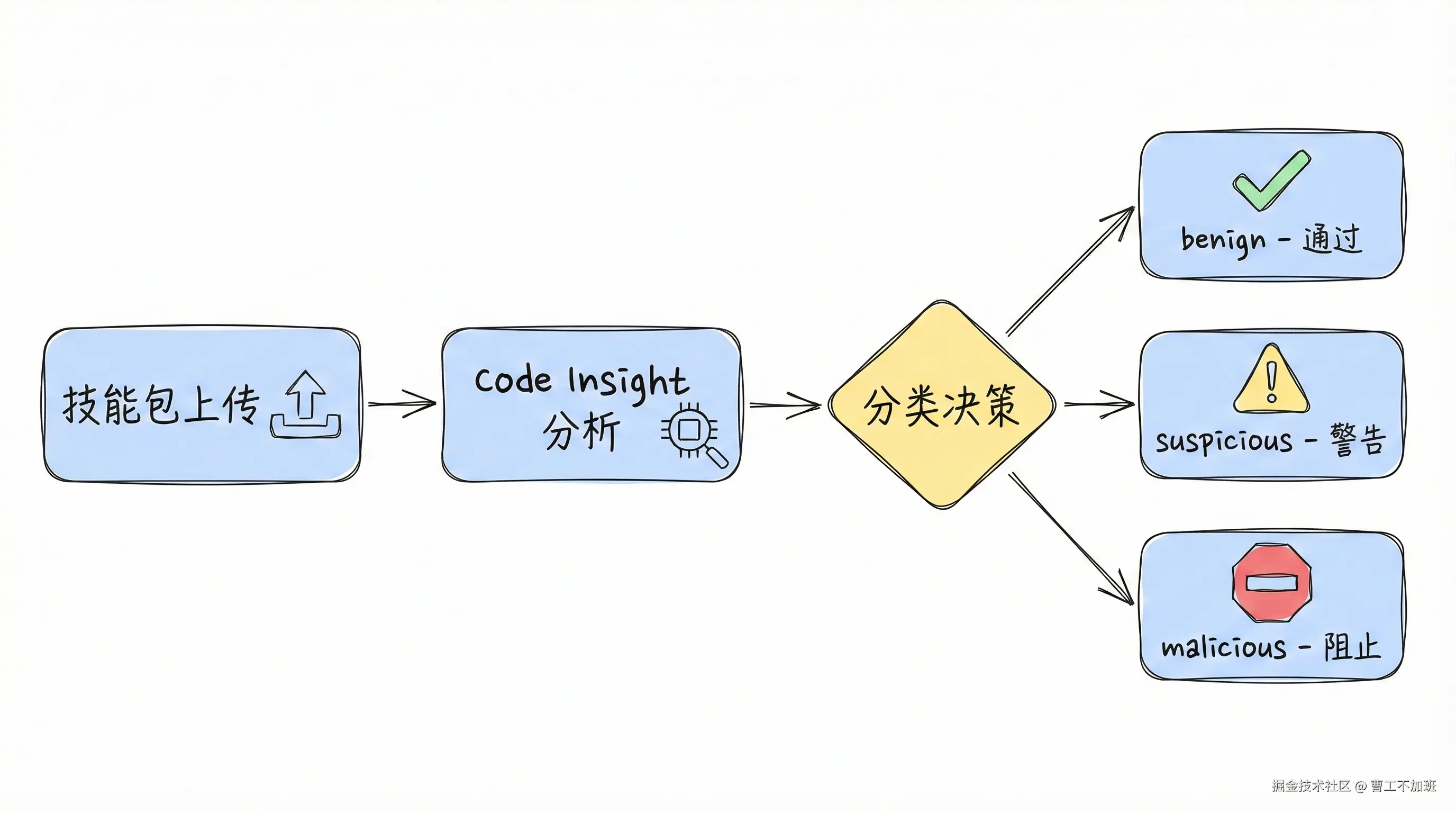
OpenClaw 与 VirusTotal 合作扫描 ClawHub 技能,Code Insight(Gemini 驱动)自动分析技能包:
- ✅
benign: 自动通过 - ⚠️
suspicious: 显示警告 - ❌
malicious: 阻止下载
OpenClaw 最新版本特性
当前版本
v2026.2.9(2026年2月10日)
v2026.2.9 新特性
- 🔍 Grok 网络搜索提供商: 集成 xAI Grok 作为网络搜索后端
- 🧠 解决压缩后遗忘: 修复记忆压缩后的上下文丢失问题
- 🛡️ 上下文溢出恢复: 自动处理超长对话的上下文管理
- ⏰ Cron 可靠性大修: 定时任务执行更加稳定
- 🐛 40+ bug 修复: 来自 25+ 贡献者的质量改进
- 🌐 Web UI 增强: 代理管理 RPC 方法、压缩分隔符显示
- 📱 Telegram 优化: 引用解析增强、Markdown Spoiler 支持
核心优势
🧠 QMD 记忆系统: 本地语义搜索(BM25 + 向量搜索 + LLM 重排序),Token 削减 60-97%,响应速度提升 5-50 倍
🤖 最新模型支持: Opus 4.6、GPT-5.3-codex、Grok(含网络搜索),支持前向兼容降级
🛡️ 增强安全: VirusTotal 技能扫描、网关认证、会话历史负载限制
更新 OpenClaw 到最新版本
适用于已在使用 OpenClaw 的用户
检查当前版本
bash
openclaw --version低于 v2026.2.9 建议更新。
备份数据(可选但推荐)
macOS/Linux:
bash
mkdir -p ~/openclaw-backup-$(date +%Y%m%d)
cp -r ~/.openclaw ~/openclaw-backup-$(date +%Y%m%d)/
cp -r ~/clawd ~/openclaw-backup-$(date +%Y%m%d)/
Windows:
powershell
$date = Get-Date -Format "yyyyMMdd"
mkdir "$HOME\openclaw-backup-$date"
Copy-Item "$HOME\.openclaw" -Destination "$HOME\openclaw-backup-$date\" -Recurse
Copy-Item "$HOME\clawd" -Destination "$HOME\openclaw-backup-$date\" -Recurse
执行更新
方式一: Shell 脚本(推荐)
bash
# macOS/Linux
curl -fsSL https://openclaw.ai/install.sh | bash

# Windows
iwr -useb https://openclaw.ai/install.ps1 | iex
方式二: npm
bash
npm install -g openclaw@latest

# 或使用 pnpm
pnpm add -g openclaw@latest
更新过程会自动保留 ~/.openclaw 和 ~/clawd,只更新可执行文件。
验证更新
bash
# 检查版本
openclaw --version

# 检查服务
openclaw gateway status

# 测试功能
openclaw chat
更新后操作(可选,推荐)
bash
# 启用 QMD 记忆系统(需要 Bun)
bun install -g https://github.com/tobi/qmd
# 编辑 ~/.openclaw/openclaw.json,设置 memory.qmd.sessions.enabled = true

# 更新技能库
openclaw skills update
从 Clawdbot 迁移到 OpenClaw
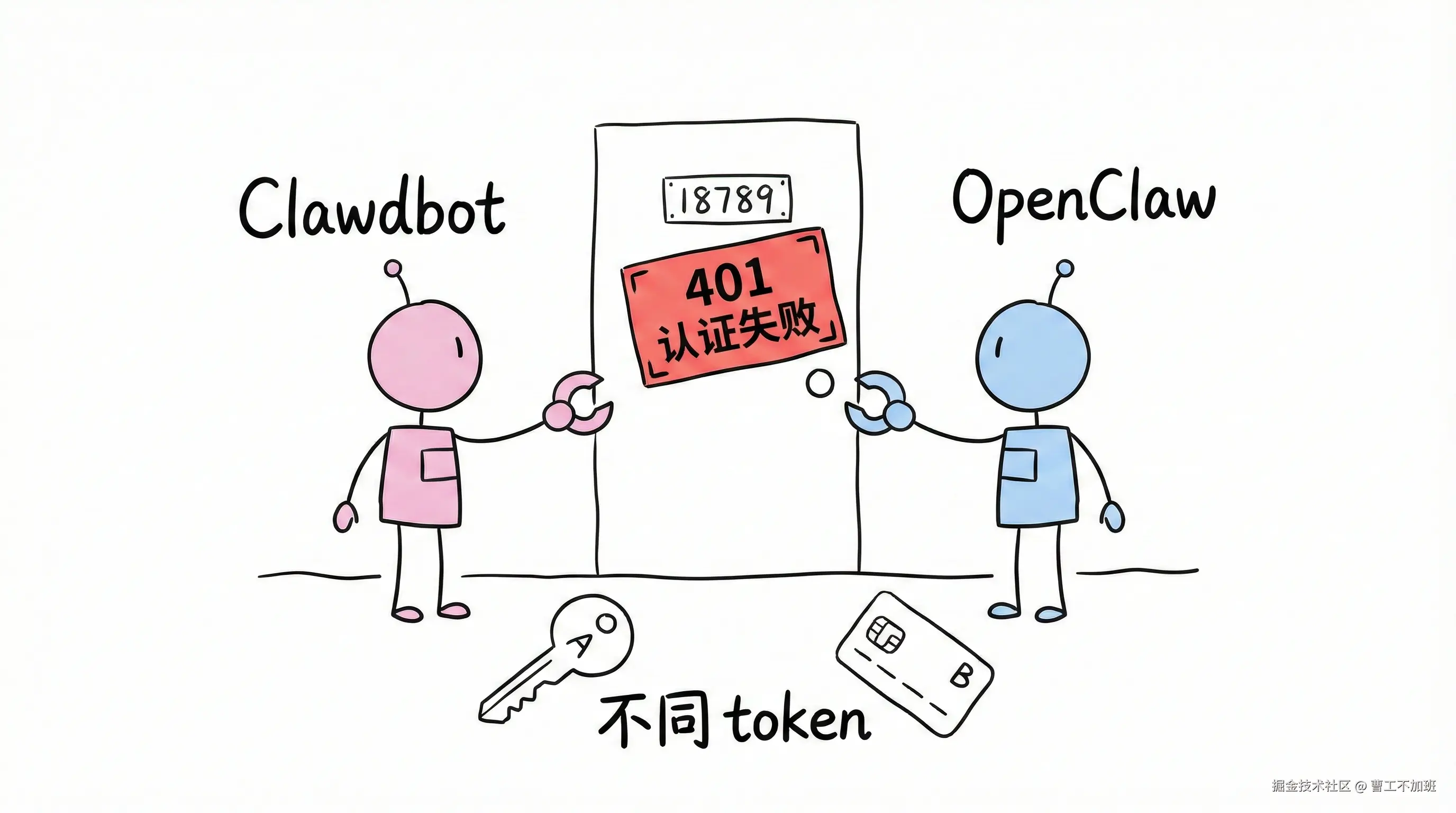
警告: 先停止 Clawdbot 服务再安装 OpenClaw!
两者都使用 18789 端口,但 gateway token 不同。不停服直接安装会导致:
- 端口冲突(双服务争抢端口)
- 401 认证错误(token 不匹配)
- 服务不稳定
配置文件夹对比
| 项目 | Clawdbot | OpenClaw |
|---|---|---|
| 配置文件夹 | ~/.clawdbot |
~/.openclaw |
| 配置文件 | moltbot.json |
openclaw.json |
| 工作区 | ~/clawd |
~/clawd(相同) |
| 端口 | 18789 | 18789(相同) |
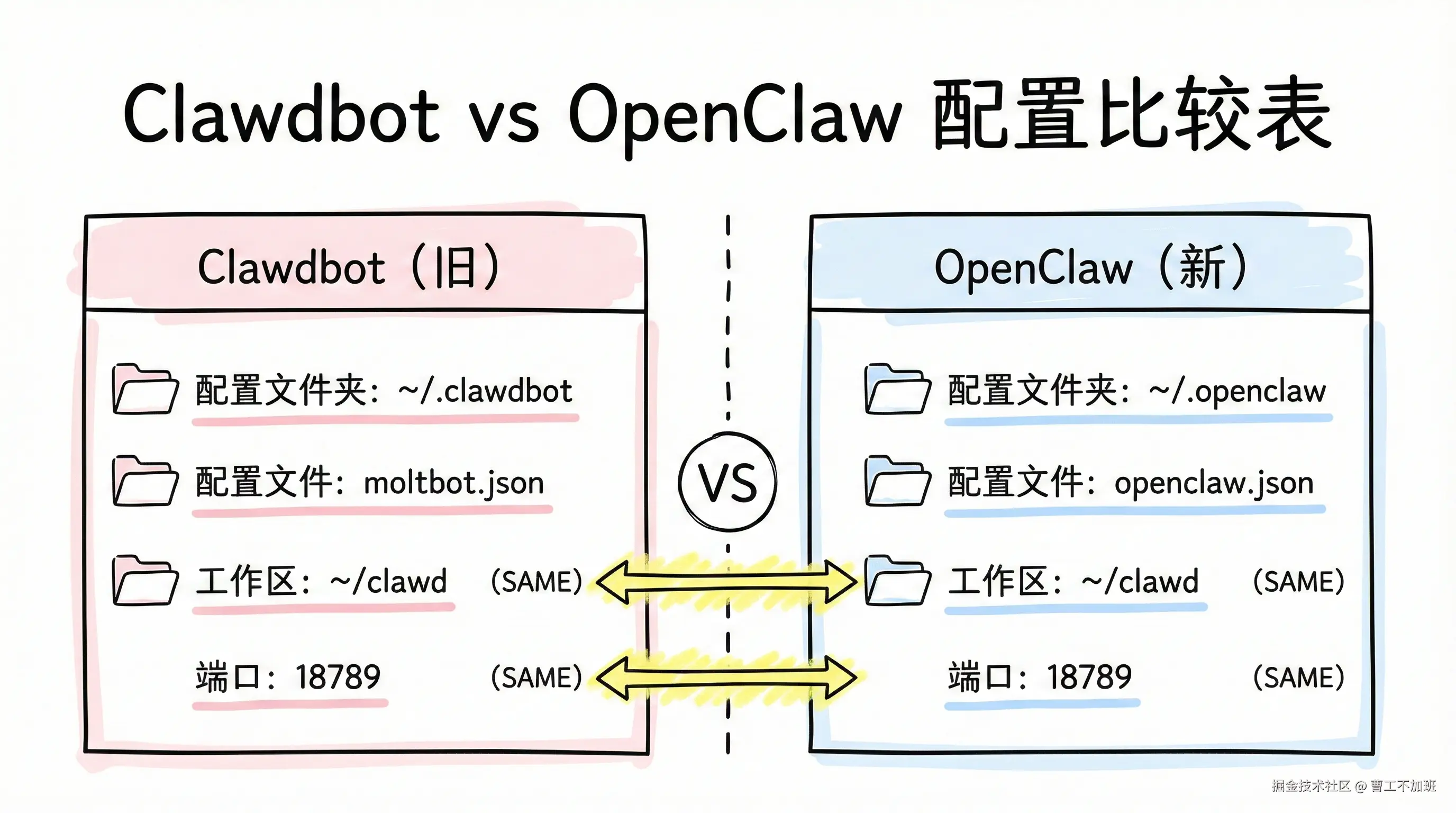
OpenClaw 安装时会自动迁移配置,创建符号链接 ~/.clawdbot -> ~/.openclaw,但不会自动清理旧服务。
迁移步骤
停止 Clawdbot 服务
macOS/Linux:
bash
# 停止网关
clawdbot gateway stop

# Linux systemd 用户
systemctl --user stop clawdbot-gateway.service
systemctl --user disable clawdbot-gateway.service
rm -f ~/.config/systemd/user/clawdbot-gateway.service
systemctl --user daemon-reload
systemctl --user reset-failed

# 清理残留进程
pkill -f clawdbot

# 验证端口已释放
lsof -i :18789
# 应该无输出
Windows:
powershell
# 停止服务
clawdbot gateway stop

# 检查端口
netstat -ano | findstr :18789

# 如果仍被占用,终止进程(替换 <PID>)
# taskkill /PID <PID> /F

# 或强制终止所有 node 进程
taskkill /IM node.exe /F
备份数据(推荐)
macOS/Linux:
bash
mkdir -p ~/openclaw-backup-$(date +%Y%m%d)
cp -r ~/.clawdbot ~/openclaw-backup-$(date +%Y%m%d)/
cp -r ~/clawd ~/openclaw-backup-$(date +%Y%m%d)/
Windows:
powershell
$date = Get-Date -Format "yyyyMMdd"
mkdir "$HOME\openclaw-backup-$date"
Copy-Item "$HOME\.clawdbot" -Destination "$HOME\openclaw-backup-$date\" -Recurse
Copy-Item "$HOME\clawd" -Destination "$HOME\openclaw-backup-$date\" -Recurse
安装 OpenClaw
macOS/Linux:
bash
curl -fsSL https://openclaw.ai/install.sh | bashWindows:
powershell
iwr -useb https://openclaw.ai/install.ps1 | iex安装过程自动迁移配置、创建符号链接并保留工作区。
验证迁移
bash
openclaw gateway status         # 确认服务运行
lsof -i :18789                  # 验证只有一个 openclaw 进程
openclaw chat                   # 测试记忆完整性
迁移常见问题
迁移会丢失记忆吗?
不会。OpenClaw 完全兼容 Clawdbot 数据格式:
- 对话历史:
~/clawd/下所有文件 - 配置信息: 自动从
~/.clawdbot迁移到~/.openclaw - Agent 状态: 完整保留
.clawdbot 文件夹还在,正常吗?
正常。OpenClaw 创建符号链接 ~/.clawdbot -> ~/.openclaw 保持向后兼容。
验证:
bash
ls -la ~/.clawdbot
# 应显示符号链接
Dashboard 显示 401 认证错误?
这是双服务运行的典型症状。两个服务用不同的 gateway token,导致认证失败。
解决:
bash
# 停止所有服务
clawdbot gateway stop
openclaw gateway stop

# 清理进程
pkill -f clawdbot
pkill -f openclaw

# 只启动 OpenClaw
openclaw gateway start

# 清理浏览器缓存或用无痕模式
验证:
bash
lsof -i :18789
# 应该只看到一个 openclaw 进程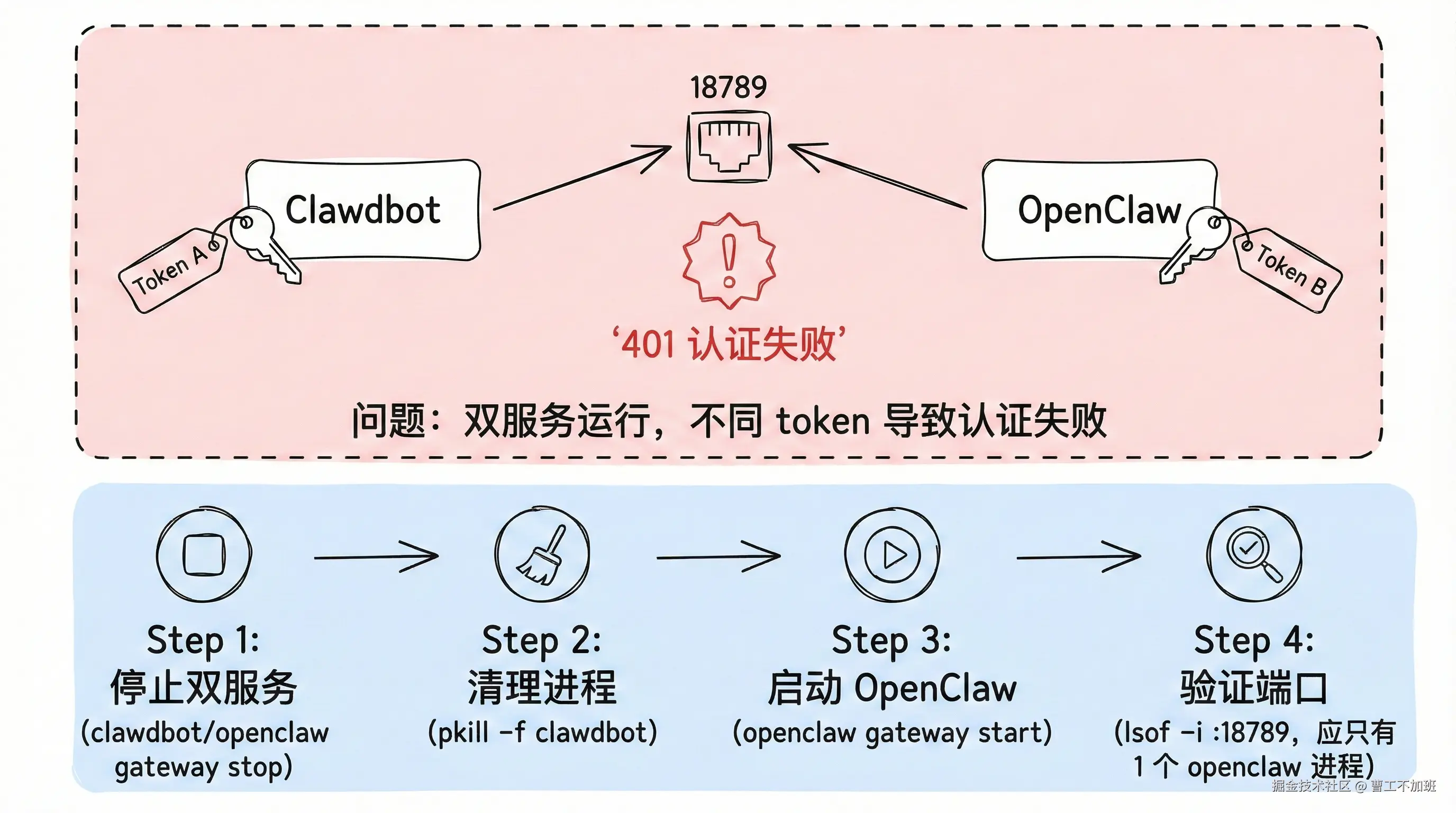
端口 18789 被占用?
Clawdbot 服务没有完全清理。
macOS/Linux:
bash
# 查看占用进程
lsof -i :18789

# 强制终止
lsof -ti :18789 | xargs kill -9

# 清理 systemd(Linux)
systemctl --user stop clawdbot-gateway.service
systemctl --user disable clawdbot-gateway.service
rm -f ~/.config/systemd/user/clawdbot-gateway.service
systemctl --user daemon-reload

# 再次验证
lsof -i :18789
Windows:
powershell
# 查看端口占用
netstat -ano | findstr :18789

# 终止进程
taskkill /PID <PID> /F

# 或强制终止所有 node
taskkill /IM node.exe /F
需要重新配置飞书/钉钉吗?
不需要。配置会自动迁移,包括:
- Webhook URLs
- 机器人 Token
- 频道配置
验证:
bash
cat ~/.openclaw/openclaw.json | grep -A 5 "channels"旧的 clawdbot 命令还能用吗?
能用(符号链接),但新功能只在 openclaw 命令下提供。切勿同时运行两个服务。
迁移后性能没有提升?
性能提升主要来自 QMD 记忆系统,需手动启用:
bash
bun install -g https://github.com/tobi/qmd
# 编辑 ~/.openclaw/openclaw.json
# 设置 memory.qmd.sessions.enabled = true
如何完全卸载 Clawdbot?
迁移成功并稳定运行后:
bash
# 确认 OpenClaw 正常
openclaw gateway status

# 卸载 Clawdbot(npm 安装的)
npm uninstall -g clawdbot

# 删除符号链接(可选)
rm ~/.clawdbot

# 清理 systemd(Linux)
rm -f ~/.config/systemd/user/clawdbot-gateway.service
systemctl --user daemon-reload
注意: 不要删除 ~/.openclaw,它是主配置文件夹。
故障排查
常见问题快速解决
服务启动失败
bash
openclaw status --all    # 一键诊断
openclaw doctor --fix    # 自动修复
Dashboard 无法加载
bash
openclaw gateway status
curl http://localhost:18789/health
# 清理浏览器缓存或使用无痕模式
记忆丢失
bash
openclaw memory reindex # QMD 用户命令不识别
bash
which openclaw
hash -r                  # 清理命令缓存
source ~/.zshrc          # 重新加载配置
诊断命令速查
五步诊断流程:
bash
# 1. 一键诊断报告
openclaw status --all

# 2. 检查连接
openclaw gateway status

# 3. 自动修复(成功率 60%)
openclaw doctor --fix

# 4. 检查事件流
openclaw channels status --probe

# 5. 实时日志
openclaw logs --follow
openclaw status 和 openclaw doctor 的区别:
status: 报告当前状态(正在运行什么)doctor: 分析配置正确性(配置是否有误)
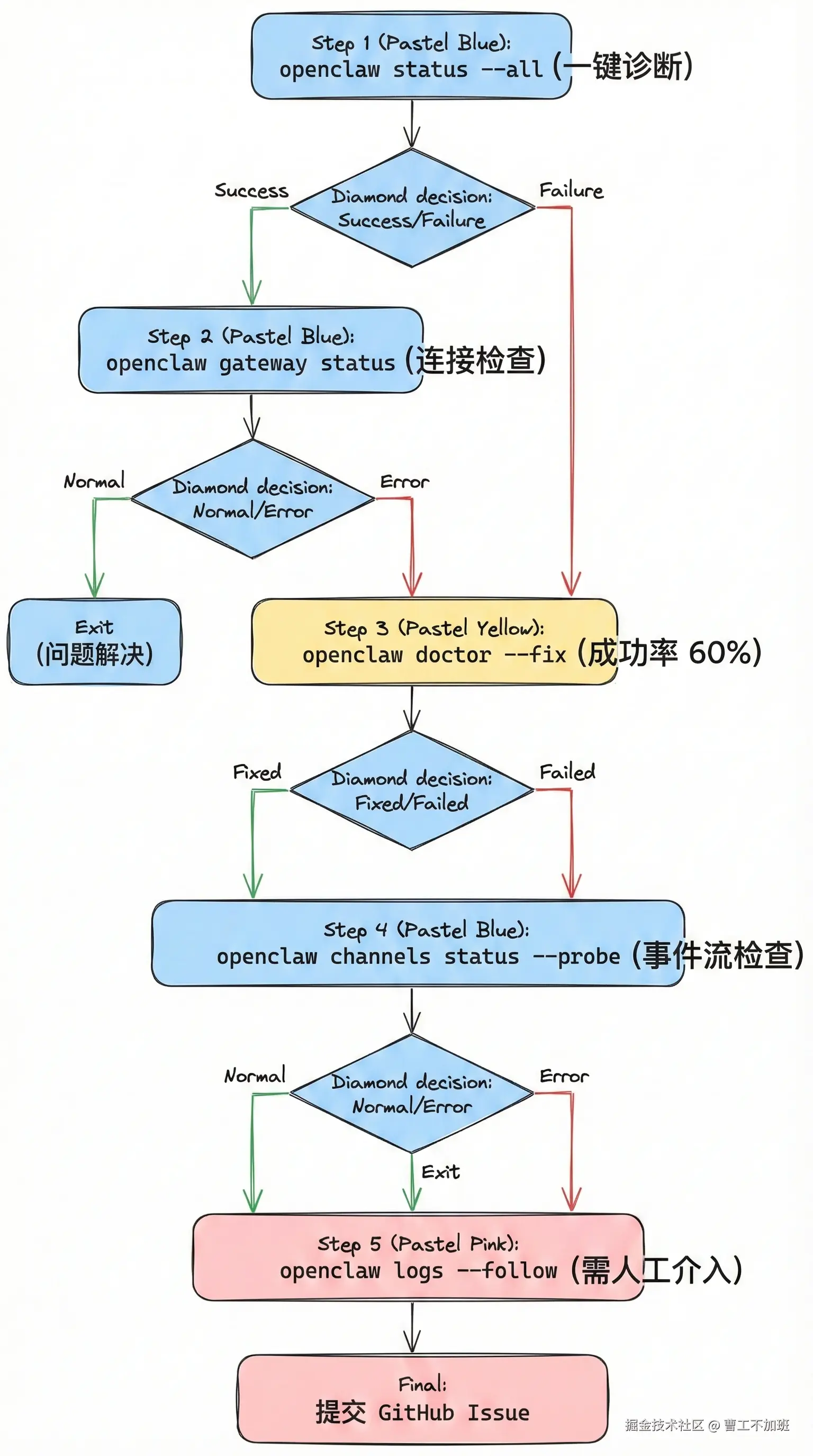
获取帮助
官方资源
- 官方文档 : docs.openclaw.ai
- GitHub Issues : github.com/openclaw/op...
- GitHub Discussions : github.com/openclaw/op...
提问时包含
系统信息:
bash
openclaw --version
uname -a  # Linux/macOS
错误日志:
bash
openclaw logs --tail 50配置信息(隐藏敏感数据):
bash
cat ~/.openclaw/openclaw.json | jq 'del(.auth, .tokens)'诊断结果:
bash
openclaw doctor总结
快速更新(3分钟)
bash
# macOS/Linux
curl -fsSL https://openclaw.ai/install.sh | bash

# Windows
iwr -useb https://openclaw.ai/install.ps1 | iex
迁移关键
⚠️ 先停 Clawdbot 服务,再安装 OpenClaw。配置和记忆完整保留。
更新后推荐操作
- 启用 QMD 记忆系统(性能提升 5-50 倍)
- 更新技能库:
openclaw skills update
关注公众号"曹工不加班",加入 AGI 交流群,一起走向 AGI
官方资源:
- 官网 : openclaw.ai
- GitHub : github.com/openclaw/op...
- 文档 : docs.openclaw.ai
- QMD 项目 : github.com/tobi/qmd
参考资料: