製作證書,停掉docker所佔用的80端口,啟動Ubuntu本身的Nginx。
Nginx通常在etc/nginx 目錄下,配置nginx.conf 或者 /etc/nginx/sites-available/default.
讓certbot 可以訪問到80服務。Nginx配置.well-known/acme-challenge 訪問路徑,並設置allow all權限,certbot可以寫入。
1. Create fullchain.pem and privkey.pem
openssl req -new -nodes \
  -newkey rsa:2048 \
  -keyout privkey.pem \
  -out cert.csr \
  -config openssl.cnf
2.. Cerbot apply Let's Encrypt
certbot certonly --manual --csr request.csr
或者

certbot certonly --webroot -w /var/www/html -d yourdomain.com-
/etc/nginx/sites-available 修改Nginx配置文件
listen 80; listen [::]:80; server_name erp.vital-base.com; location /.well-known/acme-challenge/ { root /var/www/html; allow all; } -
創建測試文件
sudo mkdir -p /var/www/html/.well-known/acme-challenge
echo hello | sudo tee /var/www/html/.well-known/acme-challenge/test.txt
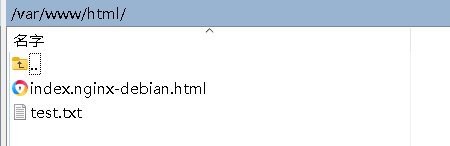
http://erp.vital-base.com/.well-known/acme-challenge/test.txt- 結果
/var/www/html 與Nginx 保持一致
certbot certonly --webroot -w /var/www/html -d domain.com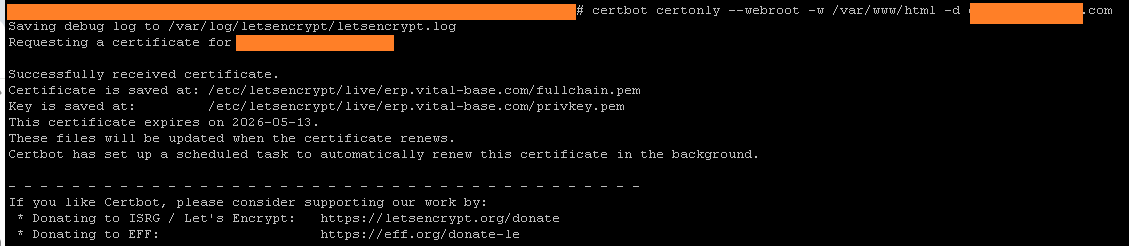
-
如果用Docker,需要掛載
cannot load certificate "/etc/ssl/myerp/fullchain.pem"
: BIO_new_file() failed (SSL: error:80000002:system
library::No such file or directory:calling
fopen(/etc/ssl/myerp/fullchain.pem, r)
error:10000080:BIO routines::no such file)查看目錄下有沒有文件
ls -l /opt/myspace/wrp/ssl2
chmod 644 /opt/workspace/worker_myerp/ssl2/*.pem
或者
chmod -R 755 /opt/workspace/worker_myerp/ssl2