一:创建执行环境
1:什么是执行环境
Flink程序可以在各种上下文环境中运行:我们可以在本地JVM中执行程序,也可以提交到远程集群上运行。
不同的环境,代码的提交运行的过程会有所不同。这就要求我们在提交作业执行计算时,首先必须获取当前Flink的运行环境,从而建立起与Flink框架之间的联系。
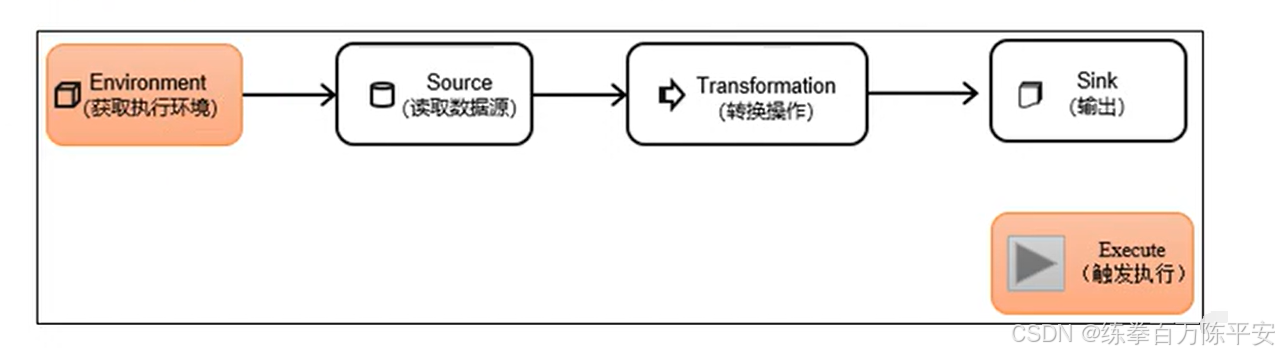
2:创建执行环境API
我们要获取的执行环境,是StreamExecutionEnvironment类的对象,这是所有Flink程序的基础。在代码中创建执行环境的方式,就是调用这个类的静态方法,具体有以下三种。
1:get ExecutionEnvironment
最简单的方式,就是直接调用getExecutionEnvironment方法。它会根据当前运行的上下文直接得到正确的结果:如果程序是独立运行的,就返回一个本地执行环境;如果是创建了jar包,然后从命令行调用它并提交到集群执行,那么就返回集群的执行环境。
也就是说,这个方法会根据当前运行的方式,自行决定该返回什么样的运行环境。
2:createLocalEnvironment
这个方法返回一个本地执行环境。可以在调用时传入一个参数,指定默认的并行度;如果不传入,则默认并行度就是本地的CPU核心数。
StreamExecutionEnvironment localEnv = StreamExecutionEnvironment.createLocalEnvironment();
3:createRemoteEnvironment
这个方法返回集群执行环境。需要在调用时指定JobManager的主机名和端口号,并指定要在集群中运行的Jar包。
StreamExecutionEnvironment remoteEnv = StreamExecutionEnvironment

   .createRemoteEnvironment(

     "host",                   // JobManager主机名

     1234,                     // JobManager进程端口号

    "path/to/jarFile.jar"  // 提交给JobManager的JAR包

);
在获取到程序执行环境后,我们还可以对执行环境进行灵活的设置。比如可以全局设置程序的并行度、禁用算子链,还可以定义程序的时间语义、配置容错机制。
3:创建执行环境
package com.dashu.exeevn;

import org.apache.flink.configuration.Configuration;
import org.apache.flink.streaming.api.environment.LocalStreamEnvironment;
import org.apache.flink.streaming.api.environment.StreamExecutionEnvironment;

public class flink_exeevn {
    public static void main(String[] args) throws Exception {
        // 创建本地执行环境
//        StreamExecutionEnvironment localEnvironment = StreamExecutionEnvironment.createLocalEnvironment();
//        // 创建背调执行环境带WebUI
//        StreamExecutionEnvironment localEnvironmentWithWebUI = StreamExecutionEnvironment.createLocalEnvironmentWithWebUI(new Configuration());
//        // 根据实际场景动态创建执行环境。
//        StreamExecutionEnvironment executionEnvironment = StreamExecutionEnvironment.getExecutionEnvironment();
        //创建远程执行环境


        // 这种环境只是做一个测试。后续开发没有不太注意这
        StreamExecutionEnvironment remoteEnvironment =
                StreamExecutionEnvironment.createRemoteEnvironment("bigdata137",8081,"D:\\code\\flink\\flink-1.17\\target\\flink170-1.0-SNAPSHOT.jar");

        remoteEnvironment.readTextFile("/usr/local/src/flink-1.17.0/README.txt")
                .print();
        // 提交作业
        remoteEnvironment.execute();


    }
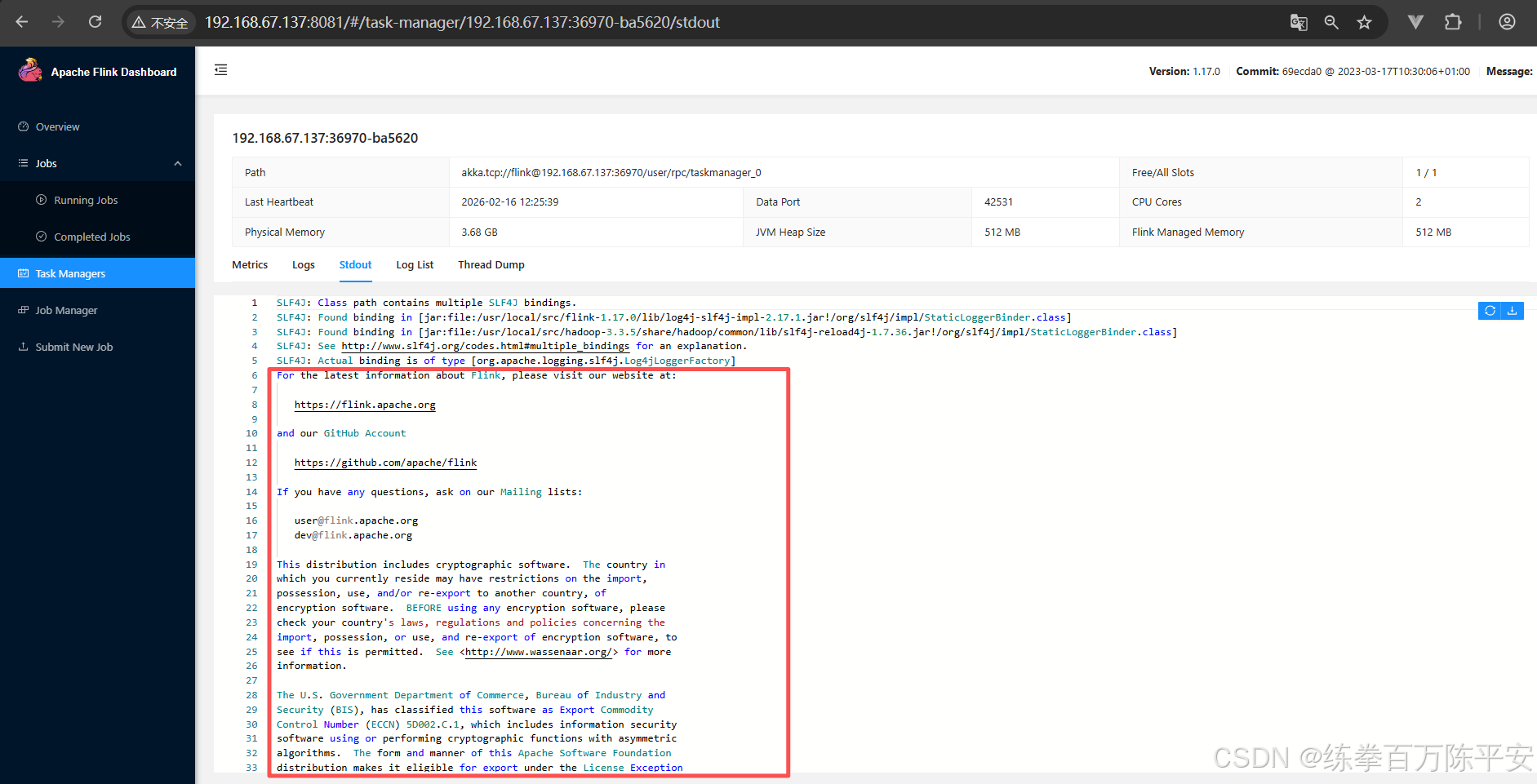
}
二:执行模式
从Flink 1.12开始,官方推荐的做法是直接使用DataStream API,在提交任务时通过将执行模式设为BATCH来进行批处理。不建议使用DataSet API。
DataStream API执行模式包括:流执行模式、批执行模式和自动模式。
1:流处理模式
这是DataStream API最经典的模式,一般用于需要持续实时处理的无界数据流。默认情况下,程序使用的就是Streaming执行模式。
2:批处理模式
专门用于批处理的执行模式。
3:自动模式
在这种模式下,将由程序根据输入数据源是否有界,来自动选择执行模式。
4:如何设置使用批处理模式
通过命令行配置
bin/flink run -Dexecution.runtime-mode=BATCH ...
在提交作业时,增加execution.runtime-mode参数,指定值为BATCH。
通过代码配置
StreamExecutionEnvironment env = StreamExecutionEnvironment.getExecutionEnvironment();
env.setRuntimeMode(RuntimeExecutionMode.BATCH);
在代码中,直接基于执行环境调用setRuntimeMode方法,传入BATCH模式。
实际应用中一般不会在代码中配置,而是使用命令行,这样更加灵活。
三:触发程序执行
1:同步提交作业
package com.dashu.jobsubmit;

import org.apache.flink.streaming.api.datastream.DataStreamSink;
import org.apache.flink.streaming.api.datastream.DataStreamSource;
import org.apache.flink.streaming.api.environment.StreamExecutionEnvironment;

public class Flink_Submit {
    public static void main(String[] args) throws Exception {
        // 准备环境
        StreamExecutionEnvironment executionEnvironment = StreamExecutionEnvironment.getExecutionEnvironment();
        // 从指定端口读取数据
        DataStreamSource<String> stringDataStreamSource = executionEnvironment.socketTextStream("bigdata137", 8888);

        // 打印数据
        DataStreamSink<String> print = stringDataStreamSource.print();


        // 提交作业。同步提交作业,作业直接在这一行代码阻塞住了。
        executionEnvironment.execute();
        // 以上是第一个作业

        //-------------------------------------------------


        // 以下是第二个作业。
        StreamExecutionEnvironment executionEnvironment1 = StreamExecutionEnvironment.getExecutionEnvironment();
        // 从指定端口读取数据
        DataStreamSource<String> stringDataStreamSource1 = executionEnvironment1.socketTextStream("bigdata137", 8889);

        // 打印数据
        DataStreamSink<String> print1 = stringDataStreamSource1.print();


        // 提交作业。同步提交作业
        executionEnvironment1.execute();

    }
}
2:异步提交作业
package com.dashu.jobsubmit;

import org.apache.flink.streaming.api.datastream.DataStreamSink;
import org.apache.flink.streaming.api.datastream.DataStreamSource;
import org.apache.flink.streaming.api.environment.StreamExecutionEnvironment;

public class Flink_Submit {
    public static void main(String[] args) throws Exception {
        // 准备环境
        StreamExecutionEnvironment executionEnvironment = StreamExecutionEnvironment.getExecutionEnvironment();
        // 从指定端口读取数据
        DataStreamSource<String> stringDataStreamSource = executionEnvironment.socketTextStream("bigdata137", 8888);

        // 打印数据
        DataStreamSink<String> print = stringDataStreamSource.print();


        // 提交作业。同步提交作业,作业直接在这一行代码阻塞住了。
//        executionEnvironment.execute();
        // 异步提交作业。
        executionEnvironment.executeAsync();
        // 以上是第一个作业

        //-------------------------------------------------


        // 以下是第二个作业。
        StreamExecutionEnvironment executionEnvironment1 = StreamExecutionEnvironment.getExecutionEnvironment();
        // 从指定端口读取数据
        DataStreamSource<String> stringDataStreamSource1 = executionEnvironment1.socketTextStream("bigdata137", 8889);

        // 打印数据
        DataStreamSink<String> print1 = stringDataStreamSource1.print();


        // 提交作业。同步提交作业
//        executionEnvironment1.execute();
        executionEnvironment1.executeAsync();
    }
}
四:一个应用多个作业在Flink不同模式下演示
1:yarn application
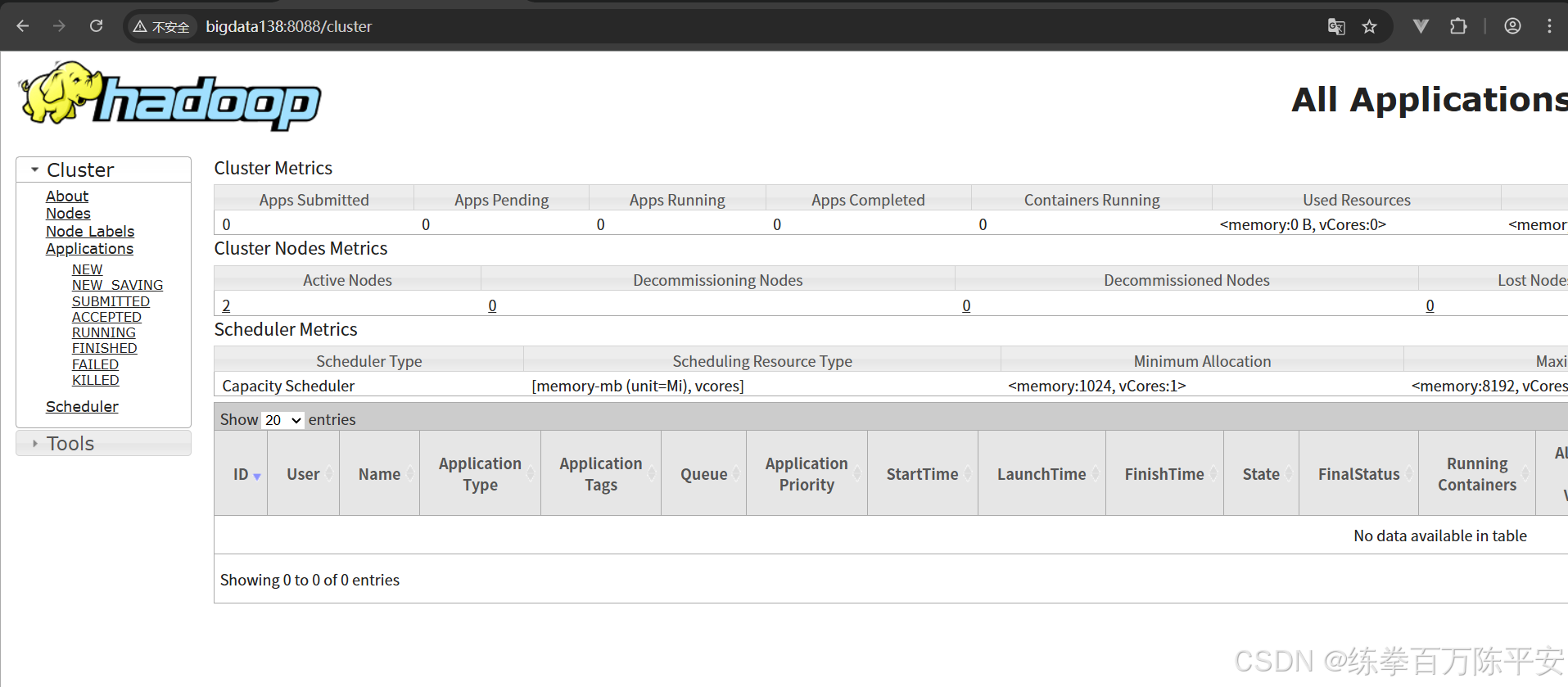
1:启动hdfs和yarn
2:启动yarn-session
[root@bigdata137 bin]# ./yarn-session.sh -nm test -d
SLF4J: Class path contains multiple SLF4J bindings.
SLF4J: Found binding in [jar:file:/usr/local/src/flink-1.17.0/lib/log4j-slf4j-impl-2.17.1.jar!/org/slf4j/impl/StaticLoggerBinder.class]
SLF4J: Found binding in [jar:file:/usr/local/src/hadoop-3.3.5/share/hadoop/common/lib/slf4j-reload4j-1.7.36.jar!/org/slf4j/impl/StaticLoggerBinder.class]
SLF4J: See http://www.slf4j.org/codes.html#multiple_bindings for an explanation.
SLF4J: Actual binding is of type [org.apache.logging.slf4j.Log4jLoggerFactory]
2026-02-17 11:44:33,230 INFO  org.apache.flink.configuration.GlobalConfiguration           [] - Loading configuration property: taskmanager.memory.process.size, 1728m
2026-02-17 11:44:33,232 INFO  org.apache.flink.configuration.GlobalConfiguration           [] - Loading configuration property: jobmanager.archive.fs.dir, hdfs://bigdata137:8020/logs/flink-job
2026-02-17 11:44:33,232 INFO  org.apache.flink.configuration.GlobalConfiguration           [] - Loading configuration property: historyserver.web.address, bigdata137
2026-02-17 11:44:33,232 INFO  org.apache.flink.configuration.GlobalConfiguration           [] - Loading configuration property: historyserver.web.port, 8082
2026-02-17 11:44:33,232 INFO  org.apache.flink.configuration.GlobalConfiguration           [] - Loading configuration property: taskmanager.bind-host, 0.0.0.0
2026-02-17 11:44:33,232 INFO  org.apache.flink.configuration.GlobalConfiguration           [] - Loading configuration property: classloader.check-leaked-classloader, false
2026-02-17 11:44:33,232 INFO  org.apache.flink.configuration.GlobalConfiguration           [] - Loading configuration property: jobmanager.execution.failover-strategy, region
2026-02-17 11:44:33,232 INFO  org.apache.flink.configuration.GlobalConfiguration           [] - Loading configuration property: jobmanager.rpc.address, 192.168.67.137
2026-02-17 11:44:33,232 INFO  org.apache.flink.configuration.GlobalConfiguration           [] - Loading configuration property: jobmanager.memory.process.size, 1024m
2026-02-17 11:44:33,232 INFO  org.apache.flink.configuration.GlobalConfiguration           [] - Loading configuration property: historyserver.archive.fs.refresh-interval, 5000
2026-02-17 11:44:33,232 INFO  org.apache.flink.configuration.GlobalConfiguration           [] - Loading configuration property: jobmanager.rpc.port, 6123
2026-02-17 11:44:33,232 INFO  org.apache.flink.configuration.GlobalConfiguration           [] - Loading configuration property: rest.bind-address, 0.0.0.0
2026-02-17 11:44:33,232 INFO  org.apache.flink.configuration.GlobalConfiguration           [] - Loading configuration property: rest.port, 8081
2026-02-17 11:44:33,233 INFO  org.apache.flink.configuration.GlobalConfiguration           [] - Loading configuration property: jobmanager.bind-host, 0.0.0.0
2026-02-17 11:44:33,233 INFO  org.apache.flink.configuration.GlobalConfiguration           [] - Loading configuration property: taskmanager.host, 192.168.67.137
2026-02-17 11:44:33,233 INFO  org.apache.flink.configuration.GlobalConfiguration           [] - Loading configuration property: parallelism.default, 1
2026-02-17 11:44:33,233 INFO  org.apache.flink.configuration.GlobalConfiguration           [] - Loading configuration property: taskmanager.numberOfTaskSlots, 1
2026-02-17 11:44:33,233 INFO  org.apache.flink.configuration.GlobalConfiguration           [] - Loading configuration property: rest.address, 192.168.67.137
2026-02-17 11:44:33,233 INFO  org.apache.flink.configuration.GlobalConfiguration           [] - Loading configuration property: historyserver.archive.fs.dir, hdfs://bigdata137:8020/logs/flink-job
2026-02-17 11:44:33,442 WARN  org.apache.hadoop.util.NativeCodeLoader                      [] - Unable to load native-hadoop library for your platform... using builtin-java classes where applicable
2026-02-17 11:44:33,473 INFO  org.apache.flink.runtime.security.modules.HadoopModule       [] - Hadoop user set to root (auth:SIMPLE)
2026-02-17 11:44:33,473 INFO  org.apache.flink.runtime.security.modules.HadoopModule       [] - Kerberos security is disabled.
2026-02-17 11:44:33,481 INFO  org.apache.flink.runtime.security.modules.JaasModule         [] - Jaas file will be created as /tmp/jaas-5071715783536006367.conf.
2026-02-17 11:44:33,500 WARN  org.apache.flink.yarn.configuration.YarnLogConfigUtil        [] - The configuration directory ('/usr/local/src/flink-1.17.0/conf') already contains a LOG4J config file.If you want to use logback, then please delete or rename the log configuration file.
2026-02-17 11:44:33,542 INFO  org.apache.hadoop.yarn.client.DefaultNoHARMFailoverProxyProvider [] - Connecting to ResourceManager at bigdata138/192.168.67.138:8032
2026-02-17 11:44:33,791 INFO  org.apache.flink.runtime.util.config.memory.ProcessMemoryUtils [] - The derived from fraction jvm overhead memory (102.400mb (107374184 bytes)) is less than its min value 192.000mb (201326592 bytes), min value will be used instead
2026-02-17 11:44:33,803 INFO  org.apache.flink.runtime.util.config.memory.ProcessMemoryUtils [] - The derived from fraction jvm overhead memory (172.800mb (181193935 bytes)) is less than its min value 192.000mb (201326592 bytes), min value will be used instead
2026-02-17 11:44:33,931 INFO  org.apache.hadoop.conf.Configuration                         [] - resource-types.xml not found
2026-02-17 11:44:33,931 INFO  org.apache.hadoop.yarn.util.resource.ResourceUtils           [] - Unable to find 'resource-types.xml'.
2026-02-17 11:44:34,007 INFO  org.apache.flink.yarn.YarnClusterDescriptor                  [] - The configured TaskManager memory is 1728 MB. YARN will allocate 2048 MB to make up an integer multiple of its minimum allocation memory (1024 MB, configured via 'yarn.scheduler.minimum-allocation-mb'). The extra 320 MB may not be used by Flink.
2026-02-17 11:44:34,007 INFO  org.apache.flink.yarn.YarnClusterDescriptor                  [] - Cluster specification: ClusterSpecification{masterMemoryMB=1024, taskManagerMemoryMB=1728, slotsPerTaskManager=1}
2026-02-17 11:44:34,056 INFO  org.apache.flink.core.plugin.DefaultPluginManager            [] - Plugin loader with ID not found, creating it: metrics-datadog
2026-02-17 11:44:34,059 INFO  org.apache.flink.core.plugin.DefaultPluginManager            [] - Plugin loader with ID not found, creating it: external-resource-gpu
2026-02-17 11:44:34,059 INFO  org.apache.flink.core.plugin.DefaultPluginManager            [] - Plugin loader with ID not found, creating it: metrics-graphite
2026-02-17 11:44:34,059 INFO  org.apache.flink.core.plugin.DefaultPluginManager            [] - Plugin loader with ID not found, creating it: metrics-influx
2026-02-17 11:44:34,059 INFO  org.apache.flink.core.plugin.DefaultPluginManager            [] - Plugin loader with ID not found, creating it: metrics-slf4j
2026-02-17 11:44:34,059 INFO  org.apache.flink.core.plugin.DefaultPluginManager            [] - Plugin loader with ID not found, creating it: metrics-prometheus
2026-02-17 11:44:34,059 INFO  org.apache.flink.core.plugin.DefaultPluginManager            [] - Plugin loader with ID not found, creating it: metrics-statsd
2026-02-17 11:44:34,059 INFO  org.apache.flink.core.plugin.DefaultPluginManager            [] - Plugin loader with ID not found, creating it: metrics-jmx
2026-02-17 11:44:38,640 INFO  org.apache.flink.runtime.util.config.memory.ProcessMemoryUtils [] - The derived from fraction jvm overhead memory (102.400mb (107374184 bytes)) is less than its min value 192.000mb (201326592 bytes), min value will be used instead
2026-02-17 11:44:38,648 INFO  org.apache.flink.yarn.YarnClusterDescriptor                  [] - Cannot use kerberos delegation token manager, no valid kerberos credentials provided.
2026-02-17 11:44:38,651 INFO  org.apache.flink.yarn.YarnClusterDescriptor                  [] - Submitting application master application_1771299839708_0001
2026-02-17 11:44:38,806 INFO  org.apache.hadoop.yarn.client.api.impl.YarnClientImpl        [] - Submitted application application_1771299839708_0001
2026-02-17 11:44:38,806 INFO  org.apache.flink.yarn.YarnClusterDescriptor                  [] - Waiting for the cluster to be allocated
2026-02-17 11:44:38,817 INFO  org.apache.flink.yarn.YarnClusterDescriptor                  [] - Deploying cluster, current state ACCEPTED
2026-02-17 11:44:44,952 INFO  org.apache.flink.yarn.YarnClusterDescriptor                  [] - YARN application has been deployed successfully.
2026-02-17 11:44:44,952 INFO  org.apache.flink.yarn.YarnClusterDescriptor                  [] - Found Web Interface bigdata138:8081 of application 'application_1771299839708_0001'.
JobManager Web Interface: http://bigdata138:8081
2026-02-17 11:44:45,140 INFO  org.apache.flink.yarn.cli.FlinkYarnSessionCli                [] - The Flink YARN session cluster has been started in detached mode. In order to stop Flink gracefully, use the following command:
$ echo "stop" | ./bin/yarn-session.sh -id application_1771299839708_0001
If this should not be possible, then you can also kill Flink via YARN's web interface or via:
$ yarn application -kill application_1771299839708_0001
Note that killing Flink might not clean up all job artifacts and temporary files.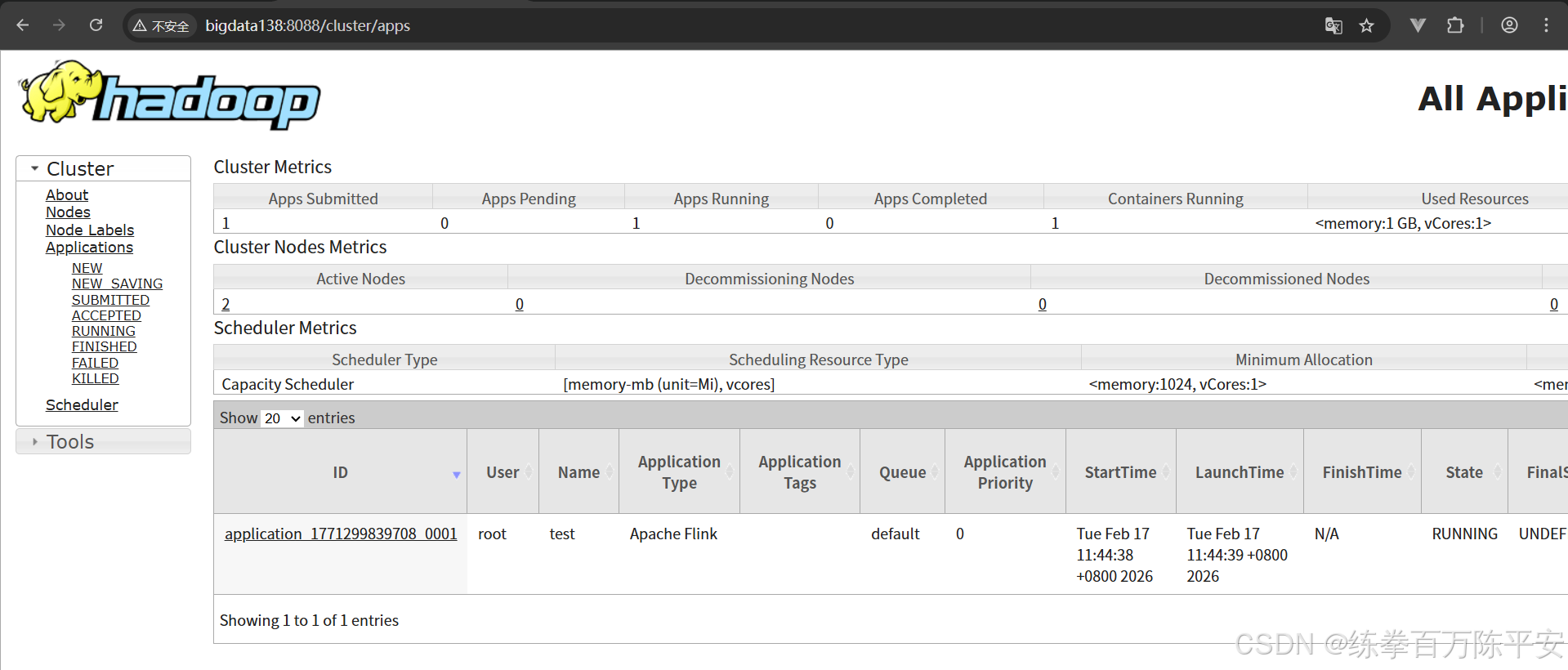
3:提交这两个作业
[root@bigdata137 flink-1.17.0]# ./bin/flink run -d -c com.dashu.jobsubmit.Flink_Submit flink170-1.0-SNAPSHOT.jar
SLF4J: Class path contains multiple SLF4J bindings.
SLF4J: Found binding in [jar:file:/usr/local/src/flink-1.17.0/lib/log4j-slf4j-impl-2.17.1.jar!/org/slf4j/impl/StaticLoggerBinder.class]
SLF4J: Found binding in [jar:file:/usr/local/src/hadoop-3.3.5/share/hadoop/common/lib/slf4j-reload4j-1.7.36.jar!/org/slf4j/impl/StaticLoggerBinder.class]
SLF4J: See http://www.slf4j.org/codes.html#multiple_bindings for an explanation.
SLF4J: Actual binding is of type [org.apache.logging.slf4j.Log4jLoggerFactory]
2026-02-17 11:51:30,650 INFO  org.apache.flink.yarn.cli.FlinkYarnSessionCli                [] - Found Yarn properties file under /tmp/.yarn-properties-root.
2026-02-17 11:51:30,650 INFO  org.apache.flink.yarn.cli.FlinkYarnSessionCli                [] - Found Yarn properties file under /tmp/.yarn-properties-root.
2026-02-17 11:51:30,986 WARN  org.apache.flink.yarn.configuration.YarnLogConfigUtil        [] - The configuration directory ('/usr/local/src/flink-1.17.0/conf') already contains a LOG4J config file.If you want to use logback, then please delete or rename the log configuration file.
2026-02-17 11:51:31,025 INFO  org.apache.hadoop.yarn.client.DefaultNoHARMFailoverProxyProvider [] - Connecting to ResourceManager at bigdata138/192.168.67.138:8032
2026-02-17 11:51:31,153 INFO  org.apache.flink.yarn.YarnClusterDescriptor                  [] - No path for the flink jar passed. Using the location of class org.apache.flink.yarn.YarnClusterDescriptor to locate the jar
2026-02-17 11:51:31,223 INFO  org.apache.flink.yarn.YarnClusterDescriptor                  [] - Found Web Interface bigdata138:8081 of application 'application_1771299839708_0001'.
Job has been submitted with JobID b64920859638eeaa96651c56ba14b323
2026-02-17 11:51:33,248 WARN  org.apache.flink.yarn.configuration.YarnLogConfigUtil        [] - The configuration directory ('/usr/local/src/flink-1.17.0/conf') already contains a LOG4J config file.If you want to use logback, then please delete or rename the log configuration file.
2026-02-17 11:51:33,277 INFO  org.apache.hadoop.yarn.client.DefaultNoHARMFailoverProxyProvider [] - Connecting to ResourceManager at bigdata138/192.168.67.138:8032
2026-02-17 11:51:33,279 INFO  org.apache.flink.yarn.YarnClusterDescriptor                  [] - No path for the flink jar passed. Using the location of class org.apache.flink.yarn.YarnClusterDescriptor to locate the jar
2026-02-17 11:51:33,290 INFO  org.apache.flink.yarn.YarnClusterDescriptor                  [] - Found Web Interface bigdata138:8081 of application 'application_1771299839708_0001'.
Job has been submitted with JobID fa6d8c07c2c24a49f425f12c10c352d3
[root@bigdata137 flink-1.17.0]#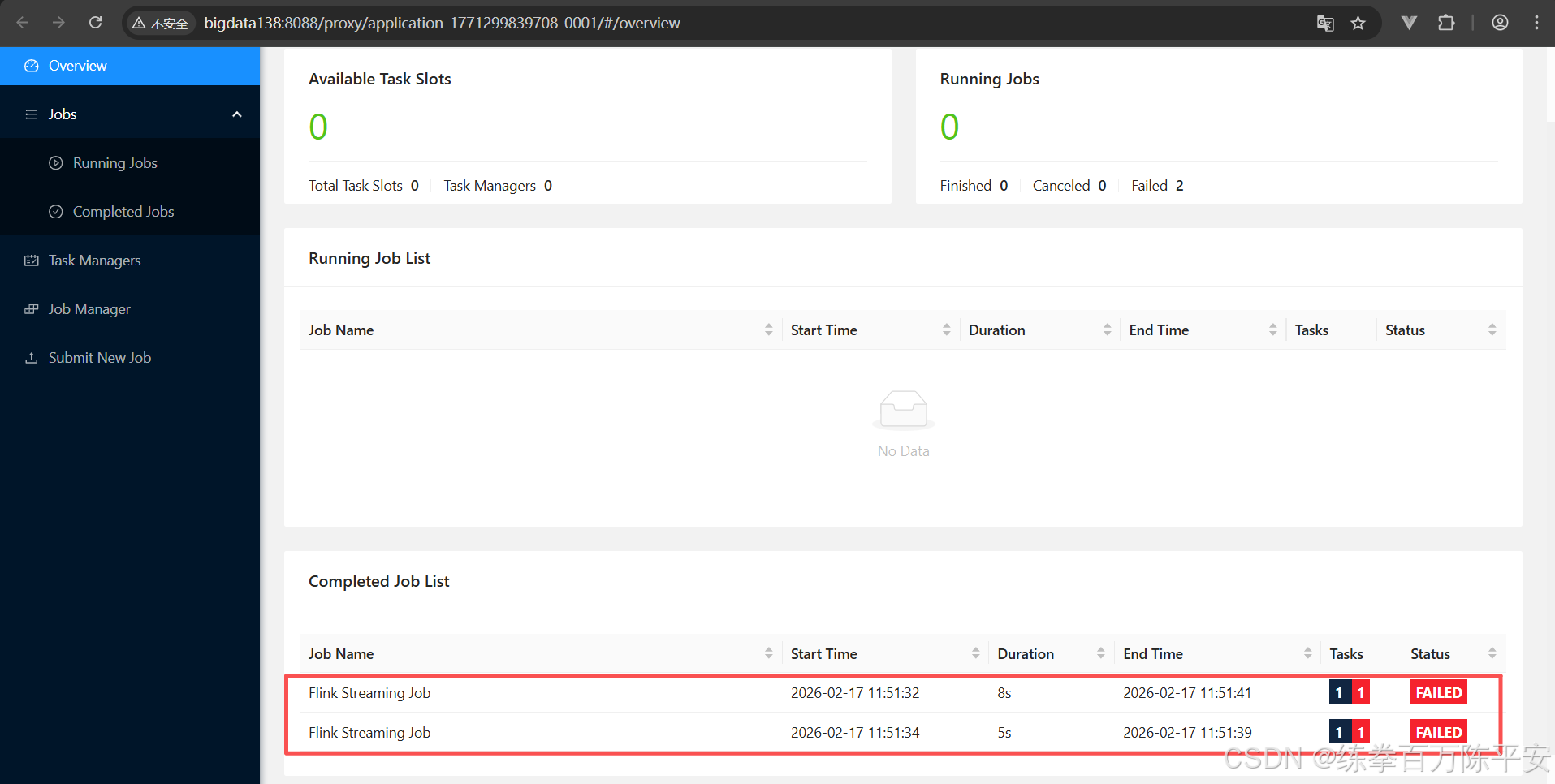
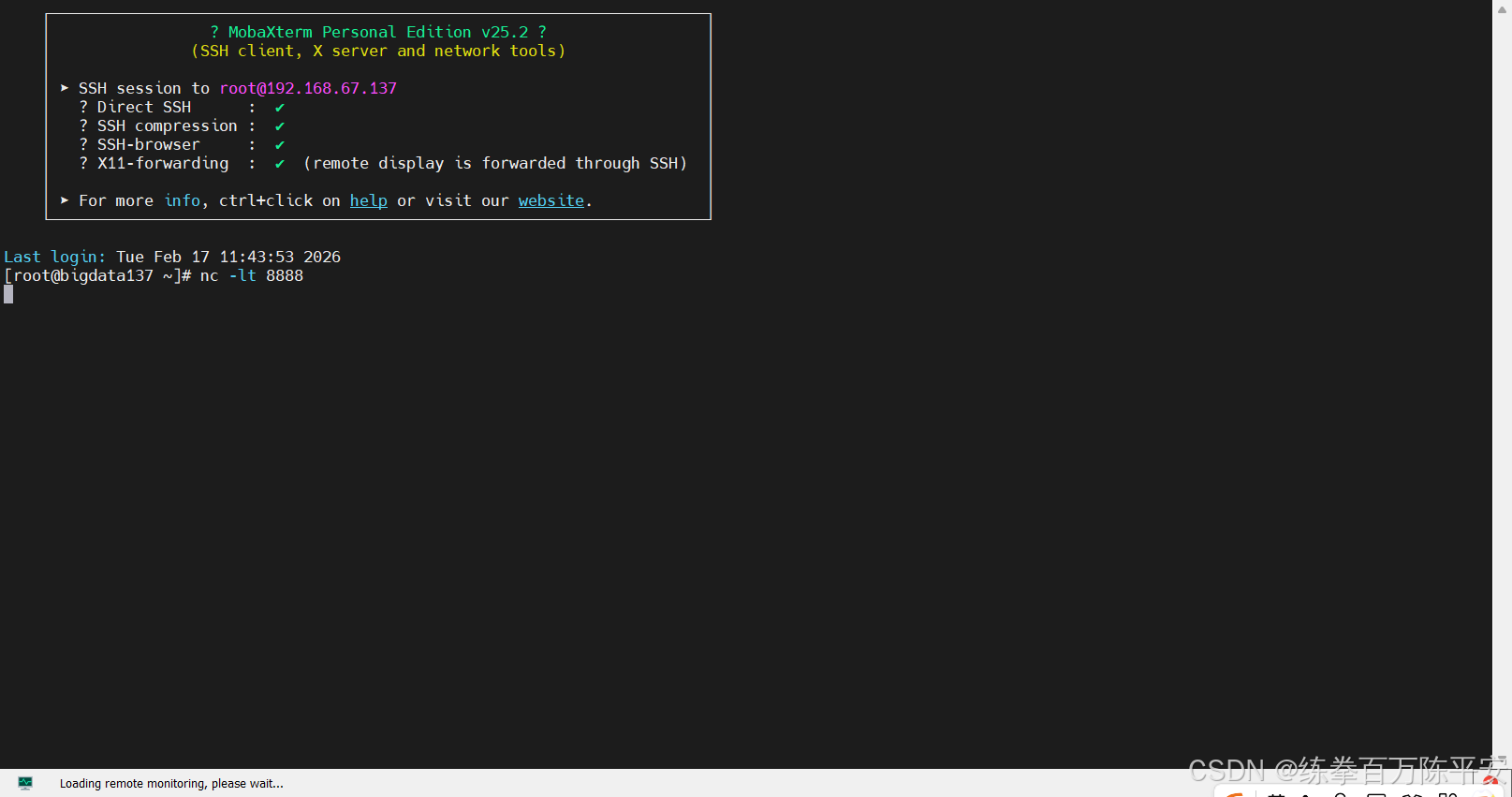
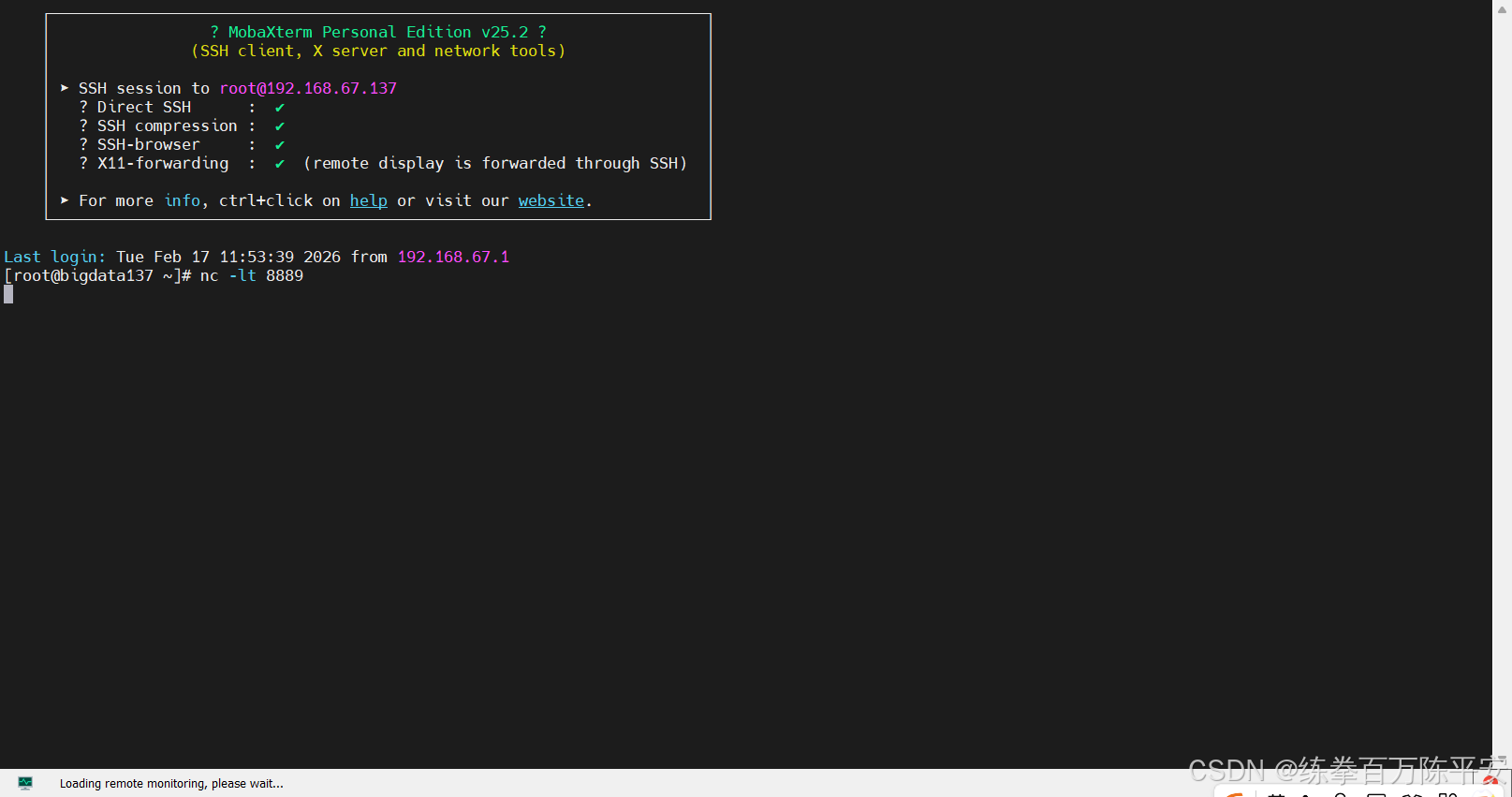
这里失败的原因,是因为我们没有开启socket监听端口。
开启端口,从新提交作业:
[root@bigdata137 flink-1.17.0]# ./bin/flink run -d -c com.dashu.jobsubmit.Flink_Submit flink170-1.0-SNAPSHOT.jar
SLF4J: Class path contains multiple SLF4J bindings.
SLF4J: Found binding in [jar:file:/usr/local/src/flink-1.17.0/lib/log4j-slf4j-impl-2.17.1.jar!/org/slf4j/impl/StaticLoggerBinder.class]
SLF4J: Found binding in [jar:file:/usr/local/src/hadoop-3.3.5/share/hadoop/common/lib/slf4j-reload4j-1.7.36.jar!/org/slf4j/impl/StaticLoggerBinder.class]
SLF4J: See http://www.slf4j.org/codes.html#multiple_bindings for an explanation.
SLF4J: Actual binding is of type [org.apache.logging.slf4j.Log4jLoggerFactory]
2026-02-17 11:54:00,824 INFO  org.apache.flink.yarn.cli.FlinkYarnSessionCli                [] - Found Yarn properties file under /tmp/.yarn-properties-root.
2026-02-17 11:54:00,824 INFO  org.apache.flink.yarn.cli.FlinkYarnSessionCli                [] - Found Yarn properties file under /tmp/.yarn-properties-root.
2026-02-17 11:54:01,134 WARN  org.apache.flink.yarn.configuration.YarnLogConfigUtil        [] - The configuration directory ('/usr/local/src/flink-1.17.0/conf') already contains a LOG4J config file.If you want to use logback, then please delete or rename the log configuration file.
2026-02-17 11:54:01,168 INFO  org.apache.hadoop.yarn.client.DefaultNoHARMFailoverProxyProvider [] - Connecting to ResourceManager at bigdata138/192.168.67.138:8032
2026-02-17 11:54:01,286 INFO  org.apache.flink.yarn.YarnClusterDescriptor                  [] - No path for the flink jar passed. Using the location of class org.apache.flink.yarn.YarnClusterDescriptor to locate the jar
2026-02-17 11:54:01,354 INFO  org.apache.flink.yarn.YarnClusterDescriptor                  [] - Found Web Interface bigdata138:8081 of application 'application_1771299839708_0001'.
Job has been submitted with JobID ad1ea7ce091548327c209e2d8a3263f8
2026-02-17 11:54:02,585 WARN  org.apache.flink.yarn.configuration.YarnLogConfigUtil        [] - The configuration directory ('/usr/local/src/flink-1.17.0/conf') already contains a LOG4J config file.If you want to use logback, then please delete or rename the log configuration file.
2026-02-17 11:54:02,618 INFO  org.apache.hadoop.yarn.client.DefaultNoHARMFailoverProxyProvider [] - Connecting to ResourceManager at bigdata138/192.168.67.138:8032
2026-02-17 11:54:02,618 INFO  org.apache.flink.yarn.YarnClusterDescriptor                  [] - No path for the flink jar passed. Using the location of class org.apache.flink.yarn.YarnClusterDescriptor to locate the jar
2026-02-17 11:54:02,628 INFO  org.apache.flink.yarn.YarnClusterDescriptor                  [] - Found Web Interface bigdata138:8081 of application 'application_1771299839708_0001'.
Job has been submitted with JobID 9f2fd0133003b69485437f6be4e00599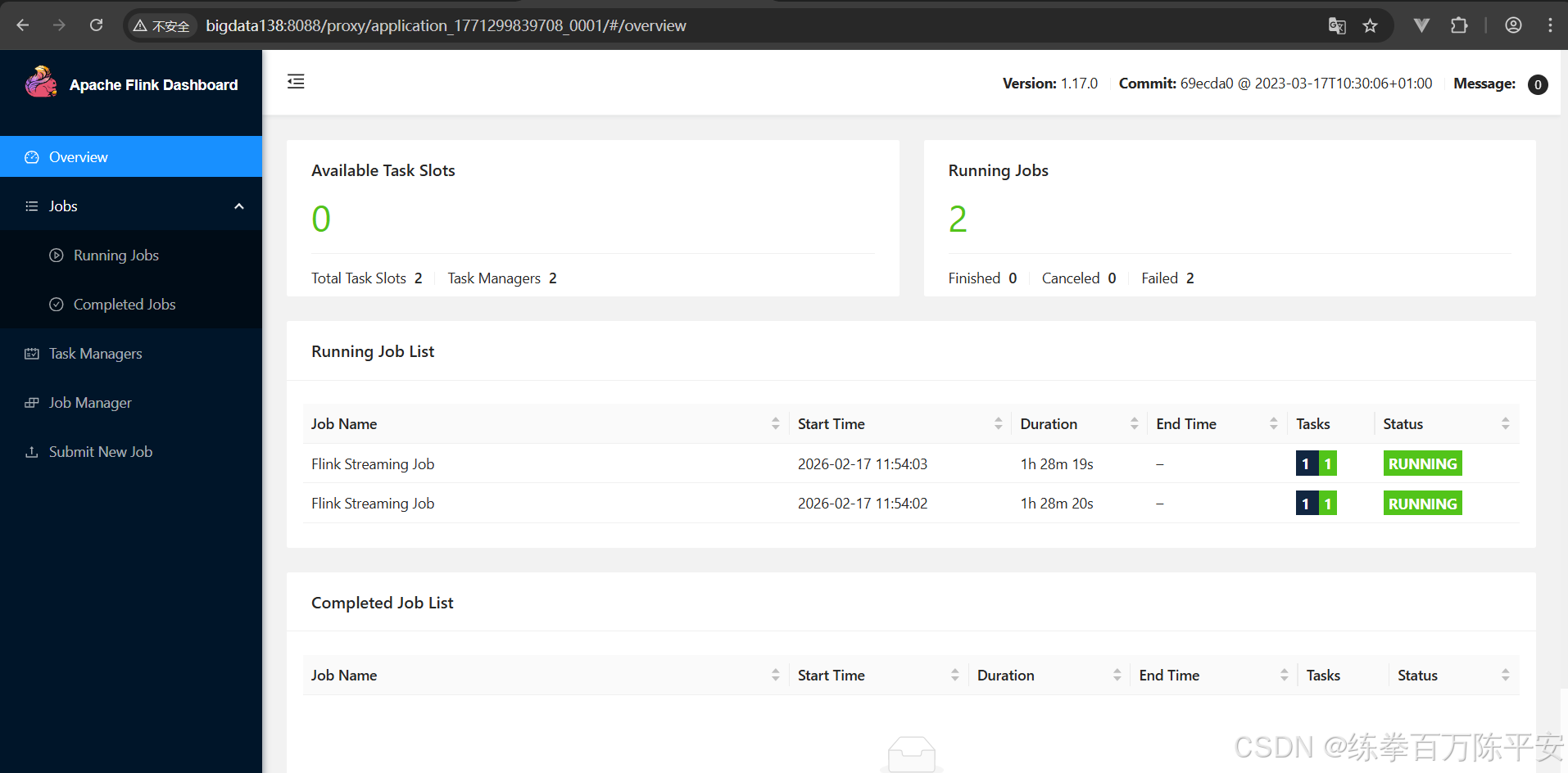
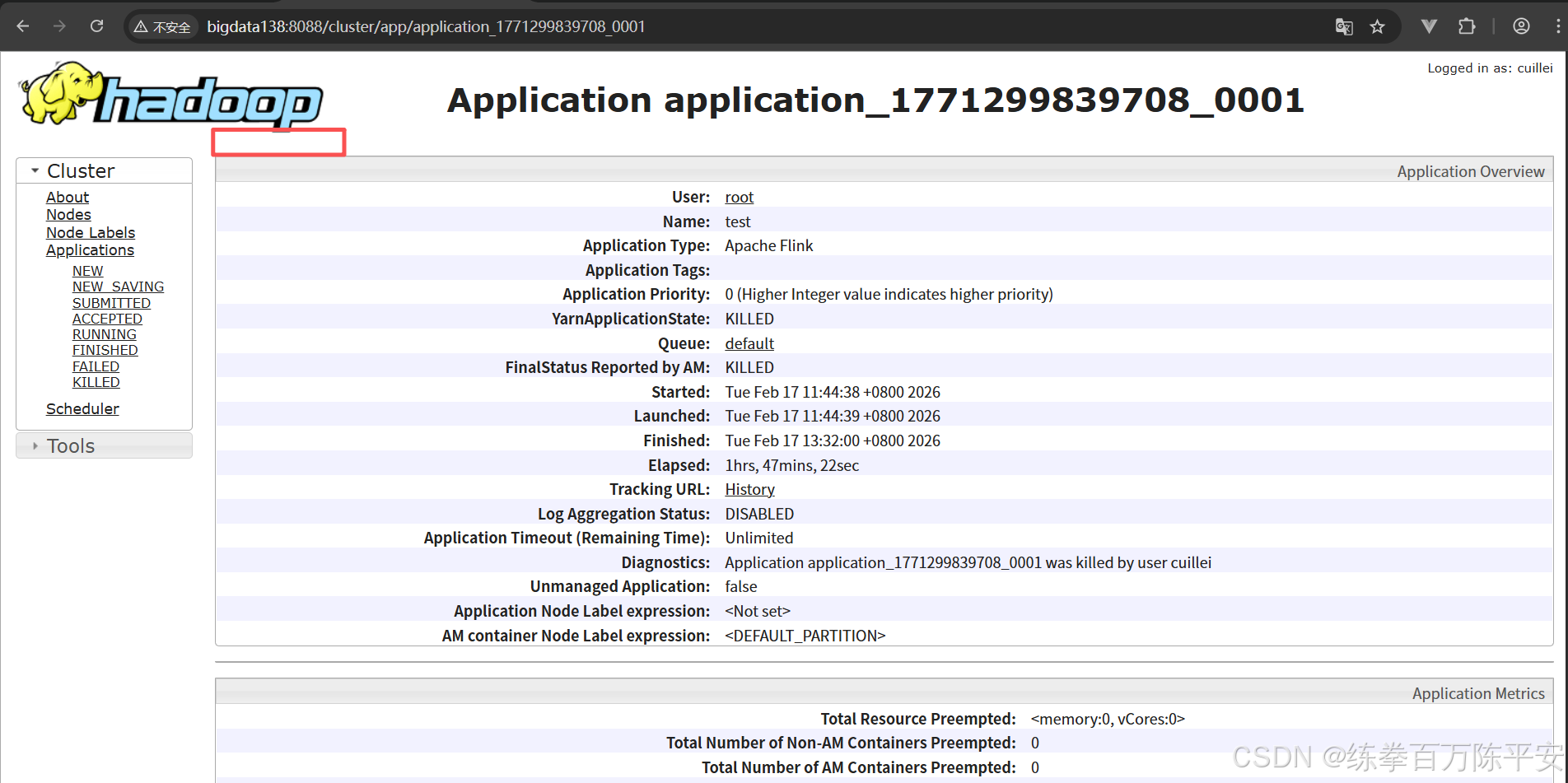
此时取消一个作业,不会对另外一个作业有影响。
关闭集群。
2:yarn per-job模式
1:启动yarn per-job
通过yarn pre job启动之后应该有两个application应用
[root@bigdata137 flink-1.17.0]# flink run -d -t yarn-per-job -c com.dashu.jobsubmit.Flink_Submit ./flink170-1.0-SNAPSHOT.jar
SLF4J: Class path contains multiple SLF4J bindings.
SLF4J: Found binding in [jar:file:/usr/local/src/flink-1.17.0/lib/log4j-slf4j-impl-2.17.1.jar!/org/slf4j/impl/StaticLoggerBinder.class]
SLF4J: Found binding in [jar:file:/usr/local/src/hadoop-3.3.5/share/hadoop/common/lib/slf4j-reload4j-1.7.36.jar!/org/slf4j/impl/StaticLoggerBinder.class]
SLF4J: See http://www.slf4j.org/codes.html#multiple_bindings for an explanation.
SLF4J: Actual binding is of type [org.apache.logging.slf4j.Log4jLoggerFactory]
2026-02-17 16:35:48,423 INFO  org.apache.flink.yarn.cli.FlinkYarnSessionCli                [] - Found Yarn properties file under /tmp/.yarn-properties-root.
2026-02-17 16:35:48,423 INFO  org.apache.flink.yarn.cli.FlinkYarnSessionCli                [] - Found Yarn properties file under /tmp/.yarn-properties-root.
2026-02-17 16:35:48,746 WARN  org.apache.flink.yarn.configuration.YarnLogConfigUtil        [] - The configuration directory ('/usr/local/src/flink-1.17.0/conf') already contains a LOG4J config file.If you want to use logback, then please delete or rename the log configuration file.
2026-02-17 16:35:48,787 INFO  org.apache.hadoop.yarn.client.DefaultNoHARMFailoverProxyProvider [] - Connecting to ResourceManager at bigdata138/192.168.67.138:8032
2026-02-17 16:35:48,904 INFO  org.apache.flink.yarn.YarnClusterDescriptor                  [] - No path for the flink jar passed. Using the location of class org.apache.flink.yarn.YarnClusterDescriptor to locate the jar
2026-02-17 16:35:48,913 WARN  org.apache.flink.yarn.YarnClusterDescriptor                  [] - Job Clusters are deprecated since Flink 1.15. Please use an Application Cluster/Application Mode instead.
2026-02-17 16:35:49,004 INFO  org.apache.hadoop.conf.Configuration                         [] - resource-types.xml not found
2026-02-17 16:35:49,004 INFO  org.apache.hadoop.yarn.util.resource.ResourceUtils           [] - Unable to find 'resource-types.xml'.
2026-02-17 16:35:49,045 INFO  org.apache.flink.yarn.YarnClusterDescriptor                  [] - The configured TaskManager memory is 1728 MB. YARN will allocate 2048 MB to make up an integer multiple of its minimum allocation memory (1024 MB, configured via 'yarn.scheduler.minimum-allocation-mb'). The extra 320 MB may not be used by Flink.
2026-02-17 16:35:49,045 INFO  org.apache.flink.yarn.YarnClusterDescriptor                  [] - Cluster specification: ClusterSpecification{masterMemoryMB=1024, taskManagerMemoryMB=1728, slotsPerTaskManager=1}
2026-02-17 16:35:52,464 INFO  org.apache.flink.yarn.YarnClusterDescriptor                  [] - Cannot use kerberos delegation token manager, no valid kerberos credentials provided.
2026-02-17 16:35:52,469 INFO  org.apache.flink.yarn.YarnClusterDescriptor                  [] - Submitting application master application_1771316661598_0003
2026-02-17 16:35:52,503 INFO  org.apache.hadoop.yarn.client.api.impl.YarnClientImpl        [] - Submitted application application_1771316661598_0003
2026-02-17 16:35:52,503 INFO  org.apache.flink.yarn.YarnClusterDescriptor                  [] - Waiting for the cluster to be allocated
2026-02-17 16:35:52,506 INFO  org.apache.flink.yarn.YarnClusterDescriptor                  [] - Deploying cluster, current state ACCEPTED
2026-02-17 16:35:56,861 INFO  org.apache.flink.yarn.YarnClusterDescriptor                  [] - YARN application has been deployed successfully.
2026-02-17 16:35:56,862 INFO  org.apache.flink.yarn.YarnClusterDescriptor                  [] - The Flink YARN session cluster has been started in detached mode. In order to stop Flink gracefully, use the following command:
$ echo "stop" | ./bin/yarn-session.sh -id application_1771316661598_0003
If this should not be possible, then you can also kill Flink via YARN's web interface or via:
$ yarn application -kill application_1771316661598_0003
Note that killing Flink might not clean up all job artifacts and temporary files.
2026-02-17 16:35:56,862 INFO  org.apache.flink.yarn.YarnClusterDescriptor                  [] - Found Web Interface bigdata137:8081 of application 'application_1771316661598_0003'.
Job has been submitted with JobID c65fe40dacafd5d1507ad9467e4b5c07
2026-02-17 16:35:56,872 WARN  org.apache.flink.yarn.configuration.YarnLogConfigUtil        [] - The configuration directory ('/usr/local/src/flink-1.17.0/conf') already contains a LOG4J config file.If you want to use logback, then please delete or rename the log configuration file.
2026-02-17 16:35:56,894 INFO  org.apache.hadoop.yarn.client.DefaultNoHARMFailoverProxyProvider [] - Connecting to ResourceManager at bigdata138/192.168.67.138:8032
2026-02-17 16:35:56,894 INFO  org.apache.flink.yarn.YarnClusterDescriptor                  [] - No path for the flink jar passed. Using the location of class org.apache.flink.yarn.YarnClusterDescriptor to locate the jar
2026-02-17 16:35:56,895 WARN  org.apache.flink.yarn.YarnClusterDescriptor                  [] - Job Clusters are deprecated since Flink 1.15. Please use an Application Cluster/Application Mode instead.
2026-02-17 16:35:56,919 INFO  org.apache.flink.yarn.YarnClusterDescriptor                  [] - The configured TaskManager memory is 1728 MB. YARN will allocate 2048 MB to make up an integer multiple of its minimum allocation memory (1024 MB, configured via 'yarn.scheduler.minimum-allocation-mb'). The extra 320 MB may not be used by Flink.
2026-02-17 16:35:56,919 INFO  org.apache.flink.yarn.YarnClusterDescriptor                  [] - Cluster specification: ClusterSpecification{masterMemoryMB=1024, taskManagerMemoryMB=1728, slotsPerTaskManager=1}
2026-02-17 16:36:00,763 INFO  org.apache.flink.yarn.YarnClusterDescriptor                  [] - Cannot use kerberos delegation token manager, no valid kerberos credentials provided.
2026-02-17 16:36:00,765 INFO  org.apache.flink.yarn.YarnClusterDescriptor                  [] - Submitting application master application_1771316661598_0004
2026-02-17 16:36:00,772 INFO  org.apache.hadoop.yarn.client.api.impl.YarnClientImpl        [] - Submitted application application_1771316661598_0004
2026-02-17 16:36:00,772 INFO  org.apache.flink.yarn.YarnClusterDescriptor                  [] - Waiting for the cluster to be allocated
2026-02-17 16:36:00,774 INFO  org.apache.flink.yarn.YarnClusterDescriptor                  [] - Deploying cluster, current state ACCEPTED
2026-02-17 16:36:05,662 INFO  org.apache.flink.yarn.YarnClusterDescriptor                  [] - YARN application has been deployed successfully.
2026-02-17 16:36:05,662 INFO  org.apache.flink.yarn.YarnClusterDescriptor                  [] - The Flink YARN session cluster has been started in detached mode. In order to stop Flink gracefully, use the following command:
$ echo "stop" | ./bin/yarn-session.sh -id application_1771316661598_0004
If this should not be possible, then you can also kill Flink via YARN's web interface or via:
$ yarn application -kill application_1771316661598_0004
Note that killing Flink might not clean up all job artifacts and temporary files.
2026-02-17 16:36:05,662 INFO  org.apache.flink.yarn.YarnClusterDescriptor                  [] - Found Web Interface bigdata138:8081 of application 'application_1771316661598_0004'.
Job has been submitted with JobID c2937f5584d911d392cc8540f105a810
2:查看效果
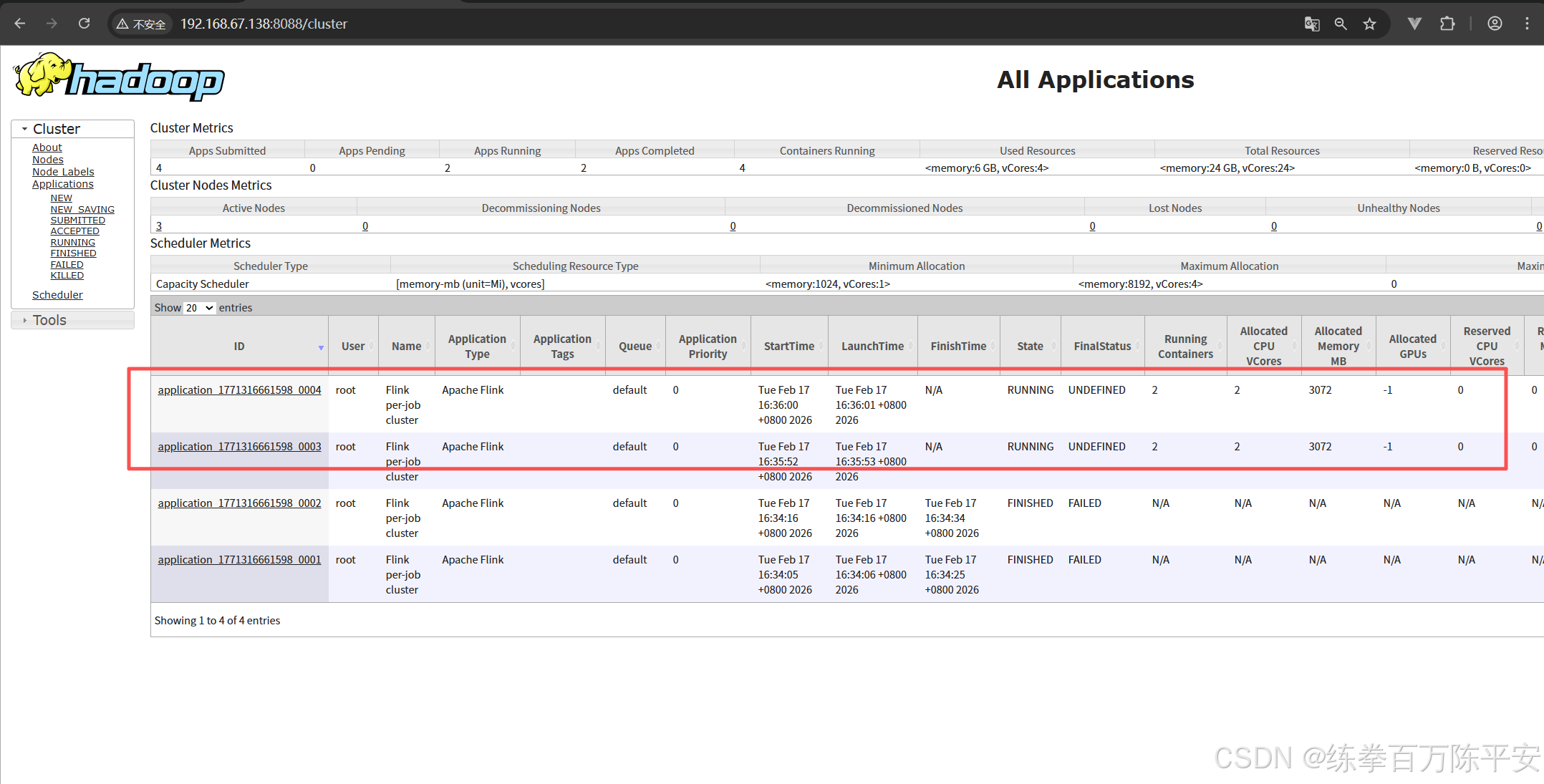
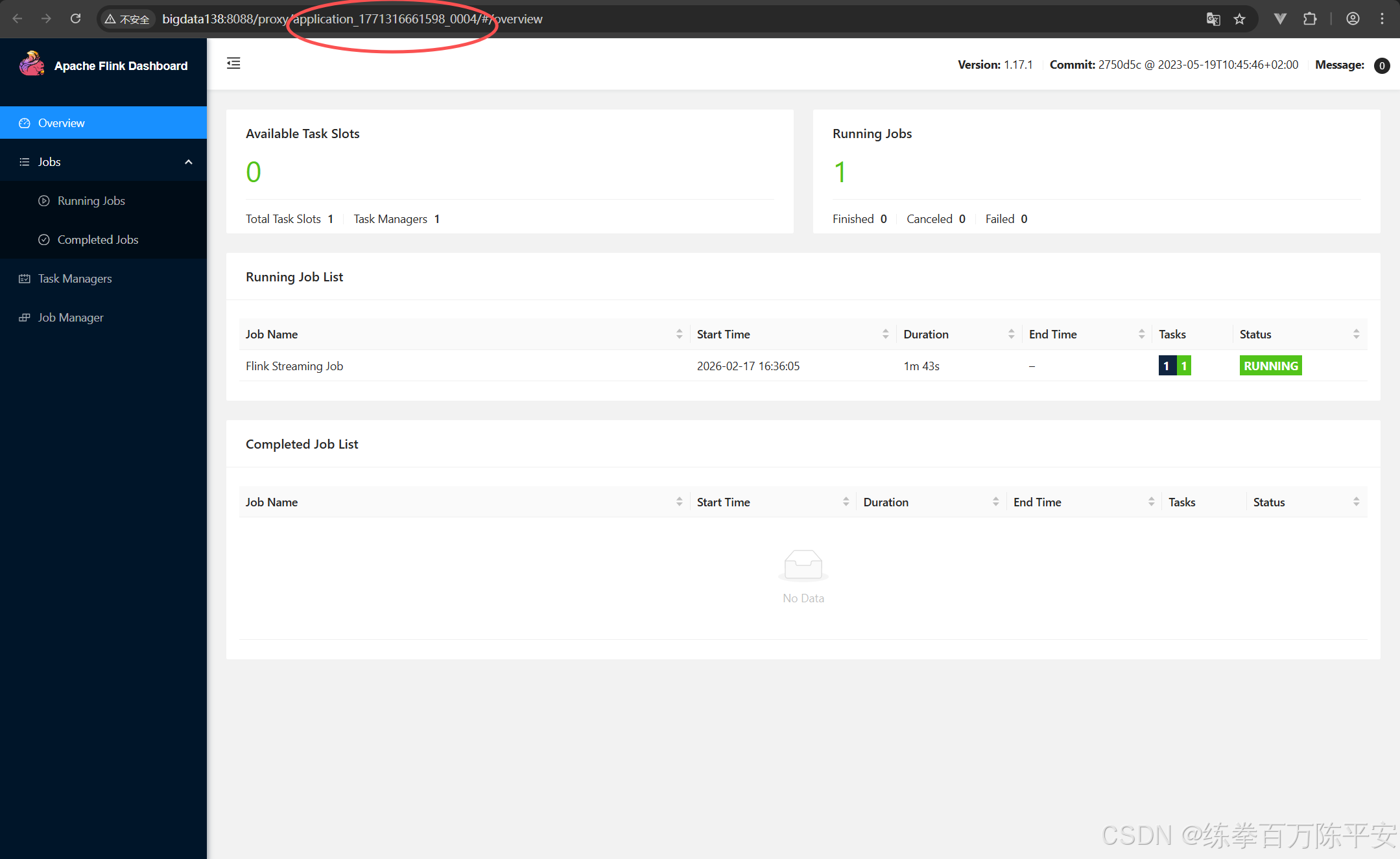
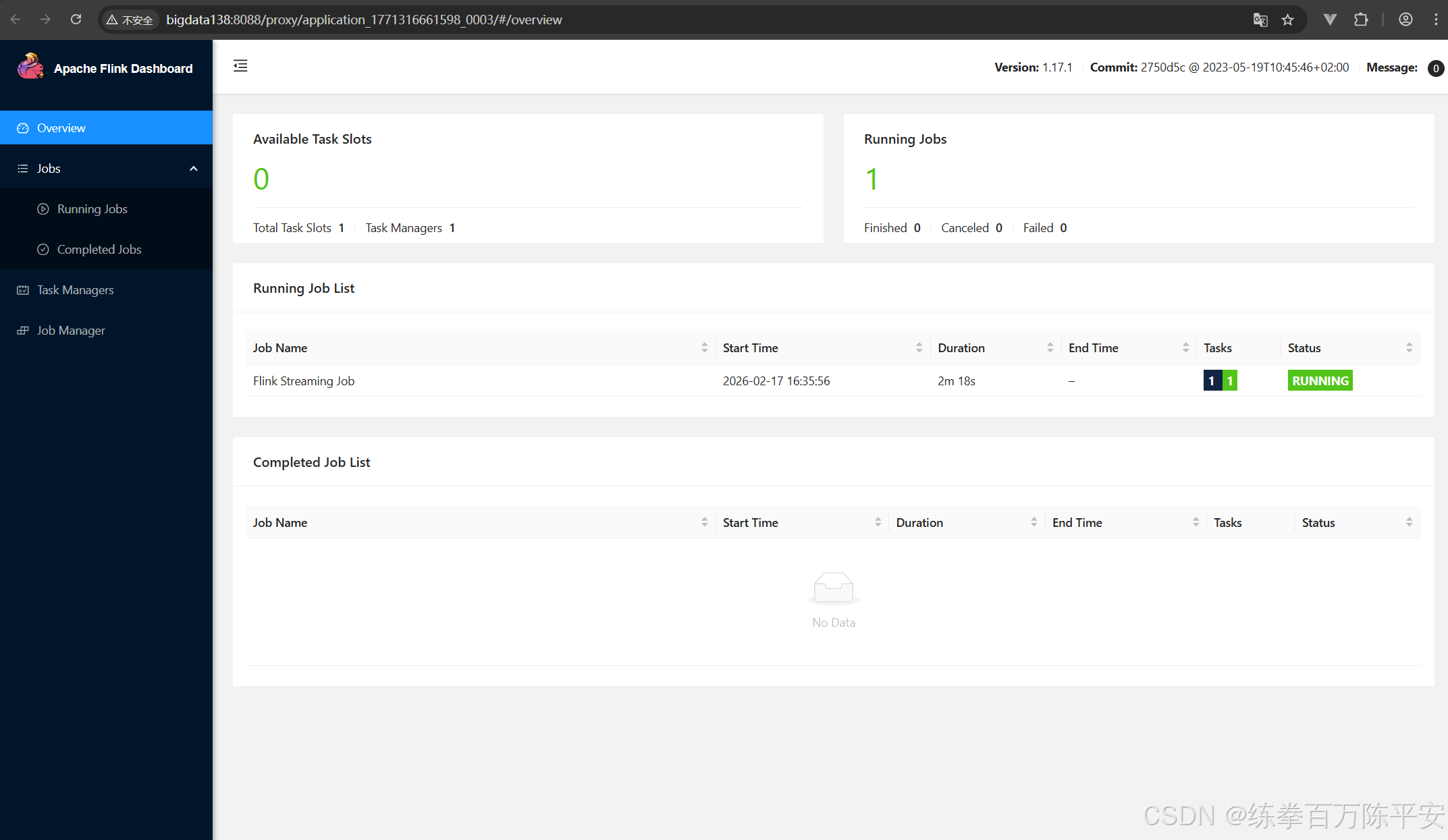
注意看,这两块应用地址是不一样的。也就是说生成了两个application。每个application都可以打开一个flink的webUI地址
如果现在取消掉某个作业的。那么这个作业的应用就会被销毁,资源会被释放。这样对比来讲,作业和作业之间隔离性特别好浩。我停用我的,对其他的应用没有任何影响。
但是这样的话,力度分割的太细了,每一个任务都对应一个应用。很多时候,我们不想搞的这么稀碎。
3:yarn applycation模式
1:启动yarn-application
[root@bigdata137 flink-1.17.0]# flink run-application -d -t yarn-application -c com.dashu.jobsubmit.Flink_Submit flink170-1.0-SNAPSHOT.jar
SLF4J: Class path contains multiple SLF4J bindings.
SLF4J: Found binding in [jar:file:/usr/local/src/flink-1.17.0/lib/log4j-slf4j-impl-2.17.1.jar!/org/slf4j/impl/StaticLoggerBinder.class]
SLF4J: Found binding in [jar:file:/usr/local/src/hadoop-3.3.5/share/hadoop/common/lib/slf4j-reload4j-1.7.36.jar!/org/slf4j/impl/StaticLoggerBinder.class]
SLF4J: See http://www.slf4j.org/codes.html#multiple_bindings for an explanation.
SLF4J: Actual binding is of type [org.apache.logging.slf4j.Log4jLoggerFactory]
2026-02-17 16:58:04,740 INFO  org.apache.flink.yarn.cli.FlinkYarnSessionCli                [] - Found Yarn properties file under /tmp/.yarn-properties-root.
2026-02-17 16:58:04,740 INFO  org.apache.flink.yarn.cli.FlinkYarnSessionCli                [] - Found Yarn properties file under /tmp/.yarn-properties-root.
2026-02-17 16:58:04,846 WARN  org.apache.flink.yarn.configuration.YarnLogConfigUtil        [] - The configuration directory ('/usr/local/src/flink-1.17.0/conf') already contains a LOG4J config file.If you want to use logback, then please delete or rename the log configuration file.
2026-02-17 16:58:04,925 INFO  org.apache.hadoop.yarn.client.DefaultNoHARMFailoverProxyProvider [] - Connecting to ResourceManager at bigdata138/192.168.67.138:8032
2026-02-17 16:58:05,052 INFO  org.apache.flink.yarn.YarnClusterDescriptor                  [] - No path for the flink jar passed. Using the location of class org.apache.flink.yarn.YarnClusterDescriptor to locate the jar
2026-02-17 16:58:05,167 INFO  org.apache.hadoop.conf.Configuration                         [] - resource-types.xml not found
2026-02-17 16:58:05,167 INFO  org.apache.hadoop.yarn.util.resource.ResourceUtils           [] - Unable to find 'resource-types.xml'.
2026-02-17 16:58:05,208 INFO  org.apache.flink.yarn.YarnClusterDescriptor                  [] - The configured TaskManager memory is 1728 MB. YARN will allocate 2048 MB to make up an integer multiple of its minimum allocation memory (1024 MB, configured via 'yarn.scheduler.minimum-allocation-mb'). The extra 320 MB may not be used by Flink.
2026-02-17 16:58:05,208 INFO  org.apache.flink.yarn.YarnClusterDescriptor                  [] - Cluster specification: ClusterSpecification{masterMemoryMB=1024, taskManagerMemoryMB=1728, slotsPerTaskManager=1}
2026-02-17 16:58:08,355 INFO  org.apache.flink.yarn.YarnClusterDescriptor                  [] - Cannot use kerberos delegation token manager, no valid kerberos credentials provided.
2026-02-17 16:58:08,358 INFO  org.apache.flink.yarn.YarnClusterDescriptor                  [] - Submitting application master application_1771316661598_0005
2026-02-17 16:58:08,392 INFO  org.apache.hadoop.yarn.client.api.impl.YarnClientImpl        [] - Submitted application application_1771316661598_0005
2026-02-17 16:58:08,392 INFO  org.apache.flink.yarn.YarnClusterDescriptor                  [] - Waiting for the cluster to be allocated
2026-02-17 16:58:08,395 INFO  org.apache.flink.yarn.YarnClusterDescriptor                  [] - Deploying cluster, current state ACCEPTED
2026-02-17 16:58:13,514 INFO  org.apache.flink.yarn.YarnClusterDescriptor                  [] - YARN application has been deployed successfully.
2026-02-17 16:58:13,515 INFO  org.apache.flink.yarn.YarnClusterDescriptor                  [] - Found Web Interface bigdata138:8081 of application 'application_1771316661598_0005'.
[root@bigdata137 flink-1.17.0]#
2:查看效果
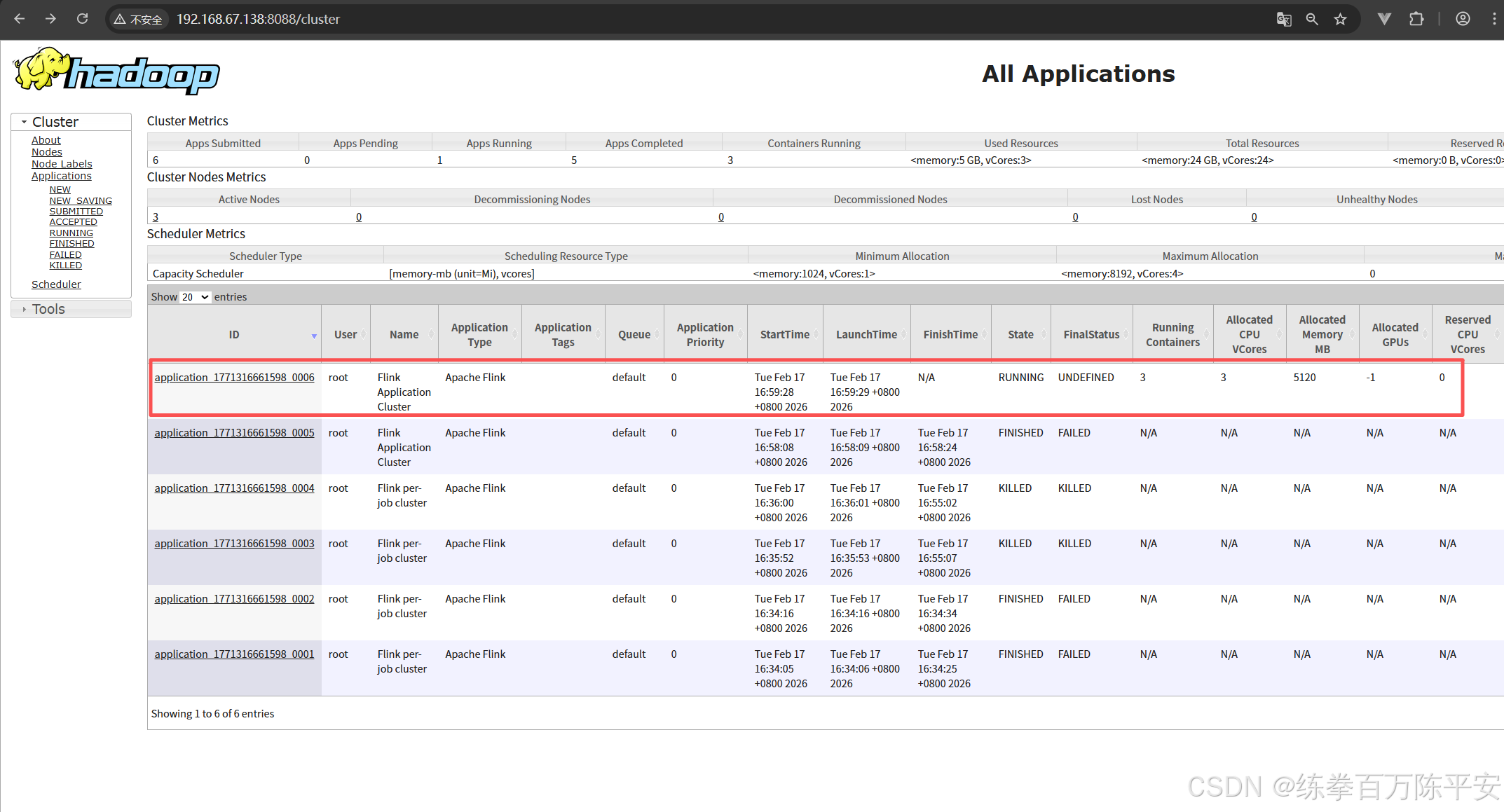
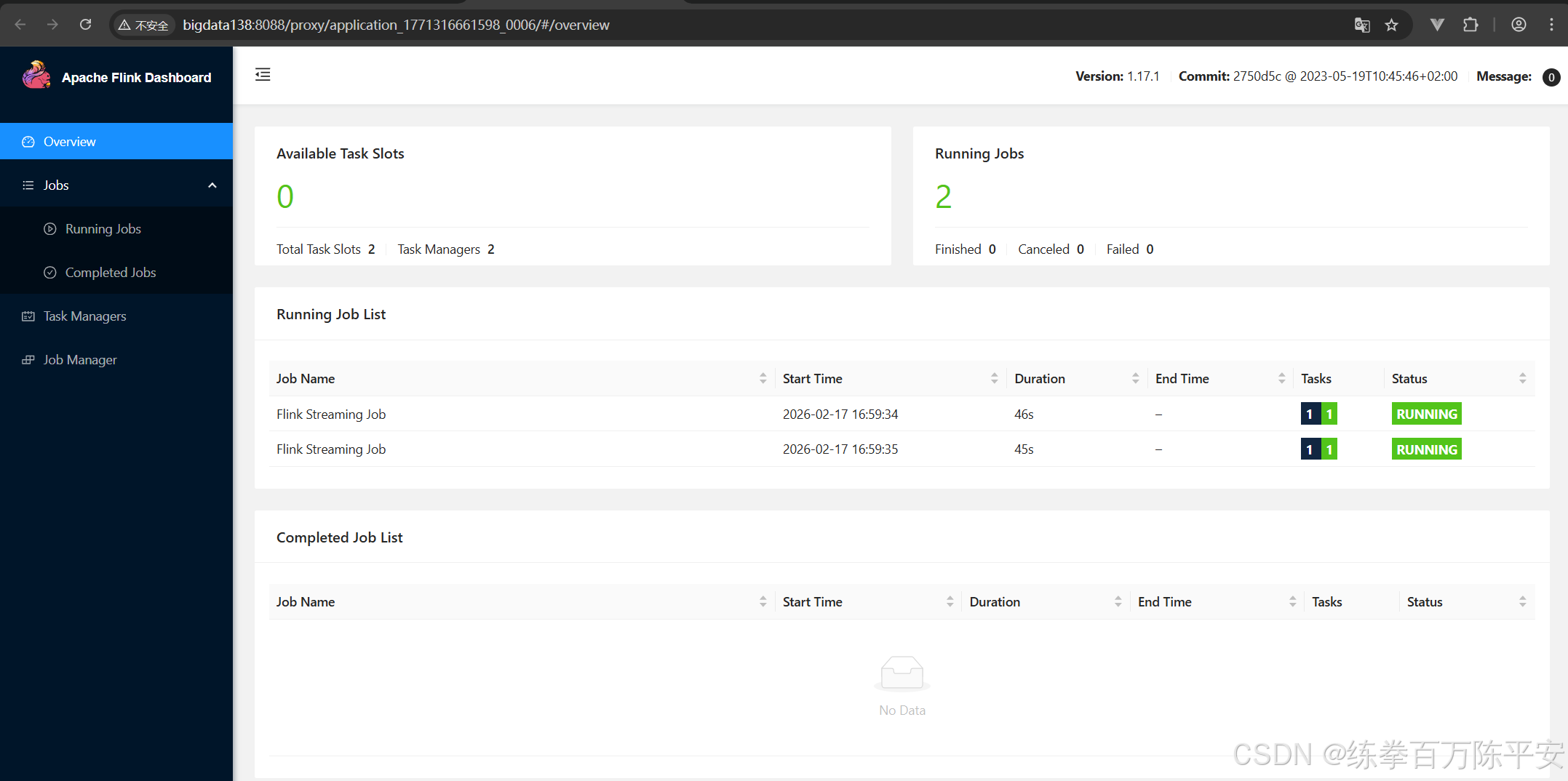
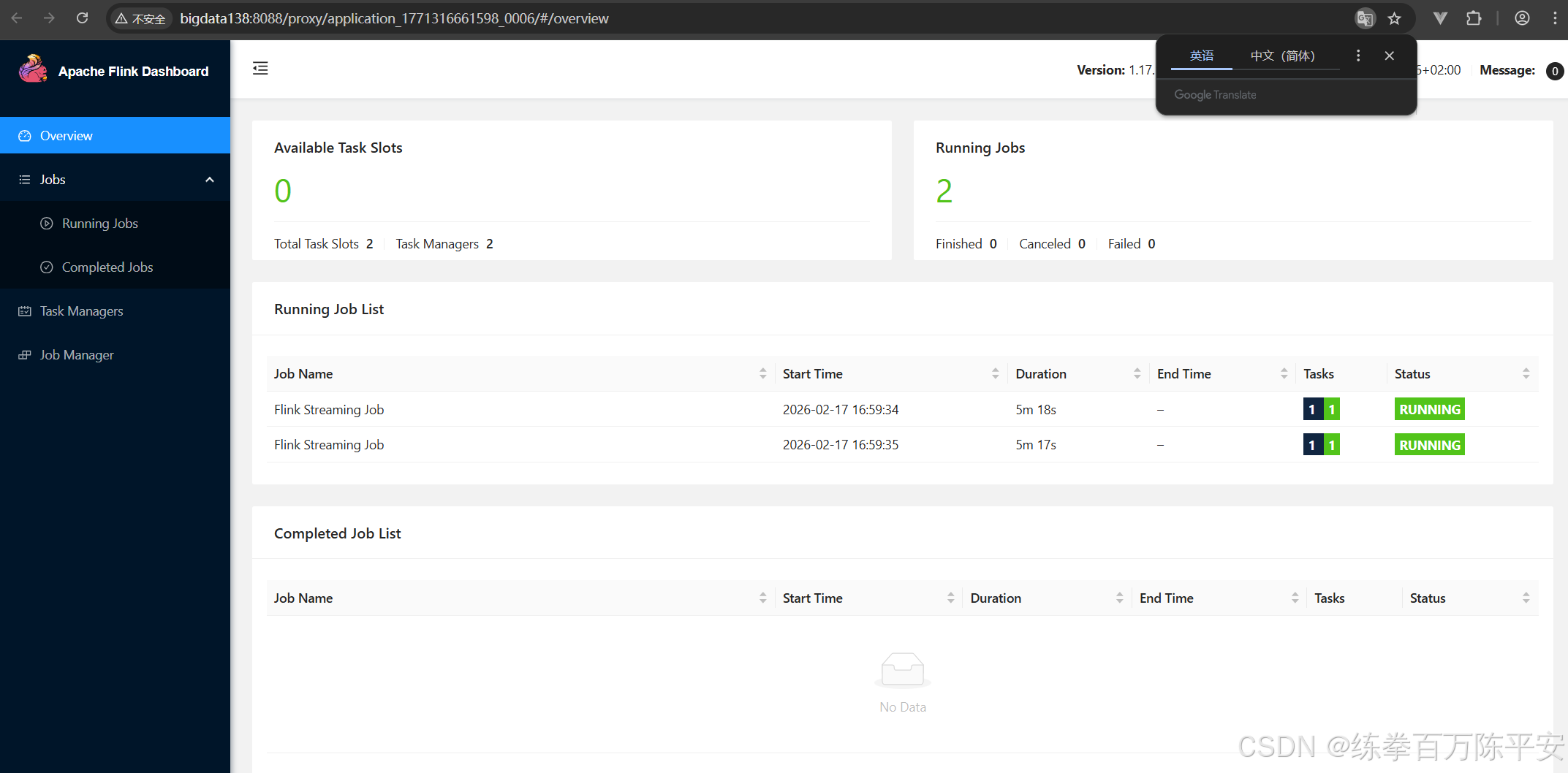
这个从结果上看,貌似和会话模式是一样的。作业都在一个application当中。
但是会话模式我们可以往应用中放很多种多样的作业。但是application模式当中都是本应用当中的作业。
会话模式实在客户端进行代码解析、图形解析,应用模式实在服务器端做的这个事。
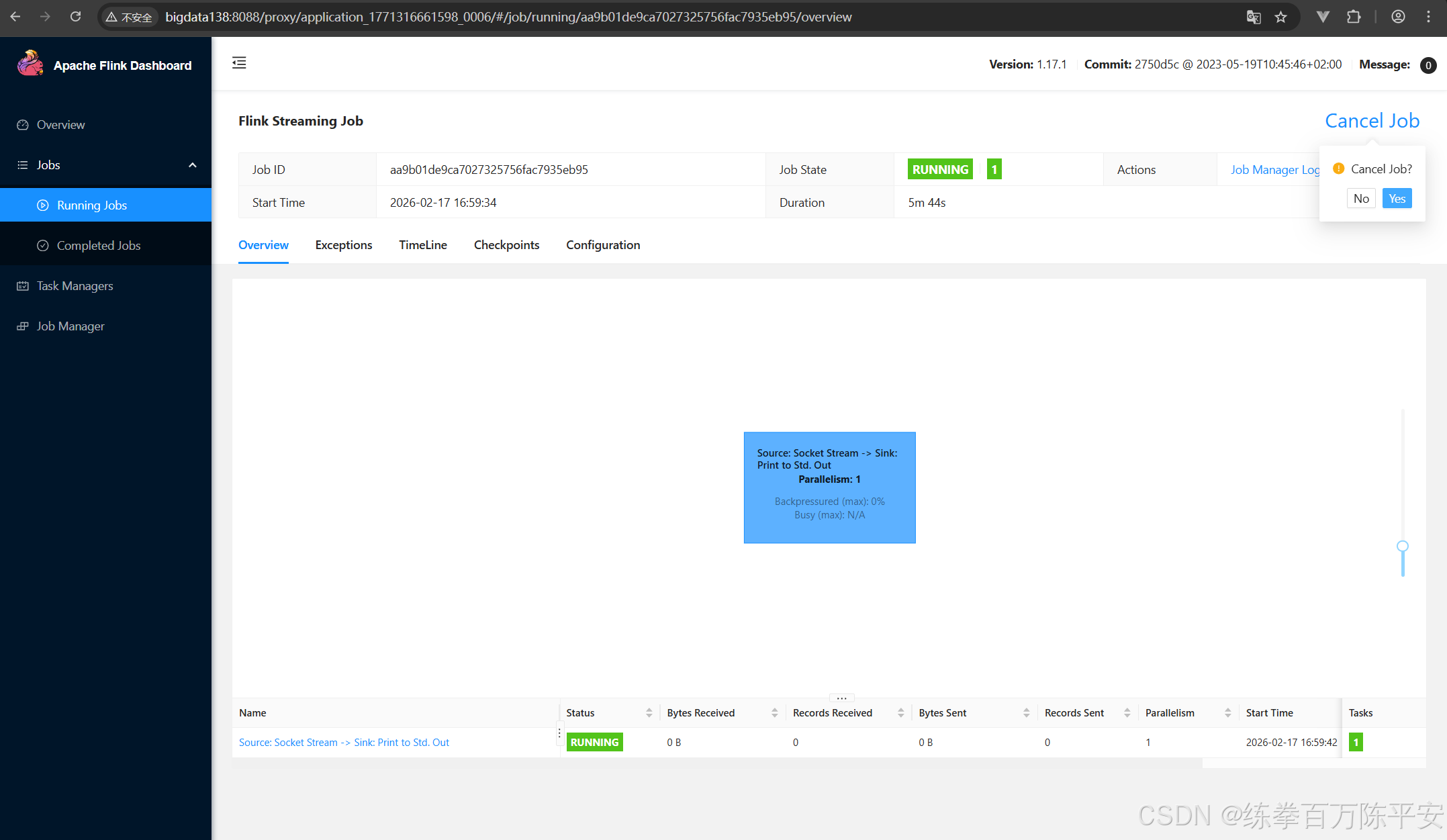
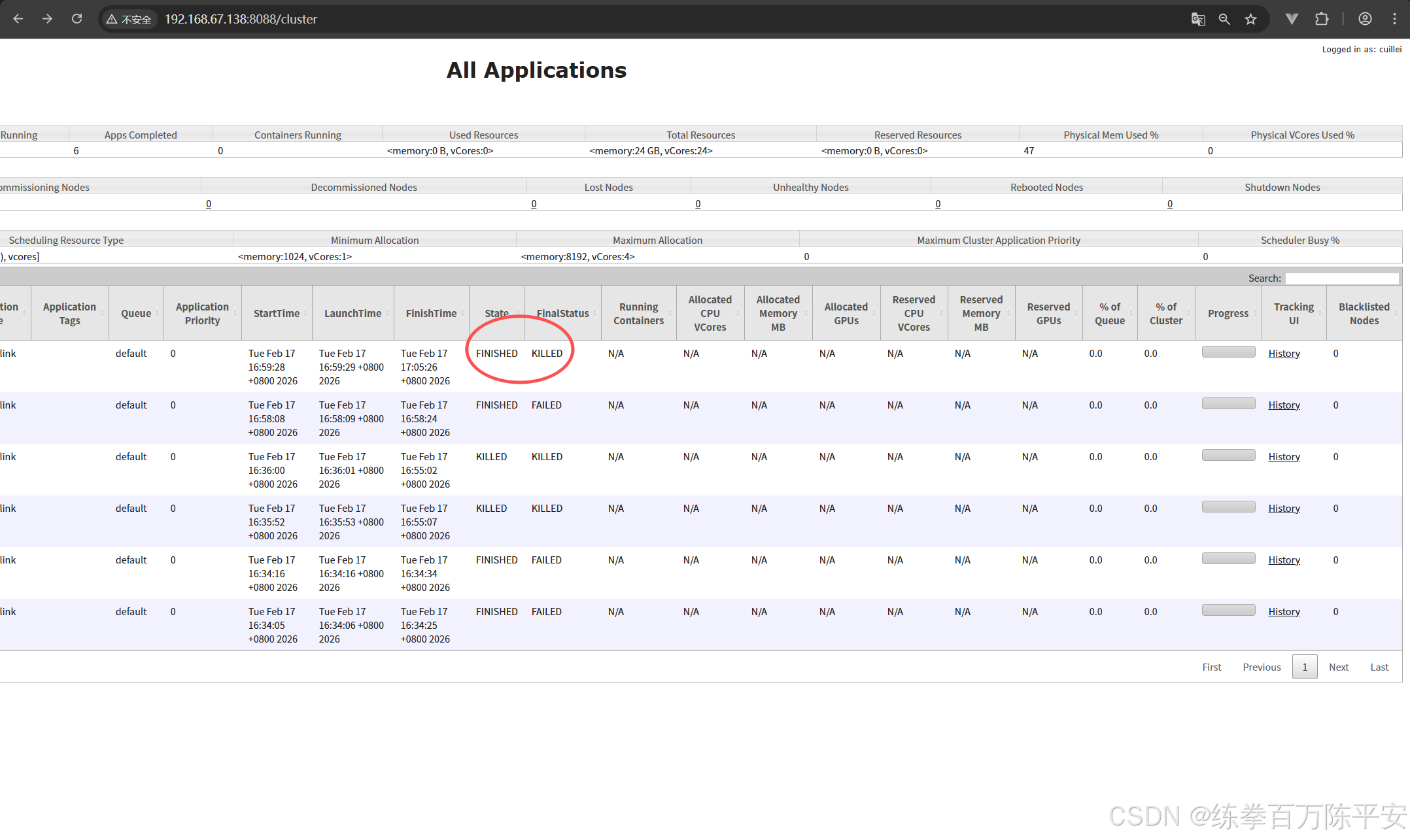
回话模式作业取消掉,集群没有影响。应用模式把某个作业取消掉之后,整个应用都是finished。我们验证下这一点:
当前状态如下: