python的学习笔记。不能坐以待毙,我还什么都不会呢!
创建进程
Multiprocessing模块中创建进程的类主要有两个:Process类(进程类)和Pool类(进程池类)
使用Process类创建进程
start是创建并启动子进程的函数
join是等待子进程结束的函数
如果不写join,可能导致"主进程结束"在"子进程标识"前输出了。
sp1.join()检查sp1是否还在运行,如果还在运行,主进程进入等待状态。操作系统需要把CPU让给sp1,等他结束了主进程再结束。
python
from multiprocessing import Process
import os
def spfunc(spname):
    print("子进程标识:%s,ID:%s"%(spname,os.getpid()))
if __name__ == "__main__":
    print("主进程开始:")
    print("主进程ID:%s"%os.getpid())
    sp1 = Process(target=spfunc,args=('sp1',))
    sp2 = Process(target=spfunc,args=('sp2',))
    sp1.start()
    sp2.start()
    sp1.join()
    sp2.join()
    print("主进程结束。")
使用Process类的派生类创建进程:
python
import os,time
from multiprocessing import Process
class SubProcess(Process):
    def __init__(self):
        Process.__init__(self)
    def run(self):
        print("子进程名称 = {0},ID = {1}".format(self.name,self.pid))
        time.sleep(0.1)
if __name__ == '__main__':
    print("主进程开始:")
    for i in range (3):
        sp = SubProcess()
        sp.start()
        sp.join()
    print("主进程结束。")
使用Pool类创建进程
如果要启动大量子进程,可以用Pool类的方式批量创建子进程。
python
import multiprocessing,time,os
def spfunc(i):
    print("子进程ID = {},结果 = {}".format(os.getpid(),i**2))
    time.sleep(1)
if __name__ == '__main__':
    pool = multiprocessing.Pool(processes=3)
    for i in range (1,4):
        pool.apply(spfunc, (i,))
    pool.close()
    pool.join()
进程通信
使用Queue实现进程间通信
python
from multiprocessing import Process,Queue
import os,time,random
def writeQueue(q):
    for i in range(5):
        n = random.randint(1,100)
        print("放进队列的随机数为:%d"%n)
        q.put(n)
        time.sleep(1)
def readQueue(q):
    for i in range(5):
        d = q.get(True)
        print("从队列中读取的数据为:%d"%d)
if __name__ == '__main__':
    q = Queue()
    spw = Process(target=writeQueue,args=(q,))
    spr = Process(target=readQueue,args=(q,))
    spw.start()
    spr.start()
    spw.join()
    spr.join()
使用Pipes完成进程间通信
python
from multiprocessing import Pipe,Process
def spfunc(cPipe):
    while(True):
        try:
            print("接受的信息:",cPipe.recv())
        except EOFError:
            break
if __name__ == '__main__':
    parentPipe,childPipe = Pipe(True)
    sp = Process(target=spfunc,args=(childPipe,))
    sp.start()
    parentPipe.send("量子通信")
    parentPipe.send("引力波")
    parentPipe.close()
    sp.join()
使用Manager对象实现进程间通信
python
from multiprocessing import Process,Manager
def spfunc(dict,list):
    dict['Alice'] = 21
    dict['Beth'] = 22
    list.append("physics")
    list.append("chemistry")
if __name__ == '__main__':
    manager = Manager()
    list = manager.list()
    dict = manager.dict()
    sp = Process(target=spfunc,args=(dict,list))
    sp.start()
    sp.join()
    print("list:",list)
    print("dict:",dict)
使用数组实现进程间数据交换
在这里学到了一个概念,最关键的一句是这个:
num = multiprocessing.Array("i", 1,3,5)
我大可以直接写num = 1,3,5,但是用这里的数组生成,它的最大区别就是:
这是共享数组,主进程和子进程都可以访问并修改它,然后修改记录同步到两个进程中。
python
import multiprocessing
def spfunc(num):
    for i in range (3):
        num[i] **= 3
if __name__ == '__main__':
    num = multiprocessing.Array("i", [1,3,5])
    print("初始数组:",num[:])
    sp = multiprocessing.Process(target=spfunc,args=(num,))
    sp.start()
    sp.join()
    print("修改后的数组:",num[:])
进程同步
锁实现进程同步
上锁:一个进程执行完再执行另一个
sp1:number=1
sp1:number=4
sp1:number=9
sp2:number=1
sp2:number=8
sp2:number=27
把锁注释掉:两个进程交替打印,互相干扰
sp1:number=1
sp2:number=1
sp1:number=4
sp2:number=8
sp1:number=9
sp2:number=27
python
from multiprocessing import Process,Lock
import time,os
def spfunc(spname,v,lock):
    #lock.acquire()
    for i in range(1,4):
        n = i**v
        time.sleep(0.5)
        print("{0}:number={1}".format(spname,n))
    #lock.release()
if __name__ == "__main__":
    lock = Lock()
    sp1 = Process(target=spfunc,args=("sp1",2,lock))
    sp2 = Process(target=spfunc,args=("sp2",3,lock))
    sp1.start()
    sp2.start()
Event实现进程同步
set:V操作,wait:P操作,clear:充值操作
准备买商品...
下订单、付款...
接收订单和贷款...
发货...
收到商品...
评价商品...
欢迎再次订购
python
import multiprocessing,time
def sjfunc(event):
    print("接收订单和贷款...")
    print("发货...")
    event.set()
    event.clear()
    event.wait()
    print("欢迎再次订购")
def gkfunc(event):
    print("准备买商品...")
    print("下订单、付款...")
    event.wait()
    print("收到商品...")
    print("评价商品...")
    event.set()
    event.clear()
if __name__ == '__main__':
    event = multiprocessing.Event()
    sjp = multiprocessing.Process(target=sjfunc,args=(event,))
    gkp = multiprocessing.Process(target=gkfunc,args=(event,))
    gkp.start()
    time.sleep(0.5)
    sjp.start()
线程创建
threading类
python
from threading import Thread
import time
def thfunc(i):
    print("线程%d启动"%i)
    time.sleep(1)
if __name__ == '__main__':
    print("主线程开始...")
    for i in range (3):
        th = Thread(target=thfunc,args=(i,))
        th.start()
        th.join()
    print("主线程结束。")
threading派生类
python
import time,threading
class mythread(threading.Thread):
    def __init__(self):
        threading.Thread.__init__(self)
    def run(self):
        for i in range (3):
            print("这里是线程%s中的%d"%(self.getName(),i))
            time.sleep(1)
if __name__ == '__main__':
    th1 = mythread()
    th2 = mythread()
    th1.start()
    th2.start()
    th1.join()
    th2.join()
线程池创建线程
threadpool模块:
线程池有3个线程,刚好有3个任务
线程1:执行 addfunc(1, 2) → 输出 "1+2=3"
线程2:执行 addfunc(3, 4) → 输出 "3+4=7"
线程3:执行 addfunc(5, 6) → 输出 "5+6=11"
由于有3个线程,3个任务同时执行
输出顺序可能不同,取决于哪个线程先完成
python
import threadpool
def addfunc(op1,op2):
    print("%d+%d=%d"%(op1,op2,op1+op2))
if __name__ == '__main__':
    oplist1 = [1,2]
    oplist2 = [3,4]
    oplist3 = [5,6]
    oplist = [(oplist1,None),(oplist2,None),(oplist3,None)]
    pool = threadpool.ThreadPool(3)
    requests = threadpool.makeRequests(addfunc,oplist)
    #[pool.putRequest(req) for req in requests]
    for req in requests:
        pool.putRequest(req)
    pool.wait()
concurrent.futures模块创建线程池
map和submit都是输出函数。
python
from concurrent.futures import ThreadPoolExecutor
def executetask(task):
    print("执行:%s"%(task))
if __name__ == '__main__':
    tasklist = []
    for i in range(5):
        tasklist.append("任务"+str(i))
    with ThreadPoolExecutor(5) as ect:
        #for task in tasklist:
            #future = ect.submit(executetask,task)
        future = ect.map(executetask,tasklist)
线程通信
python
import threading,queue,time
class mythread(threading.Thread):
    def __init__(self,q,i):
        super(mythread,self).__init__()
        self.q = q
        self.i = i
    def run(self):
        self.q.put("这是第%d个线程..."%(self.i))
if __name__ == '__main__':
    q = queue.Queue()
    for i in range(3):
        mythread(q,i).start()
    while not q.empty():
        print(q.get())
线程同步
lock实现同步
加了锁都是线程A,不加锁如下
当前线程是A,num=1
当前线程是B,num=2
当前线程是A,num=3
python
import threading,time
def countfunc(tname,lock):
    global num;
    #lock.acquire()
    while True:
        if num <= 3:
            print("当前线程是%s,num=%s"%(tname,num))
            num += 1
            time.sleep(1)
        else:
            break
    #lock.release()
if __name__ == '__main__':
    num = 1
    lock = threading.Lock()
    t1 = threading.Thread(target=countfunc,args=('A',lock))
    t2 = threading.Thread(target=countfunc,args=('B',lock))
    t1.start()
    t2.start()
Condition实现同步
-
原版:两个线程都是"先等待,后通知",导致第一次打印后就互相等待
-
修改版:奇数线程"先通知,后等待",确保了总有线程能唤醒对方
python
import threading,time
def thfunc1(thname,cond):
    with cond:
        for i in range(0,6,2):
            print("线程%s:%d."%(thname,i))
            cond.wait()
            cond.notify()
def thfunc2(thname,cond):
    with cond:
        for i in range(1,6,2):
            print("线程%s:%d."%(thname,i))
            cond.notify()
            cond.wait()
if __name__ == '__main__':
    cond = threading.Condition()
    th1 = threading.Thread(target=thfunc1,args=("th1",cond))
    th2 = threading.Thread(target=thfunc2,args=("th2",cond))
    th1.start()
    th2.start()
    th1.join()
    th2.join()
Event对象实现同步
event.isSet() or event.set()是判断是否为false,如果是false那么改成true,也就是有事件发生。
event.wait() # 等待第一个事件(加班通知),等待第二个事件(吃夜宵通知)。
python
import time,threading
def bossfunc(thname):
    print("%s:今晚加班到11点"%thname)
    event.isSet() or event.set()
    time.sleep(2)
    print("%s:大家一起吃夜宵"%thname)
    event.isSet() or event.set()
def employeefunc(thname,i):
    event.wait()
    print("%s %d:好痛苦..."%(thname,i))
    time.sleep(1)
    event.clear()
    event.wait()
    print("%s %d;太好了"%(thname,i))
if __name__ == '__main__':
    event = threading.Event()
    thboss = threading.Thread(target=bossfunc,args=("thBoss",)).start()
    for i in range(4):
        themployee = threading.Thread(target=employeefunc,args=("thEmployee",i)).start()
案例分析
使用多进程导入/导出数据
使用多进程将多个excel文件的书籍信息导入SQLite3数据库
python
import multiprocessing, sqlite3, os, openpyxl
def create_connect_database():
    try:
        #拼接数据库文件路径
        conn = sqlite3.connect(os.getcwd() + '\\resources\\bookDB.db')#os.getcwd()获取当前工作目录
        cur = conn.cursor() #创建游标,执行sql语句和获取结果
        #创建数据表(如果不存在)
        cur.execute(
            """create table if not exists table_book(ID text PRIMARY KEY,Name text not null,Autore text,Price float);""")
        conn.commit()#提交事务,保存
    except Exception as e:
        print("创建/链接数据库或者创建数据表失败:", e)
def eachxlsx(xlsxfn):
    wb = openpyxl.load_workbook(xlsxfn) #加载excel文件
    ws = wb.worksheets[0]   #获取第一个工作表(就是sheet1)
    for index, row in enumerate(ws.rows):
        if index == 0:  #跳过标题行,因为是列标题
            continue
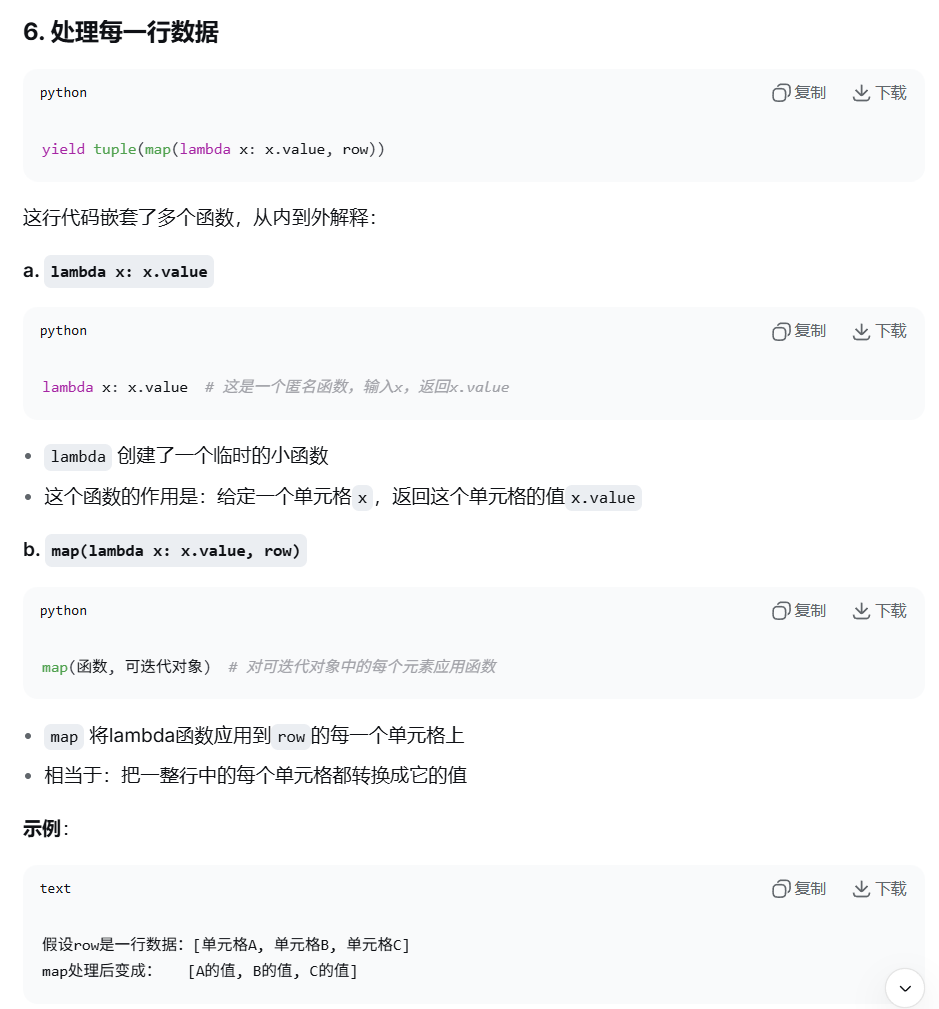
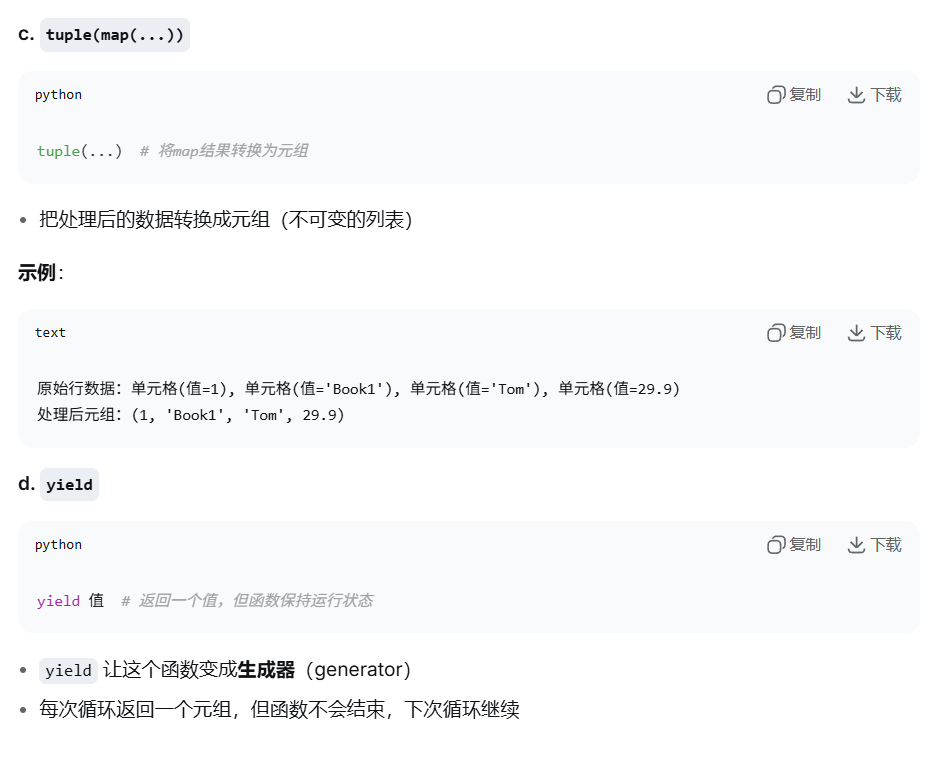
        yield tuple(map(lambda x: x.value, row))
def spfunc(filename):
    with sqlite3.connect(os.getcwd() + '\\resources\\bookDB.db') as conn:
        try:
            cur = conn.cursor()
            sql = 'INSERT INTO table_book VALUES(?,?,?,?)'
            cur.executemany(sql, eachxlsx(filename))
            conn.commit()
        except Exception as e:
            print("导入数据失败.", e)
if __name__ == '__main__':
    print("Excel文件导入数据库开始...")
    create_connect_database()
    pool = multiprocessing.Pool()
    excel_path = os.getcwd() + "\\excel_files_dir"
    excel_File_list = os.listdir(excel_path)
    for filename in excel_File_list:
        excelFile = excel_path + "\\" + filename
        pool.apply(spfunc, (excelFile,))
    pool.close()
    pool.join()
    print("Excel文件数据导入数据库结束!")
使用多线程模拟彩票发行
zjxx = self.cpfx_q.get() #取出中奖信息,并删除
cphmlist = self.cpfx_q.get() #取出可购买的彩票号码列表,并删除
这种"取出即删除"的设计是为了保证数据不会被多个线程重复处理。
python
import threading,queue,random
class mythread(threading.Thread):
    def __init__(self,cpfx_q,i,zjhm,lock):
        super(mythread,self).__init__()
        self.cpfx_q = cpfx_q
        self.i = i
        self.zjhm = zjhm
        self.lock = lock
    def run(self):
        lock.acquire()
        #1.队列中获取当前状态
        zjxx = self.cpfx_q.get()    #取出中奖信息,并删除
        cphmlist = self.cpfx_q.get()    #取出可购买的彩票号码列表,并删除
        #2.随机购买一个号码
        cphm = random.choice(cphmlist)  #模仿随机购买彩票
        cphm_num = cphmlist.index(cphm) #查找购买的彩票号码在列表中的位置
        #3.检查是否中奖,比较购买的彩票号码和中奖号码是否相同
        if cphm == self.zjhm:
            zjxx = "抽奖人"+str(self.i)+"号购买的彩票"+str(cphm)+"中奖了!恭喜您!"
        #4.从列表中移除已购买的号码
        cphmlist.pop(cphm_num)
        #5.将更新后的状态放回队列
        self.cpfx_q.put(zjxx)
        self.cpfx_q.put(cphmlist)
        lock.release()
if __name__ == '__main__':
    print("------------------------------------------------彩票发行开始------------------------------------------------")
    cpfx_q = queue.Queue()
    cphmlist = list(range(1000,10000)) #生成[1000,1001,...,9999]
    random.shuffle(cphmlist)    #随机乱序
    zjxx = "无人中奖!"
    cpfx_q.put(zjxx)
    cpfx_q.put(cphmlist)
    zjhm = random.randrange(1000,10000)
    print("本次发行彩票中奖号码:",zjhm)
    lock = threading.Lock()
    for i in range(5000):
        mythread(cpfx_q,i,zjhm,lock).start()
    print("本次彩票发行结果:",cpfx_q.get())
    print("------------------------------------------------彩票发行结束------------------------------------------------")