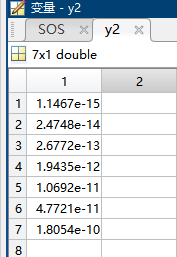
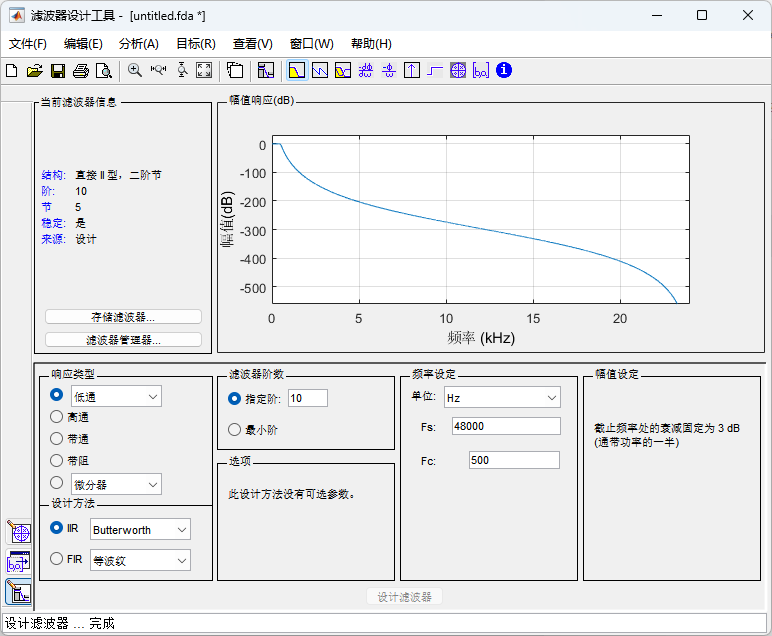
一、matlab设计滤波器
使用filterDesigner命令打开滤波器设计模块
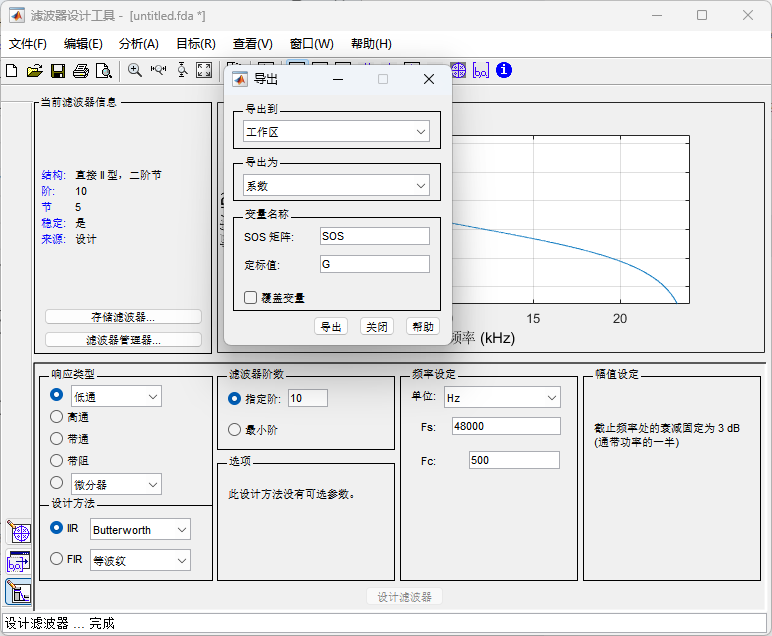
二、运行matlab脚本转换出C可以直接使用的系数
Matlab
clc;
BIQUADS = 5; %对应ADI biquad SECTION数量
fp = fopen("lowpass.txt","w");
for i = 1:BIQUADS
    fprintf(fp, '%2.20e,\n', -SOS(i,6));
    fprintf(fp, '%2.20e,\n', -SOS(i,5));
    fprintf(fp, '%2.20e,\n', SOS(i,3)*G(i));
    fprintf(fp, '%2.20e,\n', SOS(i,2)*G(i));
    fprintf(fp, '%2.20e,\n', SOS(i,1)*G(i));
end
三、在C中使用
cpp
/*****************************************************************************
 * biquad_test.c
 *****************************************************************************/

#include "adi_initialize.h"
#include "biquad_test.h"

#include <sys/platform.h>

/**
 * If you want to use command program arguments, then place them in the following string.
 */
char __argv_string[] = "";


#include <filter.h> //vector_version
#define NSECTIONS  5  //5个biquad级联使用
#define NSAMPLES  7 //数据长度64
#define NSTATE    (2*NSECTIONS) //state数组的长度 2的倍数

float input[NSAMPLES]={1,2,3,4,5,6,7};
float output[NSAMPLES];

float state[NSTATE];

//共25个系数 在数组中的顺序为
//[A2, A1, B2, B1, B0     A2, A1, B2, B1, B0   A2, A1, B2, B1, B0   A2, A1, B2, B1, B0 ...]
//第一个biquad            第二个biquad          第三个biquad          第四个biquad...
float pm coeffs[5*NSECTIONS]={
#include "lowpass.txt"
};

int main(int argc, char *argv[])
{
	int i;

	for (i = 0; i < NSTATE; i++){
		state[i] = 0;     /* initialize state array */
	}

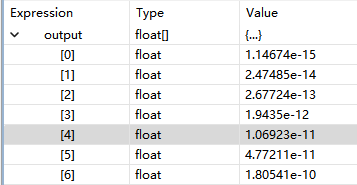
	biquad(input, output, coeffs, state, NSAMPLES, NSECTIONS);  //调用完biquad后state数组不为0


	return 0;
}
四、验证
Matlab
x = [1,2,3,4,5,6,7]';

%% 先用sos2tf转换为传递函数,再滤波

[b, a] = sos2tf(SOS, G); % b为分子系数, a为分母系数

y2 = filter(b, a, x);