0. 前言
最初是在关注XLerobot工作时,发现他们有通过VR遥操实体机器人的代码,他们声称修改了telegrip相关代码,所以我现在来研究一下telegrip,看看有什么异同,哪些模块是必要的,在迁移到自研机械臂上需要什么。
1. 前置准备
1.1 项目特征
功能统一架构:单一入口点协调所有组件
多种输入方式:支持 VR 控制器(Quest/WebXR)和键盘控制
共享 IK/FK 逻辑:基于 PyBullet 的双臂逆向和正向运动学
实时可视化:使用坐标系和标记进行 3D PyBullet 可视化
安全功能:关节限制约束、优雅关闭和错误处理
异步/非阻塞:所有组件同时运行且互不阻塞
1.2 前提条件
机器人硬件:一台或两台带有 USB-串口连接的 SO100 机械臂
Python 环境:Python 3.8 及以上版本,并安装所需的包
VR 设置(可选):Meta Quest 或其他支持 WebXR 的头显(无需安装应用)
1.3 安装
首先需要安装lerobot,我之前安装过,不想破坏原有环境,所以复制一份代码,然后复制一个环境
在复制的 lerobot 目录中:
bash
git clone https://github.com/DipFlip/telegrip.git
conda create --name telegrip --clone lerobot0.3.3
conda activate telegrip
cd telegrip
pip install -e .
# 手动生成cert.pem and key.pem
openssl req -x509 -newkey rsa:2048 -keyout key.pem -out cert.pem -sha256 -days 365 -nodes -subj "/C=US/ST=Test/L=Test/O=Test/OU=Test/CN=localhost"
1.4 启动telegrip

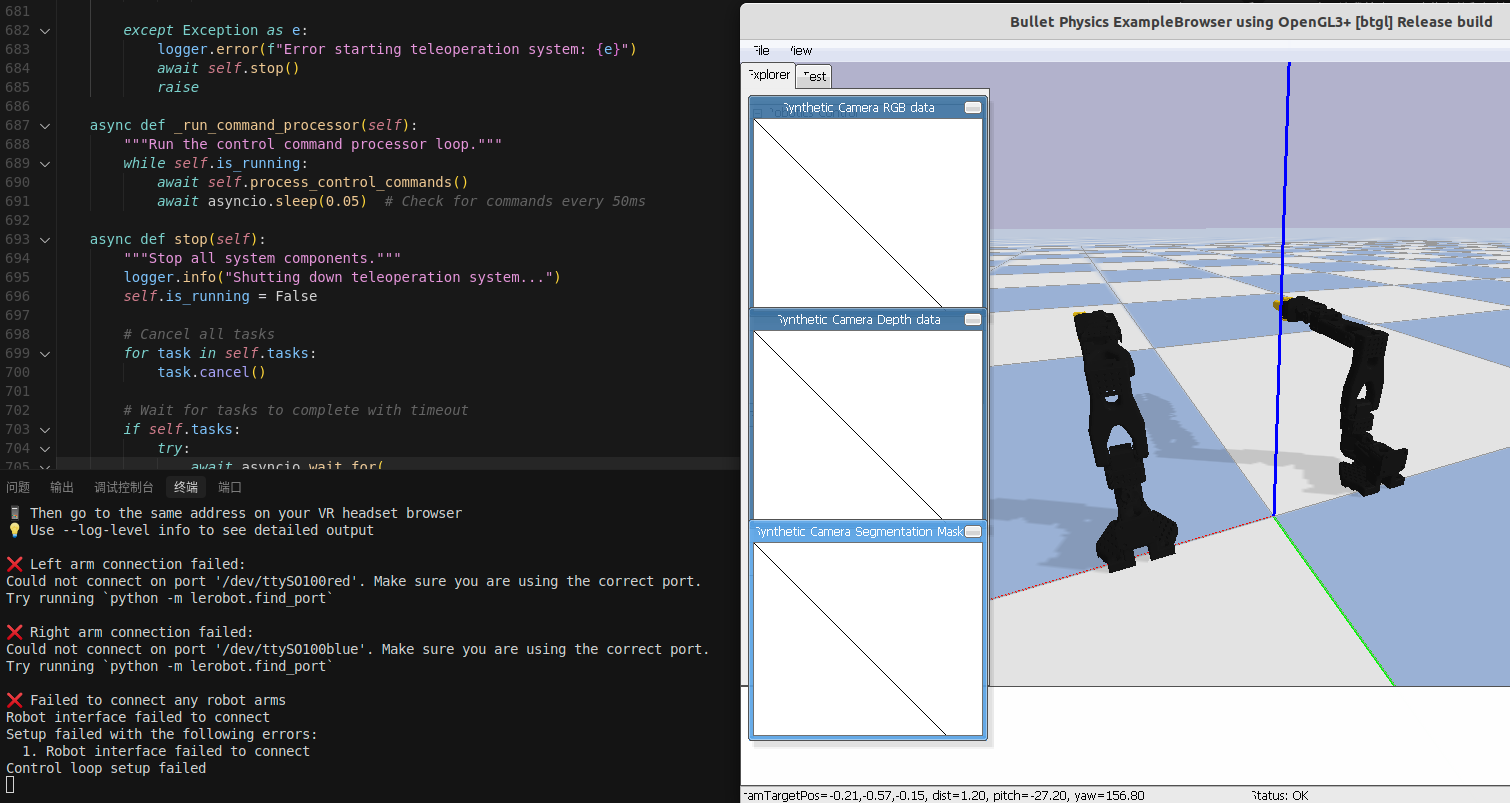 先不连接真实机器人,选择:
bash
telegrip --no-robot一切正常。
尝试 telegrip:
bash
❌ Left arm connection failed:
Could not connect on port '/dev/ttySO100red'. Make sure you are using the correct port.
Try running `python -m lerobot.find_port`

❌ Right arm connection failed:
Could not connect on port '/dev/ttySO100blue'. Make sure you are using the correct port.
Try running `python -m lerobot.find_port`
修改config.ymal:
bash
robot:
  left_arm:
    enabled: true
    name: Left Arm
    port: /dev/ttyACM0
  right_arm:
    enabled: true
    name: Right Arm
    port: /dev/ttyACM1
然后第一次启动时,发现pybullet也不启动了,然后运行telegrip --log-level info,发现是校准问题
bash
(telegrip) strawberry@strawberry-E500-G9-WS760T:~/zzy/project/lerobot/telegrip$ telegrip --log-level info
pybullet build time: Jan 29 2025 23:16:28
2025-10-20 17:05:32,945 - telegrip.main - INFO - Starting with configuration:
2025-10-20 17:05:32,945 - telegrip.main - INFO -   Robot: enabled
2025-10-20 17:05:32,945 - telegrip.main - INFO -   PyBullet: enabled
2025-10-20 17:05:32,945 - telegrip.main - INFO -   Headless mode: disabled
2025-10-20 17:05:32,945 - telegrip.main - INFO -   VR: enabled
2025-10-20 17:05:32,945 - telegrip.main - INFO -   Keyboard: enabled
2025-10-20 17:05:32,945 - telegrip.main - INFO -   Auto-connect: disabled
2025-10-20 17:05:32,945 - telegrip.main - INFO -   HTTPS Port: 8443
2025-10-20 17:05:32,945 - telegrip.main - INFO -   WebSocket Port: 8442
2025-10-20 17:05:32,945 - telegrip.main - INFO -   Robot Ports: {'left': '/dev/ttyACM0', 'right': '/dev/ttyACM1'}
2025-10-20 17:05:32,947 - telegrip.main - INFO - HTTPS server started on 0.0.0.0:8443
2025-10-20 17:05:32,948 - telegrip.inputs.vr_ws_server - INFO - SSL certificate and key loaded successfully for WebSocket server
2025-10-20 17:05:32,953 - websockets.server - INFO - server listening on 0.0.0.0:8442
2025-10-20 17:05:32,953 - telegrip.inputs.vr_ws_server - INFO - VR WebSocket server running on wss://0.0.0.0:8442
2025-10-20 17:05:32,953 - telegrip.inputs.keyboard_listener - INFO - Keyboard listener started
2025-10-20 17:05:32,953 - telegrip.inputs.keyboard_listener - INFO -
============================================================
2025-10-20 17:05:32,953 - telegrip.inputs.keyboard_listener - INFO - DUAL-ARM KEYBOARD TELEOPERATION CONTROLS
2025-10-20 17:05:32,954 - telegrip.inputs.keyboard_listener - INFO - ============================================================
2025-10-20 17:05:32,954 - telegrip.inputs.keyboard_listener - INFO - LEFT ARM (WASD + QE):
2025-10-20 17:05:32,954 - telegrip.inputs.keyboard_listener - INFO -   W/S: Move Forward/Backward
2025-10-20 17:05:32,954 - telegrip.inputs.keyboard_listener - INFO -   A/D: Move Left/Right
2025-10-20 17:05:32,954 - telegrip.inputs.keyboard_listener - INFO -   Q/E: Move Down/Up
2025-10-20 17:05:32,954 - telegrip.inputs.keyboard_listener - INFO -   Z/X: Wrist Roll
2025-10-20 17:05:32,954 - telegrip.inputs.keyboard_listener - INFO -   R/T: Wrist Flex (Pitch)
2025-10-20 17:05:32,954 - telegrip.inputs.keyboard_listener - INFO -   F: Toggle Left Gripper Open/Closed
2025-10-20 17:05:32,955 - telegrip.inputs.keyboard_listener - INFO -   Tab: Manual Toggle Left Arm Position Control On/Off
2025-10-20 17:05:32,955 - telegrip.inputs.keyboard_listener - INFO -
2025-10-20 17:05:32,955 - telegrip.inputs.keyboard_listener - INFO - RIGHT ARM (UIOJKL):
2025-10-20 17:05:32,955 - telegrip.inputs.keyboard_listener - INFO -   I/K: Move Forward/Backward
2025-10-20 17:05:32,955 - telegrip.inputs.keyboard_listener - INFO -   J/L: Move Left/Right
2025-10-20 17:05:32,955 - telegrip.inputs.keyboard_listener - INFO -   U/O: Move Up/Down
2025-10-20 17:05:32,955 - telegrip.inputs.keyboard_listener - INFO -   N/M: Wrist Roll
2025-10-20 17:05:32,955 - telegrip.inputs.keyboard_listener - INFO -   H/Y: Wrist Flex (Pitch)
2025-10-20 17:05:32,955 - telegrip.inputs.keyboard_listener - INFO -   ; (semicolon): Toggle Right Gripper Open/Closed
2025-10-20 17:05:32,955 - telegrip.inputs.keyboard_listener - INFO -   Enter: Manual Toggle Right Arm Position Control On/Off
2025-10-20 17:05:32,955 - telegrip.inputs.keyboard_listener - INFO -
2025-10-20 17:05:32,955 - telegrip.inputs.keyboard_listener - INFO - Global:
2025-10-20 17:05:32,955 - telegrip.inputs.keyboard_listener - INFO -   ESC: Exit
2025-10-20 17:05:32,955 - telegrip.inputs.keyboard_listener - INFO -
2025-10-20 17:05:32,955 - telegrip.inputs.keyboard_listener - INFO - Note: Position control is automatically activated when you press
2025-10-20 17:05:32,955 - telegrip.inputs.keyboard_listener - INFO -       movement keys. Idle for 1 second to reset target position.
2025-10-20 17:05:32,955 - telegrip.inputs.keyboard_listener - INFO - ============================================================
2025-10-20 17:05:32,956 - telegrip.inputs.keyboard_listener - INFO - Left arm position control: INACTIVE
2025-10-20 17:05:32,956 - telegrip.inputs.keyboard_listener - INFO - Right arm position control: INACTIVE
2025-10-20 17:05:32,956 - telegrip.main - INFO - All system components started successfully
2025-10-20 17:05:32,956 - telegrip.inputs.keyboard_listener - INFO - Dual-arm keyboard control loop started
2025-10-20 17:05:32,956 - telegrip.core.robot_interface - INFO - Setting up robot configs with ports: {'left': '/dev/ttyACM0', 'right': '/dev/ttyACM1'}
2025-10-20 17:05:32,956 - telegrip.core.robot_interface - INFO - Connecting to robot...
2025-10-20 17:05:32,971 - lerobot.robots.so100_follower.so100_follower - INFO - Mismatch between calibration values in the motor and the calibration file or no calibration file found
2025-10-20 17:05:32,971 - lerobot.robots.so100_follower.so100_follower - INFO -
Running calibration of left_follower SO100Follower
Move left_follower SO100Follower to the middle of its range of motion and press ENTER....
完成校准后,仿真启动成功,通过键盘控制小球,末端执行器就会靠近抓取,求出关节的逆解
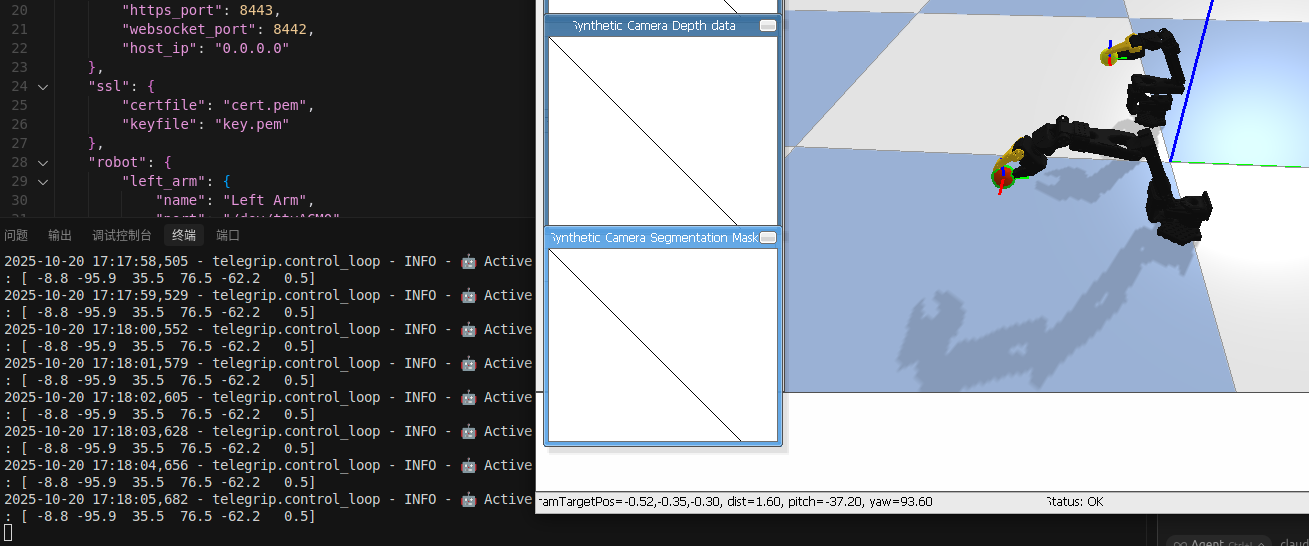

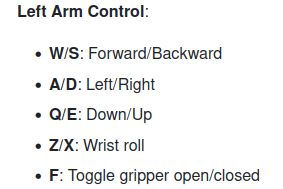
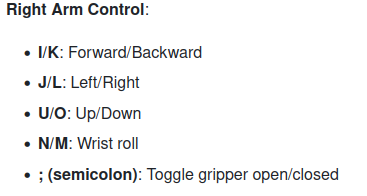
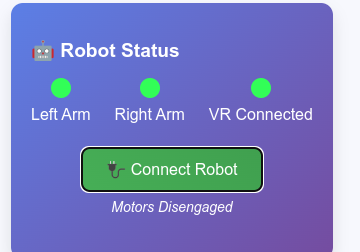
但是真实的机械臂并没有动作,只是锁电机了。需要在打开的web端点击 connect robot ,这时就可以使用键盘控制 real 机械臂了。
VR也是同理的,那么我现在来用VR试一下