前言
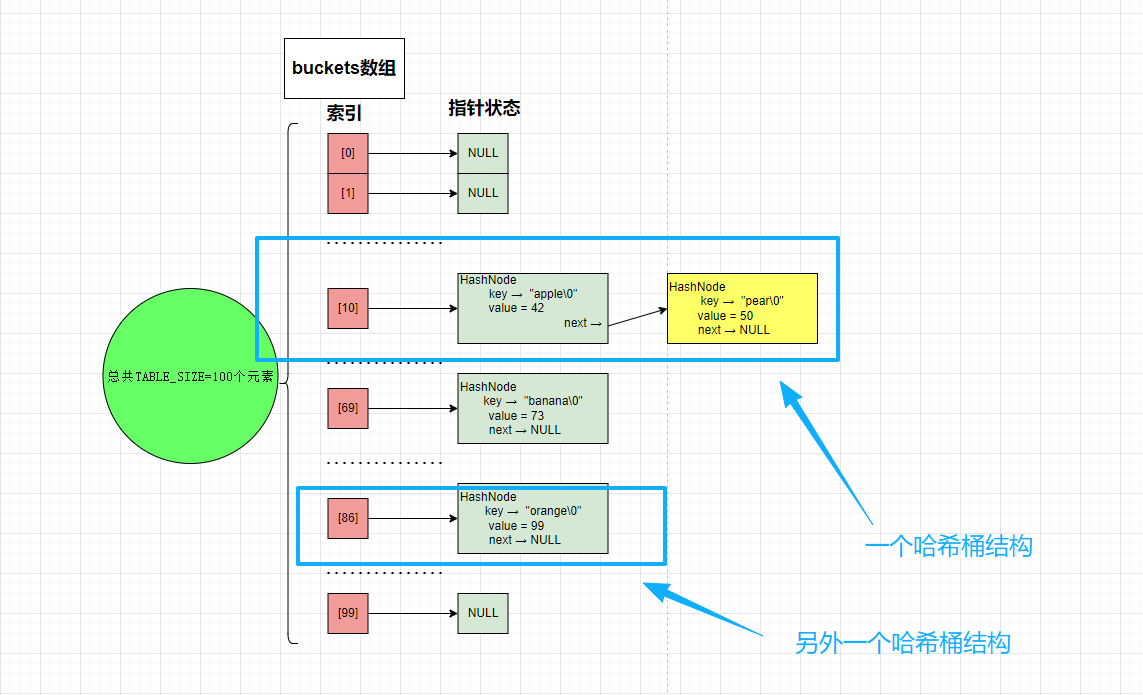
如果前面分享出来的《双链表操作》、《哈希到哈希表...》没有理解,或许难以理解以"哈希表+链表"的桶结构
- 哈希桶结构
- 链表结构
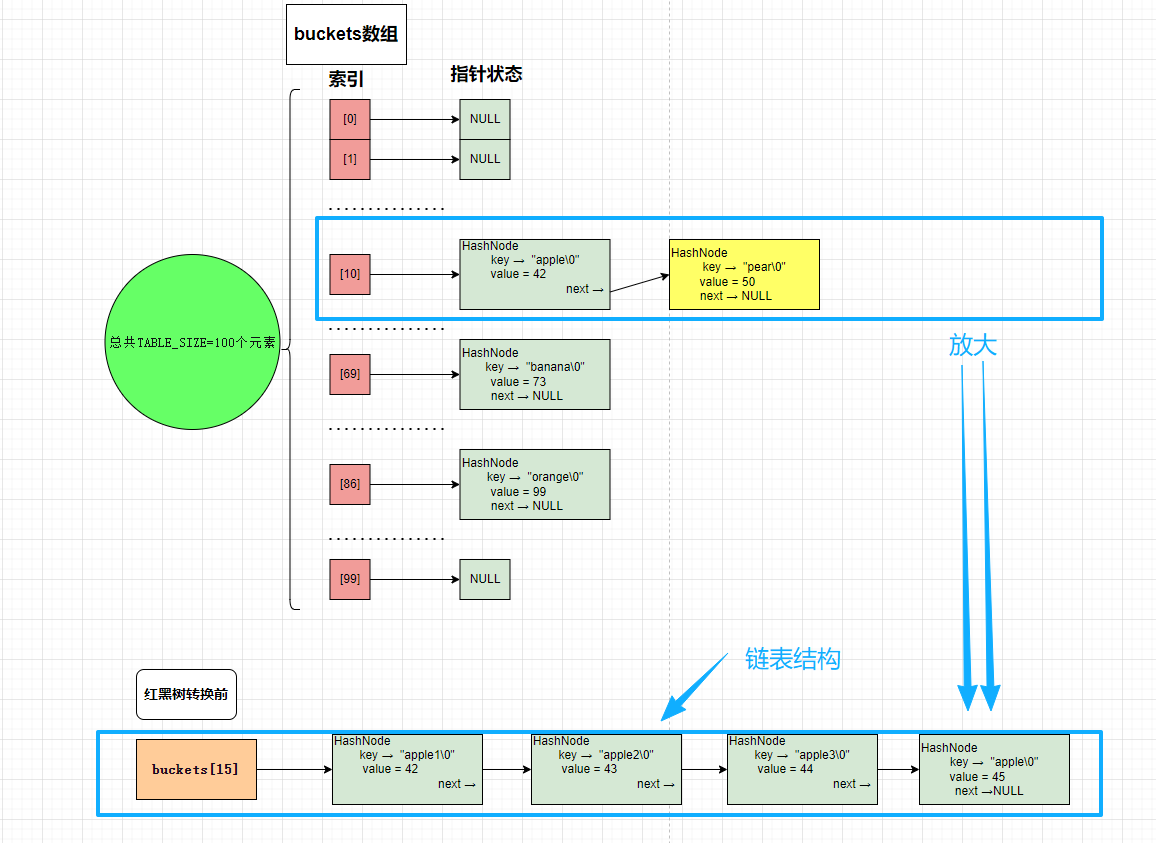
无线连接的设备的存储正是靠"哈希表+链表"的桶结构组成。
我们为什么要跟踪学习设备列表维护呢?
- 它展示了如何设计一个周期性维护的核心框架------入口检查、加锁遍历、子功能调用、状态聚合、批量处理、定时器重置,形成了一个完整且可扩展的维护循环
- 可以以框架性的思维理解kernel与driver交互逻辑,而非散乱的知识点乱飞
情景
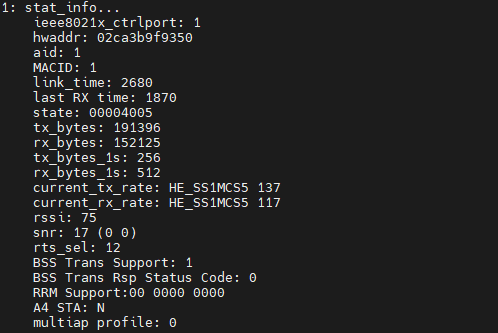
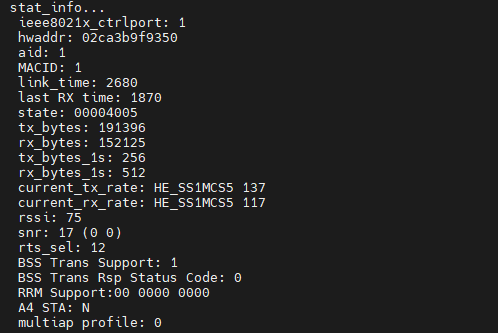
- 当我们使用 shell 来查看 cat proc/wlan0/sta_info查看我们的AP连接的无线终端时,到底会经历怎样的过程?
- 当然,结果我可以给出来,如下:
上面的框架给出来了,那我们如何来更新这样的列表呢?那么我们就可以进行后面的详细分析
开始之前,我么那必须了解几个关键的结构体
- struct sta_info:代表一个关联的无线终端(Station),指针指向了这个终端
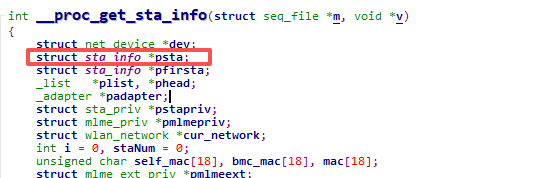
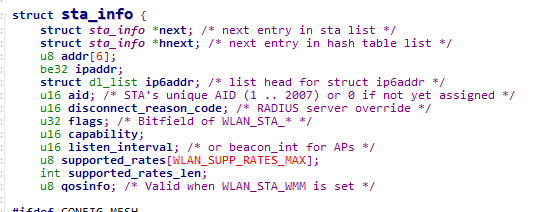
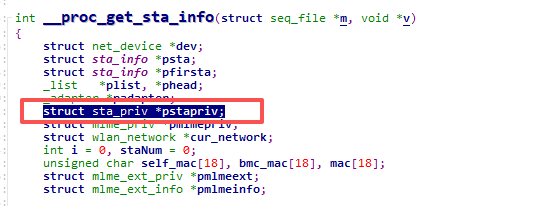
- struct sta_priv:是终端管理器的核心结构体,负责组织和管理所有终端(sta_info)
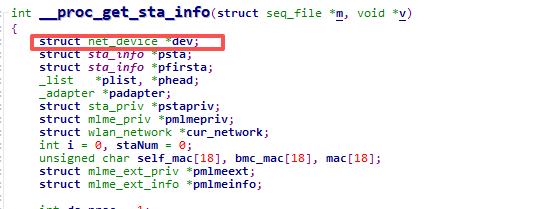
- struct net_device 是 Linux 内核网络子系统中最重要的核心结构体,代表一个网络设备接口,如wlan0
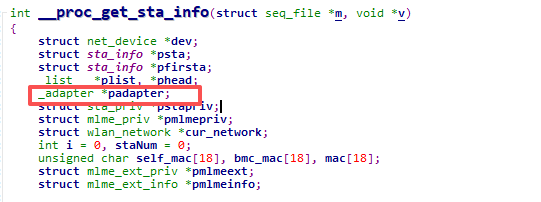
- 代表一个无线网络接口的驱动实例
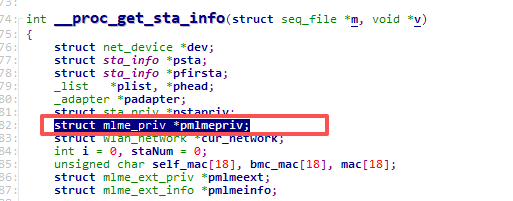
- MLME(MAC Layer Management Entity,MAC层管理实体)的管理结构体,负责无线网络的管理功能
终端的管理及初始化
下面是驱动初始化及维护设备列表的全流程
- PCI驱动结构体定义:设备的探测函数rtw_dev_probe(必经之路)
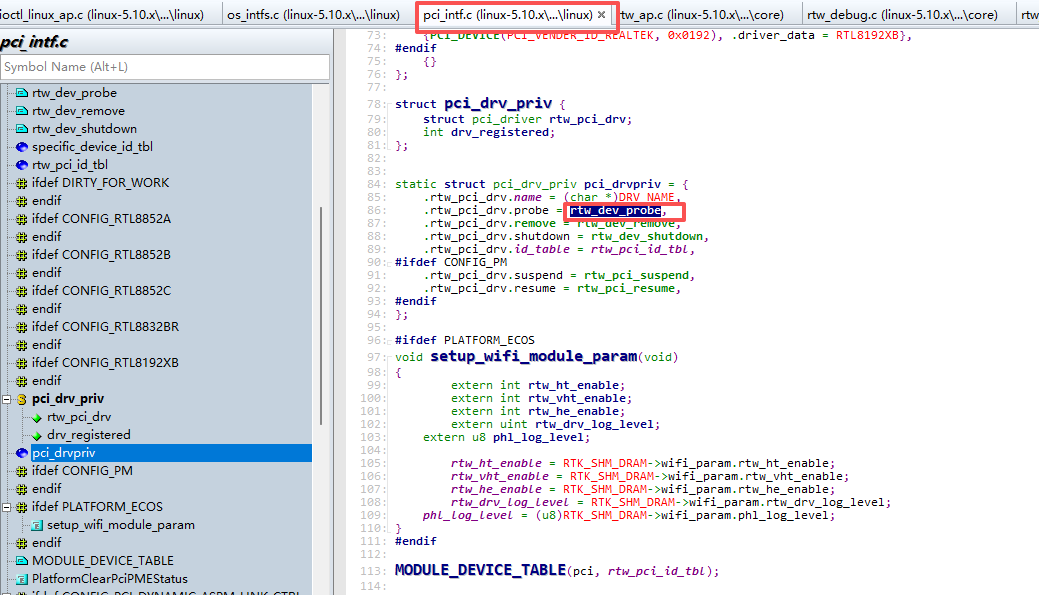
- PCI驱动的探测函数,是驱动初始化的核心入口
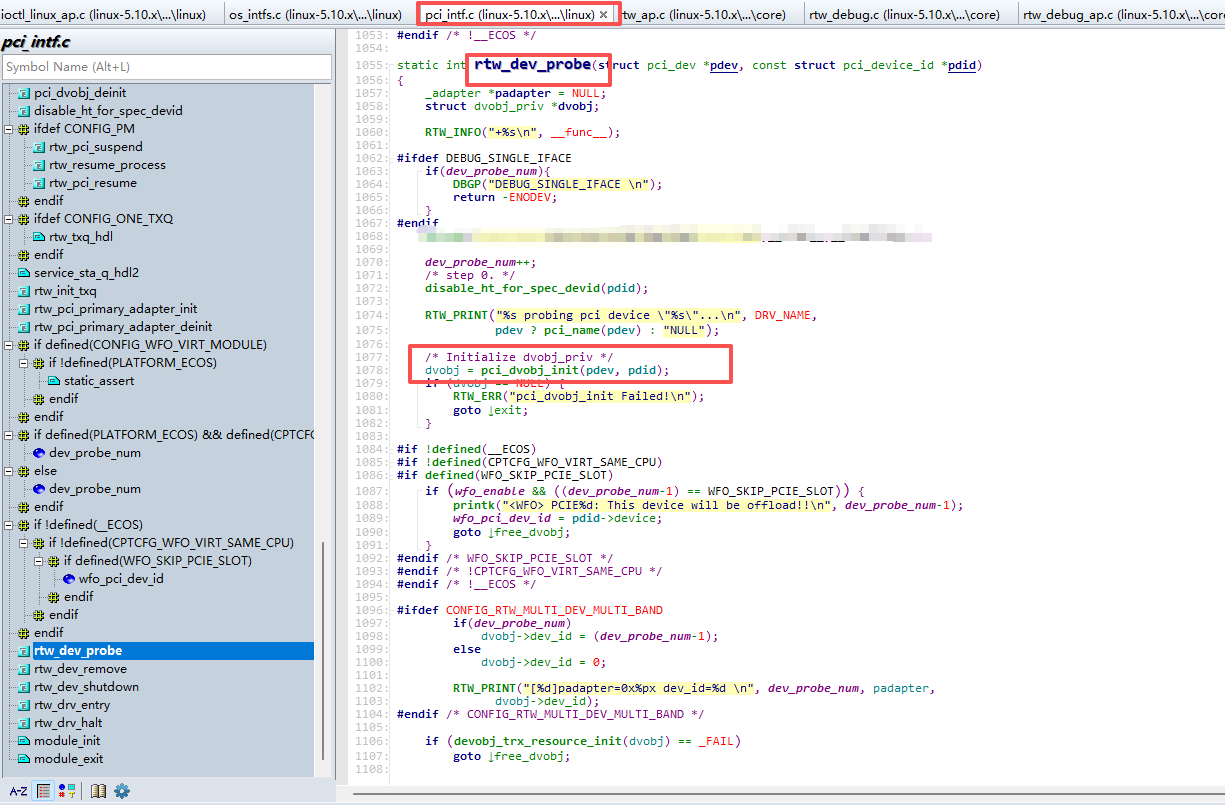
- PCI设备对象初始化,负责分配和初始化设备级别的数据结构dvobj_priv,并完成PCI设备的基本配置
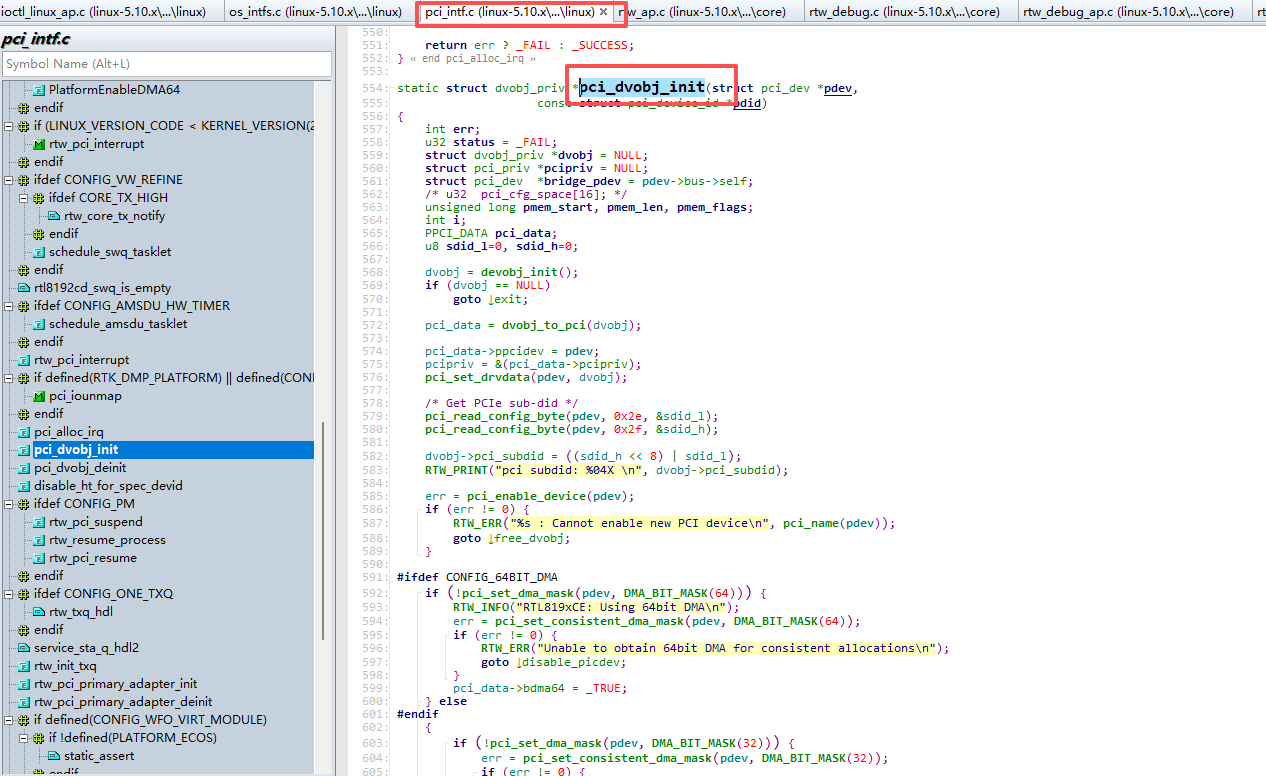
- 设备对象初始化的基础函数,负责分配和初始化dvobj_priv结构体的所有基础成员
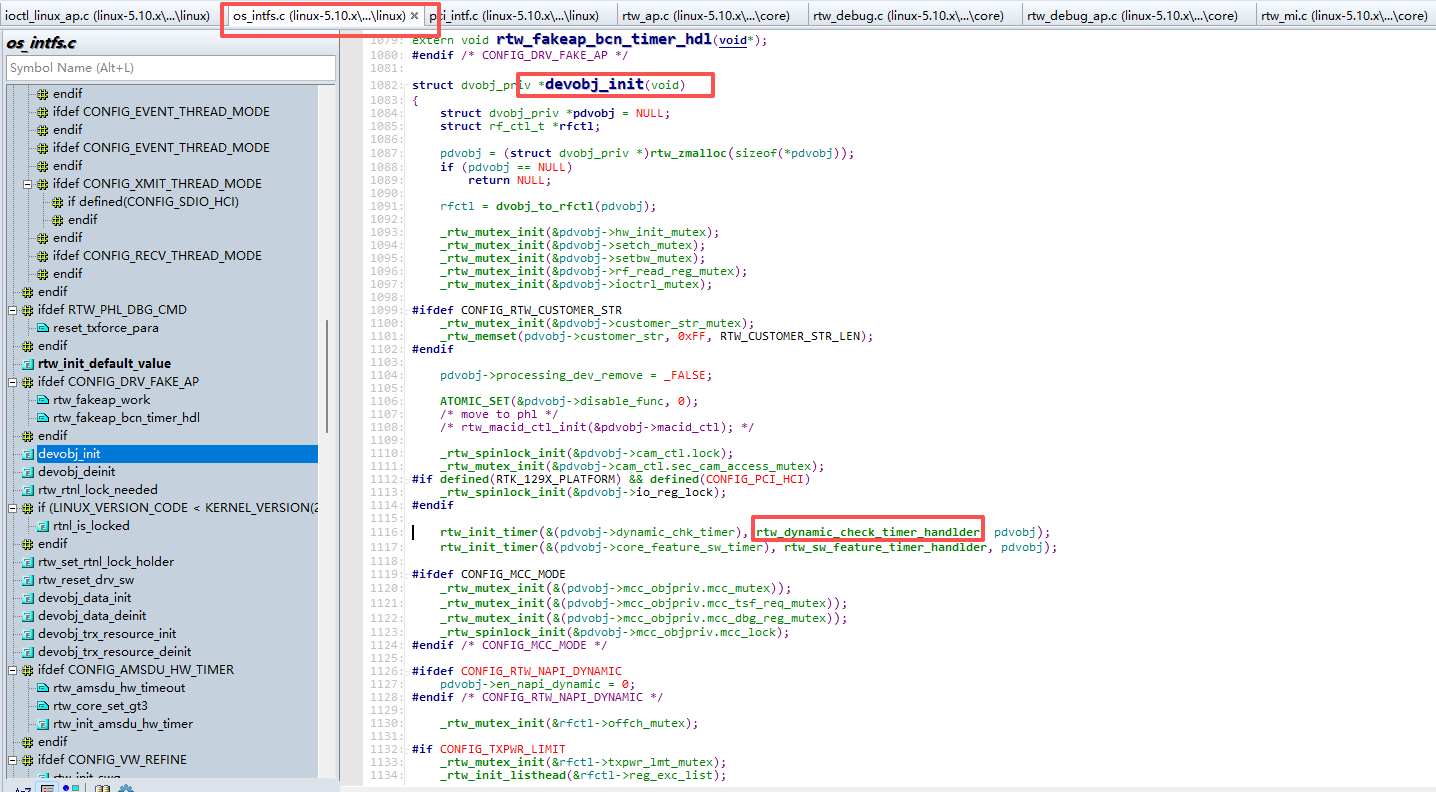
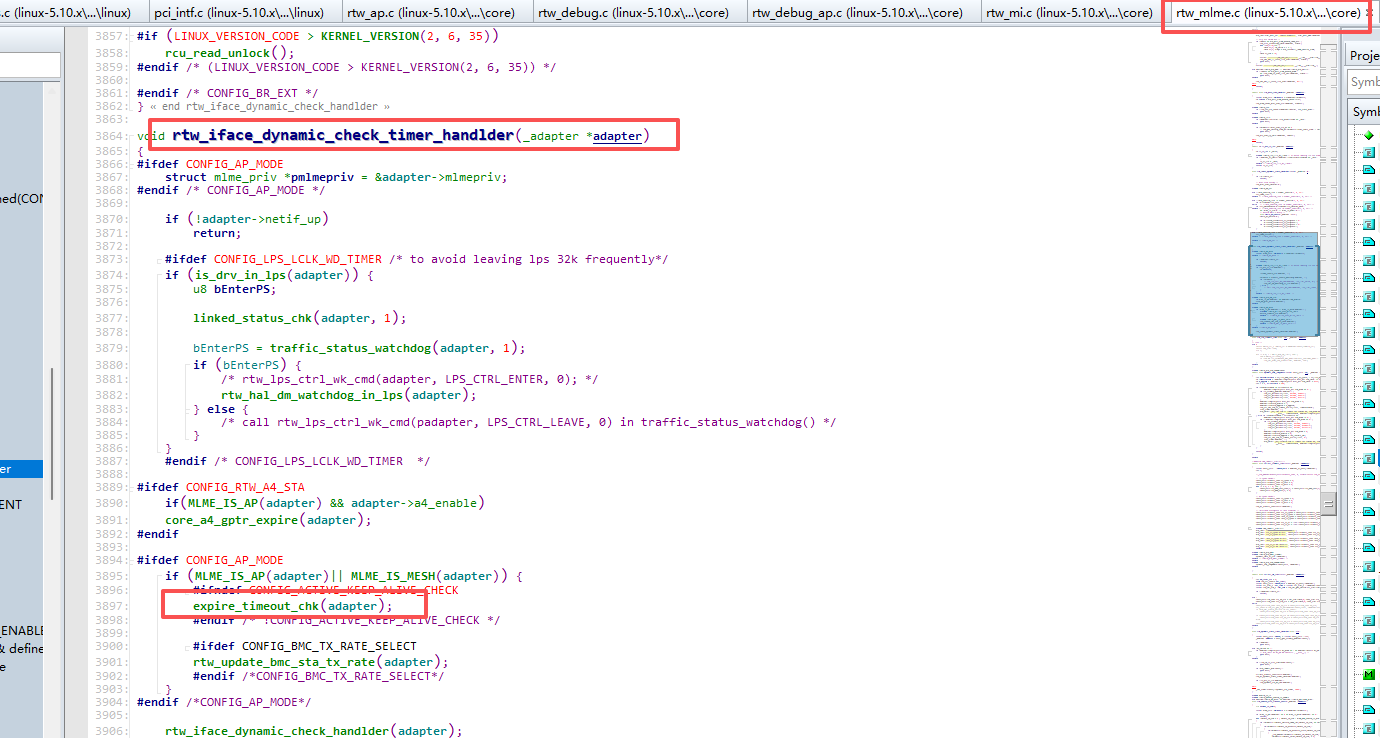
- 动态检查定时器的处理函数,每2秒执行一次,是整个驱动周期性维护的入口
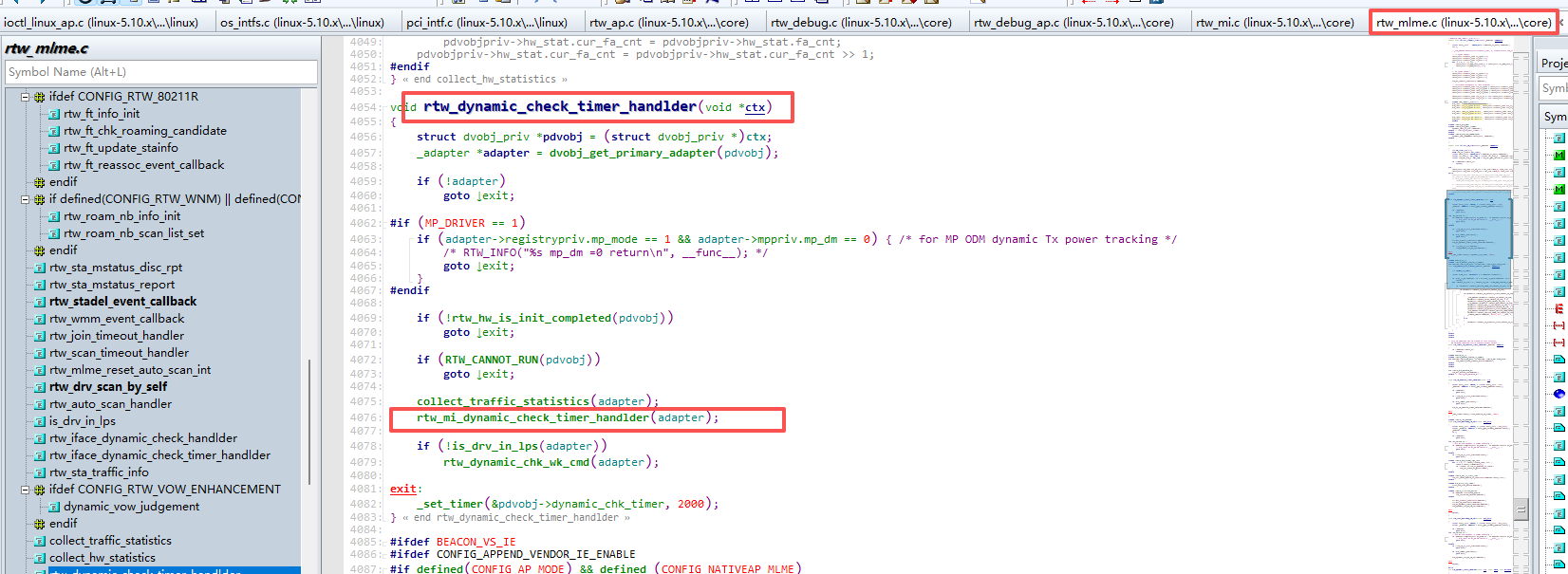
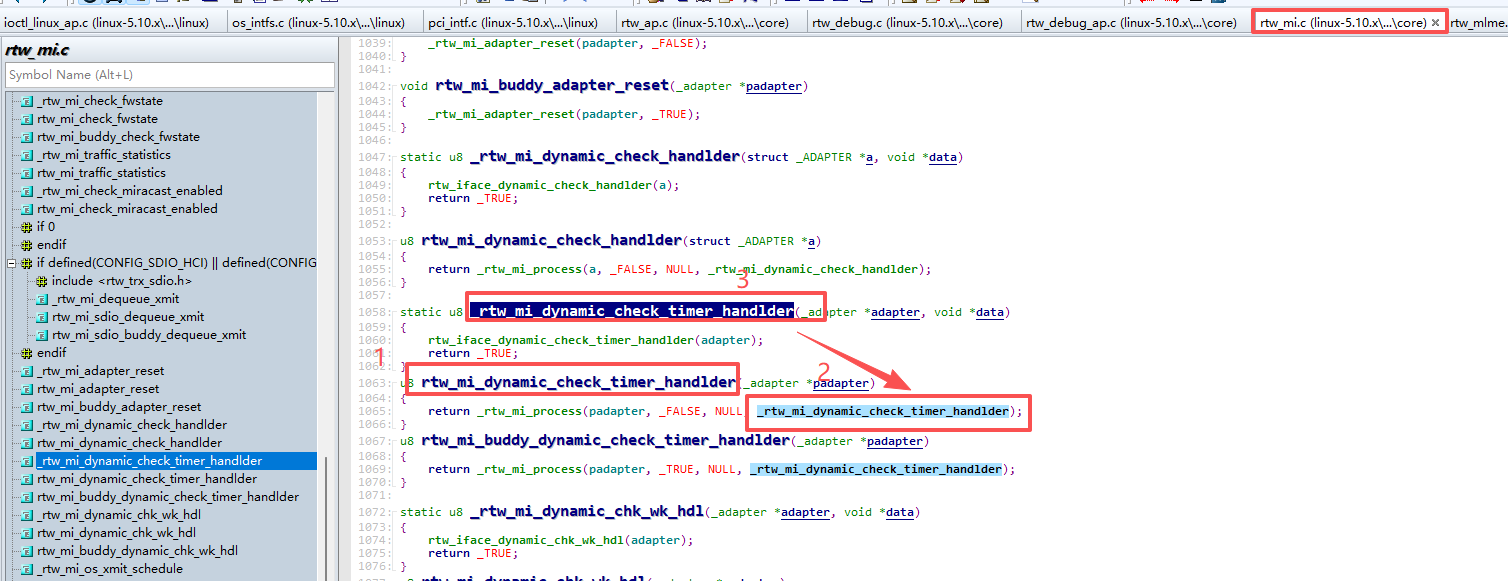
- 接口级别的动态检查定时器处理函数,每个网络接口(adapter)都有自己的定时器,负责该接口的周期性维护
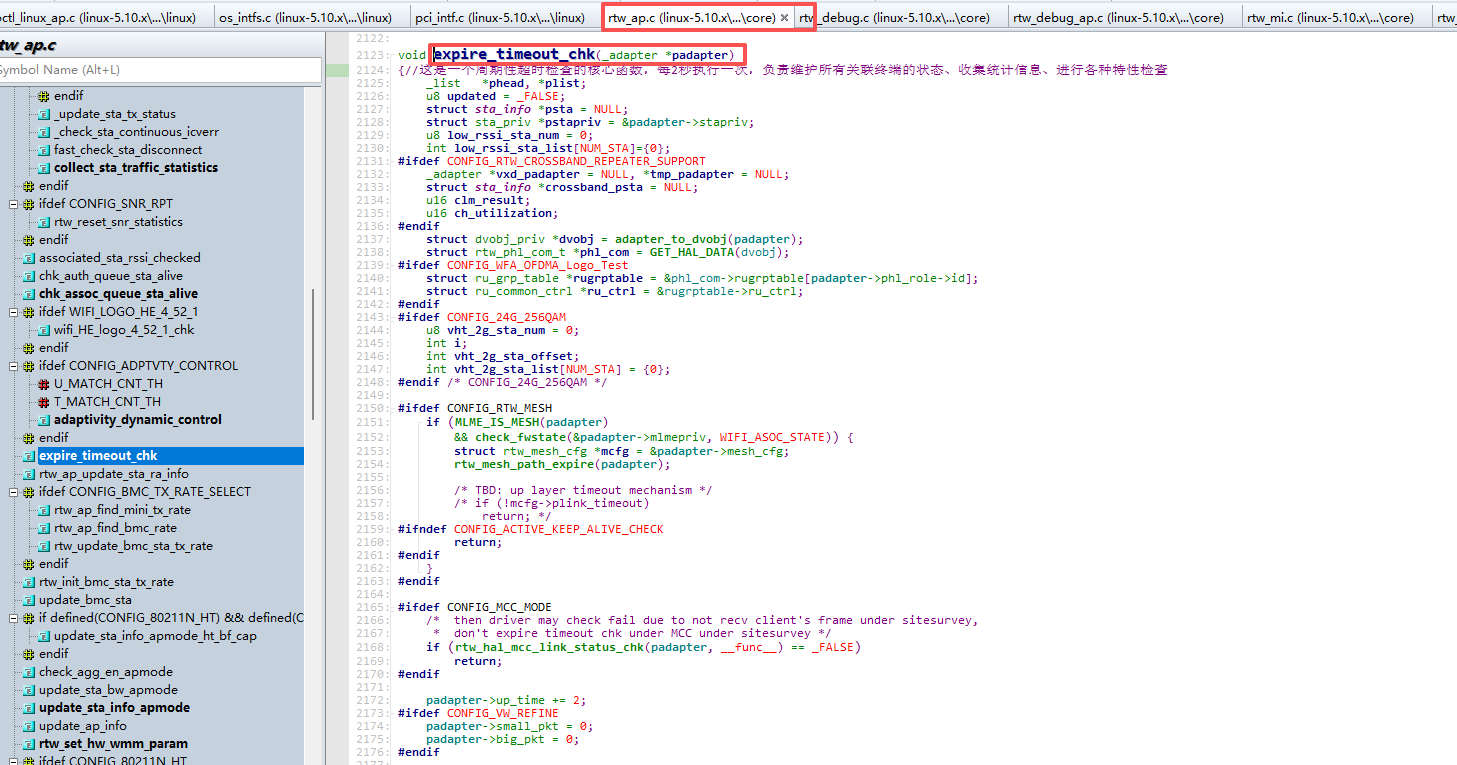
- 是一个周期性超时检查的核心函数,每2秒执行一次,负责维护所有关联终端的状态、收集统计信息、进行各种特性检查
- 如此繁杂的函数,在此时,我们要学习的框架,而非细则。所以我们把这个函数简化:
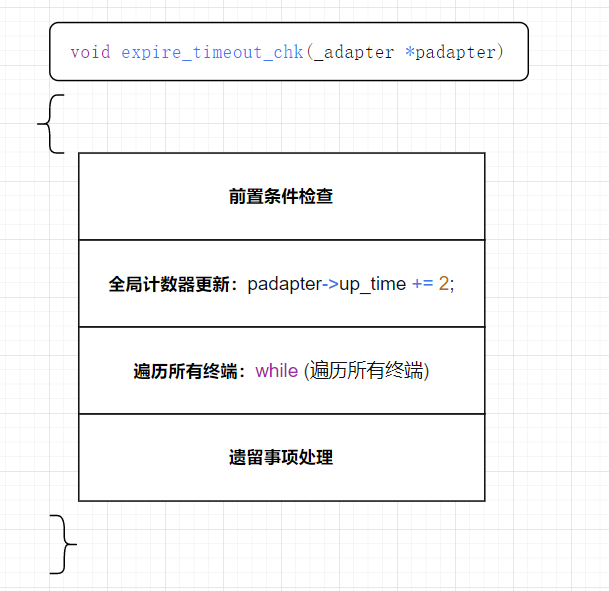
如下是此函数的备注与解析(重点)
c
void expire_timeout_chk(_adapter *padapter)
{//这是一个周期性超时检查的核心函数,每2秒执行一次,负责维护所有关联终端的状态、收集统计信息、进行各种特性检查
_list	*phead, *plist; // 链表头指针和遍历指针
u8 updated = _FALSE;// 更新标志,记录是否有终端状态变化需要通知上层
struct sta_info *psta = NULL;// 当前遍历到的终端结构体指针
struct sta_priv *pstapriv = &padapter->stapriv;// 获取终端管理私有数据
u8 low_rssi_sta_num = 0;
int low_rssi_sta_list[NUM_STA]={0};
#ifdef CONFIG_RTW_CROSSBAND_REPEATER_SUPPORT
_adapter *vxd_padapter = NULL, *tmp_padapter = NULL;
struct sta_info *crossband_psta = NULL;
u16 clm_result;
u16 ch_utilization;
#endif
struct dvobj_priv *dvobj = adapter_to_dvobj(padapter);// 获取设备对象
struct rtw_phl_com_t *phl_com = GET_HAL_DATA(dvobj);// 获取PHY层通用数据
#ifdef CONFIG_WFA_OFDMA_Logo_Test
struct ru_grp_table *rugrptable = &phl_com->rugrptable[padapter->phl_role->id];
struct ru_common_ctrl ru_ctrl = &rugrptable->ru_ctrl;#endif#ifdef CONFIG_24G_256QAMu8 vht_2g_sta_num = 0;int i;int vht_2g_sta_offset;int vht_2g_sta_list[NUM_STA] = {0};#endif / CONFIG_24G_256QAM */
padapter->up_time += 2;// 系统运行时间增加2秒

#ifdef CONFIG_VW_REFINE
padapter->small_pkt = 0;
padapter->big_pkt = 0;
#endif
#ifdef CONFIG_OCTOSCOPE_REFINE// Octoscope优化(条件编译)
padapter->octoscope_big_pkt = 0;
padapter->octoscope_medium_pkt = 0;
padapter->octoscope_small_pkt = 0;
#endif
#ifdef CONFIG_RTW_CROSSBAND_REPEATER_SUPPORT
if (is_primary_adapter(padapter)) {
rtw_crossband_update_status(padapter);
}
#endif
reset_accumulated_tp(padapter);// 重置累积吞吐量统计

/*----------------------- 遍历关联链表,检查所有终端 -----------------------*/
/*check every assoc station status*/
_rtw_spinlock_bh(&pstapriv->asoc_list_lock);// 加锁保护关联链表(防止并发修改)
phead = &pstapriv->asoc_list;// 获取链表头
plist = get_next(phead);// 获取第一个实际节点
// 遍历整个关联链表
while ((rtw_end_of_queue_search(phead, plist)) == _FALSE) {
	// 通过链表节点获取包含它的sta_info结构体
	psta = LIST_CONTAINOR(plist, struct sta_info, asoc_list);
	plist = get_next(plist);// 预取下一个节点(防止删除当前节点后丢失)
	psta->link_time += 2; /* link time add 2 secs */// 终端连接时间增加2秒

#ifdef CONFIG_24G_256QAM // 检查终端是否可能支持2.4G VHT(通过接收速率判断)
if (padapter->registrypriv.wifi_mib.vht_proprietary & VHT_2G_CHK_RX_RATE &&
!psta->phl_sta->vht_2g_supported &&// 尚未标记为支持
is_supported_24g(padapter->registrypriv.band_type) &&// 网卡支持2.4G频段
is_supported_ht(psta->phl_sta->wmode) &&// sta支持HT模式
!is_supported_vht(psta->phl_sta->wmode)) {// 尚未支持VHT
u16 rate = psta->cur_rx_data_rate;// 获取当前接收速率
if (rate >= RTW_DATA_RATE_VHT_NSS1_MCS0 && rate <= RTW_DATA_RATE_VHT_NSS4_MCS9) {
psta->phl_sta->vht_2g_supported = 1;// 标记为支持2.4G VHT
if (padapter->registrypriv.wifi_mib.vht_proprietary & VHT_2G_UPT_RA)
rtw_phl_ra_update(dvobj->phl, psta->phl_sta);// 更新速率自适应算法
}
}
		// 收集需要调查VHT 2.4G支持的终端
	if (padapter->registrypriv.wifi_mib.vht_proprietary & VHT_2G_SURVEY &&
	    psta->vht_2g_chk_cnt < 5 &&// 检查次数小于5次
	    !psta->phl_sta->vht_2g_supported) {// 尚未支持
		vht_2g_sta_offset = rtw_stainfo_offset(pstapriv, psta);// 获取终端偏移量
		if (stainfo_offset_valid(vht_2g_sta_offset)) // 如果偏移量有效
			vht_2g_sta_list[vht_2g_sta_num++] = vht_2g_sta_offset;// 加入待调查列表
	}

#endif /* CONFIG_24G_256QAM */
#ifdef CONFIG_ATMEL_RC_PATCH
RTW_INFO("%s:%d  psta=%p, %02x,%02x||%02x,%02x  \n\n", func,  LINE,
psta, pstapriv->atmel_rc_pattern[0], pstapriv->atmel_rc_pattern[5], psta->phl_sta->mac_addr[0], psta->phl_sta->mac_addr[5]);
if (_rtw_memcmp((void *)pstapriv->atmel_rc_pattern, (void *)(psta->phl_sta->mac_addr), ETH_ALEN) == _TRUE)
continue;
if (psta->flag_atmel_rc)
continue;
RTW_INFO("%s: debug line:%d\n", func, LINE);
#endif
#ifdef CONFIG_AUTO_AP_MODE
if (psta->isrc)// 如果是中继客户端,跳过(不进行过期检查)
continue;
#endif
	/*----------------------- 核心维护操作 -----------------------*/
	/* CONFIG_VW_REFINE */
	collect_sta_traffic_statistics(padapter, psta);// 收集终端流量统计信息
	//VCS_update(padapter, psta);
	if(!padapter->registrypriv.wifi_mib.rssi_ru_dump)
		display_sta_dump(padapter, psta);// 显示终端基本信息

#ifdef CONFIG_WFA_OFDMA_Logo_Test
else
display_sta_ofdma_info_dump(padapter, psta);// 显示OFDMA信息
#endif
#ifdef CONFIG_SNR_RPT
rtw_reset_snr_statistics(psta);// 重置SNR统计(信噪比)
#endif
	accumulate_whole_tp(padapter, psta);// 累计总吞吐量

#ifdef TX_BEAMFORMING
rtw_bf_chk_per_sta(padapter, psta);// 检查每个终端的波束成形状态
#endif
#ifdef CONFIG_WLAN_MANAGER
rtw_netlink_send_sta_rpt_msg(padapter, psta);// 通过netlink发送终端报告消息
#endif
#ifdef CONFIG_RTW_MULTI_AP
if (padapter->registrypriv.wifi_mib.multiap_report_rcpi_threshold != 0) {// 如果设置了多AP RCPI报告阈值
core_map_ap_sta_rssi_trigger(padapter, psta);// 检查RSSI触发条件
}
#endif
#ifdef WIFI_LOGO_HE_4_52_1
wifi_HE_logo_4_52_1_chk(padapter, psta);// WiFi HE标志测试(4.52.1)
#endif
}//wifi循环结束
_rtw_spinunlock_bh(&pstapriv->asoc_list_lock);// 解锁关联链表

#ifdef CONFIG_24G_256QAM/----------------------- 后处理:VHT 2.4G调查 -----------------------/
if (padapter->registrypriv.wifi_mib.vht_proprietary & VHT_2G_SURVEY) {
for (i = 0; i < vht_2g_sta_num; i++) {
psta = rtw_get_stainfo_by_offset(pstapriv, vht_2g_sta_list[i]);
rtw_vht_2g_survey(padapter, psta);
}
}
#endif /* CONFIG_24G_256QAM */
#ifdef CONFIG_PHL_TX_STATS_CORE/----------------------- 设备级TX统计 -----------------------/
rtw_phl_acc_device_tx_statistics(padapter->dvobj->phl,
padapter->xmitpriv.tx_bytes, padapter->xmitpriv.tx_uc_pkts, padapter->tp_total_tx);
#endif
/----------------------- 总吞吐量显示 -----------------------/
if ((padapter->registrypriv.wifi_mib.totaltp_dump) &&
(padapter->up_time % padapter->registrypriv.wifi_mib.totaltp_dump == 0)) {
RTW_PRINT("(TotalTP %d)(T:%d, R:%d)\n",// 打印总收发吞吐量
(padapter->tp_total_trx >> 10),
(padapter->tp_total_tx >> 10),
(padapter->tp_total_rx >> 10));
}
#ifdef CONFIG_TX_DEFER/----------------------- 发送延迟调度 -----------------------/
{
struct xmit_priv	*pxmitpriv = &padapter->xmitpriv;
if(padapter->registrypriv.wifi_mib.defer_tx_sched) {
		if(pxmitpriv->defer_tx_flag) {
			rtw_phl_tx_req_notify(padapter->dvobj->phl);
			ATOMIC_SET(&pxmitpriv->defer_tx_cnt, 0);
		}

		if((padapter->tp_total_tx >> 10) > padapter->registrypriv.wifi_mib.defer_tx_tp) {
			pxmitpriv->defer_tx_flag = 1;
			_set_timer(&pxmitpriv->tx_defer_timer, 500);
		} else {
			ATOMIC_SET(&pxmitpriv->defer_tx_cnt, 0);
			pxmitpriv->defer_tx_flag = 0;
			_cancel_timer_ex(&pxmitpriv->tx_defer_timer);
		}
	} else {
		pxmitpriv->defer_tx_flag = 0;
	}
}

#endif
/----------------------- 队列存活检查 -----------------------/
updated |= chk_auth_queue_sta_alive(padapter); // 检查认证队列中的终端是否存活
updated |= chk_assoc_queue_sta_alive(padapter); // 检查关联队列中的终端是否存活
/*----------------------- 更新关联客户端信息 -----------------------*/
if (updated)
	associated_clients_update(padapter, updated, STA_INFO_UPDATE_ALL);// 更新所有信息
else
	associated_clients_update(padapter, 1, STA_INFO_UPDATE_PROTECTION_MODE);// 只更新保护模式

#ifdef CONFIG_ADPTVTY_CONTROL/----------------------- 自适应控制 -----------------------/
adaptivity_dynamic_control(padapter);// 自适应动态控制(可能用于干扰避免)
#endif /* CONFIG_ADPTVTY_CONTROL */
#ifdef RTW_SUPPORT_BANDWIDTH_SWITCH/----------------------- 带宽切换检查 -----------------------/
if(check_fwstate(&padapter->mlmepriv, WIFI_AP_STATE) == _TRUE && is_primary_adapter(padapter) && (dvobj->bws_enable & 0x1))// 如果是AP模式、主适配器、且启用了带宽切换
rtw_check_Bandwidth(padapter);// 检查是否需要切换带宽(20/40/80MHz)
#endif
}
到现在好像都还没有突出我们跟踪这个周期性维护设备列表的学习重点,现在我们就从更新信息上挑一部分来理解如何更新的
首先给出一个问题
- 从PHY(物理层)获取数据的逻辑是什么?
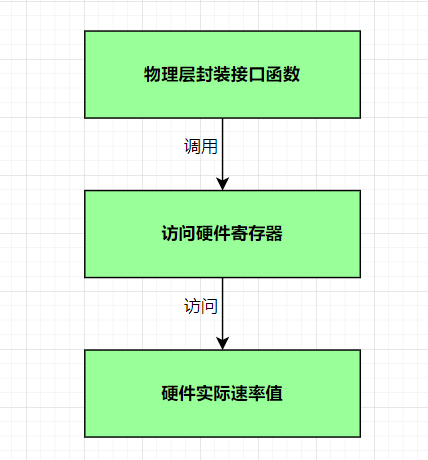
-
那就以变换比较频繁的流量统计函数为例
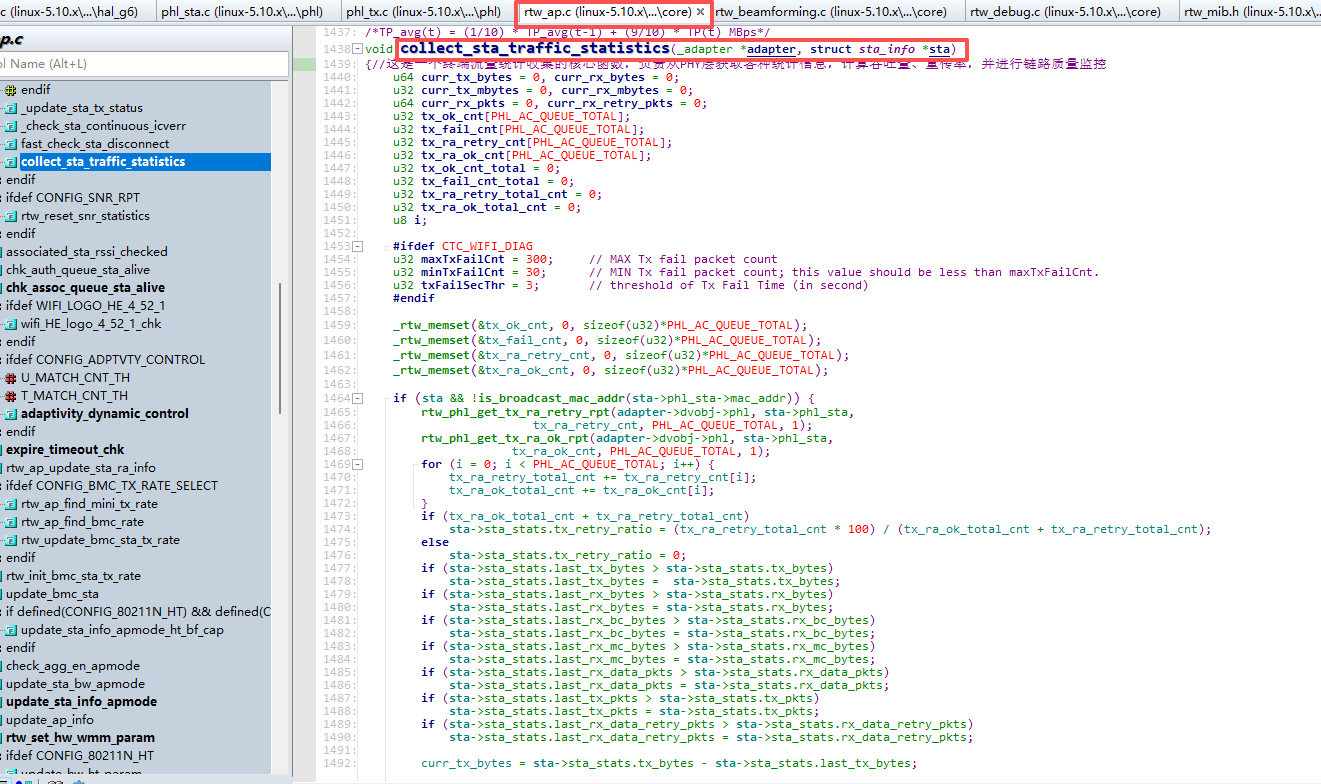
这是一个终端流量统计收集的核心函数,负责从PHY层获取各种统计信息,计算吞吐量、重传率,并进行链路质量监控
-
如下是此函数的重点解析

对以上参数进行性对比分析:

只有清楚了参数的作用,才可以理解后面的算法统计
-
从PHY层获取该终端的发送报告,并计算出所有队列的的计数

-
计算重传率

-
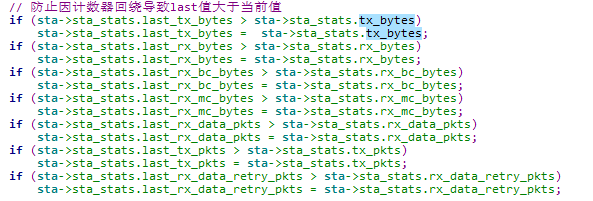
错误校验:防止因计数器回绕导致last值大于当前值
-
计算当前周期内的增量,可以计算吞吐量,计算吞吐量:公式:字节 * 8(转bit) / 2(2秒周期) / 1024(转K)

-
更新last记录为当前值(为下一个周期准备)

-
获取所有队列发送统计,并更新到sta_info


-
更新终端速率、带宽到sta_info结构体中

如下是代码:
c
void collect_sta_traffic_statistics(_adapter *adapter, struct sta_info *sta)
{//这是一个终端流量统计收集的核心函数,负责从PHY层获取各种统计信息,计算吞吐量、重传率,并进行链路质量监控
u64 curr_tx_bytes = 0, curr_rx_bytes = 0;
u32 curr_tx_mbytes = 0, curr_rx_mbytes = 0;
u64 curr_rx_pkts = 0, curr_rx_retry_pkts = 0;
u32 tx_ok_cnt[PHL_AC_QUEUE_TOTAL];// 各队列发送成功计数
u32 tx_fail_cnt[PHL_AC_QUEUE_TOTAL]; //各队列发送失败计数
u32 tx_ra_retry_cnt[PHL_AC_QUEUE_TOTAL];//各队列速率自适应重传计数,关注的是速率选择的准确性
u32 tx_ra_ok_cnt[PHL_AC_QUEUE_TOTAL];// 各队列速率自适应成功计数,关注的是速率选择的准确性
u32 tx_ok_cnt_total = 0;//所有队列发送成功总数
u32 tx_fail_cnt_total = 0;//所有队列发送失败总数
u32 tx_ra_retry_total_cnt = 0;//所有队列速率自适应重传总数
u32 tx_ra_ok_total_cnt = 0;//所有队列速率自适应成功总数
u8 i;
#ifdef CTC_WIFI_DIAG
u32 maxTxFailCnt = 300; 	// MAX Tx fail packet count
u32 minTxFailCnt = 30;		// MIN Tx fail packet count; this value should be less than maxTxFailCnt.
u32 txFailSecThr = 3;		// threshold of Tx Fail Time (in second)
#endif

/*----------------------- 初始化统计数组 -----------------------*/
_rtw_memset(&tx_ok_cnt, 0, sizeof(u32)*PHL_AC_QUEUE_TOTAL);// 清零发送成功数组
_rtw_memset(&tx_fail_cnt, 0, sizeof(u32)*PHL_AC_QUEUE_TOTAL);// 清零发送成功数组
_rtw_memset(&tx_ra_retry_cnt, 0, sizeof(u32)*PHL_AC_QUEUE_TOTAL);// 清零重传数组
_rtw_memset(&tx_ra_ok_cnt, 0, sizeof(u32)*PHL_AC_QUEUE_TOTAL);// 清零成功数组

if (sta && !is_broadcast_mac_addr(sta->phl_sta->mac_addr)) {//只对有效且非广播终端处理
	rtw_phl_get_tx_ra_retry_rpt(adapter->dvobj->phl, sta->phl_sta,// 从PHY层获取该终端的发送重传报告
				    tx_ra_retry_cnt, PHL_AC_QUEUE_TOTAL, 1);
	rtw_phl_get_tx_ra_ok_rpt(adapter->dvobj->phl, sta->phl_sta,// 从PHY层获取该终端的发送成功报告
				 tx_ra_ok_cnt, PHL_AC_QUEUE_TOTAL, 1);
	for (i = 0; i < PHL_AC_QUEUE_TOTAL; i++) {// 累加所有队列的重传和成功计数
		tx_ra_retry_total_cnt += tx_ra_retry_cnt[i];
		tx_ra_ok_total_cnt += tx_ra_ok_cnt[i];
	}
	if (tx_ra_ok_total_cnt + tx_ra_retry_total_cnt)//计算重传率
		sta->sta_stats.tx_retry_ratio = (tx_ra_retry_total_cnt * 100) / (tx_ra_ok_total_cnt + tx_ra_retry_total_cnt);
	else
		sta->sta_stats.tx_retry_ratio = 0;// 没有数据时重传率为0
	// 防止因计数器回绕导致last值大于当前值
	if (sta->sta_stats.last_tx_bytes > sta->sta_stats.tx_bytes)
		sta->sta_stats.last_tx_bytes =  sta->sta_stats.tx_bytes;
	if (sta->sta_stats.last_rx_bytes > sta->sta_stats.rx_bytes)
		sta->sta_stats.last_rx_bytes = sta->sta_stats.rx_bytes;
	if (sta->sta_stats.last_rx_bc_bytes > sta->sta_stats.rx_bc_bytes)
		sta->sta_stats.last_rx_bc_bytes = sta->sta_stats.rx_bc_bytes;
	if (sta->sta_stats.last_rx_mc_bytes > sta->sta_stats.rx_mc_bytes)
		sta->sta_stats.last_rx_mc_bytes = sta->sta_stats.rx_mc_bytes;
	if (sta->sta_stats.last_rx_data_pkts > sta->sta_stats.rx_data_pkts)
		sta->sta_stats.last_rx_data_pkts = sta->sta_stats.rx_data_pkts;
	if (sta->sta_stats.last_tx_pkts > sta->sta_stats.tx_pkts)
		sta->sta_stats.last_tx_pkts = sta->sta_stats.tx_pkts;
	if (sta->sta_stats.last_rx_data_retry_pkts > sta->sta_stats.rx_data_retry_pkts)
		sta->sta_stats.last_rx_data_retry_pkts = sta->sta_stats.rx_data_retry_pkts;

	//计算当前周期内的增量
	curr_tx_bytes = sta->sta_stats.tx_bytes - sta->sta_stats.last_tx_bytes;
	curr_rx_bytes = sta->sta_stats.rx_bytes - sta->sta_stats.last_rx_bytes;

	// 当前周期包数
	sta->sta_stats.rx_data_pkts_cur = sta->sta_stats.rx_data_pkts - sta->sta_stats.last_rx_data_pkts;
	sta->sta_stats.tx_data_pkts_cur = sta->sta_stats.tx_pkts - sta->sta_stats.last_tx_pkts;
	sta->sta_stats.rx_data_retry_pkts_cur = sta->sta_stats.rx_data_retry_pkts - sta->sta_stats.last_rx_data_retry_pkts;
	sta->sta_stats.tx_data_retry_pkts_cur = tx_ra_retry_total_cnt; // 当前重传数直接从报告获取

	//计算吞吐量:公式:字节 * 8(转bit) / 2(2秒周期) / 1024(转K)
	sta->sta_stats.tx_tp_kbits = (curr_tx_bytes * 8 / 2) >> 10;/*Kbps*/
	sta->sta_stats.rx_tp_kbits = (curr_rx_bytes * 8 / 2) >> 10;/*Kbps*/

	//计算平滑吞吐量
	sta->sta_stats.smooth_tx_tp_kbits = (sta->sta_stats.smooth_tx_tp_kbits * 6 / 10) + (sta->sta_stats.tx_tp_kbits * 4 / 10);/*Kbps*/
	sta->sta_stats.smooth_rx_tp_kbits = (sta->sta_stats.smooth_rx_tp_kbits * 6 / 10) + (sta->sta_stats.rx_tp_kbits * 4 / 10);/*Kbps*/

#ifdef CONFIG_AMSDU_HW_TIMER// AMSDU硬件定时器专用的平滑包率
sta->sta_stats.smooth_tx_data_pkts_pps = (sta->sta_stats.smooth_tx_data_pkts_pps * 3 / 10) + (sta->sta_stats.tx_data_pkts_cur * 7 / 10);/Kbps/
#endif
//计算PHY层移动平均吞吐量:转换为MBps:字节/2(2秒周期)/ 1024/1024(转MB) = 字节/2 >> 20
curr_tx_mbytes = (curr_tx_bytes / 2) >> 20;/MBps/
curr_rx_mbytes = (curr_rx_bytes / 2) >> 20;/MBps/
	// PHY层移动平均
	sta->phl_sta->stats.tx_moving_average_tp =
		(sta->phl_sta->stats.tx_moving_average_tp / 10) + (curr_tx_mbytes * 9 / 10); /*MBps*/

	sta->phl_sta->stats.rx_moving_average_tp =
		(sta->phl_sta->stats.rx_moving_average_tp / 10) + (curr_rx_mbytes * 9 /10); /*MBps*/

	//更新last记录为当前值(为下一个周期准备)
	sta->sta_stats.last_tx_bytes = sta->sta_stats.tx_bytes;
	sta->sta_stats.last_rx_bytes = sta->sta_stats.rx_bytes;
	sta->sta_stats.last_rx_bc_bytes = sta->sta_stats.rx_bc_bytes;
	sta->sta_stats.last_rx_mc_bytes = sta->sta_stats.rx_mc_bytes;
	sta->sta_stats.last_rx_data_pkts = sta->sta_stats.rx_data_pkts;
	sta->sta_stats.last_tx_pkts = sta->sta_stats.tx_pkts;
	sta->sta_stats.last_rx_data_retry_pkts = sta->sta_stats.rx_data_retry_pkts;
	sta->sta_stats.last_tx_data_retry_pkts = sta->sta_stats.tx_data_retry_pkts;

	//累计重传统计
	sta->sta_stats.tx_data_retry_pkts += tx_ra_retry_total_cnt;
	adapter->xmitpriv.tx_data_retry += tx_ra_retry_total_cnt;
	#ifdef CONFIG_VW_REFINE
	adapter->vw_retry_cnt[sta->phl_sta->macid] = sta->sta_stats.tx_data_retry_pkts;
	#endif /* CONFIG_VW_REFINE */

	//获取发送成功/失败统计
	rtw_phl_get_tx_ok_rpt(adapter->dvobj->phl, sta->phl_sta, tx_ok_cnt, PHL_AC_QUEUE_TOTAL);
	rtw_phl_get_tx_fail_rpt(adapter->dvobj->phl, sta->phl_sta, tx_fail_cnt, PHL_AC_QUEUE_TOTAL);
	for (i = 0; i < PHL_AC_QUEUE_TOTAL; i++) {
		tx_ok_cnt_total += tx_ok_cnt[i];
		tx_fail_cnt_total += tx_fail_cnt[i];
	}

	//快速断开检查
	fast_check_sta_disconnect(adapter, sta); // 根据最近统计快速判断是否需要断开终端

#ifdef CTC_WIFI_DIAG//连续发送失败检测
if (tx_ok_cnt_total != 0) { // 有成功发送
sta->sta_stats.tx_conti_fail = 0;
sta->sta_stats.tx_conti_fail_cnt = 0;
sta->sta_stats.tx_last_good_time = adapter->up_time;
sta->sta_stats.leave = 0;
} else if (tx_fail_cnt_total != 0) {// 没有成功但有失败
sta->sta_stats.tx_conti_fail++;
sta->sta_stats.tx_conti_fail_cnt += tx_fail_cnt_total;
		ctcwifi_assoc_err(adapter, sta->phl_sta->mac_addr, "WiFi frames losing [tx_fail increases]\n");
		RTW_INFO( "detect: txfail=%d, tx_conti_fail_cnt=%d\n", tx_fail_cnt_total, sta->sta_stats.tx_conti_fail_cnt);

		if(((sta->sta_stats.tx_conti_fail_cnt >= maxTxFailCnt) ||// 判断是否达到断开阈值
			// 超过相对阈值且时间足够
			(sta->sta_stats.tx_conti_fail_cnt >= minTxFailCnt && adapter->up_time >= (sta->sta_stats.tx_last_good_time + txFailSecThr))) &&
			(sta->sta_stats.tx_conti_fail >= 3)) {// 连续失败次数至少3次

			// 打印详细信息
			RTW_INFO( "** tx_conti_fail_cnt=%d (min=%d,max=%d)\n", sta->sta_stats.tx_conti_fail_cnt, minTxFailCnt, maxTxFailCnt);
			RTW_INFO( "** tx_last_good_time=%d, up_time=%d (Thr:%d)\n", (int)sta->sta_stats.tx_last_good_time, (int)adapter->up_time, txFailSecThr );
			RTW_INFO( "AP is going to del_sta %02X:%02X:%02X:%02X:%02X:%02X\n", sta->phl_sta->mac_addr[0], sta->phl_sta->mac_addr[1] ,sta->phl_sta->mac_addr[2], sta->phl_sta->mac_addr[3], sta->phl_sta->mac_addr[4], sta->phl_sta->mac_addr[5]);
			ctcwifi_assoc_err(adapter, sta->phl_sta->mac_addr, "WiFi frames losing [STA is considered as disappeared]\n");

			// 重置计数器
			sta->sta_stats.tx_conti_fail = 0;
			sta->sta_stats.tx_conti_fail_cnt = 0;
			sta->sta_stats.tx_last_good_time = adapter->up_time;

			// 标记终端为"离开",设置3秒后过期
			if (sta->sta_stats.leave == 0) {
				sta->sta_stats.leave = 1;
				sta->expire_to = 3;
			}
		}
	}

#endif
//更新成功/失败累计统计
sta->sta_stats.last_tx_ok_cnt = sta->sta_stats.tx_ok_cnt;
sta->sta_stats.last_tx_fail_cnt = sta->sta_stats.tx_fail_cnt;
sta->sta_stats.tx_ok_cnt += tx_ok_cnt_total;
sta->sta_stats.tx_fail_cnt += tx_fail_cnt_total;
#ifdef CONFIG_PHL_TX_STATS_CORE//同步TX统计到PHL层
rtw_phl_sync_tx_statistics(sta->phl_sta,
sta->sta_stats.last_tx_bytes, sta->sta_stats.last_tx_bytes, sta->sta_stats.tx_tp_kbits);
#endif
	_check_sta_continuous_icverr(adapter, sta);
	//更新终端速率、带宽到sta_info结构体中
	_update_sta_tx_status(adapter, sta);
	//终端动态控制
	sta_dynamic_control(adapter, sta);
}

}
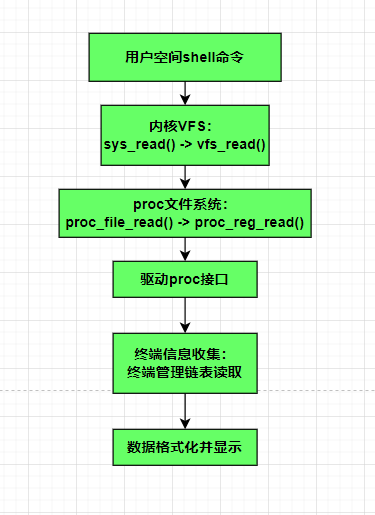
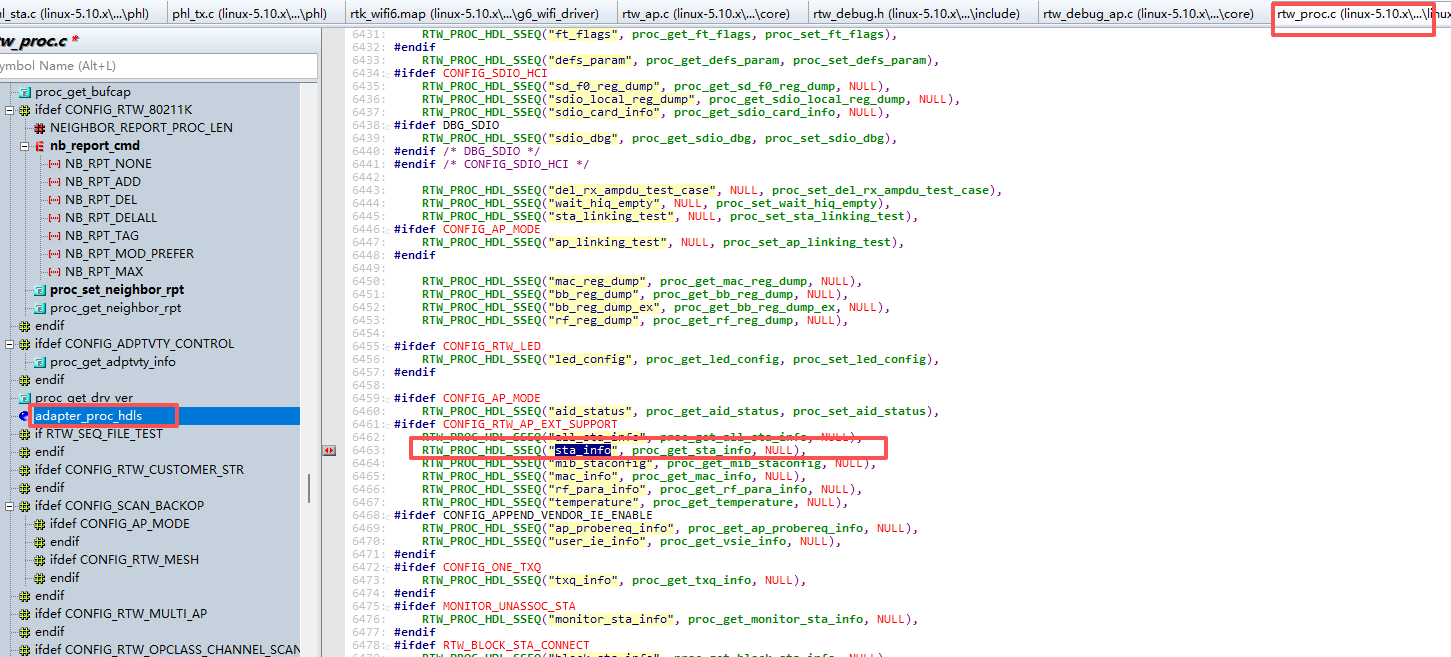
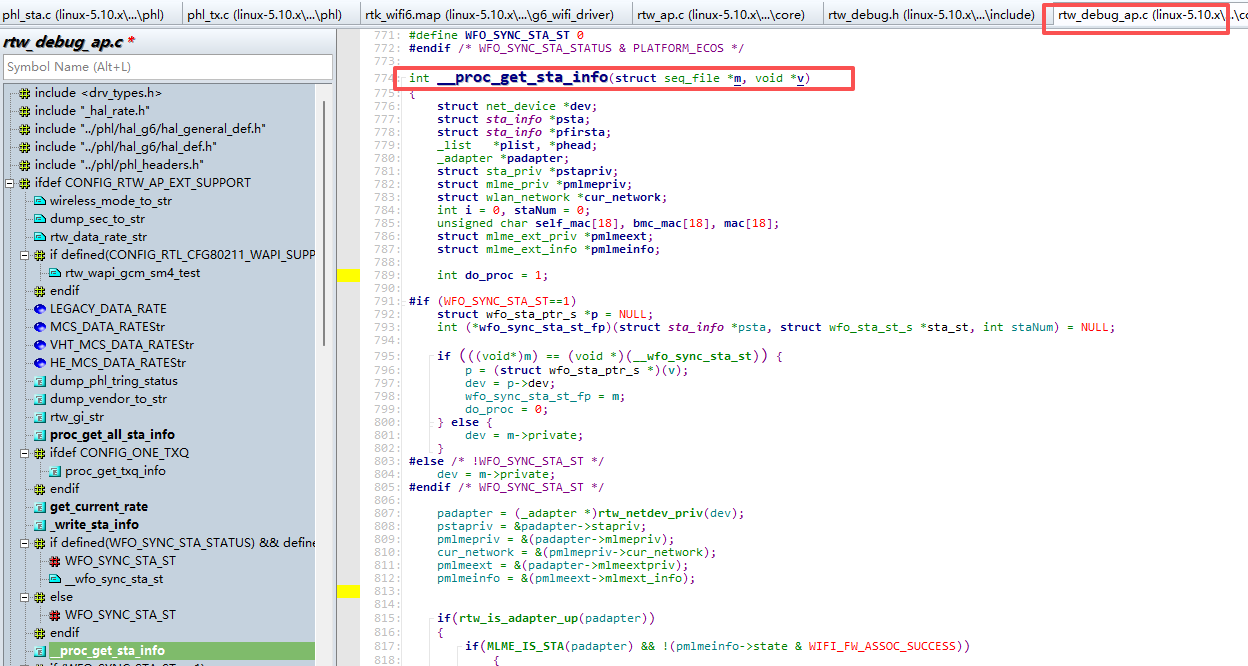
应用层来获取终端信息的驱动流程
-
访问命令

-
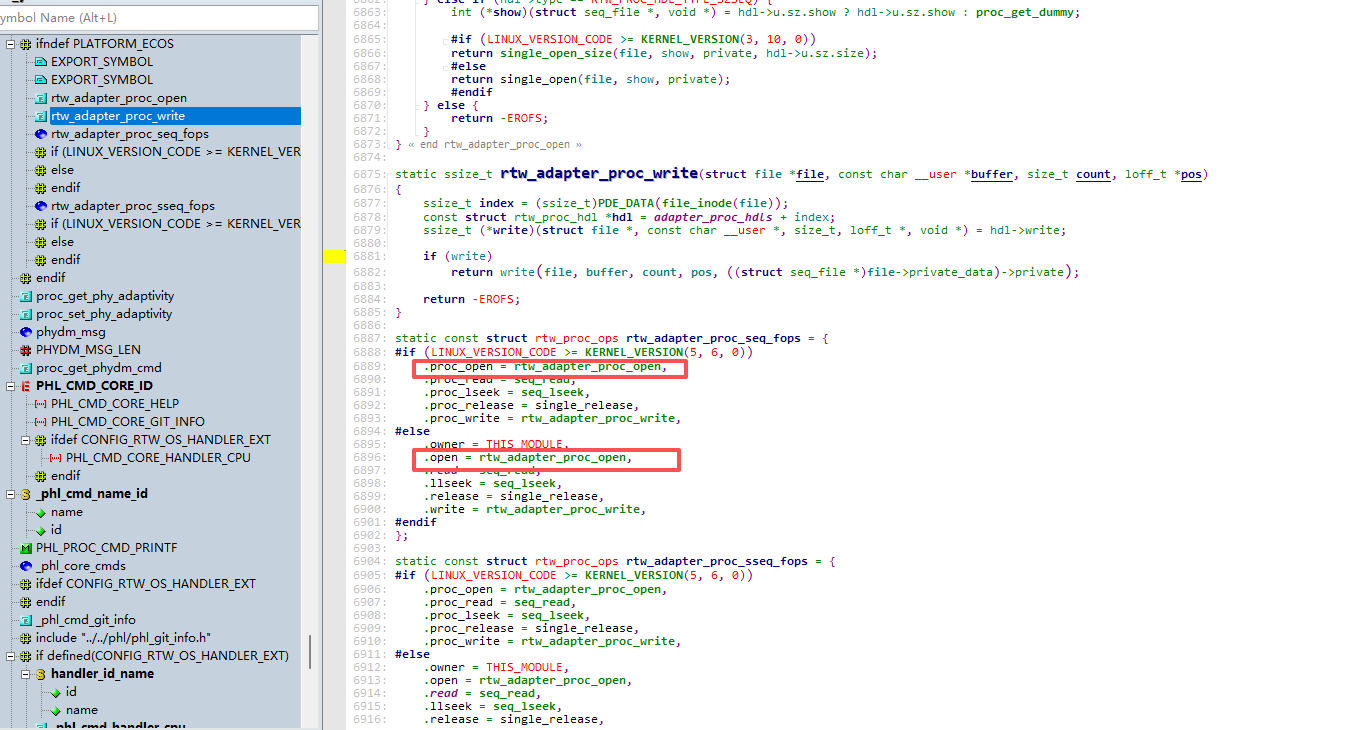
驱动注册的open函数
-
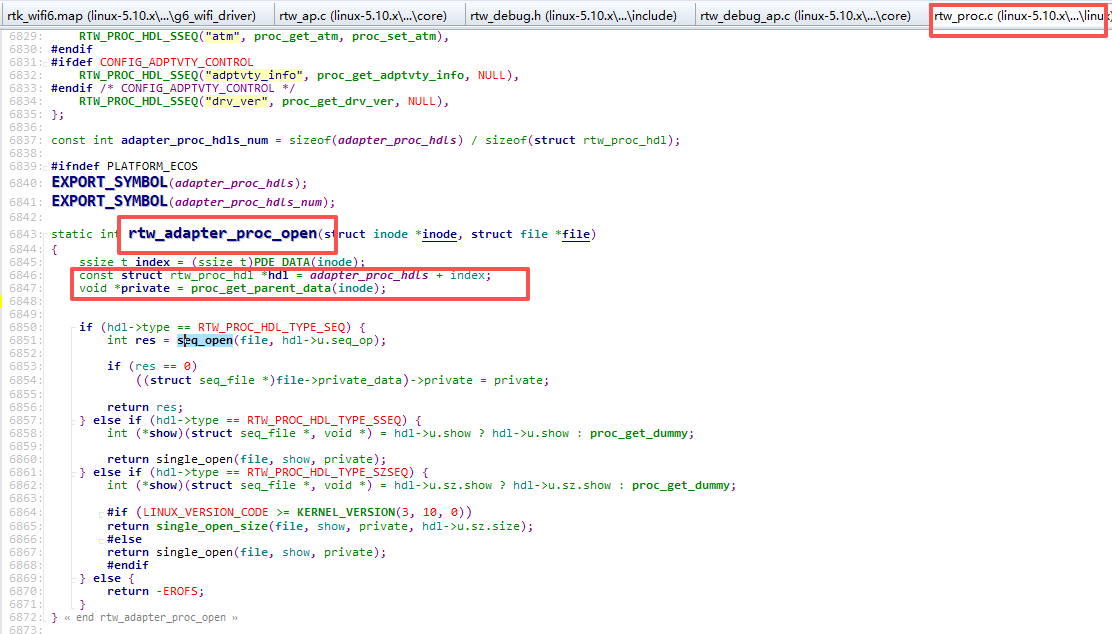
proc文件系统的打开操作函数
-
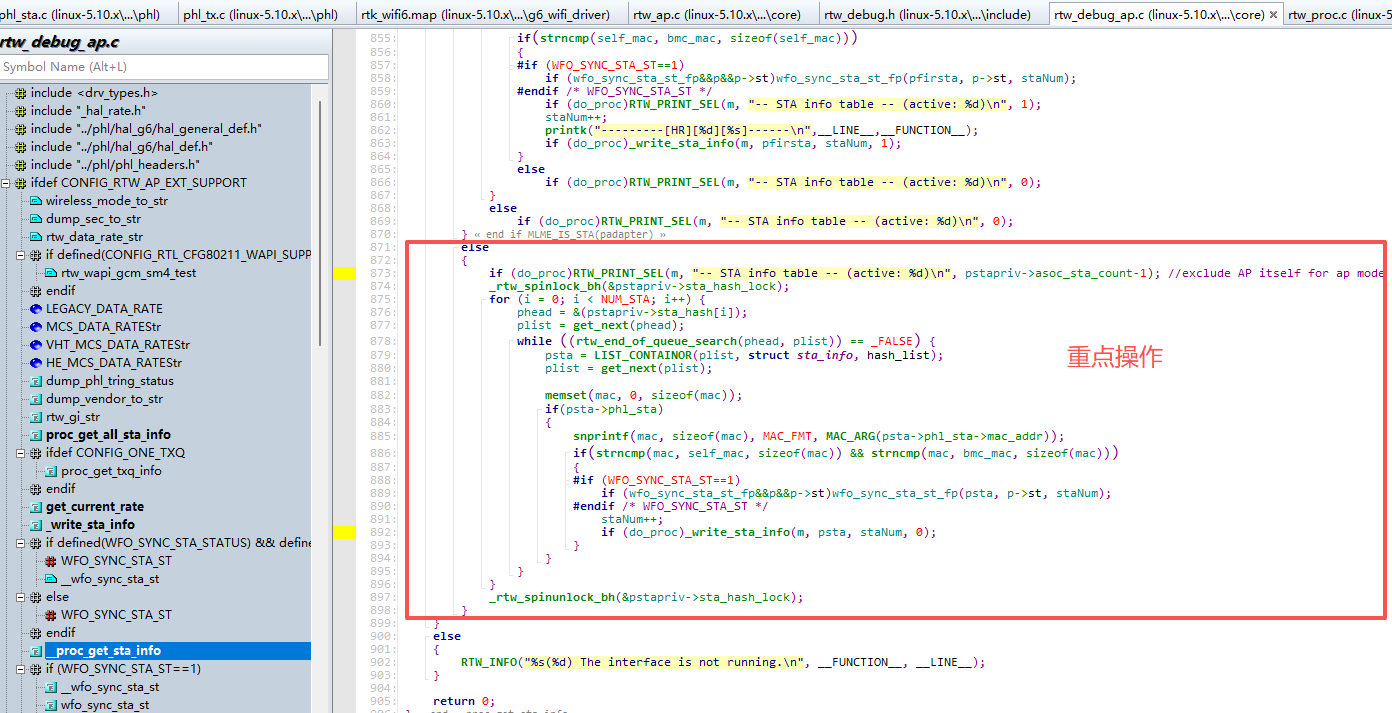
重点操作
如下是流程框图:
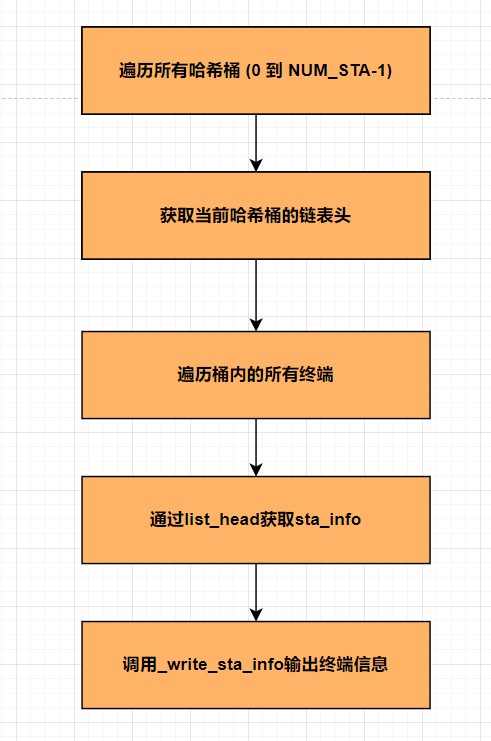
-
终端信息输出到log平台
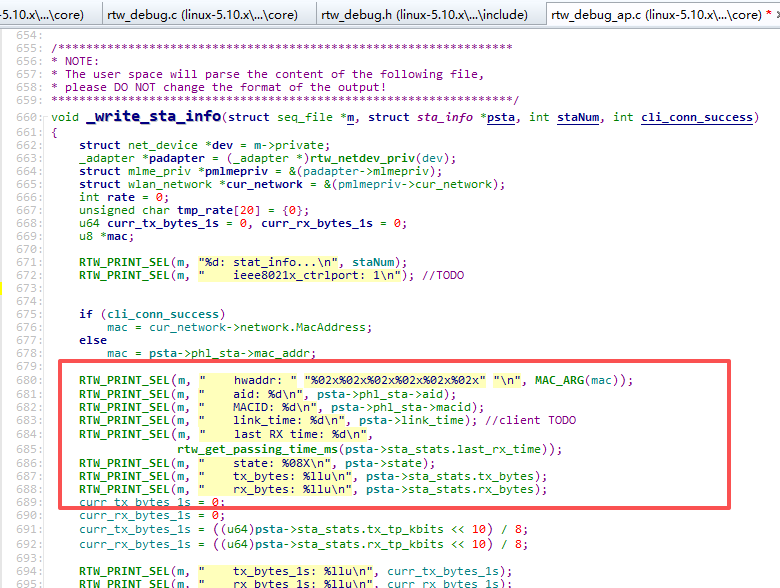
-
终端输出信息与之对应:
如下是代码:
c
for (i = 0; i < NUM_STA; i++) {
phead = &(pstapriv->sta_hash[i]);
plist = get_next(phead);
while ((rtw_end_of_queue_search(phead, plist)) == _FALSE) {
psta = LIST_CONTAINOR(plist, struct sta_info, hash_list);
plist = get_next(plist);
				memset(mac, 0, sizeof(mac));
				if(psta->phl_sta)
				{
					snprintf(mac, sizeof(mac), MAC_FMT, MAC_ARG(psta->phl_sta->mac_addr));
					if(strncmp(mac, self_mac, sizeof(mac)) && strncmp(mac, bmc_mac, sizeof(mac)))
					{
					#if (WFO_SYNC_STA_ST==1)
						if (wfo_sync_sta_st_fp&&p&&p->st)wfo_sync_sta_st_fp(psta, p->st, staNum);
					#endif /* WFO_SYNC_STA_ST */
						staNum++;
						if (do_proc)_write_sta_info(m, psta, staNum, 0);
					}
				}
			}
		}