快速安装和配置 SDK 的过程参考这里
一、在 RT-Thread Studio 中配置 SDK
1. 安装 RT-Thread Studio
- 在这里下载安装 RT-Thread Studio
2. 选择 SDK Manager,安装相应的 SDK
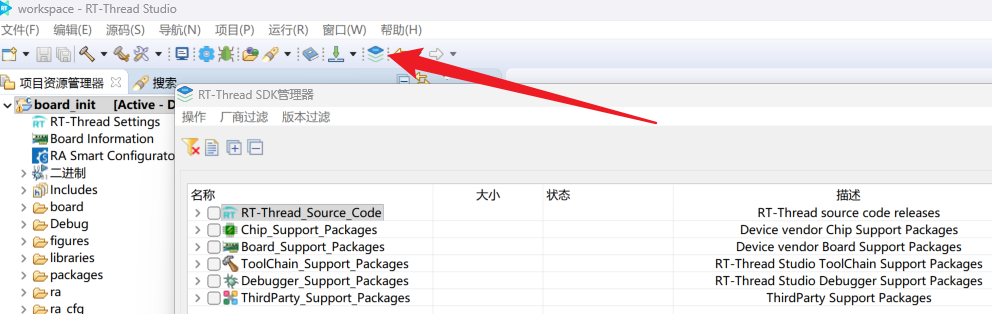 在图标当中找到 SDK Manager
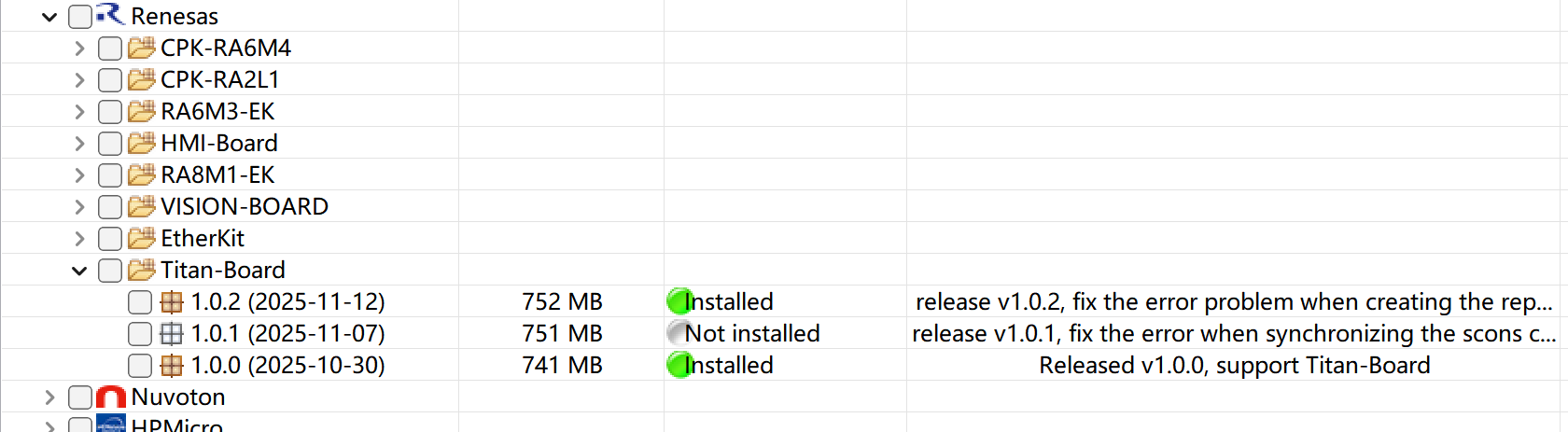 Titan Board 支持包版本
- Titan Board板级支持包:Board_Support_Packages → Renesas → Titan-Board → 1.0.0 (目前最新的是1.0.2)
- ARM编译工具链:ToolChain_Support_Packages → GNU_Tools_for_ARM_Embedded → 13.3.rel1
- PyOCD调试工具:Debugger_Support_Packages → PyOCD → 0.2.9
二、创建和烧录工程
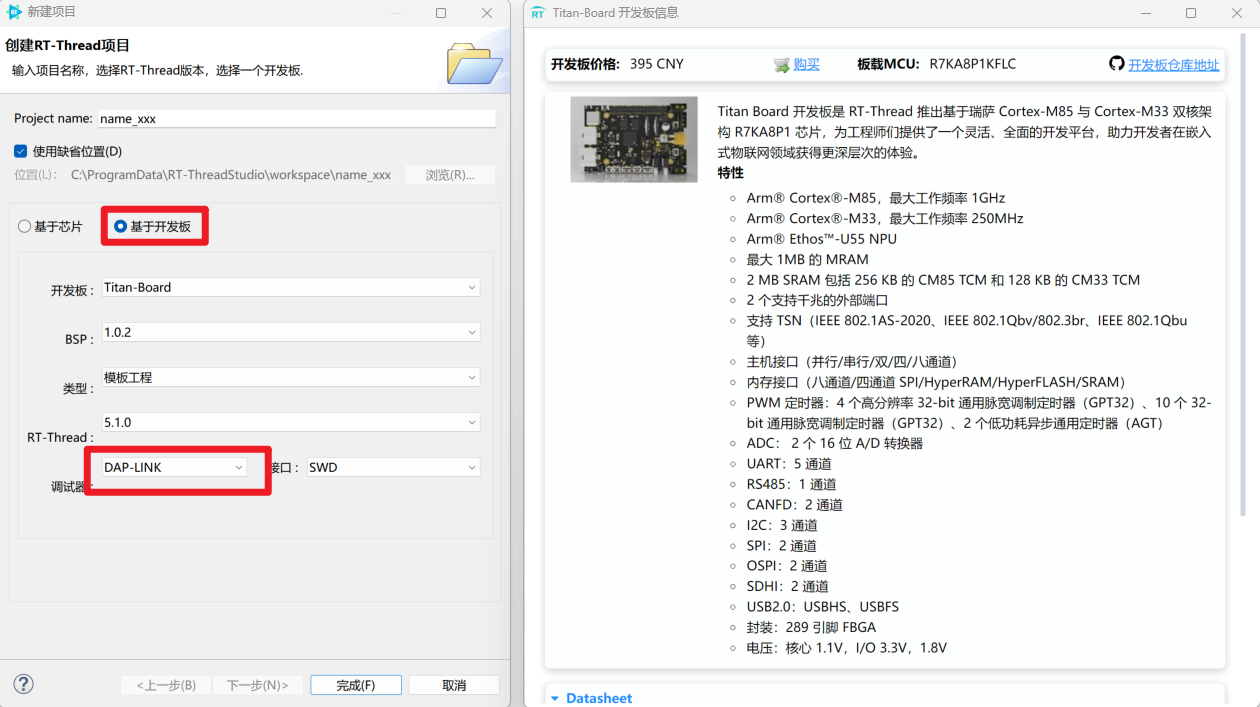
1. 新建 RT-Thread 项目
- 文件 → 新建 → RT Thread 项目
- 填写项目信息:
2. 硬件连接
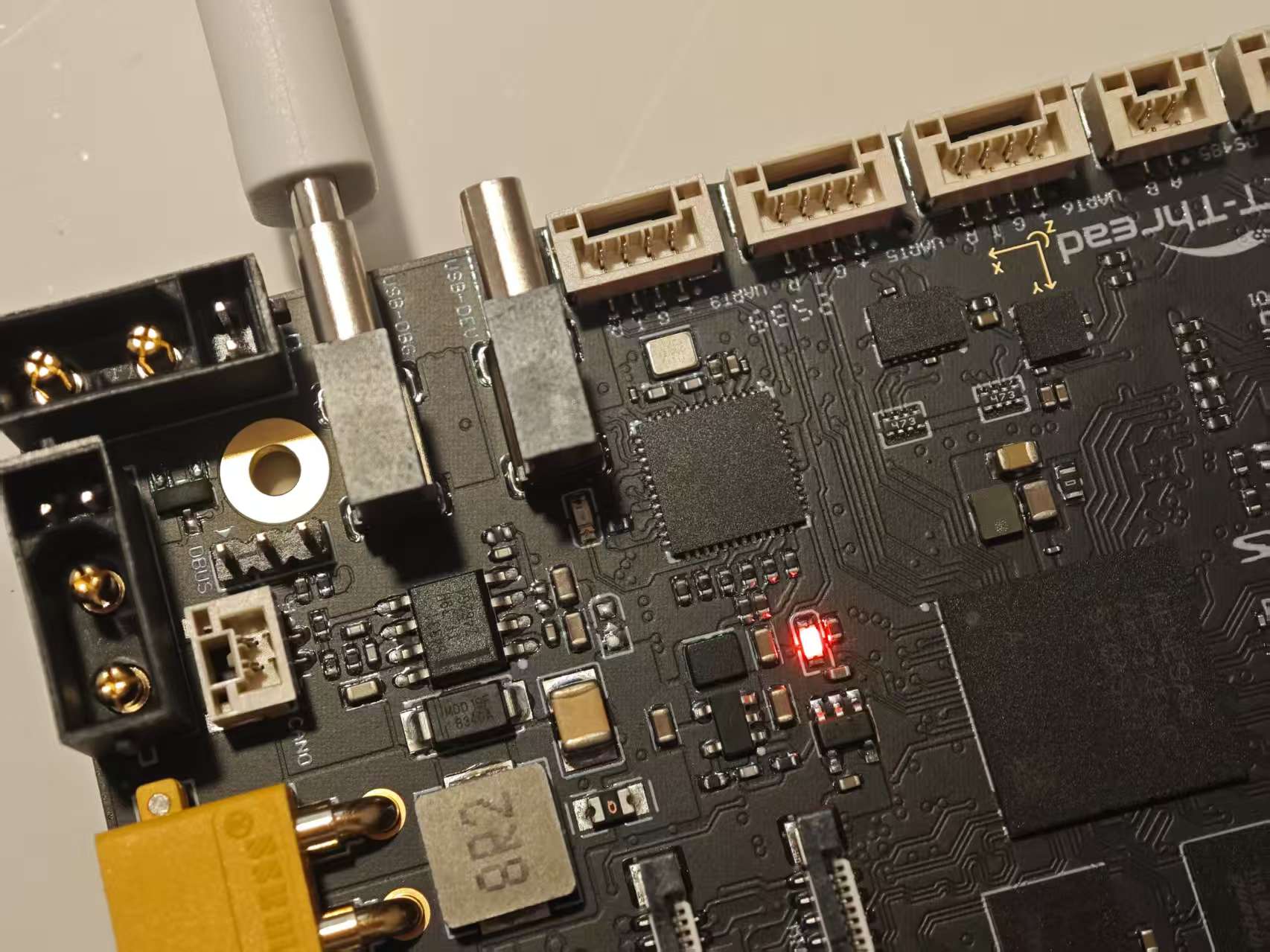
- 将USB线连接至板子上的 USB-DBG 端口上
- 出现 COM7 和 CMSIS-DAP
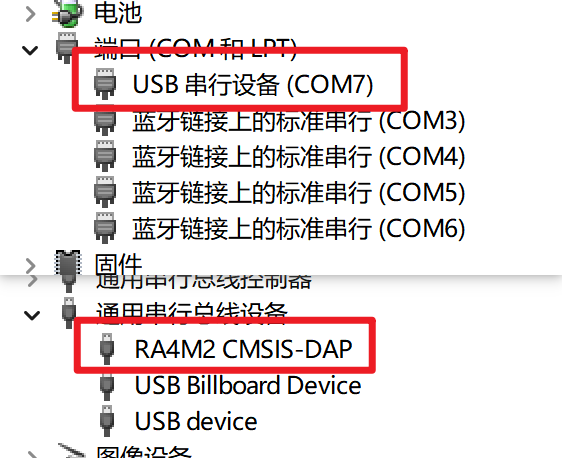
这里出现一个问题,CMSIS-DAP一开始被识别为 WinUSB 设备,解决办法是:卸载设备、重新插拔
3. 编译下载
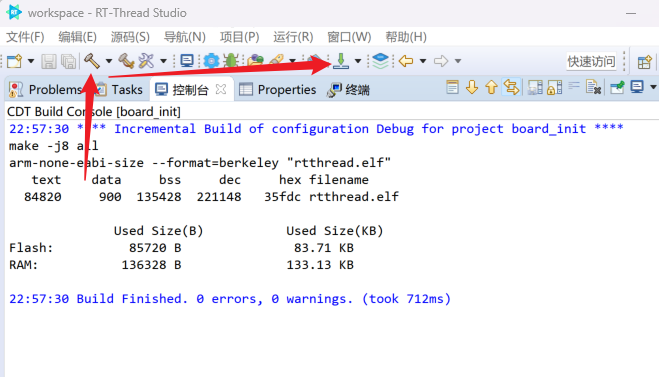
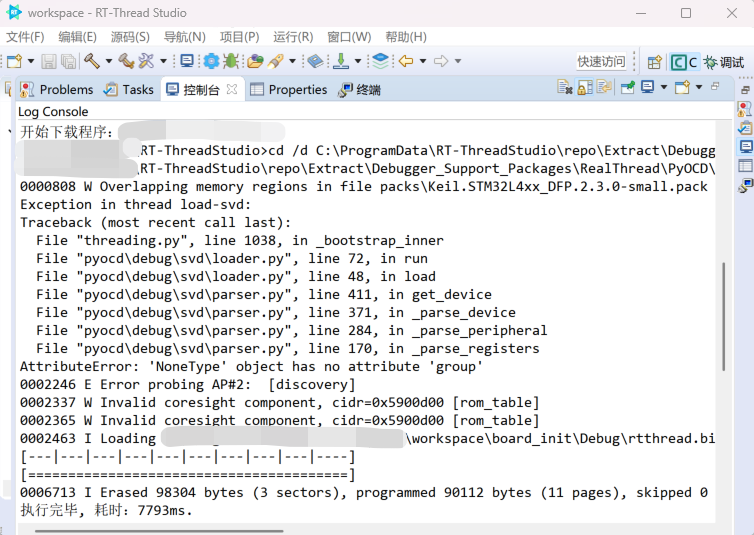
- 点击构建
- 点击下载程序(右侧箭头应选择 DAP-LINK)
4. 运行命令
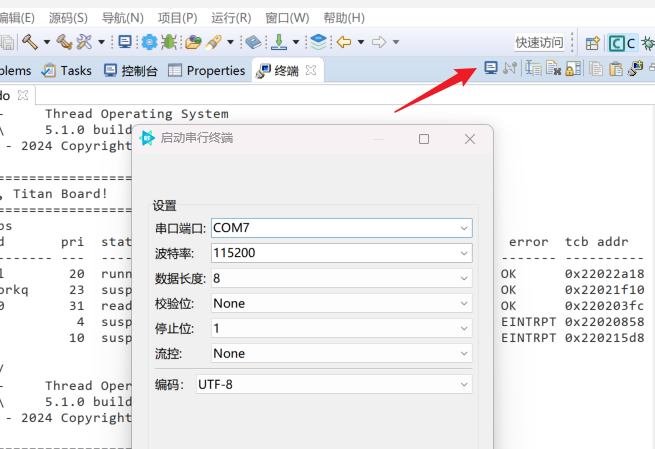
- 打开终端
- 运行命令
bash
 \ | /
- RT -     Thread Operating System
 / | \     5.1.0 build Mar 15 2026 22:17:59
 2006 - 2024 Copyright by RT-Thread team

==================================================
Hello, Titan Board!
==================================================

msh >help
RT-Thread shell commands:
backtrace        - print backtrace of a thread
clear            - clear the terminal screen
version          - show RT-Thread version information
list             - list objects
help             - RT-Thread shell help
ps               - List threads in the system
free             - Show the memory usage in the system
pin              - pin [option]
reboot           - Reboot System

msh >ps
thread       pri  status      sp     stack size max used left tick   error  tcb addr
------------ ---  ------- ---------- ----------  ------  ---------- ------- ----------
tshell        20  running 0x000000d4 0x00001000    16%   0x00000006 OK      0x22022a18
sys workq     23  suspend 0x00000084 0x00000800    06%   0x0000000a OK      0x22021f10
tidle0        31  ready   0x0000005c 0x00000100    54%   0x00000005 OK      0x220203fc
timer          4  suspend 0x000000bc 0x00000200    36%   0x00000009 EINTRPT 0x22020858
main          10  suspend 0x000000e4 0x00000800    17%   0x00000008 EINTRPT 0x220215d8
应用层的入口函数在 src\hal_entry.c 中 的
void hal_entry(void)。用户编写的源文件可直接放在 src 目录下。
cppvoid hal_entry(void) { rt_kprintf("\n==================================================\n"); rt_kprintf("Hello, Titan Board!\n"); rt_kprintf("==================================================\n"); while (1) { rt_pin_write(LED_PIN_0, PIN_HIGH); rt_thread_mdelay(1000); rt_pin_write(LED_PIN_0, PIN_LOW); rt_thread_mdelay(1000); } }