安装OpenClaw的时候遇到的一些问题和解决方法,做下记录并分享,希望能帮到同样问题的人。
问题1:npm问题
描述:
ERROR Active Node.js must be v22.12+ but this shell is using missing (/home/zilong/.nvm/versions/node/v25.8.0/bin/node)
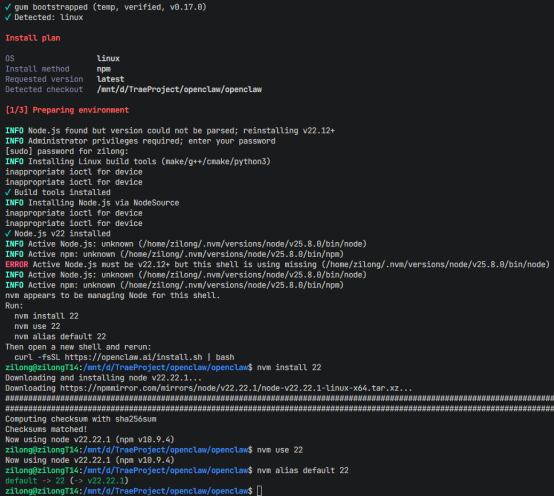
解决方法:
安装npm22
bash
#安装指定的22版本
nvm install 22

#使用22版本
nvm use 22

#设置22版本为默认
nvm alias default 22
安装pnpm 10.23.0
bash
#项目需要pnpm 10.23.0(根据package.json中的 "packageManager": "pnpm@10.23.0" )。
npm install -g pnpm@10.23.0
验证pnpm版本并重新安装依赖。
bash
# 到openclaw目录
cd ~/openclaw
# 验证pnpm版本
pnpm --version
# 删除pnpm锁文件
rm -rf node_modules pnpm-lock.yaml
# 重新安装依赖
pnpm install
重新编译
bash
# 编译项目
pnpm build

# 编译ui
pnpm ui:build
问题2:不识别openclaw命令
1. 检查安装文件是否存在
bash
# 检查 openclaw 可执行文件
ls -la /home/zilong/.local/bin/openclaw
2. 添加 ~/.local/bin 到 PATH
bash
# 编辑 .bashrc 文件
nano ~/.bashrc

# 在文件末尾添加
export PATH="/home/zilong/.local/bin:$PATH"

# 保存并退出 (Ctrl+X, Y, Enter)

# 刷新配置
source ~/.bashrc
3. 验证安装
bash
# 检查版本
openclaw --version

#运行引导命令,配置key(如果有)
openclaw onboard --install-daemon

# 启动 Gateway
openclaw gateway --allow-unconfigured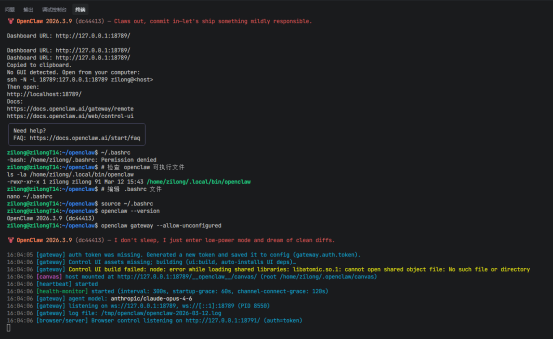
问题3: Control UI assets not found
Control UI assets not found. Build them with `pnpm ui:build` (auto-installs UI deps), or run `pnpm ui:dev` during development.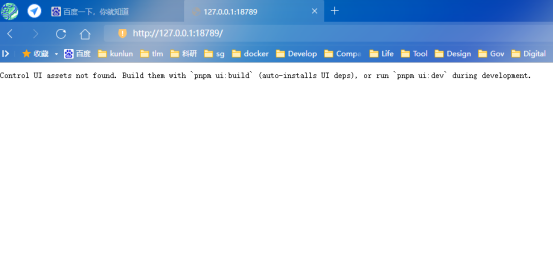
ui文件未找到,编译生成ui文件资源
bash
# 到项目根目录
cd openclaw
# 编译ui
pnpm ui:build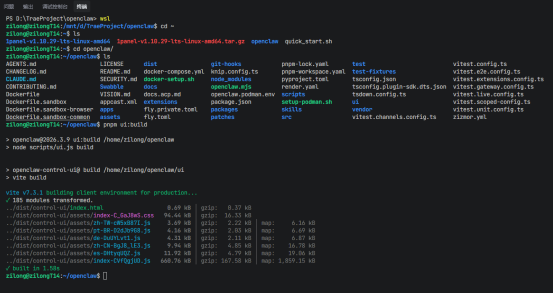
问题4:gateway的token不匹配
问题描述
unauthorized: gateway token mismatch (open the dashboard URL and paste the token in Control UI settings)
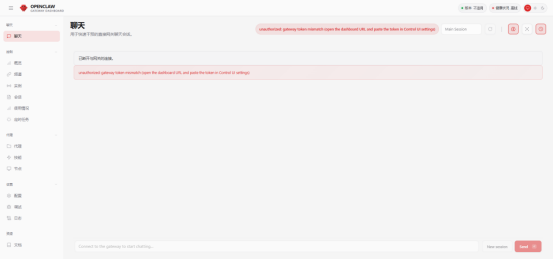
问题原因:
openclaw的前后端服务需要通过token互认。
解决方法:
第一次登录是,要用那个带着token的链接登录。
如果没有,则用下面的方法:
- 获取 Gateway 令牌
bash
# 查看配置文件中的令牌

cat ~/.openclaw/openclaw.json | grep -A 5 "token"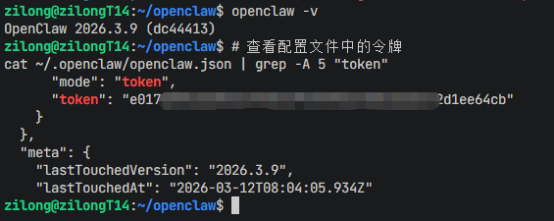
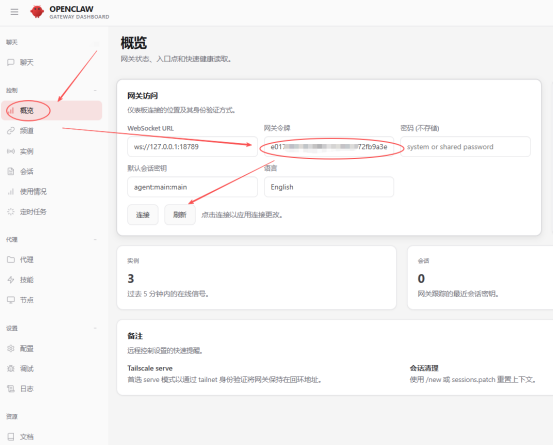
复制到Web中,刷新、连接
问题5: HTTP 401 authentication_erro r
问题描述
HTTP 401 authentication_error: The API Key appears to be invalid or may have expired. Please verify your credentials and try again.
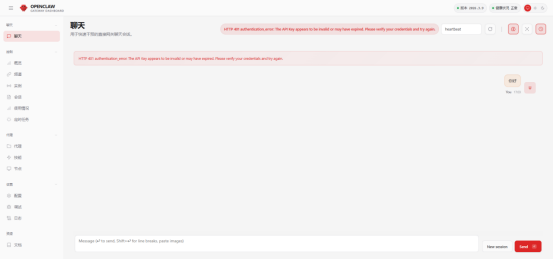
问题原因:
模型配置问题,可能模型有问题,也可能key有问题。
解决方法:
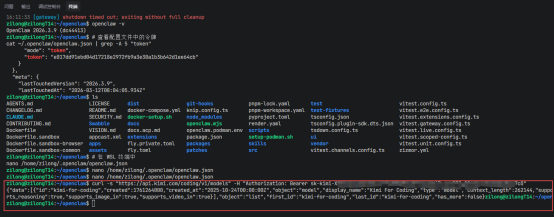
1、验证key有没有问题
bash
# 用key访问API接口,验证key有无问题
curl -s "https://api.kimi.com/coding/v1/models" -H "Authorization: Bearer sk-kimi-****************"
能正常返回,证明key没问题。
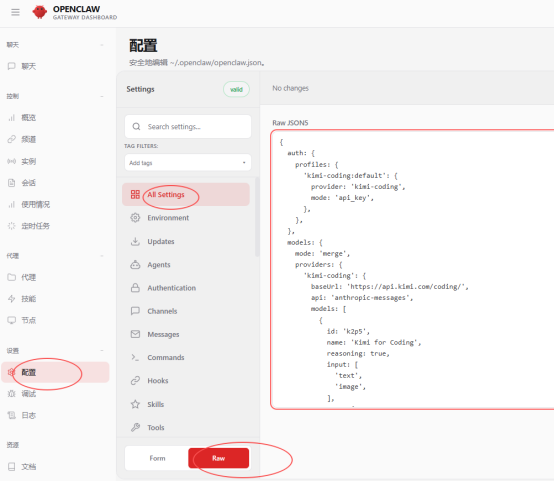
2.通过页面的RAW配置key(未解决)
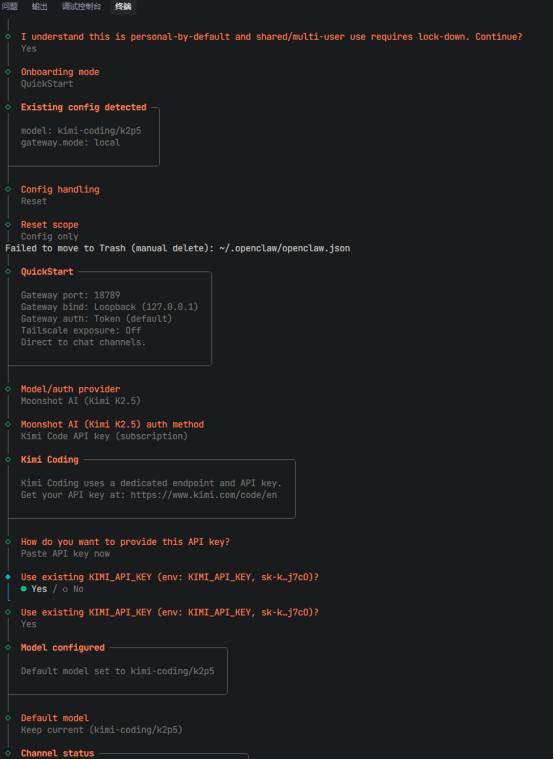
3、通过引导命令配置解决(成功)
运行引导命令
bash
openclaw onboard --install-daemon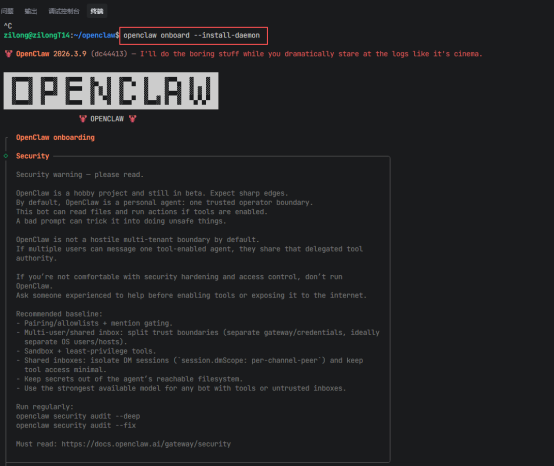
重新配置模型
问题6:LLM request timed out.
问题描述
打开代理正常,关闭代理不正常。
问题原因:
-
WSL网络模式配置不正确,导致在关闭代理后无法正常访问外部API
-
API请求超时是由于网络连接问题引起的
解决方案:
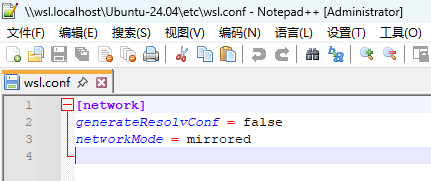
启用WSL镜像网络模式 :
- 在 /etc/wsl.conf 文件中添加了 networkMode = mirrored
network
generateResolvConf = false
networkMode = mirrored
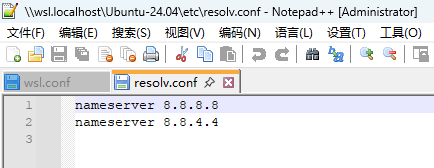
- 配置了固定的DNS服务器(Google DNS 8.8.8.8和8.8.4.4)
nameserver 8.8.8.8
nameserver 8.8.4.4
- 重启了WSL以使网络设置生效
技术细节:
网络模式:从默认的NAT模式改为镜像模式
DNS配置:使用Google公共DNS服务器
服务状态:OpenClaw服务已成功启动并运行