案例网址:spiderbuf第C3题
找接口+找加密参数
网页有翻页,可以翻页找xhr接口:

py通过注释或删除验证需要逆向的参数:
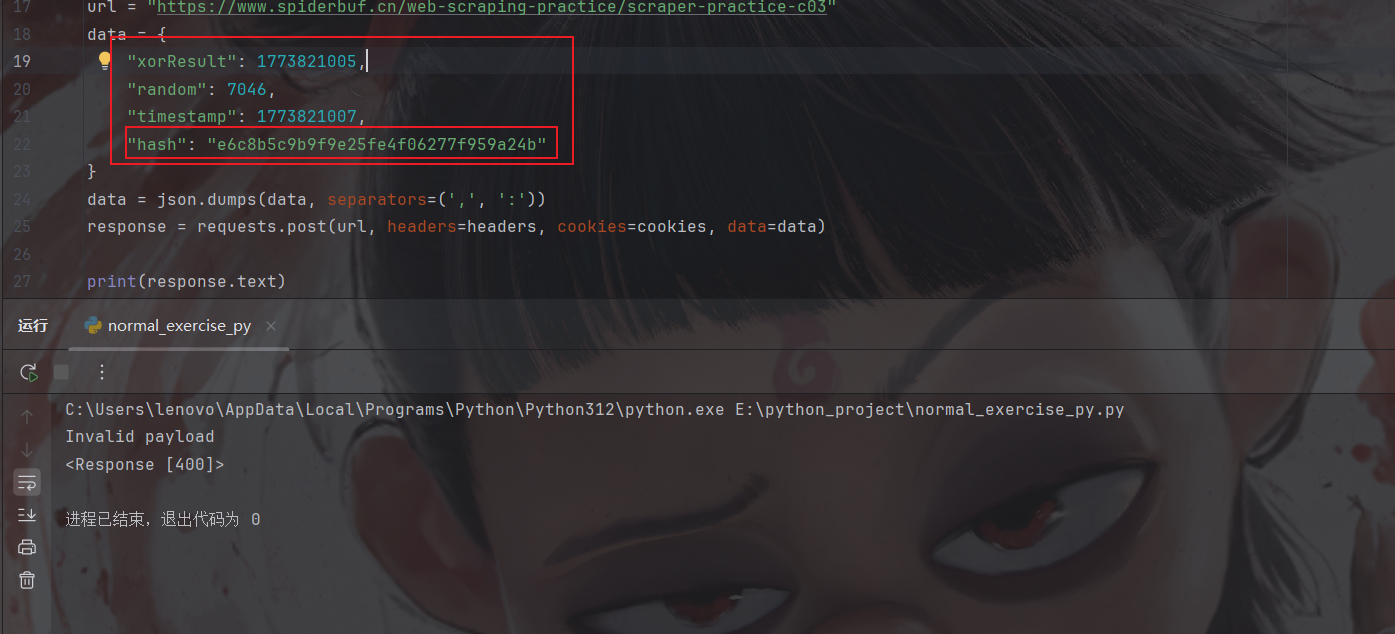
就hash是密文,但是前三个又不得不带,那很有可能hash是由前三个加密生成的
找加密位置
启动器进入:

很简单,应该是标准md5,可以验证看看:


ok,标准md5
复现加密逻辑
看一下其他参数怎么来的:

一个是随机数×1000,一个是时间戳,一个是和时间戳做^运算(逐位异或),下面开始编写代码:
javascript
const CryptoJS = require('crypto-js');
function md5(decData) {
  return CryptoJS.MD5(decData).toString();
}
function getParams(_0x3d0eeb) {
  const _0x1fa068 = Math["floor"](Math["random"]() * (8000) + (2000));
  const _0x542b78 = Math['floor'](Date["now"]() / (1000));
  const _0x39669e = _0x3d0eeb ^ _0x542b78;
  const _0x56e6b4 = md5('' + _0x39669e + _0x542b78)['toString']();
  let params = {
    xorResult: _0x39669e,
    random: _0x1fa068,
    timestamp: _0x542b78,
    hash: _0x56e6b4
  };
  return JSON.stringify(params);
}

console.log(getParams(1));
py调用
python
import requests
import execjs
import os
class JSExecutor:
    def __init__(self, js_file_path):
        if not os.path.exists(js_file_path):
            print(f'js代码不存在:{js_file_path}')

        with open(js_file_path, 'r', encoding='utf-8') as f:
            self.js_code = f.read()

        # execjs.compile() 将JavaScript 代码编译为一个可执行的对象
        self.js_code = execjs.compile(self.js_code)

    def call(self, func_name, *args):
        """
        封装python对js代码中函数的调用
        :param func_name: js代码中的函数名
        :param args: js代码中函数所需的参数
        :return: js中函数运行后的结果
        """
        return self.js_code.call(func_name, *args)
def get_data(js_data):
    headers = {
        'origin': 'https://www.spiderbuf.cn',
        'referer': 'https://www.spiderbuf.cn/web-scraping-practice/scraper-practice-c03',
        'user-agent': 'Mozilla/5.0 (Windows NT 10.0; Win64; x64) AppleWebKit/537.36 (KHTML, like Gecko) Chrome/145.0.0.0 Safari/537.36 Edg/145.0.0.0',
    }

    data = js_data

    response = requests.post(
        'https://www.spiderbuf.cn/web-scraping-practice/scraper-practice-c03',
        headers=headers,
        data=data,
    )
    return response.json()

def get_params(page):
    js_executor = JSExecutor('xxx.js')
    js_data = js_executor.call('getParams', page)
    return get_data(js_data)

def main():
    for page in range(1, 4):
        print(f'-----------正在爬取第{page}页--------------')
        params = get_params(page)
        print(params)

if __name__ == '__main__':
    main()
result:
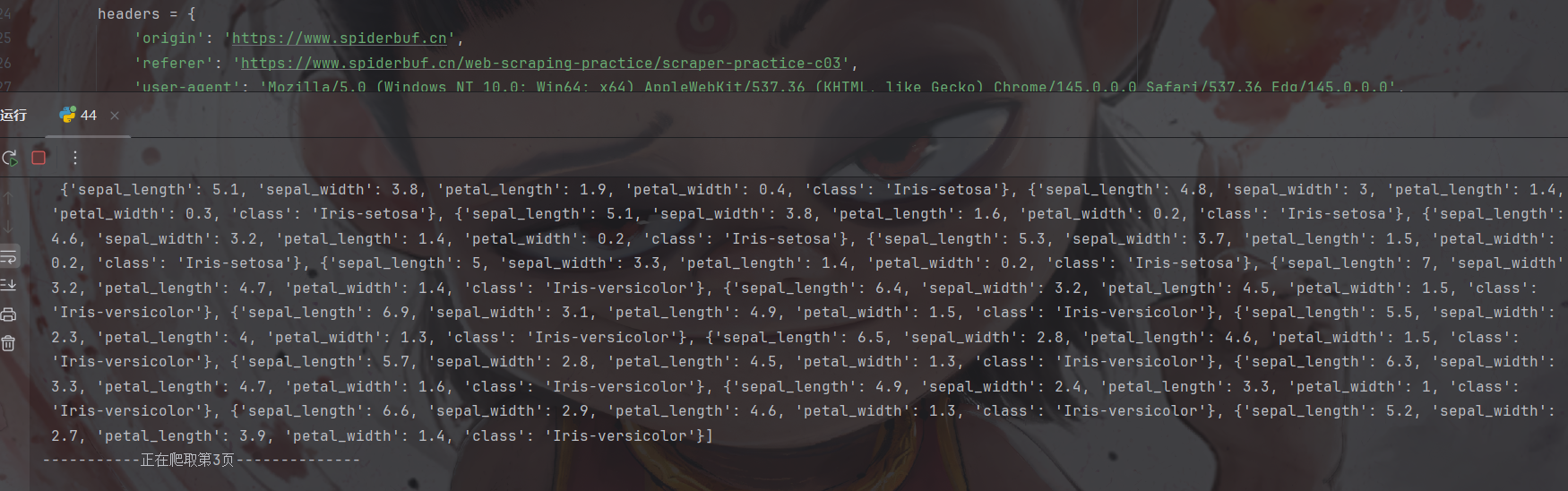
拿下
小结
本文依旧简单,spiderbuf就做到这里吧,如有问题请及时提出,加油加油