作者:计算机学姐
开发技术:SpringBoot、SSM、Vue、MySQL、JSP、ElementUI、Python、小程序等,"文末源码"。

系统展示
【2026最新原创】基于Java+SpringBoo+Vue+MySQL的家政服务预约系统,三角色,个性化推荐算法,数据可视化统计,家政人员管理,家政服务管理,服务预约管理,评价信息管理等
- 开发语言:Java语言
- 数据库:MySQL数据库
- 技术:SpringBoot、Vue、ELementUI
- 工具:IDEA、Navicat
前台界面
首页
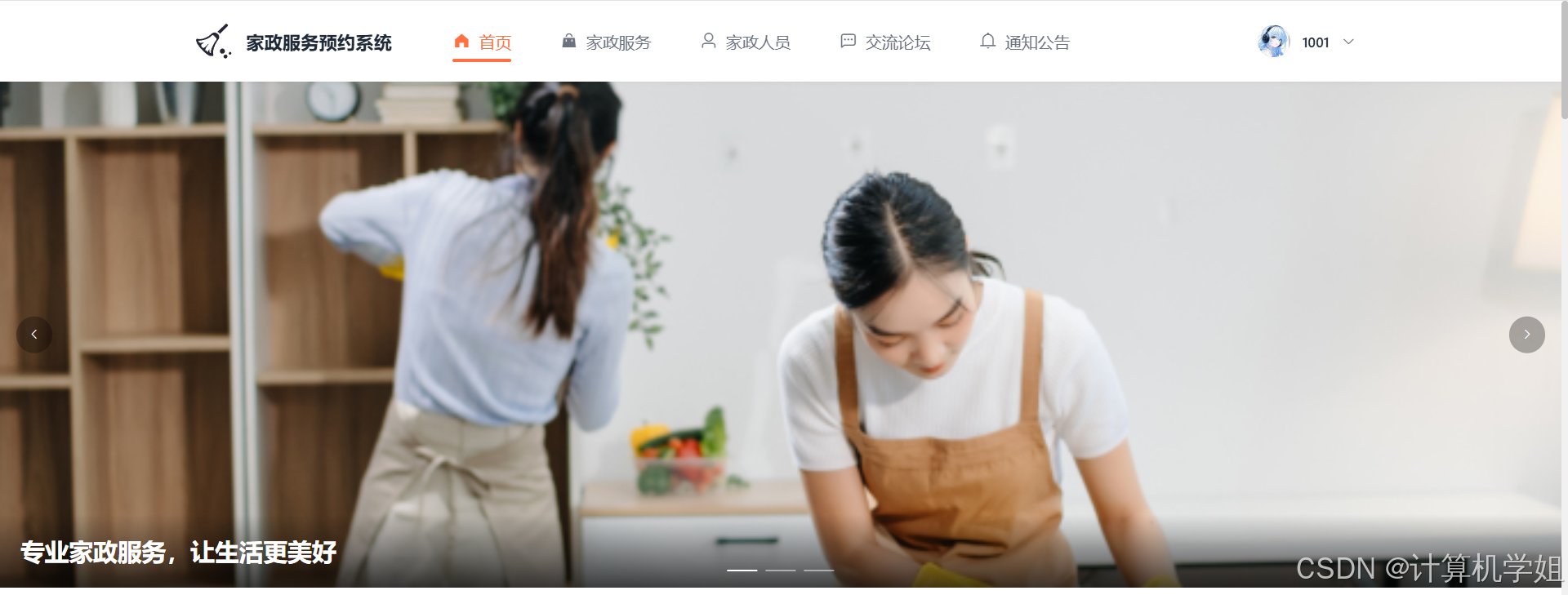
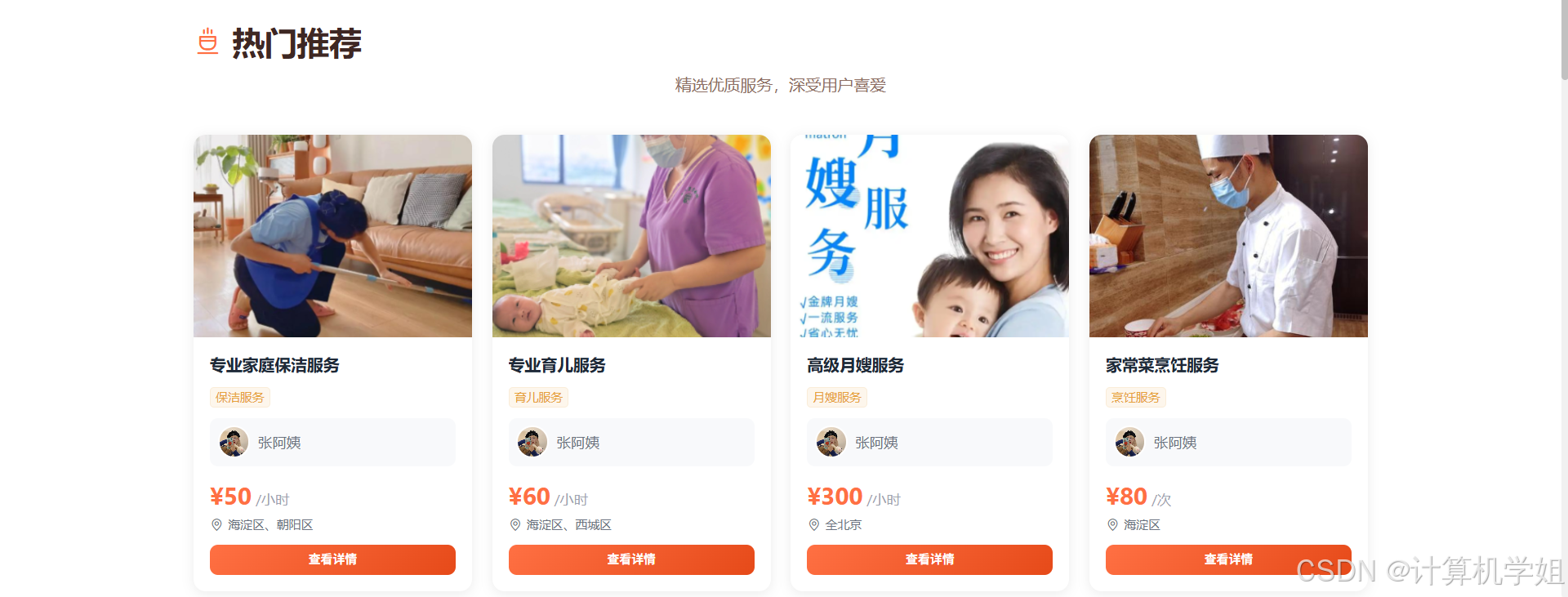
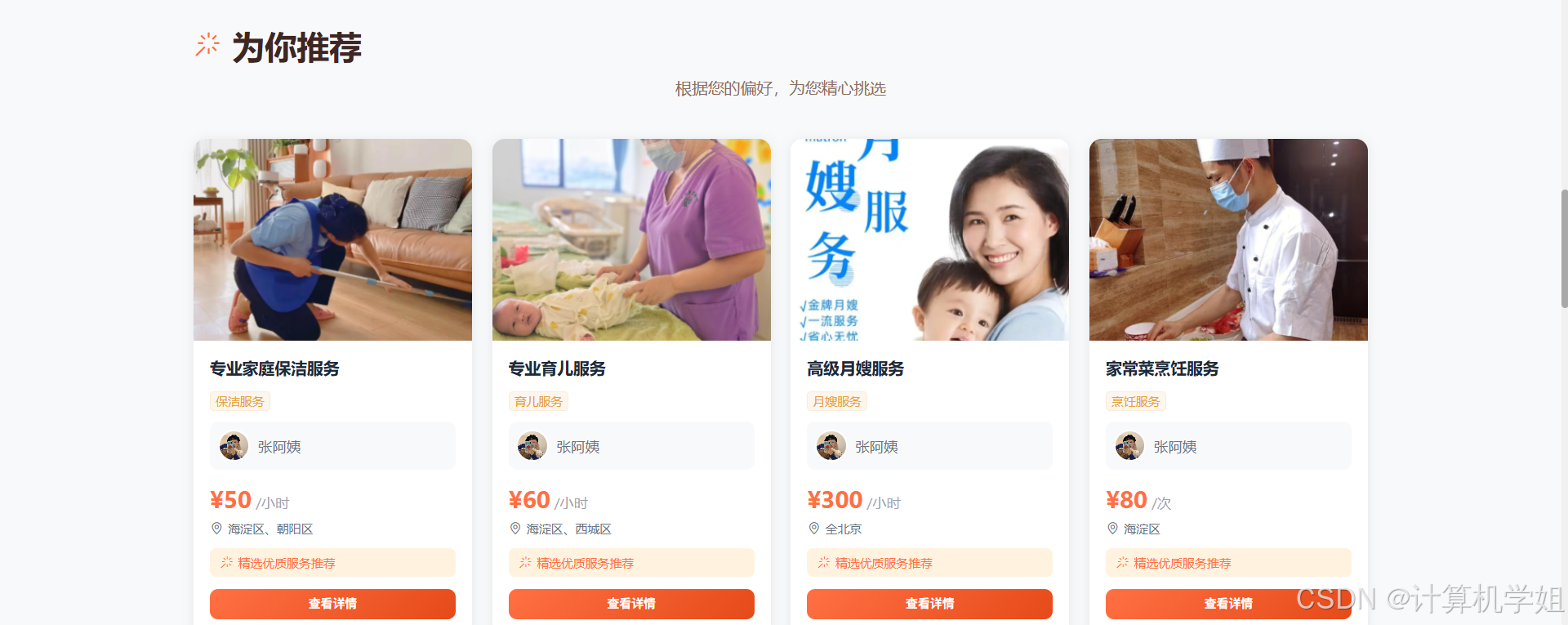
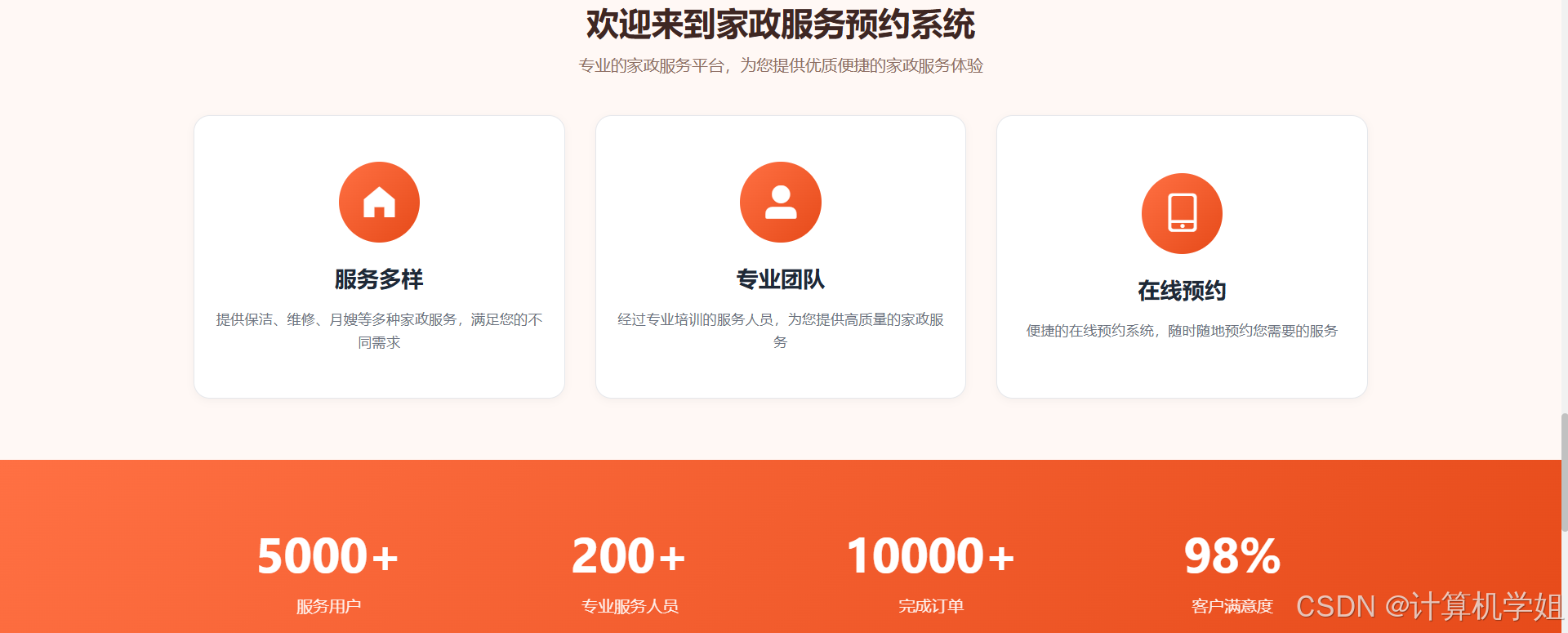
家政服务
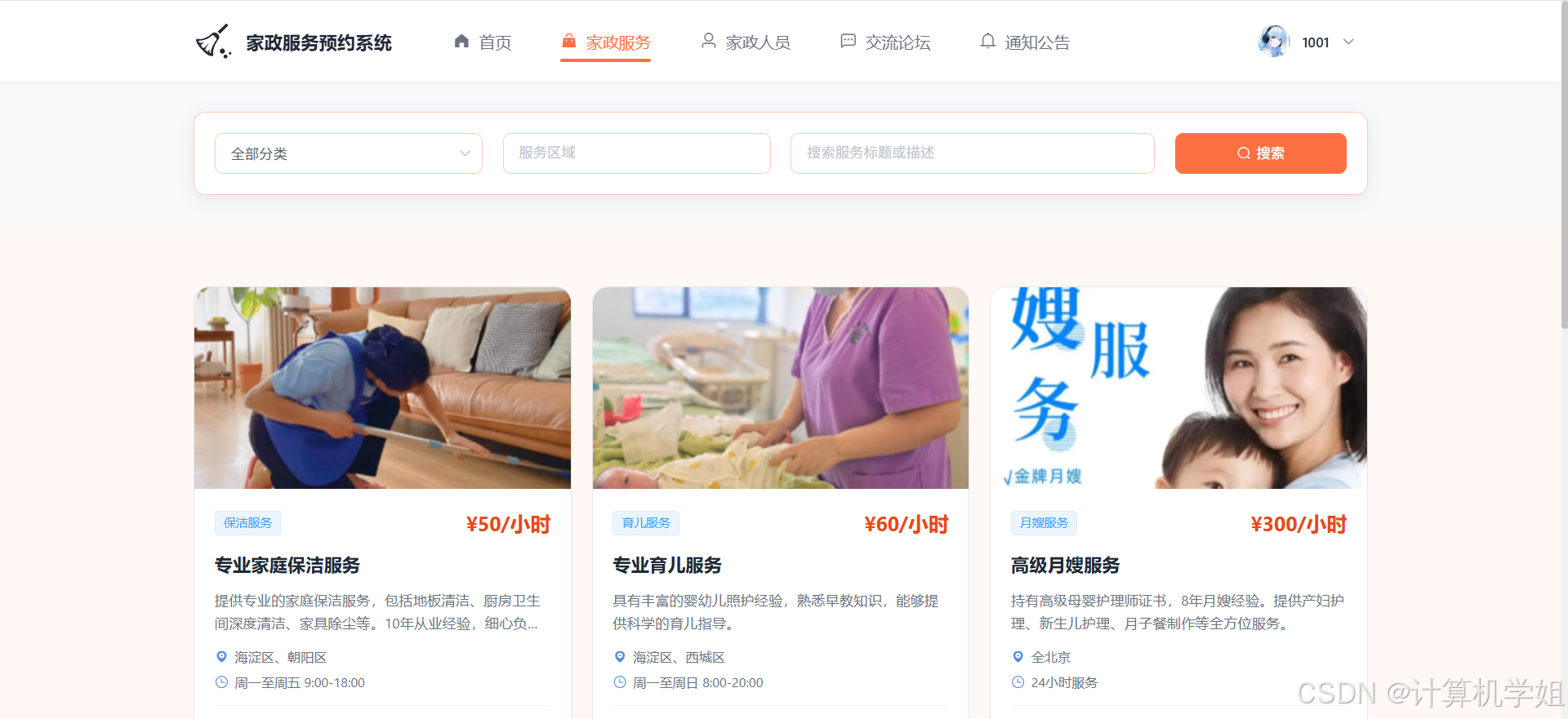
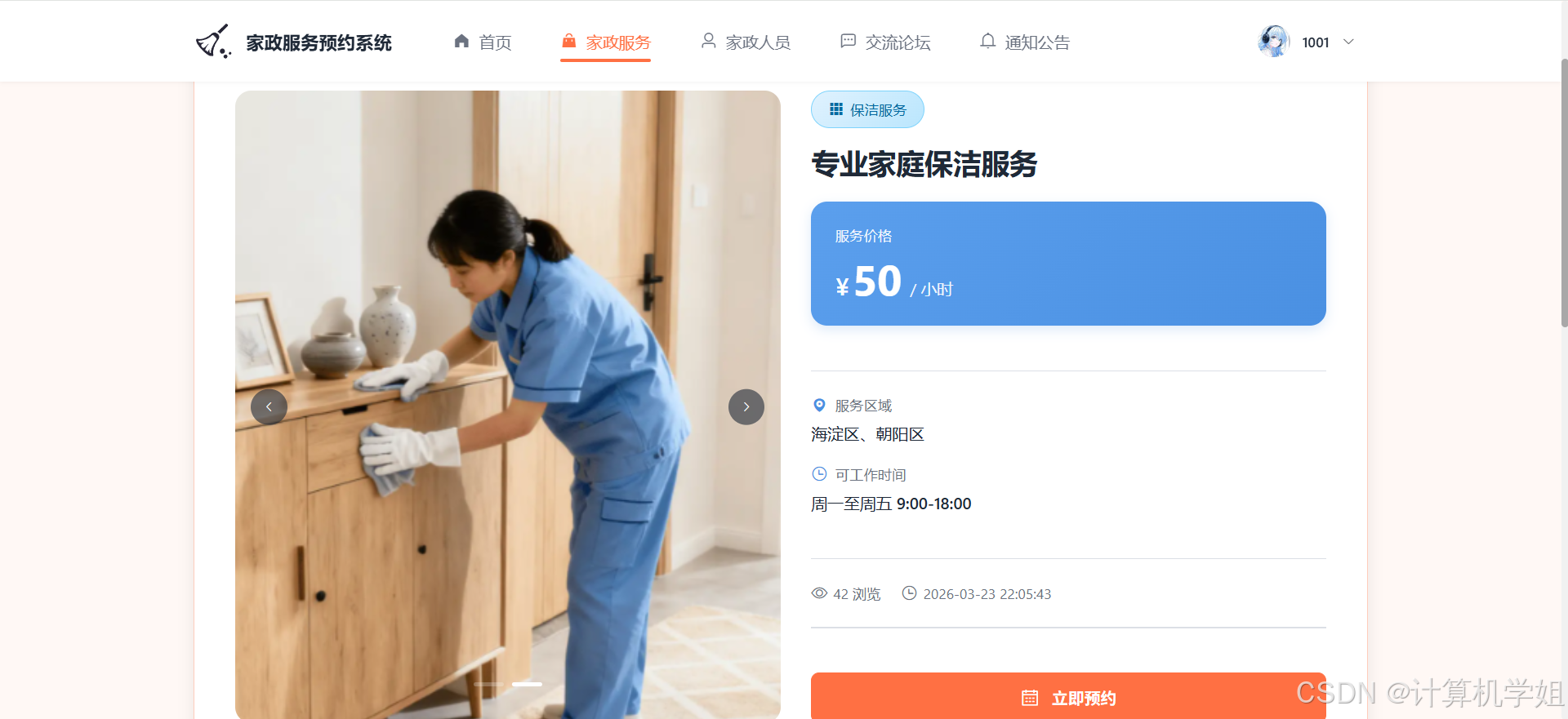
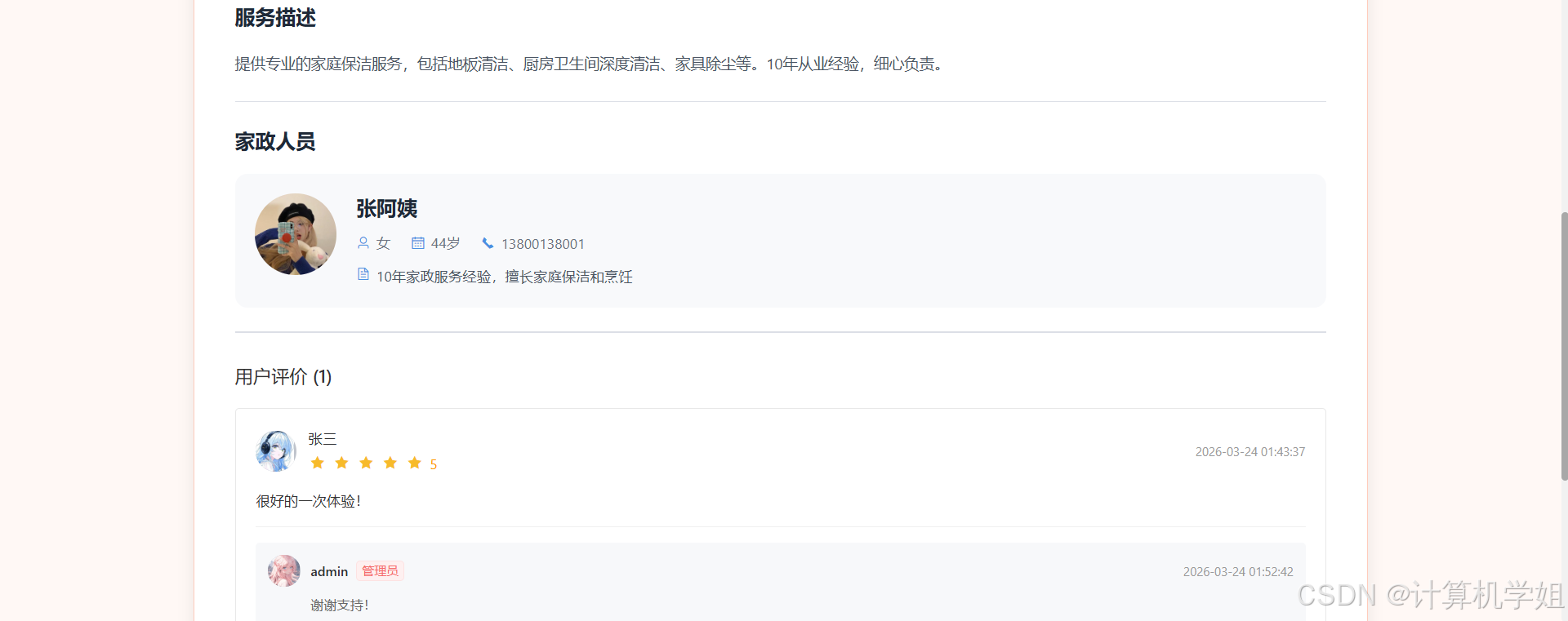
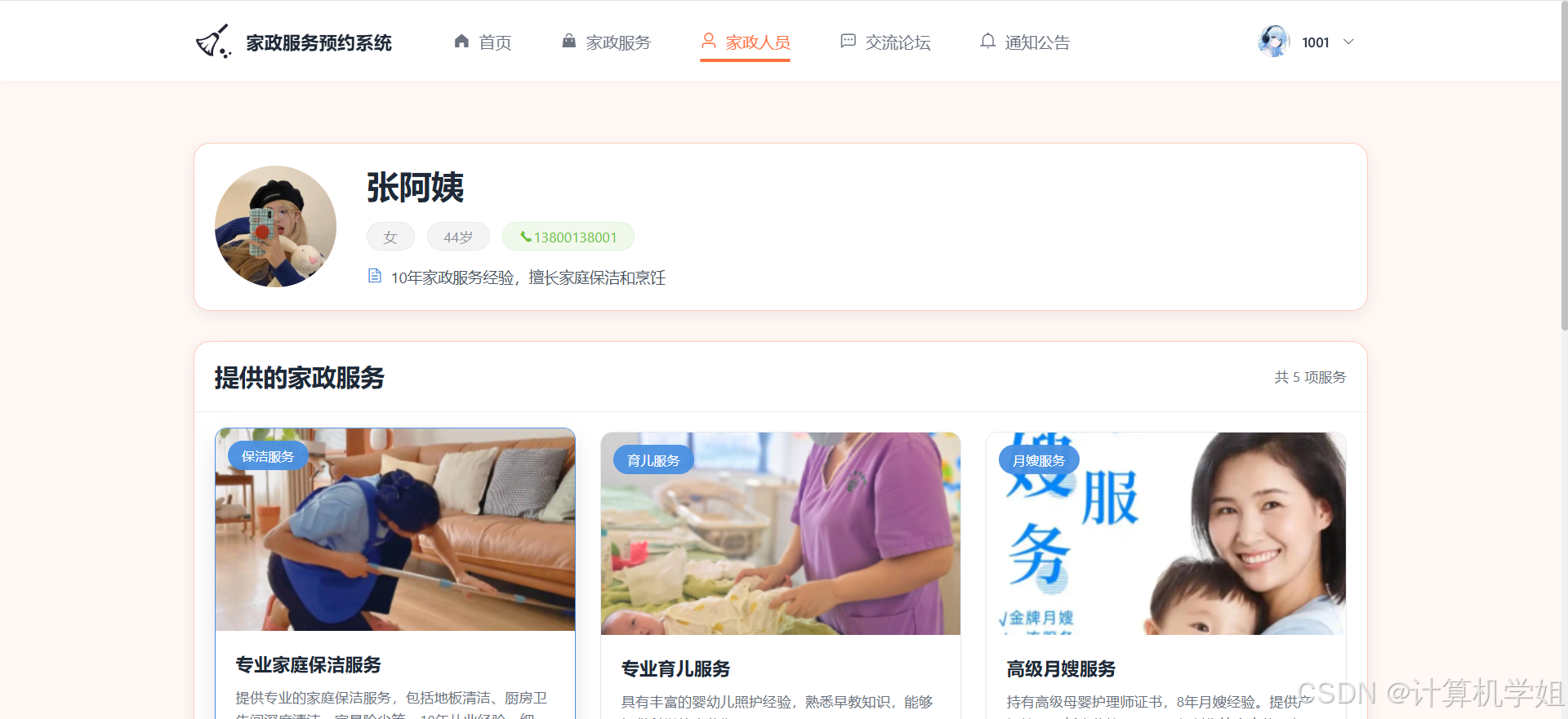
家政人员
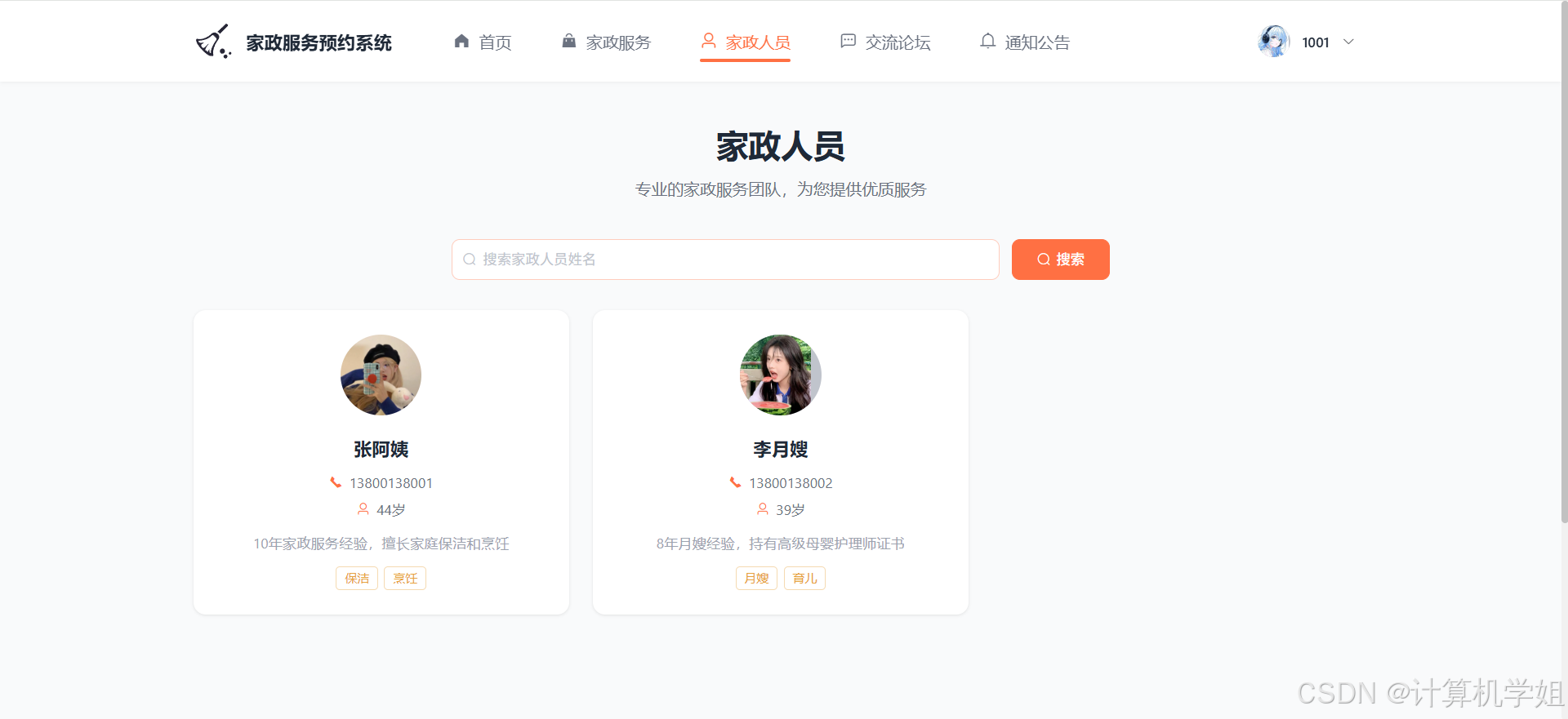
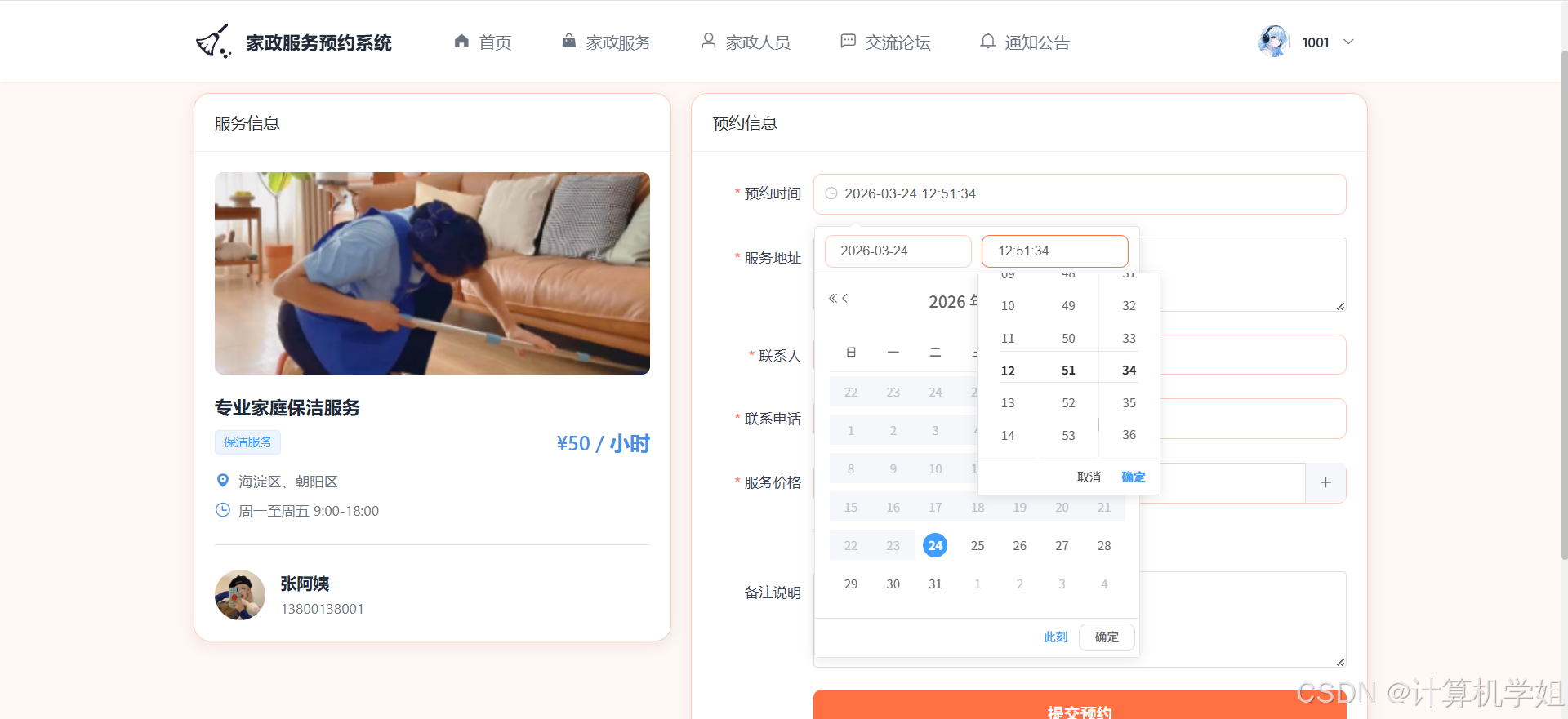
服务预约
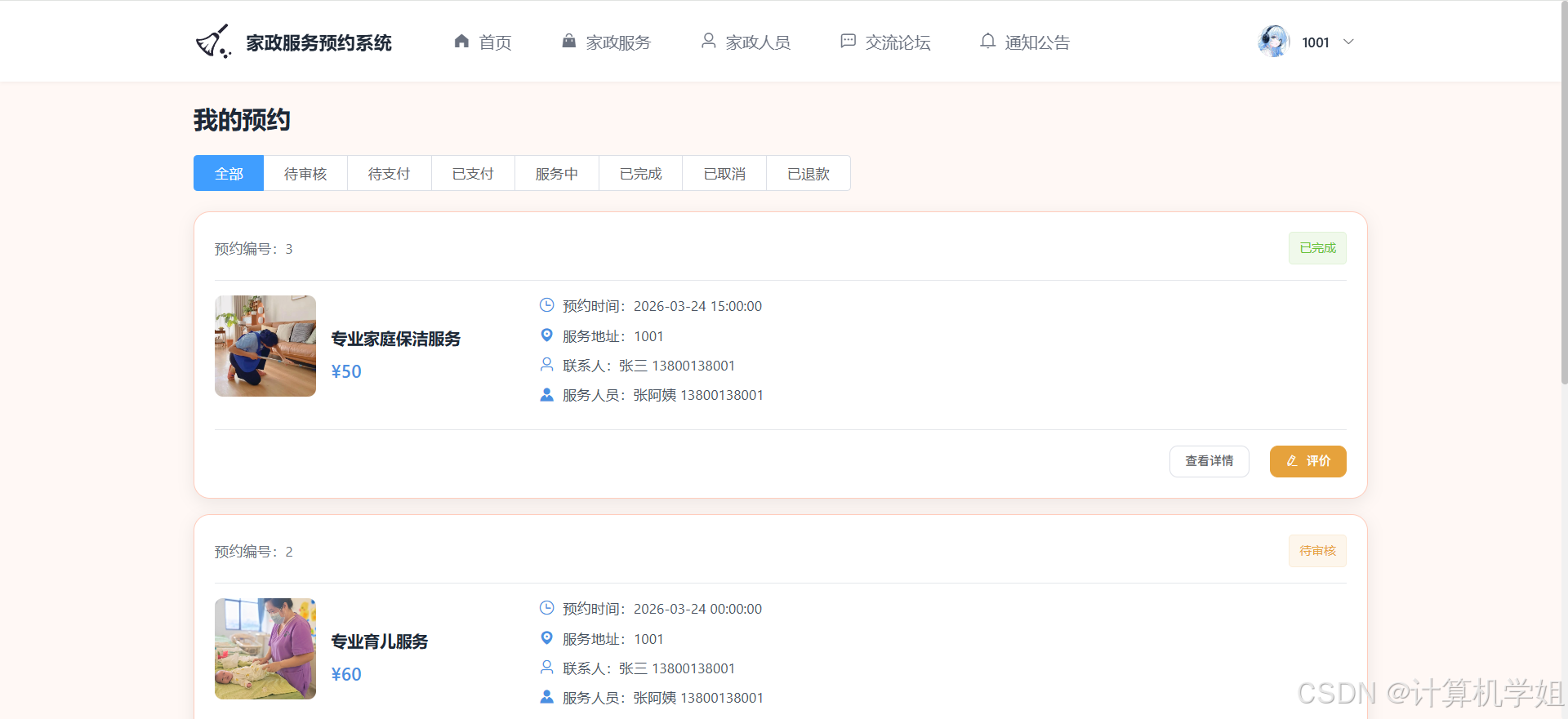
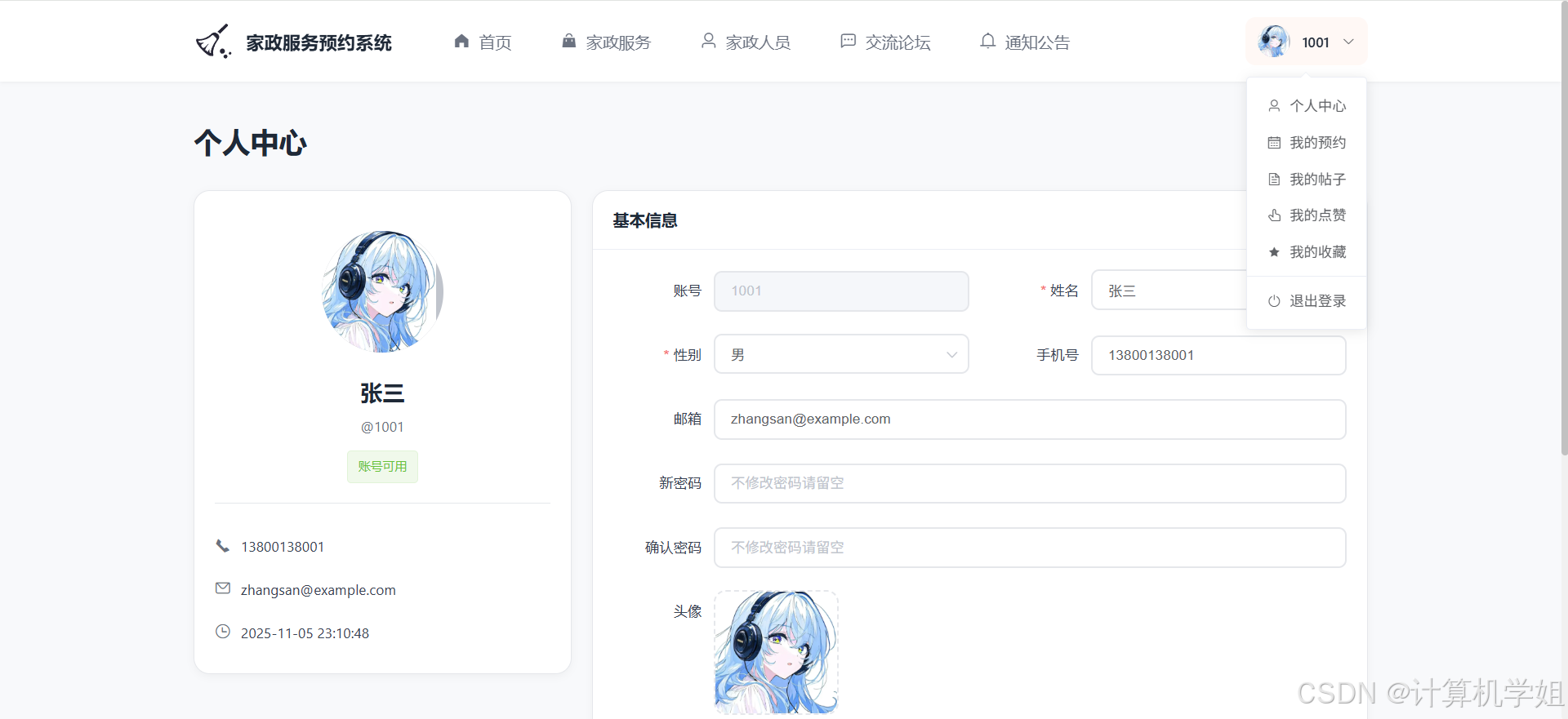
个人中心
后台界面
家政人员
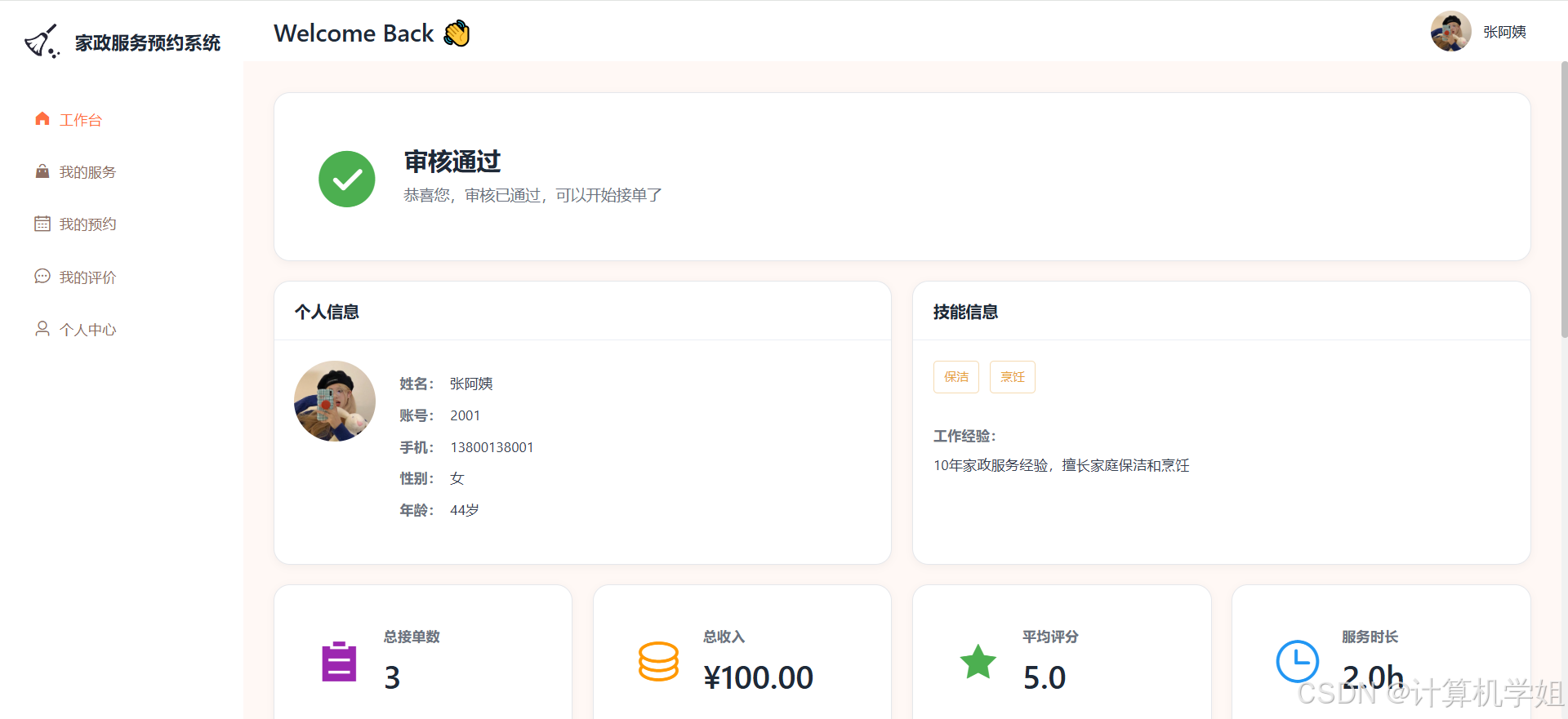
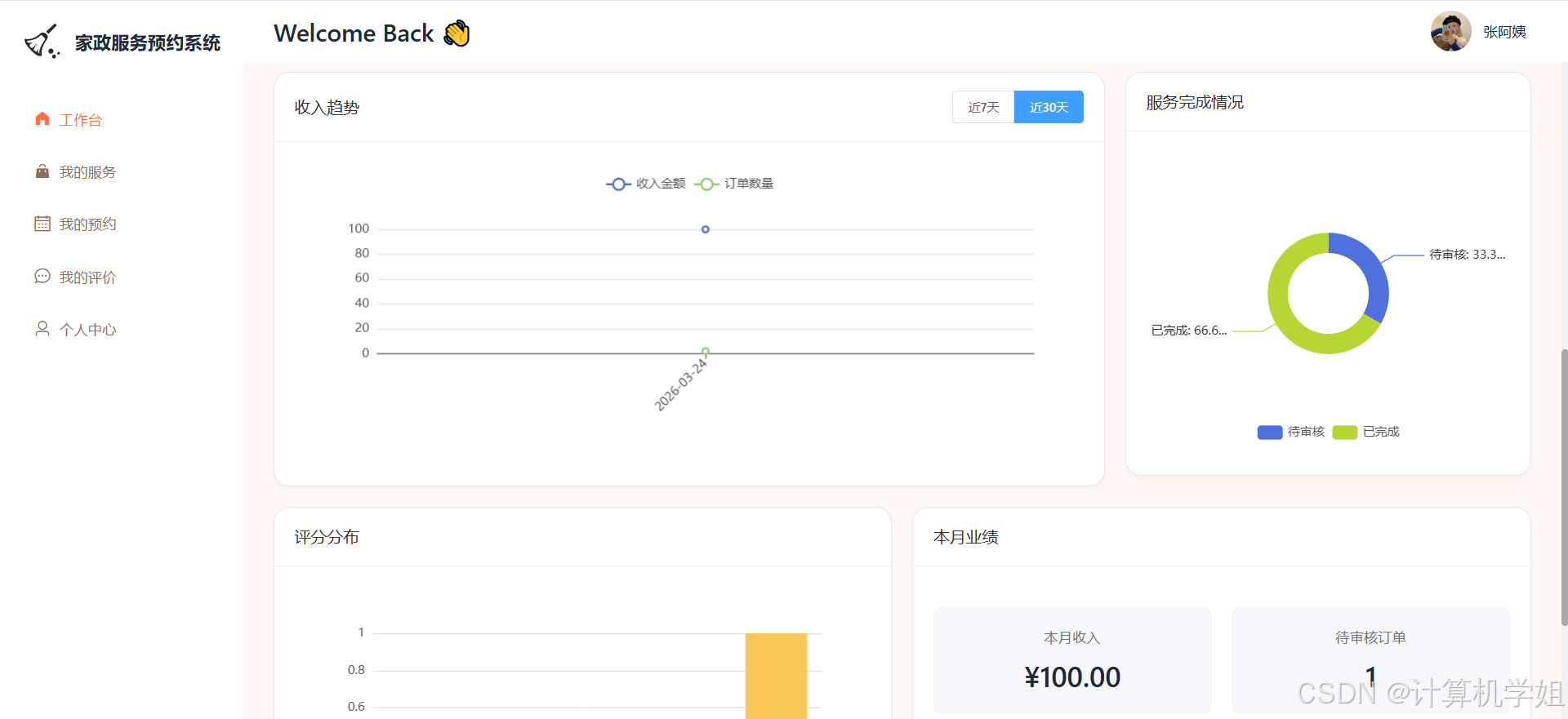
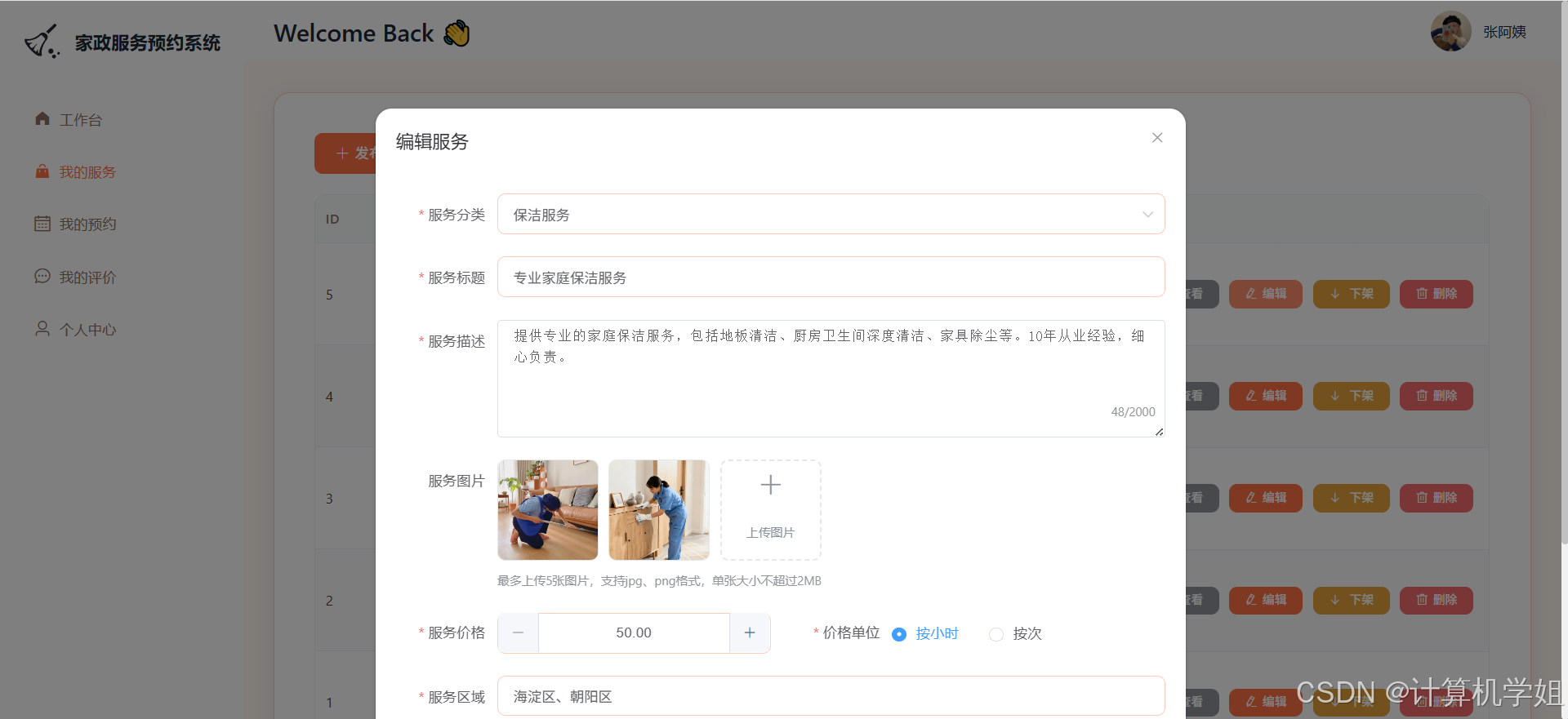
我的服务
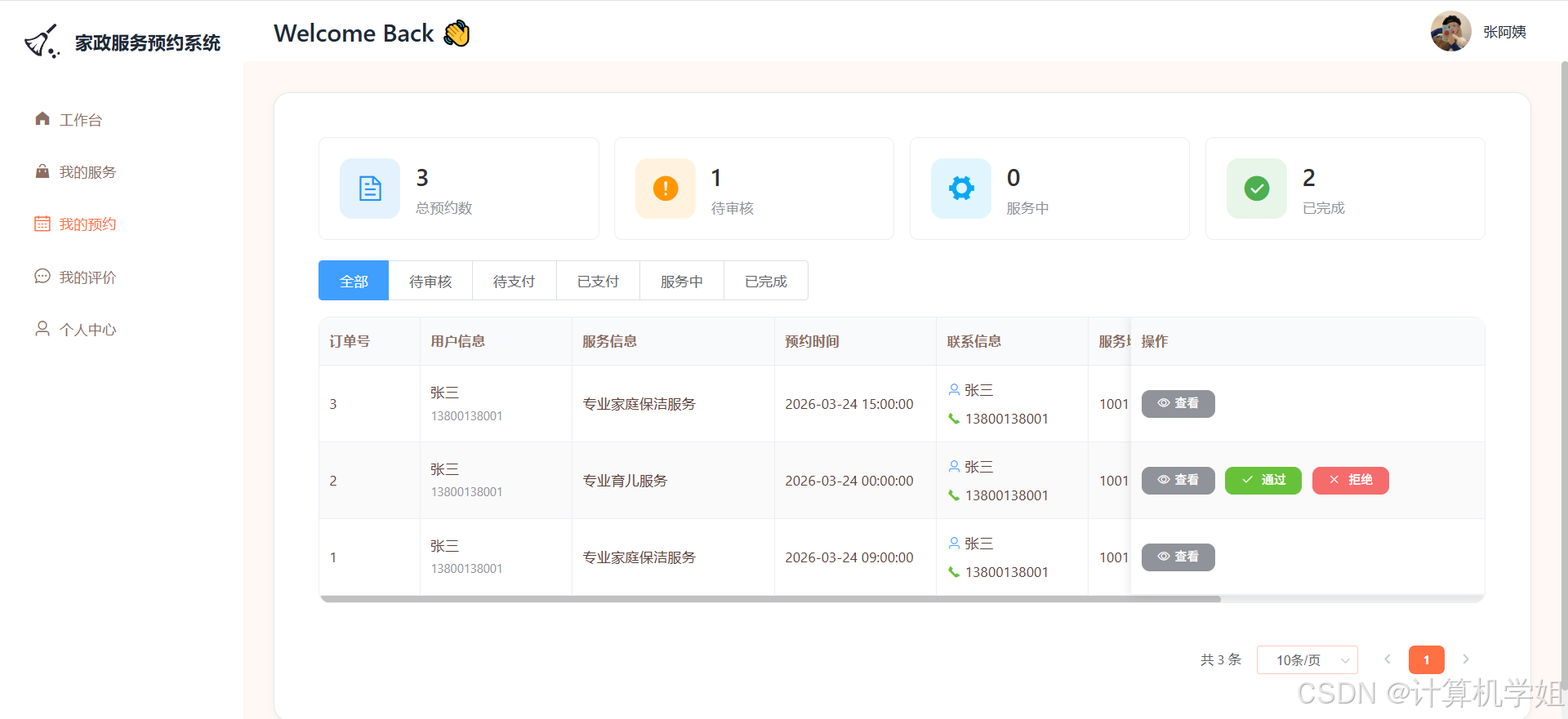
我的预约
我的评价
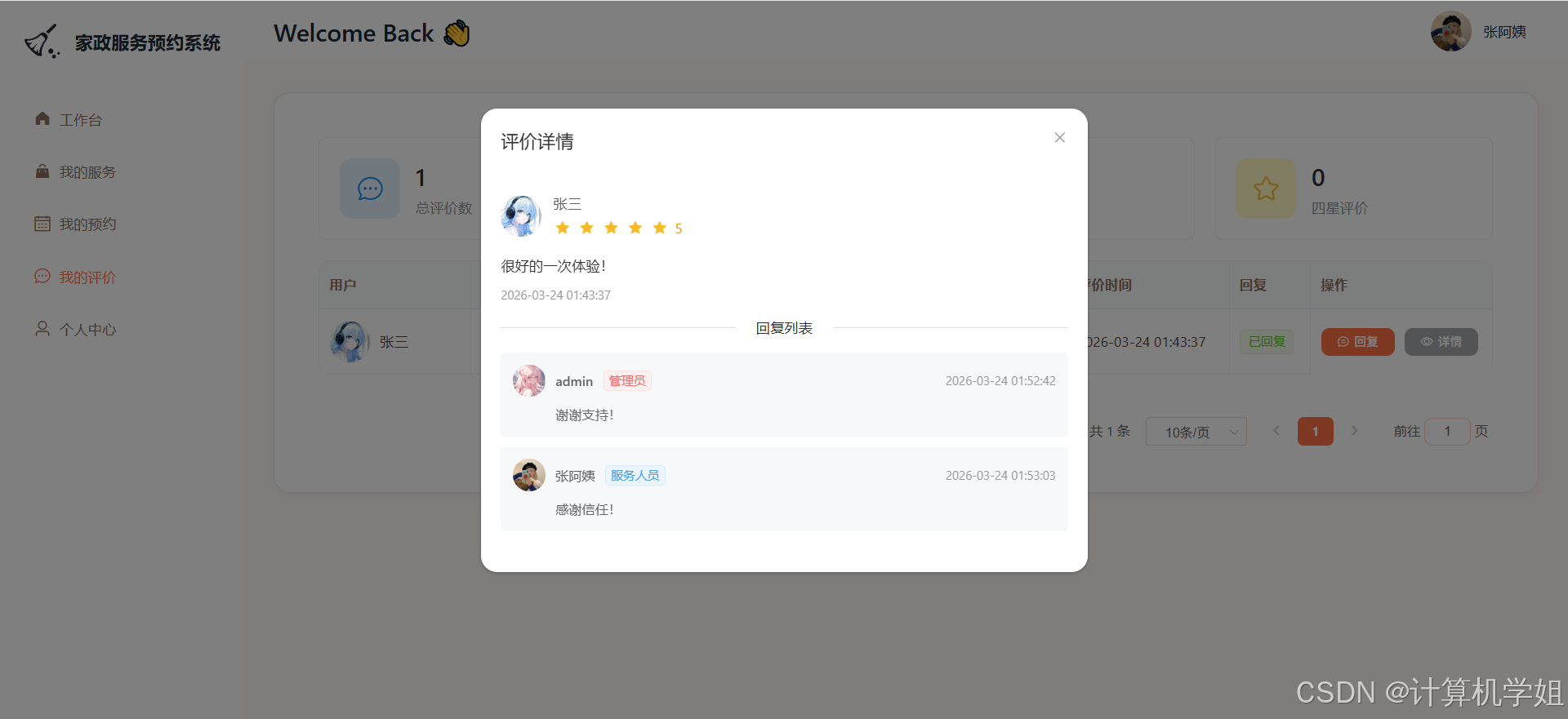
管理员端
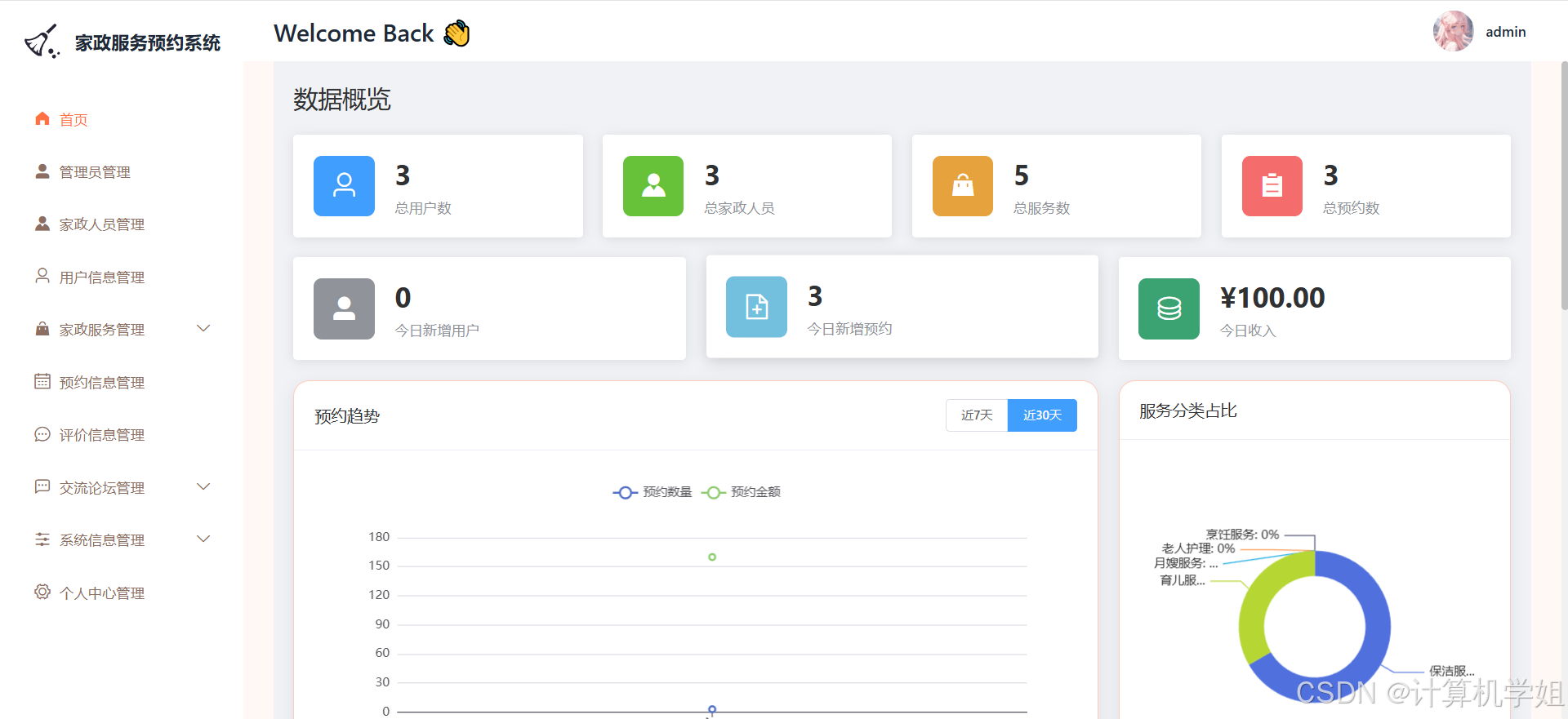
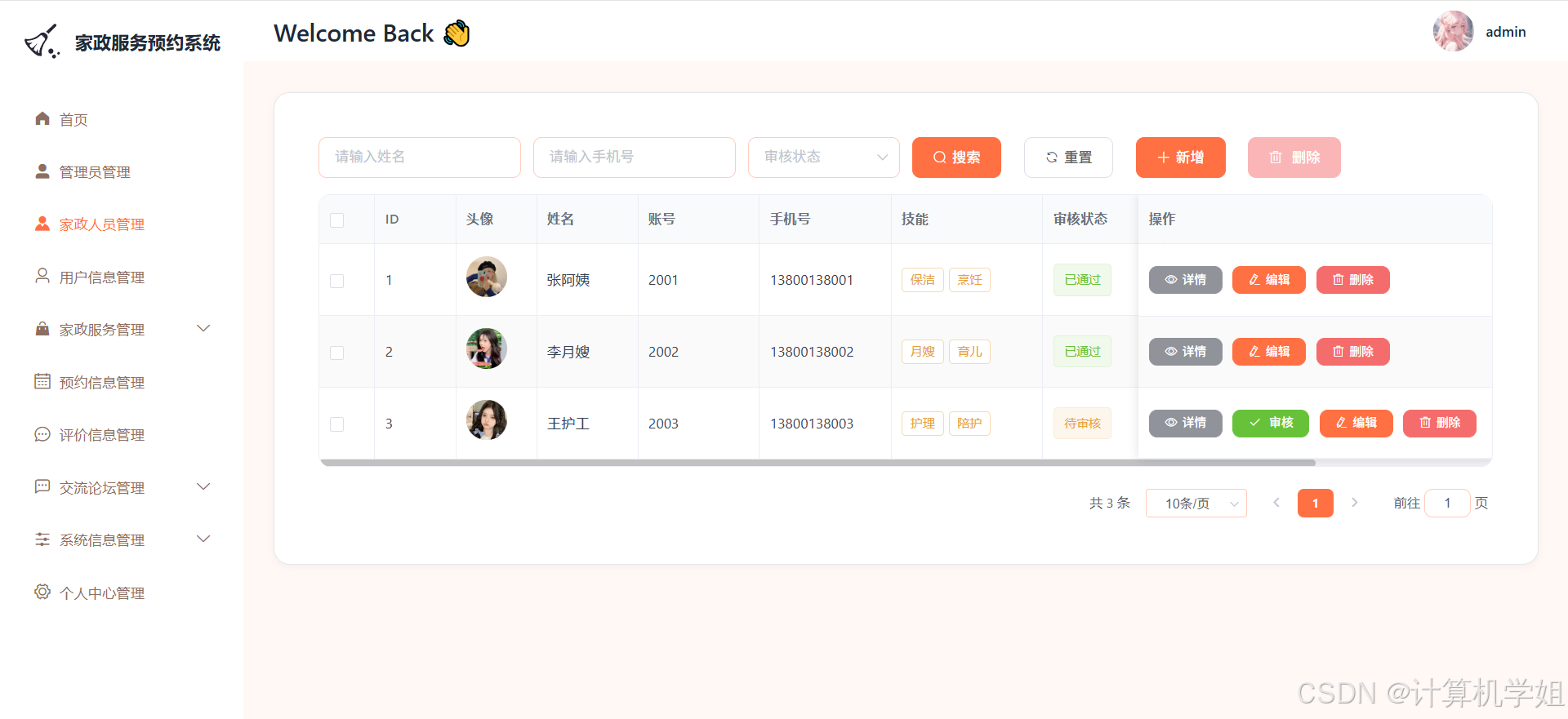
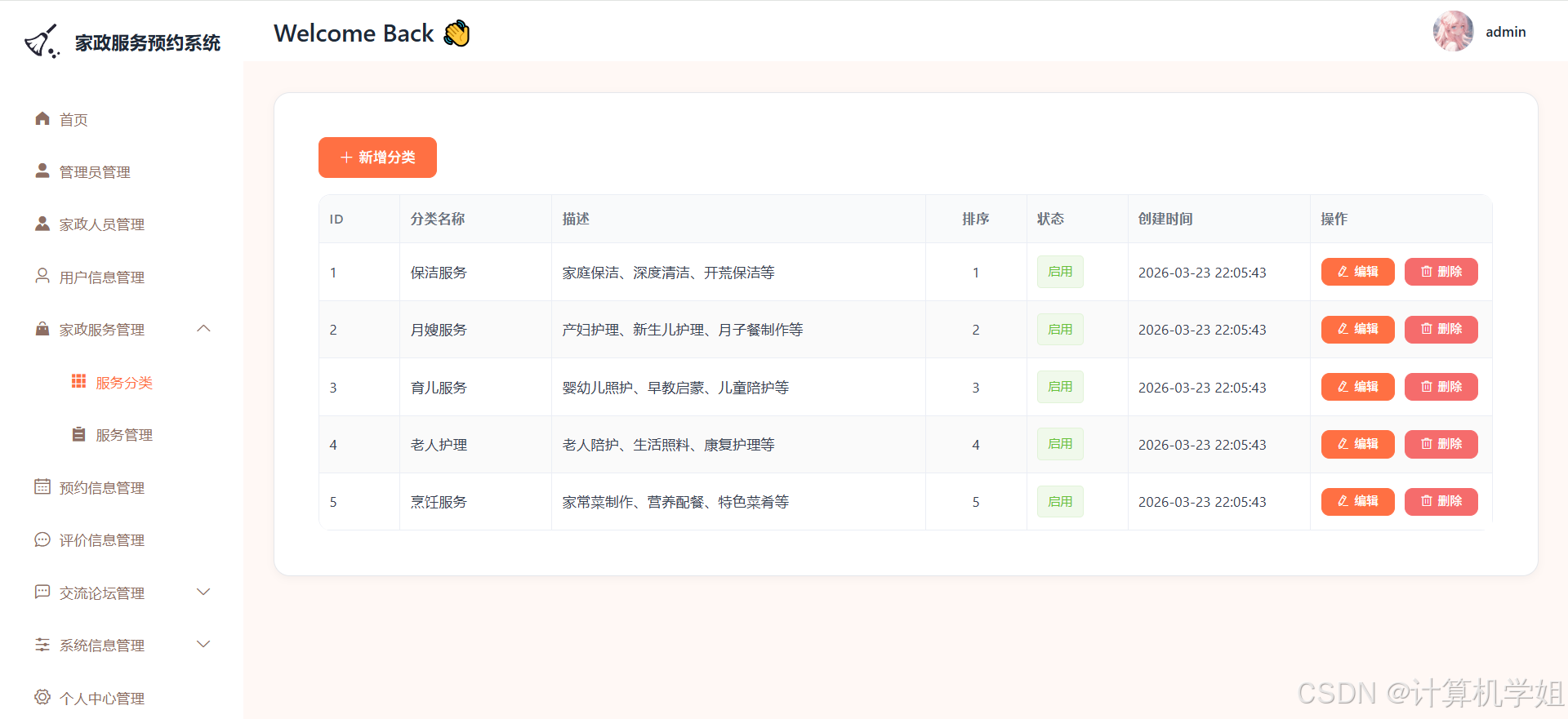
摘要
基于SpringBoot+VUE+MYSQL的家政服务预约系统,旨在构建一个高效、便捷的家政服务线上对接平台。系统采用前后端分离架构,前端利用VUE框架实现用户友好的交互界面,提供直观易用的服务预约、信息查询等功能入口;后端基于SpringBoot框架搭建,负责业务逻辑处理与数据交互,确保系统的高性能与稳定性。数据库选用MYSQL,用于存储用户信息、家政服务人员资料、服务订单等关键数据。该系统整合了用户注册登录、服务浏览、在线预约、订单管理、评价反馈等核心功能,用户可随时随地预约所需家政服务,家政服务人员能及时接收订单并安排工作,管理员可全面监控系统运行状态与业务数据。通过此系统,有效解决了传统家政服务预约过程中信息不透明、沟通不及时、流程繁琐等问题,提升了家政服务行业的服务效率与质量,为用户和服务人员带来极大便利,推动家政服务行业向数字化、智能化方向发展。
研究意义
在当今快节奏的生活中,人们对家政服务的需求日益增长,但传统家政服务预约方式存在诸多弊端,如信息传递不及时、服务匹配不精准、流程繁琐等,导致用户体验不佳,家政服务行业发展受限。基于SpringBoot+VUE+MYSQL的家政服务预约系统的研究具有重要的现实意义。从用户角度而言,该系统提供了便捷的线上预约渠道,用户可随时随地浏览各类家政服务信息,根据自身需求精准预约合适的服务人员,还能实时跟踪订单状态,享受透明、高效的服务体验,大大节省了时间和精力。对于家政服务人员来说,系统为其提供了更多的业务机会,通过线上展示个人技能与服务评价,能够吸引更多客户,提高收入水平。同时,系统规范了服务流程,有助于提升服务质量与专业形象。从行业发展层面看,该系统打破了传统家政服务的地域限制,促进了家政服务资源的优化配置,提高了行业的整体运营效率。通过数字化管理,企业能够更好地掌握市场需求与用户反馈,为服务创新与业务拓展提供有力支持。此外,系统的研究与应用推动了家政服务行业与信息技术的深度融合,有助于提升行业的信息化水平,促进家政服务行业向标准化、规范化、智能化方向发展,为构建和谐社会、提升居民生活质量做出积极贡献。
研究目的
本研究旨在开发一套基于SpringBoot+VUE+MYSQL的家政服务预约系统,以解决传统家政服务预约过程中存在的信息不对称、沟通不畅、流程繁琐等问题,提升家政服务行业的整体服务水平与运营效率。通过构建一个集用户、家政服务人员与管理员于一体的综合性平台,实现家政服务的线上化、智能化管理。具体而言,该系统要为用户提供便捷、高效的家政服务预约体验,使用户能够轻松查找并预约到符合自身需求的服务人员,同时实时了解服务进度与订单状态。对于家政服务人员,系统要提供一个展示个人技能与服务评价的窗口,帮助其获得更多业务机会,并规范服务流程,提高服务质量。对于管理员,系统要提供全面的管理功能,包括用户信息管理、服务人员管理、订单管理、数据统计分析等,以便及时掌握系统运行情况与业务数据,为决策提供支持。通过本系统的研究与开发,旨在促进家政服务行业的数字化转型,推动行业健康发展,为用户和服务人员创造更大的价值,提升整个社会的家政服务供给能力与质量。
文档目录
[1.1 研究背景](#1.1 研究背景)
[1.2 研究意义](#1.2 研究意义)
[1.3 研究现状](#1.3 研究现状)
[1.4 研究内容](#1.4 研究内容)
2.相关技术
[2.1 Java语言](#2.1 Java语言)
[2.2 B/S架构](#2.2 B/S架构)
[2.3 MySQL数据库](#2.3 MySQL数据库)
[2.4 SpringBoot框架](#2.4 SpringBoot框架)
[2.5 Vue框架](#2.5 Vue框架)
3.系统分析
[3.1 系统可行性分析](#3.1 系统可行性分析)
[3.1.1 技术可行性分析](#3.1.1 技术可行性分析)
[3.1.2 经济可行性分析](#3.1.2 经济可行性分析)
[3.1.3 操作可行性分析](#3.1.3 操作可行性分析)
[3.2 系统性能分析](#3.2 系统性能分析)
[3.2.1 易用性指标](#3.2.1 易用性指标)
[3.2.2 可扩展性指标](#3.2.2 可扩展性指标)
[3.2.3 健壮性指标](#3.2.3 健壮性指标)
[3.2.4 安全性指标](#3.2.4 安全性指标)
[3.3 系统流程分析](#3.3 系统流程分析)
[3.3.1 操作流程分析](#3.3.1 操作流程分析)
[3.3.2 登录流程分析](#3.3.2 登录流程分析)
[3.3.3 信息添加流程分析](#3.3.3 信息添加流程分析)
[3.3.4 信息删除流程分析](#3.3.4 信息删除流程分析)
[3.4 系统功能分析](#3.4 系统功能分析)
4.系统设计
[4.1 系统概要设计](#4.1 系统概要设计)
[4.2 系统功能结构设计](#4.2 系统功能结构设计)
[4.3 数据库设计](#4.3 数据库设计)
[4.3.1 数据库E-R图设计](#4.3.1 数据库E-R图设计)
[4.3.2 数据库表结构设计](#4.3.2 数据库表结构设计)
5.系统实现
[5.1 前台功能实现](#5.1 前台功能实现)
[5.2 后台功能实现](#5.2 后台功能实现)
6.系统测试
[6.1 测试目的及方法](#6.1 测试目的及方法)
[6.2 系统功能测试](#6.2 系统功能测试)
[6.2.1 登录功能测试](#6.2.1 登录功能测试)
[6.2.2 添加功能测试](#6.2.2 添加功能测试)
[6.2.3 删除功能测试](#6.2.3 删除功能测试)
[6.3 测试结果分析](#6.3 测试结果分析)
代码
bash
package com.xyz.controller;

import com.baomidou.mybatisplus.core.conditions.query.LambdaQueryWrapper;
import com.xyz.common.Result;
import com.xyz.entity.ServiceCategory;
import com.xyz.service.ServiceCategoryService;
import org.springframework.beans.factory.annotation.Autowired;
import org.springframework.web.bind.annotation.*;

import java.util.List;

/**
 * 家政服务分类控制器
 */
@RestController
@RequestMapping("/serviceCategory")
public class ServiceCategoryController {

    @Autowired
    private ServiceCategoryService categoryService;

    /**
     * 获取所有启用的分类
     */
    @GetMapping("/enabled")
    public Result<List<ServiceCategory>> getEnabledCategories() {
        try {
            List<ServiceCategory> categories = categoryService.getEnabledCategories();
            return Result.success(categories);
        } catch (Exception e) {
            return Result.error(e.getMessage());
        }
    }

    /**
     * 获取所有分类
     */
    @GetMapping("/list")
    public Result<List<ServiceCategory>> list() {
        try {
            LambdaQueryWrapper<ServiceCategory> wrapper = new LambdaQueryWrapper<>();
            wrapper.orderByAsc(ServiceCategory::getSortOrder);
            List<ServiceCategory> categories = categoryService.list(wrapper);
            return Result.success(categories);
        } catch (Exception e) {
            return Result.error(e.getMessage());
        }
    }

    /**
     * 新增分类
     */
    @PostMapping("/add")
    public Result<String> add(@RequestBody ServiceCategory category) {
        try {
            categoryService.save(category);
            return Result.success("新增成功");
        } catch (Exception e) {
            return Result.error(e.getMessage());
        }
    }

    /**
     * 更新分类
     */
    @PutMapping("/update")
    public Result<String> update(@RequestBody ServiceCategory category) {
        try {
            categoryService.updateById(category);
            return Result.success("更新成功");
        } catch (Exception e) {
            return Result.error(e.getMessage());
        }
    }

    /**
     * 删除分类
     */
    @DeleteMapping("/delete/{id}")
    public Result<String> delete(@PathVariable Long id) {
        try {
            categoryService.removeById(id);
            return Result.success("删除成功");
        } catch (Exception e) {
            return Result.error(e.getMessage());
        }
    }
}
<template>
  <div class="category-container">
    <el-card class="card">
      <!-- 操作栏 -->
      <div class="toolbar">
        <el-button type="primary" icon="el-icon-plus" @click="handleAdd">新增分类</el-button>
      </div>

      <!-- 表格 -->
      <el-table
        :data="tableData"
        border
        stripe
        style="width: 100%"
      >
        <el-table-column prop="id" label="ID" width="80"></el-table-column>
        <el-table-column prop="name" label="分类名称" width="150"></el-table-column>
        <el-table-column prop="description" label="描述" min-width="200"></el-table-column>
        <el-table-column prop="sortOrder" label="排序" width="100" align="center"></el-table-column>
        <el-table-column prop="status" label="状态" width="100">
          <template slot-scope="scope">
            <el-tag v-if="scope.row.status === 0" type="success">启用</el-tag>
            <el-tag v-else type="info">禁用</el-tag>
          </template>
        </el-table-column>
        <el-table-column prop="createTime" label="创建时间" width="180">
          <template slot-scope="scope">
            {{ scope.row.createTime | dateFormat }}
          </template>
        </el-table-column>
        <el-table-column label="操作" width="180" fixed="right">
          <template slot-scope="scope">
            <el-button type="primary" size="mini" icon="el-icon-edit" @click="handleEdit(scope.row)">编辑</el-button>
            <el-button type="danger" size="mini" icon="el-icon-delete" @click="handleDelete(scope.row)">删除</el-button>
          </template>
        </el-table-column>
      </el-table>
    </el-card>

    <!-- 新增/编辑对话框 -->
    <el-dialog
      :title="dialogTitle"
      :visible.sync="dialogVisible"
      width="600px"
      @close="handleDialogClose"
    >
      <el-form ref="categoryForm" :model="categoryForm" :rules="rules" label-width="100px">
        <el-form-item label="分类名称" prop="name">
          <el-input v-model="categoryForm.name" placeholder="请输入分类名称" maxlength="50"></el-input>
        </el-form-item>

        <el-form-item label="描述" prop="description">
          <el-input
            type="textarea"
            v-model="categoryForm.description"
            placeholder="请输入描述"
            :rows="3"
            maxlength="200"
            show-word-limit>
          </el-input>
        </el-form-item>

        <el-form-item label="排序号" prop="sortOrder">
          <el-input-number v-model="categoryForm.sortOrder" :min="0" :max="9999" placeholder="数值越小越靠前"></el-input-number>
        </el-form-item>

        <el-form-item label="状态" prop="status">
          <el-radio-group v-model="categoryForm.status">
            <el-radio :label="0">启用</el-radio>
            <el-radio :label="1">禁用</el-radio>
          </el-radio-group>
        </el-form-item>
      </el-form>

      <div slot="footer">
        <el-button @click="dialogVisible = false">取消</el-button>
        <el-button type="primary" @click="handleSubmit" :loading="submitting">确定</el-button>
      </div>
    </el-dialog>
  </div>
</template>

<script>
import { getCategoryList, addCategory, updateCategory, deleteCategory } from '@/api/admin/serviceCategory'

export default {
  name: 'ServiceCategory',
  data() {
    return {
      tableData: [],
      dialogVisible: false,
      dialogTitle: '',
      submitting: false,
      categoryForm: {
        id: null,
        name: '',
        description: '',
        sortOrder: 0,
        status: 0
      },
      rules: {
        name: [
          { required: true, message: '请输入分类名称', trigger: 'blur' }
        ],
        sortOrder: [
          { required: true, message: '请输入排序号', trigger: 'blur' }
        ],
        status: [
          { required: true, message: '请选择状态', trigger: 'change' }
        ]
      }
    }
  },
  created() {
    this.loadData()
  },
  methods: {
    // 加载数据
    loadData() {
      getCategoryList().then(res => {
        this.tableData = res.data
      })
    },

    // 新增
    handleAdd() {
      this.dialogTitle = '新增分类'
      this.categoryForm = {
        id: null,
        name: '',
        description: '',
        sortOrder: 0,
        status: 0
      }
      this.dialogVisible = true
    },

    // 编辑
    handleEdit(row) {
      this.dialogTitle = '编辑分类'
      this.categoryForm = {
        id: row.id,
        name: row.name,
        description: row.description,
        sortOrder: row.sortOrder,
        status: row.status
      }
      this.dialogVisible = true
    },

    // 提交
    handleSubmit() {
      this.$refs.categoryForm.validate(valid => {
        if (valid) {
          this.submitting = true

          const request = this.categoryForm.id ? updateCategory : addCategory

          request(this.categoryForm).then(res => {
            this.$message.success(this.categoryForm.id ? '更新成功' : '新增成功')
            this.dialogVisible = false
            this.loadData()
          }).finally(() => {
            this.submitting = false
          })
        }
      })
    },

    // 删除
    handleDelete(row) {
      this.$confirm('确定要删除这个分类吗? 删除后将无法恢复。', '提示', {
        confirmButtonText: '确定',
        cancelButtonText: '取消',
        type: 'warning'
      }).then(() => {
        deleteCategory(row.id).then(res => {
          this.$message.success('删除成功')
          this.loadData()
        })
      }).catch(() => {})
    },

    // 关闭对话框
    handleDialogClose() {
      this.$refs.categoryForm.resetFields()
    }
  },
  filters: {
    dateFormat(value) {
      if (!value) return ''
      return value.replace('T', ' ').substring(0, 19)
    }
  }
}
</script>

<style lang="scss" scoped>
.category-container {
  padding-top: 30px;

  .card {
    border-radius: 16px;
    border: 1px solid #E5E7EB;
    box-shadow: 0 2px 8px rgba(0, 0, 0, 0.04);

    ::v-deep .el-card__body {
      padding: 24px;
    }

    .toolbar {
      margin-bottom: 16px;
    }
  }

  ::v-deep .el-table {
    border-radius: 12px;
    overflow: hidden;

    th {
      background-color: #F9FAFB;
      color: #6B7280;
      font-weight: 600;
      font-size: 13px;
    }

    td {
      color: #374151;
    }
  }
}
</style>
总结
基于SpringBoot+VUE+MYSQL的家政服务预约系统的研究与开发,是顺应时代发展需求与家政服务行业变革的重要举措。该系统以解决传统家政服务预约痛点为目标,通过前后端分离架构,利用VUE构建用户友好的前端界面,SpringBoot搭建高效稳定的后端服务,MYSQL存储与管理关键数据,实现了用户、家政服务人员与管理员之间的信息交互与业务协同。系统涵盖了用户注册登录、服务浏览预约、订单管理、评价反馈等核心功能,为用户提供了便捷、高效的家政服务预约体验,为家政服务人员拓展了业务渠道,为管理员提供了全面的管理手段。通过本系统的应用,有效提升了家政服务行业的信息化水平与运营效率,促进了家政服务资源的优化配置,推动了行业的数字化转型与健康发展,具有显著的经济效益与社会效益,为家政服务行业的未来发展奠定了坚实基础。
获取源码
一键三连噢~