一、命名管道的本质
命名管道必须在磁盘中存在,是一个真实的文件,这是一种特殊的文件,管道文件。
命名管道(FIFO)在文件系统中表现为一个特殊的管道文件(类型为 p) ,它有自己的路径和文件名,看起来像 "存在于磁盘上",但实际并不占用磁盘存储空间 ,数据是存储在内核缓冲区里的,只是通过文件系统的路径来标识和访问。
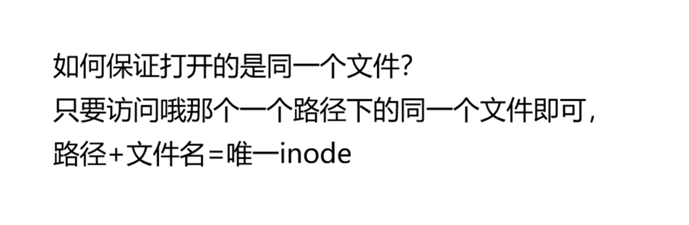 有了inode那么这个文件一定会具有名字。
如何保证打开的是同一个文件?
-
在 Linux/Unix 系统中,每个文件都有一个唯一的 inode 号(索引节点),它是文件在文件系统中的唯一标识。
-
只要多个进程访问同一个路径 + 文件名,就会定位到同一个 inode,从而保证打开的是同一个命名管道文件。
- 这也是命名管道能让无亲缘关系的进程互相通信的关键 ------ 通过共享的路径名找到同一个管道。
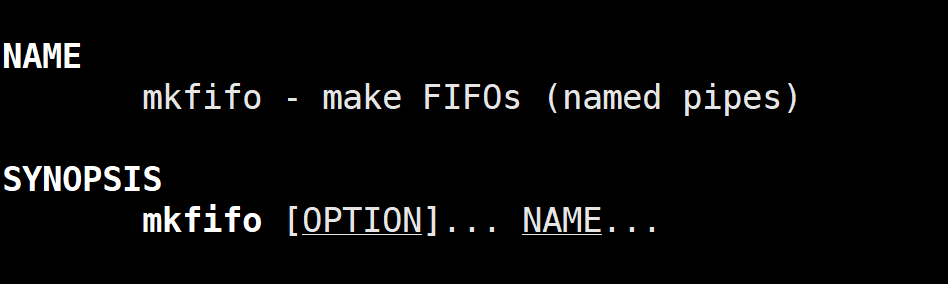
创建命名管道mkfifo
在文件系统里创建一个命名管道文件,用于进程间通信。
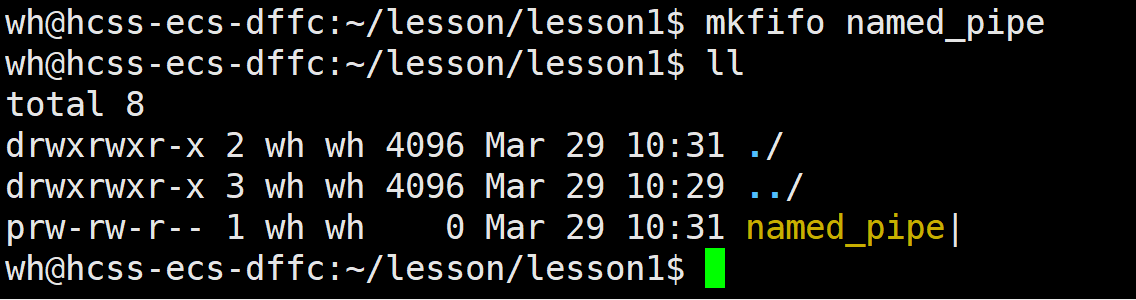
命名管道的属性:
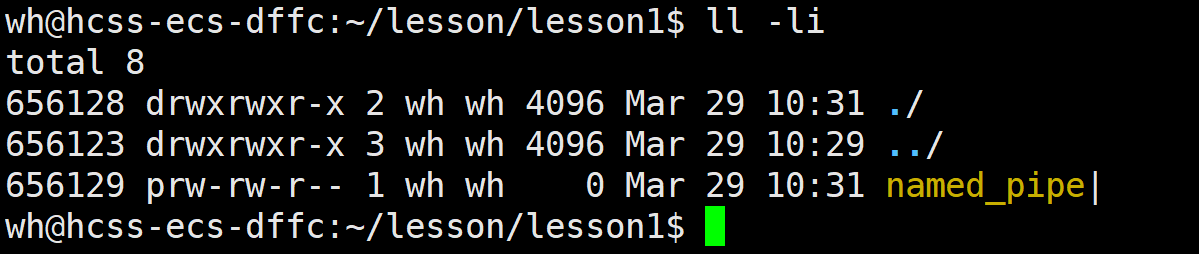
不在磁盘里所以不占空间所以大小为0.
接下来我们进行编写代码:

代码如下:
cpp
//client.cc
#include<iostream>
#include"Pipe.hpp"
//向命名管道写

int main()
{
    Fifo fileclient;
    fileclient.open(ForWrite);

    while(true)
    {
        std::cout<<"Please Enter@ ";
        std::string msg;
        std::fetline(std::cin,msg);
        fileclient.Send(msg);
    }


}
cpp
//server.cc
//向命名管道读
#include"Pipe.hpp"
int main()
{
    Fifo pipefile;
    pipefile.Build();
    pipeile.Open(ForRead);
    std::string msg;


    while(true)
    {

        pipefile.Recv(&msg);
        if (n>0)
        {
            std::cout<<"Client Say# "<<msg<<std::endl;
        }
        else
            break;
    }

    pipefile.Delete();


    return 0;

}
cpp
//pipe.hpp
#pragma once
#include <iostream>
#include <sys/types.h>
#include <sys/stat.h>
#include <cstdlib>
#include <cstring>
#include <errno.h>
#include <unistd.h>
#include <fcntl.h>

const std::string gcommfile = "./fifo";
#define ForRead 1
#define ForWrite 2
class Fifo
{
public:
    Fifo(const std::string &commfile = gcommfile)
        : _commfile(commfile), _mode(0666), _fd(-1)
    {
    }
    // 1、创建管道
    void Build()

    {
        if (IsExists())
            return;
        umask(0);
        int n = mkfifo(_commfile.c_str(), _mode);
        if (n < 0)
        {
            std::cerr << " mkfifo error:" << strerror(errno) << "errno:" << errno << std::endl;
            exit(1);
        }
        std::cerr << " mkfifo error:" << strerror(errno) << "errno:" << errno << std::endl;
    }
    // 2、打开管道
    void Open(int mode)
    {
        //在通信没有开始之前,如果读端打开,写端没有打开,读端open就会阻塞,直到client(写端)打开
        if (mode == ForRead)

            _fd = open(_commfile.c_str(), O_RDONLY);

        else if(mode == ForWrite)
                _fd = open(_commfile.c_str(), O_WRONLY);
    }


    void Send(const std::string &msgin)
    {
        ssize_t n=write(_fd,msgin.c_str(),msginsize());
        (void)n;

    }
    void Recv(const std::string &msgout)
    {
        char buffer[128];

        ssize_t n=read(_fd,buffer,sizeof(buffer)-1);
        if(n>0)
        {
            buffer[n]=0;
            *msgout=buffer;
            return n;
        }
        else if (n==0)
        {
            return 0;
        }
        else
        {
            return -1;
        }
    }
    // 3、删除管道
    void Delete()
    {
        if (!IsExists())
            return;
        int n = unlink(_commfile.c_str());
        (void)n;
    }
    ~Fifo()
    {
    }

private:
    bool IsExists()
    {
        struct stat st;
        int n = stat(_commfile.c_str(), &st);
        if (n == 0)
        {
            std::cout << "file exists" << std::cout << endl;
            return true;
        }
        else
        {
            std::cout << "file not exist exists:" << errno << std::endl;
            return false;
        }
    }

private:
    std::string _commfile;
    mode_t _mode;
    int _fd;
};
cpp
//Makefile
.PHONY:all
all: Client Server

Client: client.cc
	g++ -o $@ $^ -std=c++11

Server: server.cc
	g++ -o $@ $^ -std=c++11

.PHONY: clean
clean:
	rm -f Server Client
二、system V共享内存
1、原理是什么?
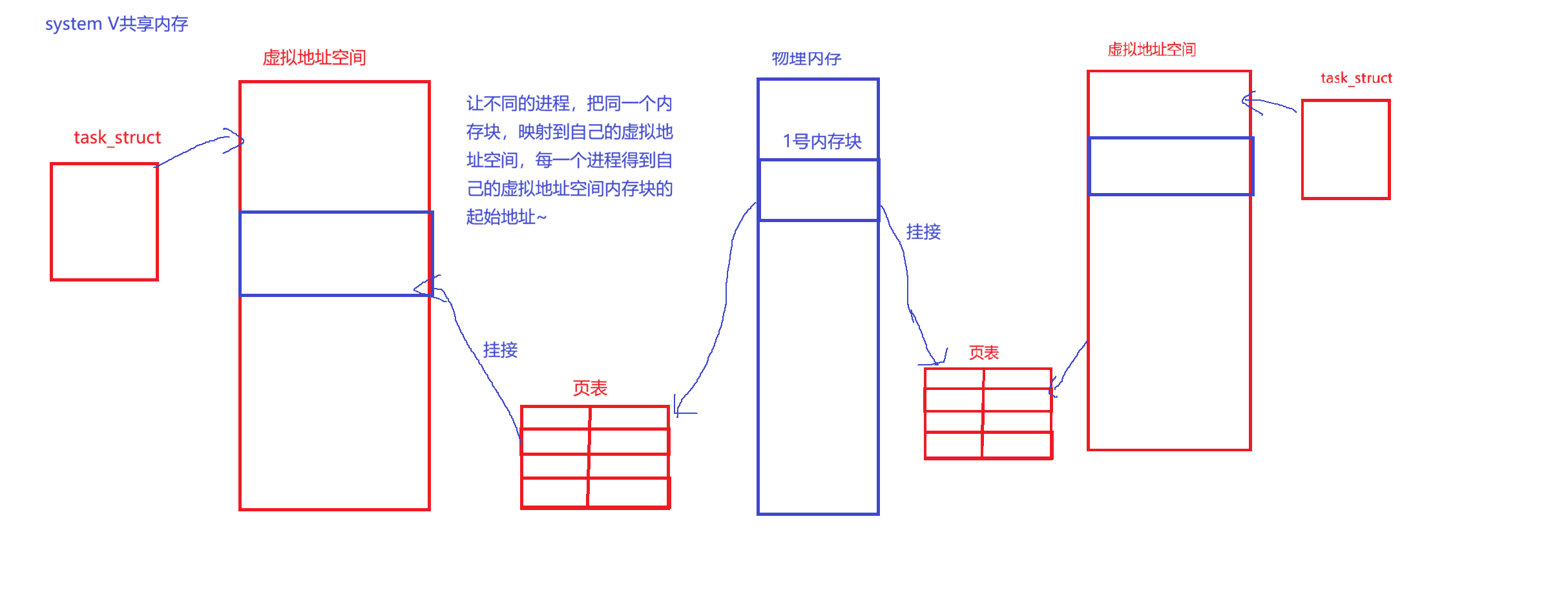
1、映射到进程的虚拟空间地址的共享区。2、共享内存是一个简化版本的动态库映射。
3、共享内存=共享内存管理结构体+共享内存本身
共享内存需要被操作系统管理起来
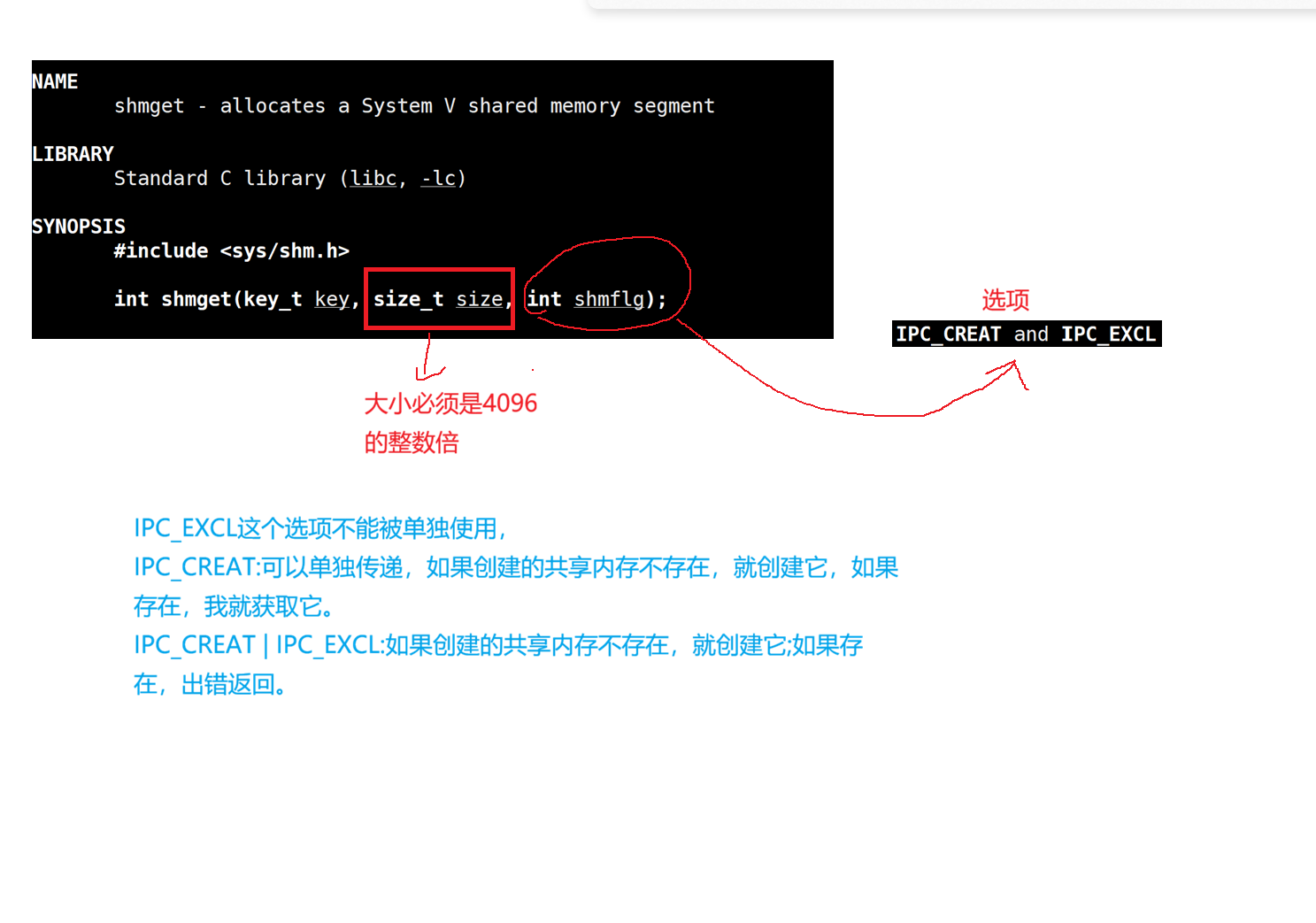
4、使用共享内存的步骤:1、创建2、关联链接3、使用()4、去关联5、释放共享内
共享内存是什么?
答:采用多个进程,使用虚拟地址空间映射的方式,让不同的进程看到同一个内存块。
接口: