Mysql的源码编译
1.下载安装包
bash
[root@mysql-node1 ~]# wget https://downloads.mysql.com/archives/get/p/23/file/mysql-boost-8.3.0.tar.gz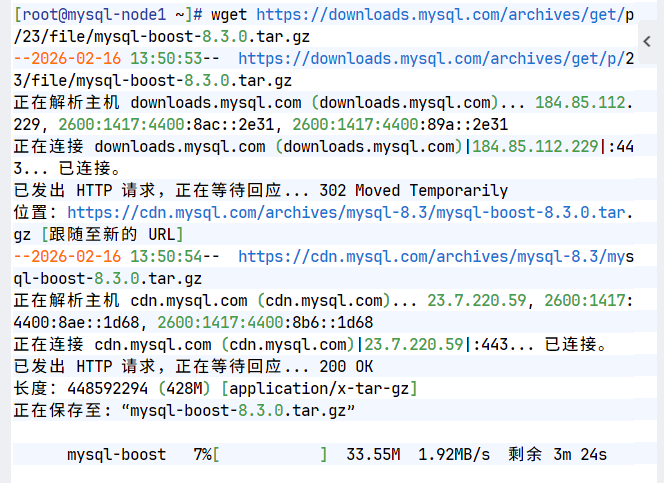
2.源码编译
提前上传libtirpc-devel-1.3.3-9.el9.x86_64.rpm包
bash
[root@mysql-node1 ~]# dnf install cmake3 gcc git bison openssl-devel ncurses-devel systemd-devel rpcgen.x86_64 libtirpc-devel-1.3.3-9.el9.x86_64.rpm gcc-toolset-12-gcc gcc-toolset-12-gcc-c++ gcc-toolset-12-binutils gcc-toolset-12-annobin-annocheck gcc-toolset-12-annobin-plugin-gcc -y
[root@mysql-node1 ~]# tar zxf mysql-boost-8.3.0.tar.gz
[root@mysql-node1 ~]# cd mysql-8.3.0/
[root@mysql-node1 mysql-8.3.0]# mkdir build
[root@mysql-node1 mysql-8.3.0]# cd build/
[root@mysql-node1 build]# cmake3 .. -DCMAKE_INSTALL_PREFIX=/usr/local/mysql -DMYSQL_DATADIR=/data/mysql -DMYSQL_UNIX_ADDR=/data/mysql/mysql.sock -DWITH_INNOBASE_STORAGE_ENGINE=1 -DWITH_EXTRA_CHARSETS=all -DDEFAULT_CHARSET=utf8mb4 -DDEFAULT_COLLATION=utf8mb4_unicode_ci -DWITH_BOOST=bundled -DWITH_SSL=system -DWITH_DEBUG=OFF
[root@mysql-node1 build]# make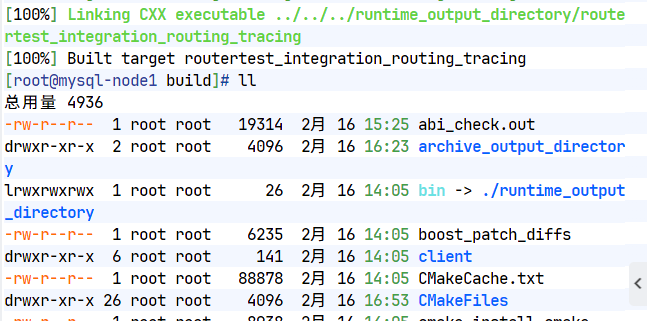
3.部署mysql
bash
[root@mysql-node1 build]# make install
[root@mysql-node1 build]# cd /usr/local/mysql/
[root@mysql-node1 mysql]# ls
bin LICENSE mysqlrouter-log-rotate README-test var
docs LICENSE.router mysql-test run
include LICENSE-test README share
lib man README.router support-files
[root@mysql-node1 mysql]# vim ~/.bash_profile
# .bash_profile
# Get the aliases and functions
if [ -f ~/.bashrc ]; then
. ~/.bashrc
fi
# User specific environment and startup programs
export PATH=$PATH:/usr/local/mysql/bin #设置MySQL运行环境的环境变量
[root@mysql-node1 mysql]# source ~/.bash_profile
[root@mysql-node1 mysql]# mysql
ERROR 2002 (HY000): Can't connect to local MySQL server through socket '/data/mysql/mysql.sock' (2)
[root@mysql-node1 mysql]# useradd -r -s /sbin/nologin -M mysql
[root@mysql-node1 mysql]# mkdir -p /data/mysql/
[root@mysql-node1 mysql]# ll -d /data/mysql/
drwxr-xr-x 2 mysql mysql 6 2月 16 14:04 /data/mysql/
[root@mysql-node1 ~]# vim /etc/my.cnf
[mysqld]
datadir=/data/mysql
socket=/data/mysql/mysql.sock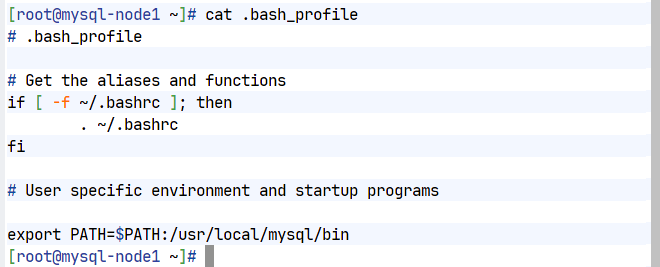
4.MySQL数据结构初始化
bash
[root@mysql-node1 ~]# mysqld --initialize --user=mysql
2026-03-08T14:03:06.123487Z 6 [Note] [MY-010454] [Server] A temporary password is generated for root@localhost: MmDkdonq!6>q        #默认数据库的root用户密码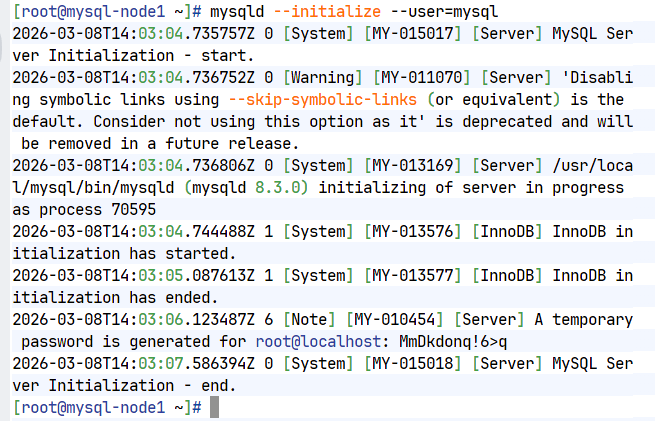
5.启动mysql
bash
[root@mysql-node1 support-files]# dnf install initscripts-10.11.8-4.el9.x86_64
[root@mysql-node1 support-files]# cd /usr/local/mysql/support-files/
[root@mysql-node1 support-files]# ls
mysqld_multi.server mysql-log-rotate mysql.server
[root@mysql-node1 support-files]# cp -p mysql.server /etc/init.d/mysqld
[root@mysql-node1 support-files]# /etc/init.d/mysqld start
Starting MySQL.Logging to '/data/mysql/mysql-node1.err'.
. SUCCESS!
#开机启动
[root@mysql-node1 support-files]# chkconfig --level 35 mysqld on
[root@mysql-node1 support-files]# chkconfig --level 35 --list
注:该输出结果只显示 SysV 服务,并不包含
原生 systemd 服务。SysV 配置数据
可能被原生 systemd 配置覆盖。
要列出 systemd 服务,请执行 'systemctl list-unit-files'。
查看在具体 target 启用的服务请执行
'systemctl list-dependencies [target]'。
mysqld 0:关 1:关 2:开 3:开 4:开 5:开 6:关6.mysql安全初始化
bash
[root@mysql-node1 support-files]# mysql -uroot -p'MmDkdonq!6>q'
[root@mysql-node1 ~]# mysql_secure_installation
Securing the MySQL server deployment.
Enter password for user root:
The existing password for the user account root has expired. Please set a new password.
New password:
Re-enter new password:
VALIDATE PASSWORD COMPONENT can be used to test passwords
and improve security. It checks the strength of password
and allows the users to set only those passwords which are
secure enough. Would you like to setup VALIDATE PASSWORD component?
Press y|Y for Yes, any other key for No: no
Using existing password for root.
Change the password for root ? ((Press y|Y for Yes, any other key for No) : no
Remove anonymous users? (Press y|Y for Yes, any other key for No) : y
Success.
Normally, root should only be allowed to connect from
'localhost'. This ensures that someone cannot guess at
the root password from the network.
Disallow root login remotely? (Press y|Y for Yes, any other key for No) : y
Success.
By default, MySQL comes with a database named 'test' that
anyone can access. This is also intended only for testing,
and should be removed before moving into a production
environment.
Remove test database and access to it? (Press y|Y for Yes, any other key for No) : y
- Dropping test database...
Success.
- Removing privileges on test database...
Success.
Reloading the privilege tables will ensure that all changes
made so far will take effect immediately.
Reload privilege tables now? (Press y|Y for Yes, any other key for No) : y
Success.
All done!
[root@mysql-node1 ~]# 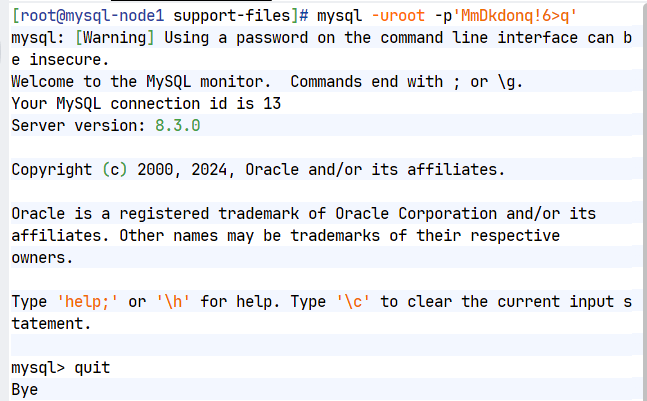
7.配置克隆机
| 主机名 | IP地址 |
|---|---|
| mysql-node1 | 192.168.186.10 |
| mysql-node2 | 192.168.186.20 |
| mysql-node3 | 192.168.186.30 |
bash
#提前克隆文件
[root@mysql-node1 ~]# scp -rp /usr/local/mysql/ root@192.168.186.20:/usr/local
[root@mysql-node2 ~]# useradd -r -s /sbin/nologin mysql
[root@mysql-node2 ~]# mkdir -p /data/mysql
[root@mysql-node2 ~]# chown mysql.mysql /data/mysql
[root@mysql-node2 ~]# vim ~/.bash_profile
[root@mysql-node2 ~]# cat ~/.bash_profile
# .bash_profile
# Get the aliases and functions
if [ -f ~/.bashrc ]; then
. ~/.bashrc
fi
# User specific environment and startup programs
export PATH=$PATH:/usr/local/mysql/bin
[root@mysql-node2 ~]# source ~/.bash_profile
[root@mysql-node2 ~]# dnf install initscripts-10.11.8-4.el9.x86_64
[root@mysql-node2 ~]# cp /usr/local/mysql/support-files/mysql.server /etc/init.d/mysqld -p
[root@mysql-node2 ~]# mysqld --initialize --user=mysql
2026-03-08T14:49:15.200166Z 6 [Note] [MY-010454] [Server] A temporary password is generated for root@localhost: fd+T)+nc#4oc
[root@mysql-node3 ~]# mysqld --initialize --user=mysql
2026-03-08T14:50:00.459400Z 6 [Note] [MY-010454] [Server] A temporary password is generated for root@localhost: z#rr_gsVx83r
[root@mysql-node2 ~]# chkconfig mysqld on
[root@mysql-node2 ~]# /etc/init.d/mysqld start
Starting MySQL.Logging to '/data/mysql/mysql-node2.err'.
. SUCCESS!
[root@mysql-node2 ~]# mysql_secure_installation
Securing the MySQL server deployment.
Enter password for user root:
The existing password for the user account root has expired. Please set a new password.
New password:
Re-enter new password:
VALIDATE PASSWORD COMPONENT can be used to test passwords
and improve security. It checks the strength of password
and allows the users to set only those passwords which are
secure enough. Would you like to setup VALIDATE PASSWORD component?
Press y|Y for Yes, any other key for No: no
Using existing password for root.
Change the password for root ? ((Press y|Y for Yes, any other key for No) : no
... skipping.
By default, a MySQL installation has an anonymous user,
allowing anyone to log into MySQL without having to have
a user account created for them. This is intended only for
testing, and to make the installation go a bit smoother.
You should remove them before moving into a production
environment.
#后续全部回车,结束
Remove anonymous users? (Press y|Y for Yes, any other key for No) :
... skipping.
Normally, root should only be allowed to connect from
'localhost'. This ensures that someone cannot guess at
the root password from the network.
Disallow root login remotely? (Press y|Y for Yes, any other key for No) :
... skipping.
By default, MySQL comes with a database named 'test' that
anyone can access. This is also intended only for testing,
and should be removed before moving into a production
environment.
Remove test database and access to it? (Press y|Y for Yes, any other key for No) :
... skipping.
Reloading the privilege tables will ensure that all changes
made so far will take effect immediately.
Reload privilege tables now? (Press y|Y for Yes, any other key for No) :
... skipping.
All done!
[root@mysql-node2 ~]#
#设置主机数据库号
[root@mysql-node1 ~]# /etc/init.d/mysqld stop
Shutting down MySQL.. SUCCESS!
[root@mysql-node1 ~]# vim /etc/my.cnf
[root@mysql-node1 ~]# cat /etc/my.cnf
[mysqld]
datadir=/data/mysql
socket=/data/mysql/mysql.sock
symbolic-links=0
server-id=10 #同理修改其他主机为20 30
[root@mysql-node1 ~]# /etc/init.d/mysqld start
Starting MySQL.... SUCCESS!
[root@mysql-node1 ~]# 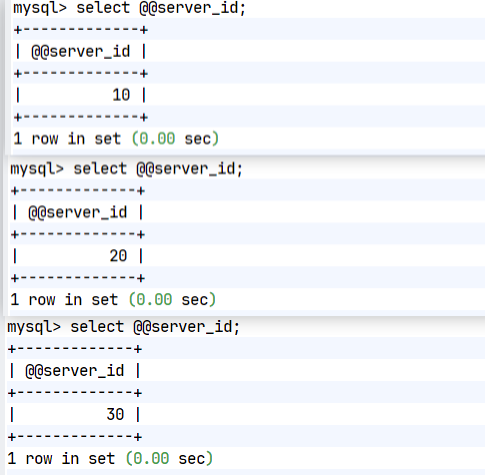
mysql集群实战--主从复制
1.编写my.cnf主配置文件
bash
[root@mysql-node1 mysql]# vim /etc/my.cnf
[mysqld]
datadir=/data/mysql
socket=/data/mysql/mysql.sock
symbolic-links=0
server-id=10
log-bin=mysql-bin #其他主机同样添加
#在三台主机中重启数据库
[root@mysql-node1 mysql]# /etc/init.d/mysqld restart
Shutting down MySQL. SUCCESS!
Starting MySQL.. SUCCESS!
[root@mysql-node3 mysql]# 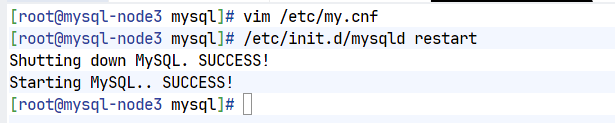
2.建立同步时需要用到的数据库账号
bash
[root@mysql-node1 mysql]# mysql -uroot -psuzixian
mysql: [Warning] Using a password on the command line interface can be insecure.
Welcome to the MySQL monitor. Commands end with ; or \g.
Your MySQL connection id is 8
Server version: 8.3.0 Source distribution
Copyright (c) 2000, 2024, Oracle and/or its affiliates.
Oracle is a registered trademark of Oracle Corporation and/or its
affiliates. Other names may be trademarks of their respective
owners.
Type 'help;' or '\h' for help. Type '\c' to clear the current input statement.
mysql> show variables like 'default_authentication_plugin';
+-------------------------------+-----------------------+
| Variable_name | Value |
+-------------------------------+-----------------------+
| default_authentication_plugin | caching_sha2_password |
+-------------------------------+-----------------------+
1 row in set (0.06 sec)
mysql> create user lee@'%' identified with mysql_native_password by 'lee'; #建立用户
Query OK, 0 rows affected (0.01 sec)
mysql> select user from mysql.user;
+------------------+
| user |
+------------------+
| lee |
| mysql.infoschema |
| mysql.session |
| mysql.sys |
| root |
+------------------+
5 rows in set (0.01 sec)
mysql> grant replication slave on *.* to lee@'%'; #给用户授权
Query OK, 0 rows affected (0.01 sec)
mysql> show grants for lee@'%';
+---------------------------------------------+
| Grants for lee@% |
+---------------------------------------------+
| GRANT REPLICATION SLAVE ON *.* TO `lee`@`%` |
+---------------------------------------------+
1 row in set (0.00 sec)
#在其他主机中
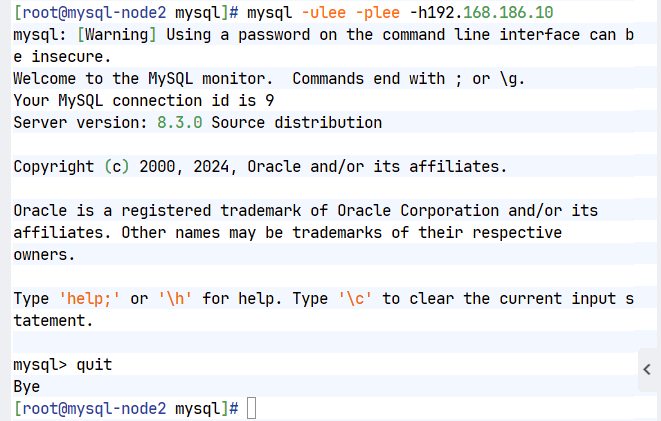
[root@mysql-node2 mysql]# mysql -ulee -plee -h192.168.186.10
mysql: [Warning] Using a password on the command line interface can be insecure.
Welcome to the MySQL monitor. Commands end with ; or \g.
Your MySQL connection id is 9
Server version: 8.3.0 Source distribution
Copyright (c) 2000, 2024, Oracle and/or its affiliates.
Oracle is a registered trademark of Oracle Corporation and/or its
affiliates. Other names may be trademarks of their respective
owners.
Type 'help;' or '\h' for help. Type '\c' to clear the current input statement.
mysql> quit
Bye
[root@mysql-node2 mysql]# 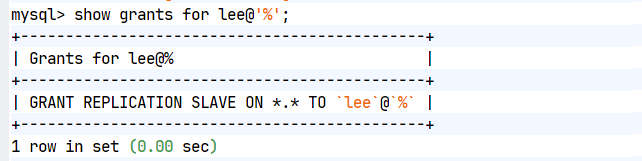
3.配置数据库一主一从
bash
#在slave主机中
[root@mysql-node2 mysql]# mysql -uroot -psuzixian
mysql: [Warning] Using a password on the command line interface can be insecure.
Welcome to the MySQL monitor. Commands end with ; or \g.
Your MySQL connection id is 9
Server version: 8.3.0 Source distribution
Copyright (c) 2000, 2024, Oracle and/or its affiliates.
Oracle is a registered trademark of Oracle Corporation and/or its
affiliates. Other names may be trademarks of their respective
owners.
Type 'help;' or '\h' for help. Type '\c' to clear the current input statement.
mysql> change master to master_host='192.168.186.10', master_user='le
e', master_password='lee', master_log_file='mysql-bin.000001',master
_log_pos=659;
Query OK, 0 rows affected, 8 warnings (0.02 sec)
mysql> start slave;
Query OK, 0 rows affected, 1 warning (0.04 sec)
mysql> show slave status \G;
*************************** 1. row ***************************
Slave_IO_State: Waiting for source to send event
Master_Host: 192.168.186.10
Master_User: lee
Master_Port: 3306
Connect_Retry: 60
Master_Log_File: mysql-bin.000001
Read_Master_Log_Pos: 659
Relay_Log_File: mysql-node2-relay-bin.000002
Relay_Log_Pos: 328
Relay_Master_Log_File: mysql-bin.000001
Slave_IO_Running: Yes #数据同步成功
Slave_SQL_Running: Yes #通过同步过来的数据做日志回访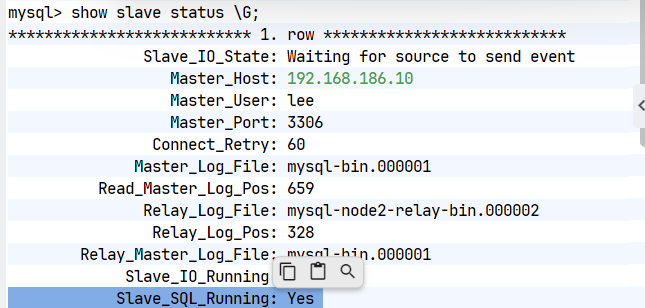
4.测试一主一从
bash
[root@mysql-node1 mysql]# mysql -uroot -psuzixian #在master中建立数据库
mysql> show databases;
+--------------------+
| Database |
+--------------------+
| information_schema |
| mysql |
| performance_schema |
| sys |
+--------------------+
4 rows in set (0.03 sec)
mysql> create database timinglee;
Query OK, 1 row affected (0.01 sec)
[root@mysql-node2 mysql]# mysql -uroot -psuzixian #在slave主机中可以实现数据同步
mysql> show databases;
+--------------------+
| Database |
+--------------------+
| information_schema |
| mysql |
| performance_schema |
| sys |
| timinglee |
+--------------------+
5 rows in set (0.01 sec)
mysql>
mysql> show databases;
+--------------------+
| Database |
+--------------------+
| information_schema |
| mysql |
| performance_schema |
| sys |
+--------------------+
4 rows in set (0.03 sec)
mysql> show databases;
+--------------------+
| Database |
+--------------------+
| information_schema |
| mysql |
| performance_schema |
| sys |
| timinglee |
+--------------------+
5 rows in set (0.01 sec)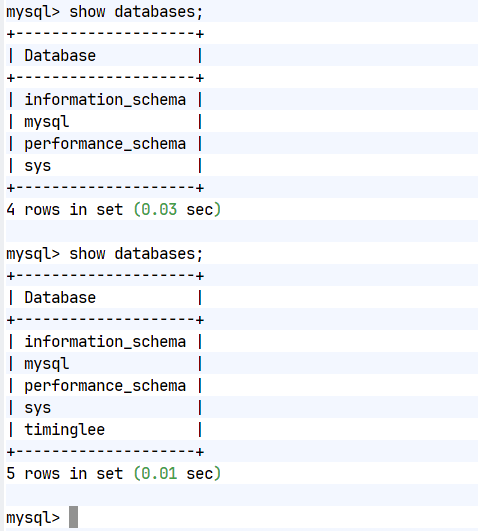
5.向当前一主一从中加入新的数据库
bash
#模拟一主一从中已经存在数据情况
[root@mysql-node1 mysql]# mysql -uroot -psuzixian
mysql> CREATE TABLE timinglee.userlist (
-> name VARCHAR(10) NOT NULL,
-> pass VARCHAR(50) NOT NULL
-> );
Query OK, 0 rows affected (0.04 sec)
mysql> use timinglee;
Reading table information for completion of table and column names
You can turn off this feature to get a quicker startup with -A
Database changed
mysql> desc timinglee.userlist;
+-------+-------------+------+-----+---------+-------+
| Field | Type | Null | Key | Default | Extra |
+-------+-------------+------+-----+---------+-------+
| name | varchar(10) | NO | | NULL | |
| pass | varchar(50) | NO | | NULL | |
+-------+-------------+------+-----+---------+-------+
2 rows in set (0.02 sec)
mysql> INSERT INTO timinglee.userlist VALUES ('user1', '123');
Query OK, 1 row affected (0.01 sec)
mysql> select * from timinglee.userlist;
+-------+------+
| name | pass |
+-------+------+
| user1 | 123 |
+-------+------+
1 row in set (0.01 sec)
#加入新从库时需要手动拉平数据
[root@mysql-node1 ~]# mysqldump -uroot -psuzixian timinglee > timinglee.sql
mysqldump: [Warning] Using a password on the command line interface can be insecure.
[root@mysql-node1 ~]# scp timinglee.sql root@192.168.186.30:/root/
root@192.168.186.30's password:
timinglee.sql 100% 1943 2.1MB/s 00:00
[root@mysql-node3 ~]# mysql -uroot -psuzixian -e 'create database timinglee';
mysql: [Warning] Using a password on the command line interface can be insecure.
[root@mysql-node3 ~]# mysql -uroot -psuzixian timinglee < timinglee.sql
mysql: [Warning] Using a password on the command line interface can be insecure.
[root@mysql-node3 ~]# mysql -uroot -psuzixian
mysql: [Warning] Using a password on the command line interface can be insecure.
Welcome to the MySQL monitor. Commands end with ; or \g.
Your MySQL connection id is 10
Server version: 8.3.0 Source distribution
Copyright (c) 2000, 2024, Oracle and/or its affiliates.
Oracle is a registered trademark of Oracle Corporation and/or its
affiliates. Other names may be trademarks of their respective
owners.
Type 'help;' or '\h' for help. Type '\c' to clear the current input statement.
mysql> select * from timinglee.userlist;
+-------+------+
| name | pass |
+-------+------+
| user1 | 123 |
+-------+------+
1 row in set (0.01 sec)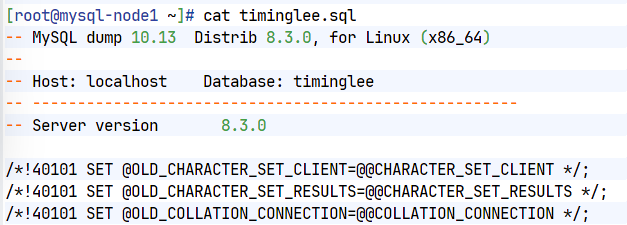
6.将新库加入主从结构中
bash
#在master中查看日志的id
[root@mysql-node1 ~]# mysql -uroot -psuzixian
mysql> show master status;
+------------------+----------+--------------+------------------+-------------------+
| File | Position | Binlog_Do_DB | Binlog_Ignore_DB | Executed_Gtid_Set |
+------------------+----------+--------------+------------------+-------------------+
| mysql-bin.000001 | 1419 | | | |
+------------------+----------+--------------+------------------+-------------------+
1 row in set, 1 warning (0.00 sec)
mysql> change master to master_host='192.168.186.10', master_user='lee',master_password='lee',master_log_file='mysql-bin.000001',master_log_pos=1419;
Query OK, 0 rows affected, 8 warnings (0.03 sec)
mysql> start slave;
Query OK, 0 rows affected, 1 warning (0.02 sec)
mysql> show slave status \G;
*************************** 1. row ***************************
Slave_IO_State: Waiting for source to send event
Master_Host: 192.168.186.10
Master_User: lee
Master_Port: 3306
Connect_Retry: 60
Master_Log_File: mysql-bin.000001
Read_Master_Log_Pos: 1419
Relay_Log_File: mysql-node3-relay-bin.000002
Relay_Log_Pos: 328
Relay_Master_Log_File: mysql-bin.000001
Slave_IO_Running: Yes
Slave_SQL_Running: Yes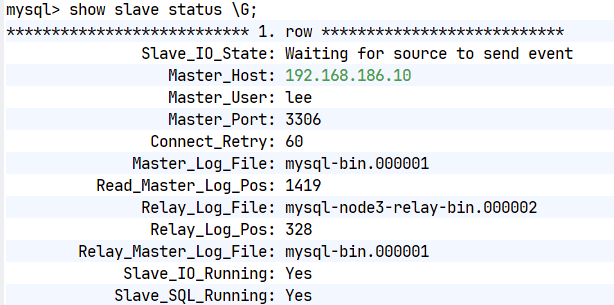
7.测试一主两从
bash
#在master中建立数据
mysql> INSERT INTO timinglee.userlist VALUES ('user2', '234');
#在新加入的slave中查看数据
mysql> select * from timinglee.userlist;
+-------+------+
| name | pass |
+-------+------+
| user1 | 123 |
| user2 | 234 |
+-------+------+
2 rows in set (0.00 sec)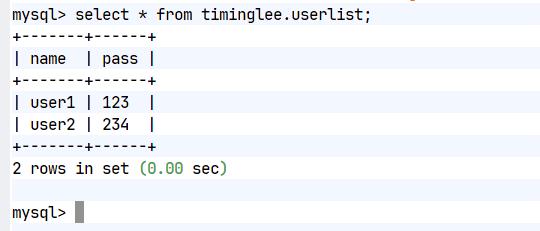
mysql主从架构中的使用技巧及优化
1.延迟复制
bash
#在指定需要延迟同步的slave主机中,如果主机中安装数据库的版本是8以上
mysql> STOP REPLICA;
mysql> CHANGE REPLICATION SOURCE TO SOURCE_DELAY=60;
mysql> START REPLICA;
[root@mysql-node2 ~]# mysql -uroot -plee -e "show slave status\G;" | grep SQL_Delay
mysql: [Warning] Using a password on the command line interface can be insecure.
SQL_Delay: 60
#在master主机中对数据进行更改
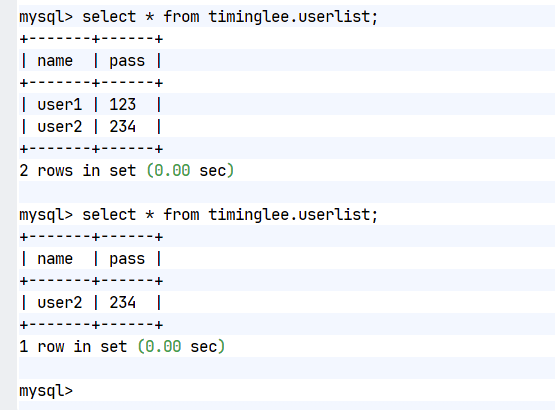
mysql> delete from timinglee.userlist where name='user1';
mysql> select * from timinglee.userlist;
+-------+------+
| name | pass |
+-------+------+
| user2 | 123 |
+-------+------+
1 row in set (0.00 sec)
#在未被延迟的slave数据库中查看是否数据操作动作被同步
mysql> select * from timinglee.userlist;
+-------+------+
| name | pass |
+-------+------+
| user2 | 123 |
+-------+------+
1 row in set (0.00 sec)
#在被设定延迟复制的主机中查看动作是否被同步
mysql> select * from timinglee.userlist;
+-------+------+
| name | pass |
+-------+------+
| user1 | 123 |
| user2 | 123 |
+-------+------+
2 rows in set (0.00 sec)
#等待延迟时间过后再次查看
mysql> select * from timinglee.userlist;
+-------+------+
| name | pass |
+-------+------+
| user2 | 123 |
+-------+------+
1 row in set (0.00 sec)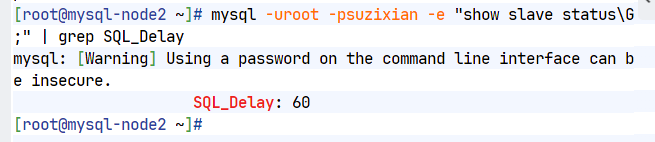
2.慢查询日志
bash
#慢查询日志是否开启
mysql> SHOW variables like "slow%";
+---------------------+----------------------------------+
| Variable_name | Value |
+---------------------+----------------------------------+
| slow_launch_time | 2 |
| slow_query_log | OFF |
| slow_query_log_file | /data/mysql/mysql-node1-slow.log |
+---------------------+----------------------------------+
3 rows in set (0.03 sec)
#开启慢查询日志
mysql> SET GLOBAL slow_query_log=ON;
Query OK, 0 rows affected (0.03 sec)
mysql> SHOW variables like "slow%";
+---------------------+----------------------------------+
| Variable_name | Value |
+---------------------+----------------------------------+
| slow_launch_time | 2 |
| slow_query_log | ON |
| slow_query_log_file | /data/mysql/mysql-node1-slow.log |
+---------------------+----------------------------------+
3 rows in set (0.00 sec)
#检测慢查询日志
mysql> SHOW VARIABLES like "long%"; #慢查询阈值
+-----------------+-----------+
| Variable_name | Value |
+-----------------+-----------+
| long_query_time | 10.000000 |
+-----------------+-----------+
1 row in set (0.01 sec)
mysql> SET long_query_time=4;
Query OK, 0 rows affected (0.00 sec)
mysql> SHOW VARIABLES like "long%";
+-----------------+----------+
| Variable_name | Value |
+-----------------+----------+
| long_query_time | 4.000000 |
+-----------------+----------+
1 row in set (0.00 sec)
mysql> select sleep (3); #不会生成慢查询日志
+-----------+
| sleep (3) |
+-----------+
| 0 |
+-----------+
1 row in set (3.00 sec)
mysql> select sleep (4);
+-----------+
| sleep (4) |
+-----------+
| 0 |
+-----------+
1 row in set (4.00 sec)
[root@mysql-node1 ~]# cat /data/mysql/mysql-node1-slow.log
/usr/local/mysql/bin/mysqld, Version: 8.3.0 (Source distribution). started with:
Tcp port: 3306 Unix socket: /data/mysql/mysql.sock
Time Id Command Argument
# Time: 2026-02-27T02:04:39.297189Z
# User@Host: root[root] @ localhost [] Id: 10
# Query_time: 4.000424 Lock_time: 0.000000 Rows_sent: 1 Rows_examined: 1
SET timestamp=1772157875;
select sleep (4);3.gtid模式
bash
#在master和slave中默认gtid模式是未开启的
mysql> show variables like '%gtid%';
+----------------------------------+-----------+
| Variable_name | Value |
+----------------------------------+-----------+
| binlog_gtid_simple_recovery | ON |
| enforce_gtid_consistency | OFF |
| gtid_executed | |
| gtid_executed_compression_period | 0 |
| gtid_mode | OFF |
| gtid_next | AUTOMATIC |
| gtid_owned | |
| gtid_purged | |
| session_track_gtids | OFF |
----------------------------------+-----------+9 rows in set (0.01 sec)
#在所有主机中加入参数
[root@mysql-node1~3 ~]# vim /etc/my.cnf
gtid_mode=ON
enforce-gtid-consistency=ON
[root@mysql-node1~3 ~]# /etc/init.d/mysqld restart
#在三台主机中分别查看gtid模式是否开启
mysql> show variables like '%gtid%';
+----------------------------------+-----------+
| Variable_name | Value |
+----------------------------------+-----------+
| binlog_gtid_simple_recovery | ON |
| enforce_gtid_consistency | ON |
| gtid_executed | |
| gtid_executed_compression_period | 0 |
| gtid_mode | ON |
| gtid_next | AUTOMATIC |
| gtid_owned | |
| gtid_purged | |
| session_track_gtids | OFF |
+----------------------------------+-----------+
9 rows in set (0.00 sec)
#在从库中停止slave功能;
mysql> stop slave;
mysql> CHANGE MASTER TO MASTER_HOST='192.168.186.10', MASTER_USER='lee', MASTER_PASSWORD='lee', MASTER_AUTO_POSITION=1;
mysql> start slave ;
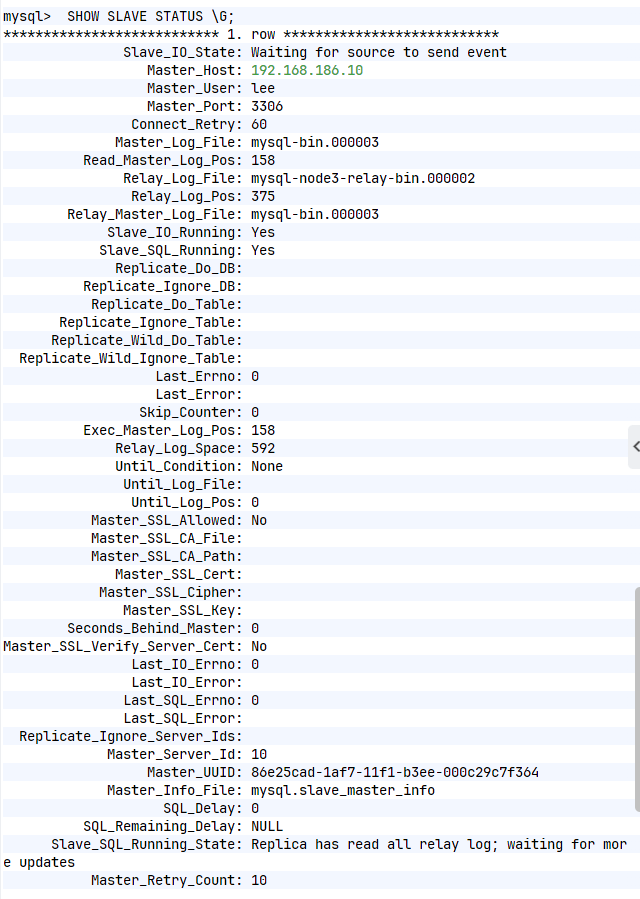
mysql> SHOW SLAVE STATUS \G;
*************************** 1. row ***************************
Slave_IO_State: Waiting for source to send event
Master_Host: 172.25.254.10
Master_User: lee
Master_Port: 3306
Connect_Retry: 60
Master_Log_File: mysql-bin.000005
Read_Master_Log_Pos: 158
Relay_Log_File: mysql-node2-relay-bin.000002
Relay_Log_Pos: 375
Relay_Master_Log_File: mysql-bin.000005
Slave_IO_Running: Yes
Slave_SQL_Running: Yes
Replicate_Do_DB:
Replicate_Ignore_DB:
Replicate_Do_Table:
Replicate_Ignore_Table:
Replicate_Wild_Do_Table:
Replicate_Wild_Ignore_Table:
Last_Errno: 0
Last_Error:
Skip_Counter: 0
Exec_Master_Log_Pos: 158
Relay_Log_Space: 592
Until_Condition: None
Until_Log_File:
Until_Log_Pos: 0
Master_SSL_Allowed: No
Master_SSL_CA_File:
Master_SSL_CA_Path:
Master_SSL_Cert:
Master_SSL_Cipher:
Master_SSL_Key:
Seconds_Behind_Master: 0
Master_SSL_Verify_Server_Cert: No
Last_IO_Errno: 0
Last_IO_Error:
Last_SQL_Errno: 0
Last_SQL_Error:
Replicate_Ignore_Server_Ids:
Master_Server_Id: 10
Master_UUID: be64e358-12b4-11f1-88cc-000c29f4a60c
Master_Info_File: mysql.slave_master_info
SQL_Delay: 0
SQL_Remaining_Delay: NULL
Slave_SQL_Running_State: Replica has read all relay log; waiting for more updates
Master_Retry_Count: 10
Master_Bind:
Last_IO_Error_Timestamp:
Last_SQL_Error_Timestamp:
Master_SSL_Crl:
Master_SSL_Crlpath:
Retrieved_Gtid_Set:
Executed_Gtid_Set:
Auto_Position: 1
Replicate_Rewrite_DB:
Channel_Name:
Master_TLS_Version:
Master_public_key_path:
Get_master_public_key: 0
Network_Namespace:
1 row in set, 1 warning (0.00 sec)
4.多线程回放
bash
#在slave主机中默认回方日志时使用单线程回放
mysql> show processlist;
bash
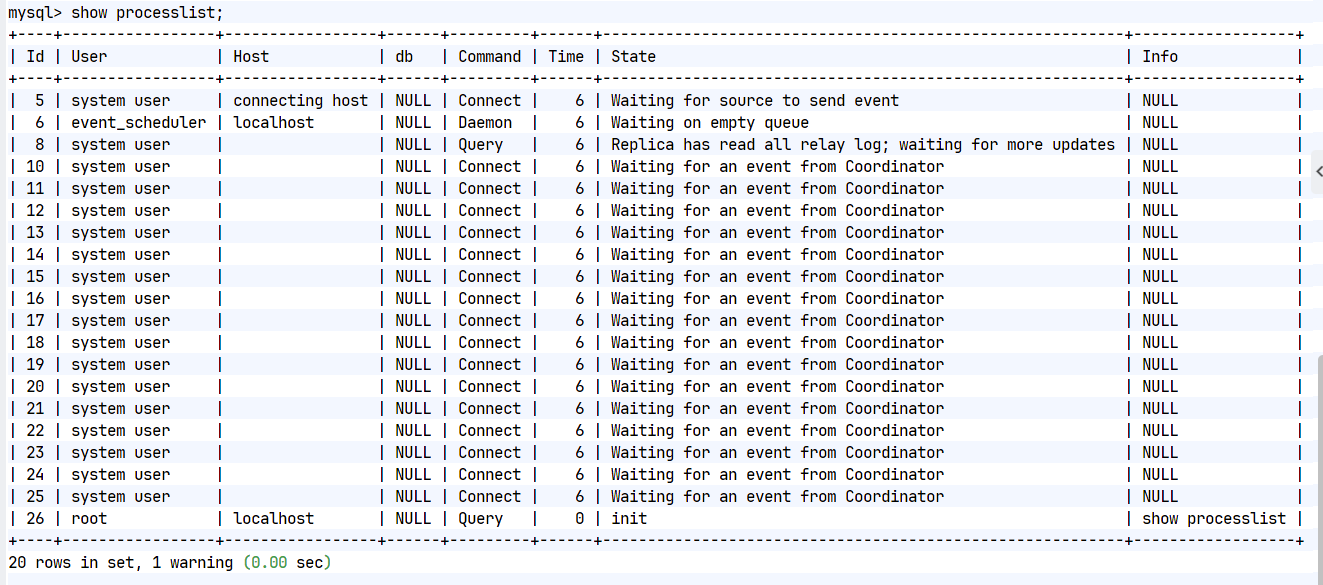
#开启多线程回放日志(在slave主中)
[root@mysql-node2 ~]# vim /etc/my.cnf
slave-parallel-type=LOGICAL_CLOCK
slave-parallel-workers=16
relay_log_recovery=ON
[root@mysql-node2 ~]# /etc/init.d/mysqld restart
#查看更改生效信息
mysql> show processlist;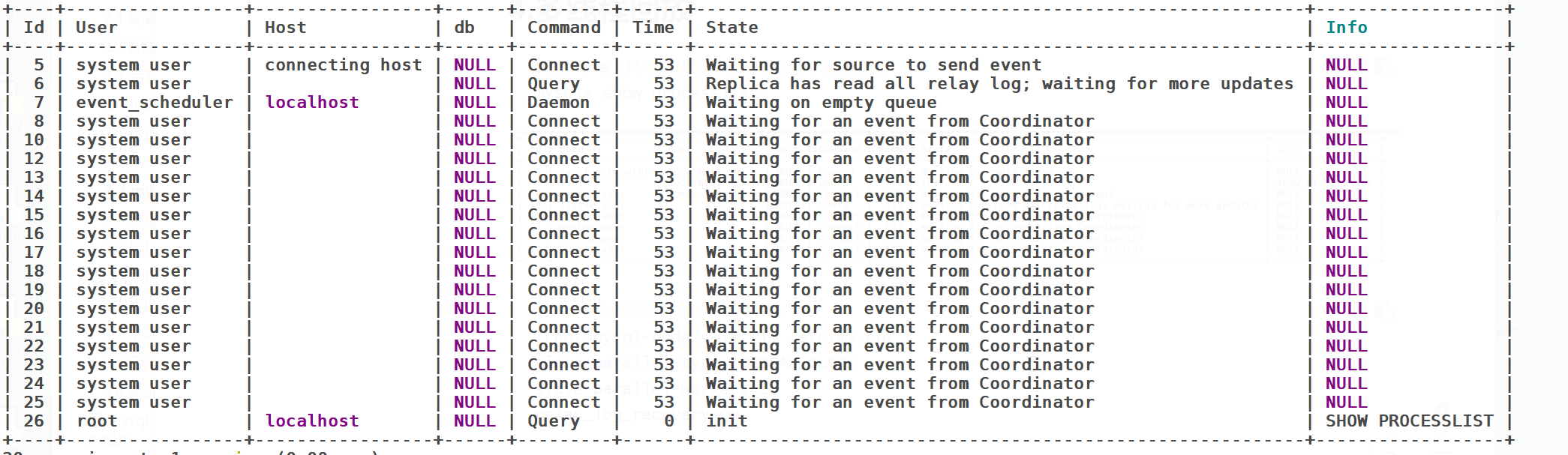
5.半同步模式
bash
#在master主机中操作
[root@mysql-node1 ~]# vim /etc/my.cnf
rpl_semi_sync_master_enabled=1
mysql> INSTALL PLUGIN rpl_semi_sync_master SONAME 'semisync_master.so';
mysql> SET GLOBAL rpl_semi_sync_master_enabled = 1;
#在slave主机中
[root@mysql-node2-3 ~]# vim /etc/my.cnf
rpl_semi_sync_slave_enabled=1
mysql> INSTALL PLUGIN rpl_semi_sync_slave SONAME 'semisync_slave.so';
mysql> SET GLOBAL rpl_semi_sync_slave_enabled =1;
mysql> STOP SLAVE IO_THREAD;
mysql> START SLAVE IO_THREAD;
#在master主机中查看
mysql> SELECT PLUGIN_NAME, PLUGIN_STATUS FROM INFORMATION_SCHEMA.PLUGINS WHERE PLUGIN_NAME LIKE '%semi%';
+----------------------+---------------+
| PLUGIN_NAME | PLUGIN_STATUS |
+----------------------+---------------+
| rpl_semi_sync_master | ACTIVE |
+----------------------+---------------+
1 row in set (0.00 sec)
mysql> SHOW VARIABLES LIKE 'rpl_semi_sync%';
+-------------------------------------------+------------+
| Variable_name | Value |
+-------------------------------------------+------------+
| rpl_semi_sync_master_enabled | ON |
| rpl_semi_sync_master_timeout | 10000 |
| rpl_semi_sync_master_trace_level | 32 |
| rpl_semi_sync_master_wait_for_slave_count | 1 |
| rpl_semi_sync_master_wait_no_slave | ON |
| rpl_semi_sync_master_wait_point | AFTER_SYNC |
+-------------------------------------------+------------+
6 rows in set (0.01 sec)
mysql> SHOW STATUS LIKE 'Rpl_semi_sync%';
+--------------------------------------------+-------+
| Variable_name | Value |
+--------------------------------------------+-------+
| Rpl_semi_sync_master_clients | 0 |
| Rpl_semi_sync_master_net_avg_wait_time | 0 |
| Rpl_semi_sync_master_net_wait_time | 0 |
| Rpl_semi_sync_master_net_waits | 0 |
| Rpl_semi_sync_master_no_times | 0 |
| Rpl_semi_sync_master_no_tx | 0 |
| Rpl_semi_sync_master_status | ON |
| Rpl_semi_sync_master_timefunc_failures | 0 |
| Rpl_semi_sync_master_tx_avg_wait_time | 0 |
| Rpl_semi_sync_master_tx_wait_time | 0 |
| Rpl_semi_sync_master_tx_waits | 0 |
| Rpl_semi_sync_master_wait_pos_backtraverse | 0 |
| Rpl_semi_sync_master_wait_sessions | 0 |
| Rpl_semi_sync_master_yes_tx | 0 |
+--------------------------------------------+-------+
14 rows in set (0.00 sec)
#测试:
#在主库中
mysql> create database timinglee;
Query OK, 1 row affected (10.01 sec) #有等待ack时间
mysql> SHOW VARIABLES LIKE 'rpl_semi_sync%';
+-------------------------------------------+------------+
| Variable_name | Value |
+-------------------------------------------+------------+
| rpl_semi_sync_master_enabled | ON |
| rpl_semi_sync_master_timeout | 10000 |
| rpl_semi_sync_master_trace_level | 32 |
| rpl_semi_sync_master_wait_for_slave_count | 1 |
| rpl_semi_sync_master_wait_no_slave | ON |
| rpl_semi_sync_master_wait_point | AFTER_SYNC |
+-------------------------------------------+------------+
6 rows in set (0.01 sec)
#模拟ack故障 在所有slave主机中
mysql> STOP SLAVE IO_THREAD;
Query OK, 0 rows affected, 1 warning (0.00 sec)
#在主库写入数据
mysql> INSERT INTO timinglee.userlist values ('user3','345');
mysql> SHOW STATUS LIKE 'Rpl_semi_sync%';
+--------------------------------------------+-------+
| Variable_name | Value |
+--------------------------------------------+-------+
| Rpl_semi_sync_master_clients | 0 |
| Rpl_semi_sync_master_net_avg_wait_time | 0 |
| Rpl_semi_sync_master_net_wait_time | 0 |
| Rpl_semi_sync_master_net_waits | 0 |
| Rpl_semi_sync_master_no_times | 1 |
| Rpl_semi_sync_master_no_tx | 2 |
| Rpl_semi_sync_master_status | OFF |
| Rpl_semi_sync_master_timefunc_failures | 0 |
| Rpl_semi_sync_master_tx_avg_wait_time | 0 |
| Rpl_semi_sync_master_tx_wait_time | 0 |
| Rpl_semi_sync_master_tx_waits | 0 |
| Rpl_semi_sync_master_wait_pos_backtraverse | 0 |
| Rpl_semi_sync_master_wait_sessions | 0 |
| Rpl_semi_sync_master_yes_tx | 0 |
+--------------------------------------------+-------+
14 rows in set (0.00 sec)
#恢复故障 在所有slave主机中
mysql> start SLAVE IO_THREAD;
Query OK, 0 rows affected, 1 warning (0.00 sec)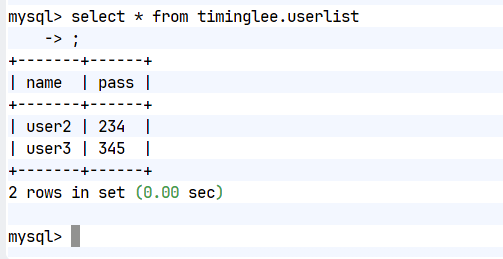
Mysql-MHA高可用集群
1.配置Mha-manager
bash
[root@mha ~]# unzip MHA-7.zip
[root@mha ~]# cd MHA-7/
[root@mha MHA-7]# dnf install perl perl-DBD-MySQL perl-CPAN -y
[root@mha MHA-7]# cpan
Loading internal logger. Log::Log4perl recommended for better logging
CPAN.pm requires configuration, but most of it can be done automatically.
If you answer 'no' below, you will enter an interactive dialog for each
configuration option instead.
Would you like to configure as much as possible automatically? [yes] yes
cpan[1]> install Config::Tiny
cpan[2]> install Log::Dispatch
cpan[3]> install Mail::Sender
Specify defaults for Mail::Sender? (y/N) y
Default encoding of message bodies (N)one, (Q)uoted-printable, (B)ase64: n
cpan[4]> install Parallel::ForkManager
cpan[5]>exit
[root@mha MHA-7]# rpm -ivh mha4mysql-manager-0.58-0.el7.centos.noarch.rpm mha4mysql-node-0.58-0.el7.centos.noarch.rpm --nodeps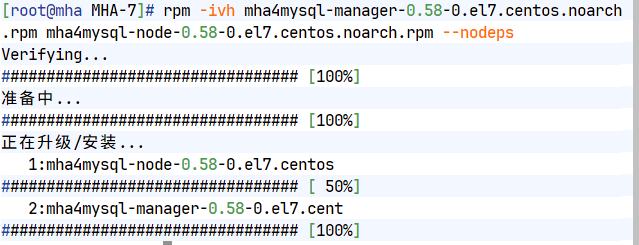
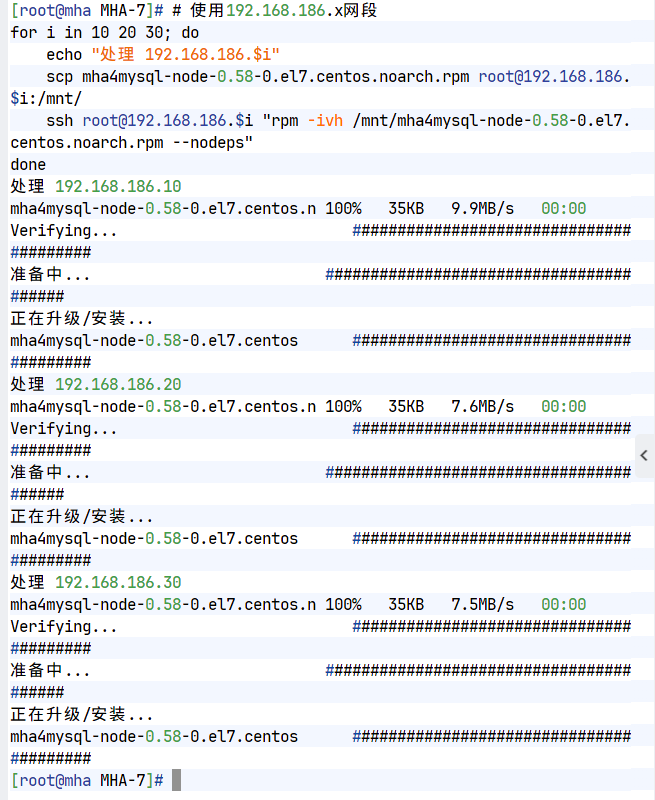
2.在slave中安装相应软件
bash
[root@mha MHA-7]# for i in 10 20 30
> do
> scp mha4mysql-node-0.58-0.el7.centos.noarch.rpm root@192.168.186.$i:/mnt
> ssh -l root 192.168.186.$i "rpm -ivh /mnt/mha4mysql-node-0.58-0.el7.centos.noarch.rpm --nodeps"
> done
Warning: Permanently added '172.25.254.10' (ED25519) to the list of known hosts.
mha4mysql-node-0.58-0.el7.centos.noarch.rpm 100% 35KB 16.9MB/s 00:00
Verifying... ########################################
准备中... ########################################
正在升级/安装...
mha4mysql-node-0.58-0.el7.centos ########################################
Warning: Permanently added '172.25.254.20' (ED25519) to the list of known hosts.
mha4mysql-node-0.58-0.el7.centos.noarch.rpm 100% 35KB 28.2MB/s 00:00
Verifying... ########################################
准备中... ########################################
正在升级/安装...
mha4mysql-node-0.58-0.el7.centos ########################################
Warning: Permanently added '172.25.254.30' (ED25519) to the list of known hosts.
mha4mysql-node-0.58-0.el7.centos.noarch.rpm 100% 35KB 20.1MB/s 00:00
Verifying... ########################################
准备中... ########################################
正在升级/安装...
mha4mysql-node-0.58-0.el7.centos ########################################
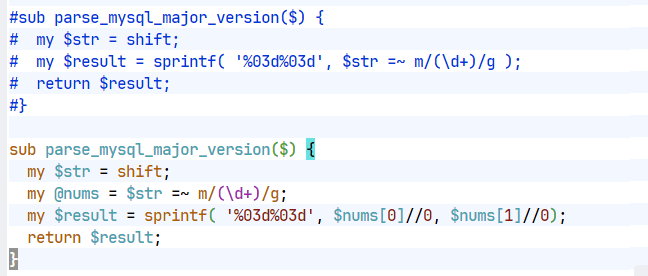
3.修改MHA-Manager中的检测代码
bash
[root@mha MHA-7]# vim /usr/share/perl5/vendor_perl/MHA/NodeUtil.pm
199 #sub parse_mysql_major_version($) {
200 # my $str = shift;
201 # my $result = sprintf( '%03d%03d', $str =~ m/(\d+)/g );
202 # return $result;
203 #}
sub parse_mysql_major_version($) {
my $str = shift;
my @nums = $str =~ m/(\d+)/g;
my $result = sprintf( '%03d%03d', $nums[0]//0, $nums[1]//0);
return $result;
}
4.未MHA建立远程登录用户
bash
#在master(node1)主机中
mysql> create user root@'%' identified with mysql_native_password by 'lee';
Query OK, 0 rows affected (0.01 sec)
mysql> GRANT ALL ON *.* TO root@'%' ;
Query OK, 0 rows affected (0.00 sec)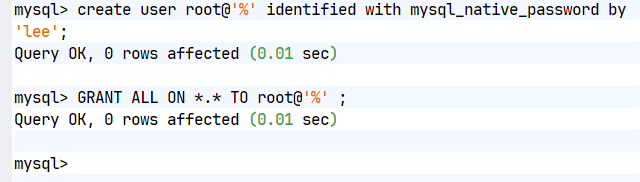
5.生成MHA-manager的配置文件模板
bash
[root@mha MHA-7]# tar zxf mha4mysql-manager-0.58.tar.gz
[root@mha MHA-7]# cd mha4mysql-manager-0.58
[root@mha mha4mysql-manager-0.58]# mkdir /etc/masterha/ -p
[root@mha mha4mysql-manager-0.58]# cat samples/conf/masterha_default.cnf samples/conf/app1.cnf > /etc/masterha/app1.cnf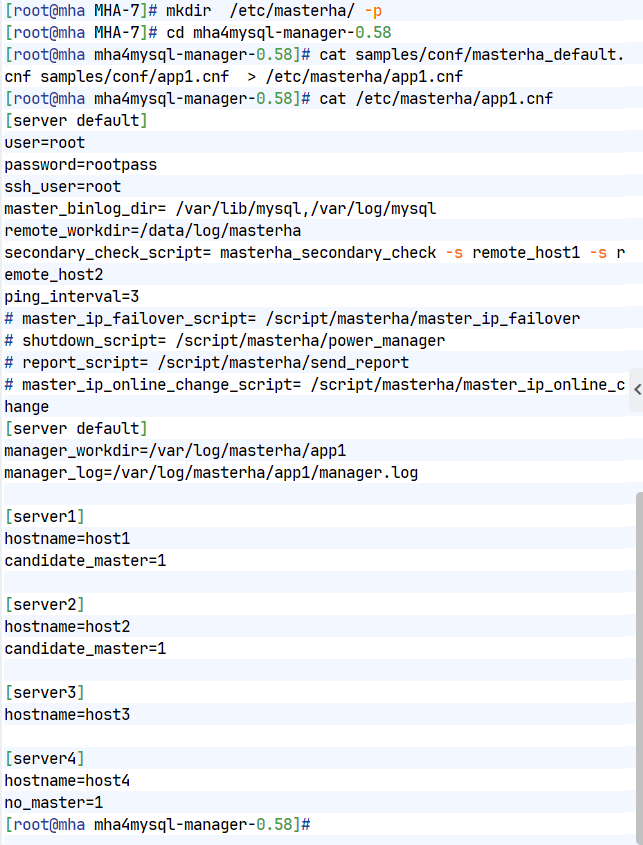
6.修改配置文件
bash
[root@mha mha4mysql-manager-0.58]# vim /etc/masterha/app1.cnf
[server default]
user=root
password=suzixian
ssh_user=root
repl_user=lee
repl_password=lee
master_binlog_dir= /data/mysql
remote_workdir=/tmp
secondary_check_script= masterha_secondary_check -s 192.168.186.10 -s 192.168.186.2
ping_interval=3
# master_ip_failover_script= /script/masterha/master_ip_failover
# shutdown_script= /script/masterha/power_manager
# report_script= /script/masterha/send_report
# master_ip_online_change_script= /script/masterha/master_ip_online_change
[server default]
manager_workdir=/etc/masterha
manager_log=/etc/masterha/mha.log
[server1]
hostname=192.168.186.10
candidate_master=1
check_repl_delay=0
[server2]
hostname=192.168.186.20
candidate_master=1
check_repl_delay=0
[server3]
hostname=192.168.186.30
no_master=1 7.检测环境
记得mha要记得安装mysql的客户端
bash
[root@mha mha4mysql-manager-0.58]# masterha_check_ssh --conf=/etc/masterha/app1.cnf
Fri Feb 27 16:23:20 2026 - [warning] Global configuration file /etc/masterha_default.cnf not found. Skipping.
Fri Feb 27 16:23:20 2026 - [info] Reading application default configuration from /etc/masterha/app1.cnf..
Fri Feb 27 16:23:20 2026 - [info] Reading server configuration from /etc/masterha/app1.cnf..
Fri Feb 27 16:23:20 2026 - [info] Starting SSH connection tests..
Fri Feb 27 16:23:21 2026 - [debug]
Fri Feb 27 16:23:20 2026 - [debug] Connecting via SSH from root@172.25.254.10(172.25.254.10:22) to root@172.25.254.20(172.25.254.20:22)..
Fri Feb 27 16:23:20 2026 - [debug] ok.
Fri Feb 27 16:23:20 2026 - [debug] Connecting via SSH from root@172.25.254.10(172.25.254.10:22) to root@172.25.254.30(172.25.254.30:22)..
Fri Feb 27 16:23:20 2026 - [debug] ok.
Fri Feb 27 16:23:21 2026 - [debug]
Fri Feb 27 16:23:20 2026 - [debug] Connecting via SSH from root@172.25.254.20(172.25.254.20:22) to root@172.25.254.10(172.25.254.10:22)..
Fri Feb 27 16:23:21 2026 - [debug] ok.
Fri Feb 27 16:23:21 2026 - [debug] Connecting via SSH from root@172.25.254.20(172.25.254.20:22) to root@172.25.254.30(172.25.254.30:22)..
Fri Feb 27 16:23:21 2026 - [debug] ok.
Fri Feb 27 16:23:22 2026 - [debug]
Fri Feb 27 16:23:21 2026 - [debug] Connecting via SSH from root@172.25.254.30(172.25.254.30:22) to root@172.25.254.10(172.25.254.10:22)..
Fri Feb 27 16:23:21 2026 - [debug] ok.
Fri Feb 27 16:23:21 2026 - [debug] Connecting via SSH from root@172.25.254.30(172.25.254.30:22) to root@172.25.254.20(172.25.254.20:22)..
Fri Feb 27 16:23:21 2026 - [debug] ok.
Fri Feb 27 16:23:22 2026 - [info] All SSH connection tests passed successfully.
Use of uninitialized value in exit at /usr/bin/masterha_check_ssh line 44.
[root@mha mha4mysql-manager-0.58]# masterha_check_repl --conf=/etc/masterha/app1.cnf
Fri Feb 27 16:23:50 2026 - [warning] Global configuration file /etc/masterha_default.cnf not found. Skipping.
Fri Feb 27 16:23:50 2026 - [info] Reading application default configuration from /etc/masterha/app1.cnf..
Fri Feb 27 16:23:50 2026 - [info] Reading server configuration from /etc/masterha/app1.cnf..
Fri Feb 27 16:23:50 2026 - [info] MHA::MasterMonitor version 0.58.
Fri Feb 27 16:23:51 2026 - [info] GTID failover mode = 1
Fri Feb 27 16:23:51 2026 - [info] Dead Servers:
Fri Feb 27 16:23:51 2026 - [info] Alive Servers:
Fri Feb 27 16:23:51 2026 - [info] 172.25.254.10(172.25.254.10:3306)
Fri Feb 27 16:23:51 2026 - [info] 172.25.254.20(172.25.254.20:3306)
Fri Feb 27 16:23:51 2026 - [info] 172.25.254.30(172.25.254.30:3306)
Fri Feb 27 16:23:51 2026 - [info] Alive Slaves:
Fri Feb 27 16:23:51 2026 - [info] 172.25.254.20(172.25.254.20:3306) Version=8.3.0 (oldest major version between slaves) log-bin:enabled
Fri Feb 27 16:23:51 2026 - [info] GTID ON
Fri Feb 27 16:23:51 2026 - [info] Replicating from 172.25.254.10(172.25.254.10:3306)
Fri Feb 27 16:23:51 2026 - [info] Primary candidate for the new Master (candidate_master is set)
Fri Feb 27 16:23:51 2026 - [info] 172.25.254.30(172.25.254.30:3306) Version=8.3.0 (oldest major version between slaves) log-bin:enabled
Fri Feb 27 16:23:51 2026 - [info] GTID ON
Fri Feb 27 16:23:51 2026 - [info] Replicating from 172.25.254.10(172.25.254.10:3306)
Fri Feb 27 16:23:51 2026 - [info] Not candidate for the new Master (no_master is set)
Fri Feb 27 16:23:51 2026 - [info] Current Alive Master: 172.25.254.10(172.25.254.10:3306)
Fri Feb 27 16:23:51 2026 - [info] Checking slave configurations..
Fri Feb 27 16:23:51 2026 - [info] read_only=1 is not set on slave 172.25.254.20(172.25.254.20:3306).
Fri Feb 27 16:23:51 2026 - [info] read_only=1 is not set on slave 172.25.254.30(172.25.254.30:3306).
Fri Feb 27 16:23:51 2026 - [info] Checking replication filtering settings..
Fri Feb 27 16:23:51 2026 - [info] binlog_do_db= , binlog_ignore_db=
Fri Feb 27 16:23:51 2026 - [info] Replication filtering check ok.
Fri Feb 27 16:23:51 2026 - [info] GTID (with auto-pos) is supported. Skipping all SSH and Node package checking.
Fri Feb 27 16:23:51 2026 - [info] Checking SSH publickey authentication settings on the current master..
Fri Feb 27 16:23:51 2026 - [info] HealthCheck: SSH to 172.25.254.10 is reachable.
Fri Feb 27 16:23:51 2026 - [info]
172.25.254.10(172.25.254.10:3306) (current master)
+--172.25.254.20(172.25.254.20:3306)
+--172.25.254.30(172.25.254.30:3306)
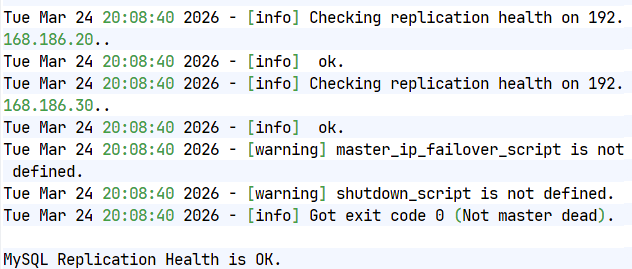
Fri Feb 27 16:23:51 2026 - [info] Checking replication health on 172.25.254.20..
Fri Feb 27 16:23:51 2026 - [info] ok.
Fri Feb 27 16:23:51 2026 - [info] Checking replication health on 172.25.254.30..
Fri Feb 27 16:23:51 2026 - [info] ok.
Fri Feb 27 16:23:51 2026 - [warning] master_ip_failover_script is not defined.
Fri Feb 27 16:23:51 2026 - [warning] shutdown_script is not defined.
Fri Feb 27 16:23:51 2026 - [info] Got exit code 0 (Not master dead).
MySQL Replication Health is OK.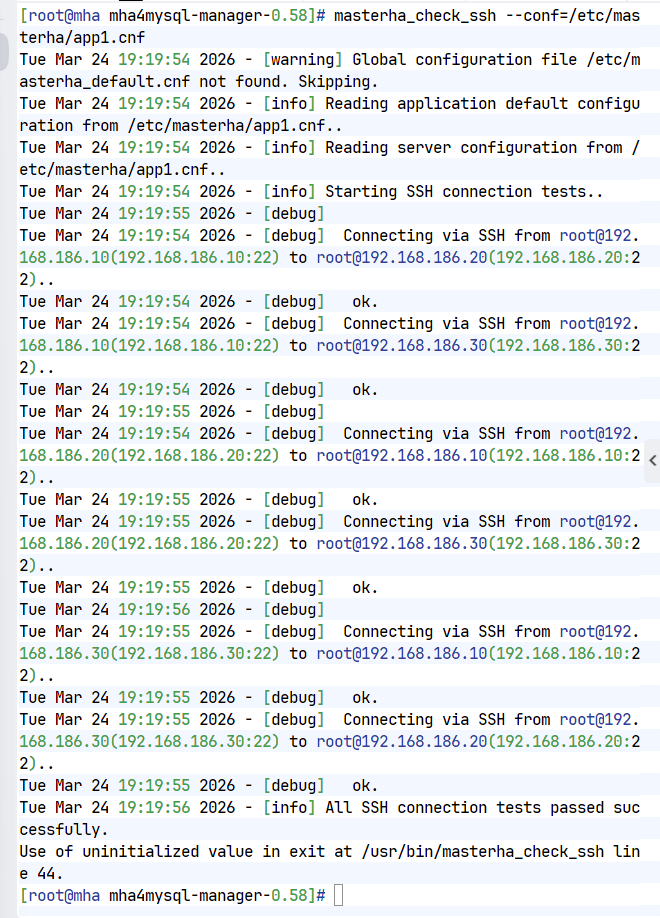
集群故障切换操作
1.手动操作
master无故障切换
bash
#默认状态
[root@mysql-node2 ~]# mysql -uroot -psuzixian -e "show slave status\G;" |head -n 15
mysql: [Warning] Using a password on the command line interface can be insecure.
*************************** 1. row ***************************
Slave_IO_State: Waiting for source to send event
Master_Host: 192.168.186.10
Master_User: lee
Master_Port: 3306
Connect_Retry: 60
Master_Log_File: mysql-bin.000010
Read_Master_Log_Pos: 698
Relay_Log_File: mysql-node2-relay-bin.000017
Relay_Log_Pos: 875
Relay_Master_Log_File: mysql-bin.000010
Slave_IO_Running: Yes
Slave_SQL_Running: Yes
Replicate_Do_DB:
Replicate_Ignore_DB:
[root@mysql-node2 ~]#
[root@mysql-node3 ~]# mysql -uroot -psuzixian -e "show slave status\G;" |head -n 15
mysql: [Warning] Using a password on the command line interface can be insecure.
*************************** 1. row ***************************
Slave_IO_State: Waiting for source to send event
Master_Host: 192.168.186.10
Master_User: lee
Master_Port: 3306
Connect_Retry: 60
Master_Log_File: mysql-bin.000010
Read_Master_Log_Pos: 698
Relay_Log_File: mysql-node3-relay-bin.000014
Relay_Log_Pos: 915
Relay_Master_Log_File: mysql-bin.000010
Slave_IO_Running: Yes
Slave_SQL_Running: Yes
Replicate_Do_DB:
Replicate_Ignore_DB:
[root@mysql-node3 ~]#
#执行切换,把master切换成20
[root@mha ~]# masterha_master_switch --conf=/etc/masterha/app1.cnf --master_state=alive --new_master_host=192.168.186.20 --new_master_port=3306 --orig_master_is_new_slave --running_updates_limit=10000
#所有问题填写yes
#检查是否成功
[root@mha ~]# masterha_check_repl --conf=/etc/masterha/app1.cnf
Mon Mar 30 19:26:48 2026 - [warning] Global configuration file /etc/masterha_default.cnf not found. Skipping.
Mon Mar 30 19:26:48 2026 - [info] Reading application default configuration from /etc/masterha/app1.cnf..
Mon Mar 30 19:26:48 2026 - [info] Reading server configuration from /etc/masterha/app1.cnf..
Mon Mar 30 19:26:48 2026 - [info] MHA::MasterMonitor version 0.58.
Mon Mar 30 19:26:49 2026 - [warning] SQL Thread is stopped(no error) on 192.168.186.20(192.168.186.20:3306)
Mon Mar 30 19:26:49 2026 - [info] Multi-master configuration is detected. Current primary(writable) master is 192.168.186.20(192.168.186.20:3306)
Mon Mar 30 19:26:49 2026 - [info] Master configurations are as below:
Master 192.168.186.20(192.168.186.20:3306), replicating from 192.168.186.10(192.168.186.10:3306)
Master 192.168.186.10(192.168.186.10:3306), replicating from 192.168.186.20(192.168.186.20:3306), read-only
Mon Mar 30 19:26:49 2026 - [info] GTID failover mode = 1
Mon Mar 30 19:26:49 2026 - [info] Dead Servers:
Mon Mar 30 19:26:49 2026 - [info] Alive Servers:
Mon Mar 30 19:26:49 2026 - [info] 192.168.186.10(192.168.186.10:3306)
Mon Mar 30 19:26:49 2026 - [info] 192.168.186.20(192.168.186.20:3306)
Mon Mar 30 19:26:49 2026 - [info] 192.168.186.30(192.168.186.30:3306)
Mon Mar 30 19:26:49 2026 - [info] Alive Slaves:
Mon Mar 30 19:26:49 2026 - [info] 192.168.186.10(192.168.186.10:3306) Version=8.3.0 (oldest major version between slaves) log-bin:enabled
Mon Mar 30 19:26:49 2026 - [info] GTID ON
Mon Mar 30 19:26:49 2026 - [info] Replicating from 192.168.186.20(192.168.186.20:3306)
Mon Mar 30 19:26:49 2026 - [info] Primary candidate for the new Master (candidate_master is set)
Mon Mar 30 19:26:49 2026 - [info] 192.168.186.30(192.168.186.30:3306) Version=8.3.0 (oldest major version between slaves) log-bin:enabled
Mon Mar 30 19:26:49 2026 - [info] GTID ON
Mon Mar 30 19:26:49 2026 - [info] Replicating from 192.168.186.20(192.168.186.20:3306)
Mon Mar 30 19:26:49 2026 - [info] Not candidate for the new Master (no_master is set)
Mon Mar 30 19:26:49 2026 - [info] Current Alive Master: 192.168.186.20(192.168.186.20:3306)
Mon Mar 30 19:26:49 2026 - [info] Checking slave configurations..
Mon Mar 30 19:26:49 2026 - [info] read_only=1 is not set on slave 192.168.186.30(192.168.186.30:3306).
Mon Mar 30 19:26:49 2026 - [info] Checking replication filtering settings..
Mon Mar 30 19:26:49 2026 - [info] binlog_do_db= , binlog_ignore_db=
Mon Mar 30 19:26:49 2026 - [info] Replication filtering check ok.
Mon Mar 30 19:26:49 2026 - [info] GTID (with auto-pos) is supported. Skipping all SSH and Node package checking.
Mon Mar 30 19:26:49 2026 - [info] Checking SSH publickey authentication settings on the current master..
Mon Mar 30 19:26:49 2026 - [info] HealthCheck: SSH to 192.168.186.20 is reachable.
Mon Mar 30 19:26:49 2026 - [info]
192.168.186.20(192.168.186.20:3306) (current master)
+--192.168.186.10(192.168.186.10:3306)
+--192.168.186.30(192.168.186.30:3306)
Mon Mar 30 19:26:49 2026 - [info] Checking replication health on 192.168.186.10..
Mon Mar 30 19:26:49 2026 - [info] ok.
Mon Mar 30 19:26:49 2026 - [info] Checking replication health on 192.168.186.30..
Mon Mar 30 19:26:49 2026 - [info] ok.
Mon Mar 30 19:26:49 2026 - [warning] master_ip_failover_script is not defined.
Mon Mar 30 19:26:49 2026 - [warning] shutdown_script is not defined.
Mon Mar 30 19:26:49 2026 - [info] Got exit code 0 (Not master dead).
MySQL Replication Health is OK.
#查看集群状态
[root@mysql-node1 ~]# mysql -uroot -psuzixian -e "show slave status\G;" |head -n 15
mysql: [Warning] Using a password on the command line interface can be insecure.
*************************** 1. row ***************************
Slave_IO_State: Waiting for source to send event
Master_Host: 192.168.186.20
Master_User: lee
Master_Port: 3306
Connect_Retry: 60
Master_Log_File: mysql-bin.000012
Read_Master_Log_Pos: 238
Relay_Log_File: mysql-node1-relay-bin.000004
Relay_Log_Pos: 415
Relay_Master_Log_File: mysql-bin.000012
Slave_IO_Running: Yes
Slave_SQL_Running: Yes
Replicate_Do_DB:
Replicate_Ignore_DB:
[root@mysql-node1 ~]#
[root@mysql-node3 ~]# mysql -uroot -psuzixian -e "show slave status\G;" |head -n 15
mysql: [Warning] Using a password on the command line interface can be insecure.
*************************** 1. row ***************************
Slave_IO_State: Waiting for source to send event
Master_Host: 192.168.186.20
Master_User: lee
Master_Port: 3306
Connect_Retry: 60
Master_Log_File: mysql-bin.000012
Read_Master_Log_Pos: 238
Relay_Log_File: mysql-node3-relay-bin.000004
Relay_Log_Pos: 415
Relay_Master_Log_File: mysql-bin.000012
Slave_IO_Running: Yes
Slave_SQL_Running: Yes
Replicate_Do_DB:
Replicate_Ignore_DB:
[root@mysql-node3 ~]# 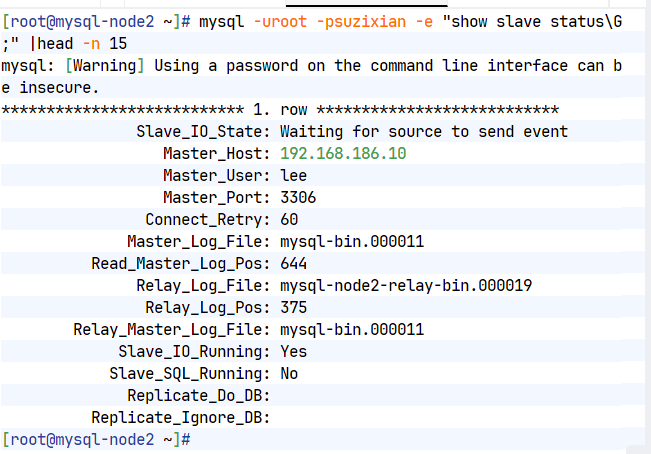
master故障切换
bash
[root@mha ~]# masterha_master_switch --master_state=dead --conf=/etc/masterha/app1.cnf --dead_master_host=192.168.186.10 --dead_master_port=3306 --new_master_host=192.168.186.20 --new_master_port=3306 --ignore_last_failover
--dead_master_ip=<dead_master_ip> is not set. Using 192.168.186.10.
Mon Mar 30 19:41:21 2026 - [warning] Global configuration file /etc/masterha_default.cnf not found. Skipping.
Mon Mar 30 19:41:21 2026 - [info] Reading application default configuration from /etc/masterha/app1.cnf..
Mon Mar 30 19:41:21 2026 - [info] Reading server configuration from /etc/masterha/app1.cnf..
Mon Mar 30 19:41:21 2026 - [info] MHA::MasterFailover version 0.58.
Mon Mar 30 19:41:21 2026 - [info] Starting master failover.
Mon Mar 30 19:41:21 2026 - [info]
Mon Mar 30 19:41:21 2026 - [info] * Phase 1: Configuration Check Phase..
Mon Mar 30 19:41:21 2026 - [info]
Mon Mar 30 19:41:22 2026 - [info] GTID failover mode = 1
#所有问题填写yes
#查看切换信息
[root@mysql-node3 ~]# mysql -uroot -psuzixian -e "show slave status\G;" |head -n 15
mysql: [Warning] Using a password on the command line interface can be insecure.
*************************** 1. row ***************************
Slave_IO_State: Waiting for source to send event
Master_Host: 192.168.186.20
Master_User: lee
Master_Port: 3306
Connect_Retry: 60
Master_Log_File: mysql-bin.000012
Read_Master_Log_Pos: 238
Relay_Log_File: mysql-node3-relay-bin.000002
Relay_Log_Pos: 375
Relay_Master_Log_File: mysql-bin.000012
Slave_IO_Running: Yes
Slave_SQL_Running: Yes
Replicate_Do_DB:
Replicate_Ignore_DB:
[root@mysql-node3 ~]#
#故障恢复
[root@mysql-node1 ~]# /etc/init.d/mysqld start
[root@mysql-node1 ~]# mysql -uroot -psuzixian -e "CHANGE MASTER TO MASTER_HOST='192.168.186.20', MASTER_USER='lee', MASTER_PASSWORD='lee', MASTER_AUTO_POSITION=1;"
[root@mha ~]# masterha_master_switch --conf=/etc/masterha/app1.cnf --master_state=alive --new_master_host=192.168.186.10 --new_master_port=3306 --orig_master_is_new_slave --running_updates_limit=10000
[root@mysql-node1 ~]# mysql -uroot -psuzixian -e "START SLAVE;"
[root@mysql-node1 ~]# mysql -uroot -psuzixian -e "show slave status\G;" |head -n 15
mysql: [Warning] Using a password on the command line interface can be insecure.
*************************** 1. row ***************************
Slave_IO_State: Waiting for source to send event
Master_Host: 192.168.186.20
Master_User: lee
Master_Port: 3306
Connect_Retry: 60
Master_Log_File: mysql-bin.000012
Read_Master_Log_Pos: 238
Relay_Log_File: mysql-node1-relay-bin.000002
Relay_Log_Pos: 375
Relay_Master_Log_File: mysql-bin.000012
Slave_IO_Running: Yes
Slave_SQL_Running: Yes
Replicate_Do_DB:
Replicate_Ignore_DB:
[root@mysql-node1 ~]#
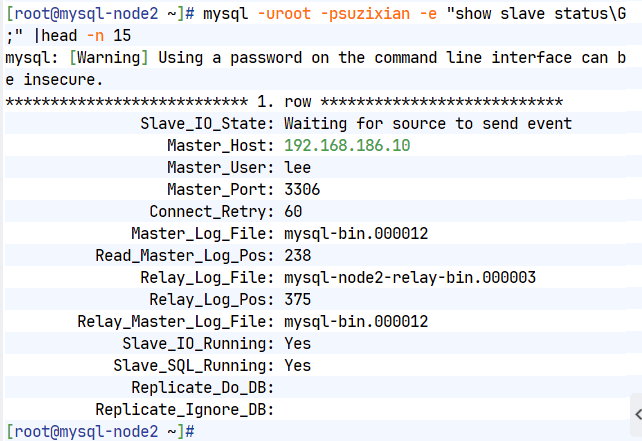
#切换回来后验证,注意重新启动slave
[root@mysql-node2 ~]# mysql -uroot -psuzixian -e "show slave status\G;" |head -n 15
mysql: [Warning] Using a password on the command line interface can be insecure.
*************************** 1. row ***************************
Slave_IO_State: Waiting for source to send event
Master_Host: 192.168.186.10
Master_User: lee
Master_Port: 3306
Connect_Retry: 60
Master_Log_File: mysql-bin.000012
Read_Master_Log_Pos: 238
Relay_Log_File: mysql-node2-relay-bin.000003
Relay_Log_Pos: 375
Relay_Master_Log_File: mysql-bin.000012
Slave_IO_Running: Yes
Slave_SQL_Running: Yes
Replicate_Do_DB:
Replicate_Ignore_DB:
[root@mysql-node2 ~]# 
2.自动切换
[root@mha ~]# masterha_check_repl --conf=/etc/masterha/app1.cnf
bash
Mon Mar 30 20:57:33 2026 - [warning] Global configuration file /etc/masterha_default.cnf not found. Skipping.
Mon Mar 30 20:57:33 2026 - [info] Reading application default configuration from /etc/masterha/app1.cnf..
Mon Mar 30 20:57:33 2026 - [info] Reading server configuration from /etc/masterha/app1.cnf..
Mon Mar 30 20:57:33 2026 - [info] MHA::MasterMonitor version 0.58.
Mon Mar 30 20:57:34 2026 - [info] GTID failover mode = 1
Mon Mar 30 20:57:34 2026 - [info] Dead Servers:
Mon Mar 30 20:57:34 2026 - [info] Alive Servers:
Mon Mar 30 20:57:34 2026 - [info] 192.168.186.10(192.168.186.10:3306)
Mon Mar 30 20:57:34 2026 - [info] 192.168.186.20(192.168.186.20:3306)
Mon Mar 30 20:57:34 2026 - [info] 192.168.186.30(192.168.186.30:3306)
Mon Mar 30 20:57:34 2026 - [info] Alive Slaves:
Mon Mar 30 20:57:34 2026 - [info] 192.168.186.20(192.168.186.20:3306) Version=8.3.0 (oldest major version between slaves) log-bin:enabled
Mon Mar 30 20:57:34 2026 - [info] GTID ON
Mon Mar 30 20:57:34 2026 - [info] Replicating from 192.168.186.10(192.168.186.10:3306)
Mon Mar 30 20:57:34 2026 - [info] Primary candidate for the new Master (candidate_master is set)
Mon Mar 30 20:57:34 2026 - [info] 192.168.186.30(192.168.186.30:3306) Version=8.3.0 (oldest major version between slaves) log-bin:enabled
Mon Mar 30 20:57:34 2026 - [info] GTID ON
Mon Mar 30 20:57:34 2026 - [info] Replicating from 192.168.186.10(192.168.186.10:3306)
Mon Mar 30 20:57:34 2026 - [info] Not candidate for the new Master (no_master is set)
Mon Mar 30 20:57:34 2026 - [info] Current Alive Master: 192.168.186.10(192.168.186.10:3306)
Mon Mar 30 20:57:34 2026 - [info] Checking slave configurations..
Mon Mar 30 20:57:34 2026 - [info] read_only=1 is not set on slave 192.168.186.30(192.168.186.30:3306).
Mon Mar 30 20:57:34 2026 - [info] Checking replication filtering settings..
Mon Mar 30 20:57:34 2026 - [info] binlog_do_db= , binlog_ignore_db=
Mon Mar 30 20:57:34 2026 - [info] Replication filtering check ok.
Mon Mar 30 20:57:34 2026 - [info] GTID (with auto-pos) is supported. Skipping all SSH and Node package checking.
Mon Mar 30 20:57:34 2026 - [info] Checking SSH publickey authentication settings on the current master..
Mon Mar 30 20:57:35 2026 - [info] HealthCheck: SSH to 192.168.186.10 is reachable.
Mon Mar 30 20:57:35 2026 - [info]
192.168.186.10(192.168.186.10:3306) (current master)
+--192.168.186.20(192.168.186.20:3306)
+--192.168.186.30(192.168.186.30:3306)
Mon Mar 30 20:57:35 2026 - [info] Checking replication health on 192.168.186.20..
Mon Mar 30 20:57:35 2026 - [info] ok.
Mon Mar 30 20:57:35 2026 - [info] Checking replication health on 192.168.186.30..
Mon Mar 30 20:57:35 2026 - [info] ok.
Mon Mar 30 20:57:35 2026 - [warning] master_ip_failover_script is not defined.
Mon Mar 30 20:57:35 2026 - [warning] shutdown_script is not defined.
Mon Mar 30 20:57:35 2026 - [info] Got exit code 0 (Not master dead).
MySQL Replication Health is OK.
[root@mha ~]#
#为了方便观察建议开启两个shell
[root@mha ~]# > /etc/masterha/mha.log
[root@mha ~]# watch -n 1 cat /etc/masterha/mha.log
#开启自动切换功能
[root@mha ~]# masterha_manager --conf=/etc/masterha/app1.cnf &
[2] 169360
[root@mha ~]# Mon Mar 30 21:03:19 2026 - [warning] Global configuration file /etc/masterha_default.cnf not found. Skipping.
Mon Mar 30 21:03:19 2026 - [info] Reading application default configuration from /etc/masterha/app1.cnf..
Mon Mar 30 21:03:19 2026 - [info] Reading server configuration from /etc/masterha/app1.cnf..
[root@mha ~]# jobs
[2]- 运行中 masterha_manager --conf=/etc/masterha/app1.cnf &
[root@mha ~]#
#模拟故障
[root@mysql-node1 ~]# /etc/init.d/mysqld stop
Shutting down MySQL........... SUCCESS!
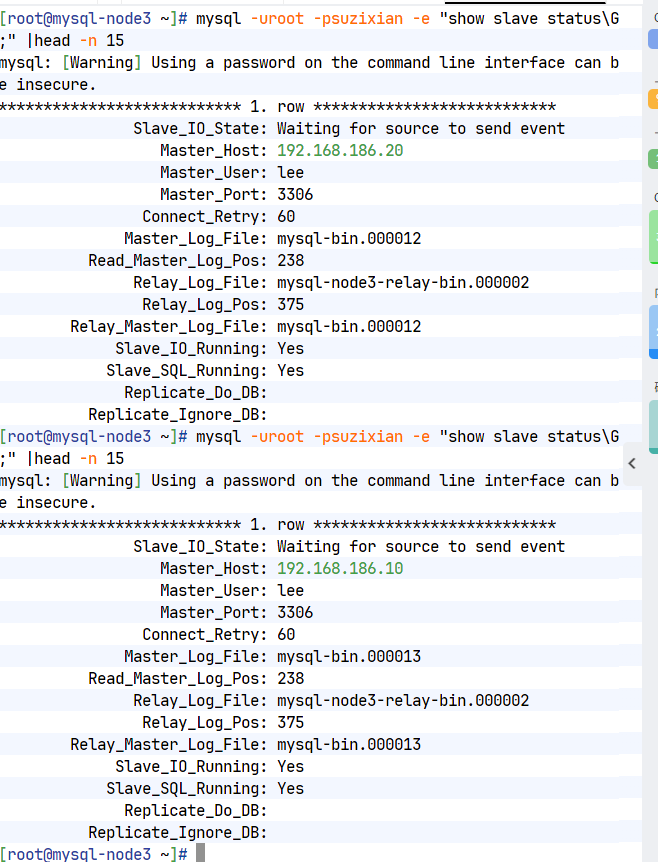
[root@mysql-node3 ~]# mysql -uroot -psuzixian -e "show slave status\G;" |head -n 15
mysql: [Warning] Using a password on the command line interface can be insecure.
*************************** 1. row ***************************
Slave_IO_State: Waiting for source to send event
Master_Host: 192.168.186.20
Master_User: lee
Master_Port: 3306
Connect_Retry: 60
Master_Log_File: mysql-bin.000012
Read_Master_Log_Pos: 238
Relay_Log_File: mysql-node3-relay-bin.000002
Relay_Log_Pos: 375
Relay_Master_Log_File: mysql-bin.000012
Slave_IO_Running: Yes
Slave_SQL_Running: Yes
Replicate_Do_DB:
Replicate_Ignore_DB:
[root@mysql-node3 ~]# 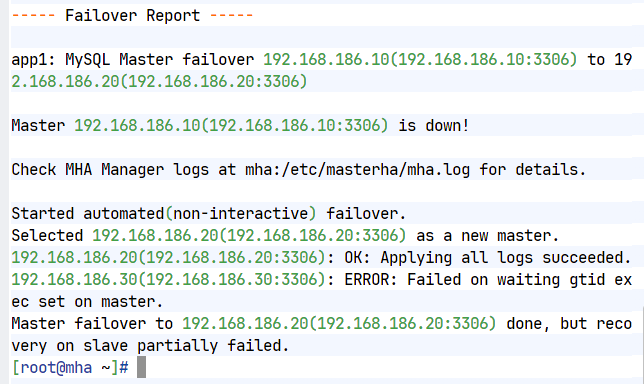
vip功能及vip的启动切换
bash
[root@mha ~]# unzip MHA-7.zip
Archive: MHA-7.zip
creating: MHA-7/
inflating: MHA-7/master_ip_failover
inflating: MHA-7/master_ip_online_change
inflating: MHA-7/mha4mysql-manager-0.58-0.el7.centos.noarch.rpm
inflating: MHA-7/mha4mysql-manager-0.58.tar.gz
inflating: MHA-7/mha4mysql-node-0.58-0.el7.centos.noarch.rpm
inflating: MHA-7/perl-Config-Tiny-2.14-7.el7.noarch.rpm
inflating: MHA-7/perl-Email-Date-Format-1.002-15.el7.noarch.rpm
inflating: MHA-7/perl-Log-Dispatch-2.41-1.el7.1.noarch.rpm
inflating: MHA-7/perl-Mail-Sender-0.8.23-1.el7.noarch.rpm
inflating: MHA-7/perl-Mail-Sendmail-0.79-21.el7.noarch.rpm
inflating: MHA-7/perl-MIME-Lite-3.030-1.el7.noarch.rpm
inflating: MHA-7/perl-MIME-Types-1.38-2.el7.noarch.rpm
inflating: MHA-7/perl-Net-Telnet-3.03-19.el7.noarch.rpm
inflating: MHA-7/perl-Parallel-ForkManager-1.18-2.el7.noarch.rpm
[root@mha ~]# ll MHA-7/master_ip_*
-rw-r--r-- 1 root root 2156 1月 14 2021 MHA-7/master_ip_failover
-rw-r--r-- 1 root root 3813 1月 14 2021 MHA-7/master_ip_online_change
[root@mha ~]# mkdir /etc/masterha/scripts
[root@mha ~]# cp MHA-7/master_ip_* /etc/masterha/scripts/
[root@mha ~]# vim /etc/masterha/app1.cnf
master_ip_failover_script=/script/masterha/master_ip_failover
# shutdown_script=/script/masterha/power_manager
# report_script=/script/masterha/send_report
master_ip_online_change_script=/script/masterha/master_ip_online_change
[server default]
manager_workdir=/etc/masterha
manager_log=/etc/masterha/mha.log
[root@mha ~]# vim /etc/masterha/scripts/master_ip_failover
my $vip = '192.168.186.100/24';
[root@mha ~]# vim /etc/masterha/scripts/master_ip_online_change
my $vip = '192.168.186.100/24';
#测试
[root@mysql-node1 ~]# ip a a 192.168.186.100/24 dev eth0
[root@mysql-node1 ~]# ip a
1: lo: <LOOPBACK,UP,LOWER_UP> mtu 65536 qdisc noqueue state UNKNOWN group default qlen 1000
link/loopback 00:00:00:00:00:00 brd 00:00:00:00:00:00
inet 127.0.0.1/8 scope host lo
valid_lft forever preferred_lft forever
inet6 ::1/128 scope host
valid_lft forever preferred_lft forever
2: eth0: <BROADCAST,MULTICAST,UP,LOWER_UP> mtu 1500 qdisc mq state UP group default qlen 1000
link/ether 00:0c:29:c7:f3:64 brd ff:ff:ff:ff:ff:ff
altname enp3s0
altname ens160
inet 192.168.186.10/24 brd 192.168.186.255 scope global noprefixroute eth0
valid_lft forever preferred_lft forever
inet 192.168.186.100/24 scope global secondary eth0
valid_lft forever preferred_lft forever
inet6 fe80::20c:29ff:fec7:f364/64 scope link
valid_lft forever preferred_lft forever
[root@mha ~]# masterha_manager --conf=/etc/masterha/app1.cnf &
[2] 235605
#关闭MySQL master
[root@mysql-node1 ~]# /etc/init.d/mysqld stop
Shutting down MySQL........... SUCCESS!
[root@mysql-node1 ~]#
#结果192.168.186.100转移node2上
[root@mysql-node2 ~]# ip a
1: lo: <LOOPBACK,UP,LOWER_UP> mtu 65536 qdisc noqueue state UNKNOWN group default qlen 1000
link/loopback 00:00:00:00:00:00 brd 00:00:00:00:00:00
inet 127.0.0.1/8 scope host lo
valid_lft forever preferred_lft forever
inet6 ::1/128 scope host
valid_lft forever preferred_lft forever
2: eth0: <BROADCAST,MULTICAST,UP,LOWER_UP> mtu 1500 qdisc mq state UP group default qlen 1000
link/ether 00:0c:29:1c:e1:7a brd ff:ff:ff:ff:ff:ff
altname enp3s0
altname ens160
inet 192.168.186.20/24 brd 192.168.186.255 scope global noprefixroute eth0
valid_lft forever preferred_lft forever
inet 192.168.186.100/24 scope global secondary eth0
valid_lft forever preferred_lft forever
inet6 fe80::20c:29ff:fe1c:e17a/64 scope link
valid_lft forever preferred_lft forever
[root@mysql-node2 ~]# 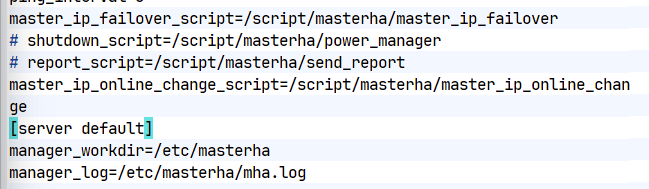
Mysql组复制(MGA)
一.还原mysql所有节点
利用ansible还原所有节点
bash
#利用ansible还原所有节点
[root@mha ~]# cat > /etc/yum.repos.d/epel.repo <<EOF
> [epel]
> name = epel
> baseurl = https://mirrors.aliyun.com/epel-archive/9.6/Everything/x86_64/
> gpgcheck = 0
> EOF
[root@mha ~]# dnf install ansible -y
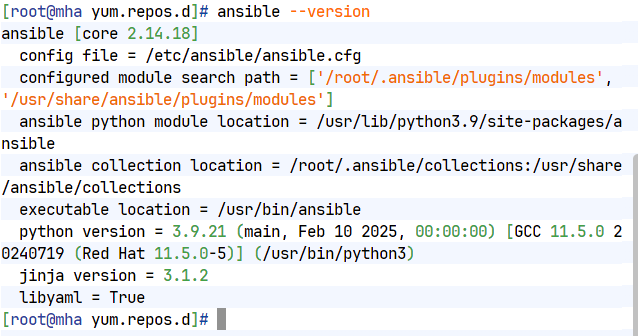
[root@mha ~]# ansible --version
ansible [core 2.14.18]
config file = /etc/ansible/ansible.cfg
configured module search path = ['/root/.ansible/plugins/modules', '/usr/share/ansible/plugins/modules']
ansible python module location = /usr/lib/python3.9/site-packages/ansible
ansible collection location = /root/.ansible/collections:/usr/share/ansible/collections
executable location = /usr/bin/ansible
python version = 3.9.21 (main, Feb 10 2025, 00:00:00) [GCC 11.5.0 20240719 (Red Hat 11.5.0-5)] (/usr/bin/python3)
jinja version = 3.1.2
libyaml = True
[root@mha ~]# useradd devops
[root@mha ~]# echo lee | passwd --stdin devops
[root@mha ~]# su - devops
[devops@mha ~]$ mkdir ansible
[devops@mha ansible]$ cat >ansible.cfg <<EOF
[defaults]
inventory=./inventory
remote_user=root
host_key_checking=false
[privilege_escalation]
become=False
EOF
[devops@mha ansible]$ cat > ~/ansible/inventory << 'EOF'
>[mysql]
>192.168.186.10
> 192.168.186.20
> 192.168.186.30
> EOF
[devops@mha ansible]$ ls
ansible.cfg inventory
[devops@mha ansible]$ ansible mysql -m user -a 'name=devops'
192.168.186.30 | CHANGED => {
"ansible_facts": {
"discovered_interpreter_python": "/usr/bin/python3"
},
"changed": true,
"comment": "",
"create_home": true,
"group": 1000,
"home": "/home/devops",
"name": "devops",
"shell": "/bin/bash",
"state": "present",
"system": false,
"uid": 1000
}
192.168.186.20 | CHANGED => {
"ansible_facts": {
"discovered_interpreter_python": "/usr/bin/python3"
},
"changed": true,
"comment": "",
"create_home": true,
"group": 1000,
"home": "/home/devops",
"name": "devops",
"shell": "/bin/bash",
"state": "present",
"system": false,
"uid": 1000
}
192.168.186.10 | CHANGED => {
"ansible_facts": {
"discovered_interpreter_python": "/usr/bin/python3"
},
"changed": true,
"comment": "",
"create_home": true,
"group": 1000,
"home": "/home/devops",
"name": "devops",
"shell": "/bin/bash",
"state": "present",
"system": false,
"uid": 1000
}
[devops@mha ansible]$ ansible mysql -m shell -a 'echo devops | passwd --stdin devops'
192.168.186.30 | CHANGED | rc=0 >>
更改用户 devops 的密码 。
passwd:所有的身份验证令牌已经成功更新。
192.168.186.20 | CHANGED | rc=0 >>
更改用户 devops 的密码 。
passwd:所有的身份验证令牌已经成功更新。
192.168.186.10 | CHANGED | rc=0 >>
更改用户 devops 的密码 。
passwd:所有的身份验证令牌已经成功更新。
[devops@mha ansible]$ ansible mysql -m shell -a 'echo "devops ALL=(ALL) NOPASSWD: ALL" >> /etc/sudoers'
192.168.186.30 | CHANGED | rc=0 >>
192.168.186.20 | CHANGED | rc=0 >>
192.168.186.10 | CHANGED | rc=0 >>
[devops@mha ansible]$ ansible all -m file -a 'path=/home/devops/.ssh owner=devops group=devops mode="0700" state=directory'
192.168.186.20 | CHANGED => {
"ansible_facts": {
"discovered_interpreter_python": "/usr/bin/python3"
},
"changed": true,
"gid": 1000,
"group": "devops",
"mode": "0700",
"owner": "devops",
"path": "/home/devops/.ssh",
"size": 6,
"state": "directory",
"uid": 1000
}
192.168.186.30 | CHANGED => {
"ansible_facts": {
"discovered_interpreter_python": "/usr/bin/python3"
},
"changed": true,
"gid": 1000,
"group": "devops",
"mode": "0700",
"owner": "devops",
"path": "/home/devops/.ssh",
"size": 6,
"state": "directory",
"uid": 1000
}
192.168.186.10 | CHANGED => {
"ansible_facts": {
"discovered_interpreter_python": "/usr/bin/python3"
},
"changed": true,
"gid": 1000,
"group": "devops",
"mode": "0700",
"owner": "devops",
"path": "/home/devops/.ssh",
"size": 6,
"state": "directory",
"uid": 1000
}
[root@mha ~]# cp .ssh/ /home/devops/ -rp
cp:是否覆盖'/home/devops/.ssh/known_hosts'? y
[root@mha ~]# chown devops.devops /home/devops/.ssh/ -R
[devops@mha ansible]$ ansible all -m copy -a 'src=/home/devops/.ssh/authorized_keys dest=/home/devops/.ssh/authorized_keys owner=devops group=devops mode='0600
[devops@mha ansible]$ ansible mysql -m authorized_key -u root -a "user=devops key='{{ lookup('file', '/home/devops/.ssh/id_rsa.pub') }}'"
192.168.186.20 | CHANGED => {
"ansible_facts": {
"discovered_interpreter_python": "/usr/bin/python3"
},
"changed": true,
"comment": null,
"exclusive": false,
"follow": false,
"key": "ssh-rsa AAAAB3NzaC1yc2EAAAADAQABAAABAQCqdOkBvFFZvVfGIEhiD5XrDELTEsQ+miQtLvBVtBzJw7ncNiGVPFW6WtWORXONi43a0lP8fzMDz+qfxUO394ez6o9hD6RU6a2YHnYNai6WgA8FmegXyyfvlIUiXeibUE7x3Sxf1f0UE2hnJCaDzWPkGJ7rqtN8smu+62nHh+npf5FBCpXg+w5wYkgqM32azfhpbTvo6Bt8rt9e77325PxFiJp6AUoKzE8M3gtyc2GQvo5FSRzhY9siT5M7E249FuQmtyIKvvQpCD/T5JkL2aQw1kWL94AeB+hdKVFvilFEmJEAYc6lAs+1yGRfx45O+oLRu3WZPlvJmpg4gFUGk/hp root@mha",
"key_options": null,
"keyfile": "/home/devops/.ssh/authorized_keys",
"manage_dir": true,
"path": null,
"state": "present",
"user": "devops",
"validate_certs": true
}
192.168.186.30 | CHANGED => {
"ansible_facts": {
"discovered_interpreter_python": "/usr/bin/python3"
},
"changed": true,
"comment": null,
"exclusive": false,
"follow": false,
"key": "ssh-rsa AAAAB3NzaC1yc2EAAAADAQABAAABAQCqdOkBvFFZvVfGIEhiD5XrDELTEsQ+miQtLvBVtBzJw7ncNiGVPFW6WtWORXONi43a0lP8fzMDz+qfxUO394ez6o9hD6RU6a2YHnYNai6WgA8FmegXyyfvlIUiXeibUE7x3Sxf1f0UE2hnJCaDzWPkGJ7rqtN8smu+62nHh+npf5FBCpXg+w5wYkgqM32azfhpbTvo6Bt8rt9e77325PxFiJp6AUoKzE8M3gtyc2GQvo5FSRzhY9siT5M7E249FuQmtyIKvvQpCD/T5JkL2aQw1kWL94AeB+hdKVFvilFEmJEAYc6lAs+1yGRfx45O+oLRu3WZPlvJmpg4gFUGk/hp root@mha",
"key_options": null,
"keyfile": "/home/devops/.ssh/authorized_keys",
"manage_dir": true,
"path": null,
"state": "present",
"user": "devops",
"validate_certs": true
}
192.168.186.10 | CHANGED => {
"ansible_facts": {
"discovered_interpreter_python": "/usr/bin/python3"
},
"changed": true,
"comment": null,
"exclusive": false,
"follow": false,
"key": "ssh-rsa AAAAB3NzaC1yc2EAAAADAQABAAABAQCqdOkBvFFZvVfGIEhiD5XrDELTEsQ+miQtLvBVtBzJw7ncNiGVPFW6WtWORXONi43a0lP8fzMDz+qfxUO394ez6o9hD6RU6a2YHnYNai6WgA8FmegXyyfvlIUiXeibUE7x3Sxf1f0UE2hnJCaDzWPkGJ7rqtN8smu+62nHh+npf5FBCpXg+w5wYkgqM32azfhpbTvo6Bt8rt9e77325PxFiJp6AUoKzE8M3gtyc2GQvo5FSRzhY9siT5M7E249FuQmtyIKvvQpCD/T5JkL2aQw1kWL94AeB+hdKVFvilFEmJEAYc6lAs+1yGRfx45O+oLRu3WZPlvJmpg4gFUGk/hp root@mha",
"key_options": null,
"keyfile": "/home/devops/.ssh/authorized_keys",
"manage_dir": true,
"path": null,
"state": "present",
"user": "devops",
"validate_certs": true
}
[devops@mha ansible]$ cat >ansible.cfg <<EOF
[defaults]
inventory=./inventory
remote_user=devops
host_key_checking=false
[privilege_escalation]
become=True
become_ask_pass=False
become_method=sudo
become_user=root
EOF
[devops@mha ansible]$ ansible all -m shell -a 'whoami'
172.25.254.20 | CHANGED | rc=0 >>
root
172.25.254.30 | CHANGED | rc=0 >>
root
172.25.254.10 | CHANGED | rc=0 >>
root
[devops@mha ansible]$ vim clear_mysql.yml
- name: reset mysql
hosts: mysql
tasks:
- name: stop mysql
shell: '/etc/init.d/mysqld stop'
ignore_errors: yes
- name: delete mysql data
file:
path: /data/mysql
state: absent
- name: crate data directroy
file:
path: /data/mysql
state: directory
owner: mysql
group: mysql
- name: initialize mysql
shell: '/usr/local/mysql/bin/mysqld --initialize --user=mysql'
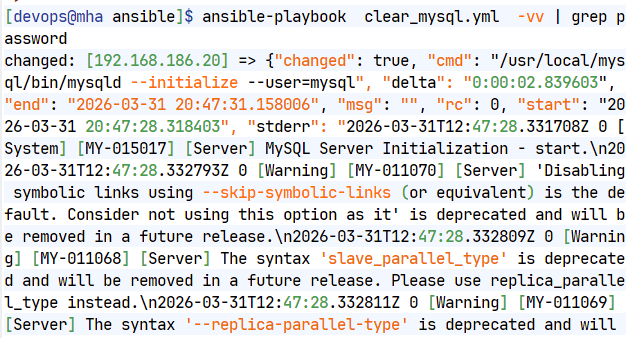
[devops@mha ansible]$ ansible-playbook clear_mysql.yml -vv | grep password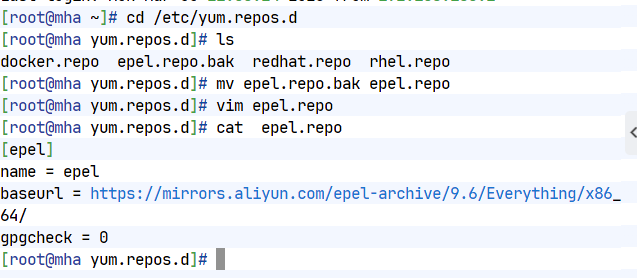
手动还原方式
bash
#所有节点初始化数据
[root@mysql-node1 ~]# /etc/init.d/mysqld stop
[root@mysql-node1 ~]# rm -rf /data/mysql/*
[root@mysql-node1 ~]# cat > /etc/my.cnf <<EOF
[mysqld]
datadir=/data/mysql
socket=/data/mysql/mysql.sock
symbolic-links=0
#不同主机server-id一定要根据实际情况做相应改变
server-id=10|20|30
log-bin=mysql-bin
gtid_mode=ON
enforce-gtid-consistency=ON
default_authentication_plugin=mysql_native_password
log_slave_updates=ON
binlog_format=ROW
binlog_checksum=NONE
disabled_storage_engines="MyISAM,BLACKHOLE,FEDERATED,ARCHIVE,MEMORY"
EOF
[root@mysql-node1 ~]# mysqld --user=mysql --initialize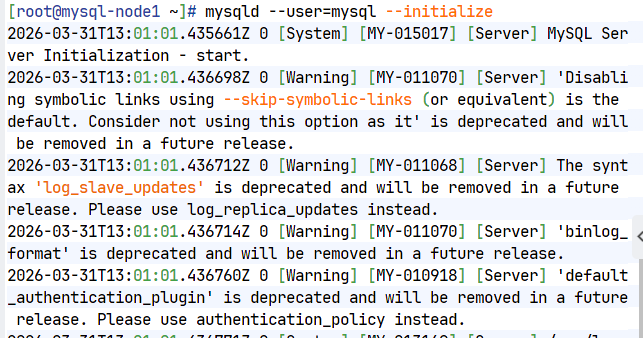
二.部署组复制
bash
#设置所有mysql节点的解析
[root@mysql-node1 ~]# cat > /etc/hosts <<EOF
127.0.0.1 localhost localhost.localdomain localhost4 localhost4.localdomain4
::1 localhost localhost.localdomain localhost6 localhost6.localdomain6
192.168.186.10 mysql-node1
192.168.186.20 mysql-node2
192.168.186.30 mysql-node3
EOF
[root@mysql-node1 ~]# cat >> /etc/my.cnf <<EOF
plugin_load_add='group_replication.so'
group_replication_group_name="aaaaaaaa-aaaa-aaaa-aaaa-aaaaaaaaaaaa"
group_replication_start_on_boot=off
group_replication_local_address="192.168.186.10:33061" #其他两台主机一定要根据ip进行修改
group_replication_group_seeds="192.168.186.10:33061,192.168.186.20:33061,192.168.186.30:33061"
group_replication_bootstrap_group=off
group_replication_single_primary_mode=OFF
EOF
[root@mysql-node1 ~]# /etc/init.d/mysqld start
#配置组复制-在首台主机中
[root@mysql-node1 ~]# mysql -uroot -p'z8hLw(iCSuk='
mysql> alter user root@localhost identified by 'lee';
Query OK, 0 rows affected (0.04 sec)
mysql> SET SQL_LOG_BIN=0;
Query OK, 0 rows affected (0.00 sec)
mysql> CREATE USER rpl_user@'%' IDENTIFIED BY 'lee';
Query OK, 0 rows affected (0.00 sec)
mysql> GRANT REPLICATION SLAVE ON *.* TO rpl_user@'%';
Query OK, 0 rows affected (0.00 sec)
mysql> GRANT CONNECTION_ADMIN ON *.* TO rpl_user@'%';
Query OK, 0 rows affected (0.00 sec)
mysql> GRANT BACKUP_ADMIN ON *.* TO rpl_user@'%';
Query OK, 0 rows affected (0.00 sec)
mysql> GRANT GROUP_REPLICATION_STREAM ON *.* TO rpl_user@'%';
Query OK, 0 rows affected (0.00 sec)
mysql> FLUSH PRIVILEGES;
Query OK, 0 rows affected (0.00 sec)
mysql> SET SQL_LOG_BIN=1;
Query OK, 0 rows affected (0.00 sec)
mysql> CHANGE REPLICATION SOURCE TO SOURCE_USER='rpl_user', SOURCE_PASSWORD='lee' FOR CHANNEL 'group_replication_recovery';
Query OK, 0 rows affected, 2 warnings (0.01 sec)
mysql> SHOW PLUGINS; #查看组复制插件是否激活
| group_replication | ACTIVE | GROUP REPLICATION | group_replication.so | GPL |
mysql> SET GLOBAL group_replication_bootstrap_group=ON;
Query OK, 0 rows affected (0.00 sec)
mysql> START GROUP_REPLICATION USER='rpl_user', PASSWORD='lee';
Query OK, 0 rows affected (1.10 sec)
mysql> SET GLOBAL group_replication_bootstrap_group=OFF;
Query OK, 0 rows affected (0.00 sec)
mysql> SELECT * FROM performance_schema.replication_group_members;
+---------------------------+--------------------------------------+-------------+-------------+--------------+-------------+----------------+----------------------------+
| CHANNEL_NAME | MEMBER_ID | MEMBER_HOST | MEMBER_PORT | MEMBER_STATE | MEMBER_ROLE | MEMBER_VERSION | MEMBER_COMMUNICATION_STACK |
+---------------------------+--------------------------------------+-------------+-------------+--------------+-------------+----------------+----------------------------+
| group_replication_applier | ac3d6eaf-1a0a-11f1-9efa-000c29f4a60c | mysql-node1 | 3306 | ONLINE | PRIMARY | 8.3.0 | XCom |
+---------------------------+--------------------------------------+-------------+-------------+--------------+-------------+----------------+----------------------------+
1 row in set (0.00 sec)
#配置组复制在其余主机中
[root@mysql-node2 ~]# /etc/init.d/mysqld start
[root@mysql-node2 ~]# mysql -uroot -p'ya&VjmF2gPNo'
mysql> alter user root@localhost identified by 'lee';
Query OK, 0 rows affected (0.00 sec)
mysql> SET SQL_LOG_BIN=0;
Query OK, 0 rows affected (0.00 sec)
mysql> CREATE USER rpl_user@'%' IDENTIFIED BY 'lee';
Query OK, 0 rows affected (0.00 sec)
mysql> GRANT REPLICATION SLAVE ON *.* TO rpl_user@'%';
Query OK, 0 rows affected (0.00 sec)
mysql> GRANT CONNECTION_ADMIN ON *.* TO rpl_user@'%';
Query OK, 0 rows affected (0.00 sec)
mysql> GRANT BACKUP_ADMIN ON *.* TO rpl_user@'%';
Query OK, 0 rows affected (0.00 sec)
mysql> GRANT GROUP_REPLICATION_STREAM ON *.* TO rpl_user@'%';
Query OK, 0 rows affected (0.00 sec)
mysql> SET SQL_LOG_BIN=1;
Query OK, 0 rows affected (0.00 sec)
mysql> CHANGE REPLICATION SOURCE TO SOURCE_USER='rpl_user',SOURCE_PASSWORD='lee' FOR CHANNEL 'group_replication_recovery';
Query OK, 0 rows affected, 2 warnings (0.00 sec)
mysql> START GROUP_REPLICATION USER='rpl_user', PASSWORD='lee';
ERROR 3092 (HY000): The server is not configured properly to be an active member of the group. Please see more details on error log. #出现此处报错可以初始化下master
mysql> reset master; #用过此命令解决以上报错
Query OK, 0 rows affected, 1 warning (0.04 sec)
mysql> START GROUP_REPLICATION USER='rpl_user', PASSWORD='lee';
Query OK, 0 rows affected (7.94 sec)
mysql> SELECT * FROM performance_schema.replication_group_members;
+---------------------------+--------------------------------------+-------------+-------------+--------------+-------------+----------------+----------------------------+
| CHANNEL_NAME | MEMBER_ID | MEMBER_HOST | MEMBER_PORT | MEMBER_STATE | MEMBER_ROLE | MEMBER_VERSION | MEMBER_COMMUNICATION_STACK |
+---------------------------+--------------------------------------+-------------+-------------+--------------+-------------+----------------+----------------------------+
| group_replication_applier | ac3d6eaf-1a0a-11f1-9efa-000c29f4a60c | mysql-node1 | 3306 | ONLINE | PRIMARY | 8.3.0 | XCom |
| group_replication_applier | e0b37b20-1a0b-11f1-a62c-000c29e84b64 | mysql-node2 | 3306 | ONLINE | PRIMARY | 8.3.0 | XCom |
+---------------------------+--------------------------------------+-------------+-------------+--------------+-------------+----------------+----------------------------+
2 rows in set (0.00 sec)
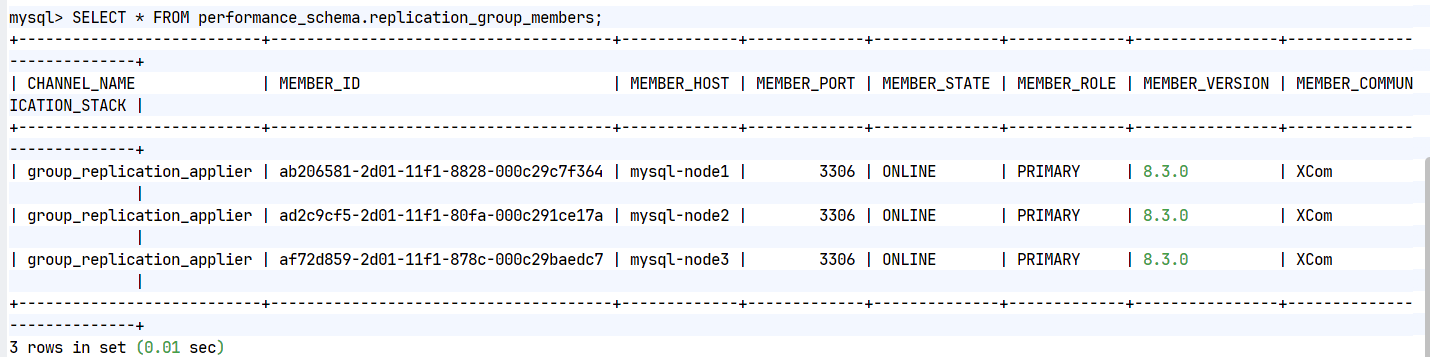
#看到主机online表示成功三台主机部署成功后的效果

三.测试
bash
#测试所有节点是否可以执行读写并数据是否同步
#node1中
mysql> create database timinglee;
Query OK, 1 row affected (0.00 sec)
mysql> create table timinglee.userlist (
-> username VARCHAR(10) PRIMARY KEY NOT NULL,
-> password VARCHAR(50) NOT NULL
-> );
Query OK, 0 rows affected (0.01 sec)
mysql> INSERT INTO timinglee.userlist VALUES ('user1','111');
Query OK, 1 row affected (0.01 sec)
#在node2中查看并插入新的数据
mysql> select * from timinglee.userlist;
+----------+----------+
| username | password |
+----------+----------+
| user1 | 111 |
+----------+----------+
1 row in set (0.00 sec)
mysql> insert into timinglee.userlist values ('user2','222');
Query OK, 1 row affected (0.01 sec)
mysql> select * from timinglee.userlist;
+----------+----------+
| username | password |
+----------+----------+
| user1 | 111 |
| user2 | 222 |
+----------+----------+
2 rows in set (0.01 sec)
#在node3中查看并插入数据
mysql> select * from timinglee.userlist;
+----------+----------+
| username | password |
+----------+----------+
| user1 | 111 |
| user2 | 222 |
+----------+----------+
2 rows in set (0.00 sec)
mysql> insert into timinglee.userlist values ('user3','333');
Query OK, 1 row affected (0.01 sec)
mysql> select * from timinglee.userlist;
+----------+----------+
| username | password |
+----------+----------+
| user1 | 111 |
| user2 | 222 |
| user3 | 333 |
+----------+----------+
3 rows in set (0.00 sec)
mysql>
#在node1和2中也可以看到以上数据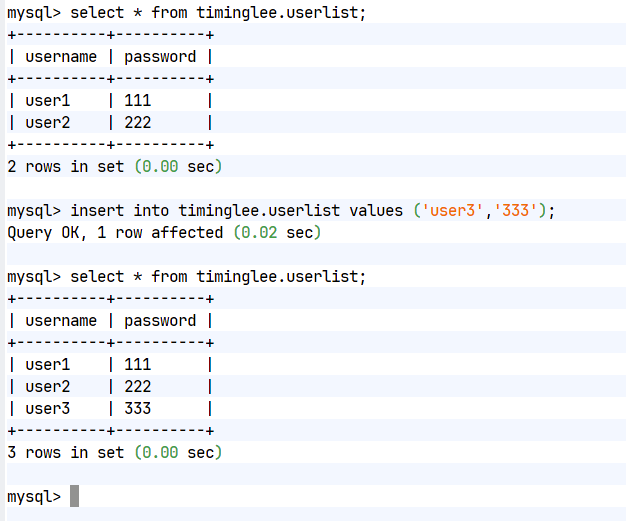
Mysqlrouter
一.Mysqlrouter软件下载

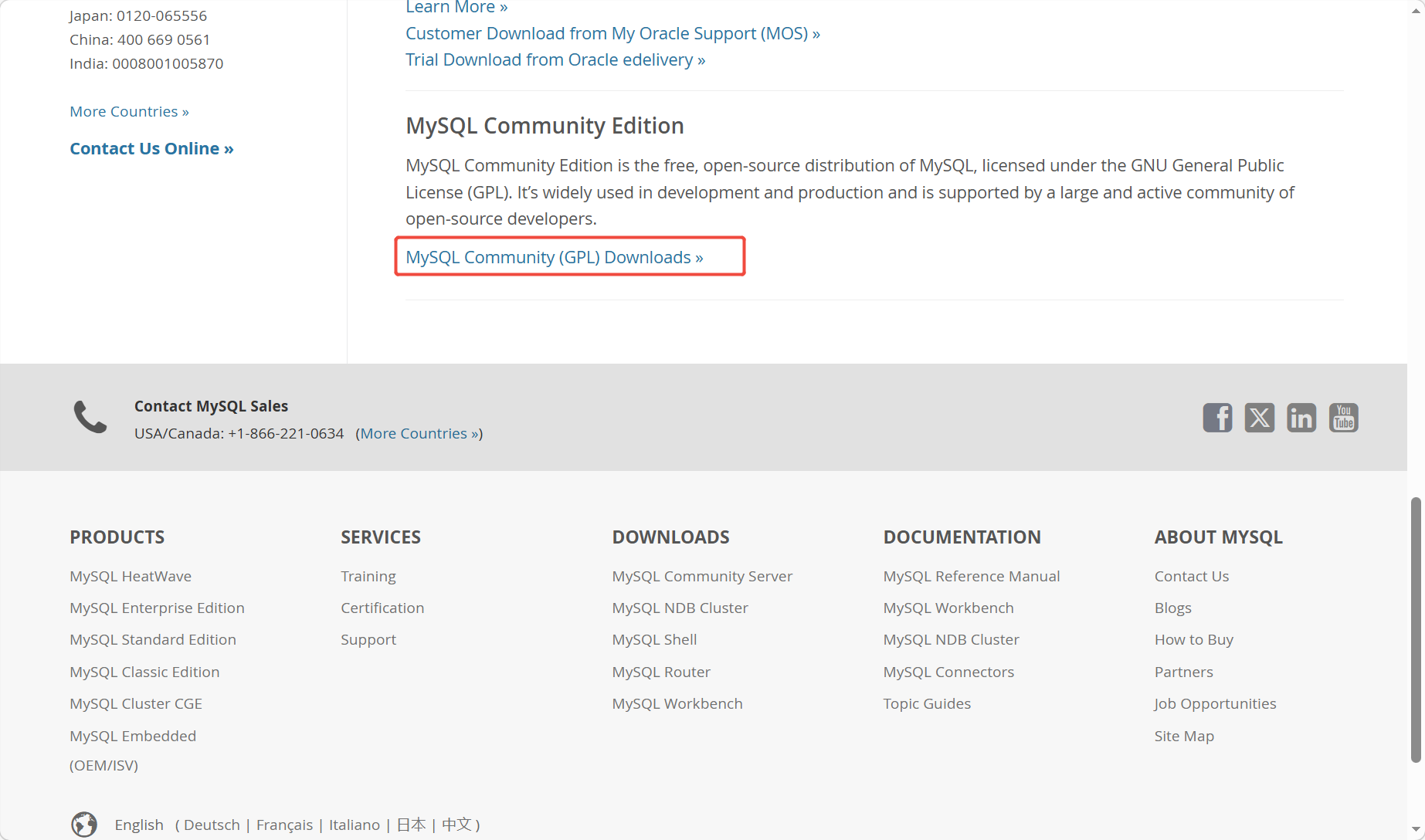
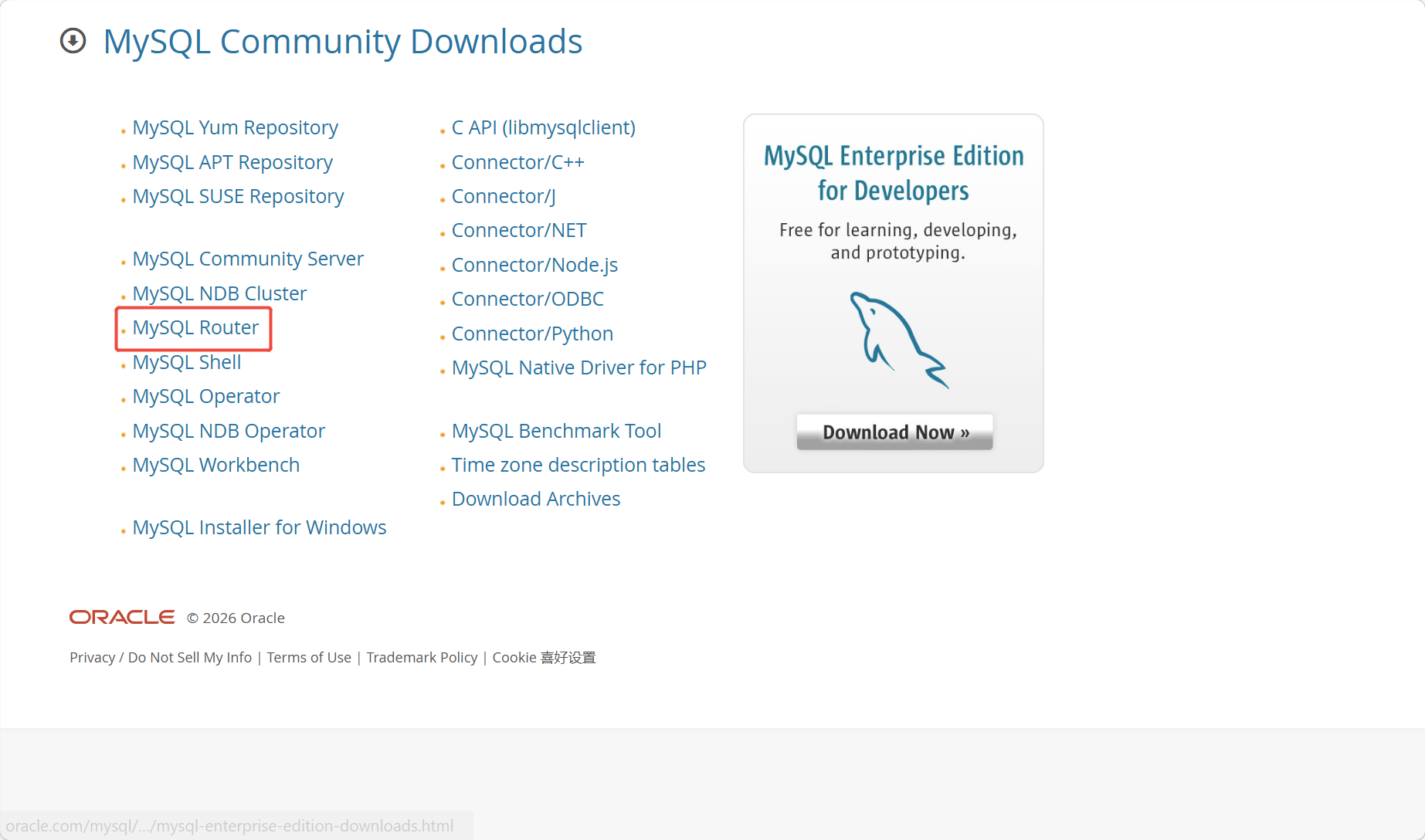
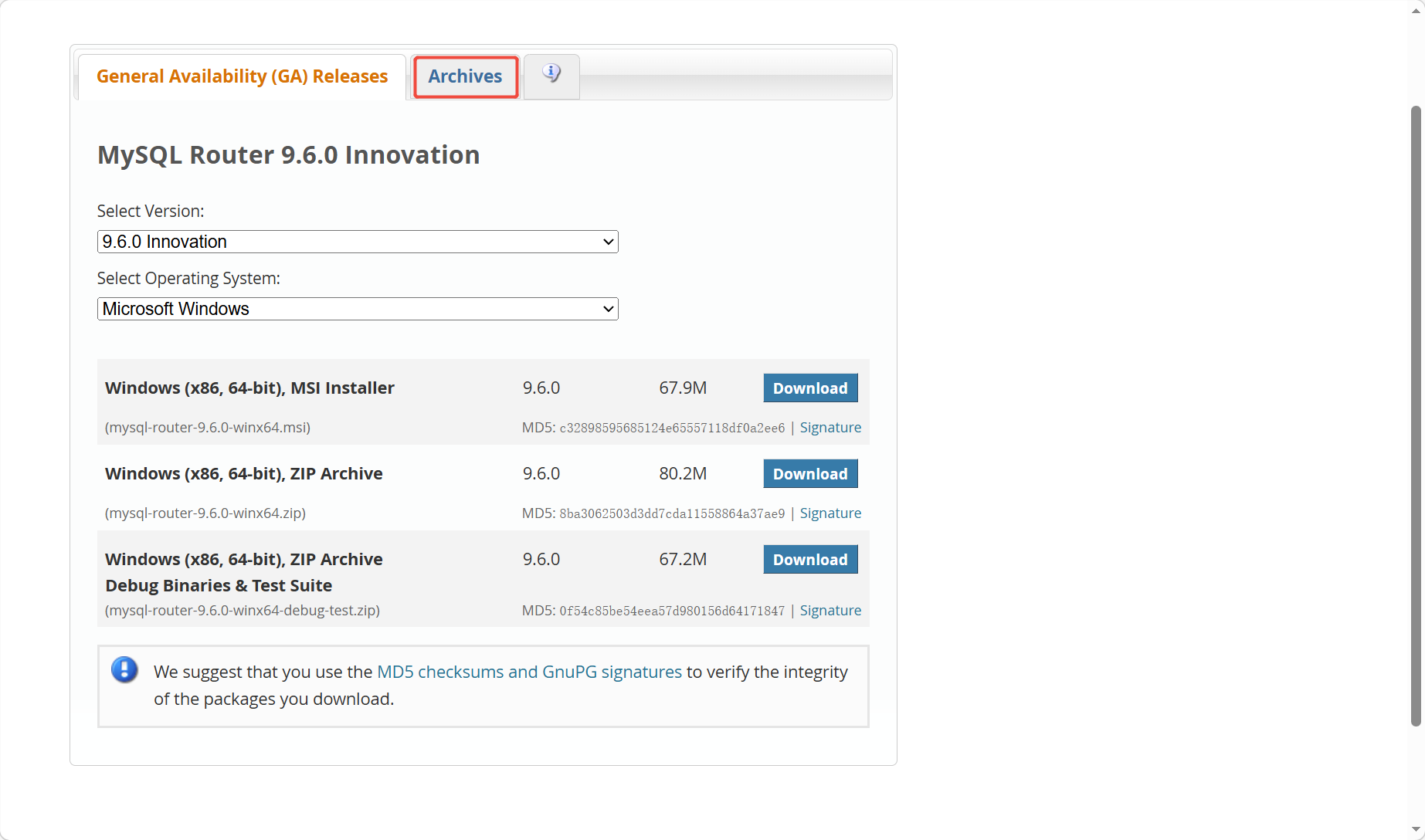
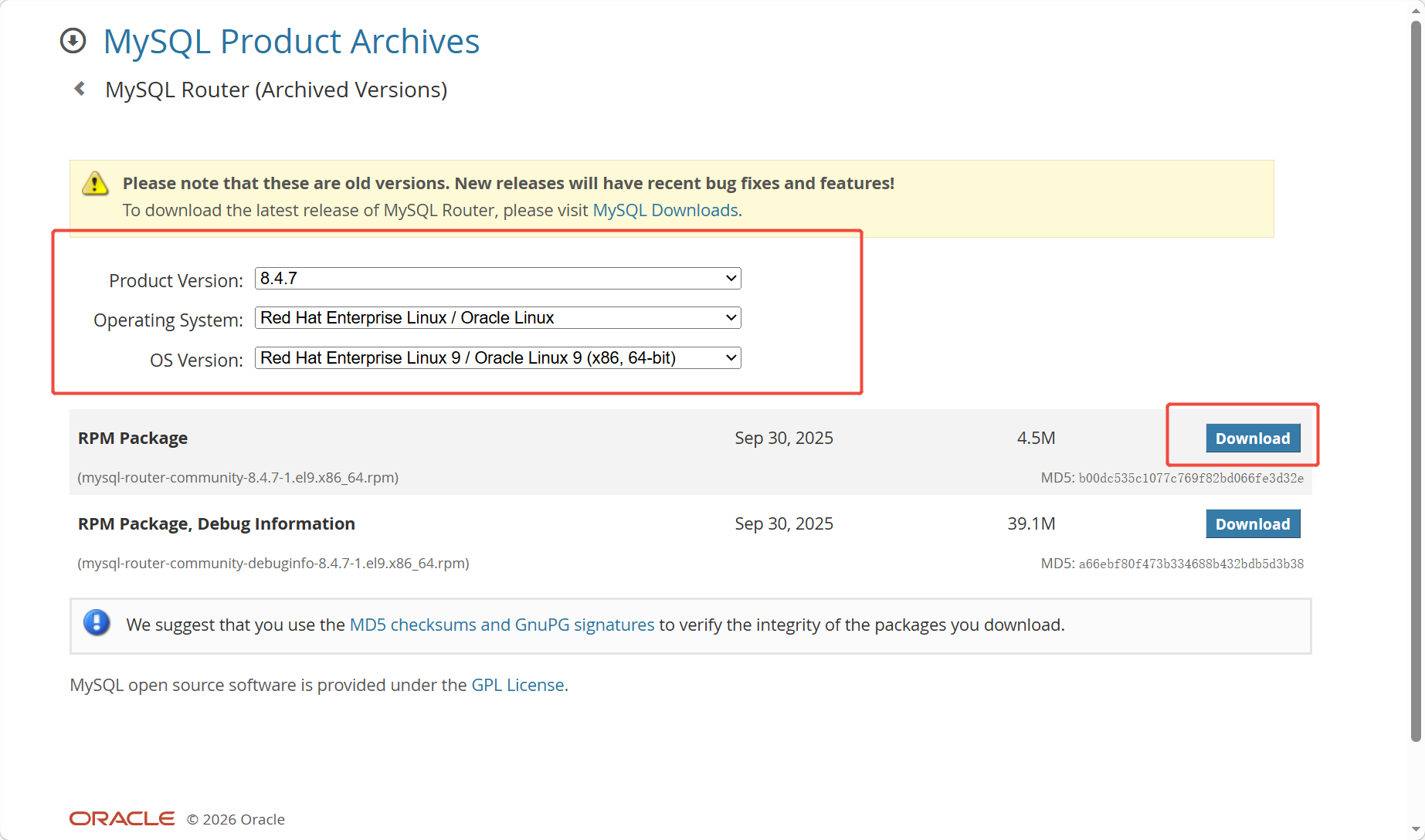
bash
[root@mysqlrouter ~]# wget https://downloads.mysql.com/archives/get/p/41/file/mysql-router-community-8.4.7-1.el9.x86_64.rpm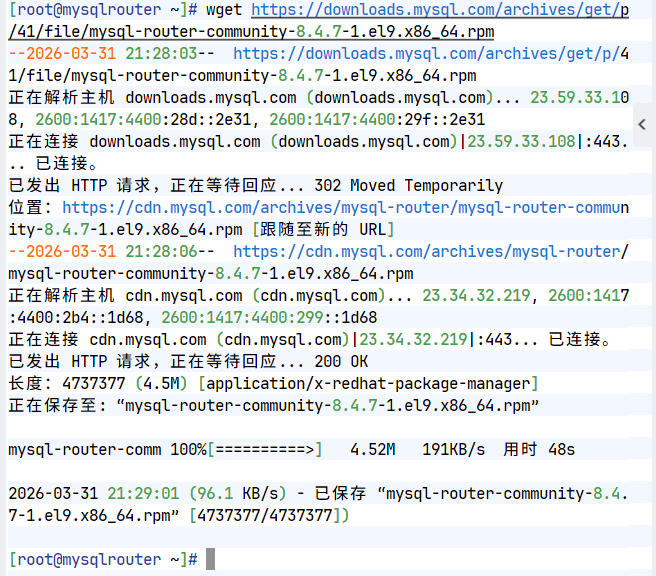
二.安装mysqlrouter
bash
[root@mysqlrouter ~]# dnf install mysql-router-community-8.4.7-1.el9.x86_64.rpm -y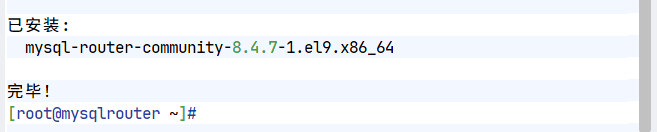
三.mysqlrouter配置文件
bash
[root@mysqlrouter ~]# rpm -qc mysql-router-community
/etc/logrotate.d/mysqlrouter #日志轮询及日志截断策略
/etc/mysqlrouter/mysqlrouter.conf #主配置文件
[root@mysqlrouter ~]# systemctl status mysqlrouter.service #启动脚本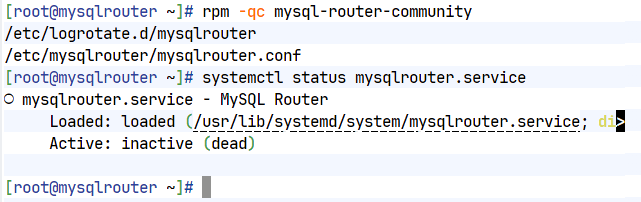
四.配置mysqlrouter
bash
[root@mysqlrouter ~]# vim /etc/mysqlrouter/mysqlrouter.conf
[routing:ro]
bind_address = 0.0.0.0
bind_port = 7001
destinations = 192.168.186.10:3306,192.168.186.20:3306,192.168.186.30:3306
routing_strategy = round-robin
[routing:rw]
bind_address = 0.0.0.0
bind_port = 7002
destinations = 192.168.186.30:3306,192.168.186.20:3306,192.168.186.10:3306
routing_strategy = first-available
[root@mysqlrouter ~]# systemctl enable --now mysqlrouter.service
Created symlink /etc/systemd/system/multi-user.target.wants/mysqlrouter.service → /usr/lib/systemd/system/mysqlrouter.service.
[root@mysqlrouter ~]# netstat -antlupe | grep mysql
tcp 0 0 0.0.0.0:7001 0.0.0.0:* LISTEN 991 176991 39587/mysqlrouter
tcp 0 0 0.0.0.0:7002 0.0.0.0:* LISTEN 991 176009 39587/mysqlrouter
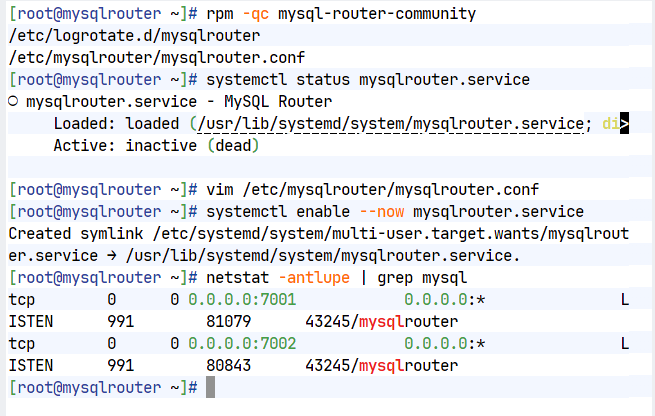
五.测试
bash
#在mysql节点的任意主机中添加root远程登录
[root@mysql-node1 ~]# mysql -uroot -plee
mysql> CREATE USER root@'%' identified by 'lee';
Query OK, 0 rows affected (0.00 sec)
mysql> GRANT ALL ON *.* TO root@'%';
Query OK, 0 rows affected (0.00 sec)
mysql> quit
Bye
[root@mysql-node1 ~]# mysql -uroot -plee -h192.168.186.10
mysql> quit
Bye
[root@mysql-node1 ~]# mysql -uroot -plee -h192.168.186.20
mysql> quit
Bye
[root@mysql-node1 ~]# mysql -uroot -plee -h192.168.186.30
mysql> quit
#查看调度效果
[root@mysql-node10 & 20 & 30 ~]# watch -n1 lsof -i :3306
COMMAND PID USER FD TYPE DEVICE SIZE/OFF NODE NAME
mysqld 9879 mysql 22u IPv6 56697 0t0 TCP *:mysql (LISTEN)
#测试效果
[root@mysql-node1 ~]# mysql -uroot -plee -h192.168.186.40 -P7002