Chapter 1 Building A Blog Application
1. Installing Django
Installing Python3 on Mac:
bash
pip3 install python3Creating Virtual Environment:
bash
python3 -m venv .venvInstalling Django with pip3:
bash
pip3 install djangoCreating your first project:
bash
django-admin startproject blogLet's take a look at the generated project structure:
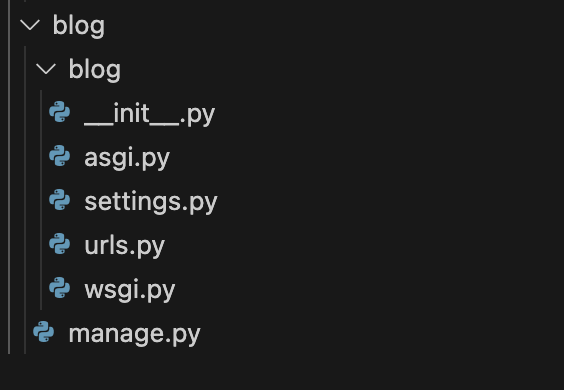
These files as follows:
-
A command-line utility to interact with your project. It is a thin wrapper around the django-admin.py tool.
-
blog/
Your project directory consists of the following files:
-
An empty file that tells Python to treat the blog directory as a Python module.
-
Settings and configuration for your project. Contains initial default settings.
-
The place where your URL patterns live. Each URL defines here is mapped to a view.
-
Configuration to run your project as a WSGI application.
-
Note that:
The generated settings.py file includes a basic configuration to use a SQLite database and a list of Django applications that are added to your project by default. We need to create the tables in the database for the initial applications.
Click New Terminal and run the following commands:
python
cd blog
python
python3 manage.py migrateThe tables for the initial applications have been created in the database.
(未完待续)