模型下载与使用

模型选择

根据个人电脑配置及使用场景,我选择模型为Qwen-4B-Chat-Q4_K_M

模型下载

模型需要从Huggingface模型库下载,需要使用平台工具来下载

注:使用wget无法下载

安装工具

pip install -U huggingface_hub

网络问题,需要使用镜像

export HF_ENDPOINT="https://hf-mirror.com"

原始模型下载

huggingface-cli download Qwen/Qwen1.5-4B-Chat --local-dir ./models/Qwen1.5-4B-Chat

原始模型需要进行量化转换

转换需要安装依赖,进入llama.cpp-b8642目录,执行如下命令进行安装

pip install -r requirements.txt

注:安装依赖要求Python 3.10以上版本,因此笔者并没有成功转换,使用第二在方法:

直接下载现成的 GGUF 模型

huggingface-cli download itlwas/Qwen1.5-4B-Chat-Q4_K_M-GGUF qwen1.5-4b-chat-q4_k_m.gguf --local-dir ./ --local-dir-use-symlinks False

webui启动

./build/bin/llama-server -m models/qwen-4b-chat.Q4_K_M.gguf -c 4096 -ngl 35 --host 0.0.0.0 --port 8080

使用

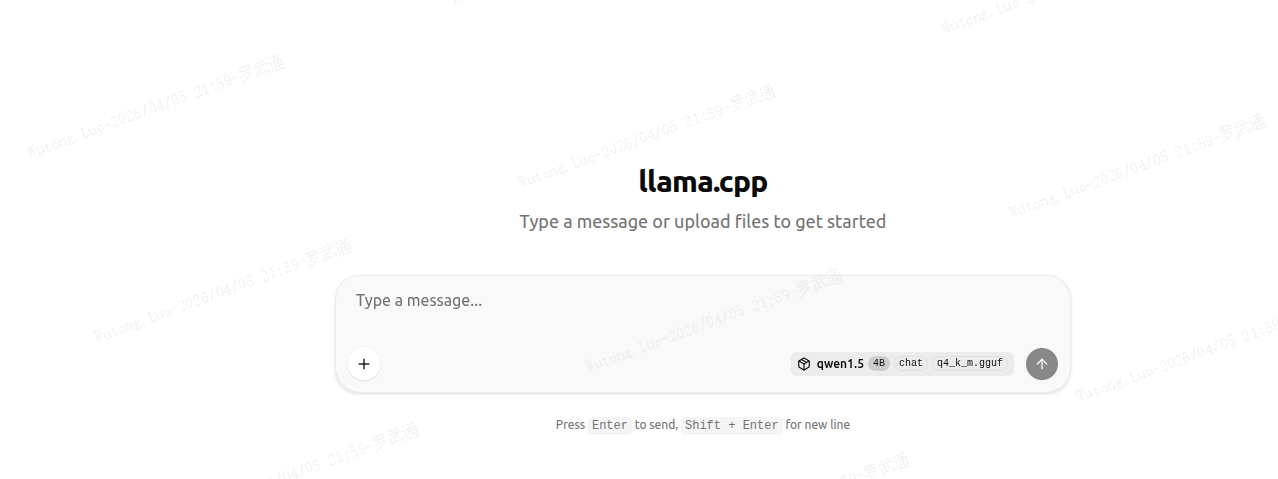
http://127.0.0.1:8080/

有如下界面

相关推荐
gujunge5 天前
Spring with AI (6): 记忆保持——会话与长期记忆
ai·大模型·llm·openai·qwen·rag·spring ai·deepseek
gujunge12 天前
Spring with AI (5): 搜索扩展——向量数据库与RAG(下)
ai·大模型·llm·openai·qwen·rag·spring ai·deepseek
gujunge13 天前
Spring with AI (4): 搜索扩展——向量数据库与RAG(上)
ai·大模型·llm·openai·qwen·rag·spring ai·deepseek
碳基硅坊16 天前
Qwen3.5-4B 微调实战:LLaMA-Factory 打造医疗AI助手
人工智能·qwen·模型微调
JuckenBoy17 天前
Linux环境安装SGLang框架运行自选大模型(以Rocky9.7为例)
linux·运维·大模型·qwen·rocky·deepseek·sglang
小田学Python19 天前
Dify+Ollama模型搭建攻略:本地环境实战指南
大模型·qwen·dify·ollama
Pyeako20 天前
大模型--OpenAI&创建阿里云百炼API Key
python·阿里云·大模型·云计算·openai·qwen·api key
gujunge21 天前
Spring with AI (3): 定制对话——Prompt模板引入
ai·大模型·llm·openai·qwen·rag·spring ai·deepseek