简介
本文以Make Flappy Bird Game in Godot Engine | gameidea为蓝本撰写。如果你对rust、godot等内容比较生疏或感到疑惑,可以先阅读godot-rust入门文档。
本文搭建在godot-rust(gdext)创建项目的基础之上,如果你对该部分内容感到生疏,可以先阅读这部分内容,为接下来的操作做好准备。
注意,本文使用的godot版本为4.6.2,godot版本的变化可能会导致一些内容失效。
本文所有操作均在Windows11环境下进行。
正文
项目准备
项目=>项目设置=>常规=>显示=>窗口
视口宽度:540视口高度:720
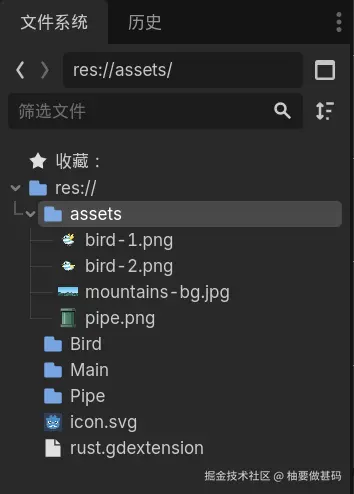
你需要的一些游戏素材从这里下载,将他们放入assets文件夹下。
此时你的项目看上去应该像这样
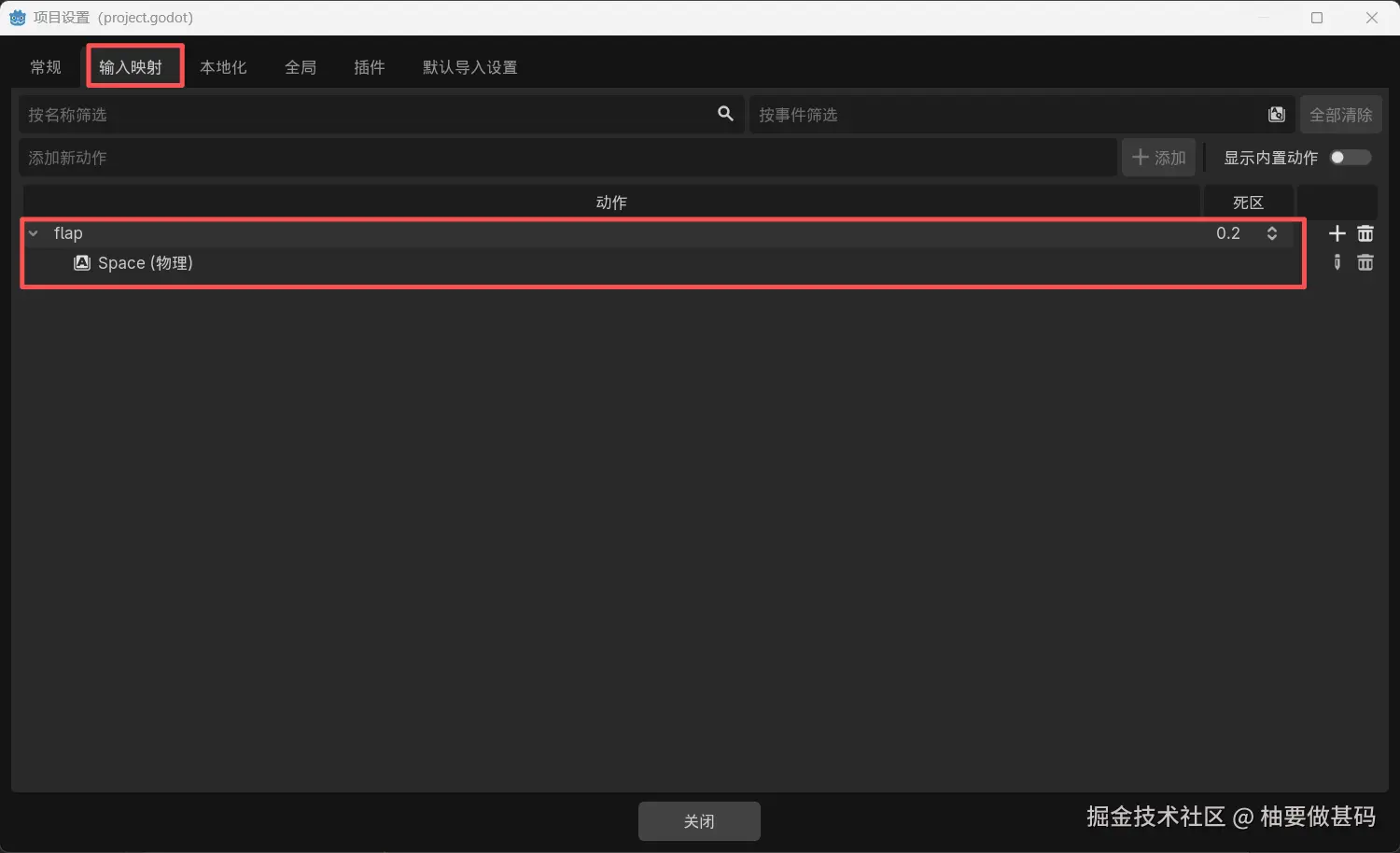
在项目设置中找到输入映射,增加一个动作flap并映射到空格键(Space)
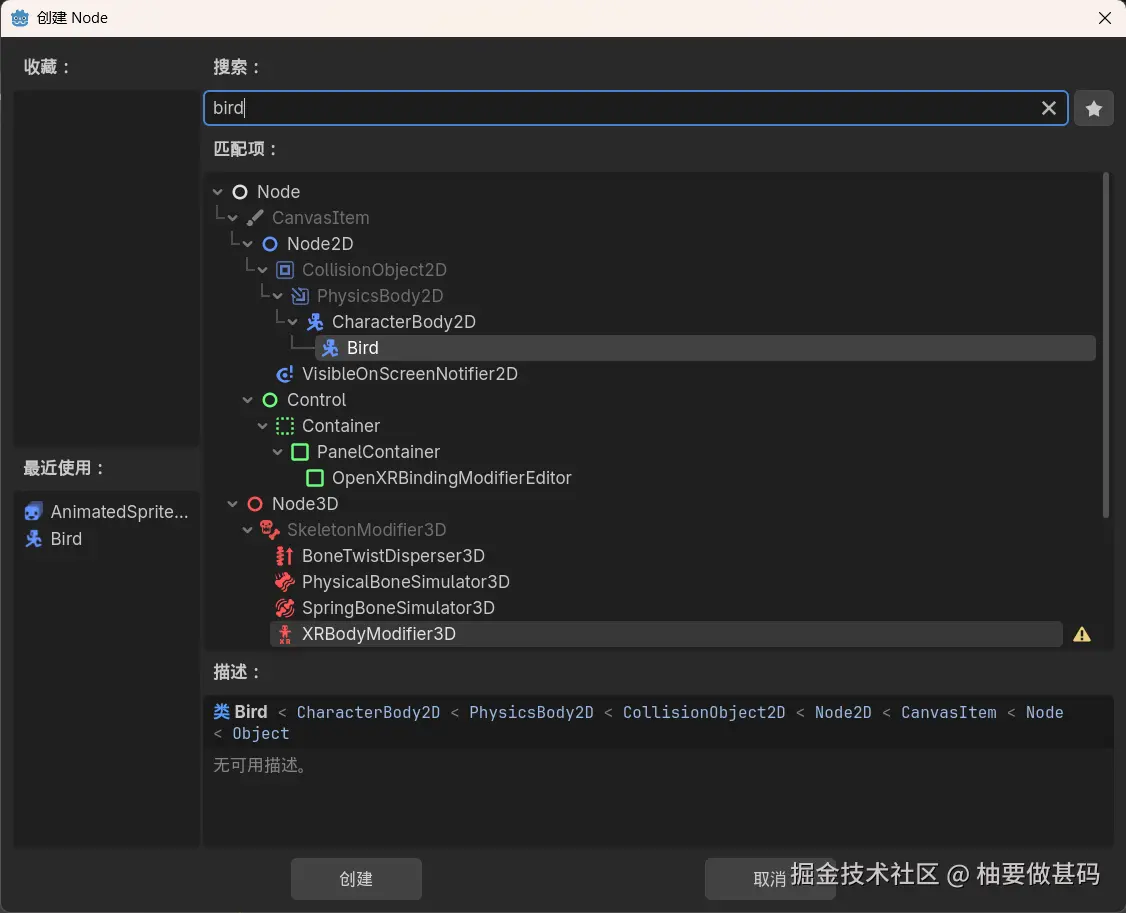
创建Bird
在rust中创建Bird节点,记得不要忘记在你的lib.rs文件中添加mod bird;。
rust
// bird.rs
use godot::prelude::*;

#[derive(GodotClass)]
#[class(init, base=CharacterBody2D)]
struct Bird {}执行cargo build。
在godot中新建你刚刚创建的Bird节点。
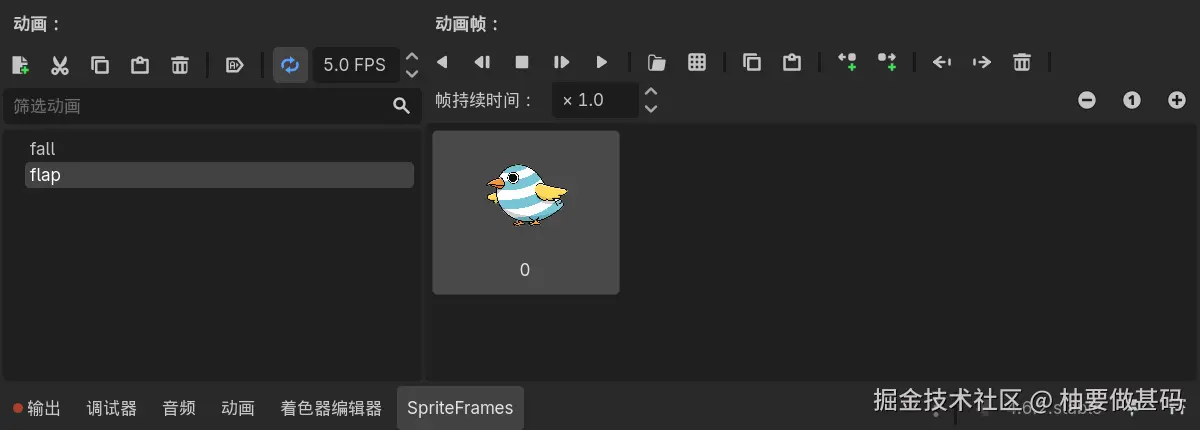
右键点击Bird,点击添加子节点 ,为你的Bird节点添加一个AnimatedSprite2D子节点,用这个节点来表示Bird的视觉效果。选中AnimatedSprite2D后在检查器 面板中的AnimatedSprite2D > Sprite Frames 中,新建SpriteFrames ,点击你刚刚创建的SpriteFrames,在编辑器的底部会出现动画面板。
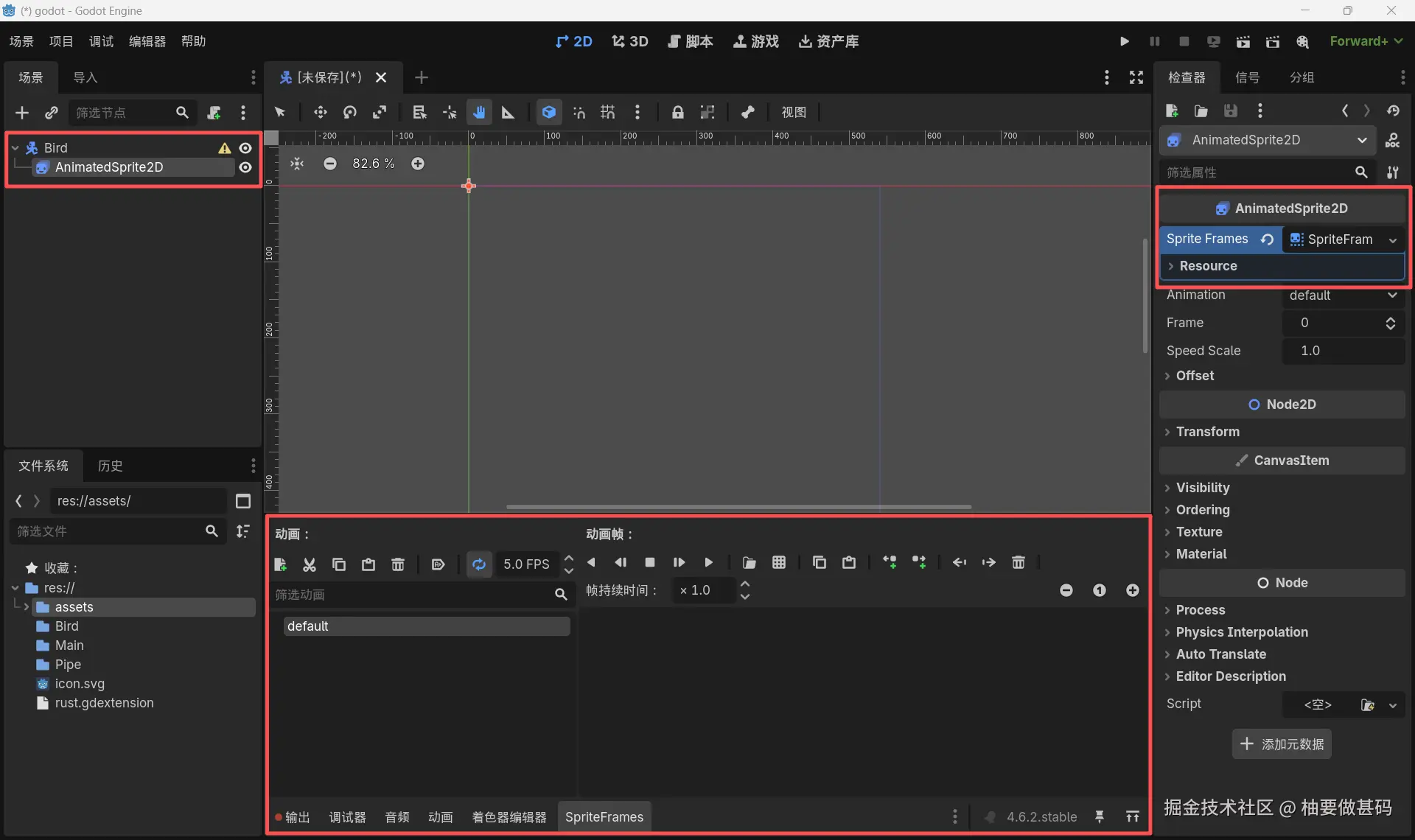
为AnimatedSprite2D添加两个动画fall和flap,通过拖动图片为两个动画添加内容:
fall:bird-1.pngflap:bird-2.png
在检查器 > AnimatedSprite2D > Transform > Scale,设置:
x:0.1y:0.1
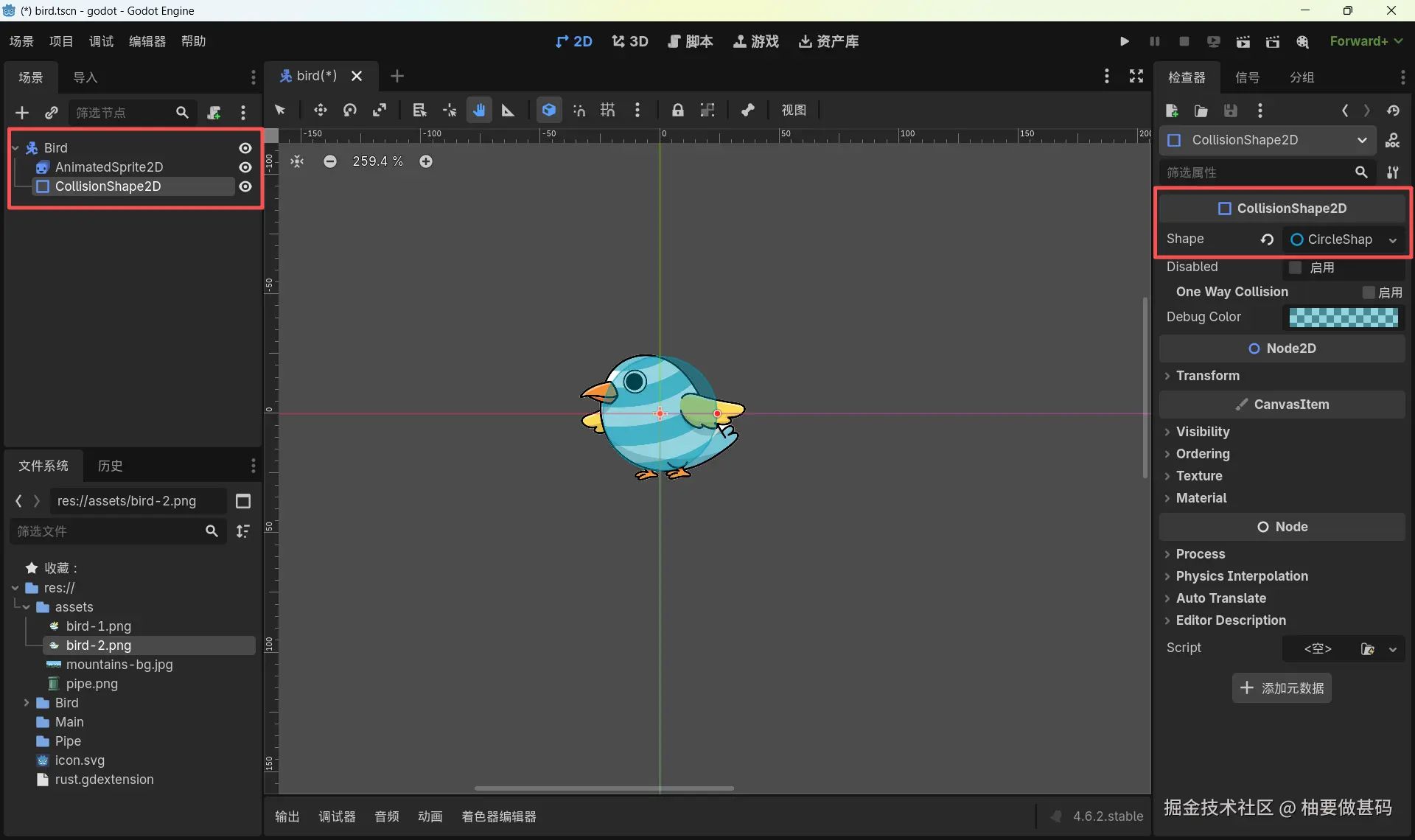
用同样的方法为Bird添加CollisionShape2D子节点,用这个节点来表示Bird的物理效果。选中CollisionShape2D子节点,在godot编辑器中的检查器 > Shape ,选择CircleShape2D ,手动调节蓝色圆形大小以尽可能表示Bird物理形状。
现在来丰富我们rust中Bird代码
rust
// bird.rs
use godot::{
    classes::{AnimatedSprite2D, CharacterBody2D, ICharacterBody2D, Input},
    prelude::*,
};

#[derive(GodotClass)]
#[class(init, base=CharacterBody2D)]
pub struct Bird {
    #[init(node = "AnimatedSprite2D")]
    animated_sprite: OnReady<Gd<AnimatedSprite2D>>,

    #[init(val = OnReady::manual())]
    tree: OnReady<Gd<SceneTree>>,

    base: Base<CharacterBody2D>,
}

#[godot_api]
impl Bird {
    const GRAVITY: real = 1372.0; // 980.0 * 1.4
    const FLAP_FORCE: real = -425.0;

    #[signal]
    pub fn hit();

    pub fn stop(&mut self) {
        self.base_mut().set_physics_process(false);
    }

    pub fn reset(&mut self) {
        self.base_mut().set_position(Vector2 { x: 270.0, y: 360.0 });
    }

    pub fn start(&mut self) {
        self.base_mut().set_physics_process(true);
    }

    fn play(&mut self, animation_name: &str) {
        self.animated_sprite.set_animation(animation_name);
        self.animated_sprite.play();
    }
}

#[godot_api]
impl ICharacterBody2D for Bird {
    fn ready(&mut self) {
        self.tree.init(self.base().get_tree());

        self.play("fall");
    }

    fn physics_process(&mut self, delta: f32) {
        let input = Input::singleton();
        let mut velocity = self.base().get_velocity();

        if !self.base().is_on_floor() {
            velocity.y += Bird::GRAVITY * delta;
        }

        if input.is_action_just_pressed("flap") {
            velocity.y = Bird::FLAP_FORCE;
            self.play("flap");

            self.tree
                .create_timer(0.25)
                .signals()
                .timeout()
                .connect_other(&*self, |bird| {
                    bird.play("fall");
                });
        }

        self.base_mut().set_velocity(velocity);
        self.base_mut().move_and_slide();

        if self.base().get_slide_collision_count() > 1 {
            self.signals().hit().emit();
        }
    }
}编译你的Bird
cargo build回到godot编辑器,在编辑器右上角点击运行场景

你会看到小鸟发生自由落体,而在你按下空格键后,它会向上飞一小段距离。