1、概述
Qwen-Agent的内置rag系统,默认基于BM25 关键词检索算法实现文档匹配,是轻量级内存式RAG,Assistant 传入files参数即激活内置 RAG,适合小批量文件处理。
【内存加载流程】
1、文档解析与分块
doc_parser(qwen_agent\tools\simple_doc_parser.py)按文件后缀pdf、txt、docx等解析文件,按默认500字符将文本切分成多个文本块,生成{page_content, metadata}的字典列表
2、内存存储
分块列表存储在内存中,不持久化到磁盘
3、检索执行
retrieval遍历内存中的分块列表,默认使用BM25打分排序(不支持向量检索),返回Top-N相关块
4、模型推理
将得分最高的若干个文本块拼接到prompt,给大模型生成回答
2、Qwen-Agent的多文件 RAG 问答程序
python
import os
from qwen_agent.agents import Assistant

llm_cfg = {
    "model": "qwen-turbo",
    "api_key": os.getenv('DASHSCOPE_API_KEY'),
    "temperature": 0.8
}

system_instruction = "你是一个文档问答助手,必须根据提供的文档内容回答问题,不要编造答案。"

# 获取文件夹下所有文件
file_dir = os.path.join('./', 'docs')
files = []
if os.path.exists(file_dir):
    # 遍历目录下的所有文件
    for file in os.listdir(file_dir):
        file_path = os.path.join(file_dir, file)
        if os.path.isfile(file_path):  # 确保是文件而不是目录
            files.append(file_path)
print('files=', files)

bot = Assistant(
    llm=llm_cfg,
    system_message=system_instruction,
    function_list=[],
    files=files
)

messages = []
query = "介绍下雇主责任险"
# 将用户请求添加到聊天历史。
messages.append({'role': 'user', 'content': query})
response = []
current_index = 0

print("助手回答:", end='')
for response in bot.run(messages=messages):
    if current_index == 0:
        # 尝试获取并打印召回的文档内容
        if hasattr(bot, 'retriever') and bot.retriever:
            print("\n===== 召回的文档内容 =====")
            retrieved_docs = bot.retriever.retrieve(query)
            if retrieved_docs:
                for i, doc in enumerate(retrieved_docs):
                    print(f"\n文档片段 {i+1}:")
                    print(f"内容: {doc.page_content}")
                    print(f"元数据: {doc.metadata}")
            else:
                print("没有召回任何文档内容")
            print("===========================\n")

    current_response = response[0]['content'][current_index:]
    current_index = len(response[0]['content'])
    print(current_response, end='')

# 将机器人的回应添加到聊天历史。
messages.append({'role': 'assistant', 'content': response[-1]['content']})
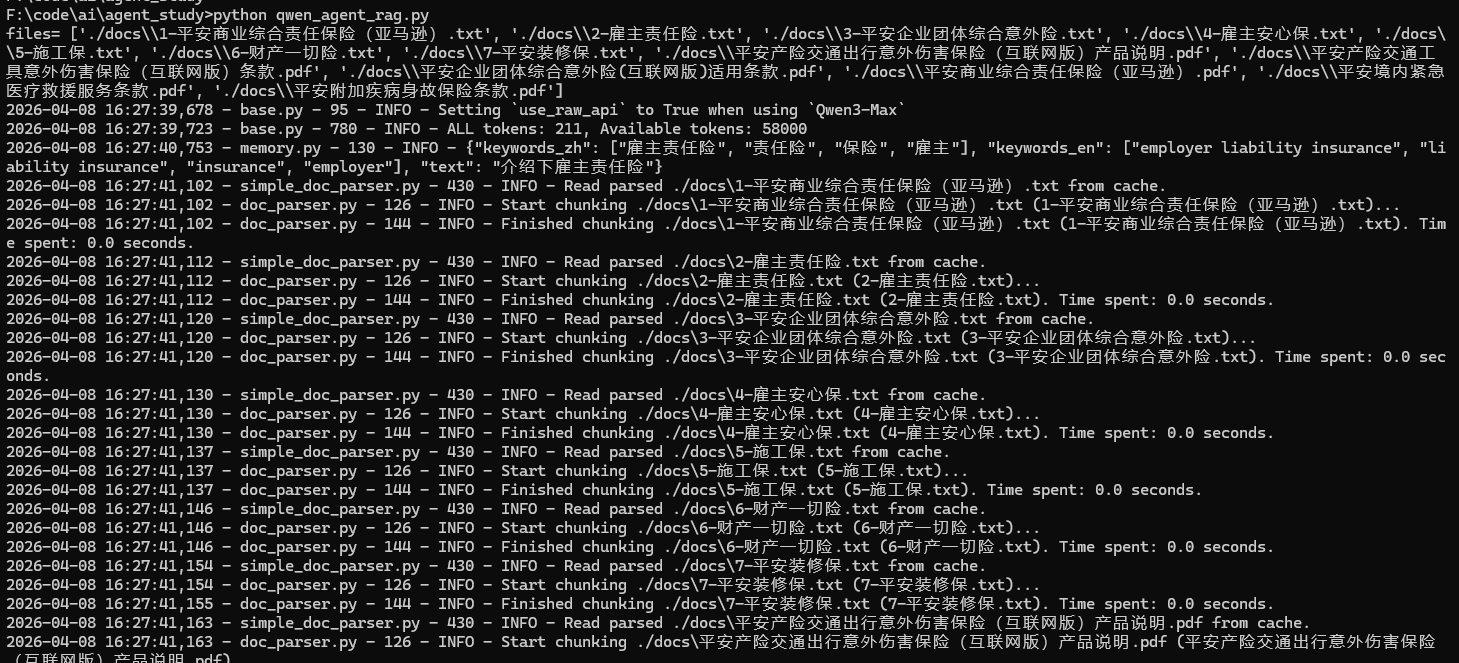
【运行如图】
文档解析:Start parsing / Finished parsing
文本分块:Start chunking / Finished chunking
BM25检索:Building prefix dict from the default dictionary
第一次运行在工作目录下会有workspace,里面保存了解析阶段的缓存,Qwen-Agent 下次启动程序时,会优先读取 workspace 里面的缓存文件。