导航
- [1 免密提权(根据情况设置)](#1 免密提权(根据情况设置))
- [2 安装SSH 及 更新](#2 安装SSH 及 更新)
- [3 更换国内源](#3 更换国内源)
- [4 常用工具](#4 常用工具)
1 免密提权(根据情况设置)
bash
sudo visudo

#
当前用户名 ALL=(ALL) NOPASSWD: ALL
2 安装SSH 及 更新
bash
sudo apt update && sudo apt install -y openssh-server

sudo systemctl start ssh && sudo systemctl enable ssh && sudo apt upgrade -y && sudo apt autoremove -y
3 更换国内源
- 命令行更换
bash
sudo cp /etc/apt/sources.list /etc/apt/sources.list.bak

#echo重写
sudo tee /etc/apt/sources.list << EOF
deb http://mirrors.aliyun.com/ubuntu/ noble main restricted universe multiverse
deb http://mirrors.aliyun.com/ubuntu/ noble-security main restricted universe multiverse
deb http://mirrors.aliyun.com/ubuntu/ noble-updates main restricted universe multiverse
deb http://mirrors.aliyun.com/ubuntu/ noble-backports main restricted universe multiverse
deb http://mirrors.aliyun.com/ubuntu/ noble-proposed main restricted universe multiverse
EOF

#更新
sudo apt update && sudo apt upgrade -y- 图形化设置
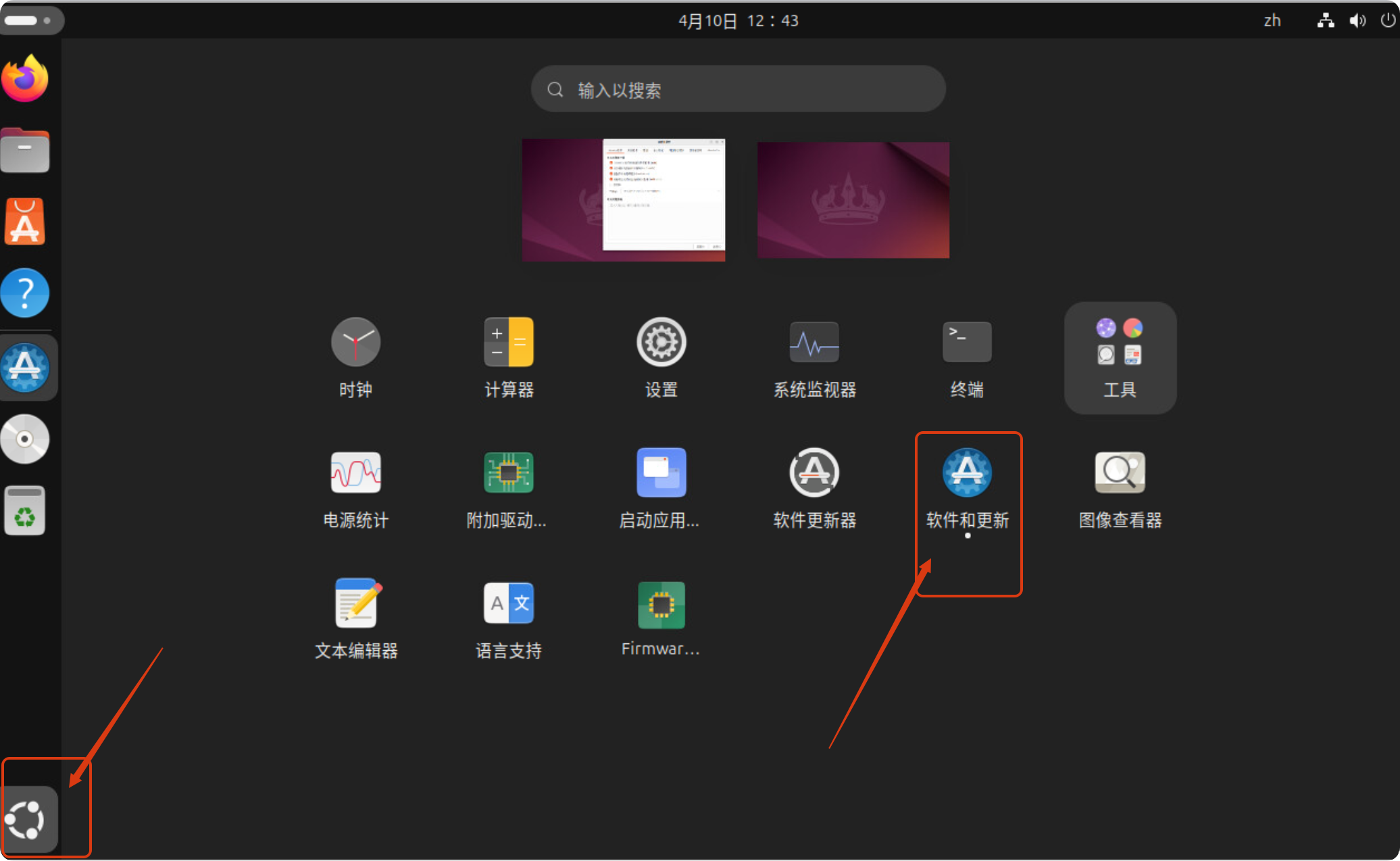
选择 软件和更新
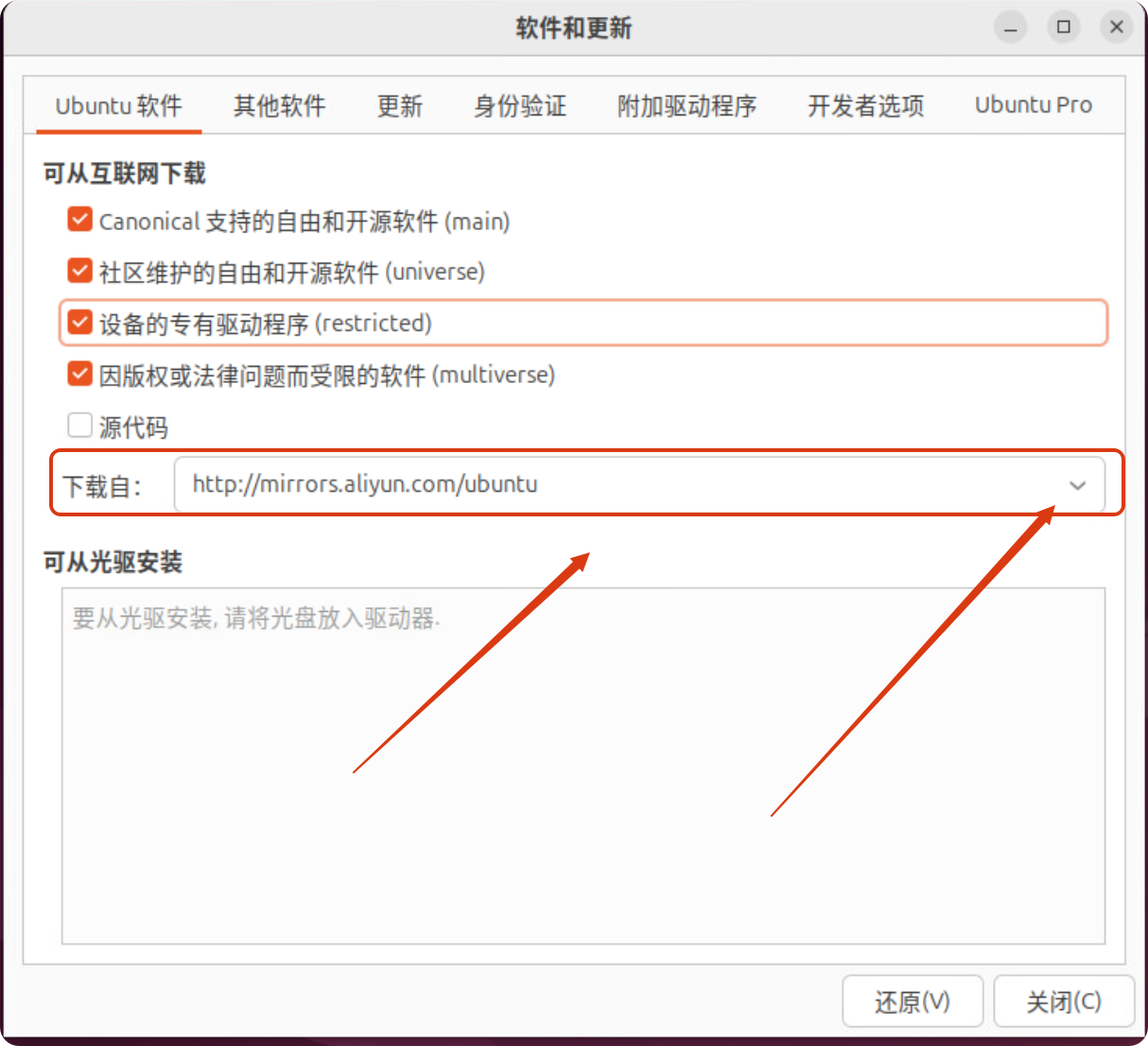
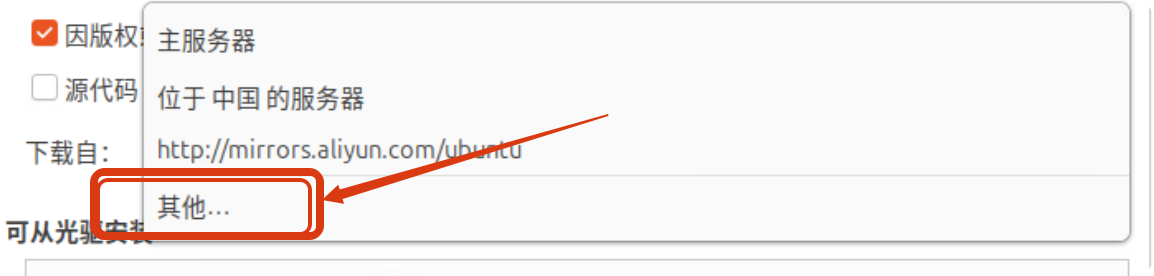
选择其他
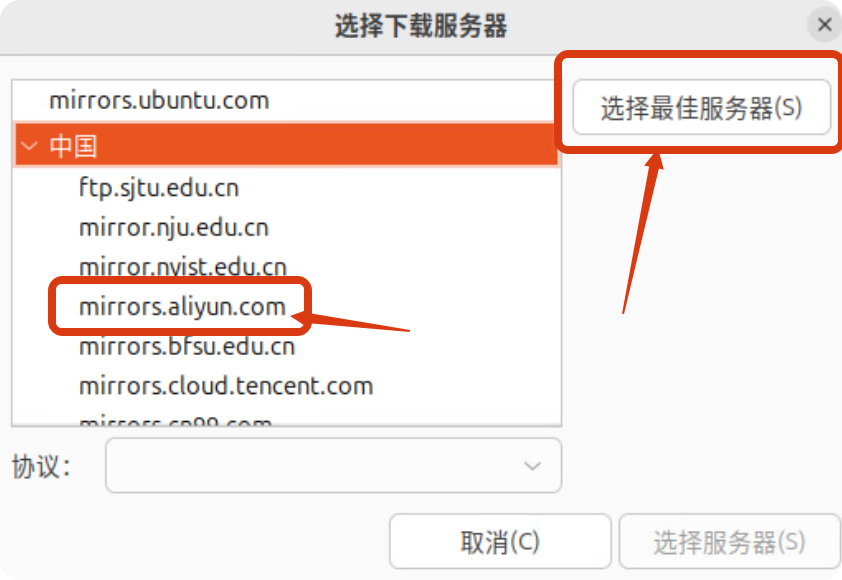
1、选择最佳服务器:系统测速自动选择最佳的。
2、手动选择 mirrors.aliyun.com 阿里云源。
4 常用工具
- build-essential:包含编译工具 (gcc, make 等),很多软件依赖它。
- git:版本控制必备。
- htop:一个更好看的交互式进程查看器,比系统自带的好用。
- ncdu:磁盘空间分析神器,可以快速找出是哪个文件夹占用了大量空间。
- curl、wget、unzip
bash
sudo apt install -y build-essential git htop ncdu curl wget unzip