目录
[1. PromptTemplate](#1. PromptTemplate)
1. PromptTemplate
知识1:PromptTemplate方法如何获取实例?
【方式1】构造方法
python
from langchain_core.prompts import PromptTemplate

promptTemplate = PromptTemplate(
    template="你是一个{role},你的名字叫{name},你需要根据用户的要求创建一个太空之都。",
    input_variables=["role", "name"]
)

prompt = promptTemplate.format(
    role="科幻作家",
    name="远航者1号"
)

print(prompt)  # 输出:你是一个科幻作家,你的名字叫远航者1号,你需要根据用户的要求创建一个太空之都。
【方式2】from_template() => 推荐
python
promptTemplate = PromptTemplate.from_template(
    template="你是一个{role},你的名字叫{name},你需要根据用户的要求创建一个太空之都。",
)

prompt = promptTemplate.format(
    role="科幻作家",
    name="远航者1号"
)

print(prompt)  # 输出:你是一个科幻作家,你的名字叫远航者1号,你需要根据用户的要求创建一个太空之都。
如果PromptTemplate.from_template()方法中不包含变量,就可以直接传个字符串
python
text = "你是一个科幻作家,根据用户的要求创建一个太空之都。"
promptTemplate = PromptTemplate.from_template(text)
prompt = promptTemplate.format()
print(prompt) # 输出:你是一个科幻作家,根据用户的要求创建一个太空之都。
知识2:部分提示词模板的使用 ?
【方式1】使用partial_variables参数
python
from langchain_core.prompts import PromptTemplate

promptTemplate = PromptTemplate.from_template(
    template = "你是一个{role},你的名字叫{name},你需要根据用户的要求创建一个{country}。",
    partial_variables={"country": "太空之都"}  # !!
)
prompt = promptTemplate.format(
    role="科幻作家",
    name="远航者1号"
    # 在这边就可以不用对country赋值
)
print(prompt)
【方式2】使用partial() 方法
python
promptTemplate = PromptTemplate.from_template(
    template="你是一个{role},你的名字叫{name},你需要根据用户的要求创建一个{country}。",
)

template = promptTemplate.partial(country="太空之都")  # !! 使用这种方法,使用返回值作为新的模板
# partial()调用完以后,不会对调用者这个模板对象产生影响;而其返回值是一个新的模板
prompt = template.format(
    role="科幻作家-啦",
    name="远航者2号"
)

print(prompt)
知识3:组合提示词模板如何使用?
python
from langchain_core.prompts import PromptTemplate

promptTemplate = PromptTemplate.from_template(
    template = "你是一个科幻作家,你的名字叫大卫,你需要根据用户的要求创建一个{country}。",
) + "供未来{user}使用的科幻小说。"
prompt = promptTemplate.format(
    country="日光之城",
    user="mike",
)
print(prompt)
知识4:如何给提示词模板中中的变量赋值?
【方式1】.format()
python
# 方式1:format():  参数部分:给变量赋值;返回值: str类型
from langchain_core.prompts import PromptTemplate

promptTemplate = PromptTemplate.from_template(
    template = "你是一个{role},你的名字叫{name},你需要根据用户的要求创建一个{country}。",
    partial_variables={"country": "太空之都"}  # !!
)
prompt = promptTemplate.format(
    role="科幻作家",
    name="远航者1号"
    # 在这边就可以不用对country赋值
)
print(type(prompt))  # <class 'str'>
【方式2】.invoke()
python
# 方式2:invoke()
promptTemplate = PromptTemplate.from_template(
    template = "你是一个{role},你的名字叫{name},你需要根据用户的要求创建一个{country}。",
    partial_variables={"country": "太空之都"}  # !!
)
prompt = promptTemplate.invoke(
    input={"role":"科幻作家","name" : "远航者1号"},
)
print(type(prompt))  # PromptValue
知识5:prompt如何结合大模型使用?
python
from langchain.chat_models import init_chat_model
from langchain_core.prompts import PromptTemplate
from dotenv import load_dotenv
load_dotenv()

model = init_chat_model("deepseek-chat")

promptTemplat = PromptTemplate.from_template(
    template="你是一个{role},你的名字叫{name},你需要根据用户的要求创建一个{country}。并详细描述这个城",
    partial_variables={"country": "日光城"}
)

prompt = promptTemplat.invoke(input={
    "role": "科幻作家",
    "name": "大卫"
})

response = model.invoke(
    prompt
)
print(response.content)
2.ChatPromptTemplate
知识1:ChatPromptTemplate如何实例化?
【方式1】构造方法
python
from langchain_core.prompts import ChatPromptTemplate

chatPromptTemplate = ChatPromptTemplate(
    messages=[
        {"role": "system", "content": "你是一个医疗助手,你的名字叫{name}"},
        {"role": "human", "content": "我的问题是{question}"},
    ],
    input_variables=["name", "question"],
)

prompt = chatPromptTemplate.invoke(input={"name": "mike", "question": "你好,详细介绍一下你自己"})
print(prompt)
print(type(prompt)) # ChatPromptValue
【方式2】使用 from_messages()
python
chatPromptTemplate = ChatPromptTemplate.from_messages(
    messages=[
        {"role": "system", "content": "你是一个医疗助手,你的名字叫{name}"},
        {"role": "human", "content": "我的问题是{question}"},
    ],
)
prompt = chatPromptTemplate.invoke(input={"name": "mike", "question": "你好,详细介绍一下你自己"})
print(prompt)
知识2:调用ChatPromptTemplate提示词模板的几种方法?
【方式1】invoke():传入的是字典,返回ChatPromptValue类型
python
from langchain_core.prompts import ChatPromptTemplate

chatPromptTemplate = ChatPromptTemplate(
    messages=[
        {"role": "system", "content": "你是一个医疗助手,你的名字叫{name}"},
        {"role": "human", "content": "我的问题是{question}"},
    ],
    input_variables=["name", "question"],
)

prompt = chatPromptTemplate.invoke(
    input={"name": "mike", "question": "你好,详细介绍一下你自己"}
)
print(prompt)
【方式2】format(): 传入的是变量的值,返回字符串类型
python
chatPromptTemplate = ChatPromptTemplate(
    messages=[
        {"role": "system", "content": "你是一个医疗助手,你的名字叫{name}"},
        {"role": "human", "content": "我的问题是{question}"},
    ],
    input_variables=["name", "question"],
)
prompt = chatPromptTemplate.format(name="mike", question="你好,详细介绍一下你自己")
print(prompt)
【方式3】format_messages(): 传入的是变量的值,返回的是一个list
python
chatPromptTemplate = ChatPromptTemplate(
    messages=[
        {"role": "system", "content": "你是一个医疗助手,你的名字叫{name}"},
        {"role": "human", "content": "我的问题是{question}"},
    ],
    input_variables=["name", "question"],
)
prompt = chatPromptTemplate.format_messages(name="mike", question="你好,详细介绍一下你自己")
print(prompt)
print(type(prompt))
【方式4】format_prompt(): 传入的是变量的值,返回的是ChatPromptValue
python
chatPromptTemplate = ChatPromptTemplate(
    messages=[
        {"role": "system", "content": "你是一个医疗助手,你的名字叫{name}"},
        {"role": "human", "content": "我的问题是{question}"},
    ],
    input_variables=["name", "question"],
)
prompt = chatPromptTemplate.format_prompt(name="mike", question="你好,详细介绍一下你自己")
print(prompt)
print(type(prompt))
知识3:如何使用插入消息列表:MessagesPlaceholder
python
from langchain_core.prompts import ChatPromptTemplate
from langchain_core.messages import HumanMessage, SystemMessage, AIMessage
from langchain_core.prompts import MessagesPlaceholder

chatPromptTemplate = ChatPromptTemplate.from_messages([
    ("system", "You are a helpful assistant, your name is {name}"),
    MessagesPlaceholder(variable_name="msg"),
])


# 使用场景:当ChatPromptTemplatem模板中的消息类型和个数不确定的时候,我们就可以使用MessagePlaceholder
prompt = chatPromptTemplate.invoke({
    "name": "Alice",
    "msg": [HumanMessage(content="Hello, how are you?")]
})

print(prompt)
3.FewShotPromptTemplate
给与少量的示例,让模型按照示例给出回复
python
from langchain_core.prompts import FewShotPromptTemplate
from langchain_core.prompts import PromptTemplate

examples = [
    {
        "question": "谁活得更久,穆罕默德·阿里还是艾伦·图灵?",
        "answer": "穆罕默德·阿里,他活了74岁。"
    },
    {
        "question": "Craigslist 的创始人是什么时候出生的?",
        "answer": "1952年12月6日。"
    },
    {
        "question": "乔治·华盛顿的外祖父是谁?",
        "answer": "约瑟夫·鲍尔。"
    }
]

example_prompt = PromptTemplate(
    template="问题: {question}\n答案: {answer}\n",
    input_variables=["question", "answer"]
)

# 测试格式化效果
print(example_prompt.format(**examples[0]))  # ** 将字典展开为关键字参数

prompt = FewShotPromptTemplate(
    examples=examples,
    example_prompt=example_prompt,   # 内部会自动使用 ** 解包
    prefix="以下是几个问答示例:",  # 可选:开头说明
    suffix="问题: {input}\n答案:",    # 最终要回答的问题
    input_variables=["input"]         # 用户输入变量
)

# 生成完整提示词
final_prompt = prompt.format(input="《肖申克的救赎》的导演是谁?")
print(final_prompt)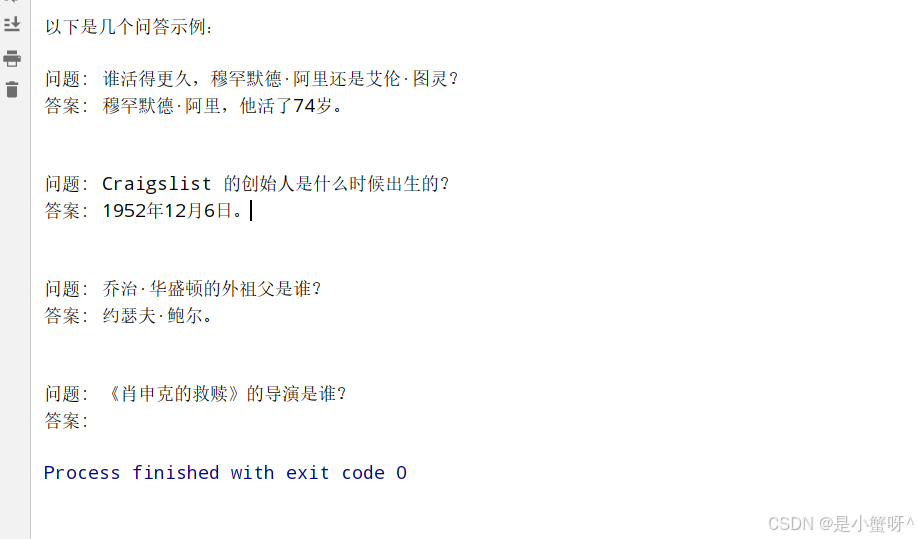
4.在智能体中使用提示词模板
python
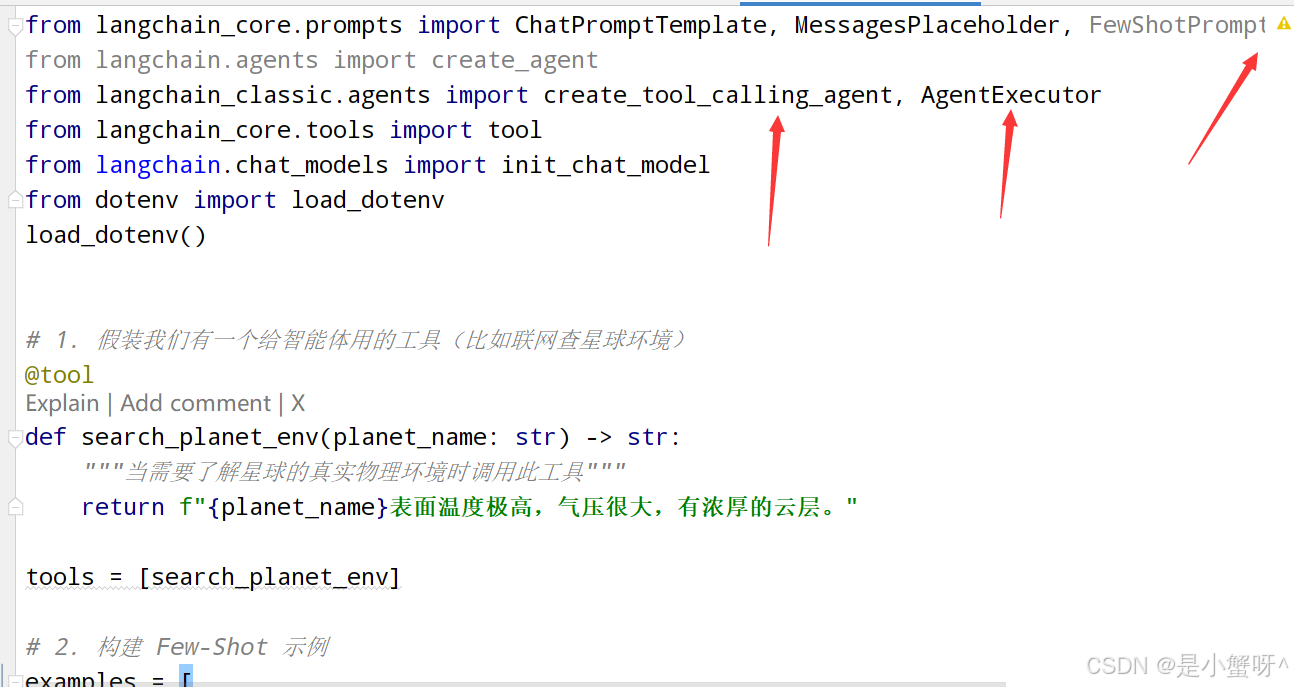
from langchain_core.prompts import ChatPromptTemplate, MessagesPlaceholder, FewShotPromptTemplate, FewShotChatMessagePromptTemplate
from langchain.agents import create_agent
from langchain_classic.agents import create_tool_calling_agent, AgentExecutor
from langchain_core.tools import tool
from langchain.chat_models import init_chat_model
from dotenv import load_dotenv
load_dotenv()


# 1. 假装我们有一个给智能体用的工具(比如联网查星球环境)
@tool
def search_planet_env(planet_name: str) -> str:
    """当需要了解星球的真实物理环境时调用此工具"""
    return f"{planet_name}表面温度极高,气压很大,有浓厚的云层。"

tools = [search_planet_env]

# 2. 构建 Few-Shot 示例
examples = [
    {
        "input": "月球的首都是什么?",
        "output": "月华城(Lunara)------ 镶嵌在月球静海环形山中的水晶穹顶都市,其核心是一座利用月球潮汐能驱动的巨型生态循环塔。"
    }
]

example_prompt = ChatPromptTemplate.from_messages(
    messages=[
        {"role":"human", "content":"{input}"},
        {"role":"ai", "content":"{output}"},
    ]
)

few_shot_prompt = FewShotChatMessagePromptTemplate(
    example_prompt=example_prompt,
    examples=examples,
)

# 3. 构建智能体专属的 Prompt Template(核心区别在这里 👇)
agent_prompt = ChatPromptTemplate.from_messages([
    ("system", "你是一个科幻作家,根据用户的要求创建一个太空之都。遇到不知道的真实环境数据,请使用工具查询。"),
    few_shot_prompt,  # 插入示例
    ("human", "{input}"),  # 用户当前的问题
    # ⚠必须加上这个占位符!智能体会把每次调用工具的记录塞进这里,否则它会失忆或报错
    MessagesPlaceholder(variable_name="agent_scratchpad"),
])

model = init_chat_model("deepseek-chat")
# 4. 创建智能体 (把我们精心构造的 agent_prompt 传给它)
agent = create_tool_calling_agent(
    llm=model,
    tools=tools,
    prompt=agent_prompt,  # 接受ChatPromptTemplate
)

agent_executor = AgentExecutor(agent=agent, tools=tools, verbose=True)

# 运行智能体
response = agent_executor.invoke({"input": "金星的首都是什么?"})

print("\n最终结果:")
print(response["output"])