我们之前总结过如何在Gym定义标准化环境、修改模型架构、输出MLP层。
这次我们新拿到一个项目,就是做星际争霸的强化学习智能体。同样使用基于Gym环境训练。
Gymnasium 环境简介
https://gymnasium.farama.org/api/env/
Gymnasium 环境(Env)的核心标准 API 非常简洁,主要由 4 个核心函数 和 2 个核心属性 组成。这是所有强化学习任务交互的基础。
🧠 1. 核心交互函数
这些是你在训练循环(Training Loop)中必须调用的函数。
| 函数名 | 参数/说明 | 返回值 (Tuple) |
|---|---|---|
.reset() (重置环境) |
作用 :在每个回合(Episode)开始前调用,将环境恢复到初始状态。 参数 :seed (可选,用于复现实验结果), options (特定环境的额外参数)。 |
1. observation :初始环境状态(符合 observation_space 定义)。 2. info:辅助诊断信息(字典)。 |
.step(action) (执行动作) |
作用 :这是强化学习的核心。将 Agent 的动作(Action)传入环境,环境反馈下一步的状态和奖励。 参数 :action (Agent 选择的动作)。 |
1. observation :执行动作后的新环境状态。 2. reward :该动作获得的奖励(浮点数)。 3. terminated :布尔值。True 表示回合正常结束(如到达目标/坠毁)。 4. truncated :布尔值。True 表示回合被强制截断(如超时/出界)。 5. info:辅助诊断信息。 |
.render() (渲染画面) |
作用 :将环境的当前状态可视化。 注意 :在 gymnasium.make() 时需指定 render_mode(如 "human", "rgb_array")。 |
根据 render_mode 不同而不同: * "human":通常返回 None (直接在窗口显示)。 * "rgb_array":返回图像帧 np.ndarray。 * "ansi":返回文本字符串。 |
.close() (关闭环境) |
作用 :释放环境占用的资源(如关闭 Pygame 窗口、数据库连接等)。 建议:在脚本结束或训练完成后调用。 | None |
📏 2. 核心属性 (Spaces)
在编写代码前,你需要通过这两个属性来了解环境的输入输出规格:
-
.action_space- 含义:定义了 Agent 可以采取的所有合法动作的范围。
- 用途 :用于构建 Agent 的输出层。例如,如果是
Discrete(4),说明有 4 个离散动作(如 Lunar Lander 的 0, 1, 2, 3)。 - 常用方法 :
sample()(随机采样一个动作)。
-
.observation_space- 含义:定义了环境状态(观测值)的数据结构和范围。
- 用途 :用于构建 Agent 的输入层。例如,
Box(4,)表示一个包含 4 个浮点数的数组。 - 常用方法 :
sample()(随机采样一个观测值,常用于测试)。
🛠️ 3. 辅助属性与函数
.metadata:包含环境的元信息,比如支持的渲染模式 (render_modes) 和帧率 (render_fps)。.spec:环境的配置规格,通常在通过gymnasium.make()创建时生成。.np_random:环境内部的随机数生成器,用于保证实验的可复现性 (Reproducibility)。
📝 总结代码模板
一个标准的 自定义环境类 模板长这样:
https://stable-baselines3.readthedocs.io/en/master/guide/custom_env.html
python
import gymnasium as gym
import numpy as np
from gymnasium import spaces


class CustomEnv(gym.Env):
    """Custom Environment that follows gym interface."""

    metadata = {"render_modes": ["human"], "render_fps": 30}

    def __init__(self, arg1, arg2, ...):
        super().__init__()
        # Define action and observation space
        # They must be gym.spaces objects
        # Example when using discrete actions:
        self.action_space = spaces.Discrete(N_DISCRETE_ACTIONS)
        # Example for using image as input (channel-first; channel-last also works):
        self.observation_space = spaces.Box(low=0, high=255,
                                            shape=(N_CHANNELS, HEIGHT, WIDTH), dtype=np.uint8)

    def step(self, action):
        ...
        return observation, reward, terminated, truncated, info

    def reset(self, seed=None, options=None):
        ...
        return observation, info

    def render(self):
        ...

    def close(self):
        ...
主脚本【上位机】
初始化函数编写
因此下面步骤
正常导入Gymnasium
python
import numpy as np
import gymnasium as gym
然后编写环境类,前面提到,环境类需要我们自定义四个函数,reset()、render()、step()、close()
python
def __init__(self, arg1, arg2, ...):
        super().__init__()
        # Define action and observation space
        # They must be gym.spaces objects
        # Example when using discrete actions:
        self.action_space = spaces.Discrete(N_DISCRETE_ACTIONS)
        # Example for using image as input (channel-first; channel-last also works):
        self.observation_space = spaces.Box(low=0, high=255,
                                            shape=(N_CHANNELS, HEIGHT, WIDTH), dtype=np.uint8)
模板给的第一个是__init__函数,需要定义动作空间和观测空间。
我们先预定观测空间的244X244的RGB彩图,动作空间为离散的6个。
python
    def __init__(self):
        super(StarCraft2Env,self).__init__()
        self.observation_space=gym.spaces.Box(low=0,high=255,shape=(244,244,3),dtype=np.uint8)
        self.action_space=gym.spaces.Discrete(6)
reset函数的编写
确定好动作和观测空间后就可以开始写reset函数了:
python
map=np.zeros((224,224,3),dtype=np.uint8)所以我们先编写reset,按照模板,需要返回observation、info
那Agent如何获取这个环境并与之交互呢?
我们可以将状态保存在一个transaction的文件中,Agent可以通过这个文件与环境交互。
要使用文件操作系统,就需要导入pickle库
python
import pickletransaction={'observation':map,'reward':0,'action':None,'terminated':False,'truncated':False}包含当前的状态、奖励、动作、终止情况
python
    def reset(self):
        print('reset the Env')
        map=np.zeros((224,224,3),dtype=np.uint8)
        observation=map
        transaction={'observation':map,'reward':0,'action':None,'terminated':False,'truncated':False}

        with open('transaction.pkl','wb') as f:
            pickle.dump(transaction,f)
        info={}
        return observation,info
创建环境
python
sc2=StarCraft2Env()执行reset
python
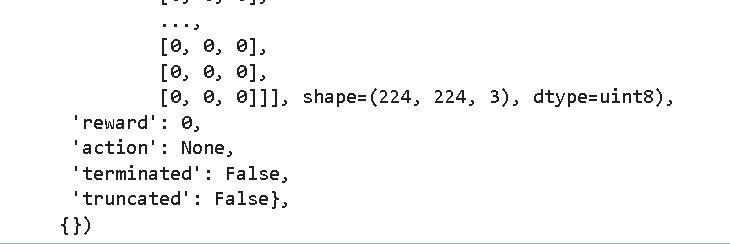
sc2.reset()可以看到文件夹出现了pkl文件,同时输出了transaction的内容。
step函数的编写
输入是action,输出observation\reward\terminated\truncated\info
这个action需要上一节课用的sc2库实现,我们只需要将Action写入transaction.pkl中,然后由模型读取其中的action便可以执行当前传入的指令。
调用流程就是:创建智能体类后,创建智能体实例,由智能体决定当前的步骤,然后调用环境类的step函数,调用后会将智能体选择的动作存入transaction.pkl,然后API通过读取文件来执行动作
而这个过程是持续的,要用while True持续读取写入
python
    def step(self,action):
        while True:

            try:
                with open('transaction.pkl','rb') as f:#先读
                    transaction=pickle.load(f)
                if transaction['action'] is None:#如果没有记录
                    transaction['action']=action
                    with open('transaction','wb') as f:
                        pickle.dump(transaction,f)
                    break

            except Except as e:
                time.sleep(0.1)
                pass
测试:
测试是否能正常写入,运行step函数:
python
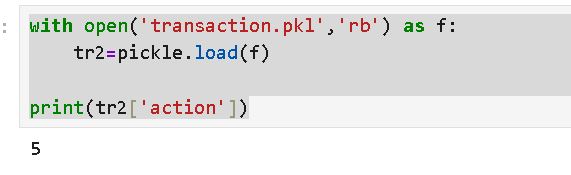
sc2.step(5)然后打开transaction.pkl文件,看看能否读取出来是5
python
with open('transaction.pkl','rb') as f:
    tr2=pickle.load(f)

print(tr2['action'])
没毛病
操作脚本【下位机】
创建一个jupyter新文件,虚拟环境要和上位机一致,一定要一致!!!!!!!!
下位机是具体来执行"上位机"大脑得出的action的,因为我们可以借用上一节课的部分内容,首先引入依赖库:
python
from sc2 import maps
from sc2.player import Bot, Computer
from sc2.main import run_game
from sc2.data import Race, Difficulty
from sc2.bot_ai import BotAI
import pickle
import time
import random
import numpy as np
python
import os
os.environ['KMP_DUPLICATE_LIB_OK']='True'
import nest_asyncio
nest_asyncio.apply()
我们需要一个"下位机",接收上位机的action后能执行对应动作,并将环境和结果返回给"上位机"。刚刚讲过,上下位机交互的枢纽就是transaction.pkl
在on_step函数中,我们如果读取到transaction.pkl的'action'栏有值,就执行函数,执行完毕后,写入None,这样上位机在读取到'action'是None后,就会知道下位机成功执行了,那么他就可以写下一次要执行的动作了。
python
class WorkerRushBot(BotAI):
    async def on_step(self, iteration: int):
        while True:
            try:
                with open('transaction.pkl','rb') as f:#先读
                    transaction=pickle.load(f)
                if transaction['action'] is not None:#如果有记录
                    print('yes')
                    break

            except Exception as e:
                time.sleep(0.1)
                pass

        action=transaction['action']
        print(f'iteration:{iteration}')
        await self.distribute_workers()
        if action==0:
            print(f'action={action}')
            pass

        if action==1:
            print(f'action={action}')
            pass

        if action==2:
            print(f'action={action}')
            pass

        if action==3:
            print(f'action={action}')
            pass

        if action==4:
            print(f'action={action}')
            pass

        if action==5:
            print(f'action={action}')
            pass

        transaction['action']=None
        with open('transaction.pkl','wb') as f:
            pickle.dump(transaction,f)
测试:
首先在上位机(一个jupyter页面)运行sc2.step(5),然后在下位机(另一个jupyter页面),
运行游戏,测试一下是否有动作输出:
python
run_game(maps.get("2000AtmospheresAIE"), [
    Bot(Race.Protoss, WorkerRushBot()),
    Computer(Race.Zerg, Difficulty.Hard)
], realtime=True)
有的兄弟有的。
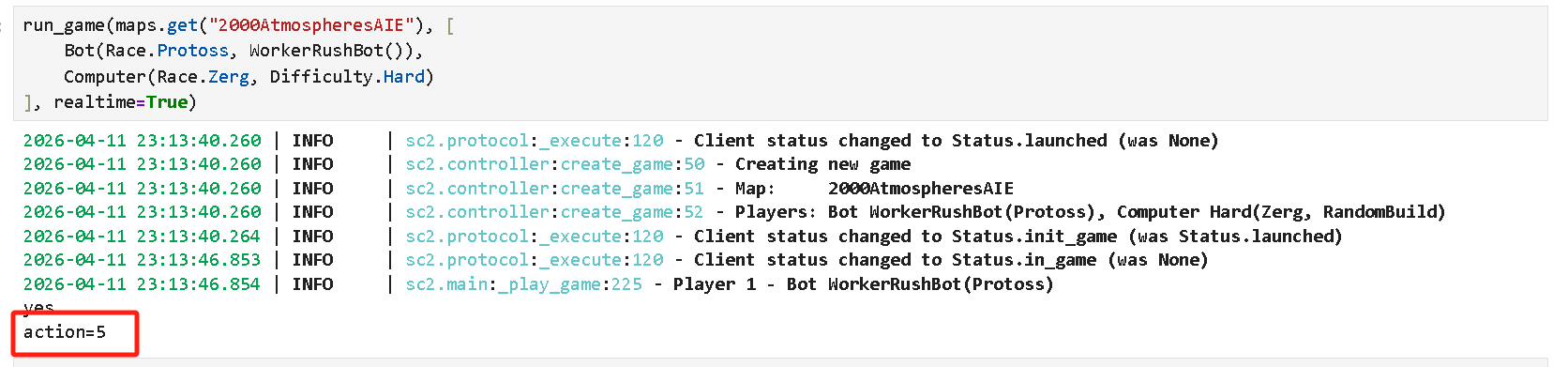
然后现在已经执行了这个动作了,那么按理来说,应该下位机已经写入None了,我们读取再看看,没毛病:
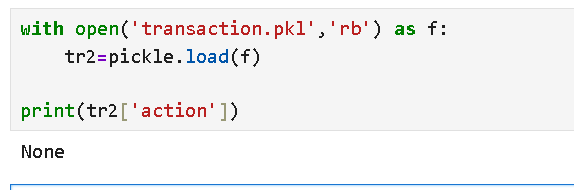
说明这种通过transaction.pkl来传输动作指令的方式是可行的。
编写动作
我们使用粗粒度控制,把「人类玩家的运营经验」写死成代码,AI 只需要学「什么时候该运营」,不用学「怎么运营」
这极大降低 RL 学习难度,适合学生项目 / 入门实验,避免 AI 学不会基础运营导致崩盘
第一个动作:【基础建筑建设】
扩展人口、训练探机、吸收间、水晶塔
我们希望
1. 互斥执行(have_builded 标记)
- 一帧只做一件事:补水晶塔 → 补农民 → 造气矿 → 开矿,按优先级依次执行
- 避免一帧同时造多个建筑,导致资源瞬间耗尽、卡人口、卡操作
2. 优先级逻辑完全符合星际 2 运营常识
- 防卡人口第一:永远先补水晶塔,避免人口满了造不了兵 / 农民
- worker满采第二:单矿 22 农民是经济基础,先保证采矿效率
- 气矿第三:有多余资源再建吸收间,为后续科技 / 兵种做准备
- 开矿最后:只有经济饱和了才扩张,避免乱开矿拖垮经济
建造逻辑和上一讲用决策树实现是基本一致的,都是先看是否负担得起,是否当前有在建造中的,然后建在哪里,然后一行build()调用就完事了。
我们通过have_build变量来控制确保每一帧只执行一个建设任务。
吸收间的建造要注意,不能使用上面的逻辑,必须参考官方的代码样例,这个上一节讲过了。
python
        if action==0:
            print(f'action={action}')
            have_builded = False  # 标记:本帧是否执行了建造/训练操作

            # 1. 优先补水晶塔(防卡人口)
            if self.supply_left < 4:
                if self.can_afford(UnitTypeId.PYLON) and self.already_pending(UnitTypeId.PYLON) == 0:
                    # 先判断:必须有基地才造
                    if self.townhalls.exists:
                        await self.build(UnitTypeId.PYLON, near=self.townhalls.first)
                        have_builded = True
                        #print('建造水晶塔')

            # 2. 如果没补水晶塔,就执行探机/吸收间/开矿
            if not have_builded:
                for nexus in self.townhalls:
                    # 2.1 补探机(保证基地满采)
                    workers_count = len(self.workers.closer_than(10, nexus))
                    if workers_count < 22:
                        if self.can_afford(UnitTypeId.PROBE) and nexus.is_idle:
                            nexus.train(UnitTypeId.PROBE)
                            have_builded = True
                            print('建造PROBE')

                    # 2.2 建吸收间(采气)
                    for vespene in self.vespene_geyser.closer_than(15, nexus):
                        if self.can_afford(UnitTypeId.ASSIMILATOR):
                            worker = self.select_build_worker(vespene.position)
                            if worker is not None:
                                # 神族造气矿 官方唯一正确方法
                                worker.build_gas(vespene)
                                worker.stop(queue=True)
                                have_builded=False
                                print('建造吸收间')

            # 3. 如果前面都没执行,就开分矿(扩张)
            if not have_builded:
                if self.can_afford(UnitTypeId.NEXUS) and self.already_pending(UnitTypeId.NEXUS) == 0:
                    await self.expand_now()
                    print('建造新基地')
我们测试一下,首先在下位机的jupyter页面中运行
python
run_game(maps.get("2000AtmospheresAIE"), [
    Bot(Race.Protoss, WorkerRushBot()),
    Computer(Race.Zerg, Difficulty.Hard)
], realtime=False)
然后回到上位机的jupyter页面中运行
python
sc2=StarCraft2Env()
sc2.reset()
多执行几次:
python
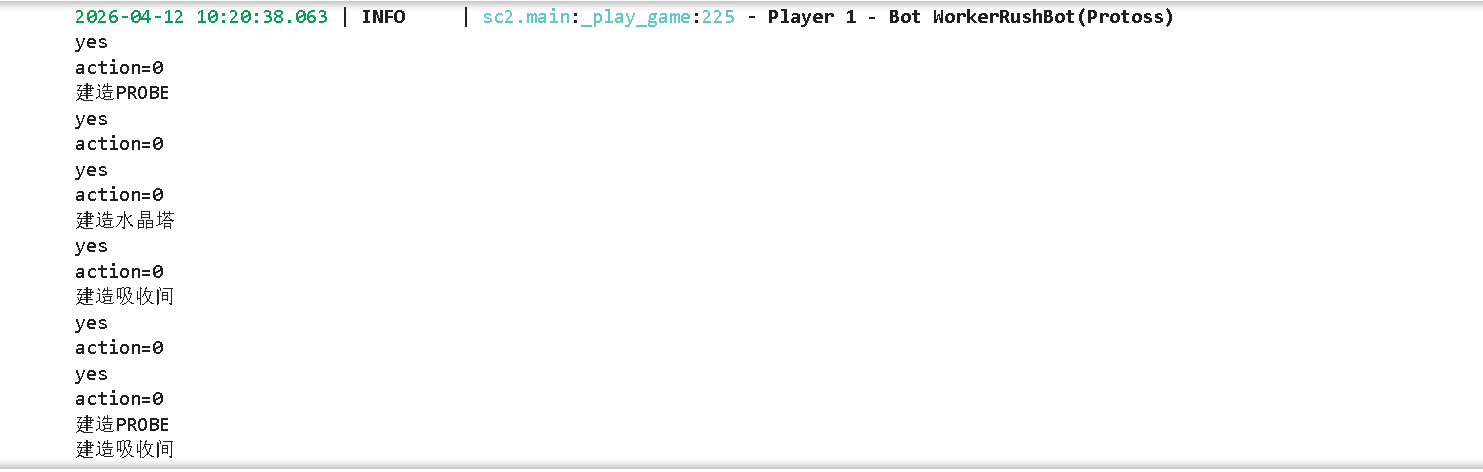
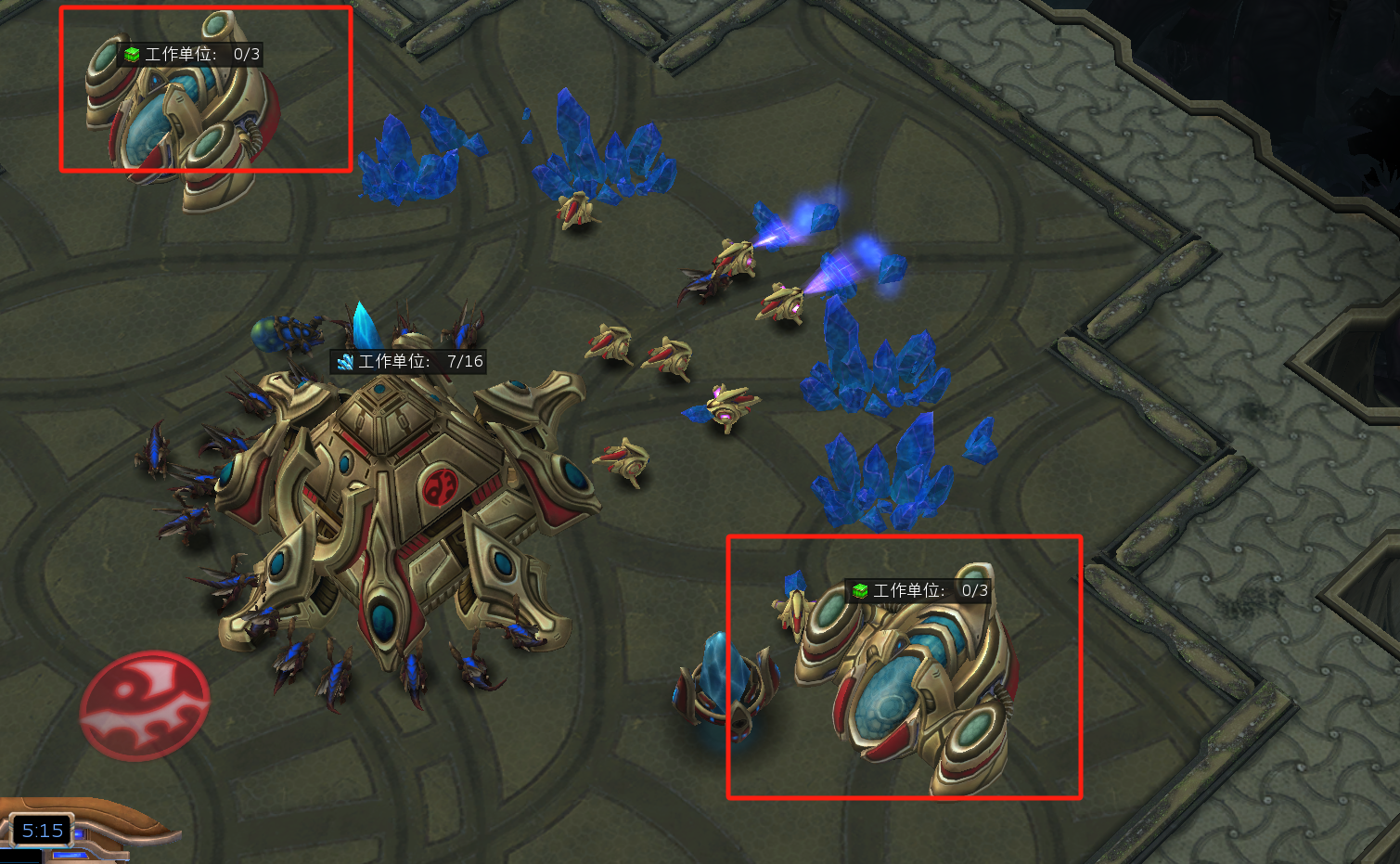
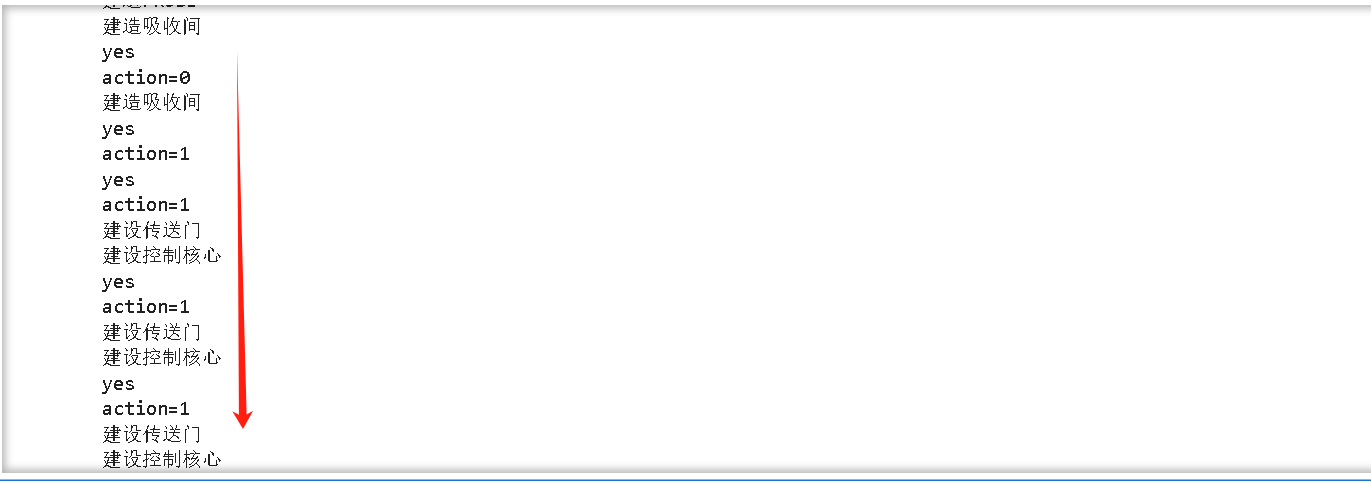
sc2.step(0)将上位机的动作传给下位机,然后就能在下位机的jupyter输出看到下面信息,说明建设在有序进行中。
第二个动作:【科技发展】
建设传送门、建设控制核心、建设星门
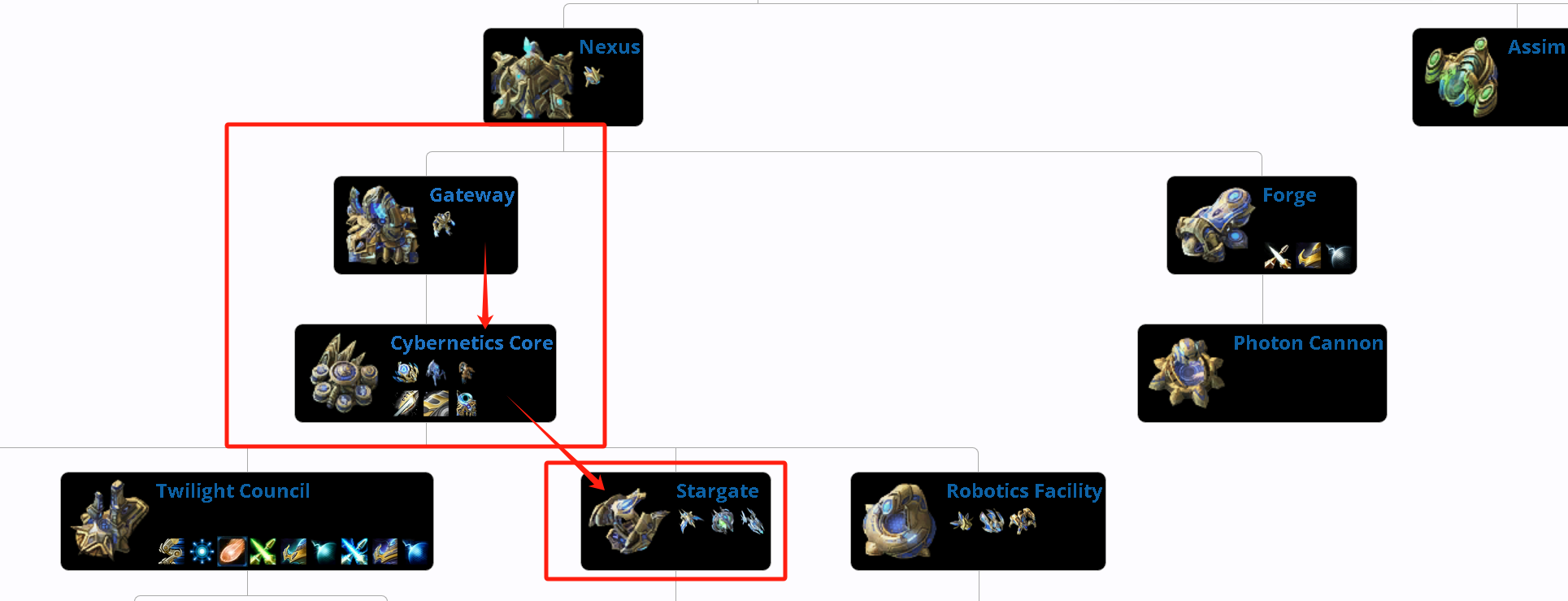
逻辑和第一个动作一模一样,互斥执行(通过hvae_build实现),优先级参考官方文档得知先建设传送门、再建设控制核心、最后建设星门。这么做的目的是为了一会用星门跃迁虚空战舰过来作为进攻单位。
要给每个基地都建设,因此for一下。
python
        if action==1:
            #1:传送门、控制核心、星门
            print(f'action={action}')
            have_builded = False  # 标记:本帧是否执行了建造/训练操作

            for nexus in self.townhalls:  # 遍历所有基地(主矿+分矿)
                #传送门
                if not have_builded:
                    if not self.structures(UnitTypeId.GATEWAY).closer_than(10,nexus).exists:
                        if self.can_afford(UnitTypeId.GATEWAY) and self.already_pending(UnitTypeId.GATEWAY)==0:
                            await self.build(UnitTypeId.GATEWAY,near=nexus)
                            print('建设传送门')
                            have_builded = True

                #控制核心
                if not have_builded:
                    if not self.structures(UnitTypeId.CYBERNETICSCORE).closer_than(10,nexus).exists:
                        if self.can_afford(UnitTypeId.CYBERNETICSCORE) and self.already_pending(UnitTypeId.CYBERNETICSCORE)==0:
                            await self.build(UnitTypeId.CYBERNETICSCORE,near=nexus)
                            print('建设控制核心')
                            have_builded = True

                #星门
                if not have_builded:
                    if not self.structures(UnitTypeId.STARGATE).closer_than(10,nexus).exists:
                        if self.can_afford(UnitTypeId.STARGATE) and self.already_pending(UnitTypeId.STARGATE)==0:
                            await self.build(UnitTypeId.STARGATE,near=nexus)
                            print('建设星门')
                            have_builded = True
测试一下:
我们测试一下,首先在下位机的jupyter页面中运行
python
run_game(maps.get("2000AtmospheresAIE"), [
    Bot(Race.Protoss, WorkerRushBot()),
    Computer(Race.Zerg, Difficulty.Hard)
], realtime=False)
然后回到上位机的jupyter页面中运行
python
sc2=StarCraft2Env()
sc2.reset()
多执行几次:
python
sc2.step(0)有气有矿了再执行:
python
sc2.step(1)轮流执行多次比如这样:
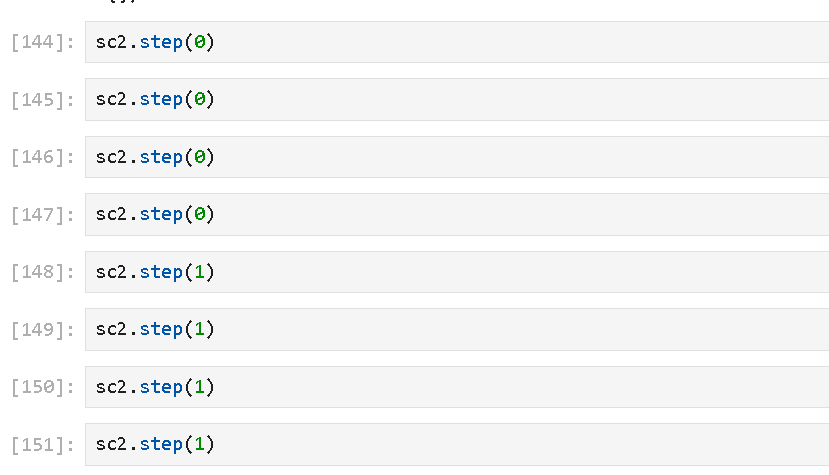
将上位机的动作传给下位机,然后就能在下位机的jupyter输出看到下面信息,说明建设在有序进行中。
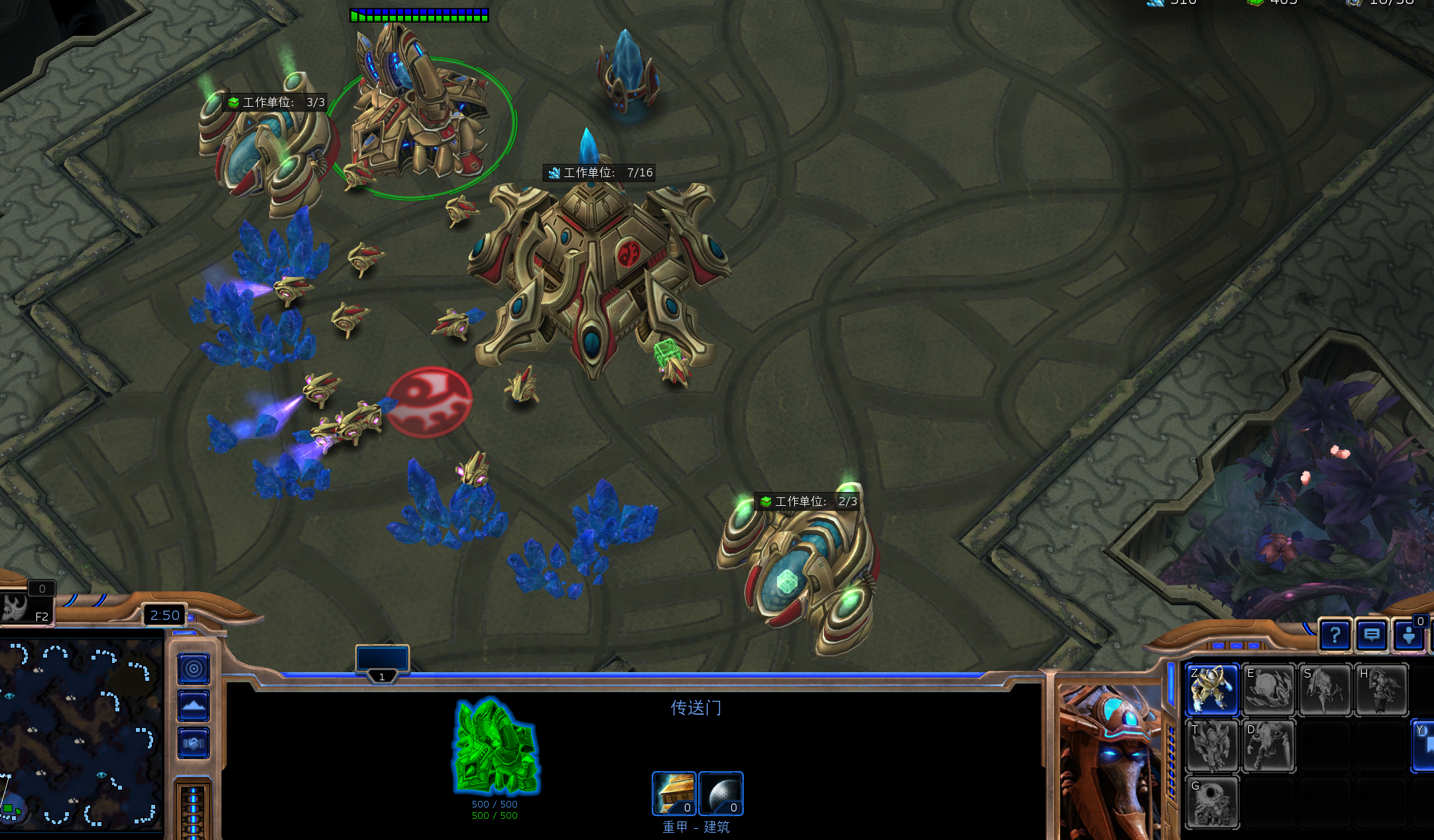
可以看到,三个建筑都被建造出来了.
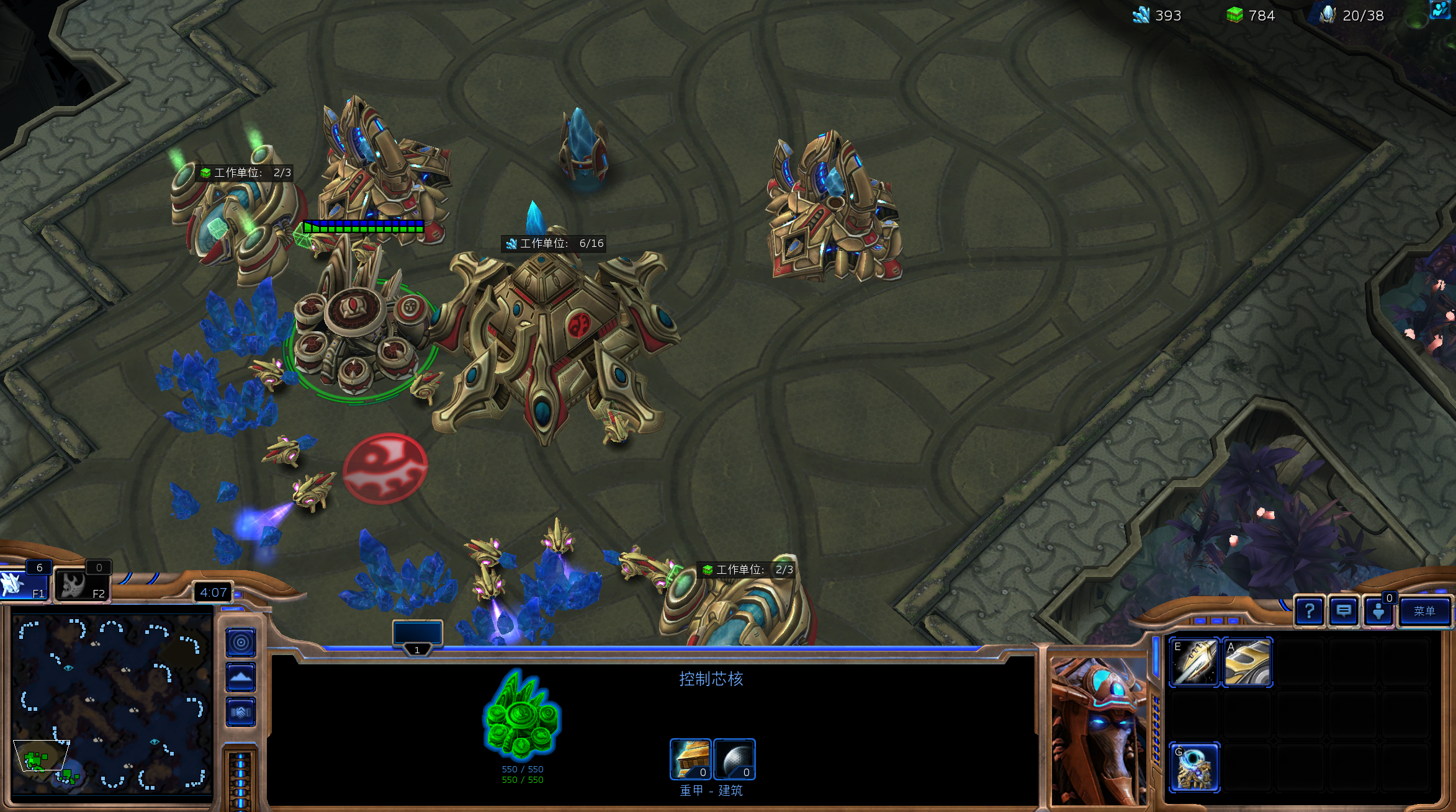
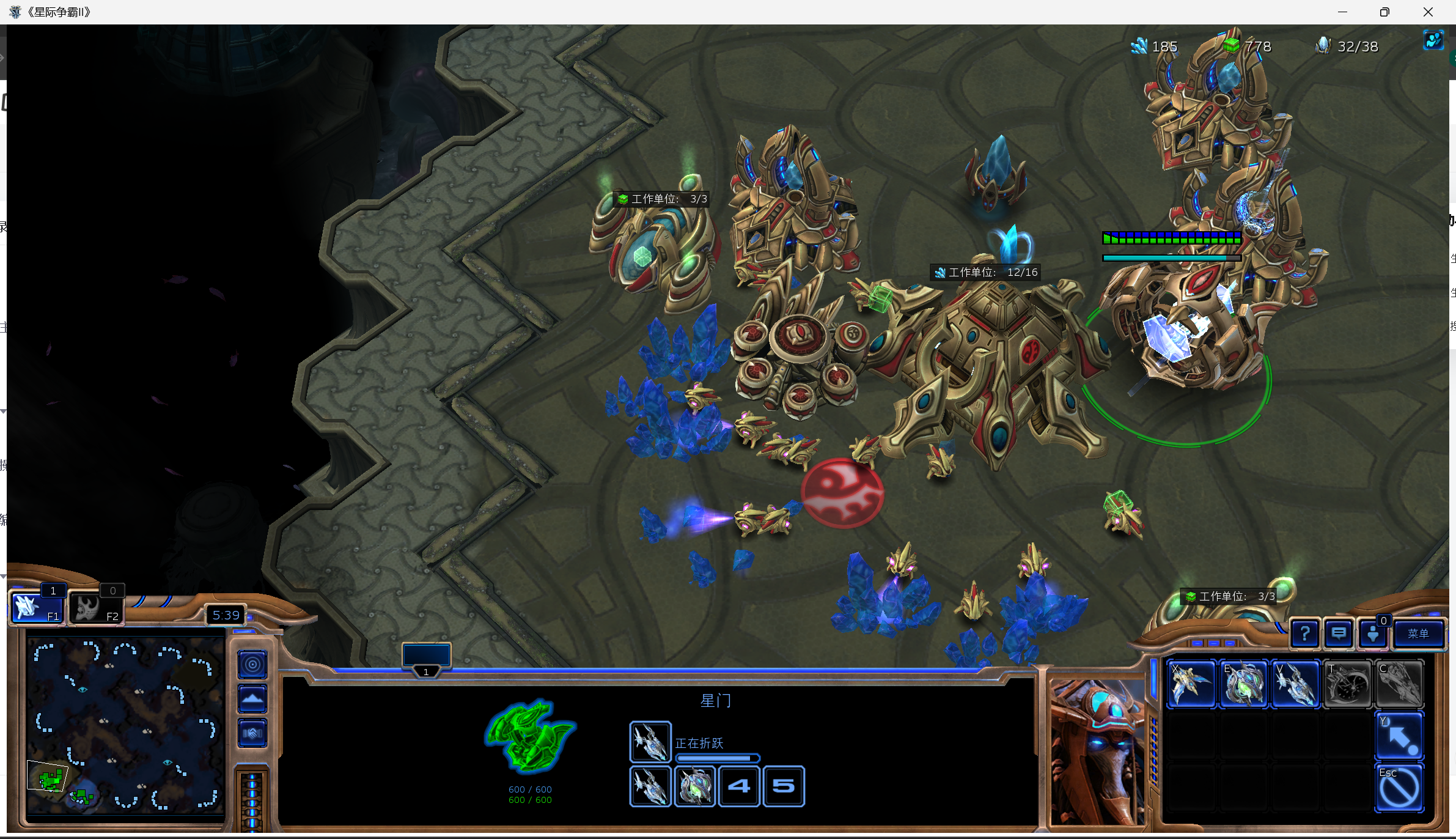
老师讲到这里就没往后讲了,但是在之后的实践就会发现,这样存在一个问题,就是如果在主基地10格以内修建了星门,就不会再修建其他星门了,这导致训练虚空战舰的效率奇低,容易在虫族第一波暴兵就被平推了。
我们稍微修改一下逻辑
python
if action==1:
    # 1:传送门、控制核心、星门
    have_build = False  # 正确拼写

    # 全局最多造 4 个星门(暴兵效率最大化)
    max_stargates = 4
    current_stargates = self.structures(UnitTypeId.STARGATE).amount

    for nexus in self.townhalls:
        # 每个基地都造传送门
        if not have_build:
            if not self.structures(UnitTypeId.GATEWAY).closer_than(10, nexus).exists:
                if self.can_afford(UnitTypeId.GATEWAY) and self.already_pending(UnitTypeId.GATEWAY) == 0:
                    await self.build(UnitTypeId.GATEWAY, near=nexus)
                    have_build = True  # 正确拼写

        # 每个基地都造控制核心
        if not have_build:
            if not self.structures(UnitTypeId.CYBERNETICSCORE).closer_than(10, nexus).exists:
                if self.can_afford(UnitTypeId.CYBERNETICSCORE) and self.already_pending(UnitTypeId.CYBERNETICSCORE) == 0:
                    await self.build(UnitTypeId.CYBERNETICSCORE, near=nexus)
                    have_build = True

        # ✅ 关键修复:允许造多个星门,直到 4 个
        if not have_build:
            if current_stargates < max_stargates:  # 不限制"是否已有",只限制总数
                if self.can_afford(UnitTypeId.STARGATE) and self.already_pending(UnitTypeId.STARGATE) == 0:
                    await self.build(UnitTypeId.STARGATE, near=nexus)
                    have_build = True
第三个动作:进攻单位建造
训练虚空战舰
我们有了星门后就可以折跃虚空战舰了。
遍历所有的已经建成且空闲的星门,如果负担得起就建造星舰。
python
        if action==2:
            print(f'action={action}')
            #2:虚空辉光舰
            try:
                # 遍历所有【已建成、空闲】的星门
                for sg in self.structures(UnitTypeId.STARGATE).ready.idle:
                    # 如果钱够造虚空辉光舰
                    if self.can_afford(UnitTypeId.VOIDRAY):
                        # 让星门训练虚空辉光舰
                        sg.train(UnitTypeId.VOIDRAY)
                        print('训练虚空战舰')
            except Exception as e:
                print(e)
测试一下:
我们测试一下,首先在下位机的jupyter页面中运行
python
run_game(maps.get("2000AtmospheresAIE"), [
    Bot(Race.Protoss, WorkerRushBot()),
    Computer(Race.Zerg, Difficulty.Hard)
], realtime=False)
然后回到上位机的jupyter页面中运行
python
sc2=StarCraft2Env()
sc2.reset()
直接写for来自动调用动作吧:
python
for i in range(400):
    sc2.step(0)
    sc2.step(1)
    sc2.step(2)
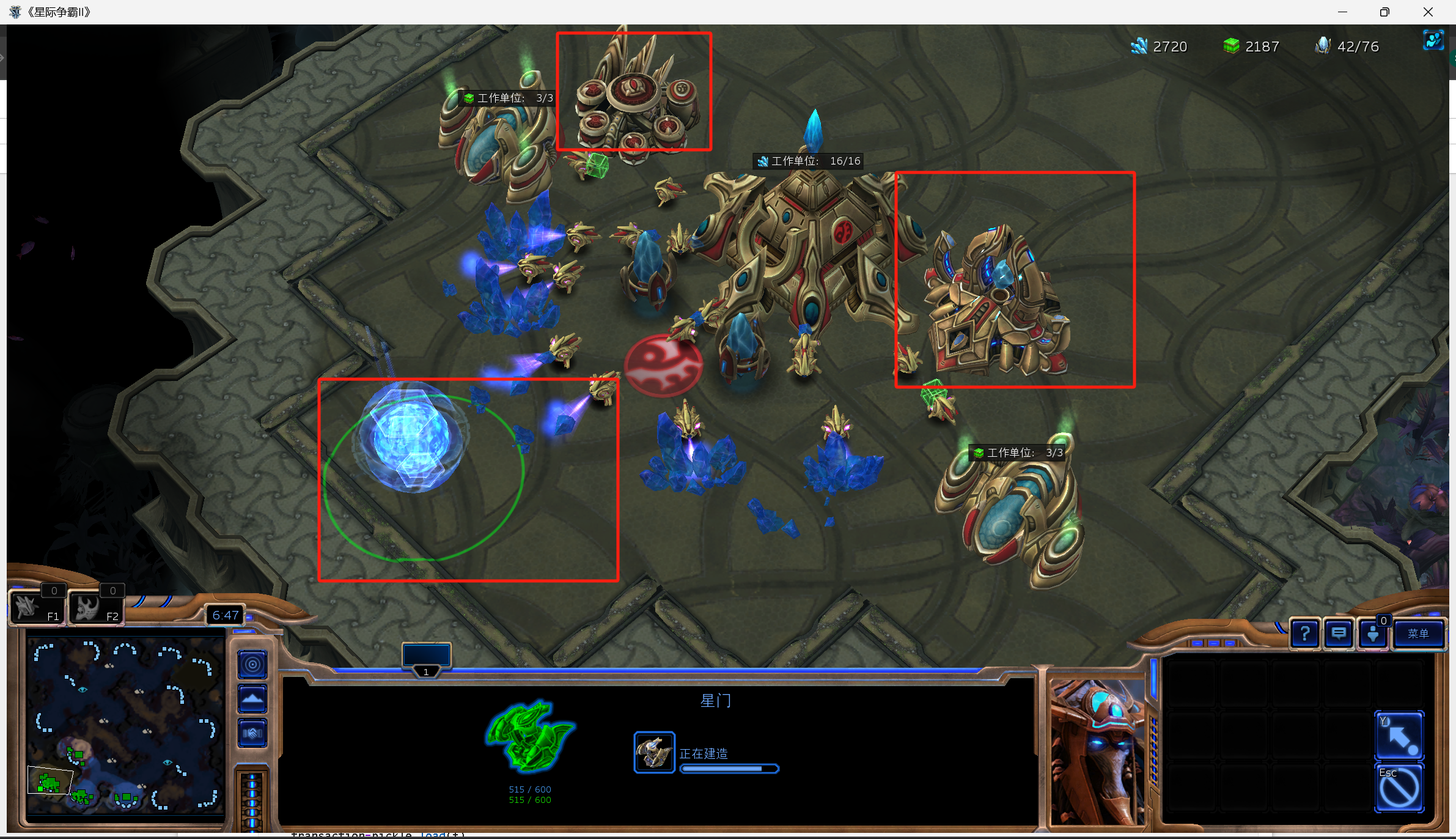
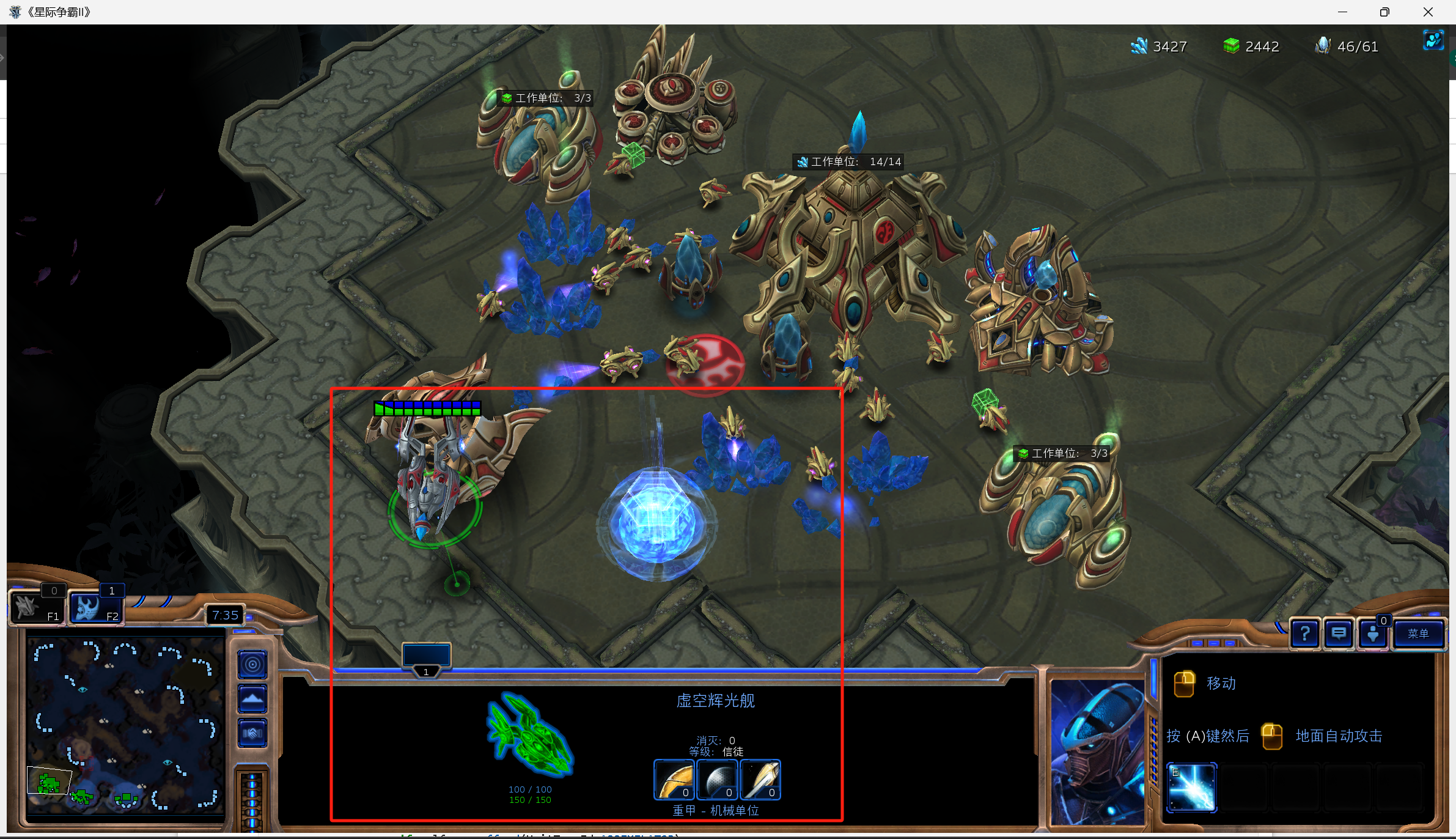
一段时间后,三个科技建筑就造好了,而且成功训练出了虚空战舰。
第四个动作:【侦察】
- 每隔约 100 帧(约 4-5 秒,按 24FPS 计算),派出一个探机
- 优先派空闲探机,没有就随机派一个
- 让探机前往敌人出生点,获取敌人的运营、兵力信息
- 用
try-except兜底,避免探机不足、敌人位置不存在时崩溃
python
        if action==3:
            print(f'action={action}')
            #3:侦查
            # 1. 初始化 last_sent 时间戳(防止第一次运行报错)
            try:
                self.last_sent
            except:
                self.last_sent = 0

            # 2. 控制侦查频率:距离上次侦查超过100帧才执行
            if (iteration - self.last_sent) > 100:
                try:
                    # 3. 优先选择空闲的探机
                    if self.units(UnitTypeId.PROBE).idle.exists:
                        probe = random.choice(self.units(UnitTypeId.PROBE).idle)
                    # 4. 没有空闲探机,就随机选一个探机
                    else:
                        probe = random.choice(self.units(UnitTypeId.PROBE))

                    # 5. 命令探机攻击/移动到敌人出生点
                    probe.attack(self.enemy_start_locations[0])
                    # 6. 更新最后一次侦查的帧号
                    self.last_sent = iteration
                    print('侦查')
                except:
                    pass
测试一下:
这次使用加速,就需要修改读写逻辑,否则IO会大量占用时间(之前是直接whileTrue)。
对于上位机,关键是要等待下位机【清空action】后再写入,如果open没有action,就直接break出第一个while,然后在第二个while中一直等待下位机清空action。
python
    def step(self,action):
        while True:

            try:
                with open('transaction.pkl','rb') as f:#先读
                    transaction=pickle.load(f)
                if transaction['action'] is None:#如果没有记录
                    transaction['action']=action
                    with open('transaction.pkl','wb') as f:
                        pickle.dump(transaction,f)
                    break
            except Exception as e:
                time.sleep(0.05)


        while True:
            try:
                with open('transaction.pkl', 'rb') as f:
                    transaction = pickle.load(f)
                if transaction['action'] is None:
                    break
            except:
                time.sleep(0.05)


    def reset(self):
        #DEFAULT
对于下位机,需要再WorkerRushBot的on_step函数的读取位置做修改:
python
class WorkerRushBot(BotAI):
    async def on_step(self, iteration: int):
        try:
            with open('transaction.pkl', 'rb') as f:
                transaction = pickle.load(f)
        except:
            return

        action = transaction['action']
        if action is None:
            return  # 没有动作,直接跳过

        action=transaction['action']
        print(f'迭代次数:{iteration}')
        await self.distribute_workers()
        if action==0:
我们测试一下,首先在下位机的jupyter页面中运行(这次realtime改为False加速)
python
run_game(maps.get("2000AtmospheresAIE"), [
    Bot(Race.Protoss, WorkerRushBot()),
    Computer(Race.Zerg, Difficulty.Hard)
], realtime=False)
然后回到上位机的jupyter页面中运行
python
sc2=StarCraft2Env()
sc2.reset()
我们不能每一帧发一个action了,我们设定0.2秒发一个指令:
python
for i in range(1500):
    sc2.step(0)
    time.sleep(0.2)
    sc2.step(1)
    time.sleep(0.2)
    sc2.step(2)
    time.sleep(0.2)
    sc2.step(3)
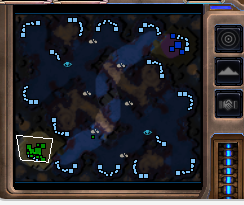
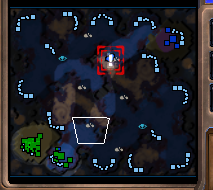
可以看到我们的PROBE正源源不断往地方基地探查。
第五个动作:进攻
使用虚空星舰进攻
参考之前决策树的代码,直接抄过来即可。
优先级是敌人单位-敌方建筑-敌方出生点
python
#4:进攻
elif action == 4:
    print(f'action={action}')
    try:
        for voidray in self.units(UnitTypeId.VOIDRAY).idle:
            # 优先级1:身边10格内有敌人单位 → 随机选一个攻击
            if self.enemy_units.closer_than(10, voidray):
                voidray.attack(random.choice(self.enemy_units.closer_than(10, voidray)))
            # 优先级2:身边10格内有敌人建筑 → 随机选一个攻击
            elif self.enemy_structures.closer_than(10, voidray):
                voidray.attack(random.choice(self.enemy_structures.closer_than(10, voidray)))
            # 优先级3:地图上有敌人单位 → 随机选一个攻击(A地板)
            elif self.enemy_units:
                voidray.attack(random.choice(self.enemy_units))
            # 优先级4:地图上有敌人建筑 → 随机选一个攻击(拆家)
            elif self.enemy_structures:
                voidray.attack(random.choice(self.enemy_structures))
            # 优先级5:找不到敌人 → 去敌人出生点
            elif self.enemy_start_locations:
                voidray.attack(self.enemy_start_locations[0])
        print('虚空辉光舰进攻')
    except Exception as e:
        print(e)
第六个动作:撤退
全体都有撤回出生点
这里用attack是在撤退途中仍然自动攻击敌人。
python
#5:撤退
elif action == 5:
    print(f'action={action}')
    try:
        if self.units(UnitTypeId.VOIDRAY).amount > 0:
            for voidray in self.units(UnitTypeId.VOIDRAY):
                voidray.attack(self.start_location)
        print('撤退')
    except Exception as e:
        print(e)
测试一下:
我们测试一下,在下位机运行:
python
run_game(maps.get("2000AtmospheresAIE"), [
    Bot(Race.Protoss, WorkerRushBot()),
    Computer(Race.Zerg, Difficulty.Hard)
], realtime=False)
然后回到上位机的jupyter页面中运行
python
sc2=StarCraft2Env()
sc2.reset()
我们不能每一帧发一个action了,我们设定0.2秒发一个指令:
python
for i in range(200):
    sc2.step(0)
    time.sleep(0.2)
    sc2.step(1)
    time.sleep(0.2)
    sc2.step(2)
    time.sleep(0.2)
    sc2.step(3)
    time.sleep(0.2)
    sc2.step(4)
然后等战舰出发后可以测试是否能正常撤退:
python
for i in range(200):
    sc2.step(5)
    time.sleep(0.2)
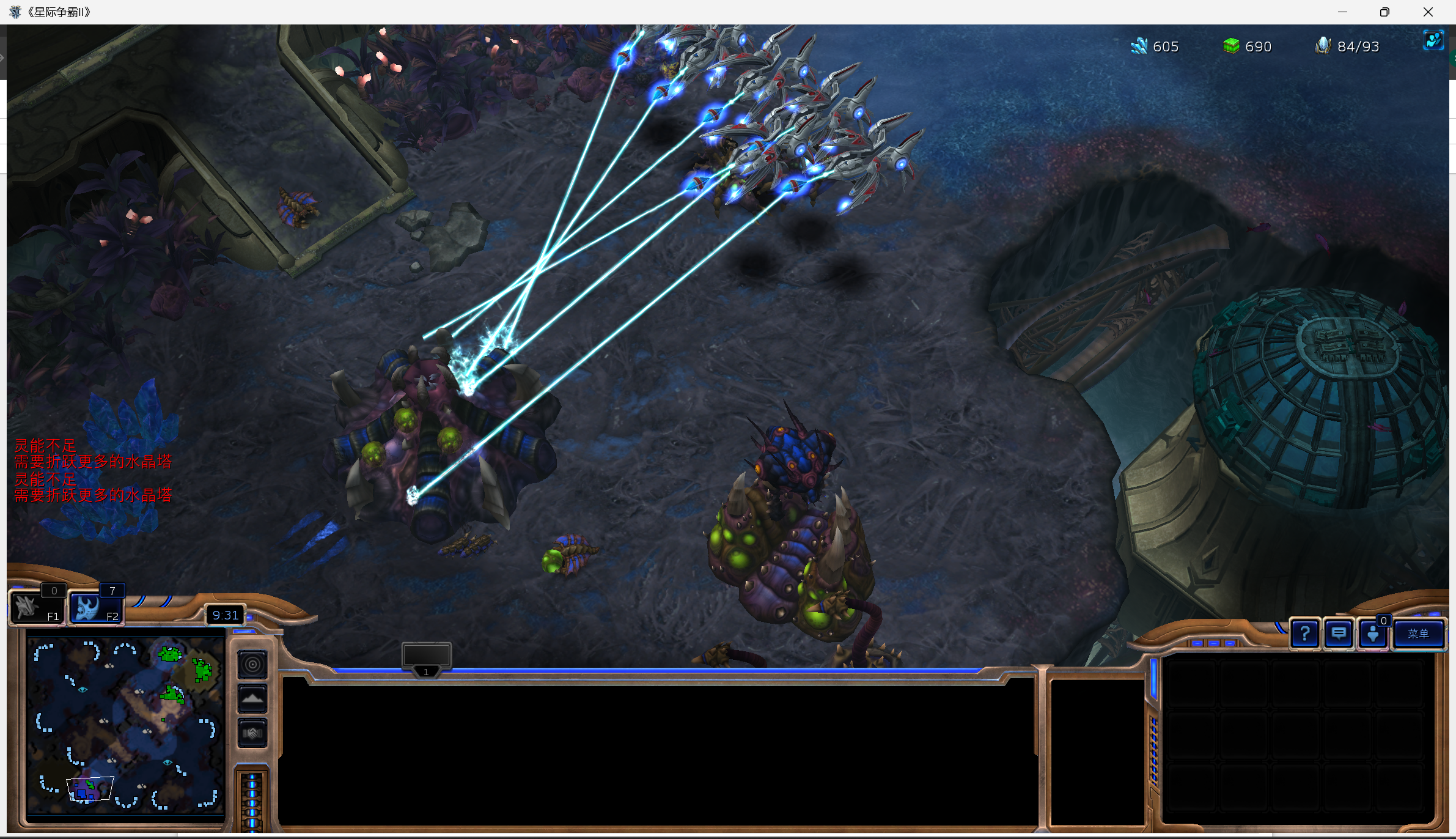
可以看到我们的战舰已经组织了一波冲锋。
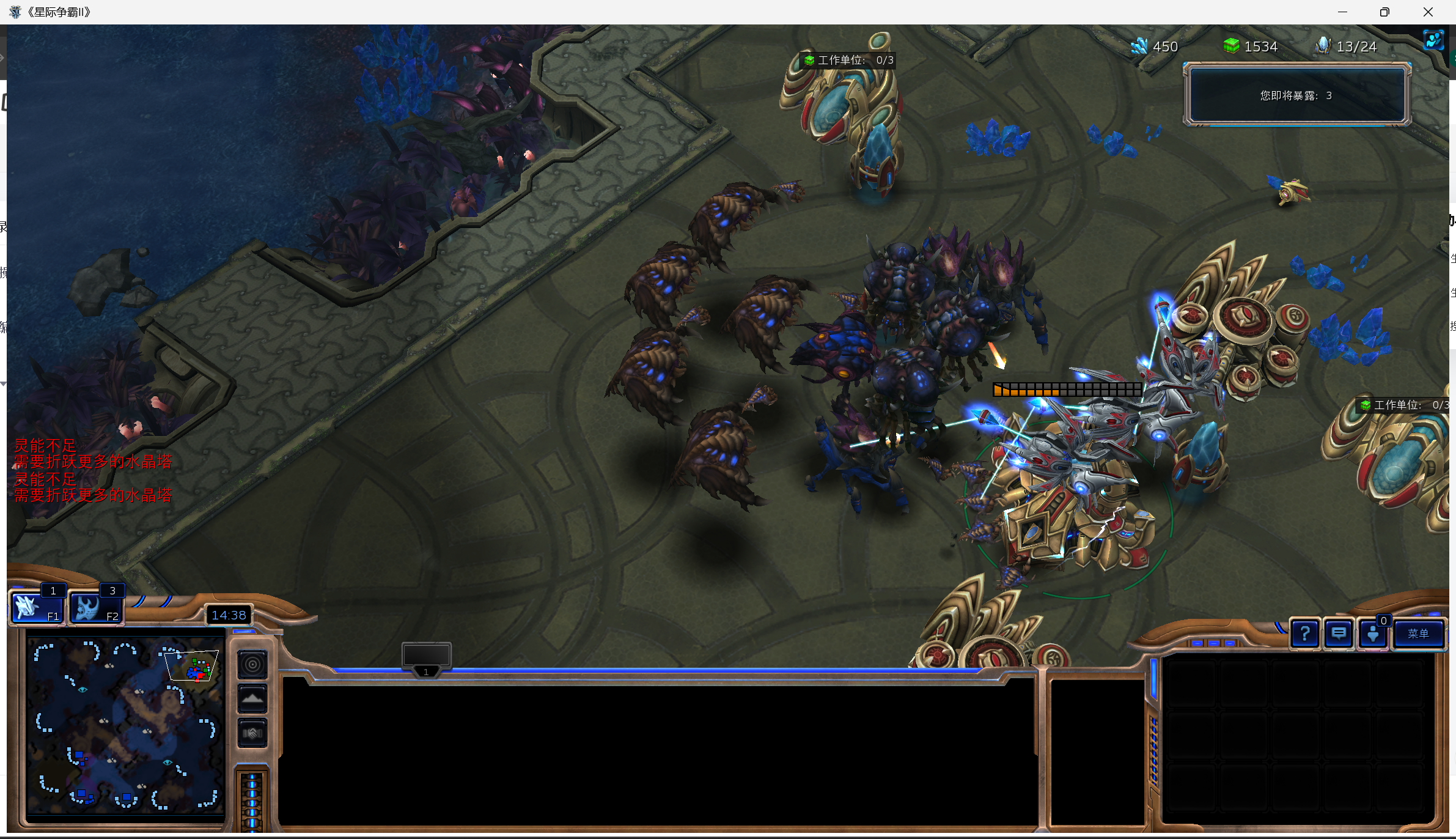
当有敌人从侧翼绕后,我们也能撤退保家
第七个动作:防御
建设熔炉和光子炮
老师讲到这里就不讲了,但是其实防御也是很重要的一部分,经过平均测试,有这个动作的Agent胜率较没有这个动作的高28%左右。
一般的核心逻辑是:极限爆Probe → 铺水晶塔推进 → 造熔炉 → 堆光子炮 → 冲脸,专门用来打前期快攻。
在这个网址可以看到建筑树
https://liquipedia.net/starcraft2/Protoss_Units_(Legacy_of_the_Void)
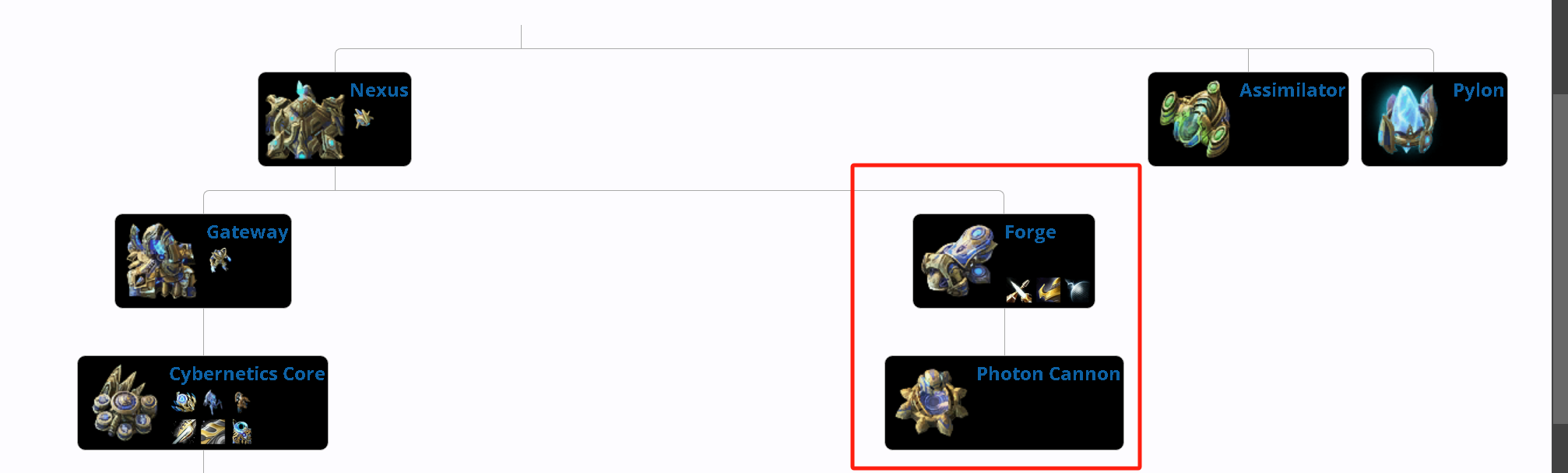
如果我们要构建光子炮,就需要修熔炉。
依然是判断是否有建造过/被摧毁,如果没有就看看能否造的起,然后选择合适的位置
熔炉我们选择靠大本营的第一座水晶塔建
near=self.structures(UnitTypeId.PYLON).closest_to(nexus))
python
            # 🔵 优先级4:造熔炉(Forge)
            elif not self.structures(UnitTypeId.FORGE):
                if self.can_afford(UnitTypeId.FORGE):
                    # 造在离主基地最近的水晶塔旁边(保证供电)
                    await self.build(UnitTypeId.FORGE, near=self.structures(UnitTypeId.PYLON).closest_to(nexus))
然后建造光子炮,要额外判断一下是否存在熔炉,然后也建在主基地附近
near=nexus
python
            # 🟠 优先级5:造光子炮(Photon Cannon,最多3个)
            elif self.structures(UnitTypeId.FORGE).ready and self.structures(UnitTypeId.PHOTONCANNON).amount < 3:
                if self.can_afford(UnitTypeId.PHOTONCANNON):
                    await self.build(UnitTypeId.PHOTONCANNON, near=nexus)  # 造在主基地附近防守/推进