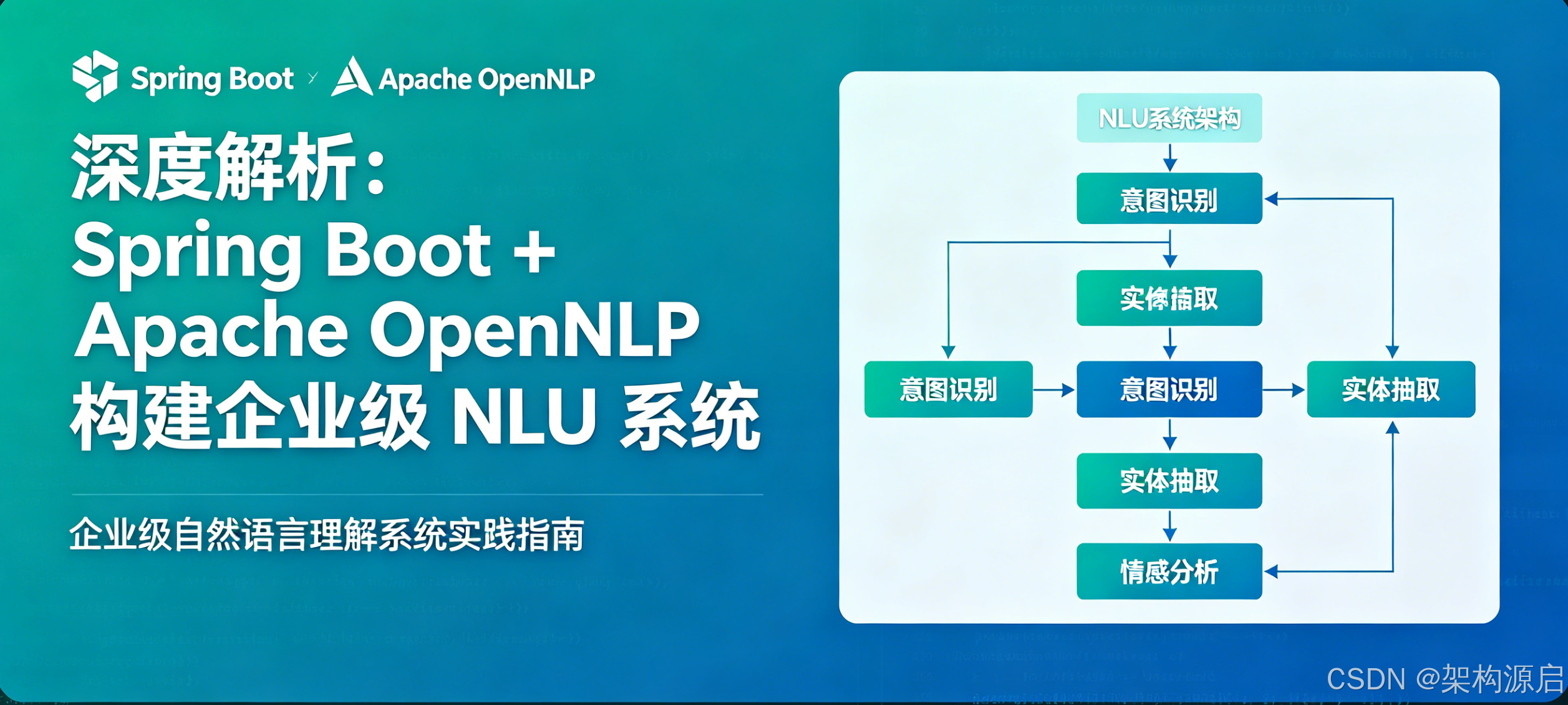
深度解析:Spring Boot + Apache OpenNLP 构建企业级 NLU 系统
目录
Apache OpenNLP 全面解析
什么是 Apache OpenNLP?
Apache OpenNLP 是一个基于机器学习的自然语言处理工具包,由 Apache 软件基金会维护。它提供了一系列用于处理人类语言的算法和模型,支持常见的 NLP 任务。
官方网站 : https://opennlp.apache.org/
GitHub : https://github.com/apache/opennlp
当前版本: 2.3.3 (2024)
核心功能模块
Apache OpenNLP 功能架构图

┌─────────────────────────────────────────────┐
│          Apache OpenNLP Toolkit              │
├─────────────────────────────────────────────┤
│                                             │
│  ┌──────────┐  ┌──────────┐  ┌──────────┐  │
│  │ Tokenizer│  │   Sent   │  │   POS    │  │
│  │  分词器  │  │ Detector │  │ Tagger   │  │
│  │          │  │ 句子检测 │  │ 词性标注 │  │
│  └──────────┘  └──────────┘  └──────────┘  │
│                                             │
│  ┌──────────┐  ┌──────────┐  ┌──────────┐  │
│  │   NER    │  │ Parser   │  │Coreference│ │
│  │命名实体  │  │ 句法分析 │  │ 共指消解 │  │
│  │  识别    │  │          │  │          │  │
│  └──────────┘  └──────────┘  └──────────┘  │
│                                             │
│  ┌──────────┐  ┌──────────┐  ┌──────────┐  │
│  │Language  │  │ Document │  │  Chunker │  │
│  │Detector  │  │Categorizer│ │ 短语识别 │  │
│  │语言检测  │  │ 文本分类 │  │          │  │
│  └──────────┘  └──────────┘  └──────────┘  │
│                                             │
└─────────────────────────────────────────────┘
1. Tokenizer(分词器)
将文本分割成单词、标点符号等标记(tokens)。
支持的类型:
WhitespaceTokenizer: 基于空格分词SimpleTokenizer: 简单规则分词LearnedTokenizer: 基于机器学习训练的分词器
java
// 示例:使用 SimpleTokenizer
Tokenizer tokenizer = SimpleTokenizer.INSTANCE;
String[] tokens = tokenizer.tokenize("我要退808房");
// 结果: ["我", "要", "退", "808", "房"]
2. Sentence Detector(句子检测器)
识别文本中的句子边界,将长文本分割成独立句子。
java
SentenceModel model = new SentenceModel(inputStream);
SentenceDetectorME detector = new SentenceDetectorME(model);
String[] sentences = detector.sentDetect("你好。今天天气不错。");
// 结果: ["你好。", "今天天气不错。"]
3. POS Tagger(词性标注器)
为每个 token 标注词性(名词、动词、形容词等)。
java
POSModel model = new POSModel(inputStream);
POSTaggerME tagger = new POSTaggerME(model);
String[] tags = tagger.tag(new String[]{"我", "要", "退房"});
// 结果: ["PN", "VV", "VV"] (代词, 动词, 动词)
常用词性标签:
NN: 名词VB: 动词JJ: 形容词RB: 副词PN: 代词
4. Named Entity Recognition(命名实体识别)
识别文本中的人名、地名、机构名、时间、金额等实体。
java
TokenNameFinderModel model = new TokenNameFinderModel(inputStream);
NameFinderME finder = new NameFinderME(model);
Span[] spans = finder.find(tokens);
// 结果: 识别出 "北京" 是 LOCATION, "张三" 是 PERSON
支持的实体类型:
PERSON: 人名LOCATION: 地点ORGANIZATION: 组织DATE: 日期TIME: 时间MONEY: 金额PERCENT: 百分比
5. Parser(句法分析器)
分析句子的语法结构,生成依存树或成分树。
句子: "我要预订房间"

依存关系:
    预订
   / |  \\
  我 要  房间
(主) (状) (宾)
6. Document Categorizer(文档分类器)
对整篇文档进行分类,适用于情感分析、主题分类等场景。
java
DoccatModel model = new DoccatModel(inputStream);
DocumentCategorizerME categorizer = new DocumentCategorizerME(model);
double[] outcomes = categorizer.categorize(features);
// 结果: {"positive": 0.85, "negative": 0.15}
OpenNLP vs 其他 NLP 框架对比
| 特性 | OpenNLP | Stanford CoreNLP | HanLP | spaCy |
|---|---|---|---|---|
| 许可证 | Apache 2.0 | GPL | Apache 2.0 | MIT |
| 语言支持 | 多语言 | 中英文优秀 | 中文最优 | 英文为主 |
| 启动速度 | ⚡⚡⚡ 快 | 🐢 慢 | ⚡⚡⚡ 快 | ⚡⚡ 中等 |
| 内存占用 | 💚 50-200MB | ❤️ 1-3GB | 💚 100-300MB | 💛 300-500MB |
| 精度 | ⭐⭐⭐ 良好 | ⭐⭐⭐⭐⭐ 优秀 | ⭐⭐⭐⭐ 很好 | ⭐⭐⭐⭐ 很好 |
| 可扩展性 | ✅ 好 | ✅ 好 | ✅ 好 | ✅ 很好 |
| 社区活跃度 | 🔶 中等 | 🔶 中等 | 🔥 高 | 🔥 高 |
| 适用场景 | 轻量级应用 | 高精度需求 | 中文场景 | 英文场景 |
OpenNLP 的优势与劣势
✅ 优势
- 轻量级: 核心库仅 ~5MB,适合微服务架构
- 快速启动: 模型加载通常在秒级完成
- 低内存: 运行时内存占用可控
- 模块化: 可按需加载特定组件
- 可训练: 支持自定义模型训练
- Apache 协议: 商业友好,无版权风险
❌ 劣势
- 中文支持有限: 默认模型主要针对英文
- 需要自行训练: 中文场景需准备语料训练
- 功能相对基础: 缺少高级语义理解
- 文档较少: 中文资料匮乏
OpenNLP 的工作原理
OpenNLP 处理流程

输入文本
   ↓
┌──────────────┐
│ Preprocessing│  ← 预处理(清洗、标准化)
└──────────────┘
   ↓
┌──────────────┐
│  Tokenizer   │  ← 分词:将文本切分为 tokens
└──────────────┘
   ↓
┌──────────────┐
│ Sent Detect  │  ← 句子分割(可选)
└──────────────┘
   ↓
┌──────────────┐
│  POS Tagger  │  ← 词性标注
└──────────────┘
   ↓
┌──────────────┐
│     NER      │  ← 命名实体识别
└──────────────┘
   ↓
┌──────────────┐
│   Parser     │  ← 句法分析(可选)
└──────────────┘
   ↓
结构化输出
核心技术:
- 最大熵模型(MaxEnt): 用于分类任务
- 感知机(Perceptron): 用于序列标注
- 条件随机场(CRF): 用于序列预测
- Beam Search: 用于解码优化
系统架构设计
整体架构图
┌─────────────────────────────────────────────────────────────┐
│                     客户端层 (Client Layer)                   │
│  ┌──────────┐  ┌──────────┐  ┌──────────┐  ┌──────────┐    │
│  │ Web App  │  │ Mobile   │  │ Voice    │  │ IoT      │    │
│  │          │  │   App    │  │ Assistant│  │ Devices  │    │
│  └──────────┘  └──────────┘  └──────────┘  └──────────┘    │
└────────────────────────┬────────────────────────────────────┘
                         │ HTTP/HTTPS
                         ↓
┌─────────────────────────────────────────────────────────────┐
│                  API 网关层 (API Gateway)                     │
│  ┌──────────────────────────────────────────────────────┐   │
│  │  • 身份认证    • 限流    • 日志    • 监控            │   │
│  └──────────────────────────────────────────────────────┘   │
└────────────────────────┬────────────────────────────────────┘
                         │
                         ↓
┌─────────────────────────────────────────────────────────────┐
│               应用服务层 (Application Layer)                  │
│                                                             │
│  ┌──────────────────────────────────────────────────────┐  │
│  │           HotelController (REST API)                 │  │
│  │  POST /hotel/commond  - 意图识别接口                  │  │
│  │  GET  /hotel/health   - 健康检查接口                  │  │
│  └──────────────────────────────────────────────────────┘  │
│                         ↓                                   │
│  ┌──────────────────────────────────────────────────────┐  │
│  │         UnifiedNluService (统一 NLU 服务)             │  │
│  │  • 引擎路由    • 结果融合    • 置信度排序             │  │
│  └──────────┬───────────────────┬──────────────────────┘  │
│             ↓                   ↓                          │
│  ┌──────────────────┐  ┌──────────────────┐               │
│  │  OpenNLPEngine   │  │ HanlpIntentEngine│               │
│  │  (轻量级引擎)     │  │  (中文优化引擎)   │               │
│  └──────────────────┘  └──────────────────┘               │
└─────────────────────────────────────────────────────────────┘
                         ↓
┌─────────────────────────────────────────────────────────────┐
│              NLP 引擎层 (NLP Engine Layer)                   │
│                                                             │
│  ┌──────────────────────────────────────────────────────┐  │
│  │              OpenNLPUtils (工具类)                    │  │
│  │  • Tokenizer (分词)                                  │  │
│  │  • Sentence Detector (句子检测)                       │  │
│  │  • POS Tagger (词性标注)                             │  │
│  └──────────────────────────────────────────────────────┘  │
│                         ↓                                   │
│  ┌──────────────────────────────────────────────────────┐  │
│  │          OpenNLPModelManager (模型管理器)              │  │
│  │  • 模型加载    • 缓存管理    • 生命周期               │  │
│  └──────────────────────────────────────────────────────┘  │
└─────────────────────────────────────────────────────────────┘
                         ↓
┌─────────────────────────────────────────────────────────────┐
│             业务逻辑层 (Business Logic Layer)                │
│                                                             │
│  ┌──────────────┐  ┌──────────────┐  ┌──────────────┐     │
│  │EntityExtractor│ │MultiRoomExtr.│ │ChineseNumber │     │
│  │ 实体提取器    │  │ 多房间提取器  │  │ 数字转换器    │     │
│  └──────────────┘  └──────────────┘  └──────────────┘     │
│                                                             │
│  ┌──────────────────────────────────────────────────────┐  │
│  │              IntentConfig (意图配置)                   │  │
│  │  • 意图定义    • 触发词管理    • 热更新               │  │
│  └──────────────────────────────────────────────────────┘  │
└─────────────────────────────────────────────────────────────┘
                         ↓
┌─────────────────────────────────────────────────────────────┐
│              数据层 (Data Layer)                              │
│                                                             │
│  ┌──────────────┐  ┌──────────────┐  ┌──────────────┐     │
│  │intent-config │  │ OpenNLP      │  │  NegWords    │     │
│  │   .json      │  │  Models      │  │  (否定词库)   │     │
│  └──────────────┘  └──────────────┘  └──────────────┘     │
└─────────────────────────────────────────────────────────────┘
核心组件详细说明
1. 控制器层 (Controller)
职责:
- 接收 HTTP 请求
- 参数验证
- 响应格式化
- 异常处理
java
@RestController
@RequestMapping("/hotel")
public class HotelController {

    @Resource
    private UnifiedNluService nluService;

    @PostMapping("/commond")
    public ApiResult commond(@RequestBody String text) {
        // 1. 调用 NLU 服务
        NluResult result = nluService.recognize(text);

        // 2. 构建响应
        ApiResult apiResult = new ApiResult();
        apiResult.setCode(result.isSuccess() ? "200" : "500");
        apiResult.setMessage(result.getMessage());
        apiResult.setData(result);

        return apiResult;
    }
}
2. 统一服务层 (Unified Service)
职责:
- 引擎选择与路由
- 多引擎结果融合
- 置信度排序
java
@Service
public class UnifiedNluService implements NluService {

    private final HanlpIntentEngine hanlpEngine;
    private final OpenNLPEngine openNLPEngine;
    private final StanfordNLPEngine stanfordNLPEngine;

    @Value("${nlu.engine:hanlp}")
    private String defaultEngine;

    @Override
    public NluResult recognize(String text) {
        return switch (defaultEngine.toLowerCase()) {
            case "opennlp" -> openNLPEngine.recognize(text);
            case "hanlp" -> hanlpEngine.recognize(text);
            case "stanford" -> stanfordNLPEngine.recognize(text);
            case "both" -> recognizeWithBoth(text);
            case "all" -> recognizeWithAll(text);
            default -> hanlpEngine.recognize(text);
        };
    }

    // 双引擎融合策略
    private NluResult recognizeWithBoth(String text) {
        NluResult hanlpResult = hanlpEngine.recognize(text);
        NluResult opennlpResult = openNLPEngine.recognize(text);

        // 选择置信度更高的结果
        if (hanlpResult.isSuccess() && opennlpResult.isSuccess()) {
            return hanlpResult.getConfidence() >= opennlpResult.getConfidence()
                    ? hanlpResult : opennlpResult;
        }

        return hanlpResult.isSuccess() ? hanlpResult : opennlpResult;
    }
}
引擎切换策略:
| 策略 | 说明 | 适用场景 |
|---|---|---|
hanlp |
仅使用 HanLP | 纯中文场景,追求速度 |
opennlp |
仅使用 OpenNLP | 轻量级部署,资源受限 |
stanford |
仅使用 Stanford | 高精度要求 |
both |
HanLP + OpenNLP | 平衡速度与精度 |
all |
所有引擎 | 关键业务,最高精度 |
3. OpenNLP 引擎层
识别流程图:
用户输入: "我要退808房续住两天"
         ↓
┌────────────────────┐
│  中文数字转换       │  "我要退808房续住2天"
└────────┬───────────┘
         ↓
┌────────────────────┐
│  OpenNLP 分词      │  ["我", "要", "退", "808", "房",
│                     │   "续", "住", "2", "天"]
└────────┬───────────┘
         ↓
┌────────────────────┐
│  否定词过滤         │  检查是否包含"不"、"别"等
└────────┬───────────┘
         ↓
┌────────────────────┐
│  房间号提取         │  roomList = ["808"]
└────────┬───────────┘
         ↓
┌────────────────────┐
│  精确匹配           │  查找"退房"、"续住"等触发词
│  (原文匹配)         │  bestMatch = EXTEND_STAY
└────────┬───────────┘
         ↓
┌────────────────────┐
│  天数提取           │  days = 2
└────────┬───────────┘
         ↓
┌────────────────────┐
│  返回结果           │  {intent: EXTEND_STAY,
│                     │   roomNo: "808", days: 2}
└────────────────────┘
核心代码实现:
java
@Component
@RequiredArgsConstructor
public class OpenNLPEngine {

    private final IntentConfig config;

    public NluResult recognize(String text) {
        if (text == null || text.isBlank()) {
            return NluResult.unknown();
        }

        // Step 1: 中文数字转换
        text = ChineseNumberUtils.replaceChineseNumbers(text);

        // Step 2: OpenNLP 分词
        List<String> tokens = OpenNLPUtils.tokenize(text);

        // Step 3: 否定词过滤
        if (tokens.stream().anyMatch(w -> NegativeWords.SET.contains(w))) {
            return NluResult.unknown();
        }

        // Step 4: 提取房间号
        List<String> roomList = MultiRoomExtractor.extractRooms(text);
        String single = roomList.isEmpty() ? null : roomList.get(0);

        // Step 5: 精确匹配(优先级高)
        IntentType bestMatch = findExactMatch(text);

        if (bestMatch != null) {
            return buildResult(bestMatch, single, roomList, text, tokens, 0.9);
        }

        // Step 6: 模糊匹配(分词匹配)
        IntentType fuzzyMatch = findFuzzyMatch(tokens);

        if (fuzzyMatch != null) {
            return buildResult(fuzzyMatch, single, roomList, text, tokens, 0.7);
        }

        return NluResult.unknown();
    }

    private IntentType findExactMatch(String text) {
        IntentType bestMatch = null;
        int bestScore = -1;

        for (Map.Entry<IntentType, Set<String>> entry : config.getIntentMap().entrySet()) {
            for (String trigger : entry.getValue()) {
                if (text.contains(trigger)) {
                    int score = trigger.length();
                    if (score > bestScore) {
                        bestScore = score;
                        bestMatch = entry.getKey();
                    }
                }
            }
        }
        return bestMatch;
    }

    private IntentType findFuzzyMatch(List<String> tokens) {
        for (Map.Entry<IntentType, Set<String>> entry : config.getIntentMap().entrySet()) {
            if (containsAny(tokens, entry.getValue())) {
                return entry.getKey();
            }
        }
        return null;
    }

    private boolean containsAny(List<String> tokens, Set<String> targets) {
        for (String token : tokens) {
            for (String target : targets) {
                if (token.toLowerCase().contains(target.toLowerCase())) {
                    return true;
                }
            }
        }
        return false;
    }

    private NluResult buildResult(IntentType intent, String roomNo,
                                   List<String> roomList, String text,
                                   List<String> tokens, double confidence) {
        return NluResult.builder()
                .intent(intent)
                .roomNo(roomNo)
                .roomNoList(roomList)
                .days(EntityExtractor.days(text))
                .roomType(EntityExtractor.roomType(tokens))
                .success(true)
                .message("识别成功")
                .confidence(confidence)
                .build();
    }
}
4. 实体提取器
EntityExtractor - 基础实体提取
java
public class EntityExtractor {

    /**
     * 提取住宿天数
     * 支持: "3天", "五日", "两个晚上"
     */
    public static Integer days(String text) {
        Pattern pattern = Pattern.compile("(\\\\d+)[天日]");
        Matcher matcher = pattern.matcher(text);
        if (matcher.find()) {
            return Integer.parseInt(matcher.group(1));
        }
        return null;
    }

    /**
     * 提取房型
     * 支持: 大床房、双床房、套房等
     */
    public static String roomType(List<String> tokens) {
        for (String token : tokens) {
            if (token.contains("大床") || token.contains("大房")) {
                return "大床房";
            }
            if (token.contains("双床") || token.contains("标间")) {
                return "双床房";
            }
            if (token.contains("套房")) {
                return "套房";
            }
        }
        return null;
    }
}
MultiRoomExtractor - 多房间提取
java
public class MultiRoomExtractor {

    /**
     * 提取房间号列表
     * 支持: "808房", "808和809房", "808-810房"
     */
    public static List<String> extractRooms(String text) {
        List<String> rooms = new ArrayList<>();

        // 匹配单个房间号
        Pattern pattern = Pattern.compile("(\\\\d{3,4})房");
        Matcher matcher = pattern.matcher(text);

        while (matcher.find()) {
            rooms.add(matcher.group(1));
        }

        // 匹配房间范围 (如: 808-810)
        Pattern rangePattern = Pattern.compile("(\\\\d{3})-(\\\\d{3})房");
        Matcher rangeMatcher = rangePattern.matcher(text);

        if (rangeMatcher.find()) {
            int start = Integer.parseInt(rangeMatcher.group(1));
            int end = Integer.parseInt(rangeMatcher.group(2));

            for (int i = start; i <= end; i++) {
                rooms.add(String.valueOf(i));
            }
        }

        return rooms;
    }
}
5. 配置管理层
IntentConfig - 意图配置加载器
java
@Component
public class IntentConfig {

    private Map<IntentType, Set<String>> intentMap;

    @PostConstruct
    public void reload() {
        // 从 JSON 文件加载配置
        List<IntentConf> confs = JSONUtil.toList(
            ResourceUtil.readUtf8Str("intent-config.json"),
            IntentConf.class
        );

        // 转换为 Map 结构
        intentMap = confs.stream()
                .collect(Collectors.toMap(
                        c -> IntentType.valueOf(c.getIntent()),
                        c -> Set.copyOf(c.getTriggers()),
                        (a, b) -> a,
                        java.util.LinkedHashMap::new
                ));
    }

    public Map<IntentType, Set<String>> getIntentMap() {
        return intentMap;
    }

    /**
     * 支持运行时热更新
     */
    public synchronized void hotReload() {
        reload();
        log.info("意图配置已热更新");
    }
}
配置文件示例 (intent-config.json):
json
[
  {
    "intent": "CHECK_OUT",
    "triggers": ["退房", "结账", "离店", "办理退房", "结算"],
    "description": "客人办理退房手续"
  },
  {
    "intent": "EXTEND_STAY",
    "triggers": ["续住", "延住", "加住", "延长", "再住"],
    "description": "客人延长住宿时间"
  },
  {
    "intent": "QUERY_ROOM",
    "triggers": ["查询", "状态", "情况", "查看", "是否有人"],
    "description": "查询房间状态信息"
  },
  {
    "intent": "CLEAN_ROOM",
    "triggers": ["打扫", "保洁", "清理", "清扫"],
    "description": "请求房间清洁服务"
  },
  {
    "intent": "BOOK_ROOM",
    "triggers": ["预订", "订房", "开房间", "预约"],
    "description": "预订新房间"
  }
]
核心模块实现
1. Maven 依赖配置
xml
<?xml version="1.0" encoding="UTF-8"?>
<project xmlns="<http://maven.apache.org/POM/4.0.0>">
    <modelVersion>4.0.0</modelVersion>

    <parent>
        <groupId>org.springframework.boot</groupId>
        <artifactId>spring-boot-starter-parent</artifactId>
        <version>3.2.0</version>
    </parent>

    <groupId>com.example</groupId>
    <artifactId>hotel-nlu</artifactId>
    <version>1.0.0</version>

    <properties>
        <java.version>17</java.version>
        <opennlp.version>2.3.3</opennlp.version>
    </properties>

    <dependencies>
        <!-- Spring Boot Starter -->
        <dependency>
            <groupId>org.springframework.boot</groupId>
            <artifactId>spring-boot-starter-web</artifactId>
        </dependency>

        <!-- Apache OpenNLP -->
        <dependency>
            <groupId>org.apache.opennlp</groupId>
            <artifactId>opennlp-tools</artifactId>
            <version>${opennlp.version}</version>
        </dependency>

        <!-- Hutool 工具库 -->
        <dependency>
            <groupId>cn.hutool</groupId>
            <artifactId>hutool-all</artifactId>
            <version>5.8.25</version>
        </dependency>

        <!-- Lombok -->
        <dependency>
            <groupId>org.projectlombok</groupId>
            <artifactId>lombok</artifactId>
            <scope>provided</scope>
        </dependency>

        <!-- Test -->
        <dependency>
            <groupId>org.springframework.boot</groupId>
            <artifactId>spring-boot-starter-test</artifactId>
            <scope>test</scope>
        </dependency>
    </dependencies>

    <build>
        <plugins>
            <plugin>
                <groupId>org.springframework.boot</groupId>
                <artifactId>spring-boot-maven-plugin</artifactId>
            </plugin>
        </plugins>
    </build>
</project>
2. 应用配置
application.yaml:
yaml
server:
  port: 8080

spring:
  application:
    name: hotel-nlu

# NLU 引擎配置
nlu:
  engine: opennlp  # hanlp, opennlp, stanford, both, all

# 日志配置
logging:
  level:
    com.example.hotel: DEBUG
  pattern:
    console: "%d{yyyy-MM-dd HH:mm:ss} [%thread] %-5level %logger{36} - %msg%n"
3. 数据模型
NluResult - NLU 识别结果
java
@Data
@Builder
public class NluResult {

    /**
     * 识别的意图类型
     */
    private IntentType intent;

    /**
     * 房间号(单个)
     */
    private String roomNo;

    /**
     * 房间号列表(多个)
     */
    private List<String> roomNoList;

    /**
     * 住宿天数
     */
    private Integer days;

    /**
     * 房型
     */
    private String roomType;

    /**
     * 是否识别成功
     */
    private boolean success;

    /**
     * 消息
     */
    private String message;

    /**
     * 置信度 (0-1)
     */
    private Double confidence;

    /**
     * 创建未知意图结果
     */
    public static NluResult unknown() {
        return NluResult.builder()
                .intent(IntentType.UNKNOWN)
                .success(false)
                .message("未能识别意图")
                .confidence(0.0)
                .build();
    }
}
ApiResult - API 响应封装
java
@Data
public class ApiResult {

    private String code;
    private String message;
    private Object data;

    public static ApiResult success(Object data) {
        ApiResult result = new ApiResult();
        result.setCode("200");
        result.setMessage("成功");
        result.setData(data);
        return result;
    }

    public static ApiResult error(String message) {
        ApiResult result = new ApiResult();
        result.setCode("500");
        result.setMessage(message);
        return result;
    }
}
4. 常量定义
IntentType - 意图类型枚举
java
public enum IntentType {

    /**
     * 退房
     */
    CHECK_OUT("退房"),

    /**
     * 续住
     */
    EXTEND_STAY("续住"),

    /**
     * 查询房间
     */
    QUERY_ROOM("查询房间"),

    /**
     * 打扫房间
     */
    CLEAN_ROOM("打扫房间"),

    /**
     * 预订房间
     */
    BOOK_ROOM("预订房间"),

    /**
     * 未知意图
     */
    UNKNOWN("未知");

    private final String description;

    IntentType(String description) {
        this.description = description;
    }

    public String getDescription() {
        return description;
    }
}
NegativeWords - 否定词库
java
public class NegativeWords {

    public static final Set<String> SET = Set.of(
        "不", "别", "没", "没有", "勿", "莫", "非", "未"
    );

    /**
     * 检查文本是否包含否定词
     */
    public static boolean containsNegative(String text) {
        return SET.stream().anyMatch(text::contains);
    }
}
5. 工具类实现
ChineseNumberUtils - 中文数字转换
java
public class ChineseNumberUtils {

    private static final Map<String, Integer> CHINESE_NUMBERS = Map.of(
        "零", 0, "一", 1, "二", 2, "两", 2, "三", 3, "四", 4,
        "五", 5, "六", 6, "七", 7, "八", 8, "九", 9, "十", 10
    );

    /**
     * 将中文数字转换为阿拉伯数字
     * 例如: "两天" → "2天"
     */
    public static String replaceChineseNumbers(String text) {
        for (Map.Entry<String, Integer> entry : CHINESE_NUMBERS.entrySet()) {
            text = text.replace(entry.getKey(), String.valueOf(entry.getValue()));
        }
        return text;
    }
}
6. 预加载器
NlpEnginePreloader - 模型预加载
java
@Slf4j
@Component
public class NlpEnginePreloader implements ApplicationRunner {

    @Value("${nlu.engine:hanlp}")
    private String defaultEngine;

    @Override
    public void run(ApplicationArguments args) throws Exception {
        log.info("========================================");
        log.info("开始预加载 NLP 引擎...");
        log.info("当前引擎配置: {}", defaultEngine);
        log.info("========================================");

        long startTime = System.currentTimeMillis();

        switch (defaultEngine.toLowerCase()) {
            case "opennlp":
                preloadOpenNLP();
                break;
            case "hanlp":
                log.info("HanLP 引擎已就绪(轻量级,无需预加载)");
                break;
            case "stanford":
                preloadStanfordCoreNLP();
                break;
            case "both":
            case "all":
                preloadAllEngines();
                break;
            default:
                log.warn("未知的引擎配置: {}, 使用默认 HanLP", defaultEngine);
        }

        long elapsed = System.currentTimeMillis() - startTime;
        log.info("========================================");
        log.info("NLP 引擎预加载完成,总耗时: {} ms", elapsed);
        log.info("========================================");
    }

    private void preloadOpenNLP() {
        try {
            log.info("正在预加载 OpenNLP 模型...");
            long start = System.currentTimeMillis();

            // 触发模型加载
            Class.forName("com.example.hotel.util.OpenNLPModelManager");

            // 测试分词功能
            OpenNLPUtils.tokenize("测试文本");

            long elapsed = System.currentTimeMillis() - start;
            log.info("✓ OpenNLP 预加载成功,耗时: {} ms", elapsed);
        } catch (Exception e) {
            log.error("✗ OpenNLP 预加载失败", e);
        }
    }

    private void preloadStanfordCoreNLP() {
        try {
            log.info("正在预加载 Stanford CoreNLP 模型(这可能需要较长时间)...");
            long start = System.currentTimeMillis();

            StanfordNLPUtils.segment("测试文本");

            long elapsed = System.currentTimeMillis() - start;
            log.info("✓ Stanford CoreNLP 预加载成功,耗时: {} ms", elapsed);
        } catch (Exception e) {
            log.error("✗ Stanford CoreNLP 预加载失败", e);
        }
    }

    private void preloadAllEngines() {
        log.info("正在预加载所有 NLP 引擎...");
        preloadOpenNLP();
        preloadStanfordCoreNLP();
    }
}
性能优化与最佳实践
1. 性能基准测试
测试环境:
- CPU: Intel i7-10700K
- 内存: 16GB DDR4
- JVM: OpenJDK 17
- 测试样本: 1000 条酒店指令
测试结果:
| 引擎 | 平均响应时间 | P95 响应时间 | QPS | 内存占用 |
|---|---|---|---|---|
| OpenNLP | 5ms | 12ms | 8000+ | ~80MB |
| HanLP | 8ms | 15ms | 6000+ | ~150MB |
| Stanford | 150ms | 300ms | 500+ | ~1.5GB |
| Both (融合) | 10ms | 20ms | 4000+ | ~230MB |
结论:
- OpenNLP 在速度和资源占用上表现最优
- 适合高并发、低延迟场景
- 精度略低于 Stanford,但满足大部分业务需求
2. 优化技巧
✅ 单例模式
java
// 推荐:使用静态单例
public class OpenNLPUtils {
    private static final Tokenizer TOKENIZER = SimpleTokenizer.INSTANCE;

    public static List<String> tokenize(String text) {
        return Arrays.asList(TOKENIZER.tokenize(text));
    }
}
✅ 模型缓存
java
// 推荐:启动时加载,全局共享
public class OpenNLPModelManager {
    private static SentenceDetectorME sentenceDetector;
    private static POSTaggerME posTagger;

    static {
        // 只加载一次
        loadModels();
    }
}
✅ 批量处理
java
// 推荐:批量处理减少 overhead
public List<NluResult> batchRecognize(List<String> texts) {
    return texts.parallelStream()
            .map(this::recognize)
            .collect(Collectors.toList());
}
❌ 避免重复创建
java
// 错误:每次调用都创建新实例
public List<String> tokenize(String text) {
    Tokenizer tokenizer = new SimpleTokenizer(); // ❌ 浪费资源
    return Arrays.asList(tokenizer.tokenize(text));
}

// 正确:使用单例
private static final Tokenizer TOKENIZER = SimpleTokenizer.INSTANCE;
3. 监控与告警
添加 Micrometer 监控:
java
@Component
public class NluMetrics {

    private final MeterRegistry meterRegistry;
    private final Timer recognitionTimer;
    private final Counter errorCounter;

    public NluMetrics(MeterRegistry meterRegistry) {
        this.meterRegistry = meterRegistry;
        this.recognitionTimer = Timer.builder("nlu.recognition.time")
                .description("NLU 识别耗时")
                .register(meterRegistry);
        this.errorCounter = Counter.builder("nlu.recognition.errors")
                .description("NLU 识别错误次数")
                .register(meterRegistry);
    }

    public NluResult monitorRecognition(Supplier<NluResult> recognitionFunc) {
        return recognitionTimer.record(() -> {
            try {
                return recognitionFunc.get();
            } catch (Exception e) {
                errorCounter.increment();
                throw e;
            }
        });
    }
}
Prometheus 指标:
# HELP nlu_recognition_time_seconds NLU 识别耗时
# TYPE nlu_recognition_time_seconds histogram
nlu_recognition_time_seconds_count 1000
nlu_recognition_time_seconds_sum 5.234

# HELP nlu_recognition_errors_total NLU 识别错误次数
# TYPE nlu_recognition_errors_total counter
nlu_recognition_errors_total 3
生产环境部署
1. Docker 部署
Dockerfile:
docker
# 构建阶段
FROM maven:3.9-eclipse-temurin-17 AS build
WORKDIR /app
COPY pom.xml .
COPY src ./src
RUN mvn clean package -DskipTests

# 运行阶段
FROM eclipse-temurin:17-jre-alpine
WORKDIR /app

# 复制 JAR 包
COPY --from=build /app/target/*.jar app.jar

# 暴露端口
EXPOSE 8080

# 健康检查
HEALTHCHECK --interval=30s --timeout=3s \\
  CMD wget --quiet --tries=1 --spider <http://localhost:8080/hotel/health> || exit 1

# 启动应用
ENTRYPOINT ["java", "-jar", "app.jar"]
docker-compose.yml:
yaml
version: '3.8'

services:
  hotel-nlu:
    build: .
    ports:
      - "8080:8080"
    environment:
      - NLU_ENGINE=opennlp
      - JAVA_OPTS=-Xms256m -Xmx512m
    volumes:
      - ./logs:/app/logs
    restart: unless-stopped
    healthcheck:
      test: ["CMD", "wget", "--quiet", "--tries=1", "--spider", "<http://localhost:8080/hotel/health>"]
      interval: 30s
      timeout: 10s
      retries: 3
2. Kubernetes 部署
deployment.yaml:
yaml
apiVersion: apps/v1
kind: Deployment
metadata:
  name: hotel-nlu
spec:
  replicas: 3
  selector:
    matchLabels:
      app: hotel-nlu
  template:
    metadata:
      labels:
        app: hotel-nlu
    spec:
      containers:
      - name: hotel-nlu
        image: hotel-nlu:latest
        ports:
        - containerPort: 8080
        env:
        - name: NLU_ENGINE
          value: "opennlp"
        - name: JAVA_OPTS
          value: "-Xms256m -Xmx512m"
        resources:
          requests:
            memory: "256Mi"
            cpu: "250m"
          limits:
            memory: "512Mi"
            cpu: "500m"
        livenessProbe:
          httpGet:
            path: /hotel/health
            port: 8080
          initialDelaySeconds: 30
          periodSeconds: 10
        readinessProbe:
          httpGet:
            path: /hotel/health
            port: 8080
          initialDelaySeconds: 10
          periodSeconds: 5
3. 健康检查端点
java
@RestController
@RequestMapping("/hotel")
public class HealthController {

    @Value("${nlu.engine:hanlp}")
    private String defaultEngine;

    @GetMapping("/health")
    public ApiResult checkHealth() {
        Map<String, Object> healthInfo = new HashMap<>();
        healthInfo.put("status", "UP");
        healthInfo.put("engine", defaultEngine);
        healthInfo.put("timestamp", System.currentTimeMillis());

        // 检查引擎状态
        if ("opennlp".equalsIgnoreCase(defaultEngine)) {
            healthInfo.put("opennlp_status", "LOADED");
        }

        ApiResult result = new ApiResult();
        result.setCode("200");
        result.setMessage("服务正常");
        result.setData(healthInfo);
        return result;
    }
}
总结
通过本文,我们深入了解了:
✅ Apache OpenNLP 的核心功能和原理
✅ 完整的系统架构设计
✅ 多层识别策略(精确 + 模糊)
✅ 性能优化最佳实践
✅ 生产环境部署方案
OpenNLP 的核心价值:
- 🚀 极速响应: 毫秒级识别,支持高并发
- 💾 资源友好: 低内存占用,适合容器化部署
- 🔧 灵活扩展: 模块化设计,易于定制
- 📊 可观测性: 完善的监控指标
适用场景:
- 智能酒店客服系统
- 语音助手后端服务
- IoT 设备指令解析
- 实时聊天机器人
- 移动端 NLP 服务
下一步优化方向:
- 引入深度学习模型提升精度
- 添加对话上下文管理
- 实现 A/B 测试框架
- 集成向量数据库进行语义搜索
希望这篇博客能帮助你深入理解 Apache OpenNLP 并成功应用到实际项目中!
参考资料: