1、libtorch找到与自己cuda相匹配的版本;
2、配置visual studio:
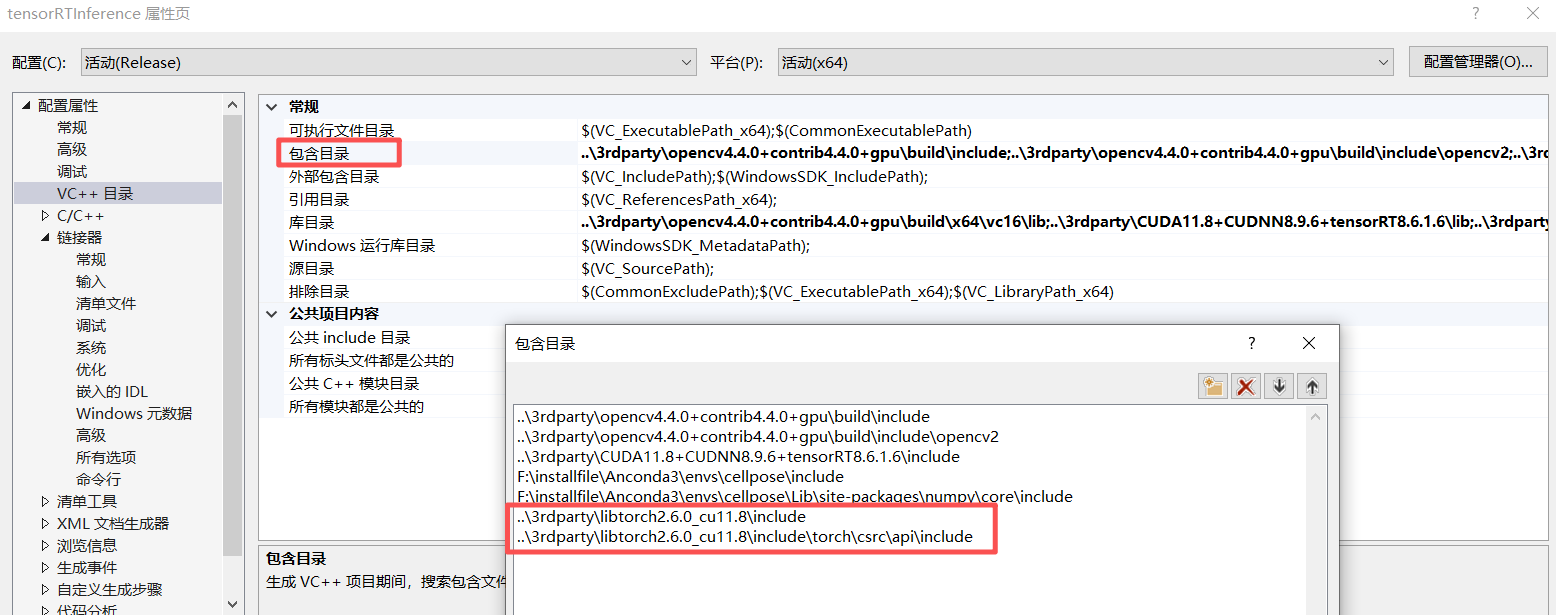
1)配置包含目录
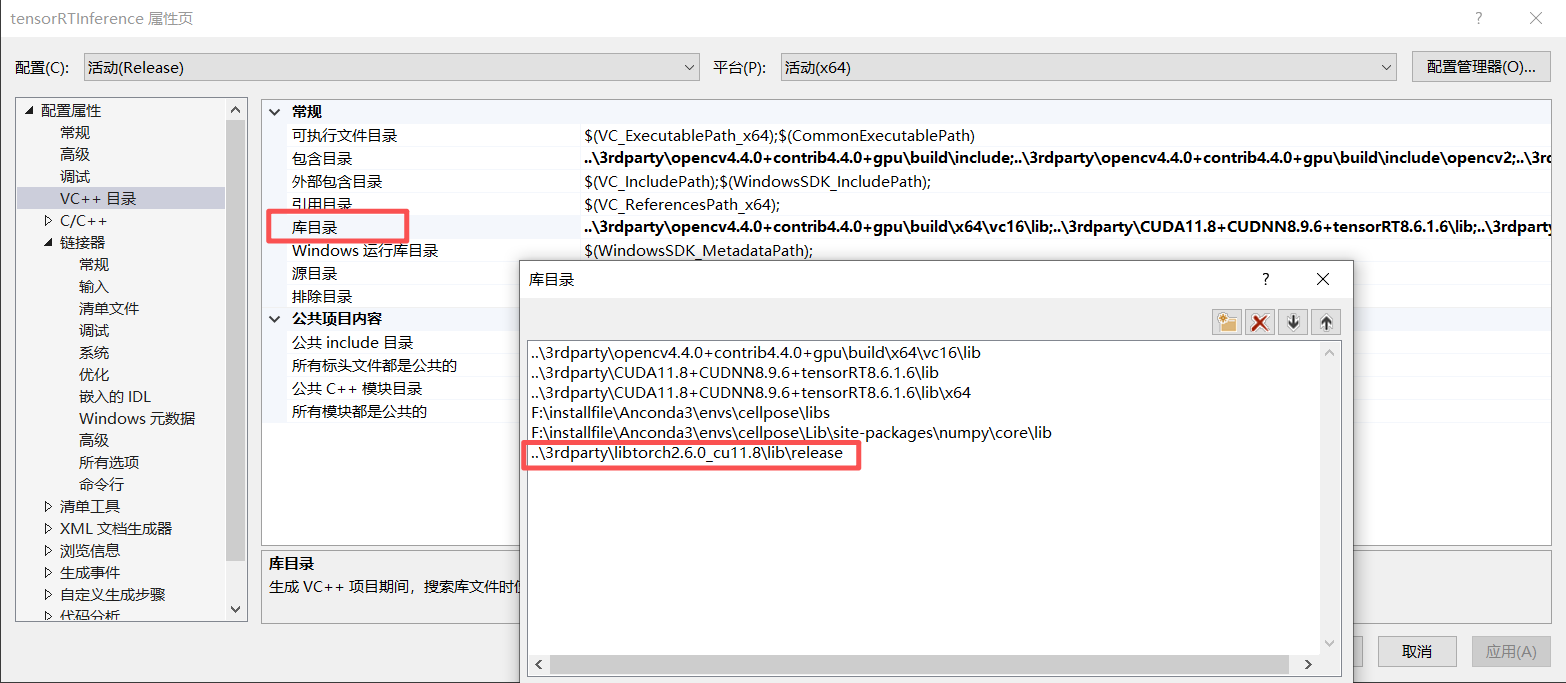
2)配置库目录:
3)配置链接器:
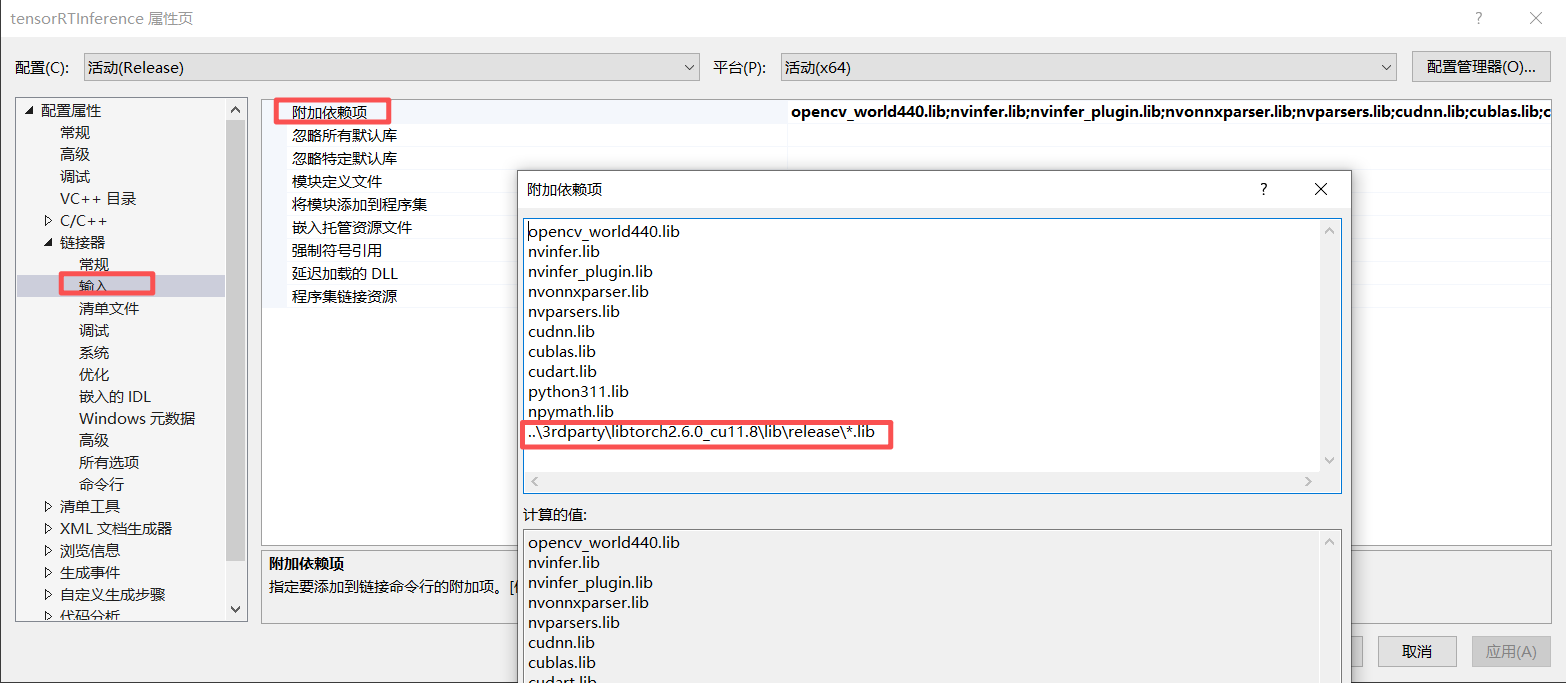
也可以输入自己所需的lib文件名:
asmjit.lib
c10.lib
c10_cuda.lib
caffe2_nvrtc.lib
cpuinfo.lib
dnnl.lib
fbgemm.lib
fmt.lib
kineto.lib
libprotobuf.lib
libprotobuf-lite.lib
libprotoc.lib
microkernels-prod.lib
pthreadpool.lib
sleef.lib
torch.lib
torch_cpu.lib
torch_cuda.lib
XNNPACK.lib
4)配置动态链接库:
动态链接库需要放入指定位置,有三种做法:
【1】直接将libtorch所需的dll文件放入与生成的exe文件同一个文件夹内;
【2】将libtorch的bin目录配置到windows的系统环境变量的path中,注意需要刷新系统环境变量或者重启系统才能生效。
【3】将libtorch的bin目录配置到visual studio的"环境"属性中:
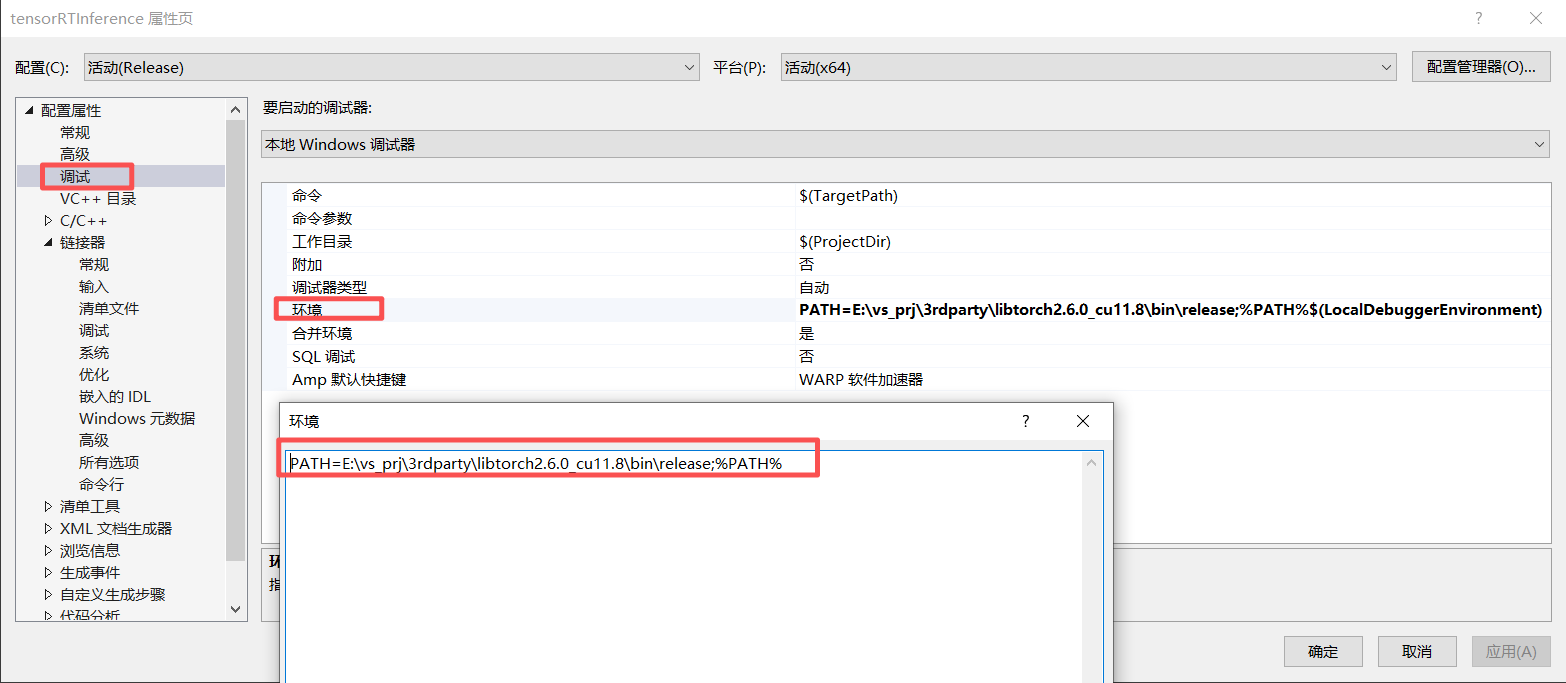
PATH=E:\vs_prj\3rdparty\libtorch2.6.0_cu11.8\bin\release;%PATH%4、libtorch的测试代码:
cpp
#include<torch/torch.h>
#include<torch/script.h>

int main()
{
    std::cout << "cuda::is_available():\t" << torch::cuda::is_available() << "\n";
    std::cout << "cuda::cudnn is_available():\t" << torch::cuda::cudnn_is_available() << "\n";
    std::cout << "cuda::device():\t" << torch::cuda::device_count() << "\n";

    auto a = torch::rand({ 8, 16 });
    if (torch::cuda::is_available())
    {
        std::cout << "cuda available" << std::endl;
    }
    else
    {
        std::cout << "cuda not available" << std::endl;
    }
    std::cout << a << std::endl;

    torch::Tensor tensor = torch::eye(3);
    std::cout << tensor << std::endl;

    return 0;
}
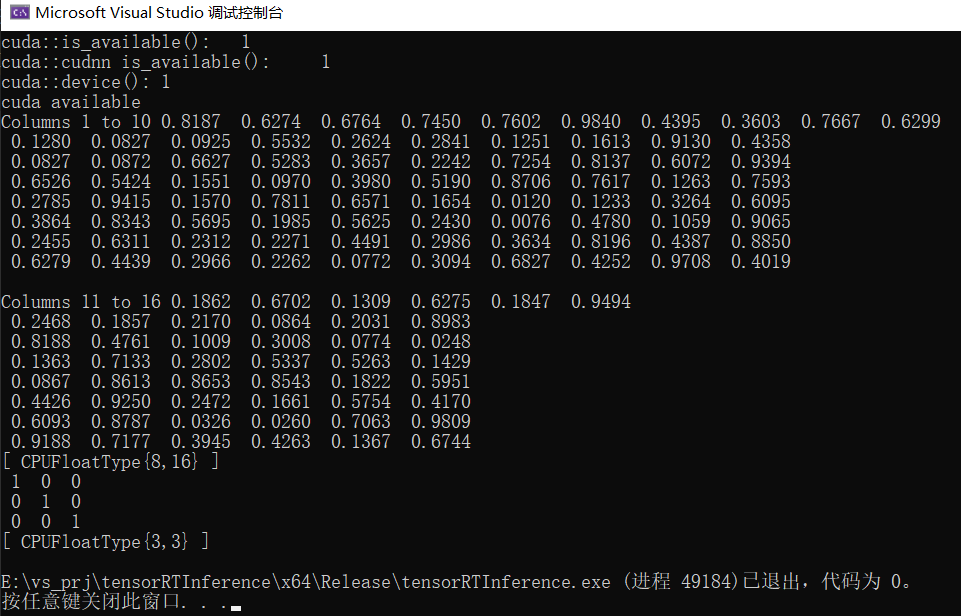
运行结果:
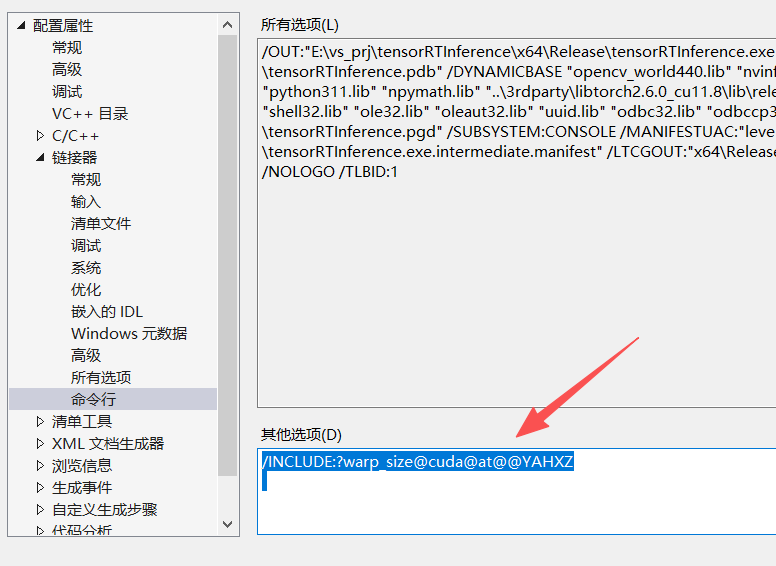
5、最后,如果发现配置好了libtorch后,libtorch的cuda仍然是不可用的,那么只需要添加:
/INCLUDE:?warp_size@cuda@at@@YAHXZ