把 Blender 绘制的曲线(Bezier / 曲线) 导入 Three.js 并作为运动路径 / 动画路径使用,核心就两步:导出正确格式 + Three.js 解析为路径。
Blender 导出正确格式
绘制曲线
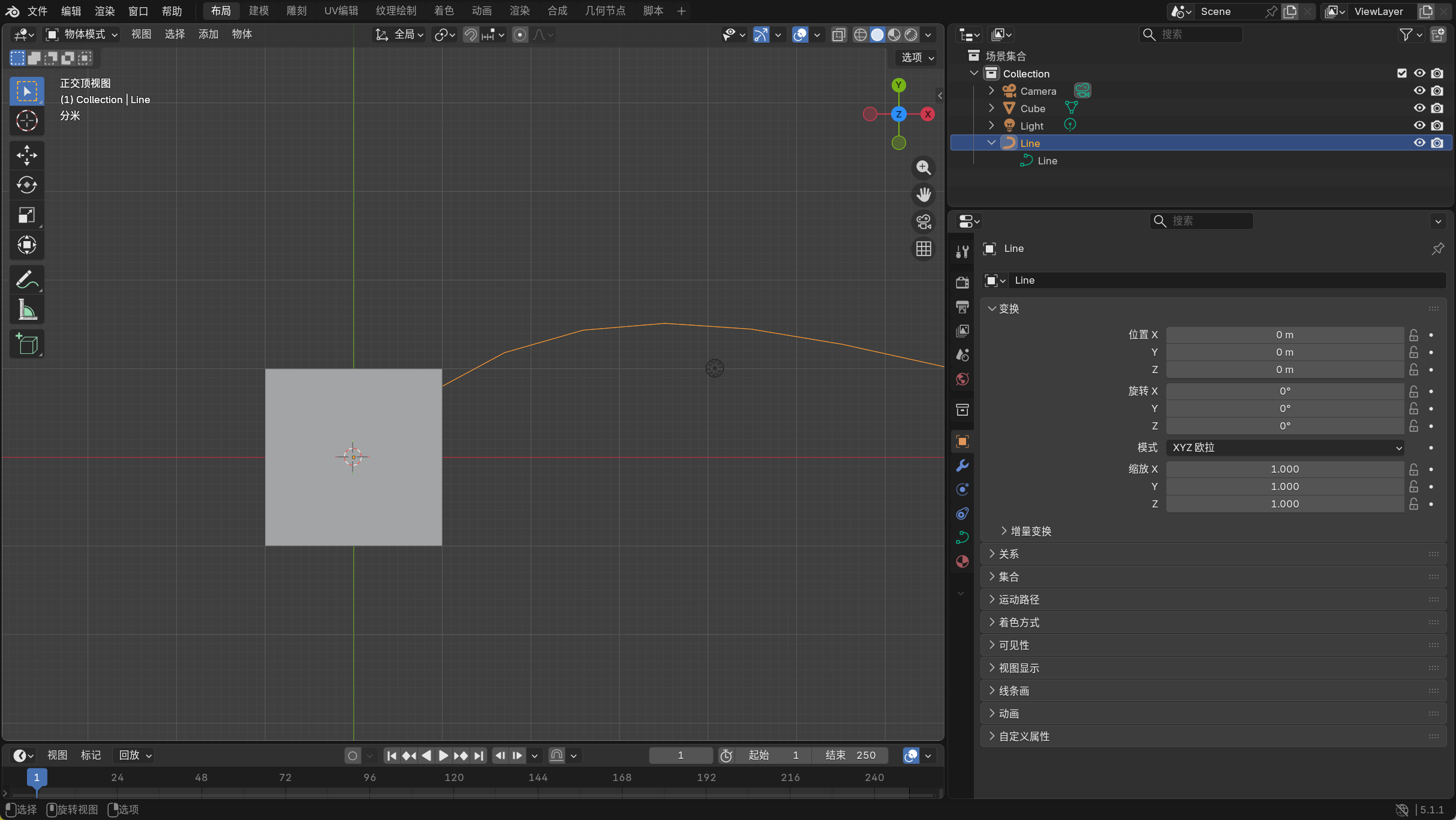
直接用 Blender 官方插件 Export Curve to JSON,一键导出曲线完整数据,自动适配坐标系:
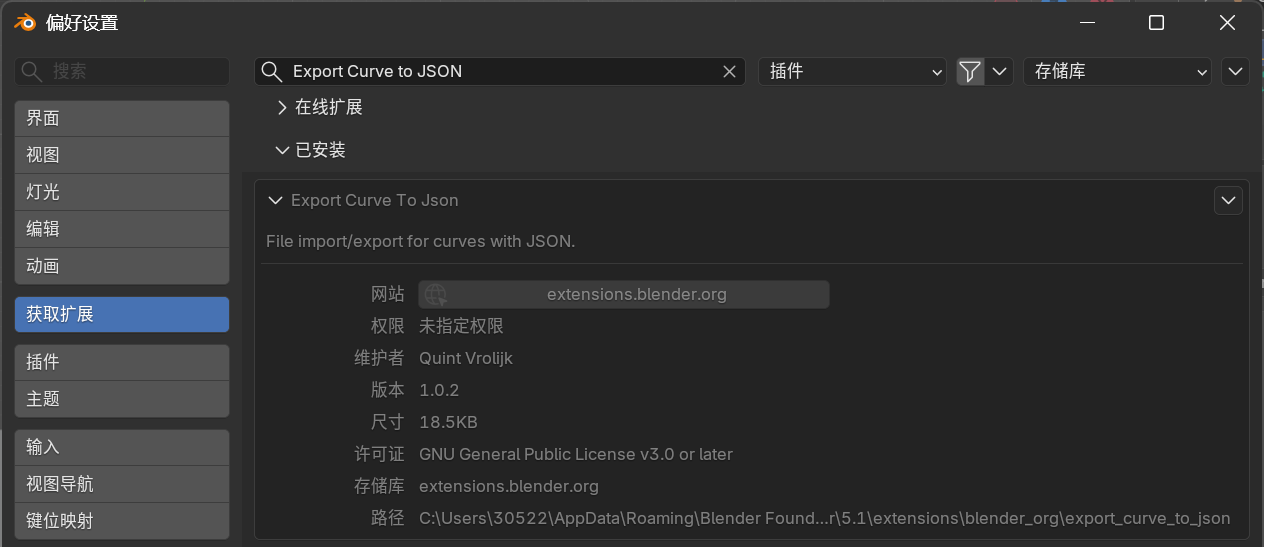
- Blender 扩展 → 搜索安装:Export Curve to JSON
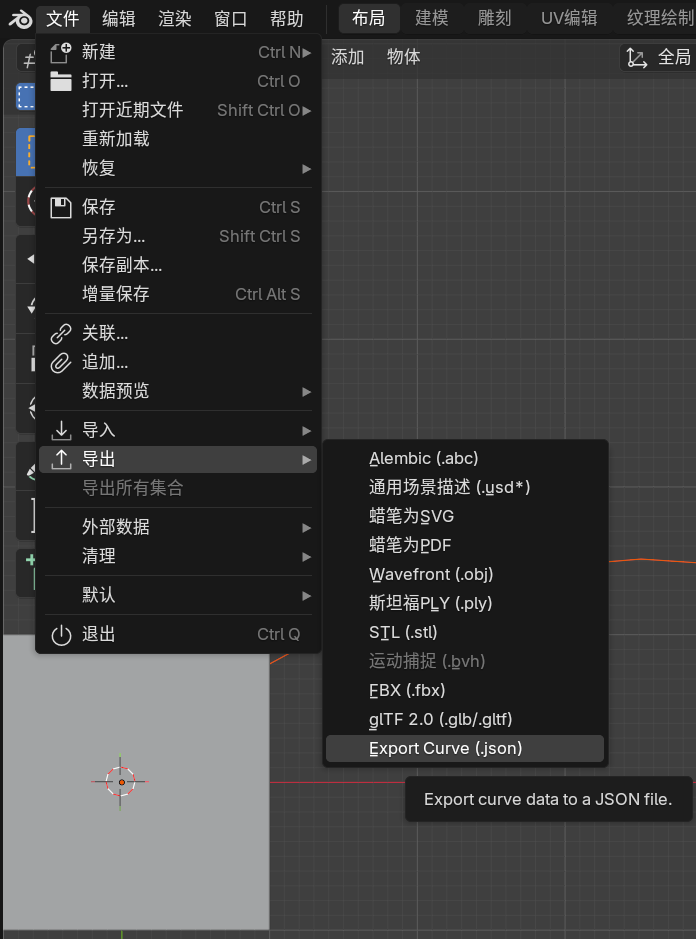
- 选中曲线 → 文件→导出→Export Curve (.json)
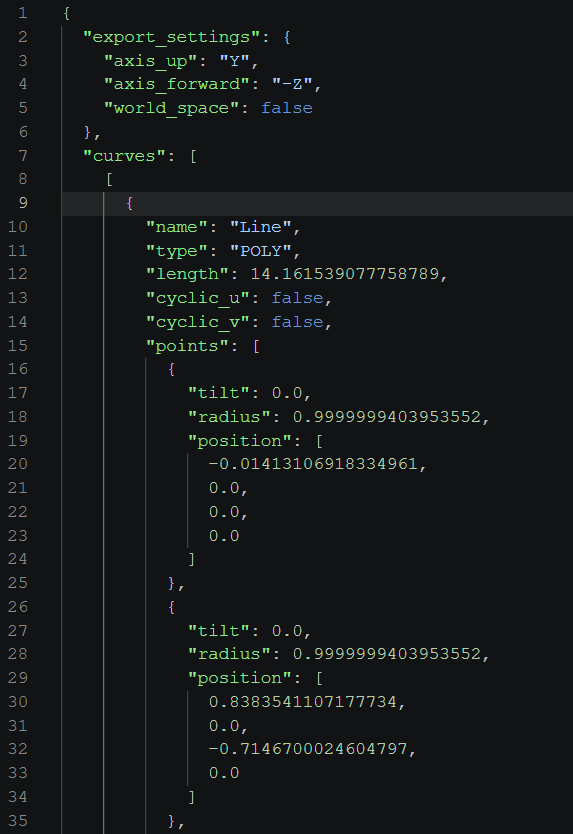
- 导出的路径JSON文件:
Three.js 解析为路径
Three.js 直接加载生成 CurvePath,无需处理顶点。
js
// 加载路径
fetch('./line.json')
    .then(res => res.json())
    .then(data => {
        // 1. 取出所有路径点
        const pointsData = data.curves[0][0].points;

        // 2. 转成 Three.js 向量
        const points = [];
        for (const p of pointsData) {
            const x = p.position[0];
            const y = p.position[1];
            const z = p.position[2];
            points.push(new THREE.Vector3(x, y, z));
        }

        // 3. ✅ 生成路径(这就是你要的路径!)
        const path = new THREE.CatmullRomCurve3(points, false);

        console.log('路径加载成功!');
        console.log(path.getPointAt(0.5)); // 路径中点
        console.log(path.getPointAt(0));   // 起点
        console.log(path.getPointAt(1));   // 终点

        // 可视化路径(红色线)
        const linePoints = path.getPoints(200);
        const geo = new THREE.BufferGeometry().setFromPoints(linePoints);
        const mat = new THREE.LineBasicMaterial({ color: 0xff0000 });
        const line = new THREE.Line(geo, mat);
        scene.add(line);

        // 移动立方体沿路径
        moveCubeAlongPath(path)

    });
构造函数
CatmullRomCurve3( points : Array, closed : Boolean, curveType : String, tension : Float )
- points -- Vector3点数组
- closed -- 该曲线是否闭合,默认值为false。
- curveType -- 曲线的类型,默认值为centripetal。
- tension -- 曲线的张力,默认为0.5。
定义延路径移动
这里我们使用 GSAP 动画库完成路径动画
js
function moveCubeAlongPath(path) {
    const cube = cityComponents.get('Cube')

    // const cubeAnimation = gsap.to(cube.position, { duration: 1, x: 2, ease: "power2.inOut" })
    const proxy = { t: 0 }
    gsap.to(proxy, {
        duration: 5,
        t: 1,
        onUpdate: () => {
            const pos = path.getPoint(proxy.t)
            cube.position.copy(pos)
        }
    })
}
完美!