Unity开发2D类银河恶魔城游戏学习笔记
技能系统
Unity教程(二十一)技能系统 基础部分
Unity教程(二十二)技能系统 分身技能
Unity教程(二十三)技能系统 投剑技能(上)基础实现
Unity教程(二十四)技能系统 投剑技能(中)技能变种实现
Unity教程(二十五)技能系统 投剑技能(下)冻结时间实现
Unity教程(二十六)技能系统 黑洞技能(上)基础实现
Unity教程(二十七)技能系统 黑洞技能(下)黑洞状态
如果你更习惯用知乎
Unity开发2D类银河恶魔城游戏学习笔记目录
文章目录
- Unity开发2D类银河恶魔城游戏学习笔记
- 前言
- 一、概述
- 二、黑洞技能的基本实现
- 三、创建黑洞技能
- [总结 完整代码](#总结 完整代码)
前言
注意:Udemy上更新了课程,原来的版本删掉了。新版教程与旧版顺序相差较大,并且改用Unity6。但这个笔记已经写到一半了,所以还是按照旧版来。
本文为Udemy课程The Ultimate Guide to Creating an RPG Game in Unity学习笔记,如有错误,欢迎指正。
本节实现角色黑洞技能基础部分。
对应视频:
Blackhlole and Quick Time Event keys
Improving blackhole with clone creatin
Blackhole details setup
一、概述
本节实现黑洞技能。
实现黑洞的基本功能部分。技能将创建一个不断扩大的黑洞,记录进入触发器的敌人的位置,根据位置在每个敌人的上方生成一个热键,当玩家按下热键时,对敌人进行分身攻击。主要具体实现如下:
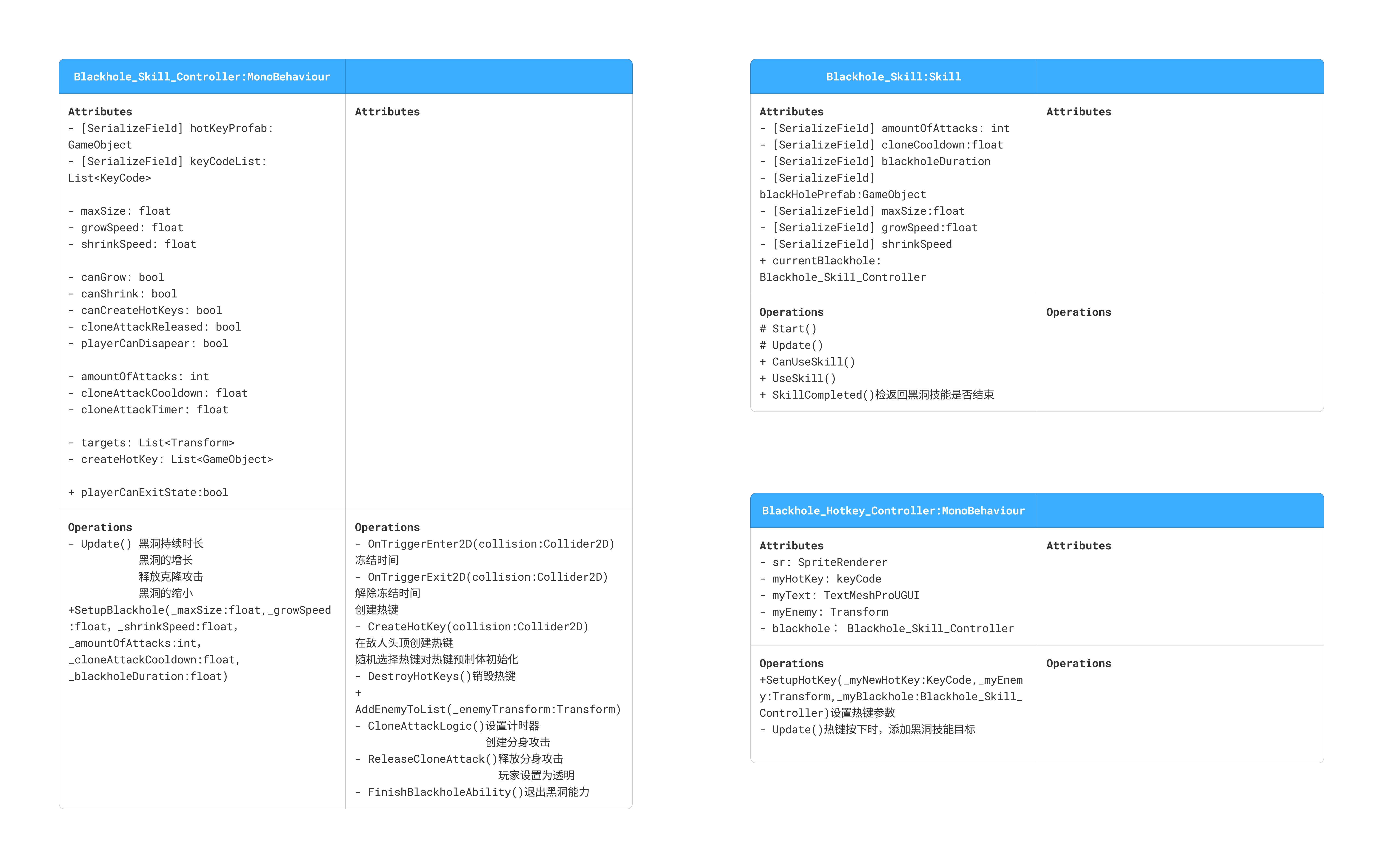
二、黑洞技能的基本实现
(1)创建黑洞物体
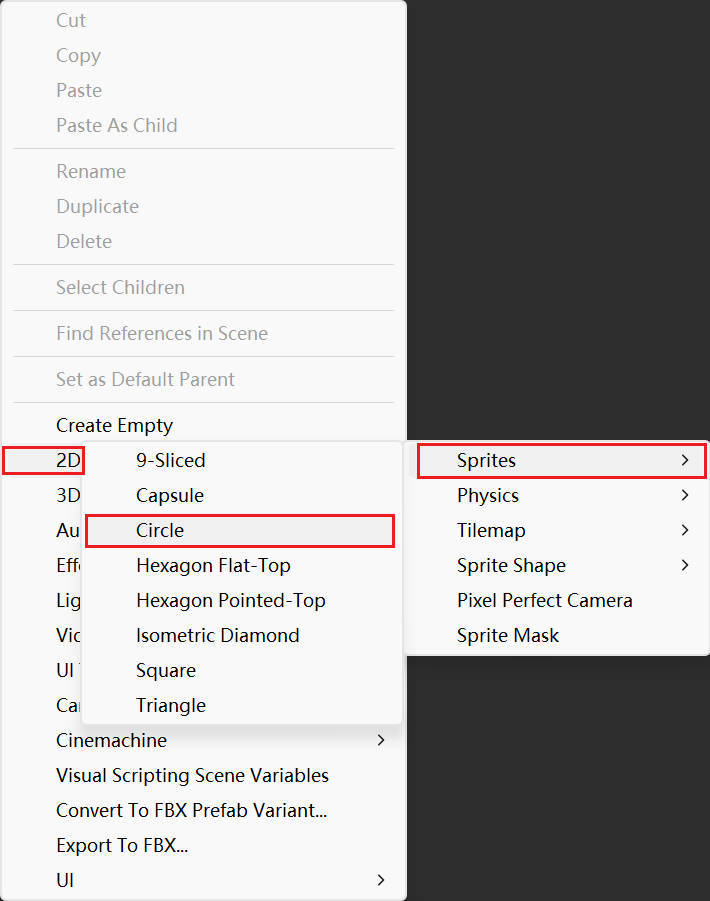
创建二维物体,一个圆形,将它重命名为Blackhole。
右击->2D Object->Sprite->Circle
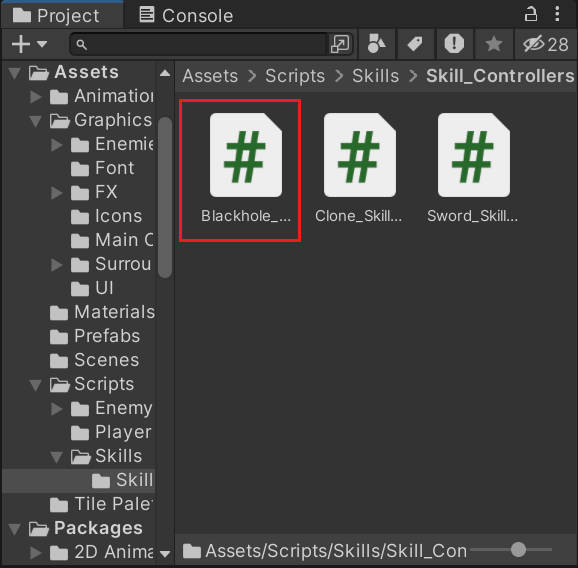
创建脚本Blackhole_Skill_Controller。
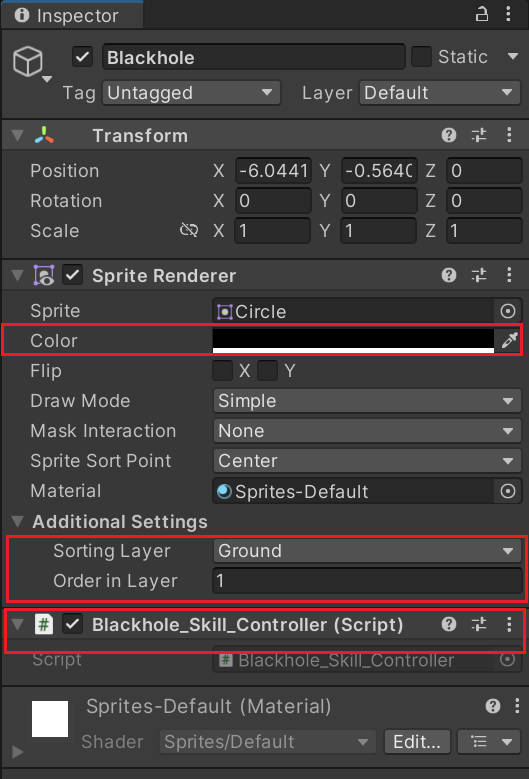
改变Blackhole的层次和颜色,并将脚本挂载到上面。
(2)实现黑洞逐渐扩大
添加变量,黑洞的最大尺寸maxSize、增长速度growSpeed。添加变量canGrow,控制黑洞能否扩张。为了方便调试,三个变量先公开,等创建技能脚本后再进行修改。
创建函数Update,当canGrow为true时,随时间增大黑洞大小。
csharp
//Blackhole_Skill_Controller:黑洞技能控制器
using System.Collections;
using System.Collections.Generic;
using UnityEngine;

public class Blackhole_Skill_Controller : MonoBehaviour
{
    public float maxSize;
    public float growSpeed;

    public bool canGrow;

    private void Update()
    {
        if(canGrow)
        {
            transform.localScale = Vector2.Lerp(transform.localScale,new Vector2(maxSize,maxSize),growSpeed * Time.deltaTime);
        }
    }
}
设置参数maxSize和growSpeed
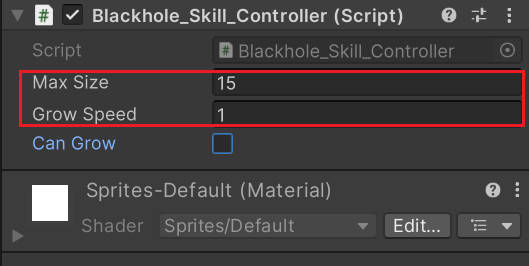
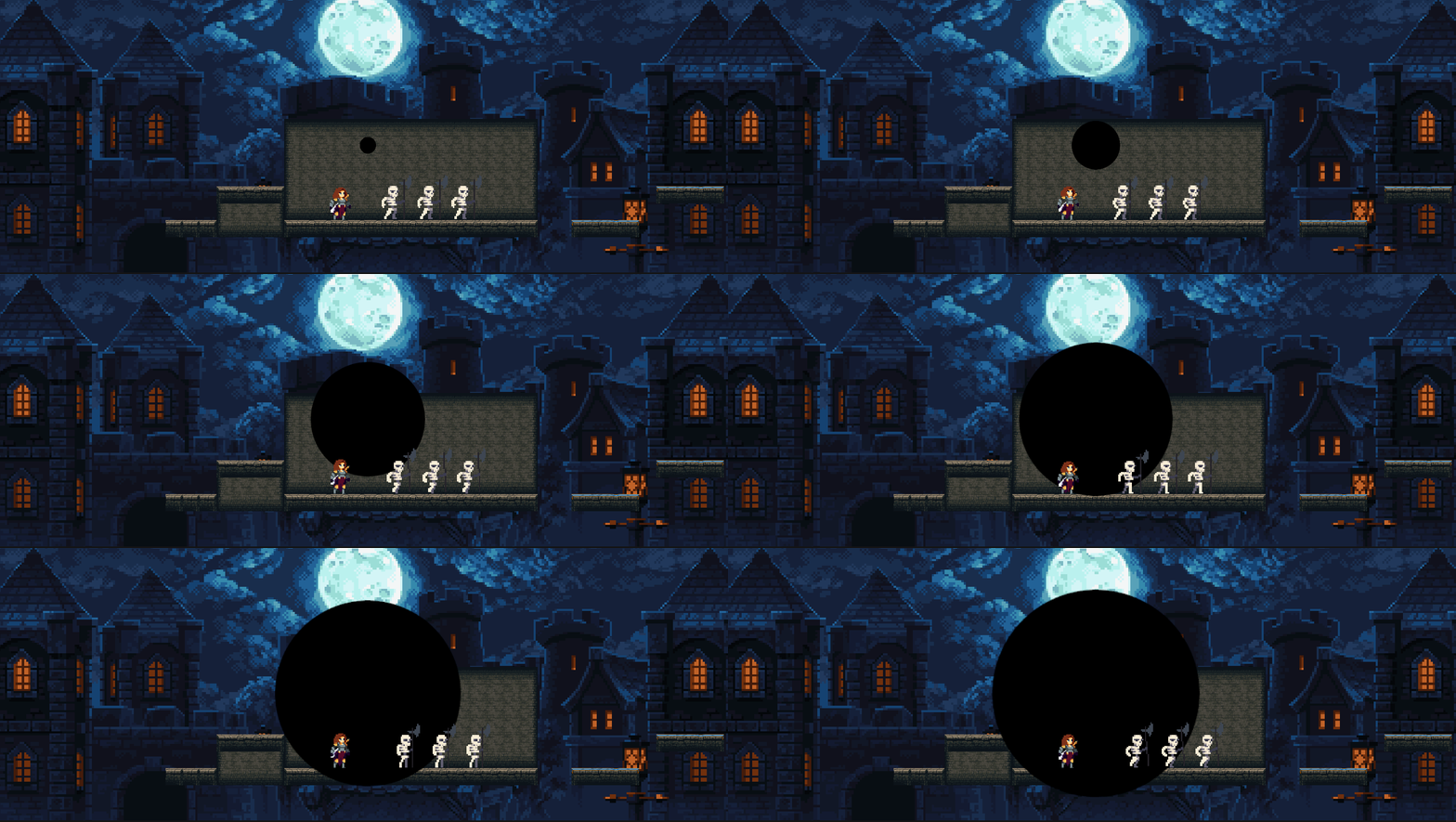
运行程序,将canGrow设为true时,可以看到黑洞以先快后慢的速度增大。
(3)冻结黑洞范围内的敌人
给Blackhole添加一个圆形触发器。
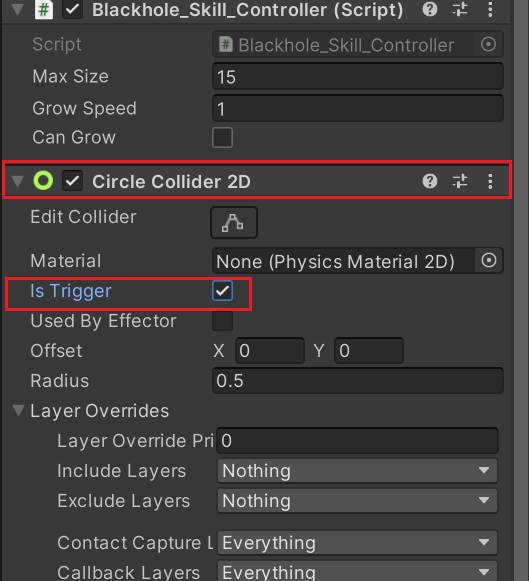
在触发器函数中获取进入触发器的敌人,并调用掷剑技能中实现的冻结敌人的函数FreezeTime。
csharp
    private List<Transform> targets = new List<Transform>();

    private void OnTriggerEnter2D(Collider2D collision)
    {
        if (collision.GetComponent<Enemy>()!=null)
        {
            collision.GetComponent<Enemy>().FreezeTime(true);
        }
    }
(4)在敌人头顶创建热键
首先创建热键预制体。
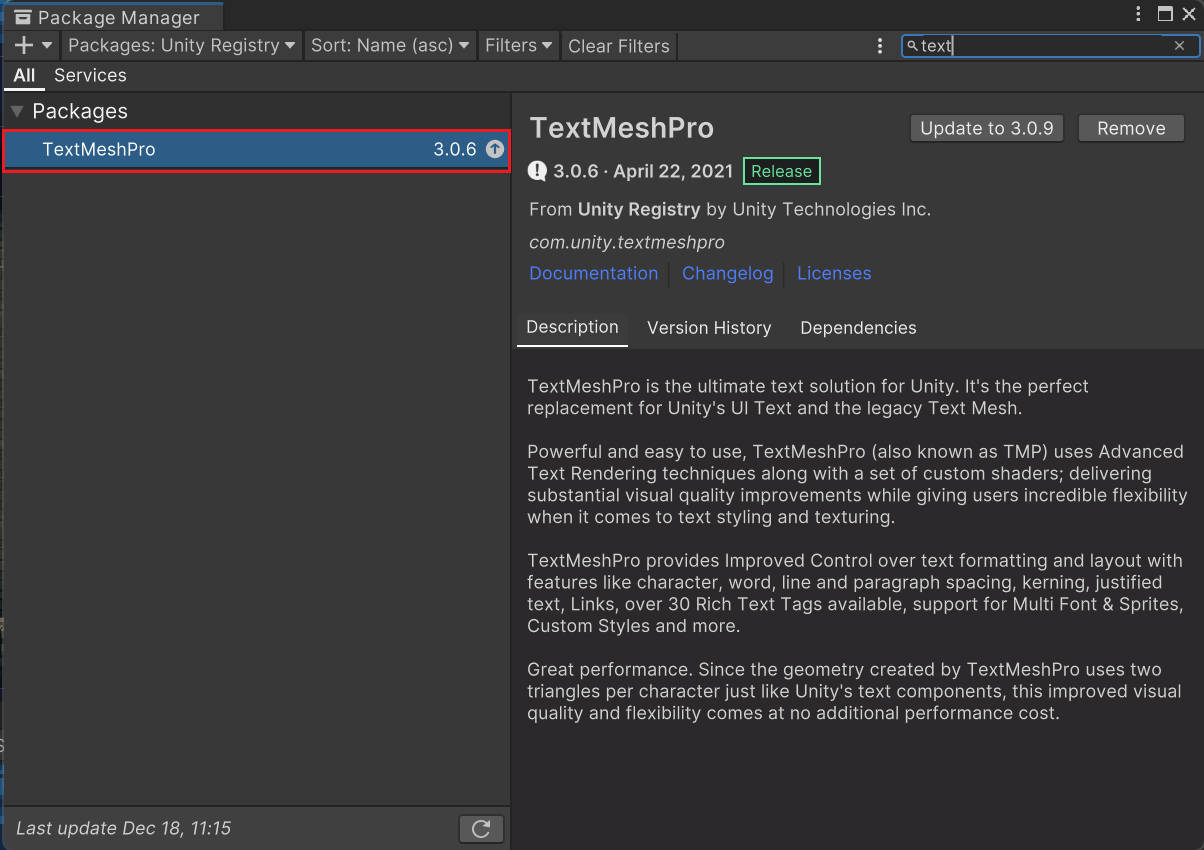
创建热键需要用到插件TextMeshPro(简称TMP),它可以在运行时动态生成文本的 Mesh,实现更高质量、更灵活的文本渲染效果。
在使用之前要先检查是否安装了TextMeshPro插件(现在的版本一般默认安装)。
打开包管理器界面。
Window->Package Manager
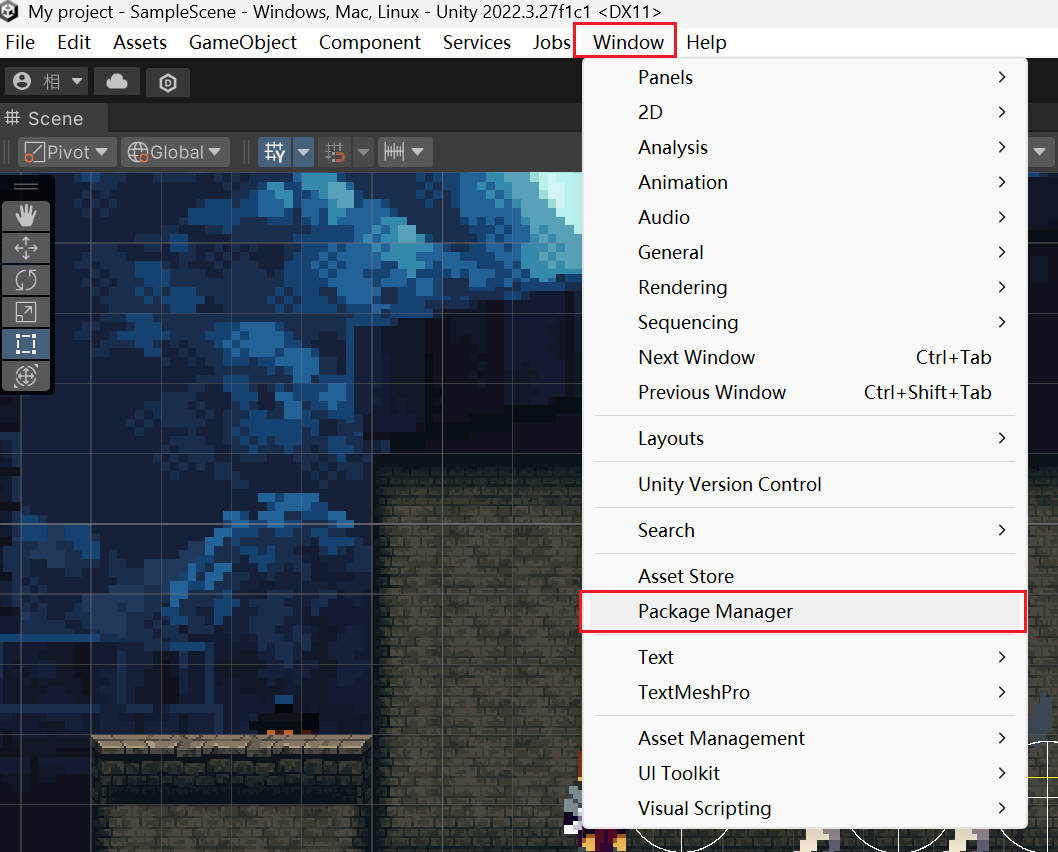
搜索TextMeshPro,可以进行安装。
创建热键时,先创建一个正方形,在正方形下创建文本。
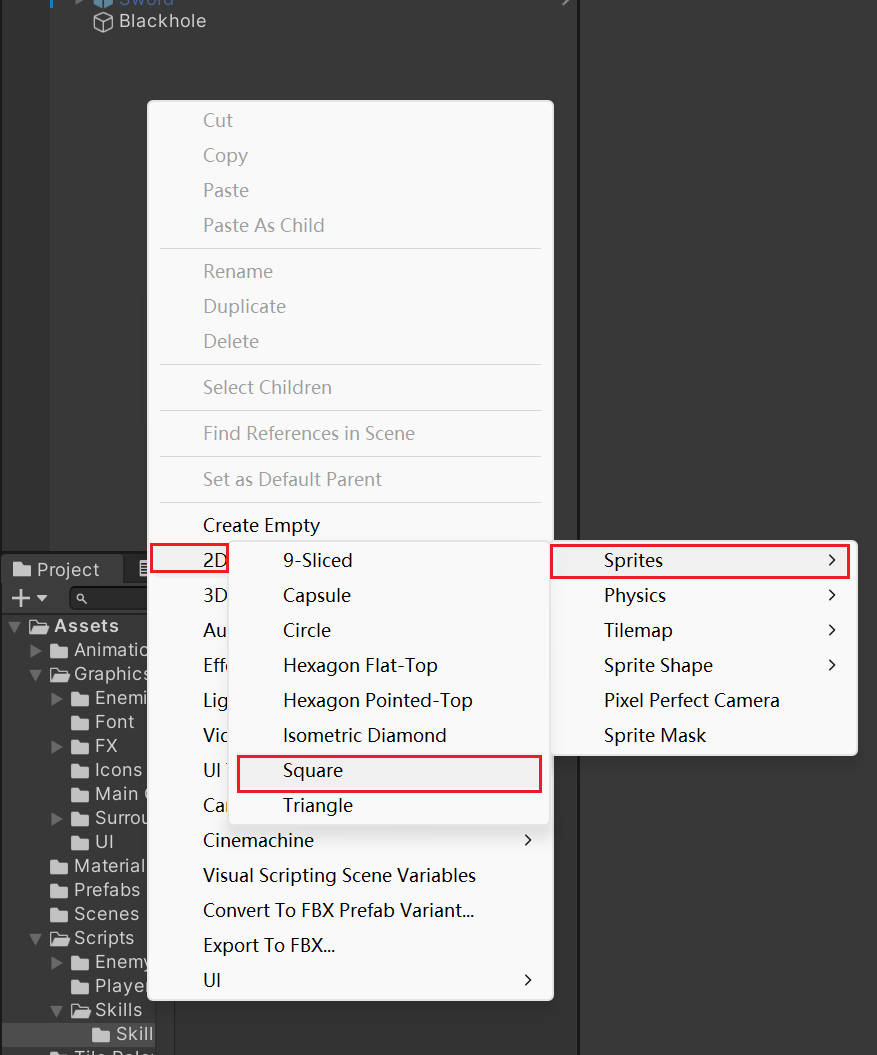
创建正方形,重命名为Blackhole_HotKey
右击->2D Object->Sprites->Square->重命名
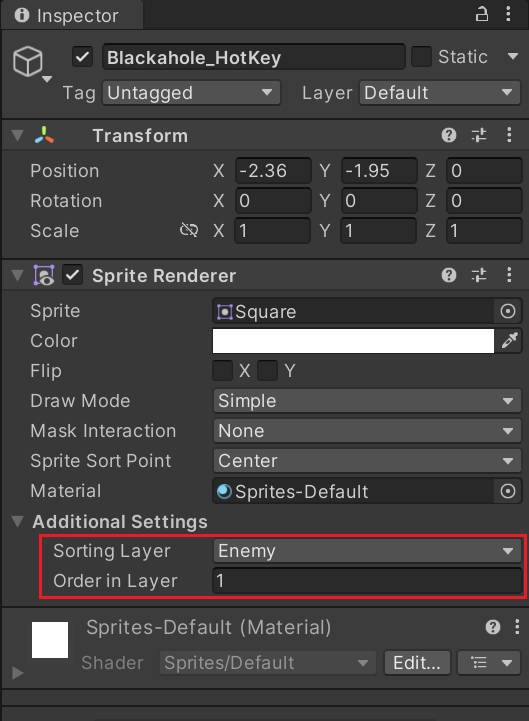
改变它的层级,把它放在Enemy层,但层次为1,和-1层的敌人区分开。
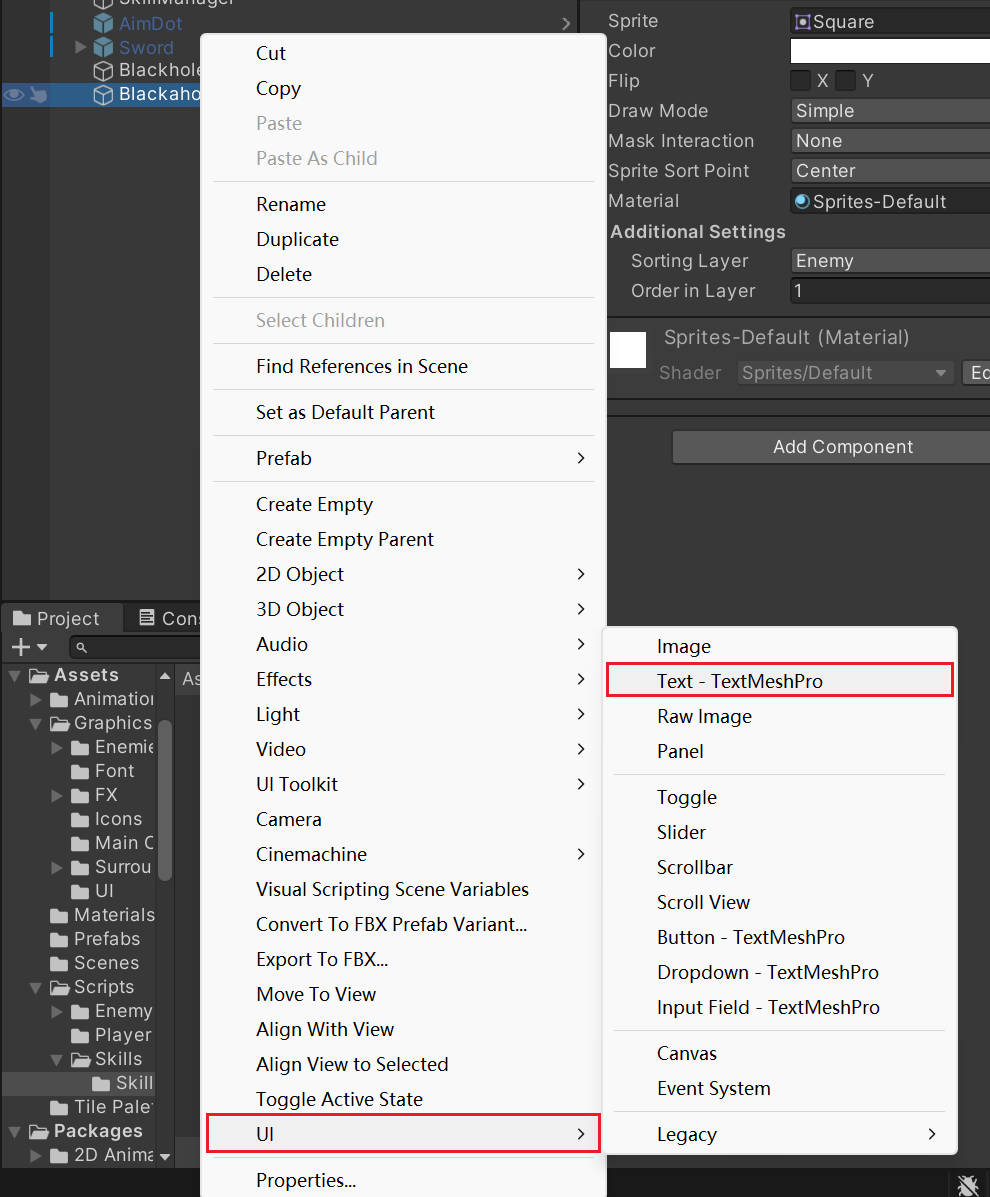
使用插件TMP创建文本
右击Blackhole_HotKey->UI->Text-TextMeshPro
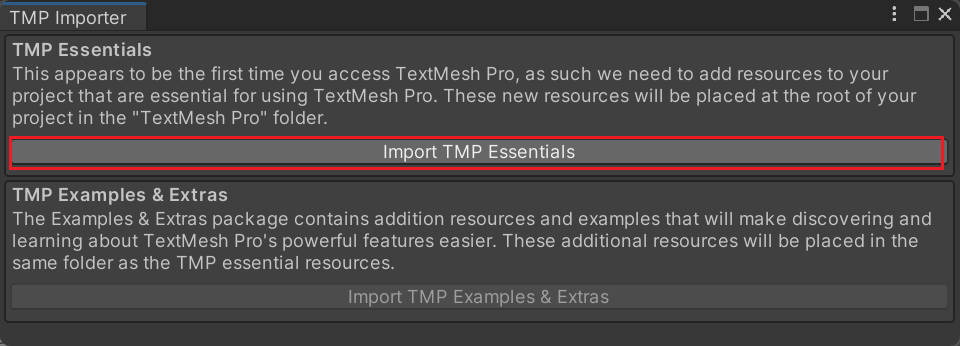
创建后会弹出TMP Importer,点击Import TMP Essentials 导入TMP所需资源。
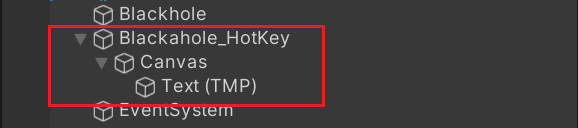
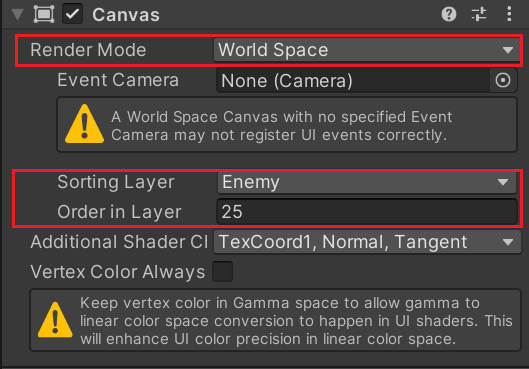
调整Canvas渲染模式为World Space,调整层次为Enemy的其中一层。
现在文本的大小和位置偏移都很大。
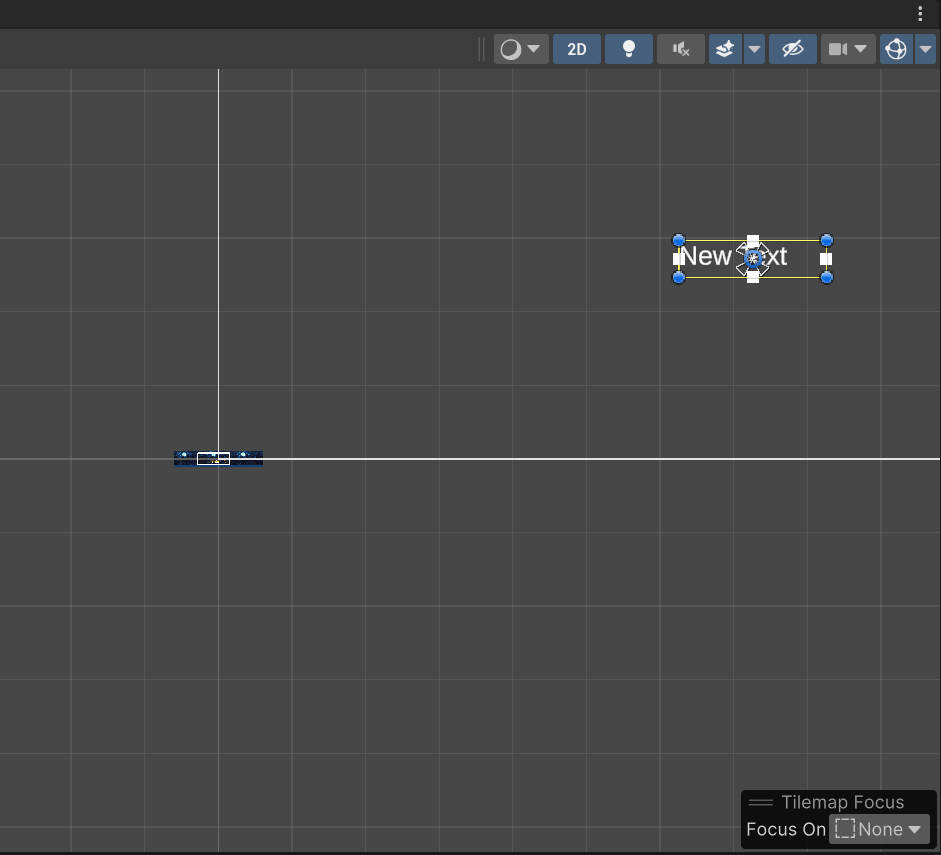
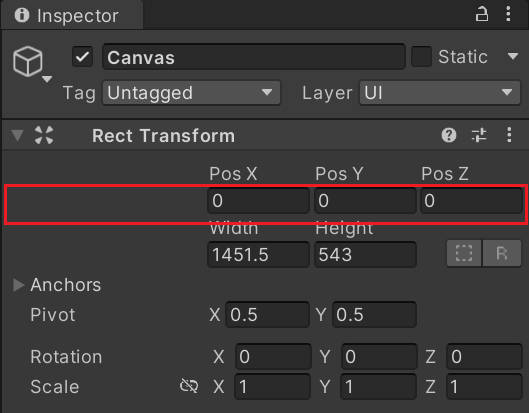
将Canvas的位置设为0,由于它挂在Blackhole_HotKey下面,Canvas会变到Blackhole_HotKey的中点。
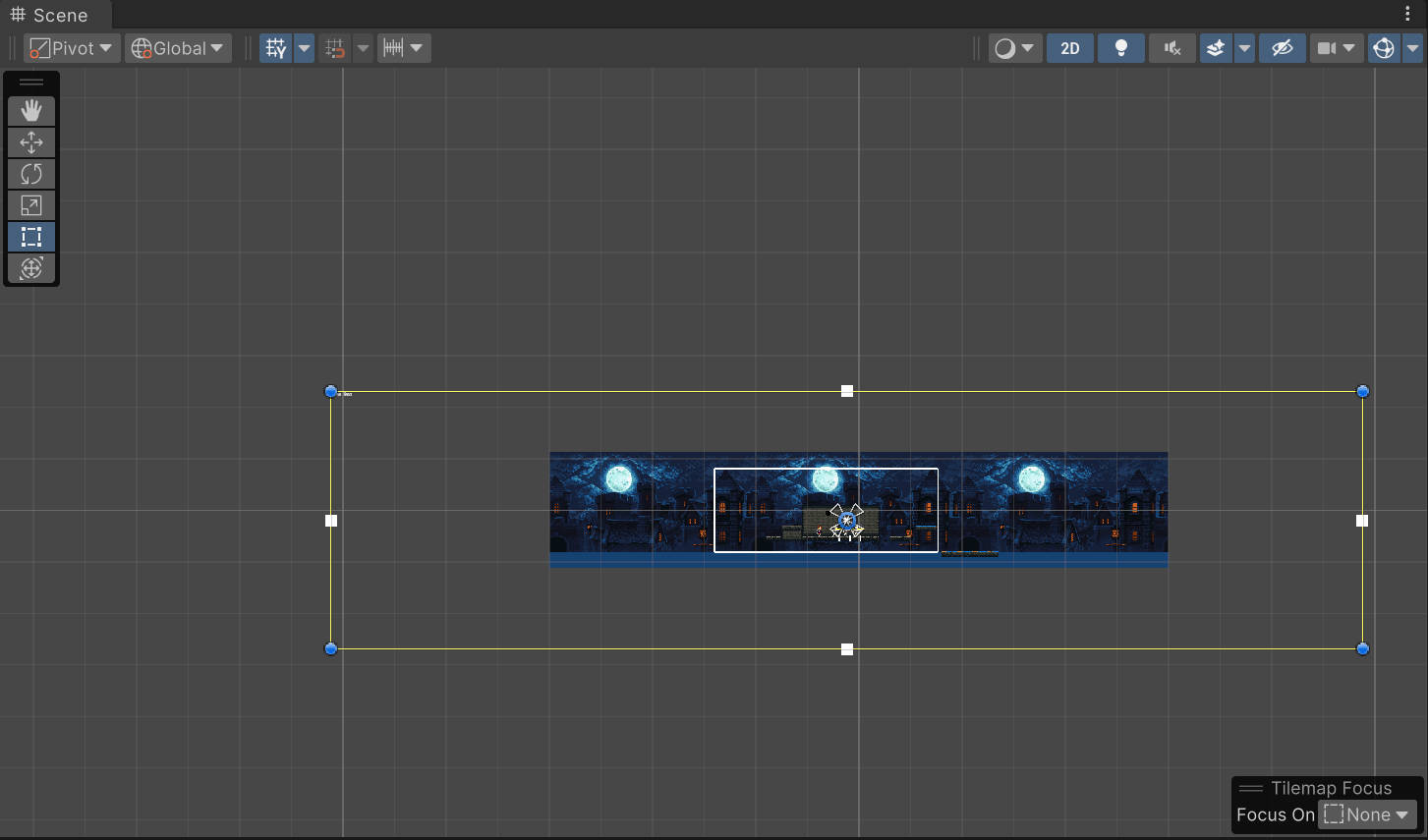
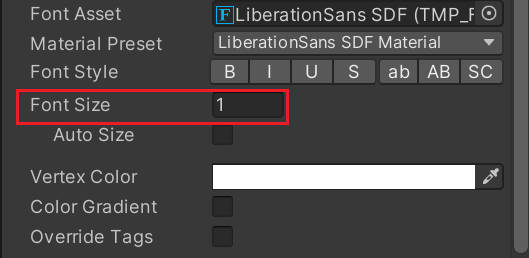
设置字体大小为1。双击Text,改变黄色的框,编辑文本框的大小。
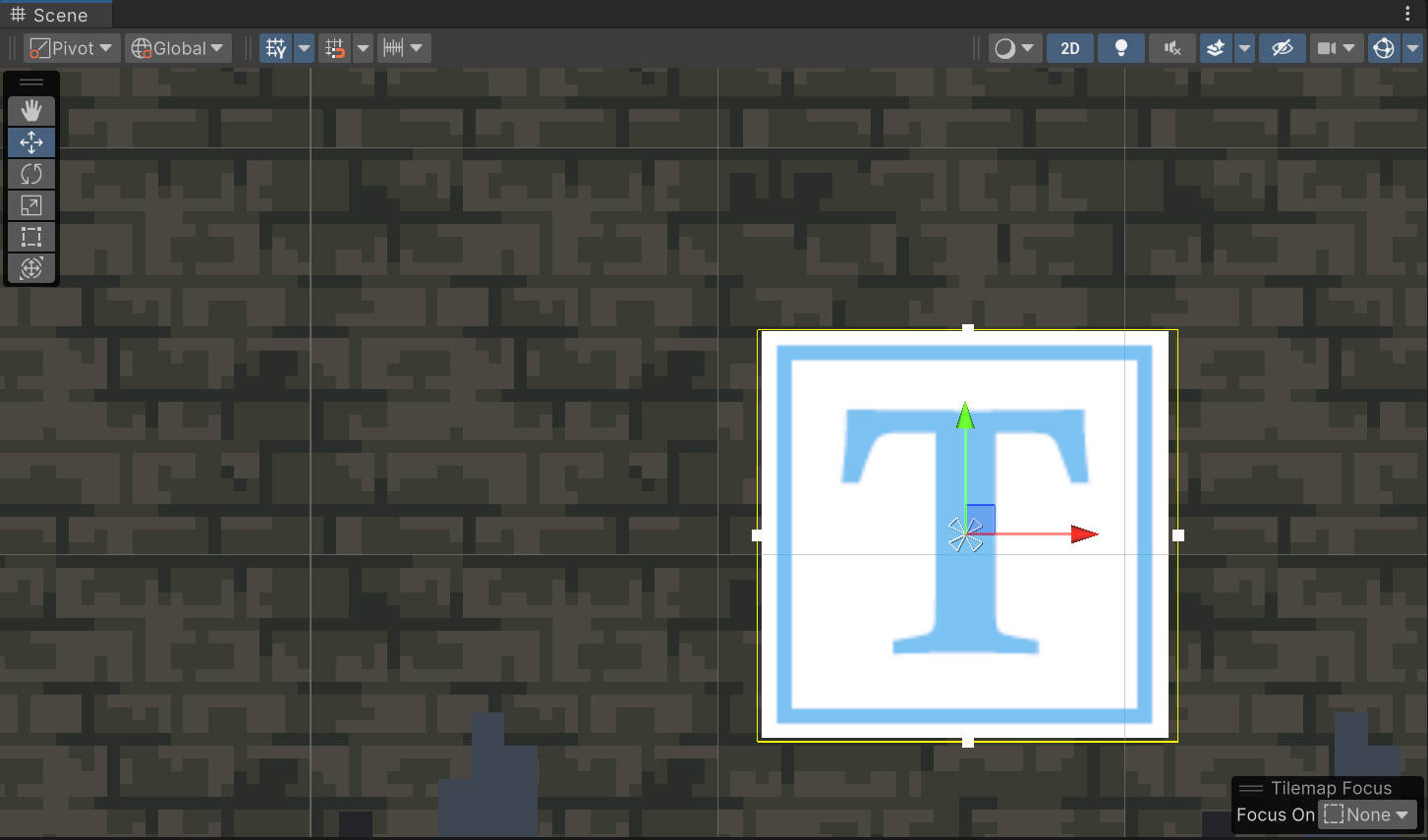
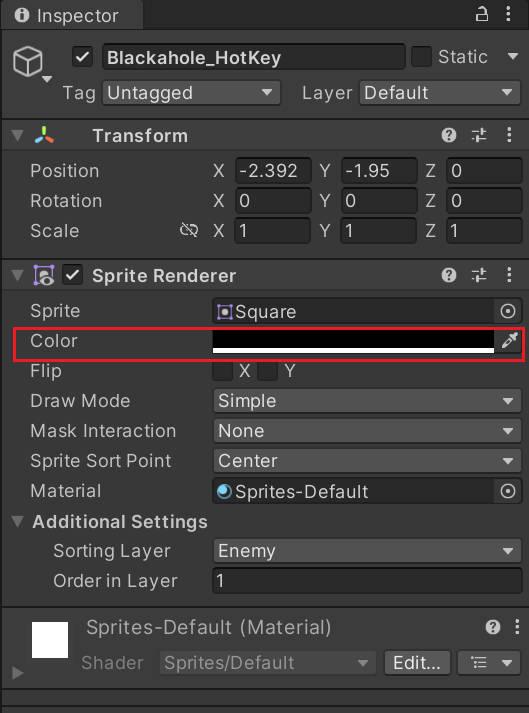
由于正方形是白色的,不太好看出文本的效果,我们将Blackhole_HotKey改为黑色,这样配合黑洞的背景也刚好合适。
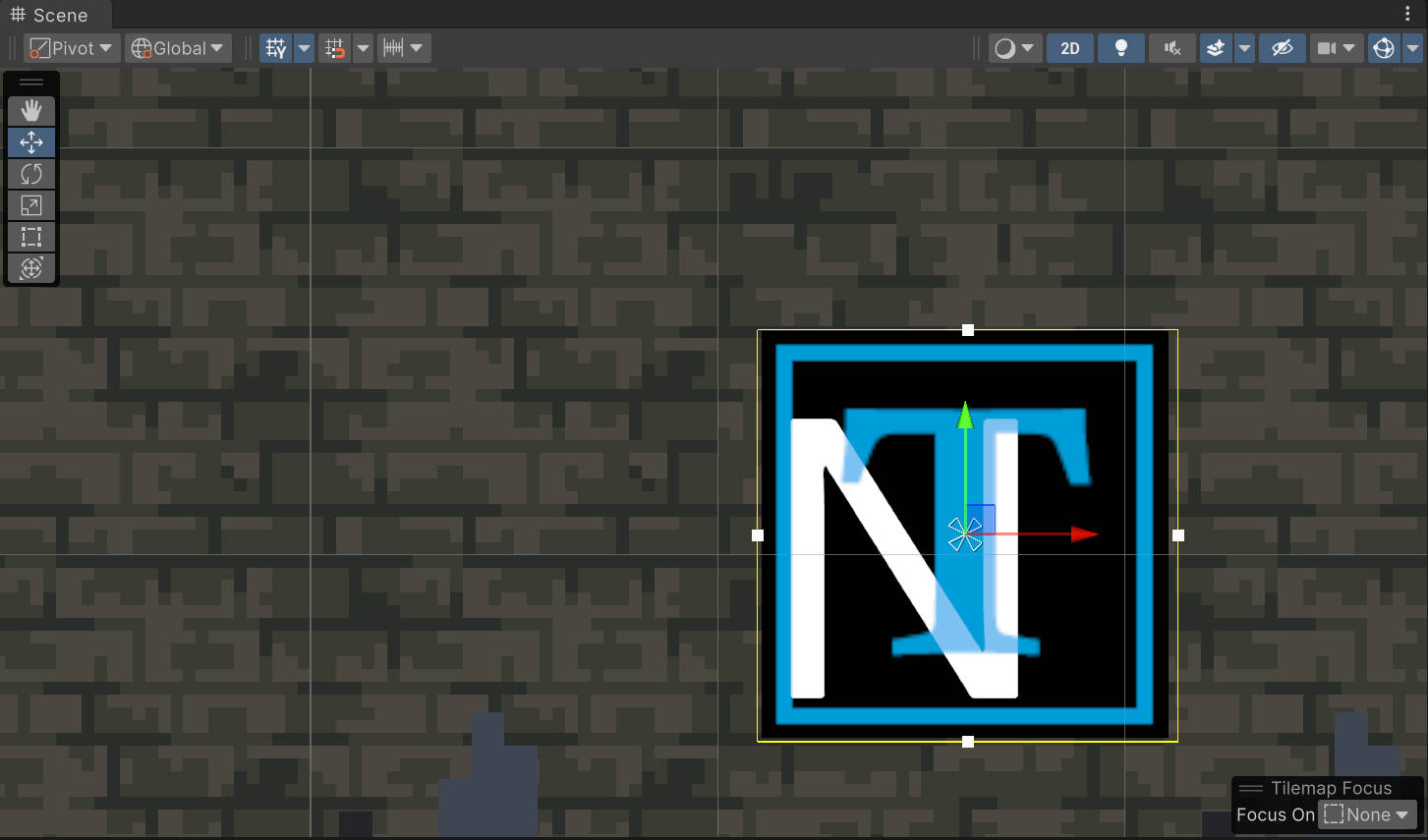
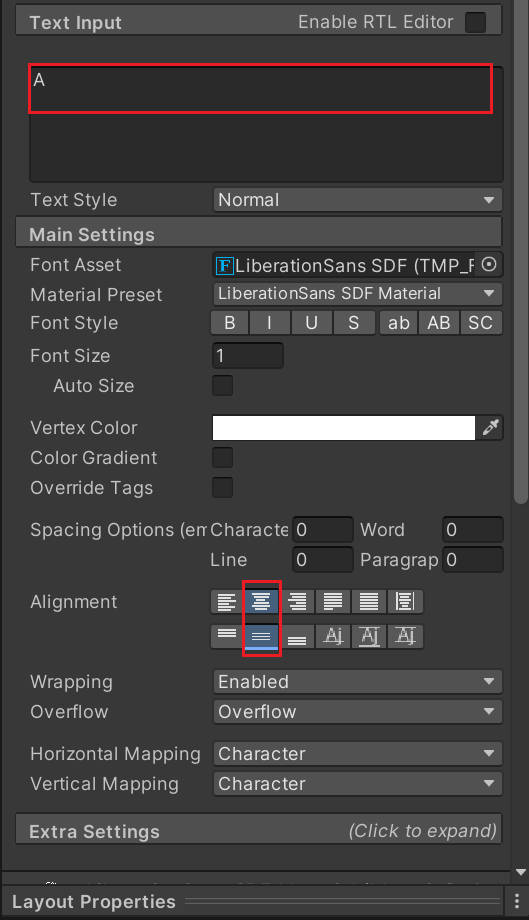
将文本内容改为随便某个字母。改变对齐方式,使文本居中。
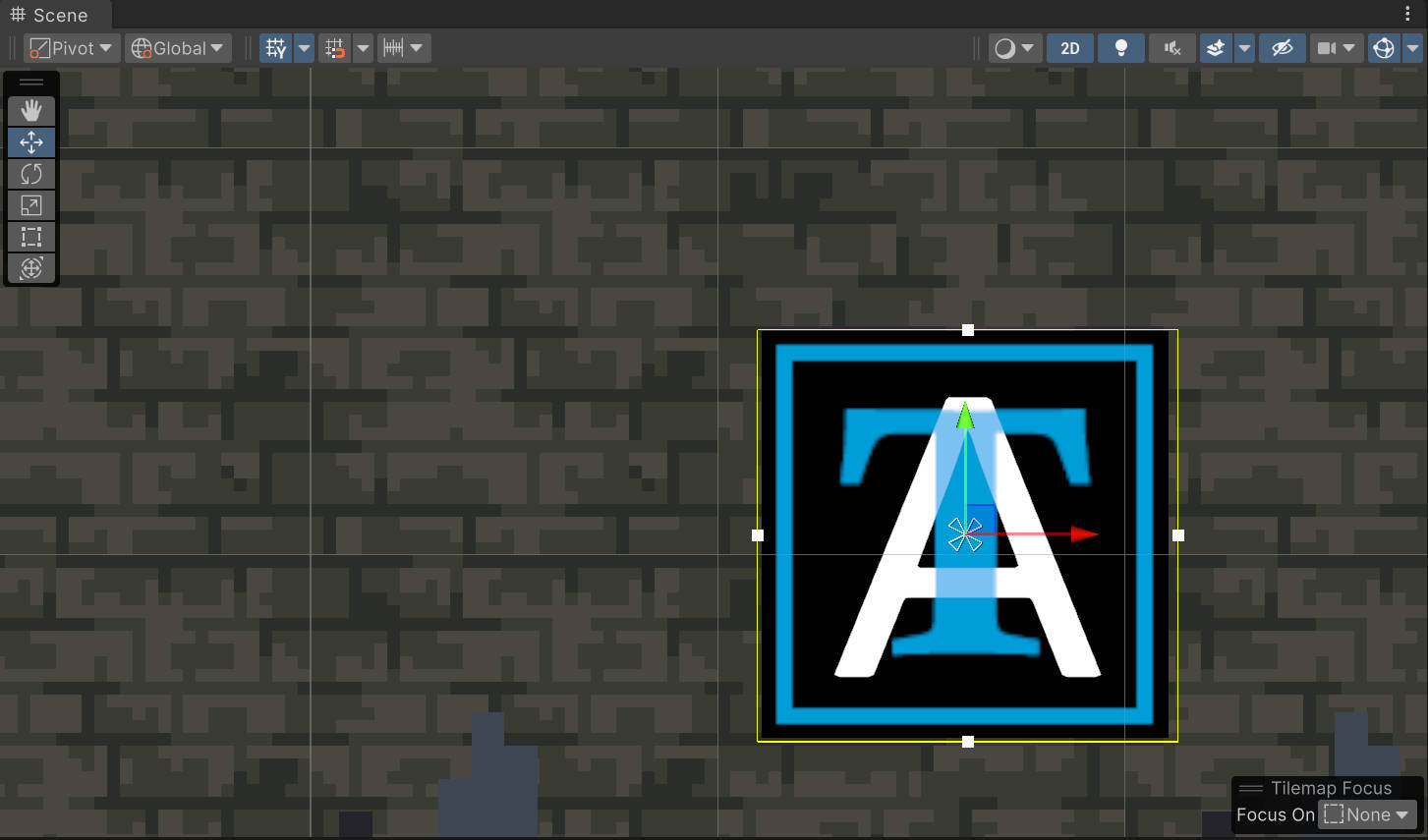
创建黑洞热键控制器脚本Blackhole_HotKey_Controller,挂载到热键下。
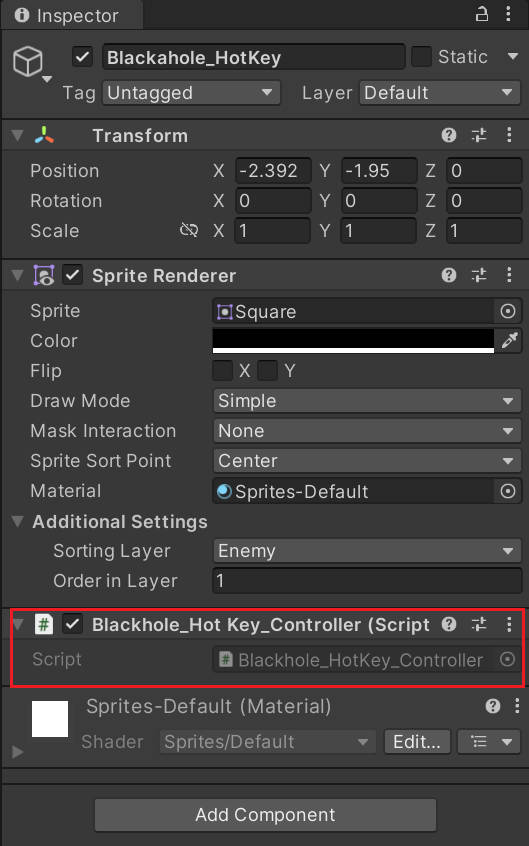
创建myHotKey和mytext两个参数存储键位和热键显示的文字信息。
创建SetupHotKey函数,接收黑洞技能控制器传入的参数,为变量赋值。在SetupHotKey中获取TextMeshProGUI组件,设置热键的键位,并把热键显示的文字改为相应的键位。
在Update函数中写按下当前热键时应该发生的事件,暂时用控制台输出替代。
csharp
////Blackhole_HotKey_Controller:热键控制器
using System.Collections;
using System.Collections.Generic;
using TMPro;
using UnityEngine;

public class Blackhole_HotKey_Controller : MonoBehaviour
{
    private KeyCode myHotKey;
    private TextMeshProUGUI myText;

    public void SetupHotKey(KeyCode _myNewHotKey)
    {
        myText = GetComponentInChildren<TextMeshProUGUI>();
        sr= GetComponentInChildren<SpriteRenderer>();

        myHotKey = _myNewHotKey;
        myText.text = myHotKey.ToString();
    }

    private void Update()
    {
        if(Input.GetKeyDown(myHotKey))
        {
            Debug.Log("Hotkey is" + myHotKey);
        }
    }
}
将Blackhole_HotKey拉为预制体。
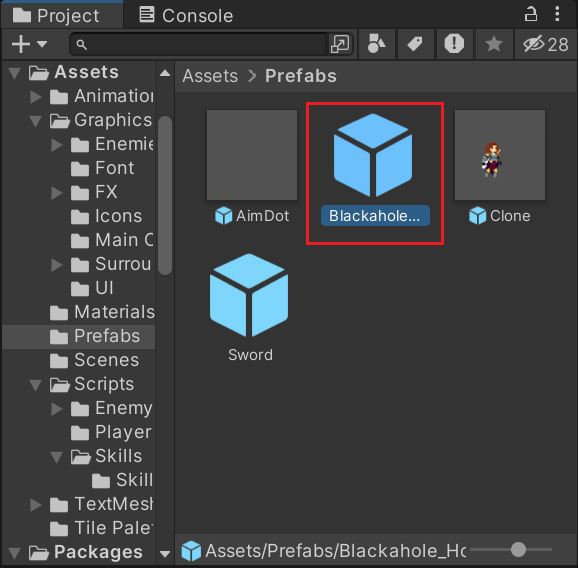
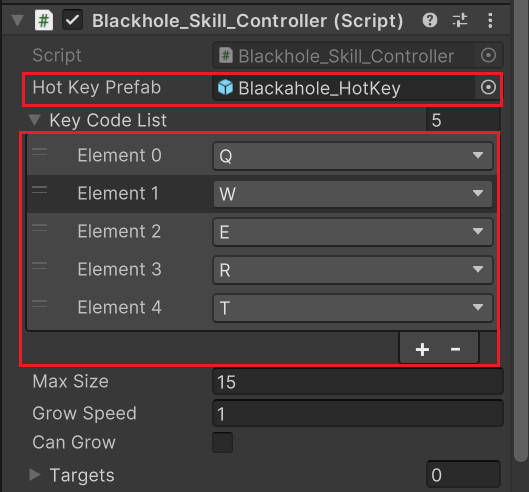
在Blackhole_Skill_Controller中添加变量存储热键预制体和热键的键位列表,方便自定义。
建立函数CreateHotKey进行热键的创建,首先实例化热键预制体,创建位置在当前进入触发器敌人位置的基础上加一个偏移量,使热键显示在敌人头顶。随机从键位列表中选择键位,调用热键控制器的SetupHotKey函数赋值。
在触发器函数中调用CreateHotKey。
csharp
//Blackhole_Skill_Controller:黑洞技能控制器
using System.Collections;
using System.Collections.Generic;
using UnityEngine;

public class Blackhole_Skill_Controller : MonoBehaviour
{
    [SerializeField] private GameObject hotKeyPrefab;
    [SerializeField] private List<KeyCode> keyCodeList;

    public float maxSize;
    public float growSpeed;

    public bool canGrow;

    private List<Transform> targets = new List<Transform>();

    private void Update()
    {
        if(canGrow)
        {
            transform.localScale = Vector2.Lerp(transform.localScale,new Vector2(maxSize,maxSize),growSpeed * Time.deltaTime);
        }
    }

    private void OnTriggerEnter2D(Collider2D collision)
    {
        if (collision.GetComponent<Enemy>()!=null)
        {
            collision.GetComponent<Enemy>().FreezeTime(true);

            CreateHotKey(collision);
        }
    }

    private void CreateHotKey(Collider2D collision)
    {
        GameObject newHotKey = Instantiate(hotKeyPrefab, collision.transform.position + new Vector3(0, 2), Quaternion.identity);

        KeyCode choosenKey = keyCodeList[Random.Range(0, keyCodeList.Count)];
        keyCodeList.Remove(choosenKey);

        Blackhole_HotKey_Controller newHotKeyScript = newHotKey.GetComponent<Blackhole_HotKey_Controller>();

        newHotKeyScript.SetupHotKey(choosenKey);
    }
}
将之前创建的热键预制体赋值给控制器中的变量,在键位列表中添加几个键位以供选择。
运行后勾选canGrow,能看到热键依次出现在小怪头顶。
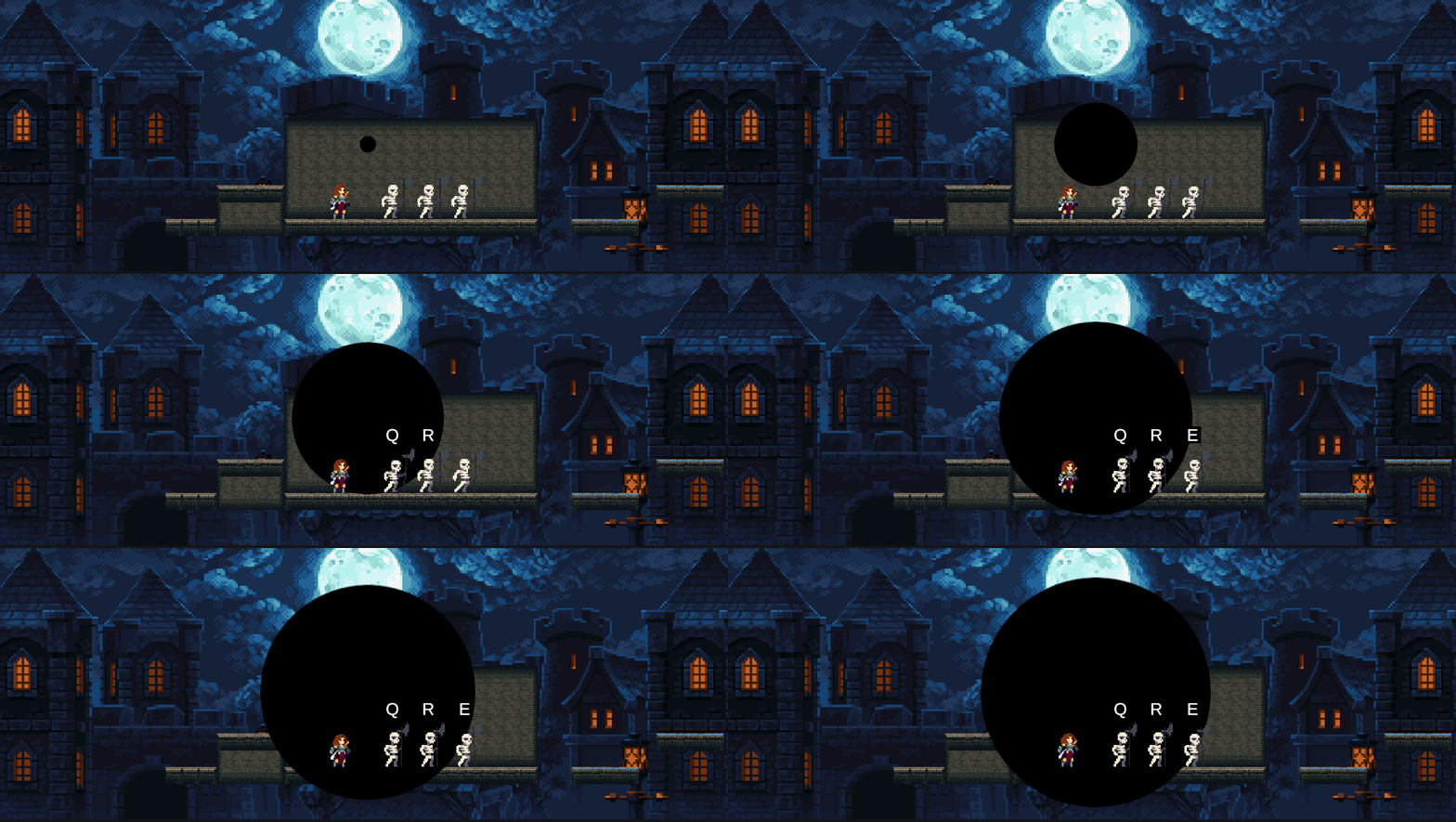
(5)实现按键攻击
在热键控制器中,添加变量记录当前热键对应的敌人和黑洞。修改SetupHotKey函数,传入这两个变量。
csharp
    public void SetupHotKey(KeyCode _myNewHotKey,Transform _myEnemy,Blackhole_Skill_Controller _myBlackhole)
    {
        myText = GetComponentInChildren<TextMeshProUGUI>();
        sr= GetComponentInChildren<SpriteRenderer>();

        myEnemy = _myEnemy;
        blackhole = _myBlackhole;

        myHotKey = _myNewHotKey;
        myText.text = myHotKey.ToString();

    }
在黑洞控制器中添加调用SetupHotKey传入的参数。
添加函数addEnemyToList,每次按下热键将在攻击目标的列表中添加一个敌人。
csharp
    private void CreateHotKey(Collider2D collision)
    {
        if (keyCodeList.Count <= 0)
            return;

        GameObject newHotKey = Instantiate(hotKeyPrefab, collision.transform.position + new Vector3(0, 2), Quaternion.identity);

        KeyCode choosenKey = keyCodeList[Random.Range(0, keyCodeList.Count)];
        keyCodeList.Remove(choosenKey);

        Blackhole_HotKey_Controller newHotKeyScript = newHotKey.GetComponent<Blackhole_HotKey_Controller>();

        newHotKeyScript.SetupHotKey(choosenKey,collision.transform,this);
    }

    public void AddEnemyToList(Transform _enemyTransform)=>targets.Add(_enemyTransform);
在热键控制器中添加变量,存储热键的精灵渲染器组件。
在Update中添加按下热键后的处理,将敌人加入目标列表中,并且将按过的热键隐藏。
csharp
    private SpriteRenderer sr;

    private void Update()
    {
        if(Input.GetKeyDown(myHotKey))
        {
            blackhole.AddEnemyToList(myEnemy);

            myText.color = Color.clear;
            sr.color = Color.clear;

        }
    }
按键时将进行分身攻击。创建函数CloneAttackLogic实现黑洞技能中的分身攻击部分。
在Blackhole_Skill_Controller中添加攻击次数、分身攻击的冷却时间和计时器,添加cloneAttackReleased表示是否释放攻击。
在Update函数中添加按键事件,当按下指定键时cloneAttackReleased被置为true,此时可以进行分身攻击。
在Update函数中更新冷却时间的计时器,当冷却结束且cloneAttackReleased为true时,在当前攻击目标列表中随选取对象并调用分身技能的接口创建分身攻击,并重置计时器。
csharp
    private bool cloneAttackReleased;

    private int amountOfAttacks = 4;
    private float cloneAttackCooldown = 0.3f;
    private float cloneAttackTimer;

    private void Update()
    {
        cloneAttackTimer -= Time.deltaTime;

        if (Input.GetKeyDown(KeyCode.F))
            cloneAttackReleased = true;

        CloneAttackLogic();

        if(canGrow)
        {
            transform.localScale = Vector2.Lerp(transform.localScale,new Vector2(maxSize,maxSize),growSpeed * Time.deltaTime);
        }
    }

    CloneAttackLogic();

    private void CloneAttackLogic()
    {

        if(cloneAttackTimer < 0&& cloneAttackReleased)
        {
            cloneAttackTimer = cloneAttackCooldown;

            int randomInded = Random.Range(0, targets.Count);

            SkillManager.instance.clone.CreateClone(targets[randomInded]);

            amountOfAttacks--;
        }
    }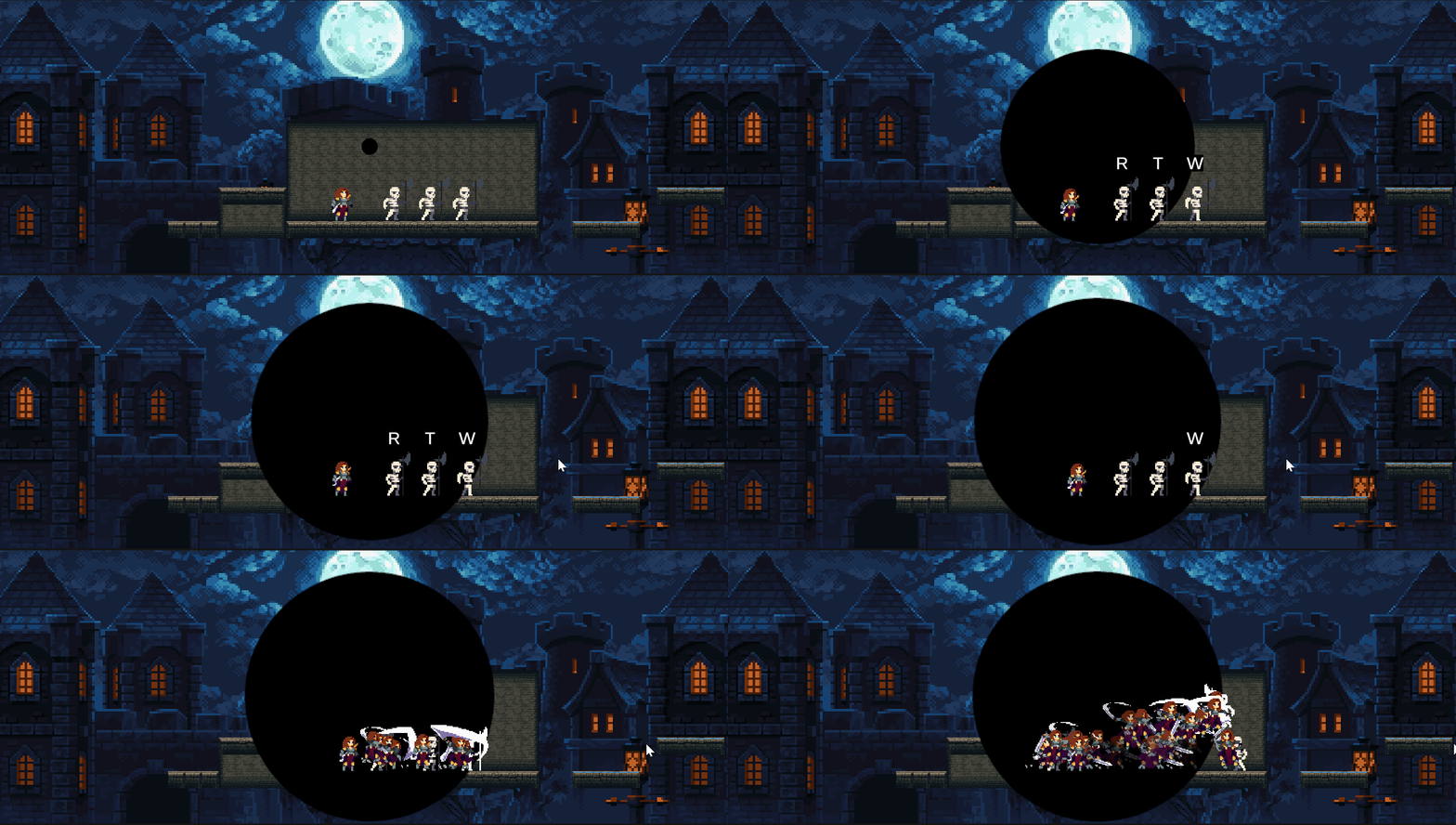
可以看到现在攻击次数无限。
判断攻击次数,若减为0则不能继续攻击,将cloneAttackReleased设定为false。
csharp
    private void Update()
    {
        cloneAttackTimer -= Time.deltaTime;

        if (Input.GetKeyDown(KeyCode.F))
            cloneAttackReleased = true;

			 CloneAttackLogic();

        if(canGrow)
        {
            transform.localScale = Vector2.Lerp(transform.localScale,new Vector2(maxSize,maxSize),growSpeed * Time.deltaTime);
        }
    }

    private void CloneAttackLogic()
    {
        if(cloneAttackTimer < 0&&cloneAttackReleased)
        {
            cloneAttackTimer = cloneAttackCooldown;

            int randomIndex = Random.Range(0, targets.Count);

            SkillManager.instance.clone.CreateClone(targets[randomIndex]);

            amountOfAttacks--;

            if(amountOfAttacks <=0)
            {
                cloneAttackReleased = false;
            }
        }
    }
加上次数限制后,技能正常攻击数次后结束。
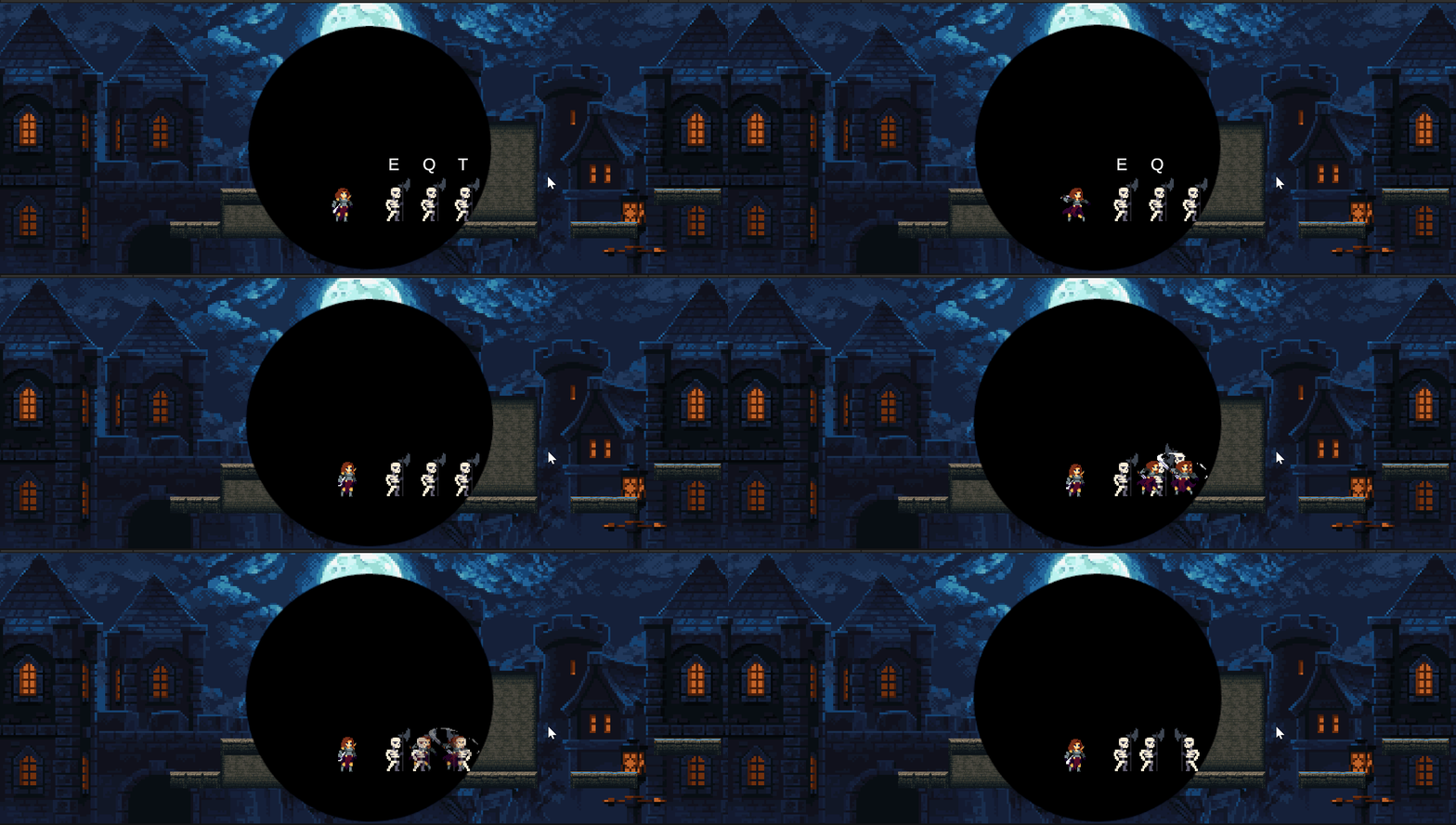
注意:这里会产生一个问题,正常情况下角色近距离站在敌人背后,敌人会进入Battle状态,转身攻击角色。但这里调用了冻结时间的函数,这部分教程里的实现比较草率,仅仅将敌人速度置为零加用协程等待一定时间,敌人状态仍可转换。这就导致了当玩家离敌人较近时,敌人频繁从战斗状态、攻击状态切换到空闲状态,敌人会产生抽搐。
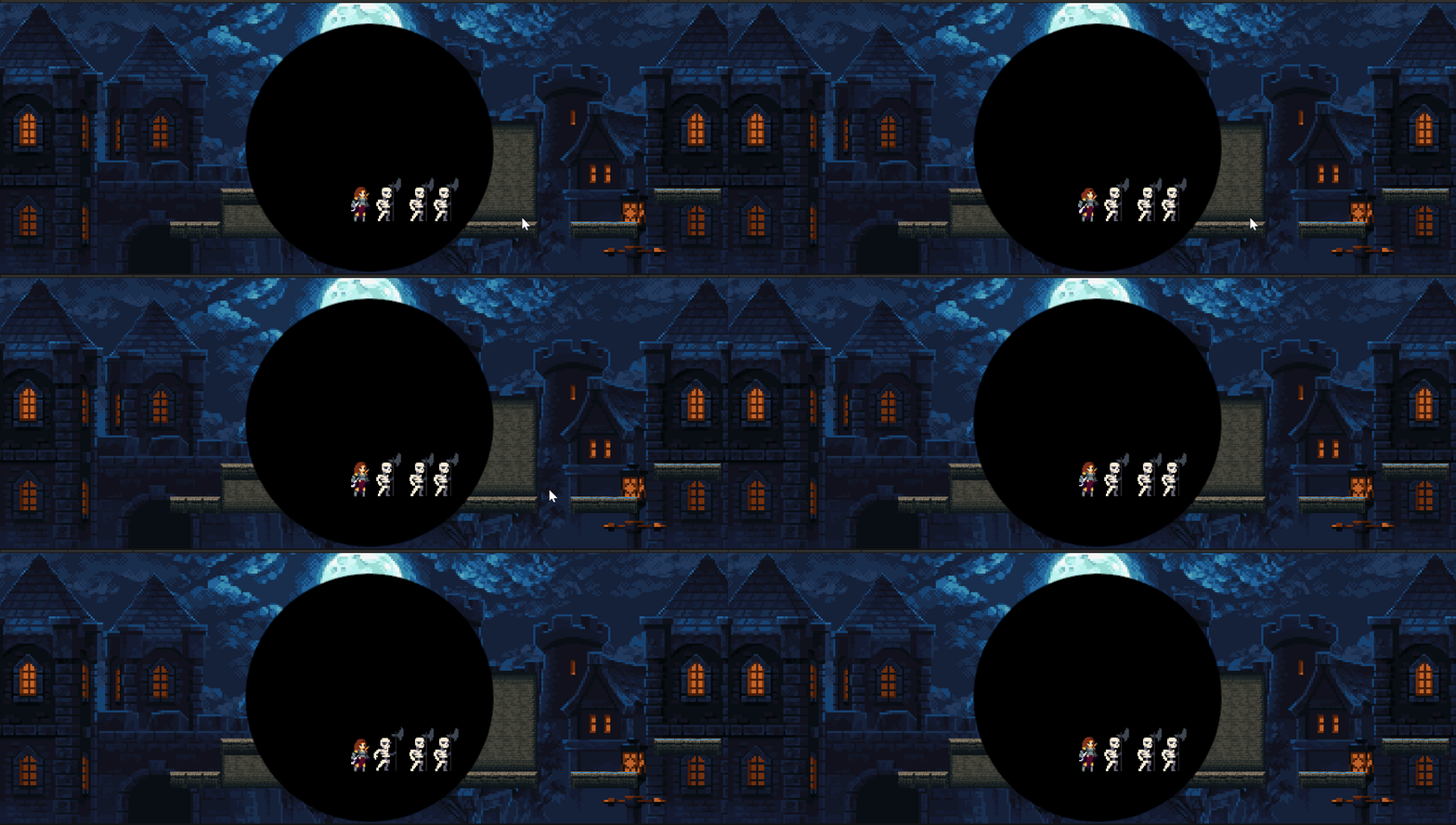
由于后续会添加上释放黑洞技能时角色升空的状态,角色不会近距离站在敌人背后,这里就先不作修改了。
现在分身技能都是从一边攻击敌人,现在想添加一个偏移使分身在左右攻击的都有。
首先在Clone_Skill_Controller的SetupClone函数中,添加偏移量和位置的设置。
csharp
    //设置分身信息
    public void SetupClone(Transform _newTransform, float _cloneDuration, bool _canAttack, Vector3 _offset)
    {
        if (_canAttack)
            anim.SetInteger("AttackNumber", Random.Range(1, 4));

        transform.position = _newTransform.position+ _offset;
        cloneTimer = _cloneDuration;

        FaceClosestTarget();
    }
同时修改Clone_Skill中调用SetupClone设置参数的部分。
csharp
    public void CreateClone(Transform _clonePosition,Vector3 _offset)
    {
        GameObject newClone = Instantiate(clonePerfab);

        newClone.GetComponent<Clone_Skill_Controller>().SetupClone(_clonePosition, cloneDuration,canAttack,_offset);
    }
最后在Blackhole_SKill_Controller中设置偏移量并调用CreateClone函数。
csharp
    private void Update()
    {
        cloneAttackTimer -= Time.deltaTime;

        if (Input.GetKeyDown(KeyCode.F))
            cloneAttackReleased = true;

			 CloneAttackLogic();

        if(canGrow)
        {
            transform.localScale = Vector2.Lerp(transform.localScale,new Vector2(maxSize,maxSize),growSpeed * Time.deltaTime);
        }
    }

    private void CloneAttackLogic()
    {
        if(cloneAttackTimer < 0&& cloneAttackReleased)
        {
            cloneAttackTimer = cloneAttackCooldown;

            int randomIndex = Random.Range(0, targets.Count);

            float xOffset;

            if (Random.Range(0, 100) > 50)
                xOffset = 2;
            else
                xOffset = -2;

            SkillManager.instance.clone.CreateClone(targets[randomIndex],new Vector3(xOffset,0));

            amountOfAttacks--;

            if(amountOfAttacks <=0)
            {
                cloneAttackReleased = false;
            }
        }
    }
注意:修改clone技能后,调用了相关函数的脚本都要修改。
csharp
//PlayerDashState
    //进入状态
    public override void Enter()
    {
        base.Enter();

        player.skill.clone.CreateClone(player.transform,new Vector3(0,0));

        //设置冲刺持续时间
        stateTimer = player.dashDuration;
    }
效果如下:
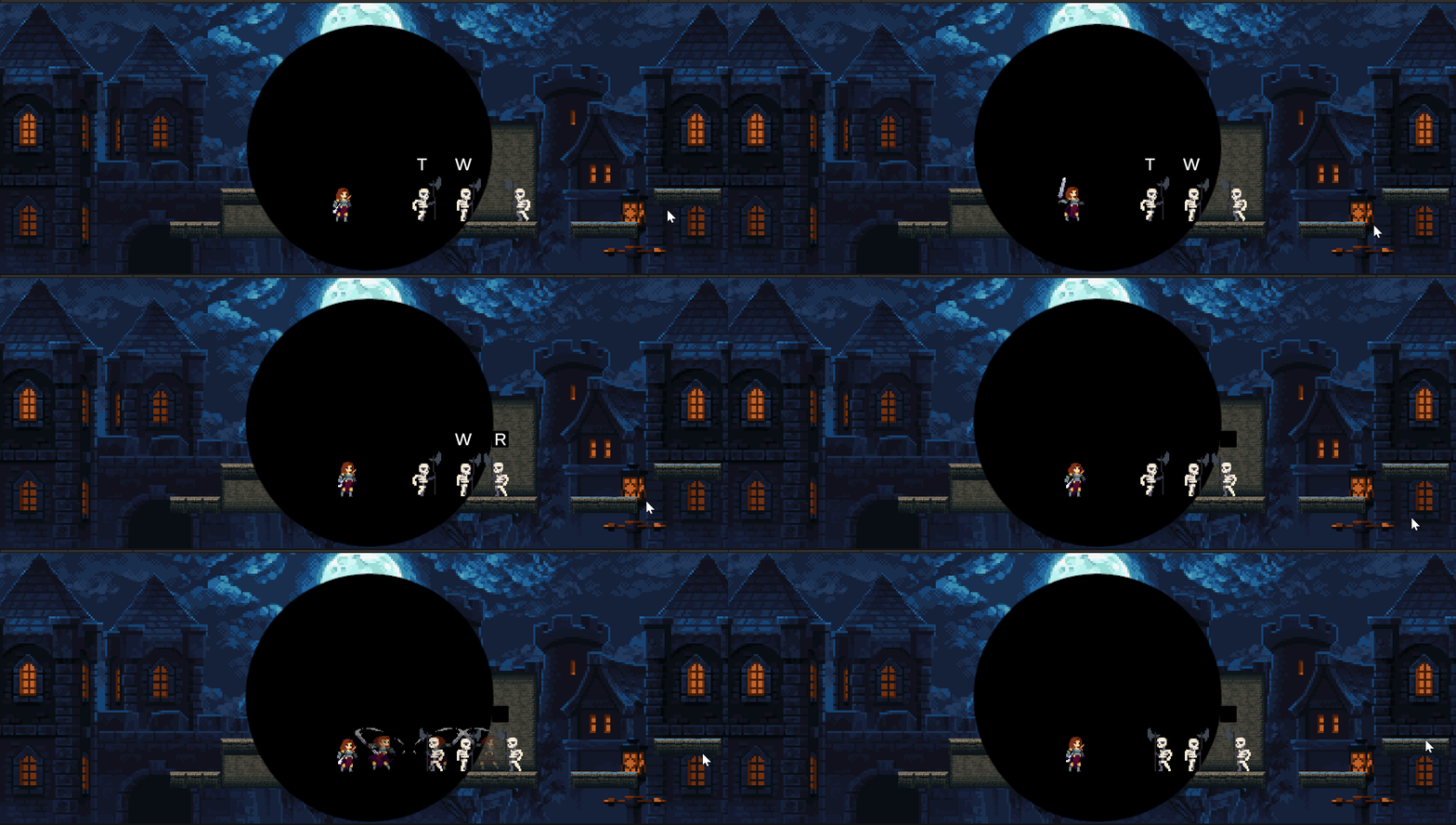
(5)退出黑洞技能
在释放攻击时应当销毁热键,再销毁黑洞。
首先创建一个数组createdHotKey存放已经创建的热键,每次创建热键时将它存入数组。
在释放攻击后就不再创建热键,不然没有使用的热键会残留在场景中。添加变量canCreateHotKeys,在按下释放攻击键后将它设置为false。在创建变量时添加对canCreateHotKeys的判断。
创建函数DestroyHotKeys,在释放攻击时销毁所有创建的热键。
csharp
    private List<GameObject> createdHotKey = new List<GameObject>();

    private bool canCreateHotKeys = true;

    private void Update()
    {
        cloneAttackTimer -= Time.deltaTime;

        if (Input.GetKeyDown(KeyCode.F))
        {
            DestroyHotKeys();
            cloneAttackReleased = true;
            canCreateHotKeys = false;
        }

			 CloneAttackLogic();

        if(canGrow)
        {
            transform.localScale = Vector2.Lerp(transform.localScale,new Vector2(maxSize,maxSize),growSpeed * Time.deltaTime);
        }
    }
    private void CreateHotKey(Collider2D collision)
    {
        if (keyCodeList.Count <= 0)
            return;

        if (cloneAttackReleased)
            return;

        GameObject newHotKey = Instantiate(hotKeyPrefab, collision.transform.position + new Vector3(0, 2), Quaternion.identity);
        createdHotKey.Add(newHotKey);

        KeyCode choosenKey = keyCodeList[Random.Range(0, keyCodeList.Count)];
        keyCodeList.Remove(choosenKey);

        Blackhole_HotKey_Controller newHotKeyScript = newHotKey.GetComponent<Blackhole_HotKey_Controller>();

        newHotKeyScript.SetupHotKey(choosenKey,collision.transform,this);
    }

    private void DestroyHotKeys()
    {
        if(createdHotKey.Count<=0)
            return;

        for(int i=0; i< createdHotKey.Count; i++)
        {
            Destroy(createdHotKey[i]);
        }
    }
可以看到按下攻击键后,热键被销毁。
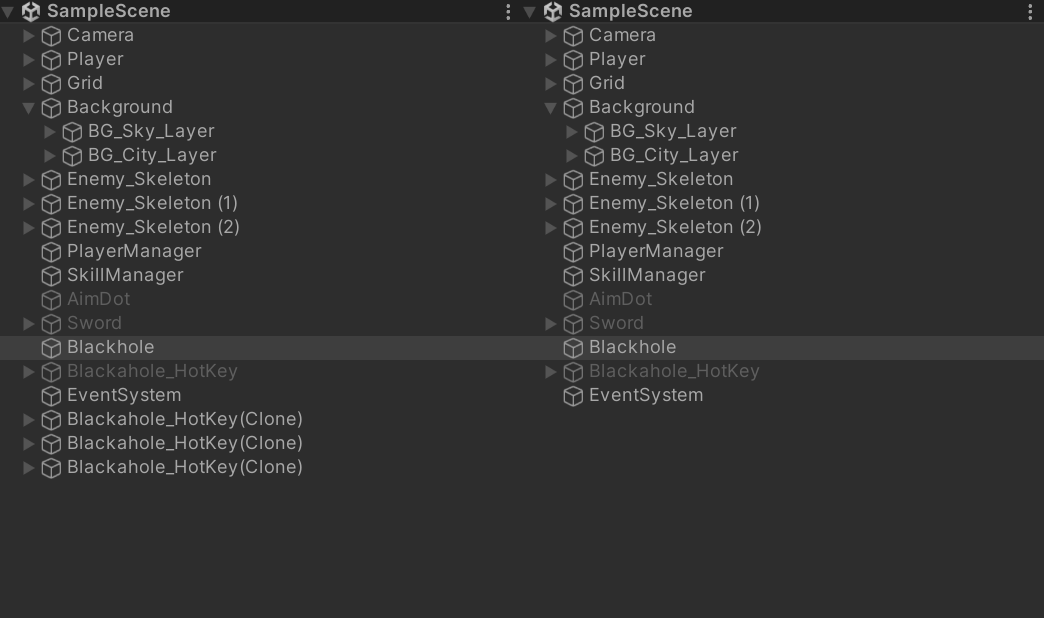
整理一下代码,将按攻击键之后的操作提取出来,建立一个函数ReleaseCloneAttack。
csharp
    private void Update()
    {
        cloneAttackTimer -= Time.deltaTime;

        if (Input.GetKeyDown(KeyCode.F))
        {
            ReleaseCloneAttack();
        }

			 CloneAttackLogic();

        if(canGrow)
        {
            transform.localScale = Vector2.Lerp(transform.localScale,new Vector2(maxSize,maxSize),growSpeed * Time.deltaTime);
        }
    }

    private void ReleaseCloneAttack()
    {
        DestroyHotKeys();
        cloneAttackReleased = true;
        canCreateHotKeys = false;
    }
攻击结束后将黑洞缩小并销毁。
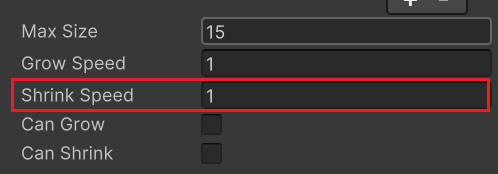
创建变量canShrink,用来表示黑洞什么时候可以开始缩小。当攻击次数归零时,开始缩小销毁黑洞,将canShrink设置为true。
当canShrink为true时缩小黑洞,直至黑洞大小小于0,销毁黑洞。
csharp
    public float shrinkSpeed;

    public bool canShrink;

    private void Update()
    {
        cloneAttackTimer -= Time.deltaTime;
        cloneAttackCooldown -= Time.deltaTime;

        if (Input.GetKeyDown(KeyCode.F))
        {
            ReleaseCloneAttack();
        }

			 CloneAttackLogic();

        if(canGrow && !canShrink)
        {
            transform.localScale = Vector2.Lerp(transform.localScale,new Vector2(maxSize,maxSize),growSpeed * Time.deltaTime);
        }

        if(canShrink)
        {
            transform.localScale = Vector2.Lerp(transform.localScale,new Vector2(-1,-1),shrinkSpeed * Time.deltaTime);

            if(transform.localScale.x < 0)
                Destroy(gameObject);
        }
    }

    private void CloneAttackLogic()
    {
        if(cloneAttackTimer < 0&& cloneAttackReleased)
        {
            cloneAttackTimer = cloneAttackCooldown;

            int randomIndex = Random.Range(0, targets.Count);

            float xOffset;

            if (Random.Range(0, 100) > 50)
                xOffset = 2;
            else
                xOffset = -2;

            SkillManager.instance.clone.CreateClone(targets[randomIndex],new Vector3(xOffset,0));

            amountOfAttacks--;

            if(amountOfAttacks <=0)
            {
                canShrink = true;
                cloneAttackReleased = false;
            }
        }
    }
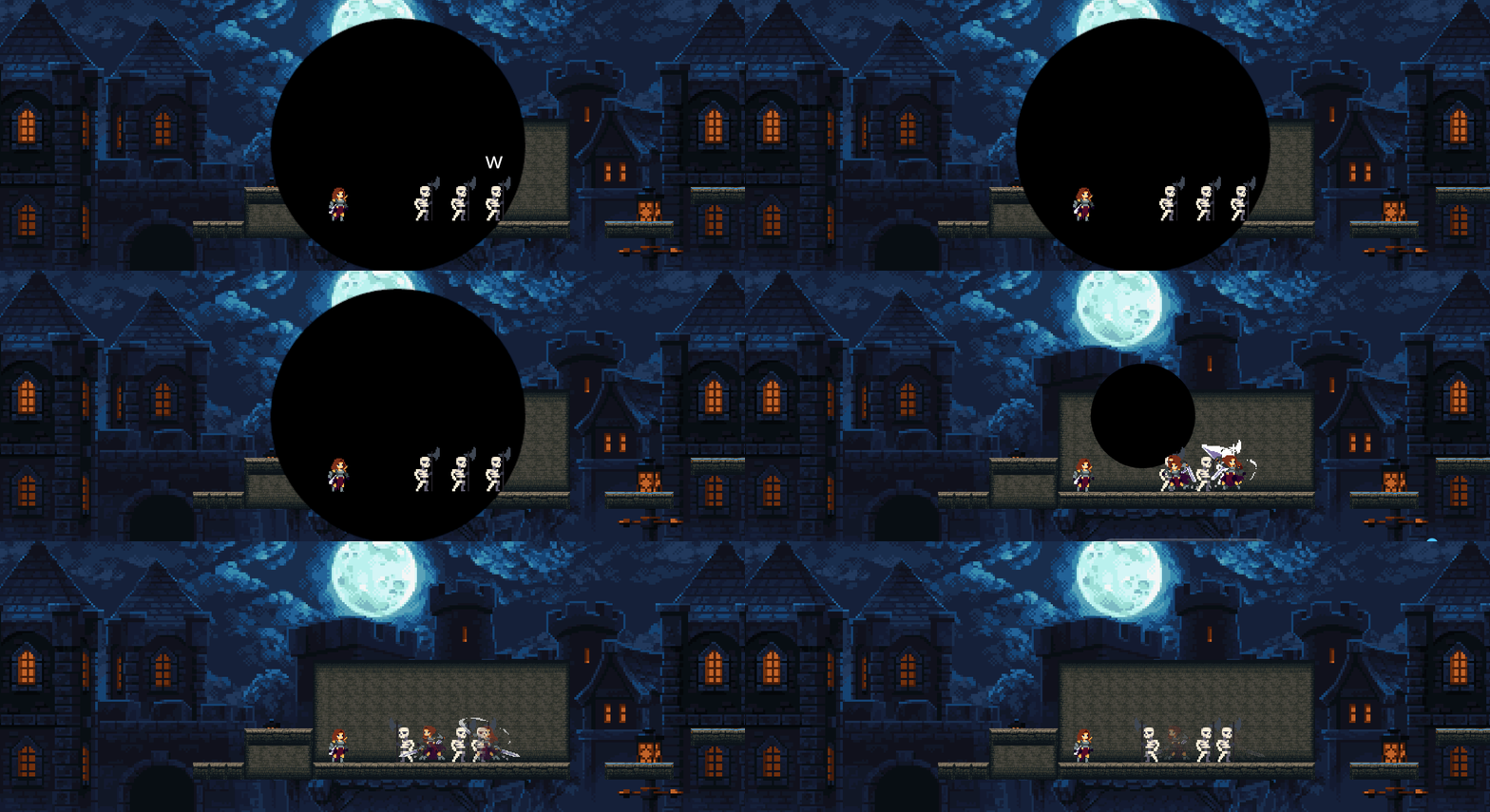
现在敌人仍处于冻结状态,添加函数在敌人走出触发器范围时调用解冻函数。
csharp
    private void OnTriggerExit2D(Collider2D collision)
    {
        if(collision.GetComponent<Enemy>()!=null)
            collision.GetComponent<Enemy>().FreezeTime(false);
    }
三、创建黑洞技能
创建脚本Blackhole_Skill,它继承自Skill。
Alt+Enter,生成重写。
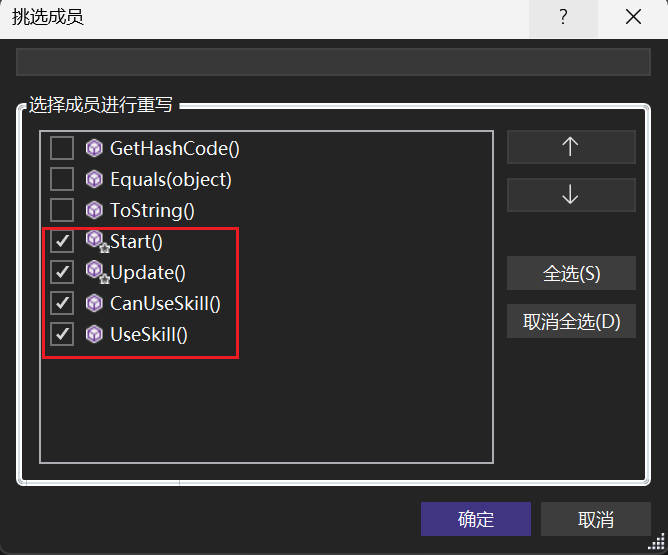
在技能脚本中添加需要修改调试的参数,包括黑洞缩放相关的黑洞预制体、最大大小、增长速度和缩小速度,还有分身攻击的攻击次数和冷却时间。
在UseSkill中初始化预制体创建黑洞,将黑洞初始化到玩家的位置。
同时,创建控制器,将参数传入其中。
csharp
//Blackhole_Skill:黑洞技能
using System.Collections;
using System.Collections.Generic;
using UnityEngine;

public class Blackhole_skill : Skill
{
    Blackhole_Skill_Controller currentBlackhole;

    [SerializeField] private GameObject blackholePrefab;
    [SerializeField] private float maxSize;
    [SerializeField] private float growSpeed;
    [SerializeField] private float shrinkSpeed;
    [Space]
    [SerializeField] private int amountOfAttacks;
    [SerializeField] private float cloneCooldown;

    public override bool CanUseSkill()
    {
        return base.CanUseSkill();
    }

    public override void UseSkill()
    {
        base.UseSkill();

        GameObject newBlackhole = Instantiate(blackholePrefab,player.transform.position,Quaternion.identity);

        currentBlackhole = newBlackhole.GetComponent<Blackhole_Skill_Controller>();

        currentBlackhole.SetupBlackhole(maxSize, growSpeed, shrinkSpeed, amountOfAttacks, cloneCooldown);
    }

    protected override void Start()
    {
        base.Start();
    }

    protected override void Update()
    {
        base.Update();
    }
}
将黑洞技能控制器中的参数改为私有,创建函数SetupBlackhole接收传入的参数。
csharp
    [SerializeField] private GameObject hotKeyPrefab;
    [SerializeField] private List<KeyCode> keyCodeList;

    private float maxSize;
    private float growSpeed;
    private float shrinkSpeed;

    private bool canGrow = true;
    private bool canShrink;
    private bool canCreateHotKeys = true;
    private bool cloneAttackReleased;

    private int amountOfAttacks = 4;
    private float cloneAttackCooldown = 0.3f;
    private float cloneAttackTimer;

    private List<Transform> targets = new List<Transform>();
    private List<GameObject> createdHotKey = new List<GameObject>();

    public void SetupBlackhole(float _maxSize,float _growSpeed,float _shrinkSpeed,int _amountOfAttacks,float _cloneAttackCooldown)
    {
        maxSize = _maxSize;
        growSpeed = _growSpeed;
        shrinkSpeed = _shrinkSpeed;
        amountOfAttacks = _amountOfAttacks;
        cloneAttackCooldown = _cloneAttackCooldown;
    }
在SkillManager中创建技能。
csharp
    public Dash_Skill dash { get; private set; }
    public Clone_Skill clone { get; private set; }
    public Sword_Skill sword { get; private set; }
    public Blackhole_Skill blackhole { get; private set; }

    private void Start()
    {
        dash = GetComponent<Dash_Skill>();
        clone = GetComponent<Clone_Skill>();
        sword = GetComponent<Sword_Skill>();
        blackhole = GetComponent<Blackhole_Skill>();
    }
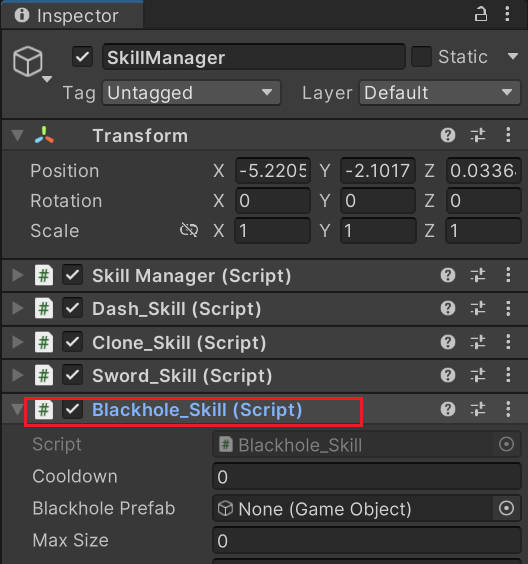
将黑洞技能挂在技能管理器下。
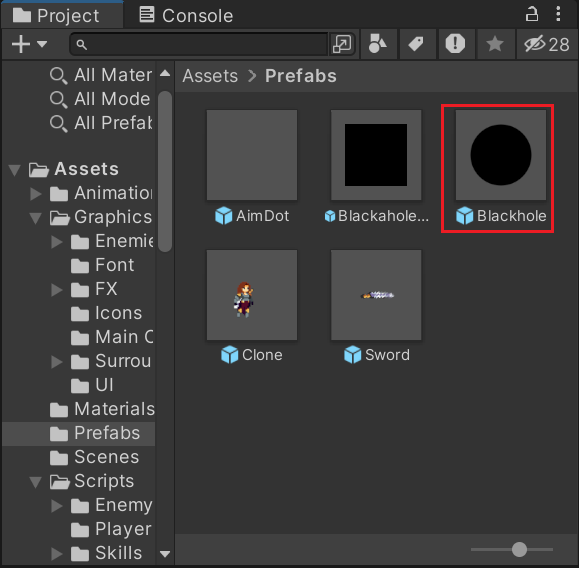
将Blackhole拉成预制体。
为Blackhole_Skill的参数赋值,从预制体文件夹中拖入黑洞的预制体,为参数赋一个合适的值。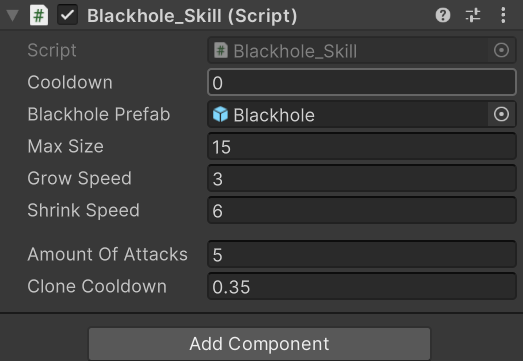
总结 完整代码
Clone_Skill_Controller.cs
在Clone_Skill_Controller的SetupClone函数中,添加偏移量和位置的设置。
csharp
//Clone_Skill_Controller:分身技能控制器
using System.Collections;
using System.Collections.Generic;
using System.Threading;
using UnityEngine;

public class Clone_Skill_Controller : MonoBehaviour
{
    private SpriteRenderer sr;
    private Animator anim;
    [SerializeField] private float colorLosingSpeed;

    private float cloneTimer;
    [SerializeField] private Transform attackCheck;
    [SerializeField] private float attackCheckRadius = 0.8f;
    private Transform closestEnemy;

    private void Awake()
    {
        sr = GetComponent<SpriteRenderer>();
        anim = GetComponent<Animator>();
    }

    private void Update()
    {
        cloneTimer -= Time.deltaTime;

        if(cloneTimer < 0)
        {
            sr.color = new Color(1, 1, 1, sr.color.a - Time.deltaTime * colorLosingSpeed);

            if (sr.color.a <= 0)
                Destroy(gameObject);
        }
    }

    //设置分身信息
    public void SetupClone(Transform _newTransform, float _cloneDuration, bool _canAttack, Vector3 _offset)
    {
        if (_canAttack)
            anim.SetInteger("AttackNumber", Random.Range(1, 4));

        transform.position = _newTransform.position+ _offset;
        cloneTimer = _cloneDuration;

        FaceClosestTarget();
    }

    private void AnimationTrigger()
    {
        cloneTimer = -0.1f;
    }

    private void AttackTrigger()
    {
        Collider2D[] colliders = Physics2D.OverlapCircleAll(attackCheck.position, attackCheckRadius);

        foreach (var hit in colliders)
        {
            if (hit.GetComponent<Enemy>() != null)
                hit.GetComponent<Enemy>().Damage();
        }
    }

    private void FaceClosestTarget()
    {
        Collider2D[] colliders = Physics2D.OverlapCircleAll(transform.position, 25);

        float closestDistance = Mathf.Infinity;

        foreach(var hit in colliders)
        {
            if (hit.GetComponent<Enemy>() != null)
            {
                float distanceToEnemy = Vector2.Distance(transform.position, hit.transform.position);

                if (distanceToEnemy < closestDistance)
                {
                    closestDistance = distanceToEnemy;
                    closestEnemy = hit.transform;
                }
            }
        }

        if(closestEnemy != null)
        {
            if (closestEnemy.position.x < transform.position.x)
                transform.Rotate(0, 180, 0);
        }

    }
}
Clone_Skill
修改Clone_Skill中调用SetupClone设置参数的部分。
csharp
//Clone_Skill:分身技能
using System.Collections;
using System.Collections.Generic;
using UnityEngine;

public class Clone_Skill : Skill
{
    [Header("Clone Info")]
    [SerializeField] private GameObject clonePerfab;
    [SerializeField] private float cloneDuration;
    [Space]
    [SerializeField] private bool canAttack;

    public void CreateClone(Transform _clonePosition,Vector3 _offset)
    {
        GameObject newClone = Instantiate(clonePerfab);

        newClone.GetComponent<Clone_Skill_Controller>().SetupClone(_clonePosition, cloneDuration,canAttack,_offset);
    }
}
PlayerDashState.cs
由于分身技能修改,对应修改调用CreateClone的代码。
csharp
//PlayerDashState:冲刺状态
using System.Collections;
using System.Collections.Generic;
using UnityEngine;

public class PlayerDashState : PlayerState
{
    //构造函数
    public PlayerDashState(PlayerStateMachine _stateMachine, Player _player, string _animBoolName) : base(_stateMachine, _player, _animBoolName)
    {
    }

    //进入状态
    public override void Enter()
    {
        base.Enter();

        player.skill.clone.CreateClone(player.transform, new Vector3(0, 0));

        //设置冲刺持续时间
        stateTimer = player.dashDuration;
    }

    //退出状态
    public override void Exit()
    {
        base.Exit();
    }

    //更新
    public override void Update()
    {
        base.Update();

        //切换滑墙状态
        if(!player.isGroundDetected() && player.isWallDetected())
            stateMachine.ChangeState(player.wallSlideState);

        //设置冲刺速度
        player.SetVelocity(player.dashDir * player.dashSpeed, 0);


        //切换到空闲状态
        if (stateTimer < 0)
            stateMachine.ChangeState(player.idleState);
    }
}
Blackhole_Skill_Controller.cs
添加变量,接收黑洞技能脚本传过来的参数设置黑洞的最大尺寸、增大速度和缩小速度,设置分身攻击的攻击次数和冷却时间。
实现黑洞的放大缩小动画。
实现敌人进入黑洞范围,在头顶创建热键。
实现按键释放分身攻击,实现黑洞技能中分身攻击的逻辑。
实现分身攻击结束后黑洞和热键的销毁。
csharp
//Blackhole_Skill_Controller:黑洞技能控制器
using System.Collections;
using System.Collections.Generic;
using UnityEngine;

public class Blackhole_Skill_Controller : MonoBehaviour
{
    [SerializeField] private GameObject hotKeyPrefab;
    [SerializeField] private List<KeyCode> keyCodeList;

    private float maxSize;
    private float growSpeed;
    private float shrinkSpeed;

    private bool canGrow = true;
    private bool canShrink;
    private bool canCreateHotKeys = true;
    private bool cloneAttackReleased;

    private int amountOfAttacks = 4;
    private float cloneAttackCooldown = 0.3f;
    private float cloneAttackTimer;

    private List<Transform> targets = new List<Transform>();
    private List<GameObject> createdHotKey = new List<GameObject>();

    public void SetupBlackhole(float _maxSize,float _growSpeed,float _shrinkSpeed,int _amountOfAttacks,float _cloneAttackCooldown)
    {
        maxSize = _maxSize;
        growSpeed = _growSpeed;
        shrinkSpeed = _shrinkSpeed;
        amountOfAttacks = _amountOfAttacks;
        cloneAttackCooldown = _cloneAttackCooldown;
    }

    private void Update()
    {
        cloneAttackTimer -= Time.deltaTime;

        if (Input.GetKeyDown(KeyCode.F))
        {
            ReleaseCloneAttack();
        }

        CloneAttackLogic();

        if (canGrow && !canShrink)
        {
            transform.localScale = Vector2.Lerp(transform.localScale, new Vector2(maxSize, maxSize), growSpeed * Time.deltaTime);
        }

        if (canShrink)
        {
            transform.localScale = Vector2.Lerp(transform.localScale, new Vector2(-1, -1), shrinkSpeed * Time.deltaTime);

            if (transform.localScale.x < 0)
                Destroy(gameObject);
        }
    }

    private void ReleaseCloneAttack()
    {
        DestroyHotKeys();
        cloneAttackReleased = true;
        canCreateHotKeys = false;
    }

    private void CloneAttackLogic()
    {
        if (cloneAttackTimer < 0 && cloneAttackReleased)
        {
            cloneAttackTimer = cloneAttackCooldown;

            int randomIndex = Random.Range(0, targets.Count);

            float xOffset;

            if (Random.Range(0, 100) > 50)
                xOffset = 2;
            else
                xOffset = -2;

            SkillManager.instance.clone.CreateClone(targets[randomIndex], new Vector3(xOffset, 0));

            amountOfAttacks--;

            if (amountOfAttacks <= 0)
            {
                canShrink = true;
                cloneAttackReleased = false;
            }

        }
    }

    private void OnTriggerEnter2D(Collider2D collision)
    {
        if (collision.GetComponent<Enemy>()!=null)
        {
            collision.GetComponent<Enemy>().FreezeTime(true);

            CreateHotKey(collision);
        }
    }

    private void OnTriggerExit2D(Collider2D collision)
    {
        if(collision.GetComponent<Enemy>()!=null)
            collision.GetComponent<Enemy>().FreezeTime(false);
    }

    private void CreateHotKey(Collider2D collision)
    {
        if (keyCodeList.Count <= 0)
            return;

        if (!canCreateHotKeys)
            return;

        GameObject newHotKey = Instantiate(hotKeyPrefab, collision.transform.position + new Vector3(0, 2), Quaternion.identity);
        createdHotKey.Add(newHotKey);

        KeyCode choosenKey = keyCodeList[Random.Range(0, keyCodeList.Count)];
        keyCodeList.Remove(choosenKey);

        Blackhole_HotKey_Controller newHotKeyScript = newHotKey.GetComponent<Blackhole_HotKey_Controller>();

        newHotKeyScript.SetupHotKey(choosenKey,collision.transform,this);
    }

    private void DestroyHotKeys()
    {
        if(createdHotKey.Count<=0)
            return;

        for(int i=0; i< createdHotKey.Count; i++)
        {
            Destroy(createdHotKey[i]);
        }
    }

    public void AddEnemyToList(Transform _enemyTransform)=>targets.Add(_enemyTransform);
}
Blackhole_HotKey_Controller.cs
实现热键的设置和状态更新。
csharp
//Blackhole_HotKey_Controller:热键控制器
using System.Collections;
using System.Collections.Generic;
using TMPro;
using UnityEngine;

public class Blackhole_HotKey_Controller : MonoBehaviour
{
    private SpriteRenderer sr;
    private KeyCode myHotKey;
    private TextMeshProUGUI myText;

    private Transform myEnemy;
    private Blackhole_Skill_Controller blackhole;

    public void SetupHotKey(KeyCode _myNewHotKey,Transform _myEnemy,Blackhole_Skill_Controller _myBlackhole)
    {
        myText = GetComponentInChildren<TextMeshProUGUI>();
        sr= GetComponentInChildren<SpriteRenderer>();

        myEnemy = _myEnemy;
        blackhole = _myBlackhole;

        myHotKey = _myNewHotKey;
        myText.text = myHotKey.ToString();

    }

    private void Update()
    {
        if(Input.GetKeyDown(myHotKey))
        {
            blackhole.AddEnemyToList(myEnemy);

            myText.color = Color.clear;
            sr.color = Color.clear;

        }
    }
}
Blackhole_Skill.cs
黑洞技能
csharp
//Blackhole_Skill:黑洞技能
using System.Collections;
using System.Collections.Generic;
using UnityEngine;

public class Blackhole_Skill : Skill
{
    [SerializeField] private GameObject blackholePrefab;
    [SerializeField] private float maxSize;
    [SerializeField] private float growSpeed;
    [SerializeField] private float shrinkSpeed;
    [Space]
    [SerializeField] private int amountOfAttacks;
    [SerializeField] private float cloneCooldown;

    public override bool CanUseSkill()
    {
        return base.CanUseSkill();
    }

    public override void UseSkill()
    {
        base.UseSkill();

        GameObject newBlackhole = Instantiate(blackholePrefab);

        Blackhole_Skill_Controller newBlackHoleScript = newBlackhole.GetComponent<Blackhole_Skill_Controller>();

        newBlackHoleScript.SetupBlackhole(maxSize, growSpeed, shrinkSpeed, amountOfAttacks, cloneCooldown);
    }

    protected override void Start()
    {
        base.Start();
    }

    protected override void Update()
    {
        base.Update();
    }
}