FastAPI 基础:从入门到实战
🔥 这是一份超详细的 FastAPI 学习笔记,涵盖基础到实战,适合想要快速上手 FastAPI 的开发者
目录
- [FastAPI 简介](#FastAPI 简介)
- 同步与异步机制
- [FastAPI 特点与优势](#FastAPI 特点与优势)
- [创建第一个 FastAPI 项目](#创建第一个 FastAPI 项目)
- 路由详解
- 参数详解:路径参数、查询参数、请求体
- 请求与响应处理
- 异常处理
1. FastAPI 简介

FastAPI 是一个基于 Python 的高性能 Web 框架,专门用于快速构建 API 接口服务。
核心特性
| 特性 | 说明 |
|---|---|
| 高性能 | 原生支持异步,释放真正性能潜力 |
| 自动文档 | 自动生成交互式 API 文档 |
| 类型提示 | 完整的 Pydantic 数据验证 |
| 开发者友好 | 优秀的 IDE 支持和调试体验 |
2. 同步与异步机制
同步
同步执行是指任务按顺序依次执行,一个任务完成后才能开始下一个任务。
请求1 → 处理 → 响应1 → 请求2 → 处理 → 响应2异步
异步执行允许同时处理多个任务,通过 async/await 关键字实现非阻塞操作。
请求1 → 处理(同时等待) → 响应1
请求2 → 处理(同时等待) → 响应2
FastAPI 原生支持异步,这意味着它可以高效处理大量并发请求。
3. FastAPI 特点与优势
特点
- ✅ 开发体验好 - 简洁的 API 设计,代码量少
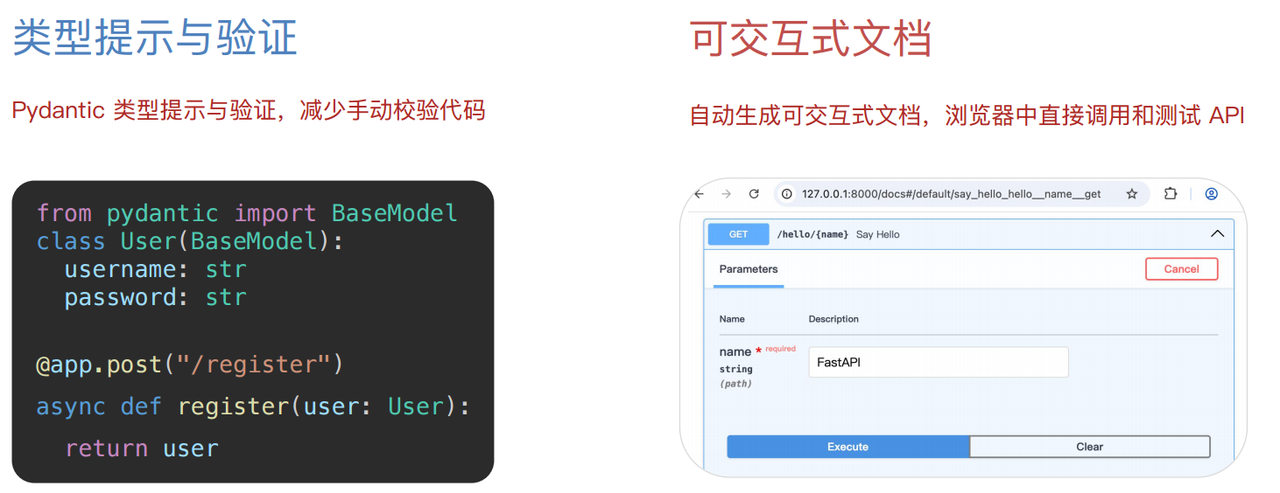
- ✅ 类型提示与验证 - 自动数据校验,错误提示清晰
- ✅ 可交互式文档 - 自动生成 Swagger UI 和 ReDoc
优点
- ⚡ 异步性能好 - 高并发处理能力强
- 🚀 开发效率高 - 快速构建原型到生产级应用
- 📚 自动生成文档 - 减少文档维护成本
4. 创建第一个 FastAPI 项目
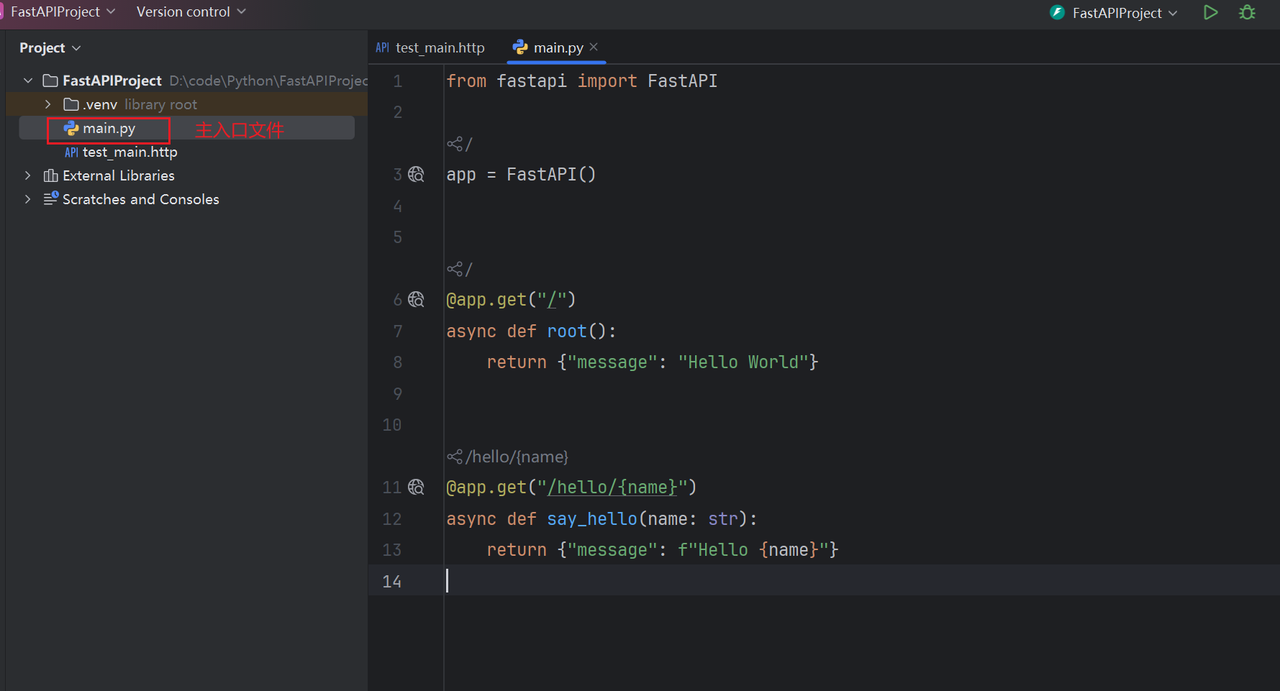
4.1 创建项目
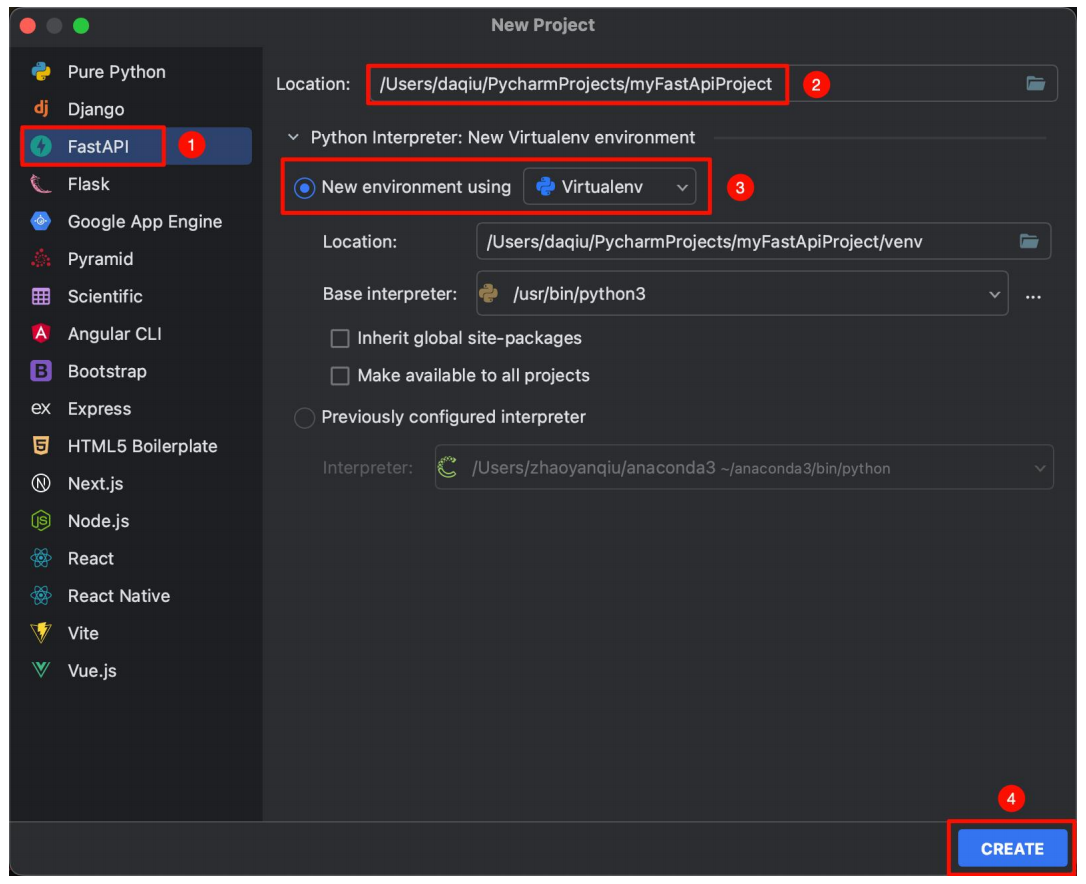
使用 PyCharm 创建 FastAPI 项目:
FastAPI → 存储位置及项目名称 → 创建虚拟环境 → Create
4.2 运行项目
有两种运行方式:
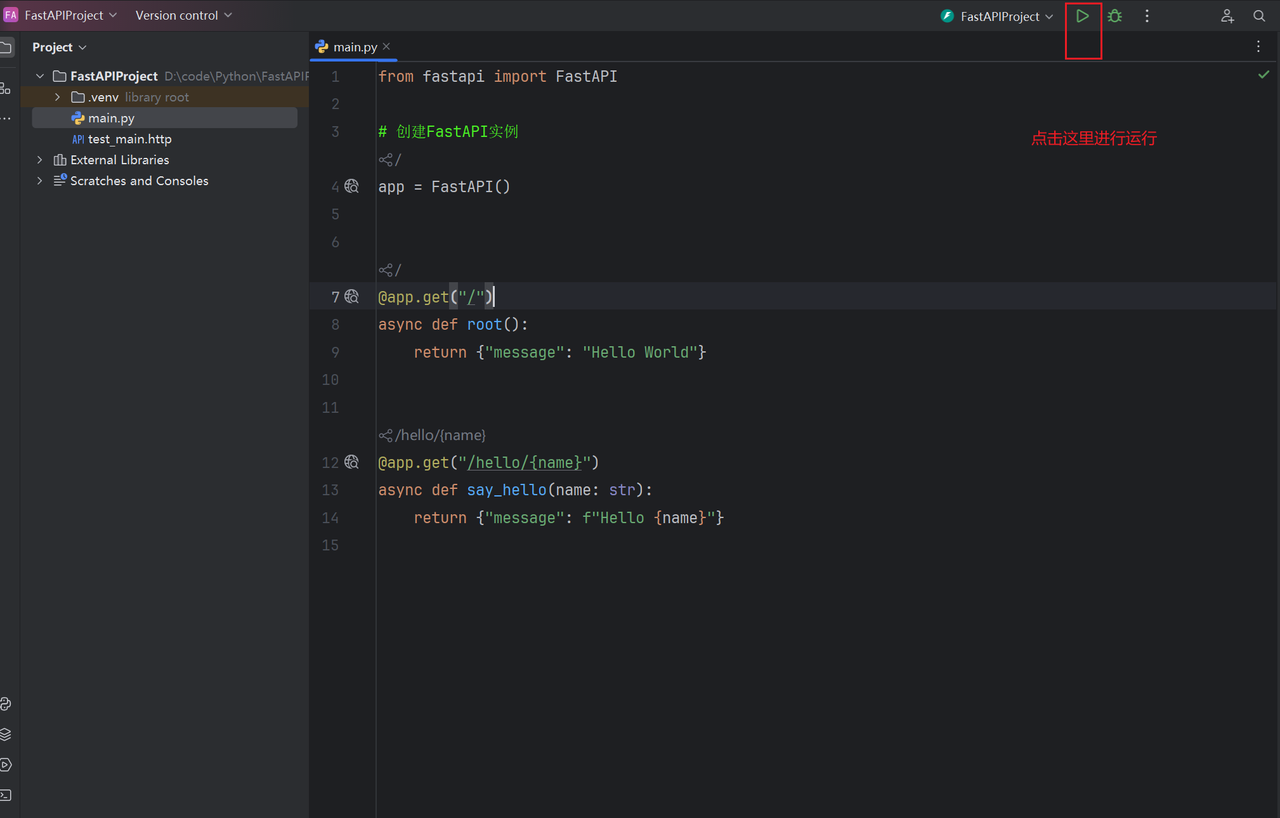
方式一:点击运行按钮
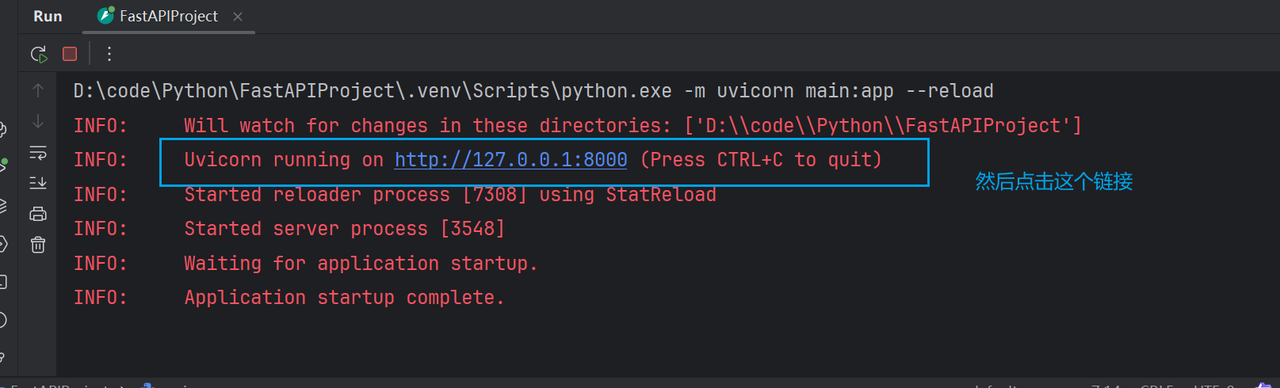
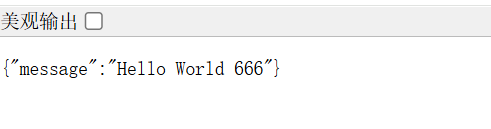
效果:
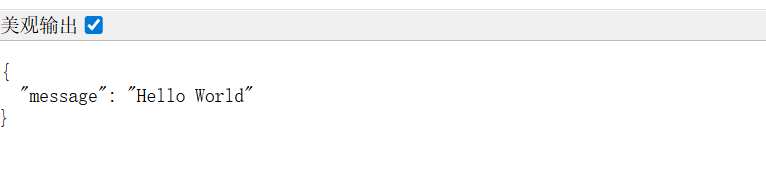
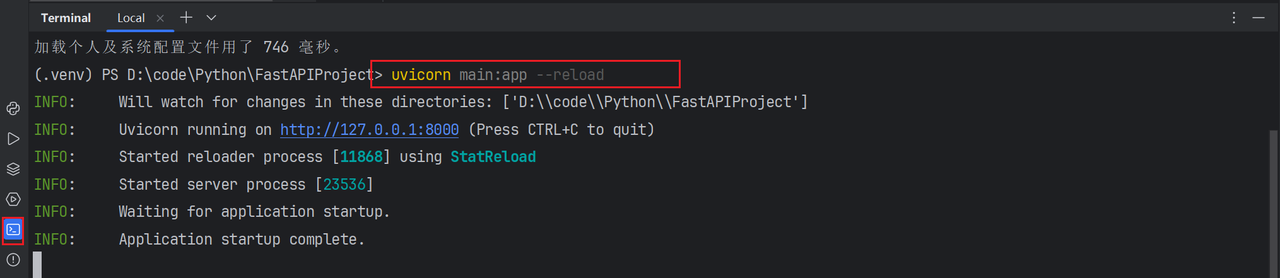
方式二:命令行运行
bash
uvicorn main:app --reloaduvicorn main:app --reload 是 FastAPI/Starlette 框架最常用的启动命令
命令解析:
uvicorn- 一个轻量、高性能的 Python ASGI 服务器main:app- 格式固定:模块名:应用实例
main→ Python 文件名main.pyapp→ 代码里创建的 FastAPI 实例--reload- 开发模式自动重载,修改代码保存即生效(只在开发时用)

4.3 修改代码
python
from fastapi import FastAPI

# 创建FastAPI实例
app = FastAPI()

@app.get("/")
async def root():
    return {"message": "Hello World"}

@app.get("/hello")
async def get_hello():
    return {"msg": "你好 FastAPI"}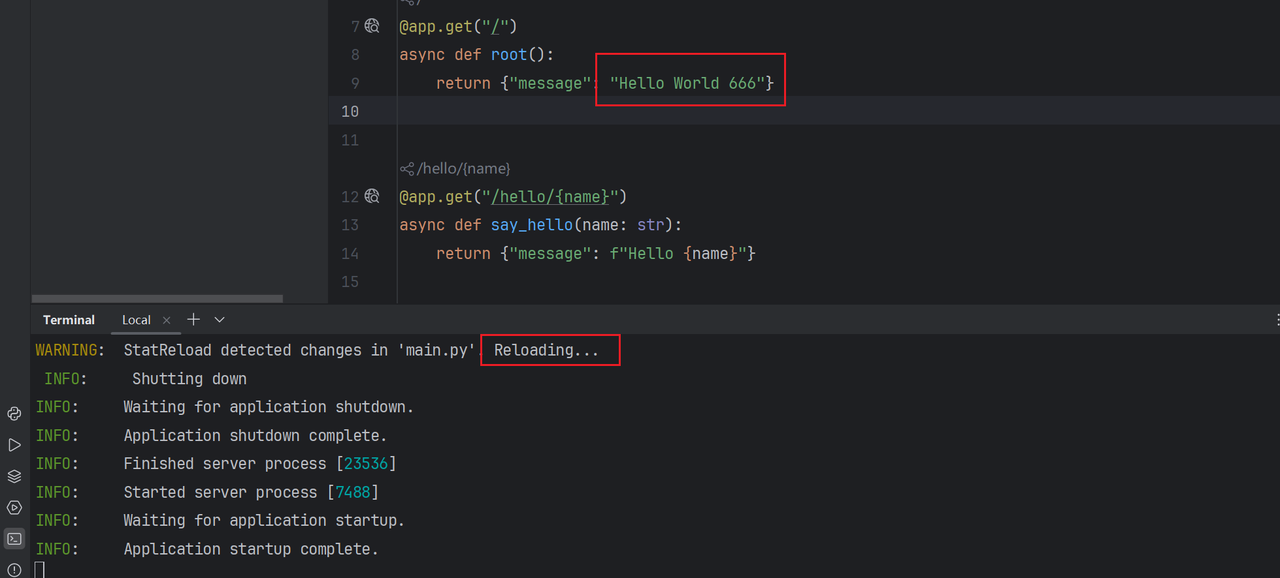
4.4 访问交互式文档
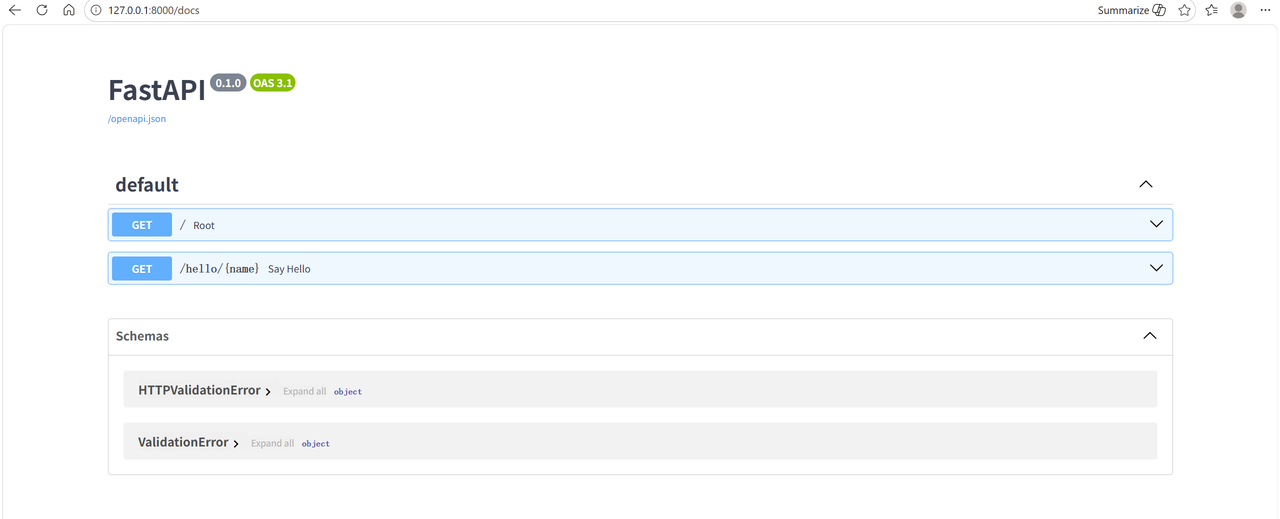
浏览器输入地址:http://127.0.0.1:8000/docs
4.5 小结
| 问题 | 答案 |
|---|---|
| 为什么要创建虚拟环境? | 隔离项目运行环境,避免依赖冲突,保持全局环境的干净和稳定 |
| 怎么运行 FastAPI 项目? | run 按钮 或 uvicorn main:app --reload |
| 怎么访问交互式文档? | http://127.0.0.1:8000/docs |
5. 路由详解
路由是 URL 地址和处理函数之间的映射关系,决定了当用户访问某个特定网址时,服务器应该执行哪段代码来返回结果。
FastAPI 的路由定义基于 Python 的装饰器模式。
5.1 基础路由
python
from fastapi import FastAPI

app = FastAPI()

@app.get("/")
async def root():
    return {"message": "hello world"}

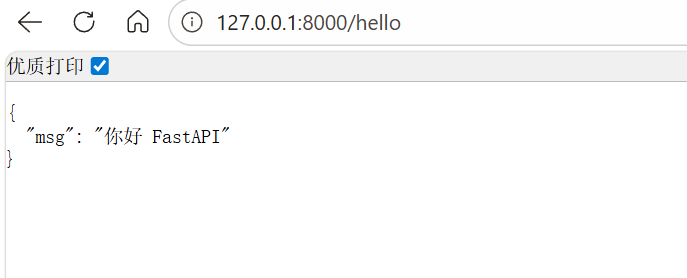
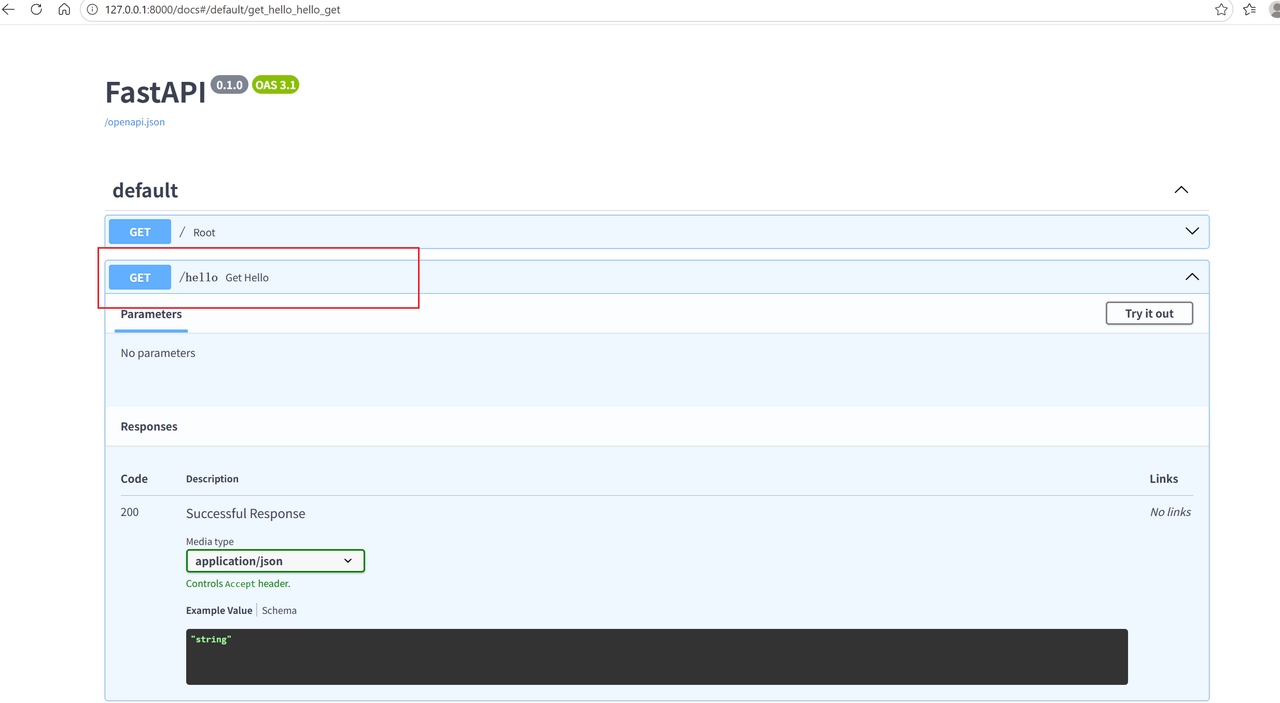
@app.get("/hello")
async def get_hello():
    return {"msg": "你好 FastAPI"}

@app.get("/hello/{name}")
async def say_hello(name: str):
    return {"message": f"Hello {name}"}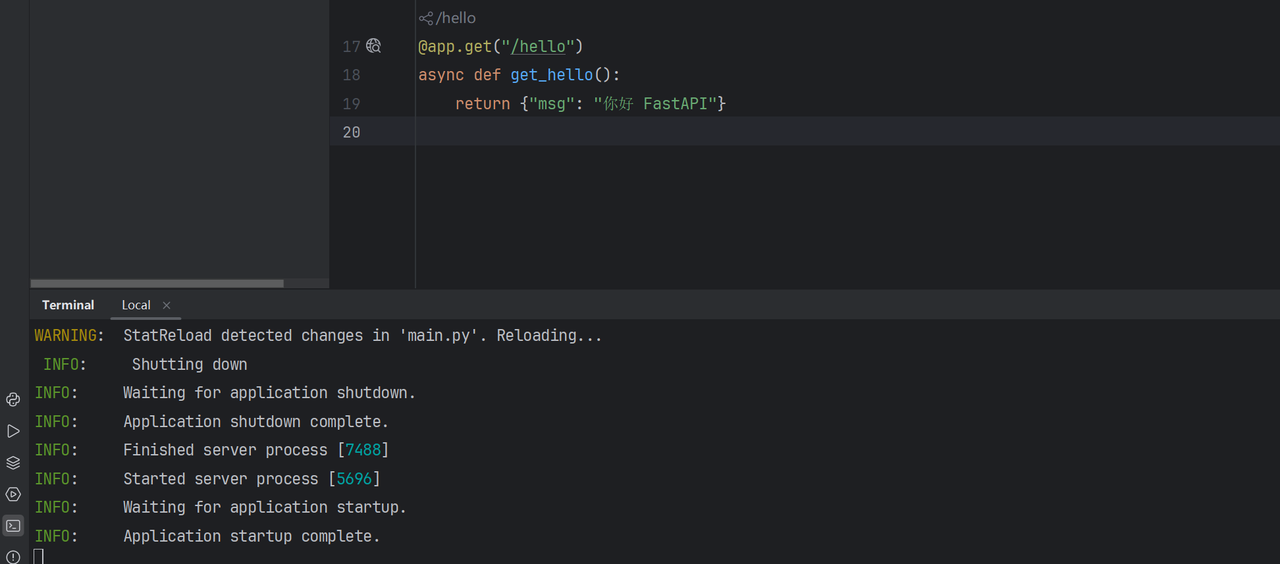
5.2 小结
| 问题 | 答案 |
|---|---|
| 什么是路由? | 路由是 URL 地址和处理函数之间的映射关系 |
装饰器 @app.get("/") 的含义? |
定义根路径的 GET 请求处理函数 |
5.3 练习
需求: 访问路径 /user/hello,响应结果是 { "msg": "我正在学习 FastAPI ......" }
python
@app.get("/user/hello")
async def get_user_hello():
    return {"msg": "我正在学习 FastAPI ......"}
6. 参数详解
参数是客户端发送请求时附带的额外信息和指令,让同一个接口能根据不同的输入返回不同的输出。
6.1 路径参数(Path Parameter)
位置: URL 路径的一部分,格式为 /资源/{参数名}
作用: 指向唯一的、特定的资源
常用方法: GET
python
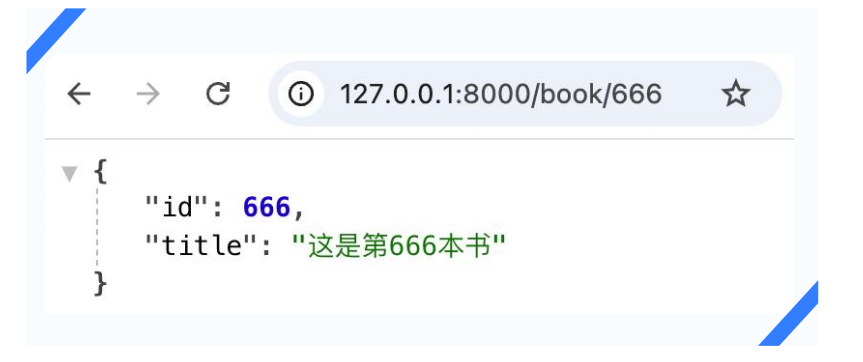
@app.get("/book/{id}")
async def get_book(id: int):
    return {"id": id, "title": f"这是第{id}本书"}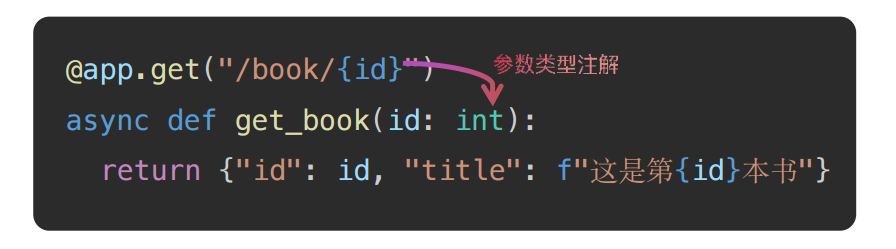
使用 Path 进行类型注解
python
from fastapi import FastAPI, Path

@app.get("/book/{id}")
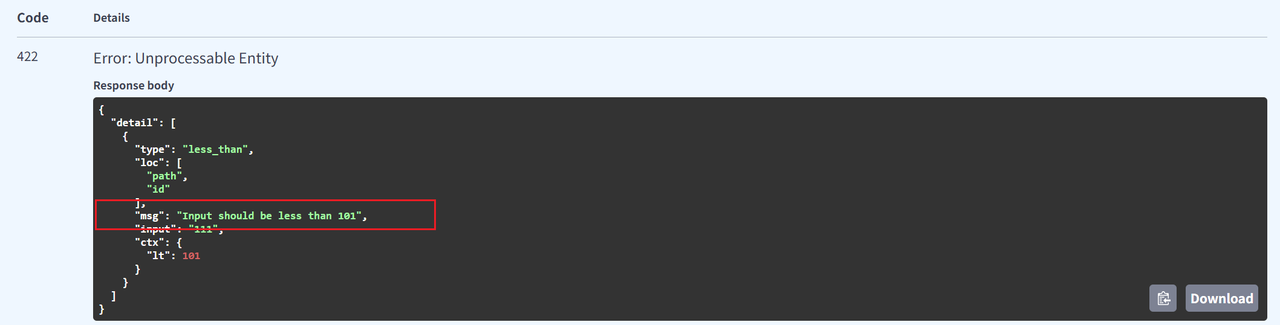
async def get_book(id: int = Path(..., gt=0, lt=101, description="书籍id,取值范围为1-100")):
    return {"id": id, "title": f"这是第{id}本书"}
⚠️ 注意:参数校验时必须填一个值,否则会报错

字符串路径参数
python
@app.get("/book/{name}")
async def get_name(name: str = Path(..., min_length=2, max_length=10, description="书籍名称,长度范围为2-10")):
    return {"msg": f'这是{name}的信息'}
6.2 小结
| 问题 | 答案 |
|---|---|
| 路径参数出现在什么位置? | URL 路径的一部分 |
| 如何为路径参数添加类型注解? | Python 原生注解 和 Path 注解 |
6.3 练习
需求: 定义两个接口,携带路径参数,使用 Path 实现类型注解
python
from fastapi import FastAPI, Path

app = FastAPI()

# 接口1:新闻分类 ID,范围 1~100
@app.get("/news/category/{category_id}")
async def get_news_by_id(
    category_id: int = Path(
        ...,
        title="新闻分类ID",
        description="新闻分类的唯一标识符",
        ge=1, le=100
    )
):
    return {"category_id": category_id, "message": "成功获取该分类下的新闻"}

# 接口2:新闻分类名称,长度 2~10
@app.get("/news/search/{category_name}")
async def get_news_by_name(
    category_name: str = Path(
        ...,
        title="新闻分类名称",
        description="新闻分类的名称关键字",
        min_length=2, max_length=10
    )
):
    return {"category_name": category_name, "message": "成功搜索该分类相关的新闻"}
6.4 查询参数(Query Parameter)
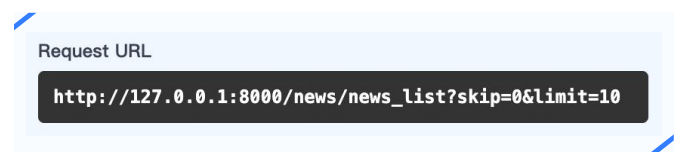
位置: URL 中 ? 之后,格式为 key1=value1&key2=value2
作用: 对资源集合进行过滤、排序、分页等操作
常用方法: GET
声明的参数不是路径参数时,路径操作函数会自动解释为查询参数。
python
@app.get("/news/news_list")
async def get_news_list(skip: int, limit: int = 10):
    return {"skip": skip, "limit": limit}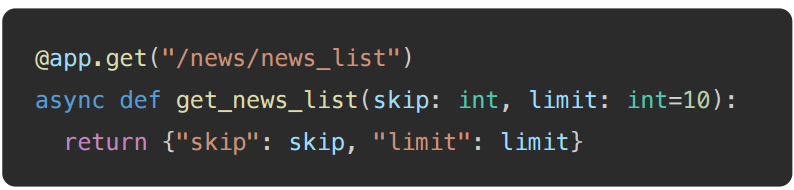
使用 Query 进行类型注解
python
from fastapi import FastAPI, Query

@app.get("/news/news_list")
async def get_news_list(
    skip: int = Query(0, description="跳过的记录数", lt=100),
    limit: int = Query(10, description="返回的记录数", lt=100)
):
    return {"skip": skip, "limit": limit}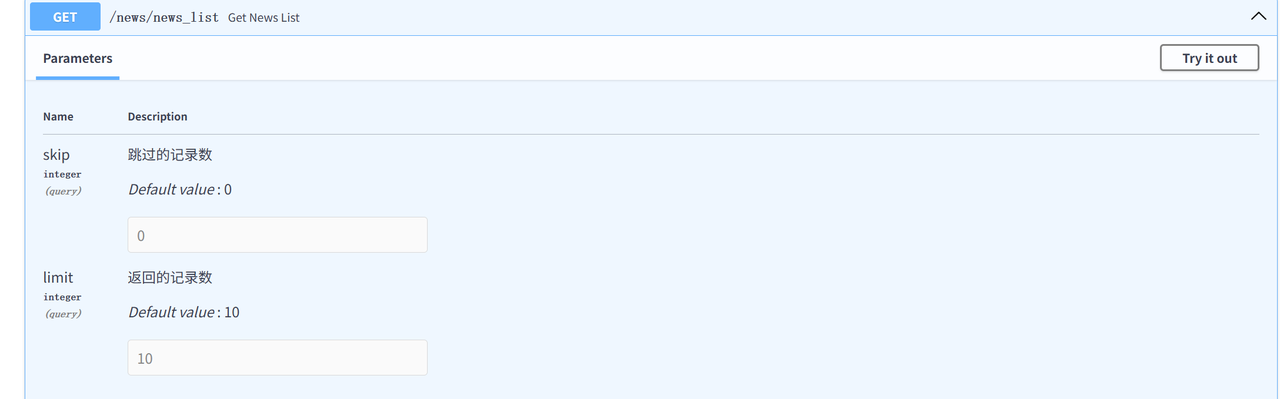
6.5 小结
| 问题 | 答案 |
|---|---|
| 查询参数出现在什么位置? | URL ? 之后,如 ?page=1&sort=desc |
| 如何为查询参数添加类型注解? | Python 原生注解 和 Query 注解 |
6.6 练习
需求: 设计接口查询图书,要求携带两个查询参数
- 图书分类:默认值为 "Python开发",长度限制 5~255
- 价格:限制大小范围 50~100
python
from fastapi import FastAPI, Query

app = FastAPI()

@app.get("/books/")
async def read_books(
    category: str = Query(
        "Python开发",
        min_length=5,
        max_length=255,
        description="图书的分类名称"
    ),
    price: float = Query(
        ...,
        ge=50,
        le=100,
        description="图书的价格范围"
    )
):
    return {"category": category, "price": price, "message": "查询成功"}
6.7 请求体(Request Body)
位置: HTTP 请求的消息体(body)中,常以 JSON 格式携带数据
作用: 用于创建、更新资源,或携带大量数据
常用方法: POST、PUT
在 HTTP 协议中,请求体是实际要发送的数据内容。
基础用法
python
from pydantic import BaseModel

class User(BaseModel):
    username: str
    password: str

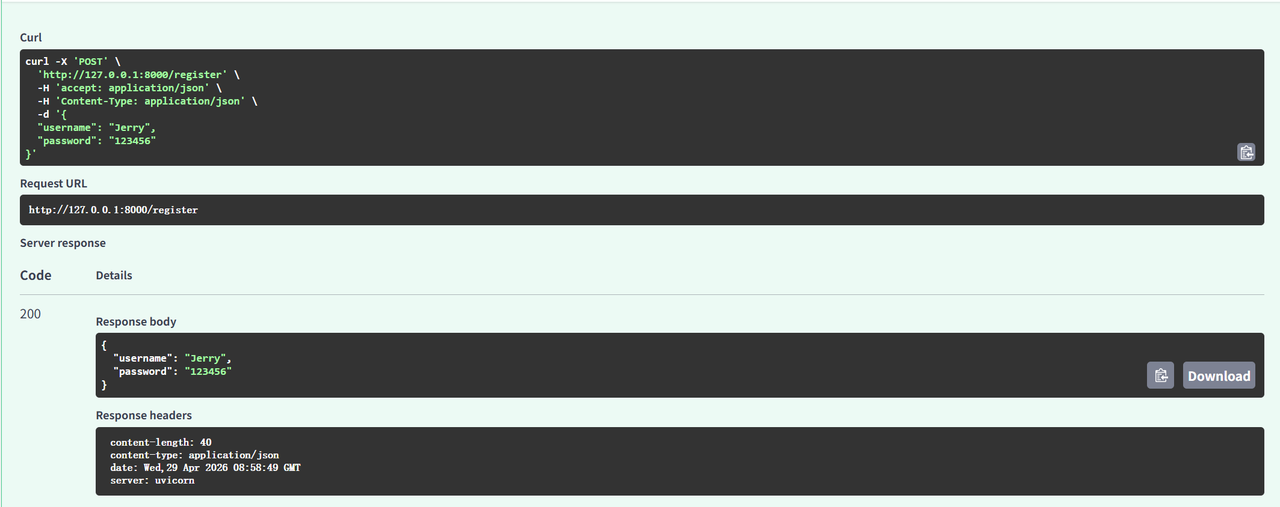
@app.post("/register")
async def register(user: User):
    return user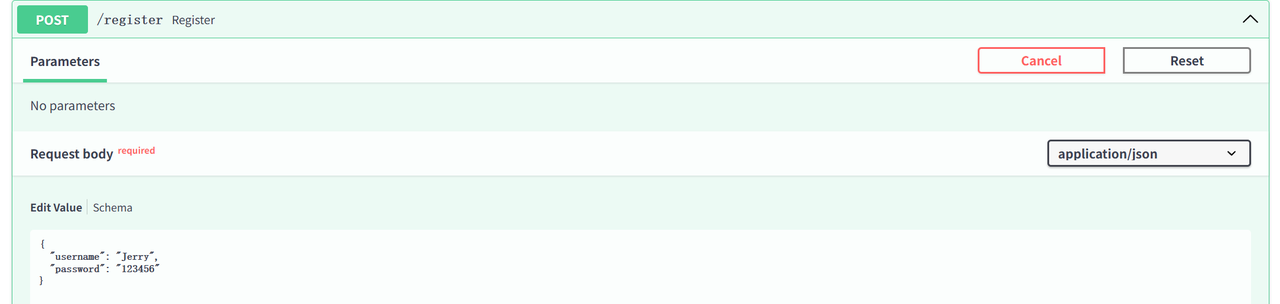
6.8 练习
需求: 设计接口新增图书,图书信息包含:书名、作者、出版社、售价
python
from fastapi import FastAPI
from pydantic import BaseModel

app = FastAPI()

class BookItem(BaseModel):
    title: str      # 书名
    author: str      # 作者
    publisher: str  # 出版社
    price: float     # 售价

@app.post("/books/", summary="新增图书")
async def create_book(book: BookItem):
    return {"message": "图书新增成功", "book_info": book}
使用 Field 进行类型注解
python
from pydantic import BaseModel, Field

class User(BaseModel):
    username: str = Field(default="张三", min_length=2, max_length=10, description="用户名,长度范围为2-10")
    password: str = Field(min_length=6, max_length=20, description="密码,长度范围为6-20")

@app.post("/register")
async def register(user: User):
    return user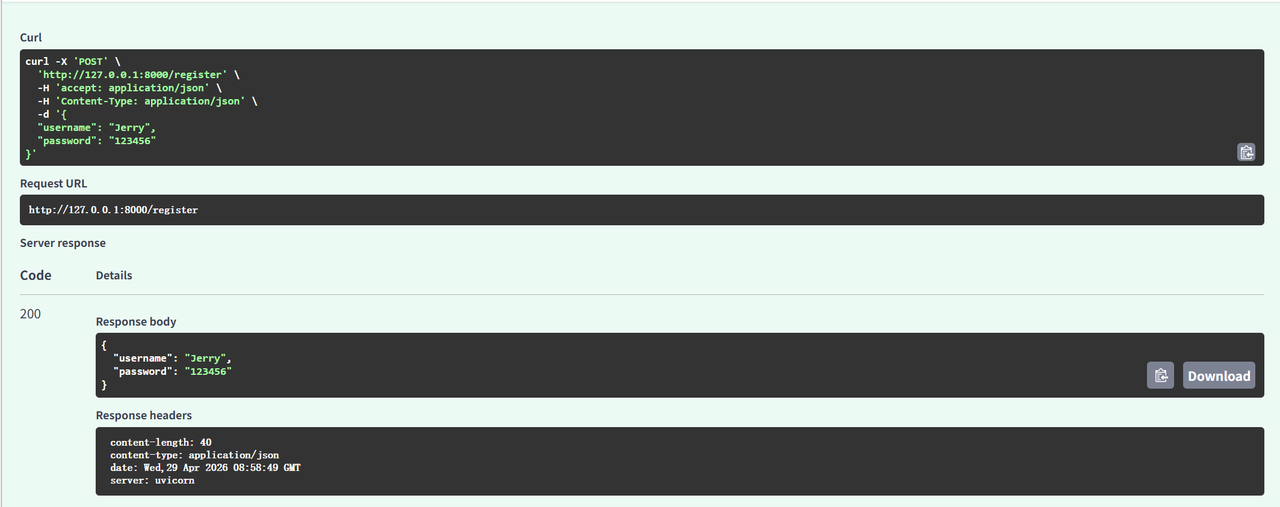
6.9 小结
| 问题 | 答案 |
|---|---|
| 请求体参数的作用是什么? | 创建、更新资源 |
| 如何定义、使用请求体参数? | 使用 Pydantic BaseModel 定义数据模型 |
| 如何为请求体参数添加类型注解? | Python 原生注解 和 Field 注解 |
6.10 练习
需求: 设计接口新增图书
- 书名:不能为空;长度 2~20
- 作者:长度 2~10
- 出版社:默认值"黑马出版社"
- 售价:不能为空;价格大于0元
python
from fastapi import FastAPI
from pydantic import BaseModel, Field

app = FastAPI()

class Book(BaseModel):
    book_name: str = Field(..., min_length=2, max_length=20, description="书名,必填,2-20字")
    author: str = Field(..., min_length=2, max_length=10, description="作者,必填,2-10字")
    publisher: str = Field(default="黑马出版社", description="出版社,默认黑马出版社")
    price: float = Field(..., gt=0, description="价格,必填,大于0")

@app.post("/books", summary="新增图书")
async def create_book(book: Book):
    return {"message": "图书新增成功", "book_data": book}
6.11 核心区别总结
| 参数类型 | 位置 | 作用 | 常用方法 |
|---|---|---|---|
| 路径参数 | URL 路径的一部分 | 指向特定资源 | GET |
| 查询参数 | URL ? 之后 |
过滤、排序、分页 | GET |
| 请求体 | HTTP body | 创建、更新资源 | POST、PUT |
6.12 完整代码示例
python
from fastapi import FastAPI, Path, Query
from pydantic import BaseModel, Field

app = FastAPI()

@app.get("/")
async def root():
    return {"message": "Hello World"}

@app.get("/hello/{name}")
async def say_hello(name: str):
    return {"message": f"Hello {name}"}

@app.get("/book/{id}")
async def get_book(id: int = Path(..., gt=0, lt=101, description="书籍id,取值范围为1-100")):
    return {"id": id, "title": f"这是第{id}本书"}

@app.get("/news/news_list")
async def get_news_list(
    skip: int = Query(0, description="跳过的记录数", lt=100),
    limit: int = Query(10, description="返回的记录数", lt=100)
):
    return {"skip": skip, "limit": limit}

class User(BaseModel):
    username: str = Field(default="张三", min_length=2, max_length=10, description="用户名")
    password: str = Field(min_length=6, max_length=20, description="密码")

@app.post("/register")
async def register(user: User):
    return user
7. 请求与响应处理

7.1 响应类型
默认情况下,FastAPI 会自动将路径操作函数返回的 Python 对象(字典、列表、Pydantic 模型等)转换为 JSON 格式返回。
如需返回非 JSON 数据(HTML、文件流),FastAPI 提供了丰富的响应类型。
7.2 响应类型设置方式
方式一:装饰器中指定响应类
python
@app.get("/html", response_class=HTMLResponse)
async def get_html():
    return "<h1>这是标题</h1>"
方式二:返回响应对象
python
@app.get("/file")
async def get_file():
    return FileResponse("./files/1.jpeg")
7.3 响应 HTML 格式
python
from fastapi import FastAPI
from fastapi.responses import HTMLResponse

app = FastAPI()

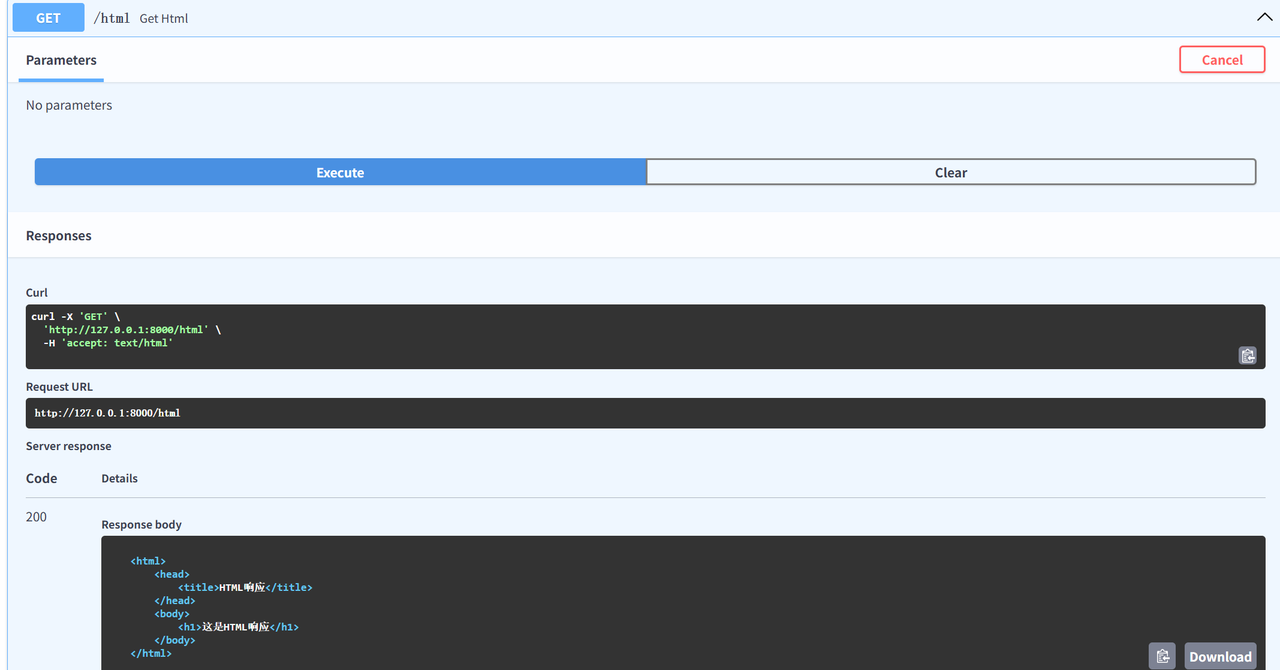
@app.get("/html", response_class=HTMLResponse)
async def get_html():
    html = """
    <html>
        <head>
            <title>HTML响应</title>
        </head>
        <body>
            <h1>这是HTML响应</h1>
        </body>
    </html>
    """
    return html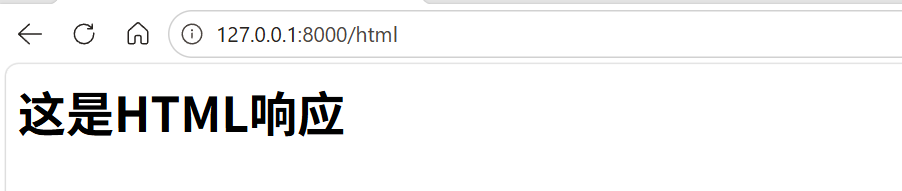
7.4 响应文件格式
FileResponse 是 FastAPI 专门用于高效返回文件内容的响应类,支持图片、PDF、Excel、音视频等。
python
from fastapi.responses import FileResponse

@app.get("/file")
async def get_file():
    file_path = "./files/1.jpeg"
    return FileResponse(file_path)
📁 需要提前准备文件:
项目目录/files/1.jpeg

7.5 自定义响应数据格式
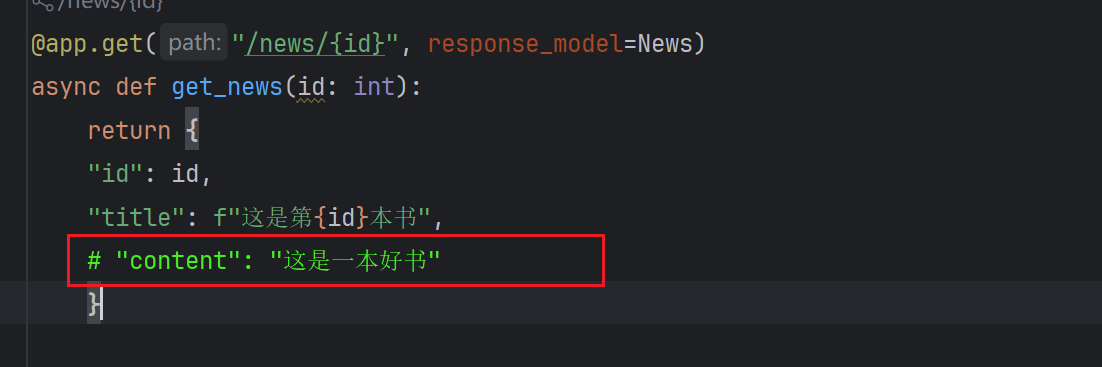
response_model 通过 Pydantic 模型严格定义 API 端点的输出格式,保障数据安全。
python
from pydantic import BaseModel

class News(BaseModel):
    id: int
    title: str
    content: str

@app.get("/news/{id}", response_model=News)
async def get_news(id: int):
    return {
        "id": id,
        "title": f"这是第{id}本书",
        "content": "这是一本好书"
    }
⚠️ 注意:如果 response_model 定义了字段,return 时必须返回所有字段,否则会报错
8. 异常处理
对于客户端引发的错误(4xx),应使用 HTTPException 来中断正常处理流程。
python
from fastapi import FastAPI, HTTPException

@app.get('/news/{id}')
async def get_news(id: int):
    id_list = [1, 2, 3, 4, 5, 6]
    if id not in id_list:
        raise HTTPException(status_code=404, detail="当前id不存在")
    return {"id": id}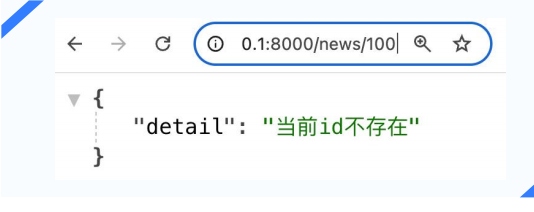
总结
本文详细介绍了 FastAPI 框架的核心知识点:
| 知识点 | 关键内容 |
|---|---|
| 路由 | URL 与处理函数的映射,通过装饰器定义 |
| 路径参数 | URL 路径的一部分,使用 Path 注解 |
| 查询参数 | URL ? 后的参数,使用 Query 注解 |
| 请求体 | JSON 格式数据,使用 Pydantic BaseModel |
| 响应格式 | HTMLResponse、FileResponse、response_model |
| 异常处理 | HTTPException 处理 4xx 错误 |
📚 推荐学习资源