一、系统调用
1、open打开文件
cpp
#include<unistd.h>
#include<fcntl.h>
#include<stdio.h>
int main()
{
    /*
    const char *__file 打开文件的路径
    int __oflag 打开文件的模式
    【1】O_RDONLY 只读模式
    【2】O_WRONLY 只写模式
    【3】O_RDWR 读写模式
    【4】O_CREAT 如果不存在创建文件
    【5】O_APPEND 追加写模式
    【6】O_TRUNC 截断文件长度为0
    ...可变参数:O_CREAT 创建文件的权限 0664
    return:文件描述符 如果打开文件失败返回-1 同时设置全局变量errno表示对应的错误
    int open(const char *__file, int __oflag, ...)
    */
    int fd=open("io1.txt",O_RDONLY | O_CREAT,0664);
    if (fd==-1)
    {
        printf("打开文件失败\n");
    }

    return 0;
}
MakeFile
cpp
unistd_test:unistd_test.c
	-$(CC) -o $@ $^
	-./$@
	-rm ./$@
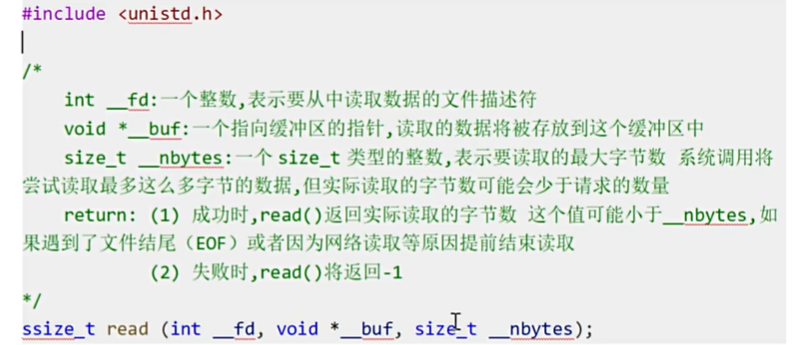
2、read
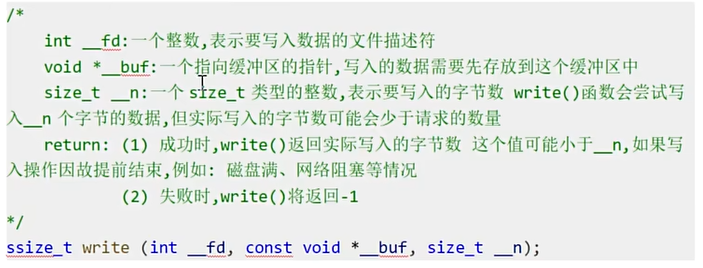
3、write
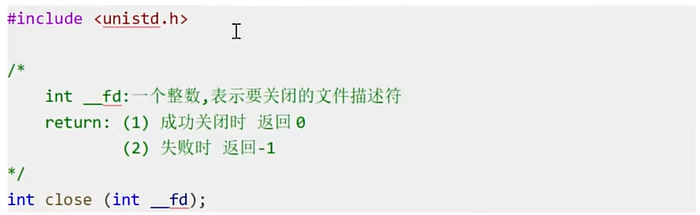
4、close
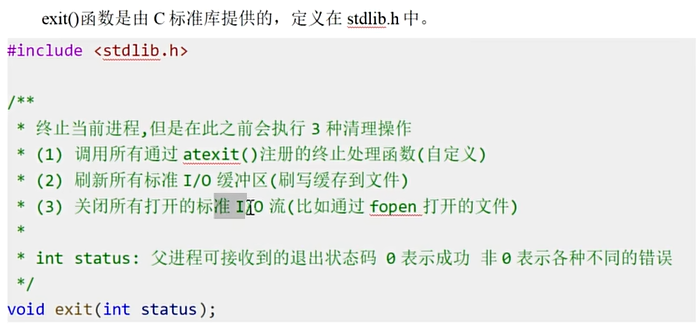
5、exit
6、练习
读取io.txt文件内容
cpp
#include<unistd.h>
#include<fcntl.h>
#include<stdlib.h>
#include<stdio.h>

int main()
{
    //打开文件
    int fd = open("io.txt",O_RDONLY);
    if (fd == -1)
    {
        perror("open");
        exit(EXIT_FAILURE);
    }

    char *buf[1024];
    ssize_t bytes_read;
    bytes_read=read(fd,buf,sizeof(buf));
    if (bytes_read == -1)
    {
        perror("read");
        close(fd);
        exit(EXIT_FAILURE);
    }
    ssize_t bytes_write;
    while (bytes_read > 0)
    {
        bytes_write=write(STDOUT_FILENO,buf,bytes_read);
        bytes_read=read(fd,buf,sizeof(buf));
    }

    if (bytes_write == -1)
    {
        perror("write");
        close(fd);
        exit(EXIT_FAILURE);
    }
    close(fd);


    return 0;
}
Makefile
cpp
system_call_test:system_call_test.c
	-$(CC) -o $@ $^
	-./$@
	-rm ./$@
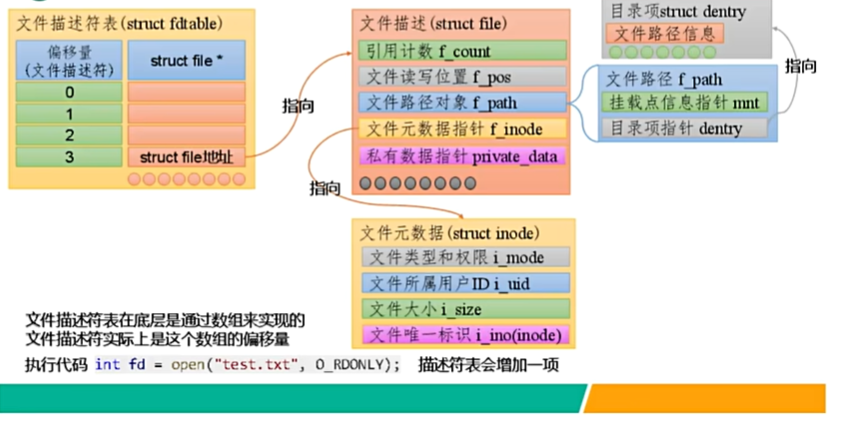
二、文件描述符
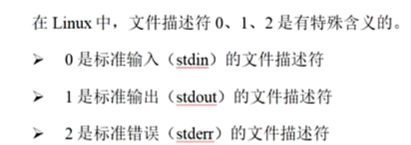
1、定义
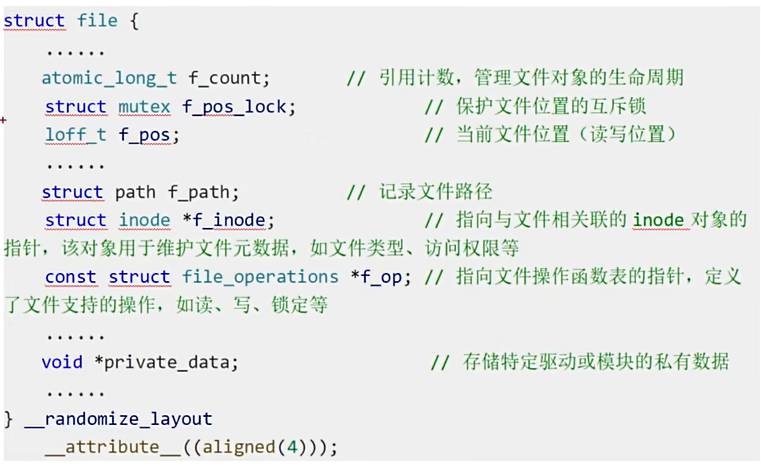
2、struct file

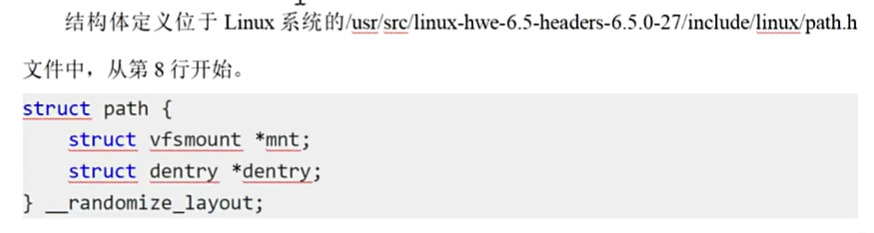
3、struct path
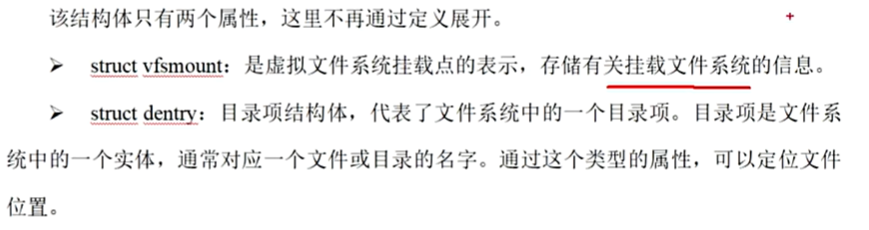
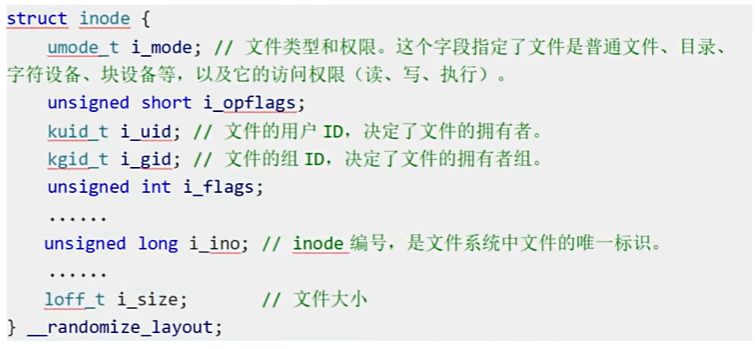
4、struct inode

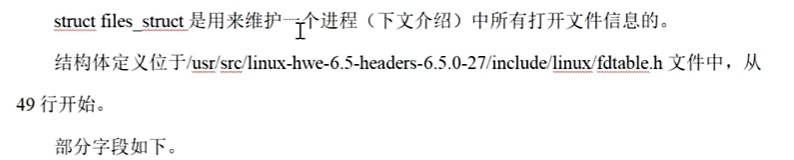
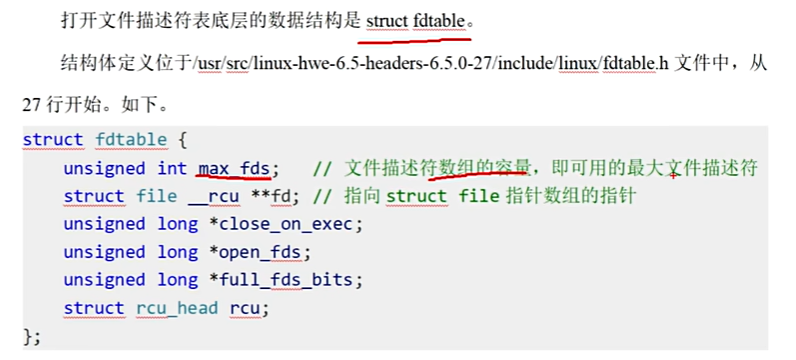
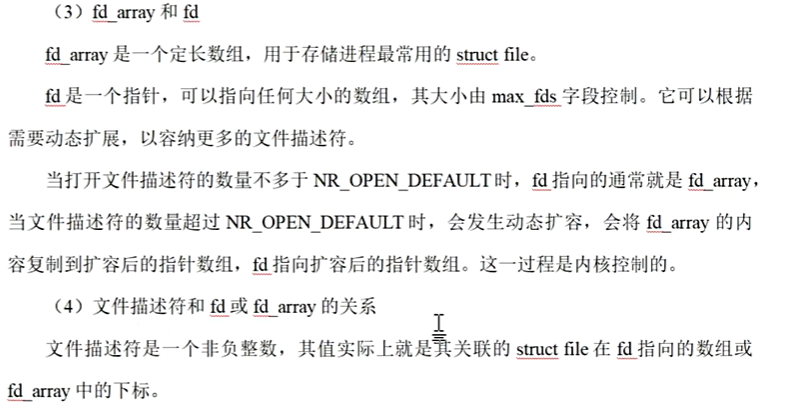
5、文件描述符表关联的数据结构
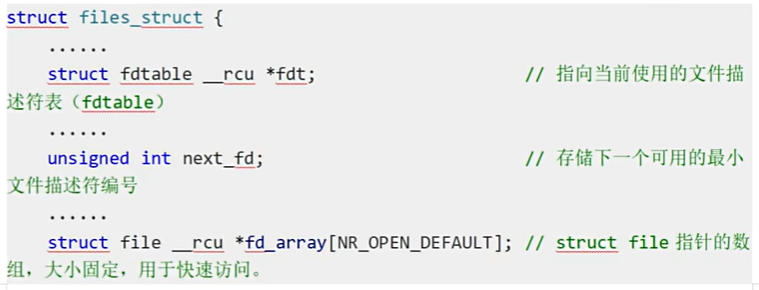
6、文件描述符引用图解