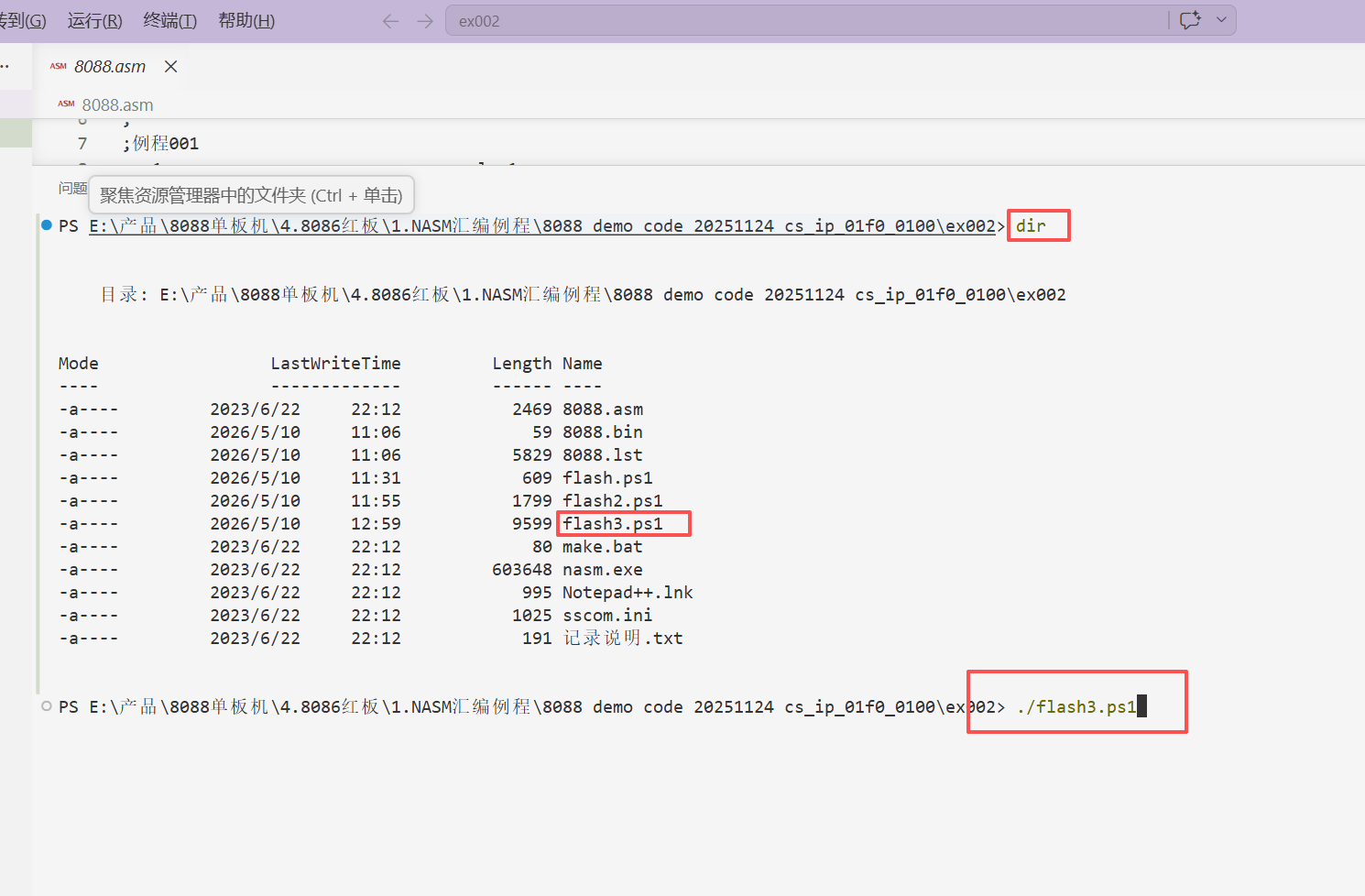
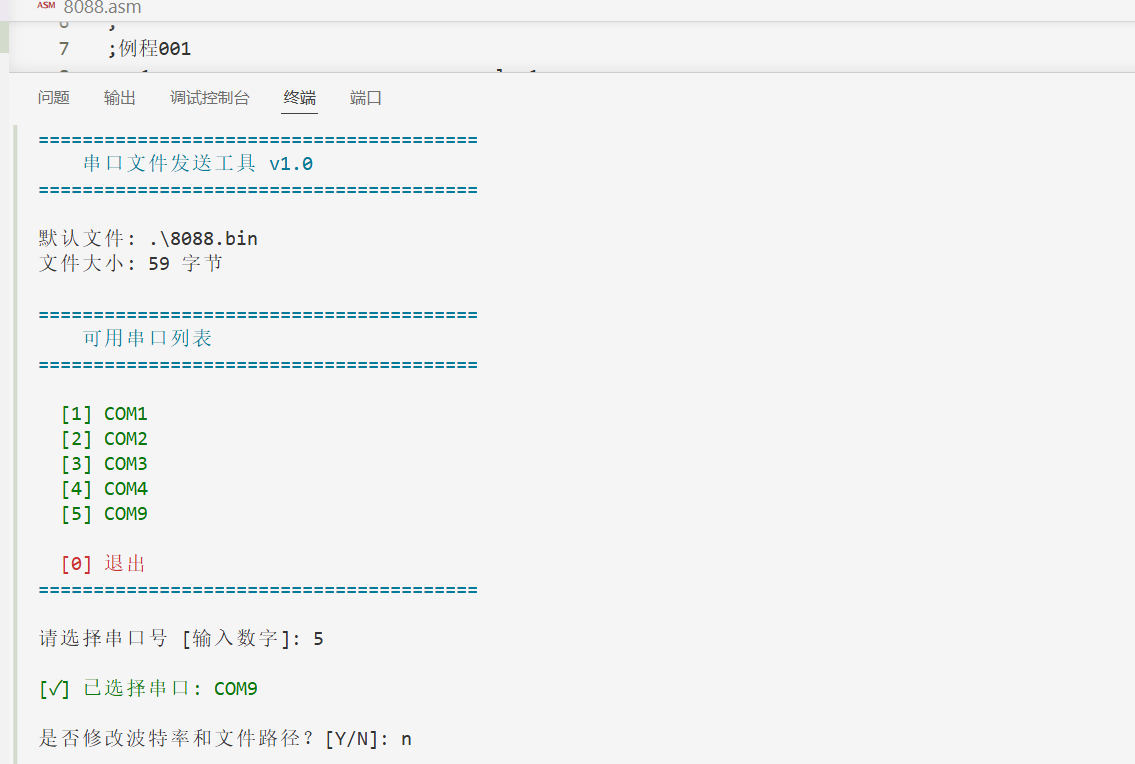
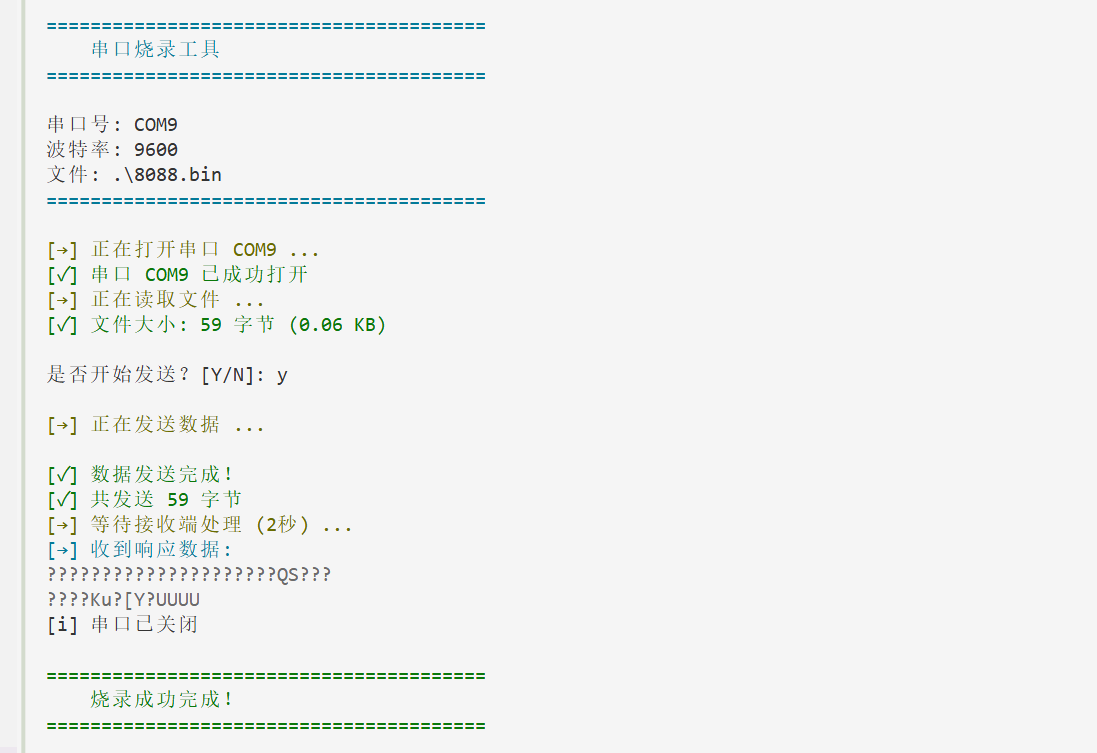
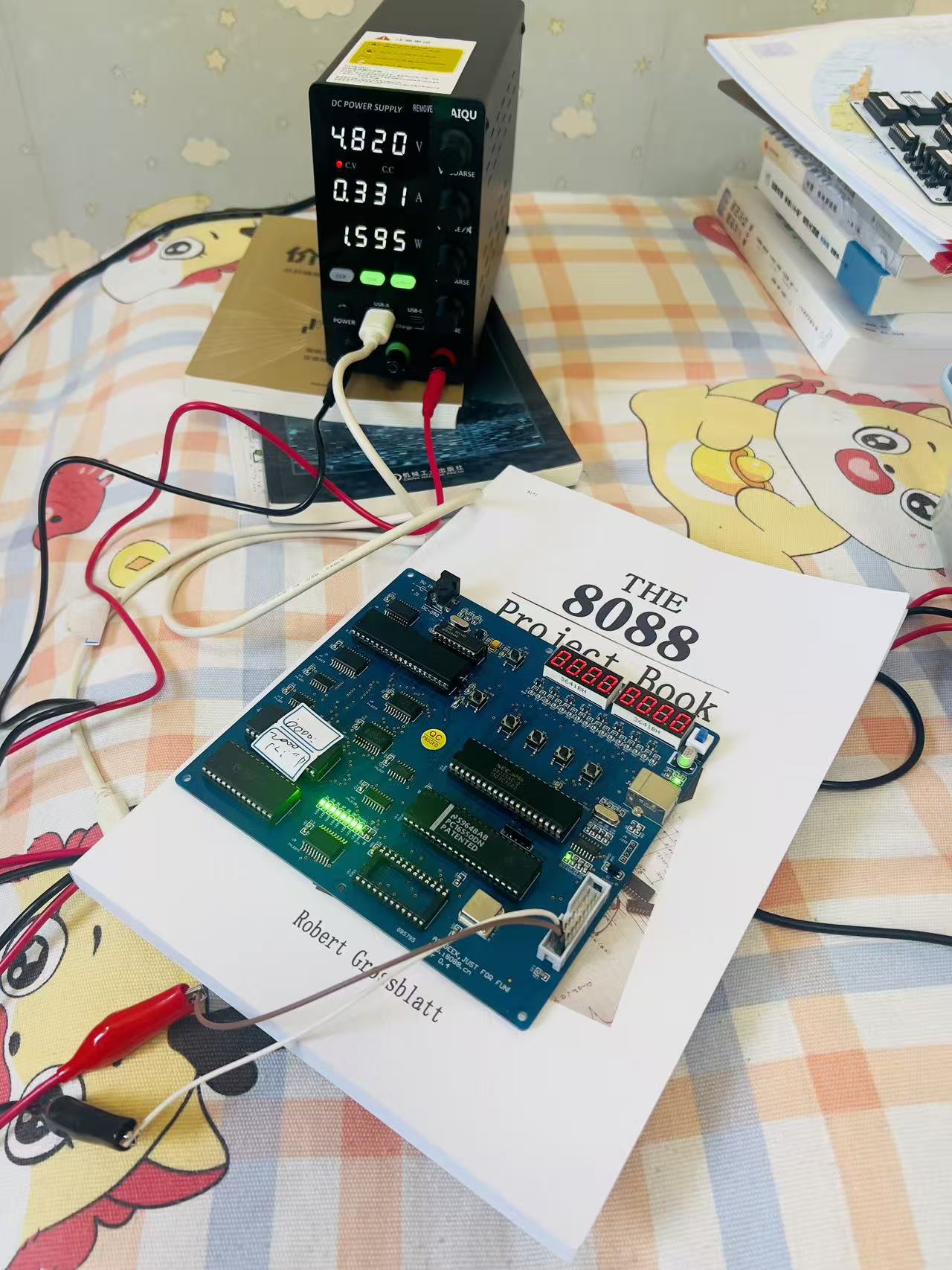
1.建立powerShell脚本
cpp
param(
    [Parameter(Mandatory=$false)]
    [int]$BaudRate = 9600,

    [Parameter(Mandatory=$false)]
    [string]$FilePath = ".\8088.bin"
)

function Get-AvailablePorts {
    <#
    .SYNOPSIS
    获取系统中所有可用的串口号
    #>
    try {
        # 方法1: 使用 .NET 获取串口
        $ports = [System.IO.Ports.SerialPort]::GetPortNames()

        if ($ports.Count -eq 0) {
            # 方法2: 使用 WMI 获取(备用)
            $ports = Get-WmiObject -Class Win32_SerialPort | Where-Object { $_.Name -like "*COM*" } | ForEach-Object { $_.DeviceID }
        }

        return $ports | Sort-Object
    }
    catch {
        Write-Error "获取串口列表失败: $_"
        return @()
    }
}

function Show-AvailablePorts {
    <#
    .SYNOPSIS
    显示可用串口列表
    #>
    $ports = Get-AvailablePorts

    if ($ports.Count -eq 0) {
        Write-Host "`n[!] 未找到任何可用串口!" -ForegroundColor Red
        Write-Host "请检查:" -ForegroundColor Yellow
        Write-Host "  1. 串口设备是否已连接" -ForegroundColor Yellow
        Write-Host "  2. 驱动是否已正确安装" -ForegroundColor Yellow
        Write-Host "  3. 是否有权限访问串口" -ForegroundColor Yellow
        return $null
    }

    Write-Host "`n========================================" -ForegroundColor Cyan
    Write-Host "    可用串口列表" -ForegroundColor Cyan
    Write-Host "========================================`n" -ForegroundColor Cyan

    for ($i = 0; $i -lt $ports.Count; $i++) {
        Write-Host "  [$($i+1)] $($ports[$i])" -ForegroundColor Green
    }

    Write-Host "`n  [0] 退出" -ForegroundColor Red
    Write-Host "========================================" -ForegroundColor Cyan

    return $ports
}

function Select-Port {
    <#
    .SYNOPSIS
    交互式选择串口号
    #>
    $ports = Show-AvailablePorts

    if ($ports -eq $null -or $ports.Count -eq 0) {
        return $null
    }

    do {
        $selection = Read-Host "`n请选择串口号 [输入数字]"

        if ($selection -eq "0") {
            Write-Host "`n[!] 用户取消操作" -ForegroundColor Yellow
            return $null
        }

        $index = [int]$selection - 1

        if ($index -ge 0 -and $index -lt $ports.Count) {
            $selectedPort = $ports[$index]
            Write-Host "`n[✓] 已选择串口: $selectedPort" -ForegroundColor Green
            return $selectedPort
        }
        else {
            Write-Host "[!] 无效选择,请输入有效数字" -ForegroundColor Red
        }
    } while ($true)
}

function Send-FileToSerialPort {
    param(
        [Parameter(Mandatory=$true)]
        [string]$PortName,

        [Parameter(Mandatory=$true)]
        [string]$FilePath,

        [int]$BaudRate
    )

    # 检查文件是否存在
    if (-not (Test-Path $FilePath)) {
        Write-Error "文件不存在: $FilePath"
        return $false
    }

    $serialPort = New-Object System.IO.Ports.SerialPort($PortName, $BaudRate, [System.IO.Ports.Parity]::None, 8, [System.IO.Ports.StopBits]::One)

    # 设置超时
    $serialPort.ReadTimeout = 5000
    $serialPort.WriteTimeout = 5000

    Write-Host "`n========================================" -ForegroundColor Cyan
    Write-Host "    串口烧录工具" -ForegroundColor Cyan
    Write-Host "========================================`n" -ForegroundColor Cyan
    Write-Host "串口号: $PortName"
    Write-Host "波特率: $BaudRate"
    Write-Host "文件: $FilePath"
    Write-Host "========================================`n" -ForegroundColor Cyan

    try {
        # 打开串口
        Write-Host "[→] 正在打开串口 $PortName ..." -ForegroundColor Yellow
        $serialPort.Open()
        Write-Host "[✓] 串口 $PortName 已成功打开" -ForegroundColor Green
        Start-Sleep -Milliseconds 500  # 等待串口稳定

        # 读取文件
        Write-Host "[→] 正在读取文件 ..." -ForegroundColor Yellow
        $bytes = [System.IO.File]::ReadAllBytes($FilePath)
        $fileSizeKB = [math]::Round($bytes.Length / 1KB, 2)
        $fileSizeMB = [math]::Round($bytes.Length / 1MB, 2)

        if ($fileSizeMB -ge 1) {
            Write-Host "[✓] 文件大小: $($bytes.Length) 字节 ($fileSizeMB MB)" -ForegroundColor Green
        } else {
            Write-Host "[✓] 文件大小: $($bytes.Length) 字节 ($fileSizeKB KB)" -ForegroundColor Green
        }

        # 确认发送
        $confirm = Read-Host "`n是否开始发送?[Y/N]"
        if ($confirm -ne "Y" -and $confirm -ne "y") {
            Write-Host "[!] 用户取消发送" -ForegroundColor Yellow
            return $false
        }

        # 发送数据
        Write-Host "`n[→] 正在发送数据 ..." -ForegroundColor Yellow

        # 可选:显示进度条
        $chunkSize = 4096
        $totalBytes = $bytes.Length
        $sentBytes = 0

        for ($i = 0; $i -lt $totalBytes; $i += $chunkSize) {
            $remaining = $totalBytes - $i
            $currentChunkSize = if ($remaining -lt $chunkSize) { $remaining } else { $chunkSize }
            $chunk = $bytes[$i..($i + $currentChunkSize - 1)]
            $serialPort.Write($chunk, 0, $chunk.Length)
            $sentBytes += $chunk.Length

            # 显示进度
            $percent = [math]::Round(($sentBytes / $totalBytes) * 100, 1)
            Write-Progress -Activity "发送数据" -Status "进度: $percent%" -PercentComplete $percent -CurrentOperation "已发送: $sentBytes / $totalBytes 字节"
        }

        Write-Progress -Activity "发送数据" -Completed
        Write-Host "`n[✓] 数据发送完成!" -ForegroundColor Green
        Write-Host "[✓] 共发送 $sentBytes 字节" -ForegroundColor Green

        # 等待接收端处理
        Write-Host "[→] 等待接收端处理 (2秒) ..." -ForegroundColor Yellow
        Start-Sleep -Seconds 2

        # 检查是否有响应数据
        if ($serialPort.BytesToRead -gt 0) {
            Write-Host "[→] 收到响应数据:" -ForegroundColor Cyan
            $response = $serialPort.ReadExisting()
            Write-Host $response -ForegroundColor White
        }

        return $true
    }
    catch [System.UnauthorizedAccessException] {
        Write-Error "错误: 无法访问串口 $PortName"
        Write-Host "可能原因:" -ForegroundColor Yellow
        Write-Host "  - 串口已被其他程序占用" -ForegroundColor Yellow
        Write-Host "  - 没有访问权限(请以管理员身份运行)" -ForegroundColor Yellow
        return $false
    }
    catch [System.IO.IOException] {
        Write-Error "错误: 串口 $PortName 通信失败"
        Write-Host "请检查:" -ForegroundColor Yellow
        Write-Host "  - 串口连接是否正常" -ForegroundColor Yellow
        Write-Host "  - 设备是否已准备好" -ForegroundColor Yellow
        return $false
    }
    catch {
        Write-Error "错误: $_"
        return $false
    }
    finally {
        if ($serialPort.IsOpen) {
            $serialPort.Close()
            Write-Host "[i] 串口已关闭" -ForegroundColor Gray
        }
        $serialPort.Dispose()
    }
}

# 主程序
Clear-Host
Write-Host "========================================" -ForegroundColor Cyan
Write-Host "    串口文件发送工具 v1.0" -ForegroundColor Cyan
Write-Host "========================================" -ForegroundColor Cyan

# 显示文件信息
if (Test-Path $FilePath) {
    $fileInfo = Get-Item $FilePath
    Write-Host "`n默认文件: $FilePath" -ForegroundColor Gray
    Write-Host "文件大小: $($fileInfo.Length) 字节" -ForegroundColor Gray
} else {
    Write-Host "`n[!] 警告: 默认文件不存在: $FilePath" -ForegroundColor Yellow
    Write-Host "请确保文件路径正确" -ForegroundColor Yellow
}

# 显示可用串口并选择
$selectedPort = Select-Port

if ($selectedPort -eq $null) {
    Write-Host "`n[!] 程序退出" -ForegroundColor Yellow
    exit 0
}

# 询问是否修改波特率和文件路径
$modify = Read-Host "`n是否修改波特率和文件路径?[Y/N]"
if ($modify -eq "Y" -or $modify -eq "y") {
    $inputBaud = Read-Host "请输入波特率 [默认: $BaudRate]"
    if ($inputBaud -ne "") {
        $BaudRate = [int]$inputBaud
    }

    $inputFile = Read-Host "请输入文件路径 [默认: $FilePath]"
    if ($inputFile -ne "") {
        $FilePath = $inputFile
    }
}

# 执行文件发送
$result = Send-FileToSerialPort -PortName $selectedPort -FilePath $FilePath -BaudRate $BaudRate

if ($result) {
    Write-Host "`n========================================" -ForegroundColor Green
    Write-Host "    烧录成功完成!" -ForegroundColor Green
    Write-Host "========================================" -ForegroundColor Green
} else {
    Write-Host "`n========================================" -ForegroundColor Red
    Write-Host "    烧录失败!" -ForegroundColor Red
    Write-Host "========================================" -ForegroundColor Red
}

Write-Host "`n按任意键退出..."
$null = $Host.UI.RawUI.ReadKey("NoEcho,IncludeKeyDown")
2.打开VSCode终端,运行此脚本