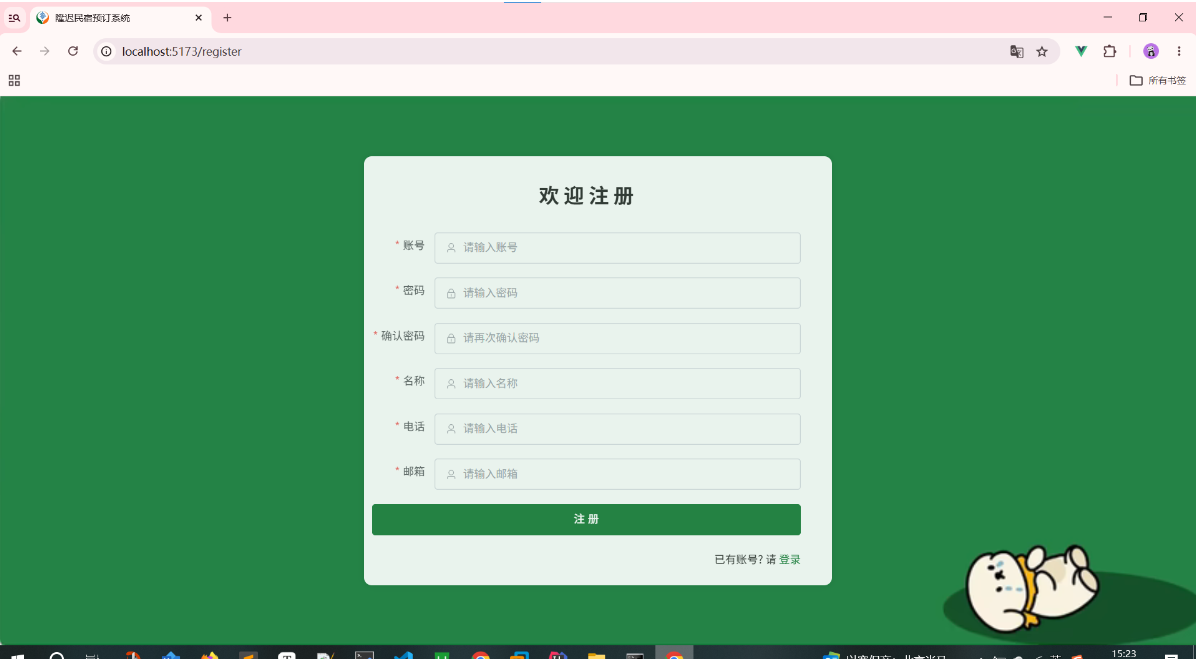
笔记
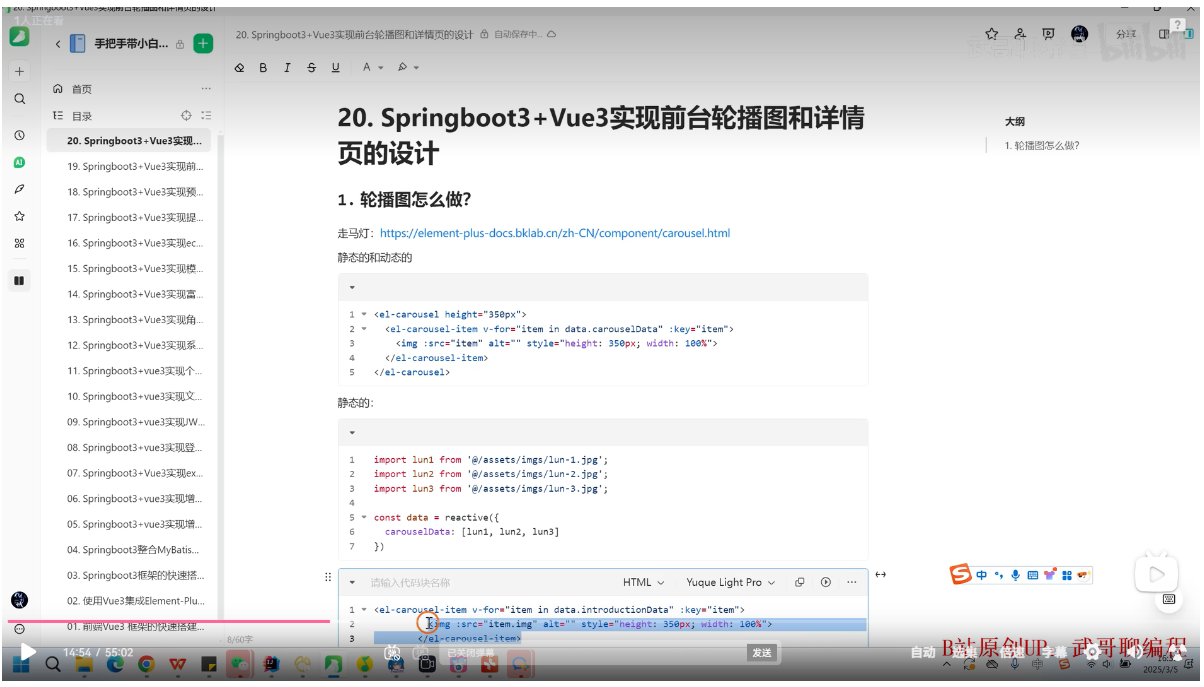
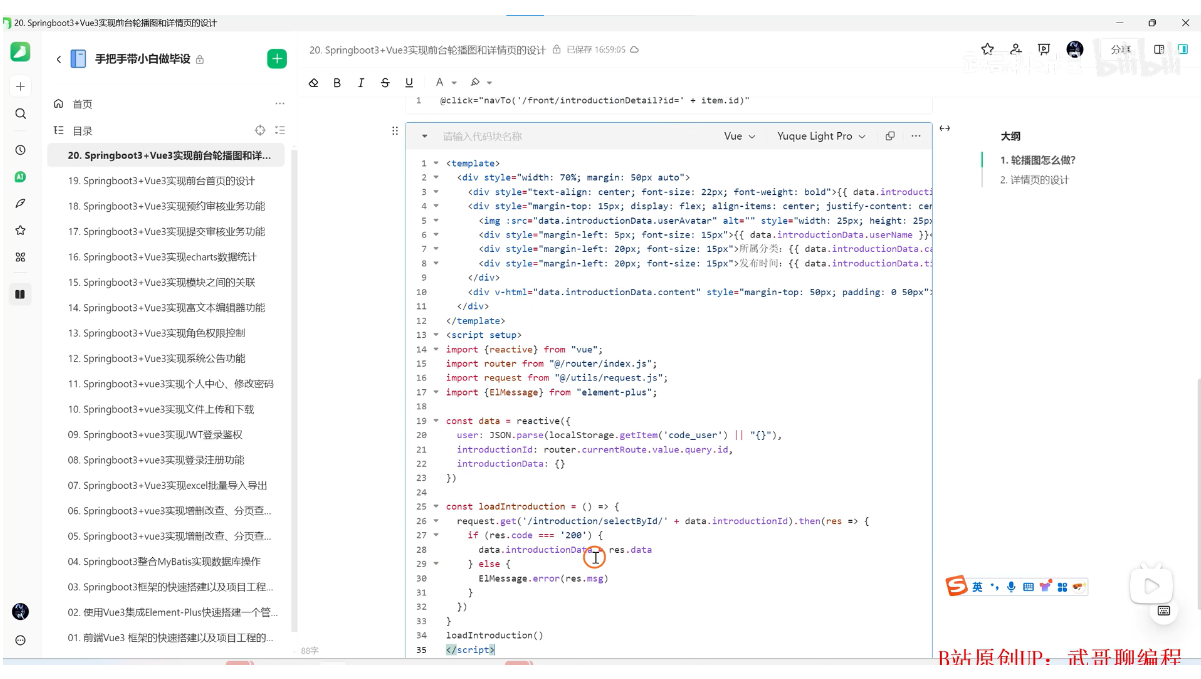
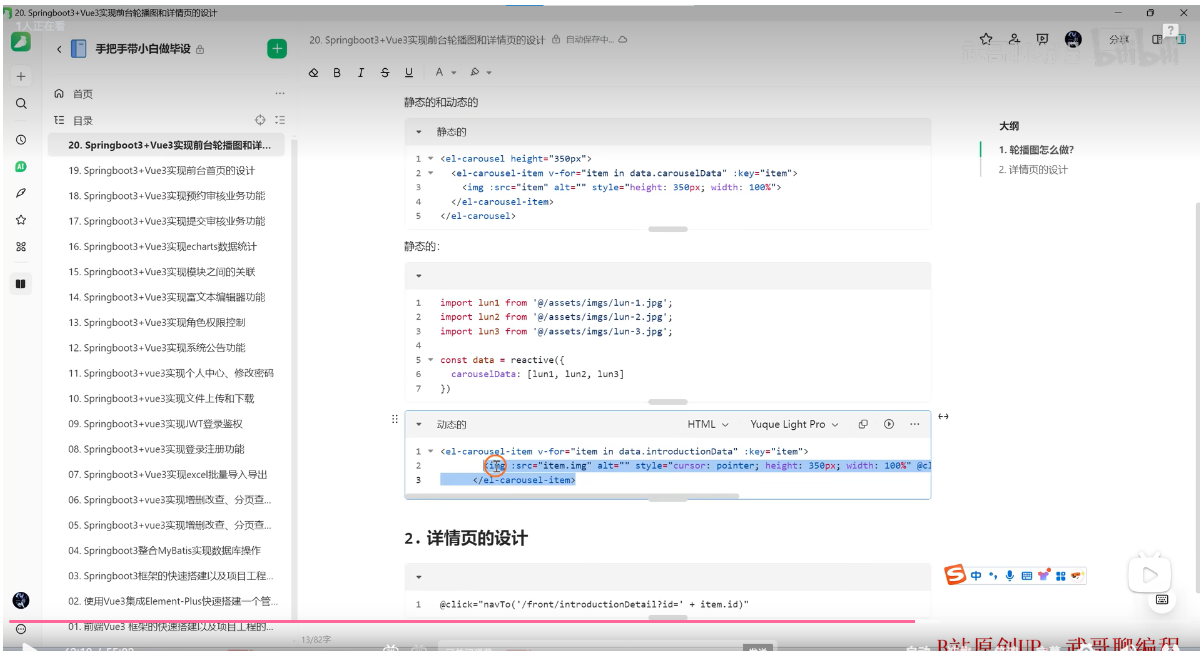
路由的切换 代码
router :default-openeds="['1','2']"
:default-active="router.currentRoute.value.path"
菜单
<!-- 菜单区域开始 -->
<div style="width: 240px;">
    <el-menu router :default-openeds="['1','2']" :default-active="router.currentRoute.value.path" style="min-height:calc(100vh);">
        <el-menu-item index="/manager/home">
            <el-icon><House /></el-icon>
            <span>首页</span>
        </el-menu-item>
        <el-sub-menu index="1">
            <template #title>
                <el-icon><Monitor /></el-icon>
                <span>信息管理</span>
            </template>
            <el-menu-item index="/manager/notice" v-if="data.user.role === 'ADMIN'">
                <el-icon><Iphone /></el-icon>
                <span>系统公告</span>
            </el-menu-item>
            <el-menu-item index="/manager/notice" v-else>
                <el-icon><Iphone /></el-icon>
                <span>公告信息</span>
            </el-menu-item>
            <el-menu-item index="/manager/category">
                <el-icon><Iphone /></el-icon>
                <span>攻略分类</span>
            </el-menu-item>
            <el-menu-item index="/manager/introduction">
                <el-icon><Iphone /></el-icon>
                <span>旅游攻略</span>
            </el-menu-item>
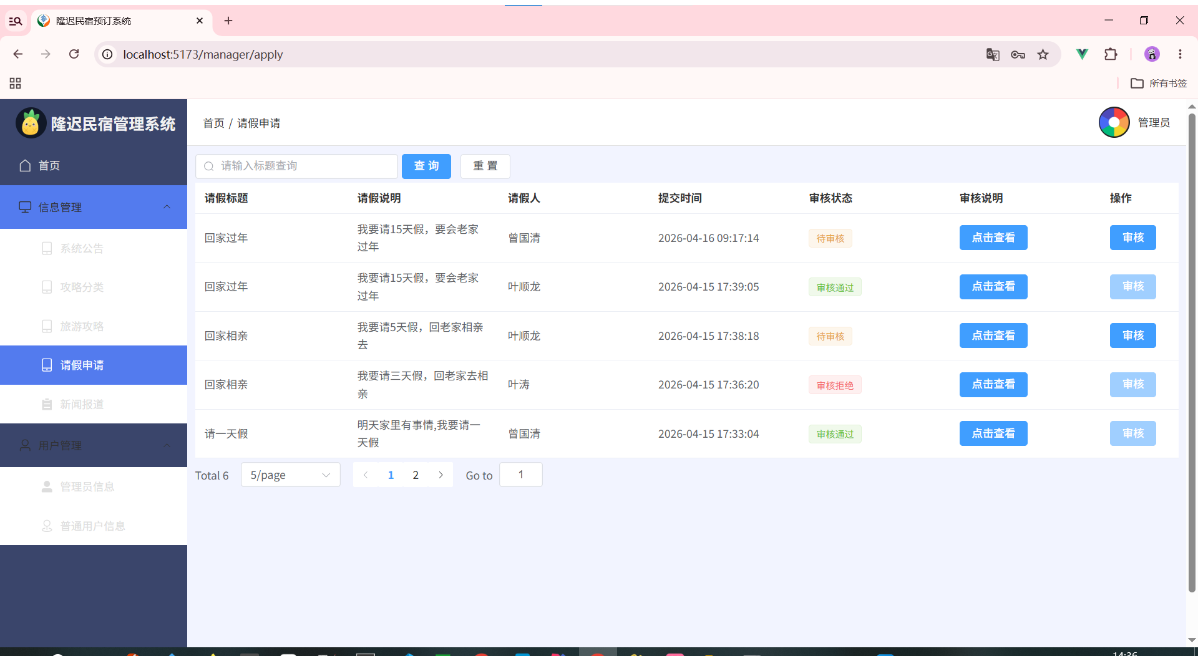
            <el-menu-item index="/manager/apply">
                <el-icon><Iphone /></el-icon>
                <span>请假申请</span>
            </el-menu-item>
            <el-menu-item index="/manager/book">
                <el-icon><Iphone /></el-icon>
                <span>图书信息</span>
            </el-menu-item>
            <el-menu-item index="/manager/record">
                <el-icon><Iphone /></el-icon>
                <span>借阅信息</span>
            </el-menu-item>
            <el-menu-item index="/manager/news">
                <el-icon><List /></el-icon>
                <span>新闻报道</span>
            </el-menu-item>
        </el-sub-menu>
        <el-sub-menu index="2" v-if="data.user.role === 'ADMIN'">
            <template #title>
                <el-icon><User /></el-icon>
                <span>用户管理</span>
            </template>
            <el-menu-item index="/manager/admin">
                <el-icon><UserFilled /></el-icon>
                <span>管理员信息</span>
            </el-menu-item>
            <el-menu-item index="/manager/user">
                <el-icon><Place /></el-icon>
                <span>普通用户信息</span>
            </el-menu-item>
        </el-sub-menu>
    </el-menu>
</div>
<!-- 菜单区域结束 -->
修改后的菜单
<!-- 菜单区域开始 -->
<div style="width: 240px;">
    <el-menu router :default-openeds="['1','2']" :default-active="router.currentRoute.value.path" style="min-height:calc(100vh);">
        <el-menu-item index="/manager/home">
            <el-icon><House /></el-icon>
            <span>首页</span>
        </el-menu-item>
        <el-sub-menu index="1">
            <template #title>
                <el-icon><Monitor /></el-icon>
                <span>信息管理</span>
            </template>
            <el-menu-item index="/manager/notice" v-if="data.user.role === 'ADMIN'">
                <el-icon><Iphone /></el-icon>
                <span>系统公告</span>
            </el-menu-item>
            <el-menu-item index="/manager/notice" v-else>
                <el-icon><Iphone /></el-icon>
                <span>公告信息</span>
            </el-menu-item>
            <el-menu-item index="/manager/category">
                <el-icon><Iphone /></el-icon>
                <span>攻略分类</span>
            </el-menu-item>
            <el-menu-item index="/manager/introduction">
                <el-icon><Iphone /></el-icon>
                <span>旅游攻略</span>
            </el-menu-item>
            <el-menu-item index="/manager/apply">
                <el-icon><Iphone /></el-icon>
                <span>请假申请</span>
            </el-menu-item>
            <el-menu-item index="/manager/book">
                <el-icon><Iphone /></el-icon>
                <span>图书信息</span>
            </el-menu-item>
            <el-menu-item index="/manager/record">
                <el-icon><Iphone /></el-icon>
                <span>借阅信息</span>
            </el-menu-item>
            <el-menu-item index="/manager/news">
                <el-icon><List /></el-icon>
                <span>新闻报道</span>
            </el-menu-item>
        </el-sub-menu>
        <el-sub-menu index="2" v-if="data.user.role === 'ADMIN'">
            <template #title>
                <el-icon><User /></el-icon>
                <span>用户管理</span>
            </template>
            <el-menu-item index="/manager/admin">
                <el-icon><UserFilled /></el-icon>
                <span>管理员信息</span>
            </el-menu-item>
            <el-menu-item index="/manager/user">
                <el-icon><Place /></el-icon>
                <span>普通用户信息</span>
            </el-menu-item>
        </el-sub-menu>
    </el-menu>
</div>
<!-- 菜单区域结束 -->
注意: Front.vue与Manager.vue的角色是一样的
引入静态页图片代码
import lun1 from "@/assets/imgs/logo1.jpg";


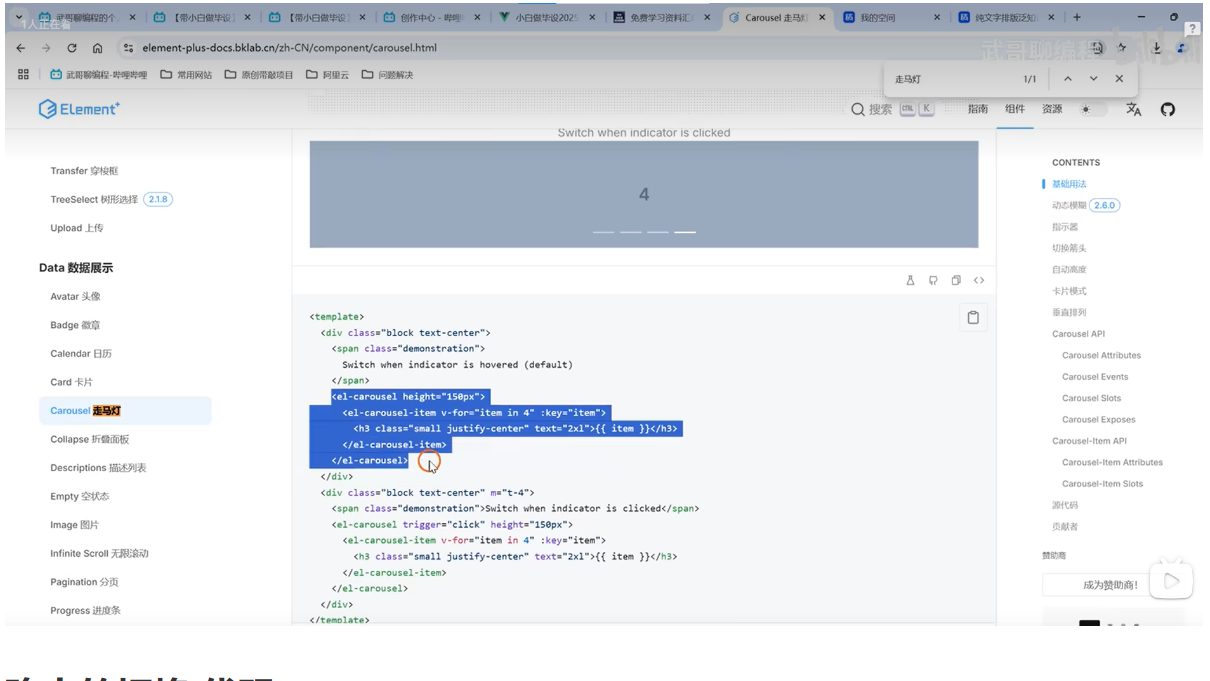
<h3 class="small justify-center" text="2xl">{{ item }}</h3>
(一), 轮播图怎么做
1,走马灯 轮播图 官网
https://cn.element-plus.org/zh-CN/component/carousel#carousel-%E8%B5%B0%E9%A9%AC%E7%81%AF2,静态的和动态的
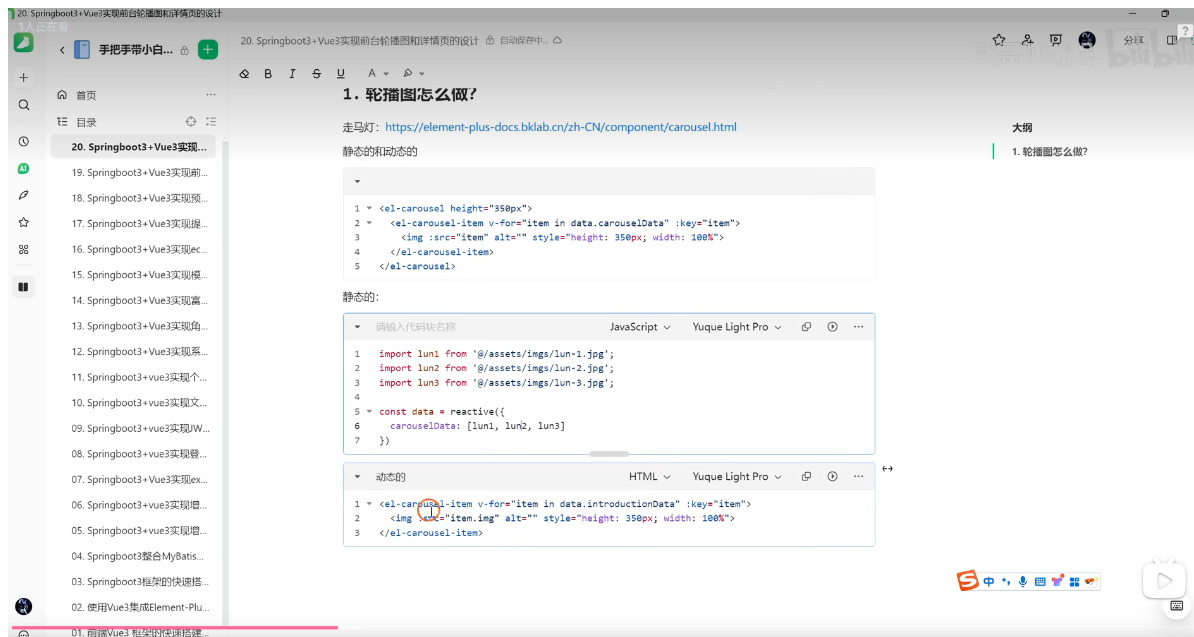
动态轮播图代码
<div style="margin-bottom: 20px;">
  <el-carousel height="480px">
    <el-carousel-item v-for="item in data.introductionData" :key="item">
      <img :src="item.carouselImg" alt="" style="height: 480px;width: 100%;cursor: pointer;" @click="navTo('/front/introductionDetail?id='+item.id)" />
    </el-carousel-item>
  </el-carousel>
</div>
老师的
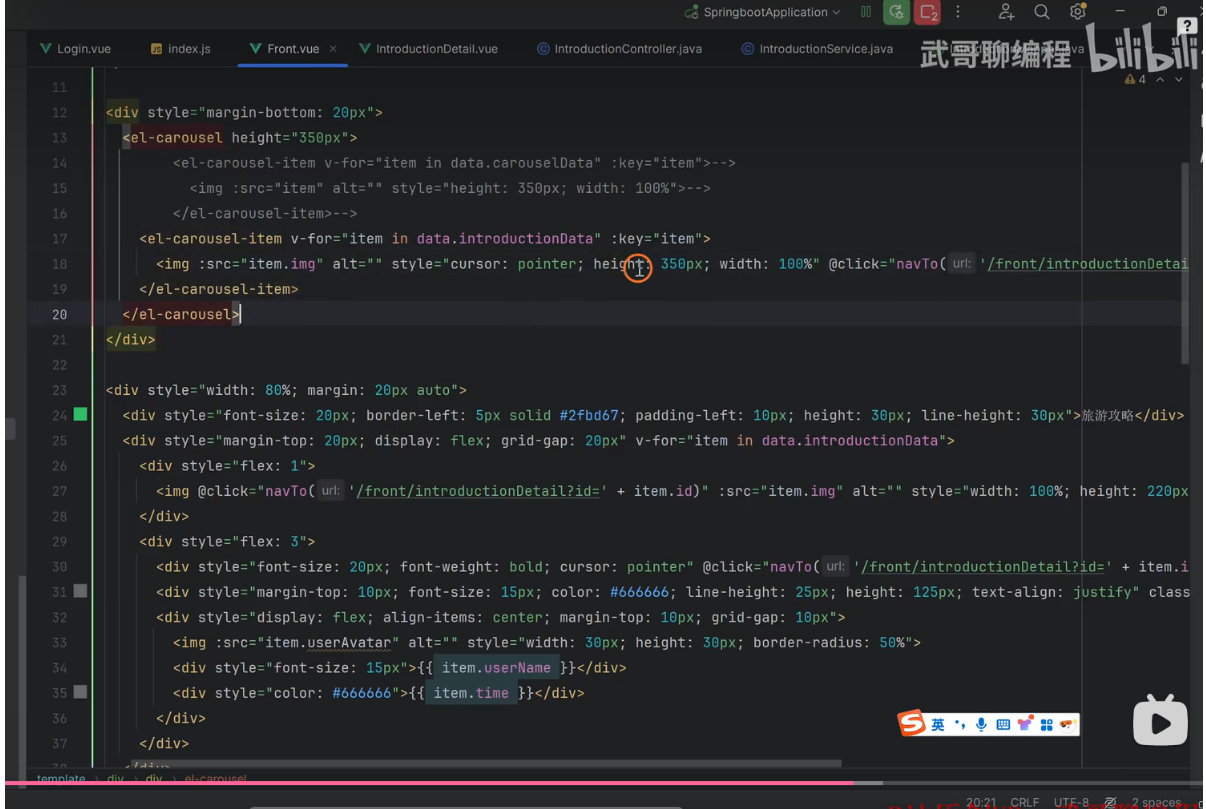
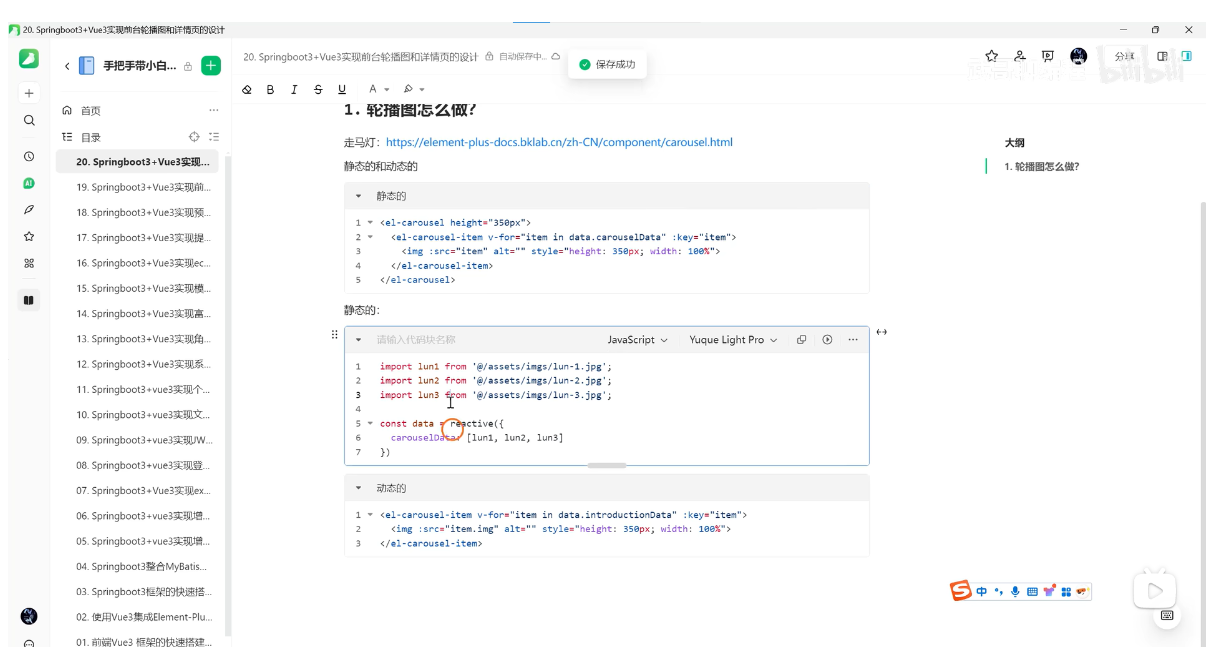
静态的: 比较简单,我们只要把静态图片将他渲染出来就可以了
静态轮播图代码
<div style="margin-bottom: 20px;">
  <el-carousel height="500px">
    <el-carousel-item v-for="item in data.carouselData" :key="item">
      <img :src="item" alt="" style="height: 500px;width: 100%;">
    </el-carousel-item>
  </el-carousel>
</div>

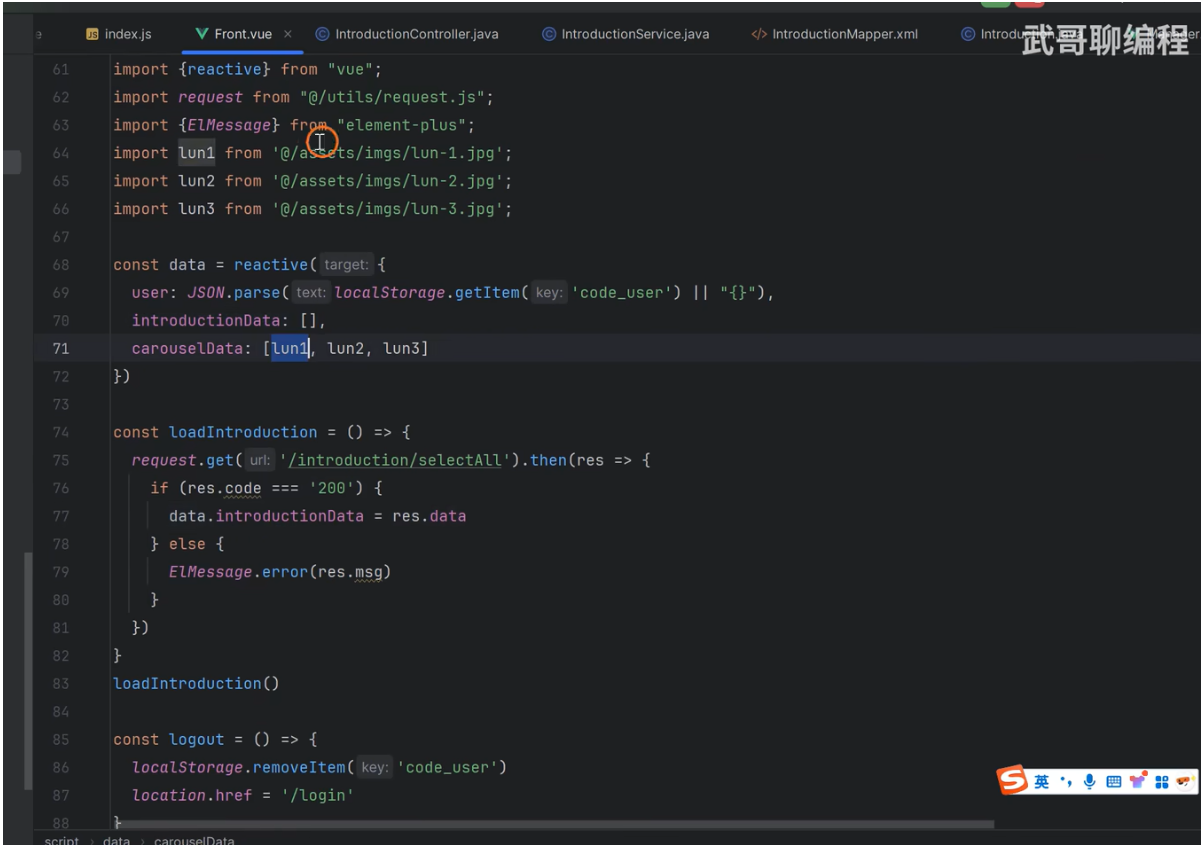
import lun1 from "@/assets/imgs/lun1.jpg";
import lun2 from "@/assets/imgs/lun2.jpg";
import lun3 from "@/assets/imgs/lun3.jpg";
import lun4 from "@/assets/imgs/lun4.jpg";
import lun5 from "@/assets/imgs/lun5.jpg";
import lun6 from "@/assets/imgs/lun6.jpg";

const data = reactive({
	user: JSON.parse(localStorage.getItem('code_user') || '{}'),
  noticeData: [],
  introductionData: [],
  carouselData: [lun1, lun2, lun3, lun4, lun5, lun6]
})
3, 添加一个轮播图字段 carouselImg
1, 去数据库表 introduction 表添加一个字段 carouselImg

2, 去 实体类 entity/Introduction.java 文件 添加一个字段 carouselImg
private String carouselImg;

public String getCarouselImg() {
    return carouselImg;
}

public void setCarouselImg(String carouselImg) {
    this.carouselImg = carouselImg;
}

3, 去 resources/mapper/IntroductionMapper.xml 添加该字段
<insert id="insert">
    insert into `introduction` (img,carouselImg,title,content,time,category_id,user_id) values(#{img},#{carouselImg},#{title},#{content},#{time},#{categoryId},#{userId})
</insert>

<update id="updateById">
    update `introduction` set img=#{img},carouselImg=#{carouselImg},title=#{title},content=#{content},time=#{time},category_id=#{categoryId},user_id=#{userId} where id=#{id}
</update>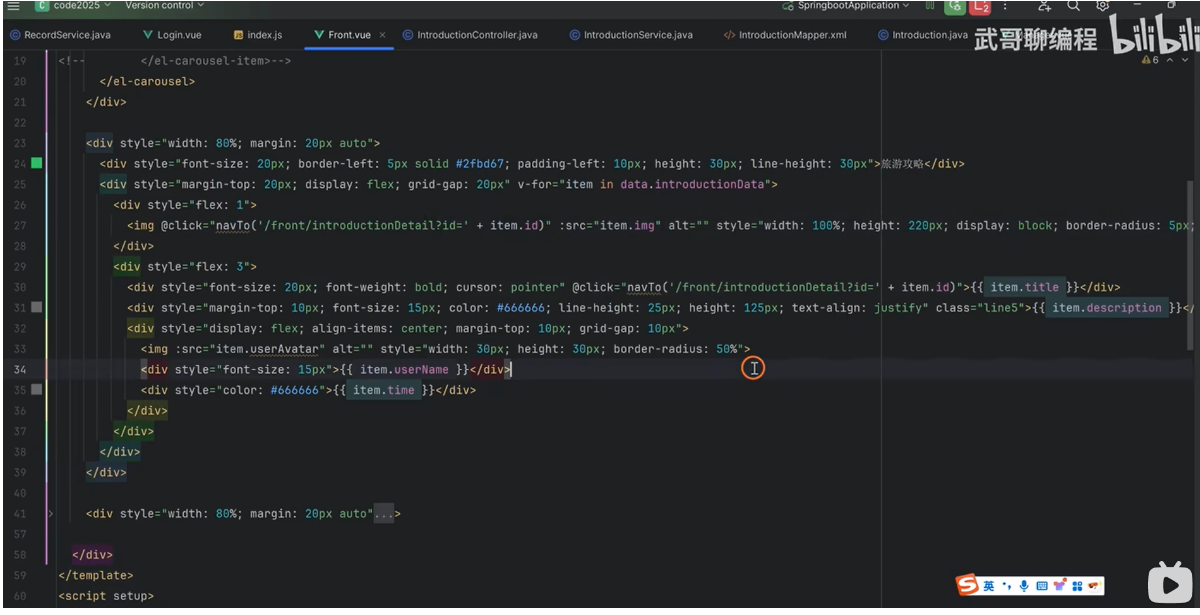
4,点击事件 顺便将 id 带过去
为什么要将 id 代过去,因为我们点击什么我们就要渲染什么数据,那么到底渲染哪一个数据,我们是不是要将 id 带过来, 我们在渲染页面是不是需要获取 id ,然后我们通过 id 把这条记录从数据库里面根据主键 ID 将他查出来, 然后才将查到的数据渲染到页面上。
记住:一定要先查到数据,然后才能渲染。
页面上所有数据都是从数据库里面先查出来,然后再将查到的数据渲染到页面上。
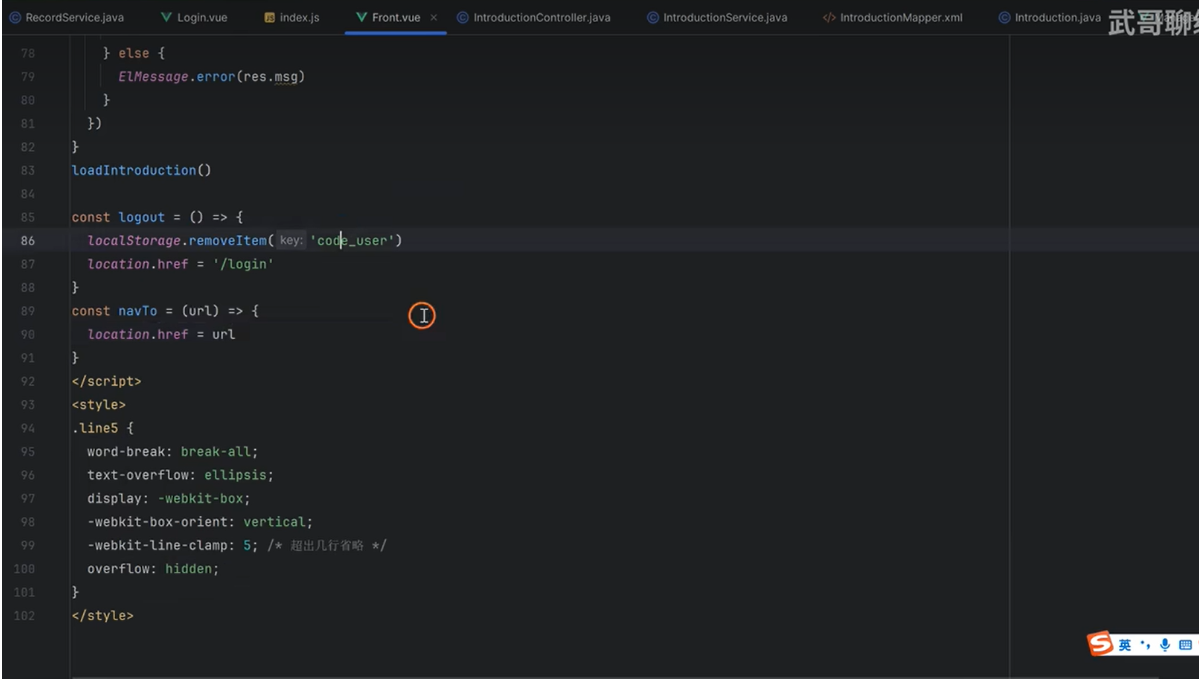
1,实现路由跳转代码
@click="navTo('/front/introductionDetail?id='+item.id)"

2,实现路由跳转方法
导航到指定页面函数
const navTo = (url) => {
    location.href = url
}

以上这段代码可以实现动态跳转
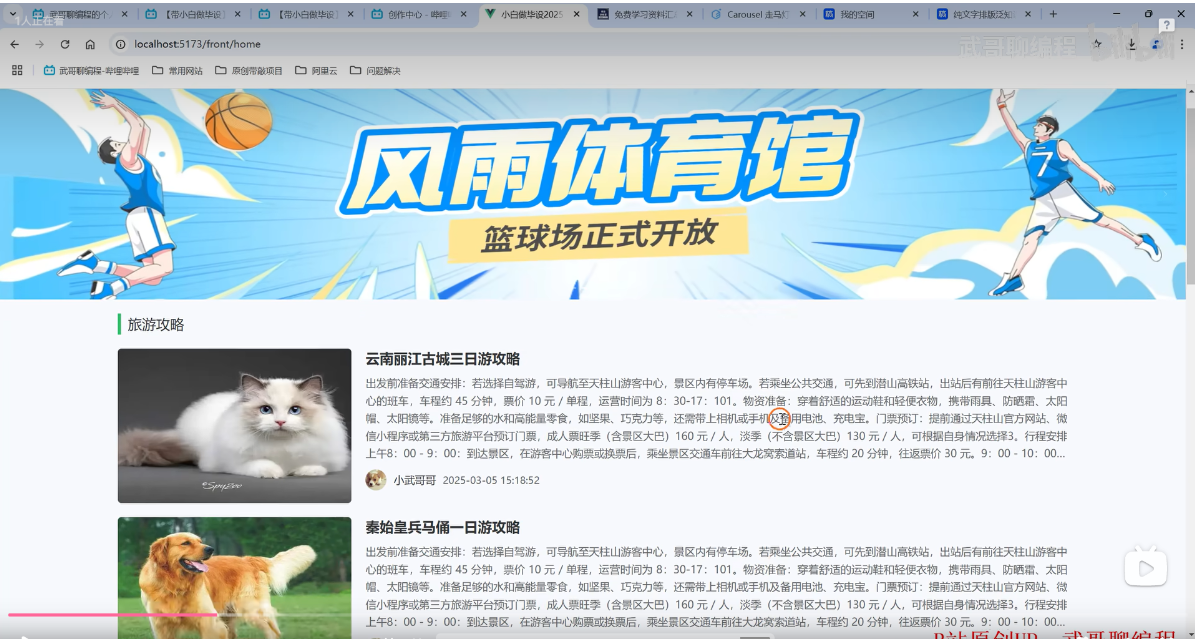
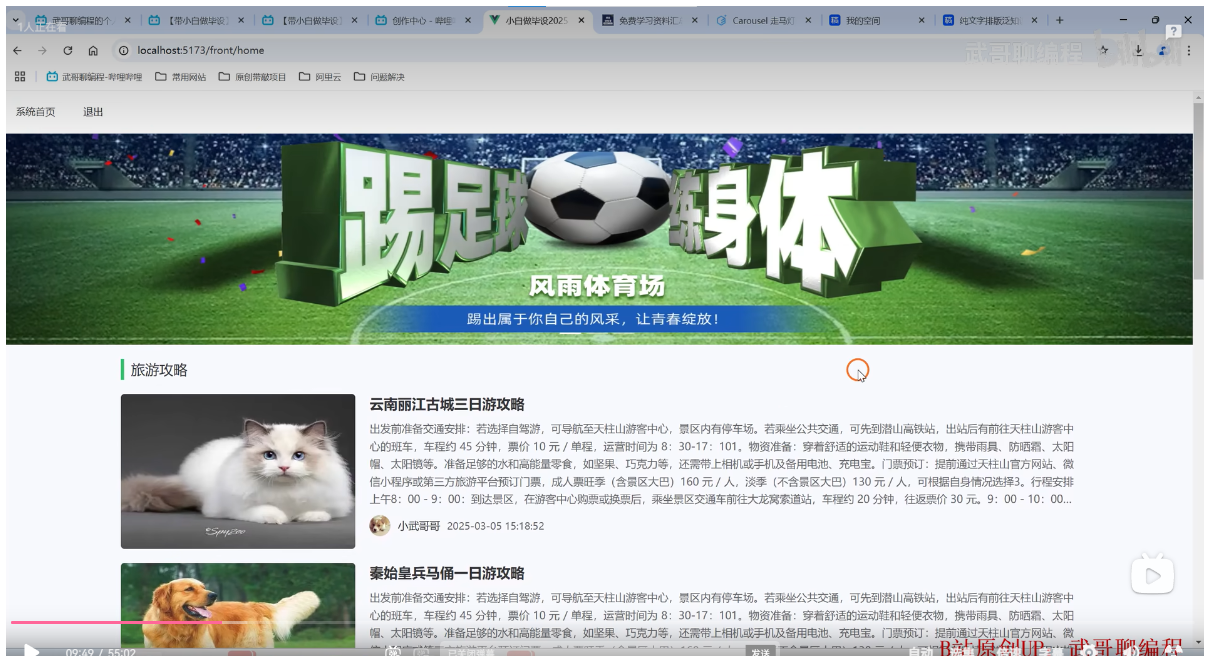
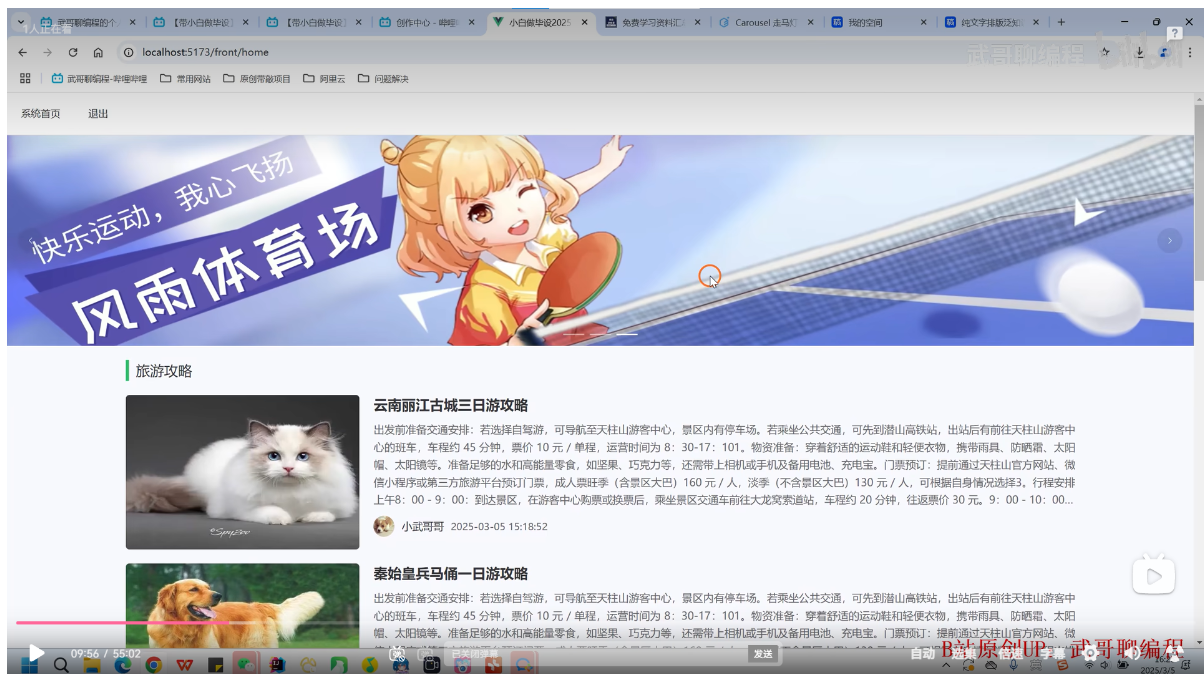
1,实现动态轮播图 实例如下
<!-- 轮播图 开始 -->
<div style="margin-bottom: 20px;">
  <el-carousel height="480px">
    <el-carousel-item v-for="item in data.introductionData" :key="item">
      <img :src="item.carouselImg" alt="" style="height: 480px;width: 100%;cursor: pointer;" @click="navTo('/front/introductionDetail?id='+item.id)" />
    </el-carousel-item>
  </el-carousel>
</div>
<!--轮播图 结束-->


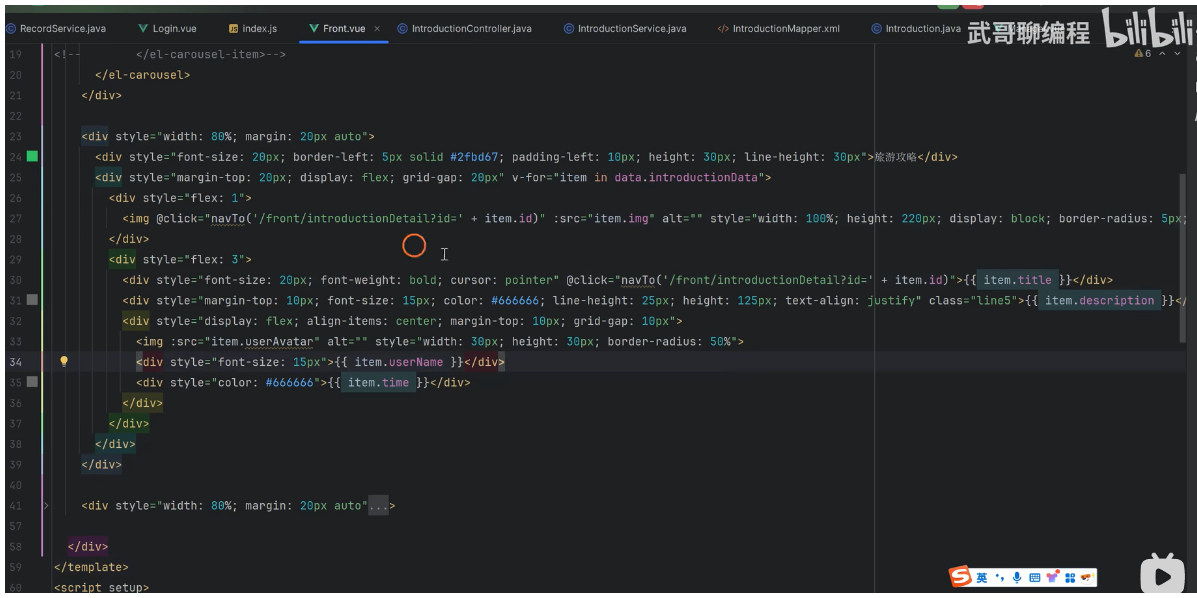
2,让图片和标题实现动态调整,实例如下
<!-- 旅游攻略 开始 -->
 <div>
    <div style="width: 100%;margin: 20px auto;">
      <div style="font-size: 24px;font-weight: bold;border-left: 10px solid #2fbd67;padding-left: 10px;height: 30px;margin-bottom: 20px;line-height: 30px;">旅 游 攻 略</div>
      <div style="display: flex;margin-top: 20px;grid-gap:10px" v-for="item in data.introductionData">
          <div style="flex: 1;">
              <img @click="navTo('/front/introductionDetail?id='+item.id)" :src="item.img" alt="" style="width: 100%;height: 280px;border-radius: 5px;cursor: pointer;">
          </div>
          <div style="flex: 3;padding: 30px;">
              <div style="font-size: 18px;font-weight: 500;cursor: pointer;" @click="navTo('/front/introductionDetail?id='+item.id)">{{ item.title }}</div>
              <div style="margin-top: 10px;font-size: 16px;color: #666;height: 150px;line-height: 25px;text-align: justify;" class="line6">{{ item.description }}</div>
              <div style="display: flex;align-items: center;margin-top: 5px;grid-gap: 10px;">
                  <img :src="item.userAvatar" alt="" style="width: 30px;height: 30px;border-radius: 50%;">
                  <div style="font-size: 18px;">{{ item.userName }}</div>
                  <div style="font-size: 18px;color: #666666;">{{ item.time }}</div>
              </div>
          </div>
      </div>
  </div>
  <div style="width: 100%;margin: 20px auto;">
      <div style="font-size: 24px;font-weight: bold;border-left: 10px solid #2fbd67;padding-left: 10px;height: 30px;margin-bottom: 20px;line-height: 30px;">旅 游 攻 略</div>
      <div>
          <el-row gutter="20">
              <el-col :span="6" v-for="item in data.introductionData" style="margin-bottom: 20px;">
                  <img @click="navTo('/front/introductionDetail?id=' + item.id)" :src="item.img" alt="" style="width: 100%;height: 280px;border-radius: 5px;" cursor: pointer;>
                  <div style="margin: 5px 0;font-size: 18px;font-weight: 500;text-align: center; cursor: pointer;" @click="navTo('/front/introductionDetail?id=' + item.id)">{{ item.title }}</div>
                  <div style="display: flex;align-items: center;margin-top: 5px;grid-gap: 10px;">
                      <img :src="item.userAvatar" alt="" style="width: 30px;height: 30px;border-radius: 50%;">
                      <div style="font-size: 18px;">{{ item.userName }}</div>
                      <div style="font-size: 18px;color: #666666;">{{ item.time }}</div>
                  </div>
              </el-col>
          </el-row>
      </div>
  </div>
<!-- 旅游攻略 结束 -->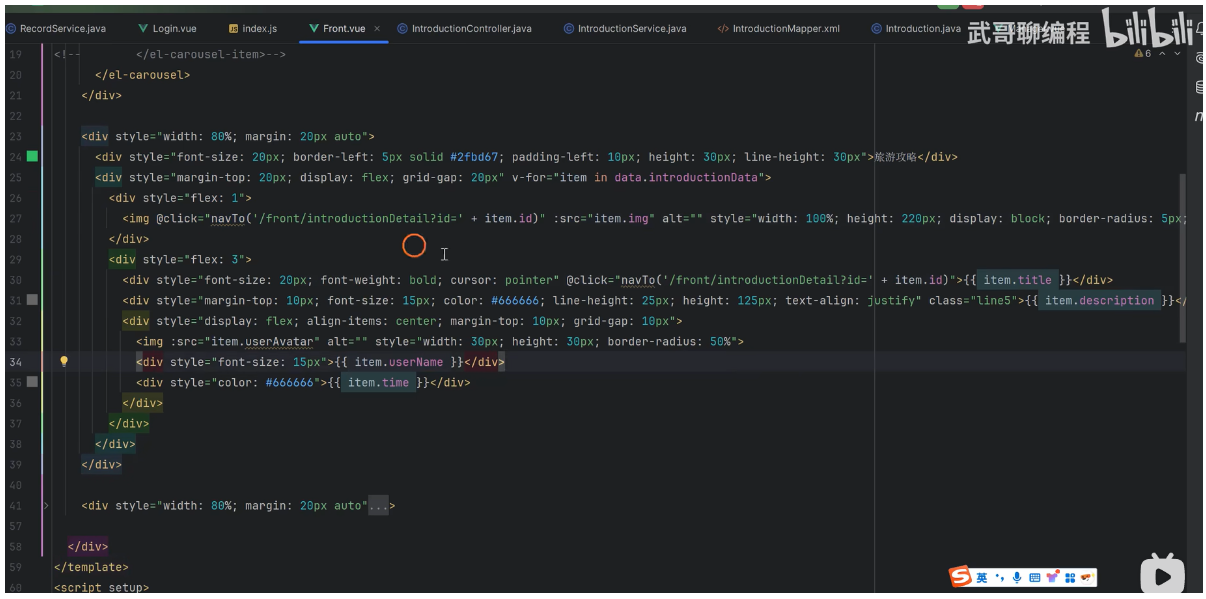
(二),详情页的设计
1, 给他一个点击事件
@click="navTo('/front/introductionDetail?id=' + item.id)"

// 导航到指定页面函数
const navTo = (url) => {
    location.href = url
}
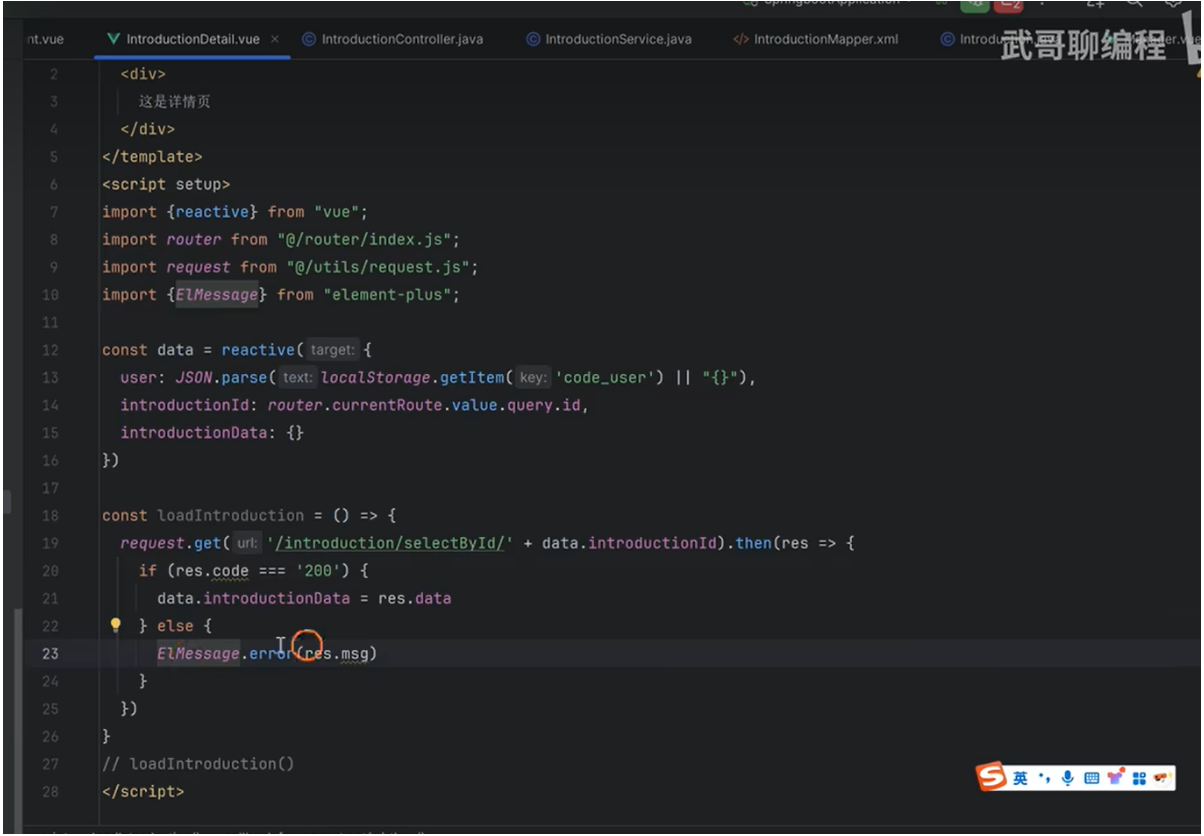
2, 打印 点击 id 的值 能拿到 id 的值, 我们就去发一个 request 请求
const loadIntroduction = () => {
	console.log(data.introductionId)
}
loadIntroduction()
3,发送 request 请求
// 定义一个函数,用于从后端获取旅游攻略详情数据,并将其赋值给data.introductionData属性中
const loadIntroduction = () => {
    request.get('/introduction/selectById' + data.introductionId).then(res => {
        if (res.code === '200') {
            // 将返回的数据(存储到)赋值给data.introductionData属性中
            data.introductionData = res.data
        } else {
            ElMessage.error(res.msg)
        }
    })
}
// loadIntroduction()
4, 因为 这个 '/introduction/selectById' 接口没有,所以接下来我们去后端实现这个接口
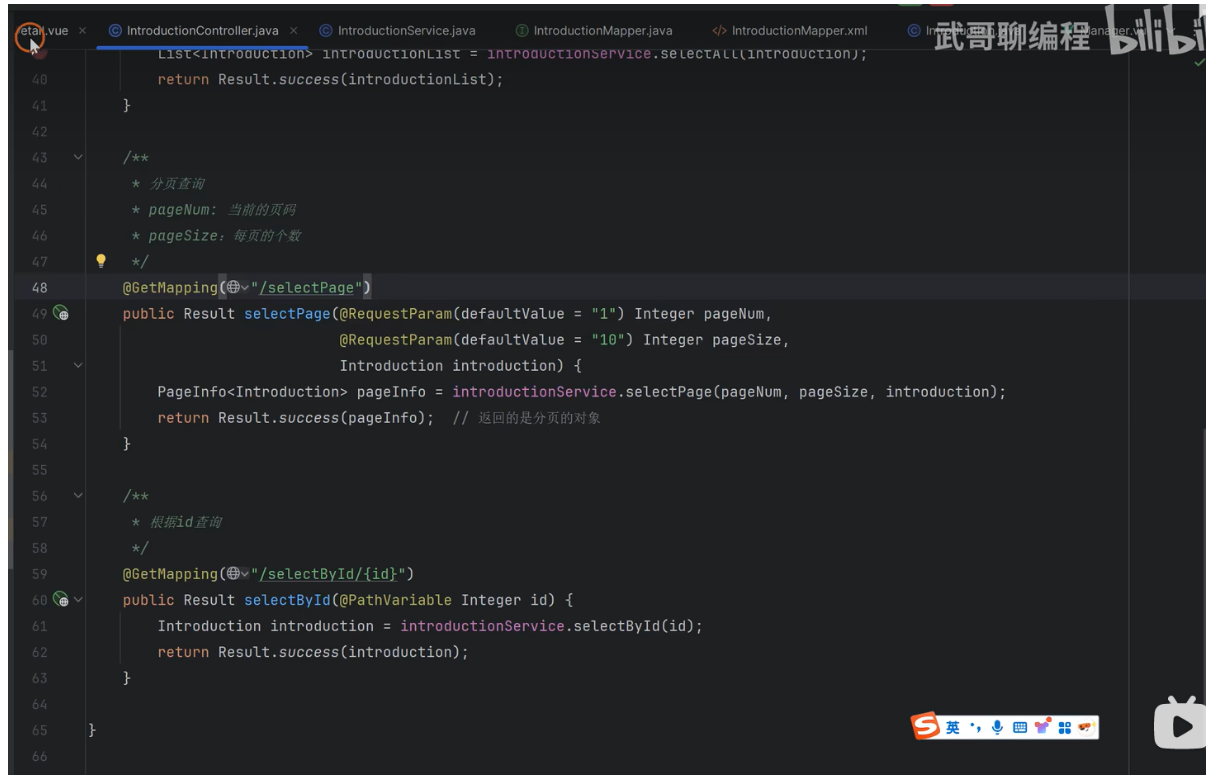
1, 我们去 controller/IntroductionController.java 文件 写一个新的接口 根据 id 查询
/**
 * 根据 id 查询
 * */
@GetMapping("/selectById/{id}")
public Result selectById(@PathVariable Integer id) {
    // 调用 introductionService的selectById方法, 返回 introduction
    Introduction introduction = introductionService.selectById(id);
    return Result.success(introduction);
}

2,去 service/IntroductionService.java 文件 根据主键去查询
public Introduction selectById(Integer id) {
    return introductionMapper.selectById(id);
}

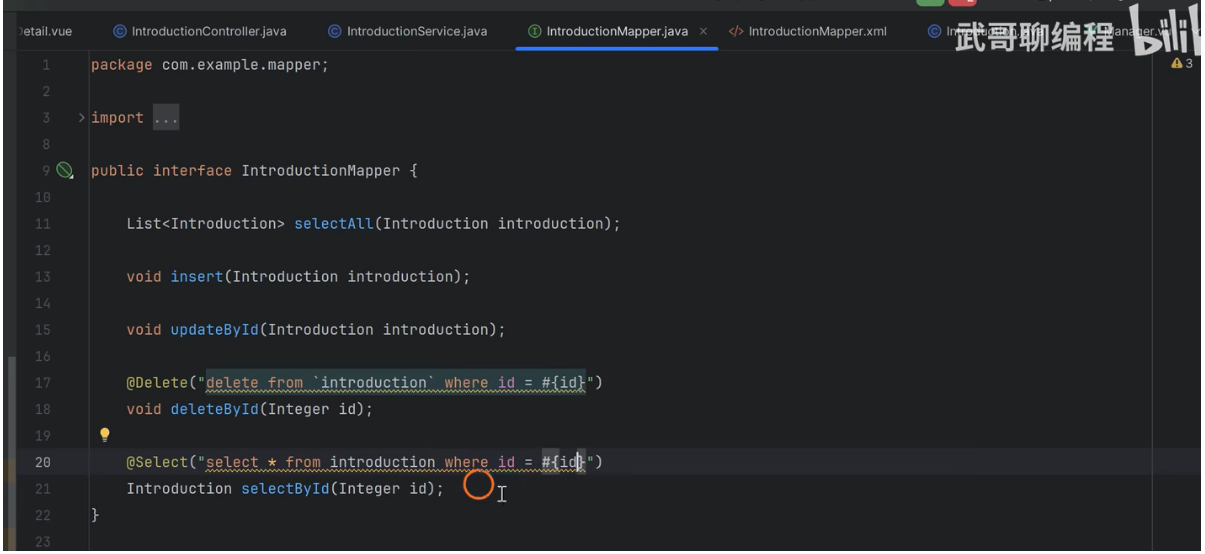
3,去 mapper/IntroductionMapper.java 文件 定义 selectById方法名
Introduction selectById(Integer id);

4, 去 resources/mapper/IntroductionMapper.xml 文件去写实现selectById方法代码
<select id="selectById" resultType="com.longchi.entity.Introduction">
    select * from `introduction` where id = #{id}
</select>


写完之后一定要重启: mvn spring-boot:run 以防止找不到该接口
老师的
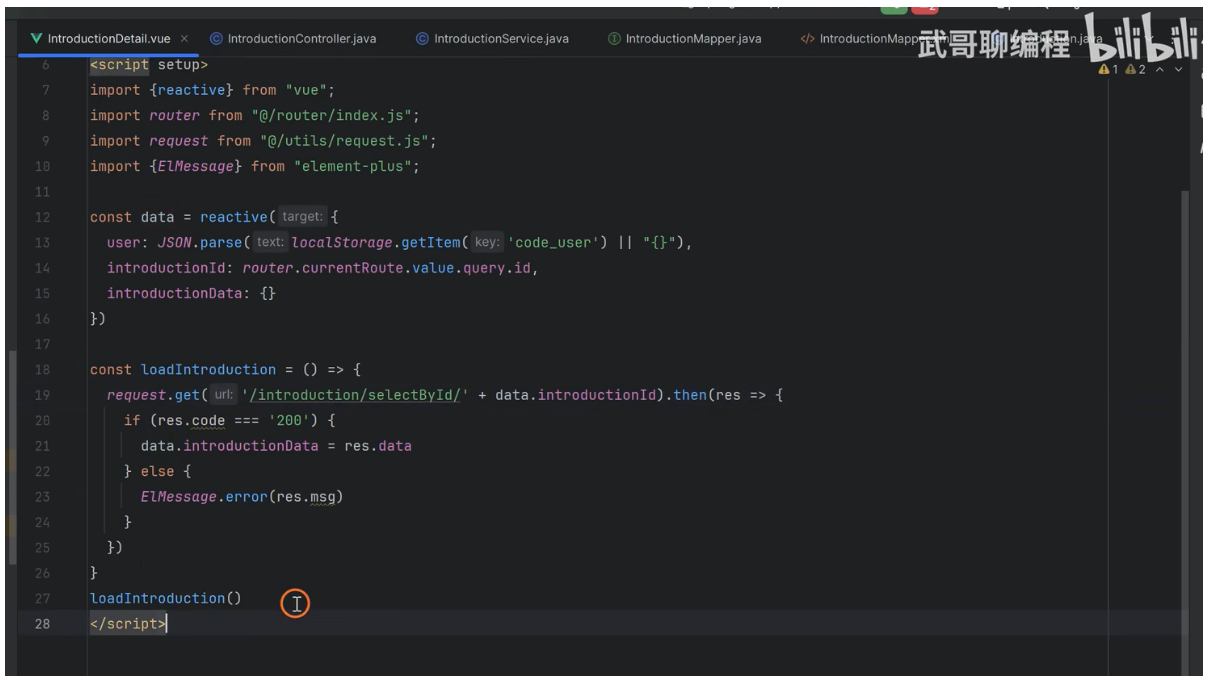
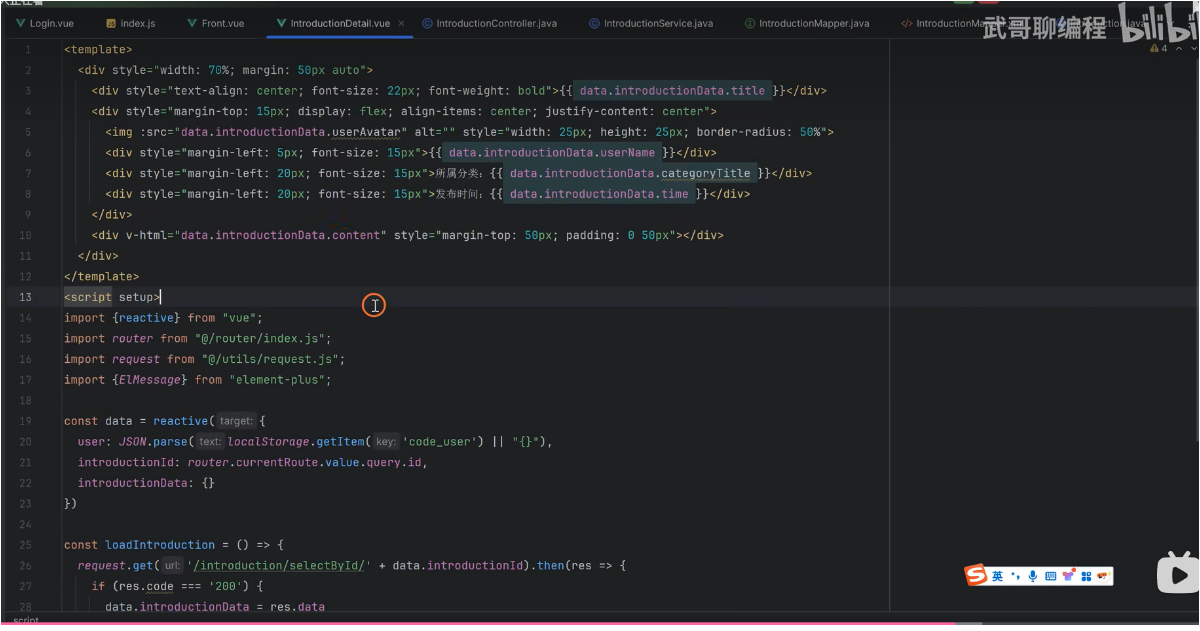
详情页代码 src/views/introductionDetail.vue
src/views/introductionDetail.vue

<template>
  <div style="width: 70%;margin: 50px auto;">
    <div style="text-align: center;font-size: 20px;font-weight: bold;">{{ data.introductionData.title }}</div>
    <div style="margin-top: 10px;display: flex;align-items: center;justify-content: center;">
        <img :src="data.introductionData.userAvatar" alt="" style="width: 30px;height: 30px;border-radius: 50%;" />
        <div style="margin-left: 5px;font-size: 16px;">{{ data.introductionData.userName }}</div>
        <div style="margin-left: 20px;font-size: 16px;">所属分类: {{ data.introductionData.categoryTitle }}</div>
        <div style="margin-left: 20px;font-size: 16px;">发布时间: {{ data.introductionData.time }}</div>
    </div>
    <div v-html="data.introductionData.content" style="margin-top: 100px;padding: 0 50px;"></div>
  </div>
</template>

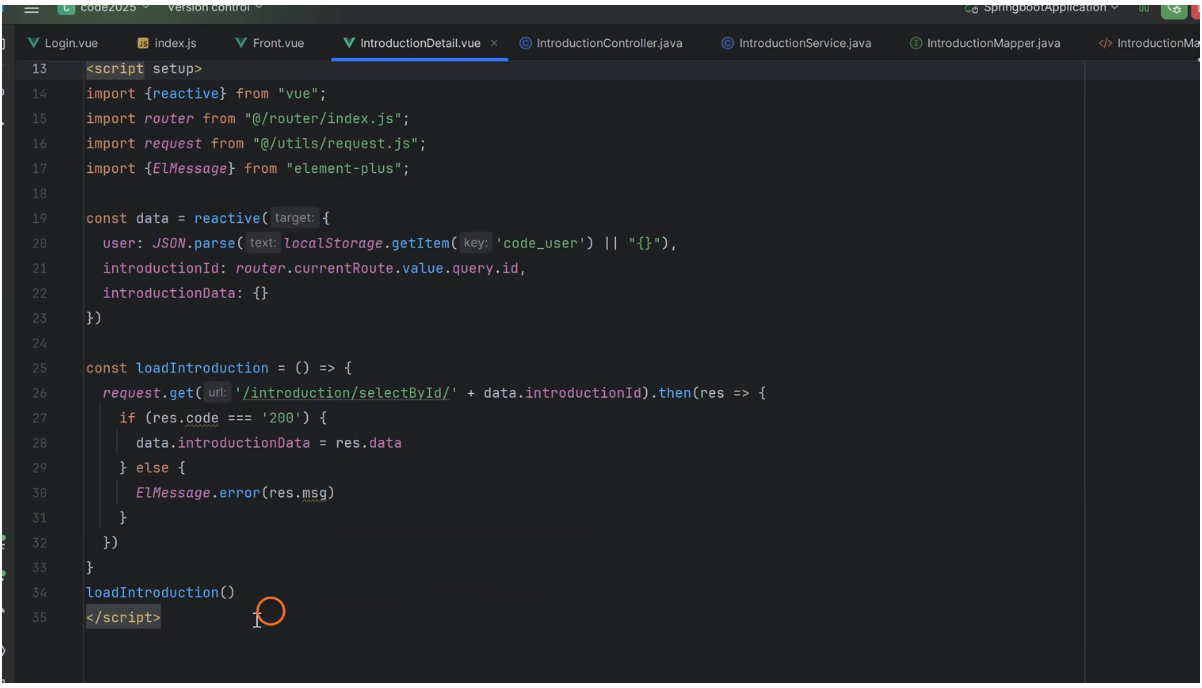
<script setup>
import request from "@/utils/request.js";
import { ElMessage } from "element-plus";
import router from '@/router/index.js'
import { reactive } from 'vue'

const data = reactive({
    // 用户信息,从localStorage中获取并解析为对象存储在data.user属性中
	user: JSON.parse(localStorage.getItem('code_user') || '{}'),
    // 接收路由参数中的id值,并将其赋值给data.introductionId属性中,以便后续使用
    introductionId: router.currentRoute.value.query.id,
    // 定义一个空对象,用于存储从后端获取的旅游攻略详情数据
    introductionData: {}
})

// 定义一个函数,用于从后端获取旅游攻略详情数据,并将其赋值给data.introductionData属性中
const loadIntroduction = () => {
    request.get('/introduction/selectById?id=' + data.introductionId).then(res => {
        if (res.code === '200') {
            // 将返回的数据(存储到)赋值给data.introductionData属性中
            data.introductionData = res.data
        } else {
            ElMessage.error(res.msg)
        }
    })
	console.log(data.introductionId)
}
loadIntroduction()
</script>

<style scoped>

</style>
老师的
问题
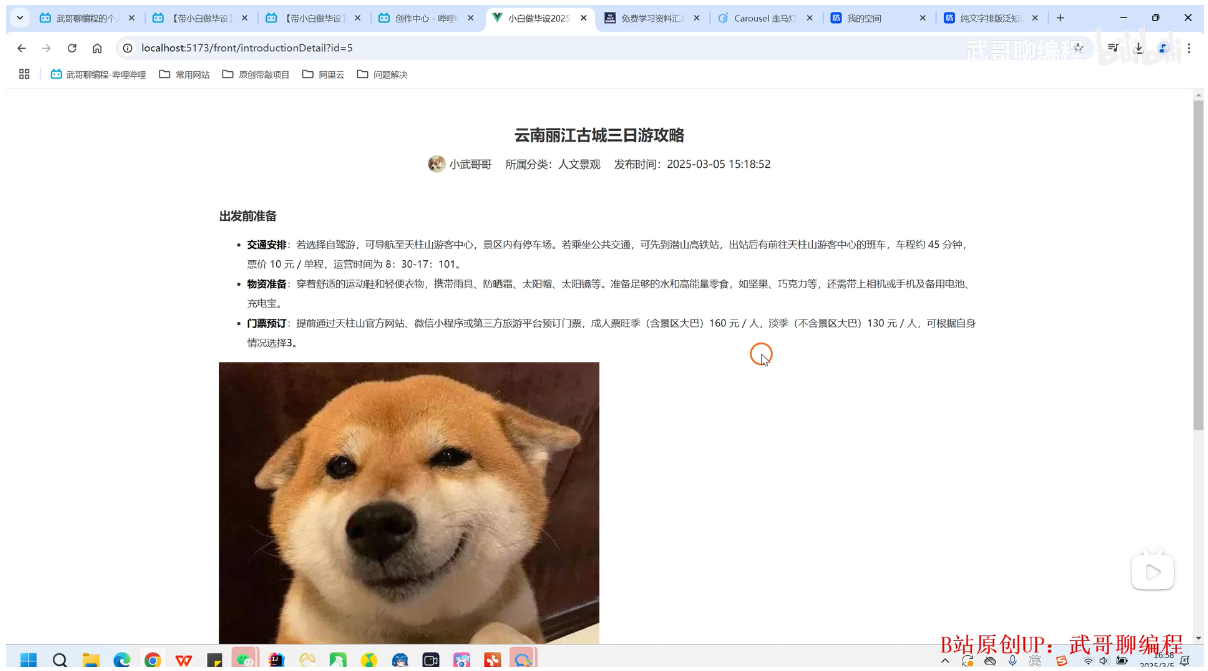
http://localhost:5173/front/introductionDetail?id=10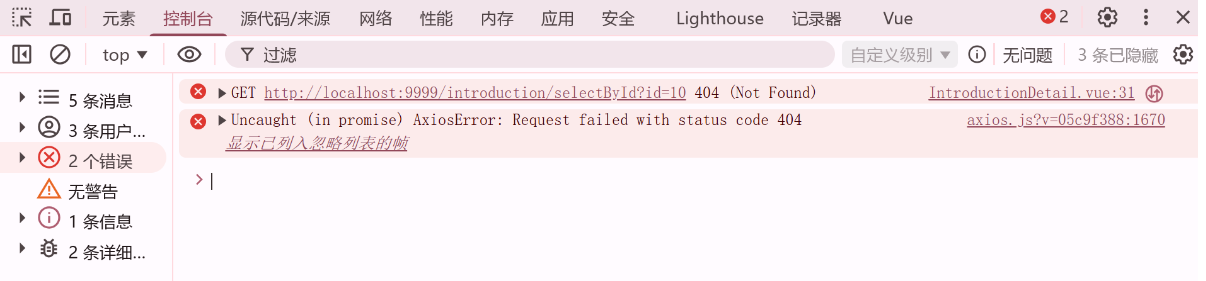


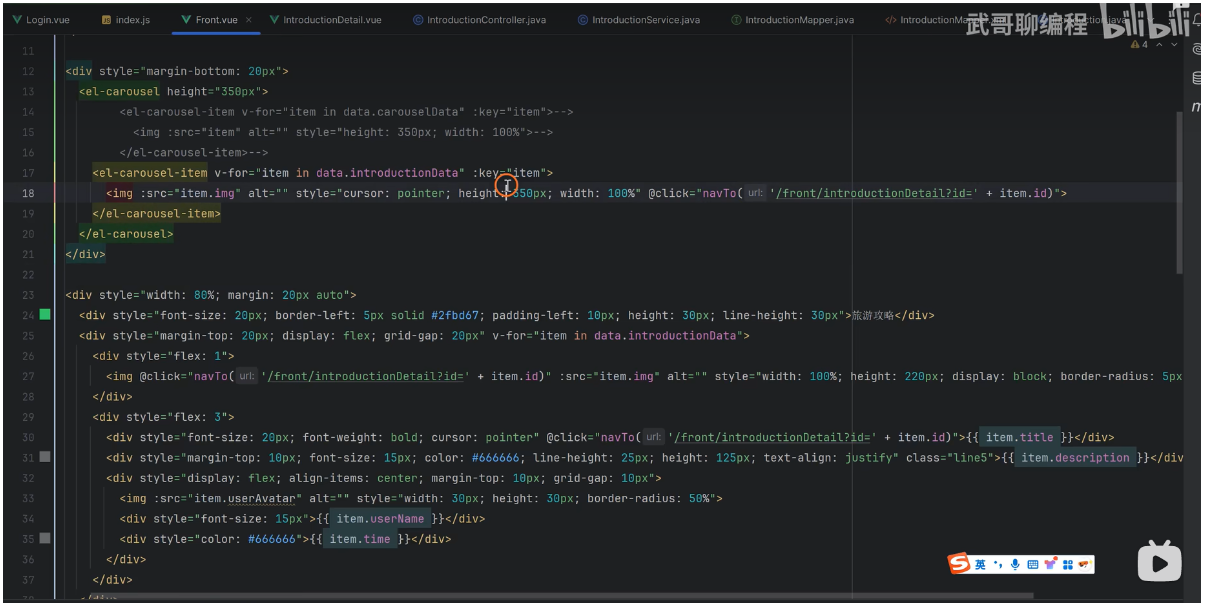
鼠标经过出现小手的样式代码 在图片和标题里面添加该属性
cursor:pointer
@click="navTo('/front/introductionDetail?id=' + item.id)"
我们在图片和标题里面 添加点击事件
cursor:pointer
@click="navTo('/front/introductionDetail?id='+item.id)"
导航到指定页面函数
// 导航到指定页面函数
const navTo = (url) => {
    location.href = url
}
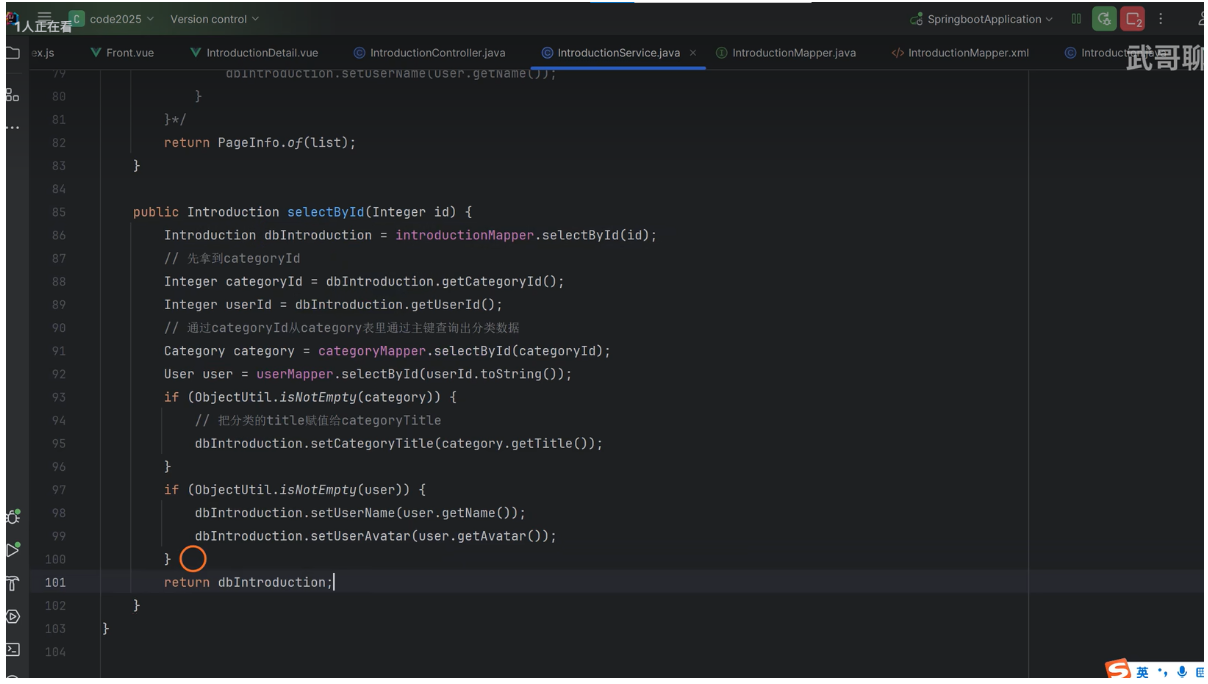
用java代码查询 关联数据
public Introduction selectById(Integer id) {
    Introduction dbIntroduction = introductionMapper.selectById(id);
     // 拿到 categoryId
     Integer categoryId = dbIntroduction.getCategoryId();
     // 拿到 userId
     Integer userId = dbIntroduction.getUserId();
     // 通过 categoryId ,从 category 表里通过主键查询出分类数据
     Category category = categoryMapper.selectById(categoryId);
     // 通过 userId ,从 user 表里通过主键查询用户 id 的数据
     User user = userMapper.selectById(userId.toString());
     if (ObjectUtil.isNotEmpty(category)) {
         // 初始化数据 把分类的 title 赋值给 categoryTitle
         dbIntroduction.setCategoryTitle(category.getTitle());
     }
     if (ObjectUtil.isNotEmpty(user)) {
         // 初始化数据 把用户表的 name 赋值给 userName
         dbIntroduction.setUserName(user.getName());
         dbIntroduction.setUserAvatar(user.getAvatar());
     }
     return dbIntroduction;
}
Springboot3+vue3实现前台轮播图和详情页的设计 实现代码
1, src/views/Admin.vue
<template>
<div>
<div class="card" style="margin-bottom: 5px">
<el-input clearable @click="load" style="width: 260px;margin-right: 5px" v-model="data.username" placeholder="请输入用户名查询" :prefix-icon="Search"></el-input>
<el-input clearable @click="load" style="width: 260px;margin-right: 5px" v-model="data.name" placeholder="请输入名称查询" :prefix-icon="Search"></el-input>
<el-button type="primary" @click="load">查 询</el-button>
<el-button @click="reset">重 置</el-button>
</div>
<div class="card" style="margin-bottom: 5px">
<el-button type="primary" @click="handleAdd">新增</el-button>
<el-button type="danger" @click="deleteBatch">批量删除</el-button>
<el-button type="info" @click="exportData">批量导出</el-button>
<el-upload
style="display: inline-block;margin-left: 10px;"
action="http://localhost:9999/admin/import"
:show-file-list="false"
:on-success="handleImportSuccess"
>
<el-button type="success">批量导入</el-button>
</el-upload>
</div>
<div class="card" style="margin-bottom: 5px">
<el-table :data="data.tableData" style="width: 100%" @selection-change="handleSelectionChange" :header-cell-style="{color: '#333', backgroundColor: 'eaf4ff'}">
<el-table-column type="selection" width="55" />
<el-table-column label="头像" width="100">
<template #default="scope">
<el-image v-if="scope.row.avatar" :src="scope.row.avatar" :preview-src-list="[scope.row.avatar]" :preview-teleported="true" style="width: 40px;height: 40px;border-radius: 50%;display: block;" />
</template>
</el-table-column>
<el-table-column prop="username" label="账号" width="188" />
<el-table-column prop="name" label="名称" width="188" />
<el-table-column prop="phone" label="电话" width="188" />
<el-table-column prop="email" label="邮箱" width="222" />
<el-table-column label="操作" width="100">
<template #default="scope">
<el-button type="primary" icon="Edit" circle @click="handleEdit(scope.row)"></el-button>
<el-button type="danger" icon="Delete" circle @click="del(scope.row.id)"></el-button>
</template>
</el-table-column>
</el-table>
</div>
<div class="card">
<el-pagination
v-model:current-page="data.pageNum"
v-model:page-size="data.pageSize"
layout="total, sizes, prev, pager, next, jumper"
:page-sizes="[5, 10, 20]"
:total="data.total"
@current-change="load"
@size-change="load"
/>
</div>
<!--弹窗开始-->
<el-dialog title="管理员信息" v-model="data.FormVisible" width="40%" destroy-on-close>
<el-form ref="formRef" :model="data.form" :rules="data.rules" label-width="80px" style="padding: 20px 30px 10px 0;">
<el-form-item prop="username" label="账号">
<el-input v-model="data.form.username" autocomplete="off" placeholder="请输入账号" />
</el-form-item>
<el-form-item prop="name" label="名称">
<el-input v-model="data.form.name" autocomplete="off" placeholder="请输入名称" />
</el-form-item>
<el-form-item prop="phone" label="电话">
<el-input v-model="data.form.phone" autocomplete="off" placeholder="请输入电话" />
</el-form-item>
<el-form-item prop="email" label="邮箱">
<el-input v-model="data.form.email" autocomplete="off" placeholder="请输入邮箱" />
</el-form-item>
<el-form-item prop="avatar" label="头像">
<el-upload
action="http://localhost:9999/files/upload"
:headers="{token: data.user.token}"
:on-success="handleFileSuccess"
list-type="picture"
>
<el-button type="primary">上传头像</el-button>
</el-upload>
</el-form-item>
</el-form>
<template #footer>
<div class="dialog-footer">
<el-button @click="data.FormVisible = false">取消</el-button>
<el-button type="primary" @click="save">保存</el-button>
</div>
</template>
</el-dialog>
<!--弹窗结束-->
</div>
</template>
<script setup>
import {reactive,ref} from "vue";
import {Search} from "@element-plus/icons-vue";
import request from "@/utils/request.js";
import { ElMessageBox,ElMessage } from "element-plus";
// 定义数据对象 , 页面渲染的数据都在这里面定义
// 定义表单验证规则 触发表单验证事件 , 提交表单事件 , 表单验证规则等都在这里面定义
const data = reactive({
user: JSON.parse(localStorage.getItem('code_user') || '{}'),
username: null,
name: null,
pageNum: 1,
pageSize: 5,
total: 6,
tableData: [],
FormVisible: false,
form: {},
rules: {
username: [
{required: true, message: '请输入账号', trigger: 'blur'},
{min: 2, max: 15, message: '长度在 2 到 15 个字符', trigger: 'blur'}],
name: [
{required: true, message: '请输入名称', trigger: 'blur'},
{min: 2, max: 10, message: '长度在 2 到 10 个字符', trigger: 'blur'}],
phone: [
{required: true, message: '请输入电话', trigger: 'blur'},
{min: 11, max: 11, message: '长度为 11 个字符', trigger: 'blur'}],
email: [
{required: true, message: '请输入邮箱', trigger: 'blur'},
{type: 'email', message: '请输入正确的邮箱地址', trigger: ['blur', 'change']},
{min: 5, max: 20, message: '长度在 5 到 20 个字符', trigger: 'blur'},
{pattern: /^[a-zA-Z0-9_.-]+@[a-zA-Z0-9-]+(\.[a-zA-Z0-9-]+)*\.[a-zA-Z0-9]{2,6}$/, message: '请输入正确的邮箱地址', trigger: ['blur', 'change']}
]
},
rows: [],
ids: []
})
// 定义表单引用
const formRef = ref()
// 分页查询 拿到后端接口数据(后端给前端返回的数据, 赋值给前端页面展示的数据)
const load = () => {
request.get('/admin/selectPage',{
params: {
pageNum: data.pageNum,
pageSize: data.pageSize,
username: data.username,
name: data.name
}
}).then(res => {
if (res.code === '200') {
data.tableData = res.data.list
data.total = res.data.total
} else {
ElMessage.error(res.msg)
}
})
}
load()
// 重置查询条件
const reset = () => {
data.username = null
data.name = null
load()
}
// 新增管理员信息弹窗展示
const handleAdd = () => {
data.FormVisible = true
data.form = {}
}
// 提交表单验证
// 新增管理员信息
const add = () => {
// formRef 是表单的引用,通过它来触发表单验证方法 validate(),该方法会触发表单验证规则。
formRef.value.validate((valid) => {
if (valid) { // 表单验证通过时执行以下代码
request.post('/admin/add', data.form).then(res => {
if (res.code === '200') {
ElMessage.success('新增成功')
data.FormVisible = false
load()
} else {
ElMessage.error(res.msg)
}
})
} else { // 表单验证不通过时执行以下代码
return false; // 阻止表单提交,并显示错误信息
}
})
}
const handleEdit = (row) => {
// data.form = row // 浅拷贝,修改原始数据
data.form = JSON.parse(JSON.stringify(row)) // 深拷贝,防止修改原始数据
data.FormVisible = true
}
// 修改管理员信息 前端调用后端接口 修改管理员信息 并刷新页面数据 刷新页面数据有两种方式
// 一种是通过前端调用后端接口 直接修改数据库中的数据 然后重新查询一遍数据
// 另一种是直接通过前端调用后端接口 直接修改数据库中的数据 但是不重新查询一遍数据
// 直接在前端更新数据 这样效率更高 因为不需要重新请求服务器
const update = () => {
// formRef 是表单的引用,通过它来触发表单验证方法 validate(),该方法会触发表单验证规则。
formRef.value.validate((valid) => {
if (valid) { // 表单验证通过时执行以下代码
request.put('/admin/update', data.form).then(res => {
if (res.code === '200') {
ElMessage.success('修改成功')
data.FormVisible = false
load()
} else {
ElMessage.error(res.msg)
}
})
} else { // 表单验证不通过时执行以下代码
return false; // 阻止表单提交,并显示错误信息
}
})
}
// 保存按钮点击事件,根据表单中的id判断是新增还是修改操作 一个方法同时兼容两种方法
const save = () => {
data.form.id ? update() : add()
}
// 删除管理员信息 前端调用后端接口 删除管理员信息 并刷新页面数据
const del = (id) => {
ElMessageBox.confirm('删除后无法恢复,你确认要删除该行数据吗?','删除确认',{type: 'warning'}).then(res => {
request.delete('/admin/delete/' + id).then(res => {
if (res.code === '200') {
ElMessage.success('删除成功')
load()
} else {
ElMessage.error(res.msg)
}
})
}).catch(err => {
ElMessage.info('已取消删除')
})
}
// 批量删除管理员信息 前端调用后端接口 批量删除管理员信息 并刷新页面数据
const handleSelectionChange = (rows) => { // rows 就是实际选择的数组 选中项发生变化时触发
// data.rows就等于传进来的rows 选中项发生变化时触发
data.rows = rows
// map可以把对象的数组 转换成 一个纯数字的数组 [1,2,3]
data.ids = data.rows.map(v => v.id)
}
const deleteBatch = () => {
if (data.rows.length === 0) {
ElMessage.warning('请选择数据')
return
}
ElMessageBox.confirm('删除后无法恢复,您确认删除吗?',{type: 'warning'}).then(res => {
request.delete('/admin/deleteBatch', {data: data.rows}).then(res => {
if (res.code === '200') {
ElMessage.success('批量删除成功')
load()
} else {
ElMessage.error(res.msg)
}
})
}).catch(err => {
ElMessage.info('已取消删除')
})
}
// 可以全量导出数据也可以条件导出数据和选择导出数据
const exportData = () => {
// 把数组 转换成一个字符串 逗号分隔的字符串 比如 [1,2,3] => '1,2,3'
let idsStr = data.ids.join(',')
// 动态拼接url地址 导出数据 导出数据有两种方式 一种是通过前端调用后端接口
// 直接导出数据 一种是通过前端调用后端接口 直接下载文件
// ES6 模板字符串拼接url地址 动态拼接url地址 语法:`${变量}` 动态拼接url地址
let url = `http://localhost:9999/admin/export?username=${data.username === null ? '' : data.username}&name=${data.name === null ? '' : data.name}&ids=${idsStr}&token=${data.user.token}`
window.open(url)
}
// 加入判断 导入成功之后提示函数
const handleImportSuccess = (res) => {
if (res.code === '200') {
ElMessage.success('批量导入数据成功')
load()
} else {
ElMessage.error(res.msg)
}
}
// 头像上传成功之后 把返回的图片地址赋值给表单中的avatar字段 用于更新用户信息
const handleFileSuccess = (res) => {
data.form.avatar = res.data
}
</script>
2, src/views/Apply.vue
<template>
<div>
<div class="card" style="margin-bottom: 5px">
<el-input clearable @click="load" style="width: 260px;margin-right: 5px" v-model="data.title" placeholder="请输入标题查询" :prefix-icon="Search"></el-input>
<el-button type="primary" @click="load">查 询</el-button>
<el-button @click="reset">重 置</el-button>
</div>
<div class="card" style="margin-bottom: 5px" v-if="data.user.role === 'USER'">
<el-button type="primary" @click="handleAdd">提交请假申请</el-button>
</div>
<!--渲染表单数据到页面 开始-->
<div class="card" style="margin-bottom: 5px">
<el-table :data="data.tableData" style="width: 100%" :header-cell-style="{color: '#333', backgroundColor: 'eaf4ff'}">
<el-table-column prop="title" label="请假标题" />
<el-table-column prop="content" label="请假说明" />
<el-table-column prop="userName" label="请假人" />
<el-table-column prop="time" label="提交时间" />
<el-table-column prop="status" label="审核状态">
<template v-slot="scope">
<el-tag type="warning" v-if="scope.row.status === '待审核'">{{ scope.row.status }}</el-tag>
<el-tag type="success" v-if="scope.row.status === '审核通过'">{{ scope.row.status }}</el-tag>
<el-tag type="danger" v-if="scope.row.status === '审核拒绝'">{{ scope.row.status }}</el-tag>
</template>
</el-table-column>
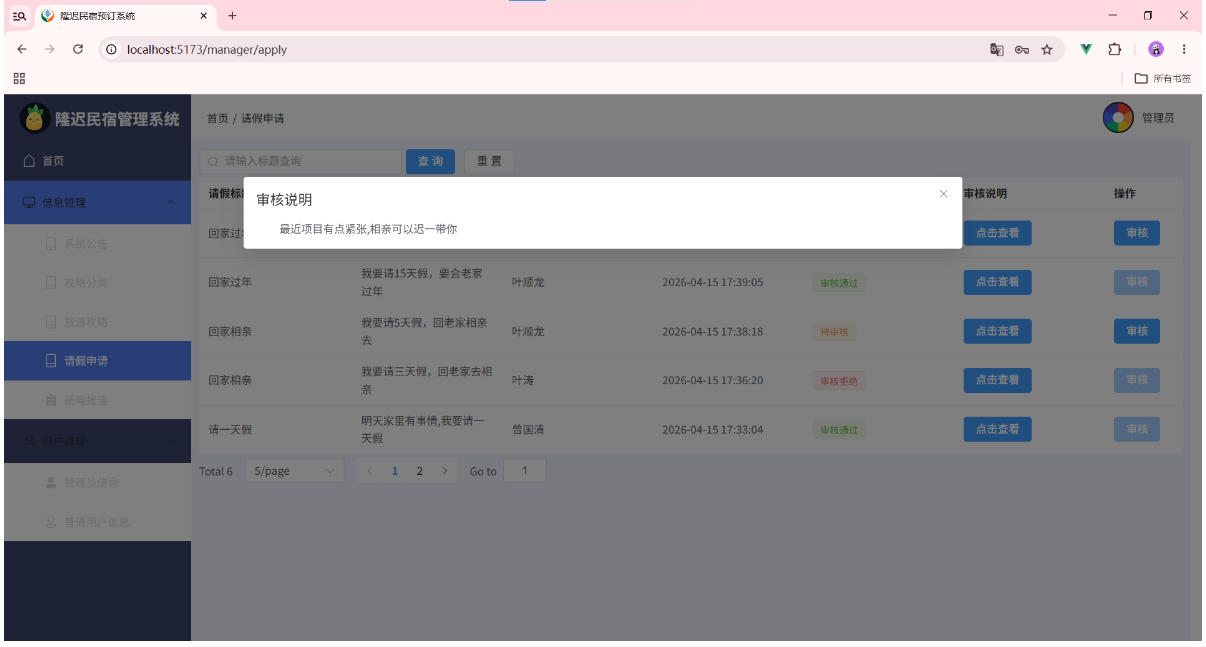
<el-table-column prop="reason" label="审核说明">
<template v-slot="scope">
<el-button type="primary" @click="viewContent(scope.row.reason)">点击查看</el-button>
</template>
</el-table-column>
<el-table-column label="操作" width="100">
<template #default="scope" v-if="data.user.role === 'USER'">
<el-button :disabled="scope.row.status !== '待审核'" type="primary" icon="Edit" circle @click="handleEdit(scope.row)"></el-button>
<el-button :disabled="scope.row.status !== '待审核'" type="danger" icon="Delete" circle @click="del(scope.row.id)"></el-button>
</template>
<template #default="scope" v-if="data.user.role === 'ADMIN'">
<el-button :disabled="scope.row.status !== '待审核'" type="primary" @click="handleEdit(scope.row)">审核</el-button>
</template>
</el-table-column>
</el-table>
</div>
<!--渲染表单数据到页面 结束-->
<!--分页 开始-->
<div class="card">
<el-pagination
v-model:current-page="data.pageNum"
v-model:page-size="data.pageSize"
layout="total, sizes, prev, pager, next, jumper"
:page-sizes="[5, 10, 20]"
:total="data.total"
@current-change="load"
@size-change="load"
/>
</div>
<!--分页 结束-->
<!--弹窗开始 向数据库表写入数据-->
<el-dialog title="请假信息" v-model="data.formVisible" width="40%" destroy-on-close>
<el-form ref="formRef" :model="data.form" :rules="data.rules" label-width="80px" style="padding: 20px 30px 10px 0;">
<el-form-item prop="title" label="请假标题" v-if="data.user.role === 'USER'">
<el-input v-model="data.form.title" autocomplete="off" placeholder="请输入请假标题" />
</el-form-item>
<el-form-item prop="content" label="请假说明" v-if="data.user.role === 'USER'">
<el-input type="textarea" row="5" v-model="data.form.content" autocomplete="off" placeholder="请输入请假说明" />
</el-form-item>
<el-form-item prop="status" label="审核状态" v-if="data.user.role === 'ADMIN'">
<el-radio-group v-model="data.form.status" size="large" fill="#409eff">
<el-radio-button label="待审核" value="待审核" />
<el-radio-button label="审核通过" value="审核通过" />
<el-radio-button label="审核拒绝" value="审核拒绝" />
</el-radio-group>
</el-form-item>
<el-form-item prop="reason" label="审核说明" v-if="data.user.role === 'ADMIN' && data.form.status ==='审核拒绝'">
<el-input v-model="data.form.reason" autocomplete="off" placeholder="请输入拒绝说明" />
</el-form-item>
</el-form>
<template #footer>
<div class="dialog-footer">
<el-button @click="data.formVisible = false">取消</el-button>
<el-button type="primary" @click="save">保存</el-button>
</div>
</template>
</el-dialog>
<!--弹窗结束-->
<!--弹窗2 开始-->
<el-dialog title="审核说明" v-model="data.viewVisible" width="60%" destroy-on-close>
<div v-html="data.reason" style="padding: 0 30px;"></div>
</el-dialog>
<!--弹窗2 结束-->
</div>
</template>
<script setup>
import request from "@/utils/request.js";
import { ElMessage,ElMessageBox } from "element-plus";
import {Search} from "@element-plus/icons-vue";
import { reactive,ref } from 'vue'
const formRef = ref()
const data = reactive({
user: JSON.parse(localStorage.getItem('code_user') || '{}'),
pageNum: 1,
pageSize: 5,
total: 0,
title: null,
tableData: [],
formVisible: false,
form: {},
reason: null,
viewVisible: false,
rules: {
title: [
{ required: true, message: '请输入请假标题', trigger: 'blur' }
],
content: [
{ required: true, message: '请输入请假说明', trigger: 'blur' }
]
}
})
const load = () => {
request.get('/apply/selectPage',{
params: {
pageNum: data.pageNum,
pageSize: data.pageSize,
title: data.title
}
}).then(res => {
if (res.code === '200') {
data.tableData = res.data?.list
data.total = res.data?.total
} else {
ElMessage.error(res.msg)
}
})
}
load()
// 新增按钮点击事件处理函数
const handleAdd = () => {
// 点击新增时清空表单数据
data.form = {}
// 设置当前用户id到表单中
// data.form.userId = data.user.id
// 设置表单数据默认值
// data.form.status = '待审核'
// 将对话框打开
data.formVisible = true
}
// 新增
const add = () => {
request.post('/apply/add', data.form).then(res => {
if (res.code === '200') {
ElMessage.success('提交成功,请等待管理员审核!')
data.formVisible = false
load()
} else {
ElMessage.error(res.msg)
}
})
}
// 更新
const update = () => {
request.put('/apply/update', data.form).then(res => {
if (res.code === '200') {
ElMessage.success('操作成功')
data.formVisible = false
load()
} else {
ElMessage.error(res.msg)
}
})
}
// 保存表单数据
const save = () => {
formRef.value.validate(valid => {
if (valid) {
data.form.id ? update() : add()
}
})
}
//
const handleEdit = (row) => {
// 将当前行数据赋值给表单数据对象
// 把当前行要修改的数据深拷贝复制到表单对象中
// 先把对象转换成字符串,然后再转成JSON对象,然后再赋值给表单数据对象
data.form = JSON.parse(JSON.stringify(row))
data.formVisible = true
}
const viewContent = (reason) => {
data.reason = reason
data.viewVisible = true
}
// 删除请假信息
const del = (id) => {
ElMessageBox.confirm('删除后无法恢复,你确认要删除该行数据吗?','删除确认',{type: 'warning'}).then(res => {
request.delete('/apply/delete/' + id).then(res => {
if (res.code === '200') {
ElMessage.success('删除成功')
load()
} else {
ElMessage.error(res.msg)
}
})
}).catch(err => {
ElMessage.info('已取消删除')
})
}
// 重置表单数据
const reset = () => {
data.title = null
load()
}
</script>
<style scoped>
</style>
3, src/views/Book.vue
<template>
<div>
<div class="card" style="margin-bottom: 5px">
<el-input clearable @click="load" style="width: 260px;margin-right: 5px" v-model="data.name" placeholder="请输入图书名字查询" :prefix-icon="Search"></el-input>
<el-button type="primary" @click="load">查 询</el-button>
<el-button @click="reset">重 置</el-button>
</div>
<div class="card" style="margin-bottom: 5px" v-if="data.user.role === 'ADMIN'">
<el-button type="primary" @click="handleAdd">新增</el-button>
</div>
<!--渲染表单数据到页面 开始-->
<div class="card" style="margin-bottom: 5px">
<el-table :data="data.tableData" style="width: 100%" :header-cell-style="{color: '#333', backgroundColor: 'eaf4ff'}">
<el-table-column prop="img" label="图书封面" width="100">
<template #default="scope">
<el-image v-if="scope.row.img" :src="scope.row.img" :preview-src-list="[scope.row.img]" :preview-teleported="true" style="width: 50px;height: 50px;border-radius: 5px;display: block;" />
</template>
</el-table-column>
<el-table-column prop="name" label="图书名字" />
<el-table-column prop="intro" label="图书简介">
<template v-slot="scope">
<el-button type="primary" @click="viewContent(scope.row.intro)">点击查看</el-button>
</template>
</el-table-column>
<el-table-column prop="price" label="图书价格" />
<el-table-column prop="author" label="图书作者" />
<el-table-column prop="num" label="剩余数量" />
<el-table-column label="操作" width="100">
<template #default="scope" v-if="data.user.role === 'ADMIN'">
<el-button type="primary" icon="Edit" circle @click="handleEdit(scope.row)"></el-button>
<el-button type="danger" icon="Delete" circle @click="del(scope.row.id)"></el-button>
</template>
<!-- 借阅 开始 -->
<template #default="scope" v-if="data.user.role === 'USER'">
<el-button type="primary" @click="borrow(scope.row)">借阅</el-button>
</template>
<!-- 借阅 结束 -->
</el-table-column>
</el-table>
</div>
<!--渲染表单数据到页面 结束-->
<!--分页 开始-->
<div class="card">
<el-pagination
v-model:current-page="data.pageNum"
v-model:page-size="data.pageSize"
layout="total, sizes, prev, pager, next, jumper"
:page-sizes="[5, 10, 20]"
:total="data.total"
@current-change="load"
@size-change="load"
/>
</div>
<!--分页 结束-->
<!--弹窗开始 向数据库表写入数据-->
<el-dialog title="图书信息" v-model="data.formVisible" width="40%" destroy-on-close>
<el-form ref="formRef" :model="data.form" :rules="data.rules" label-width="80px" style="padding: 20px 30px 10px 0;">
<el-form-item prop="img" label="图书封面">
<el-upload
action="http://localhost:9999/files/upload"
:headers="{token: data.user.token}"
:on-success="handleFileSuccess"
list-type="picture"
>
<el-button type="primary">上传图片</el-button>
</el-upload>
</el-form-item>
<el-form-item prop="name" label="图书名字">
<el-input v-model="data.form.name" autocomplete="off" placeholder="请输入图书名字" />
</el-form-item>
<el-form-item prop="intro" label="图书简介">
<el-input type="textarea" :rows="3" v-model="data.form.intro" autocomplete="off" placeholder="请输入图书简介" />
</el-form-item>
<el-form-item prop="price" label="图书价格">
<el-input v-model="data.form.price" autocomplete="off" placeholder="请输入图书价格" />
</el-form-item>
<el-form-item prop="author" label="图书作者">
<el-input v-model="data.form.author" autocomplete="off" placeholder="请输入图书作者" />
</el-form-item>
<el-form-item prop="num" label="剩余数量">
<el-input v-model="data.form.num" autocomplete="off" placeholder="请输入剩余数量" />
</el-form-item>
</el-form>
<template #footer>
<div class="dialog-footer">
<el-button @click="data.formVisible = false">取消</el-button>
<el-button type="primary" @click="save">保存</el-button>
</div>
</template>
</el-dialog>
<!--弹窗结束-->
<!--弹窗2 开始-->
<el-dialog title="图书信息" v-model="data.viewVisible" width="40%" destroy-on-close>
<div v-html="data.intro" style="padding: 0 30px;"></div>
</el-dialog>
<!--弹窗2 结束-->
</div>
</template>
<script setup>
import request from "@/utils/request.js";
import { ElMessage,ElMessageBox } from "element-plus";
import {Search} from "@element-plus/icons-vue";
import { reactive,ref } from 'vue'
const formRef = ref()
const data = reactive({
user: JSON.parse(localStorage.getItem('code_user') || '{}'),
img: null,
name: null,
intro:null,
price:null,
author:null,
num:null,
viewVisible: false,
pageNum: 1,
pageSize: 5,
total: 0,
tableData: [],
form: {},
formVisible: false,
rules: {
img: [
{ required: true, message: '请上传图书封面', trigger: 'blur' },
],
name: [
{ required: true, message: '请输入图书名字', trigger: 'blur' },
],
intro: [
{ required: true, message: '请输入图书简介', trigger: 'blur' },
],
price: [
{ required: true, message: '请输入图书价格', trigger: 'blur' },
],
author: [
{ required: true, message: '请输入图书作者', trigger: 'blur' },
],
num: [
{ required: true, message: '请输入剩余数量', trigger: 'blur' },
],
}
})
const load = () => {
request.get('/book/selectPage',{
params: {
img: data.img,
pageNum: data.pageNum,
pageSize: data.pageSize,
name: data.name,
intro: data.intro,
}
}).then(res => {
if (res.code === '200') {
data.tableData = res.data?.list
data.total = res.data?.total
} else {
ElMessage.error(res.msg)
}
})
}
load()
const handleAdd = () => {
data.form = {}
data.formVisible = true
}
const handleEdit = (row) => {
// 先把row转成字符串,再把他转成JSON数据 实现form表单深拷贝
data.form = JSON.parse(JSON.stringify(row))
// 打开表单对话框,并传入表单数据
data.formVisible = true
}
// 可访问的图片上传接口,上传成功后将图片地址赋值给表单的img字段
const handleFileSuccess = (res) => {
data.form.img = res.data
}
const add = () => {
request.post('/book/add',data.form).then(res => {
if (res.code === '200') {
ElMessage.success('新增成功')
data.formVisible = false
load()
} else {
ElMessage.error(res.msg)
}
})
}
const update = () => {
request.put('/book/update', data.form).then(res => {
if (res.code === '200') {
ElMessage.success('更新成功')
data.formVisible = false
load()
} else {
ElMessage.error(res.msg)
}
})
}
const save = () => {
formRef.value.validate((valid) => {
if (valid) {
data.form.id ? update() : add()
}
})
}
const viewContent = (intro) => {
data.intro = intro
data.viewVisible = true
}
const del = (id) => {
ElMessageBox.confirm('删除后无法恢复,你确认要删除该行数据吗?','删除确认',{type: 'warning'}).then(res => {
request.delete('/book/delete/' + id).then(res => {
if (res.code === '200') {
ElMessage.success('删除成功')
load()
} else {
ElMessage.error(res.msg)
}
})
}).catch(err => {
ElMessage.info('已取消删除')
})
}
const reset = () => {
data.name = null
load()
}
// 借书操作,调用接口添加一条记录到数据库中,等待管理员审核通过后才算成功借出图书
const borrow = (row) => {
request.post('/record/add',{
userId: data.user.id,
bookId: row.id
// status: '待审核'
}).then(res => {
if (res.code === '200') {
ElMessage.success('操作成功,等待管理员审核')
load()
} else {
ElMessage.error(res.msg)
}
})
}
</script>
<style scoped>
</style>
4, src/views/Category.vue
<template>
<div>
<div class="card" style="margin-bottom: 5px">
<el-input clearable @click="load" style="width: 260px;margin-right: 5px" v-model="data.title" placeholder="请输入标题查询" :prefix-icon="Search"></el-input>
<el-button type="primary" @click="load">查 询</el-button>
<el-button @click="reset">重 置</el-button>
</div>
<div class="card" style="margin-bottom: 5px">
<el-button type="primary" @click="handleAdd">新增</el-button>
</div>
<!--渲染表单数据到页面 开始-->
<div class="card" style="margin-bottom: 5px">
<el-table :data="data.tableData" style="width: 100%" :header-cell-style="{color: '#333', backgroundColor: 'eaf4ff'}">
<el-table-column prop="title" label="分类标题" />
<el-table-column label="操作" width="100">
<template #default="scope">
<el-button type="primary" icon="Edit" circle @click="handleEdit(scope.row)"></el-button>
<el-button type="danger" icon="Delete" circle @click="del(scope.row.id)"></el-button>
</template>
</el-table-column>
</el-table>
</div>
<!--渲染表单数据到页面 结束-->
<!--分页 开始-->
<div class="card">
<el-pagination
v-model:current-page="data.pageNum"
v-model:page-size="data.pageSize"
layout="total, sizes, prev, pager, next, jumper"
:page-sizes="[5, 10, 20]"
:total="data.total"
@current-change="load"
@size-change="load"
/>
</div>
<!--分页 结束-->
<!--弹窗开始 向数据库表写入数据-->
<el-dialog title="分类信息" v-model="data.FormVisible" width="40%" destroy-on-close>
<el-form ref="formRef" :model="data.form" :rules="data.rules" label-width="80px" style="padding: 20px 30px 10px 0;">
<el-form-item prop="title" label="分类标题">
<el-input v-model="data.form.title" autocomplete="off" placeholder="请输入分类标题" />
</el-form-item>
</el-form>
<template #footer>
<div class="dialog-footer">
<el-button @click="data.FormVisible = false">取消</el-button>
<el-button type="primary" @click="save">保存</el-button>
</div>
</template>
</el-dialog>
<!--弹窗结束-->
</div>
</template>
<script setup>
import request from "@/utils/request.js";
import { ElMessage,ElMessageBox } from "element-plus";
import {Search} from "@element-plus/icons-vue";
import { reactive,ref } from 'vue'
const formRef = ref()
const data = reactive({
user: JSON.parse(localStorage.getItem('code_user') || '{}'),
title: null,
pageNum: 1,
pageSize: 5,
total: 0,
tableData: [],
form: {},
FormVisible: false,
rules: {
title: [
{ required: true, message: '请输入分类标题', trigger: 'blur' },
],
}
})
const load = () => {
request.get('/category/selectPage',{
params: {
title: data.title,
pageNum: data.pageNum,
pageSize: data.pageSize,
content: data.content,
time: data.time,
}
}).then(res => {
if (res.code === '200') {
data.tableData = res.data?.list
data.total = res.data?.total
} else {
ElMessage.error(res.msg)
}
})
}
load()
const handleAdd = () => {
data.form = {}
data.FormVisible = true
}
const handleEdit = (row) => {
// 先把row转成字符串,再把他转成JSON数据 实现form表单深拷贝
data.form = JSON.parse(JSON.stringify(row))
// 打开表单对话框,并传入表单数据
data.FormVisible = true
}
const add = () => {
request.post('/category/add',data.form).then(res => {
if (res.code === '200') {
ElMessage.success('新增成功')
data.FormVisible = false
load()
} else {
ElMessage.error(res.msg)
}
})
}
const update = () => {
request.put('/category/update', data.form).then(res => {
if (res.code === '200') {
ElMessage.success('更新成功')
data.formVisible = false
load()
} else {
ElMessage.error(res.msg)
}
})
}
const save = () => {
formRef.value.validate((valid) => {
if (valid) {
data.form.id ? update() : add()
}
})
}
const del = (id) => {
ElMessageBox.confirm('删除后无法恢复,你确认要删除该行数据吗?','删除确认',{type: 'warning'}).then(res => {
request.delete('/category/delete/' + id).then(res => {
if (res.code === '200') {
ElMessage.success('删除成功')
load()
} else {
ElMessage.error(res.msg)
}
})
}).catch(err => {
ElMessage.info('已取消删除')
})
}
const reset = () => {
data.title = null
load()
}
</script>
<style scoped>
</style>
5, src/views/Echart.vue
<template>
<div>
<!-- 统计图表 开始 -->
<div v-if="data.user.role === 'ADMIN'">
<div style="display: flex;grid-gap: 10px;">
<div class="card" style="height: 400px;width: 50%;" id="pie"></div>
<div class="card" style="height: 400px;width: 50%;" id="bar"></div>
</div>
<div class="card" style="height: 400px;width: 100%;margin-top: 10px;" id="line"></div>
</div>
<!-- 统计图表 结束 -->
</div>
</template>
<script setup>
import request from "@/utils/request.js";
import { onMounted, reactive } from 'vue';
import * as echarts from "echarts";
const data = reactive({
user: JSON.parse(localStorage.getItem('code_user') || '{}')
})
const loadPie = () => {
request.get('/echarts/pie').then(res => {
if (res.code === '200') {
// 定义一个DOM元素,id为pie的元素,用于渲染图表
let chartDom = document.getElementById('pie');
// 基于准备好的dom,初始化echarts实例
let myChart = echarts.init(chartDom);
// 用后端返回的数据将前端data里面的数据覆盖掉,然后我们再去画图表
pieOptions.series[0].data = res.data;
// 渲染图表配置项和数据
myChart.setOption(pieOptions);
}
})
}
const loadBar = () => {
request.get('/echarts/bar').then(res => {
if (res.code === '200') {
// 定义一个DOM元素,id为bar的元素,用于渲染图表
let chartDom = document.getElementById('bar');
// 基于准备好的dom,初始化echarts实例
let myChart = echarts.init(chartDom);
// 用后端返回的数据将前端data里面的数据覆盖掉,然后我们再去画图表
barOptionS.xAxis.data = res.data.xAxis;
barOptionS.series[0].data = res.data.yAxis;
// 渲染图表配置项和数据
myChart.setOption(barOptionS);
}
})
}
const loadline = () => {
request.get('/echarts/line').then(res => {
if (res.code === '200') {
// 定义一个DOM元素,id为bar的元素,用于渲染图表
let chartDom = document.getElementById('line');
// 基于准备好的dom,初始化echarts实例
let myChart = echarts.init(chartDom);
// 用后端返回的数据将前端data里面的数据覆盖掉,然后我们再去画图表
lineOptions.xAxis.data = res.data.xAxis;
lineOptions.series[0].data = res.data.yAxis;
// 渲染图表配置项和数据
myChart.setOption(lineOptions);
}
})
}
onMounted(() => {
loadPie();
loadBar();
loadline();
})
// 平滑折线图
let lineOptions = {
title: {
text: '最近一周每台平台用户发布帖子的数量',
subtext: '统计维度: 最近一周',
left: 'center'
},
logend: {
data: [],
template: ""
},
grid: {
left: '3%',
right: '4%',
bottom: '3%',
containLabel: true
},
tooltip: {
trigger: 'item'
},
xAxis: {
name: '日期',
type: 'category',
data: ['Mon','Tue','Wed','Thu','Sat','Sun']
},
yAxis: {
name: '攻略数量',
type: 'value'
},
series: [
{
name: '攻略数量',
data: [820,932,901,934,1290,1330,1320],
type: 'line',
smooth: true,
markLine: {
data: [{type: 'average',name: '最近一周攻略发布数量平均值'}]
},
markPoint: {
data: [
{type: 'max', name: '最大值'},
{type: 'min', name: '最小值'}
]
},
},
]
};
// 柱状图
let barOptionS = {
title: {
text: '不同用户发布帖子的数量', // 主标题
subtext: '统计维度: 用户昵称', // 副标题
left: 'center'
},
grid: { // 增加这个属性,bottom就是距离底部的距离
top: '20%',
bottom: '20%',
},
legend: {
orient: 'vertical',
left: 'left'
},
xAxis: {
type: 'category',
data: ['Mon', 'Tue', 'Wed', 'Thu', 'Fri', 'Sat', 'Sun'],
name: '用户昵称',
axisLabel: {
show: true,
interval: 0,
rotate: -60,
inside: false,
margin: 6,
},
},
yAxis: {
type: 'value',
name: '攻略数量',
},
tooltip: {
trigger: 'item',
},
series: [
{
data: [120, 200, 150, 80, 70, 110, 130],
type: 'bar',
itemStyle: {
normal: {
color: function () {
return "#" + Math.floor(Math.random() * (256 * 256 * 256-1)).toString(16);
}
},
},
}
]
};
// 饼状图 指定图表的配置项和数据
let pieOptions = {
title: {
text: '统计不同用户发布旅游攻略帖子的数量Top5 饼状图', // 主标题
subtext: '统计维度: 用户昵称', // 副标题
left: 'center'
},
tooltip: {
trigger: 'item',
formatter: '{a} <br />{b} : {c} ({d}%)'
},
legend: {
orient: 'vertical',
left: 'left'
},
series: [
{
name: '数量占比', // 鼠标放上去显示内容
type: 'pie',
radius: '50%',
center: ['50%','60%'],
data: [ // 示例数据,name表示维度,value表示对应的值
{ value: 1048, name: '特色小吃街' },
{ value: 735, name: '风景名胜' },
{ value: 580, name: '美食世界' },
{ value: 484, name: '历史古迹' },
{ value: 300, name: '人文景观' }
],
emphasis: {
itemStyle: {
shadowBlur: 10,
shadowOffsetX: 0,
shadowColor: 'rgba(0, 0, 0, 0.5)'
}
}
}
]
};
</script>
<style scoped>
</style>
6, src/views/Front.vue
<template>
<div>
<!-- 头部区域开始 -->
<div style="height: 60px;display: flex;">
<div style="width: 240px;display: flex;align-items: center;padding-left: 20px;background-color: #3a456b;">
<img style="width: 40px;height: 40px;border-radius: 50%;" src="@/assets/imgs/logo.png" alt="">
<span style="font-size: 20px;font-weight: bold;color: #f1f1f1;margin-left: 5px;">隆迟民宿管理系统</span>
</div>
<div style="flex: 1;display: flex;align-items: center;padding-left: 20px;border-bottom: 1px solid #ddd;">
<span style="margin-right: 5px; cursor: pointer;" @click="router.push('/front/home')">系统首页</span>/<span style="margin-left: 5px;">{{ router.currentRoute.value.meta.title || '系统首页' }}</span>
</div>
<div style="width: fit-content;padding-right: 20px;display: flex;align-items: center;border-bottom: 1px solid #ddd;">
<el-dropdown>
<div style="display: flex;align-items: center;">
<img v-if="data.user?.avatar" style="width: 40px;height: 40px;border-radius: 50%;" :src="data.user?.avatar" />
<img v-else style="width: 40px;height: 40px;border-radius: 50%;" src="@/assets/imgs/logo1.png" alt="">
<span style="margin-left: 10px;color: #333;">{{ data.user?.name }}</span>
</div>
<template #dropdown>
<el-dropdown-menu>
<el-dropdown-item @click="router.push('/manager/person')">个人信息</el-dropdown-item>
<el-dropdown-item @click="router.push('/manager/updatePassword')">修改密码</el-dropdown-item>
<el-dropdown-item @click="logout">退出登录</el-dropdown-item>
</el-dropdown-menu>
</template>
</el-dropdown>
</div>
</div>
<!-- 头部区域结束 -->
<!--下方区域开始-->
<div style="display: flex">
<!-- 菜单区域开始 -->
<div style="width: 240px;">
<el-menu router :default-openeds="['1','2']" :default-active="router.currentRoute.value.path" style="min-height:calc(100vh);">
<el-menu-item index="/front/home">
<el-icon><House /></el-icon>
<span>系统首页</span>
</el-menu-item>
<el-sub-menu index="1">
<template #title>
<el-icon><Monitor /></el-icon>
<span>信息管理</span>
</template>
<el-menu-item index="/front/notice" v-if="data.user.role === 'ADMIN'">
<el-icon><Iphone /></el-icon>
<span>系统公告</span>
</el-menu-item>
<el-menu-item index="/front/notice" v-if="data.user.role === 'USER'">
<el-icon><Iphone /></el-icon>
<span>公告信息</span>
</el-menu-item>
<el-menu-item index="/front/category">
<el-icon><Iphone /></el-icon>
<span>攻略分类</span>
</el-menu-item>
<el-menu-item index="/front/introduction">
<el-icon><Iphone /></el-icon>
<span>旅游攻略</span>
</el-menu-item>
<el-menu-item index="/front/introductionDetail">
<el-icon><Iphone /></el-icon>
<span>旅游攻略详情</span>
</el-menu-item>
<el-menu-item index="/front/apply">
<el-icon><Iphone /></el-icon>
<span>请假申请</span>
</el-menu-item>
<el-menu-item index="/front/book">
<el-icon><Iphone /></el-icon>
<span>图书信息</span>
</el-menu-item>
<el-menu-item index="/front/record">
<el-icon><Iphone /></el-icon>
<span>借阅信息</span>
</el-menu-item>
<el-menu-item index="/front/news">
<el-icon><List /></el-icon>
<span>新闻报道</span>
</el-menu-item>
</el-sub-menu>
<el-sub-menu index="2" v-if="data.user.role === 'ADMIN'">
<template #title>
<el-icon><User /></el-icon>
<span>用户管理</span>
</template>
<el-menu-item index="/manager/admin">
<el-icon><UserFilled /></el-icon>
<span>管理员信息</span>
</el-menu-item>
<el-menu-item index="/manager/user">
<el-icon><Place /></el-icon>
<span>普通用户信息</span>
</el-menu-item>
</el-sub-menu>
</el-menu>
</div>
<!-- 菜单区域结束 -->
<!-- 数据渲染区域开始 -->
<div style="flex: 1; width: 0; padding: 10px; background-color: #f2f4ff">
<RouterView @updateUser = "updateUser" />
</div>
<!-- 数据渲染区域结束 -->
</div>
<!--下方区域结束-->
</div>
</template>
<script setup>
import router from '@/router/index.js'
import { RouterView } from 'vue-router'
import { reactive } from 'vue'
const data = reactive({
user: JSON.parse(localStorage.getItem('code_user') || '{}')
})
// 退出登录函数
const logout = () => {
localStorage.removeItem('code_user')
location.href = '/login'
}
// 更新用户信息
const updateUser = () => {
data.user = JSON.parse(localStorage.getItem('code_user') || '{}')
}
// 这个判断有隐患 可以伪造去登录 直接去登录页面
// if (!data.user?.id) {
// location.href = '/login'
// }
</script>
<style scoped>
.el-menu {
background-color: #3a456b;
border: none;
}
.el-sub-menu__title {
background-color: #3a456b;
color: #ddd;
}
.el-menu-item {
height: 50px;
color: #ddd;
background-color: #3a456b;
}
.el-menu .is-active {
background-color: #537bee;
color: #fff;
}
.el-sub-menu__title:hover {
background-color: #3a456b;
}
.el-menu-item:not(.is-active):hover {
background-color: #7a9fff;
color: #333;
}
.el-dropdown {
cursor: pointer;
}
.el-tooltip__trigger {
outline: none;
}
.el-menu--inline .el-menu-item {
padding-left: 48px !important;
}
.line6 {
word-break: break-all;
text-overflow: ellipsis;
display: -webkit-box;
-webkit-box-orient: vertical;
-webkit-line-clamp: 6; /* 控制行数 超出几行省略 */
overflow: hidden;
}
</style>
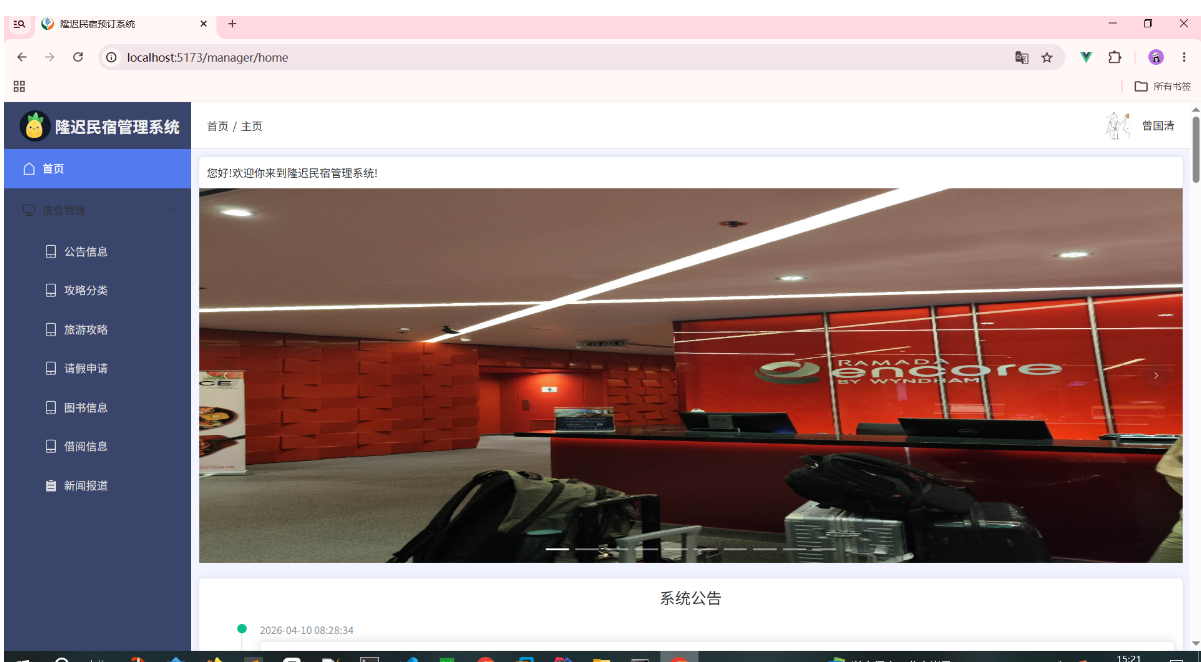
7, src/views/Home.vue
<template>
<div>
<div class="card" v-if="data.user.role == 'USER'">您好!欢迎你来到隆迟民宿管理系统!</div>
<!-- 轮播图 开始 -->
<div style="margin-bottom: 20px;">
<el-carousel height="480px">
<el-carousel-item v-for="item in data.introductionData" :key="item">
<img :src="item.carouselImg" alt="" style="height: 480px;width: 100%;cursor: pointer;" @click="navTo('/front/introductionDetail?id='+item.id)" />
</el-carousel-item>
<!-- <el-carousel-item v-for="item in data.carouselData" :key="item">
<img :src="item" alt="" style="height: 550px;width: 100%;">
</el-carousel-item> -->
</el-carousel>
</div>
<!--轮播图 结束-->
<!-- 系统公告 开始-->
<div class="card" style="margin-top: 10px;width: 100%;" v-if="data.user.role === 'USER'">
<div style="font-size: 20px;font-weight: 400;text-align: center;margin-bottom: 20px;">系统公告</div>
<!-- Timeline 时间线 中的 ⾃定义时间戳 实现代码如下 -->
<el-timeline>
<el-timeline-item :timestamp="item.time" placement="top" color="#0bbd87" v-for="item in data.noticeData">
<el-card>
<h4>{{ item.title }}</h4>
<p>{{ item.content }}</p>
</el-card>
</el-timeline-item>
</el-timeline>
<!-- 手风琴折叠面板控件Collapse:实现代码 -->
<!-- <el-collapse v-model="activeName" accordion>
<el-collapse-item :title="value.title" name="1" v-for="value in data.noticeData">
<div>{{ value.content }}</div>
<div>{{ value.time }}</div>
</el-collapse-item>
</el-collapse> -->
</div>
<!-- 系统公告 结束-->
<!-- 统计图表 开始 -->
<div v-if="data.user.role === 'ADMIN'">
<div style="display: flex;grid-gap: 10px;">
<div class="card" style="height: 400px;width: 50%;" id="pie"></div>
<div class="card" style="height: 400px;width: 50%;" id="bar"></div>
</div>
<div class="card" style="height: 400px;width: 100%;margin-top: 10px;" id="line"></div>
</div>
<!-- 统计图表 结束 -->
<!-- 旅游攻略 开始 -->
<div>
<div style="width: 100%;margin: 20px auto;">
<div style="font-size: 24px;font-weight: bold;border-left: 10px solid #2fbd67;padding-left: 10px;height: 30px;margin-bottom: 20px;line-height: 30px;">旅 游 攻 略</div>
<div style="display: flex;margin-top: 20px;grid-gap:10px" v-for="item in data.introductionData">
<div style="flex: 1;">
<img @click="navTo('/front/introductionDetail?id='+item.id)" :src="item.img" alt="" style="width: 100%;height: 280px;border-radius: 5px;cursor: pointer;">
</div>
<div style="flex: 3;padding: 30px;">
<div style="font-size: 18px;font-weight: 500;cursor: pointer;" @click="navTo('/front/introductionDetail?id='+item.id)">{{ item.title }}</div>
<div style="margin-top: 10px;font-size: 16px;color: #666;height: 150px;line-height: 25px;text-align: justify;" class="line6">{{ item.description }}</div>
<div style="display: flex;align-items: center;margin-top: 5px;grid-gap: 10px;">
<img :src="item.userAvatar" alt="" style="width: 30px;height: 30px;border-radius: 50%;">
<div style="font-size: 18px;">{{ item.userName }}</div>
<div style="font-size: 18px;color: #666666;">{{ item.time }}</div>
</div>
</div>
</div>
</div>
<div style="width: 100%;margin: 20px auto;">
<div style="font-size: 24px;font-weight: bold;border-left: 10px solid #2fbd67;padding-left: 10px;height: 30px;margin-bottom: 20px;line-height: 30px;">旅 游 攻 略</div>
<div>
<el-row gutter="20">
<el-col :span="6" v-for="item in data.introductionData" style="margin-bottom: 20px;">
<img @click="navTo('/front/introductionDetail?id=' + item.id)" :src="item.img" alt="" style="width: 100%;height: 280px;border-radius: 5px;" cursor: pointer;>
<div style="margin: 5px 0;font-size: 18px;font-weight: 500;text-align: center; cursor: pointer;" @click="navTo('/front/introductionDetail?id=' + item.id)">{{ item.title }}</div>
<div style="display: flex;align-items: center;margin-top: 5px;grid-gap: 10px;">
<img :src="item.userAvatar" alt="" style="width: 30px;height: 30px;border-radius: 50%;">
<div style="font-size: 18px;">{{ item.userName }}</div>
<div style="font-size: 18px;color: #666666;">{{ item.time }}</div>
</div>
</el-col>
</el-row>
</div>
</div>
<!-- 旅游攻略 结束 -->
</div>
</div>
</template>
<script setup>
import request from "@/utils/request.js";
import { ElMessage } from "element-plus";
import { onMounted, reactive } from 'vue';
import * as echarts from "echarts";
import lun1 from "@/assets/imgs/lun1.jpg";
import lun2 from "@/assets/imgs/lun2.jpg";
import lun3 from "@/assets/imgs/lun3.jpg";
import lun4 from "@/assets/imgs/lun4.jpg";
import lun5 from "@/assets/imgs/lun5.jpg";
import lun6 from "@/assets/imgs/lun6.jpg";
const data = reactive({
user: JSON.parse(localStorage.getItem('code_user') || '{}'),
noticeData: [],
introductionData: [],
carouselData: [lun1, lun2, lun3, lun4, lun5, lun6]
})
// 加载公告数据
const loadNotice = () => {
request.get('/notice/selectAll').then(res => {
if (res.code === '200') {
// 后端返回到前端的数据渲染到前端页面上
data.noticeData = res.data;
// 渲染完毕后,将数据存储到本地缓存中
// localStorage.setItem('noticeData', JSON.stringify(res.data))
// 每页只展示三条公告,其余的可以点击查看更多公告详情中查看
if (data.noticeData.length > 3) {
data.noticeData = data.noticeData.slice(0, 3)
}
} else {
ElMessage.error(res.msg)
}
})
}
loadNotice();
// 加载旅游攻略数据函数
const loadIntroduction = () => {
request.get('/introduction/selectAll').then(res => {
if (res.code === '200') {
data.introductionData = res.data
} else {
ElMessage.error(res.msg)
}
})
}
loadIntroduction()
// 导航到指定页面函数
const navTo = (url) => {
location.href = url
}
const loadPie = () => {
request.get('/echarts/pie').then(res => {
if (res.code === '200') {
// 定义一个DOM元素,id为pie的元素,用于渲染图表
let chartDom = document.getElementById('pie');
// 基于准备好的dom,初始化echarts实例
let myChart = echarts.init(chartDom);
// 用后端返回的数据将前端data里面的数据覆盖掉,然后我们再去画图表
pieOptions.series[0].data = res.data;
// 渲染图表配置项和数据
myChart.setOption(pieOptions);
}
})
}
const loadBar = () => {
request.get('/echarts/bar').then(res => {
if (res.code === '200') {
// 定义一个DOM元素,id为bar的元素,用于渲染图表
let chartDom = document.getElementById('bar');
// 基于准备好的dom,初始化echarts实例
let myChart = echarts.init(chartDom);
// 用后端返回的数据将前端data里面的数据覆盖掉,然后我们再去画图表
barOptionS.xAxis.data = res.data.xAxis;
barOptionS.series[0].data = res.data.yAxis;
// 渲染图表配置项和数据
myChart.setOption(barOptionS);
}
})
}
const loadline = () => {
request.get('/echarts/line').then(res => {
if (res.code === '200') {
// 定义一个DOM元素,id为bar的元素,用于渲染图表
let chartDom = document.getElementById('line');
// 基于准备好的dom,初始化echarts实例
let myChart = echarts.init(chartDom);
// 用后端返回的数据将前端data里面的数据覆盖掉,然后我们再去画图表
lineOptions.xAxis.data = res.data.xAxis;
lineOptions.series[0].data = res.data.yAxis;
// 渲染图表配置项和数据
myChart.setOption(lineOptions);
}
})
}
onMounted(() => {
loadPie();
loadBar();
loadline();
})
// 平滑折线图
let lineOptions = {
title: {
text: '最近一周每台平台用户发布帖子的数量',
subtext: '统计维度: 最近一周',
left: 'center'
},
logend: {
data: [],
template: ""
},
grid: {
left: '3%',
right: '4%',
bottom: '3%',
containLabel: true
},
tooltip: {
trigger: 'item'
},
xAxis: {
name: '日期',
type: 'category',
data: ['Mon','Tue','Wed','Thu','Sat','Sun']
},
yAxis: {
name: '攻略数量',
type: 'value'
},
series: [
{
name: '攻略数量',
data: [820,932,901,934,1290,1330,1320],
type: 'line',
smooth: true,
markLine: {
data: [{type: 'average',name: '最近一周攻略发布数量平均值'}]
},
markPoint: {
data: [
{type: 'max', name: '最大值'},
{type: 'min', name: '最小值'}
]
},
},
]
};
// 柱状图
let barOptionS = {
title: {
text: '不同用户发布帖子的数量', // 主标题
subtext: '统计维度: 用户昵称', // 副标题
left: 'center'
},
grid: { // 增加这个属性,bottom就是距离底部的距离
top: '20%',
bottom: '20%',
},
legend: {
orient: 'vertical',
left: 'left'
},
xAxis: {
type: 'category',
data: ['Mon', 'Tue', 'Wed', 'Thu', 'Fri', 'Sat', 'Sun'],
name: '用户昵称',
axisLabel: {
show: true,
interval: 0,
rotate: -60,
inside: false,
margin: 6,
},
},
yAxis: {
type: 'value',
name: '攻略数量',
},
tooltip: {
trigger: 'item',
},
series: [
{
data: [120, 200, 150, 80, 70, 110, 130],
type: 'bar',
itemStyle: {
normal: {
color: function () {
return "#" + Math.floor(Math.random() * (256 * 256 * 256-1)).toString(16);
}
},
},
}
]
};
// 饼状图 指定图表的配置项和数据
let pieOptions = {
title: {
text: '统计不同用户发布旅游攻略帖子的数量Top5 饼状图', // 主标题
subtext: '统计维度: 用户昵称', // 副标题
left: 'center'
},
tooltip: {
trigger: 'item',
formatter: '{a} <br />{b} : {c} ({d}%)'
},
legend: {
orient: 'vertical',
left: 'left'
},
series: [
{
name: '数量占比', // 鼠标放上去显示内容
type: 'pie',
radius: '50%',
center: ['50%','60%'],
data: [ // 示例数据,name表示维度,value表示对应的值
{ value: 1048, name: '特色小吃街' },
{ value: 735, name: '风景名胜' },
{ value: 580, name: '美食世界' },
{ value: 484, name: '历史古迹' },
{ value: 300, name: '人文景观' }
],
emphasis: {
itemStyle: {
shadowBlur: 10,
shadowOffsetX: 0,
shadowColor: 'rgba(0, 0, 0, 0.5)'
}
}
}
]
};
</script>
<style scoped>
.line6 {
word-break: break-all;
text-overflow: ellipsis;
display: -webkit-box;
-webkit-box-orient: vertical;
-webkit-line-clamp: 6; /* 控制行数 超出几行省略 */
overflow: hidden;
}
</style>
8, src/views/Introduction.vue
<template>
<div>
<div class="card" style="margin-bottom: 5px">
<el-input clearable @click="load" style="width: 260px;margin-right: 5px" v-model="data.title" placeholder="请输入标题查询" :prefix-icon="Search"></el-input>
<el-button type="primary" @click="load">查 询</el-button>
<el-button @click="reset">重 置</el-button>
</div>
<div class="card" style="margin-bottom: 5px" v-if="data.user.role === 'USER'">
<el-button type="primary" @click="handleAdd">新增</el-button>
</div>
<!--渲染表单数据到页面 开始-->
<div class="card" style="margin-bottom: 5px">
<el-table :data="data.tableData" style="width: 100%" :header-cell-style="{color: '#333', backgroundColor: 'eaf4ff'}">
<el-table-column label="轮播图" width="100">
<template #default="scope">
<el-image v-if="scope.row.carouselImg" :src="scope.row.carouselImg" :preview-src-list="[scope.row.carouselImg]" :preview-teleported="true" style="width: 50px;height: 50px;border-radius: 5px;display: block;" />
</template>
</el-table-column>
<el-table-column label="攻略主图" width="100">
<template #default="scope">
<el-image v-if="scope.row.img" :src="scope.row.img" :preview-src-list="[scope.row.img]" :preview-teleported="true" style="width: 50px;height: 50px;border-radius: 5px;display: block;" />
</template>
</el-table-column>
<el-table-column prop="title" label="攻略标题" />
<el-table-column prop="categoryTitle" label="攻略分类" />
<el-table-column prop="userName" label="发布用户" />
<el-table-column prop="content" label="攻略内容">
<template v-slot="scope">
<el-button type="primary" @click="viewContent(scope.row.content)">点击查看</el-button>
</template>
</el-table-column>
<el-table-column prop="time" label="发布时间" />
<el-table-column label="操作" width="100">
<template #default="scope">
<el-button type="primary" icon="Edit" circle @click="handleEdit(scope.row)"></el-button>
<el-button type="danger" icon="Delete" circle @click="del(scope.row.id)"></el-button>
</template>
</el-table-column>
</el-table>
</div>
<!--渲染表单数据到页面 结束-->
<!--分页开始-->
<div class="card">
<el-pagination
v-model:current-page="data.pageNum"
v-model:page-size="data.pageSize"
layout="total, sizes, prev, pager, next, jumper"
:page-sizes="[5, 10, 20]"
:total="data.total"
@current-change="load"
@size-change="load"
/>
</div>
<!--分页结束-->
<!--弹窗开始-->
<el-dialog title="攻略信息" v-model="data.FormVisible" width="60%" destroy-on-close>
<el-form ref="formRef" :model="data.form" label-width="80px" style="padding: 20px 30px 10px 0;">
<el-form-item prop="carouselImg" label="轮播图">
<el-upload
action="http://localhost:9999/files/upload"
:headers="{token: data.user.token}"
:on-success="handleCarouselFileSuccess"
list-type="picture"
>
<el-button type="primary">上传图片</el-button>
</el-upload>
</el-form-item>
<el-form-item prop="img" label="攻略主图">
<el-upload
action="http://localhost:9999/files/upload"
:headers="{token: data.user.token}"
:on-success="handleFileSuccess"
list-type="picture"
>
<el-button type="primary">上传图片</el-button>
</el-upload>
</el-form-item>
<el-form-item prop="title" label="攻略标题">
<el-input v-model="data.form.title" autocomplete="off" placeholder="请输入攻略标题" />
</el-form-item>
<el-form-item prop="title" label="攻略分类">
<el-select v-model="data.form.categoryId" placeholder="请选择攻略分类" style="width: 100%">
<el-option
v-for="item in data.categoryData"
:key="item.id"
:label="item.title"
:value="item.id"
/>
</el-select>
</el-form-item>
<el-form-item prop="content" label="攻略内容">
<div style="border: 1px solid #ccc;width:100%">
<Toolbar
style="border-bottom: 1px solid #ccc"
:editor="editorRef"
:mode="mode"
/>
<Editor
style="height: 500px;overflow-y: hidden;"
v-model="data.form.content"
:mode="mode"
:defaultConfig="editorConfig"
@onCreated="handleCreated"
/>
</div>
</el-form-item>
</el-form>
<template #footer>
<div class="dialog-footer">
<el-button @click="data.FormVisible = false">取消</el-button>
<el-button type="primary" @click="save">保存</el-button>
</div>
</template>
</el-dialog>
<!--弹窗结束-->
<!--弹窗2 开始-->
<el-dialog title="攻略信息" v-model="data.viewVisible" width="60%" destroy-on-close>
<div v-html="data.content" style="padding: 0 30px;"></div>
</el-dialog>
<!--弹窗2 结束-->
</div>
</template>
<script setup>
import request from "@/utils/request.js";
import {Search} from "@element-plus/icons-vue";
import { ElMessage,ElMessageBox } from "element-plus";
import {onBeforeUnmount,reactive,ref,shallowRef} from "vue"
import '@wangeditor/editor/dist/css/style.css' //引入css样式
import {Editor,Toolbar} from '@wangeditor/editor-for-vue'
const data = reactive({
user: JSON.parse(localStorage.getItem('code_user') || '{}'),
pageNum: 1,
pageSize: 5,
total: 0,
tableData: [],
title: null,
form: {},
FormVisible: false,
content: null,
viewVisible: false,
categoryData: []
})
/*wangEditors 初始化开始*/
// 编辑器实例, 必须用 shallowRef
const editorRef = shallowRef()
const mode = 'default'
const editorConfig = {MENU_CONF: {}}
// 图片上传配置
editorConfig.MENU_CONF['uploadImage']={
hearders: {
token: data.user.token,
},
// 服务端图片上传接口
server: 'http://localhost:9999/files/wang/upload',
// server: 'http://localhost:9999/files/wang/upload',
// 服务端图片上传接口参数
fieldName: 'file'
}
// 组件销毁时,也及时销毁编辑器,否则可能会造成内存泄漏
onBeforeUnmount(() => {
const editor = editorRef.value
if (editor == null) return
editor.destroy()
})
// 记录editor实例,重要!!!
const handleCreated = (editor) => {
editorRef.value = editor
}
/*wangEditors 初始化结束*/
// 定义查询方法
const load = () => {
request.get('/introduction/selectPage',{
params: {
pageNum: data.pageNum,
pageSize: data.pageSize,
title: data.title
}
}).then(res => {
if (res.code === '200') {
data.tableData = res.data?.list
data.total = res.data?.total
} else {
ElMessage.error(res.msg)
}
})
}
load()
// 查询分类数据
const viewContent = (content) => {
// 将内容赋值给data.content 字段,并打开对话框
data.content = content
data.viewVisible = true
}
// 新增
const handleAdd = () => {
// 清空表单数据
data.form = {}
// 打开对话框
data.FormVisible = true
}
// 编辑
const handleEdit = (row) => {
// 初始化回显数据 深拷贝 row 对象 使用 JSON.parse(JSON.stringify()) 方法
// 先转成字符串然后再转成JSON
data.form = JSON.parse(JSON.stringify(row))
// 打开对话框
data.FormVisible = true
}
// 删除
const del = (id) => {
ElMessageBox.confirm('删除后无法恢复,你确认要删除该行数据吗?','删除确认',{type: 'warning'}).then(res => {
request.delete('/introduction/delete/' + id).then(res => {
if (res.code === '200') {
ElMessage.success('删除成功')
load()
} else {
ElMessage.error(res.msg)
}
})
}).catch(err => {
ElMessage.info('已取消删除')
})
}
// 可访问的轮播图片上传接口,上传成功后将图片地址赋值给表单的carouselImg字段
const handleCarouselFileSuccess = (res) => {
data.form.carouselImg = res.data
}
// 可访问的图片上传接口,上传成功后将图片地址赋值给表单的img字段
const handleFileSuccess = (res) => {
data.form.img = res.data
}
// 新增
const add = () => {
request.post('/introduction/add', data.form).then(res => {
if (res.code === '200') {
// 提示用户新增成功信息,并关闭对话框,重新加载表格数据
ElMessage.success('新增成功')
data.FormVisible = false
load()
} else {
ElMessage.error(res.msg)
}
})
}
// 更新
const update = () => {
request.put("/introduction/update", data.form).then(res => {
if (res.code === '200') {
// 提示用户更新成功信息,并关闭对话框,重新加载表格数据
ElMessage.success('更新成功')
data.FormVisible = false
load()
} else {
ElMessage.error(res.msg)
}
})
}
// 保存
const save = () => {
data.form.id ? update() : add()
}
// 重置查询条件
const reset = () => {
data.title = null
load()
}
// 拿到所有的分类数据
const loadCategory = () => {
request.get('/category/selectAll').then(res => {
if (res.code === '200') {
// 拿到分类数据(将返回的数据)赋值给data.categoryData字段
data.categoryData = res.data
} else {
ElMessage.error(res.msg)
}
})
}
// 调用方法加载分类数据
loadCategory()
</script>
<style scoped>
</style>
9, src/views/IntroductionDetail.vue
<template>
<div style="width: 70%;margin: 50px auto;">
<div style="text-align: center;font-size: 20px;font-weight: bold;">{{ data.introductionDetailData.title }}</div>
<div style="margin-top: 10px;display: flex;align-items: center;justify-content: center;">
<img :src="data.introductionDetailData.userAvatar" alt="" style="width: 30px;height: 30px;border-radius: 50%;" />
<div style="margin-left: 5px;font-size: 16px;">{{ data.introductionDetailData.userName }}</div>
<div style="margin-left: 20px;font-size: 16px;">所属分类: {{ data.introductionDetailData.categoryTitle }}</div>
<div style="margin-left: 20px;font-size: 16px;">发布时间: {{ data.introductionDetailData.time }}</div>
</div>
<div v-html="data.introductionDetailData.content" style="margin-top: 100px;padding: 0 50px;"></div>
</div>
</template>
<script setup>
import request from "@/utils/request.js";
import { ElMessage } from "element-plus";
import router from '@/router/index.js'
import { reactive } from 'vue'
const data = reactive({
// 用户信息,从localStorage中获取并解析为对象存储在data.user属性中
user: JSON.parse(localStorage.getItem('code_user') || '{}'),
// 接收路由参数中的id值,并将其赋值给data.introductionId属性中,以便后续使用
introductionId: router.currentRoute.value.query.id || '',
// 定义一个空对象,用于存储从后端获取的旅游攻略详情数据
introductionDetailData: {}
})
// 定义一个函数,用于从后端获取旅游攻略详情数据,并将其赋值给data.introductionData属性中
const loadIntroduction = () => {
request.get('/introduction/selectById?id=' + data.introductionId).then(res => {
// console.log(res)
if (res.code === '200') {
// 将返回的数据(存储到)赋值给data.introductionData属性中
data.introductionDetailData = res.data
} else {
ElMessage.error(res.msg)
}
})
console.log(data.introductionId)
}
loadIntroduction()
</script>
<style scoped>
</style>
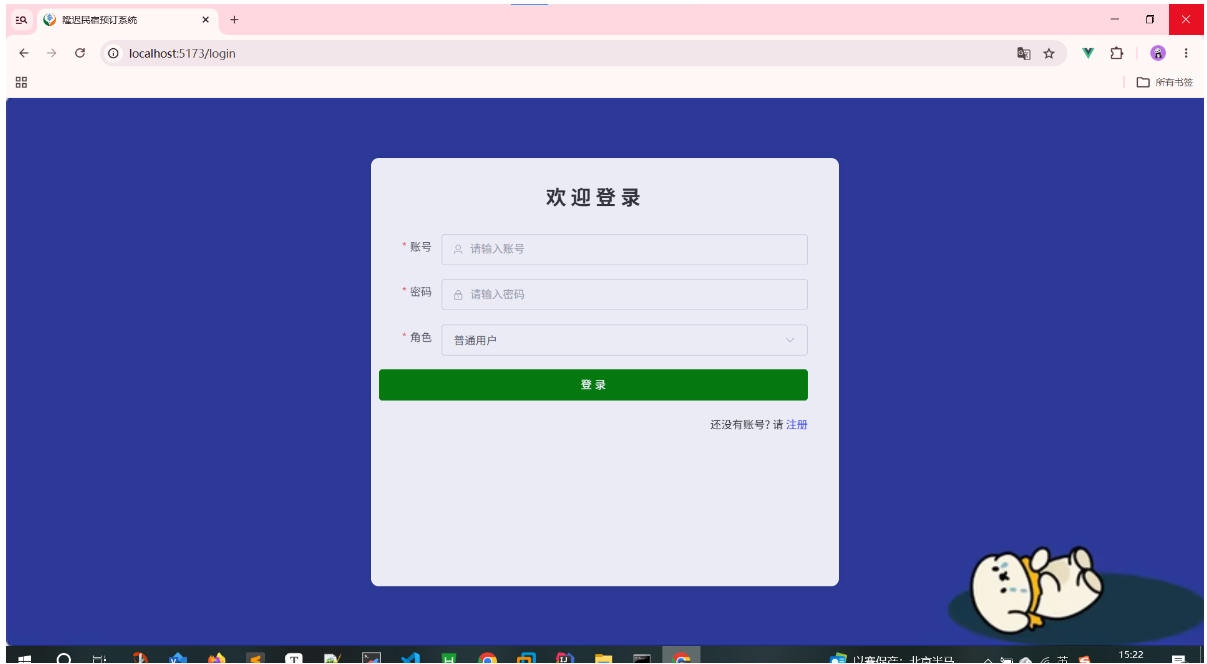
10, src/views/Login.vue
<template>
<div class="bg">
<div style="width: 600px;height: 550px;background-color: #fff;opacity: 0.9;border-radius: 10px;box-shadow: 0 0 10px rgba(0,0,0,0.1);padding: 10px;">
<el-form status-icon ref="formRef" :model="data.form" :rules="data.rules" label-width="80px" style="padding: 20px 30px 10px 0;">
<div style="margin-bottom: 30px;text-align: center;font-weight: bold;font-size: 26px;">欢 迎 登 录</div>
<el-form-item prop="username" label="账号">
<el-input size="large" v-model="data.form.username" autocomplete="off" placeholder="请输入账号" prefix-icon="User" />
</el-form-item>
<el-form-item prop="password" label="密码">
<el-input show-password size="large" v-model="data.form.password" autocomplete="off" placeholder="请输入密码" prefix-icon="Lock" />
</el-form-item>
<el-form-item prop="role" label="角色">
<el-select size="large" style="width: 100%;" v-model="data.form.role" placeholder="请选择角色">
<el-option label="管理员" value="ADMIN"></el-option>
<el-option label="普通用户" value="USER"></el-option>
</el-select>
</el-form-item>
<div style="margin-bottom: 20px;">
<el-button type="primary" style="width: 100%;" size="large" @click="login">登 录</el-button>
</div>
<div style="text-align: right;">
还没有账号? 请 <a style="color: #3741fb;" href="/register">注册</a>
</div>
</el-form>
</div>
</div>
</template>
<script setup>
import { ElMessage } from 'element-plus'
import router from '@/router/index.js';
import request from "@/utils/request.js";
import { reactive, ref } from 'vue'
// 发起效验 表单提交事件
const formRef = ref()
const data = reactive({
form: {
username: '',
password: '',
role: 'USER'
},
rules: {
username: [
{ required: true, message: '请输入账号', trigger: 'blur' },
{ min: 1, max: 15, message: '长度在 1 到 15 个字符', trigger: 'blur' }
],
password: [
{ required: true, message: '请输入密码', trigger: 'blur' },
{ min: 3, max: 18, message: '长度在 3 到 18 个字符', trigger: 'blur' },
{ pattern: /^[a-zA-Z0-9_]+$/, message: '只能输入字母、数字和下划线', trigger: 'blur' }
],
role: [
{ required: true, message: '请选择角色', trigger: 'change' }
]
}
} )
// 登录方法
const login = () => {
formRef.value.validate((valid) => {
// 校验通过
if (valid) {
request.post('/login', data.form).then(res => {
if (res.code ==='200') {
// 存储用户信息
localStorage.setItem('code_user', JSON.stringify(res.data || {}))
ElMessage.success('登录成功')
if ("USER" === res.data.role) {
location.href = '/front/home'
} else {
router.push('/')
}
} else {
ElMessage.error(res.msg)
}
})
}
})
}
</script>
<style scoped>
.bg {
width: 100%;
height: 100vh;
display: flex;
justify-content: center;
align-items: center;
overflow: hidden;
background-image: url("@/assets/imgs/bg.jpg");
background-size: cover;
}
</style>
11, src/views/Manager.vue
<template>
<div>
<!-- 头部区域开始 -->
<div style="height: 60px;display: flex;">
<div style="width: 240px;display: flex;align-items: center;padding-left: 20px;background-color: #3a456b;">
<img style="width: 40px;height: 40px;border-radius: 50%;" src="@/assets/imgs/logo.png" alt="">
<span style="font-size: 20px;font-weight: bold;color: #f1f1f1;margin-left: 5px;">隆迟民宿管理系统</span>
</div>
<div style="flex: 1;display: flex;align-items: center;padding-left: 20px;border-bottom: 1px solid #ddd;">
<span style="margin-right: 5px; cursor: pointer;" @click="router.push('/manager/home')">首页</span>/<span style="margin-left: 5px;">{{ router.currentRoute.value.meta.title || '首页' }}</span>
</div>
<div style="width: fit-content;padding-right: 20px;display: flex;align-items: center;border-bottom: 1px solid #ddd;">
<el-dropdown>
<div style="display: flex;align-items: center;">
<img v-if="data.user?.avatar" style="width: 40px;height: 40px;border-radius: 50%;" :src="data.user?.avatar" />
<img v-else style="width: 40px;height: 40px;border-radius: 50%;" src="@/assets/imgs/logo1.png" alt="">
<span style="margin-left: 10px;color: #333;">{{ data.user?.name }}</span>
</div>
<template #dropdown>
<el-dropdown-menu>
<el-dropdown-item @click="router.push('/manager/person')">个人信息</el-dropdown-item>
<el-dropdown-item @click="router.push('/manager/updatePassword')">修改密码</el-dropdown-item>
<el-dropdown-item @click="logout">退出登录</el-dropdown-item>
</el-dropdown-menu>
</template>
</el-dropdown>
</div>
</div>
<!-- 头部区域结束 -->
<!--下方区域开始-->
<div style="display: flex">
<!-- 菜单区域开始 -->
<div style="width: 240px;">
<el-menu router :default-openeds="['1','2']" :default-active="router.currentRoute.value.path" style="min-height:calc(100vh);">
<el-menu-item index="/manager/home">
<el-icon><House /></el-icon>
<span>首页</span>
</el-menu-item>
<el-sub-menu index="1">
<template #title>
<el-icon><Monitor /></el-icon>
<span>信息管理</span>
</template>
<el-menu-item index="/manager/notice" v-if="data.user.role === 'ADMIN'">
<el-icon><Iphone /></el-icon>
<span>系统公告</span>
</el-menu-item>
<el-menu-item index="/manager/notice" v-else>
<el-icon><Iphone /></el-icon>
<span>公告信息</span>
</el-menu-item>
<el-menu-item index="/manager/category">
<el-icon><Iphone /></el-icon>
<span>攻略分类</span>
</el-menu-item>
<el-menu-item index="/manager/introduction">
<el-icon><Iphone /></el-icon>
<span>旅游攻略</span>
</el-menu-item>
<el-menu-item index="/manager/apply">
<el-icon><Iphone /></el-icon>
<span>请假申请</span>
</el-menu-item>
<el-menu-item index="/manager/book">
<el-icon><Iphone /></el-icon>
<span>图书信息</span>
</el-menu-item>
<el-menu-item index="/manager/record">
<el-icon><Iphone /></el-icon>
<span>借阅信息</span>
</el-menu-item>
<el-menu-item index="/manager/news">
<el-icon><List /></el-icon>
<span>新闻报道</span>
</el-menu-item>
</el-sub-menu>
<el-sub-menu index="2" v-if="data.user.role === 'ADMIN'">
<template #title>
<el-icon><User /></el-icon>
<span>用户管理</span>
</template>
<el-menu-item index="/manager/admin">
<el-icon><UserFilled /></el-icon>
<span>管理员信息</span>
</el-menu-item>
<el-menu-item index="/manager/user">
<el-icon><Place /></el-icon>
<span>普通用户信息</span>
</el-menu-item>
</el-sub-menu>
</el-menu>
</div>
<!-- 菜单区域结束 -->
<!-- 数据渲染区域开始 -->
<div style="flex: 1; width: 0; padding: 10px; background-color: #f2f4ff">
<RouterView @updateUser = "updateUser" />
</div>
<!-- 数据渲染区域结束 -->
</div>
<!--下方区域结束-->
</div>
</template>
<script setup>
import router from '@/router/index.js'
import { RouterView } from 'vue-router'
import { reactive } from 'vue'
const data = reactive({
user: JSON.parse(localStorage.getItem('code_user') || '{}')
})
// 退出登录函数
const logout = () => {
localStorage.removeItem('code_user')
location.href = '/login'
}
// 更新用户信息
const updateUser = () => {
data.user = JSON.parse(localStorage.getItem('code_user') || '{}')
}
// 这个判断有隐患 可以伪造去登录 直接去登录页面
// if (!data.user?.id) {
// location.href = '/login'
// }
</script>
<style scoped>
.el-menu {
background-color: #3a456b;
border: none;
}
.el-sub-menu__title {
background-color: #3a456b;
color: #ddd;
}
.el-menu-item {
height: 50px;
color: #ddd;
background-color: #3a456b;
}
.el-menu .is-active {
background-color: #537bee;
color: #fff;
}
.el-sub-menu__title:hover {
background-color: #3a456b;
}
.el-menu-item:not(.is-active):hover {
background-color: #7a9fff;
color: #333;
}
.el-dropdown {
cursor: pointer;
}
.el-tooltip__trigger {
outline: none;
}
.el-menu--inline .el-menu-item {
padding-left: 48px !important;
}
</style>
12, src/views/Notice.vue
<template>
<div>
<div class="card" style="margin-bottom: 5px">
<el-input clearable @click="load" style="width: 260px;margin-right: 5px" v-model="data.title" placeholder="请输入标题查询" :prefix-icon="Search"></el-input>
<el-button type="primary" @click="load">查 询</el-button>
<el-button @click="reset">重 置</el-button>
</div>
<div class="card" style="margin-bottom: 5px" v-if="data.user.role === 'ADMIN'">
<el-button type="primary" @click="handleAdd">新增</el-button>
</div>
<!--渲染表单数据到页面 开始-->
<div class="card" style="margin-bottom: 5px">
<el-table :data="data.tableData" style="width: 100%" :header-cell-style="{color: '#333', backgroundColor: 'eaf4ff'}">
<el-table-column prop="title" label="公告标题" />
<el-table-column prop="content" label="公告内容">
<template v-slot="scope">
<el-button type="primary" @click="viewContent(scope.row.content)">点击查看</el-button>
</template>
</el-table-column>
<el-table-column prop="time" label="发布时间" />
<el-table-column label="操作" width="100" v-if="data.user.role === 'ADMIN'">
<template #default="scope">
<el-button type="primary" icon="Edit" circle @click="handleEdit(scope.row)"></el-button>
<el-button type="danger" icon="Delete" circle @click="del(scope.row.id)"></el-button>
</template>
</el-table-column>
</el-table>
</div>
<!--渲染表单数据到页面 结束-->
<!--分页 开始-->
<div class="card">
<el-pagination
v-model:current-page="data.pageNum"
v-model:page-size="data.pageSize"
layout="total, sizes, prev, pager, next, jumper"
:page-sizes="[5, 10, 20]"
:total="data.total"
@current-change="load"
@size-change="load"
/>
</div>
<!--分页 结束-->
<!--弹窗开始 向数据库表写入数据-->
<el-dialog title="公告信息" v-model="data.formVisible" width="40%" destroy-on-close>
<el-form ref="formRef" :model="data.form" :rules="data.rules" label-width="80px" style="padding: 20px 30px 10px 0;">
<el-form-item prop="title" label="公告标题">
<el-input v-model="data.form.title" autocomplete="off" placeholder="请输入公告标题" />
</el-form-item>
<el-form-item prop="content" label="公告内容">
<el-input type="textarea" :rows="3" v-model="data.form.content" autocomplete="off" placeholder="请输入公告内容" />
</el-form-item>
</el-form>
<template #footer>
<div class="dialog-footer">
<el-button @click="data.formVisible = false">取消</el-button>
<el-button type="primary" @click="save">保存</el-button>
</div>
</template>
</el-dialog>
<!--弹窗结束-->
<!--弹窗2 开始-->
<el-dialog title="公告信息" v-model="data.viewVisible" width="60%" destroy-on-close>
<div v-html="data.content" style="padding: 0 30px;"></div>
</el-dialog>
<!--弹窗2 结束-->
</div>
</template>
<script setup>
import request from "@/utils/request.js";
import { ElMessage,ElMessageBox } from "element-plus";
import {Search} from "@element-plus/icons-vue";
import { reactive,ref } from 'vue'
const formRef = ref()
const data = reactive({
user: JSON.parse(localStorage.getItem('code_user') || '{}'),
title: null,
content: null,
viewVisible: false,
pageNum: 1,
pageSize: 5,
total: 0,
tableData: [],
form: {},
formVisible: false,
rules: {
title: [
{ required: true, message: '请输入公告标题', trigger: 'blur' },
],
content: [
{ required: true, message: '请输入公告内容', trigger: 'blur' },
],
}
})
const load = () => {
request.get('/notice/selectPage',{
params: {
title: data.title,
pageNum: data.pageNum,
pageSize: data.pageSize,
content: data.content,
time: data.time,
}
}).then(res => {
if (res.code === '200') {
data.tableData = res.data?.list
data.total = res.data?.total
} else {
ElMessage.error(res.msg)
}
})
}
load()
const handleAdd = () => {
data.form = {}
data.formVisible = true
}
const handleEdit = (row) => {
// 先把row转成字符串,再把他转成JSON数据 实现form表单深拷贝
data.form = JSON.parse(JSON.stringify(row))
// 打开表单对话框,并传入表单数据
data.formVisible = true
}
const add = () => {
request.post('/notice/add',data.form).then(res => {
if (res.code === '200') {
ElMessage.success('新增成功')
data.formVisible = false
load()
} else {
ElMessage.error(res.msg)
}
})
}
const update = () => {
request.put('/notice/update', data.form).then(res => {
if (res.code === '200') {
ElMessage.success('更新成功')
data.formVisible = false
load()
} else {
ElMessage.error(res.msg)
}
})
}
const save = () => {
formRef.value.validate((valid) => {
if (valid) {
data.form.id ? update() : add()
}
})
}
const viewContent = (content) => {
data.content = content
data.viewVisible = true
}
const del = (id) => {
ElMessageBox.confirm('删除后无法恢复,你确认要删除该行数据吗?','删除确认',{type: 'warning'}).then(res => {
request.delete('/notice/delete/' + id).then(res => {
if (res.code === '200') {
ElMessage.success('删除成功')
load()
} else {
ElMessage.error(res.msg)
}
})
}).catch(err => {
ElMessage.info('已取消删除')
})
}
const reset = () => {
data.title = null
load()
}
</script>
<style scoped>
</style>
13, src/views/Person.vue
<template>
<div class="card" style="width: 50%;">
<div style="font-weight: 500;font-size: 20px;text-align: center;">个人信息</div>
<el-form ref="formRef" :model="data.user" label-width="80px" style="padding: 20px 30px 10px 0;">
<el-form-item prop="username" label="账号">
<el-input size="large" v-model="data.user.username" autocomplete="off" placeholder="请输入账号" />
</el-form-item>
<el-form-item prop="name" label="名称">
<el-input size="large" v-model="data.user.name" autocomplete="off" placeholder="请输入名称" />
</el-form-item>
<el-form-item prop="phone" label="电话">
<el-input size="large" v-model="data.user.phone" autocomplete="off" placeholder="请输入电话" />
</el-form-item>
<el-form-item prop="email" label="邮箱">
<el-input size="large" v-model="data.user.email" autocomplete="off" placeholder="请输入邮箱" />
</el-form-item>
<el-form-item prop="avatar" label="头像">
<el-upload
action="http://localhost:9999/files/upload"
:headers="{token: data.user.token}"
:on-success="handleFileSuccess"
list-type="picture"
>
<el-button type="primary">上传头像</el-button>
</el-upload>
</el-form-item>
</el-form>
<div style="text-align: center;">
<el-button type="info" style="padding: 20px 50px;" @click="data.FormVisible = false">取消</el-button>
<el-button type="primary" style="padding: 20px 50px;" @click="update">保存</el-button>
</div>
</div>
</template>
<script setup>
import request from "@/utils/request.js";
import { ElMessage } from "element-plus";
import { reactive} from 'vue'
const data = reactive({
user: JSON.parse(localStorage.getItem('code_user') || '{}'),
FormVisible: false
})
const handleFileSuccess = (res) => {
data.user.avatar = res.data;
}
// const emit = defineEmits(['update:modelValue'])
const emit = defineEmits(['updateUser'])
const update = () => {
let url
if (data.user.role = 'ADMIN') {
url = '/admin/update'
}
if (data.user.role = 'USER') {
url = '/user/update'
}
request.put(url,data.user).then(res => {
if (res.code === '200') {
ElMessage.success('更新成功')
localStorage.setItem('code_user', JSON.stringify(data.user))
emit('updateUser')
}
})
}
</script>
<style scoped>
</style>
14, src/views/Record.vue
<template>
<div>
<div class="card" style="margin-bottom: 5px">
<el-input clearable @click="load" style="width: 260px;margin-right: 5px" v-model="data.userName" placeholder="请输入借阅人查询" :prefix-icon="Search"></el-input>
<el-button type="primary" @click="load">查 询</el-button>
<el-button @click="reset">重 置</el-button>
</div>
<!--渲染表单数据到页面 开始-->
<div class="card" style="margin-bottom: 5px">
<el-table :data="data.tableData" style="width: 100%" :header-cell-style="{color: '#333', backgroundColor: 'eaf4ff'}">
<el-table-column prop="bookImg" label="图书封面" width="100">
<template #default="scope">
<el-image v-if="scope.row.bookImg" :src="scope.row.bookImg" :preview-src-list="[scope.row.bookImg]" :preview-teleported="true" style="width: 50px;height: 50px;border-radius: 5px;display: block;" />
</template>
</el-table-column>
<el-table-column prop="bookIntro" label="图书简介">
<template v-slot="scope">
<el-button type="primary" @click="viewContent(scope.row.bookIntro)">点击查看</el-button>
</template>
</el-table-column>
<el-table-column prop="bookName" label="图书名字" />
<el-table-column prop="bookAuthor" label="图书作者" />
<el-table-column prop="userName" label="借阅人" />
<el-table-column prop="time" label="借阅时间" />
<el-table-column prop="status" label="审核状态">
<template v-slot="scope">
<el-tag type="warning" v-if="scope.row.status === '待审核'">{{ scope.row.status }}</el-tag>
<el-tag type="success" v-if="scope.row.status === '审核通过'">{{ scope.row.status }}</el-tag>
<el-tag type="danger" v-if="scope.row.status === '审核拒绝'">{{ scope.row.status }}</el-tag>
</template>
</el-table-column>
<el-table-column prop="reason" label="审核说明" />
<el-table-column label="操作" width="200" v-if="data.user.role === 'ADMIN'">
<template #default="scope">
<el-button :disabled="scope.row.status !== '待审核'" type="primary" @click="handleEdit(scope.row)">审核</el-button>
<el-button type="danger" @click="del(scope.row.id)">删除</el-button>
</template>
</el-table-column>
</el-table>
</div>
<!--渲染表单数据到页面 结束-->
<!--分页 开始-->
<div class="card">
<el-pagination
v-model:current-page="data.pageNum"
v-model:page-size="data.pageSize"
layout="total, sizes, prev, pager, next, jumper"
:page-sizes="[5, 10, 20]"
:total="data.total"
@current-change="load"
@size-change="load"
/>
</div>
<!--分页 结束-->
<!-- 弹窗 开始 -->
<el-dialog title="审核信息" v-model="data.formVisible" width="40%" destroy-on-close>
<el-form ref="formRef" :model="data.form" label-width="80px" style="padding: 20px 30px 10px 0;">
<el-form-item prop="status" label="审核状态" v-if="data.user.role === 'ADMIN'">
<el-radio-group v-model="data.form.status" size="large" fill="#409eff">
<el-radio-button label="待审核" value="待审核" />
<el-radio-button label="审核通过" value="审核通过" />
<el-radio-button label="审核拒绝" value="审核拒绝" />
</el-radio-group>
</el-form-item>
<el-form-item prop="reason" label="审核说明" v-if="data.user.role === 'ADMIN' && data.form.status ==='审核拒绝'">
<el-input v-model="data.form.reason" autocomplete="off" placeholder="请输入拒绝说明" />
</el-form-item>
</el-form>
<template #footer>
<div class="dialog-footer">
<el-button @click="data.formVisible = false">取消</el-button>
<el-button type="primary" @click="save">保存</el-button>
</div>
</template>
</el-dialog>
<!-- 弹窗 结束 -->
<!--弹窗2 开始-->
<el-dialog title="借阅信息" v-model="data.viewVisible" width="60%" destroy-on-close>
<div v-html="data.bookIntro" style="padding: 0 30px;"></div>
</el-dialog>
<!--弹窗2 结束-->
</div>
</template>
<script setup>
import request from "@/utils/request.js";
import { ElMessage,ElMessageBox } from "element-plus";
import {Search} from "@element-plus/icons-vue";
import { reactive,ref } from 'vue'
const formRef = ref()
const data = reactive({
user: JSON.parse(localStorage.getItem('code_user') || '{}'),
userName: null,
bookIntro: null,
viewVisible: false,
pageNum: 1,
pageSize: 5,
total: 0,
tableData: [],
form: {},
formVisible: false,
reason: null,
})
const load = () => {
request.get('/record/selectPage',{
params: {
pageNum: data.pageNum,
pageSize: data.pageSize,
userName: data.userName,
}
}).then(res => {
if (res.code === '200') {
data.tableData = res.data?.list
data.total = res.data?.total
} else {
ElMessage.error(res.msg)
}
})
}
load()
const handleEdit = (row) => {
// 先把row转成字符串,再把他转成JSON数据 实现form表单深拷贝
data.form = JSON.parse(JSON.stringify(row))
// 打开表单对话框,并传入表单数据
data.formVisible = true
}
const update = () => {
request.put('/record/update', data.form).then(res => {
if (res.code === '200') {
ElMessage.success('更新成功')
data.formVisible = false
load()
} else {
ElMessage.error(res.msg)
}
})
}
const save = () => {
formRef.value.validate((valid) => {
if (valid) {
update()
}
})
}
const viewContent = (bookIntro) => {
data.bookIntro = bookIntro
data.viewVisible = true
}
const del = (id) => {
ElMessageBox.confirm('删除后无法恢复,你确认要删除该行数据吗?','删除确认',{type: 'warning'}).then(res => {
request.delete('/record/delete/' + id).then(res => {
if (res.code === '200') {
ElMessage.success('删除成功')
load()
} else {
ElMessage.error(res.msg)
}
})
}).catch(err => {
ElMessage.info('已取消删除')
})
}
const reset = () => {
data.userName = null
load()
}
</script>
<style scoped>
</style>
15, src/views/Register.vue
<template>
<div class="bg">
<div style="width: 600px;height: 550px;background-color: #fff;opacity: 0.9;border-radius: 10px;box-shadow: 0 0 10px rgba(0,0,0,0.1);padding: 10px;">
<el-form status-icon ref="formRef" :model="data.form" :rules="data.rules" label-width="80px" style="padding: 20px 30px 10px 0;">
<div style="margin-bottom: 30px;text-align: center;font-weight: bold;font-size: 26px;">欢 迎 注 册</div>
<el-form-item prop="username" label="账号">
<el-input size="large" v-model="data.form.username" autocomplete="off" placeholder="请输入账号" prefix-icon="User" />
</el-form-item>
<el-form-item prop="password" label="密码">
<el-input show-password size="large" v-model="data.form.password" autocomplete="off" placeholder="请输入密码" prefix-icon="Lock" />
</el-form-item>
<el-form-item prop="confirmPassword" label="确认密码">
<el-input show-password size="large" v-model="data.form.confirmPassword" autocomplete="off" placeholder="请再次确认密码" prefix-icon="Lock" />
</el-form-item>
<el-form-item prop="name" label="名称">
<el-input size="large" v-model="data.form.name" autocomplete="off" placeholder="请输入名称" prefix-icon="User" />
</el-form-item>
<el-form-item prop="phone" label="电话">
<el-input size="large" v-model="data.form.phone" autocomplete="off" placeholder="请输入电话" prefix-icon="User" />
</el-form-item>
<el-form-item prop="email" label="邮箱">
<el-input size="large" v-model="data.form.email" autocomplete="off" placeholder="请输入邮箱" prefix-icon="User" />
</el-form-item>
<div style="margin-bottom: 20px;">
<el-button type="primary" style="width: 100%;background-color: #248243;border-color: #248243;" size="large" @click="register">注 册</el-button>
</div>
<div style="text-align: right;">
已有账号? 请 <a style="color: #248243;" href="/login">登录</a>
</div>
</el-form>
</div>
</div>
</template>
<script setup>
import { ElMessage } from 'element-plus'
import router from '@/router/index.js';
import request from "@/utils/request.js";
import { reactive, ref } from 'vue'
// 自定义效验两次密码是否一致
const validatePass = (rule, value, callback) => {
// value 表示用户再次输入的密码,ruleForm.pass(data.form.password) 表示用户第一次输入的密码
if (value !== data.form.password) {
callback(new Error("两次输入的密码不匹配!"))
} else {
callback()
}
}
// 发起效验 表单提交事件
const formRef = ref()
const data = reactive({
form: {
username: '',
password: '',
confirmPassword: '',
name: '',
phone: '',
email: ''
},
rules: {
username: [
{ required: true, message: '请输入账号', trigger: 'blur' },
{ min: 1, max: 15, message: '长度在 1 到 15 个字符', trigger: 'blur' }
],
password: [
{ required: true, message: '请输入密码', trigger: 'blur' },
{ min: 3, max: 18, message: '长度在 3 到 18 个字符', trigger: 'blur' },
{ pattern: /^[a-zA-Z0-9_]+$/, message: '只能输入字母、数字和下划线', trigger: 'blur' }
],
confirmPassword: [
{ required: true, message: '请再次确认密码', trigger: 'blur' },
{ validator: validatePass, trigger: 'blur' }
],
name: [
{ required: true, message: '请输入名称', trigger: 'blur' },
{ min: 2, max: 10, message: '长度在 2 到 10 个字符', trigger: 'blur' }
],
phone: [
{ required: true, message: '请输入电话', trigger: 'blur' },
{ min: 11, max: 11, message: '长度为 11 个字符', trigger: 'blur' }
],
email: [
{ required: true, message: '请输入邮箱地址', trigger: 'blur' },
{ type: 'email', message: '请输入正确的邮箱地址', trigger: ['blur', 'change'] },
{ min: 5, max: 20, message: '长度在 5 到 20 个字符', trigger: 'blur' },
{ pattern: /^[a-zA-Z0-9_.+-]+@[a-zA-Z0-9-]+\.[a-zA-Z0-9-.]+$/, message: '请输入正确的邮箱地址', trigger: 'blur' },
{ pattern: /^[a-zA-Z0-9_.+-]+@[a-zA-Z0-9-]+\.[a-zA-Z0-9-.]+$/, message: '请输入正确的邮箱地址', trigger: 'change' }
]
}
} )
// 注册方法
const register = () => {
formRef.value.validate((valid) => {
if (valid) {
request.post('/register', data.form).then(res => {
if (res.code ==='200') {
ElMessage.success('注册成功,请登录!')
router.push('/login')
} else {
ElMessage.error(res.msg)
}
})
}
})
}
</script>
<style scoped>
.bg {
width: 100%;
height: 100vh;
display: flex;
justify-content: center;
align-items: center;
overflow: hidden;
background-image: url("@/assets/imgs/bg1.jpg");
background-size: cover;
}
</style>
16, src/views/UpdatePassword.vue
<template>
<div class="card" style="width: 50%;">
<div style="margin-bottom: 20px;text-align: center;font-weight: bold;font-size: 26px;">修 改 密 码</div>
<el-form status-icon ref="formRef" :model="data.user" :rules="data.rules" label-width="80px" style="padding: 20px 30px 10px 0;">
<el-form-item prop="password" label="原密码">
<el-input show-password size="large" v-model="data.user.password" autocomplete="off" placeholder="请输入原密码" prefix-icon="Lock" />
</el-form-item>
<el-form-item prop="newPassword" label="新密码">
<el-input show-password size="large" v-model="data.user.newPassword" autocomplete="off" placeholder="请输入新密码" prefix-icon="Lock" />
</el-form-item>
<el-form-item prop="confirmPassword" label="确认密码">
<el-input show-password size="large" v-model="data.user.confirmPassword" autocomplete="off" placeholder="请再次输入新密码" prefix-icon="Lock" />
</el-form-item>
</el-form>
<div style="text-align: center;">
<el-button type="info" style="padding: 20px 50px;" @click="data.FormVisible = false">取消</el-button>
<el-button type="primary" style="padding: 20px 50px;" @click="updatePassword">保存</el-button>
</div>
</div>
</template>
<script setup>
import request from "@/utils/request.js";
import { ElMessage } from "element-plus";
import { reactive, ref} from 'vue'
const data = reactive({
user: JSON.parse(localStorage.getItem('code_user') || '{}'),
rules: {
password: [
{ required: true, message: '请输入原密码', trigger: 'blur' },
{ min: 3, max: 15, message: '长度在 3 到 15 个字符', trigger: 'blur'}
],
newPassword: [
{ required: true, message: '请输入新密码', trigger: 'blur' },
{ min: 3, max: 15, message: '长度在 3 到 15 个字符', trigger: 'blur'}
],
confirmPassword: [
{ required: true, message: '请再次输入密码', trigger: 'blur' },
{ min: 3, max: 15, message: '长度在 3 到 15 个字符', trigger: 'blur'},
]
},
FormVisible: false,
})
const formRef = ref()
// 修改密码方法
const updatePassword = () => {
formRef.value.validate((valid) => {
if (valid) {
request.post('/updatePassword', data.user).then(res => {
if (res.code === '200') {
ElMessage.success('修改成功')
// 延迟500毫秒后跳转登录页面,防止太快导致还没退出就进入登录界面了
setInterval(() => {
localStorage.removeItem('code_user')
location.href = '/login'
},500)
} else {
ElMessage.error(res.msg)
}
})
}
})
}
</script>
<style scoped>
</style>
17, src/views/User.vue
<template>
<div>
<div class="card" style="margin-bottom: 5px">
<el-input clearable @click="load" style="width: 260px;margin-right: 5px" v-model="data.username" placeholder="请输入用户名查询" :prefix-icon="Search"></el-input>
<el-input clearable @click="load" style="width: 260px;margin-right: 5px" v-model="data.name" placeholder="请输入名称查询" :prefix-icon="Search"></el-input>
<el-button type="primary" @click="load">查 询</el-button>
<el-button @click="reset">重 置</el-button>
</div>
<div class="card" style="margin-bottom: 5px">
<el-button type="primary" @click="handleAdd">新增</el-button>
<el-button type="danger" @click="deleteBatch">批量删除</el-button>
<el-button type="info" @click="exportData">批量导出</el-button>
<el-upload
style="display: inline-block;margin-left: 10px;"
action="http://localhost:9999/admin/import"
:show-file-list="false"
:on-success="handleImportSuccess"
>
<el-button type="success">批量导入</el-button>
</el-upload>
</div>
<div class="card" style="margin-bottom: 5px">
<el-table :data="data.tableData" style="width: 100%" @selection-change="handleSelectionChange" :header-cell-style="{color: '#333', backgroundColor: 'eaf4ff'}">
<el-table-column type="selection" width="55" />
<el-table-column label="头像" width="100">
<template #default="scope">
<el-image v-if="scope.row.avatar" :src="scope.row.avatar" :preview-src-list="[scope.row.avatar]" :preview-teleported="true" style="width: 40px;height: 40px;border-radius: 50%;display: block;" />
</template>
</el-table-column>
<el-table-column prop="username" label="账号" width="188" />
<el-table-column prop="name" label="名称" width="188" />
<el-table-column prop="phone" label="电话" width="188" />
<el-table-column prop="email" label="邮箱" width="222" />
<el-table-column label="操作" width="100">
<template #default="scope">
<el-button type="primary" icon="Edit" circle @click="handleEdit(scope.row)"></el-button>
<el-button type="danger" icon="Delete" circle @click="del(scope.row.id)"></el-button>
</template>
</el-table-column>
</el-table>
</div>
<div class="card">
<el-pagination
v-model:current-page="data.pageNum"
v-model:page-size="data.pageSize"
layout="total, sizes, prev, pager, next, jumper"
:page-sizes="[5, 10, 20]"
:total="data.total"
@current-change="load"
@size-change="load"
/>
</div>
<!--弹窗开始-->
<el-dialog title="普通用户信息" v-model="data.FormVisible" width="40%" destroy-on-close>
<el-form ref="formRef" :model="data.form" :rules="data.rules" label-width="80px" style="padding: 20px 30px 10px 0;">
<el-form-item prop="username" label="账号">
<el-input v-model="data.form.username" autocomplete="off" placeholder="请输入账号" />
</el-form-item>
<el-form-item prop="name" label="名称">
<el-input v-model="data.form.name" autocomplete="off" placeholder="请输入名称" />
</el-form-item>
<el-form-item prop="phone" label="电话">
<el-input v-model="data.form.phone" autocomplete="off" placeholder="请输入电话" />
</el-form-item>
<el-form-item prop="email" label="邮箱">
<el-input v-model="data.form.email" autocomplete="off" placeholder="请输入邮箱" />
</el-form-item>
<el-form-item prop="avatar" label="头像">
<el-upload
action="http://localhost:9999/files/upload"
:headers="{token: data.user.token}"
:on-success="handleFileSuccess"
list-type="picture"
>
<el-button type="primary">上传头像</el-button>
</el-upload>
</el-form-item>
</el-form>
<template #footer>
<div class="dialog-footer">
<el-button @click="data.FormVisible = false">取消</el-button>
<el-button type="primary" @click="save">保存</el-button>
</div>
</template>
</el-dialog>
<!--弹窗结束-->
</div>
</template>
<script setup>
import {reactive,ref} from "vue";
import {Search} from "@element-plus/icons-vue";
import request from "@/utils/request.js";
import { ElMessageBox,ElMessage } from "element-plus";
// 定义数据对象 , 页面渲染的数据都在这里面定义
// 定义表单验证规则 触发表单验证事件 , 提交表单事件 , 表单验证规则等都在这里面定义
const data = reactive({
user: JSON.parse(localStorage.getItem('code_user') || '{}'),
username: null,
name: null,
pageNum: 1,
pageSize: 5,
total: 6,
tableData: [],
FormVisible: false,
form: {},
rules: {
username: [
{required: true, message: '请输入账号', trigger: 'blur'},
{min: 2, max: 15, message: '长度在 2 到 15 个字符', trigger: 'blur'}],
name: [
{required: true, message: '请输入名称', trigger: 'blur'},
{min: 2, max: 10, message: '长度在 2 到 10 个字符', trigger: 'blur'}],
phone: [
{required: true, message: '请输入电话', trigger: 'blur'},
{min: 11, max: 11, message: '长度为 11 个字符', trigger: 'blur'}],
email: [
{required: true, message: '请输入邮箱', trigger: 'blur'},
{type: 'email', message: '请输入正确的邮箱地址', trigger: ['blur', 'change']},
{min: 5, max: 20, message: '长度在 5 到 20 个字符', trigger: 'blur'},
{pattern: /^[a-zA-Z0-9_.-]+@[a-zA-Z0-9-]+(\.[a-zA-Z0-9-]+)*\.[a-zA-Z0-9]{2,6}$/, message: '请输入正确的邮箱地址', trigger: ['blur', 'change']}
]
},
rows: [],
ids: []
})
// 定义表单引用
const formRef = ref()
// 分页查询 拿到后端接口数据(后端给前端返回的数据, 赋值给前端页面展示的数据)
const load = () => {
request.get('/user/selectPage',{
params: {
pageNum: data.pageNum,
pageSize: data.pageSize,
username: data.username,
name: data.name
}
}).then(res => {
if (res.code === '200') {
data.tableData = res.data.list
data.total = res.data.total
} else {
ElMessage.error(res.msg)
}
})
}
load()
// 重置查询条件
const reset = () => {
data.username = null
data.name = null
load()
}
// 新增管理员信息弹窗展示
const handleAdd = () => {
data.FormVisible = true
data.form = {}
}
// 提交表单验证
// 新增管理员信息
const add = () => {
// formRef 是表单的引用,通过它来触发表单验证方法 validate(),该方法会触发表单验证规则。
formRef.value.validate((valid) => {
if (valid) { // 表单验证通过时执行以下代码
request.post('/user/add', data.form).then(res => {
if (res.code === '200') {
ElMessage.success('新增成功')
data.FormVisible = false
load()
} else {
ElMessage.error(res.msg)
}
})
} else { // 表单验证不通过时执行以下代码
return false; // 阻止表单提交,并显示错误信息
}
})
}
const handleEdit = (row) => {
// data.form = row // 浅拷贝,修改原始数据
data.form = JSON.parse(JSON.stringify(row)) // 深拷贝,防止修改原始数据
data.FormVisible = true
}
// 修改管理员信息 前端调用后端接口 修改管理员信息 并刷新页面数据 刷新页面数据有两种方式
// 一种是通过前端调用后端接口 直接修改数据库中的数据 然后重新查询一遍数据
// 另一种是直接通过前端调用后端接口 直接修改数据库中的数据 但是不重新查询一遍数据
// 直接在前端更新数据 这样效率更高 因为不需要重新请求服务器
const update = () => {
// formRef 是表单的引用,通过它来触发表单验证方法 validate(),该方法会触发表单验证规则。
formRef.value.validate((valid) => {
if (valid) { // 表单验证通过时执行以下代码
request.put('/user/update', data.form).then(res => {
if (res.code === '200') {
ElMessage.success('修改成功')
data.FormVisible = false
load()
} else {
ElMessage.error(res.msg)
}
})
} else { // 表单验证不通过时执行以下代码
return false; // 阻止表单提交,并显示错误信息
}
})
}
// 保存按钮点击事件,根据表单中的id判断是新增还是修改操作 一个方法同时兼容两种方法
const save = () => {
data.form.id ? update() : add()
}
// 删除管理员信息 前端调用后端接口 删除管理员信息 并刷新页面数据
const del = (id) => {
ElMessageBox.confirm('删除后无法恢复,你确认要删除该行数据吗?','删除确认',{type: 'warning'}).then(res => {
request.delete('/user/delete/' + id).then(res => {
if (res.code === '200') {
ElMessage.success('删除成功')
load()
} else {
ElMessage.error(res.msg)
}
})
}).catch(err => {
ElMessage.info('已取消删除')
})
}
// 批量删除管理员信息 前端调用后端接口 批量删除管理员信息 并刷新页面数据
const handleSelectionChange = (rows) => { // rows 就是实际选择的数组 选中项发生变化时触发
// data.rows就等于传进来的rows 选中项发生变化时触发
data.rows = rows
// map可以把对象的数组 转换成 一个纯数字的数组 [1,2,3]
data.ids = data.rows.map(v => v.id)
}
const deleteBatch = () => {
if (data.rows.length === 0) {
ElMessage.warning('请选择数据')
return
}
ElMessageBox.confirm('删除后无法恢复,您确认删除吗?',{type: 'warning'}).then(res => {
request.delete('/user/deleteBatch', {data: data.rows}).then(res => {
if (res.code === '200') {
ElMessage.success('批量删除成功')
load()
} else {
ElMessage.error(res.msg)
}
})
}).catch(err => {
ElMessage.info('已取消删除')
})
}
// 可以全量导出数据也可以条件导出数据和选择导出数据
const exportData = () => {
// 把数组 转换成一个字符串 逗号分隔的字符串 比如 [1,2,3] => '1,2,3'
let idsStr = data.ids.join(',')
// 动态拼接url地址 导出数据 导出数据有两种方式 一种是通过前端调用后端接口
// 直接导出数据 一种是通过前端调用后端接口 直接下载文件
// ES6 模板字符串拼接url地址 动态拼接url地址 语法:`${变量}` 动态拼接url地址
let url = `http://localhost:9999/user/export?username=${data.username === null ? '' : data.username}&name=${data.name === null ? '' : data.name}&ids=${idsStr}&token=${data.user.token}`
window.open(url)
// let admin_url = `http://localhost:9999/admin/export?username=${data.username === null ? '' : data.username}&name=${data.name === null ? '' : data.name}&ids=${idsStr}&token=${data.user.token}`
// window.open(admin_url)
// let user_url = `http://localhost:9999/user/export?username=${data.username === null ? '' : data.username}&name=${data.name === null ? '' : data.name}&ids=${idsStr}&token=${data.user.token}`
// window.open(user_url)
}
// 加入判断 导入成功之后提示函数
const handleImportSuccess = (res) => {
if (res.code === '200') {
ElMessage.success('批量导入数据成功')
load()
} else {
ElMessage.error(res.msg)
}
}
// 头像上传成功之后 把返回的图片地址赋值给表单中的avatar字段 用于更新用户信息
const handleFileSuccess = (res) => {
data.form.avatar = res.data
}
</script>
18, src/utils/request.js
import axios from "axios";
import {ElMessage} from "element-plus";
import router from "@/router/index.js"
const request = axios.create({
baseURL: 'http://localhost:9999',
timeout: 30000 //后台接口超时时间
})
// request 拦截器
// 可以自请求发送前对请求做一些处理
request.interceptors.request.use(config => {
config.headers['Content-Type'] = 'application/json;charset=utf-8';
let user = JSON.parse(localStorage.getItem('code_user') || '{}');
config.headers['token'] = user.token // 设置请求头
return config
}, error => {
return Promise.reject(error)
});
// response 拦截器
// 可以在接口响应后统一处理结果
request.interceptors.response.use(
response => {
let res = response.data;
// 兼容服务器返回的字符串数据
if (typeof res === 'string') {
// 返回的数据不是标准的json格式,尝试转为json格式
res = res ? JSON.parse(res) : res
}
if (res.code === 401) {
ElMessage.error(res.msg)
router.push('/login')
// localStorage.removeItem('code_user') // 清除token
// window.location.href = '/login' // 跳转到登录页面
} else {
return res;
}
},
error => {
if (error.response.status === 404) {
ElMessage.error('未找到请求接口')
} else if (error.response.status === 500) {
ElMessage.error('系统异常,请查看后端控制台报错')
} else {
console.error(error.message)
}
return Promise.reject(error)
}
)
export default request
// =====
// import axios from "axios";
// import {ElMessage} from "element-plus";
// import router from "@/router/index.js"
// const request = axios.create({
// baseURL: 'http://localhost:9999',
// timeout: 30000 //后台接口超时时间
// })
// // request 拦截器
// // 可以自请求发送前对请求做一些处理
// request.interceptors.request.use(config => {
// config.headers['Content-Type'] = 'application/json;charset=utf-8';
// let user = JSON.parse(localStorage.getItem('code_user') || '{}');
// config.headers['token'] = user.token // 设置请求头
// return config
// }, error => {
// return Promise.reject(error)
// });
// // response 拦截器
// // 可以在接口响应后统一处理结果
// request.interceptors.response.use(
// response => {
// let res = response.data;
// // 兼容服务器返回的字符串数据
// if (typeof res === 'string') {
// // 返回的数据不是标准的json格式,尝试转为json格式
// res = res ? JSON.parse(res) : res
// }
// if (res.code === 401) {
// ElMessage.error(res.msg)
// router.push('/login')
// // localStorage.removeItem('code_user') // 清除token
// // window.location.href = '/login' // 跳转到登录页面
// } else {
// return res;
// }
// },
// error => {
// if (error.response.status === 404) {
// ElMessage.error('未找到请求接口')
// } else if (error.response.status === 500) {
// ElMessage.error('系统异常,请查看后端控制台报错')
// } else {
// console.error(error.message)
// }
// return Promise.reject(error)
// }
// )
// export default request
19, src/router/index.js
import {createRouter, createWebHistory} from 'vue-router'
const router = createRouter({
history: createWebHistory(import.meta.env.BASE_URL),
routes: [
{path: '/', redirect: '/manager/home'},
{
path: '/manager', component: () => import('@/views/Manager.vue'),
children: [
{path: 'home', meta: {title: '主页'}, component: () => import('@/views/Home.vue'),},
{path: 'admin', meta: {title: '管理员信息'}, component: () => import('@/views/Admin.vue'),},
{path: 'user', meta: {title: '普通用户信息'}, component: () => import('@/views/User.vue'),},
{path: 'person', meta: {title: '个人信息'}, component: () => import('@/views/Person.vue'),},
{path: 'updatePassword', meta: {title: '修改密码'}, component: () => import('@/views/UpdatePassword.vue'),},
{path: 'notice', meta: {title: '系统公告'}, component: () => import('@/views/Notice.vue'),},
{path: 'introduction', meta: {title: '旅游攻略'}, component: () => import('@/views/Introduction.vue'),},
{path: 'category', meta: {title: '攻略分类'}, component: () => import('@/views/Category.vue'),},
{path: 'apply', meta: {title: '请假申请'}, component: () => import('@/views/Apply.vue'),},
{path: 'book', meta: {title: '图书信息'}, component: () => import('@/views/Book.vue'),},
{path: 'record', meta: {title: '借阅信息'}, component: () => import('@/views/Record.vue'),},
{path: 'news', meta: {title: '新闻'}, component: () => import('@/views/News.vue'),},
]
},
{
path: '/front', component: () => import('@/views/Front.vue'),
children: [
{path: 'home', meta: {title: '主页'}, component: () => import('@/views/Home.vue'),},
{path: 'person', meta: {title: '个人信息'}, component: () => import('@/views/Person.vue'),},
{path: 'updatePassword', meta: {title: '修改密码'}, component: () => import('@/views/UpdatePassword.vue'),},
{path: 'notice', meta: {title: '系统公告'}, component: () => import('@/views/Notice.vue'),},
{path: 'introduction', meta: {title: '旅游攻略'}, component: () => import('@/views/Introduction.vue'),},
{path: 'introductionDetail', meta: {title: '旅游攻略详情'}, component: () => import('@/views/IntroductionDetail.vue'),},
{path: 'category', meta: {title: '攻略分类'}, component: () => import('@/views/Category.vue'),},
{path: 'apply', meta: {title: '请假申请'}, component: () => import('@/views/Apply.vue'),},
{path: 'book', meta: {title: '图书信息'}, component: () => import('@/views/Book.vue'),},
{path: 'record', meta: {title: '借阅信息'}, component: () => import('@/views/Record.vue'),},
{path: 'news', meta: {title: '新闻'}, component: () => import('@/views/News.vue'),},
]
},
// {path: '/front/home',component: () => import('@/views/Front.vue'),},
{path: '/echarts', meta: {title: '统计图'}, component: () => import('@/views/Echarts.vue'),},
{path: '/login', component: () => import('@/views/Login.vue'),},
{path: '/register', component: () => import('@/views/Register.vue'),},
{path: '/notFound', component: () => import('@/views/404.vue'),},
{path: '/:pathMatch(.*)*', redirect: '/notFound'},
],
})
export default router
20, common/CorsConfig.java
package com.longchi.common;
import org.springframework.context.annotation.Bean;
import org.springframework.context.annotation.Configuration;
import org.springframework.web.cors.CorsConfiguration;
import org.springframework.web.cors.UrlBasedCorsConfigurationSource;
import org.springframework.web.filter.CorsFilter;
/**
* 跨域配置
**/
@Configuration
public class CorsConfig {
@Bean
public CorsFilter corsFilter() {
UrlBasedCorsConfigurationSource source = new UrlBasedCorsConfigurationSource();
CorsConfiguration corsConfiguration = new CorsConfiguration();
corsConfiguration.addAllowedOrigin("*");
// 1, 设置访问源地址
corsConfiguration.addAllowedHeader("*");
// 2, 设置访问源请求头
corsConfiguration.addAllowedMethod("*");
// 3, 设置访问源请求方法
source.registerCorsConfiguration("/**", corsConfiguration);
// 4, 对接口配置跨域设置
return new CorsFilter(source);
}
}
21, common/JWTInterceptor.java
package com.longchi.common;
import cn.hutool.core.util.ObjectUtil;
import cn.hutool.core.util.StrUtil;
import com.auth0.jwt.JWT;
import com.auth0.jwt.JWTVerifier;
import com.auth0.jwt.algorithms.Algorithm;
import com.longchi.entity.Account;
import com.longchi.exception.CustomerException;
import com.longchi.service.AdminService;
import com.longchi.service.UserService;
import jakarta.annotation.Resource;
import jakarta.servlet.http.HttpServletRequest;
import jakarta.servlet.http.HttpServletResponse;
import org.springframework.stereotype.Component;
import org.springframework.web.servlet.HandlerInterceptor;
@Component
public class JWTInterceptor implements HandlerInterceptor {
@Resource
AdminService adminService;
@Resource
UserService userService;
@Override
public boolean preHandle(HttpServletRequest request, HttpServletResponse response, Object handler) throws Exception {
// 1, 从请求头里面拿到Header 因为Header里面包含token
String token = request.getHeader("token");
// 2, 如果没有拿到,从参数里面再拿一次,防止导出接口的token在请求里面。
if (ObjectUtil.isEmpty(token)) {
token = request.getParameter("token");
}
// 3, 认证 token
if (StrUtil.isBlank(token)) {
throw new CustomerException("401","token验证失败,你无权限操作");
}
Account account = null;
try {
// 拿到 token 的载荷数据
String audience = JWT.decode(token).getAudience().get(0);
String[] split = audience.split("-");
String userId = split[0];
String role = split[1];
// 根据 token 解析出来 userId 去对应表查询用户信息。
if ("ADMIN".equals(role)) {
account = adminService.selectById(userId);
} else if ("USER".equals(role)) {
account = userService.selectById(userId);
}
} catch (Exception e) {
throw new CustomerException("401","你无权限操作");
}
if (account == null) {
throw new CustomerException("401","你无权限操作");
}
// 验证签名的操作
try {
// 1,创建加签验证器
JWTVerifier jwtVerifier = JWT.require(Algorithm.HMAC256(account.getPassword())).build();
// 2, 通过 verify() 这个方法去验证 token
jwtVerifier.verify(token);
} catch (Exception e) {
throw new CustomerException("401","你无权限操作");
}
return true;
}
}
22, common/Result.java
package com.longchi.common;
public class Result {
private String code;
private Object data;
private String msg;
// 不携带参数 成功时有可能不返回数据 定义一个success
public static Result success() {
Result result = new Result();
result.setCode("200");
result.setMsg("请求成功");
return result;
}
// 携带参数 成功时返回数据 定义一个success
public static Result success(Object data) {
Result result = new Result();
result.setCode("200");
result.setData(data);
result.setMsg("请求成功");
return result;
}
// 定义统一的code(比如code为500),返回msg
public static Result errror(String msg) {
Result result = new Result();
result.setCode("500");
result.setMsg(msg);
return result;
}
// 自定义code参数 传两个参数,比如code是400,或者401,500等等,返回msg
public static Result errror(String code, String msg) {
Result result = new Result();
result.setCode(code);
result.setMsg(msg);
return result;
}
public String getCode() {
return code;
}
public void setCode(String code) {
this.code = code;
}
public Object getData() {
return data;
}
public void setData(Object data) {
this.data = data;
}
public String getMsg() {
return msg;
}
public void setMsg(String msg) {
this.msg = msg;
}
}
23, common/WebConfig.java
package com.longchi.common;
import org.springframework.context.annotation.Bean;
import org.springframework.context.annotation.Configuration;
import org.springframework.web.servlet.config.annotation.InterceptorRegistry;
import org.springframework.web.servlet.config.annotation.WebMvcConfigurer;
/**
* @author Administrator
*/
@Configuration
public class WebConfig implements WebMvcConfigurer {
@Override
public void addInterceptors(InterceptorRegistry registry) {
// 配置拦截器
registry.addInterceptor(jwtInterceptor())
.addPathPatterns("/**")
.excludePathPatterns("/login","/register","/files/download/**");
}
@Bean
public JWTInterceptor jwtInterceptor() {
return new JWTInterceptor();
}
}
24, controller/AdminController.java
package com.longchi.controller;
import com.github.pagehelper.PageInfo;
import com.longchi.common.Result;
import com.longchi.entity.Admin;
import com.longchi.service.AdminService;
import jakarta.annotation.Resource;
import org.springframework.web.bind.annotation.*;
import cn.hutool.core.util.StrUtil;
import cn.hutool.poi.excel.ExcelReader;
import cn.hutool.poi.excel.ExcelUtil;
import cn.hutool.poi.excel.ExcelWriter;
import jakarta.servlet.ServletOutputStream;
import jakarta.servlet.http.HttpServletResponse;
import org.springframework.web.multipart.MultipartFile;
import java.io.IOException;
import java.io.InputStream;
import java.net.URLEncoder;
import java.nio.charset.StandardCharsets;
import java.util.List;
/**
* @Description com.longchi.controller
* @Author zengguoqing
* @Date 2026-03-18 21:27
**/
// 暴露查询接口
@RestController
@RequestMapping("/admin") // 添加统一前缀
public class AdminController {
@Resource
AdminService adminService;
@PostMapping("/add")
public Result add(@RequestBody Admin admin) { // @RequestBody 接收前端传来的 json 参数
adminService.add(admin);
return Result.success();
}
@PutMapping("/update")
public Result update(@RequestBody Admin admin) { // @RequestBody 接收前端传来的 json 参数
adminService.update(admin);
return Result.success();
}
@DeleteMapping("/delete/{id}")
public Result delete(@PathVariable Integer id) { // @PathVariable 接收前端传来的路径参数
adminService.deleteById(id);
return Result.success();
}
@DeleteMapping("/deleteBatch")
public Result deleteBatch(@RequestBody List<Admin> list) { // @RequestBody 接收前端传来的 json 数组
adminService.deleteBatch(list);
return Result.success();
}
@GetMapping("/selectAll") // 完整的请求路径 http://ip:port/admin/selectAll
public Result selectAll(Admin admin) {
List<Admin> adminList = adminService.selectAll(admin);
return Result.success(adminList);
}
/**
* 分页查询
* pageNum: 当前的页码
* pageSize: 每页的个数
* */
@GetMapping("/selectPage")
public Result selectPage(@RequestParam(defaultValue = "1") Integer pageNum, @RequestParam(defaultValue = "10") Integer pageSize, Admin admin) {
PageInfo<Admin> pageInfo = adminService.selectPage(pageNum, pageSize, admin);
return Result.success(pageInfo);
// 返回的分页的对象
}
/**
* 实现数据全量导出
* ids: 1,2,3 前端是不能直接传数字,我们需要将前端的id拼接一下然后传递
* 默认的,未添加alias的属性也会写出,实现数据全量导出,如果想只写出加了别名的字段,可以调用此方法 writer.setOnlyAlias(true);排除之
* writer.setOnlyAlias(true);
* */
@GetMapping("/export")
public void exportData(Admin admin, HttpServletResponse response) throws IOException {
// 后端拿到 ids
String ids = admin.getIds();
if (StrUtil.isNotBlank(ids)) {
String[] idsArr = ids.split(",");
admin.setIdsArr(idsArr);
}
// 1, 拿到所有的数据
List<Admin> list = adminService.selectAll(admin);
// 2, 构建 Writer 对象
ExcelWriter writer = ExcelUtil.getWriter(true);
// 3, 设置中文的表头
// 先写属性 比如:'username', 再写表头 比如:'账号', 代码如下
writer.addHeaderAlias("username","账号");
writer.addHeaderAlias("name","名称");
writer.addHeaderAlias("phone","电话");
writer.addHeaderAlias("email","邮箱");
writer.addHeaderAlias("role","角色");
// 默认的,未添加alias的属性也会写出,如果想只写出加了别名的字段,可以调用此方法排除之
writer.setOnlyAlias(true);
// 4, 写出数据到 writer
writer.write(list);
// 5, 设置输出文件的名称以及输出流的头信息
response.setContentType("application/vnd.openxmlformats-officedocument.spreadsheetml.sheet;charset=utf-8");
String fileName = URLEncoder.encode("管理员信息", StandardCharsets.UTF_8);
response.setHeader("Content-Disposition","attachment;filename="+fileName+".xlsx");
// 6, 写出到输出流,并关闭 writer
ServletOutputStream os = response.getOutputStream();
// 通过writer将os输出到os里面去
writer.flush(os);
// 关闭
writer.close();
os.close();
}
/**
* 批量导入
* */
@PostMapping("/import")
public Result importData(MultipartFile file) throws IOException {
// 1, 获取到输入流,构建 reader
InputStream inputStream = file.getInputStream();
// file.getInputStream();
// 构建 reader
ExcelReader reader = ExcelUtil.getReader(inputStream);
// 2, 通过 reader 读取 excel 里面的数据
// 先写表头 比如:'账号',再写属性 比如:'username' 代码如下
reader.addHeaderAlias("账号","username");
reader.addHeaderAlias("名称","name");
reader.addHeaderAlias("电话","phone");
reader.addHeaderAlias("邮箱","email");
reader.addHeaderAlias("角色","role");
// 拿到的数据转化为 Admin 集合
List<Admin> list = reader.readAll(Admin.class);
// 使用iter快捷键写循环 再将 Admin 集合数据写入到数据库中
for (Admin admin : list) {
adminService.add(admin);
}
return Result.success();
}
}
25, controller/ApplyController.java
package com.longchi.controller;
import com.github.pagehelper.PageInfo;
import com.longchi.common.Result;
import com.longchi.entity.Apply;
import com.longchi.mapper.ApplyMapper;
import com.longchi.service.ApplyService;
import com.longchi.service.NoticeService;
import jakarta.annotation.Resource;
import org.springframework.web.bind.annotation.*;
import java.util.List;
/**
* @Description com.longchi.controller
* @Author zengguoqing
* @Date 2026-03-18 21:27
**/
// 暴露查询接口
@RestController
@RequestMapping("/apply") // 添加统一前缀
public class ApplyController {
@Resource
ApplyService applyService;
@PostMapping("/add")
public Result add(@RequestBody Apply apply) { // @RequestBody 接收前端传来的 json 参数
applyService.add(apply);
return Result.success();
}
@PutMapping("/update")
public Result update(@RequestBody Apply apply) { // @RequestBody 接收前端传来的 json 参数
applyService.update(apply);
return Result.success();
}
@DeleteMapping("/delete/{id}")
public Result delete(@PathVariable Integer id) { // @PathVariable 接收前端传来的路径参数
applyService.deleteById(id);
return Result.success();
}
@DeleteMapping("/deleteBatch")
public Result deleteBatch(@RequestBody List<Apply> list) { // @RequestBody 接收前端传来的 json 数组
applyService.deleteBatch(list);
return Result.success();
}
@GetMapping("/selectAll") // 完整的请求路径 http://ip:port/admin/selectAll
public Result selectAll(Apply apply) {
List<Apply> noticeList = applyService.selectAll(apply);
return Result.success(noticeList);
}
/**
* 分页查询
* pageNum: 当前的页码
* pageSize: 每页的个数
* */
@GetMapping("/selectPage")
public Result selectPage(@RequestParam(defaultValue = "1") Integer pageNum, @RequestParam(defaultValue = "10") Integer pageSize, Apply apply) {
PageInfo<Apply> pageInfo = applyService.selectPage(pageNum, pageSize, apply);
return Result.success(pageInfo);
// 返回的分页的对象
}
/**
* 实现数据全量导出
* ids: 1,2,3 前端是不能直接传数字,我们需要将前端的id拼接一下然后传递
* 默认的,未添加alias的属性也会写出,实现数据全量导出,如果想只写出加了别名的字段,可以调用此方法 writer.setOnlyAlias(true);排除之
* writer.setOnlyAlias(true);
* */
/**
@GetMapping("/export")
public void exportData(Apply apply, HttpServletResponse response) throws IOException {
// 后端拿到 ids
String ids = apply.getIds();
if (StrUtil.isNotBlank(ids)) {
String[] idsArr = ids.split(",");
apply.setIdsArr(idsANoticeControllerrr);
}
// 1, 拿到所有的数据
List<Apply> list = noticeService.selectAll(apply);
// 2, 构建 Writer 对象
ExcelWriter writer = ExcelUtil.getWriter(true);
// 3, 设置中文的表头
// 先写属性 比如:'username', 再写表头 比如:'账号', 代码如下
writer.addHeaderAlias("username","账号");
writer.addHeaderAlias("name","名称");
writer.addHeaderAlias("phone","电话");
writer.addHeaderAlias("email","邮箱");
writer.addHeaderAlias("role","角色");
// 默认的,未添加alias的属性也会写出,如果想只写出加了别名的字段,可以调用此方法排除之
writer.setOnlyAlias(true);
// 4, 写出数据到 writer
writer.write(list);
// 5, 设置输出文件的名称以及输出流的头信息
response.setContentType("application/vnd.openxmlformats-officedocument.spreadsheetml.sheet;charset=utf-8");
String fileName = URLEncoder.encode("普通用户信息", StandardCharsets.UTF_8);
response.setHeader("Content-Disposition","attachment;filename="+fileName+".xlsx");
// 6, 写出到输出流,并关闭 writer
ServletOutputStream os = response.getOutputStream();
// 通过writer将os输出到os里面去
writer.flush(os);
// 关闭
writer.close();
os.close();
}
*/
/**
* 批量导入
* */
/**
@PostMapping("/import")
public Result importData(MultipartFile file) throws IOException {
// 1, 获取到输入流,构建 reader
InputStream inputStream = file.getInputStream();
// file.getInputStream();
// 构建 reader
ExcelReader reader = ExcelUtil.getReader(inputStream);
// 2, 通过 reader 读取 excel 里面的数据
// 先写表头 比如:'账号',再写属性 比如:'username' 代码如下
reader.addHeaderAlias("账号","username");
reader.addHeaderAlias("名称","name");
reader.addHeaderAlias("电话","phone");
reader.addHeaderAlias("邮箱","email");
reader.addHeaderAlias("角色","role");
// 拿到的数据转化为 Apply 集合
List<Apply> list = reader.readAll(Apply.class);
// 使用iter快捷键写循环 再将 Apply 集合数据写入到数据库中
for (Apply apply : list) {
noticeService.add(apply);
}
return Result.success();
}
*/
}
26, controller/BookController.java
package com.longchi.controller;
import com.github.pagehelper.PageInfo;
import com.longchi.common.Result;
import com.longchi.entity.Book;
import com.longchi.service.BookService;
import jakarta.annotation.Resource;
import org.springframework.web.bind.annotation.*;
import java.util.List;
/**
* @Description com.longchi.controller
* @Author zengguoqing
* @Date 2026-03-18 21:27
**/
// 暴露查询接口
@RestController
@RequestMapping("/book") // 添加统一前缀
public class BookController {
@Resource
BookService bookService;
@PostMapping("/add")
public Result add(@RequestBody Book book) { // @RequestBody 接收前端传来的 json 参数
bookService.add(book);
return Result.success();
}
@PutMapping("/update")
public Result update(@RequestBody Book book) { // @RequestBody 接收前端传来的 json 参数
bookService.update(book);
return Result.success();
}
@DeleteMapping("/delete/{id}")
public Result delete(@PathVariable Integer id) { // @PathVariable 接收前端传来的路径参数
bookService.deleteById(id);
return Result.success();
}
@DeleteMapping("/deleteBatch")
public Result deleteBatch(@RequestBody List<Book> list) { // @RequestBody 接收前端传来的 json 数组
bookService.deleteBatch(list);
return Result.success();
}
@GetMapping("/selectAll") // 完整的请求路径 http://ip:port/admin/selectAll
public Result selectAll(Book book) {
List<Book> noticeList = bookService.selectAll(book);
return Result.success(noticeList);
}
/**
* 分页查询
* pageNum: 当前的页码
* pageSize: 每页的个数
* */
@GetMapping("/selectPage")
public Result selectPage(@RequestParam(defaultValue = "1") Integer pageNum, @RequestParam(defaultValue = "10") Integer pageSize, Book book) {
PageInfo<Book> pageInfo = bookService.selectPage(pageNum, pageSize, book);
return Result.success(pageInfo);
// 返回的分页的对象
}
/**
* 实现数据全量导出
* ids: 1,2,3 前端是不能直接传数字,我们需要将前端的id拼接一下然后传递
* 默认的,未添加alias的属性也会写出,实现数据全量导出,如果想只写出加了别名的字段,可以调用此方法 writer.setOnlyAlias(true);排除之
* writer.setOnlyAlias(true);
* */
/**
@GetMapping("/export")
public void exportData(Book book, HttpServletResponse response) throws IOException {
// 后端拿到 ids
String ids = book.getIds();
if (StrUtil.isNotBlank(ids)) {
String[] idsArr = ids.split(",");
book.setIdsArr(idsANoticeControllerrr);
}
// 1, 拿到所有的数据
List<Book> list = noticeService.selectAll(book);
// 2, 构建 Writer 对象
ExcelWriter writer = ExcelUtil.getWriter(true);
// 3, 设置中文的表头
// 先写属性 比如:'username', 再写表头 比如:'账号', 代码如下
writer.addHeaderAlias("username","账号");
writer.addHeaderAlias("name","名称");
writer.addHeaderAlias("phone","电话");
writer.addHeaderAlias("email","邮箱");
writer.addHeaderAlias("role","角色");
// 默认的,未添加alias的属性也会写出,如果想只写出加了别名的字段,可以调用此方法排除之
writer.setOnlyAlias(true);
// 4, 写出数据到 writer
writer.write(list);
// 5, 设置输出文件的名称以及输出流的头信息
response.setContentType("application/vnd.openxmlformats-officedocument.spreadsheetml.sheet;charset=utf-8");
String fileName = URLEncoder.encode("普通用户信息", StandardCharsets.UTF_8);
response.setHeader("Content-Disposition","attachment;filename="+fileName+".xlsx");
// 6, 写出到输出流,并关闭 writer
ServletOutputStream os = response.getOutputStream();
// 通过writer将os输出到os里面去
writer.flush(os);
// 关闭
writer.close();
os.close();
}
*/
/**
* 批量导入
* */
/**
@PostMapping("/import")
public Result importData(MultipartFile file) throws IOException {
// 1, 获取到输入流,构建 reader
InputStream inputStream = file.getInputStream();
// file.getInputStream();
// 构建 reader
ExcelReader reader = ExcelUtil.getReader(inputStream);
// 2, 通过 reader 读取 excel 里面的数据
// 先写表头 比如:'账号',再写属性 比如:'username' 代码如下
reader.addHeaderAlias("账号","username");
reader.addHeaderAlias("名称","name");
reader.addHeaderAlias("电话","phone");
reader.addHeaderAlias("邮箱","email");
reader.addHeaderAlias("角色","role");
// 拿到的数据转化为 Book 集合
List<Book> list = reader.readAll(Book.class);
// 使用iter快捷键写循环 再将 Book 集合数据写入到数据库中
for (Book book : list) {
noticeService.add(book);
}
return Result.success();
}
*/
}
27, controller/CategoryController.java
package com.longchi.controller;
import com.github.pagehelper.PageInfo;
import com.longchi.common.Result;
import com.longchi.entity.Category;
import com.longchi.service.CategoryService;
import jakarta.annotation.Resource;
import org.springframework.web.bind.annotation.*;
import java.util.List;
/**
* @Description com.longchi.controller
* @Author zengguoqing
* @Date 2026-03-18 21:27
**/
// 暴露查询接口
@RestController
@RequestMapping("/category") // 添加统一前缀
public class CategoryController {
@Resource
CategoryService categoryService;
@PostMapping("/add")
public Result add(@RequestBody Category category) { // @RequestBody 接收前端传来的 json 参数
categoryService.add(category);
return Result.success();
}
@PutMapping("/update")
public Result update(@RequestBody Category category) { // @RequestBody 接收前端传来的 json 参数
categoryService.update(category);
return Result.success();
}
@DeleteMapping("/delete/{id}")
public Result delete(@PathVariable Integer id) { // @PathVariable 接收前端传来的路径参数
categoryService.deleteById(id);
return Result.success();
}
@DeleteMapping("/deleteBatch")
public Result deleteBatch(@RequestBody List<Category> list) { // @RequestBody 接收前端传来的 json 数组
categoryService.deleteBatch(list);
return Result.success();
}
@GetMapping("/selectAll") // 完整的请求路径 http://ip:port/admin/selectAll
public Result selectAll(Category category) {
List<Category> noticeList = categoryService.selectAll(category);
return Result.success(noticeList);
}
/**
* 分页查询
* pageNum: 当前的页码
* pageSize: 每页的个数
* */
@GetMapping("/selectPage")
public Result selectPage(@RequestParam(defaultValue = "1") Integer pageNum, @RequestParam(defaultValue = "10") Integer pageSize, Category category) {
PageInfo<Category> pageInfo = categoryService.selectPage(pageNum, pageSize, category);
return Result.success(pageInfo);
// 返回的分页的对象
}
/**
* 实现数据全量导出
* ids: 1,2,3 前端是不能直接传数字,我们需要将前端的id拼接一下然后传递
* 默认的,未添加alias的属性也会写出,实现数据全量导出,如果想只写出加了别名的字段,可以调用此方法 writer.setOnlyAlias(true);排除之
* writer.setOnlyAlias(true);
* */
/**
@GetMapping("/export")
public void exportData(Category category, HttpServletResponse response) throws IOException {
// 后端拿到 ids
String ids = category.getIds();
if (StrUtil.isNotBlank(ids)) {
String[] idsArr = ids.split(",");
category.setIdsArr(idsANoticeControllerrr);
}
// 1, 拿到所有的数据
List<Category> list = noticeService.selectAll(category);
// 2, 构建 Writer 对象
ExcelWriter writer = ExcelUtil.getWriter(true);
// 3, 设置中文的表头
// 先写属性 比如:'username', 再写表头 比如:'账号', 代码如下
writer.addHeaderAlias("username","账号");
writer.addHeaderAlias("name","名称");
writer.addHeaderAlias("phone","电话");
writer.addHeaderAlias("email","邮箱");
writer.addHeaderAlias("role","角色");
// 默认的,未添加alias的属性也会写出,如果想只写出加了别名的字段,可以调用此方法排除之
writer.setOnlyAlias(true);
// 4, 写出数据到 writer
writer.write(list);
// 5, 设置输出文件的名称以及输出流的头信息
response.setContentType("application/vnd.openxmlformats-officedocument.spreadsheetml.sheet;charset=utf-8");
String fileName = URLEncoder.encode("普通用户信息", StandardCharsets.UTF_8);
response.setHeader("Content-Disposition","attachment;filename="+fileName+".xlsx");
// 6, 写出到输出流,并关闭 writer
ServletOutputStream os = response.getOutputStream();
// 通过writer将os输出到os里面去
writer.flush(os);
// 关闭
writer.close();
os.close();
}
*/
/**
* 批量导入
* */
/**
@PostMapping("/import")
public Result importData(MultipartFile file) throws IOException {
// 1, 获取到输入流,构建 reader
InputStream inputStream = file.getInputStream();
// file.getInputStream();
// 构建 reader
ExcelReader reader = ExcelUtil.getReader(inputStream);
// 2, 通过 reader 读取 excel 里面的数据
// 先写表头 比如:'账号',再写属性 比如:'username' 代码如下
reader.addHeaderAlias("账号","username");
reader.addHeaderAlias("名称","name");
reader.addHeaderAlias("电话","phone");
reader.addHeaderAlias("邮箱","email");
reader.addHeaderAlias("角色","role");
// 拿到的数据转化为 Category 集合
List<Category> list = reader.readAll(Category.class);
// 使用iter快捷键写循环 再将 Category 集合数据写入到数据库中
for (Category category : list) {
noticeService.add(category);
}
return Result.success();
}
*/
}
28, controller/EchartsController.java
package com.longchi.controller;
import cn.hutool.core.date.DateField;
import cn.hutool.core.date.DateTime;
import cn.hutool.core.date.DateUtil;
import cn.hutool.core.util.ObjectUtil;
import com.longchi.common.Result;
import com.longchi.entity.Category;
import com.longchi.entity.Introduction;
import com.longchi.entity.User;
import com.longchi.service.CategoryService;
import com.longchi.service.IntroductionService;
import com.longchi.service.UserService;
import jakarta.annotation.Resource;
import org.springframework.web.bind.annotation.GetMapping;
import org.springframework.web.bind.annotation.RequestMapping;
import org.springframework.web.bind.annotation.RestController;
import java.util.*;
import java.util.stream.Collectors;
/**
* @author Administrator
*/
@RestController
@RequestMapping("/echarts")
public class EchartsController {
@Resource
public CategoryService categoryService;
@Resource
public IntroductionService introductionService;
@Resource
public UserService userService;
@GetMapping("/pie")
public Result pie() {
// 组装数据结构 采用 List<Map<key,value>> 此时里面是空的
List<Map<String,Object>> list = new ArrayList<>();
// 封装
// 查询出所有的分类消息
List<Category> categories = categoryService.selectAll(new Category());
// 查询出所有的帖子信息
List<Introduction> introductions = introductionService.selectAll(new Introduction());
// 遍历 category
for (Category category : categories) {
// 过滤 category 的 id 要等获取到的id且id不能为空(为空的话会产生空指针),并且统计一下个数 有如下两种写法
long count = introductions.stream().filter(x->category.getId().equals(x.getCategoryId())).count();
// long count = introductionList.stream().filter(x -> ObjectUtil.isNotEmpty(x.getCategoryId()) && x.getCategoryId().equals(category.getId())).count();
// 数据结构
Map<String,Object> map = new HashMap<>();
// map 里面开始初始化数据
map.put("name",category.getTitle());
map.put("value", count);
list.add(map);
}
return Result.success(list);
}
@GetMapping("/bar")
public Result bar() {
Map<String,Object> resultMap = new HashMap<>();
List<String> xList = new ArrayList<>();
List<Long> yList = new ArrayList<>();
Map<String,Long> map = new HashMap<>();
// 初始化数据
// 1, 查询所有的用户
List<User> users = userService.selectAll(new User());
// 2, 查询出所有的帖子信息
List<Introduction> introductions = introductionService.selectAll(new Introduction());
// 3, 遍历
for (User user : users) {
long count = introductions.stream().filter(x -> user.getId().equals(x.getUserId())).count();
map.put(user.getName(),count);
}
// 对map进行排序,按照 value 来倒序
LinkedHashMap<String, Long> collectMap = map.entrySet().stream().sorted(Collections.reverseOrder(Map.Entry.comparingByValue())).collect(Collectors.toMap(Map.Entry::getKey, Map.Entry::getValue, (e1, e2) -> e1, LinkedHashMap::new));
for (String key : collectMap.keySet()) {
xList.add(key);
yList.add(collectMap.get(key));
}
// top 几的问题,截断一下
if (xList.size() > 5 && yList.size() > 5) {
xList = xList.subList(0,5);
yList = yList.subList(0,5);
}
resultMap.put("xAxis",xList);
resultMap.put("yAxis",yList);
return Result.success(resultMap);
}
@GetMapping("/line")
public Result line() {
Map<String,Object> resultMap = new HashMap<>();
List<Long> yList = new ArrayList<>();
// 获取最近多少天的年月日
Date today = new Date();
DateTime start = DateUtil.offsetDay(today, -7);
List<String> xList = DateUtil.rangeToList(start, today, DateField.DAY_OF_YEAR).stream().map(DateUtil::formatDate).toList();
// 查询出所有的帖子信息
List<Introduction> introductions = introductionService.selectAll(new Introduction());
for (String day : xList) {
long count = introductions.stream().filter(x -> ObjectUtil.isNotEmpty(x.getTime()) && x.getTime().contains(day)).count();
yList.add(count);
}
resultMap.put("xAxis",xList);
resultMap.put("yAxis",yList);
return Result.success(resultMap);
}
}
29, controller/FileController.java
package com.longchi.controller;
/**
* @author Administrator
*/
import cn.hutool.core.collection.CollUtil;
import cn.hutool.core.io.FileUtil;
import cn.hutool.core.lang.Dict;
import com.longchi.common.Result;
import com.longchi.exception.CustomerException;
import org.springframework.web.bind.annotation.*;
import java.io.IOException;
import java.net.URLEncoder;
import java.nio.charset.StandardCharsets;
import java.util.HashMap;
import java.util.Map;
import jakarta.servlet.http.HttpServletResponse;
import jakarta.servlet.ServletOutputStream;
import org.springframework.web.multipart.MultipartFile;
/**
* 处理文件上传下载相关的接口
* 为什么使用 void ,因为我们使用流的形式下载的,不需要返回 Result
* download() 方法里面是一个路径参数
* 编程的思路: 当你拥有一个详细的思路,你就知道该如何去做了
* @author Administrator
* */
@RestController
@RequestMapping("/files")
public class FileController {
/**
* 文件上传
* */
@PostMapping("/upload")
public Result upload(@RequestParam("file") MultipartFile file) throws IOException {
// 要明确文件上传的位置
String filePath = System.getProperty("user.dir") + "/files/";
// 判断
if (!FileUtil.isDirectory(filePath)) {
// 创建文件夹
FileUtil.mkdir(filePath);
}
// 拿到 bytes 数组
byte[] bytes = file.getBytes();
// 拿到文件的原始名称且防止文件相互覆盖,做文件名唯一性处理 当前的唯一值
// 使用currentTimeMillis()方法也可以达到随机数的效果
String fileName = System.currentTimeMillis() + "-" + file.getOriginalFilename();
// 编码规范 对原始文件进行编码
// String encodeFileName = URLEncoder.encode(fileName, StandardCharsets.UTF_8);
// 直接写入文件
// FileUtil.writeBytes(bytes,filePath+encodeFileName);
FileUtil.writeBytes(bytes,filePath+fileName);
String url = "http://localhost:9999/files/download/"+fileName;
return Result.success(url);
}
/**
* 文件下载接口
* 下载一定是get请求,去浏览器输入网址回车就可以实现下载了
* 下载路径: "http://localhost:9999/files/download/404.jpg","http://localhost:9999/files/download/game.png"
*/
@GetMapping("/download/{fileName}")
public void download(@PathVariable String fileName, HttpServletResponse response) throws IOException {
// 找到文件的位置,我们如何去获取files文件夹的位置
// java 里面有一个获取系统变量的方法 System.getProperty()
// 获取当前项目的根路径 比如老师的 获取到 code2025 的绝对路径 ,自己的 获取到 longchi 的绝对路径 D:\items\longchi
// 拿到项目里面 files 的完整路径
String filePath = System.getProperty("user.dir") + "/files/";
// 在 windown 里面 '/' 与 '\' 是不区分的,都可以使用 反斜杠 '\' 必须写两个 '\\'
// 我们去下载 404.jpg 文件,是通过文件的具体路径或者是磁盘的路径去下载
// 找到文件的位置,我们需要将文件拿出来 最终路径 D:\items\longchi\files\404.jpg
String realPath = filePath + fileName;
// 判断文件是否存在
boolean exist = FileUtil.exist(realPath);
if (!exist) {
throw new CustomerException("文件不存在");
}
// 读取文件的字节流
byte[] bytes = FileUtil.readBytes(realPath);
// response.addHeader();
ServletOutputStream os = response.getOutputStream();
// 以附件的形式下载
// response.addHeader("Content-Disposition","attachment;filename="=URLEncoder.encode(fileName, StandardCharsets.UTF_8));
// response.setContentType("application/octet.stream");
// 输出流对象,把文件写出到客户端(浏览器)
os.write(bytes);
os.flush();
os.close();
}
/**
* wang-editor 编辑器文件上传
*/
@PostMapping("/wang/upload")
public Map<String, Object> wangEditorUpload(MultipartFile file) {
String flag = System.currentTimeMillis() + "";
String fileName = file.getOriginalFilename();
try {
// 要明确文件上传的位置
String filePath = System.getProperty("user.dir") + "/files/";
// 文件存储形式: 时间戳--文件名
FileUtil.writeBytes(file.getBytes(),filePath + flag + "-" + fileName);
System.out.println(fileName + "--上传成功");
Thread.sleep(1L);
} catch (Exception e) {
System.err.println(fileName + "--文件上传失败");
}
String http = "http://localhost:9999/files/download/";
// String http = fileBaseUrl + "/files/download/";
Map<String, Object> resMap = new HashMap<>();
// wangEditor 上传图片成功后,需要返回的参数
resMap.put("errno", 0);
resMap.put("data", CollUtil.newArrayList(Dict.create().set("url",http + flag + "-" + fileName)));
return resMap;
}
}
30, controller/IntroductionController.java
package com.longchi.controller;
import com.github.pagehelper.PageInfo;
import com.longchi.common.Result;
import com.longchi.entity.Introduction;
import com.longchi.service.IntroductionService;
import jakarta.annotation.Resource;
import org.springframework.web.bind.annotation.*;
import java.util.List;
/**
* @Description com.longchi.controller
* @Author zengguoqing
* @Date 2026-03-18 21:27
**/
// 暴露查询接口
@RestController
@RequestMapping("/introduction") // 添加统一前缀
public class IntroductionController {
@Resource
IntroductionService introductionService;
@PostMapping("/add")
public Result add(@RequestBody Introduction introduction) { // @RequestBody 接收前端传来的 json 参数
introductionService.add(introduction);
return Result.success();
}
@PutMapping("/update")
public Result update(@RequestBody Introduction introduction) { // @RequestBody 接收前端传来的 json 参数
introductionService.update(introduction);
return Result.success();
}
@DeleteMapping("/delete/{id}")
public Result delete(@PathVariable Integer id) { // @PathVariable 接收前端传来的路径参数
introductionService.deleteById(id);
return Result.success();
}
@DeleteMapping("/deleteBatch")
public Result deleteBatch(@RequestBody List<Introduction> list) { // @RequestBody 接收前端传来的 json 数组
introductionService.deleteBatch(list);
return Result.success();
}
@GetMapping("/selectAll") // 完整的请求路径 http://ip:port/admin/selectAll
public Result selectAll(Introduction introduction) {
List<Introduction> introductionList = introductionService.selectAll(introduction);
return Result.success(introductionList);
}
/**
* 分页查询
* pageNum: 当前的页码
* pageSize: 每页的个数
* */
@GetMapping("/selectPage")
public Result selectPage(@RequestParam(defaultValue = "1") Integer pageNum, @RequestParam(defaultValue = "10") Integer pageSize, Introduction introduction) {
PageInfo<Introduction> pageInfo = introductionService.selectPage(pageNum, pageSize, introduction);
return Result.success(pageInfo);
// 返回的分页的对象
}
/**
* 根据 id 查询
* */
@GetMapping("/selectById/{id}")
public Result selectById(@PathVariable Integer id) {
// 调用 introductionService的selectById方法, 返回 introduction
Introduction introduction = introductionService.selectById(id);
return Result.success(introduction);
}
/**
* 实现数据全量导出
* ids: 1,2,3 前端是不能直接传数字,我们需要将前端的id拼接一下然后传递
* 默认的,未添加alias的属性也会写出,实现数据全量导出,如果想只写出加了别名的字段,可以调用此方法 writer.setOnlyAlias(true);排除之
* writer.setOnlyAlias(true);
* */
/**
@GetMapping("/export")
public void exportData(Introduction introduction, HttpServletResponse response) throws IOException {
// 后端拿到 ids
String ids = introduction.getIds();
if (StrUtil.isNotBlank(ids)) {
String[] idsArr = ids.split(",");
introduction.setIdsArr(idsArr);
}
// 1, 拿到所有的数据
List<Introduction> list = noticeService.selectAll(introduction);
// 2, 构建 Writer 对象
ExcelWriter writer = ExcelUtil.getWriter(true);
// 3, 设置中文的表头
// 先写属性 比如:'username', 再写表头 比如:'账号', 代码如下
writer.addHeaderAlias("username","账号");
writer.addHeaderAlias("name","名称");
writer.addHeaderAlias("phone","电话");
writer.addHeaderAlias("email","邮箱");
writer.addHeaderAlias("role","角色");
// 默认的,未添加alias的属性也会写出,如果想只写出加了别名的字段,可以调用此方法排除之
writer.setOnlyAlias(true);
// 4, 写出数据到 writer
writer.write(list);
// 5, 设置输出文件的名称以及输出流的头信息
response.setContentType("application/vnd.openxmlformats-officedocument.spreadsheetml.sheet;charset=utf-8");
String fileName = URLEncoder.encode("普通用户信息", StandardCharsets.UTF_8);
response.setHeader("Content-Disposition","attachment;filename="+fileName+".xlsx");
// 6, 写出到输出流,并关闭 writer
ServletOutputStream os = response.getOutputStream();
// 通过writer将os输出到os里面去
writer.flush(os);
// 关闭
writer.close();
os.close();
}
*/
/**
* 批量导入
* */
/**
@PostMapping("/import")
public Result importData(MultipartFile file) throws IOException {
// 1, 获取到输入流,构建 reader
InputStream inputStream = file.getInputStream();
// file.getInputStream();
// 构建 reader
ExcelReader reader = ExcelUtil.getReader(inputStream);
// 2, 通过 reader 读取 excel 里面的数据
// 先写表头 比如:'账号',再写属性 比如:'username' 代码如下
reader.addHeaderAlias("账号","username");
reader.addHeaderAlias("名称","name");
reader.addHeaderAlias("电话","phone");
reader.addHeaderAlias("邮箱","email");
reader.addHeaderAlias("角色","role");
// 拿到的数据转化为 Introduction 集合
List<Introduction> list = reader.readAll(Introduction.class);
// 使用iter快捷键写循环 再将 Introduction 集合数据写入到数据库中
for (Introduction introduction : list) {
noticeService.add(introduction);
}
return Result.success();
}
*/
}
31, controller/NoticeController.java
package com.longchi.controller;
import com.github.pagehelper.PageInfo;
import com.longchi.common.Result;
import com.longchi.entity.Notice;
import com.longchi.service.NoticeService;
import jakarta.annotation.Resource;
import org.springframework.web.bind.annotation.*;
import java.util.List;
/**
* @Description com.longchi.controller
* @Author zengguoqing
* @Date 2026-03-18 21:27
**/
// 暴露查询接口
@RestController
@RequestMapping("/notice") // 添加统一前缀
public class NoticeController {
@Resource
NoticeService noticeService;
@PostMapping("/add")
public Result add(@RequestBody Notice notice) { // @RequestBody 接收前端传来的 json 参数
noticeService.add(notice);
return Result.success();
}
@PutMapping("/update")
public Result update(@RequestBody Notice notice) { // @RequestBody 接收前端传来的 json 参数
noticeService.update(notice);
return Result.success();
}
@DeleteMapping("/delete/{id}")
public Result delete(@PathVariable Integer id) { // @PathVariable 接收前端传来的路径参数
noticeService.deleteById(id);
return Result.success();
}
@DeleteMapping("/deleteBatch")
public Result deleteBatch(@RequestBody List<Notice> list) { // @RequestBody 接收前端传来的 json 数组
noticeService.deleteBatch(list);
return Result.success();
}
@GetMapping("/selectAll") // 完整的请求路径 http://ip:port/admin/selectAll
public Result selectAll(Notice notice) {
List<Notice> noticeList = noticeService.selectAll(notice);
return Result.success(noticeList);
}
/**
* 分页查询
* pageNum: 当前的页码
* pageSize: 每页的个数
* */
@GetMapping("/selectPage")
public Result selectPage(@RequestParam(defaultValue = "1") Integer pageNum, @RequestParam(defaultValue = "10") Integer pageSize, Notice notice) {
PageInfo<Notice> pageInfo = noticeService.selectPage(pageNum, pageSize, notice);
return Result.success(pageInfo);
// 返回的分页的对象
}
/**
* 实现数据全量导出
* ids: 1,2,3 前端是不能直接传数字,我们需要将前端的id拼接一下然后传递
* 默认的,未添加alias的属性也会写出,实现数据全量导出,如果想只写出加了别名的字段,可以调用此方法 writer.setOnlyAlias(true);排除之
* writer.setOnlyAlias(true);
* */
/**
@GetMapping("/export")
public void exportData(Notice notice, HttpServletResponse response) throws IOException {
// 后端拿到 ids
String ids = notice.getIds();
if (StrUtil.isNotBlank(ids)) {
String[] idsArr = ids.split(",");
notice.setIdsArr(idsANoticeControllerrr);
}
// 1, 拿到所有的数据
List<Notice> list = noticeService.selectAll(notice);
// 2, 构建 Writer 对象
ExcelWriter writer = ExcelUtil.getWriter(true);
// 3, 设置中文的表头
// 先写属性 比如:'username', 再写表头 比如:'账号', 代码如下
writer.addHeaderAlias("username","账号");
writer.addHeaderAlias("name","名称");
writer.addHeaderAlias("phone","电话");
writer.addHeaderAlias("email","邮箱");
writer.addHeaderAlias("role","角色");
// 默认的,未添加alias的属性也会写出,如果想只写出加了别名的字段,可以调用此方法排除之
writer.setOnlyAlias(true);
// 4, 写出数据到 writer
writer.write(list);
// 5, 设置输出文件的名称以及输出流的头信息
response.setContentType("application/vnd.openxmlformats-officedocument.spreadsheetml.sheet;charset=utf-8");
String fileName = URLEncoder.encode("普通用户信息", StandardCharsets.UTF_8);
response.setHeader("Content-Disposition","attachment;filename="+fileName+".xlsx");
// 6, 写出到输出流,并关闭 writer
ServletOutputStream os = response.getOutputStream();
// 通过writer将os输出到os里面去
writer.flush(os);
// 关闭
writer.close();
os.close();
}
*/
/**
* 批量导入
* */
/**
@PostMapping("/import")
public Result importData(MultipartFile file) throws IOException {
// 1, 获取到输入流,构建 reader
InputStream inputStream = file.getInputStream();
// file.getInputStream();
// 构建 reader
ExcelReader reader = ExcelUtil.getReader(inputStream);
// 2, 通过 reader 读取 excel 里面的数据
// 先写表头 比如:'账号',再写属性 比如:'username' 代码如下
reader.addHeaderAlias("账号","username");
reader.addHeaderAlias("名称","name");
reader.addHeaderAlias("电话","phone");
reader.addHeaderAlias("邮箱","email");
reader.addHeaderAlias("角色","role");
// 拿到的数据转化为 Notice 集合
List<Notice> list = reader.readAll(Notice.class);
// 使用iter快捷键写循环 再将 Notice 集合数据写入到数据库中
for (Notice notice : list) {
noticeService.add(notice);
}
return Result.success();
}
*/
}
32, controller/RecordController.java
package com.longchi.controller;
import com.github.pagehelper.PageInfo;
import com.longchi.common.Result;
import com.longchi.entity.Record;
import com.longchi.service.RecordService;
import jakarta.annotation.Resource;
import org.springframework.web.bind.annotation.*;
import java.util.List;
/**
* @Description com.longchi.controller
* @Author zengguoqing
* @Date 2026-03-18 21:27
**/
// 暴露查询接口
@RestController
@RequestMapping("/record") // 添加统一前缀
public class RecordController {
@Resource
RecordService recordService;
@PostMapping("/add")
public Result add(@RequestBody Record record) { // @RequestBody 接收前端传来的 json 参数
recordService.add(record);
return Result.success();
}
@PutMapping("/update")
public Result update(@RequestBody Record record) { // @RequestBody 接收前端传来的 json 参数
recordService.update(record);
return Result.success();
}
@DeleteMapping("/delete/{id}")
public Result delete(@PathVariable Integer id) { // @PathVariable 接收前端传来的路径参数
recordService.deleteById(id);
return Result.success();
}
@DeleteMapping("/deleteBatch")
public Result deleteBatch(@RequestBody List<Record> list) { // @RequestBody 接收前端传来的 json 数组
recordService.deleteBatch(list);
return Result.success();
}
@GetMapping("/selectAll") // 完整的请求路径 http://ip:port/admin/selectAll
public Result selectAll(Record record) {
List<Record> noticeList = recordService.selectAll(record);
return Result.success(noticeList);
}
/**
* 分页查询
* pageNum: 当前的页码
* pageSize: 每页的个数
* */
@GetMapping("/selectPage")
public Result selectPage(@RequestParam(defaultValue = "1") Integer pageNum, @RequestParam(defaultValue = "10") Integer pageSize, Record record) {
PageInfo<Record> pageInfo = recordService.selectPage(pageNum, pageSize, record);
// 返回的分页的对象
return Result.success(pageInfo);
}
/**
* 实现数据全量导出
* ids: 1,2,3 前端是不能直接传数字,我们需要将前端的id拼接一下然后传递
* 默认的,未添加alias的属性也会写出,实现数据全量导出,如果想只写出加了别名的字段,可以调用此方法 writer.setOnlyAlias(true);排除之
* writer.setOnlyAlias(true);
* */
/**
@GetMapping("/export")
public void exportData(Record record, HttpServletResponse response) throws IOException {
// 后端拿到 ids
String ids = record.getIds();
if (StrUtil.isNotBlank(ids)) {
String[] idsArr = ids.split(",");
record.setIdsArr(idsANoticeControllerrr);
}
// 1, 拿到所有的数据
List<Record> list = noticeService.selectAll(record);
// 2, 构建 Writer 对象
ExcelWriter writer = ExcelUtil.getWriter(true);
// 3, 设置中文的表头
// 先写属性 比如:'username', 再写表头 比如:'账号', 代码如下
writer.addHeaderAlias("username","账号");
writer.addHeaderAlias("name","名称");
writer.addHeaderAlias("phone","电话");
writer.addHeaderAlias("email","邮箱");
writer.addHeaderAlias("role","角色");
// 默认的,未添加alias的属性也会写出,如果想只写出加了别名的字段,可以调用此方法排除之
writer.setOnlyAlias(true);
// 4, 写出数据到 writer
writer.write(list);
// 5, 设置输出文件的名称以及输出流的头信息
response.setContentType("application/vnd.openxmlformats-officedocument.spreadsheetml.sheet;charset=utf-8");
String fileName = URLEncoder.encode("普通用户信息", StandardCharsets.UTF_8);
response.setHeader("Content-Disposition","attachment;filename="+fileName+".xlsx");
// 6, 写出到输出流,并关闭 writer
ServletOutputStream os = response.getOutputStream();
// 通过writer将os输出到os里面去
writer.flush(os);
// 关闭
writer.close();
os.close();
}
*/
/**
* 批量导入
* */
/**
@PostMapping("/import")
public Result importData(MultipartFile file) throws IOException {
// 1, 获取到输入流,构建 reader
InputStream inputStream = file.getInputStream();
// file.getInputStream();
// 构建 reader
ExcelReader reader = ExcelUtil.getReader(inputStream);
// 2, 通过 reader 读取 excel 里面的数据
// 先写表头 比如:'账号',再写属性 比如:'username' 代码如下
reader.addHeaderAlias("账号","username");
reader.addHeaderAlias("名称","name");
reader.addHeaderAlias("电话","phone");
reader.addHeaderAlias("邮箱","email");
reader.addHeaderAlias("角色","role");
// 拿到的数据转化为 Record 集合
List<Record> list = reader.readAll(Record.class);
// 使用iter快捷键写循环 再将 Record 集合数据写入到数据库中
for (Record record : list) {
noticeService.add(record);
}
return Result.success();
}
*/
}
33, controller/UserController.java
package com.longchi.controller;
import com.github.pagehelper.PageInfo;
import com.longchi.common.Result;
import com.longchi.entity.User;
import com.longchi.service.UserService;
import jakarta.annotation.Resource;
import org.springframework.web.bind.annotation.*;
import cn.hutool.core.util.StrUtil;
import cn.hutool.poi.excel.ExcelReader;
import cn.hutool.poi.excel.ExcelUtil;
import cn.hutool.poi.excel.ExcelWriter;
import jakarta.servlet.ServletOutputStream;
import jakarta.servlet.http.HttpServletResponse;
import org.springframework.web.multipart.MultipartFile;
import java.io.IOException;
import java.io.InputStream;
import java.net.URLEncoder;
import java.nio.charset.StandardCharsets;
import java.util.List;
/**
* @Description com.longchi.controller
* @Author zengguoqing
* @Date 2026-03-18 21:27
**/
// 暴露查询接口
@RestController
@RequestMapping("/user") // 添加统一前缀
public class UserController {
@Resource
UserService userService;
@PostMapping("/add")
public Result add(@RequestBody User user) { // @RequestBody 接收前端传来的 json 参数
userService.add(user);
return Result.success();
}
@PutMapping("/update")
public Result update(@RequestBody User user) { // @RequestBody 接收前端传来的 json 参数
userService.update(user);
return Result.success();
}
@DeleteMapping("/delete/{id}")
public Result delete(@PathVariable Integer id) { // @PathVariable 接收前端传来的路径参数
userService.deleteById(id);
return Result.success();
}
@DeleteMapping("/deleteBatch")
public Result deleteBatch(@RequestBody List<User> list) { // @RequestBody 接收前端传来的 json 数组
userService.deleteBatch(list);
return Result.success();
}
@GetMapping("/selectAll") // 完整的请求路径 http://ip:port/admin/selectAll
public Result selectAll(User user) {
List<User> userList = userService.selectAll(user);
return Result.success(userList);
}
/**
* 分页查询
* pageNum: 当前的页码
* pageSize: 每页的个数
* */
@GetMapping("/selectPage")
public Result selectPage(@RequestParam(defaultValue = "1") Integer pageNum, @RequestParam(defaultValue = "10") Integer pageSize, User user) {
PageInfo<User> pageInfo = userService.selectPage(pageNum, pageSize, user);
return Result.success(pageInfo);
// 返回的分页的对象
}
/**
* 实现数据全量导出
* ids: 1,2,3 前端是不能直接传数字,我们需要将前端的id拼接一下然后传递
* 默认的,未添加alias的属性也会写出,实现数据全量导出,如果想只写出加了别名的字段,可以调用此方法 writer.setOnlyAlias(true);排除之
* writer.setOnlyAlias(true);
* */
@GetMapping("/export")
public void exportData(User user, HttpServletResponse response) throws IOException {
// 后端拿到 ids
String ids = user.getIds();
if (StrUtil.isNotBlank(ids)) {
String[] idsArr = ids.split(",");
user.setIdsArr(idsArr);
}
// 1, 拿到所有的数据
List<User> list = userService.selectAll(user);
// 2, 构建 Writer 对象
ExcelWriter writer = ExcelUtil.getWriter(true);
// 3, 设置中文的表头
// 先写属性 比如:'username', 再写表头 比如:'账号', 代码如下
writer.addHeaderAlias("username","账号");
writer.addHeaderAlias("name","名称");
writer.addHeaderAlias("phone","电话");
writer.addHeaderAlias("email","邮箱");
writer.addHeaderAlias("role","角色");
// 默认的,未添加alias的属性也会写出,如果想只写出加了别名的字段,可以调用此方法排除之
writer.setOnlyAlias(true);
// 4, 写出数据到 writer
writer.write(list);
// 5, 设置输出文件的名称以及输出流的头信息
response.setContentType("application/vnd.openxmlformats-officedocument.spreadsheetml.sheet;charset=utf-8");
String fileName = URLEncoder.encode("普通用户信息", StandardCharsets.UTF_8);
response.setHeader("Content-Disposition","attachment;filename="+fileName+".xlsx");
// 6, 写出到输出流,并关闭 writer
ServletOutputStream os = response.getOutputStream();
// 通过writer将os输出到os里面去
writer.flush(os);
// 关闭
writer.close();
os.close();
}
/**
* 批量导入
* */
@PostMapping("/import")
public Result importData(MultipartFile file) throws IOException {
// 1, 获取到输入流,构建 reader
InputStream inputStream = file.getInputStream();
// file.getInputStream();
// 构建 reader
ExcelReader reader = ExcelUtil.getReader(inputStream);
// 2, 通过 reader 读取 excel 里面的数据
// 先写表头 比如:'账号',再写属性 比如:'username' 代码如下
reader.addHeaderAlias("账号","username");
reader.addHeaderAlias("名称","name");
reader.addHeaderAlias("电话","phone");
reader.addHeaderAlias("邮箱","email");
reader.addHeaderAlias("角色","role");
// 拿到的数据转化为 User 集合
List<User> list = reader.readAll(User.class);
// 使用iter快捷键写循环 再将 User 集合数据写入到数据库中
for (User user : list) {
userService.add(user);
}
return Result.success();
}
}
34, controller/WebController.java
package com.longchi.controller;
import com.longchi.common.Result;
import com.longchi.entity.Account;
import com.longchi.entity.User;
import com.longchi.exception.CustomerException;
import com.longchi.service.AdminService;
import com.longchi.service.UserService;
import jakarta.annotation.Resource;
import org.springframework.web.bind.annotation.GetMapping;
import org.springframework.web.bind.annotation.PostMapping;
import org.springframework.web.bind.annotation.RequestBody;
import org.springframework.web.bind.annotation.RestController;
@RestController
public class WebController {
// 将 @Resource 注入 Service
@Resource
AdminService adminService;
@Resource
UserService userService;
// 表示这是一个get请求的接口
@GetMapping("/hello") // 接口的路径 路由名和路径是全局唯一的
public Result hello() {
return Result.success("hello王哥哥");
// HashMap<Object, Object> map = new HashMap<>();
// map.put("name", "青哥哥");
// return Result.success(map);
}
// 表示这是一个get请求的接口
@GetMapping("/admin")
public Result admin(String name) {
String admin = adminService.admin(name);
return Result.success(admin);
}
/**
* 实现管理员与普通用户共同登录接口
* */
@PostMapping("/login")
public Result login(@RequestBody Account account) {
Account dbAccount = null;
if ("ADMIN".equals(account.getRole())) {
dbAccount = adminService.login(account);
} else if ("USER".equals(account.getRole())) {
dbAccount = userService.login(account);
} else {
throw new CustomerException("非法请求");
}
return Result.success(dbAccount);
}
/**
* 注册接口
* */
@PostMapping("/register")
public Result register(@RequestBody User user) {
userService.register(user);
return Result.success();
}
/**
* 修改密码接口
* */
@PostMapping("/updatePassword")
public Result updatePassword(@RequestBody Account account) {
// System.out.println(""); 打端点 调试
// 判断用户角色
if ("ADMIN".equals(account.getRole())) {
adminService.updatePassword(account);
}
if ("USER".equals(account.getRole())) {
userService.updatePassword(account);
}
return Result.success();
}
/**
* 实现管理员与普通用户共同批量导出接口
* */
/**
@GetMapping("/export")
public void exportData(Account account, HttpServletResponse response) throws IOException {
// 后端拿到 ids
String ids = account.getIds();
if (StrUtil.isNotBlank(ids)) {
String[] idsArr = ids.split(",");
account.setIdsArr(idsArr);
}
// 1, 拿到所有的数据
List<Admin> list = adminService.selectAll(account);
// 2, 构建 Writer 对象
ExcelWriter writer = ExcelUtil.getWriter(true);
// 3, 设置中文的表头
// 先写属性 比如:'username', 再写表头 比如:'账号', 代码如下
writer.addHeaderAlias("username","账号");
writer.addHeaderAlias("name","名称");
writer.addHeaderAlias("phone","电话");
writer.addHeaderAlias("email","邮箱");
writer.addHeaderAlias("role","角色");
// 默认的,未添加alias的属性也会写出,如果想只写出加了别名的字段,可以调用此方法排除之
writer.setOnlyAlias(true);
// 4, 写出数据到 writer
writer.write(list);
// 5, 设置输出文件的名称以及输出流的头信息
response.setContentType("application/vnd.openxmlformats-officedocument.spreadsheetml.sheet;charset=utf-8");
String fileName = URLEncoder.encode("管理员信息", StandardCharsets.UTF_8);
response.setHeader("Content-Disposition","attachment;filename="+fileName+".xlsx");
// 6, 写出到输出流,并关闭 writer
ServletOutputStream os = response.getOutputStream();
// 通过writer将os输出到os里面去
writer.flush(os);
// 关闭
writer.close();
os.close();
}
*/
/**
* 实现管理员与普通用户共同批量导入接口
* */
/**
@PostMapping("/import")
public Result importData(MultipartFile file) throws IOException {
// 1, 获取到输入流,构建 reader
InputStream inputStream = file.getInputStream();
// file.getInputStream();
// 构建 reader
ExcelReader reader = ExcelUtil.getReader(inputStream);
// 2, 通过 reader 读取 excel 里面的数据
// 先写表头 比如:'账号',再写属性 比如:'username' 代码如下
reader.addHeaderAlias("账号","username");
reader.addHeaderAlias("名称","name");
reader.addHeaderAlias("电话","phone");
reader.addHeaderAlias("邮箱","email");
reader.addHeaderAlias("角色","role");
// 拿到的数据转化为 Admin 集合
List<Account> list = reader.readAll(Account.class);
// 使用iter快捷键写循环 再将 Admin 集合数据写入到数据库中
for (Account account : list) {
AdminService.add((Admin) account);
}
return Result.success();
}
*/
/**
@PostMapping("/login")
public Result login(@RequestBody Admin admin) {
Admin dbAdmin = adminService.login(admin);
// 返回给前端的数据 dbAdmin
return Result.success(dbAdmin);
}
*/
}
35, entity/Account.java
package com.longchi.entity;
/**
* 父类
* @author Administrator
*/
public class Account {
private Integer id;
private String username;
private String password;
private String name;
private String phone;
private String email;
private String role;
private String token;
private String avatar;
private String newPassword;
private String confirmPassword;
private String ids;
private String[] idsArr;
public String getIds() {
return ids;
}
public void setIds(String ids) {
this.ids = ids;
}
public String[] getIdsArr() {
return idsArr;
}
public void setIdsArr(String[] idsArr) {
this.idsArr = idsArr;
}
public String getNewPassword() {
return newPassword;
}
public void setNewPassword(String newPassword) {
this.newPassword = newPassword;
}
public String getConfirmPassword() {
return confirmPassword;
}
public void setConfirmPassword(String confirmPassword) {
this.confirmPassword = confirmPassword;
}
public String getAvatar() {
return avatar;
}
public void setAvatar(String avatar) {
this.avatar = avatar;
}
public String getToken() {
return token;
}
public void setToken(String token) {
this.token = token;
}
public Integer getId() {
return id;
}
public void setId(Integer id) {
this.id = id;
}
public String getUsername() {
return username;
}
public void setUsername(String username) {
this.username = username;
}
public String getPassword() {
return password;
}
public void setPassword(String password) {
this.password = password;
}
public String getName() {
return name;
}
public void setName(String name) {
this.name = name;
}
public String getPhone() {
return phone;
}
public void setPhone(String phone) {
this.phone = phone;
}
public String getEmail() {
return email;
}
public void setEmail(String email) {
this.email = email;
}
public String getRole() {
return role;
}
public void setRole(String role) {
this.role = role;
}
}
36, entity/Admin.java
package com.longchi.entity;
/**
* 管理员信息
* 子类
* @author Administrator
*/
public class Admin extends Account {
private Integer id;
private String username;
private String password;
private String name;
private String phone;
private String email;
private String role;
private String token;
private String avatar;
private String newPassword;
private String confirmPassword;
// 非数据库字段
private String ids;
private String[] idsArr;
@Override
public String getNewPassword() {
return newPassword;
}
@Override
public void setNewPassword(String newPassword) {
this.newPassword = newPassword;
}
@Override
public String getConfirmPassword() {
return confirmPassword;
}
@Override
public void setConfirmPassword(String confirmPassword) {
this.confirmPassword = confirmPassword;
}
@Override
public String getAvatar() {
return avatar;
}
@Override
public void setAvatar(String avatar) {
this.avatar = avatar;
}
@Override
public String getToken() {
return token;
}
@Override
public void setToken(String token) {
this.token = token;
}
@Override
public Integer getId() {
return id;
}
@Override
public void setId(Integer id) {
this.id = id;
}
@Override
public String getUsername() {
return username;
}
@Override
public void setUsername(String username) {
this.username = username;
}
@Override
public String getPassword() {
return password;
}
@Override
public void setPassword(String password) {
this.password = password;
}
@Override
public String getName() {
return name;
}
@Override
public void setName(String name) {
this.name = name;
}
@Override
public String getPhone() {
return phone;
}
@Override
public void setPhone(String phone) {
this.phone = phone;
}
@Override
public String getEmail() {
return email;
}
@Override
public void setEmail(String email) {
this.email = email;
}
@Override
public String getRole() {
return role;
}
@Override
public void setRole(String role) {
this.role = role;
}
@Override
public String getIds() {
return ids;
}
@Override
public void setIds(String ids) {
this.ids = ids;
}
@Override
public String[] getIdsArr() {
return idsArr;
}
@Override
public void setIdsArr(String[] idsArr) {
this.idsArr = idsArr;
}
}
37, entity/Apply.java
package com.longchi.entity;
/**
* 请假信息
* @author Administrator
*/
public class Apply {
private Integer id;
private Integer userId;
private String title;
private String content;
private String time;
private String status;
private String reason;
/**
* userName 他不是数据库表 apply 里面的字段 用来存储 user 表里面查询出来的 name 字段
* */
private String userName;
public Integer getId() {
return id;
}
public void setId(Integer id) {
this.id = id;
}
public Integer getUserId() {
return userId;
}
public void setUserId(Integer userId) {
this.userId = userId;
}
public String getTitle() {
return title;
}
public void setTitle(String title) {
this.title = title;
}
public String getContent() {
return content;
}
public void setContent(String content) {
this.content = content;
}
public String getTime() {
return time;
}
public void setTime(String time) {
this.time = time;
}
public String getStatus() {
return status;
}
public void setStatus(String status) {
this.status = status;
}
public String getReason() {
return reason;
}
public void setReason(String reason) {
this.reason = reason;
}
public String getUserName() {
return userName;
}
public void setUserName(String userName) {
this.userName = userName;
}
}
38, entity/Book.java
package com.longchi.entity;
/**
* 图书信息
* @author Administrator
*/
public class Book {
private Integer id;
private String img;
private String name;
private String intro;
private String price;
private String author;
private Integer num;
public Integer getId() {
return id;
}
public void setId(Integer id) {
this.id = id;
}
public String getImg() {
return img;
}
public void setImg(String img) {
this.img = img;
}
public String getName() {
return name;
}
public void setName(String name) {
this.name = name;
}
public String getIntro() {
return intro;
}
public void setIntro(String intro) {
this.intro = intro;
}
public String getPrice() {
return price;
}
public void setPrice(String price) {
this.price = price;
}
public String getAuthor() {
return author;
}
public void setAuthor(String author) {
this.author = author;
}
public Integer getNum() {
return num;
}
public void setNum(Integer num) {
this.num = num;
}
}
39, entity/Category.java
package com.longchi.entity;
/**
* 攻略分类信息
* @author Administrator
*/
public class Category {
private Integer id;
private String title;
public Integer getId() {
return id;
}
public void setId(Integer id) {
this.id = id;
}
public String getTitle() {
return title;
}
public void setTitle(String title) {
this.title = title;
}
}
40, entity/Introduction.java
package com.longchi.entity;
/**
* 旅游攻略信息
* @author Administrator
*/
public class Introduction {
private Integer id;
private String img;
private String carouselImg;
private String title;
private String content;
private String time;
private Integer categoryId;
private Integer userId;
/**
* description 他不是数据库表introduction里面的字段 用来存储 introduction 表里面查询出来的 去掉富文本里面标签的代码
* */
private String description;
/**
* categoryTitle 他不是数据库表introduction里面的字段 用户存 category 表里面查询出来的 title 字段
* */
private String categoryTitle;
/**
* userName 他不是数据库表introduction里面的字段 用来存储 user 表里面查询出来的 name 字段
* */
private String userName;
/**
* userAvatar 他不是数据库表introduction里面的字段 用来存储 user 表里面查询出来的 avatar 字段
* */
private String userAvatar;
public Integer getId() {
return id;
}
public void setId(Integer id) {
this.id = id;
}
public String getImg() {
return img;
}
public void setImg(String img) {
this.img = img;
}
public String getCarouselImg() {
return carouselImg;
}
public void setCarouselImg(String carouselImg) {
this.carouselImg = carouselImg;
}
public String getTitle() {
return title;
}
public void setTitle(String title) {
this.title = title;
}
public String getContent() {
return content;
}
public void setContent(String content) {
this.content = content;
}
public String getTime() {
return time;
}
public void setTime(String time) {
this.time = time;
}
public Integer getCategoryId() {
return categoryId;
}
public void setCategoryId(Integer categoryId) {
this.categoryId = categoryId;
}
public String getCategoryTitle() {
return categoryTitle;
}
public void setCategoryTitle(String categoryTitle) {
this.categoryTitle = categoryTitle;
}
public Integer getUserId() {
return userId;
}
public void setUserId(Integer userId) {
this.userId = userId;
}
public String getUserName() {
return userName;
}
public void setUserName(String userName) {
this.userName = userName;
}
public String getUserAvatar() {
return userAvatar;
}
public void setUserAvatar(String userAvatar) {
this.userAvatar = userAvatar;
}
public String getDescription() {
return description;
}
public void setDescription(String description) {
this.description = description;
}
}
41, entity/Notice.java
package com.longchi.entity;
/**
* 系统公告信息
* @author Administrator
*/
public class Notice {
private Integer id;
private String title;
private String content;
private String time;
public Integer getId() {
return id;
}
public void setId(Integer id) {
this.id = id;
}
public String getTitle() {
return title;
}
public void setTitle(String title) {
this.title = title;
}
public String getContent() {
return content;
}
public void setContent(String content) {
this.content = content;
}
public String getTime() {
return time;
}
public void setTime(String time) {
this.time = time;
}
}
42, entity/Record.java
package com.longchi.entity;
/**
* 图书借阅信息
* @author Administrator
*/
public class Record {
private Integer id;
private Integer userId;
private Integer bookId;
private String time;
private String status;
private String reason;
/**
* userName 他不是数据库表 apply 里面的字段 用来存储 user 表里面查询出来的 name 字段
* */
private String userName;
private String bookName;
private String bookAuthor;
private String bookImg;
private String bookIntro;
public Integer getId() {
return id;
}
public void setId(Integer id) {
this.id = id;
}
public Integer getUserId() {
return userId;
}
public void setUserId(Integer userId) {
this.userId = userId;
}
public Integer getBookId() {
return bookId;
}
public void setBookId(Integer bookId) {
this.bookId = bookId;
}
public String getTime() {
return time;
}
public void setTime(String time) {
this.time = time;
}
public String getStatus() {
return status;
}
public void setStatus(String status) {
this.status = status;
}
public String getReason() {
return reason;
}
public void setReason(String reason) {
this.reason = reason;
}
public String getUserName() {
return userName;
}
public void setUserName(String userName) {
this.userName = userName;
}
public String getBookName() {
return bookName;
}
public void setBookName(String bookName) {
this.bookName = bookName;
}
public String getBookAuthor() {
return bookAuthor;
}
public void setBookAuthor(String bookAuthor) {
this.bookAuthor = bookAuthor;
}
public String getBookImg() {
return bookImg;
}
public void setBookImg(String bookImg) {
this.bookImg = bookImg;
}
public String getBookIntro() {
return bookIntro;
}
public void setBookIntro(String bookIntro) {
this.bookIntro = bookIntro;
}
}
43, entity/User.java
package com.longchi.entity;
/**
* 用户信息
* 子类
* @author Administrator
*/
public class User extends Account {
private Integer id;
private String username;
private String password;
private String name;
private String phone;
private String email;
private String role;
private String token;
private String avatar;
private String newPassword;
private String confirmPassword;
// 非数据库字段
private String ids;
private String[] idsArr;
@Override
public String getNewPassword() {
return newPassword;
}
@Override
public void setNewPassword(String newPassword) {
this.newPassword = newPassword;
}
@Override
public String getConfirmPassword() {
return confirmPassword;
}
@Override
public void setConfirmPassword(String confirmPassword) {
this.confirmPassword = confirmPassword;
}
@Override
public String getAvatar() {
return avatar;
}
@Override
public void setAvatar(String avatar) {
this.avatar = avatar;
}
@Override
public String getToken() {
return token;
}
@Override
public void setToken(String token) {
this.token = token;
}
@Override
public String getRole() {
return role;
}
@Override
public void setRole(String role) {
this.role = role;
}
@Override
public String[] getIdsArr() {
return idsArr;
}
@Override
public void setIdsArr(String[] idsArr) {
this.idsArr = idsArr;
}
@Override
public String getIds() {
return ids;
}
@Override
public void setIds(String ids) {
this.ids = ids;
}
@Override
public Integer getId() {
return id;
}
@Override
public void setId(Integer id) {
this.id = id;
}
@Override
public String getUsername() {
return username;
}
@Override
public void setUsername(String username) {
this.username = username;
}
@Override
public String getPassword() {
return password;
}
@Override
public void setPassword(String password) {
this.password = password;
}
@Override
public String getName() {
return name;
}
@Override
public void setName(String name) {
this.name = name;
}
@Override
public String getPhone() {
return phone;
}
@Override
public void setPhone(String phone) {
this.phone = phone;
}
@Override
public String getEmail() {
return email;
}
@Override
public void setEmail(String email) {
this.email = email;
}
}
44, exception/CustomerException.java
package com.longchi.exception;
/**
* 自定义异常处理
* 编译时不会报错,只有在运行时报错
* 运行时异常
*/
public class CustomerException extends RuntimeException {
private String code;
private String msg;
// 构造器 (有两个参数)
public CustomerException(String code, String msg) {
this.code = code;
this.msg = msg;
}
// 构造器 (有一个参数) 只保留一个参数 code为500
public CustomerException(String msg) {
this.code = "500";
this.msg = msg;
}
// 无参构造器
public CustomerException() {}
public String getCode() {
return code;
}
public void setCode(String code) {
this.code = code;
}
public String getMsg() {
return msg;
}
public void setMsg(String msg) {
this.msg = msg;
}
}
45, exception/GlobalExceptionHandler.java
package com.longchi.exception;
/*
全局的异常捕获器
*/
import com.longchi.common.Result;
import org.slf4j.Logger;
import org.slf4j.LoggerFactory;
import org.springframework.web.bind.annotation.ControllerAdvice;
import org.springframework.web.bind.annotation.ExceptionHandler;
import org.springframework.web.bind.annotation.ResponseBody;
// 要标注在类上,表示当前类是一个全局异常处理器的类
@ControllerAdvice("com.longchi.controller")
public class GlobalExceptionHandler {
// 配置一个log
private static final Logger log = LoggerFactory.getLogger(GlobalExceptionHandler.class);
@ExceptionHandler(Exception.class)
@ResponseBody // 将result对象转换成json格式 返回json串
public Result error(Exception e) {
log.error("系统异常", e);
return Result.errror("系统异常");
}
@ExceptionHandler(CustomerException.class)
@ResponseBody // 将result对象转换成json格式 返回json串
public Result CustomerError(CustomerException e) {
log.error("自定义错误", e);
// 从 CustomerException.java里面将code和msg拿过来
return Result.errror(e.getCode(), e.getMsg());
}
}
46, mapper/AdminMapper.java
package com.longchi.mapper;
import com.longchi.entity.Admin;
import org.apache.ibatis.annotations.Delete;
import org.apache.ibatis.annotations.Select;
import java.util.List;
/**
* 定义 Mapper 接口的方法
*/
public interface AdminMapper {
List<Admin> selectAll(Admin admin);
void insert(Admin admin);
// 账号是唯一的,查询的是一个对象Admin
@Select("select * from `admin` where username = #{username}")
Admin selectByUsername(String username);
void updateById(Admin admin);
@Delete("delete from `admin` where id = #{id}")
void deleteById(Integer id);
void login();
@Select("select * from `admin` where id = #{id}")
Admin selectById(String id);
}
47, mapper/ApplyMapper.java
package com.longchi.mapper;
import com.longchi.entity.Apply;
import org.apache.ibatis.annotations.Delete;
import java.util.List;
/**
* 定义 Mapper 接口的方法
*/
public interface ApplyMapper {
List<Apply> selectAll(Apply apply);
void insert(Apply apply);
// 账号是唯一的,查询的是一个对象Admin
// @Select("select * from `apply` where username = #{username}")
// Apply selectByUsername(String username);
void updateById(Apply apply);
@Delete("delete from `apply` where id = #{id}")
void deleteById(Integer id);
// @Select("select * from `apply` where id = #{id}")
// Apply selectById(String id);
}
48, mapper/BookMapper.java
package com.longchi.mapper;
import com.longchi.entity.Book;
import org.apache.ibatis.annotations.Delete;
import org.apache.ibatis.annotations.Select;
import java.util.List;
/**
* 定义 Mapper 接口的方法
*/
public interface BookMapper {
List<Book> selectAll(Book book);
void insert(Book book);
// 账号是唯一的,查询的是一个对象Admin
// @Select("select * from `book` where username = #{username}")
// Book selectByUsername(String username);
void updateById(Book book);
@Delete("delete from `book` where id = #{id}")
void deleteById(Integer id);
@Select("select * from `book` where id = #{id}")
Book selectById(Integer id);
}
49, mapper/CategoryMapper.java
package com.longchi.mapper;
import com.longchi.entity.Category;
import org.apache.ibatis.annotations.Delete;
import org.apache.ibatis.annotations.Select;
import java.util.List;
/**
* 定义 Mapper 接口的方法
*/
public interface CategoryMapper {
List<Category> selectAll(Category category);
void insert(Category category);
// 账号是唯一的,查询的是一个对象Admin
// @Select("select * from `category` where username = #{username}")
// Category selectByUsername(String username);
void updateById(Category category);
@Delete("delete from `category` where id = #{id}")
void deleteById(Integer id);
Category selectById(Integer id);
// 批量
// @Select("select * from `category` where id = #{id}")
// Category selectById(String id);
}
50, mapper/IntroductionMapper.java
package com.longchi.mapper;
import com.longchi.entity.Introduction;
import org.apache.ibatis.annotations.Delete;
import org.apache.ibatis.annotations.Select;
import java.util.List;
/**
* 定义 Mapper 接口的方法
*/
public interface IntroductionMapper {
List<Introduction> selectAll(Introduction introduction);
void insert(Introduction introduction);
// 账号是唯一的,查询的是一个对象Admin
// @Select("select * from `introduction` where username = #{username}")
// Introduction selectByUsername(String username);
void updateById(Introduction introduction);
@Delete("delete from `introduction` where id = #{id}")
void deleteById(Integer id);
@Select("select * from `introduction` where id = #{id}")
Introduction selectById(Integer id);
// @Select("select * from `introduction` where id = #{id}")
// Introduction selectById(String id);
}
51, mapper/NoticeMapper.java
package com.longchi.mapper;
import com.longchi.entity.Notice;
import org.apache.ibatis.annotations.Delete;
import org.apache.ibatis.annotations.Select;
import java.util.List;
/**
* 定义 Mapper 接口的方法
*/
public interface NoticeMapper {
List<Notice> selectAll(Notice notice);
void insert(Notice notice);
// 账号是唯一的,查询的是一个对象Admin
// @Select("select * from `notice` where username = #{username}")
// Notice selectByUsername(String username);
void updateById(Notice notice);
@Delete("delete from `notice` where id = #{id}")
void deleteById(Integer id);
// @Select("select * from `notice` where id = #{id}")
// Notice selectById(String id);
}
52, mapper/RecordMapper.java
package com.longchi.mapper;
import com.longchi.entity.Record;
import org.apache.ibatis.annotations.Delete;
import java.util.List;
/**
* 定义 Mapper 接口的方法
*/
public interface RecordMapper {
List<Record> selectAll(Record record);
void insert(Record record);
// 账号是唯一的,查询的是一个对象Admin
// @Select("select * from `record` where username = #{username}")
// Record selectByUsername(String username);
void updateById(Record record);
@Delete("delete from `record` where id = #{id}")
void deleteById(Integer id);
// @Select("select * from `record` where id = #{id}")
// Record selectById(String id);
}
53, mapper/UserMapper.java
package com.longchi.mapper;
import com.longchi.entity.User;
import org.apache.ibatis.annotations.Delete;
import org.apache.ibatis.annotations.Select;
import java.util.List;
/**
* 定义 Mapper 接口的方法
*/
public interface UserMapper {
List<User> selectAll(User user);
void insert(User user);
// 账号是唯一的,查询的是一个对象Admin
@Select("select * from `user` where username = #{username}")
User selectByUsername(String username);
void updateById(User user);
@Delete("delete from `user` where id = #{id}")
void deleteById(Integer id);
void login();
@Select("select * from `user` where id = #{id}")
User selectById(String id);
}
54, service/AdminService.java
package com.longchi.service;
import cn.hutool.core.util.StrUtil;
import com.longchi.entity.Account;
import com.longchi.entity.Admin;
import com.longchi.exception.CustomerException;
import com.longchi.mapper.AdminMapper;
import com.longchi.utils.TokenUtils;
import jakarta.annotation.Resource;
import org.springframework.stereotype.Service;
import com.github.pagehelper.PageHelper;
import com.github.pagehelper.PageInfo;
import org.springframework.transaction.annotation.Transactional;
import java.util.List;
@Service
@Transactional
public class AdminService {
@Resource
AdminMapper adminMapper;
public void add(Admin admin) {
// 根据新的账号查询数据库 是否存在同样账号的数据
Admin dbAdmin = adminMapper.selectByUsername(admin.getUsername());
if (dbAdmin != null) {
throw new CustomerException("账号重复");
}
// 设置默认密码
if (StrUtil.isBlank(admin.getPassword())) {
admin.setPassword("admin");
}
// 设置默认名称
if (StrUtil.isBlank(admin.getName())) {
admin.setName(admin.getUsername());
}
admin.setRole("ADMIN");
adminMapper.insert(admin);
}
public void update(Admin admin) {
adminMapper.updateById(admin);
}
public void deleteById(Integer id) {
adminMapper.deleteById(id);
}
// 批量删除就是循环之后调用单个删除
public void deleteBatch(List<Admin> list) {
for (Admin admin : list) {
this.deleteById(admin.getId());
//this.deleteById(admin.getId());
}
}
public String admin(String name) {
if ("admin".equals(name)) {
return "admin";
} else {
throw new CustomerException("账号错误");
}
}
public Admin selectById(String id) {
return adminMapper.selectById(id);
}
public List<Admin> selectAll(Admin admin) {
return adminMapper.selectAll(admin);
}
public PageInfo<Admin> selectPage(Integer pageNum, Integer pageSize, Admin admin) {
// 获取当前登录用户信息 可以去做一些验证
// Account currentUser = TokenUtils.getCurrentUser();
// 开启分页查询
PageHelper.startPage(pageNum,pageSize);
List<Admin> list = adminMapper.selectAll(admin);
return PageInfo.of(list);
}
public Admin login(Account account) {
// 验证数据库有没有该账号
Admin dbAdmin = adminMapper.selectByUsername(account.getUsername());
if (dbAdmin == null) {
throw new CustomerException("账号不存在");
}
// 验证密码是否正确 数据库的密码与我们获取到输入密码(参数)不一致
if (!dbAdmin.getPassword().equals(account.getPassword())) {
throw new CustomerException("账号或密码错误");
}
// 创建 token 并返回给前端
String token = TokenUtils.createToken(dbAdmin.getId()+"-"+"ADMIN",dbAdmin.getPassword());
//在 dbAdmin 里面设置 token,然后返回出去
dbAdmin.setToken(token);
// 返回给前端的数据
return dbAdmin;
}
public void updatePassword(Account account) {
// 判断用户输入的新密码和确认密码是否一致 这个写到 service 里面
if (!account.getNewPassword().equals(account.getConfirmPassword())) {
throw new CustomerException("500","你两次输入的密码不一致");
}
// 效验一下,原密码是否一致
Account currentUser = TokenUtils.getCurrentUser();
// 判断获取到的原密码是否等于当前用户的密码
if (!account.getPassword().equals(currentUser.getPassword())) {
throw new CustomerException("500","原密码输入错误");
}
// 开始更新密码
Admin admin = adminMapper.selectById(currentUser.getId().toString());
admin.setPassword(account.getNewPassword());
adminMapper.updateById(admin);
}
}
55, service/ApplyService.java
package com.longchi.service;
import cn.hutool.core.date.DateUtil;
import com.github.pagehelper.PageHelper;
import com.github.pagehelper.PageInfo;
import com.longchi.entity.Account;
import com.longchi.entity.Apply;
import com.longchi.mapper.ApplyMapper;
import com.longchi.mapper.UserMapper;
import com.longchi.utils.TokenUtils;
import jakarta.annotation.Resource;
import org.springframework.stereotype.Service;
import org.springframework.transaction.annotation.Transactional;
import java.util.List;
@Service
@Transactional
public class ApplyService {
@Resource
ApplyMapper applyMapper;
@Resource
UserMapper userMapper;
public void add(Apply apply) {
Account currentUser = TokenUtils.getCurrentUser();
apply.setUserId(currentUser.getId());
apply.setTime(DateUtil.now());
apply.setStatus("待审核");
applyMapper.insert(apply);
}
public void update(Apply apply) {
applyMapper.updateById(apply);
}
public void deleteById(Integer id) {
applyMapper.deleteById(id);
}
// 批量删除就是循环之后调用单个删除
public void deleteBatch(List<Apply> list) {
for (Apply apply : list) {
this.deleteById(apply.getId());
}
}
public List<Apply> selectAll(Apply apply) {
return applyMapper.selectAll(apply);
}
public PageInfo<Apply> selectPage(Integer pageNum, Integer pageSize, Apply apply) {
// 查询之前给条件 判断当前登录的用户
// 1,拿到当前的登录用户
Account currentUser = TokenUtils.getCurrentUser();
// 2, 判断当前用户 如果是 USER, 我们要给一个条件
if ("USER".equals(currentUser.getRole())) {
// 当前用户id等于获取到的id 只查自己的id
apply.setUserId(currentUser.getId());
}
// 开启分页查询
PageHelper.startPage(pageNum,pageSize);
List<Apply> list = applyMapper.selectAll(apply);
// 用户模块关联 在 java 代码里面写逻辑 用户模块在页面展示用户名称
// 这个 list 里面存储了 请假申请 的原始数据( 只有请假申请 id, userId )
// 这里使用快捷键 iter 实现增强版 for 循环
// for (Apply dbApply : list) {
// 拿到 userId
// Integer userId = dbApply.getUserId();
// 通过 userId ,从 user 表里查询用户 id
// User user = userMapper.selectById(userId.toString());
// if (ObjectUtil.isNotEmpty(user)) {
// 初始化数据 把用户表的 name 赋值给 userName
// dbApply.setUserName(user.getName());
// }
// }
return PageInfo.of(list);
}
}
56, service/BookService.java
package com.longchi.service;
import com.github.pagehelper.PageHelper;
import com.github.pagehelper.PageInfo;
import com.longchi.entity.Book;
import com.longchi.mapper.BookMapper;
import jakarta.annotation.Resource;
import org.springframework.stereotype.Service;
import org.springframework.transaction.annotation.Transactional;
import java.util.List;
@Service
@Transactional
public class BookService {
@Resource
BookMapper bookMapper;
public void add(Book book) {
bookMapper.insert(book);
}
public void update(Book book) {
bookMapper.updateById(book);
}
public void deleteById(Integer id) {
bookMapper.deleteById(id);
}
// 批量删除就是循环之后调用单个删除
public void deleteBatch(List<Book> list) {
for (Book book : list) {
this.deleteById(book.getId());
}
}
public List<Book> selectAll(Book book) {
return bookMapper.selectAll(book);
}
public PageInfo<Book> selectPage(Integer pageNum, Integer pageSize, Book book) {
// 开启分页查询
PageHelper.startPage(pageNum,pageSize);
List<Book> list = bookMapper.selectAll(book);
return PageInfo.of(list);
}
}
57, service/CategoryService.java
package com.longchi.service;
import com.github.pagehelper.PageHelper;
import com.github.pagehelper.PageInfo;
import com.longchi.entity.Category;
import com.longchi.mapper.CategoryMapper;
import jakarta.annotation.Resource;
import org.springframework.stereotype.Service;
import org.springframework.transaction.annotation.Transactional;
import java.util.List;
@Service
@Transactional
public class CategoryService {
@Resource
CategoryMapper categoryMapper;
public void add(Category category) {
// 只有管理员可以新增用户不可以
// 1, 获取当前的登录用户
// Account currentUser = TokenUtils.getCurrentUser();
// 2, 去 判断 当前用户的角色
// if ("USER".equals(currentUser.getRole())) {
// throw new CustomerException("500","你的角色暂无权限该操作");
// }
// 初始化当前时间
// category.setTime(DateUtil.now());
categoryMapper.insert(category);
}
public void update(Category category) {
// 只有管理员可以新增用户不可以
// 1, 获取当前的登录用户
// Account currentUser = TokenUtils.getCurrentUser();
// 2, 去 判断 当前用户的角色
// if ("USER".equals(currentUser.getRole())) {
// throw new CustomerException("500","你的角色暂无权限该操作");
// }
categoryMapper.updateById(category);
}
public void deleteById(Integer id) {
// 只有管理员可以新增用户不可以
// 1, 获取当前的登录用户
// Account currentUser = TokenUtils.getCurrentUser();
// 2, 去 判断 当前用户的角色
// if ("USER".equals(currentUser.getRole())) {
// throw new CustomerException("500","你的角色暂无权限该操作");
// }
categoryMapper.deleteById(id);
}
// 批量删除就是循环之后调用单个删除
public void deleteBatch(List<Category> list) {
// 只有管理员可以新增用户不可以
// 1, 获取当前的登录用户
// Account currentUser = TokenUtils.getCurrentUser();
// 2, 去 判断 当前用户的角色
// if ("USER".equals(currentUser.getRole())) {
// throw new CustomerException("500","你的角色暂无权限该操作");
// }
for (Category category : list) {
this.deleteById(category.getId());
}
}
public List<Category> selectAll(Category category) {
return categoryMapper.selectAll(category);
}
public PageInfo<Category> selectPage(Integer pageNum, Integer pageSize, Category category) {
// 开启分页查询
PageHelper.startPage(pageNum,pageSize);
List<Category> list = categoryMapper.selectAll(category);
return PageInfo.of(list);
}
}
58, service/IntroductionService.java
package com.longchi.service;
import cn.hutool.core.date.DateUtil;
import cn.hutool.core.util.ObjectUtil;
import cn.hutool.http.HtmlUtil;
import com.github.pagehelper.PageHelper;
import com.github.pagehelper.PageInfo;
import com.longchi.entity.Account;
import com.longchi.entity.Category;
import com.longchi.entity.Introduction;
import com.longchi.entity.User;
import com.longchi.mapper.CategoryMapper;
import com.longchi.mapper.IntroductionMapper;
import com.longchi.mapper.UserMapper;
import com.longchi.utils.TokenUtils;
import jakarta.annotation.Resource;
import org.springframework.stereotype.Service;
import org.springframework.transaction.annotation.Transactional;
import java.util.List;
@Service
@Transactional
public class IntroductionService {
@Resource
IntroductionMapper introductionMapper;
@Resource
CategoryMapper categoryMapper;
@Resource
UserMapper userMapper;
public void add(Introduction introduction) {
// 获取到当前的登录用户
Account currentUser = TokenUtils.getCurrentUser();
// 然后我们把当前用户的 userId 初始化为当前登录用户的 id
introduction.setUserId(currentUser.getId());
// 初始化当前时间
introduction.setTime(DateUtil.now());
introductionMapper.insert(introduction);
}
public void update(Introduction introduction) {
introductionMapper.updateById(introduction);
}
public void deleteById(Integer id) {
introductionMapper.deleteById(id);
}
// 批量删除就是循环之后调用单个删除
public void deleteBatch(List<Introduction> list) {
for (Introduction introduction : list) {
this.deleteById(introduction.getId());
}
}
public List<Introduction> selectAll(Introduction introduction) {
// 去掉富文本里面的标签
List<Introduction> introductions = introductionMapper.selectAll(introduction);
for (Introduction dbIntroduction : introductions) {
dbIntroduction.setDescription(HtmlUtil.cleanHtmlTag(dbIntroduction.getContent()));
}
return introductions;
// return introductionMapper.selectAll(introduction);
}
public PageInfo<Introduction> selectPage(Integer pageNum, Integer pageSize, Introduction introduction) {
// 查询之前给条件 判断当前登录的用户
// 1,拿到当前的登录用户
Account currentUser = TokenUtils.getCurrentUser();
// 2, 判断当前用户 如果是 USER, 我们要给一个条件
if ("USER".equals(currentUser.getRole())) {
// 当前用户id等于获取到的id 只查自己的id
introduction.setUserId(currentUser.getId());
}
// 开启分页查询
PageHelper.startPage(pageNum,pageSize);
List<Introduction> list = introductionMapper.selectAll(introduction);
// 用户模块关联 在 java 代码里面写逻辑 用户模块在页面展示用户名称
// 攻略分类关联 在 java 代码里面写逻辑 攻略分类在页面展示分类标题
// 这个 list 里面存储了 旅游攻略 的原始数据( 只有分类id, categoryId )
// for (Introduction dbIntroduction : list) {
// 拿到 categoryId
// Integer categoryId = dbIntroduction.getCategoryId();
// 拿到 userId
// Integer userId = dbIntroduction.getUserId();
// 通过 categoryId ,从 category 表里通过主键查询出分类数据
// Category category = categoryMapper.selectById(categoryId);
// 通过 userId ,从 user 表里查询用户 id
// User user = userMapper.selectById(userId.toString());
// if (ObjectUtil.isNotEmpty(category)) {
// 初始化数据 把分类的 title 赋值给 categoryTitle
// dbIntroduction.setCategoryTitle(category.getTitle());
// }
// if (ObjectUtil.isNotEmpty(user)) {
// 初始化数据 把用户表的 name 赋值给 userName
// dbIntroduction.setUserName(user.getName());
// }
// }
return PageInfo.of(list);
}
public Introduction selectById(Integer id) {
Introduction dbIntroduction = introductionMapper.selectById(id);
// 拿到 categoryId
Integer categoryId = dbIntroduction.getCategoryId();
// 拿到 userId
Integer userId = dbIntroduction.getUserId();
// 通过 categoryId ,从 category 表里通过主键查询出分类数据
Category category = categoryMapper.selectById(categoryId);
// 通过 userId ,从 user 表里查询用户 id
User user = userMapper.selectById(userId.toString());
if (ObjectUtil.isNotEmpty(category)) {
// 初始化数据 把分类的 title 赋值给 categoryTitle
dbIntroduction.setCategoryTitle(category.getTitle());
}
if (ObjectUtil.isNotEmpty(user)) {
// 初始化数据 把用户表的 name 赋值给 userName
dbIntroduction.setUserName(user.getName());
dbIntroduction.setUserAvatar(user.getAvatar());
}
return dbIntroduction;
}
}
59, service/NoticeService.java
package com.longchi.service;
import cn.hutool.core.date.DateUtil;
import com.github.pagehelper.PageHelper;
import com.github.pagehelper.PageInfo;
import com.longchi.entity.Account;
import com.longchi.entity.Notice;
import com.longchi.exception.CustomerException;
import com.longchi.mapper.NoticeMapper;
import com.longchi.utils.TokenUtils;
import jakarta.annotation.Resource;
import org.springframework.stereotype.Service;
import org.springframework.transaction.annotation.Transactional;
import java.util.List;
@Service
@Transactional
public class NoticeService {
@Resource
NoticeMapper noticeMapper;
public void add(Notice notice) {
// 只有管理员可以新增用户不可以
// 1, 获取当前的登录用户
// Account currentUser = TokenUtils.getCurrentUser();
// 2, 去 判断 当前用户的角色
// if ("USER".equals(currentUser.getRole())) {
// throw new CustomerException("500","你的角色暂无权限该操作");
// }
// 初始化当前时间
notice.setTime(DateUtil.now());
noticeMapper.insert(notice);
}
public void update(Notice notice) {
// 只有管理员可以新增用户不可以
// 1, 获取当前的登录用户
Account currentUser = TokenUtils.getCurrentUser();
// 2, 去 判断 当前用户的角色
if ("USER".equals(currentUser.getRole())) {
throw new CustomerException("500","你的角色暂无权限该操作");
}
noticeMapper.updateById(notice);
}
public void deleteById(Integer id) {
// 只有管理员可以新增用户不可以
// 1, 获取当前的登录用户
Account currentUser = TokenUtils.getCurrentUser();
// 2, 去 判断 当前用户的角色
if ("USER".equals(currentUser.getRole())) {
throw new CustomerException("500","你的角色暂无权限该操作");
}
noticeMapper.deleteById(id);
}
// 批量删除就是循环之后调用单个删除
public void deleteBatch(List<Notice> list) {
// 只有管理员可以新增用户不可以
// 1, 获取当前的登录用户
Account currentUser = TokenUtils.getCurrentUser();
// 2, 去 判断 当前用户的角色
if ("USER".equals(currentUser.getRole())) {
throw new CustomerException("500","你的角色暂无权限该操作");
}
for (Notice notice : list) {
this.deleteById(notice.getId());
}
}
public List<Notice> selectAll(Notice notice) {
return noticeMapper.selectAll(notice);
}
public PageInfo<Notice> selectPage(Integer pageNum, Integer pageSize, Notice notice) {
// 开启分页查询
PageHelper.startPage(pageNum,pageSize);
List<Notice> list = noticeMapper.selectAll(notice);
return PageInfo.of(list);
}
}
60, service/RecordService.java
package com.longchi.service;
import cn.hutool.core.date.DateUtil;
import cn.hutool.core.util.ObjectUtil;
import com.github.pagehelper.PageHelper;
import com.github.pagehelper.PageInfo;
import com.longchi.entity.Account;
import com.longchi.entity.Book;
import com.longchi.entity.Record;
import com.longchi.mapper.BookMapper;
import com.longchi.mapper.RecordMapper;
import com.longchi.utils.TokenUtils;
import jakarta.annotation.Resource;
import org.springframework.stereotype.Service;
import org.springframework.transaction.annotation.Transactional;
import java.util.List;
@Service
@Transactional
public class RecordService {
@Resource
RecordMapper recordMapper;
@Resource
BookMapper bookMapper;
public void add(Record record) {
// 设置默认审核状态初始值
record.setStatus("待审核");
// 初始化当前时间
record.setTime(DateUtil.now());
recordMapper.insert(record);
// 图书数量减1
Book book = bookMapper.selectById(record.getBookId());
if (ObjectUtil.isNotEmpty(book)) {
// 如果不为空,数量减1
book.setNum(book.getNum()-1);
// 然后更新到数据库
bookMapper.updateById(book);
}
}
public void update(Record record) {
// 获取用户信息
Account currentUser = TokenUtils.getCurrentUser();
// 如果审核拒绝
if ("ADMIN".equals(currentUser.getRole()) && "审核拒绝".equals(record.getStatus())) {
// 图书归还
// 图书数量加1
Book book = bookMapper.selectById(record.getBookId());
if (ObjectUtil.isNotEmpty(book)) {
// 如果不为空,数量减1
book.setNum(book.getNum()+1);
// 然后更新到数据库
bookMapper.updateById(book);
}
}
recordMapper.updateById(record);
}
public void deleteById(Integer id) {
recordMapper.deleteById(id);
}
// 批量删除就是循环之后调用单个删除
public void deleteBatch(List<Record> list) {
for (Record record : list) {
this.deleteById(record.getId());
}
}
public List<Record> selectAll(Record record) {
return recordMapper.selectAll(record);
}
public PageInfo<Record> selectPage(Integer pageNum, Integer pageSize, Record record) {
// 预约者只能查询自己的预约信息
Account currentUser = TokenUtils.getCurrentUser();
if ("USER".equals(currentUser.getRole())) {
record.setUserId(currentUser.getId());
}
// 开启分页查询
PageHelper.startPage(pageNum,pageSize);
List<Record> list = recordMapper.selectAll(record);
return PageInfo.of(list);
}
}
61, service/UserService.java
package com.longchi.service;
import cn.hutool.core.util.StrUtil;
import com.longchi.entity.Account;
import com.longchi.entity.User;
import com.longchi.exception.CustomerException;
import com.longchi.mapper.UserMapper;
import com.longchi.utils.TokenUtils;
import jakarta.annotation.Resource;
import org.springframework.stereotype.Service;
import com.github.pagehelper.PageHelper;
import com.github.pagehelper.PageInfo;
import org.springframework.transaction.annotation.Transactional;
import java.util.List;
@Service
@Transactional
public class UserService {
@Resource
UserMapper userMapper;
public void add(User user) {
// 根据新的账号查询数据库 是否存在同样账号的数据
User dbUser = userMapper.selectByUsername(user.getUsername());
if (dbUser != null) {
throw new CustomerException("账号重复");
}
// 设置默认密码
if (StrUtil.isBlank(user.getPassword())) {
user.setPassword("123456");
}
// 设置默认名称
if (StrUtil.isBlank(user.getName())) {
user.setName(user.getUsername());
}
user.setRole("USER");
userMapper.insert(user);
}
public void update(User user) {
userMapper.updateById(user);
}
public void deleteById(Integer id) {
userMapper.deleteById(id);
}
// 批量删除就是循环之后调用单个删除
public void deleteBatch(List<User> list) {
for (User user : list) {
this.deleteById(user.getId());
}
}
public String user(String name) {
if ("user".equals(name)) {
return "user";
} else {
throw new CustomerException("账号错误");
}
}
public User selectById(String id) {
return userMapper.selectById(id);
}
public List<User> selectAll(User user) {
return userMapper.selectAll(user);
}
public PageInfo<User> selectPage(Integer pageNum, Integer pageSize, User user) {
// 开启分页查询
PageHelper.startPage(pageNum,pageSize);
List<User> list = userMapper.selectAll(user);
return PageInfo.of(list);
}
public User login(Account account) {
// 验证数据库有没有该账号
User dbUser = userMapper.selectByUsername(account.getUsername());
if (dbUser == null) {
throw new CustomerException("账号不存在");
}
// 验证密码是否正确 数据库的密码与我们获取到输入密码(参数)不一致
if (!dbUser.getPassword().equals(account.getPassword())) {
throw new CustomerException("账号或密码错误");
}
// 创建 token 并返回给前端
String token = TokenUtils.createToken(dbUser.getId()+"-"+"USER",dbUser.getPassword());
//在 dbAdmin 里面设置 token,然后返回出去
dbUser.setToken(token);
// 返回给前端的数据
return dbUser;
}
public void register(User user) {
// 注册的逻辑就是新增
this.add(user);
}
public void updatePassword(Account account) {
// 判断用户输入的新密码和确认密码是否一致 这个写到 service 里面
if (!account.getNewPassword().equals(account.getConfirmPassword())) {
throw new CustomerException("500","你两次输入的密码不一致");
}
// 效验一下,原密码是否一致
Account currentUser = TokenUtils.getCurrentUser();
// 判断获取到的原密码是否等于当前用户的密码
if (!account.getPassword().equals(currentUser.getPassword())) {
throw new CustomerException("500","原密码输入错误");
}
// 开始更新密码
User user = userMapper.selectById(currentUser.getId().toString());
user.setPassword(account.getNewPassword());
userMapper.updateById(user);
}
}
62, Utils/TokenUtils.java
package com.longchi.utils;
import cn.hutool.core.date.DateUtil;
import cn.hutool.core.util.StrUtil;
import com.auth0.jwt.JWT;
import com.auth0.jwt.algorithms.Algorithm;
import com.longchi.entity.Account;
import com.longchi.service.AdminService;
import com.longchi.service.UserService;
import jakarta.annotation.PostConstruct;
import jakarta.annotation.Resource;
import jakarta.servlet.http.HttpServletRequest;
import org.springframework.stereotype.Component;
import org.springframework.web.context.request.RequestContextHolder;
import org.springframework.web.context.request.ServletRequestAttributes;
import java.util.Date;
/**
* @Component注入 Bean 容器里面,不注入我们是拿不到 @Resource 的
* 才能拿到 adminService与 userService
* 在 springboot 工程启动时给他赋值,
* 赋值结束后才可以通过静态变量去查询数据
* */
@Component
public class TokenUtils {
@Resource
UserService userService;
@Resource
AdminService adminService;
/**
* 注意: 静态方法是拿不到容器里面的 Bean,所以我们做如下转换
* */
static AdminService staticAdminService;
static UserService staticUserService;
/**
* springboot 工程启动后会加载下面这段代码
* 给 adminService与 userService 分别赋值
* 把 springboot 容器的 Bean 赋值给静态变量 staticAdminService 与 staticUserService
* 通过静态变量 staticAdminService 与 staticUserService 再去查询我们需要的数据
* */
@PostConstruct
public void init() {
staticAdminService = adminService;
staticUserService = userService;
}
/**
* 生成 Token
* */
public static String createToken(String data, String sign) {
return JWT.create().withAudience(data)
.withExpiresAt(DateUtil.offsetDay(new Date(), 1))
.sign(Algorithm.HMAC256(sign));
}
/**
* 通过 token 去获取当前登录用户的信息
* */
public static Account getCurrentUser() {
// 通过这个方法拿到 request 请求数据
HttpServletRequest request = ((ServletRequestAttributes) RequestContextHolder.getRequestAttributes()).getRequest();
// 再通过 request 获取到当前登录用户的 token
String token = request.getHeader("token");
// 如果请求头里面token不存在,可以去导出的参数里面去获取token,防止导出接口的token在请求里面。
if (StrUtil.isBlank(token)) {
token = request.getParameter("token");
}
// 拿到 token 的载荷数据
String audience = JWT.decode(token).getAudience().get(0);
String[] split = audience.split("-");
String userId = split[0];
String role = split[1];
// 根据 token 解析出来 userId 去对应表查询用户信息。
if ("ADMIN".equals(role)) {
return staticAdminService.selectById(userId);
} else if ("USER".equals(role)) {
return staticUserService.selectById(userId);
}
return null;
}
}
63, resources/mapper/AdminMapper.xml
<?xml version="1.0" encoding="UTF-8" ?>
<!DOCTYPE mapper
PUBLIC "-//mybatis.org//DTD Mapper 3.0//EN"
"https://mybatis.org/dtd/mybatis-3-mapper.dtd">
<mapper namespace="com.longchi.mapper.AdminMapper">
<insert id="insert">
insert into `admin` (username,password,name,phone,email,role,avatar) values(#{username},#{password},#{name},#{phone},#{email},#{role},#{avatar})
</insert>
<update id="updateById">
update `admin` set username=#{username},password=#{password},name=#{name},phone=#{phone},email=#{email},role=#{role},avatar=#{avatar} where id=#{id}
</update>
<update id="login"></update>
<select id="selectAll" resultType="com.longchi.entity.Admin">
select * from `admin`
<where>
<if test="username != null and username != ''">username like concat('%',#{username},'%')</if>
<if test="name != null and name != ''">and name like concat('%',#{name},'%')</if>
<if test="ids != null and ids != ''">
and id in
<foreach collection="idsArr" open="(" close=")" separator="," item="id">
#{id}
</foreach>
</if>
</where>
order by id desc
</select>
<!-- <delete id="deleteById">-->
<!-- delete from `admin` where id=#{id}-->
<!-- </delete>-->
<!-- <select id="selectById" resultType="com.longchi.entity.Admin">-->
<!-- select * from `admin` where id = #{id}-->
<!-- </select>-->
<!-- <select id="selectByUsername" resultType="com.longchi.entity.Admin">-->
<!-- select * from `admin` where username = #{username}-->
<!-- </select>-->
</mapper>
64, resources/mapper/ApplyMapper.xml
<?xml version="1.0" encoding="UTF-8" ?>
<!DOCTYPE mapper
PUBLIC "-//mybatis.org//DTD Mapper 3.0//EN"
"https://mybatis.org/dtd/mybatis-3-mapper.dtd">
<mapper namespace="com.longchi.mapper.ApplyMapper">
<select id="selectAll" resultType="com.longchi.entity.Apply">
select apply.*,user.name as userName from `apply`
left join user on apply.user_id = user.id
<where>
<if test="title != null and title != ''">and apply.title like concat('%',#{title},'%')</if>
<if test="userId != null">and apply.user_id=#{userId}</if>
</where>
order by id desc
</select>
<insert id="insert">
insert into `apply` (user_id,title,content,time,status,reason) values(#{userId},#{title},#{content},#{time},#{status},#{reason})
</insert>
<update id="updateById">
update `apply` set user_id=#{userId},title=#{title},content=#{content},time=#{time},status=#{status},reason=#{reason} where id=#{id}
</update>
</mapper>
65, resources/mapper/BookMapper.xml
<?xml version="1.0" encoding="UTF-8" ?>
<!DOCTYPE mapper
PUBLIC "-//mybatis.org//DTD Mapper 3.0//EN"
"https://mybatis.org/dtd/mybatis-3-mapper.dtd">
<mapper namespace="com.longchi.mapper.BookMapper">
<select id="selectAll" resultType="com.longchi.entity.Book">
select * from `book`
<where>
<if test="name != null and name != ''">and name like concat('%',#{name},'%')</if>
</where>
order by id desc
</select>
<insert id="insert">
insert into `book` (img,name,intro,price,author,num) values(#{img},#{name},#{intro},#{price},#{author},#{num})
</insert>
<update id="updateById">
update `book` set img=#{img},name=#{name},intro=#{intro},price=#{price},author=#{author},num=#{num} where id=#{id}
</update>
</mapper>
66, resources/mapper/CategoryMapper.xml
<?xml version="1.0" encoding="UTF-8" ?>
<!DOCTYPE mapper
PUBLIC "-//mybatis.org//DTD Mapper 3.0//EN"
"https://mybatis.org/dtd/mybatis-3-mapper.dtd">
<mapper namespace="com.longchi.mapper.CategoryMapper">
<select id="selectAll" resultType="com.longchi.entity.Category">
select * from `category`
<where>
<if test="title != null and title != ''">title like concat('%',#{title},'%')</if>
</where>
order by id desc
</select>
<select id="selectById" resultType="com.longchi.entity.Category">
select * from `category` where id = #{id}
</select>
<insert id="insert">
insert into `category` (title) values(#{title})
</insert>
<update id="updateById">
update `category` set title=#{title} where id=#{id}
</update>
</mapper>
67, resources/mapper/IntroductionMapper.xml
<?xml version="1.0" encoding="UTF-8" ?>
<!DOCTYPE mapper
PUBLIC "-//mybatis.org//DTD Mapper 3.0//EN"
"https://mybatis.org/dtd/mybatis-3-mapper.dtd">
<mapper namespace="com.longchi.mapper.IntroductionMapper">
<select id="selectAll" resultType="com.longchi.entity.Introduction">
select introduction.*, category.title as categoryTitle, user.name as userName, user.avatar as userAvatar from `introduction`
left join category on introduction.category_id = category.id
left join user on introduction.user_id = user.id
<where>
<if test="title != null and title != ''">and introduction.title like concat('%',#{title},'%')</if>
<if test="userId != null">and introduction.user_id=#{userId}</if>
</where>
order by id desc
</select>
<!-- <select id="selectById" resultType="com.longchi.entity.Introduction">-->
<!-- select * from `introduction` where id = #{id}-->
<!-- </select>-->
<insert id="insert">
insert into `introduction` (img,carouselImg,title,content,time,category_id,user_id) values(#{img},#{carouselImg},#{title},#{content},#{time},#{categoryId},#{userId})
</insert>
<update id="updateById">
update `introduction` set img=#{img},carouselImg=#{carouselImg},title=#{title},content=#{content},time=#{time},category_id=#{categoryId},user_id=#{userId} where id=#{id}
</update>
</mapper>
68, resources/mapper/NoticeMapper.xml
<?xml version="1.0" encoding="UTF-8" ?>
<!DOCTYPE mapper
PUBLIC "-//mybatis.org//DTD Mapper 3.0//EN"
"https://mybatis.org/dtd/mybatis-3-mapper.dtd">
<mapper namespace="com.longchi.mapper.NoticeMapper">
<select id="selectAll" resultType="com.longchi.entity.Notice">
select * from `notice`
<where>
<if test="title != null and title != ''">title like concat('%',#{title},'%')</if>
</where>
order by id desc
</select>
<insert id="insert">
insert into `notice` (title,content,time) values(#{title},#{content},#{time})
</insert>
<update id="updateById">
update `notice` set title=#{title},content=#{content},time=#{time} where id=#{id}
</update>
</mapper>
69, resources/mapper/RecordMapper.xml
<?xml version="1.0" encoding="UTF-8" ?>
<!DOCTYPE mapper
PUBLIC "-//mybatis.org//DTD Mapper 3.0//EN"
"https://mybatis.org/dtd/mybatis-3-mapper.dtd">
<mapper namespace="com.longchi.mapper.RecordMapper">
<select id="selectAll" resultType="com.longchi.entity.Record">
select record.*,book.name as bookName,book.author as bookAuthor,book.img as bookImg,book.intro as bookIntro,user.name as userName from `record`
left join book on record.book_id = book.id
left join user on record.user_id = user.id
<where>
<if test="userName != null and userName != ''">and user.name like concat('%',#{userName},'%')</if>
<if test="userId != null">and record.user_id = #{userId}</if>
</where>
order by id desc
</select>
<insert id="insert">
insert into `record` (user_id,book_id,time,status,reason) values(#{userId},#{bookId},#{time},#{status},#{reason})
</insert>
<update id="updateById">
update `record` set user_id=#{userId},book_id=#{bookId},time=#{time},status=#{status},reason=#{reason} where id=#{id}
</update>
</mapper>
70, resources/mapper/UserMapper.xml
<?xml version="1.0" encoding="UTF-8" ?>
<!DOCTYPE mapper
PUBLIC "-//mybatis.org//DTD Mapper 3.0//EN"
"https://mybatis.org/dtd/mybatis-3-mapper.dtd">
<mapper namespace="com.longchi.mapper.UserMapper">
<insert id="insert">
insert into `user` (username,password,name,phone,email,role,avatar) values(#{username},#{password},#{name},#{phone},#{email},#{role},#{avatar})
</insert>
<update id="updateById">
update `user` set username=#{username},password=#{password},name=#{name},phone=#{phone},email=#{email},role=#{role},avatar=#{avatar} where id=#{id}
</update>
<update id="login"></update>
<!-- <delete id="deleteById">-->
<!-- delete from `user` where id=#{id}-->
<!-- </delete>-->
<select id="selectAll" resultType="com.longchi.entity.User">
select * from `user`
<where>
<if test="username != null and username != ''">username like concat('%',#{username},'%')</if>
<if test="name != null and name != ''">and name like concat('%',#{name},'%')</if>
<if test="ids != null and ids != ''">
and id in
<foreach collection="idsArr" open="(" close=")" separator="," item="id">
#{id}
</foreach>
</if>
</where>
order by id desc
</select>
<!-- <select id="selectByUsername" resultType="com.longchi.entity.User">-->
<!-- select * from `user` where username = #{username}-->
<!-- </select>-->
</mapper>实现效果