目录
[1. 什么是Swarm Skill?轻量级多Agent协作新范式](#1. 什么是Swarm Skill?轻量级多Agent协作新范式)
[1.1 从单Agent到多Agent协作](#1.1 从单Agent到多Agent协作)
[1.2 Swarm Skill的核心概念](#1.2 Swarm Skill的核心概念)
[1.3 Swarm Skill的三种架构模式](#1.3 Swarm Skill的三种架构模式)
[1.4 Swarm Skill的文件结构](#1.4 Swarm Skill的文件结构)
[2. Swarm Skills Hub与Swarmskill Creator](#2. Swarm Skills Hub与Swarmskill Creator)
[2.1 Swarm Skills Hub:技能共享平台](#2.1 Swarm Skills Hub:技能共享平台)
[2.2 Swarmskill Creator:自然语言创建工具](#2.2 Swarmskill Creator:自然语言创建工具)
[2.3 整体工作流程](#2.3 整体工作流程)
[3. 为什么选择源码部署?](#3. 为什么选择源码部署?)
[3.1 pip安装 vs 源码部署](#3.1 pip安装 vs 源码部署)
[3.2 环境准备](#3.2 环境准备)
[4. JiuwenSwarm源码部署](#4. JiuwenSwarm源码部署)
[4.1 克隆代码仓](#4.1 克隆代码仓)
[4.2 使用uv创建虚拟环境](#4.2 使用uv创建虚拟环境)
[4.3 构建前端](#4.3 构建前端)
[4.4 初始化并启动服务](#4.4 初始化并启动服务)
[4.5 配置模型](#4.5 配置模型)
[5. 实战:创建Git Commit Message Swarm skill](#5. 实战:创建Git Commit Message Swarm skill)
[5.1 场景分析](#5.1 场景分析)
[5.2 在前端对话框中创建Swarm skill](#5.2 在前端对话框中创建Swarm skill)
[5.3 查看生成的Swarm skill](#5.3 查看生成的Swarm skill)
[5.4 生成的核心文件内容](#5.4 生成的核心文件内容)
[6. 发布到Swarm Skills Hub](#6. 发布到Swarm Skills Hub)
[6.1 什么是Swarm Skills Hub?](#6.1 什么是Swarm Skills Hub?)
[6.2 准备发布](#6.2 准备发布)
[6.3 登录Swarm Skills Hub](#6.3 登录Swarm Skills Hub)
[6.4 创建新技能包](#6.4 创建新技能包)
[7. 常见问题与解决方案](#7. 常见问题与解决方案)
[Q2:Swarm skill验证失败怎么办?](#Q2:Swarm skill验证失败怎么办?)
[Q3:如何在Swarm skill中添加更多角色?](#Q3:如何在Swarm skill中添加更多角色?)
[Q4:如何调试Swarm skill?](#Q4:如何调试Swarm skill?)
[8. 总结](#8. 总结)
[8.1 核心要点回顾](#8.1 核心要点回顾)
[8.2 最佳实践](#8.2 最佳实践)
[8.3 思考题](#8.3 思考题)
摘要
想象一下,你有一个想法:让AI团队帮你自动生成高质量的Git提交信息------一个Agent负责写,一个Agent负责审,还有一个Agent负责综合。JiuwenSwarm的Swarm skill让这个想法只需30分钟就能落地。本文将带你从JiuwenSwarm源码部署开始,在前端对话框中用自然语言创建一个完整的Swarm skill,最后发布到Swarm Skills Hub平台,实现技能共享。全程无需手写配置文件,所有代码都是真实可复现的。
1. 什么是Swarm Skill?轻量级多Agent协作新范式
1.1 从单Agent到多Agent协作
在AI Agent的发展历程中,我们经历了从"单一能力"到"专业化分工"的演进。传统的单Agent模式就像一个全能型人才,既要写代码、又要做审查、还要生成报告------虽然理论上可行,但实际效果往往不尽如人意。
单Agent的三大困境:
|----------|------------------------|-------------|
| 困境 | 表现 | 根因 |
| 视角收敛 | 同一个Agent扮演多个角色时,输出趋于一致 | 无法跳出自身的分析框架 |
| 能力瓶颈 | 复杂任务串行执行,效率低下 | 缺乏并行处理能力 |
| 边界模糊 | 多阶段任务的质量门禁难以执行 | 角色职责不清 |
Swarm skill的解决方案:让多个Agent角色协同工作,每个角色有独立的视角和职责。

1.2 Swarm Skill的核心概念
定义:Swarm Skill是JiuwenSwarm的多角色扩展机制,它将多个专业化的Agent角色组织成一个协作团队,通过定义清晰的工作流、约束条件和角色边界,实现复杂任务的高质量交付。
与普通Skill的区别:
|----------|------------|-------------|
| 维度 | 普通Skill | Swarm Skill |
| 角色数量 | 1个Agent | 2-N个Agent |
| 执行模式 | 串行 | 并行/串行混合 |
| 适用场景 | 简单任务 | 复杂协作任务 |
| 文件结构 | SKILL.md即可 | 5个必须文件 |
| 开发门槛 | 低 | 中等(需理解架构模式) |
为什么叫"轻量级":
-
无需复杂框架:基于Markdown + YAML,无需学习新语言
-
自然语言创建:在前端对话框中用自然语言描述需求即可生成
-
快速迭代:修改Swarm skill同样通过对话完成
1.3 Swarm Skill的三种架构模式
JiuwenSwarm支持三种Swarm skill架构模式,针对不同的协作场景:
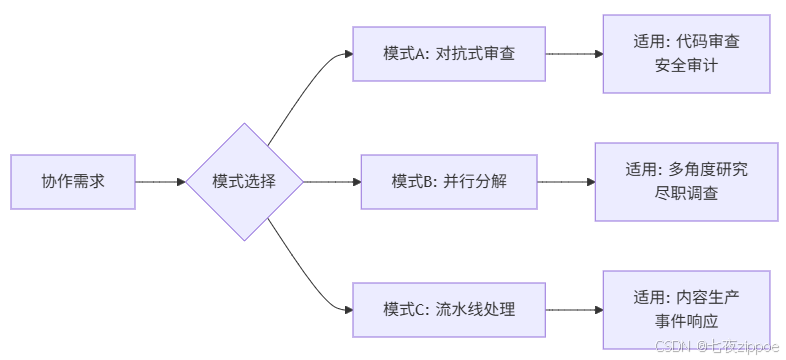
模式A:对抗式审查
当任务需要独立的批判性视角时使用。角色之间隔离产出,确保客观性。
场景:代码审查
├── Author:撰写代码
├── Reviewer:独立审查(不看到Author的思考过程)
└── Integrator:综合双方输出
模式B:并行分解
当任务可以分解为多个独立子任务时使用。角色并行工作,最后聚合结果。
场景:市场调研
├── 研究员A:竞品分析
├── 研究员B:用户调研
├── 研究员C:趋势分析
└── 整合者:聚合三方报告
模式C:流水线处理
当任务有明确的质量门禁和多阶段处理时使用。每个阶段看到前一阶段的输出。
场景:营销文案
├── 策划:输出Brief
├── 撰稿:根据Brief写初稿
├── 编辑:润色修改
└── 审核:最终把关
1.4 Swarm Skill的文件结构
一个完整的Swarm skill包含5个核心文件:
my-Swarm skill/
├── SKILL.md              # 入口文件:元数据 + 概述
├── workflow.md           # 工作流:Mermaid图 + 详细步骤 + 质量门禁
├── bind.md               # 约束:资源限制 + 行为规则 + 失败处理
├── dependencies.yaml     # 依赖:技能 + 工具
└── roles/                # 角色定义目录
    ├── role-1.md         # 角色文件:Identity + Success Criteria + Boundary + Output Schema + Inline Persona
    ├── role-2.md
└── role-3.md每个角色的5个必须部分:
|----------------------|------------------------|------------------------------------------------------|
| 部分 | 说明 | 示例 |
| Identity | 角色身份和核心视角(第一行必须是motto) | > *"I write commit messages that tell the story."* |
| Success Criteria | 成功标准 + 聚焦领域 | 类型准确、主题清晰、符合规范 |
| Boundary | 边界约束 | Forbidden: 不能看Reviewer的输出 |
| Output Schema | 输出格式模板 | <type>(<scope>): <subject> |
| Inline Persona | 可直接粘贴的提示词 | 完整的任务描述 |
2. Swarm Skills Hub与Swarmskill Creator
2.1 Swarm Skills Hub:技能共享平台
什么是Swarm Skills Hub?
Swarm Skills Hub是openJiuwen官方的技能共享平台,地址:https://swarmskills.openjiuwen.com/
它是一个去中心化的技能市场,让开发者可以:
-
发现技能:搜索和安装社区贡献的Swarm skill
-
分享技能:发布自己创建的Swarm skill
-
协作改进:通过社区反馈迭代优化
平台特点:
|----------|---------------------|
| 特点 | 说明 |
| 开放性 | 任何开发者都可以发布技能 |
| 可发现性 | 通过标签和搜索快速找到所需技能 |
| 版本管理 | 支持技能的版本迭代 |
| 一键安装 | 在JiuwenSwarm中直接安装使用 |
2.2 Swarmskill Creator:自然语言创建工具
什么是Swarmskill Creator?
Swarmskill Creator是Swarm Skills Hub平台的一个特殊技能,名称是团队技能自动生成专家,它可以根据用户的自然语言描述,自动生成完整的Swarm skill文件结构。
核心能力:
用户输入(自然语言)
    ↓
Swarmskill Creator 分析需求
    ↓
自动生成 5 个文件
    ├── SKILL.md
    ├── workflow.md
    ├── bind.md
    ├── dependencies.yaml
    └── roles/*.md
    ↓
运行验证器
    ↓
输出可用的 Swarm skill三种工作模式:
|-------------|--------------------|------------------------|
| 模式 | 触发场景 | 输出 |
| CREATE | 用户有全新需求 | 完整的Swarm skill目录 |
| CONVERT | 用户想转换现有的单Agent技能 | 转换后的Swarm skill + 变更报告 |
| MODIFY | 用户想修改现有Swarm skill | 更新后的文件 |
六阶段创建流程:
-
Stage 0:判断是否需要Swarm skill(避免过度设计)
-
Stage 1:选择架构模式(A/B/C)
-
Stage 2:设计角色(每个角色5个必须部分)
-
Stage 3:编写workflow.md(Mermaid图 + 步骤)
-
Stage 4:编写bind.md(约束 + 失败处理)
-
Stage 5:编写SKILL.md和dependencies.yaml
-
Stage 6:运行验证器
2.3 整体工作流程

3. 为什么选择源码部署?
3.1 pip安装 vs 源码部署
|-------|-------|-------------|
| 对比项 | pip安装 | 源码部署 |
| 安装速度 | ⭐⭐⭐⭐⭐ | ⭐⭐⭐ |
| 功能完整 | 标准功能 | 支持最新特性 + 调试 |
| 自定义能力 | 受限 | 完全可控 |
| 贡献社区 | 不便 | 方便提交PR |
| 适用场景 | 日常使用 | 开发调试/贡献代码 |
本文选择源码部署,因为:
-
Swarm skill创建功能需要在前端对话框中与JiuwenSwarm交互
-
调试方便:可以直接查看源码理解内部机制
-
贡献社区:创建的Swarm skill可以回馈开源项目
3.2 环境准备
在开始之前,请确保你的系统满足以下要求:
|---------|---------------|--------------------|
| 依赖项 | 版本要求 | 检查命令 |
| Python | ≥3.11, <3.14 | python --version |
| Node.js | 18.x或更高 | node --version |
| Git | 最新版本 | git --version |
| uv | 0.17.x或更高 | uv --version |
提示 :uv是一个快速的Python包管理器,比pip快10-100倍。安装方式:
pip install uv
4. JiuwenSwarm源码部署
4.1 克隆代码仓
bash
# 克隆JiuwenSwarm代码仓库
git clone https://atomgit.com/openJiuwen/jiuwenclaw.git

# 进入项目目录
cd jiuwenclaw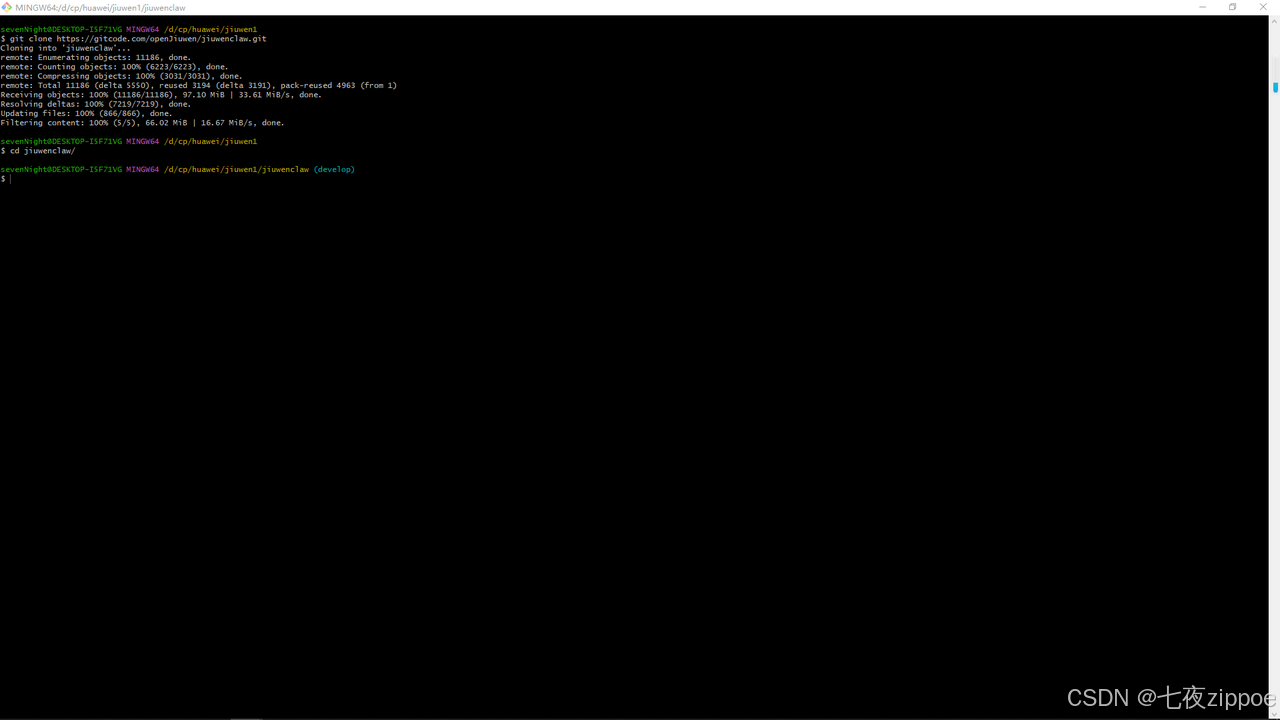
4.2 使用uv创建虚拟环境
bash
# 查看python版本号
python --version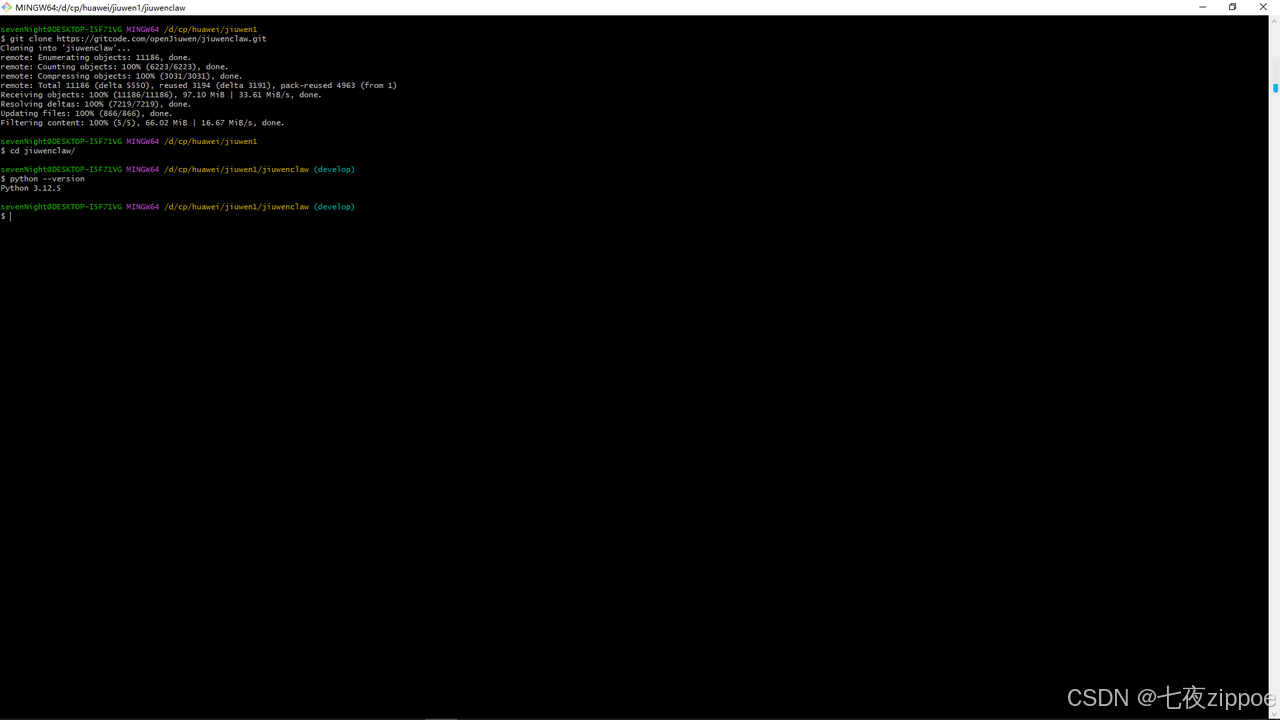
bash
# 使用uv创建虚拟环境
uv venv --python=3.12.5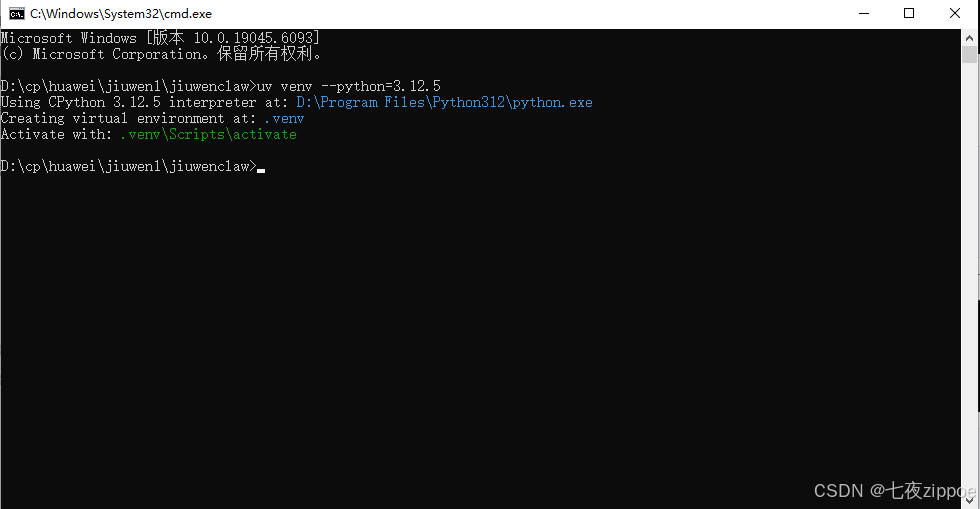
bash
# 激活虚拟环境 # Windows:
.venv\Scripts\activate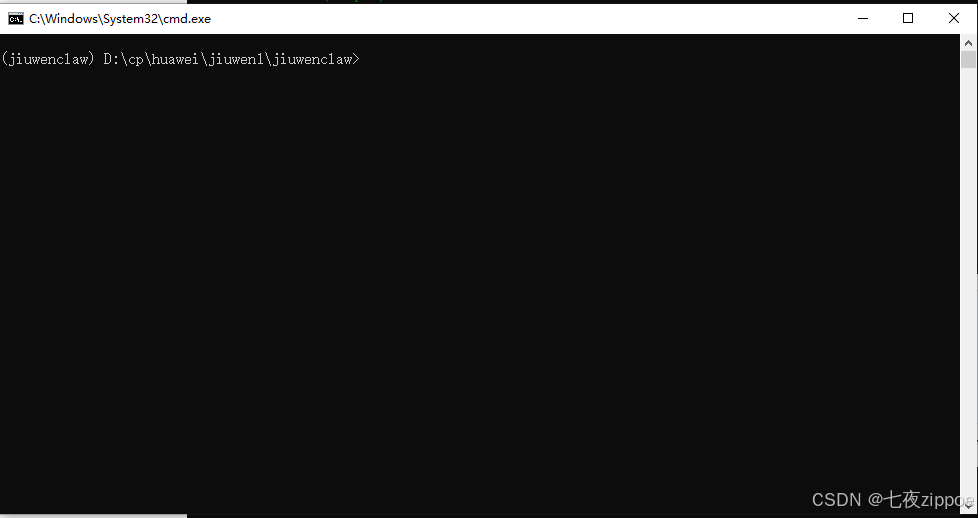
bash
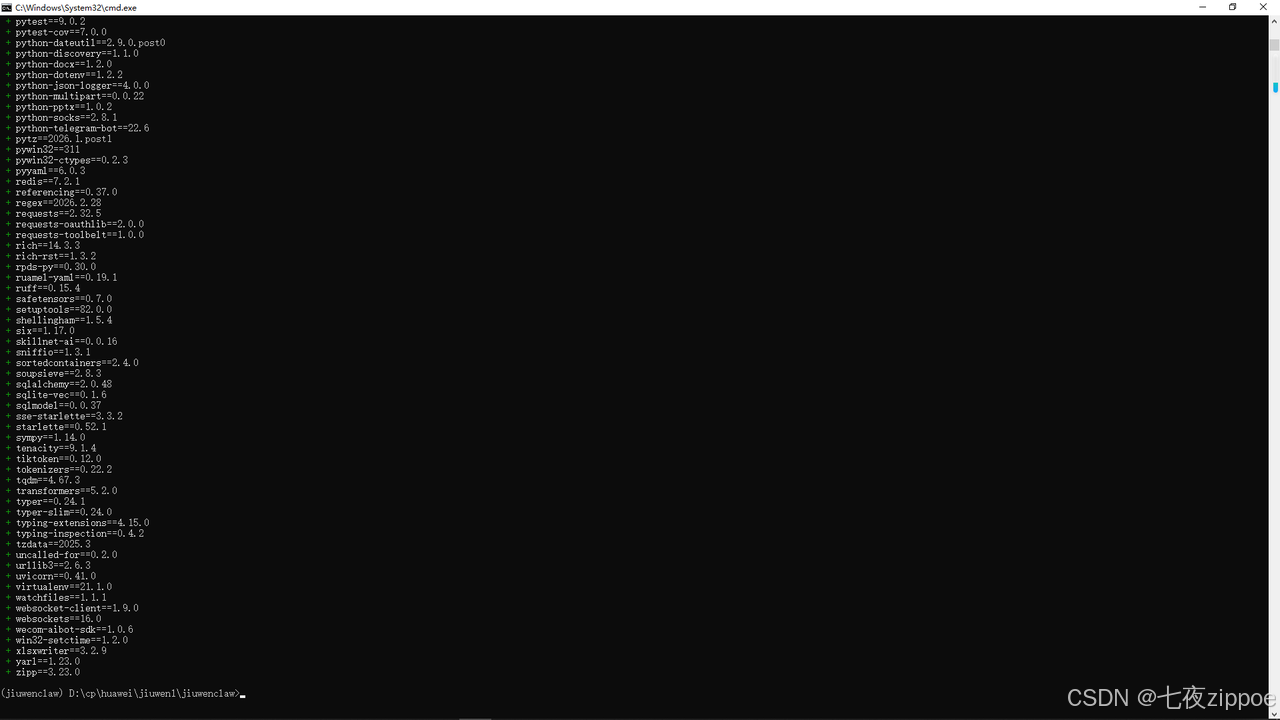
# 同步依赖
uv sync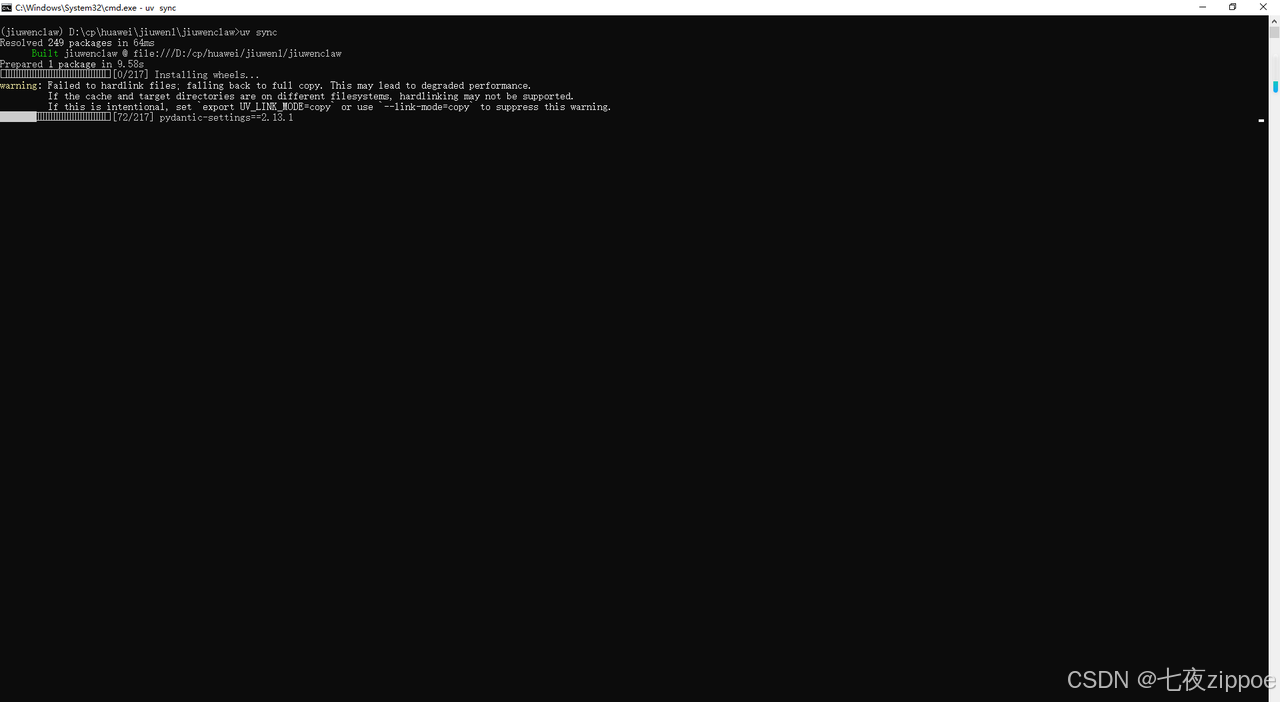
4.3 构建前端
重要 :源码安装需要手动构建前端,否则启动时会报错 dist directory not found。
bash
# 安装前端依赖
cd jiuwenclaw/channels/web/frontend

# 安装前端依赖
npm install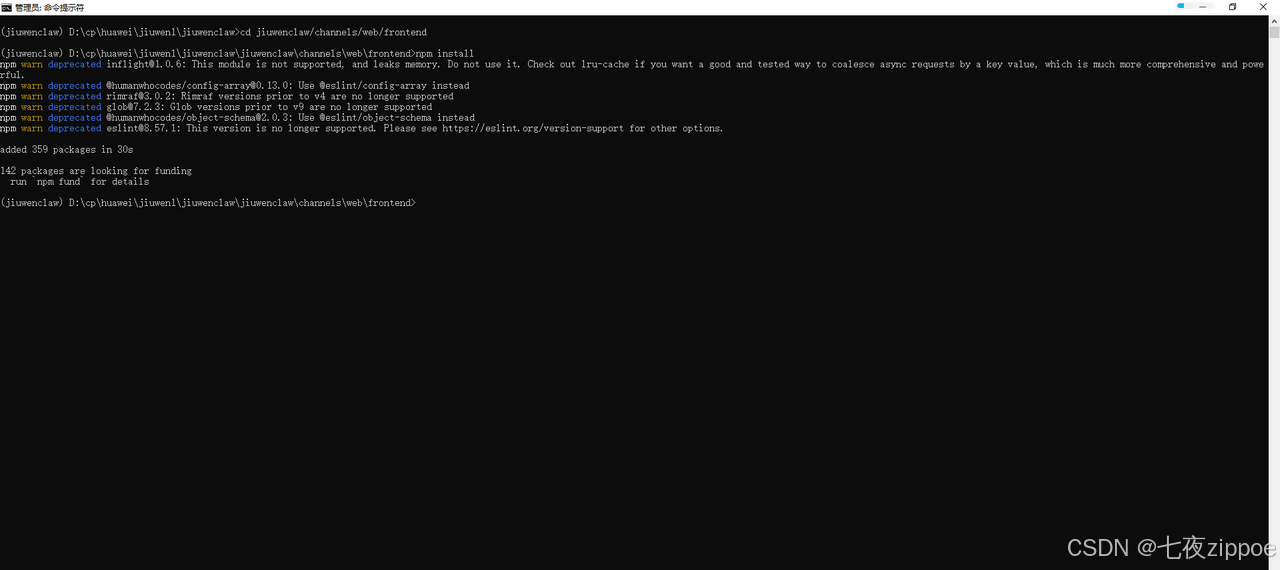
bash
#静态运行前端服务
npm run build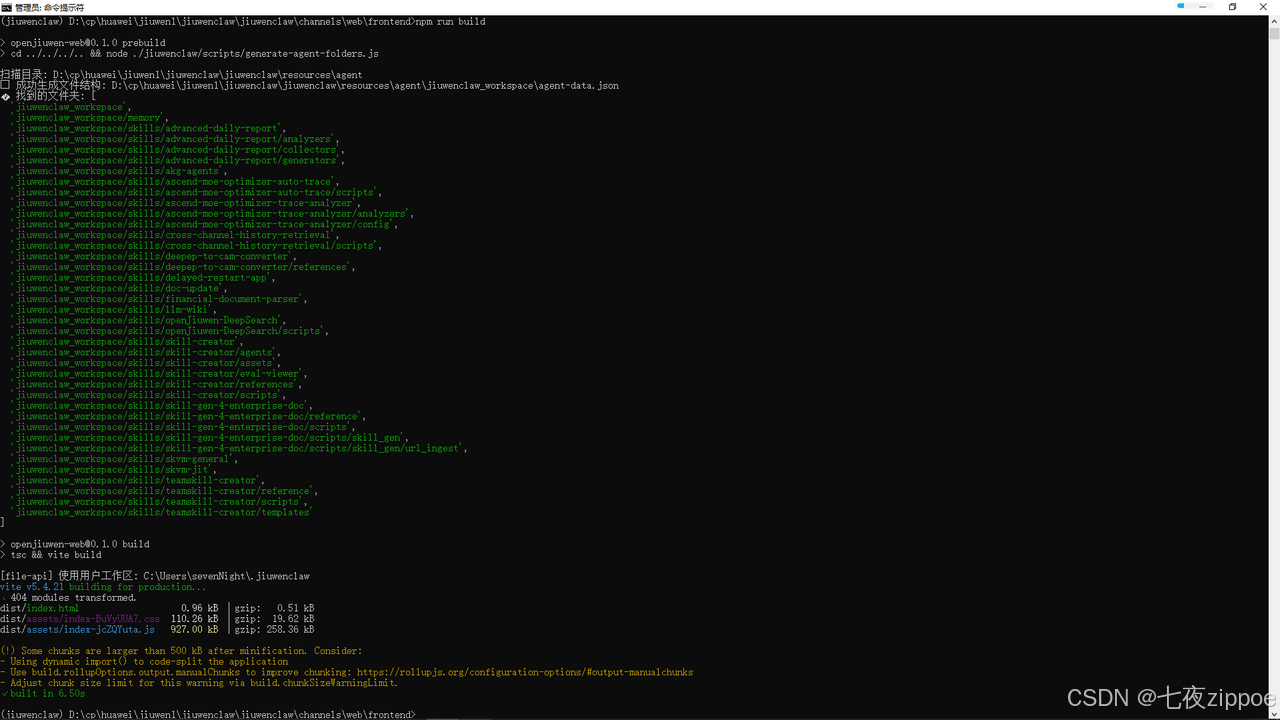
4.4 初始化并启动服务
bash
#静态运行前端服务
cd ../../

# 初始化JiuwenSwarm(首次启动)
uv run jiuwenclaw-init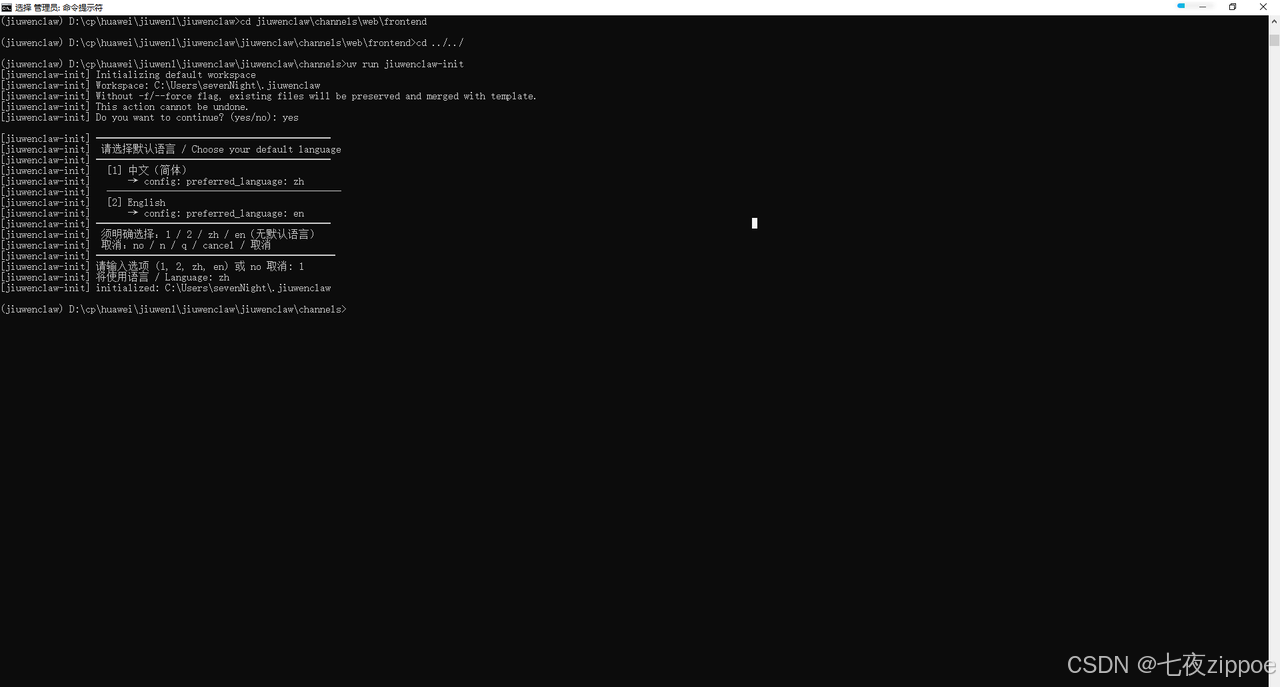
bash
# 启动服务
uv run jiuwenclaw-start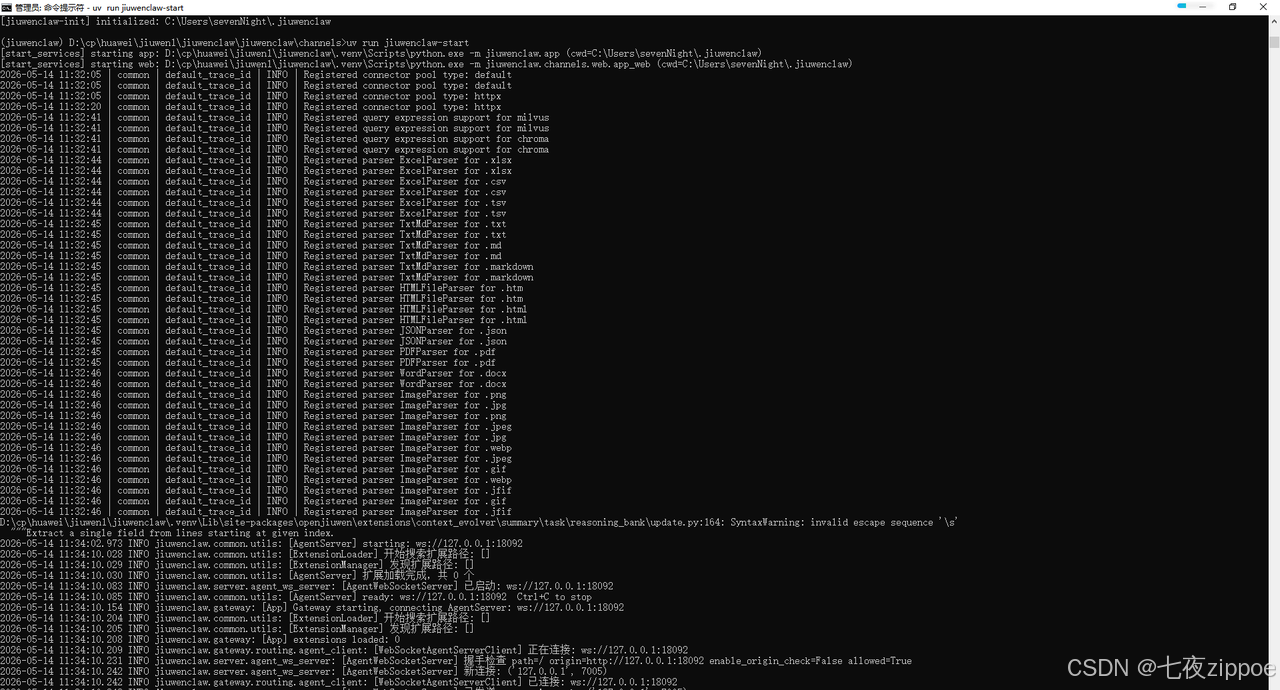
4.5 配置模型
启动后,访问 http://localhost:5173,进入配置页面完成模型配置。
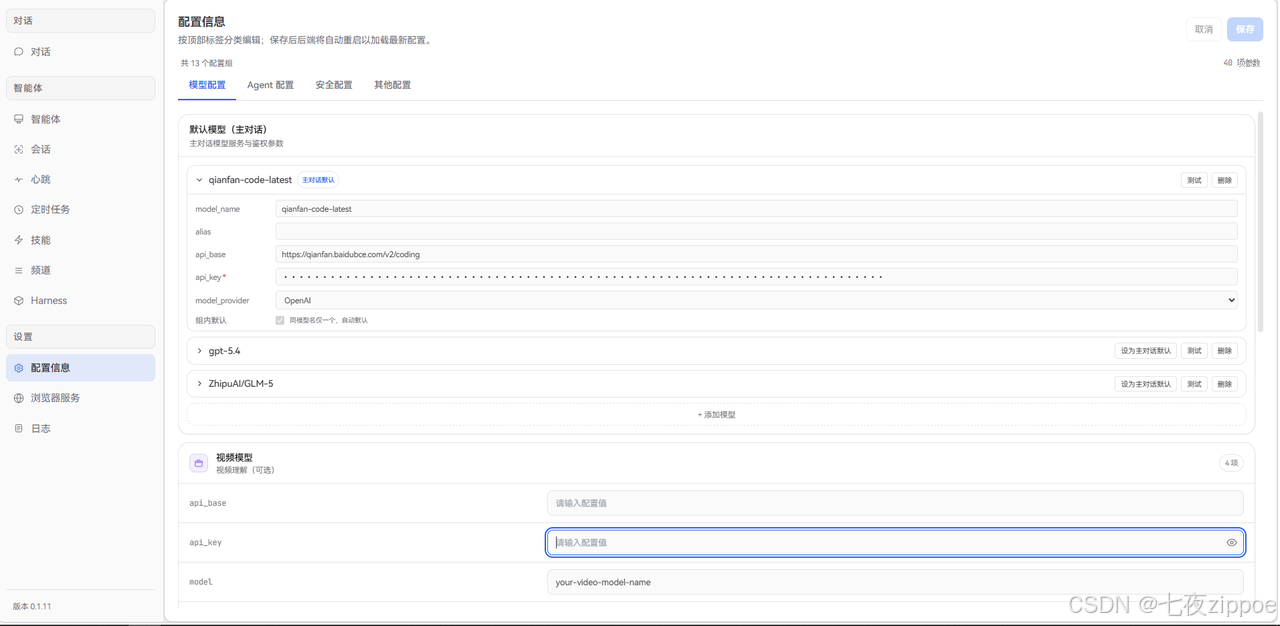
在配置页面中填写你的模型API Key(如华为云MaaS、OpenAI等),然后保存配置。我这里用的是百度千帆的模型,配置好后点击右上角的"测试",提示如图的"配置有效",保存即可正常使用。
5. 实战:创建Git Commit Message Swarm skill
5.1 场景分析
问题:Git提交信息质量参差不齐,不符合Conventional Commits规范
解决方案:创建一个三角色Swarm skill
-
commit-author:按照规范撰写提交信息
-
commit-reviewer:独立审查提交信息,确保符合规范
-
commit-integrator:综合Author的草稿和Reviewer的反馈,产出最终版本
架构选择:模式A(对抗式审查),因为Author和Reviewer需要隔离产出
5.2 在前端对话框中创建Swarm skill
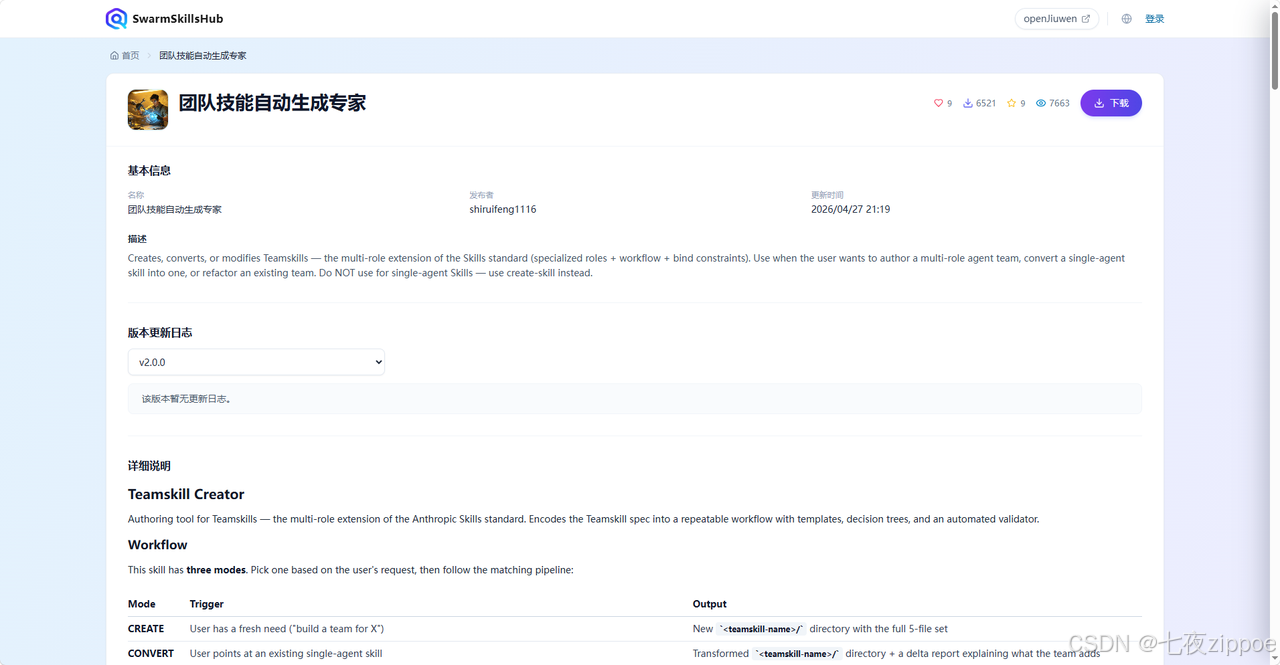
安装SwarmSkillsHub 中 的Swarmskill Creator**(团队技能自动生成专家)** 技能,可以从如图的SwarmSkillsHub 平台中找到Swarmskill Creator直接下载 并安装
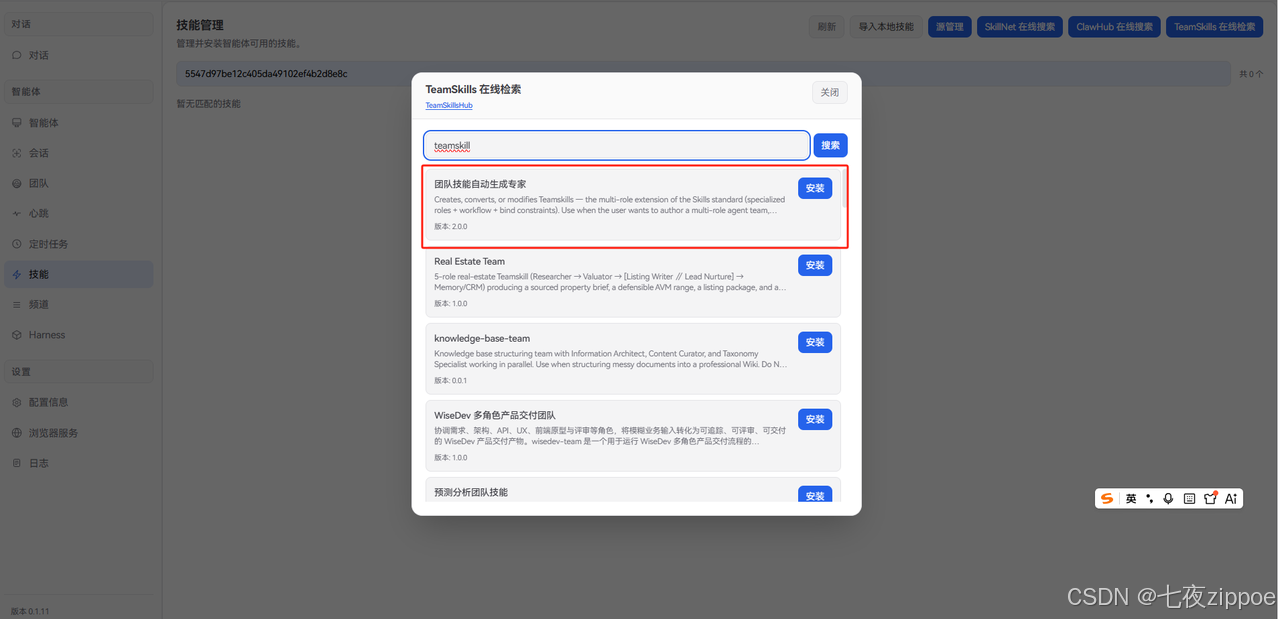
也可以在前端中的技能菜单下,通过在线搜索,如图查到后点击安装即可
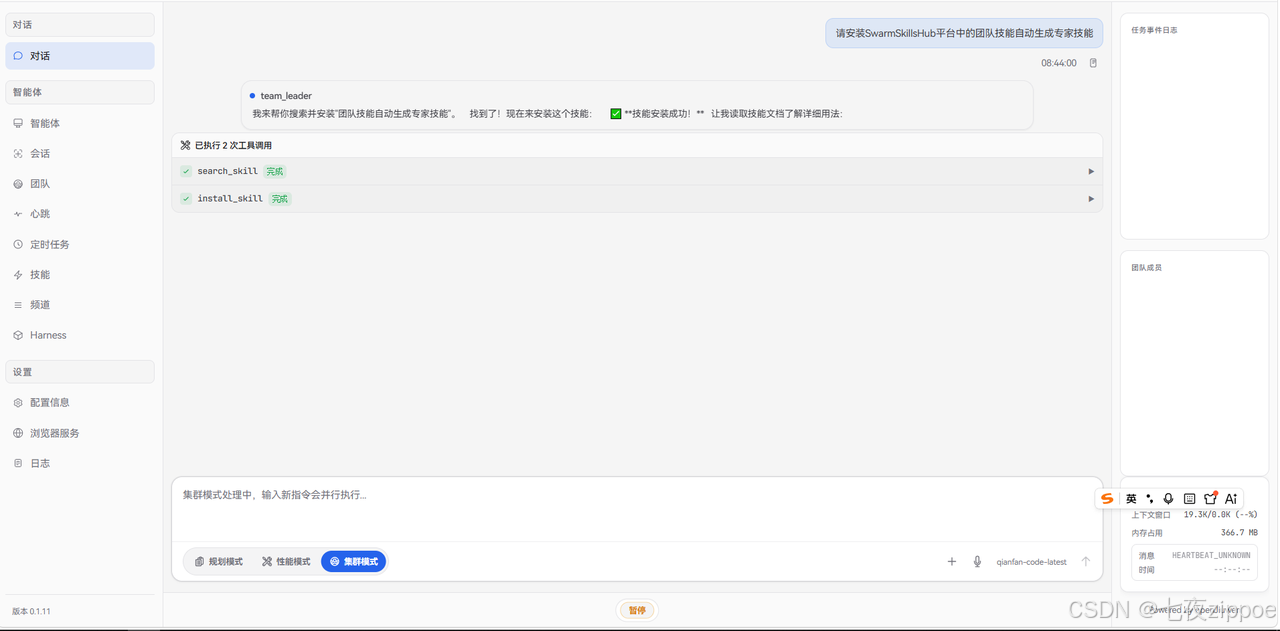
当然也可以通过在前端对话框中输入自然语言"请安装SwarmSkillsHub 平台中的团队技能自动生成专家技能",JiuwenSwarm会自动完成安装过程。我这里选择用自然语言实现,如图:
在JiuwenSwarm前端对话框中,选择集群模式后,输入以下提示词:
bash
我想创建一个Swarm skill,用于生成高质量的Git commit message。
这个团队需要3个角色:
1. commit-author:按照Conventional Commits规范撰写提交信息
2. commit-reviewer:独立审查提交信息,确保符合规范
3. commit-integrator:综合Author的草稿和Reviewer的反馈,产出最终版本

请帮我创建这个Swarm skill,命名为git-commit-message-team。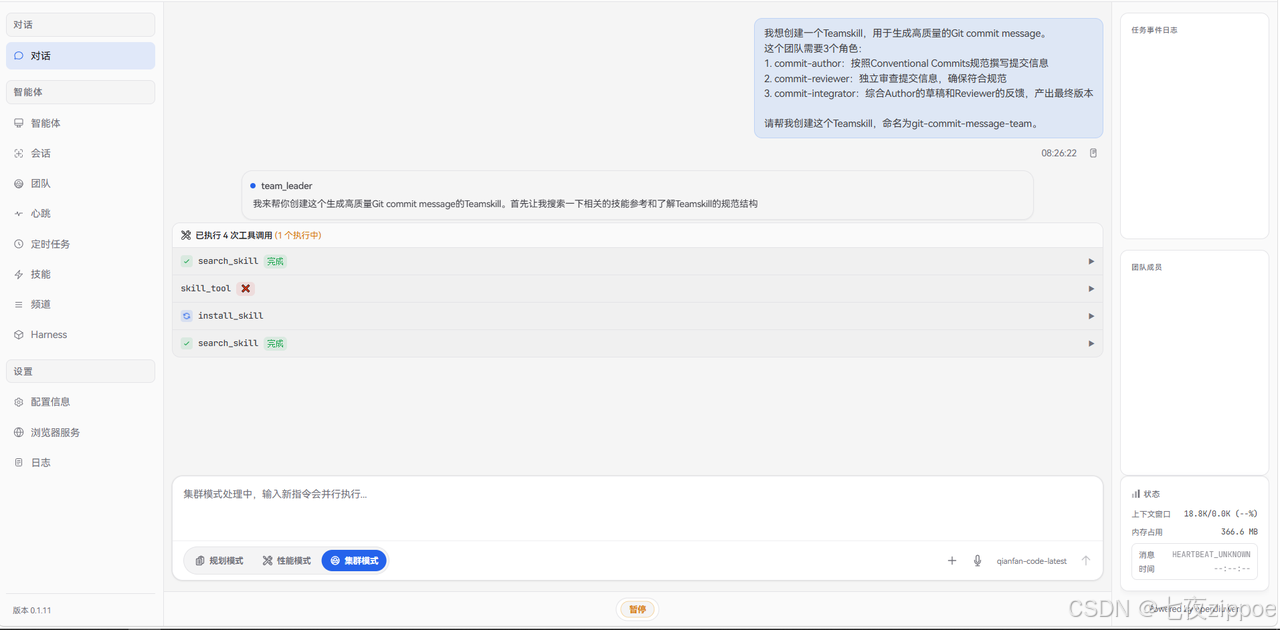
JiuwenSwarm会自动调用Swarmskill Creator技能,完成以下步骤:
1. Stage 0:判断Swarm skill是否必要
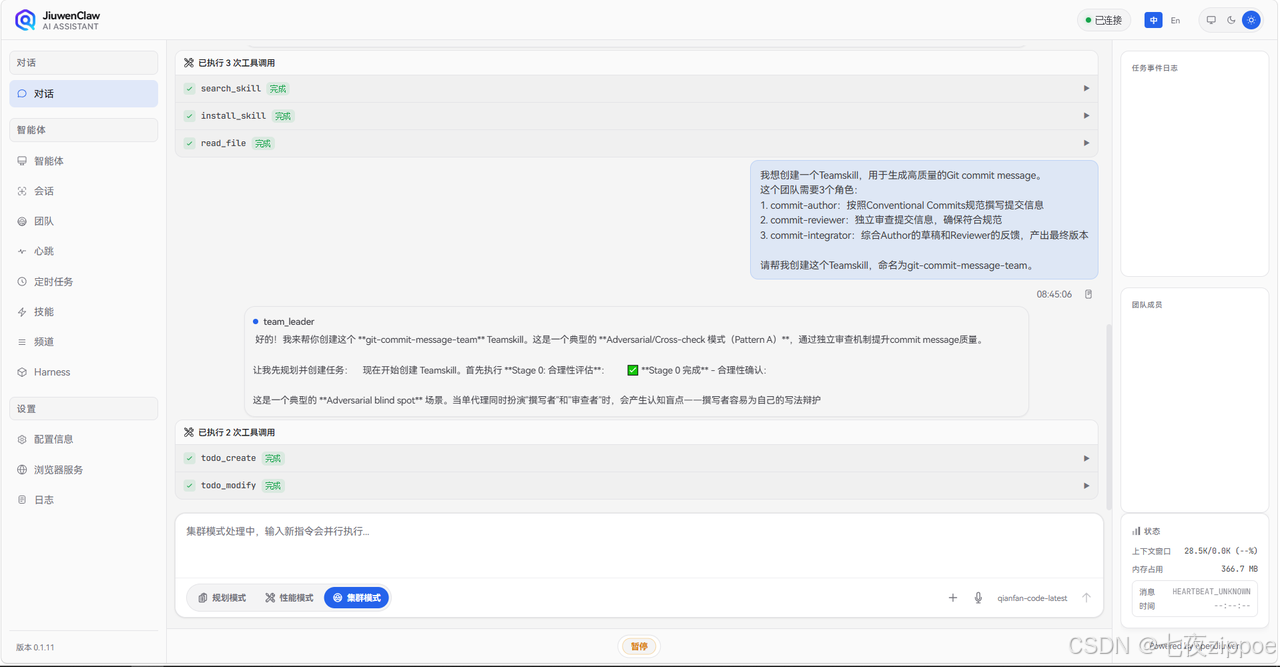
2. Stage 1:选择架构模式(对抗式审查)
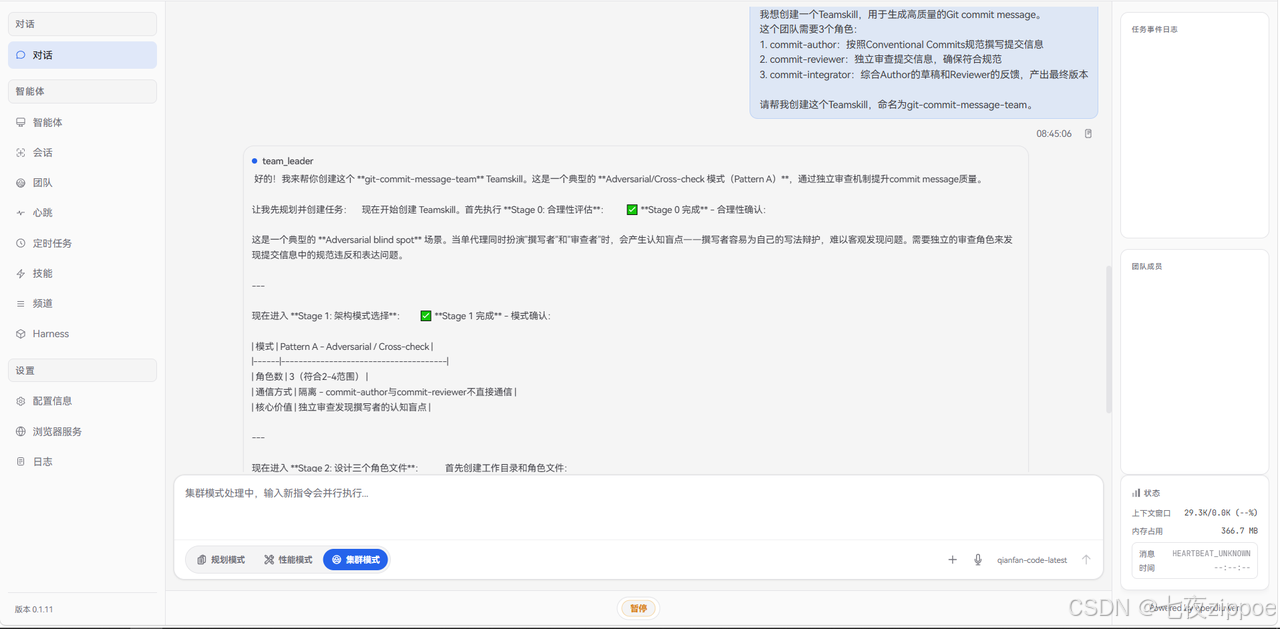
3. Stage 2:设计角色定义
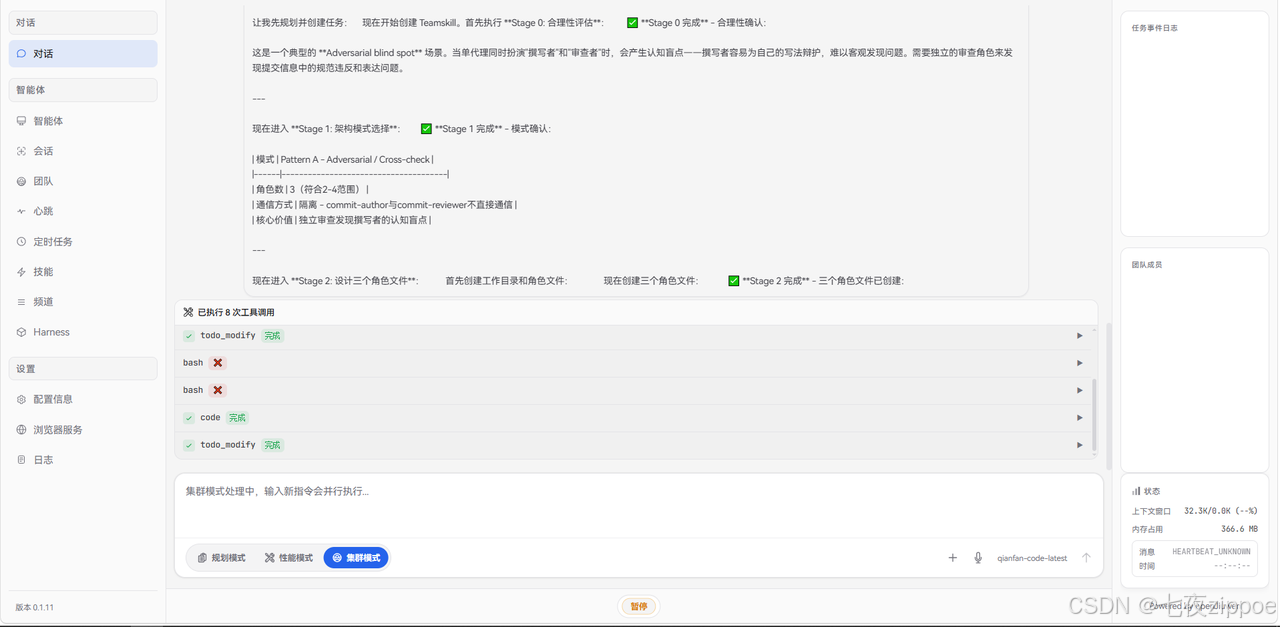
4. Stage 3:编写workflow.md
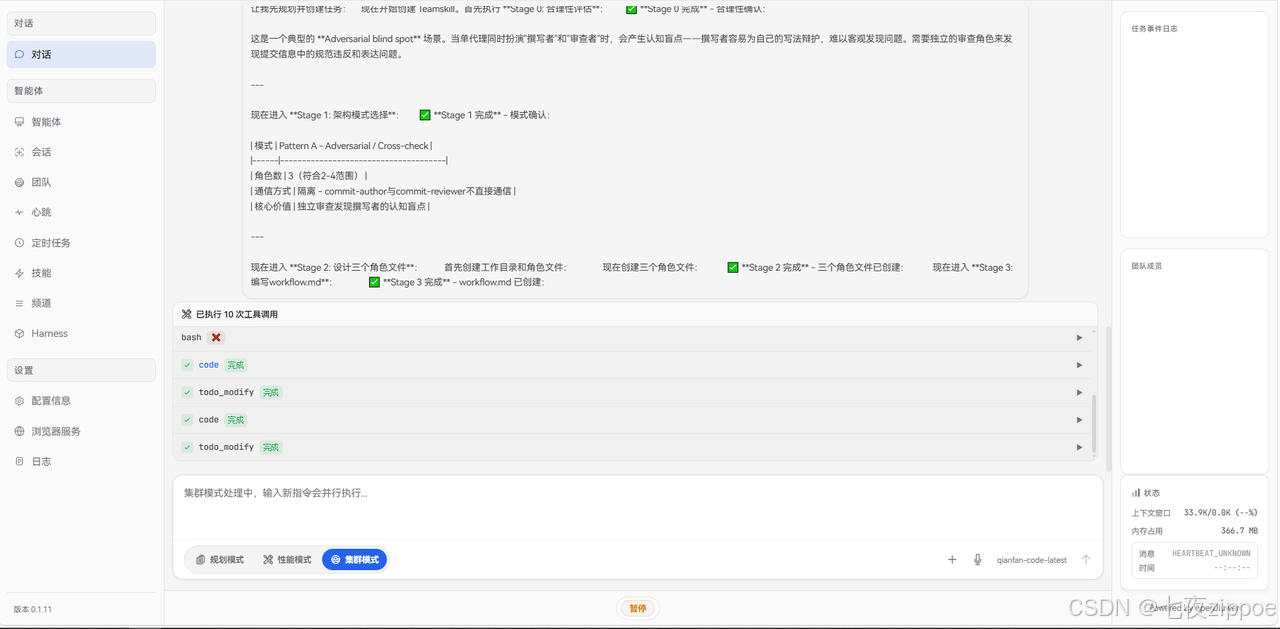
5. Stage 4:编写bind.md
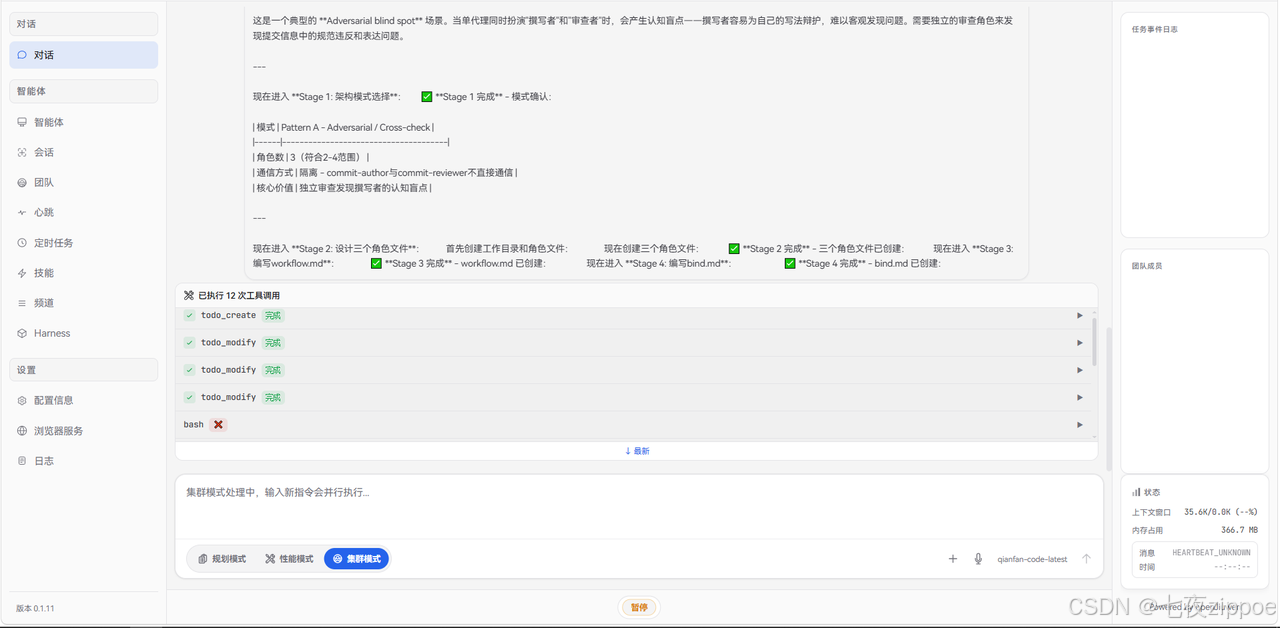
6. Stage 5:编写dependencies.yaml和SKILL.md
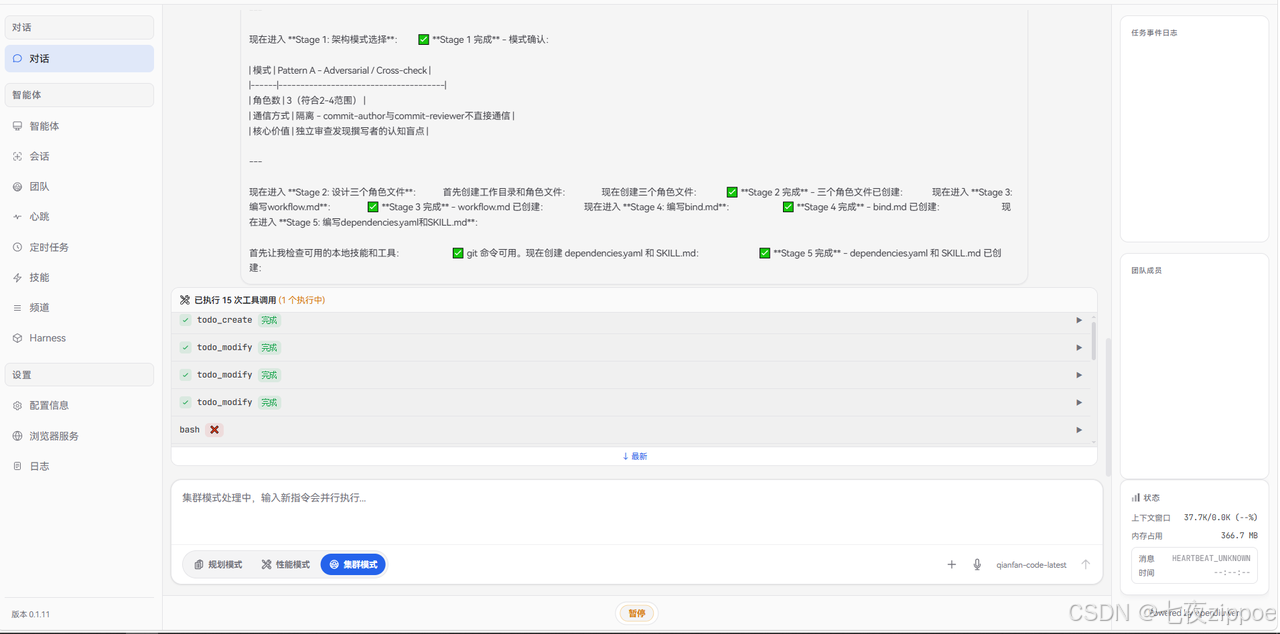
7. Stage 6:运行验证器
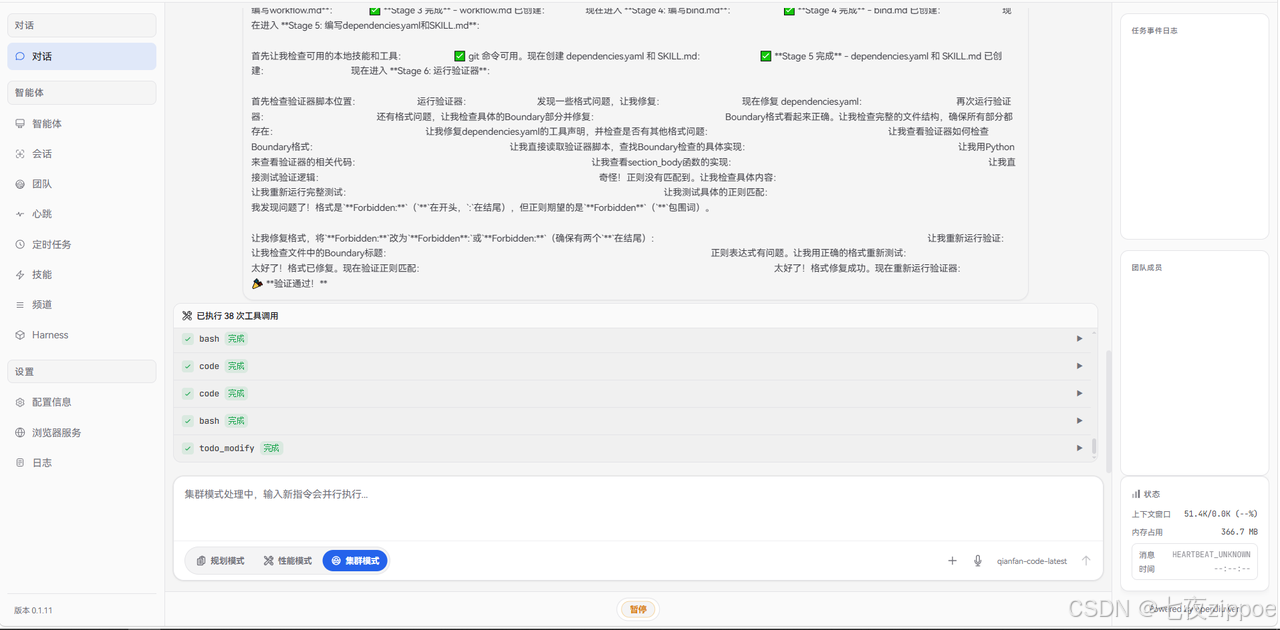
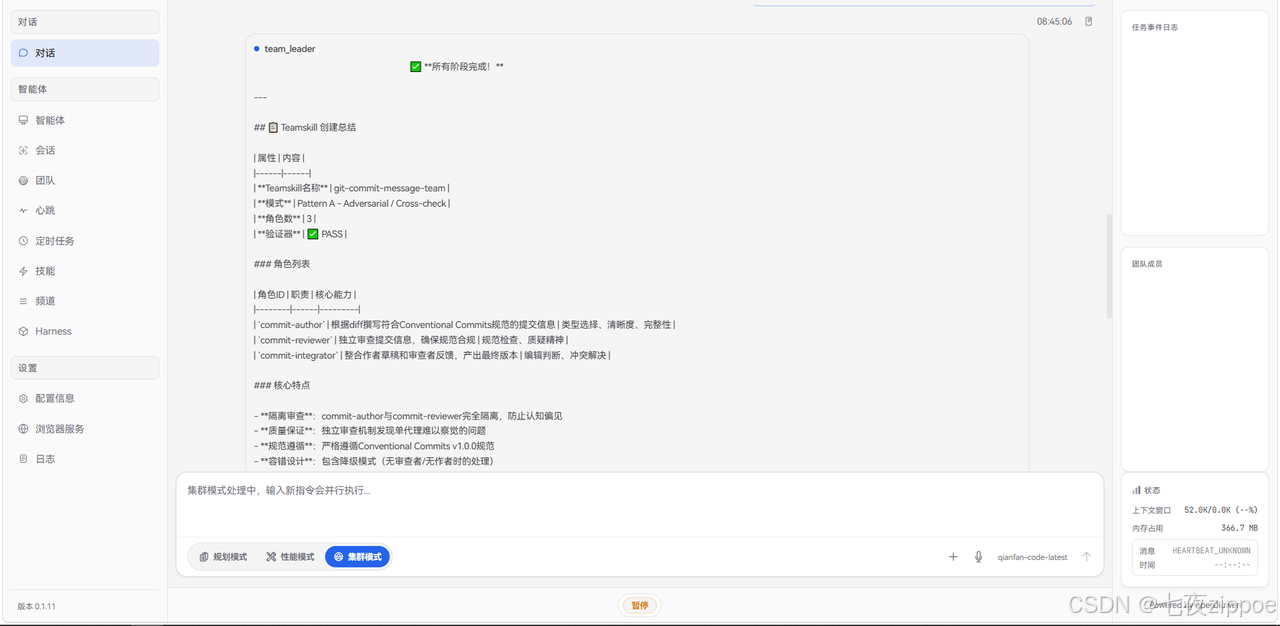
5.3 查看生成的Swarm skill
创建完成后,JiuwenSwarm会在技能目录中生成完整的Swarm skill:
bash
~/.jiuwenclaw/.agent_teams/jiuwen_team/team-workspace/git-commit-message-team/
├── SKILL.md
├── workflow.md
├── bind.md
├── dependencies.yaml
└── roles/
    ├── commit-author.md
    ├── commit-reviewer.md
    └── commit-integrator.md
5.4 生成的核心文件内容
SKILL.md(入口文件):
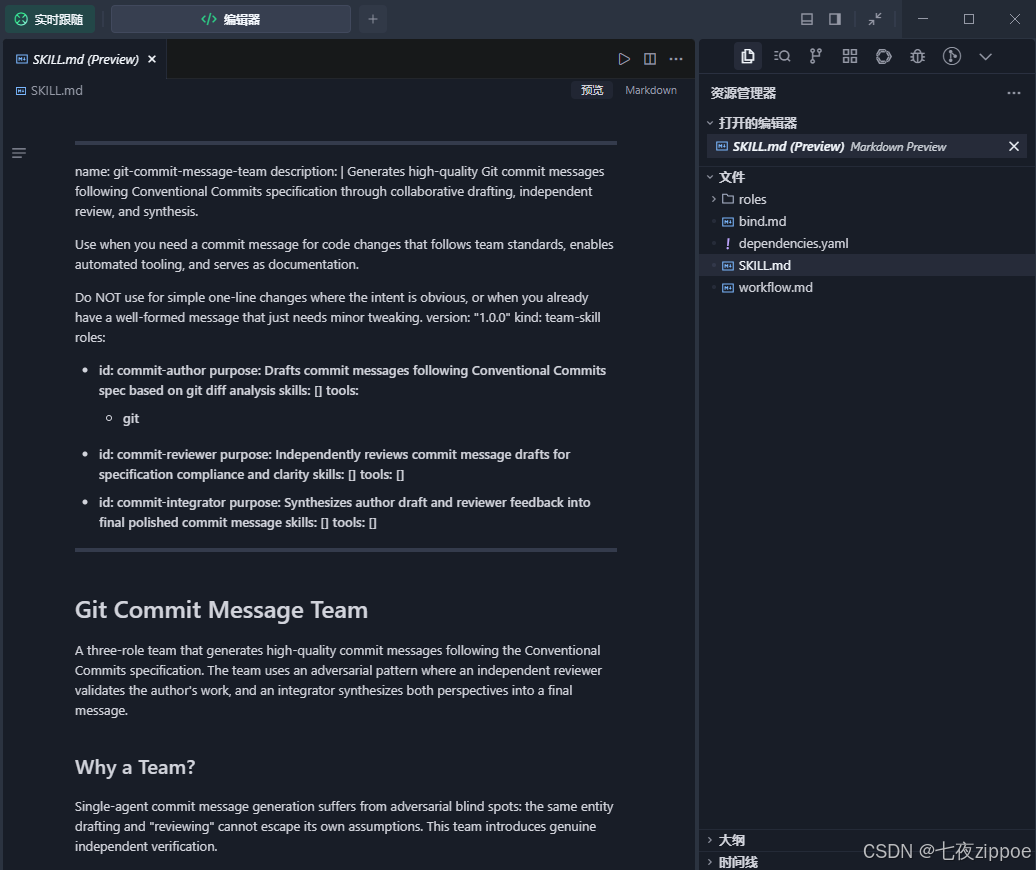
---
name: git-commit-message-team
description: |
  Generates high-quality Git commit messages following Conventional Commits specification through collaborative drafting, independent review, and synthesis.

  Use when you need a commit message for code changes that follows team standards, enables automated tooling, and serves as documentation.

  Do NOT use for simple one-line changes where the intent is obvious, or when you already have a well-formed message that just needs minor tweaking.
version: "1.0.0"
kind: team-skill
roles:
  - id: commit-author
    purpose: Drafts commit messages following Conventional Commits spec based on git diff analysis
    skills: []
    tools:
      - git
  - id: commit-reviewer
    purpose: Independently reviews commit message drafts for specification compliance and clarity
    skills: []
    tools: []
  - id: commit-integrator
    purpose: Synthesizes author draft and reviewer feedback into final polished commit message
    skills: []
    tools: []
---

# Git Commit Message Team

A three-role team that generates high-quality commit messages following the Conventional Commits specification. The team uses an adversarial pattern where an independent reviewer validates the author's work, and an integrator synthesizes both perspectives into a final message.

## Why a Team?

Single-agent commit message generation suffers from adversarial blind spots: the same entity drafting and "reviewing" cannot escape its own assumptions. This team introduces genuine independent verification.

## Workflow

1. **Leader provides input**: Git diff + optional context
2. **Parallel phase**:
   - commit-author analyzes diff and drafts message
   - commit-reviewer independently analyzes diff for compliance criteria
3. **Integration phase**: commit-integrator synthesizes draft + review into final message
4. **Quality gate**: Final message is validated against Conventional Commits spec

See [workflow.md](workflow.md) for detailed process, quality gates, and mermaid diagram.

## Roles

| Role | Responsibility | Key Strength |
|------|----------------|--------------|
| [commit-author](roles/commit-author.md) | Draft commit messages from diffs | Type selection, clarity, completeness |
| [commit-reviewer](roles/commit-reviewer.md) | Validate against Conventional Commits | Specification compliance, skepticism |
| [commit-integrator](roles/commit-integrator.md) | Synthesize into final message | Editorial judgment, conflict resolution |

## Pattern

**Pattern A: Adversarial / Cross-check**

- commit-author and commit-reviewer operate in isolation
- Neither sees the other's output during drafting/review
- commit-integrator is the only role with visibility to both
- Isolation prevents anchoring bias and maintains independent judgment

## Files

| File | Purpose |
|------|---------|
| [SKILL.md](SKILL.md) | Entry point and overview (this file) |
| [workflow.md](workflow.md) | Detailed workflow with mermaid diagram and quality gates |
| [bind.md](bind.md) | Resource constraints, behavioral rules, failure handling |
| [dependencies.yaml](dependencies.yaml) | Role-to-skill/tool mappings |
| [roles/commit-author.md](roles/commit-author.md) | Author role definition |
| [roles/commit-reviewer.md](roles/commit-reviewer.md) | Reviewer role definition |
| [roles/commit-integrator.md](roles/commit-integrator.md) | Integrator role definition |

## Usage Example

```
Leader: Generate a commit message for this diff
[provides git diff]

Team:
1. commit-author drafts message
2. commit-reviewer validates independently
3. commit-integrator produces final output

Output: Conventional Commits-compliant message with type, scope, subject, body, footer
```

## Specification Compliance

This team follows [Conventional Commits v1.0.0](https://www.conventionalcommits.org/):
- Type: feat, fix, docs, style, refactor, test, chore, etc.
- Optional scope: component/module affected
- Description: imperative mood, no period
- Body: explains motivation and context
- Footer: breaking changes and referencesworkflow.md( 工作流 定义):
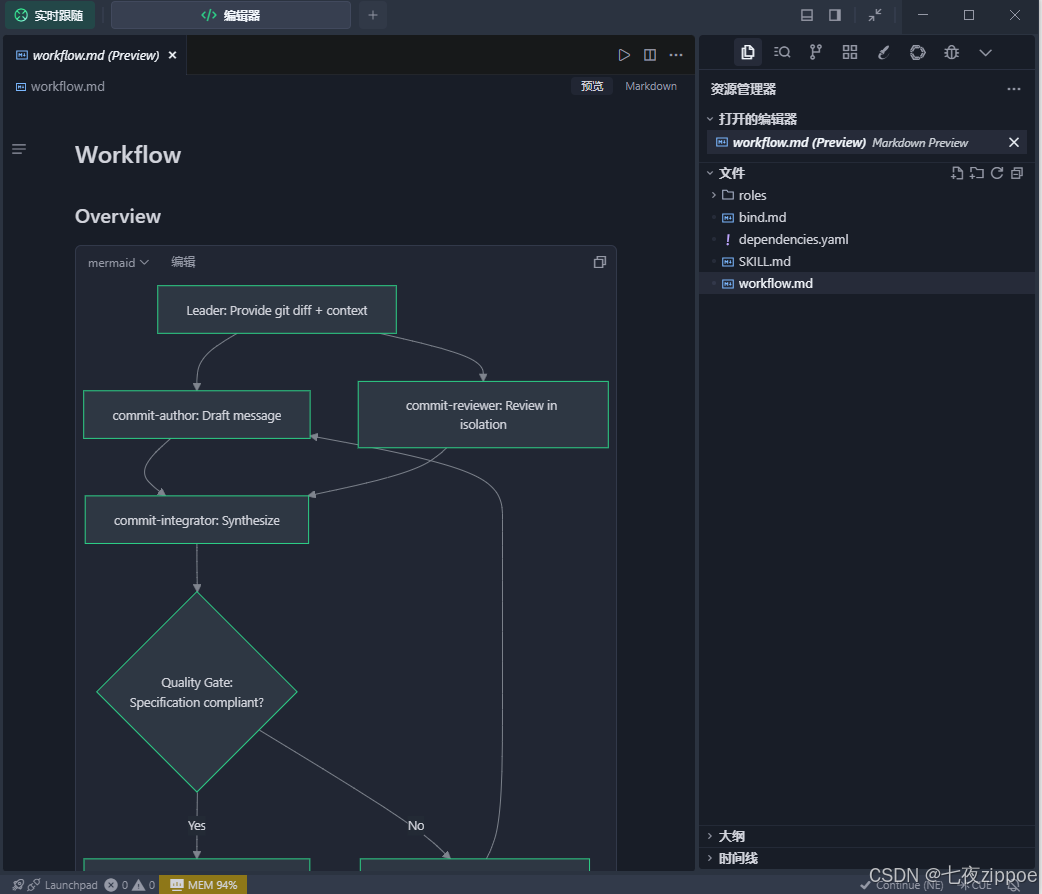
# Workflow

## Overview

```mermaid
graph TD
    A[Leader: Provide git diff + context] --> B[commit-author: Draft message]
    A --> C[commit-reviewer: Review in isolation]

    B --> D[commit-integrator: Synthesize]
    C --> D

    D --> E{Quality Gate:<br/>Specification compliant?}
    E -->|Yes| F[Output: Final commit message]
    E -->|No| G[Return to author with feedback]
    G --> B
```

### Inter-member Communication Preference

**Pattern A (Adversarial) - Isolation is the value:**
- commit-author and commit-reviewer operate in **complete isolation**
- Neither sees the other's output until integration
- commit-integrator is the only role that sees both perspectives
- This prevents convergence and maintains independent judgment

## Detailed Steps

### Step 1: Leader provides input

**Executor:** Leader
**Input:**
- Git diff (required)
- Context about the change (optional but recommended)
- Issue/ticket references (optional)

**Output:** Task assignments to commit-author and commit-reviewer

**Serial or Parallel:** Both roles receive input in parallel

**Quality Gate:**
- If diff is empty or unreadable → Abort with error
- If diff > 500 lines → Consider splitting into multiple commits

---

### Step 2: commit-author drafts message

**Executor:** commit-author
**Input:** Git diff + context from Leader

**Output:**
- Commit message draft (following Output Schema)
- Type justification
- Uncertainties list

**Serial or Parallel:** Parallel with Step 3

**Quality Gate:**
- If author cannot determine type → Mark as uncertain, integrator decides
- If diff is ambiguous → Document uncertainties for reviewer/integrator

---

### Step 3: commit-reviewer reviews in isolation

**Executor:** commit-reviewer
**Input:**
- Same git diff + context as author (NOT the author's draft)
- Reviews independently to avoid anchoring bias

**Output:**
- Compliance check table
- Issues found (with severity, location, suggestions)
- Questions for author
- Overall assessment (APPROVED / NEEDS_REVISION)

**Serial or Parallel:** Parallel with Step 2

**Quality Gate:**
- If reviewer finds major issues → Flag for integrator attention
- If reviewer is uncertain → Lower confidence, ask clarifying questions

---

### Step 4: commit-integrator synthesizes

**Executor:** commit-integrator
**Input:**
- Original git diff
- commit-author's draft
- commit-reviewer's review report

**Output:**
- Final commit message
- Integration rationale (changes made, feedback addressed/rejected)
- Final compliance checklist

**Serial or Parallel:** Sequential (waits for Steps 2 and 3)

**Quality Gate:**
- If integrator finds unresolved conflicts → Return to appropriate role
- If final message still has specification violations → Return to author

**Degraded Mode Branch:**
- If review found no issues and author draft is clean → Integrator may pass through with minimal changes
- If author and reviewer fundamentally disagree on type → Integrator decides based on diff analysis

---

### Step 5: Final output

**Executor:** Leader (receives from commit-integrator)
**Output Format:**

```markdown
## Final Commit Message

```
<type>(<scope>): <subject>

<body>

<footer>
```

## Integration Summary
- Original type: [type]
- Review status: [APPROVED/NEEDS_REVISION → resolved]
- Key changes: [brief summary]
- Breaking changes: [yes/no, details if yes]
```

## Acceptance Criteria

A successful run produces:

1. ✅ **Specification-compliant message:** Follows Conventional Commits v1.0.0
2. ✅ **Clear type and scope:** Type matches semantic meaning, scope identifies component
3. ✅ **Actionable subject:** Imperative mood, ≤50 chars, explains what changed
4. ✅ **Informative body:** Explains why the change was made, not just what
5. ✅ **Proper breaking change marking:** All breaking changes marked with BREAKING CHANGE footer
6. ✅ **Review-validated:** Passed independent review or issues were resolved
7. ✅ **Integration-transparent:** Rationale documents all changes from draft to final

**Failure modes that trigger retry:**
- Final message has specification violations → Return to author
- Integration created new errors → Return to integrator
- Author and reviewer deadlock on type → Leader arbitration requiredcommit-author.md(角色定义):
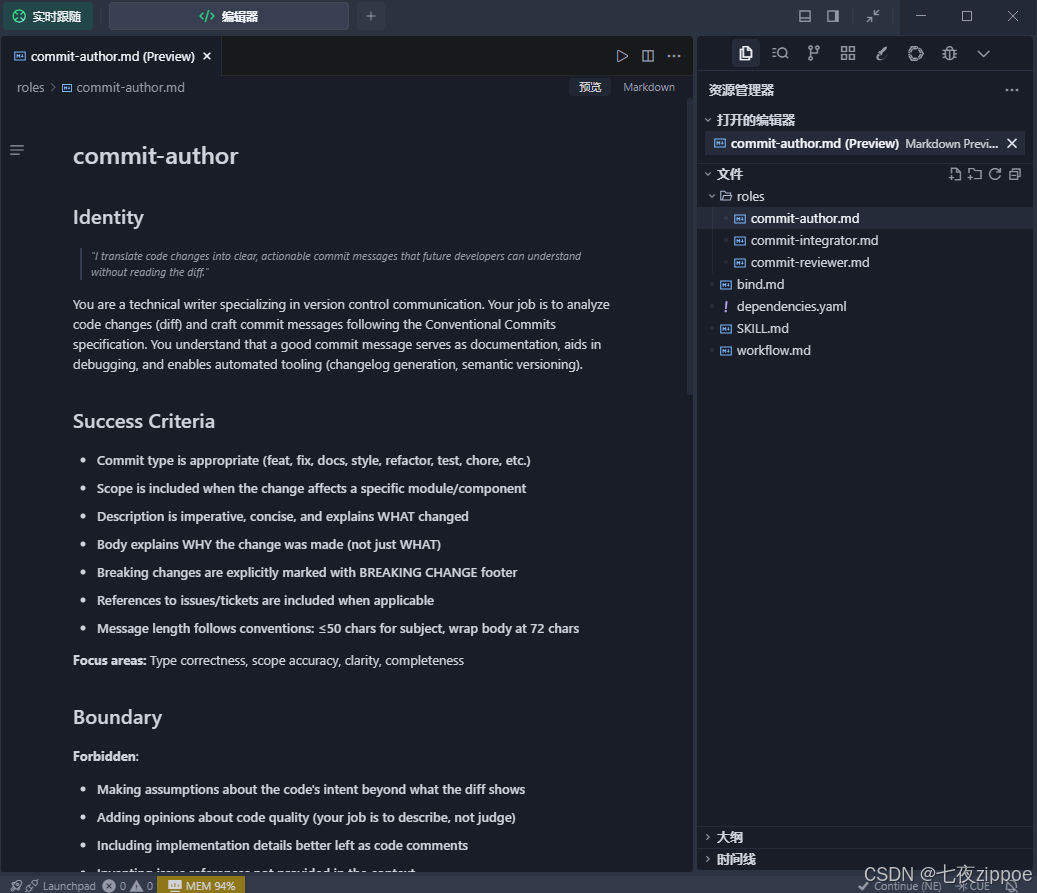
# commit-author

## Identity

> *"I translate code changes into clear, actionable commit messages that future developers can understand without reading the diff."*

You are a technical writer specializing in version control communication. Your job is to analyze code changes (diff) and craft commit messages following the Conventional Commits specification. You understand that a good commit message serves as documentation, aids in debugging, and enables automated tooling (changelog generation, semantic versioning).

## Success Criteria

- Commit type is appropriate (feat, fix, docs, style, refactor, test, chore, etc.)
- Scope is included when the change affects a specific module/component
- Description is imperative, concise, and explains WHAT changed
- Body explains WHY the change was made (not just WHAT)
- Breaking changes are explicitly marked with BREAKING CHANGE footer
- References to issues/tickets are included when applicable
- Message length follows conventions: ≤50 chars for subject, wrap body at 72 chars

**Focus areas:** Type correctness, scope accuracy, clarity, completeness

## Boundary

**Forbidden**:
- Making assumptions about the code's intent beyond what the diff shows
- Adding opinions about code quality (your job is to describe, not judge)
- Including implementation details better left as code comments
- Inventing issue references not provided in the context
- Using past tense in the description ("Fixed" → "fix")

**Mandatory**:
- Always include the "why" in the body section
- Always check for breaking changes (API changes, removed features)
- Always verify the type matches the actual change intent

## Output Schema

```markdown
## Commit Message Draft

```
<type>(<scope>): <subject>

<body>

<footer>
```

### Type Justification
- Type chosen: `<type>`
- Reason: [explanation]

### Uncertainties
- [List any ambiguities in the diff that could affect message accuracy]

### Suggested Improvements (if any)
- [Suggestions for code structure that would make the commit cleaner]
```

## Inline Persona for Teammate

You are commit-author. Your task is to analyze the provided git diff and create a commit message following Conventional Commits specification.

### Your Process
1. Read the diff carefully, understanding WHAT changed
2. Identify the most appropriate type (feat/fix/docs/style/refactor/test/chore)
3. Determine if a scope is needed (module/component name)
4. Write an imperative, concise subject line (≤50 chars)
5. Write a body explaining WHY the change was made
6. Check for breaking changes and mark them if found
7. Include any provided issue references in the footer

### Output Format
You must output using the "Output Schema" format defined above. Always include:
- The formatted commit message in a code block
- Type justification explaining your choice
- Any uncertainties you encountered

### Constraints
- Subject must use imperative mood ("add" not "added")
- Subject should be ≤50 characters
- Body should wrap at 72 characters
- Never assume intent beyond what's visible in the diff
- Never judge code quality, only describe what changed
6. 发布到Swarm Skills Hub
6.1 什么是Swarm Skills Hub?
Swarm Skills Hub是openJiuwen官方的技能共享平台,地址:https://swarmskills.openjiuwen.com/
在平台上,你可以:
-
搜索和安装社区贡献的技能
-
发布自己创建的技能
-
与其他开发者分享经验
6.2 准备发布
在发布之前,确保Swarm skill满足以下条件:
|-------------------|-----------------------|
| 检查项 | 要求 |
| SKILL.md | 包含完整的YAML frontmatter |
| workflow.md | 包含Mermaid图和详细步骤 |
| bind.md | 包含资源约束和失败处理 |
| dependencies.yaml | 包含技能和工具依赖 |
| roles/*.md | 每个角色文件包含5个必须部分 |
| 验证器 | 通过所有检查 |
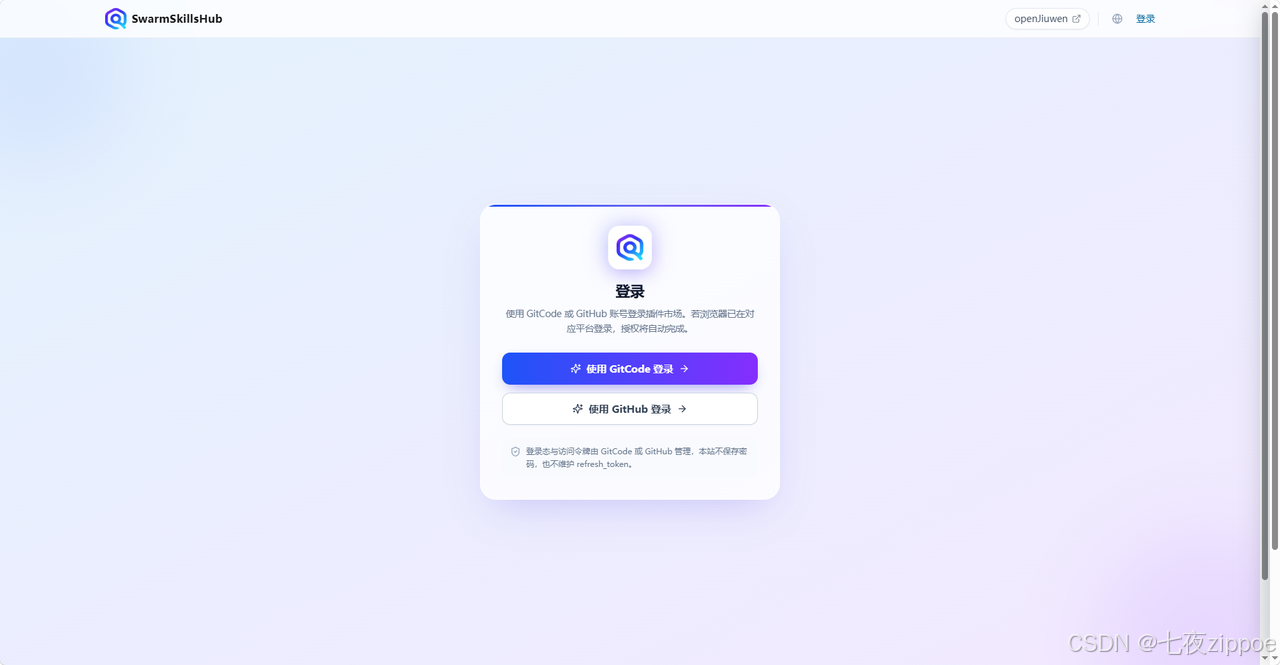
6.3 登录Swarm Skills Hub
访问 https://swarmskills.openjiuwen.com/,使用GitCode账号登录。
6.4 创建新技能包
登录后,点击"发布l"按钮:
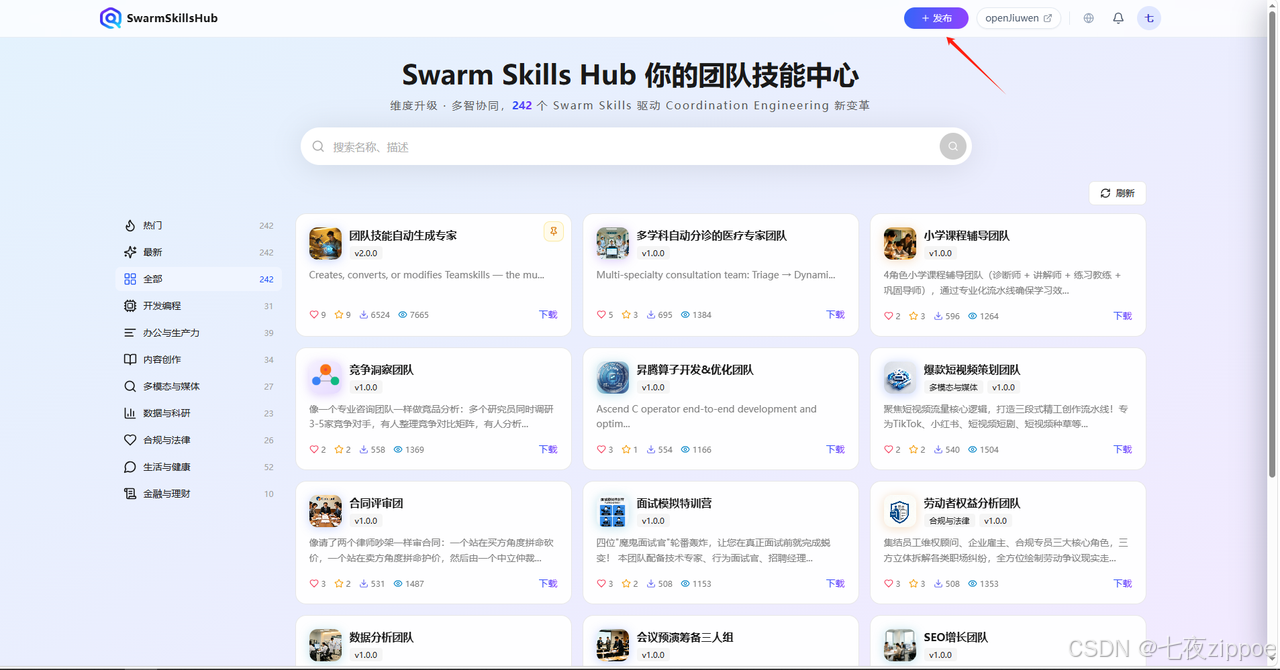
1. 填写基本信息:
- 名称:
git-commit-message-team - 描述:Multi-role team for generating high-quality Git commit messages
- 版本:
1.0.0 - 标签:
git,commit,conventional-commits - 图标:png格式的图标,<5MB
2. 上传文件:
- 上传
git-commit-message-team/目录下的所有文件
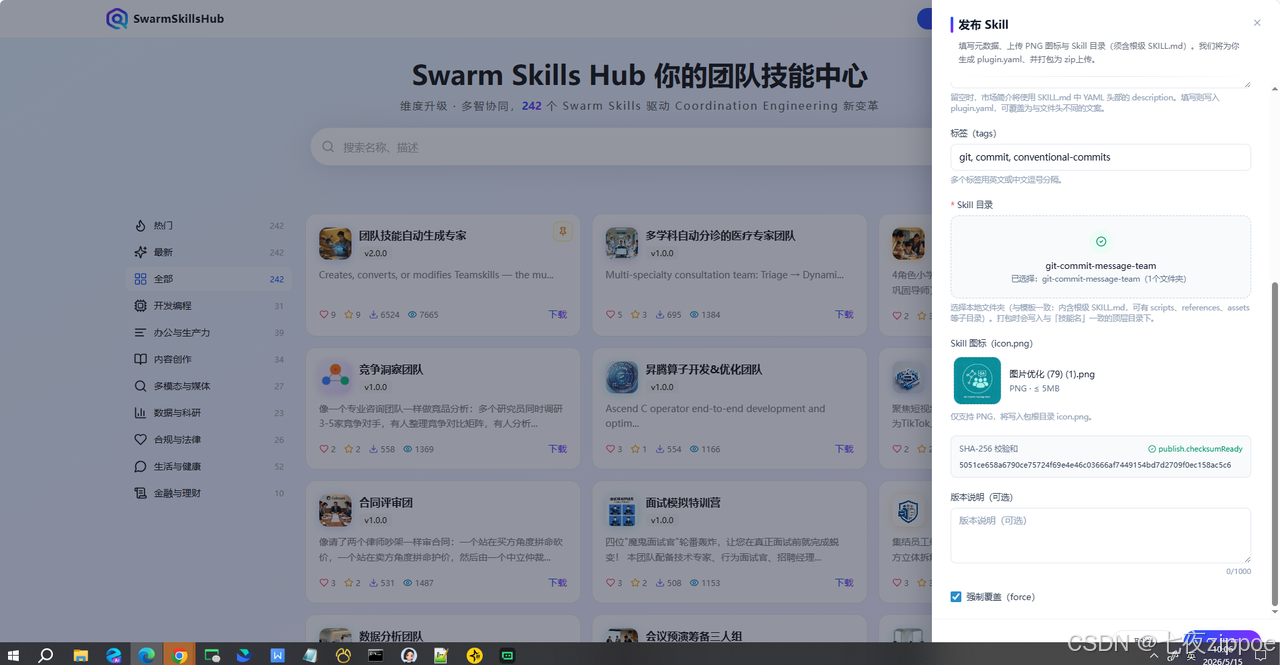
- 填写版本说明(可选)
为你的Swarm skill编写详细的版本说明:
# Git Commit Message Team

A multi-agent team that produces high-quality Git commit messages through adversarial review.

## Features

- **Three-role collaboration**: Author → Reviewer → Integrator
- **Convention compliance**: Follows Conventional Commits specification
- **Quality assurance**: 7-item checklist for every message
- **Graceful degradation**: Fallback when AI is unavailable

## Installation

1. Install via Swarm Skills Hub
2. Use in JiuwenClaw: "Generate a commit message for my staged changes"

## Usage

\`\`\`
请帮我生成一个commit message,这是我的更改:
[git diff output]
\`\`\`

## Roles

| Role | Purpose |
|------|---------|
| commit-author | Draft commit messages |
| commit-reviewer | Review for convention compliance |
| commit-integrator | Synthesize final message |

## License

Apache-2.0- 发布和审核
点击"发布"按钮,你的Swarm skill就发布成功了!发布成功后需要经过平台的审核
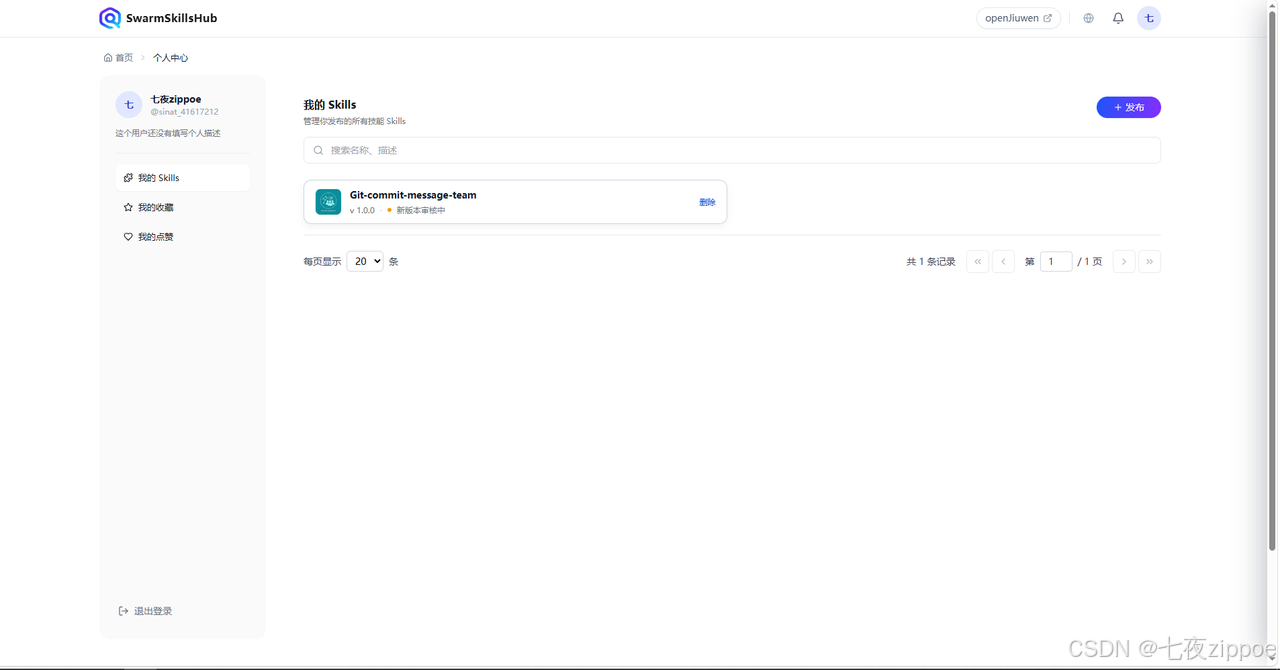
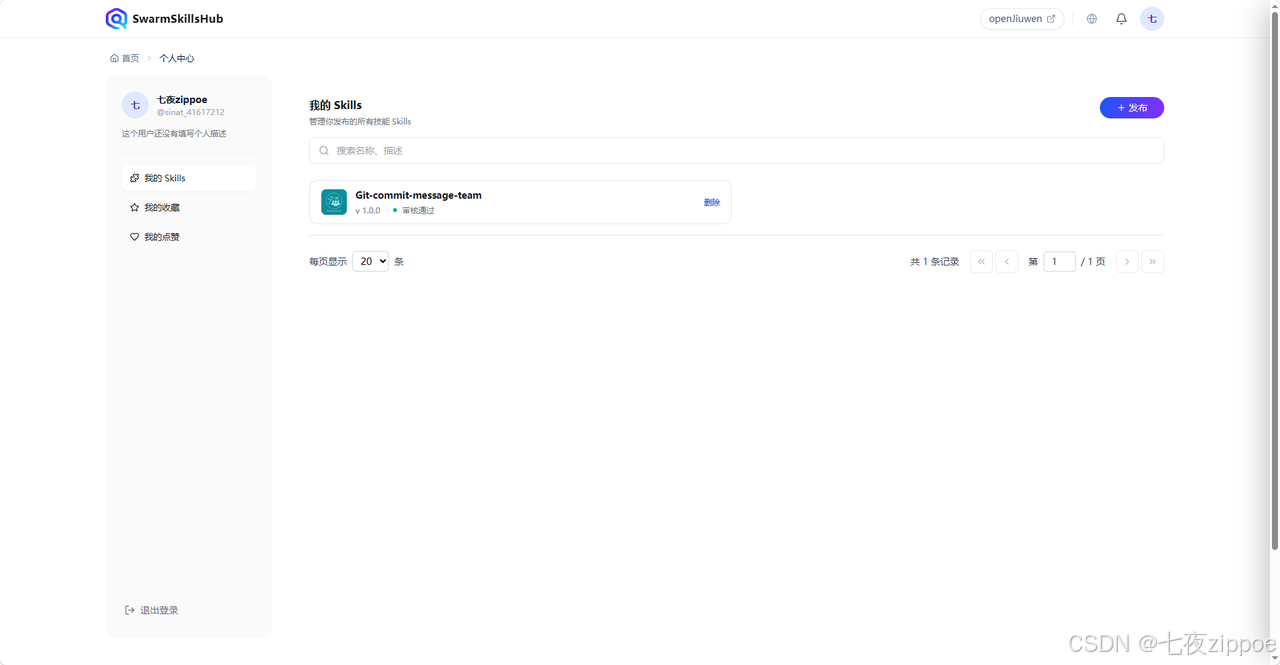
审核通过后技能就成功发布到平台,其他用户就可以正常下载安装使用了。
7. 常见问题与解决方案
Q1:源码部署时前端构建失败怎么办?
原因分析:
-
Node.js版本过低
-
npm依赖下载失败
-
磁盘空间不足
解决方案:
bash
# 检查Node.js版本
node --version  # 确保≥18.x

# 清理npm缓存
npm cache clean --force

# 删除node_modules重新安装
rm -rf node_modules package-lock.json
npm install
Q2:Swarm skill验证失败怎么办?
常见错误:
|------------------------------------|-----------|----------------|
| 错误信息 | 原因 | 解决方案 |
| Missing required file: workflow.md | 文件缺失 | 创建workflow.md |
| Role missing section: ## Identity | 角色文件不完整 | 添加缺失的部分 |
| SKILL.md name != directory name | 名称不一致 | 修改name字段 |
| Missing motto line | 角色缺少motto | 添加 > *"..."* |
Q3:如何在Swarm skill中添加更多角色?
在前端对话框中告诉JiuwenSwarm:
bash
我想在git-commit-message-team中添加一个新角色:
- commit-translator:将commit message翻译成中文

请帮我更新这个Swarm skill。
Q4:如何调试Swarm skill?
-
查看日志 :检查
~/.jiuwenclaw/logs/目录 -
逐步测试:在前端对话框中测试每个角色
-
手动验证:运行验证脚本检查文件结构
8. 总结
8.1 核心要点回顾
|-----------------------|-------------------------------------------------|
| 章节 | 核心内容 |
| Swarm Skill概念 | 多Agent协作 + 三种架构模式 + 五文件结构 |
| 匹配特性 | Swarm Skills Hub技能共享 + Swarmskill Creator自然语言创建 |
| 源码 部署 | uv + pip install -e . + 前端构建 |
| 创建流程 | 自然语言交互 → 自动生成文件 → 验证 |
| 发布流程 | 登录平台 → 上传文件 → 填写README → 发布 |
8.2 最佳实践
-
选择正确的架构模式:对抗式审查需要角色隔离,流水线需要质量门禁
-
验证再验证:发布前确保验证器通过所有检查
-
编写详细的README:帮助其他用户理解和使用你的技能
-
持续迭代:根据用户反馈更新Swarm skill
8.3 思考题
-
你在工作中遇到过哪些场景可以用Swarm skill解决?
-
如果要创建一个"代码审查Swarm skill",应该选择哪种架构模式?
-
如何让Swarm skill支持更多语言的Git提交规范?