目标 openharmony 6.0编译rk3568
虚拟机信息
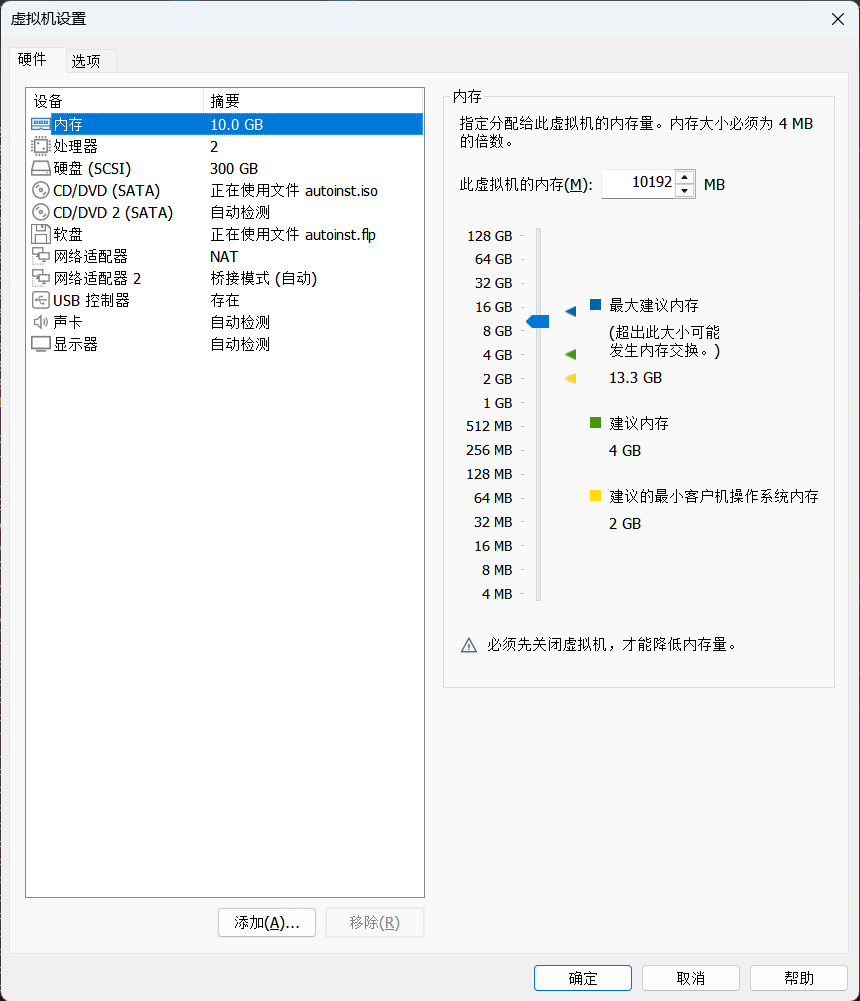
系统信息
ubuntu@ubuntu:~/tmp$ lsb_release -a No LSB modules are available.
Distributor ID: Ubuntu Description: Ubuntu 20.04.6 LTS Release:
20.04 Codename: focal
源 :
https://gitcode.com/openharmony/docs/blob/master/zh-cn/release-notes/OpenHarmony-v6.0-release.md
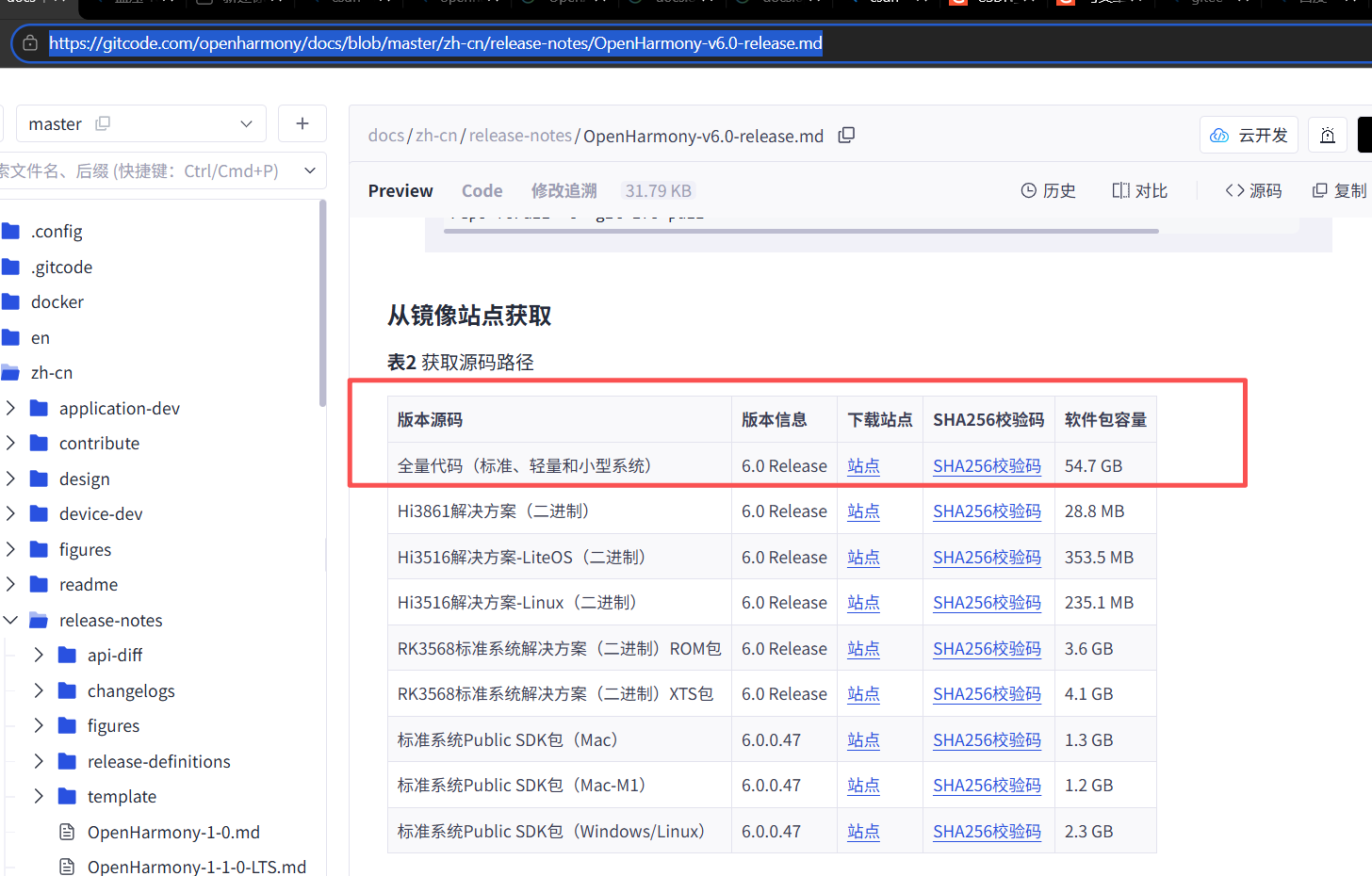
下载指令
下过程耗时
wget
https://repo.huaweicloud.com/openharmony/os/6.0-Release/code-v6.0-Release.tar.gz

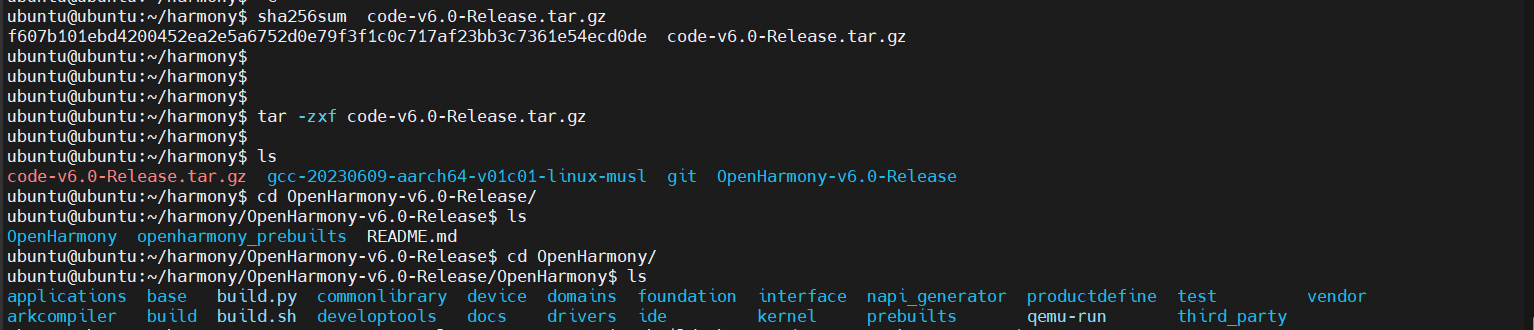
检验sha256
校验过程耗时
ubuntu@ubuntu:~/harmony$ sha256sum code-v6.0-Release.tar.gz
f607b101ebd4200452ea2e5a6752d0e79f3f1c0c717af23bb3c7361e54ecd0de
code-v6.0-Release.tar.gz
解压指令
解压过程耗时
tar -zxf code-v6.0-Release.tar.gz ubuntu@ubuntu:~/harmony$
编译
注意:编译过程出现过几个错误,由于编译时间过长,所以可以先看看出现的错误,参考处理方案,先处理,再一次编译通过,这样可以节省部分时间。
编译指令
编译过程耗时
./build.sh --product-name rk3568 --ccache
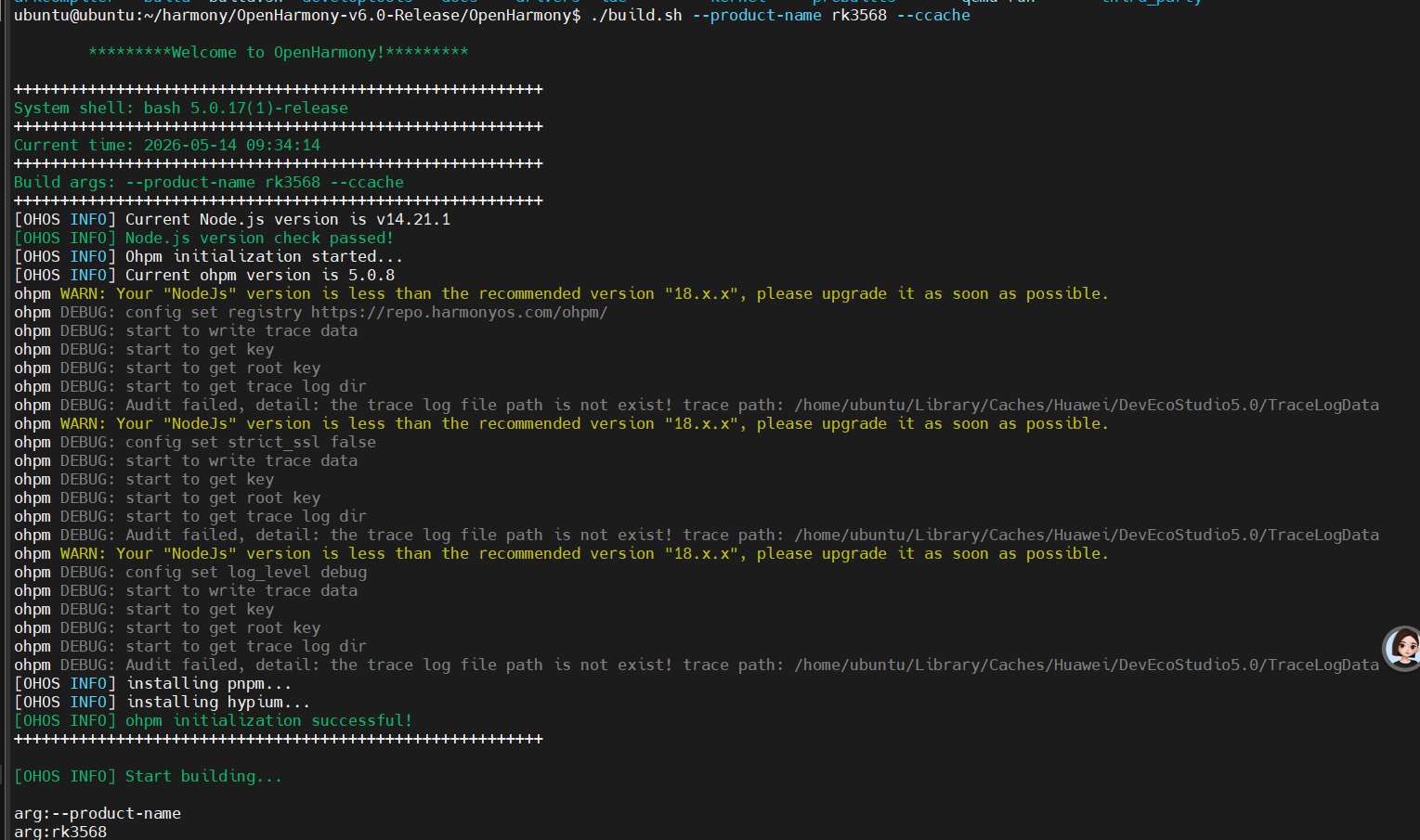
第一次报错
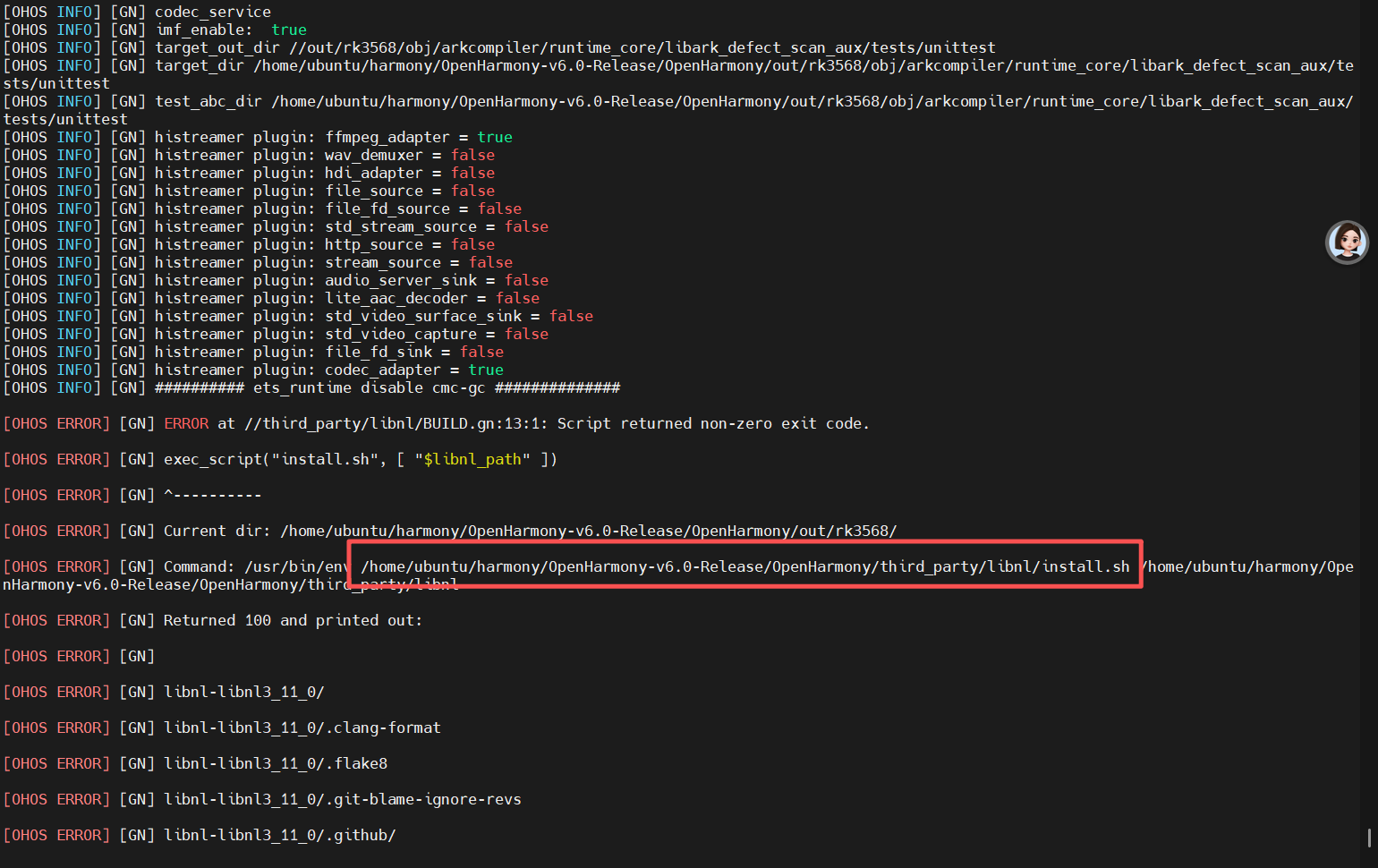
查看报错文件
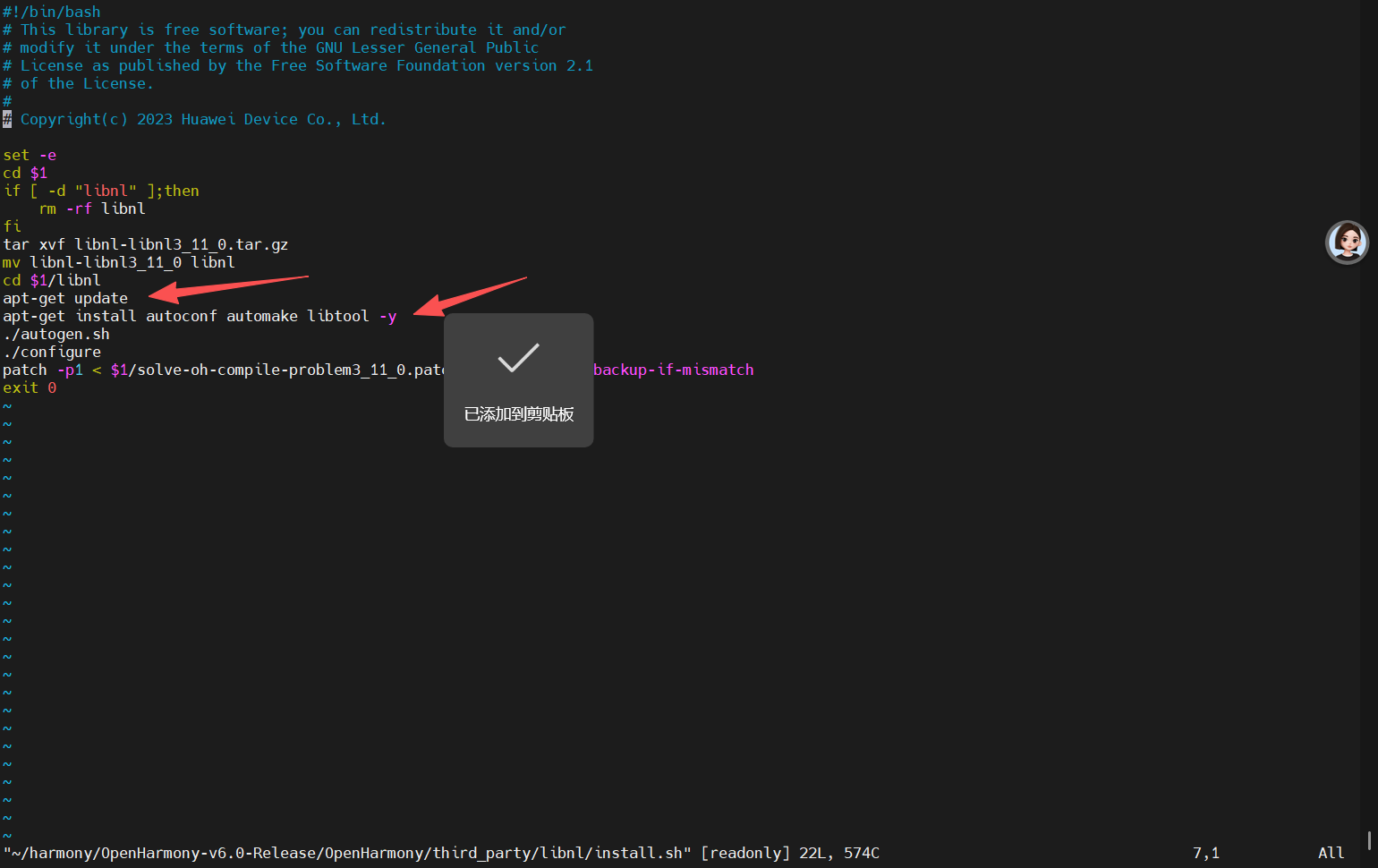
发现里面两个指令 apt 是需要sudo权限的
解决方案
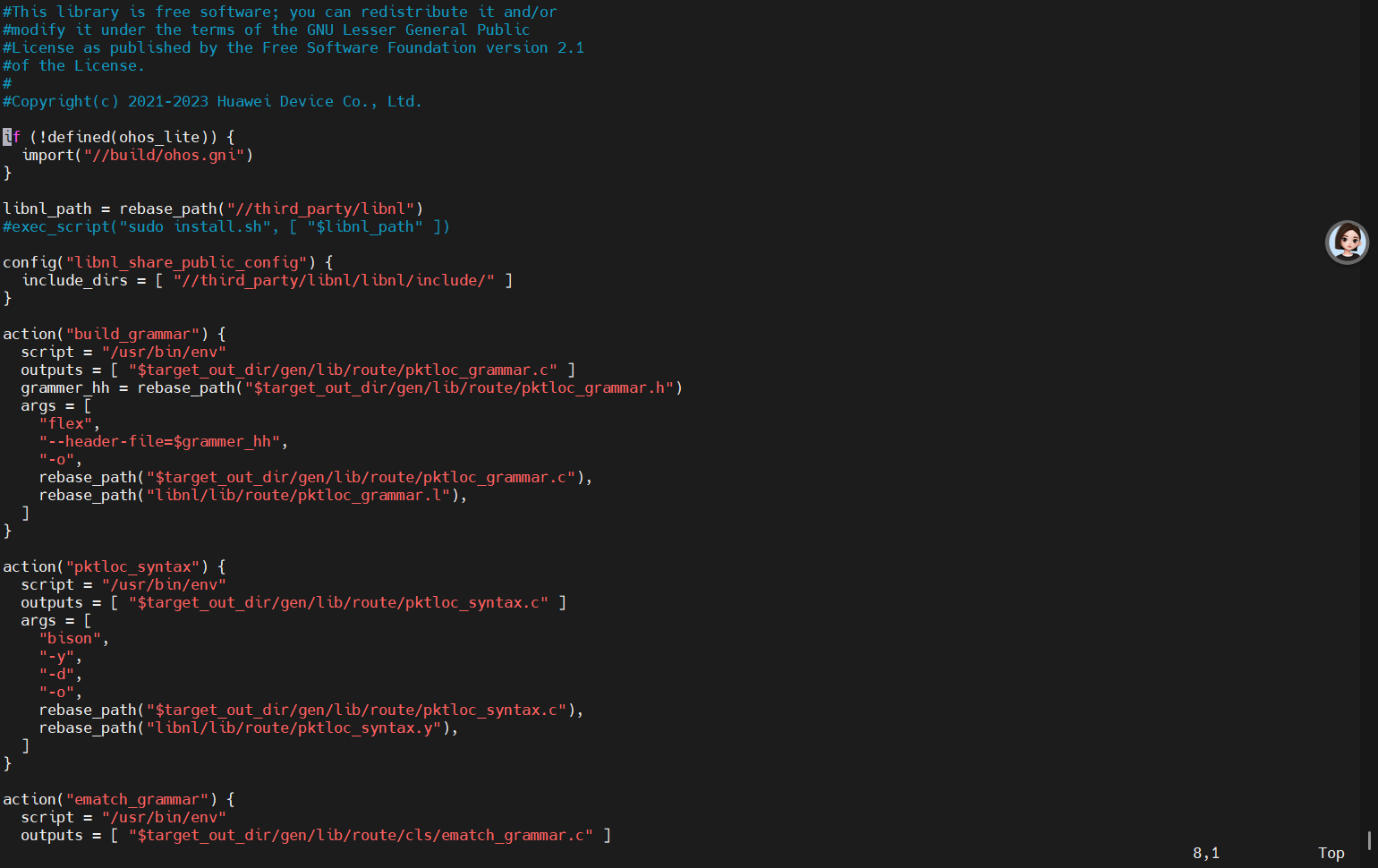
修改 third_party/libnl/BUILD.gn 删除做 install.sh操作,改为手动install
修改如下
修改前
libnl_path = rebase_path("//third_party/libnl")
exec_script("install.sh", "$libnl_path" )
修改后
#libnl_path = rebase_path("//third_party/libnl")
#exec_script("sudo install.sh", "$libnl_path" )
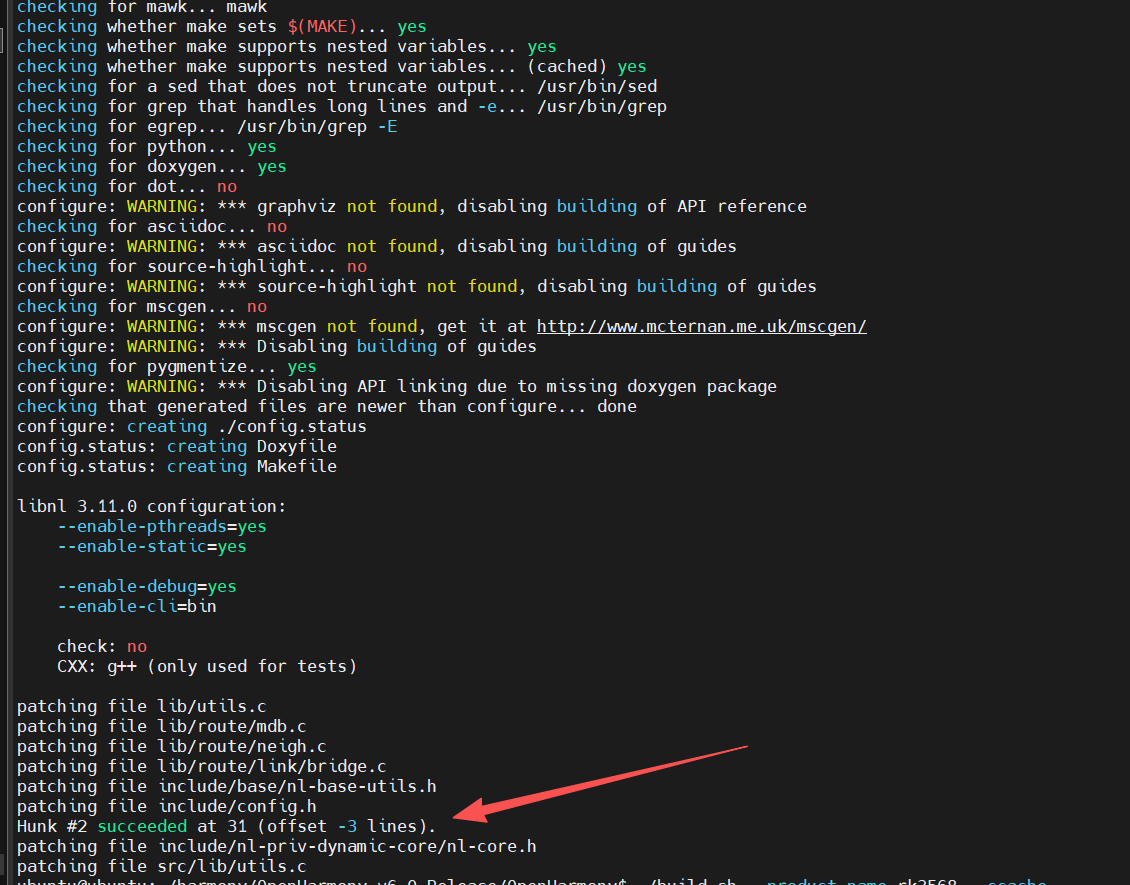
手动安装
sudo /usr/bin/env
/home/ubuntu/harmony/OpenHarmony-v6.0-Release/OpenHarmony/third_party/libnl/install.sh
/home/ubuntu/harmony/OpenHarmony-v6.0-Release/OpenHarmony/third_party/libnl
重新编译
编译过程耗时
./build.sh --product-name rk3568 --ccache
第二个错误
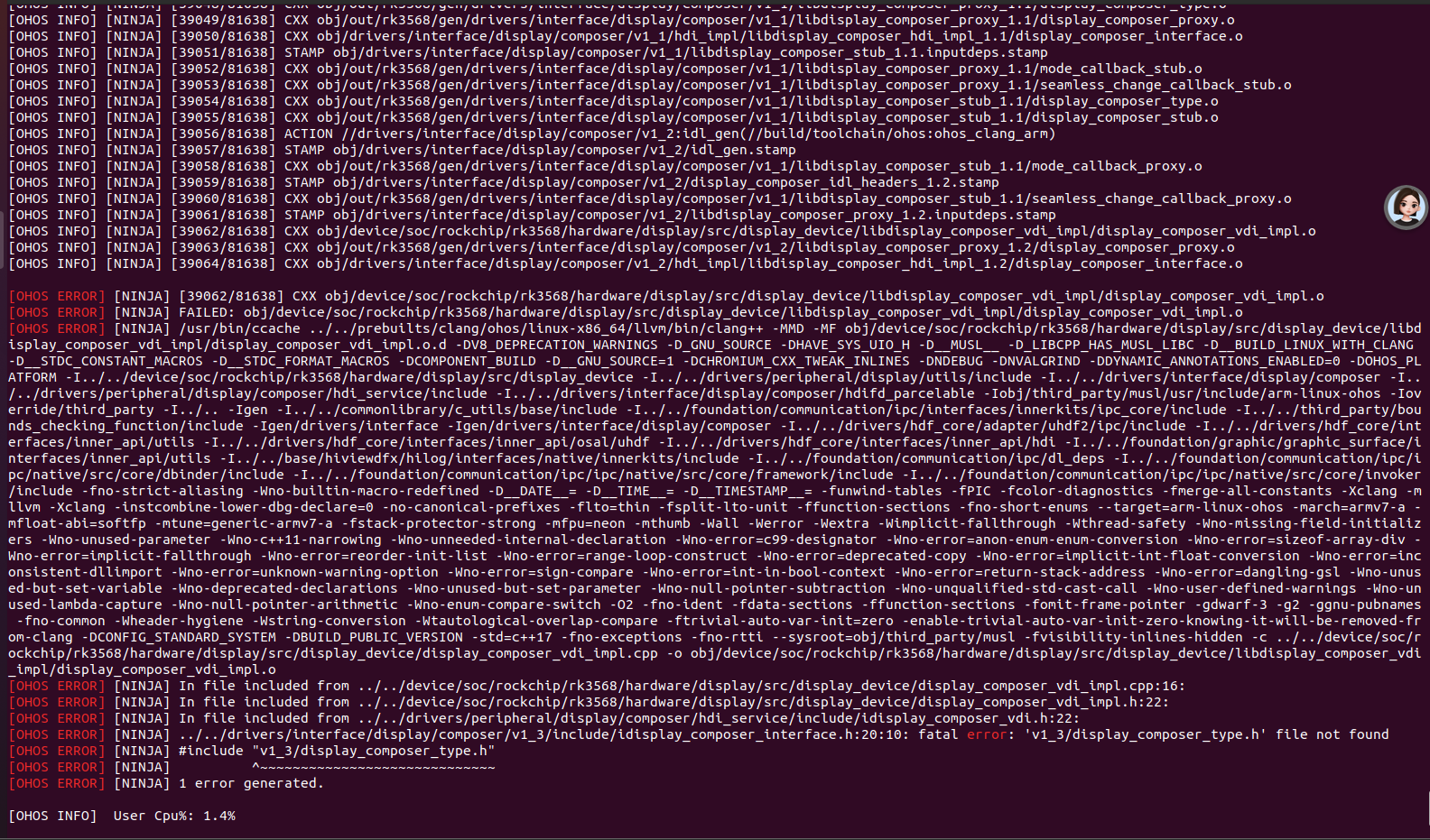
.../.../drivers/interface/display/composer/v1_3/include/idisplay_composer_interface.h:20:10:
fatal error: 'v1_3/display_composer_type.h' file not found
#include "v1_3/display_composer_type.h"
^~~~~~~~~~~~~~~~~~~~~~~~~~~~~~ 1 error generated.
解决方案
单独编译一下 drivers_interface_display
./build.sh --product rk3568 -T drivers_interface_display
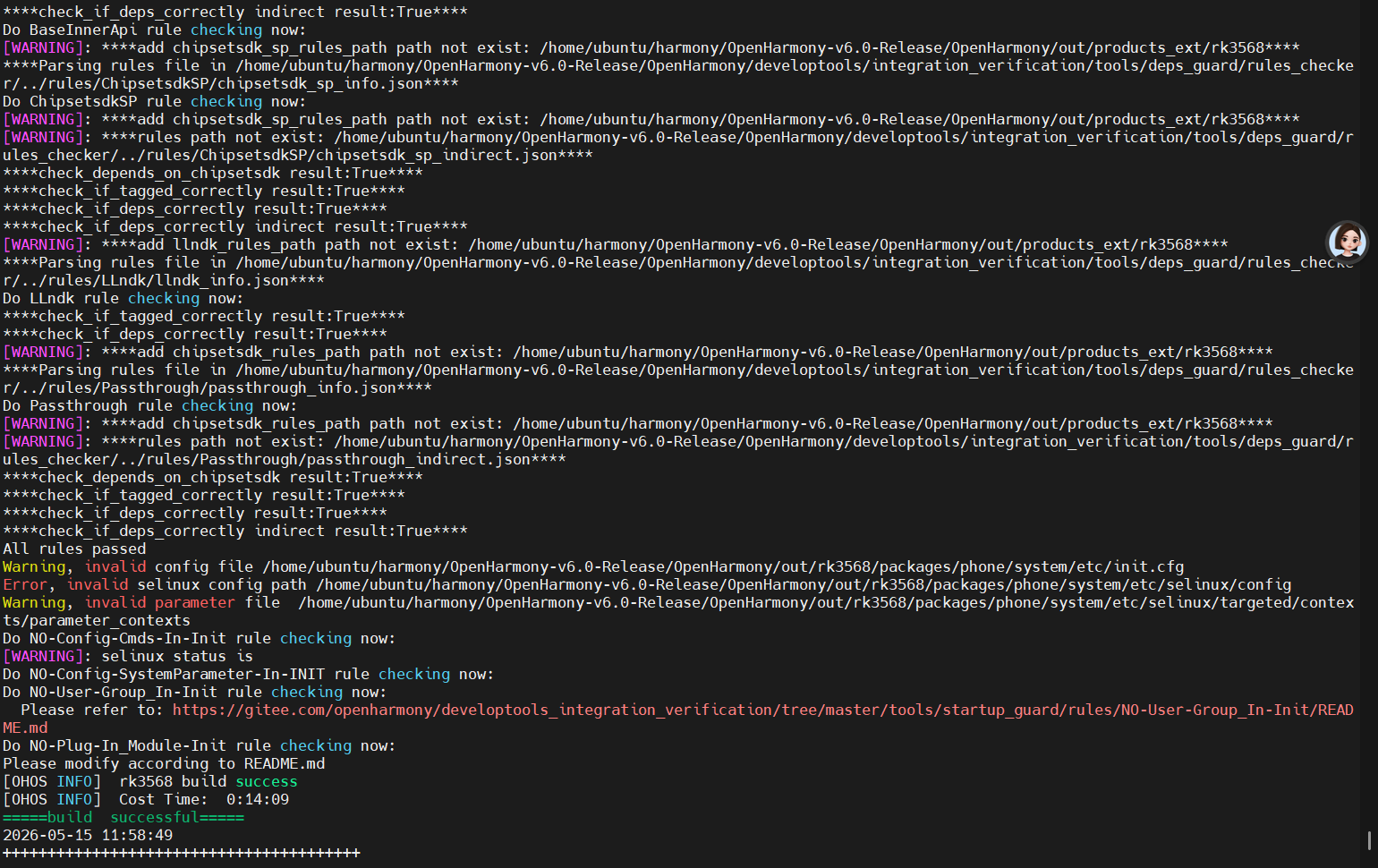
这次就会生成这个头文件了
ubuntu@ubuntu:~/harmony/OpenHarmony-v6.0-Release/OpenHarmony$ ls
out/rk3568/gen/drivers/interface/display/composer/v1_3/display_composer_type.h
out/rk3568/gen/drivers/interface/display/composer/v1_3/display_composer_type.h
重新快速编译
过程耗时
./build.sh --product-name rk3568 --ccache --fast-rebuild
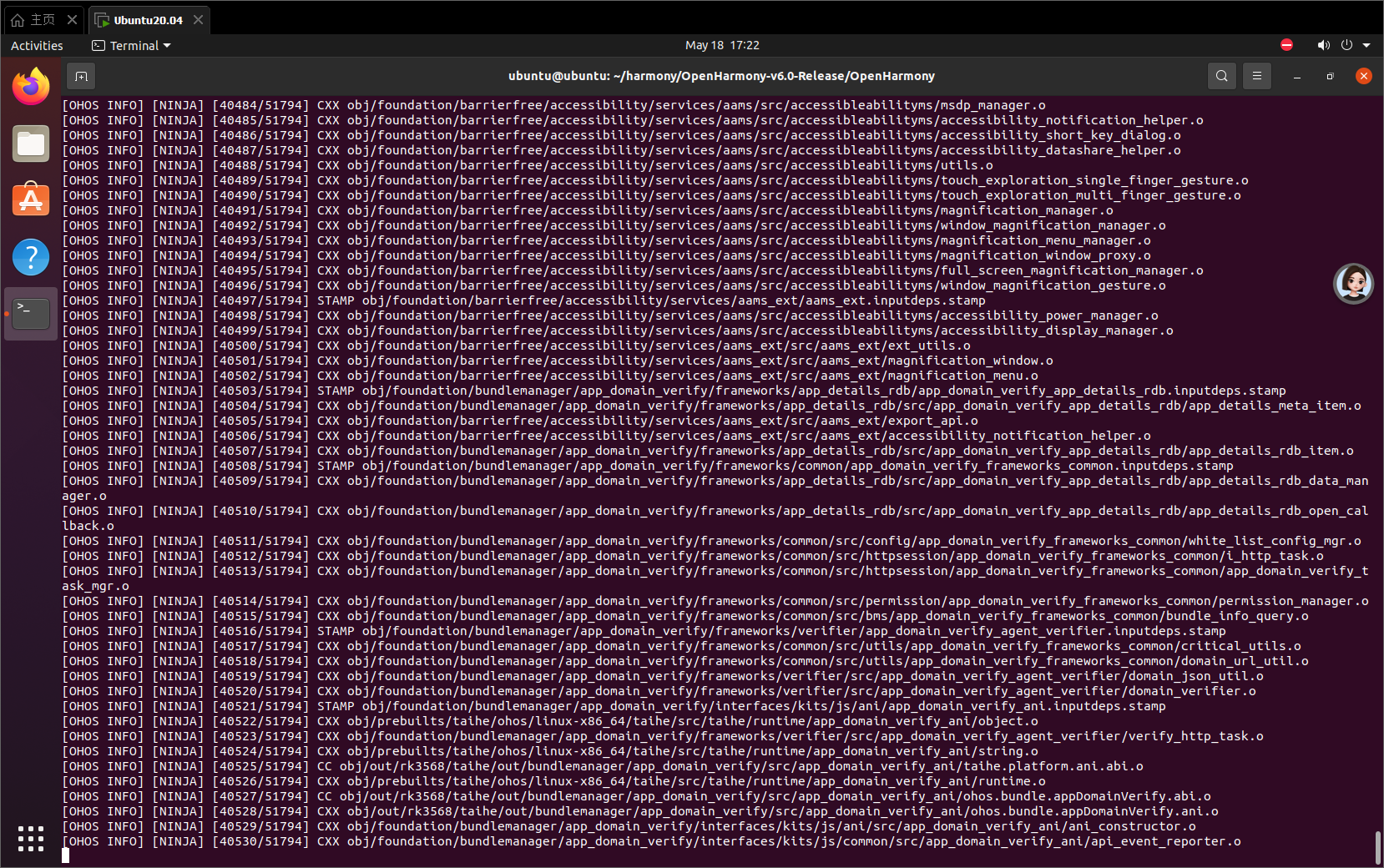
编译了3天还没编译完
继续报错
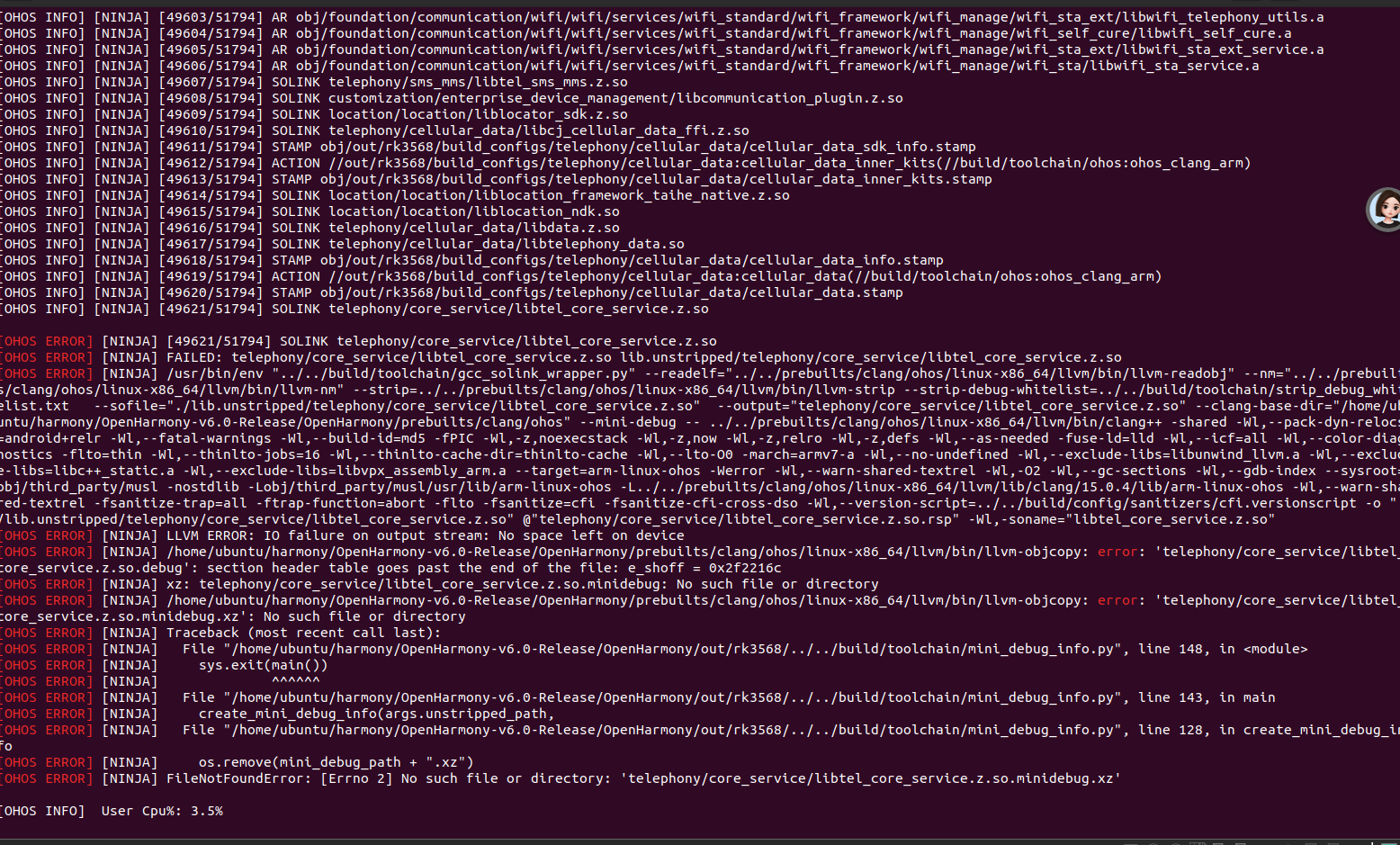
OHOS INFO NINJA 49621/51794 SOLINK
telephony/core_service/libtel_core_service.z.so
OHOS ERROR NINJA 49621/51794 SOLINK
telephony/core_service/libtel_core_service.z.so OHOS ERROR NINJA
FAILED: telephony/core_service/libtel_core_service.z.so
lib.unstripped/telephony/core_service/libtel_core_service.z.so [OHOS
ERROR] NINJA /usr/bin/env
".../.../build/toolchain/gcc_solink_wrapper.py"
--readelf=".../.../prebuilts/clang/ohos/linux-x86_64/llvm/bin/llvm-readobj"
--nm=".../.../prebuilts/clang/ohos/linux-x86_64/llvm/bin/llvm-nm" --strip=.../.../prebuilts/clang/ohos/linux-x86_64/llvm/bin/llvm-strip --strip-debug-whitelist=.../.../build/toolchain/strip_debug_whitelist.txt --sofile="./lib.unstripped/telephony/core_service/libtel_core_service.z.so"
--output="telephony/core_service/libtel_core_service.z.so" --clang-base-dir="/home/ubuntu/harmony/OpenHarmony-v6.0-Release/OpenHarmony/prebuilts/clang/ohos"
--mini-debug -- .../.../prebuilts/clang/ohos/linux-x86_64/llvm/bin/clang++ -shared
-Wl,--pack-dyn-relocs=android+relr -Wl,--fatal-warnings -Wl,--build-id=md5 -fPIC -Wl,-z,noexecstack -Wl,-z,now -Wl,-z,relro -Wl,-z,defs -Wl,--as-needed -fuse-ld=lld -Wl,--icf=all -Wl,--color-diagnostics -flto=thin -Wl,--thinlto-jobs=16 -Wl,--thinlto-cache-dir=thinlto-cache -Wl,--lto-O0 -march=armv7-a -Wl,--no-undefined -Wl,--exclude-libs=libunwind_llvm.a -Wl,--exclude-libs=libc++_static.a -Wl,--exclude-libs=libvpx_assembly_arm.a --target=arm-linux-ohos -Werror -Wl,--warn-shared-textrel -Wl,-O2 -Wl,--gc-sections -Wl,--gdb-index --sysroot=obj/third_party/musl -nostdlib -Lobj/third_party/musl/usr/lib/arm-linux-ohos -L.../.../prebuilts/clang/ohos/linux-x86_64/llvm/lib/clang/15.0.4/lib/arm-linux-ohos
-Wl,--warn-shared-textrel -fsanitize-trap=all -ftrap-function=abort -flto -fsanitize=cfi -fsanitize-cfi-cross-dso -Wl,--version-script=.../.../build/config/sanitizers/cfi.versionscript -o "./lib.unstripped/telephony/core_service/libtel_core_service.z.so" @"telephony/core_service/libtel_core_service.z.so.rsp"
-Wl,-soname="libtel_core_service.z.so" OHOS ERROR NINJA LLVM ERROR: IO failure on output stream: No space left on device [OHOS
ERROR] NINJA
/home/ubuntu/harmony/OpenHarmony-v6.0-Release/OpenHarmony/prebuilts/clang/ohos/linux-x86_64/llvm/bin/llvm-objcopy:
error: 'telephony/core_service/libtel_core_service.z.so.debug':
section header table goes past the end of the file: e_shoff =
0x2f2216c OHOS ERROR NINJA xz:
telephony/core_service/libtel_core_service.z.so.minidebug: No such
file or directory OHOS ERROR NINJA
/home/ubuntu/harmony/OpenHarmony-v6.0-Release/OpenHarmony/prebuilts/clang/ohos/linux-x86_64/llvm/bin/llvm-objcopy:
error: 'telephony/core_service/libtel_core_service.z.so.minidebug.xz':
No such file or directory OHOS ERROR NINJA Traceback (most recent
call last): OHOS ERROR NINJA File
"/home/ubuntu/harmony/OpenHarmony-v6.0-Release/OpenHarmony/out/rk3568/.../.../build/toolchain/mini_debug_info.py",
line 148, in OHOS ERROR NINJA sys.exit(main()) [OHOS
ERROR] NINJA ^^^^^^
这是没有磁盘空间了。。。。。。
清理磁盘空间继续编译
./build.sh --product-name rk3568 --ccache --fast-rebuild
继续报错
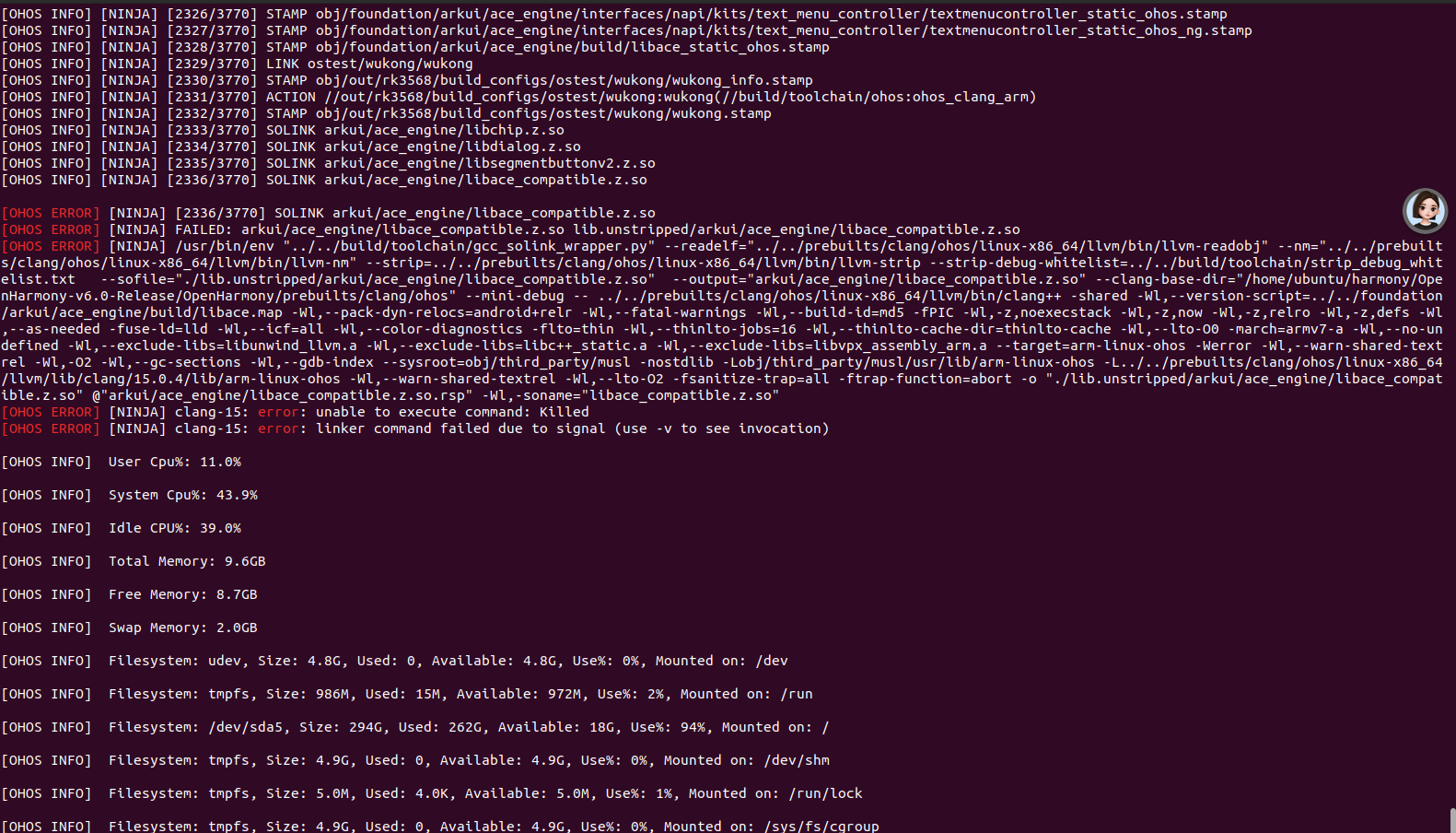
OHOS INFO] NINJA 2336/3770 SOLINK
arkui/ace_engine/libace_compatible.z.so
OHOS ERROR NINJA 2336/3770 SOLINK
arkui/ace_engine/libace_compatible.z.so OHOS ERROR NINJA FAILED:
arkui/ace_engine/libace_compatible.z.so
lib.unstripped/arkui/ace_engine/libace_compatible.z.so OHOS ERROR
NINJA /usr/bin/env ".../.../build/toolchain/gcc_solink_wrapper.py"
--readelf=".../.../prebuilts/clang/ohos/linux-x86_64/llvm/bin/llvm-readobj"
--nm=".../.../prebuilts/clang/ohos/linux-x86_64/llvm/bin/llvm-nm" --strip=.../.../prebuilts/clang/ohos/linux-x86_64/llvm/bin/llvm-strip --strip-debug-whitelist=.../.../build/toolchain/strip_debug_whitelist.txt --sofile="./lib.unstripped/arkui/ace_engine/libace_compatible.z.so" --output="arkui/ace_engine/libace_compatible.z.so" --clang-base-dir="/home/ubuntu/harmony/OpenHarmony-v6.0-Release/OpenHarmony/prebuilts/clang/ohos"
--mini-debug -- .../.../prebuilts/clang/ohos/linux-x86_64/llvm/bin/clang++ -shared
-Wl,--version-script=.../.../foundation/arkui/ace_engine/build/libace.map
-Wl,--pack-dyn-relocs=android+relr -Wl,--fatal-warnings -Wl,--build-id=md5 -fPIC -Wl,-z,noexecstack -Wl,-z,now -Wl,-z,relro -Wl,-z,defs -Wl,--as-needed -fuse-ld=lld -Wl,--icf=all -Wl,--color-diagnostics -flto=thin -Wl,--thinlto-jobs=16 -Wl,--thinlto-cache-dir=thinlto-cache -Wl,--lto-O0 -march=armv7-a -Wl,--no-undefined -Wl,--exclude-libs=libunwind_llvm.a -Wl,--exclude-libs=libc++_static.a -Wl,--exclude-libs=libvpx_assembly_arm.a --target=arm-linux-ohos -Werror -Wl,--warn-shared-textrel -Wl,-O2 -Wl,--gc-sections -Wl,--gdb-index --sysroot=obj/third_party/musl -nostdlib -Lobj/third_party/musl/usr/lib/arm-linux-ohos -L.../.../prebuilts/clang/ohos/linux-x86_64/llvm/lib/clang/15.0.4/lib/arm-linux-ohos
-Wl,--warn-shared-textrel -Wl,--lto-O2 -fsanitize-trap=all -ftrap-function=abort -o "./lib.unstripped/arkui/ace_engine/libace_compatible.z.so"
@"arkui/ace_engine/libace_compatible.z.so.rsp"
-Wl,-soname="libace_compatible.z.so" OHOS ERROR NINJA clang-15: error: unable to execute command: Killed OHOS ERROR NINJA
clang-15: error: linker command failed due to signal (use -v to see
invocation)
有可能是内存不够导致,虚拟机有16G以上可能不会报这个错误
试试复制其中的编译语句单独编译
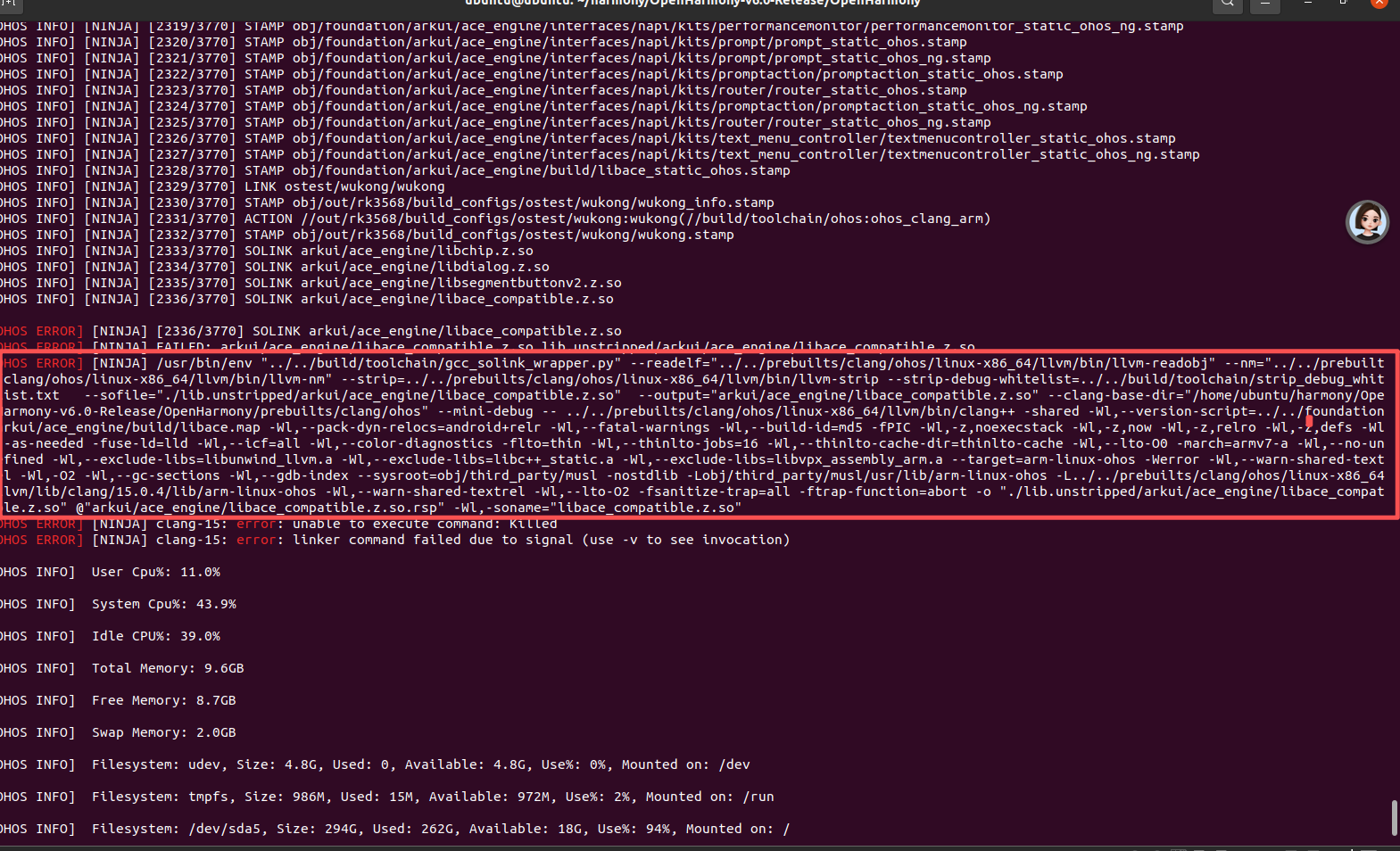
整个语句复制下来了
进入到out/rk3568目录下直接执行
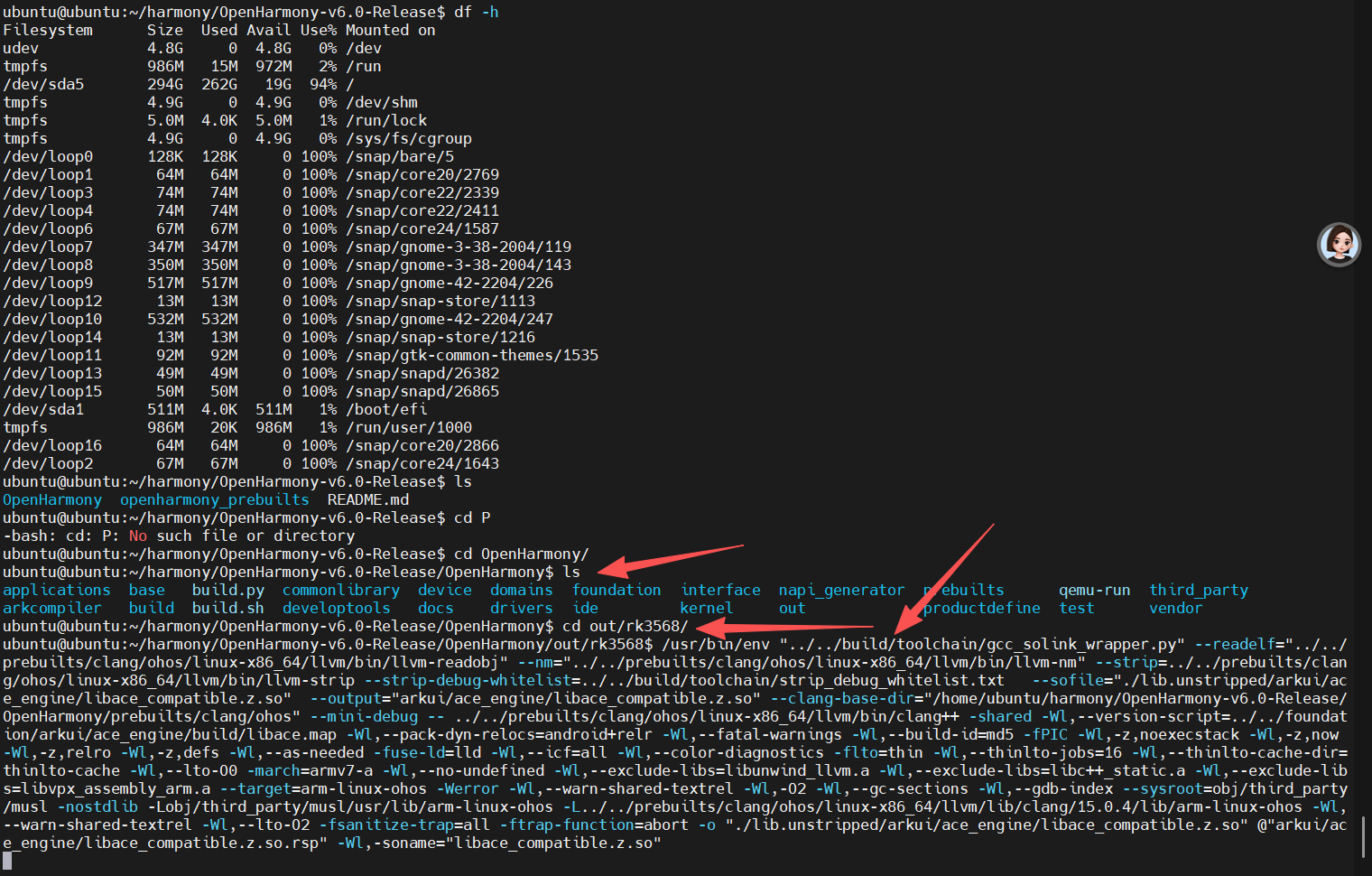
等待结果
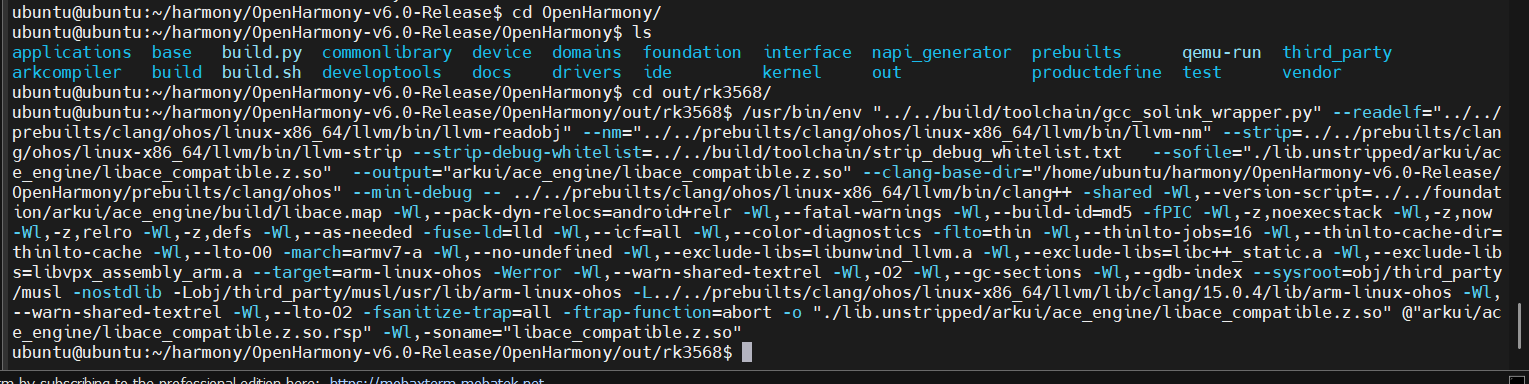
经历个把小时,该指令成功
继续重新编译
./build.sh --product-name rk3568 --ccache --fast-rebuild
终于成功了
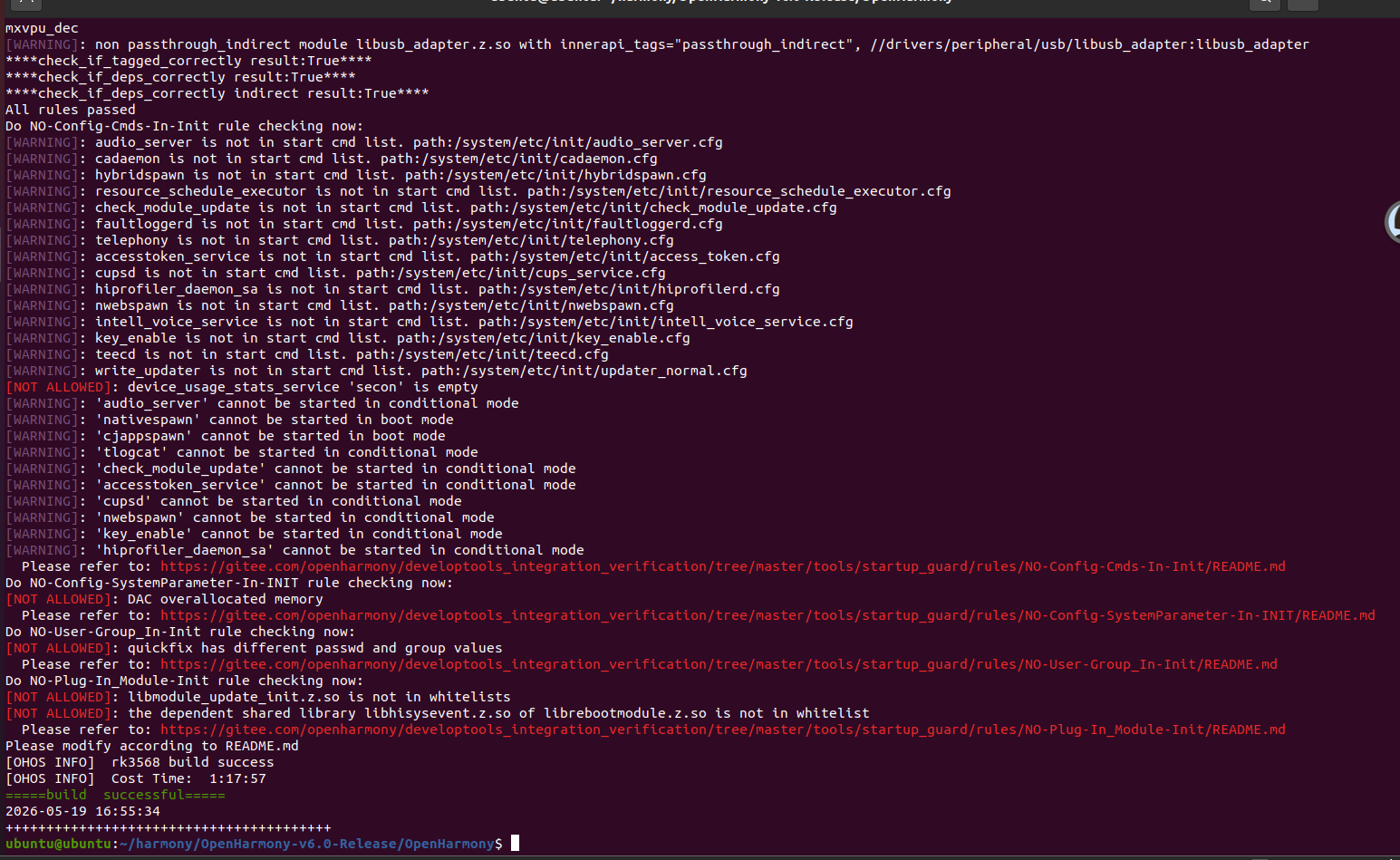
固件路径
out/rk3568/packages/phone/images/

ubuntu@ubuntu:~/harmony/OpenHarmony-v6.0-Release/OpenHarmony$ ls
out/rk3568/packages/phone/images/ boot_linux.img chip_prod.img
eng_system.img parameter.txt resource.img system.img
updater.img vendor.img chip_ckm.img config.cfg
MiniLoaderAll.bin ramdisk.img sys_prod.img uboot.img
userdata.img
ubuntu@ubuntu:~/harmony/OpenHarmony-v6.0-Release/OpenHarmony$