♻️ 资源
大小: 4.16MB
➡️ 资源下载: https://download.csdn.net/download/s1t16/87430265
画板程序
二、实验目的
- 在编写画板程序的过程中综合运用并提升 C 语言编程技能与规范,为以后的学习做好铺垫。
三、实验内容
- 利用 EGE (Easy Graphics Engine) 和 C 语言来实现图形界面画板的功能。
四、实验环境
- OS:Windows 10 Enterprise LTSC version 1809
- IDE:Visual Studio 2019 Community 16.3.9
五、附录
5.1 问题分析
- 画板即一个可以将用户输入的数据转化为屏幕上的图像的应用程序。本项目中使用 C 语言完成。它需要具有以下几个功能:1、拥有自然的数据输入方式。2、拥有存档功能。3、拥有人性化的用户界面。4、拥有多种图形的作画功能。5、可以自定义作图参数。
5.1.1 目标
- 使用 C 语言和 EGE 库完成画板程序,即一个可以将用户输入的数据转化为屏幕上的图像的应用程序。
5.1.2 功能
5.1.2 撤回
- 用户可以在图形绘制界面点击撤回按钮实现无限制的撤回操作。
5.1.2 前景和填充色自定义
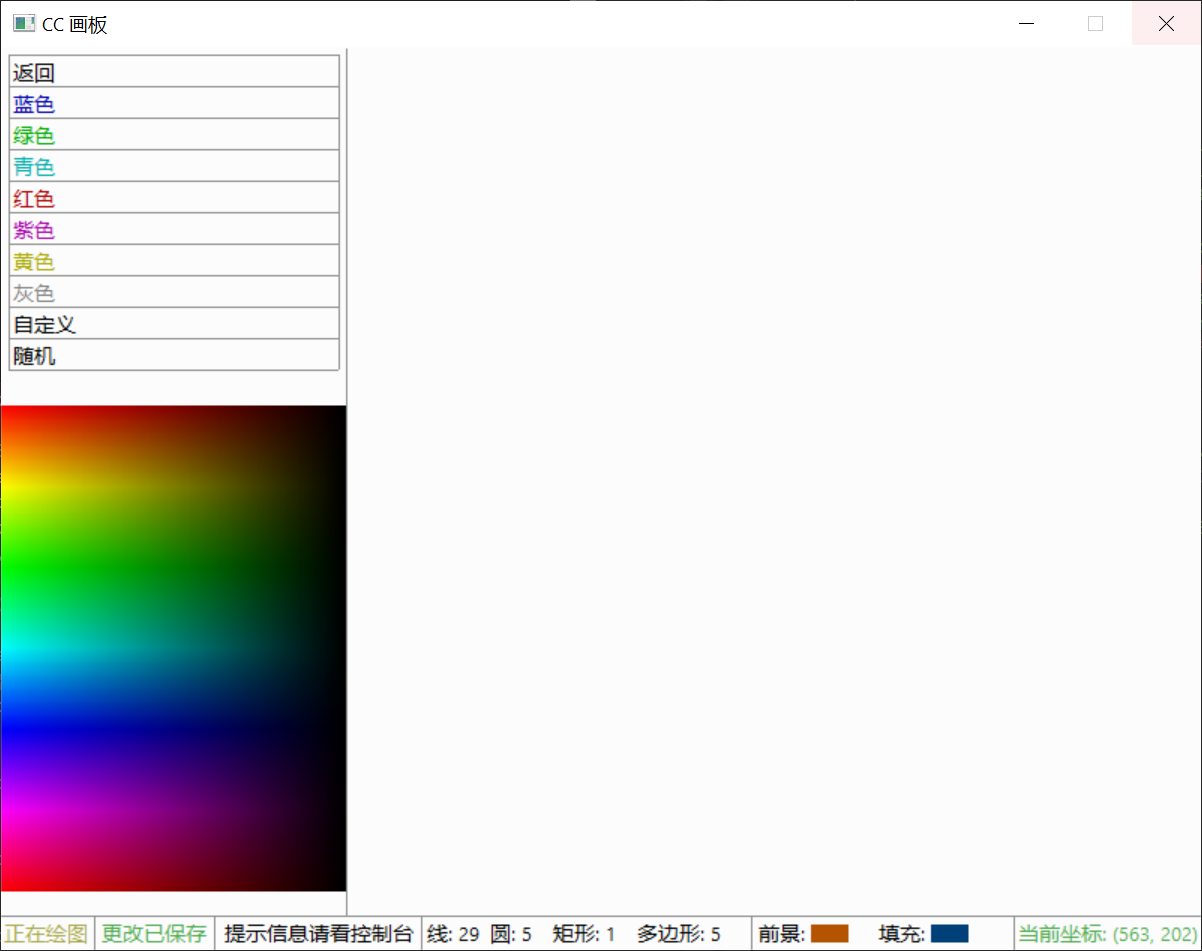
- 用户可以从调色盘中精确点击需要的颜色或者从预设中选择。
5.1.2 自定义存档保存与打开
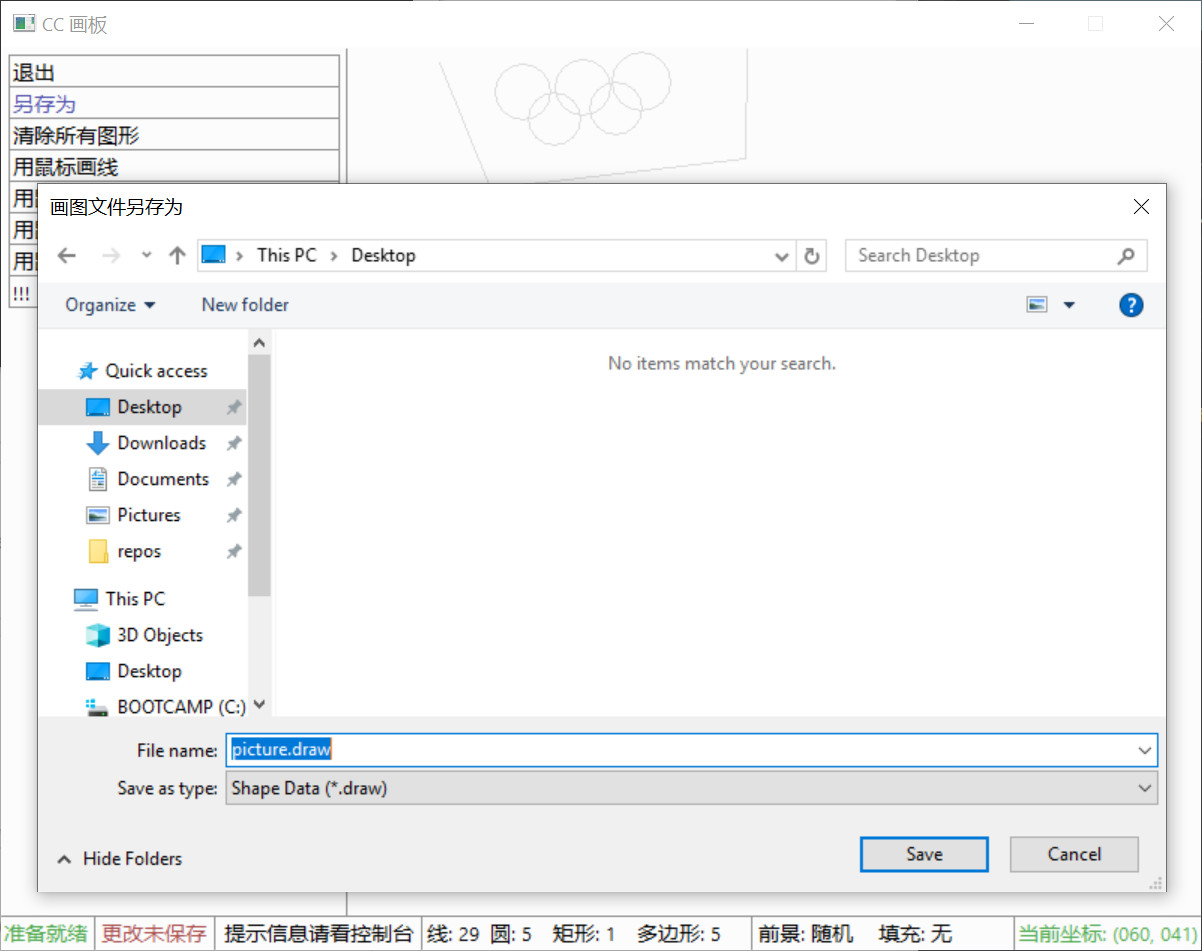
- 用户可以自定义保存位置并保存当前绘图存档,并且可以自由选择要加载的存档,打开后仍可以进行撤回等编辑存档的操作。
5.1.2 用鼠标绘制圆、线、矩形
- 用户只需在屏幕上点击即可选定起点/终点、圆心/半径、矩形的左上角/右下角,通过极为快速简单的操作即可绘制图形,并且用户在移动鼠标时会有即将绘制的图形的实时预览,非常直观,不用担心点击的位置不准确。
5.1.2 用鼠标绘制多边形
- 用户只需在屏幕上点击各个顶点,最后一个顶点靠近第一个顶点时即可自动吸附并且闭合多边形,直观地完成绘图
5.1.2 输入坐标绘制多边形
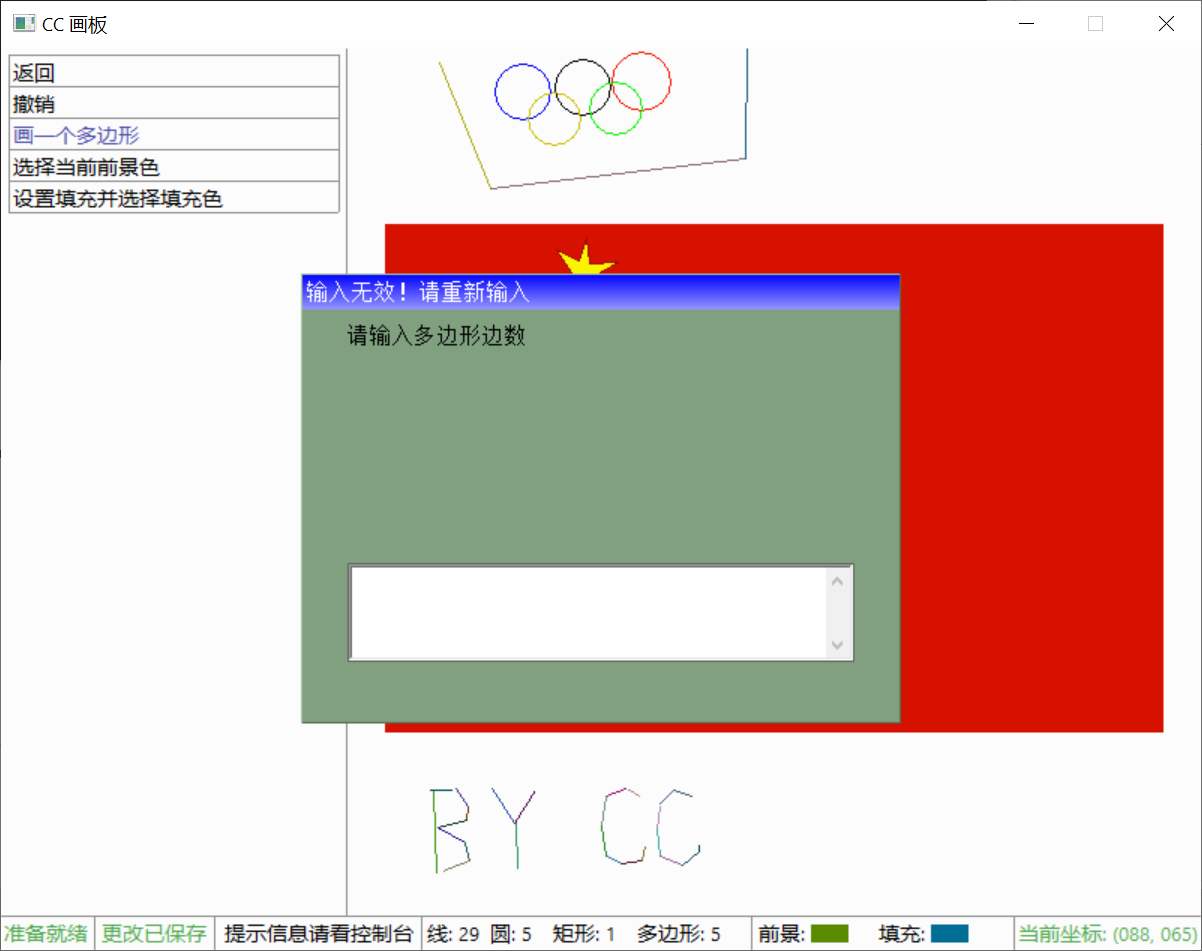
- 通过较为完整的输入格式检查和提醒,用户可以轻易地通过输入坐标来绘制多边形。
5.1.3 性能
- 以下性能测试基于的硬件平台:
- Processor: Intel Core i5-7200U at 2.50GHz with TurboBoost Up to 3.10GHz
- Memory: 32GB DDR4 at 2133MHz Dual Channel Interlaced
- Graphics: Intel HD Graphics 620
5.1.3 画面更新性能
- 在鼠标移动或者画图形后的画面更新帧率至少 1000FPS (Frame Per Second),即更新一帧画面的时间至多 1ms。无可感知的延迟。
5.1.4 健壮性
5.1.4 写入或读取存档时的异常处理
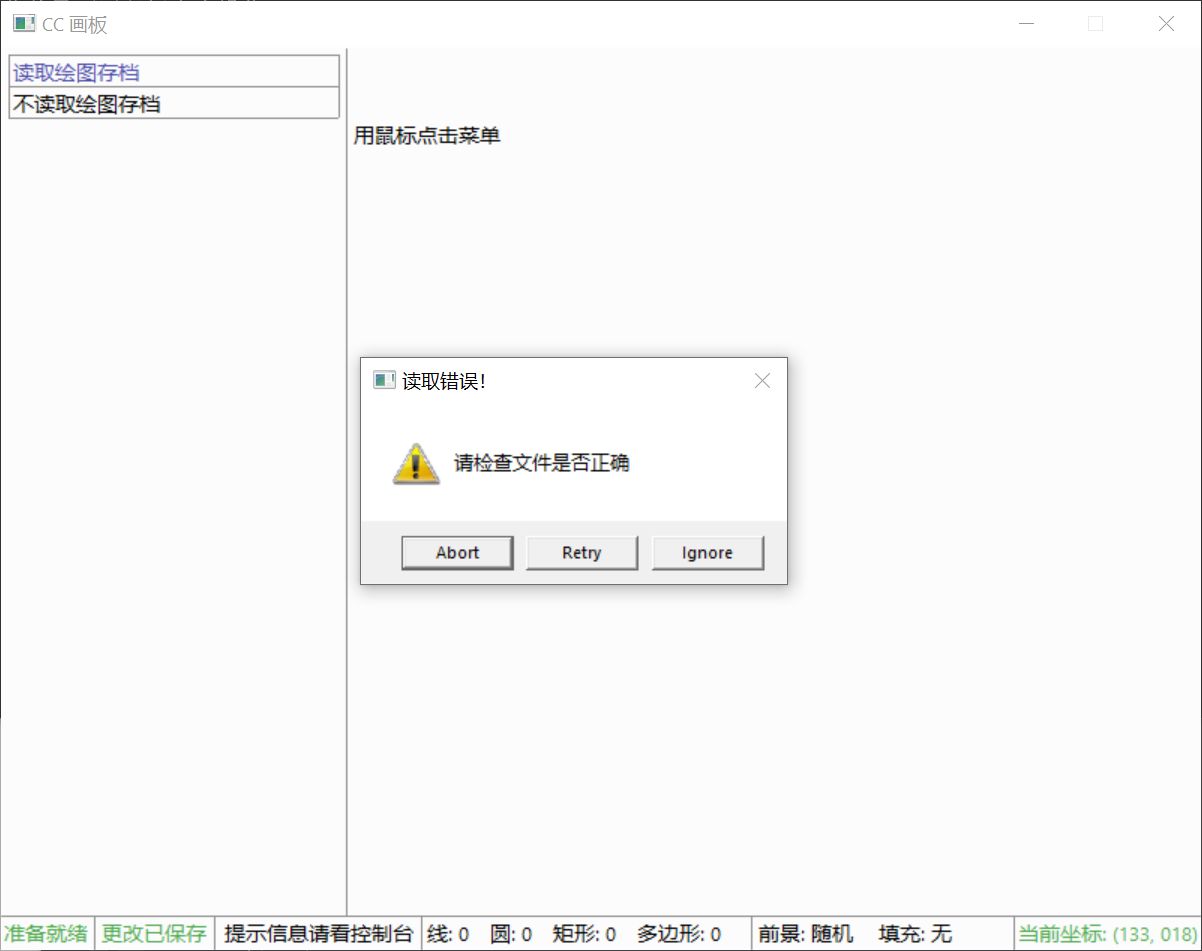
5.1.4 在读取到非存档文件时的处理
- 考虑到在程序中调用了 Windows API 来让用户自由读取存档,因此有必要在用户选择错误的文件时报错。在本项目中通过在保存文件时添加校验位来标记该文件是本程序创建的。在读取时通过对检验位的比较来辨别用户选择的文件正确与否。在用户选择错误的文件时会弹出警告窗口来使用户重试。
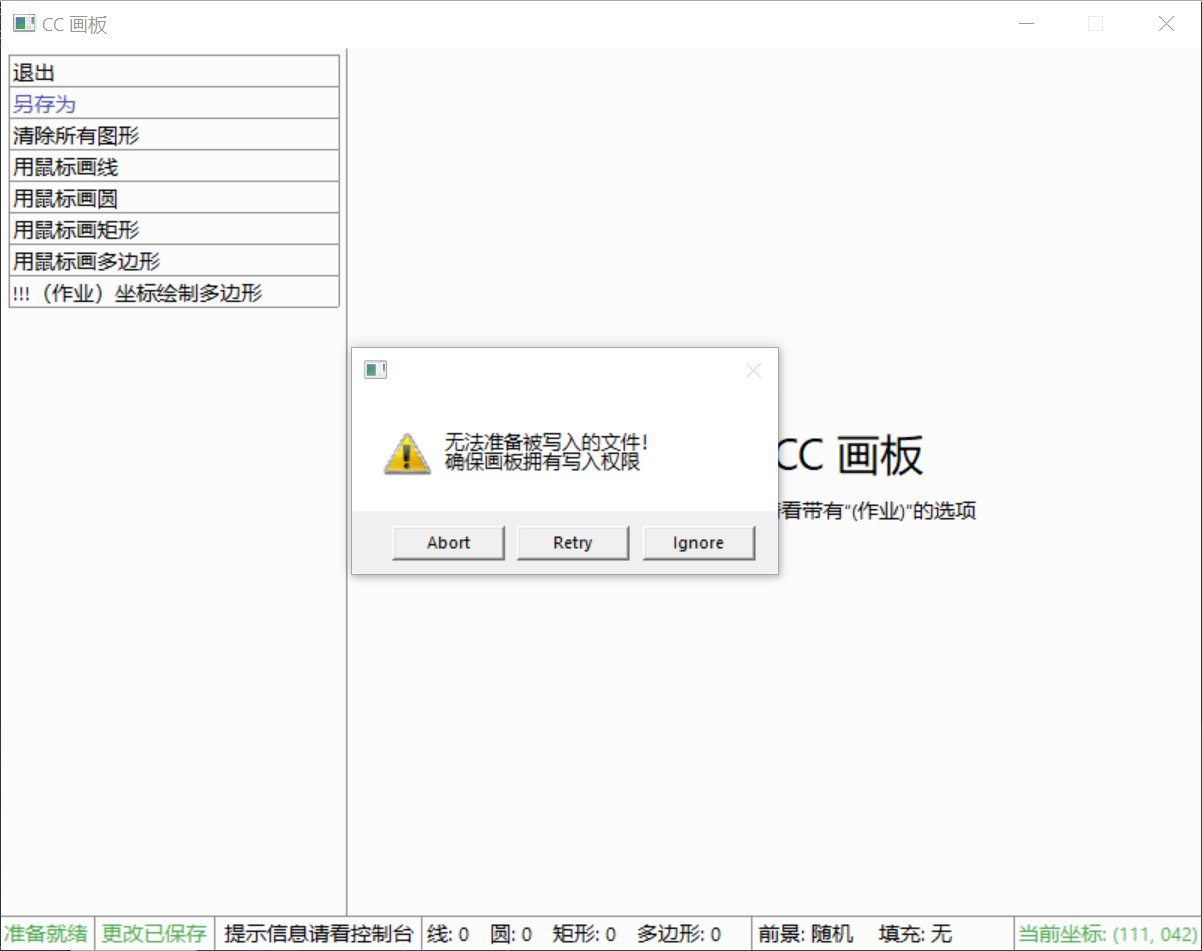
5.1.4 读取或写入失败时的异常处理
- 在写入或读取存档时会对成功写入或读取的数据块的数量与应该成功的数据块数量进行比较,在写入或读取时有数据块出错时弹出警告提醒用户重新操作
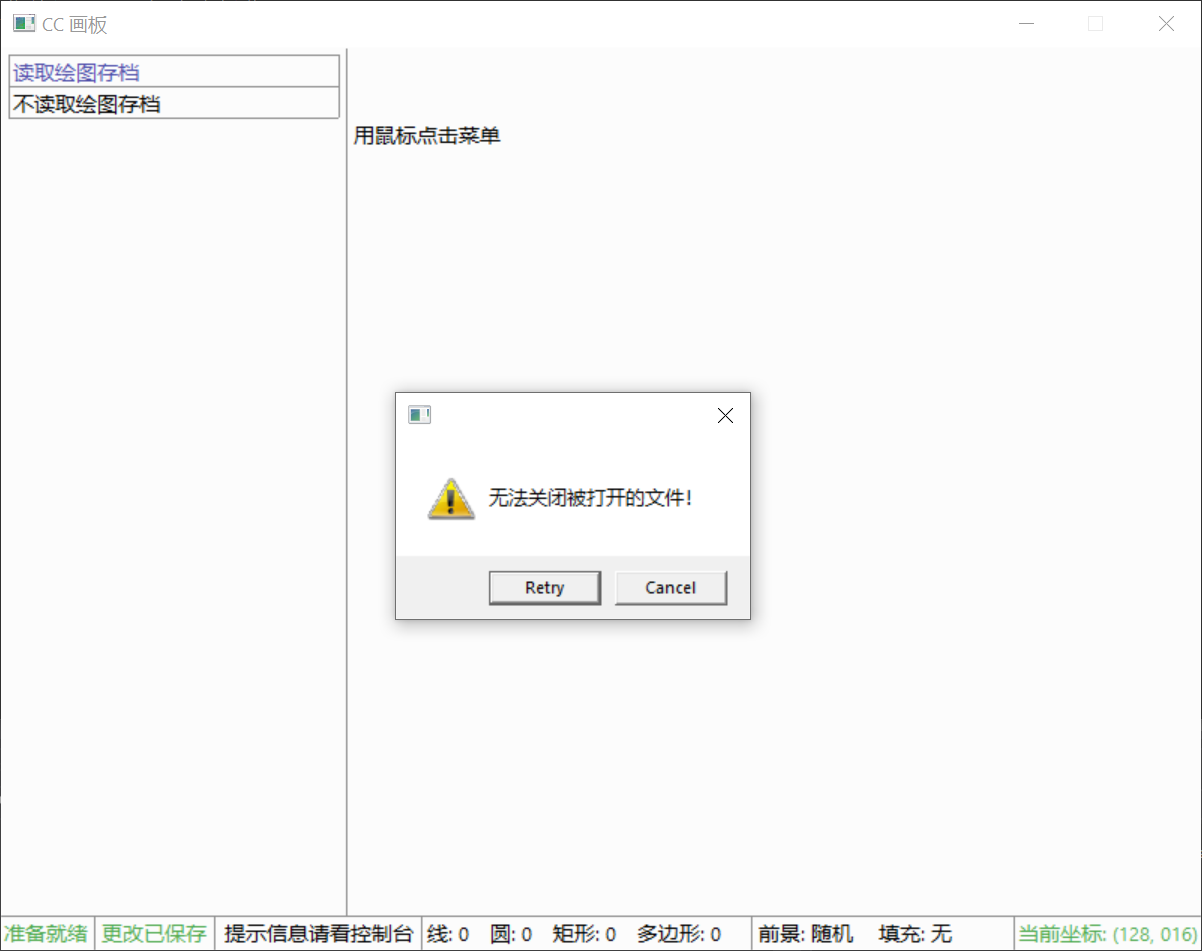
5.1.4 在读取或写入文件后关闭文件失败的处理
- 若关闭文件失败,则提示用户重新操作
5.1.4 在用户键入多边形边数或坐标时的异常处理
5.1.4 对于边数的异常处理
5.1.4 检查输入字符串是否全为数字,并提示错误点
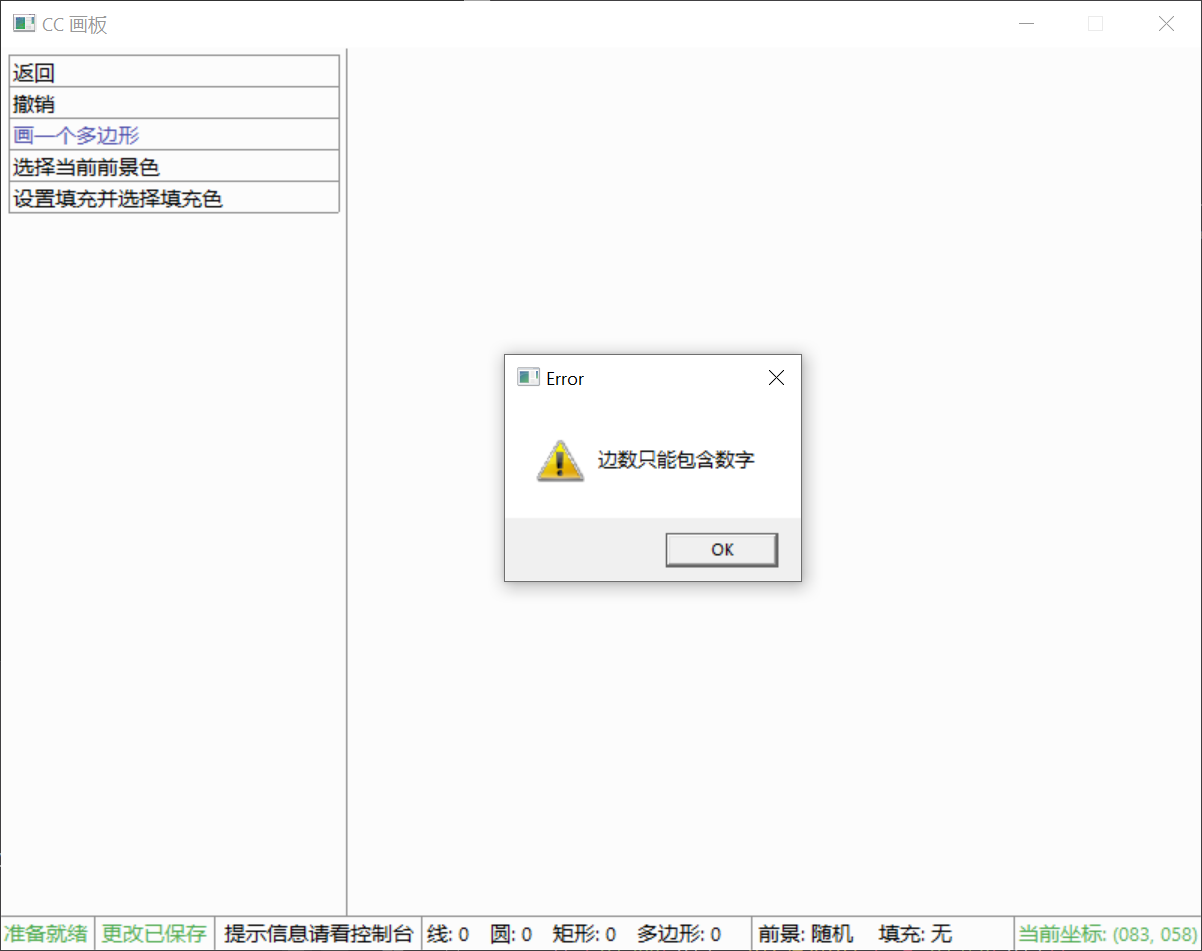
作为边数,自然都必须为数字,程序将检查输入的字符串是否都为数字,再使用 atoi()函数转换,否则警告"边数只能包含数字"
5.1.4 检查边数在几何意义上的合理性,并提示错误点
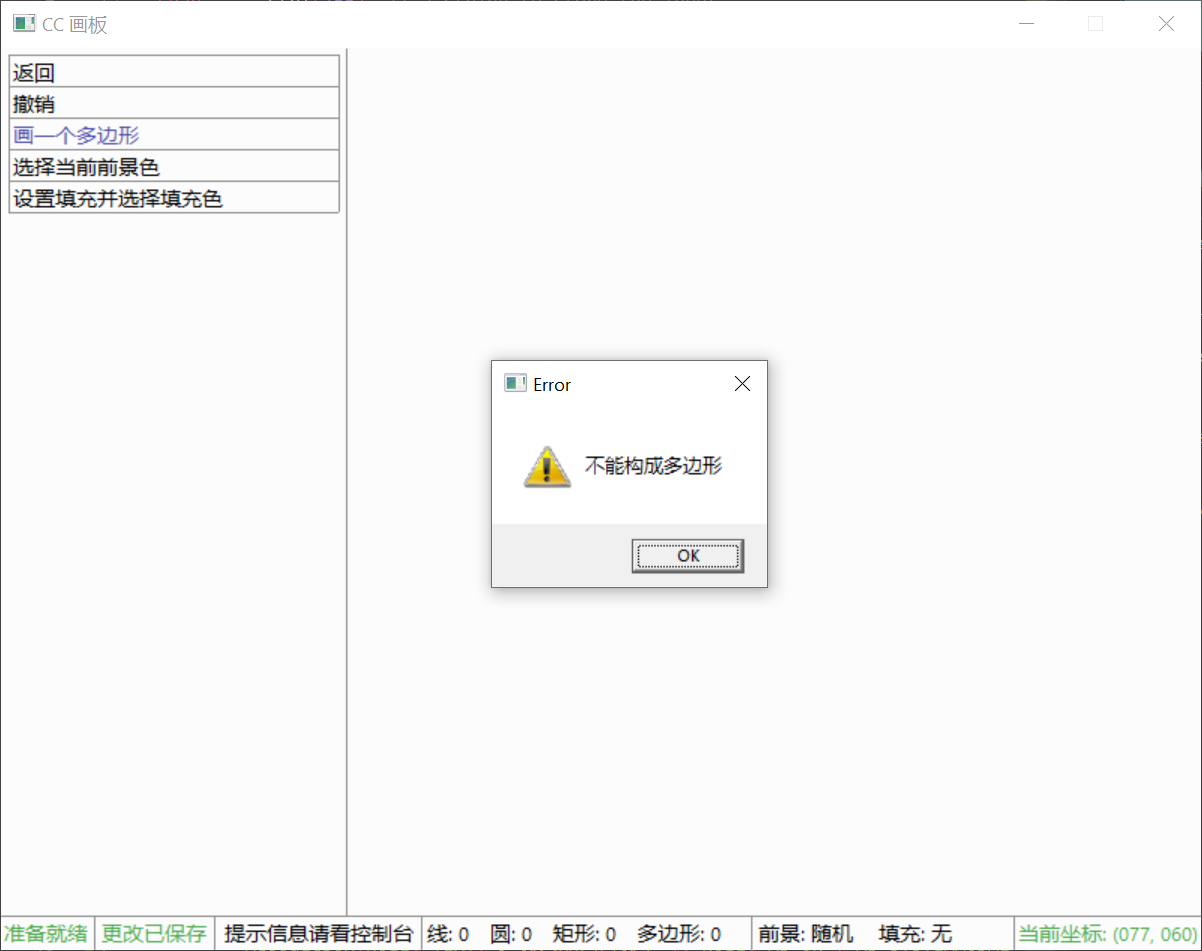
从几何意义上说,多边形的边数必须大于等于 3,若用户输入的边数小于 3,则警告"不能构成多边形";若多边形的边数大于 24,即超出定义的数组能够存储的坐标范围,为防止溢出,将警告"坐标个数过多"。
5.1.4 对于坐标的异常处理
- 在按照 "," 分割输入的字符串后将检查:
5.1.4 检查分割后的字符串是否全为数字,并提示错误点
作为坐标,自然都必须为数字,程序将检查输入的字符串是否都为数字,再使用 atoi()函数转换,否则警告"坐标只能包含数字"
5.1.4 检查坐标个数,并提示错误点
一个边数为 sides 的多边形只能有 sides 个坐标,若读取的坐标数量过多,则警告"坐标个数过多";若读取的坐标数量过少,则警告"坐标个数过少"
5.1.4 检查坐标范围,并提示错误点
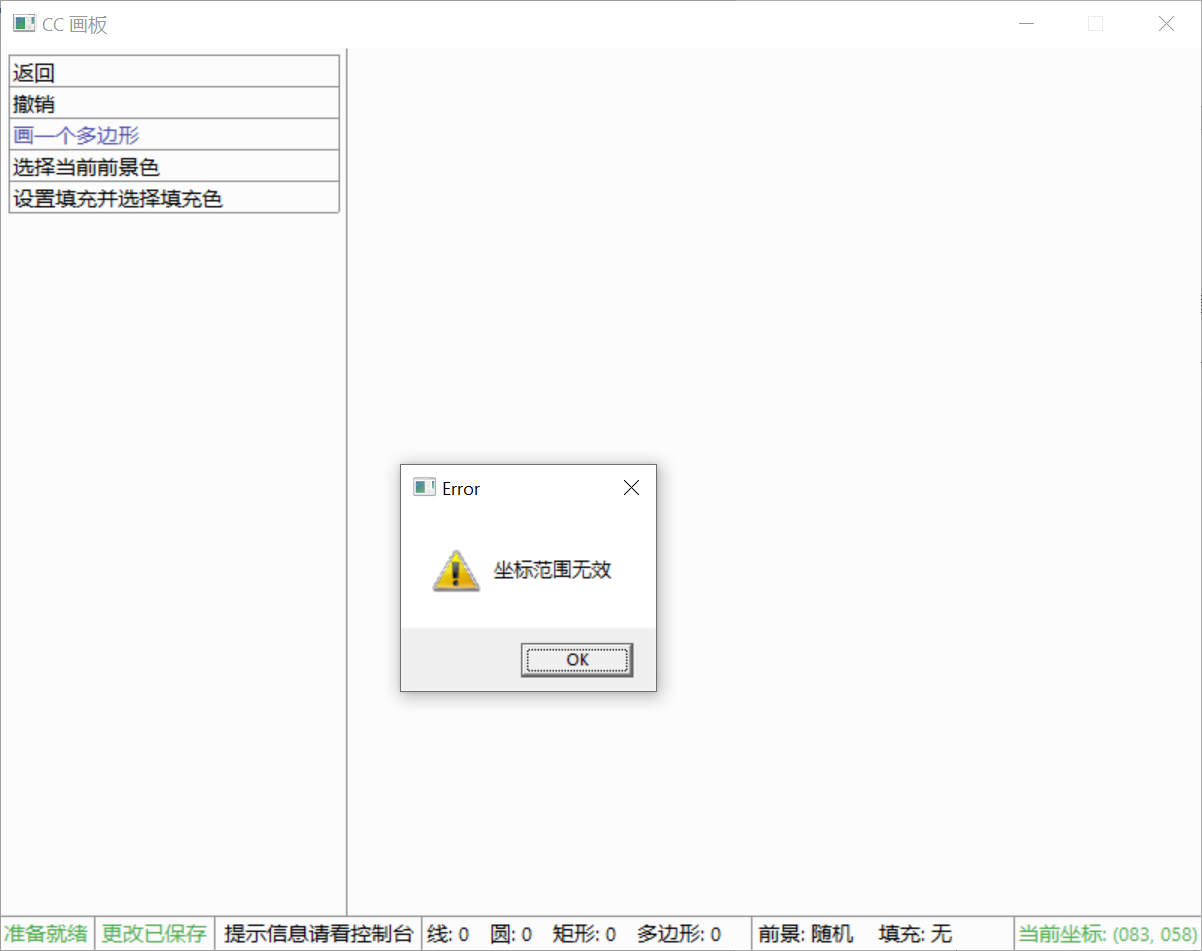
若输入的坐标超出屏幕的显示范围,则警告"坐标范围无效"
5.1.4 对于用鼠标画多边形时坐标个数溢出的处理
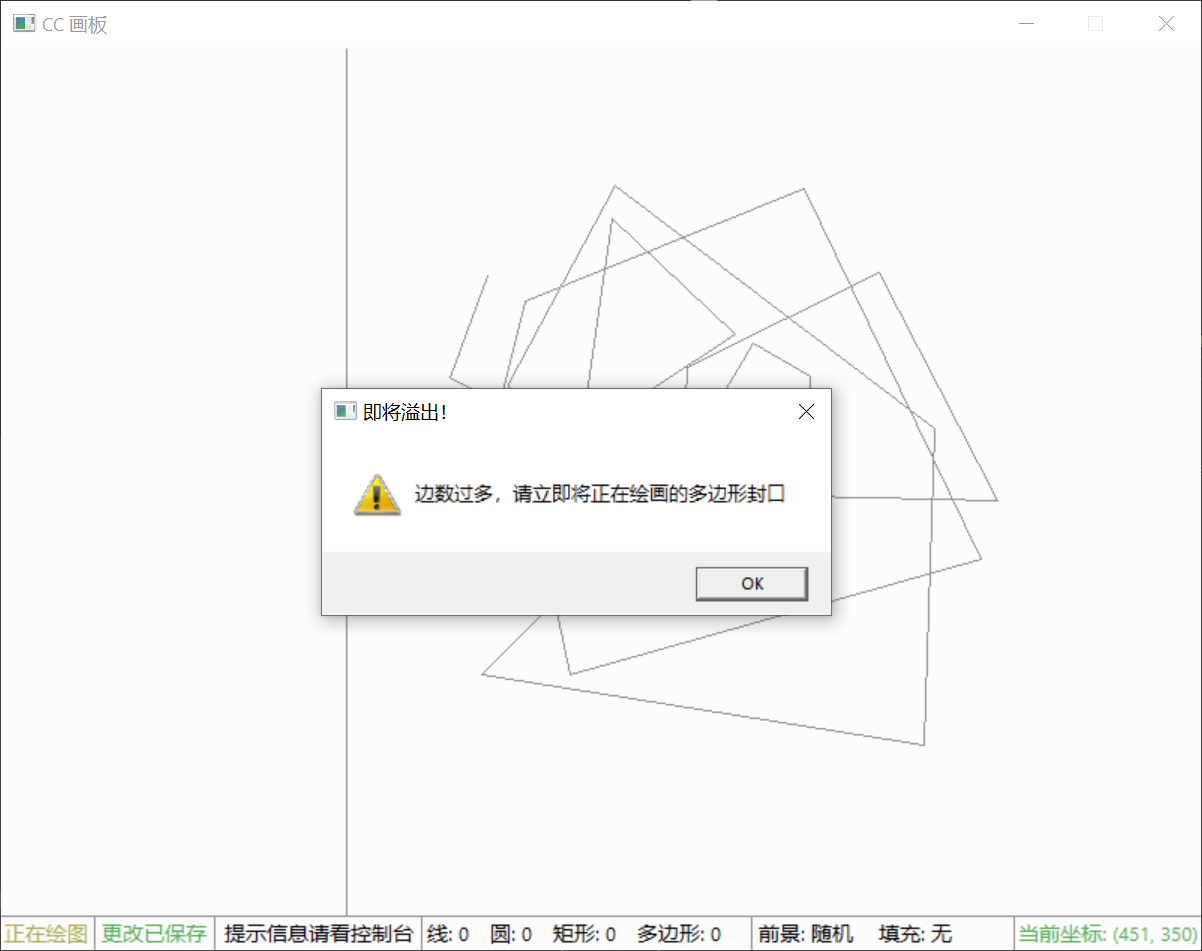
- 由于数组的限制,程序能够存储的坐标个数有限,在用户画图时,坐标的个数将被实时检查,在即将溢出时会提示用户将多边形封闭停止作画。
5.1.4 对于图形数量过多溢出的处理
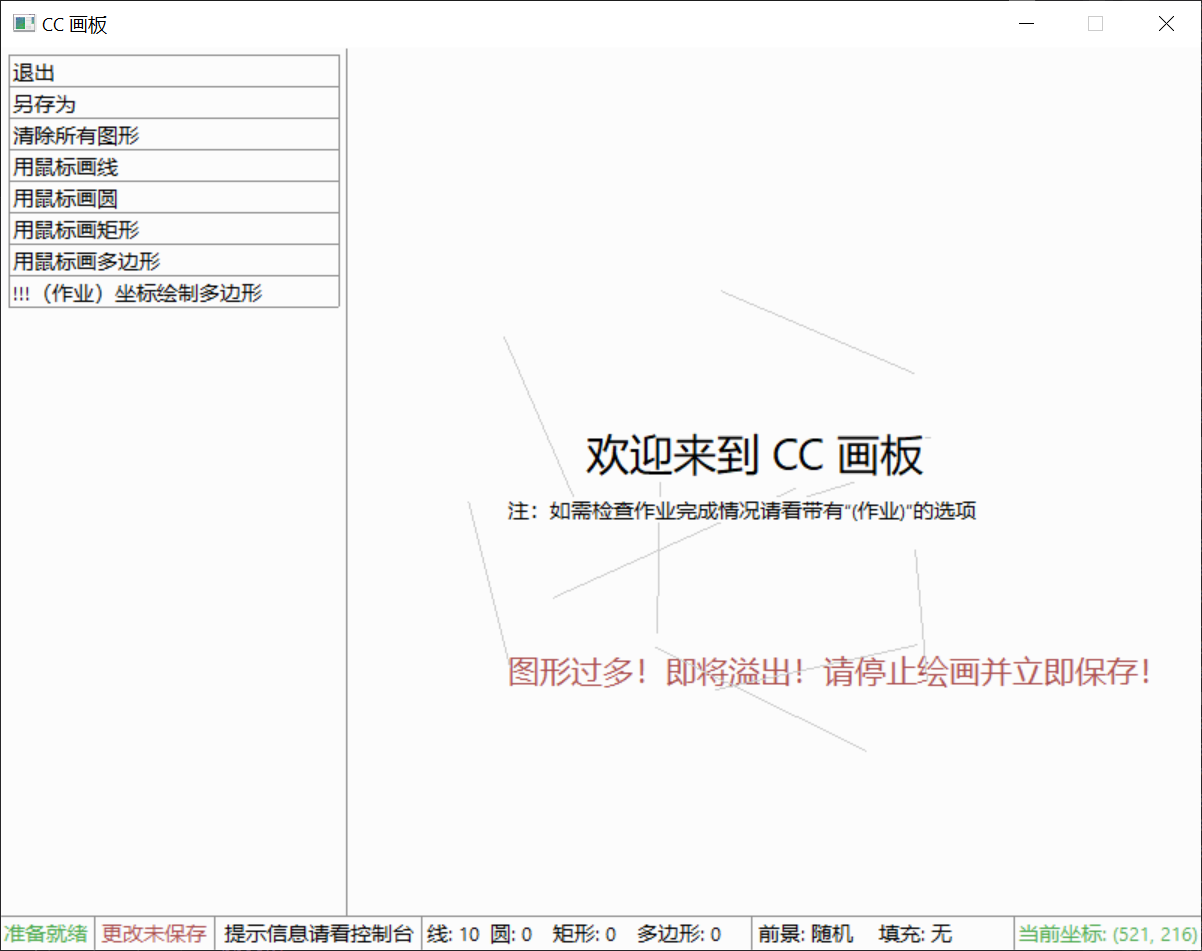
- 介于对内存空间节省和正常情况下会存储的图形数量的考虑,程序设计时保存图形的最大数量为 512 个,在用户画的图形数量即将超出这个限制时将提示用户及时停止绘画并保存图形。
5.2 设计方案
- 整个项目分为 9 个模块,对应 9 个 C++ 源代码文件和 9 个头文件,每个模块有 2-5 个函数,共计 25 个函数。
5.2.1 模块、文件、函数的功能
5.2.1 文件功能
|-----------------------|---------------------------------------------------------------|
| color_selector.cpp | 包含颜色选取功能,颜色转换算法,打印颜色选取菜单 |
| color_selector.h | 对应的头文件 |
| coord_draw.cpp | 包含用坐标来进行绘画的功能,即用坐标绘制多边形 |
| coord_draw.h | 对应的头文件 |
| draw.cpp | 包含最主要的根据数据绘制图形的功能,打印绘图菜单,随机颜色算法 |
| draw.h | 对应的头文件 |
| ege_based_painter.cpp | 包含 main() 函数,全局变量 |
| global.h | 包含宏定义,结构体定义等 |
| menu.cpp | 包含功能菜单选取,打印菜单的功能 |
| menu.h | 对应的头文件 |
| mouse_draw.cpp | 包含用鼠标来进行绘画的功能,即用鼠标来绘制圆、线、矩形、多边形 |
| mouse_draw.h | 对应的头文件 |
| read_file.cpp | 包含加载存档、将存档写入内存的功能 |
| read_file.h | 对应的头文件 |
| save_file.cpp | 包含将当前绘图状态保存至存档的功能 |
| save_file.h | 对应的头文件 |
| UI.cpp | 包含对于基本用户界面的初始化、显示状态栏(显示系统状态、图形数量分类统计、鼠标坐标)、获取鼠标所在的菜单、清除图形等的功能 |
| UI.h | 对应的头文件 |
5.2.1 函数功能
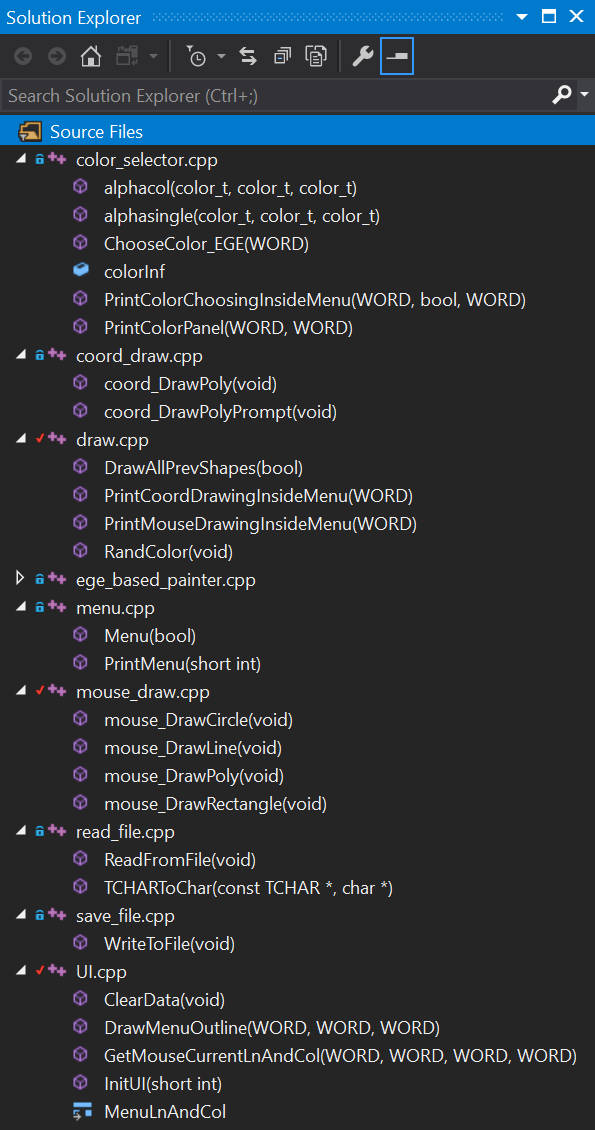
- 函数名称即该函数的用途,无需赘述。
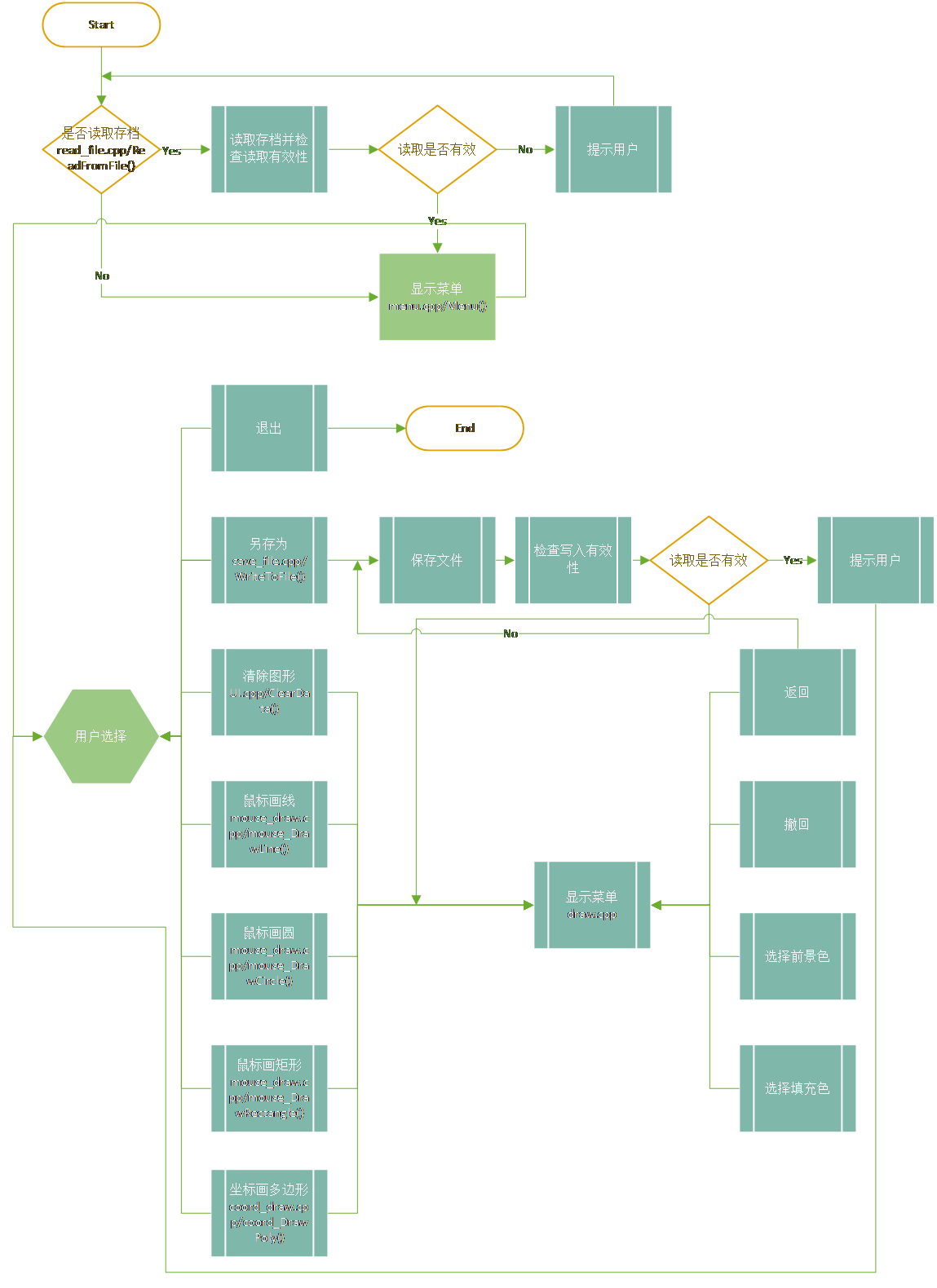
5.2.2 运行简化主体流程图
5.3 重要算法
- 由于有很多变量的读写,不方便用流程图表示,故贴源代码。
5.3.1 算法一:对于特定图形类型的数量统计算法
static WORD tmp_totalShapes;
static WORD nLines;
static WORD nCircles;
static WORD nRectangles;
static WORD nPolygons;
// count the number of each shape
if (tmp_totalShapes != g_nTotalShapes)
{
    fileEdited = true; // indicates whether the picture is edited
// initialize variables for counting
    nLines = 0;
    nCircles = 0;
    nRectangles = 0;
    nPolygons = 0;
    for (int i = 0; i < g_nTotalShapes; i++)
    {
        switch (shapeData[i].shapeType)
        {
        case shape_line:
            nLines++;
            break;
        case shape_circle:
            nCircles++;
            break;
        case shape_rectangle:
            nRectangles++;
            break;
        case shape_polygon:
            nPolygons++;
            break;
        default:
            break;
        }
}- }
5.3.2 算法二:鼠标移动时菜单高亮与鼠标画图的算法
void mouse_DrawPoly(void)
{
    const short int TOTAL_LN = 4; // total items in the menu bar
    bool			isInProgress = false; // To determine whether the mouse click is the first step or the second step
    WORD            polyCoords[50];
    WORD            sides = 0;
    printf("已进入鼠标画多边形模式\n");
    printf("操作指南:\n");
    printf("用鼠标点选顶点,最后一个点靠近起始点来结束\n");
    DrawAllPrevShapes(true);
    DrawMenuOutline(1, TOTAL_LN, 1);
    setcolor(0x000000);
    PrintMouseDrawingInsideMenu(0);
    mouse_msg msg;
    for (; is_run(); delay_fps(REFRESH_RATE)) // Using "for" statement to draw multiple circles at a time and refresh the screen
    {
        msg = getmouse();
        switch (msg.msg)
        {
        case mouse_msg_down:
            switch (GetMouseCurrentLnAndCol(1, TOTAL_LN, 1, 1).ln)
            {
            case 1:
                return;
                break;
            case 2: // undo
                if (g_nTotalShapes > 0)
                {
                    if (!isInProgress)
                    {
                        g_nTotalShapes--;
                    }
                }
// refresh the windows with menu contents
                cleardevice();
                InitUI(0);
                DrawMenuOutline(1, TOTAL_LN, 1);
                setcolor(0x000000);
                PrintMouseDrawingInsideMenu(0);
                setcolor(0x50AA50);
                xyprintf(678, 582, "当前坐标: (%03d, %03d)", msg.x, msg.y);
                DrawAllPrevShapes(true);
                goto move;
                break;
            case 3: // choose foreground color
                ChooseColor_EGE(0);
                cleardevice();
                InitUI(0);
                DrawAllPrevShapes(true);
                goto move;
                break;
            case 4: // choose fill color
                ChooseColor_EGE(1);
                cleardevice();
                InitUI(0);
                DrawAllPrevShapes(true);
                goto move;
                break;
            default:
                break;
            }
            /* if the mouse click indicates the first dot,
            store the position data of it */
            if (!isInProgress)
            {
// store coordinate data
                polyCoords[0] = msg.x;
                polyCoords[1] = msg.y;
                sides = 0;
                printf("	您已选中点 (%d, %d)\n", polyCoords[0], polyCoords[1]);
                isInProgress = true;
                break;
            }
            /* if the mouse click indicates another dot,
            store the position data of it */
            if (isInProgress)
            {
// store coordinate data
                sides++;
                polyCoords[2 * sides] = msg.x;
                polyCoords[2 * sides + 1] = msg.y;
                printf("	您已选中点 (%d, %d)\n", polyCoords[2 * sides], polyCoords[2 * sides + 1]);
// when the distance between
// the last dot and
// the first dot
// is smaller than 8 px
// then does the following things
                if (sqrt(pow(polyCoords[0] - polyCoords[2 * sides], 2) +
                         pow(polyCoords[1] - polyCoords[2 * sides + 1], 2)) <= 8
                        && sides >= 3)
                {
// closes the polygon
                    polyCoords[2 * sides] = polyCoords[0];
                    polyCoords[2 * sides + 1] = polyCoords[1];
                    g_nTotalShapes++;
                    shapeData[g_nTotalShapes - 1].shapeType = shape_polygon;
                    shapeData[g_nTotalShapes - 1].extraData[0] = sides; // record the sides
// prepare the coordinate data for storage
                    for (int j = 0; j < shapeData[g_nTotalShapes - 1].extraData[0]; j++)
                    {
                        shapeData[g_nTotalShapes - 1].coords[j].x = polyCoords[2 * j];
                        shapeData[g_nTotalShapes - 1].coords[j].y = polyCoords[2 * j + 1];
                    }
// store current color settings
                    if (!g_isUserSetColor)
                    {
                        shapeData[g_nTotalShapes - 1].foregroundColor = RandColor();
                    }
                    else
                    {
                        shapeData[g_nTotalShapes - 1].foregroundColor = g_customColor;
                    }
                    if (!g_isUserSetFillColor)
                    {
                        shapeData[g_nTotalShapes - 1].isFill = false;
                    }
                    else
                    {
                        shapeData[g_nTotalShapes - 1].isFill = true;
                        if (g_isFillColorRandom)
                        {
                            shapeData[g_nTotalShapes - 1].fillColor = RandColor();
                        }
                        else
                        {
                            shapeData[g_nTotalShapes - 1].fillColor = g_customFillColor;
                        }
                    }
                    DrawAllPrevShapes(true);
                    isInProgress = false;
                    printf("	已完成%d边形的绘图\n", sides);
                    goto move;
                }
                if (sides >= 23)
                {
                    MessageBox(NULL,
                               TEXT("边数过多,请立即将正在绘画的多边形封口"),
                               TEXT("即将溢出!"),
                               MB_OK | MB_SYSTEMMODAL | MB_ICONEXCLAMATION);
                }
                break;
            }
            break; // not needed
        case mouse_msg_move:
move:
            if (!isInProgress)
            {
                InitUI(0);
//DrawMenuOutline(1, TOTAL_LN, 1);
//setcolor(0x000000);
//PrintMouseDrawingInsideMenu(0);
                setcolor(0x50AA50);
                xyprintf(678, 582, "当前坐标: (%03d, %03d)", msg.x, msg.y);
                switch (GetMouseCurrentLnAndCol(1, TOTAL_LN, 1, 1).ln)
                {
                case 0:
                    DrawMenuOutline(1, TOTAL_LN, 1);
                    setcolor(0x000000);
                    PrintMouseDrawingInsideMenu(0);
                    break;
                case 1:
                    setcolor(0x000000);
                    PrintMouseDrawingInsideMenu(0);
                    setcolor(0x5050AA);
                    PrintMouseDrawingInsideMenu(1);
                    break;
                case 2:
                    setcolor(0x000000);
                    PrintMouseDrawingInsideMenu(0);
                    setcolor(0x5050AA);
                    PrintMouseDrawingInsideMenu(2);
                    break;
                case 3:
                    setcolor(0x000000);
                    PrintMouseDrawingInsideMenu(0);
                    setcolor(0x5050AA);
                    PrintMouseDrawingInsideMenu(3);
                    break;
                case 4:
                    setcolor(0x000000);
                    PrintMouseDrawingInsideMenu(0);
                    setcolor(0x5050AA);
                    PrintMouseDrawingInsideMenu(4);
                    break;
                default:
                    break;
                }
            }
            if (isInProgress)
            {
// refresh continuously the screen to show live shape preview
                cleardevice();
                delay_fps(10000);
                InitUI(1);
                setcolor(0x50AA50);
                xyprintf(678, 582, "当前坐标: (%03d, %03d)", msg.x, msg.y);
                DrawAllPrevShapes(true);
                setcolor(0x909090);
// draws a line which is the line connecting
// the last dot of the polygon and the mouse pointer
                if (sides >= 1)
                {
                    for (int i = 0; i < sides * 2; i += 2)
                    {
                        line(polyCoords[i], polyCoords[i + 1], polyCoords[i + 2], polyCoords[i + 3]);
                    }
                }
// closes the polgon automatically
// when the distance between
// the mouse pointer and the first dot of the polygon
// is smaller than 8px
                if (sqrt(pow((double)polyCoords[0] - (double)msg.x, 2) +
                         pow((double)polyCoords[1] - (double)msg.y, 2)) <= 8
                        && sides >= 2)
                {
                    line(polyCoords[sides * 2], polyCoords[sides * 2 + 1], polyCoords[0], polyCoords[1]);
                }
                else
                {
                    line(polyCoords[sides * 2], polyCoords[sides * 2 + 1], msg.x, msg.y);
                }
            }
            break;
        default:
            break;
        }
    }
5.3.3 算法三:对于鼠标所在菜单的采集算法
struct MenuLnAndCol GetMouseCurrentLnAndCol(
    WORD lnStart,
    WORD lnEnd,
    WORD colNeeded,
    WORD colTotal)
{
    int x, y;
    struct MenuLnAndCol coord;
    coord.ln = 0;
    coord.col = 0;
    mousepos(&x, &y);
    /*
    at first, i used the getmouse() function
    but a i encountered a issue where the function keeps waiting mouse input when there is no mouse input
    thus causing possible delays
    later i switched to the mousepos() function
    finally!!!!
    there is no delay
    */
    if ((x >= 5 + (colNeeded -1) * (MENU_LENGTH / colTotal))
            && (y >= 5 + (lnStart - 1) * MENU_HIGHT)
            && (x <= 5 + (colNeeded) * (MENU_LENGTH / colTotal))
            && (y <= 5 + lnEnd * MENU_HIGHT))
    {
        coord.ln = (y - 5) / MENU_HIGHT + 1;
        coord.col = (x - 5) / (MENU_LENGTH / colTotal) + 1;
    }
return coord;- }
5.3.4 算法四:将读取的输入数组与(x,y)坐标数组互转的算法
坐标数组转多边形绘图使用的数组
// prepare the data in shapeData for drawing
for (int j = 0; j < *((shapeData + i)->extraData); j++)
{
    *(coordData + 2 * j) = ((shapeData + i)->coords + j)->x;
    *(coordData + 2 * j + 1) = ((shapeData + i)->coords + j)->y;
}
*(coordData + 2 * (*((shapeData + i)->extraData))) = ((shapeData + i)->coords)->x;
*(coordData + 2 * (*((shapeData + i)->extraData)) + 1) = ((shapeData + i)->coords)->y;
多边形绘图所用的数组转(x,y)坐标数组
// prepare the coordinate data for storage

for (int j = 0; j < shapeData[g_nTotalShapes - 1].extraData[0]; j++)
{
    shapeData[g_nTotalShapes - 1].coords[j].x = polyCoords[2 * j];
    shapeData[g_nTotalShapes - 1].coords[j].y = polyCoords[2 * j + 1];
```
for (int j = 0; j < shapeData[g_nTotalShapes - 1].extraData[0]; j++)
{
    shapeData[g_nTotalShapes - 1].coords[j].x = polyCoords[2 * j];
    shapeData[g_nTotalShapes - 1].coords[j].y = polyCoords[2 * j + 1];
}
5.3.5 算法五:随机颜色算法
int RandColor(void)
{
    int R = 0, G = 0, B = 0;
    int hexColorValue; // the final hexadecimal output
    do
    {
        randomize();
            = random(255);// randInt(0, 255);
        randomize();
            = random(255);// randInt(0, 255);
        randomize();
            = random(255);// randInt(0, 255);
    }
    while ((R >= 180) || (G >= 180) || (B >= 180)); // condition added to avoid the colors that are too dark. readibility improved.
    hexColorValue = (R << 16) + (G << 8) + B; // convert separate RGB channels into a single value that represents colors
// printf("%x", hexValue); // display the output value of the function for debug purposes
    return hexColorValue;
5.4 实验结果
5.4.1 基本功能
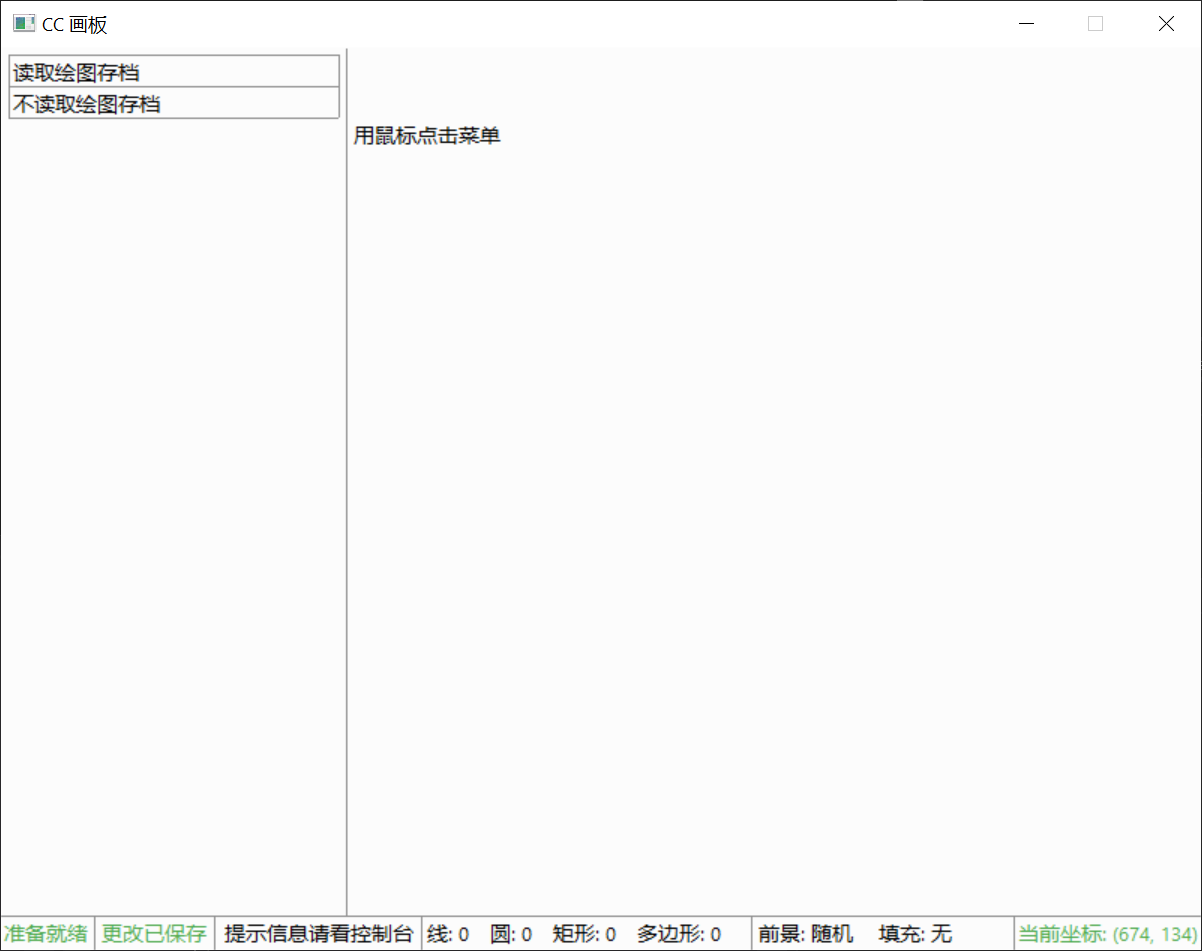
5.4.1 读取文件菜单
5.4.1 读取存档
- 调用 Windows API 文件函数实现文件的选择。
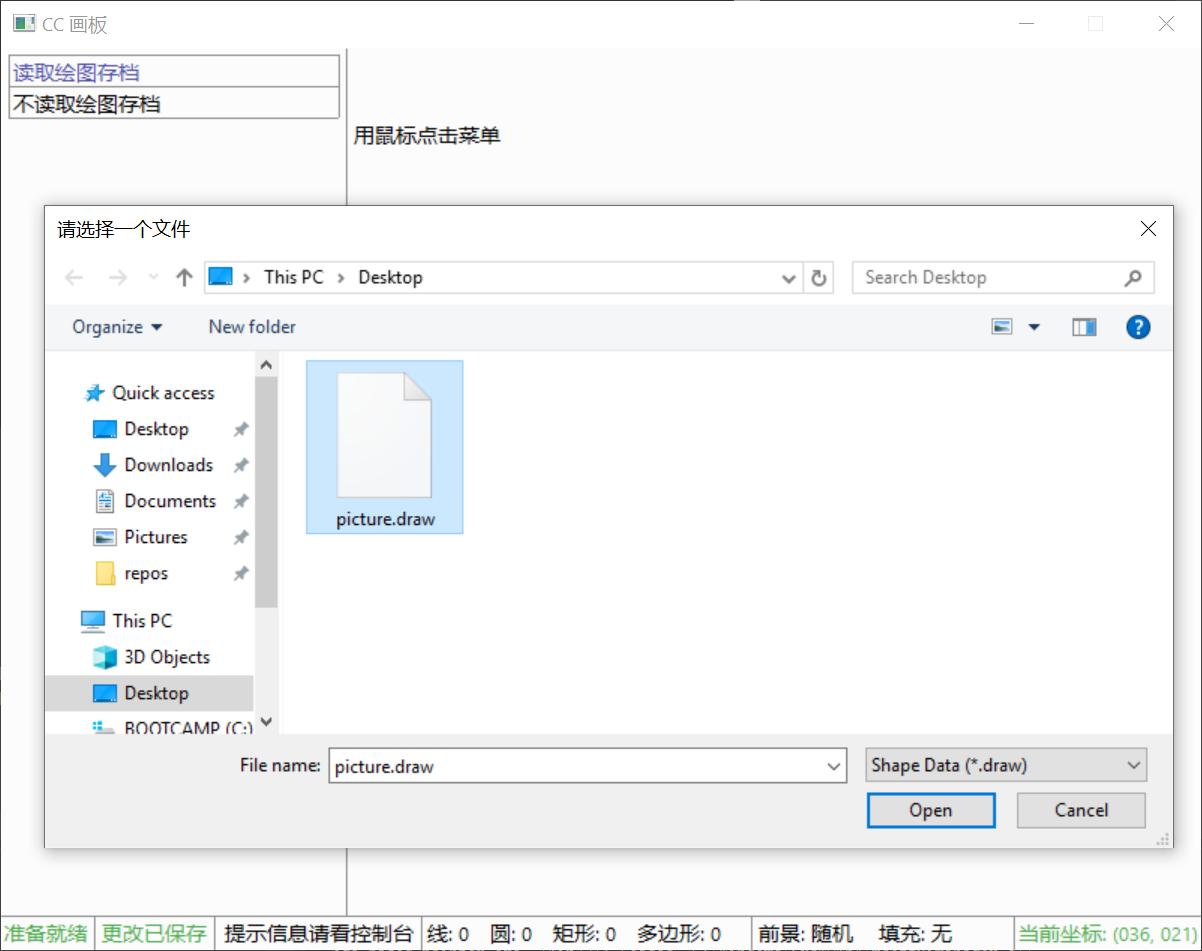
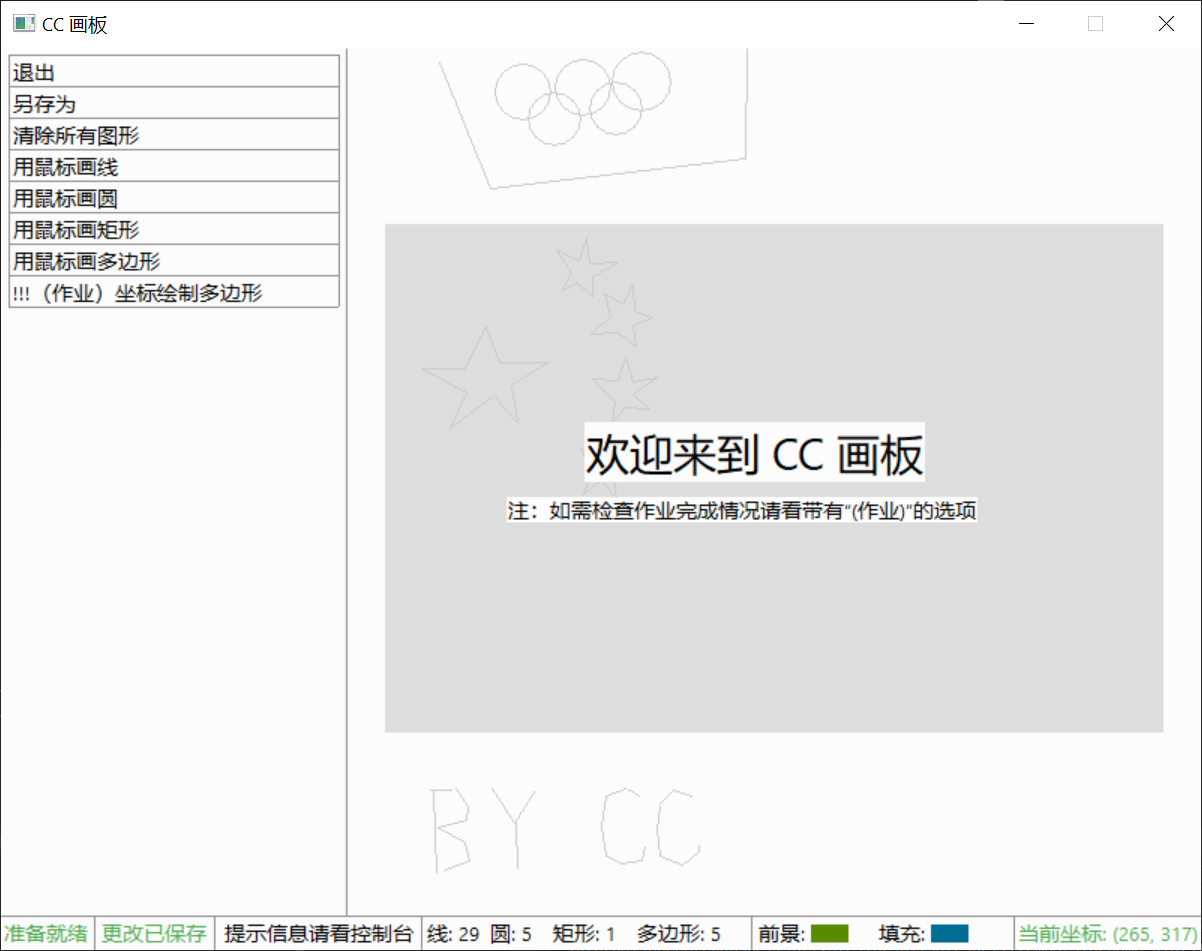
5.4.1 加载存档后菜单(图片已加载,背景为图片黑白预览)
- 菜单会在鼠标覆盖时变色表示鼠标
5.4.1 绘图界面与菜单
- 鼠标绘图菜单,背景即这样画出的,鼠标绘画实时反馈非常容易,特别地,在用鼠标画多边形时拥有鼠标吸附封口功能。

- 输入坐标绘图菜单,附有完整的错误检查。
5.4.1 撤回
- 如上图,第二个撤回按钮可按顺序依次撤回已画的图形,无限撤回直至画面上无图形。

5.4.1 颜色选择界面(可在彩虹色上精确点击选色)
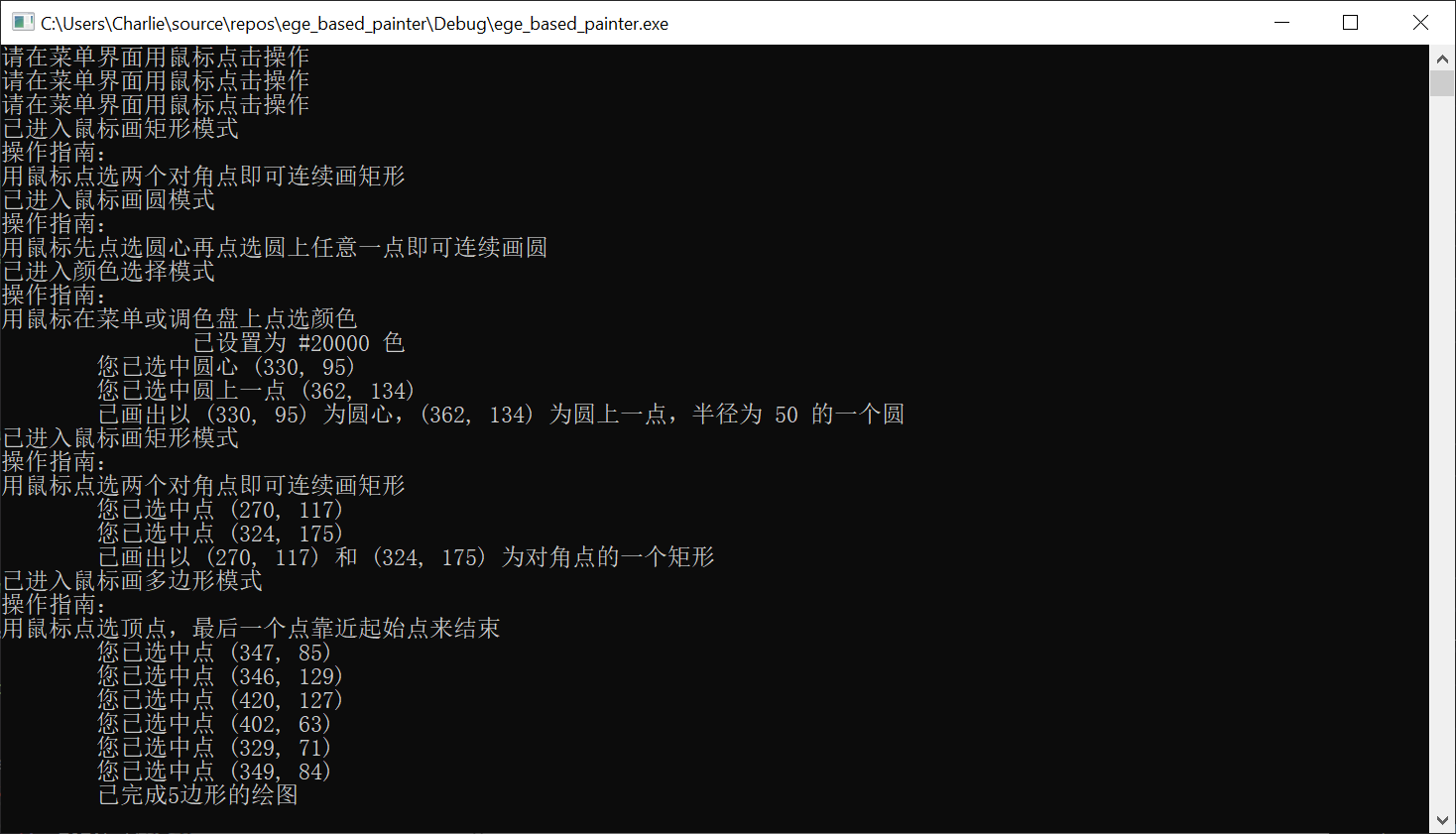
5.4.1 绘图提示
5.4.1 状态栏
- 实时变化状态栏

5.4.1 保存存档
5.4.2 异常情况
5.4.2 读取了其他非存档文件或读取存档失败
5.4.2 保存存档失败
5.4.2 打开文件后关闭异常
5.4.2 图形数量溢出
5.4.2 多边形边数溢出
5.4.2 输入的多边形边数过少
5.4.2 输入的多边形边数或坐标中有非数字
5.4.2 输入的多边形坐标个数过多或过少
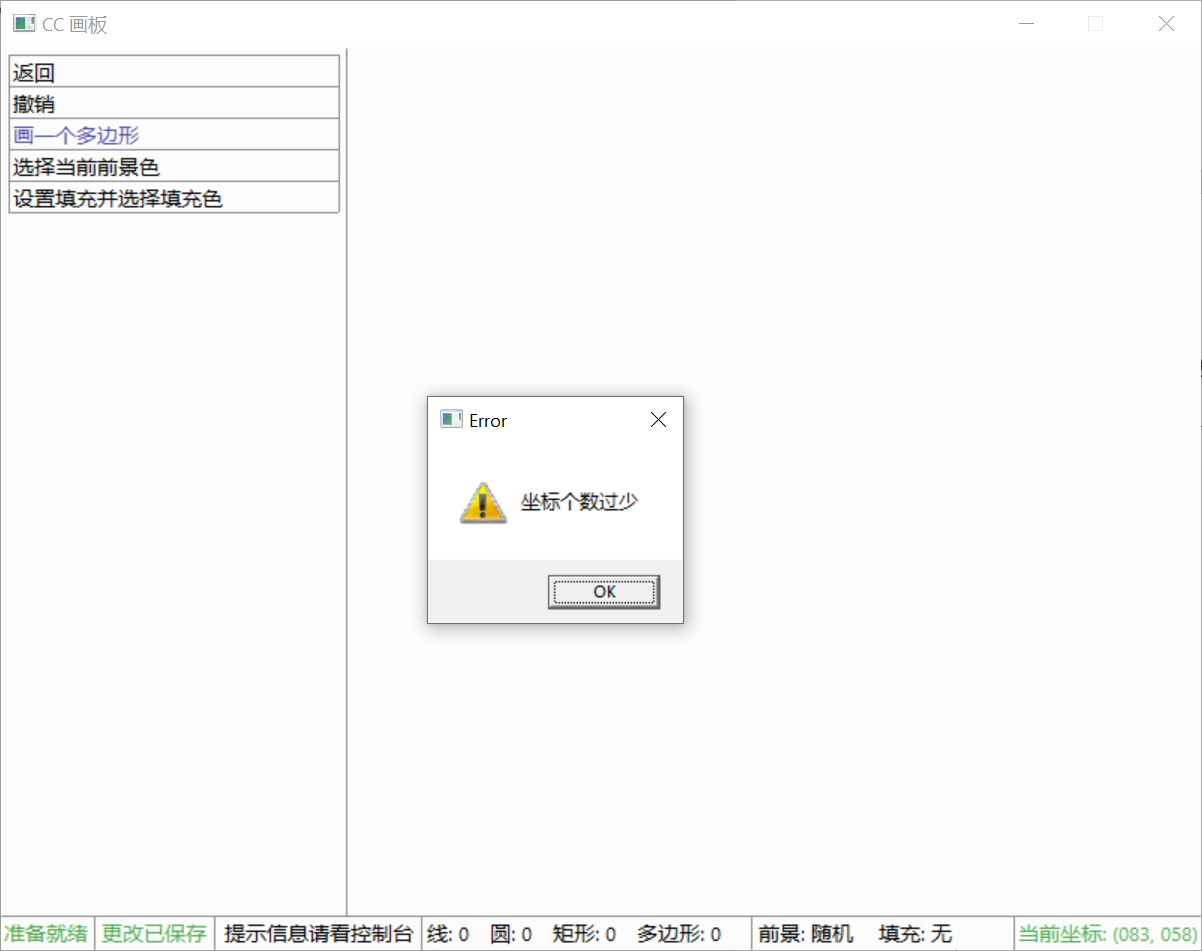
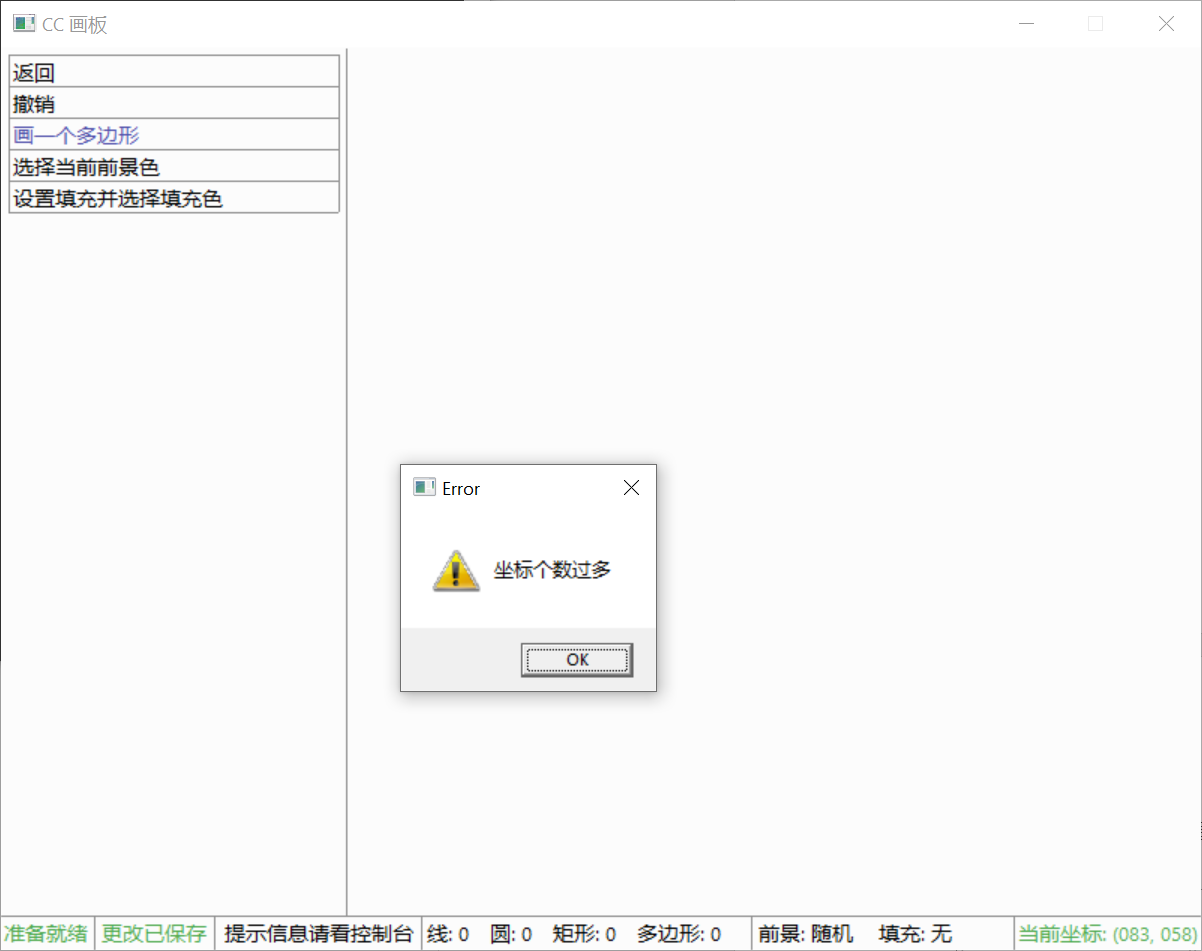
5.4.2 输入的多边形坐标范围溢出
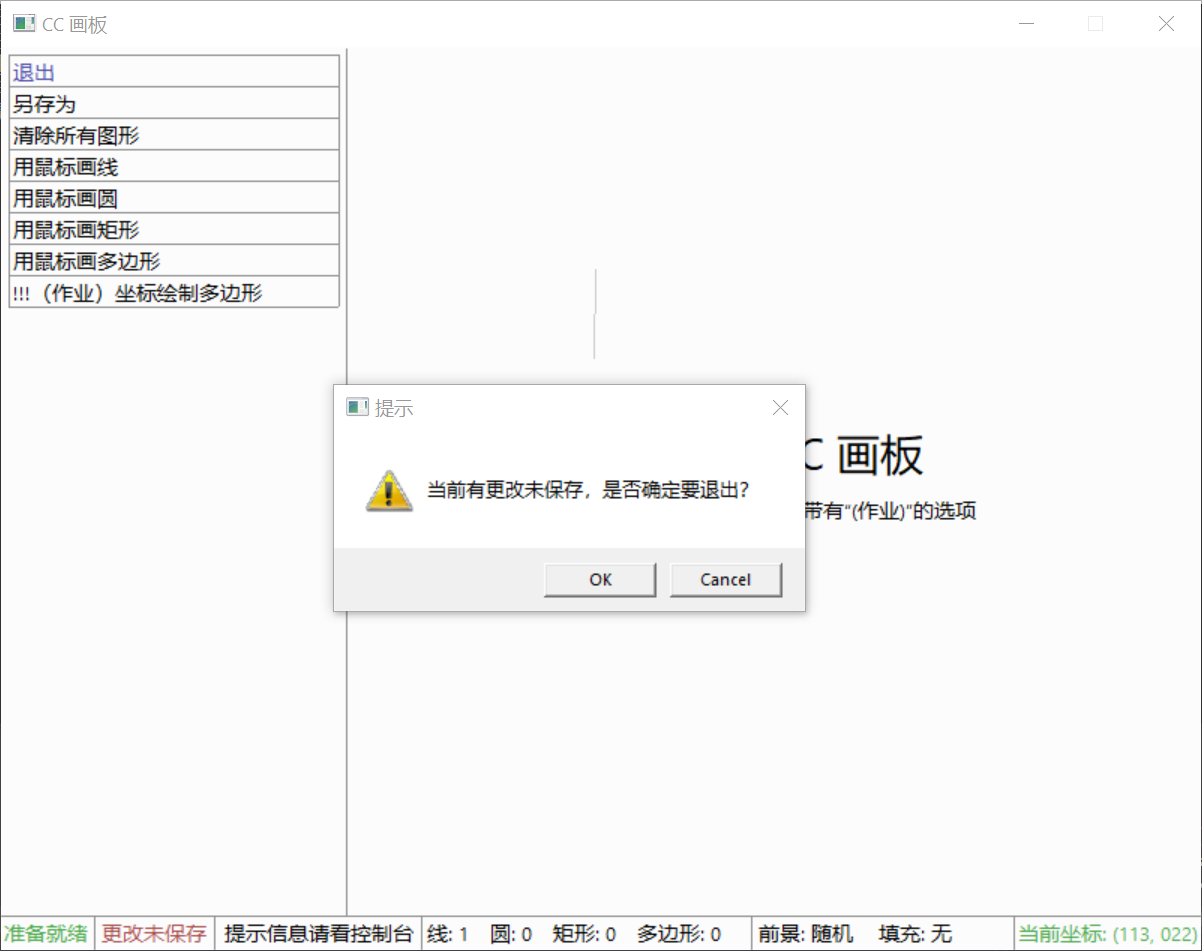
5.4.2 用户在未保存文件的情况下尝试关闭程序
5.5 调试心得
- (总结你在调试程序时的收获,对于某一类或者某几类警告、错误的处理方法。这些心得,能够对学习 C 语言程序设计的新手具有一些指导作用)
5.5.1 Run-Time Check Failure
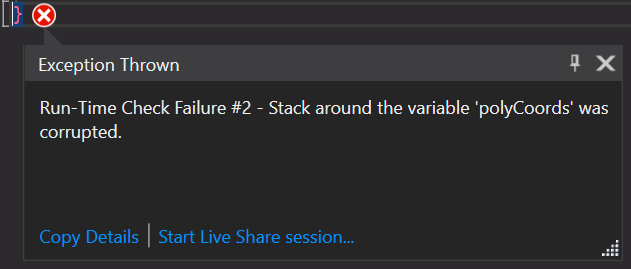
- 此问题多为数组越界等其他非法行为导致。
5.5.2 Initialization skipped by 'case'label

- 此问题多为变量的初始化在 case 内部被跳过导致。
5.5.3 Uninitialized variable
- 在使用一个变量之前初始化它。