Cursor安装及使用技巧
Cursor 完整安装教程(官方正版,Win/Mac/Linux)
官方主页:https://cursor.com,打开自动识别系统下载对应安装包
一、Windows(Win10/11)
官网点 Download for Windows,下载 cursor-setup.exe(约 100MB)
双击安装包:
Next → 可选自定义安装目录
(默认:C:\Users\用户名\AppData\Local\Programs\Cursor)
勾选 Create desktop shortcut(桌面快捷方式)
Install → Finish,自动启动
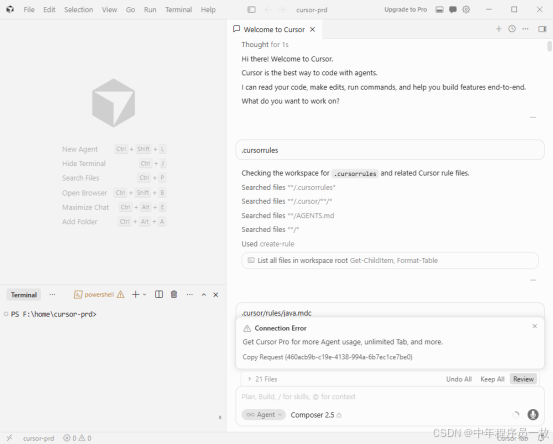
首次打开:右上角 Sign in,用 GitHub / 邮箱登录即可免费使用基础 AI 额度
二、macOS(Intel/M1/M2/M3 通用 dmg)
方式 1(图形安装,推荐)
下载 Cursor.dmg,双击打开镜像
把 Cursor 图标拖入 Applications 文件夹Cursor
启动台打开;提示「无法验证开发者」:
系统设置 → 隐私与安全性 → 下滑点仍要打开
方式 2(Homebrew 一键安装)
brew install --cask cursor
三、Linux
Ubuntu/Debian(deb 包)
下载
wget https://download.cursor.sh/linux/cursor_latest_amd64.deb
安装
sudo dpkg -i cursor_latest_amd64.deb
补全依赖
sudo apt install -f
通用版 AppImage(全Linux发行版)
cpp
Bash
wget https://download.cursor.sh/linux/cursor_latest_amd64.AppImage
chmod +x cursor_latest_amd64.AppImage
./cursor_latest_amd64.AppImage
{insert_element_2_}
四、安装后必备配置
1.切换中文 :Ctrl+, 打开设置 → Language → 选简体中文,重启生效
2.AI调用:
- 免费账号:内置GPT-4/Claude,每月免费额度够用日常开发
- 快捷键:
Ctrl+L唤起AI对话整文件,Ctrl+K选中代码提问
常见报错
1.Windows安装失败:关闭杀毒,换默认路径重装
2.Mac打不开:右键应用→打开,跳过安全拦截
- 登录加载慢:正常,首次联网拉取模型配置
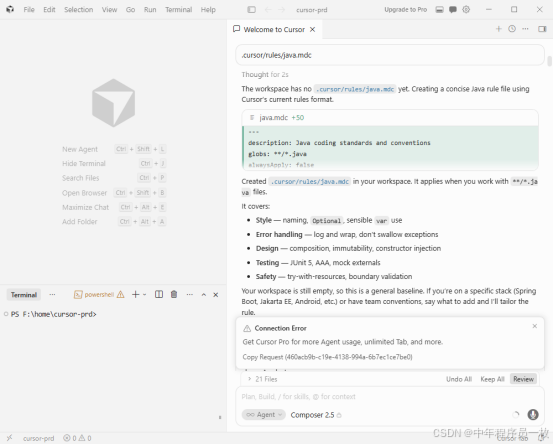
mdc 规则示例
alwaysApply: true
priority: high
globs:
- "src/main/java//*.java"
- "src/test/java//*.java"
Java + SpringBoot 强制编码规范
- 项目结构(必须严格遵守)
com.公司名.项目名
├── config # 配置类
├── controller # 接口层
├── service # 业务层
│ ├── impl # 业务实现
├── mapper # DAO 层
├── entity/po # 数据库实体
├── vo # 接口返回对象
├── dto # 接口入参对象
├── common # 通用工具/常量
├── exception # 全局异常
└── util # 工具类 - 命名规范
包名:全部小写
类名:大驼峰UserController、UserService
方法/变量:小驼峰getUserById、userName
常量:全大写下划线MAX_SIZE
布尔:is/has开头isEnabled、hasPermission - 分层规范(强制)
Controller:只处理参数、返回、路由
Service:写业务逻辑,禁止 SQL
Mapper:只做数据库操作
禁止 Controller 直接调用 Mapper - Spring 注解规范
接口:@RestController
服务:@Service
配置:@Configuration
依赖注入:使用构造器注入,禁止@Autowired字段注入
全局异常:@RestControllerAdvice - 代码风格
缩进 4 空格
一行代码不超过 120 字符
方法不超过 80 行
异常必须捕获或抛出
禁止魔法数字,必须定义常量
必须加 Javadoc 注释(类、方法、入参、出参) - 接口规范
统一返回Result
GET 查询,POST 新增,PUT 修改,DELETE 删除
参数校验使用@NotBlank/@NotNull/@Valid - 禁止写法
禁止System.out.println,用 log
禁止直接返回 null 集合
禁止冗余注释
禁止在循环里查库
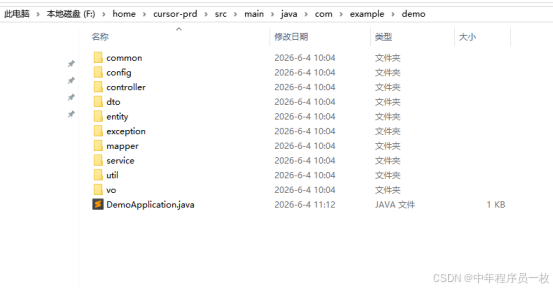
com.example.demo
├── DemoApplication.java # 启动类
├── config/ # 配置
│ ├── MyBatisConfig.java
│ └── WebConfig.java
├── controller/ # 接口
│ └── UserController.java
├── service/ # 业务
│ ├── UserService.java
│ └── impl/
│ └── UserServiceImpl.java
├── mapper/ # 数据库
│ └── UserMapper.java
├── entity/ # 数据库实体
│ └── User.java
├── dto/ # 前端入参
│ └── UserQueryDTO.java
├── vo/ # 前端返回
│ └── UserVO.java
├── common/
│ ├── Result.java # 统一返回
│ └── ResultCode.java
├── exception/
│ ├── GlobalExceptionHandler.java
│ └── BusinessException.java
└── util/
└── StringUtil.java
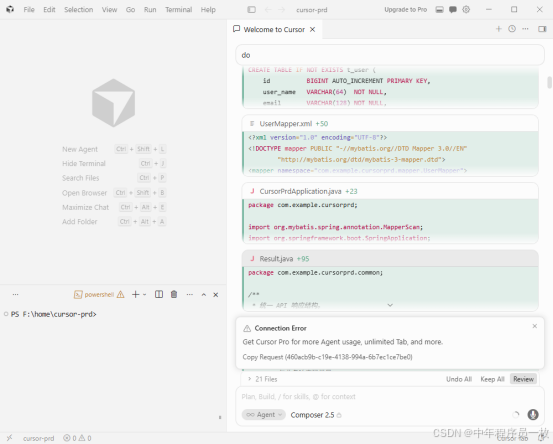
形成文件落地
Cursor重要的是编写好doc,好的doc能快速生成代码,及项目运行。还有就是充值,价格对普通编者来说还是价格不亲民。