Claude Code 基础用法大全:对话、分析、修改、测试、Git 和工作流
写在前面
学 Claude Code,最重要的是把几个基础动作练熟:问问题、分析代码、修改文件、运行命令、处理 Git、管理上下文。只要这些动作顺了,后面做复杂任务才稳。
这篇是入门级"操作大全",适合你边看边练。
三种基本对话方式
交互模式:
bash
claude一次性任务:
bash
claude "fix the build error"单次查询:
bash
claude -p "explain this function"继续上一次对话:
bash
claude -c理解和分析代码
了解项目整体情况:
text
what does this project do?分析特定文件:
text
explain src/auth/login.ts追踪调用链:
text
trace how user login flows through the codebase理解复杂逻辑:
text
explain this retry logic step by step修改代码
添加新功能:
text
add input validation to the user registration form修复 bug:
text
there is a bug where users can submit empty forms - fix it重构代码:
text
refactor the authentication module to use async/await instead of callbacks审查修改:
text
review my changes and suggest improvements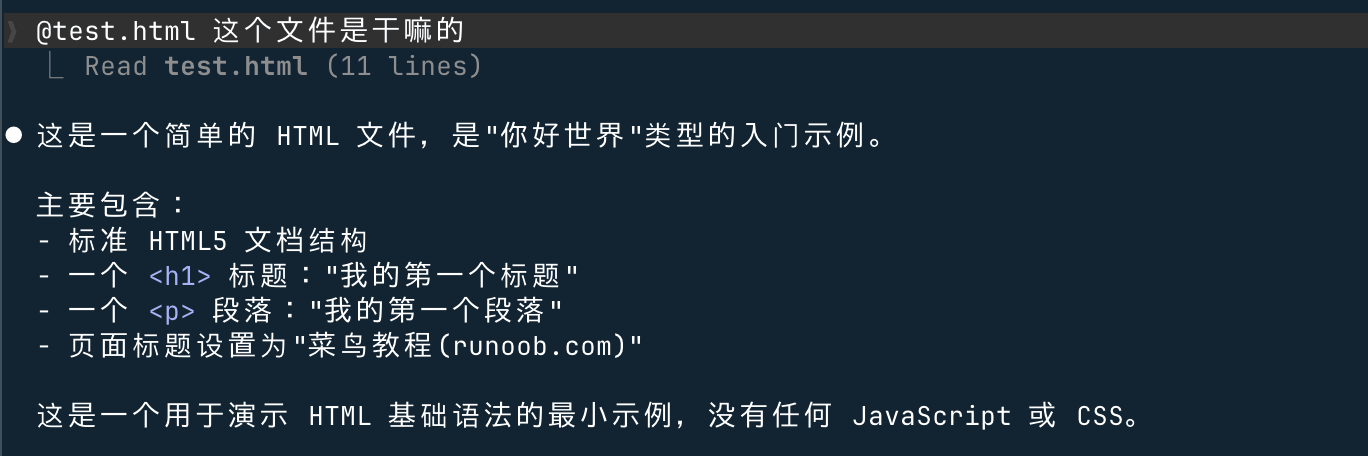
执行命令和测试
运行命令:
text
run npm test and explain any failures运行特定测试:
text
run the tests for the auth module查看命令输出:
text
explain this test failure output建议你要求 Claude 先说明要运行什么命令,再执行。
文件操作
创建新文件:
text
create a README section explaining local development setup查找文件和内容:
text
find where the login API is defined批量修改:
text
rename this config key across the project, but show me the plan firstGit 操作
查看变更:
text
what files have I changed?提交代码:
text
commit my changes with a descriptive message创建分支:
text
create a new branch called feature/login-validation处理合并冲突:
text
help me resolve merge conflictsGit 操作影响真实仓库,执行前一定确认状态。
上下文管理技巧
手动指定文件:
text
focus only on src/auth/login.ts and src/auth/session.ts清除上下文:
text
/clear压缩上下文:
text
/compact合理拆分任务:
text
先只分析,不要修改。等我确认后再执行第一步。常见工作流
快速了解新项目
text
请分析当前项目的技术栈、入口文件、主要目录和测试命令。修复一个 Bug
text
这是错误日志。请定位原因,先给计划,不要直接改。添加一个新功能
text
添加用户注册接口,要求邮箱校验、密码长度校验、补测试。代码审查
text
review my changes and focus on correctness, security, and missing tests不过说实话,官方账号、海外支付和网络环境对国内用户并不总是友好。如果你只是想把 Claude Code 稳定接进日常开发,可以看看 Code80,真实订阅帐号转 API,换个 endpoint 就能用,体验更接近官方,也少折腾账号和网络问题。
API 配置提醒
如果你使用 API 方式接入,统一配置:
bash
export ANTHROPIC_BASE_URL="https://code.ai80.vip/"
export ANTHROPIC_AUTH_TOKEN="<你的 Code80 API Key>"
常见问题
Q: Claude 可以直接运行命令吗?
A: 可以,但高风险命令要谨慎确认。
Q: 可以让它提交代码吗?
A: 可以,但建议先看 diff 和提交信息。
Q: 国内 API 怎么配?
A: 国内用户如果卡在官方账号、支付或网络环境上,可以通过 Code80 更方便地使用;涉及 API 的地方统一把 endpoint 配成 https://code.ai80.vip/,Key 使用 Code80 控制台生成的即可。