卸载原有版本的cuda
先确认当前装了哪些 CUDA
cpp
打开cmd
nvcc --version
继续输入
cpp
where nvcc
cpp
echo %CUDA_PATH%就能查看到版本号,以及位置,系统变量
卸载CUDA
按Win + R,输入 appwiz.cpl,找到NVIDIA CUDA Toolkit,去控制面板里面卸载,其他的NVIDIA不用管,然后删除版本文件夹,清理环境变量
删除原有的Conda环境
cpp
cmd
conda deactivate
conda env remove -n pytorch_env
conda create -n pytorch_env python=3.12 -y
conda activate pytorch_env
python --version
python -m pip install --upgrade pip
不需要自己另外安装 cuDNN,也不需要为了 PyTorch 专门安装系统 CUDA Toolkit。PyTorch 的官方二进制包会携带运行所需要的 CUDA 用户态依赖。只有以后你需要编译自定义 CUDA 扩展、CUDA C++ 程序等情况,才需要系统级 CUDA Toolkit。
安装PyTorch CUDA 13.2
cpp
pip install torch torchvision torchaudio --index-url https://download.pytorch.org/whl/cu132但暂时没有匹配的 torchaudio wheel,先不装 torchaudio
cpp
pip install torch torchvision --index-url https://download.pytorch.org/whl/cu132安装完成后检查:
cpp
python -c "import torch; print('Torch:',torch.__version__); print('CUDA:',torch.version.cuda); print('Available:',torch.cuda.is_available()); print('GPU:',torch.cuda.get_device_name(0) if torch.cuda.is_available() else 'None')"再做一个简单的 GPU 运算测试:
cpp
python -c "import torch; x=torch.randn(3000,3000,device='cuda'); y=x@x; print(y.device); print(torch.cuda.memory_allocated()/1024**2,'MB')"确认 cuDNN
cpp
python -c "import torch; print('cuDNN:', torch.backends.cudnn.version()); print('cuDNN enabled:', torch.backends.cudnn.enabled)"做真正的 GPU Tensor 运算
cpp
import torch

device = torch.device("cuda")

x = torch.randn(5000, 5000, device=device)
y = torch.randn(5000, 5000, device=device)

z = x @ y

torch.cuda.synchronize()

print("x:", x.device)
print("y:", y.device)
print("z:", z.device)
print("GPU:", torch.cuda.get_device_name(0))
print("GPU memory:", torch.cuda.memory_allocated() / 1024**2, "MB")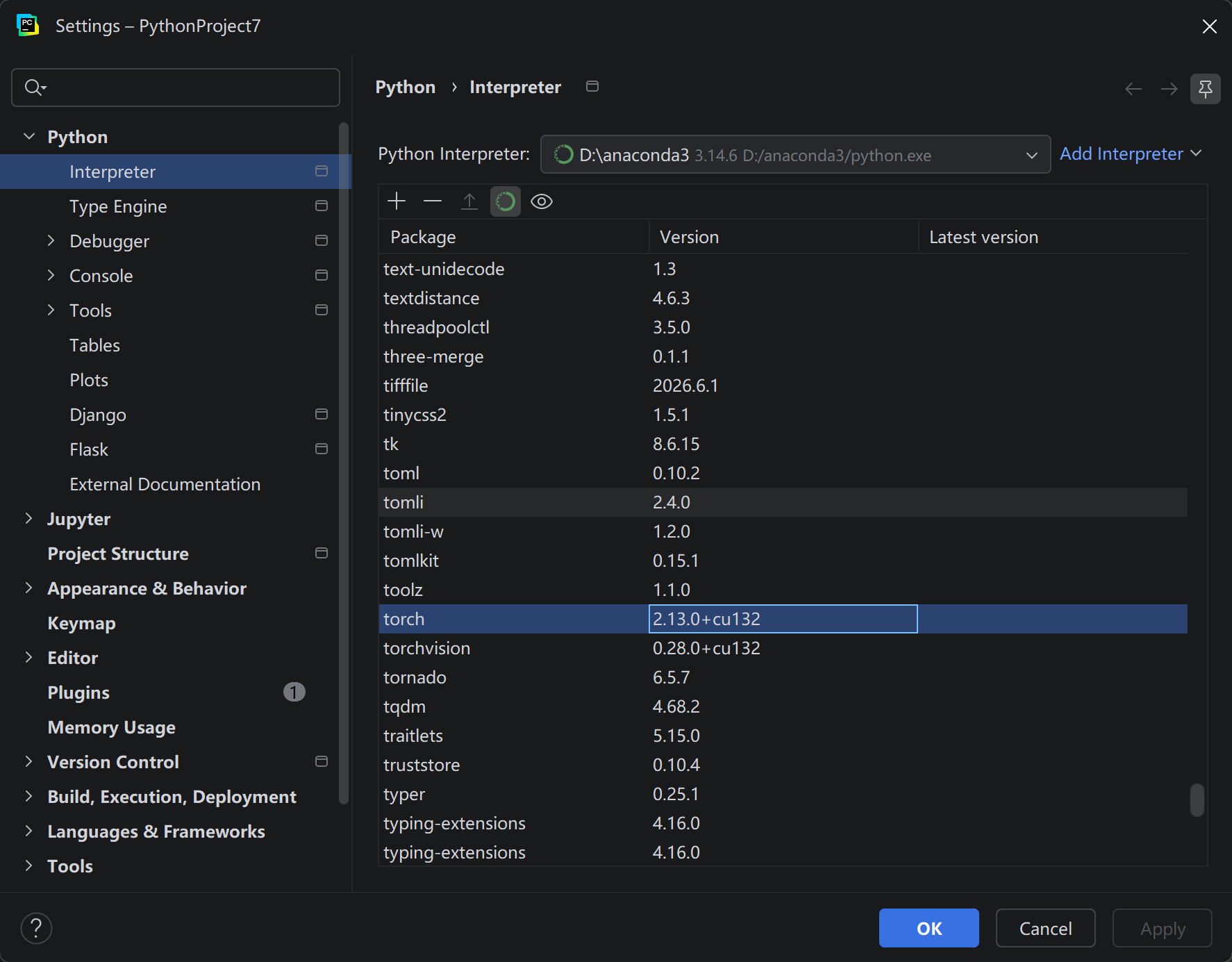
在pycharm里面也查看了安装成功了
cpp
import torch
import torch.nn as nn

print("PyTorch:", torch.__version__)
print("CUDA:", torch.version.cuda)
print("GPU:", torch.cuda.get_device_name(0))
print("cuDNN:", torch.backends.cudnn.version())
print("cuDNN enabled:", torch.backends.cudnn.enabled)

x = torch.randn(16, 3, 224, 224, device="cuda")

conv = nn.Conv2d(
    in_channels=3,
    out_channels=64,
    kernel_size=3,
    padding=1
).cuda()

y = conv(x)

torch.cuda.synchronize()

print("Input:", x.device)
print("Output:", y.device)
print("Shape:", y.shape)
print("Test passed")