ComfyUI 使用 MiniMax H3 进行文生视频
-
- 环境准备
- [获取 MiniMax H3 模型文件](#获取 MiniMax H3 模型文件)
-
- [方法一:使用 ModelScope 下载(国内推荐)](#方法一:使用 ModelScope 下载(国内推荐))
- [方法二:使用 Hugging Face 下载(备选)](#方法二:使用 Hugging Face 下载(备选))
-
- [步骤 1:安装并升级 huggingface_hub](#步骤 1:安装并升级 huggingface_hub)
- [步骤 2:设置镜像源(可选,国内加速)](#步骤 2:设置镜像源(可选,国内加速))
- [步骤 3:获取 Hugging Face Access Token(如果遇到 401 错误)](#步骤 3:获取 Hugging Face Access Token(如果遇到 401 错误))
- [步骤 4:下载所有模型文件](#步骤 4:下载所有模型文件)
- [备选:如果 `hf` 命令不可用,使用 Python 脚本](#备选:如果
hf命令不可用,使用 Python 脚本)
- [ComfyUI 使用 MiniMax H3 进行文生视频](#ComfyUI 使用 MiniMax H3 进行文生视频)
- 参考
- 由于本人水平有限,难免出现错漏,敬请批评改正。
- 更多精彩内容,可点击进入我的个人主页查看
- MiniMax H3 是一个强大的开源"全模态"模型,能根据文字生成带有原生立体声音频的视频。
环境准备
硬件要求
- GPU :至少 16GB 显存的 NVIDIA 显卡(推荐 RTX 4090 或更高)。
- 系统内存 :建议 32GB 以上。
- 磁盘空间 :模型文件约需 40GB,请确保有足够空间。
软件要求
- ComfyUI :需要 v0.30.0 或更高版本。
- Python 环境:确保 ComfyUI 的 Python 环境已正确安装(推荐 Python 3.10+)。
- Git:用于下载节点和模型(可选)。
获取 MiniMax H3 模型文件
你需要下载以下 5 个核心模型文件(总大小约 40GB),并放置到 ComfyUI 的 models/ 目录下的对应子文件夹中。
| 模型文件 | 存放目录 (在 ComfyUI/models/ 下) |
用途 |
|---|---|---|
minimax_h3_fl2va_pruned_int8_convrot.safetensors |
diffusion_models/ |
文生视频(T2V)和图生视频(I2V)主模型 |
minimax_h3_ref2va_pruned_int8_convrot.safetensors |
diffusion_models/ |
参考生视频(R2V)等 |
qwen3vl_32b_minimax_h3_nvfp4_awq.safetensors |
text_encoders/ |
文本编码器 |
minimax_h3_video_vae_fp16.safetensors |
vae/ |
视频 VAE |
minimax_h3_audio_vae_fp32.safetensors |
vae/ |
音频 VAE |
方法一:使用 ModelScope 下载(国内推荐)
ModelScope 国内访问速度快,且该模型为公开模型,无需认证。
-
安装 ModelScope 命令行工具(如果尚未安装):
bashpip install modelscope -
一次性下载所有文件到 ComfyUI 的模型目录:
bash# 请将 /path/to/ComfyUI/models 替换为你的 ComfyUI 模型根目录的实际路径 modelscope download --model Comfy-Org/MiniMax-H3 \ --local_dir /path/to/ComfyUI/models \ vae/minimax_h3_audio_vae_fp32.safetensors \ vae/minimax_h3_video_vae_fp16.safetensors \ text_encoders/qwen3vl_32b_minimax_h3_nvfp4_awq.safetensors \ diffusion_models/minimax_h3_fl2va_pruned_int8_convrot.safetensors \ diffusion_models/minimax_h3_ref2va_pruned_int8_convrot.safetensors说明 :命令中的
--local_dir会直接存放文件到指定目录,且会保持vae/、text_encoders/等子目录结构,与 ComfyUI 的模型目录结构完全匹配。 -
验证下载:检查对应子目录下是否已存在上述文件。
方法二:使用 Hugging Face 下载(备选)
如果 ModelScope 无法使用,或者你偏好从 Hugging Face 官方源下载,也可以使用 hf 或 huggingface-cli 命令。
注意 :
Comfy-Org/MiniMax-H3是公开模型,但有时 Hugging Face 可能要求登录才能下载(返回 401 错误)。你需要配置 Access Token。
步骤 1:安装并升级 huggingface_hub
bash
pip install -U huggingface_hub步骤 2:设置镜像源(可选,国内加速)
如果你在中国大陆,可以设置镜像源加速下载:
bash
export HF_ENDPOINT=https://hf-mirror.com步骤 3:获取 Hugging Face Access Token(如果遇到 401 错误)
-
登录 Hugging Face,进入 Settings → Access Tokens。
-
生成一个 Read 权限的 token,复制保存。
-
在终端中设置环境变量:
bashexport HF_TOKEN="hf_xxxxxxxxxxxxxxxxxxxxx" # 替换为你的真实 token
步骤 4:下载所有模型文件
使用 hf download 命令(注意 hf 是 huggingface-cli 的替代命令,如果你的版本较旧可能还是 huggingface-cli,但推荐使用 hf):
bash
# 一次性下载所有文件到指定目录,建议直接指定到 ComfyUI 的 models 根目录
hf download Comfy-Org/MiniMax-H3 \
  vae/minimax_h3_audio_vae_fp32.safetensors \
  vae/minimax_h3_video_vae_fp16.safetensors \
  text_encoders/qwen3vl_32b_minimax_h3_nvfp4_awq.safetensors \
  diffusion_models/minimax_h3_fl2va_pruned_int8_convrot.safetensors \
  diffusion_models/minimax_h3_ref2va_pruned_int8_convrot.safetensors \
--local-dir /path/to/ComfyUI/models说明:
--local-dir会保留仓库中的目录结构,即文件会下载到/path/to/ComfyUI/models/vae/、/path/to/ComfyUI/models/text_encoders/等,与 ComfyUI 的模型目录结构一致。- 如果下载中断,重新执行相同命令,
hf download会自动断点续传。- 如果你已设置
HF_ENDPOINT镜像,无需额外操作。
备选:如果 hf 命令不可用,使用 Python 脚本
python
from huggingface_hub import snapshot_download

snapshot_download(
    repo_id="Comfy-Org/MiniMax-H3",
    local_dir="/path/to/ComfyUI/models",
    local_dir_use_symlinks=False,
    allow_patterns=["*.safetensors"],  # 只下载 safetensors 文件
    resume_download=True,
)
ComfyUI 使用 MiniMax H3 进行文生视频
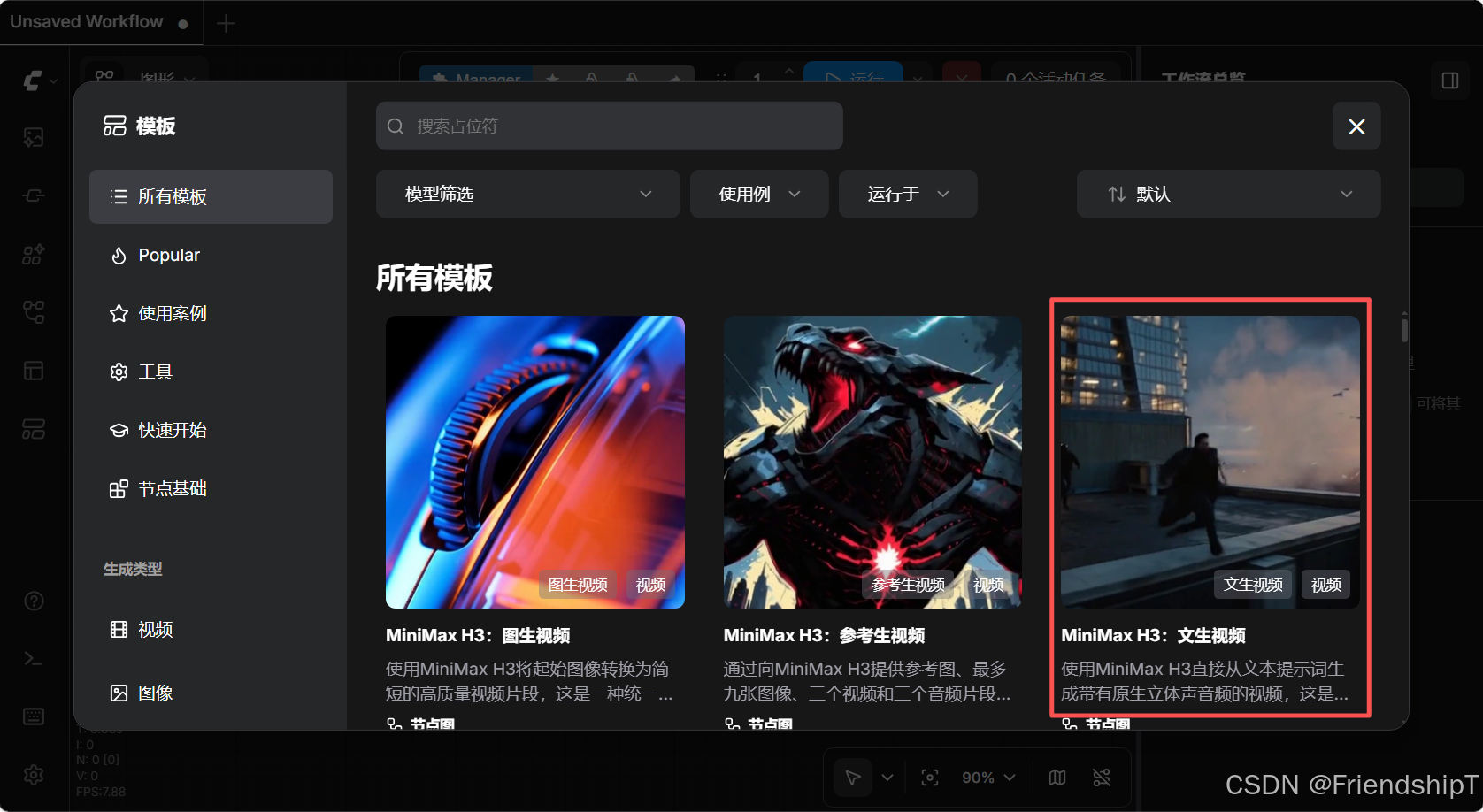
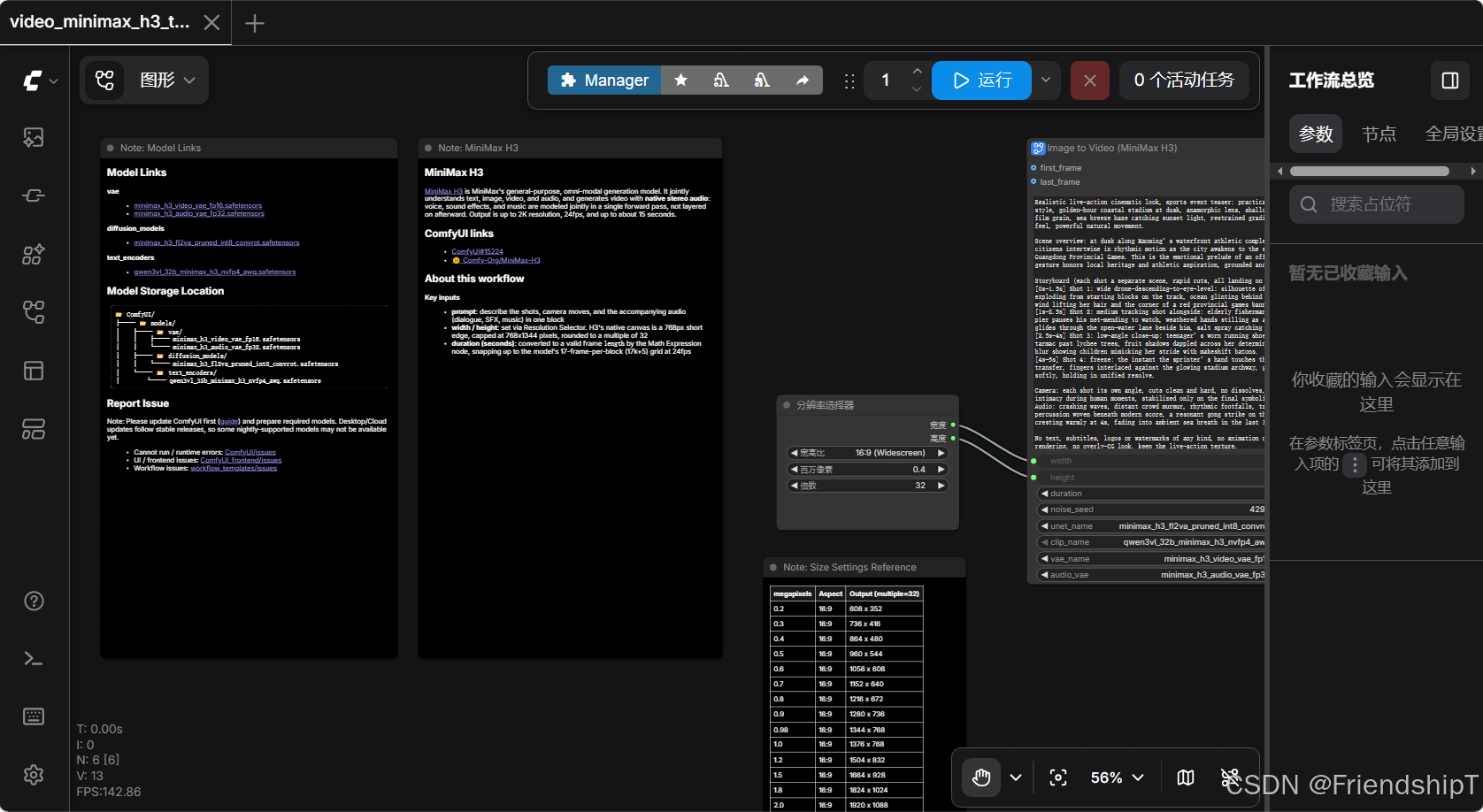
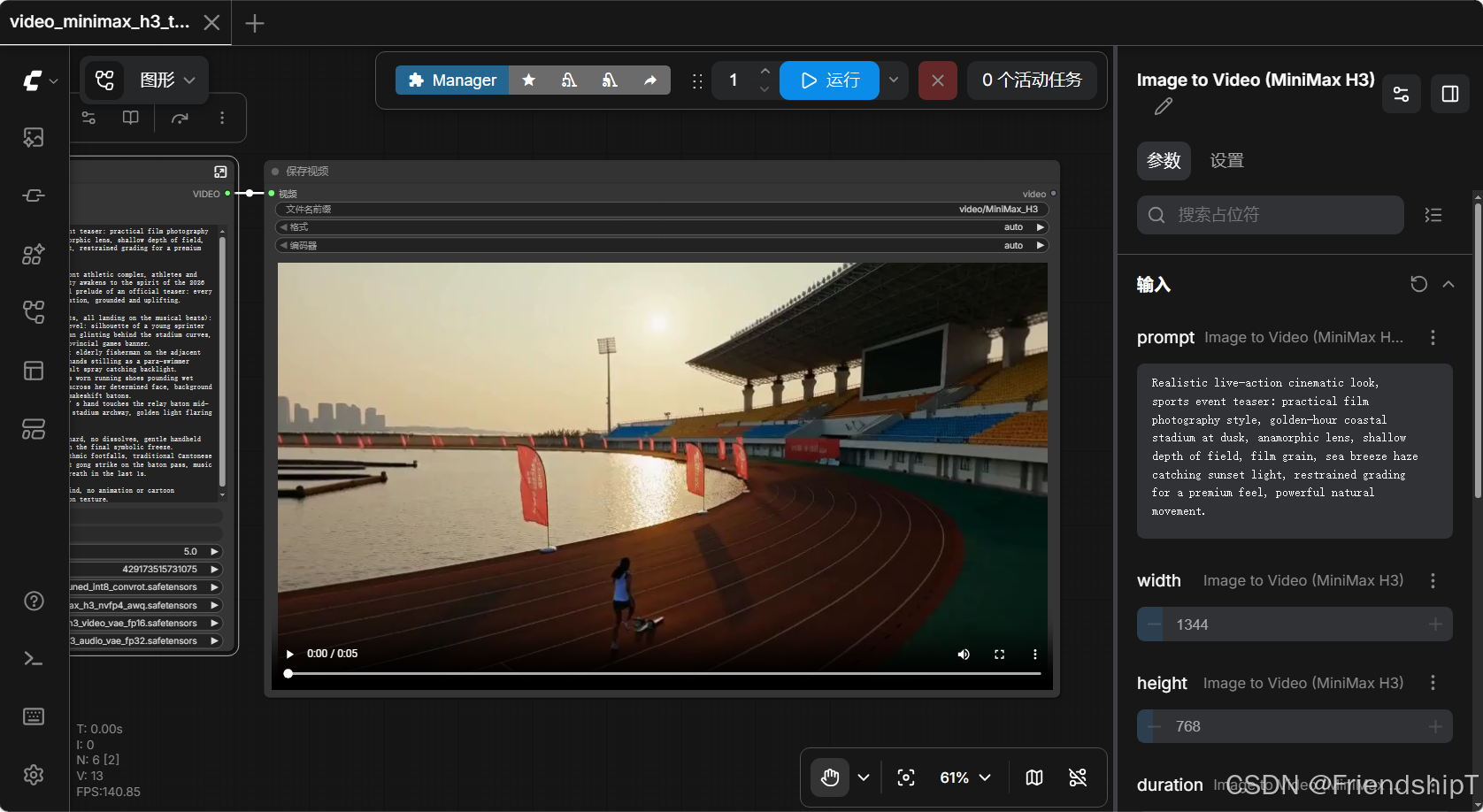
bash
Realistic live-action cinematic look, sports event teaser: practical film photography style, golden-hour coastal stadium at dusk, anamorphic lens, shallow depth of field, film grain, sea breeze haze catching sunset light, restrained grading for a premium feel, powerful natural movement.

Scene overview: at dusk along waterfront athletic complex, athletes and citizens intertwine in rhythmic motion as the city awakens to the spirit of the 2026 Guangdong Provincial Games. This is the emotional prelude of an official teaser: every gesture honors local heritage and athletic aspiration, grounded and uplifting.

Storyboard (each shot a separate scene, rapid cuts, all landing on the musical beats):
[0s-1.5s] Shot 1: wide drone-descending-to-eye-level: silhouette of a young sprinter exploding from starting blocks on the track, ocean glinting behind the stadium curves, wind lifting her hair and the corner of a red provincial games banner.
[1s-2.5s] Shot 2: medium tracking shot alongside: elderly fisherman on the adjacent pier pauses his net-mending to watch, weathered hands stilling as a para-swimmer glides through the open-water lane beside him, salt spray catching backlight.
[2.5s-4s] Shot 3: low-angle close-up: teenager's worn running shoes pounding wet tarmac past lychee trees, fruit shadows dappled across her determined face, background blur showing children mimicking her stride with makeshift batons.
[4s-5s] Shot 4: freeze: the instant the sprinter's hand touches the relay baton mid-transfer, fingers interlaced against the glowing stadium archway, golden light flaring softly, holding in unified resolve.

Camera: each shot its own angle, cuts clean and hard, no dissolves, gentle handheld intimacy during human moments, stabilized only on the final symbolic freeze.
Audio: crashing waves, distant crowd murmur, rhythmic footfalls, traditional Cantonese percussion woven beneath modern score, a resonant gong strike on the baton pass, music cresting warmly at 4s, fading into ambient sea breath in the last 1s.

No text, subtitles, logos or watermarks of any kind, no animation or cartoon rendering, no overly-CG look, keep the live-action texture.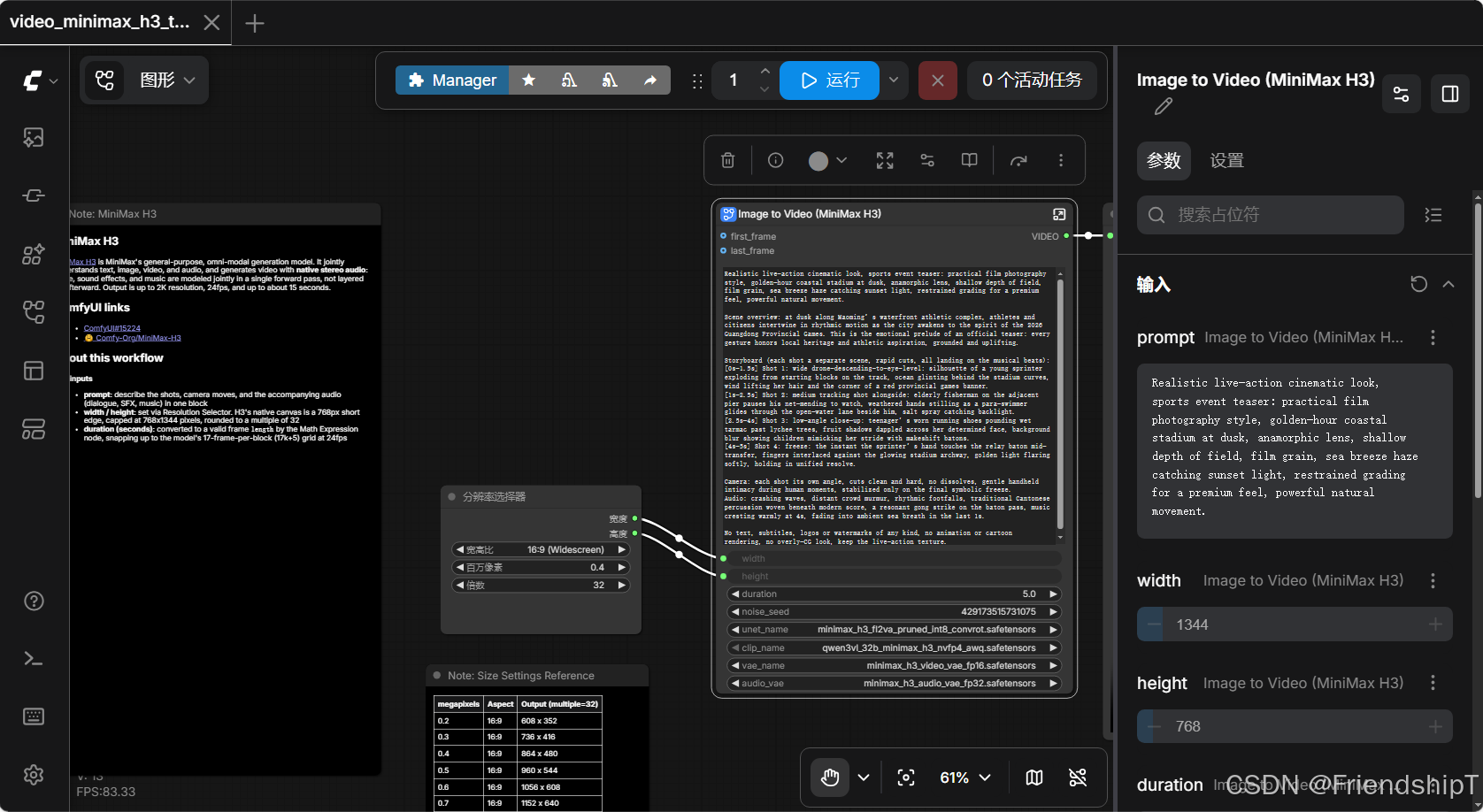
参考
1 https://docs.comfy.org/tutorials/video/minimax/minimax-h3#minimax-h3-text-to-video-t2v