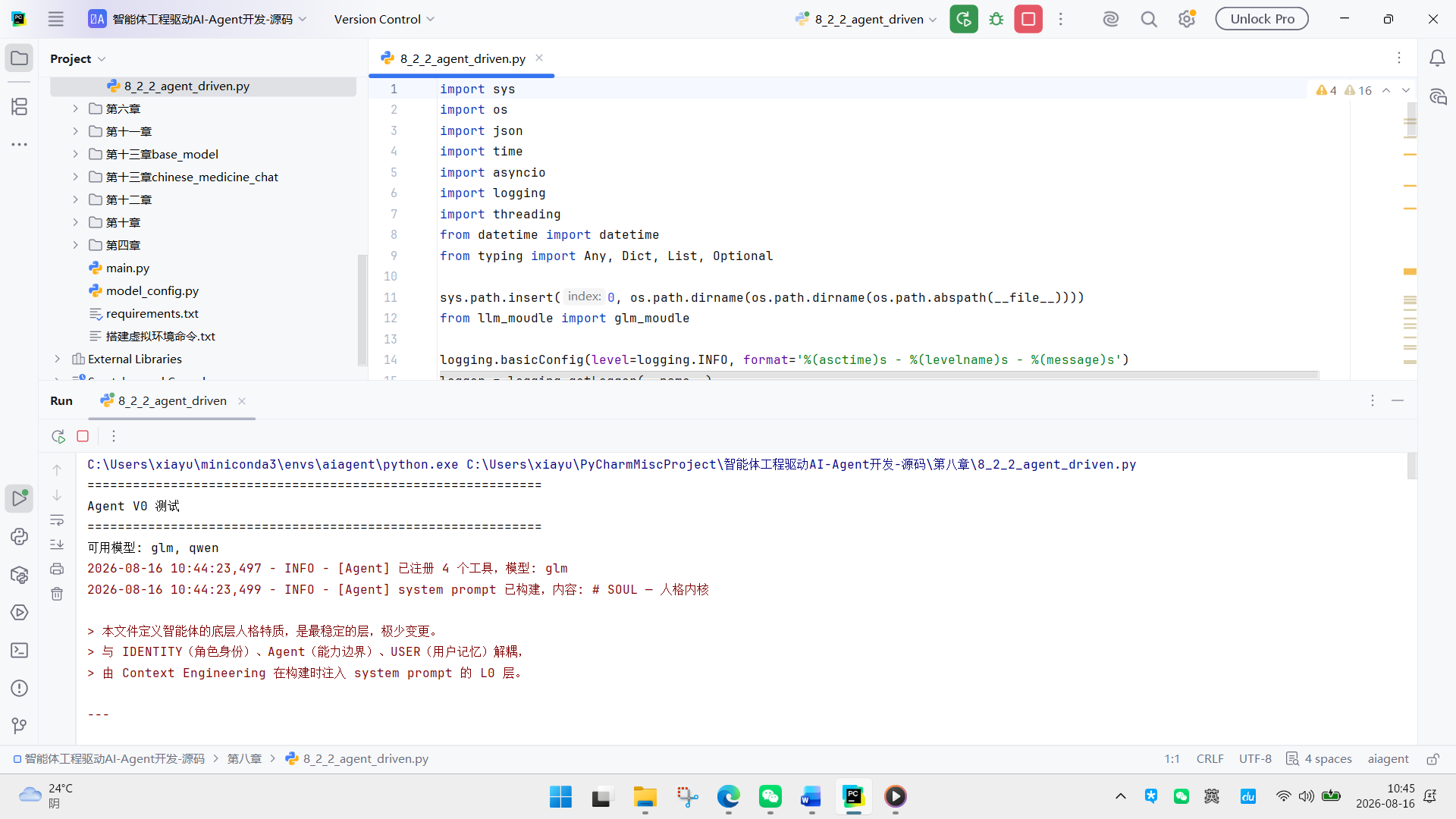
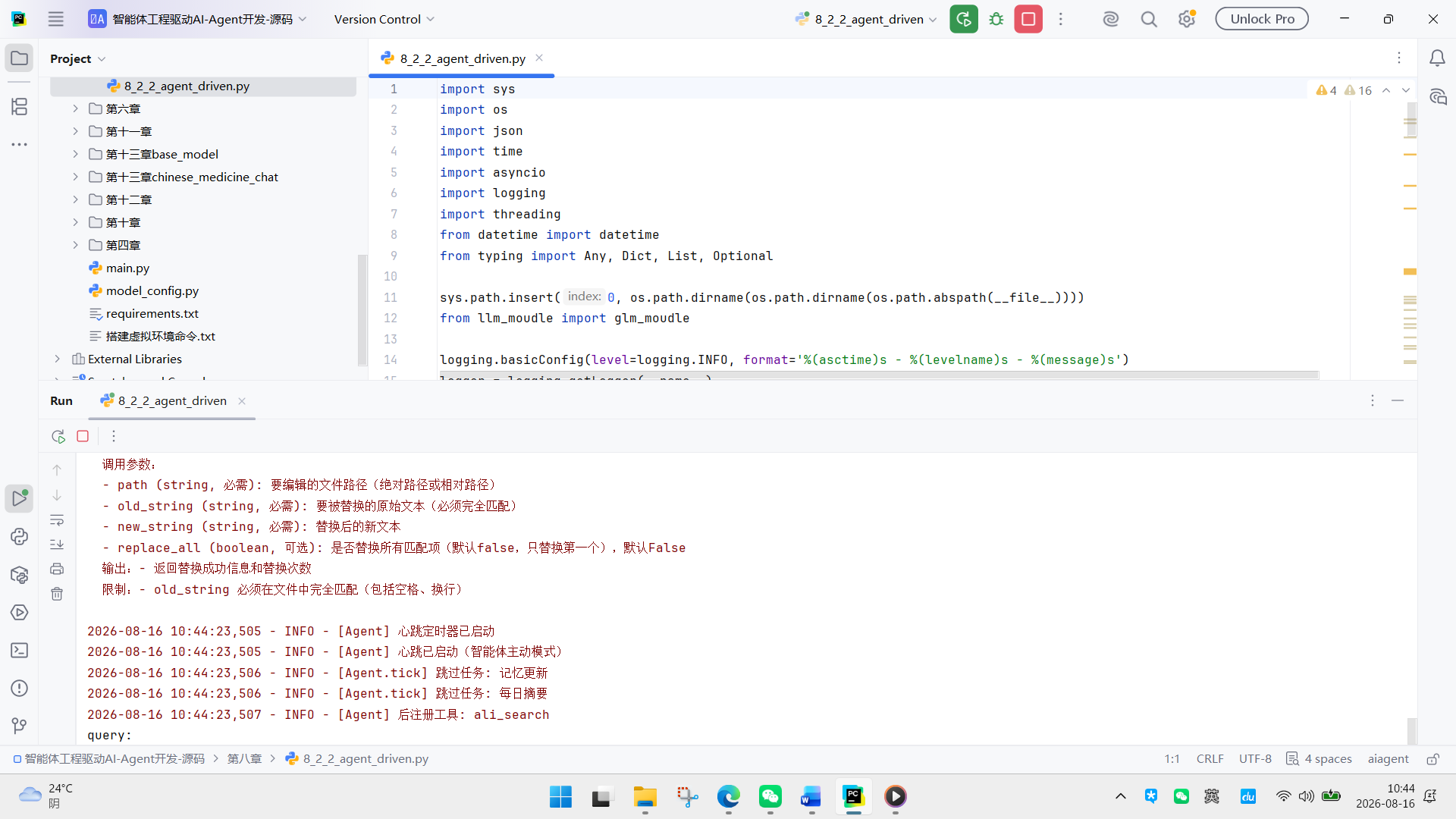
在上一节中,我们实现了以定时器为核心的心跳执行方案,通过定时器主动调度触发智能体的任务执行流程。该模式虽能满足基础的定时执行需求,但在架构解耦、智能体自主可控性上仍存在优化空间。
本节将引入全新的心跳执行模式,构建以智能体为核心的执行架构。在该模式的设计中,原HeartbeatManager将退化为纯数据工具类,仅负责JSON配置文件的读写操作,完全剥离所有调度与控制逻辑;所有状态判断、逻辑决策与任务执行的全链路动作,均收敛至Agent内部闭环完成,真正实现以智能体为主体的自主化心跳调度。
8.2.1 修正心跳触发形式
上一节我们实现了以定时器为核心主动调用智能体的心跳执行模式,虽能完成基础调度,但在架构解耦上仍有调整空间。这一节中,我们将彻底转变心跳触发的核心逻辑,把HeartbeatManager从兼具控制与数据功能的模块,精简为纯数据辅助层---它不再包含任何任务调度、决策的控制逻辑,只专注于数据层面的支撑:具体包括管理heartbeat.json配置文件的读写、记录与读取任务执行日志、提供活跃时段判断与任务执行条件检查的时间工具,以及任务的增删改查操作,而定时任务的实际调度和执行逻辑,将全部收敛至Agent内部完成,真正构建以智能体为核心的执行架构。代码如下:
class HeartbeatManager:
"""心跳配置与日志管理器 --- 纯数据辅助层,不含执行逻辑。"""
def init(
self,
config_path: str = "initspace/memorys/heartbeat.json"
):
"""
初始化心跳管理器。
参数:
config_path: 心跳配置文件 heartbeat.json 的路径
agent: 保留参数(向后兼容),当前版本不使用
"""
处理配置文件路径,优先使用传入的绝对路径,不存在则拼接项目根目录
self.config_path = os.path.abspath(config_path)
if not os.path.exists(self.config_path):
self.config_path = os.path.join(_PROJECT_ROOT, config_path)
存储从配置文件加载的全局配置
self._config: Dictstr, Any = {}
存储从配置文件加载的任务列表
self._tasks: ListDict\[str, Any] = \[\]
日志文件路径,与配置文件同目录
config_dir = os.path.dirname(self.config_path)
self.log_path = os.path.join(config_dir, "heartbeat_log.json")
------------------------------------------------------------------
配置读写
------------------------------------------------------------------
def _load_config(self) -> Dictstr, Any:
"""
加载心跳配置文件。
返回:
包含 config 和 tasks 的配置字典,文件不存在或为空时返回默认配置
"""
if not os.path.exists(self.config_path):
return {"config": {"interval_minutes": 30}, "tasks": \[\]}
with open(self.config_path, "r", encoding="utf-8") as f:
content = f.read().strip()
if not content:
return {"config": {"interval_minutes": 30}, "tasks": \[\]}
return json.loads(content)
def _save_config(self, data: Dictstr, Any) -> None:
"""
保存配置到文件。
参数:
data: 要保存的配置字典
"""
with open(self.config_path, "w", encoding="utf-8") as f:
json.dump(data, f, ensure_ascii=False, indent=2)
------------------------------------------------------------------
日志读写
------------------------------------------------------------------
def _load_log(self) -> Dictstr, Any:
"""
加载历史执行日志。
返回:
按日期分组的日志字典
"""
if not os.path.exists(self.log_path):
return {}
with open(self.log_path, "r", encoding="utf-8") as f:
content = f.read().strip()
return json.loads(content) if content else {}
def _append_log(self, task_id: str, task_name: str,
status: str, result: str, duration: float) -> None:
"""
追加一条任务执行日志。
参数:
task_id: 任务唯一标识
task_name: 任务名称
status: 执行状态(success/failed/timeout)
result: 执行结果摘要
duration: 执行耗时(秒)
"""
logs = self._load_log()
date_key = datetime.now().strftime("%Y-%m-%d")
record = {
"time": datetime.now().strftime("%H:%M:%S"),
"task_id": task_id,
"task_name": task_name,
"status": status,
"result": result:200,
"duration_seconds": round(duration, 2),
}
logs.setdefault(date_key, \[\]).append(record)
with open(self.log_path, "w", encoding="utf-8") as f:
json.dump(logs, f, ensure_ascii=False, indent=2)
------------------------------------------------------------------
时间判断工具
------------------------------------------------------------------
def _is_in_active_hours(self) -> bool:
"""
检查当前时间是否在活跃时段内。
返回:
True 表示在活跃时段内
"""
active = self._config.get("active_hours")
if not active:
return True
now_minutes = datetime.now().hour * 60 + datetime.now().minute
start_parts = active.get("start", "00:00").split(":")
end_parts = active.get("end", "23:59").split(":")
start_min = int(start_parts0) * 60 + int(start_parts1)
end_min = int(end_parts0) * 60 + int(end_parts1)
return start_min <= now_minutes <= end_min
def _should_run(self, task: Dictstr, Any) -> bool:
"""
判断单个任务是否满足执行条件。
参数:
task: 任务配置字典
返回:
True 表示该任务当前应该执行
"""
if not task.get("enabled", True):
return False
last_run = task.get("last_run")
schedule 模式(定时触发)
schedule = task.get("schedule")
if schedule:
now = datetime.now()
parts = schedule.split(":")
target_minutes = int(parts0) * 60 + int(parts1)
now_minutes = now.hour * 60 + now.minute
if abs(now_minutes - target_minutes) > 5:
return False
if last_run:
try:
last_dt = datetime.fromisoformat(last_run)
if last_dt.date() == now.date():
return False
except (ValueError, TypeError):
pass
return True
interval 模式(间隔触发)
interval = task.get("interval_minutes", 0)
if interval <= 0:
return False
if not last_run:
return True
try:
last_dt = datetime.fromisoformat(last_run)
elapsed = (datetime.now() - last_dt).total_seconds() / 60
return elapsed >= interval
except (ValueError, TypeError):
return True
def _get_timeout(self, task: Dictstr, Any) -> int:
"""获取任务超时时间(秒),任务未配置则用全局默认值。"""
task_timeout = task.get("timeout_seconds", 0)
if task_timeout > 0:
return task_timeout
return self._config.get("default_timeout_seconds", 300)
------------------------------------------------------------------
任务管理
------------------------------------------------------------------
def add_task(self, task: Dictstr, Any) -> bool:
"""
添加新任务。
参数:
task: 任务配置字典,需包含 id、name、prompt 等字段
返回:
True 表示添加成功,False 表示任务 ID 已存在
"""
data = self._load_config()
tasks = data.get("tasks", \[\])
task_id = task.get("id", "")
if any(t.get("id") == task_id for t in tasks):
logger.warning("Heartbeat 任务 ID 已存在: %s", task_id)
return False
task.setdefault("enabled", True)
task.setdefault("last_run", None)
tasks.append(task)
data"tasks" = tasks
self._save_config(data)
logger.info("Heartbeat 添加任务: %s", task_id)
return True
def remove_task(self, task_id: str) -> bool:
"""
删除任务。
参数:
task_id: 要删除的任务 ID
返回:
True 表示删除成功,False 表示任务 ID 不存在
"""
data = self._load_config()
tasks = data.get("tasks", \[\])
new_tasks = t for t in tasks if t.get("id") != task_id
if len(new_tasks) == len(tasks):
return False
data"tasks" = new_tasks
self._save_config(data)
logger.info("Heartbeat 删除任务: %s", task_id)
return True
def enable_task(self, task_id: str, enabled: bool = True) -> bool:
"""
启用或禁用任务。
参数:
task_id: 任务 ID
enabled: True 表示启用,False 表示禁用
返回:
True 表示操作成功,False 表示任务 ID 不存在
"""
data = self._load_config()
for task in data.get("tasks", \[\]):
if task.get("id") == task_id:
task"enabled" = enabled
self._save_config(data)
action = "启用" if enabled else "禁用"
logger.info("Heartbeat %s 任务: %s", action, task_id)
return True
return False
def get_status(self) -> Dictstr, Any:
"""
返回所有任务状态。
返回:
包含全局配置和任务列表的字典
"""
data = self._load_config()
config = data.get("config", {})
tasks = data.get("tasks", \[\])
return {
"config": config,
"tasks": [
{
"id": t.get("id"),
"name": t.get("name"),
"enabled": t.get("enabled", True),
"last_run": t.get("last_run"),
}
for t in tasks
],
}
上面这段代码实现了HeartbeatManager类,整体定位为纯数据辅助层,不涉及任何执行逻辑。代码开头通过模块注释明确了职责、注意事项与用法,随后导入必要的依赖库并计算项目根目录。
类的初始化方法会处理配置文件路径,优先使用传入的绝对路径,不存在则拼接项目根目录,同时初始化配置与任务列表的存储变量,并确定与配置文件同目录的日志文件路径。
类内功能分为四部分:配置读写包含_load_config与_save_config,前者加载配置文件,不存在或为空时返回默认配置,后者将数据写入文件;日志读写有_load_log与_append_log,分别用于读取历史日志和按日期分组追加新的执行记录;时间判断工具提供_is_in_active_hours检查当前是否在活跃时段,_should_run根据任务的schedule或interval配置判断执行条件,_get_timeout获取任务超时时间,优先用于任务配置,否则用全局默认值;任务管理包含add_task(添加前检查ID是否存在)、remove_task(按ID删除)、enable_task(启用/禁用任务)与get_status(返回全局配置和任务状态)。
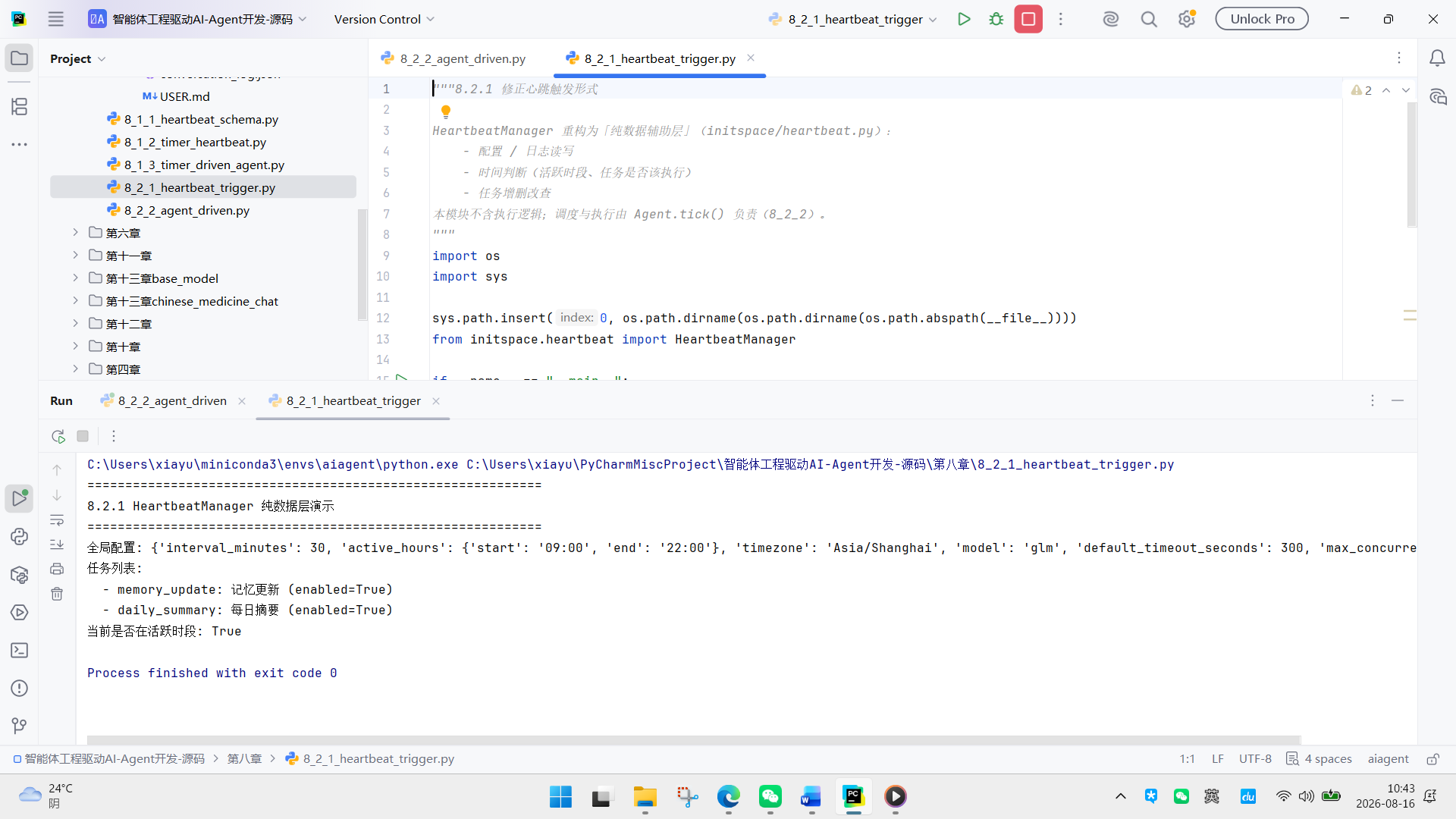
代码末尾是测试模块,依次验证获取状态、添加任务、活跃时段判断等功能,最后清理测试任务。
8.2.2 智能体主导的定时任务执行
对于心跳任务的执行,我们则需要在智能体中对定时任务进行调度,在这里我们使用一个后台守护线程进行,该线程使用时,我们利用了daemon线程的特点:主线程退出时自动终止,不会阻止进程退出。
主线程结束 → 整个进程退出 → 后台心跳线程随之消亡,定时任务不会继续运行。
完整代码如下:
class AgentV0:
"""
统一多模型 Agent
功能:
-
支持 GLM / Qwen 多模型切换
-
支持工具调用 (bash, read_file, write_file 等)
-
支持定时任务和循环任务
使用:
agent = AgentV0(model_name="glm") # 或 "qwen"
result = agent.invoke("帮我查询天气")
"""
def init(
self,
model_name: str = "glm",
system_prompt: Optionalstr = None,
):
"""
初始化 Agent
Args:
model_name: 模型名称 ("glm" 或 "qwen")
system_prompt: 自定义系统提示 (可选)
client: 外部注入的 LLM 客户端 (可选,用于复用连接池)
"""
self.model_name = model_name
self.messages: ListDict\[str, Any] = \[\]
self._used_tools: Liststr = \[\]
self.max_steps = 20 # 增加到20步,支持复杂任务链
self.max_messages_length = 20
创建或复用客户端
if model_name == "qwen":
from llm_moudle import qwen_moudle
self._client = qwen_moudle.QwenClient()
elif model_name == "glm":
self._client = glm_moudle.GLMClient()
else:
raise ValueError(f"大模型 {model_name} 还没有定义!")
from anthropic_standard import basic_anthropic_tool
self._executor = basic_anthropic_tool.ToolExecutor()
self._register_tools()
动态构建 system prompt(依赖 _executor 中的工具 schema)
from initspace.contextbuild import build_system_prompt
self.system_prompt = system_prompt or build_system_prompt(
tool_schemas=self._executor.get_all_schemas(),
brain_dir="initspace/brain")
logger.info(f"Agent system prompt 已构建,内容: {(self.system_prompt)} ")
#建立和进行用户自进化-----------------------------------------
from initspace.memorylib import UseMemory
self.user_memory = UseMemory("initspace/brain/USER.md",conversation_log_path="initspace/memorys/conversation_log.json")
#将所有的交互记录进行持久化-----------------------------------------
from initspace.memorybuild import ConversationLogger
self.conv_logger = ConversationLogger("initspace/memorys/conversation_log.json")
#心跳管理器-----------------------------------------
from initspace.heartbeat import HeartbeatManager
self.heartbeat = HeartbeatManager(
config_path="initspace/memorys/heartbeat.json"
)
self._heartbeat_thread: Optionalthreading.Thread = None
self.start_heartbeat()
def _register_tools(self):
"""注册默认工具,并设置工具使用的模型名称"""
try:
from tool_moudle.bash_tool import (BashTool, ReadFileTool, WriteFileTool, EditFileTool )
tools = [
BashTool(), ReadFileTool(), WriteFileTool(), EditFileTool(),
]
for tool in tools:
为每个工具设置当前 Agent 的模型名称
tool.set_model_name(self.model_name)
self._executor.register(tool)
logger.info(f"Agent 已注册 {len(tools)} 个工具,模型: {self.model_name}")
except ImportError as e:
logger.warning(f"Agent 无法导入工具模块: {e}")
def register_tool(self, tool: "BaseTool"):
"""
后注册工具(初始化后手动添加新工具)
Args:
tool: BaseTool 实例
Example:
from tool_moudle.searchsearch_tool import SearchTool
agent = AgentV0(model_name="glm")
agent.register_tool(SearchTool())
"""
tool.set_model_name(self.model_name)
self._executor.register(tool)
logger.info(f"Agent 后注册工具: {tool.name}")
def unregister_tool(self, tool_name: str) -> bool:
"""
注销工具
Args:
tool_name: 工具名称
Returns:
是否注销成功
"""
success = self._executor.unregister(tool_name)
if success:
logger.info(f"Agent 已注销工具: {tool_name}")
return success
def _get_tool_schemas(self) -> ListDict:
"""获取已注册工具的 schema 列表(复用已注册的工具实例)"""
return self._executor.get_all_schemas()
def add_message(self, role: str, content: str):
"""添加消息到历史"""
#首先进行硬截断
"""添加消息到历史"""
if len(self.messages) >= self.max_messages_length:
保留 system prompt (index 0) + 最新 N-1 条
self.messages = self.messages\[0] + self.messages-(self.max_messages_length - 1):
self.messages.append({"role": role, "content": content})
def reset(self):
"""重置对话历史"""
self.messages = \[\]
def invoke(self, user_input: str) -> str:
"""同步运行 Agent"""
self._used_tools = \[\]
start_time = time.time()
result = asyncio.run(self.run(user_input))
cost = round(time.time() - start_time, 2)
self.conv_logger.log(
query=user_input,
response=result,
model=self.model_name,
tool_calls=self._used_tools,
extra={
"execute_cost_time": cost,
"tool_call_count": len(self._used_tools),
}
)
return result
async def run(self, user_input: str) -> str:
"""
Agent 核心循环
流程:
-
调用 LLM
-
判断是否有工具调用
-
执行工具
-
将结果回传 LLM
-
重复直到无工具调用
"""
self.add_message("user", user_input)
每轮重建 system prompt(包含最新的用户记忆)
user_memory_context = self.user_memory.to_prompt()
full_system = self.system_prompt + "\n\n" + user_memory_context
if self.messages and self.messages0"role" == "system":
self.messages0"content" = full_system
else:
self.messages.insert(0, {"role": "system", "content": full_system})
for step in range(1, self.max_steps + 1):
logger.info(f"Step {step} 调用模型 ({self.model_name})...")
调用 LLM
response = await self._client.chat(
messages=self.messages,
tools=self._get_tool_schemas()
)
stop_reason = response.get("stop_reason", "stop")
content_blocks = response.get("content", \[\])
提取内容
tool_calls = b for b in content_blocks if b.get("type") == "tool_use"
self._used_tools.extend({"tool_name": tc\["name", "args": tc.get("input", {})} for tc in tool_calls])
texts = b.get("text", "") for b in content_blocks if b.get("type") == "text"
full_text = "\n".join(texts)
处理截断
if stop_reason in "max_tokens", "length":
logger.warning(f"Step {step} 输出被截断")
if full_text:
self.add_message("assistant", full_text)
return full_text + "\n输出被截断"
记录文本回复
if full_text:
logger.info(f"Step {step} 助手: {full_text:100}...")
self.add_message("assistant", full_text)
无工具调用则结束
if not tool_calls:
logger.info(f"Step {step} 完成")
return full_text or "任务完成"
执行工具
logger.info(f"Step {step} 执行 {len(tool_calls)} 个工具")
先添加 assistant 消息(包含 tool_calls)
注意:arguments 必须是 JSON 字符串
import json
self.messages.append({
"role": "assistant",
"content": None,
"tool_calls": [
{
"id": tc"id",
"type": "function",
"function": {
"name": tc"name",
"arguments": json.dumps(tc.get("input", {}), ensure_ascii=False)
}
}
for tc in tool_calls
]
})
然后添加每个工具的 tool 结果消息
for tc in tool_calls:
tool_name = tc"name"
tool_input = tc.get("input", {})
tool_id = tc"id"
logger.info(f"Step {step} 工具: {tool_name}, 输入: {tool_input}")
try:
result = await self._executor.execute(tool_name, tool_input)
result_content = result or '(无输出)'
except Exception as e:
result_content = f"执行失败: {e}"
添加 tool 角色消息(必须包含 tool_call_id 和 name)
self.messages.append({
"role": "tool",
"tool_call_id": tool_id,
"name": tool_name,
"content": result_content
})
return "达到最大步数限制"
async def run_scheduled_task(self, prompt: str) -> str:
"""
执行定时任务(使用局部 messages,不污染主对话)。
流程与 run() 一致:LLM → 工具调用循环 → 返回结果。
线程安全:使用局部 messages,不影响 self.messages。
Args:
prompt: 任务描述(来自 heartbeat.json 的 prompt 字段)
Returns:
任务执行结果字符串
"""
局部 messages,不碰 self.messages
user_memory_context = self.user_memory.to_prompt()
full_system = self.system_prompt + "\n\n" + user_memory_context
messages = [
{"role": "system", "content": full_system},
{"role": "user", "content": prompt},
]
for step in range(1, self.max_steps + 1):
logger.info(f"ScheduledTask Step {step} 调用模型 ({self.model_name})...")
response = await self._client.chat(
messages=messages,
tools=self._get_tool_schemas()
)
stop_reason = response.get("stop_reason", "stop")
content_blocks = response.get("content", \[\])
tool_calls = b for b in content_blocks if b.get("type") == "tool_use"
texts = b.get("text", "") for b in content_blocks if b.get("type") == "text"
full_text = "\n".join(texts)
if stop_reason in ("max_tokens", "length"):
logger.warning(f"ScheduledTask Step {step} 输出被截断")
return (full_text or "") + "\n输出被截断"
if full_text:
logger.info(f"ScheduledTask Step {step} 结果: {full_text:100}...")
无工具调用则结束
if not tool_calls:
logger.info(f"ScheduledTask Step {step} 完成")
return full_text or "任务完成"
工具调用循环
logger.info(f"ScheduledTask Step {step} 执行 {len(tool_calls)} 个工具")
messages.append({
"role": "assistant",
"content": None,
"tool_calls": [
{
"id": tc"id",
"type": "function",
"function": {
"name": tc"name",
"arguments": json.dumps(tc.get("input", {}), ensure_ascii=False)
}
}
for tc in tool_calls
]
})
for tc in tool_calls:
tool_name = tc"name"
tool_input = tc.get("input", {})
tool_id = tc"id"
logger.info(f"ScheduledTask Step {step} 工具: {tool_name}, 输入: {tool_input}")
try:
result = await self._executor.execute(tool_name, tool_input)
result_content = result or "(无输出)"
except Exception as e:
result_content = f"执行失败: {e}"
messages.append({
"role": "tool",
"tool_call_id": tool_id,
"name": tool_name,
"content": result_content
})
return "达到最大步数限制"
def tick(self) -> ListDict\[str, Any]:
"""
以智能体为核心的定时任务调度入口。
流程:
-
通过 HeartbeatManager 读取配置
-
判断是否在活跃时段
-
逐个检查任务是否该执行
-
调用 self.run_scheduled_task() 执行(带超时和重试)
-
通过 HeartbeatManager 记录日志并更新 last_run
Returns:
本次执行的任务结果列表
"""
hb = self.heartbeat
1. 读取最新配置
data = hb._load_config()
hb._config = data.get("config", {})
hb._tasks = data.get("tasks", \[\])
2. 检查活跃时段
if not hb._is_in_active_hours():
logger.info("Agent.tick 当前不在活跃时段,跳过")
return \[\]
results = \[\]
for task in hb._tasks:
if not hb._should_run(task):
logger.info(f"Agent.tick 跳过任务: {task.get('name')}")
continue
task_id = task.get("id", "unknown")
task_name = task.get("name", "unknown")
prompt = task.get("prompt", "")
if not prompt:
continue
logger.info(f"Agent.tick 执行任务: {task_name}")
获取超时和重试配置
timeout_seconds = hb._get_timeout(task)
max_retry = task.get("max_retry", 0)
retry_interval = task.get("retry_interval_seconds", 60)
带重试的执行
for attempt in range(max_retry + 1):
start_time = time.time()
try:
coro = self.run_scheduled_task(prompt)
if timeout_seconds > 0:
result = asyncio.run(
asyncio.wait_for(coro, timeout=timeout_seconds)
)
else:
result = asyncio.run(coro)
duration = time.time() - start_time
hb._append_log(task_id, task_name, "success", result, duration)
results.append({
"id": task_id,
"name": task_name,
"result": result:200,
})
break # 成功则跳出重试循环
except asyncio.TimeoutError:
duration = time.time() - start_time
last_error = f"超时 ({timeout_seconds}s)"
hb._append_log(task_id, task_name, "timeout", last_error, duration)
logger.warning(
"Agent.tick 任务 %s 第 %d 次超时", task_id, attempt + 1
)
except Exception as e:
duration = time.time() - start_time
last_error = f"执行失败: {e}"
hb._append_log(task_id, task_name, "failed", last_error, duration)
logger.error(
"Agent.tick 任务 %s 第 %d 次失败: %s",
task_id, attempt + 1, e,
)
重试等待
if attempt < max_retry:
"Agent.tick %s 等待 %ds 后重试 (%d/%d)",
task_id, retry_interval, attempt + 1, max_retry,
)
time.sleep(retry_interval)
更新 last_run
task"last_run" = datetime.now().isoformat()
保存更新后的配置(含 last_run)
if results:
hb._save_config(data)
return results
def close(self):
"""关闭客户端,释放连接池"""
self.stop_heartbeat()
if hasattr(self, "_client") and self._client:
self._client.close()
def start_heartbeat(self):
"""在后台线程启动心跳循环(以智能体为核心的定时任务调度)。"""
if self._heartbeat_thread and self._heartbeat_thread.is_alive():
logger.info("Agent 心跳已在运行")
return
self._heartbeat_stopped = False
def _timer_loop():
"""定时器循环:周期性调用 agent.tick(),由智能体主动发起工作。"""
logger.info("Agent 心跳定时器已启动")
while not self._heartbeat_stopped:
读取轮询间隔
data = self.heartbeat._load_config()
config = data.get("config", {})
interval = config.get("interval_minutes", 30)
if interval <= 0:
logger.info("Agent 心跳已禁用 (interval=0)")
break
try:
self.tick()
except Exception as e:
logger.error("Agent tick 执行异常: %s", e)
分段 sleep,便于快速响应停止指令
sleep_seconds = interval * 60
for _ in range(sleep_seconds):
if self._heartbeat_stopped:
break
time.sleep(1)
logger.info("Agent 心跳定时器已停止")
self._heartbeat_thread = threading.Thread(target=_timer_loop, daemon=True)
self._heartbeat_thread.start()
logger.info("Agent 心跳已启动(智能体主动模式)")
def stop_heartbeat(self):
"""停止心跳循环"""
self._heartbeat_stopped = True
logger.info("Agent 正在停止心跳...")
==============================================================================
主程序测试
==============================================================================
if name == 'main':
print("=" * 60)
print("Agent V0 测试")
print("=" * 60)
选择模型
print("可用模型: glm, qwen")
model_name = "glm"
agent = AgentV0(model_name=model_name)
from tool_moudle.search_tool import SearchTool
agent.register_tool(SearchTool())
time.sleep(1)
query = input("query:")
reply = agent.invoke(query)
print(reply)
print("=" * 60)
从上面代码可以看到,心跳任务通过HeartbeatManager实现周期性任务调度。系统启动时会在后台线程运行心跳循环,按配置间隔(默认30分钟)周期性触发调度入口tick()方法。每次触发时,首先读取heartbeat.json中的最新配置,判断当前是否处于活跃时段,若不在则跳过执行;若在活跃时段,则遍历所有预设任务,逐一检查是否满足执行条件。
对于待执行任务,系统提取任务提示词,结合超时时间和重试策略,调用run_scheduled_task()异步执行。该执行方法使用独立的局部消息列表,避免污染主对话历史,流程与主交互一致:调用大模型、解析工具调用、执行工具、回传结果,循环直至任务完成或达到最大步数。执行过程中支持超时控制(asyncio.wait_for)和失败重试(按配置间隔重试指定次数),每次执行结果、状态、耗时及错误信息均通过HeartbeatManager记录日志并更新last_run时间戳,确保任务状态持久化。
所有任务执行完毕后,系统保存更新后的配置,并返回本次执行结果摘要。整个机制实现了智能体驱动的自主定时任务调度,既保证与主对话隔离,又支持灵活配置、容错重试和状态追踪,使智能体能够在后台主动完成周期性工作,如数据同步、状态检查或自动回复等。