一、前言
在项目的维护过程中,我们通常会在应用中加入短信或者邮件预警功能,比如当应用出现异常宕机时应该及时地将预警信息发送给运维或者开发人员,本文将介绍如何在Spring Boot中发送邮件。在Spring Boot中发送邮件使用的是Spring提供的org.springframework.mail.javamail.JavaMailSender,其提供了许多简单易用的方法,可发送简单的邮件、HTML格式的邮件、带附件的邮件,并且可以创建邮件模板。
二、引入依赖
在Spring Boot中发送邮件,需要用到spring-boot-starter-mail,引入spring-boot-starter-mail:
xml
        <dependency>
            <groupId>org.springframework.boot</groupId>
            <artifactId>spring-boot-starter-thymeleaf</artifactId>
        </dependency>
        <dependency>
            <groupId>org.springframework.boot</groupId>
            <artifactId>spring-boot-starter-mail</artifactId>
        </dependency>
三、邮件配置
在application.yml中进行简单的配置(以126邮件为例):
yml
server:
  port: 80
spring:
  mail:
    host: smtp.126.com
    username: 你的账号
    password: 你的密码
    properties:
      mail:
        smtp:
          auth: true
          starttls:
            enable: true
            required: true
spring.mail.username,spring.mail.password填写自己的邮箱账号密码即可。
四、代码编写
在这里我们封装一个邮件接收信息对象,进行邮件发送,实体类:MailDO
java
@Getter
@Setter
public class MailDO {
    //标题
    private String title;
    //内容
    private String content;
    //接收人邮件地址
    private String email;
    //附加,value 文件地址/动态模板数据
    private Map<String, Object> attachment;
}
邮件发送service:
java
public interface MailService {

    void sendTextMail(MailDO mail);

    void sendHtmlMail(MailDO mail,boolean isShowHtml);

    void sendAttachMail(MailDO mail);

    void sendTemplateMail(MailDO mail);

}
service具体实现:
java
@Slf4j
@Service
public class MailServiceImpl implements MailService {

    //template模板引擎
    @Autowired
    private TemplateEngine templateEngine;

    @Autowired
    private JavaMailSender javaMailSender;

    @Value("${spring.mail.username}")
    private String from;

    @Async
    @Override
    public void sendTextMail(MailDO mail) {
        //建立邮件消息
        SimpleMailMessage message = new SimpleMailMessage();
        message.setFrom(from); // 发送人的邮箱
        message.setSubject(mail.getTitle()); //标题
        message.setTo(mail.getEmail()); //发给谁  对方邮箱
        message.setText(mail.getContent()); //内容
        try {
            javaMailSender.send(message); //发送
        } catch (MailException e) {
            log.error("纯文本邮件发送失败->message:{}",e.getMessage());
        }
    }

    @Async
    @Override
    public void sendHtmlMail(MailDO mail, boolean isShowHtml) {
        try {
            MimeMessage mimeMessage = javaMailSender.createMimeMessage();
            //是否发送的邮件是富文本(附件,图片,html等)
            MimeMessageHelper messageHelper = new MimeMessageHelper(mimeMessage,true);
            messageHelper.setFrom(from);// 发送人的邮箱
            messageHelper.setTo(mail.getEmail());//发给谁  对方邮箱
            messageHelper.setSubject(mail.getTitle());//标题
            messageHelper.setText(mail.getContent(),isShowHtml);//false,显示原始html代码,无效果
            //判断是否有附加图片等
            if(mail.getAttachment() != null && mail.getAttachment().size() > 0){
                mail.getAttachment().entrySet().stream().forEach(entrySet -> {
                    try {
                        File file = ResourceUtils.getFile(String.valueOf(entrySet.getValue()));
                        if(file.exists()){
                            messageHelper.addInline(entrySet.getKey(),file);
                        }
                    } catch (FileNotFoundException e ) {
                        log.error("附件发送失败->message:{}",e.getMessage());
                    }catch (MessagingException e) {
                        log.error("附件发送失败->message:{}",e.getMessage());
                    }
                });
            }
            //发送
            javaMailSender.send(mimeMessage);
        } catch (MessagingException e) {
            log.error("富文本邮件发送失败->message:{}",e.getMessage());
        }

    }

    @Async
    @Override
    public void sendAttachMail(MailDO mail) {
        try {
            MimeMessage mimeMessage = javaMailSender.createMimeMessage();
            //是否发送的邮件是富文本(附件,图片,html等)
            MimeMessageHelper messageHelper = new MimeMessageHelper(mimeMessage,true);
            messageHelper.setFrom(from);// 发送人的邮箱
            messageHelper.setTo(mail.getEmail());//发给谁  对方邮箱
            messageHelper.setSubject(mail.getTitle());//标题
            messageHelper.setText(mail.getContent());
            //判断是否有附加图片等
            if(mail.getAttachment() != null && mail.getAttachment().size() > 0){
                mail.getAttachment().entrySet().stream().forEach(entrySet -> {
                    try {
                        File file = ResourceUtils.getFile(String.valueOf(entrySet.getValue()));
                        if(file.exists()){
                            messageHelper.addAttachment(entrySet.getKey(), file);
                        }
                    } catch (FileNotFoundException e ) {
                        log.error("附件发送失败->message:{}",e.getMessage());
                    }catch (MessagingException e) {
                        log.error("附件发送失败->message:{}",e.getMessage());
                    }
                });
            }
            //发送
            javaMailSender.send(mimeMessage);
        } catch (MessagingException e) {
            log.error("富文本邮件发送失败->message:{}",e.getMessage());
        }
    }

    @Async
    @Override
    public void sendTemplateMail(MailDO mail) {
        try {
            MimeMessage mimeMessage = javaMailSender.createMimeMessage();
            MimeMessageHelper messageHelper = new MimeMessageHelper(mimeMessage,true);
            messageHelper.setFrom(from);// 发送人的邮箱
            messageHelper.setTo(mail.getEmail());//发给谁  对方邮箱
            messageHelper.setSubject(mail.getTitle()); //标题
            //使用模板thymeleaf
            //Context是导这个包import org.thymeleaf.context.Context;
            Context context = new Context();
            //定义模板数据
            context.setVariables(mail.getAttachment());
            //获取thymeleaf的html模板
            String emailContent = templateEngine.process("emailTemplate",context); //指定模板路径
            messageHelper.setText(emailContent,true);
            //发送邮件
            javaMailSender.send(mimeMessage);
        } catch (MessagingException e) {
            log.error("模板邮件发送失败->message:{}",e.getMessage());
        }
    }
}
五、测试
5.1 发送简单的邮件测试
改造EmailController:
java
@RestController
@RequestMapping("/email")
public class EmailController {

    @Autowired
    private MailService mailService;

	@GetMapping("/TextMail")
    public String sendTextMail(){
        try {
            MailDO mail = new MailDO();
            mail.setTitle("一封简单的邮件");
            mail.setContent("测试一封简单的邮件");
            mail.setEmail("wno704@qq.com");
            mailService.sendTextMail(mail);
            return "发送成功";
        } catch (Exception e) {
            e.printStackTrace();
            return e.getMessage();
        }
    }
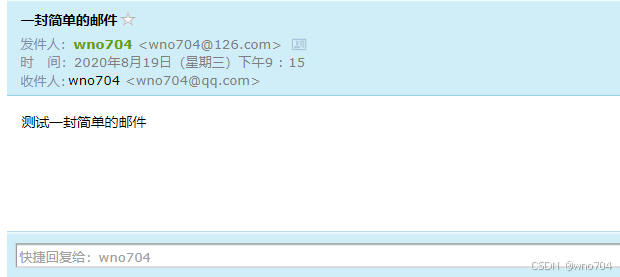
}启动项目访问http://localhost/email/TextMail,提示发送成功:
5.2 发送HTML格式的邮件
改造EmailController:
java
@RestController
@RequestMapping("/email")
public class EmailController {

    @Autowired
    private MailService mailService;

    @GetMapping("/htmlMail")
    public String sendHtmlMail(){
        try {
            MailDO mail = new MailDO();
            mail.setTitle("一封简单的HTML邮件");
            mail.setContent("<p style='color:#6db33f'>使用Spring Boot发送HTML格式邮件。</p>");
            mail.setEmail("wno704@qq.com");
            mailService.sendHtmlMail(mail,true);
            return "发送成功";
        } catch (Exception e) {
            e.printStackTrace();
            return e.getMessage();
        }
    }
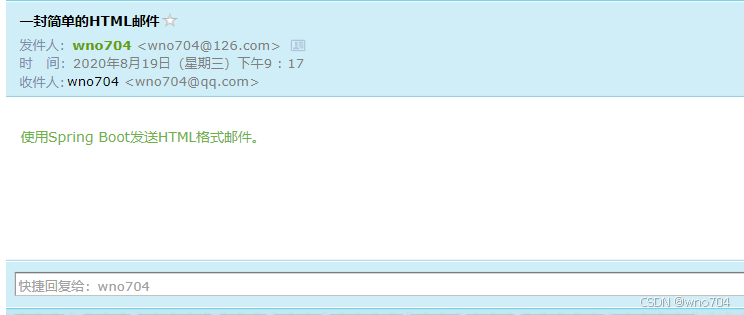
}启动项目访问http://localhost/email/htmlMail,提示发送成功:
5.3 发送带静态资源的邮件
改造EmailController:
java
@RestController
@RequestMapping("/email")
public class EmailController {

    @Autowired
    private MailService mailService;

    @GetMapping("/InlineMail")
    public String sendInlineMail(){
        try {
            MailDO mail = new MailDO();
            mail.setTitle("一封简单的Inline邮件");
            mail.setContent("<html><body>博客图:<img src='cid:img'/></body></html>");
            mail.setEmail("wno704@qq.com");
            Map<String,Object> map = new HashMap<>();
            map.put("img","classpath:static/009.jpg");
            mail.setAttachment(map);
            mailService.sendHtmlMail(mail,true);
            return "发送成功";
        } catch (Exception e) {
            e.printStackTrace();
            return e.getMessage();
        }
    }
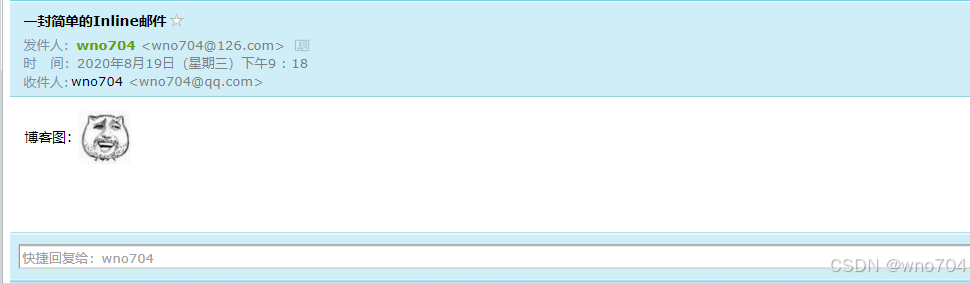
}启动项目访问http://localhost/email/InlineMail,提示发送成功:
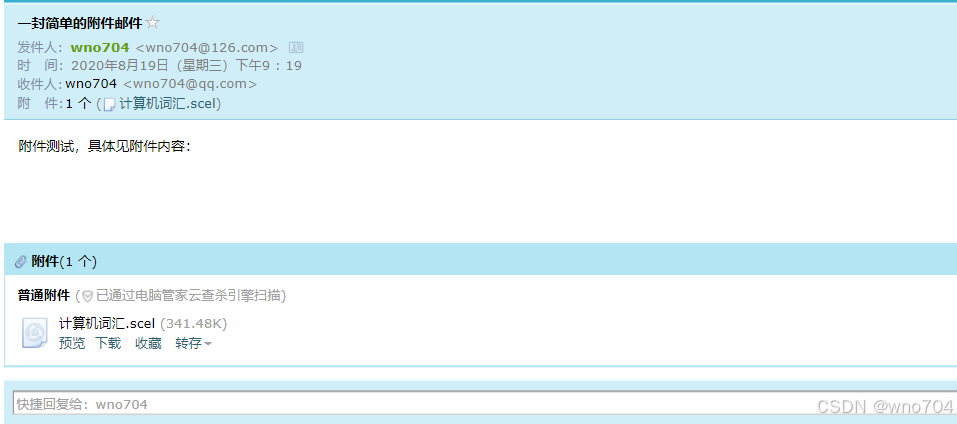
5.4 发送带附件的邮件
改造EmailController:
java
@RestController
@RequestMapping("/email")
public class EmailController {

    @Autowired
    private MailService mailService;

    @GetMapping("/AttachMail")
    public String sendAttachMail(){
        try {
            MailDO mail = new MailDO();
            mail.setTitle("一封简单的附件邮件");
            mail.setContent("附件测试,具体见附件内容:");
            mail.setEmail("wno704@qq.com");
            Map<String,Object> map = new HashMap<>();
            map.put("计算机词汇.scel","classpath:static/计算机词汇.scel");
            mail.setAttachment(map);
            mailService.sendAttachMail(mail);
            return "发送成功";
        } catch (Exception e) {
            e.printStackTrace();
            return e.getMessage();
        }
    }
}启动项目访问http://localhost/email/AttachMail,提示发送成功:
5.5 发送模板邮件
改造EmailController:
java
@RestController
@RequestMapping("/email")
public class EmailController {
    @Autowired
    private MailService mailService;

    @GetMapping("/TemplateMail")
    public String sendTemplateMail(String code){
        try {
            MailDO mail = new MailDO();
            mail.setTitle("一封简单的模板邮件");
            mail.setEmail("wno704@qq.com");
            Map<String,Object> map = new HashMap<>();
            map.put("code",code);
            mail.setAttachment(map);
            mailService.sendTemplateMail(mail);
            return "发送成功";
        } catch (Exception e) {
            e.printStackTrace();
            return e.getMessage();
        }
    }
}
在resources\templates配置模板emailTemplate.html:
html
<!DOCTYPE html>
<html lang="zh" xmlns:th="http://www.thymeleaf.org">
<head>
    <meta charset="UTF-8" />
    <title>模板</title>
</head>
<body>
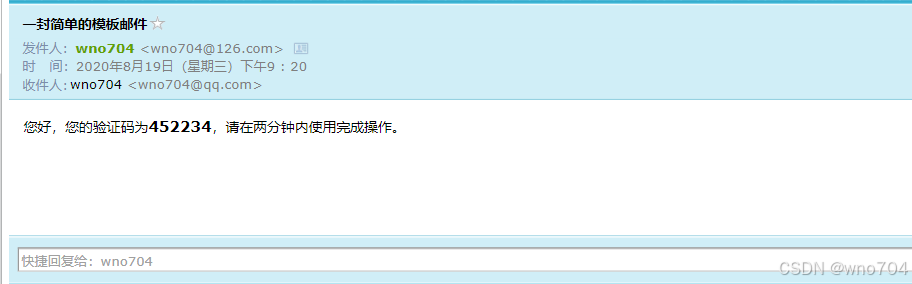
您好,您的验证码为<span style="font-size:15px;font-weight:bold;" th:text="${code}"/>,请在两分钟内使用完成操作。
</body>
</html>启动项目访问http://localhost/email/TemplateMail?code=452234,提示发送成功: