kubenetes pod管理

一.命令式对象管理

1.命名空间管理

复制代码
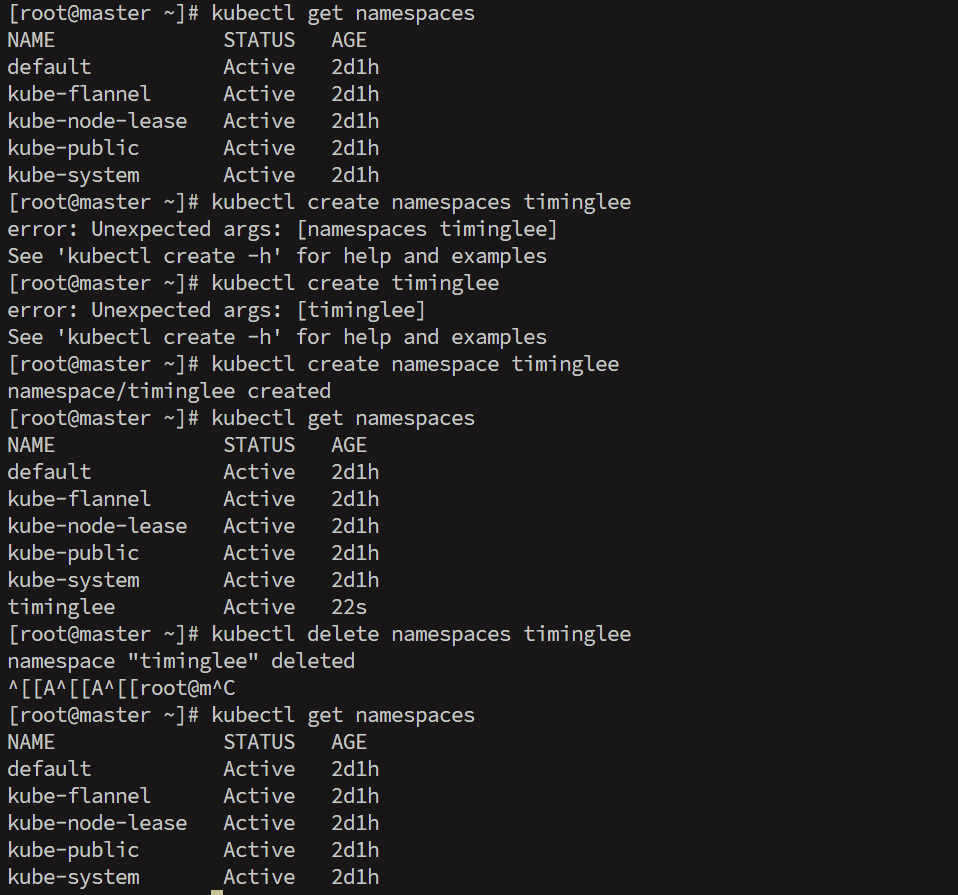
[root@master ~]# kubectl get namespaces
NAME              STATUS   AGE
default           Active   2d1h
kube-flannel      Active   2d1h
kube-node-lease   Active   2d1h
kube-public       Active   2d1h
kube-system       Active   2d1h
[root@master ~]# kubectl create namespace timinglee
namespace/timinglee created
[root@master ~]# kubectl get namespaces
NAME              STATUS   AGE
default           Active   2d1h
kube-flannel      Active   2d1h
kube-node-lease   Active   2d1h
kube-public       Active   2d1h
kube-system       Active   2d1h
timinglee         Active   22s
[root@master ~]# kubectl delete namespaces timinglee
[root@master ~]# kubectl get namespaces
NAME              STATUS   AGE
default           Active   2d1h
kube-flannel      Active   2d1h
kube-node-lease   Active   2d1h
kube-public       Active   2d1h
kube-system       Active   2d1h

2.pod管理

bash 复制代码
[root@master ~]# ls
anaconda-ks.cfg  flannel  kube-flannel-v0.28.9.tar.gz  nginx-latest.tar.gz  y  y.pub
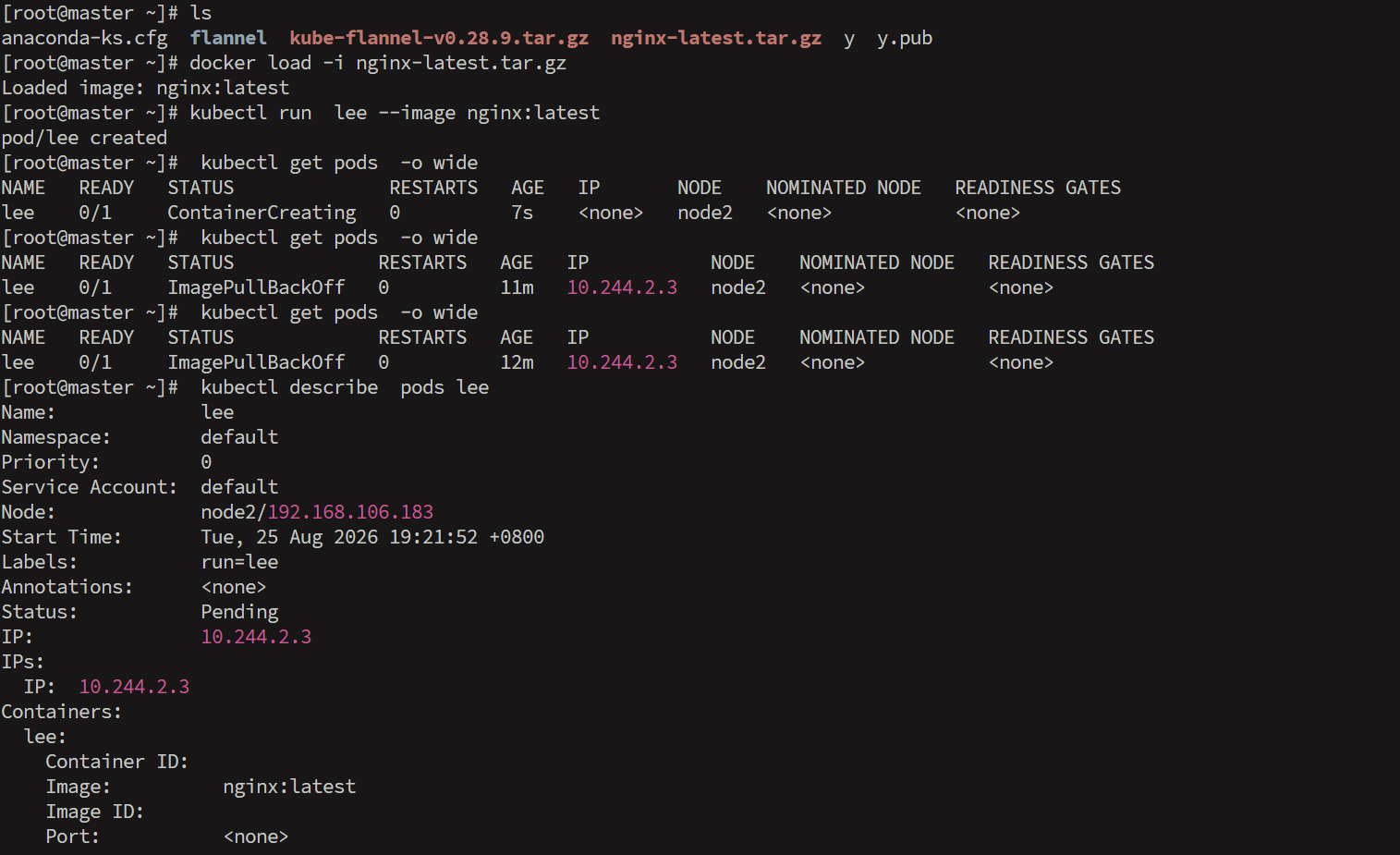
[root@master ~]# docker load -i nginx-latest.tar.gz
Loaded image: nginx:latest
[root@master ~]# kubectl run  lee --image nginx:latest
pod/lee created
[root@master ~]#  kubectl get pods  -o wide
NAME   READY   STATUS              RESTARTS   AGE   IP       NODE    NOMINATED NODE   READINESS GATES
lee    0/1     ContainerCreating   0          7s    <none>   node2   <none>           <none>
[root@master ~]#  kubectl get pods  -o wide
NAME   READY   STATUS             RESTARTS   AGE   IP           NODE    NOMINATED NODE   READINESS GATES
lee    0/1     ImagePullBackOff   0          11m   10.244.2.3   node2   <none>           <none>
[root@master ~]#  kubectl get pods  -o wide
NAME   READY   STATUS             RESTARTS   AGE   IP           NODE    NOMINATED NODE   READINESS GATES
lee    0/1     ImagePullBackOff   0          12m   10.244.2.3   node2   <none>           <none>
[root@master ~]#  kubectl describe  pods lee
Name:             lee
Namespace:        default
Priority:         0
Service Account:  default
Node:             node2/192.168.106.183
Start Time:       Tue, 25 Aug 2026 19:21:52 +0800
Labels:           run=lee
Annotations:      <none>
Status:           Pending
IP:               10.244.2.3
IPs:
  IP:  10.244.2.3
Containers:
  lee:
    Container ID:   
    Image:          nginx:latest
    Image ID:       
    Port:           <none>
    Host Port:      <none>
    State:          Waiting
      Reason:       ImagePullBackOff
    Ready:          False
    Restart Count:  0
    Environment:    <none>
    Mounts:
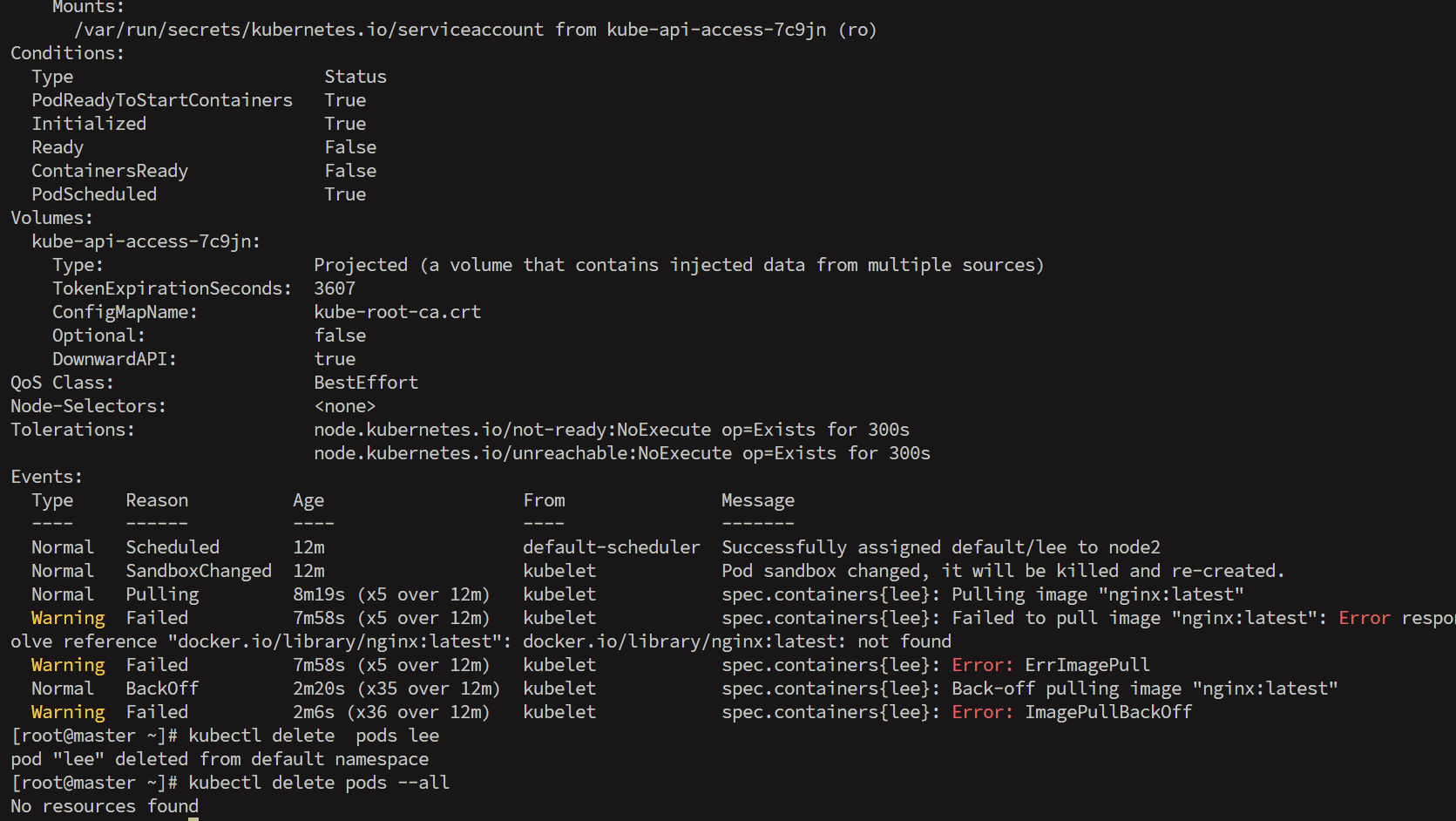
      /var/run/secrets/kubernetes.io/serviceaccount from kube-api-access-7c9jn (ro)
Conditions:
  Type                        Status
  PodReadyToStartContainers   True 
  Initialized                 True 
  Ready                       False 
  ContainersReady             False 
  PodScheduled                True 
Volumes:
  kube-api-access-7c9jn:
    Type:                    Projected (a volume that contains injected data from multiple sources)
    TokenExpirationSeconds:  3607
    ConfigMapName:           kube-root-ca.crt
    Optional:                false
    DownwardAPI:             true
QoS Class:                   BestEffort
Node-Selectors:              <none>
Tolerations:                 node.kubernetes.io/not-ready:NoExecute op=Exists for 300s
                             node.kubernetes.io/unreachable:NoExecute op=Exists for 300s
Events:
  Type     Reason          Age                   From               Message
  ----     ------          ----                  ----               -------
  Normal   Scheduled       12m                   default-scheduler  Successfully assigned default/lee to node2
  Normal   SandboxChanged  12m                   kubelet            Pod sandbox changed, it will be killed and re-created.
  Normal   Pulling         8m19s (x5 over 12m)   kubelet            spec.containers{lee}: Pulling image "nginx:latest"
  Warning  Failed          7m58s (x5 over 12m)   kubelet            spec.containers{lee}: Failed to pull image "nginx:latest": Error response from daemon: failed to resolve reference "docker.io/library/nginx:latest": docker.io/library/nginx:latest: not found
  Warning  Failed          7m58s (x5 over 12m)   kubelet            spec.containers{lee}: Error: ErrImagePull
  Normal   BackOff         2m20s (x35 over 12m)  kubelet            spec.containers{lee}: Back-off pulling image "nginx:latest"
  Warning  Failed          2m6s (x36 over 12m)   kubelet            spec.containers{lee}: Error: ImagePullBackOff
[root@master ~]# kubectl delete  pods lee
pod "lee" deleted from default namespace
[root@master ~]# kubectl delete pods --all
No resources found

二.kubectl命令实操

1.上传实验镜像到仓库library中

bash 复制代码
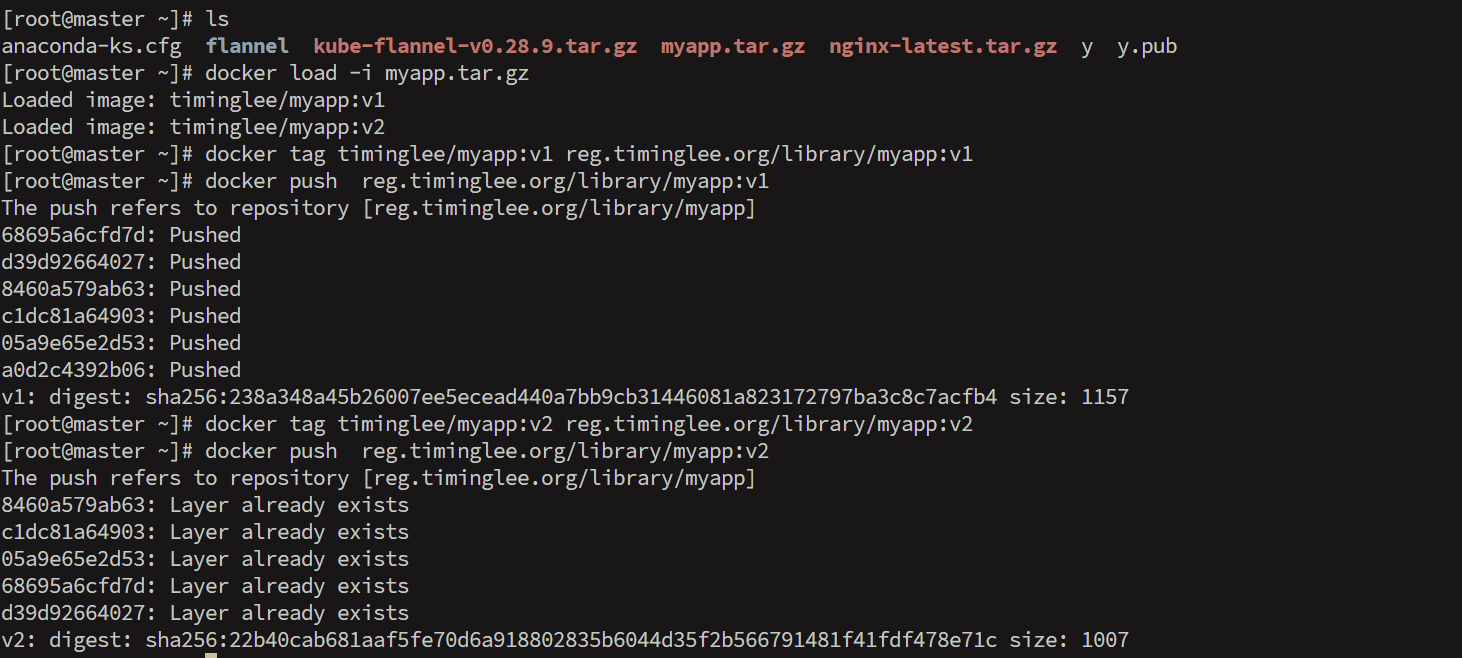
[root@master ~]# ls
anaconda-ks.cfg  flannel  kube-flannel-v0.28.9.tar.gz  myapp.tar.gz  nginx-latest.tar.gz  y  y.pub
[root@master ~]# docker load -i myapp.tar.gz
Loaded image: timinglee/myapp:v1
Loaded image: timinglee/myapp:v2
[root@master ~]# docker tag timinglee/myapp:v1 reg.timinglee.org/library/myapp:v1
[root@master ~]# docker push  reg.timinglee.org/library/myapp:v1
The push refers to repository [reg.timinglee.org/library/myapp]
68695a6cfd7d: Pushed 
d39d92664027: Pushed 
8460a579ab63: Pushed 
c1dc81a64903: Pushed 
05a9e65e2d53: Pushed 
a0d2c4392b06: Pushed 
v1: digest: sha256:238a348a45b26007ee5ecead440a7bb9cb31446081a823172797ba3c8c7acfb4 size: 1157
[root@master ~]# docker tag timinglee/myapp:v2 reg.timinglee.org/library/myapp:v2
[root@master ~]# docker push  reg.timinglee.org/library/myapp:v2
The push refers to repository [reg.timinglee.org/library/myapp]
8460a579ab63: Layer already exists 
c1dc81a64903: Layer already exists 
05a9e65e2d53: Layer already exists 
68695a6cfd7d: Layer already exists 
d39d92664027: Layer already exists 
v2: digest: sha256:22b40cab681aaf5fe70d6a918802835b6044d35f2b566791481f41fdf478e71c size: 1007

2.生成实验所需yml文件

bash 复制代码
[root@k8s-master ~]# vim replica.yml
apiVersion: apps/v1
kind: ReplicaSet
metadata:
  labels:
    app: replica	#设定控制器标签
  name: replica
spec:
  replicas: 2		#启动pod数量
  selector:
    matchLabels:
      app: replica	#控制器标签选择器
  template:
    metadata:
      labels:
        app: replica	#开启pod的属性模板
    spec:
      containers:
      - image: myapp:v1
        name: myapp

3.kubectl命令使用方法

1.create

bash 复制代码
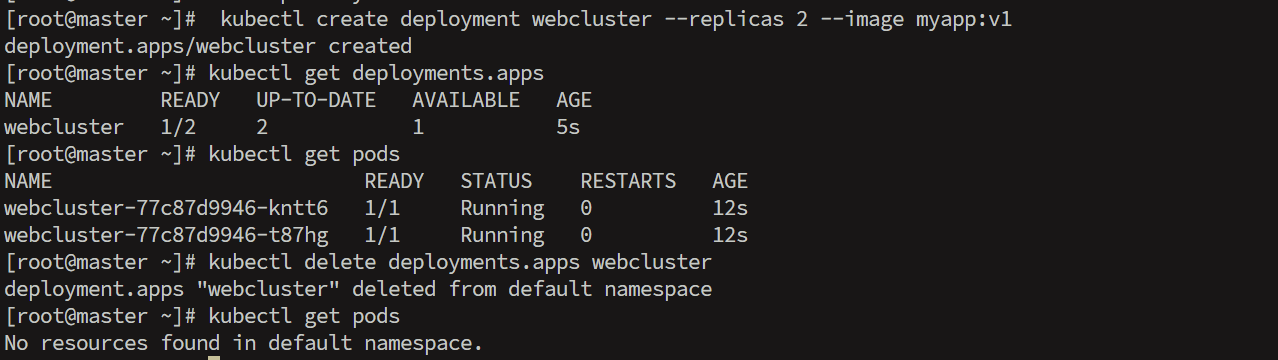
[root@master ~]#  kubectl create deployment webcluster --replicas 2 --image myapp:v1
deployment.apps/webcluster created
[root@master ~]# kubectl get deployments.apps
NAME         READY   UP-TO-DATE   AVAILABLE   AGE
webcluster   1/2     2            1           5s
[root@master ~]# kubectl get pods
NAME                          READY   STATUS    RESTARTS   AGE
webcluster-77c87d9946-kntt6   1/1     Running   0          12s
webcluster-77c87d9946-t87hg   1/1     Running   0          12s
[root@master ~]# kubectl delete deployments.apps webcluster
deployment.apps "webcluster" deleted from default namespace
[root@master ~]# kubectl get pods
No resources found in default namespace.

2.edit

bash 复制代码
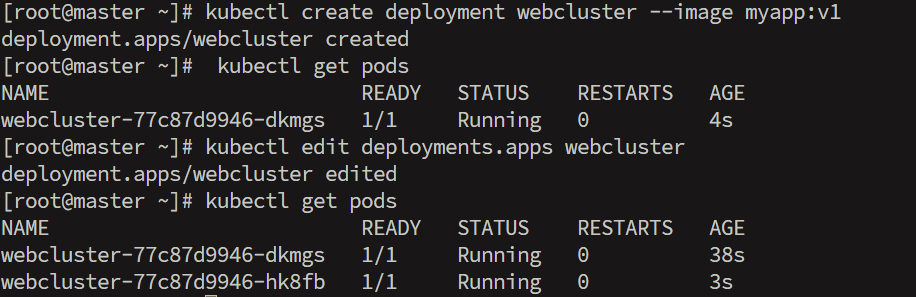
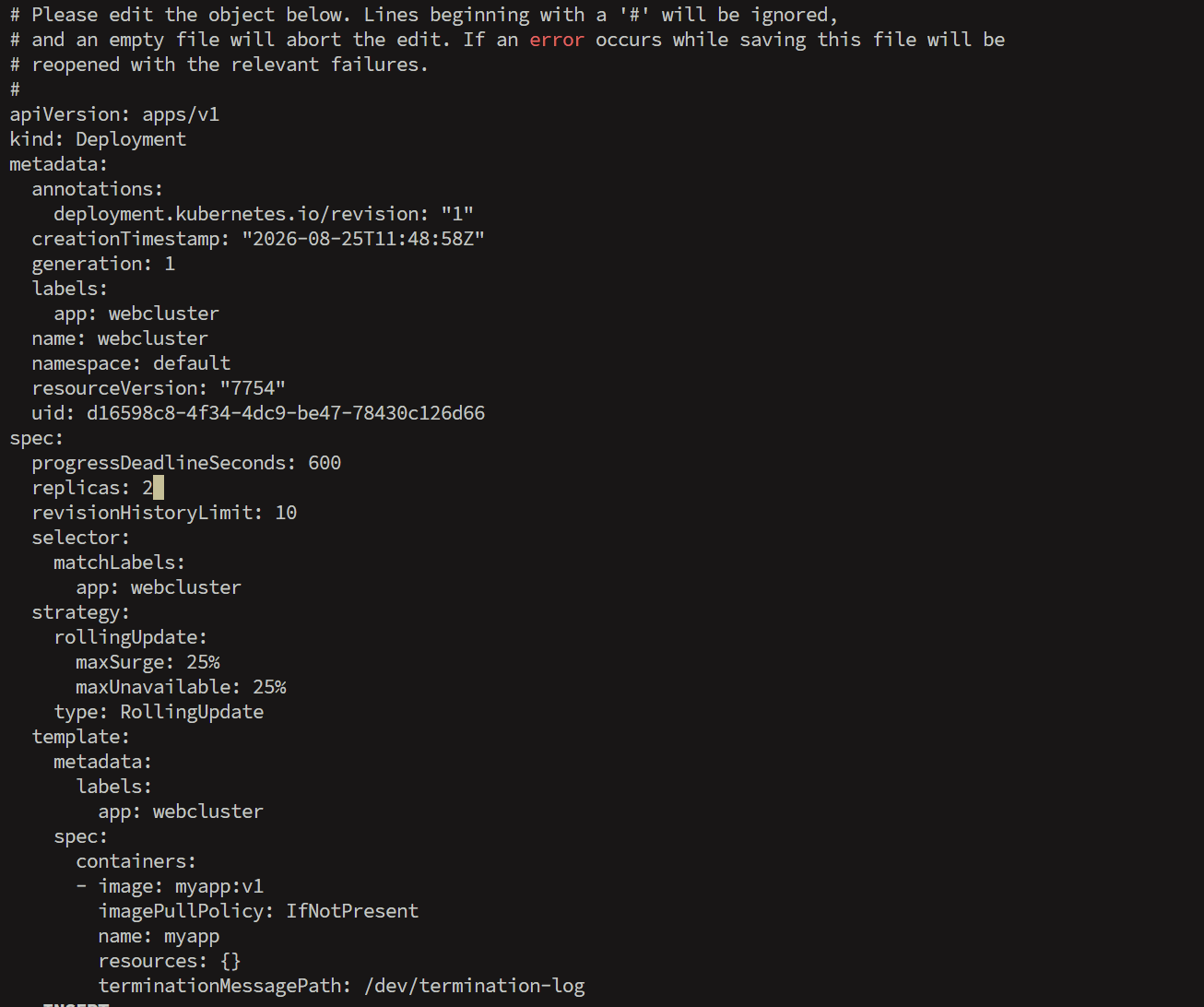
[root@master ~]# kubectl create deployment webcluster --image myapp:v1
deployment.apps/webcluster created
[root@master ~]#  kubectl get pods
NAME                          READY   STATUS    RESTARTS   AGE
webcluster-77c87d9946-dkmgs   1/1     Running   0          4s
[root@master ~]# kubectl edit deployments.apps webcluster
deployment.apps/webcluster edited
[root@master ~]# kubectl get pods
NAME                          READY   STATUS    RESTARTS   AGE
webcluster-77c87d9946-dkmgs   1/1     Running   0          38s
webcluster-77c87d9946-hk8fb   1/1     Running   0          3s

3.patch

bash 复制代码
[root@master ~]# kubectl patch deployments.apps webcluster -p '{"spec":{"replicas":1}}'
deployment.apps/webcluster patched
[root@master ~]# kubectl get pods
NAME                          READY   STATUS    RESTARTS   AGE
webcluster-77c87d9946-dkmgs   1/1     Running   0          2m40s

4.expose

bash 复制代码
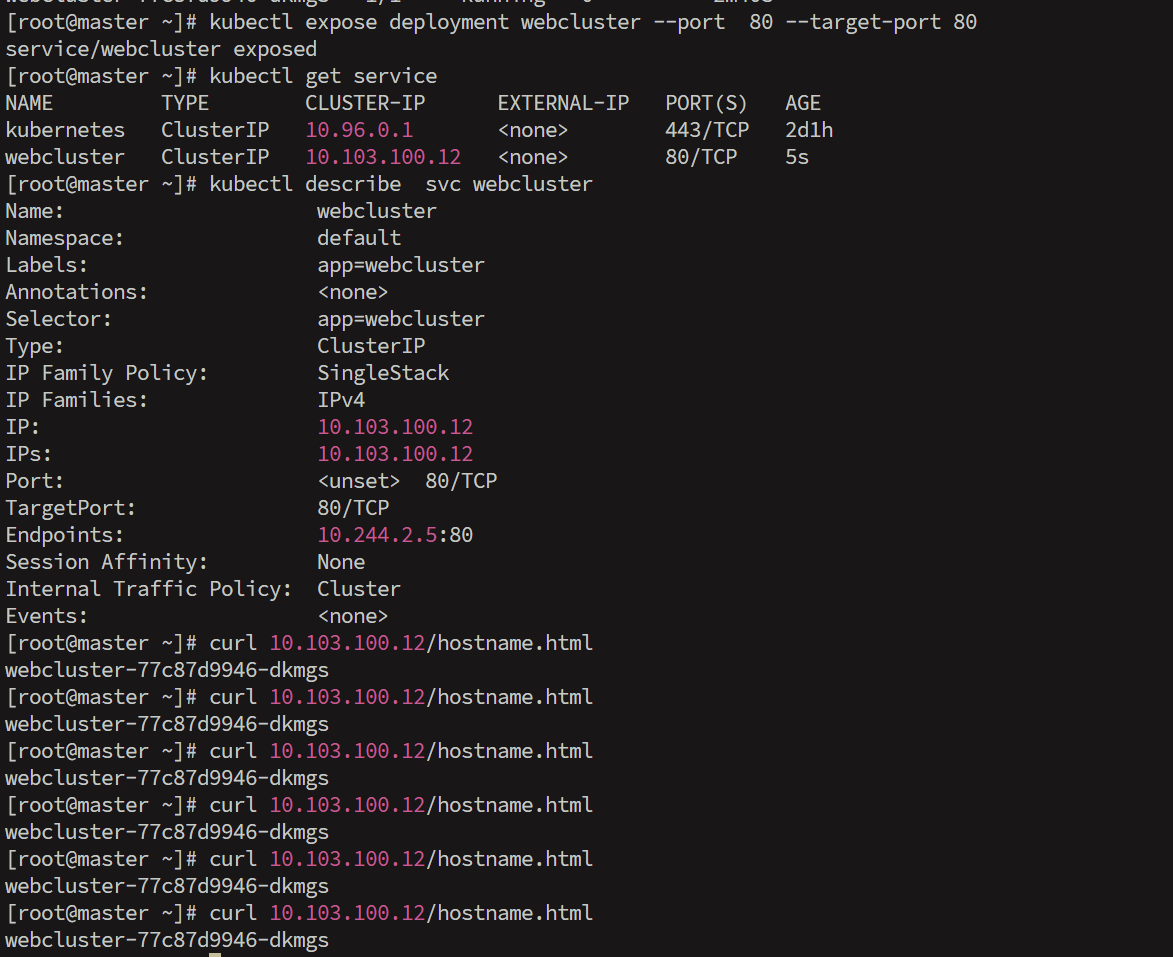
[root@master ~]# kubectl expose deployment webcluster --port  80 --target-port 80
service/webcluster exposed
[root@master ~]# kubectl get service
NAME         TYPE        CLUSTER-IP      EXTERNAL-IP   PORT(S)   AGE
kubernetes   ClusterIP   10.96.0.1       <none>        443/TCP   2d1h
webcluster   ClusterIP   10.103.100.12   <none>        80/TCP    5s
[root@master ~]# kubectl describe  svc webcluster
Name:                     webcluster
Namespace:                default
Labels:                   app=webcluster
Annotations:              <none>
Selector:                 app=webcluster
Type:                     ClusterIP
IP Family Policy:         SingleStack
IP Families:              IPv4
IP:                       10.103.100.12
IPs:                      10.103.100.12
Port:                     <unset>  80/TCP
TargetPort:               80/TCP
Endpoints:                10.244.2.5:80
Session Affinity:         None
Internal Traffic Policy:  Cluster
Events:                   <none>
[root@master ~]# curl 10.103.100.12/hostname.html
webcluster-77c87d9946-dkmgs
[root@master ~]# curl 10.103.100.12/hostname.html
webcluster-77c87d9946-dkmgs
[root@master ~]# curl 10.103.100.12/hostname.html
webcluster-77c87d9946-dkmgs
[root@master ~]# curl 10.103.100.12/hostname.html
webcluster-77c87d9946-dkmgs
[root@master ~]# curl 10.103.100.12/hostname.html
webcluster-77c87d9946-dkmgs
[root@master ~]# curl 10.103.100.12/hostname.html
webcluster-77c87d9946-dkmgs

5.logs

bash 复制代码
[root@master ~]# kubectl get pods
NAME                          READY   STATUS    RESTARTS   AGE
webcluster-77c87d9946-dkmgs   1/1     Running   0          6m15s
[root@master ~]# kubectl logs pods/webcluster-77c87d9946-dkmgs
10.244.0.0 - - [25/Aug/2026:11:53:12 +0000] "GET /hostname.html HTTP/1.1" 200 28 "-" "curl/7.76.1" "-"
10.244.0.0 - - [25/Aug/2026:11:53:13 +0000] "GET /hostname.html HTTP/1.1" 200 28 "-" "curl/7.76.1" "-"
10.244.0.0 - - [25/Aug/2026:11:53:14 +0000] "GET /hostname.html HTTP/1.1" 200 28 "-" "curl/7.76.1" "-"
10.244.0.0 - - [25/Aug/2026:11:53:15 +0000] "GET /hostname.html HTTP/1.1" 200 28 "-" "curl/7.76.1" "-"

6.attach

bash 复制代码
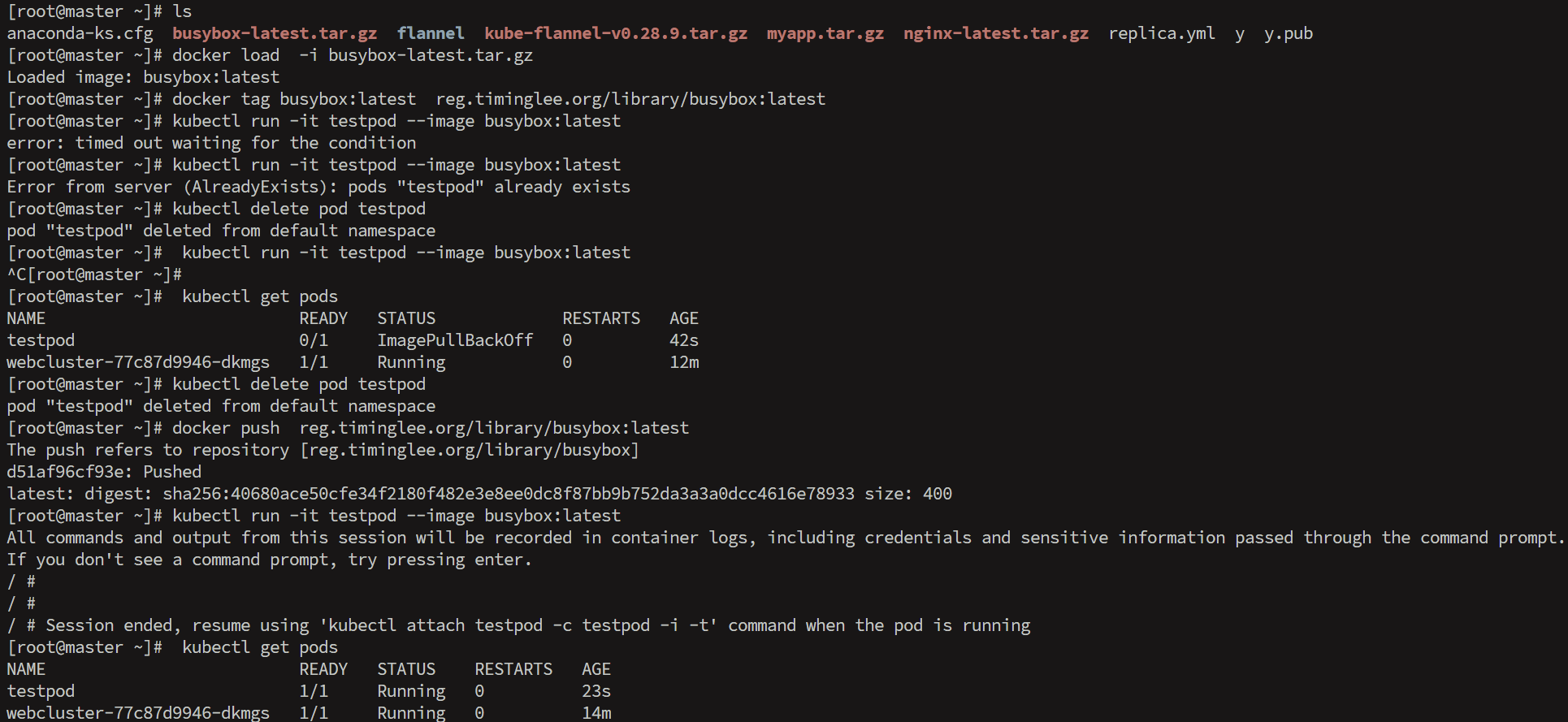
[root@k8s-master ~]# docker load  -i busybox-latest.tar.gz
Loaded image: busybox:latest
[root@k8s-master ~]# docker tag busybox:latest  reg.timinglee.org/library/busybox:latest
[root@k8s-master ~]#docker push  reg.timinglee.org/library/busybox:latest

[root@k8s-master ~]# kubectl run -it testpod --image busybox:latest
All commands and output from this session will be recorded in container logs, including credentials and sensitive information passed through the command prompt.
If you don't see a command prompt, try pressing enter.
/ #
/ #
/ #  <ctrl+pq>

[root@k8s-master ~]# kubectl get pods
NAME                          READY   STATUS    RESTARTS   AGE
testpod                       1/1     Running   0          55s

[root@k8s-master ~]# kubectl attach pods/testpod -it
All commands and output from this session will be recorded in container logs, including credentials and sensitive information passed through the command prompt.
If you don't see a command prompt, try pressing enter.
/ #
/ #
/ #

7.exec

bash 复制代码
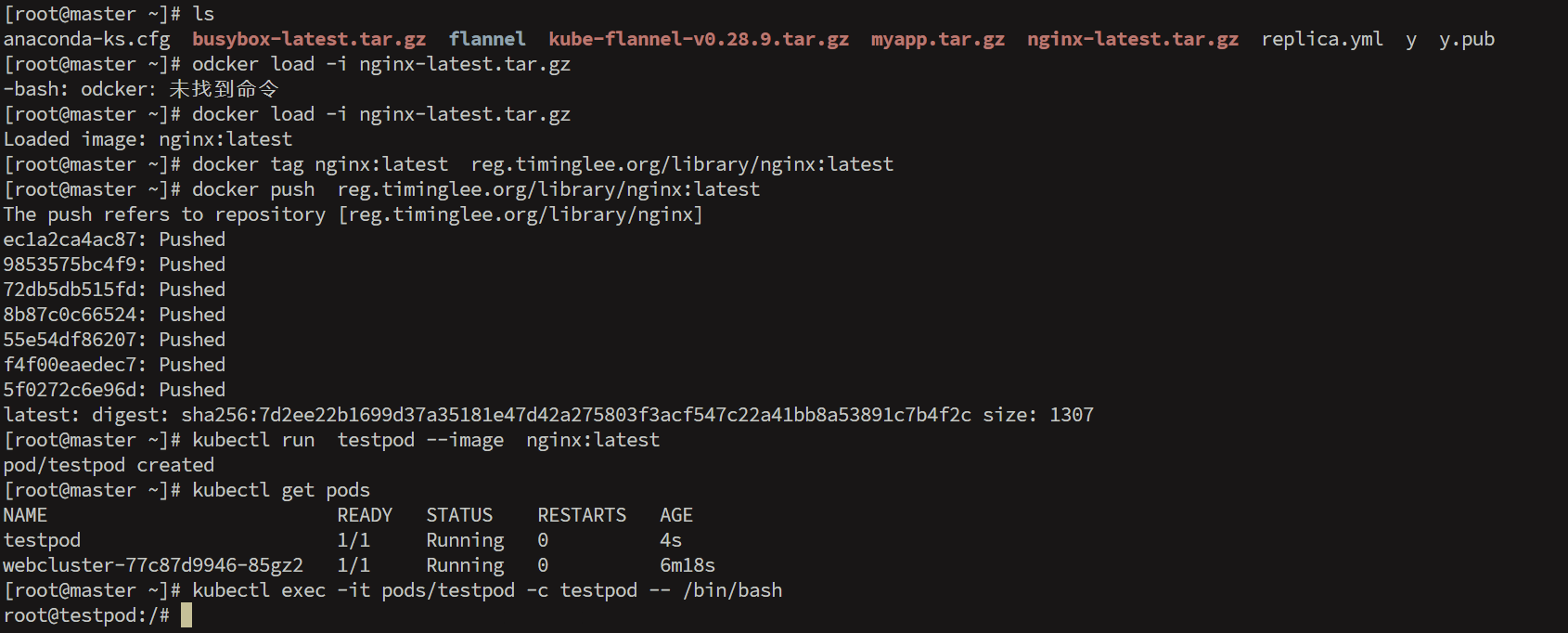
[root@master ~]# docker load -i nginx-latest.tar.gz
Loaded image: nginx:latest
[root@master ~]# docker tag nginx:latest  reg.timinglee.org/library/nginx:latest
[root@master ~]# docker push  reg.timinglee.org/library/nginx:latest
The push refers to repository [reg.timinglee.org/library/nginx]
ec1a2ca4ac87: Pushed 
9853575bc4f9: Pushed 
72db5db515fd: Pushed 
8b87c0c66524: Pushed 
55e54df86207: Pushed 
f4f00eaedec7: Pushed 
5f0272c6e96d: Pushed 
latest: digest: sha256:7d2ee22b1699d37a35181e47d42a275803f3acf547c22a41bb8a53891c7b4f2c size: 1307
[root@master ~]# kubectl run  testpod --image  nginx:latest
pod/testpod created
[root@master ~]# kubectl get pods
NAME                          READY   STATUS    RESTARTS   AGE
testpod                       1/1     Running   0          4s
webcluster-77c87d9946-85gz2   1/1     Running   0          6m18s
[root@master ~]# kubectl exec -it pods/testpod -c testpod -- /bin/bash
root@testpod:/# 

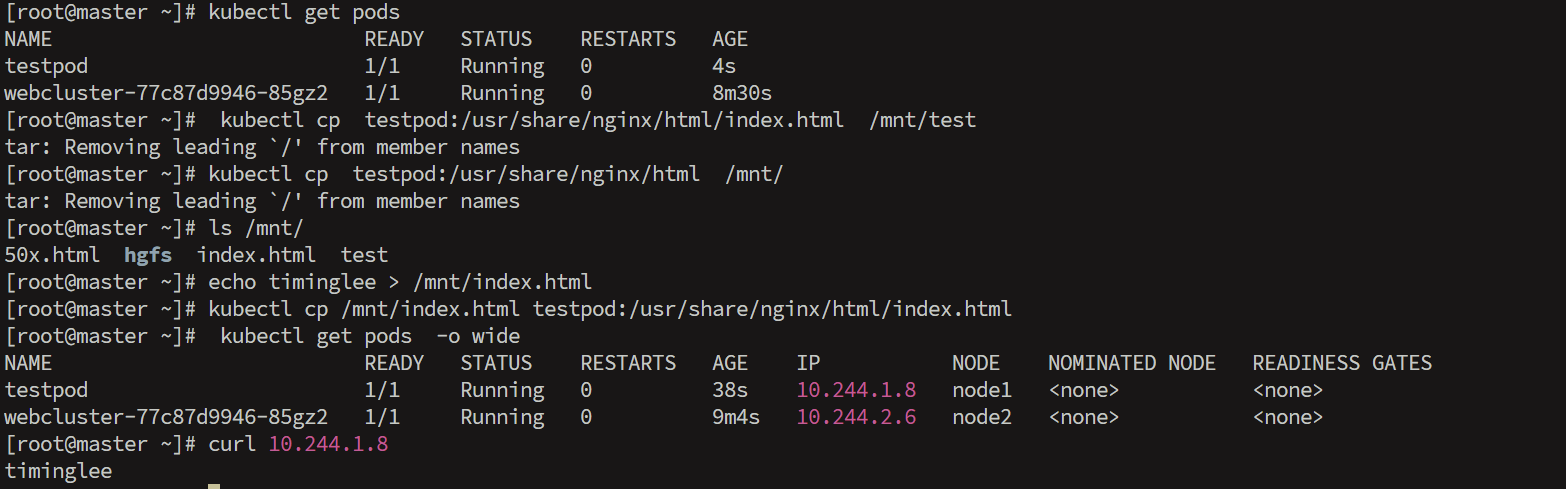
8.cp

bash 复制代码
[root@master ~]# kubectl get pods
NAME                          READY   STATUS    RESTARTS   AGE
testpod                       1/1     Running   0          4s
webcluster-77c87d9946-85gz2   1/1     Running   0          8m30s
[root@master ~]#  kubectl cp  testpod:/usr/share/nginx/html/index.html  /mnt/test
tar: Removing leading `/' from member names
[root@master ~]# kubectl cp  testpod:/usr/share/nginx/html  /mnt/
tar: Removing leading `/' from member names
[root@master ~]# ls /mnt/
50x.html  hgfs  index.html  test
[root@master ~]# echo timinglee > /mnt/index.html
[root@master ~]# kubectl cp /mnt/index.html testpod:/usr/share/nginx/html/index.html
[root@master ~]#  kubectl get pods  -o wide
NAME                          READY   STATUS    RESTARTS   AGE    IP           NODE    NOMINATED NODE   READINESS GATES
testpod                       1/1     Running   0          38s    10.244.1.8   node1   <none>           <none>
webcluster-77c87d9946-85gz2   1/1     Running   0          9m4s   10.244.2.6   node2   <none>           <none>
[root@master ~]# curl 10.244.1.8
timinglee

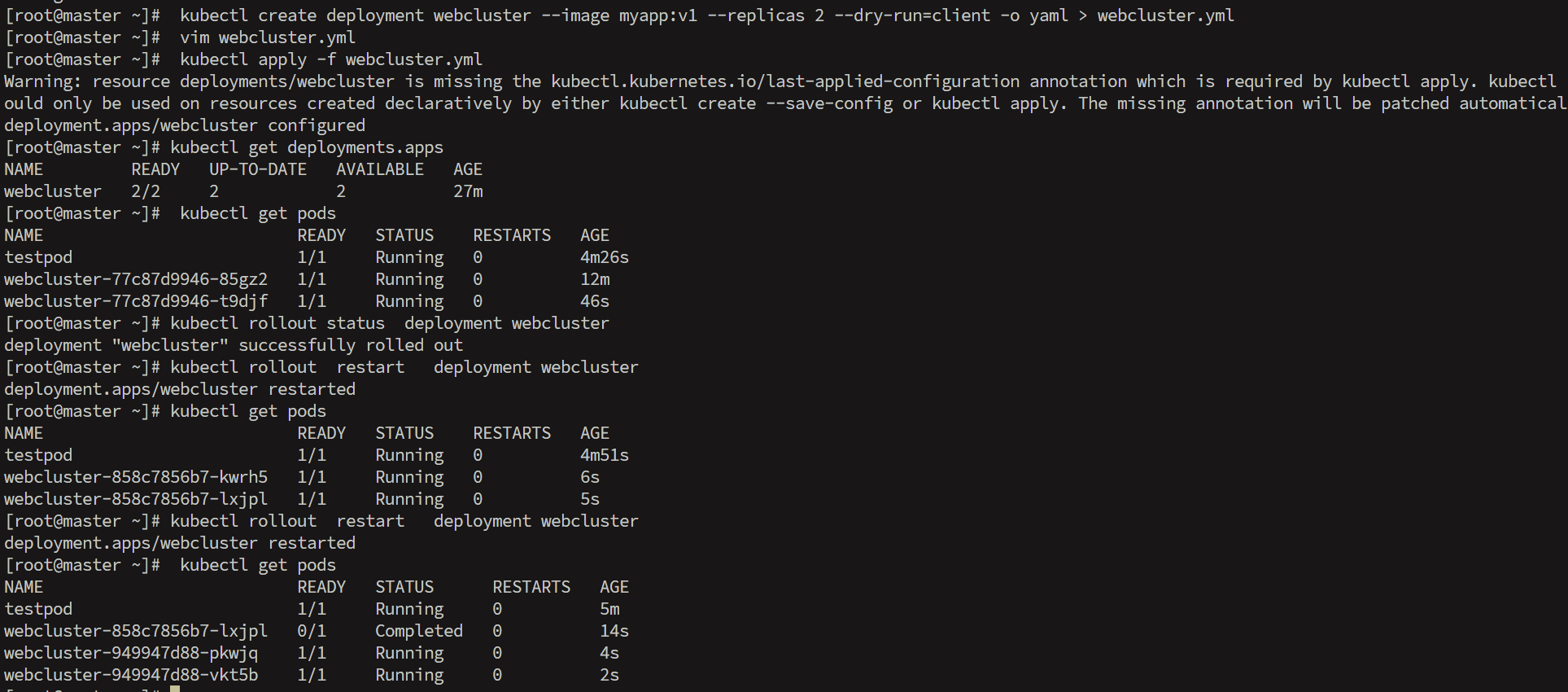
9.rollout

bash 复制代码
[root@master ~]#  kubectl create deployment webcluster --image myapp:v1 --replicas 2 --dry-run=client -o yaml > webcluster.yml
[root@master ~]#  vim webcluster.yml
[root@master ~]# vim webcluster.yml
apiVersion: apps/v1
kind: Deployment
metadata:
  labels:
    app: webcluster
  name: webcluster
spec:
  replicas: 2
  selector:
    matchLabels:
      app: webcluster
  template:
    metadata:
      labels:
        app: webcluster
    spec:
      containers:
      - image: myapp:v1
        name: myapp
[root@master ~]#  kubectl apply -f webcluster.yml
Warning: resource deployments/webcluster is missing the kubectl.kubernetes.io/last-applied-configuration annotation which is required by kubectl apply. kubectl apply should only be used on resources created declaratively by either kubectl create --save-config or kubectl apply. The missing annotation will be patched automatically.
deployment.apps/webcluster configured
[root@master ~]# kubectl get deployments.apps
NAME         READY   UP-TO-DATE   AVAILABLE   AGE
webcluster   2/2     2            2           27m
[root@master ~]#  kubectl get pods
NAME                          READY   STATUS    RESTARTS   AGE
testpod                       1/1     Running   0          4m26s
webcluster-77c87d9946-85gz2   1/1     Running   0          12m
webcluster-77c87d9946-t9djf   1/1     Running   0          46s
[root@master ~]# kubectl rollout status  deployment webcluster
deployment "webcluster" successfully rolled out
[root@master ~]# kubectl rollout  restart   deployment webcluster
deployment.apps/webcluster restarted
[root@master ~]# kubectl get pods
NAME                          READY   STATUS    RESTARTS   AGE
testpod                       1/1     Running   0          4m51s
webcluster-858c7856b7-kwrh5   1/1     Running   0          6s
webcluster-858c7856b7-lxjpl   1/1     Running   0          5s
[root@master ~]# kubectl rollout  restart   deployment webcluster
deployment.apps/webcluster restarted
[root@master ~]#  kubectl get pods
NAME                          READY   STATUS      RESTARTS   AGE
testpod                       1/1     Running     0          5m
webcluster-858c7856b7-lxjpl   0/1     Completed   0          14s
webcluster-949947d88-pkwjq    1/1     Running     0          4s
webcluster-949947d88-vkt5b    1/1     Running     0          2s

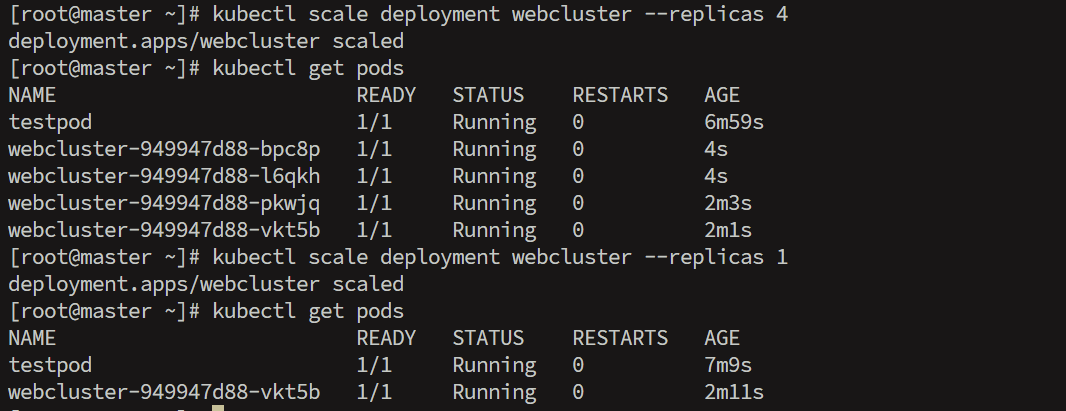
10.scale

bash 复制代码
[root@master ~]# kubectl scale deployment webcluster --replicas 4
deployment.apps/webcluster scaled
[root@master ~]# kubectl get pods
NAME                         READY   STATUS    RESTARTS   AGE
testpod                      1/1     Running   0          6m59s
webcluster-949947d88-bpc8p   1/1     Running   0          4s
webcluster-949947d88-l6qkh   1/1     Running   0          4s
webcluster-949947d88-pkwjq   1/1     Running   0          2m3s
webcluster-949947d88-vkt5b   1/1     Running   0          2m1s
[root@master ~]# kubectl scale deployment webcluster --replicas 1
deployment.apps/webcluster scaled
[root@master ~]# kubectl get pods
NAME                         READY   STATUS    RESTARTS   AGE
testpod                      1/1     Running   0          7m9s
webcluster-949947d88-vkt5b   1/1     Running   0          2m11s

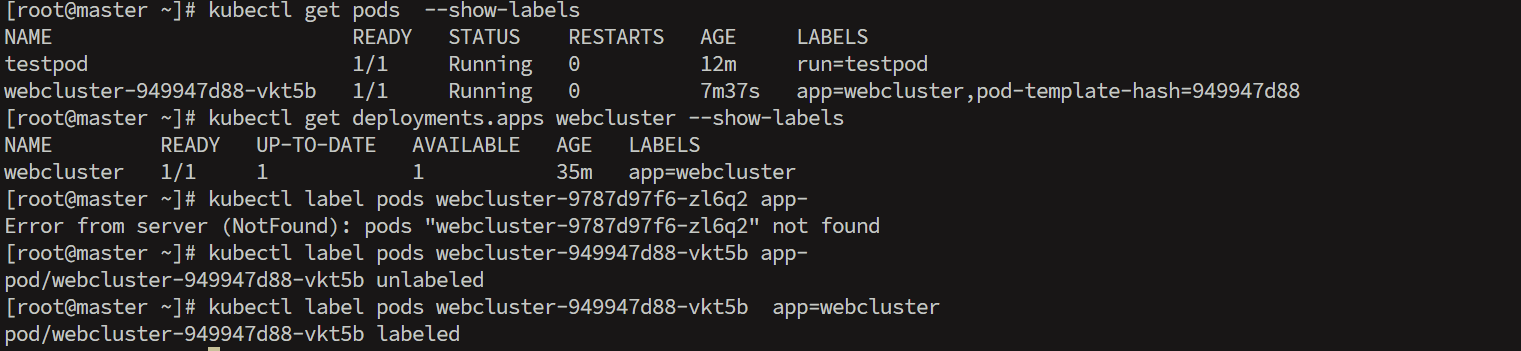
11.label

bash 复制代码
[root@master ~]# kubectl get pods  --show-labels
NAME                         READY   STATUS    RESTARTS   AGE     LABELS
testpod                      1/1     Running   0          12m     run=testpod
webcluster-949947d88-vkt5b   1/1     Running   0          7m37s   app=webcluster,pod-template-hash=949947d88
[root@master ~]# kubectl get deployments.apps webcluster --show-labels
NAME         READY   UP-TO-DATE   AVAILABLE   AGE   LABELS
webcluster   1/1     1            1           35m   app=webcluster
[root@master ~]# kubectl label pods webcluster-9787d97f6-zl6q2 app-
Error from server (NotFound): pods "webcluster-9787d97f6-zl6q2" not found
[root@master ~]# kubectl label pods webcluster-949947d88-vkt5b app-
pod/webcluster-949947d88-vkt5b unlabeled
[root@master ~]# kubectl label pods webcluster-949947d88-vkt5b  app=webcluster
pod/webcluster-949947d88-vkt5b labeled
三.利用控制器实现版本更替

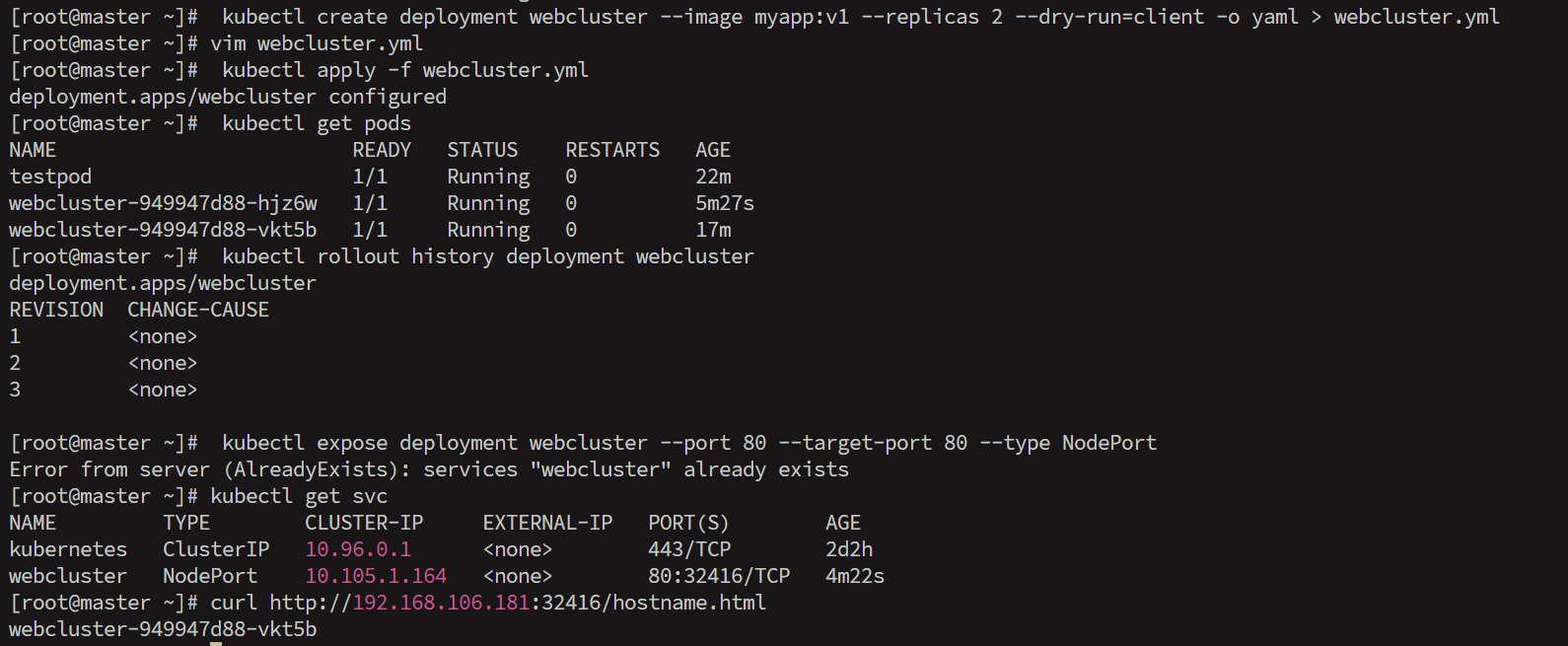
1.建立控制器

bash 复制代码
[root@master ~]#  kubectl create deployment webcluster --image myapp:v1 --replicas 2 --dry-run=client -o yaml > webcluster.yml
[root@master ~]# vim webcluster.yml
apiVersion: apps/v1
kind: Deployment
metadata:
  labels:
    app: webcluster
  name: webcluster
spec:
  replicas: 2
  selector:
    matchLabels:
      app: webcluster
  template:
    metadata:
      labels:
        app: webcluster
    spec:
      containers:
      - image: myapp:v1
        name: myapp
[root@master ~]#  kubectl apply -f webcluster.yml
deployment.apps/webcluster configured
[root@master ~]#  kubectl get pods
NAME                         READY   STATUS    RESTARTS   AGE
testpod                      1/1     Running   0          22m
webcluster-949947d88-hjz6w   1/1     Running   0          5m27s
webcluster-949947d88-vkt5b   1/1     Running   0          17m
[root@master ~]#  kubectl rollout history deployment webcluster
deployment.apps/webcluster 
REVISION  CHANGE-CAUSE
1         <none>
2         <none>
3         <none>

[root@master ~]#  kubectl expose deployment webcluster --port 80 --target-port 80 --type NodePort
Error from server (AlreadyExists): services "webcluster" already exists
[root@master ~]# kubectl get svc
NAME         TYPE        CLUSTER-IP     EXTERNAL-IP   PORT(S)        AGE
kubernetes   ClusterIP   10.96.0.1      <none>        443/TCP        2d2h
webcluster   NodePort    10.105.1.164   <none>        80:32416/TCP   4m22s
[root@master ~]# curl http://192.168.106.181:32416/hostname.html
webcluster-949947d88-vkt5b

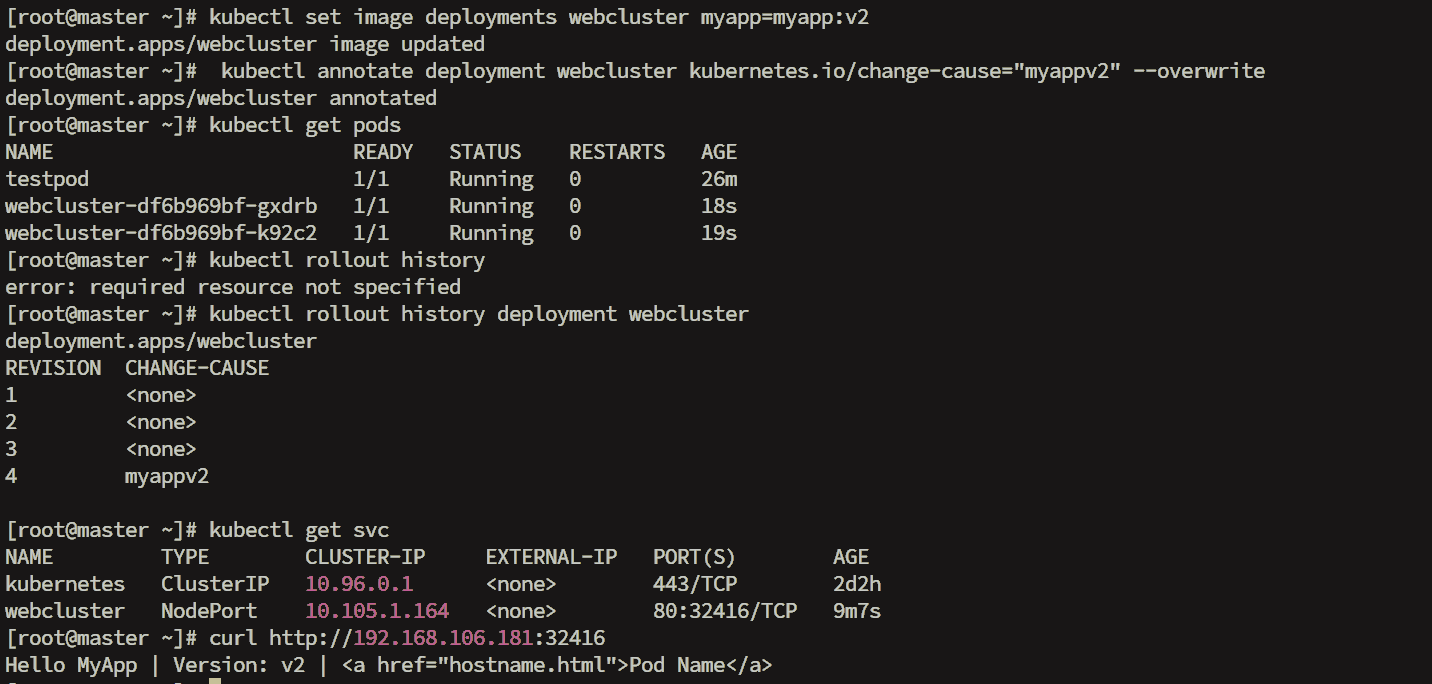
2.更新业务版本

bash 复制代码
[root@master ~]# kubectl set image deployments webcluster myapp=myapp:v2
deployment.apps/webcluster image updated
[root@master ~]#  kubectl annotate deployment webcluster kubernetes.io/change-cause="myappv2" --overwrite
deployment.apps/webcluster annotated
[root@master ~]# kubectl get pods
NAME                         READY   STATUS    RESTARTS   AGE
testpod                      1/1     Running   0          26m
webcluster-df6b969bf-gxdrb   1/1     Running   0          18s
webcluster-df6b969bf-k92c2   1/1     Running   0          19s
[root@master ~]# kubectl rollout history
error: required resource not specified
[root@master ~]# kubectl rollout history deployment webcluster
deployment.apps/webcluster 
REVISION  CHANGE-CAUSE
1         <none>
2         <none>
3         <none>
4         myappv2

[root@master ~]# kubectl get svc
NAME         TYPE        CLUSTER-IP     EXTERNAL-IP   PORT(S)        AGE
kubernetes   ClusterIP   10.96.0.1      <none>        443/TCP        2d2h
webcluster   NodePort    10.105.1.164   <none>        80:32416/TCP   9m7s
[root@master ~]# curl http://192.168.106.181:32416
Hello MyApp | Version: v2 | <a href="hostname.html">Pod Name</a>

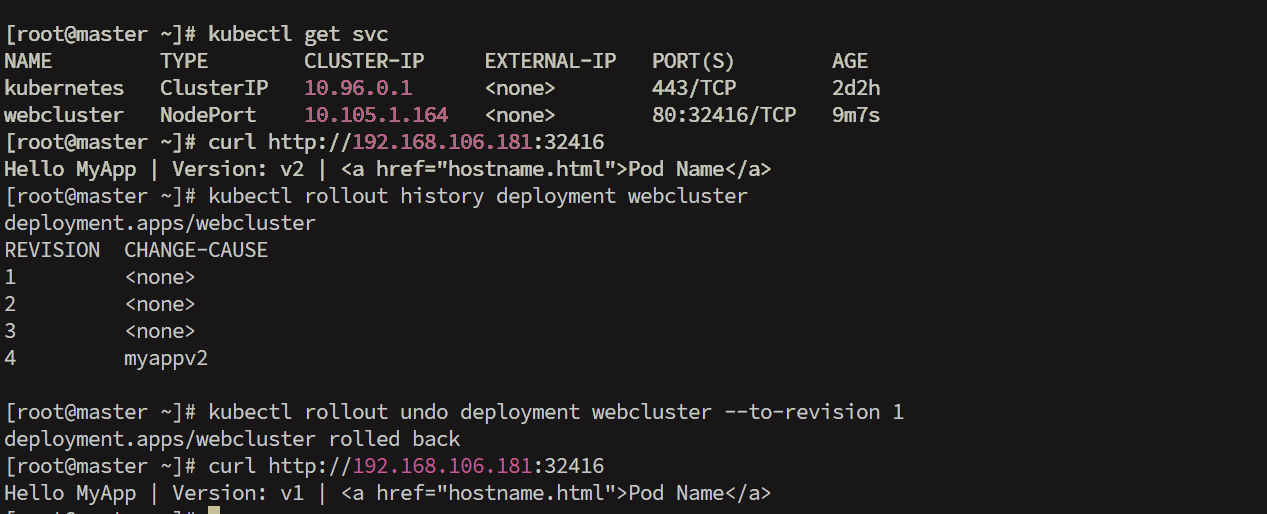
3.版本回退

bash 复制代码
[root@master ~]# kubectl rollout history deployment webcluster
deployment.apps/webcluster 
REVISION  CHANGE-CAUSE
1         <none>
2         <none>
3         <none>
4         myappv2

[root@master ~]# kubectl rollout undo deployment webcluster --to-revision 1
deployment.apps/webcluster rolled back
[root@master ~]# curl http://192.168.106.181:32416
Hello MyApp | Version: v1 | <a href="hostname.html">Pod Name</a>

四.利用yaml文件声明资源

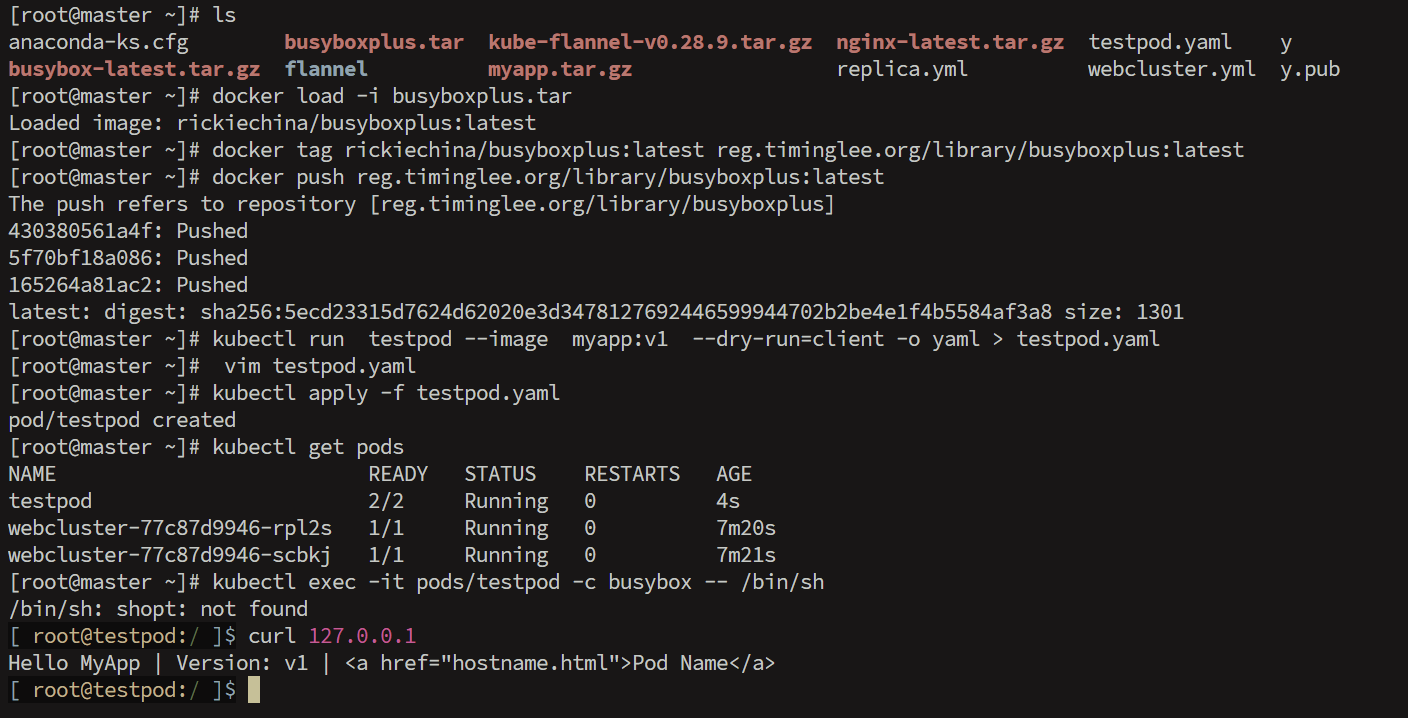
1.在pod中运行多容器

bash 复制代码
[root@master ~]# ls
anaconda-ks.cfg        busyboxplus.tar  kube-flannel-v0.28.9.tar.gz  nginx-latest.tar.gz  testpod.yaml    y
busybox-latest.tar.gz  flannel          myapp.tar.gz                 replica.yml          webcluster.yml  y.pub
[root@master ~]# docker load -i busyboxplus.tar
Loaded image: rickiechina/busyboxplus:latest
[root@master ~]# docker tag rickiechina/busyboxplus:latest reg.timinglee.org/library/busyboxplus:latest
[root@master ~]# docker push reg.timinglee.org/library/busyboxplus:latest
The push refers to repository [reg.timinglee.org/library/busyboxplus]
430380561a4f: Pushed 
5f70bf18a086: Pushed 
165264a81ac2: Pushed 
latest: digest: sha256:5ecd23315d7624d62020e3d3478127692446599944702b2be4e1f4b5584af3a8 size: 1301
[root@master ~]# kubectl run  testpod --image  myapp:v1  --dry-run=client -o yaml > testpod.yaml
[root@master ~]#  vim testpod.yaml
apiVersion: v1
kind: Pod
metadata:
  labels:
    run: testpod
  name: testpod
spec:
  containers:
  - image: myapp:v1
    name: myapp1
  - image: busyboxplus:latest
    name: busybox
    command:
    - /bin/sh
    - -c
    - sleep 10000
[root@master ~]# kubectl apply -f testpod.yaml
pod/testpod created
[root@master ~]# kubectl get pods
NAME                          READY   STATUS    RESTARTS   AGE
testpod                       2/2     Running   0          4s
webcluster-77c87d9946-rpl2s   1/1     Running   0          7m20s
webcluster-77c87d9946-scbkj   1/1     Running   0          7m21s
[root@master ~]# kubectl exec -it pods/testpod -c busybox -- /bin/sh
/bin/sh: shopt: not found
[ root@testpod:/ ]$ curl 127.0.0.1
Hello MyApp | Version: v1 | <a href="hostname.html">Pod Name</a>
[ root@testpod:/ ]$ exit

2.在pod运行主机中暴漏端口

bash 复制代码
[root@master ~]# vim testpod.yaml
apiVersion: v1
kind: Pod
metadata:
  labels:
    run: testpod
  name: testpod
spec:
  containers:
  - image: myapp:v1
    name: myapp1
    ports:
    - name: http
      containerPort: 80			#pod内部容器端口
      hostPort: 80				#pod所在节点端口
      protocol: TCP				#端口所用协议
[root@master ~]# kubectl apply -f testpod.yaml
pod/testpod created
[root@master ~]# kubectl get pods   -o wide
NAME                          READY   STATUS    RESTARTS   AGE   IP            NODE    NOMINATED NODE   READINESS GATES
testpod                       1/1     Running   0          4s    10.244.2.16   node2   <none>           <none>
webcluster-77c87d9946-rpl2s   1/1     Running   0          11m   10.244.1.14   node1   <none>           <none>
webcluster-77c87d9946-scbkj   1/1     Running   0          11m   10.244.2.13   node2   <none>           <none>
[root@master ~]# curl  node2
Hello MyApp | Version: v1 | <a href="hostname.html">Pod Name</a>

3.在pod中指定变量

bash 复制代码
[root@master ~]# ls
anaconda-ks.cfg        busyboxplus.tar  kube-flannel-v0.28.9.tar.gz  mysql-8.0.tar        phpmyadmin-latest.tar.gz  testpod.yaml    y
busybox-latest.tar.gz  flannel          myapp.tar.gz                 nginx-latest.tar.gz  replica.yml               webcluster.yml  y.pub
[root@master ~]# docker load -i mysql-8.0.tar
Loaded image: mysql:8.0
[root@master ~]# docker load -i phpmyadmin-latest.tar.gz
Loaded image: phpmyadmin:latest
[root@master ~]# docker tag mysql:8.0 reg.timinglee.org/library/mysql:8.0
[root@master ~]# docker push reg.timinglee.org/library/mysql:8.0
The push refers to repository [reg.timinglee.org/library/mysql]
dbbfcab5c162: Pushed 
1355aaece24a: Pushed 
0df7536aeacd: Pushed 
890407b3e3c8: Pushed 
e1fb8ece750b: Pushed 
9b2614373417: Pushed 
8650ab4a9279: Pushed 
8da4a3ff29de: Pushed 
88e9ddacc888: Pushed 
0a931eb72e4f: Pushed 
23ecc100dc88: Pushed 
8.0: digest: sha256:bb3c7d314bccabb142792813c957273ad60965115cff8627120a93d580acabc0 size: 1922
[root@master ~]# docker tag phpmyadmin:latest reg.timinglee.org/library/phpmyadmin:latest
[root@master ~]#  docker push reg.timinglee.org/library/phpmyadmin:latest
The push refers to repository [reg.timinglee.org/library/phpmyadmin]
8f42af1dd50e: Pushed 
9853575bc4f9: Mounted from library/nginx 
4cae4ea97049: Pushed 
7f0d23b78477: Pushed 
7285b46fc0b1: Pushed 
886076bbd0e5: Pushed 
fe49c1c8ccdc: Pushed 
c98461c57e2d: Pushed 
7183cf0cacbe: Pushed 
4646cbc7a84d: Pushed 
923288b71444: Pushed 
9f9985f7ecbd: Pushed 
eb4f3a0b1a71: Pushed 
43cd9aa62af4: Pushed 
25d63a36933d: Pushed 
13ccf69b5807: Pushed 
a65e8a0ad246: Pushed 
26f3cdf867bf: Pushed 
latest: digest: sha256:84af90f3400dded7e154497f889a126772e7e587ff94efdb922720f888ba3f7e size: 2978
[root@k8s-master pod]# vim mysql.yml
apiVersion: v1
kind: Pod
metadata:
  labels:
    run: mysql
  name: mysql
spec:
  containers:
  - image: mysql:8.0
    name: mysql8
    env:
    - name: MYSQL_ROOT_PASSWORD
      value: lee

  - image: phpmyadmin:latest
    name: mysqladmin
    env:
    - name: PMA_ARBITRARY
      value: "1"
    ports:
    - name: phpadminport
      containerPort: 80
      hostPort: 80
      protocol: TCP
[root@master ~]#  vim mysql.yml
apiVersion: v1
kind: Pod
metadata:
  labels:
    run: mysql
  name: mysql
spec:
  containers:
  - image: mysql:8.0
    name: mysql8
    env:
    - name: MYSQL_ROOT_PASSWORD
      value: lee

  - image: phpmyadmin:latest
    name: mysqladmin
    env:
    - name: PMA_ARBITRARY
      value: "1"
    ports:
    - name: phpadminport
      containerPort: 80
      hostPort: 80
      protocol: TCP
[root@master ~]# kubectl apply -f mysql.yml
pod/mysql created
[root@master ~]#  kubectl get pods  -o wide
NAME                          READY   STATUS              RESTARTS   AGE     IP            NODE    NOMINATED NODE   READINESS GATES
mysql                         0/2     ContainerCreating   0          4s      <none>        node1   <none>           <none>
testpod                       1/1     Running             0          7m23s   10.244.2.16   node2   <none>           <none>
webcluster-77c87d9946-rpl2s   1/1     Running             0          19m     10.244.1.14   node1   <none>           <none>
webcluster-77c87d9946-scbkj   1/1     Running             0          19m     10.244.2.13   node2   <none>           <none>

4.选择运行节点

bash 复制代码
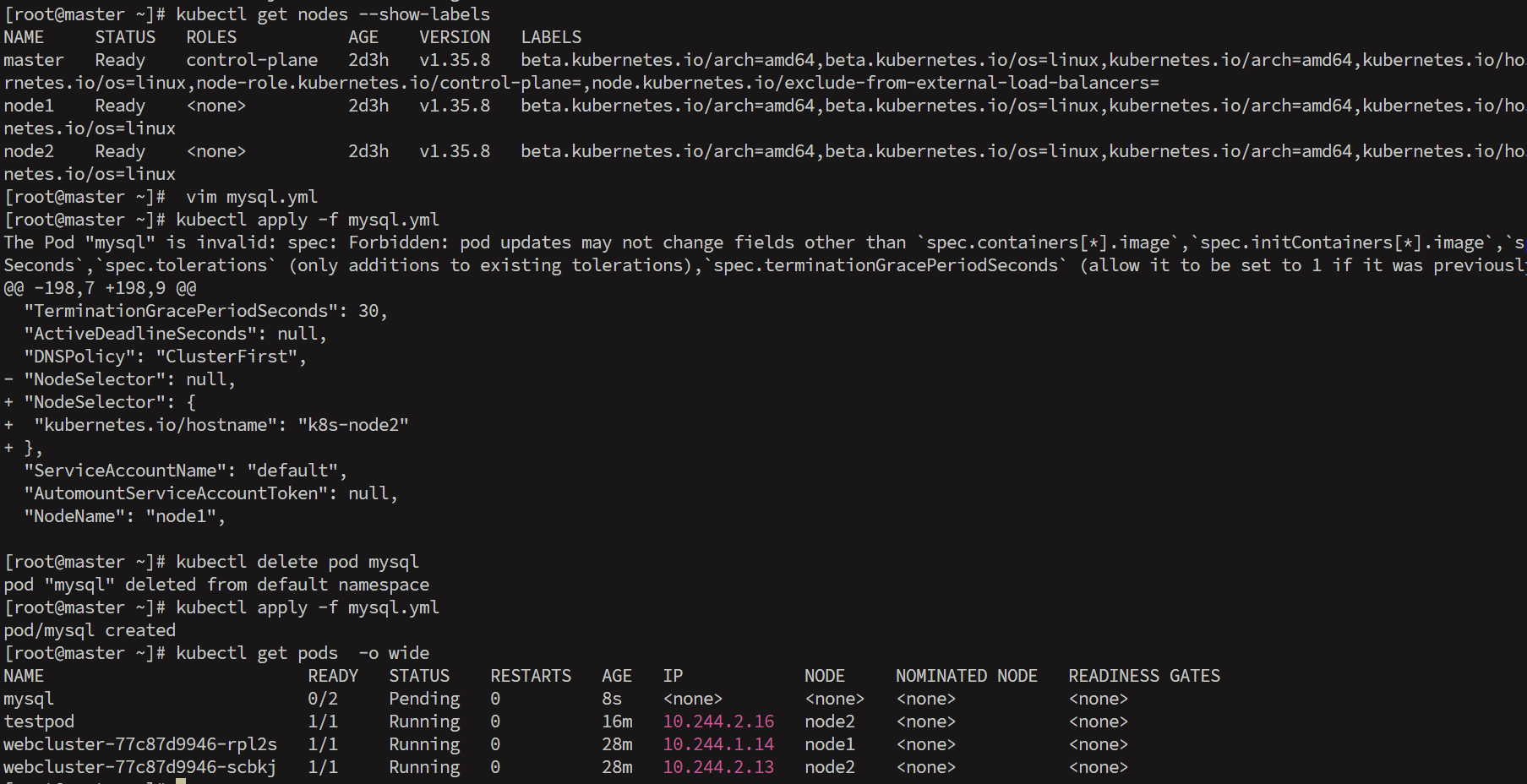
[root@master ~]# kubectl get nodes --show-labels
NAME     STATUS   ROLES           AGE    VERSION   LABELS
master   Ready    control-plane   2d3h   v1.35.8   beta.kubernetes.io/arch=amd64,beta.kubernetes.io/os=linux,kubernetes.io/arch=amd64,kubernetes.io/hostname=master,kubernetes.io/os=linux,node-role.kubernetes.io/control-plane=,node.kubernetes.io/exclude-from-external-load-balancers=
node1    Ready    <none>          2d3h   v1.35.8   beta.kubernetes.io/arch=amd64,beta.kubernetes.io/os=linux,kubernetes.io/arch=amd64,kubernetes.io/hostname=node1,kubernetes.io/os=linux
node2    Ready    <none>          2d3h   v1.35.8   beta.kubernetes.io/arch=amd64,beta.kubernetes.io/os=linux,kubernetes.io/arch=amd64,kubernetes.io/hostname=node2,kubernetes.io/os=linux
[root@k8s-master pod]# vim mysql.yml
apiVersion: v1
kind: Pod
metadata:
  labels:
    run: mysql
  name: mysql
spec:
  nodeSelector:
    kubernetes.io/hostname: k8s-node2
  containers:
  - image: mysql:8.0
    name: mysql8
    env:
    - name: MYSQL_ROOT_PASSWORD
      value: lee

  - image: phpmyadmin:latest
    name: mysqladmin
    env:
    - name: PMA_ARBITRARY
      value: "1"
    ports:
    - name: phpadminport
      containerPort: 80
      hostPort: 80
      protocol: TCP
[root@master ~]# kubectl apply -f mysql.yml
pod/mysql created
[root@master ~]# kubectl get pods  -o wide
NAME                          READY   STATUS    RESTARTS   AGE   IP            NODE     NOMINATED NODE   READINESS GATES
mysql                         0/2     Pending   0          8s    <none>        <none>   <none>           <none>
testpod                       1/1     Running   0          16m   10.244.2.16   node2    <none>           <none>
webcluster-77c87d9946-rpl2s   1/1     Running   0          28m   10.244.1.14   node1    <none>           <none>
webcluster-77c87d9946-scbkj   1/1     Running   0          28m   10.244.2.13   node2    <none>           <none>

5.共享宿主机网络

复制代码
[root@k8s-master pod]# vim testpod.yaml
apiVersion: v1
kind: Pod
metadata:
  labels:
    run: testpod
  name: testpod
spec:
  hostNetwork: true
  containers:
  - image: busybox:latest
    name: busybox
    command:
    - /bin/sh
    - -c
    - sleep 10000
    
[root@k8s-master pod]# kubectl apply -f testpod.yaml
[root@k8s-master pod]# kubectl exec -it pods/testpod -c busybox -- /bin/sh
/ # 
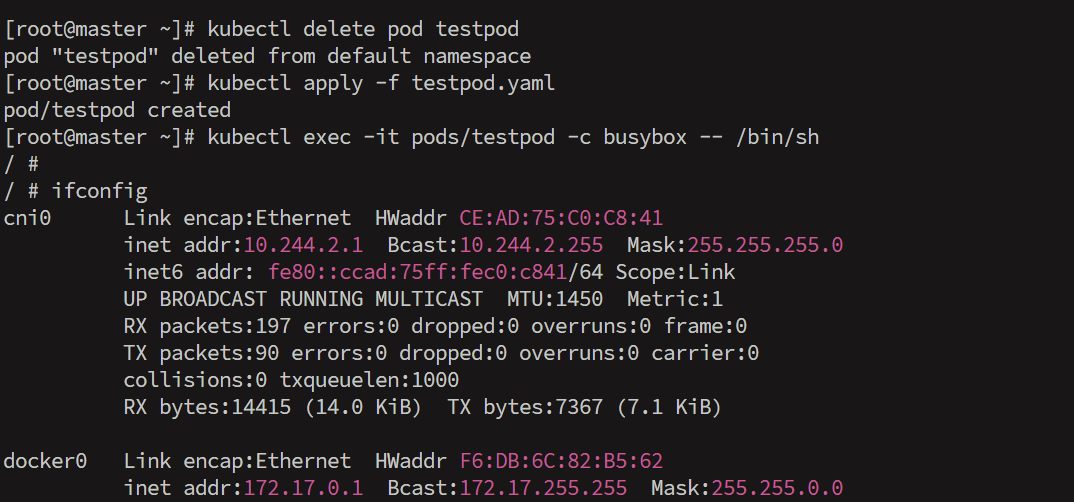
/ # ifconfig
cni0      Link encap:Ethernet  HWaddr CE:AD:75:C0:C8:41  
          inet addr:10.244.2.1  Bcast:10.244.2.255  Mask:255.255.255.0
          inet6 addr: fe80::ccad:75ff:fec0:c841/64 Scope:Link
          UP BROADCAST RUNNING MULTICAST  MTU:1450  Metric:1
          RX packets:197 errors:0 dropped:0 overruns:0 frame:0
          TX packets:90 errors:0 dropped:0 overruns:0 carrier:0
          collisions:0 txqueuelen:1000 
          RX bytes:14415 (14.0 KiB)  TX bytes:7367 (7.1 KiB)

docker0   Link encap:Ethernet  HWaddr F6:DB:6C:82:B5:62  
          inet addr:172.17.0.1  Bcast:172.17.255.255  Mask:255.255.0.0
          UP BROADCAST MULTICAST  MTU:1500  Metric:1
          RX packets:0 errors:0 dropped:0 overruns:0 frame:0
          TX packets:0 errors:0 dropped:3 overruns:0 carrier:0
          collisions:0 txqueuelen:0 
          RX bytes:0 (0.0 B)  TX bytes:0 (0.0 B)

eth0      Link encap:Ethernet  HWaddr 00:0C:29:9E:C1:F1  
          inet addr:192.168.106.183  Bcast:192.168.106.255  Mask:255.255.255.0
          inet6 addr: fe80::cdb0:d994:7486:3263/64 Scope:Link
          UP BROADCAST RUNNING MULTICAST  MTU:1500  Metric:1
          RX packets:28623 errors:0 dropped:0 overruns:0 frame:0
          TX packets:10796 errors:0 dropped:0 overruns:0 carrier:0
          collisions:0 txqueuelen:1000 
          RX bytes:30567430 (29.1 MiB)  TX bytes:1526401 (1.4 MiB)

flannel.1 Link encap:Ethernet  HWaddr D6:37:9A:36:E3:AE  
          inet addr:10.244.2.0  Bcast:0.0.0.0  Mask:255.255.255.255
          inet6 addr: fe80::d437:9aff:fe36:e3ae/64 Scope:Link
          UP BROADCAST RUNNING MULTICAST  MTU:1450  Metric:1
          RX packets:56 errors:0 dropped:0 overruns:0 frame:0
          TX packets:40 errors:0 dropped:16 overruns:0 carrier:0
          collisions:0 txqueuelen:0 
          RX bytes:3686 (3.5 KiB)  TX bytes:4330 (4.2 KiB)

lo        Link encap:Local Loopback  
          inet addr:127.0.0.1  Mask:255.0.0.0
          inet6 addr: ::1/128 Scope:Host
          UP LOOPBACK RUNNING  MTU:65536  Metric:1
          RX packets:606 errors:0 dropped:0 overruns:0 frame:0
          TX packets:606 errors:0 dropped:0 overruns:0 carrier:0
          collisions:0 txqueuelen:1000 
          RX bytes:46536 (45.4 KiB)  TX bytes:46536 (45.4 KiB)

veth0a42f561 Link encap:Ethernet  HWaddr 72:B8:9F:92:3D:0D  
          inet6 addr: fe80::70b8:9fff:fe92:3d0d/64 Scope:Link
          UP BROADCAST RUNNING MULTICAST  MTU:1450  Metric:1
          RX packets:21 errors:0 dropped:0 overruns:0 frame:0
          TX packets:60 errors:0 dropped:0 overruns:0 carrier:0
          collisions:0 txqueuelen:0 
          RX bytes:1755 (1.7 KiB)  TX bytes:4597 (4.4 KiB)

6.资源优先级

1.BestEffort没有做任何资源限制,资源使用优先级最低

复制代码
[root@k8s-master pod]# vim testpod.yaml
apiVersion: v1
kind: Pod
metadata:
  labels:
    run: testpod
  name: testpod
spec:
  hostNetwork: true
  containers:
  - image: busybox:latest
    name: busybox
    command:
    - /bin/sh
    - -c
    - sleep 10000
apiVersion: v1
kind: Pod
metadata:
  labels:
    run: testpod
  name: testpod
spec:
  hostNetwork: true
  containers:
  - image: busybox:latest
    name: busybox
    command:
    - /bin/sh
    - -c
    - sleep 10000


[root@k8s-master pod]# kubectl describe pods  testpod  | grep "QoS Class:"
QoS Class:                   BestEffort

2.Burstable 设定了资源限制,但是期望值和限制值不同,资源使用优先级次之

复制代码
[root@k8s-master pod]# vim testpod.yaml
apiVersion: v1
kind: Pod
metadata:
  labels:
    run: testpod
  name: testpod
spec:
  hostNetwork: true
  containers:
  - image: busybox:latest
    name: busybox
    command:
    - /bin/sh
    - -c
    - sleep 10000
apiVersion: v1
kind: Pod
metadata:
  labels:
    run: testpod
  name: testpod
spec:
  hostNetwork: true
  containers:
  - image: busybox:latest
    name: busybox
    command:
    - /bin/sh
    - -c
    - sleep 10000
	resources:
      limits:
        cpu: 700m
        memory: 200M
      requests:
        cpu: 500m
        memory: 100M

[root@k8s-master pod]# kubectl apply -f testpod.yaml
pod/testpod unchanged

[root@k8s-master pod]# kubectl describe pods  testpod  | grep "QoS Class:"
QoS Class:                   Burstable

3.Guaranteed期望值和最大使用限制相同,优先级最高

复制代码
[root@k8s-master pod]# vim testpod.yaml
apiVersion: v1
kind: Pod
metadata:
  labels:
    run: testpod
  name: testpod
spec:
  hostNetwork: true
  containers:
  - image: busybox:latest
    name: busybox
    command:
    - /bin/sh
    - -c
    - sleep 10000
apiVersion: v1
kind: Pod
metadata:
  labels:
    run: testpod
  name: testpod
spec:
  hostNetwork: true
  containers:
  - image: busybox:latest
    name: busybox
    command:
    - /bin/sh
    - -c
    - sleep 10000
	resources:
      limits:
        cpu: 500m
        memory: 100M
      requests:
        cpu: 500m
        memory: 100M
        
[root@k8s-master pod]# kubectl apply -f testpod.yaml
pod/testpod created
[root@k8s-master pod]# kubectl describe pods  testpod  | grep "QoS Class:"
QoS Class:                   Guaranteed

7.容器重启规则

1.Always 无论什么原因都会从新运行pod

复制代码
apiVersion: v1
kind: Pod
metadata:
  labels:
    run: testpod
  name: testpod
spec:
  hostNetwork: true
  restartPolicy: Always
  containers:
  - image: busybox:latest
    name: busybox
    command:
    - /bin/sh
    - -c
    - sleep 60


[root@k8s-master pod]# kubectl get pods -o wide  -w
[root@k8s-node2 ~]# docker rm -f 3051d9de4c36

2.OnFailure 非正常管关闭会从其pod

复制代码
apiVersion: v1
kind: Pod
metadata:
  labels:
    run: testpod
  name: testpod
spec:
  hostNetwork: true
  restartPolicy: OnFailure
  containers:
  - image: busybox:latest
    name: busybox
    command:
    - /bin/sh
    - -c
    - sleep 30
    
[root@k8s-master pod]# kubectl get pods -o wide  -w
[root@k8s-node2 ~]# docker rm -f 3051d9de4c36


#等30秒后让容器中的命令运行完成后再次观察

3.Never pod关闭后不重启

复制代码
apiVersion: v1
kind: Pod
metadata:
  labels:
    run: testpod
  name: testpod
spec:
  hostNetwork: true
  restartPolicy: OnFailure
  containers:
  - image: busybox:latest
    name: busybox
    command:
    - /bin/sh
    - -c
    - sleep 30
    
[root@k8s-master pod]# kubectl get pods -o wide  -w
[root@k8s-node2 ~]# docker rm -f 3051d9de4c36

五.pod的生命周期

1.init容器

复制代码
[root@k8s-master pod]# kubectl run  webserver --image myapp:v1 --dry-run=client -o yaml > init-example.yml
[root@k8s-master pod]# vim init-example.yml
apiVersion: v1
kind: Pod
metadata:
  labels:
    run: webserver
  name: webserver
spec:
  initContainers:
  - name: busybox
    image: busybox:latest
    command:
    - /bin/sh
    - -c
    - "until test -e /testfile;do echo wating for myservice; sleep 2;done"
  containers:
  - image: myapp:v1
    name: webserver
  restartPolicy: Always


[root@k8s-master pod]# watch -n 1 kubectl get pods  -o wide

[root@k8s-master pod]# kubectl apply -f init-example.yml
pod/webserver created

[root@k8s-master pod]# kubectl exec -it pods/webserver -c busybox -- /bin/sh
/ #
/ # touch /testfile

2.Livness存活探针

复制代码
[root@k8s-master pod]# kubectl run  testpod --image  myapp:v1  --dry-run=client -o yaml > livness-example.yaml
[root@k8s-master pod]# vim livness-example.yaml
apiVersion: v1
kind: Pod
metadata:
  labels:
    run: webserver
  name: webserver
spec:
  containers:
  - image: myapp:v1
    name: webserver
    command: ["/bin/sh", "-c"]
    args:
    - |
      nginx -g "daemon off;"
      sleep 10000
  restartPolicy: Always

[root@k8s-master pod]# kubectl apply -f livness-example.yaml

#监控程序
[root@k8s-master pod]# watch -n 1 kubectl get pods  -o wide

#测试操作:
[root@k8s-master pod]# kubectl exec  -it  pods/webserver -c webserver  -- /bin/sh
# nginx -s stop

#查看pod的状态仍然是runing,但是访问此pod时访问失败
[root@k8s-node2 ~]# curl 10.244.5.47
curl: (7) Failed to connect to 10.244.5.47 port 80: 拒绝连接
存活探针
复制代码
[root@k8s-master pod]# kubectl delete -f livness-example.yaml  --force
apiVersion: v1
kind: Pod
metadata:
  labels:
    run: webserver
  name: webserver
spec:
  containers:
  - image: myapp:v1
    name: testpod
    command: ["/bin/sh", "-c"]
    args:
    - |
      nginx -g "daemon off;"
      sleep 10000
    livenessProbe:
      tcpSocket:
        port: 80
      initialDelaySeconds: 3
      periodSeconds: 1
      timeoutSeconds: 1
  restartPolicy: Always
[root@master ~]# kubectl apply -f livness-example.yaml
pod/webserver created
[root@master ~]# vim livness-example.yaml 
[root@master ~]# kubectl get pods  -o wide  -w
NAME                          READY   STATUS    RESTARTS   AGE   IP                NODE     NOMINATED NODE   READINESS GATES
mysql                         0/2     Pending   0          29m   <none>            <none>   <none>           <none>
testpod                       1/1     Running   0          13m   192.168.106.183   node2    <none>           <none>
webcluster-77c87d9946-rpl2s   1/1     Running   0          57m   10.244.1.14       node1    <none>           <none>
webcluster-77c87d9946-scbkj   1/1     Running   0          57m   10.244.2.13       node2    <none>           <none>
webserver                     1/1     Running   0          42s   10.244.1.18       node1    <none>           <none>
[root@master ~]# curl 10.244.1.18
Hello MyApp | Version: v1 | <a href="hostname.html">Pod Name</a>

相关推荐
kobe_OKOK_1 小时前
ubuntu server 打包成一个压缩文件,并且在另一台电脑中解压缩
服务器·数据库·ubuntu
敲代码还房贷1 小时前
安装wsl报错:HCS_E_HYPERV_NOT_INSTALLED
linux·python·ubuntu
竣达技术1 小时前
告别人工巡检!竣达 BMS 电池巡检云监控终端,为蓄电池筑牢安全防线
运维·监控系统·机房监控
GuoFeng.Wan1 小时前
深入理解经典蓝牙的channel
linux·服务器·网络
朝发如雪1 小时前
快速掌握Linux(1)(Linux文件操作)(标准IO)
linux·运维·服务器
额额额对了1 小时前
Linux 进程管理详解:从概念到实战
java·服务器·前端
一直C1 小时前
【Linux应用编程】深入理解Linux多任务机制:进程原理、状态转换与进程控制实战
linux·开发语言·算法·ubuntu·vim·visual studio code
2601_966871402 小时前
全新 云原生系统精讲与全流程落地实践,云原生 DevOpS 进阶实战营
运维·云原生·devops
桌面运维家2 小时前
信创机房批量换国产终端,服务器IO通道配置实测体验
运维·服务器