文章目录
-
- 一、前言
- 二、概念对齐:为什么需要三层记忆
-
- [2.1 短期记忆解决不了"跨会话"](#2.1 短期记忆解决不了"跨会话")
- [2.2 人脑的三类记忆](#2.2 人脑的三类记忆)
- [2.3 为什么不是一层?](#2.3 为什么不是一层?)
- [2.4 本期"组装公式"](#2.4 本期"组装公式")
- 三、动手做:实现三层记忆
-
- [3.1 第一层:长期用户画像 USER.md](#3.1 第一层:长期用户画像 USER.md)
- [3.2 Agent 自己改画像:save_user_profile 工具](#3.2 Agent 自己改画像:save_user_profile 工具)
- [3.3 recall_memory:让 Agent 自查](#3.3 recall_memory:让 Agent 自查)
- [3.4 第二层:原始历史 JSONL](#3.4 第二层:原始历史 JSONL)
- [3.5 事件溯源纪律:append_and_persist 唯一入口](#3.5 事件溯源纪律:append_and_persist 唯一入口)
- [3.6 第三层:compact 自动压缩](#3.6 第三层:compact 自动压缩)
- [3.7 trim vs compact:有损丢弃 vs 有损压缩](#3.7 trim vs compact:有损丢弃 vs 有损压缩)
- 四、跑起来:实际体验
-
- [4.1 启动](#4.1 启动)
- [4.2 自动演示 1:recall_memory 验证长期记忆](#4.2 自动演示 1:recall_memory 验证长期记忆)
- [4.3 自动演示 2:save_user_profile 写入新偏好](#4.3 自动演示 2:save_user_profile 写入新偏好)
- [4.4 跨会话验证:最爽的一步](#4.4 跨会话验证:最爽的一步)
- [4.5 触发 compact](#4.5 触发 compact)
- [4.6 背后的原理:为什么是 JSONL 不是 JSON 数组](#4.6 背后的原理:为什么是 JSONL 不是 JSON 数组)
- [4.7 token 账本:为什么三层要分开](#4.7 token 账本:为什么三层要分开)
- 五、执行脚本
- 六、总结
一、前言
第 06 期我们给 Alex 装上了"技能库"------20 个技能只付索引的钱,全文按需加载。基础篇五期就此收官,Alex 有了循环、记忆、身份、工具、技能库,基础能力齐了。
但六期下来还有个致命问题:Alex 重启就忘。
早上让它帮你写 Python,Alex 记住你"用 Python 3.12""类型注解必须完整"------下午重启程序,这些全没了。下一轮对话,Alex 又问"你用哪个 Python 版本?",像第一次见面一样。
更糟的是,如果你同时在两个项目里跑同一个 Agent,它不知道你是张三还是李四------用户身份都漂着。本质问题:Alex 缺少跨会话、跨项目的稳定记忆。
短期记忆 history 解决的是"上一句说什么",但解决不了"我长期是谁、要什么、习惯什么"。
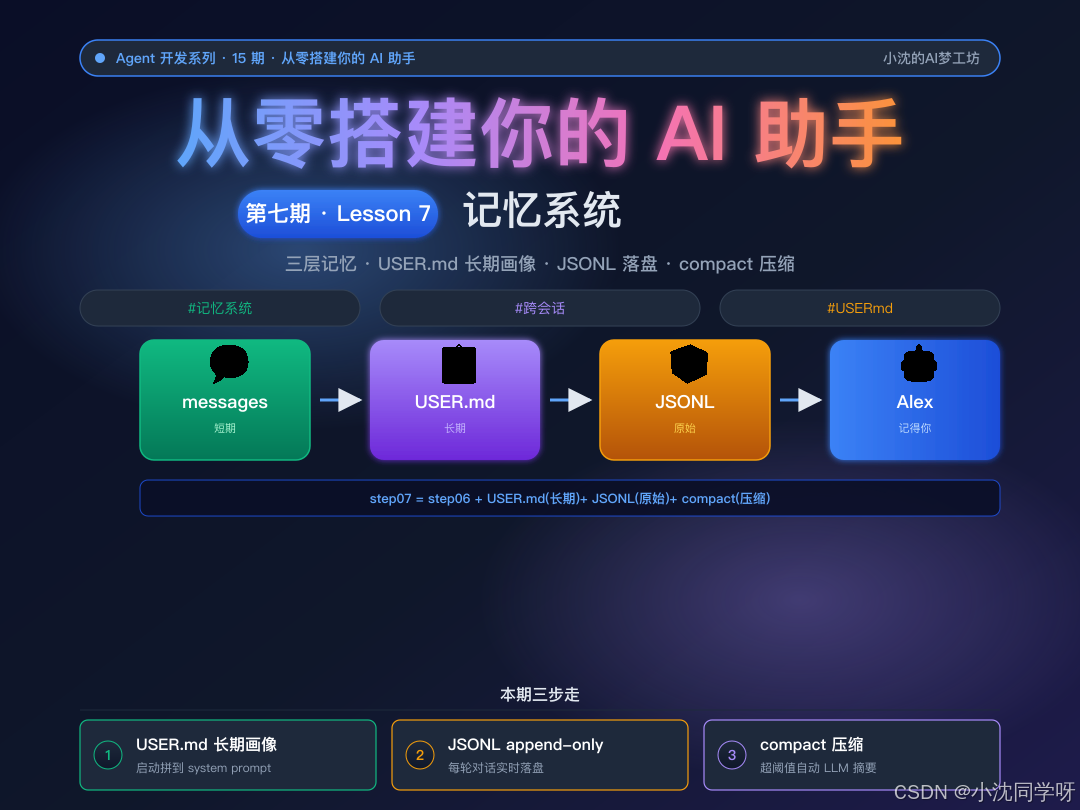
这一期我们引入三层记忆架构:短期 messages(messages\[\])、长期用户画像(templates/USER.md)、原始历史(memory/raw_history.jsonl),再加一个 compact 压缩机制。看完你就能:
- 用 Markdown 写一份用户画像,Agent 启动时自动加载
- 让 Agent 自己用工具更新用户画像(你说"我开始用 uv 了",它就帮你记下)
- 用 JSONL 把每轮对话实时落盘,崩了也不丢
- 用 compact 自动压缩早期对话,腾出上下文窗口
- 用记忆可视化面板让"Alex 现在记得什么"一目了然
本文是 Agent 教学系列第 07 期实战笔记,进阶篇开始,装的是"脑子"的第一块积木。
二、概念对齐:为什么需要三层记忆
2.1 短期记忆解决不了"跨会话"
第 03 期我们引入了 messages[] history,解决了会话内的"上一句说什么"。但 messages 只活在内存里,程序退出就清空。
想象一下:
| 场景 | messages 能解决吗 |
|---|---|
| "我刚说了什么" | ✓(在 messages 里) |
| "我上轮说的偏好" | ✓(trim 前在 messages 里) |
| "我重启程序前说过什么" | ✗(进程退出,messages 没了) |
| "我两周前说过用什么 Python 版本" | ✗(messages 早就 trim 了) |
| "同时跑两个项目,Alex 知道我是哪个项目的谁" | ✗(没有用户身份概念) |
关键洞察:短期记忆只是"工作记忆"(WM),它管不了"长期身份"。
2.2 人脑的三类记忆
人类大脑也分三类记忆,正好对应我们要做的三层:
| 人脑 | Agent 对应 | 介质 | 特点 |
|---|---|---|---|
| 工作记忆(WM) | 短期 messages\[\] | 内存 messages | 会话内,超轮截断 |
| 陈述性记忆(LTM) | 长期 USER.md | 磁盘文件 | 永久,跨会话常驻 |
| 事件日志(episodic) | 原始历史 JSONL | 磁盘文件 | append-only,可审计 |
我们不创造新概念,只是把人类记忆的工程化映射做出来。
2.3 为什么不是一层?
| 方案 | 优点 | 缺点 |
|---|---|---|
| 只用 messages(短期) | 简单 | 重启即忘,无用户身份 |
| 只用 JSONL 全量回灌 | 永久 | 每轮全量回灌,token 爆炸 |
| 只用 USER.md(长期) | 跨会话 | 丢失对话细节,无法审计 |
| 三层组合(本期) | 各取所长 | 实现稍复杂 |
单独任何一层都有硬伤:短期扛不住重启,长期扛不住细节,JSONL 扛不住上下文。组合起来才是完整的"记忆系统"。
2.4 本期"组装公式"
有记忆的 Agent = step06(技能库) + USER.md(长期) + raw_history.jsonl(原始) + compact(压缩)累积式:step07 = step06 + 三层记忆 + compact。工具循环一行没改------这就是累积式架构的红利,加能力 = 加新东西,核心循环不动。
三、动手做:实现三层记忆
3.1 第一层:长期用户画像 USER.md
templates/USER.md 是一份 Markdown,记录稳定偏好(角色、技术栈、回答风格、反偏好):
markdown
# 用户画像(User Profile)

## 基础信息
- **角色**:张三,创业公司 CTO
- **技术栈**:Python(主力)、TypeScript、Go(学习中)

## 稳定偏好
- **代码风格**:类型注解完整、函数不超过 50 行
- **Python 版本**:3.12(全项目统一)
- **包管理**:pip + venv
- **回答风格**:简洁、直接,代码 > 长段文字

## 已知反偏好
- 不要 emoji 装饰代码注释
- 不要在每段回答末尾追加"还有什么需要帮忙的吗"关键:这个文件 Agent 自己会改 。当你说"我开始用 uv 了",Agent 调用 save_user_profile 工具,自动更新"稳定偏好"章节。下次启动,新偏好就在系统提示里。
加载机制极简------启动时把全文追加到 system prompt 尾部:
python
def load_user_profile() -> str:
    """读取 templates/USER.md 作为长期记忆。"""
    if not USER_PATH.exists():
        return ""
    return USER_PATH.read_text(encoding="utf-8")

# 启动时拼装 system prompt:
soul = load_system_prompt()
user_profile = load_user_profile()
system_prompt = (
    soul
    + "\n" + build_skills_prompt(skills_index)  # 第 06 期
    + "\n\n# 用户画像(长期记忆)\n\n" + user_profile  # 第 07 期新增
)
就这么简单------把 Markdown 当字符串追加到 system prompt,模型就"看到"了用户画像。没有任何花哨的 embedding、向量数据库,教学场景够用。
3.2 Agent 自己改画像:save_user_profile 工具
第 05 期我们学会了用 JSON schema 描述工具,Agent 自己决定何时调用。这一期加一个 save_user_profile 工具,Agent 就能主动更新画像:
python
{
    "type": "function",
    "function": {
        "name": "save_user_profile",
        "description": (
            "更新用户画像文件 templates/USER.md。当用户表达了稳定偏好、"
            "个人信息变更、或明确表态'我以后都用 X'时调用此工具。"
            "不要在每次对话后都调用,只在偏好真正变化时调用。"
        ),
        "parameters": {
            "type": "object",
            "properties": {
                "section": {"type": "string",
                            "description": "要更新的章节名,如 '稳定偏好'"},
                "new_content": {"type": "string",
                                "description": "该章节的新内容(完整替换该章节)"},
            },
            "required": ["section", "new_content"],
        },
    },
}
执行分支------按 section 定位章节,替换而不是 append:
python
if name == "save_user_profile":
    section = arguments.get("section", "")
    new_content = arguments.get("new_content", "")
    text = USER_PATH.read_text(encoding="utf-8")
    lines = text.splitlines()
    out, in_target, replaced = [], False, False
    for line in lines:
        if line.startswith(f"## {section}"):
            out.append(line)
            out.append("")
            out.append(new_content)
            out.append("")
            in_target, replaced = True, True
            continue
        if in_target and line.startswith("## "):
            in_target = False
        if not in_target:
            out.append(line)
    if not replaced:  # 章节不存在 → 追加到末尾
        out.append("")
        out.append(f"## {section}")
        out.append("")
        out.append(new_content)
    USER_PATH.write_text("\n".join(out).rstrip() + "\n", encoding="utf-8")
    return json.dumps({"saved": section, "path": str(USER_PATH)},
                      ensure_ascii=False)
为什么是替换而非 append?因为 USER.md 是结构化文档,同主题只能有一个权威版本。append 会让"代码风格"出现两个互相矛盾的描述,下次启动模型困惑"我到底用 pip 还是 uv"。
3.3 recall_memory:让 Agent 自查
教学场景需要让 Agent 能"回头看自己记得什么"。recall_memory 工具就是给 Agent 用的"自我检索":
python
if name == "recall_memory":
    topic = arguments.get("topic", "").strip()
    text = USER_PATH.read_text(encoding="utf-8")
    if not topic:
        return json.dumps({"profile": text}, ensure_ascii=False)
    # 按 topic 简单匹配章节标题
    lines = text.splitlines()
    matched, in_match = [], False
    for line in lines:
        if line.startswith("## "):
            in_match = topic in line
        if in_match:
            matched.append(line)
    if not matched:
        return json.dumps({"topic": topic, "found": False}, ensure_ascii=False)
    return json.dumps({"topic": topic, "found": True,
                       "excerpt": "\n".join(matched)}, ensure_ascii=False)
教学场景用"标题关键字匹配"够用。生产环境通常换向量数据库(embedding + 语义检索),那是第 09 期子代理/工具检索会讲的进阶内容。
3.4 第二层:原始历史 JSONL
memory/raw_history.jsonl 是 append-only 的事件日志:
jsonl
{"ts": "2026-08-28T14:30:01", "session": "auto-20260828-143001", "role": "user", "content": "我开始用 uv 了"}
{"ts": "2026-08-28T14:30:08", "session": "auto-20260828-143001", "role": "assistant", "content": "好的,我记下..."}
{"ts": "2026-08-28T14:30:12", "session": "auto-20260828-143001", "role": "tool", "content": "{\"saved\": \"稳定偏好\", ...}"}
为什么 JSONL 而非 JSON 数组?
- append-only:每次只追加一行,不会因为单次写入失败搞坏整文件
- 流式友好:未来训练、检索、向量化都直接按行读
- 教学场景够用:生产环境通常换 SQLite / 向量数据库
落盘函数简单粗暴:
python
def append_raw_history(session_id: str, role: str, content: str, extra: dict | None = None):
    """原始历史落盘(append-only JSONL)。"""
    MEMORY_DIR.mkdir(parents=True, exist_ok=True)
    record = {
        "ts": datetime.now().isoformat(timespec="seconds"),
        "session": session_id,
        "role": role,
        "content": content,
    }
    if extra:
        record.update(extra)
    with RAW_HISTORY_PATH.open("a", encoding="utf-8") as f:
        f.write(json.dumps(record, ensure_ascii=False) + "\n")
3.5 事件溯源纪律:append_and_persist 唯一入口
本期的核心实现纪律:所有对话事件通过唯一的 append_and_persist 入口同步落盘。
python
def append_and_persist(messages: list[dict], msg: dict,
                       session_id: str | None, source: str = "produced"):
    """唯一的'对话事件'入口:append 到 messages + 立即落盘。"""
    messages.append(msg)
    if session_id:
        return persist_one(msg, session_id, source=source)
    return False
所有对话事件------用户输入、assistant 回复、tool 调用、tool 结果------都走这个入口。绝不在 trim/compact/quit 时补救写盘,那样迟早会漏。
四个原则:
- append 即写:用户输入、assistant 回复、tool 结果进 messages 的同一刻,落盘 raw_history
- 不在退出/截断时补救:trim/compact/quit 只重组 messages,不碰 IO
- upsert sessions.json :每轮对话后
log_session覆盖更新同 session_id 的轮数/token,Ctrl-C 也有快照 - 失败不抛:写盘异常被捕获,日志审计不能影响对话流程
事件溯源的好处:任意时刻崩了,磁盘上的状态都是自洽的,不用追"哪里没写"。
3.6 第三层:compact 自动压缩
会话内轮数过多时,上下文窗口会被早期对话占满。本期引入 compact------用 LLM 把早期对话摘要化,腾出空间:
python
COMPACT_THRESHOLD_ROUNDS = 8  # 触发阈值

def compact_history(messages: list[dict]) -> list[dict]:
    """压缩早期对话:用 LLM 把历史 messages 摘要化,替换掉早期的几轮。

    触发条件:user 轮数 > COMPACT_THRESHOLD_ROUNDS(默认 8)。
    保留:system + 最近 MAX_ROUNDS=10 个 user 之后的全部消息。
    替换:前面的早期消息 → 一条摘要 assistant 消息。
    """
    system_msg = messages[0]
    convo = messages[1:]
    user_positions = [i for i, m in enumerate(convo) if m["role"] == "user"]
    if len(user_positions) <= COMPACT_THRESHOLD_ROUNDS:
        return messages  # 未到阈值,不动

    # 取倒数第 MAX_ROUNDS 个 user 的位置作为分界
    boundary = user_positions[-MAX_ROUNDS]
    to_compress = convo[:boundary]
    keep = convo[boundary:]

    # 把要压缩的消息拼成文本,调 LLM 生成摘要
    compact_input = "\n".join(
        f"[{m['role']}] {m.get('content') or ''}" for m in to_compress
    )
    summary = client.chat.completions.create(
        model=MODEL,
        messages=[
            {"role": "system", "content": load_compact_prompt()},
            {"role": "user", "content": f"请压缩以下对话历史:\n\n{compact_input}"},
        ],
        max_tokens=600,
    ).choices[0].message.content

    # 组装:system + 摘要 + 近期对话
    return [
        system_msg,
        {"role": "assistant",
         "content": f"[compact summary] 下面是早期对话的摘要:\n\n{summary}"},
        *keep,
    ]
两个值得说的设计决定:
- COMPACT_THRESHOLD_ROUNDS(8) 必须 < MAX_ROUNDS(10),启动期 assert。否则会出现"通过触发检查但切窗口不够"的尴尬区间
- compact 只重组 messages,不碰 raw_history 。持久化由
append_and_persist在事件产生时已经做完------到这里只是"重排 + 摘要"
3.7 trim vs compact:有损丢弃 vs 有损压缩
| trim(第 03 期) | compact(第 07 期) | |
|---|---|---|
| 触发 | user 轮数 > MAX_ROUNDS(10) | user 轮数 > COMPACT_THRESHOLD_ROUNDS(8) |
| 处理 | 直接丢弃早期消息 | 用 LLM 压缩早期对话为摘要 |
| 保留 | system + 最近 MAX_ROUNDS 轮 | system + 摘要 + 最近 MAX_ROUNDS 轮 |
| 速度 | 极快(只切窗口) | 慢一点(多一次 LLM 调用) |
| 信息损失 | 有损丢弃(上下文没了) | 有损压缩(关键事实保留) |
trim 适合不需要的闲聊,compact 适合有上下文的对话。两者共用同一个保留上限 MAX_ROUNDS,目标一致:让上下文窗口可控。
四、跑起来:实际体验
4.1 启动
bash
python code/step07_memory.py============================================================
第 07 期:记忆系统 ------ 让 Alex 跨会话也记得你
============================================================
当前模型: deepseek-chat
API 地址: https://api.deepseek.com
上下文上限: 10 轮(超出自动截断)
压缩阈值: 8 轮(超出自动 compact)
已装工具: get_current_time, calculate, load_skill, save_user_profile, recall_memory
技能索引: 2 个
[人设] .../templates/SOUL.md
[用户画像] .../templates/USER.md(823 字符)
┌──────────────────────────────────────────────────────────┐
│ 🧠 Alex 记忆面板(第 07 期新增) │
├──────────────────────────────────────────────────────────┤
│ [长期记忆] USER.md 加载成功(823 字符) │
│ • 基础信息 │
│ • 稳定偏好 │
│ • 工作背景 │
│ • 已知反偏好 │
│──────────────────────────────────────────────────────────┤
│ [原始历史] raw_history.jsonl: 47 条记录(累计) │
│ [上次会话] 2026-08-28 14:30 轮数=12 token=8432 │
└──────────────────────────────────────────────────────────┘学员一眼就懂:长期记忆常驻 / 原始历史累计 / 上次会话的元数据全在。
4.2 自动演示 1:recall_memory 验证长期记忆
[自动演示 1] 让 Alex 调用 recall_memory 查"我之前说过什么":

[工具调用] recall_memory({'topic': ''})
[工具结果] {"profile": "# 用户画像(User Profile)\n## 基础信息\n- **角色**:张三,创业公司 CTO..."}

[Alex] 你好张三!根据我的记忆,你是创业公司 CTO,主力语言是 Python(版本 3.12),
       代码风格偏好类型注解完整、函数不超过 50 行,回答风格要简洁直接。
       还需要我帮你做什么?

[token] prompt=1247  completion=158  total=1405
模型读到长期记忆后,在回答里直接引用"张三 CTO Python 3.12"------这就是长期记忆生效。
4.3 自动演示 2:save_user_profile 写入新偏好
[自动演示 2] 让 Alex 用 save_user_profile 记录新偏好"我开始用 uv 了":

[工具调用] save_user_profile({'section': '稳定偏好', 'new_content': '- **包管理**:uv...'})
[工具结果] {"saved": "稳定偏好", "path": ".../templates/USER.md"}

[Alex] 已记下,以后所有项目都用 uv 替代 pip + venv。

[验证] USER.md 已包含 'uv',长期记忆写入成功 ✓
4.4 跨会话验证:最爽的一步
退出程序(quit),再重新启动:
[自动演示 1] 让 Alex 调用 recall_memory 查"我之前说过什么":

[Alex] 你之前说过你开始用 uv 替代 pip + venv 了,所以所有项目都用 uv。
       Python 版本还是 3.12。
重启后 Alex 还能记得你上次的偏好------这就是长期记忆的威力。
4.5 触发 compact
连续问 9-10 个问题:
你: 第 9 个问题...
[compact] 触发自动压缩...

你: 第 10 个问题...
Alex: ...

[历史] messages 里多了一条 [compact summary] 的 assistant 消息
早期对话被压成一段摘要,腾出上下文窗口,后续对话照样流畅。
4.6 背后的原理:为什么是 JSONL 不是 JSON 数组
直接看 raw_history.jsonl 的写入:
bash
$ wc -l memory/raw_history.jsonl
47

$ tail -3 memory/raw_history.jsonl
{"ts": "2026-08-28T14:32:01", "session": "auto-...", "role": "user", "content": "第 9 个问题"}
{"ts": "2026-08-28T14:32:08", "session": "auto-...", "role": "assistant", "content": "[compact summary]..."}
{"ts": "2026-08-28T14:32:12", "session": "auto-...", "role": "tool", "content": "..."}
每一行就是一条对话事件,append-only。Ctrl-C、kill -9、断电都不会让之前的对话丢失------因为它们在事件产生那一瞬间就已经落盘了。
4.7 token 账本:为什么三层要分开
| 方案 | 1 个会话 | 跨会话重启 | 审计/回溯 |
|---|---|---|---|
| 只用 messages | ✓ | ✗ 全忘 | ✗ |
| 只用 JSONL 全量回灌 | ✗ token 爆 | ✓ | ✓ |
| 只用 USER.md | ✗ 无细节 | ✓ | ✗ |
| 三层组合(本期) | ✓ | ✓ | ✓ |
关键洞察:进 LLM 上下文的只有短期+长期,原始历史只是磁盘日志------千万别把 JSONL 全文回灌,token 必爆。
五、执行脚本
完整代码(累积式,保留第 01-06 期全部能力):
python
#!/usr/bin/env python3
"""step07_memory.py --- 第 07 期:记忆系统

本期目标:
1. 解决第 03-06 期埋的伏笔:Alex 重启就忘,history 只在会话内有效
2. 引入三层记忆 + 两个新增工具:
   - 原始历史(raw_history.jsonl)------ append-only,事件产生即落盘
   - 长期记忆 / 用户画像(templates/USER.md)------ 稳定偏好,启动注入 system prompt
   - compact 压缩 ------ 历史超长时压缩成摘要,腾上下文
   - save_user_profile(更新用户画像) + recall_memory(查询用户画像)
3. 记忆可视化面板:启动时打印"Alex 现在记得什么"
4. 事件溯源纪律:所有对话事件通过 append_and_persist 统一入口同步落盘

累积式:step07 = step06 + memory/ + USER.md + compact
"""
import os
import json
import ast
import operator
import time
from datetime import datetime
from pathlib import Path
from dotenv import load_dotenv
from openai import OpenAI
from prompt_toolkit import prompt
from prompt_toolkit.history import InMemoryHistory

load_dotenv()

# 初始化客户端(与第 01-06 期一致)
client = OpenAI(
    api_key=os.environ["DEEPSEEK_API_KEY"],
    base_url=os.environ.get("DEEPSEEK_BASE_URL", "https://api.deepseek.com"),
)
MODEL = os.environ.get("DEEPSEEK_MODEL", "deepseek-chat")
MAX_ROUNDS = 10

# 路径(本期新增)
TEMPLATES_DIR = Path(__file__).parent.parent / "templates"
MEMORY_DIR = Path(__file__).parent.parent / "memory"
SOUL_PATH = TEMPLATES_DIR / "SOUL.md"
USER_PATH = TEMPLATES_DIR / "USER.md"
COMPACT_PROMPT_PATH = TEMPLATES_DIR / "compact_prompt.md"
RAW_HISTORY_PATH = MEMORY_DIR / "raw_history.jsonl"
SESSIONS_PATH = MEMORY_DIR / "sessions.json"

COMPACT_THRESHOLD_ROUNDS = 8

# 配置约束:触发阈值必须 < 保留上限
assert COMPACT_THRESHOLD_ROUNDS < MAX_ROUNDS, (
    f"COMPACT_THRESHOLD_ROUNDS({COMPACT_THRESHOLD_ROUNDS}) 必须 < "
    f"MAX_ROUNDS({MAX_ROUNDS})"
)


# ============ 记忆层(本期核心新增)============

def append_raw_history(session_id, role, content, extra=None):
    """原始历史落盘(append-only JSONL)。"""
    MEMORY_DIR.mkdir(parents=True, exist_ok=True)
    record = {
        "ts": datetime.now().isoformat(timespec="seconds"),
        "session": session_id,
        "role": role,
        "content": content,
    }
    if extra:
        record.update(extra)
    with RAW_HISTORY_PATH.open("a", encoding="utf-8") as f:
        f.write(json.dumps(record, ensure_ascii=False) + "\n")


def persist_one(m, session_id, source="produced", max_chars=500):
    """单条消息立即落盘。事件溯源:append 即写,不攒不延迟。"""
    if m.get("role") == "system":
        return False
    content = m.get("content") or ""
    if m.get("tool_calls"):
        calls = ", ".join(tc["function"]["name"] for tc in m["tool_calls"])
        content = f"[tool_calls: {calls}]"
    if not content:
        return False
    try:
        append_raw_history(session_id, m["role"], content[:max_chars],
                           extra={"source": source})
        return True
    except Exception:
        return False


def append_and_persist(messages, msg, session_id, source="produced"):
    """唯一的'对话事件'入口:append 到 messages + 立即落盘。"""
    messages.append(msg)
    if session_id:
        return persist_one(msg, session_id, source=source)
    return False


def log_session(session_id, rounds, prompt_tokens, completion_tokens):
    """会话元数据 upsert 到 sessions.json。"""
    MEMORY_DIR.mkdir(parents=True, exist_ok=True)
    sessions = []
    if SESSIONS_PATH.exists():
        try:
            sessions = json.loads(SESSIONS_PATH.read_text(encoding="utf-8"))
        except Exception:
            sessions = []
    record = {
        "session_id": session_id,
        "ended_at": datetime.now().isoformat(timespec="seconds"),
        "rounds": rounds,
        "prompt_tokens": prompt_tokens,
        "completion_tokens": completion_tokens,
        "total_tokens": prompt_tokens + completion_tokens,
    }
    for i, s in enumerate(sessions):
        if s.get("session_id") == session_id:
            sessions[i] = record
            SESSIONS_PATH.write_text(json.dumps(sessions, ensure_ascii=False, indent=2),
                                     encoding="utf-8")
            return
    sessions.append(record)
    SESSIONS_PATH.write_text(json.dumps(sessions, ensure_ascii=False, indent=2),
                             encoding="utf-8")


def compact_history(messages):
    """压缩早期对话:用 LLM 把历史 messages 摘要化,替换掉早期的几轮。"""
    if not messages or messages[0]["role"] != "system":
        return messages
    system_msg = messages[0]
    convo = messages[1:]
    user_rounds = sum(1 for m in convo if m["role"] == "user")
    if user_rounds <= COMPACT_THRESHOLD_ROUNDS:
        return messages

    user_positions = [i for i, m in enumerate(convo) if m["role"] == "user"]
    if len(user_positions) < MAX_ROUNDS:
        return messages
    boundary = user_positions[-MAX_ROUNDS]
    to_compress = convo[:boundary]
    keep = convo[boundary:]

    if not to_compress:
        return messages

    compact_input = "\n".join(
        f"[{m['role']}] {m.get('content') or ''}" for m in to_compress
    )
    compact_prompt = open(COMPACT_PROMPT_PATH, encoding="utf-8").read() \
        if COMPACT_PROMPT_PATH.exists() \
        else "请把上面的对话压缩成简洁的第三人称摘要。"
    try:
        summary = client.chat.completions.create(
            model=MODEL,
            messages=[
                {"role": "system", "content": compact_prompt},
                {"role": "user", "content": f"请压缩以下对话历史:\n\n{compact_input}"},
            ],
            max_tokens=600,
        ).choices[0].message.content
    except Exception as e:
        summary = f"[compact 失败: {e}]"

    return [
        system_msg,
        {"role": "assistant",
         "content": f"[compact summary] 下面是早期对话的摘要:\n\n{summary}"},
        *keep,
    ]


# ============ 工具定义(第 06 期 3 个 + 本期新增 2 个)============

TOOLS = [
    # get_current_time / calculate / load_skill(第 06 期一致)
    {"type": "function", "function": {
        "name": "save_user_profile",
        "description": "更新用户画像文件 templates/USER.md。当用户表达了稳定偏好时调用。",
        "parameters": {"type": "object", "properties": {
            "section": {"type": "string", "description": "要更新的章节名"},
            "new_content": {"type": "string", "description": "该章节的新内容(完整替换)"},
        }, "required": ["section", "new_content"]},
    }},
    {"type": "function", "function": {
        "name": "recall_memory",
        "description": "查询 Agent 记得的关于用户的信息。返回用户画像内容。",
        "parameters": {"type": "object", "properties": {
            "topic": {"type": "string", "description": "查询主题,可省略,返回全部画像"},
        }, "required": []},
    }},
]


def execute_tool(name, arguments):
    if name == "save_user_profile":
        # 按 section 替换 USER.md 的对应章节
        section = arguments.get("section", "")
        new_content = arguments.get("new_content", "")
        text = USER_PATH.read_text(encoding="utf-8")
        lines = text.splitlines()
        out, in_target, replaced = [], False, False
        for line in lines:
            if line.startswith(f"## {section}"):
                out.append(line); out.append(""); out.append(new_content); out.append("")
                in_target, replaced = True, True
                continue
            if in_target and line.startswith("## "):
                in_target = False
            if not in_target:
                out.append(line)
        if not replaced:
            out.append(""); out.append(f"## {section}"); out.append(""); out.append(new_content)
        USER_PATH.write_text("\n".join(out).rstrip() + "\n", encoding="utf-8")
        return json.dumps({"saved": section, "path": str(USER_PATH)}, ensure_ascii=False)

    if name == "recall_memory":
        topic = arguments.get("topic", "").strip()
        text = USER_PATH.read_text(encoding="utf-8")
        if not topic:
            return json.dumps({"profile": text}, ensure_ascii=False)
        lines = text.splitlines()
        matched, in_match = [], False
        for line in lines:
            if line.startswith("## "):
                in_match = topic in line
            if in_match:
                matched.append(line)
        if not matched:
            return json.dumps({"topic": topic, "found": False, "profile": text}, ensure_ascii=False)
        return json.dumps({"topic": topic, "found": True,
                           "excerpt": "\n".join(matched)}, ensure_ascii=False)

    return json.dumps({"error": f"未知工具: {name}"}, ensure_ascii=False)


def chat_with_tools(messages, session_id=None):
    """带工具调用的对话。事件溯源:每条事件在 append 后立即落盘。"""
    total_prompt = total_completion = 0
    while True:
        response = client.chat.completions.create(
            model=MODEL, messages=messages,
            tools=TOOLS, tool_choice="auto", max_tokens=1000,
        )
        msg = response.choices[0].message
        total_prompt += response.usage.prompt_tokens
        total_completion += response.usage.completion_tokens

        if msg.tool_calls:
            assistant_msg = {
                "role": "assistant", "content": msg.content or "",
                "tool_calls": [{"id": tc.id, "type": "function",
                               "function": {"name": tc.function.name,
                                            "arguments": tc.function.arguments}}
                              for tc in msg.tool_calls],
            }
            append_and_persist(messages, assistant_msg, session_id)
            for tc in msg.tool_calls:
                fn_name = tc.function.name
                fn_args = json.loads(tc.function.arguments)
                result = execute_tool(fn_name, fn_args)
                append_and_persist(messages, {
                    "role": "tool", "tool_call_id": tc.id, "content": result,
                }, session_id)
            continue

        append_and_persist(messages, {"role": "assistant", "content": msg.content}, session_id)
        return msg.content, messages, total_prompt, total_completion


def trim_history(messages):
    """会话内上下文限制。超过 MAX_ROUNDS 轮时截断最早的完整回合。"""
    has_system = messages and messages[0]["role"] == "system"
    system_msg = [messages[0]] if has_system else []
    convo = messages[1:] if has_system else messages[:]
    user_positions = [i for i, m in enumerate(convo) if m["role"] == "user"]
    if len(user_positions) <= MAX_ROUNDS:
        return messages
    cut_idx = user_positions[-MAX_ROUNDS]
    return system_msg + convo[cut_idx:]
完整可运行版本见仓库
code/step07_memory.py(上文为节选,省略了 get_current_time / calculate / load_skill 等与第 06 期完全一致的工具实现与交互命令分支)。运行前确认.env里有DEEPSEEK_API_KEY,以及templates/USER.md和templates/compact_prompt.md已存在。
六、总结
核心要点
- 三层记忆:短期 messages(WM)+ 长期 USER.md(LTM)+ 原始历史 JSONL(事件日志),对应人脑三类记忆分工
- Agent 自己改画像 :
save_user_profile是普通工具,Agent 判断"偏好变了"就调,按 section 替换章节内容 - Compact 自动压缩 :轮数超
COMPACT_THRESHOLD_ROUNDS=8→ 用 LLM 把早期对话压成一段摘要,保留最近MAX_ROUNDS=10轮,腾上下文不丢关键信息
一行代码记住本期
python
system_prompt = soul + skills_prompt + "\n\n# 用户画像(长期记忆)\n\n" + load_user_profile()
# 启动时三层拼好;Agent 调 save_user_profile 自动改画像;事件产生即落盘
适用场景
- Agent 需要跨会话记住用户偏好、角色、项目背景(技术栈 / 代码风格 / 工作流程)
- 多项目并发跑同一个 Agent,要按用户/项目区分身份
- 需要审计/回溯对话(团队协作、客服、教练场景)
- 长会话上下文窗口不够用,需要自动摘要压缩
累积式进度
step07 = step06(技能库) + USER.md(长期) + raw_history.jsonl(原始) + compact(压缩)七期下来:循环 → 记忆 → 身份 → 工具 → 技能库 → 长期记忆。基础篇收官,进阶篇开始装脑子:07 记忆 / 08 规划 / 09 子代理 / 10 团队。
下期预告
第 08 期:任务规划 TodoList。Alex 现在能记住过去,但面对复杂任务"帮我准备周会"还是会一口气写完------缺乏规划能力。下一期引入 todolist,让 Agent 能拆任务、标 in_progress、勾完成,真正做到"做事有条理"。
感谢各位看官的一路陪伴,大家都再接再厉!