文章大纲
本文围绕 C# 中文词云生成器展开,涵盖以下核心内容:
- 前言:介绍词云可视化的意义与本文目标。
- 一、环境准备与项目搭建:开发环境、NuGet 依赖与资源文件准备。
- 二、中文分词与词频统计:JiebaNet 分词、停用词过滤与词频统计。
- 三、词云渲染与蒙版轮廓绘制:布局配置、蒙版加载、轮廓绘制与图片输出。
- 总结:回顾核心流程与适用场景。
- 参考资料:相关库文档与示例链接。
cs
/*
 # encoding: utf-8
# 版权所有  2026 ©涂聚文有限公司™ ®
# 许可信息查看:言語成了邀功盡責的功臣,還需要行爲每日來值班嗎
# 描述:
# Author    : geovindu,Geovin Du 涂聚文.
# IDE       : vs2026 c# .net 10
# os        : windows 10
# database  : mysql 9.0 sql server 2019, postgreSQL 17.0  Oracle 21c Neo4j
# Datetime  : 2026/08/08 22:16
# User      :  geovindu
# Product   : Visual Studio 2026
# Project   : CSharpWordcloud
# File      : Program.cs
*/
using System;
using System.Collections.Generic;
using System.IO;
using System.Linq;
using JiebaNet.Segmenter;
using KnowledgePicker.WordCloud;
using KnowledgePicker.WordCloud.Coloring;
using KnowledgePicker.WordCloud.Drawing;
using KnowledgePicker.WordCloud.Layouts;
using KnowledgePicker.WordCloud.Primitives;
using KnowledgePicker.WordCloud.Sizers;
using SkiaSharp;
namespace CSharp
{
class Program
{
static void Main(string[] args)
{
string baseDir = Environment.CurrentDirectory;
        string textFilePath = Path.Combine(baseDir, "alice2.txt");
        string stopWordFilePath = Path.Combine(baseDir, "stopwords.txt");
        string fontPath = Path.Combine(baseDir, "fonts", "SimSun.ttf");
        string outputImagePath = Path.Combine(baseDir, "csharp_alice_wordcloud.png");

        //1.加载中文停用词
        HashSet<string> stopWords = LoadStopWords(stopWordFilePath);

        //2.读取原始中文文本
        string rawText;
        try
        {
            rawText = File.ReadAllText(textFilePath, System.Text.Encoding.UTF8);
        }
        catch (Exception ex)
        {
            Console.WriteLine($"读取文本失败:{ex.Message}");
            return;
        }
        try
        {

            //3.JiebaNet中文分词
            JiebaSegmenter jieba = new JiebaSegmenter();
            var segResult = jieba.Cut(rawText);


            //4.统计词频,过滤停用词、单字符
            Dictionary<string, int> wordFreqDict = new Dictionary<string, int>();
            foreach (var word in segResult)
            {
                string trimmed = word.Trim();
                if (string.IsNullOrWhiteSpace(trimmed)) continue;
                if (trimmed.Length <= 1) continue;
                if (stopWords.Contains(trimmed)) continue;

                if (wordFreqDict.ContainsKey(trimmed))
                    wordFreqDict[trimmed]++;
                else
                    wordFreqDict[trimmed] = 1;
            }

            if (wordFreqDict.Count == 0)
            {
                Console.WriteLine("词频字典为空,请检查文本/停用词");
                return;
            }

            //5.创建词云输入
            var entries = wordFreqDict.Select(p => new WordCloudEntry(p.Key, p.Value));
            var wordCloud = new WordCloudInput(entries)
            {
                Width = 1024,
                Height = 768,
                MinFontSize = 10,
                MaxFontSize = 80,
                ItemMargin = 2
            };

            //6.创建绘图引擎和布局
            var sizer = new LogSizer(wordCloud);
            var typeface = SKTypeface.FromFile(fontPath);
            using var engine = new SkGraphicEngine(sizer, wordCloud, typeface);
            var layout = new SpiralLayout(wordCloud);
            var colorizer = new RandomColorizer();

            var wcg = new WordCloudGenerator<SKBitmap>(wordCloud, engine, layout, colorizer);

            //7.生成词云
            using var resultBmp = wcg.Draw();

            //8.输出PNG
            using (var data = resultBmp.Encode(SKEncodedImageFormat.Png, 100))
            using (var stream = File.Create(outputImagePath))
            {
                data.SaveTo(stream);
            }
            Console.WriteLine($"词云生成成功:{outputImagePath}");

            Console.WriteLine("按任意键退出");
            Console.ReadKey();
        }
        catch (Exception ex)
        {

        }
    }

    /// <summary>
    /// 加载中文停用词文件,一行一个词
    /// </summary>
    /// <param name="filePath">stopwords.txt路径</param>
    /// <returns>停用词集合</returns>
    static HashSet<string> LoadStopWords(string filePath)
    {
        HashSet<string> stopSet = new HashSet<string>();
        if (!File.Exists(filePath))
        {
            Console.WriteLine($"⚠️停用词文件不存在:{filePath},使用内置默认停用词");
            //内置基础停用词
            string[] defaultStop = { "的", "了", "是", "就", "都", "而", "及", "与", "一个", "可以", "说道" };
            foreach (var s in defaultStop) stopSet.Add(s);
            return stopSet;
        }

        var lines = File.ReadAllLines(filePath, System.Text.Encoding.UTF8);
        foreach (var line in lines)
        {
            var w = line.Trim();
            if (!string.IsNullOrEmpty(w))
            {
                stopSet.Add(w);
            }
        }
        return stopSet;
    }
}
}
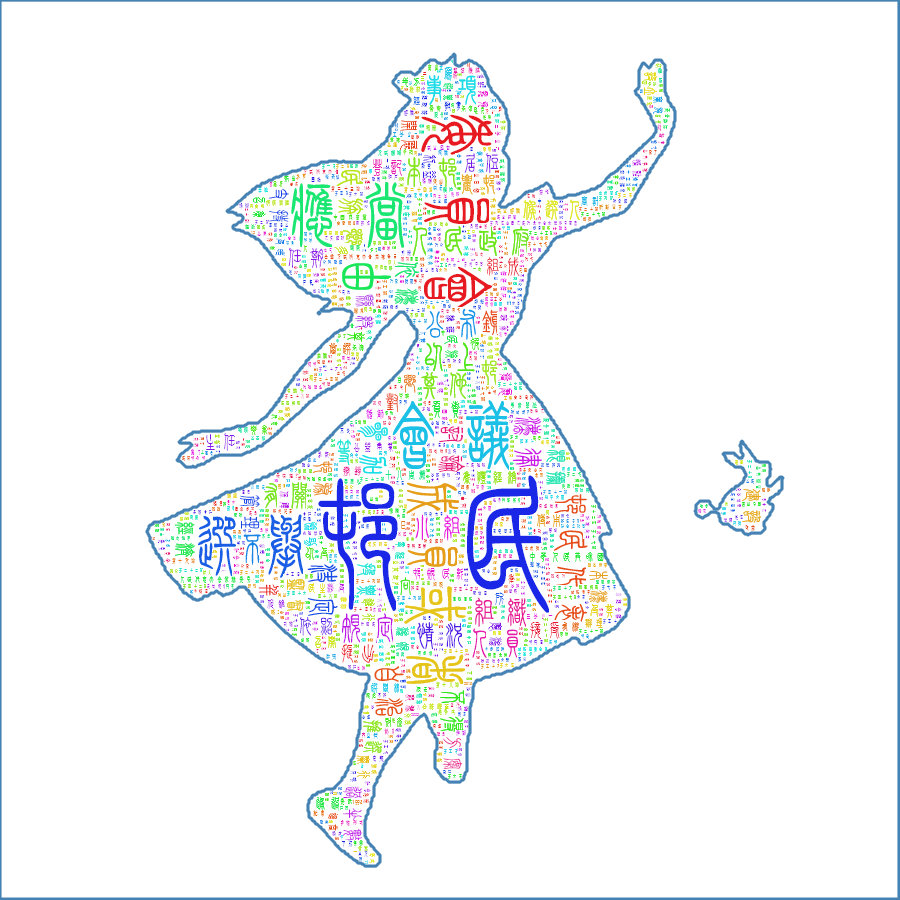
输出:
cs
   // ============================================================
    // 中文词云生成器(C# .NET 10)
    // 对标 Python wordcloud 示例(alice 蒙版词云):
    //   - 读取中文文本 alice2.txt(UTF-8)
    //   - Jieba 中文分词
    //   - 停用词过滤(工作/就是/个人/没有/村民委员会/said 等)
    //   - 蒙版图片 alice_mask.png(白色区域为文字填充区)
    //   - 自定义字体:方正小篆体
    //   - 白色背景 + 钢蓝色轮廓(contour_width=3, contour_color=steelblue)
    //   - 输出 chinese_wordcloud2.png
    // Author : geovindu, Geovin Du 涂聚文
    // ============================================================
    using System;
    using System.Collections.Generic;
    using System.Drawing;
    using System.IO;
    using System.Linq;
    using System.Runtime.InteropServices;
    using System.Text;
    using System.Text.RegularExpressions;
    using System.Xml.Linq;
    using JiebaNet.Segmenter;
    using Sdcb.WordClouds;
    using SkiaSharp;
namespace ChineseWorldCloud
{
internal static class Program
{
    // ==================== 路径配置(按需修改) ====================
    // 文本文件(对应 Python 的 alice2.txt)
    private static readonly string TextFile = "alice2.txt";
    // 蒙版图片(对应 Python 的 alice_mask.png)
    private static readonly string MaskFile = "alice_mask.png";
    // 停用词文件(可选,一行一个词;不存在则用内置停用词)
    private static readonly string StopWordsFile = "stopwords.txt";
    // 方正小篆体字体文件(用户级安装字体,Python 已验证可用的路径)
    // 可通过环境变量 WORDCLOUD_FONT 覆盖,便于测试/切换字体,无需改代码
    private static readonly string FontFile =
        Environment.GetEnvironmentVariable("WORDCLOUD_FONT")
        ?? @"C:\Users\geovindu\AppData\Local\Microsoft\Windows\Fonts\方正小篆体.ttf";
    // 输出图片(对应 Python 的 chinese_wordcloud2.png)
    private static readonly string OutputFile = "chinese_wordcloud2.png";

    // 是否用系统默认程序打开生成结果(对应 Python 的 plt.show)
    private const bool OpenImageAfterSave = true;

    // 只保留中英文/数字,过滤纯标点
    private static readonly Regex ValidWordRegex = new(@"[\u4e00-\u9fffA-Za-z0-9]+", RegexOptions.Compiled);

    // 钢蓝色,对应 Python contour_color='steelblue'
    private static readonly SKColor SteelBlue = new(70, 130, 180);

    private static void Main()
    {
        // ========== 1. 读取中文文本(对应 Python: open(..., encoding='utf-8').read()) ==========
        if (!File.Exists(TextFile))
        {
            Console.Error.WriteLine($"[错误] 找不到文本文件:{Path.GetFullPath(TextFile)}");
            return;
        }
        string rawText = File.ReadAllText(TextFile, Encoding.UTF8);

        // ========== 2. Jieba 中文分词(对应 Python: jieba.lcut(text)) ==========
        var jieba = new JiebaSegmenter();
        IEnumerable<string> tokens = jieba.Cut(rawText);

        // ========== 3. 停用词集合(对应 Python: stopwords = set(STOPWORDS); stopwords.update([...])) ==========
        var stopwords = LoadStopWords();

        // ========== 4. 统计词频(对应 Python wordcloud 内部按词频统计) ==========
        var freq = new Dictionary<string, int>(StringComparer.Ordinal);
        foreach (string token in tokens)
        {
            string w = token.Trim();
            if (w.Length == 0) continue;              // 空词
            if (!ValidWordRegex.IsMatch(w)) continue; // 纯标点符号
            if (stopwords.Contains(w)) continue;      // 停用词
            freq[w] = freq.TryGetValue(w, out int c) ? c + 1 : 1;
        }

        if (freq.Count == 0)
        {
            Console.Error.WriteLine("[错误] 词频统计为空,请检查文本内容与停用词。");
            return;
        }

        // 按频次降序,取前 2000 个词(对应 Python: max_words=2000)
        WordScore[] wordScores = freq
            .OrderByDescending(kv => kv.Value)
            .Take(2000)
            .Select(kv => new WordScore(kv.Key, kv.Value))
            .ToArray();

        // ========== 5. 加载蒙版图片(对应 Python: Image.open(alice_mask.png)) ==========
        SKBitmap? mask = LoadMask(MaskFile);
        int width = mask?.Width ?? 800;
        int height = mask?.Height ?? 600;

        // ========== 6. 构建词云(对应 Python: WordCloud(...)) ==========
        if (!File.Exists(FontFile))
        {
            Console.Error.WriteLine($"[错误] 找不到字体文件:{FontFile}\n请修改 Program.cs 顶部 FontFile 为你的方正小篆体真实路径。");
            return;
        }

        var options = new WordCloudOptions(width, height, wordScores)
        {
            TextOrientation = TextOrientations.PreferHorizontal,   // 对应 prefer_horizontal=0.9(偏横向)
            Random = new Random(42),                               // 固定随机种子,可复现(对应 random_state)
            FontManager = new FontManager(new[] { SKTypeface.FromFile(FontFile) }), // 自定义字体
            FontColorAccessor = ctx => RandomColor(ctx),           // 随机彩色文字(对应 Python 默认颜色函数)
        };

        if (mask != null)
        {
            // 蒙版为白底黑图:黑色=人像区域=文字填充区
            // CreateWithForegroundColor(mask, Black) = 黑色区域为前景(可绘制文字)
            options.Mask = MaskOptions.CreateWithForegroundColor(mask, SKColors.Black);
        }

        WordCloud wc = WordCloud.Create(options);

        // ========== 7. 渲染:白色背景 + 词云 + 钢蓝色轮廓 ==========
        // 对应 Python: background_color="white", contour_width=3, contour_color='steelblue'
        using SKBitmap whiteBg = new(width, height, SKColorType.Bgra8888, SKAlphaType.Opaque);
        using (var canvas = new SKCanvas(whiteBg))
        {
            canvas.Clear(SKColors.White);
        }

        using SKBitmap cloud = wc.ToSKBitmap(whiteBg);

        if (mask != null)
        {
            using SKBitmap contour = CreateContour(mask, SteelBlue, contourWidth: 3);
            using var canvas = new SKCanvas(cloud);
            canvas.DrawBitmap(contour, 0, 0);
        }

        // ========== 8. 保存 PNG(对应 Python: wc.to_file(...)) ==========
        using (SKData data = cloud.Encode(SKEncodedImageFormat.Png, 100))
        {
            File.WriteAllBytes(OutputFile, data.ToArray());
        }
        Console.WriteLine($"[完成] 词云已保存:{Path.GetFullPath(OutputFile)}");

        // ========== 9. 打开查看(对应 Python: plt.show(),可选) ==========
        if (OpenImageAfterSave)
        {
            OpenImage(OutputFile);
        }
    }

    // ============================================================
    // 工具方法
    // ============================================================

    /// <summary>
    /// 加载停用词:优先读取 stopwords.txt(一行一个词);
    /// 文件不存在时使用内置列表(含 Python 示例中显式加入的词)。
    /// </summary>
    private static HashSet<string> LoadStopWords()
    {
        var stopwords = new HashSet<string>(StringComparer.Ordinal)
    {
        // Python 示例中 stopwords.update([...]) 显式加入的词
        "工作", "就是", "个人", "没有", "村民委员会", "said",
        // 常用英文停用词(对应 Python: wordcloud.STOPWORDS 的主要子集)
        "a", "an", "the", "and", "or", "but", "if", "of", "to", "in", "on", "for",
        "with", "as", "at", "by", "from", "up", "about", "into", "over", "after",
        "is", "are", "was", "were", "be", "been", "being", "have", "has", "had",
        "do", "does", "did", "will", "would", "can", "could", "should", "may",
        "not", "no", "so", "too", "very", "just", "only", "then", "there",
        "it", "its", "this", "that", "these", "those", "i", "you", "he", "she",
        "we", "they", "them", "his", "her", "our", "your", "their", "my", "me",
        "said", "say", "one", "two", "get", "got", "like", "make", "new", "now",
        // 常用中文停用词
        "的", "了", "是", "和", "在", "有", "就", "都", "而", "及", "与",
        "一个", "我们", "你们", "他们", "这个", "那个", "什么", "怎么", "可以",
    };

        // 若存在停用词文件则追加
        if (File.Exists(StopWordsFile))
        {
            foreach (string line in File.ReadAllLines(StopWordsFile, Encoding.UTF8))
            {
                string w = line.Trim();
                if (w.Length > 0) stopwords.Add(w);
            }
        }

        return stopwords;
    }

    /// <summary>
    /// 加载蒙版图片为 SKBitmap;失败返回 null(降级为矩形词云)。
    /// </summary>
    private static SKBitmap? LoadMask(string path)
    {
        if (!File.Exists(path))
        {
            Console.WriteLine($"[提示] 找不到蒙版图片 {path},改用矩形词云。");
            return null;
        }
        try
        {
            SKBitmap bmp = SKBitmap.Decode(File.ReadAllBytes(path))
                           ?? throw new InvalidOperationException("图片解码失败");
            return EnsureSupportedColorType(bmp);
        }
        catch (Exception ex)
        {
            Console.WriteLine($"[提示] 蒙版图片加载失败({ex.Message}),改用矩形词云。");
            return null;
        }
    }

    /// <summary>
    /// 将蒙版转为 MaskOptions 支持的像素格式(Bgra8888)。
    /// </summary>
    private static SKBitmap EnsureSupportedColorType(SKBitmap src)
    {
        SKColorType[] supported = { SKColorType.Gray8, SKColorType.Alpha8, SKColorType.Bgra8888, SKColorType.Rgba8888, SKColorType.Rgb888x };
        if (supported.Contains(src.ColorType))
        {
            return src;
        }
        var dst = new SKBitmap(src.Width, src.Height, SKColorType.Bgra8888, SKAlphaType.Premul);
        using (var canvas = new SKCanvas(dst))
        {
            canvas.Clear(SKColors.Transparent);
            canvas.DrawBitmap(src, 0, 0);
        }
        src.Dispose();
        return dst;
    }

    /// <summary>
    /// 随机彩色文字(对应 Python wordcloud 默认颜色函数:
    /// "hsl(随机色相, 80%, 50%)")。
    /// </summary>
    private static SKColor RandomColor(WordCloudContext ctx)
    {
        float hue = ctx.Random.Next(0, 360);
        return HslToRgb(hue, 0.8f, 0.5f);
    }

    /// <summary>
    /// HSL 转 RGB(S=0.8, L=0.5 时得到鲜艳彩色)。
    /// </summary>
    private static SKColor HslToRgb(float h, float s, float l)
    {
        h = ((h % 360f) + 360f) % 360f / 360f;

        static float Hue2Rgb(float p, float q, float t)
        {
            if (t < 0f) t += 1f;
            if (t > 1f) t -= 1f;
            if (t < 1f / 6f) return p + (q - p) * 6f * t;
            if (t < 1f / 2f) return q;
            if (t < 2f / 3f) return p + (q - p) * (2f / 3f - t) * 6f;
            return p;
        }

        float q = l < 0.5f ? l * (1f + s) : l + s - l * s;
        float p = 2f * l - q;
        byte r = (byte)Math.Round(Hue2Rgb(p, q, h + 1f / 3f) * 255f);
        byte g = (byte)Math.Round(Hue2Rgb(p, q, h) * 255f);
        byte b = (byte)Math.Round(Hue2Rgb(p, q, h - 1f / 3f) * 255f);
        return new SKColor(r, g, b);
    }

    /// <summary>
    /// 在蒙版"白色可绘制区域"的边界上绘制轮廓(对应 Python contour_width / contour_color)。
    /// </summary>
    private static SKBitmap CreateContour(SKBitmap mask, SKColor color, int contourWidth)
    {
        int w = mask.Width, h = mask.Height;
        byte[] px = GetBgraBytes(mask);

        // 蒙版语义与 Python wordcloud 一致:亮(白)色为文字可绘制区域
        bool IsLight(int x, int y)
        {
            if (x < 0 || y < 0 || x >= w || y >= h) return false; // 越界视为不可绘制(背景)
            int i = (y * w + x) * 4;
            byte b = px[i], g = px[i + 1], r = px[i + 2]; // BGRA 顺序
            return 0.299 * r + 0.587 * g + 0.114 * b > 127.5;
        }

        var overlay = new SKBitmap(w, h, SKColorType.Bgra8888, SKAlphaType.Premul);
        using (var canvas = new SKCanvas(overlay))
        {
            canvas.Clear(SKColors.Transparent);
            using var paint = new SKPaint
            {
                Color = color,
                Style = SKPaintStyle.Fill,
                IsAntialias = true,
            };

            float radius = contourWidth / 2f;
            for (int y = 0; y < h; y++)
            {
                for (int x = 0; x < w; x++)
                {
                    if (!IsLight(x, y)) continue; // 只处理可绘制区域
                                                  // 上下左右任一邻居不在可绘制区 → 该像素在轮廓上
                    bool boundary = !IsLight(x - 1, y) || !IsLight(x + 1, y)
                                 || !IsLight(x, y - 1) || !IsLight(x, y + 1);
                    if (boundary)
                    {
                        canvas.DrawCircle(x, y, radius, paint);
                    }
                }
            }
        }
        return overlay;
    }

    /// <summary>
    /// 将蒙版复制为 Bgra8888 并读取像素字节数组(BGRA 顺序,每像素 4 字节)。
    /// </summary>
    private static byte[] GetBgraBytes(SKBitmap mask)
    {
        int w = mask.Width, h = mask.Height;
        using var copy = new SKBitmap(w, h, SKColorType.Bgra8888, SKAlphaType.Unpremul);
        using (var canvas = new SKCanvas(copy))
        {
            canvas.Clear(SKColors.Transparent);
            canvas.DrawBitmap(mask, 0, 0);
        }

        var info = new SKImageInfo(w, h, SKColorType.Bgra8888, SKAlphaType.Unpremul);
        byte[] data = new byte[info.BytesSize];
        // SkiaSharp 2.88 使用 GetPixels() 获取像素指针(Bgra8888 为紧凑排列,rowBytes = w*4)
        IntPtr ptr = copy.GetPixels();
        Marshal.Copy(ptr, data, 0, data.Length);
        return data;
    }

    /// <summary>
    /// 用系统默认程序打开图片(对应 Python 的 plt.show())。
    /// </summary>
    private static void OpenImage(string path)
    {
        try
        {
            System.Diagnostics.Process.Start(new System.Diagnostics.ProcessStartInfo
            {
                FileName = Path.GetFullPath(path),
                UseShellExecute = true,
            });
        }
        catch (Exception ex)
        {
            Console.WriteLine($"[提示] 自动打开图片失败({ex.Message}),可直接手动打开:{path}");
        }
    }
}
}
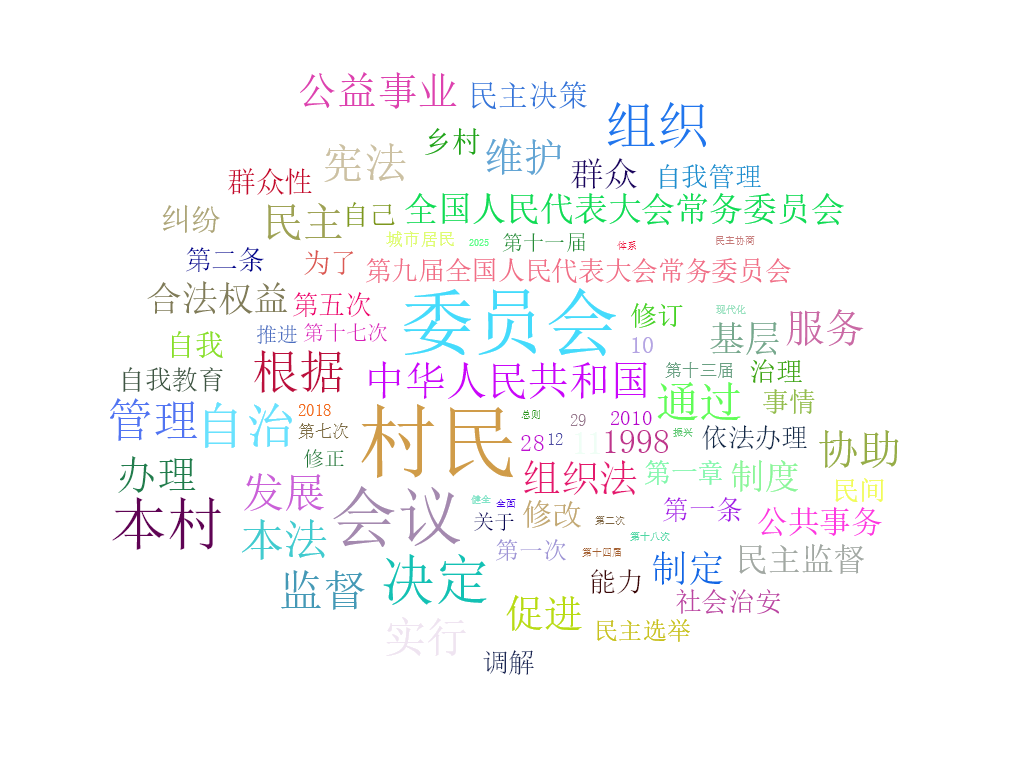
输出:
cs
 // ============================================================
    // 中文词云生成器(C# .NET 10)
    // 对标 Python wordcloud 示例(alice 蒙版词云):
    //   - 读取中文文本 alice2.txt(UTF-8)
    //   - Jieba 中文分词
    //   - 停用词过滤(工作/就是/个人/没有/村民委员会/said 等)
    //   - 蒙版图片 alice_mask.png(白色区域为文字填充区)
    //   - 自定义字体:方正小篆体
    //   - 白色背景 + 钢蓝色轮廓(contour_width=3, contour_color=steelblue)
    //   - 输出 chinese_wordcloud2.png
    // Author : geovindu, Geovin Du 涂聚文
    // ============================================================
    using System;
    using System.Collections.Generic;
    using System.Drawing;
    using System.IO;
    using System.Linq;
    using System.Runtime.InteropServices;
    using System.Text;
    using System.Text.RegularExpressions;
    using System.Xml.Linq;
    using JiebaNet.Segmenter;
    using Sdcb.WordClouds;
    using SkiaSharp;
namespace ChineseWorldCloud
{
internal static class Program
{
    // ==================== 路径配置(按需修改) ====================
    // 文本文件(对应 Python 的 alice2.txt)
    private static readonly string TextFile = "alice2.txt";
    // 蒙版图片(对应 Python 的 alice_mask.png)
    private static readonly string MaskFile = "alice_mask.png";
    // 停用词文件(可选,一行一个词;不存在则用内置停用词)
    private static readonly string StopWordsFile = "stopwords.txt";
    // 方正小篆体字体文件(用户级安装字体,Python 已验证可用的路径)
    // 可通过环境变量 WORDCLOUD_FONT 覆盖,便于测试/切换字体,无需改代码
    private static readonly string FontFile =
        Environment.GetEnvironmentVariable("WORDCLOUD_FONT")
        ?? @"C:\Users\geovindu\AppData\Local\Microsoft\Windows\Fonts\方正小篆体.ttf";
    // 输出图片(对应 Python 的 chinese_wordcloud2.png)
    private static readonly string OutputFile = "chinese_wordcloud2.png";

    // 是否用系统默认程序打开生成结果(对应 Python 的 plt.show)
    private const bool OpenImageAfterSave = true;

    // 只保留中英文/数字,过滤纯标点
    private static readonly Regex ValidWordRegex = new(@"[\u4e00-\u9fffA-Za-z0-9]+", RegexOptions.Compiled);

    // 钢蓝色,对应 Python contour_color='steelblue'
    private static readonly SKColor SteelBlue = new(70, 130, 180);

    private static void Main()
    {
        // ========== 1. 读取中文文本(对应 Python: open(..., encoding='utf-8').read()) ==========
        if (!File.Exists(TextFile))
        {
            Console.Error.WriteLine($"[错误] 找不到文本文件:{Path.GetFullPath(TextFile)}");
            return;
        }
        string rawText = File.ReadAllText(TextFile, Encoding.UTF8);

        // ========== 2. Jieba 中文分词(对应 Python: jieba.lcut(text)) ==========
        var jieba = new JiebaSegmenter();
        IEnumerable<string> tokens = jieba.Cut(rawText);

        // ========== 3. 停用词集合(对应 Python: stopwords = set(STOPWORDS); stopwords.update([...])) ==========
        var stopwords = LoadStopWords();

        // ========== 4. 统计词频(对应 Python wordcloud 内部按词频统计) ==========
        var freq = new Dictionary<string, int>(StringComparer.Ordinal);
        foreach (string token in tokens)
        {
            string w = token.Trim();
            if (w.Length == 0) continue;              // 空词
            if (!ValidWordRegex.IsMatch(w)) continue; // 纯标点符号
            if (stopwords.Contains(w)) continue;      // 停用词
            freq[w] = freq.TryGetValue(w, out int c) ? c + 1 : 1;
        }

        if (freq.Count == 0)
        {
            Console.Error.WriteLine("[错误] 词频统计为空,请检查文本内容与停用词。");
            return;
        }

        // 按频次降序,取前 2000 个词(对应 Python: max_words=2000)
        WordScore[] wordScores = freq
            .OrderByDescending(kv => kv.Value)
            .Take(2000)
            .Select(kv => new WordScore(kv.Key, kv.Value))
            .ToArray();

        // ========== 5. 加载蒙版图片(对应 Python: Image.open(alice_mask.png)) ==========
        SKBitmap? mask = LoadMask(MaskFile);
        int width = mask?.Width ?? 800;
        int height = mask?.Height ?? 600;

        // ========== 6. 构建词云(对应 Python: WordCloud(...)) ==========
        if (!File.Exists(FontFile))
        {
            Console.Error.WriteLine($"[错误] 找不到字体文件:{FontFile}\n请修改 Program.cs 顶部 FontFile 为你的方正小篆体真实路径。");
            return;
        }

        var options = new WordCloudOptions(width, height, wordScores)
        {
            TextOrientation = TextOrientations.PreferHorizontal,   // 对应 prefer_horizontal=0.9(偏横向)
            Random = new Random(42),                               // 固定随机种子,可复现(对应 random_state)
            FontManager = new FontManager(new[] { SKTypeface.FromFile(FontFile) }), // 自定义字体
            FontColorAccessor = ctx => RandomColor(ctx),           // 随机彩色文字(对应 Python 默认颜色函数)
        };

        if (mask != null)
        {
            // 蒙版为白底黑图:黑色=人像=文字填充区
            // CreateWithBackgroundColor(mask, Black) = 黑色区域为可填充区域
            options.Mask = MaskOptions.CreateWithBackgroundColor(mask, SKColors.Black);
        }

        WordCloud wc = WordCloud.Create(options);

        // ========== 7. 渲染:白色背景 + 词云 + 钢蓝色轮廓 ==========
        // 对应 Python: background_color="white", contour_width=3, contour_color='steelblue'
        using SKBitmap whiteBg = new(width, height, SKColorType.Bgra8888, SKAlphaType.Opaque);
        using (var canvas = new SKCanvas(whiteBg))
        {
            canvas.Clear(SKColors.White);
        }

        using SKBitmap cloud = wc.ToSKBitmap(whiteBg);

        if (mask != null)
        {
            using SKBitmap contour = CreateContour(mask, SteelBlue, contourWidth: 3);
            using var canvas = new SKCanvas(cloud);
            canvas.DrawBitmap(contour, 0, 0);
        }

        // ========== 8. 保存 PNG(对应 Python: wc.to_file(...)) ==========
        using (SKData data = cloud.Encode(SKEncodedImageFormat.Png, 100))
        {
            File.WriteAllBytes(OutputFile, data.ToArray());
        }
        Console.WriteLine($"[完成] 词云已保存:{Path.GetFullPath(OutputFile)}");

        // ========== 9. 打开查看(对应 Python: plt.show(),可选) ==========
        if (OpenImageAfterSave)
        {
            OpenImage(OutputFile);
        }
    }

    // ============================================================
    // 工具方法
    // ============================================================

    /// <summary>
    /// 加载停用词:优先读取 stopwords.txt(一行一个词);
    /// 文件不存在时使用内置列表(含 Python 示例中显式加入的词)。
    /// </summary>
    private static HashSet<string> LoadStopWords()
    {
        var stopwords = new HashSet<string>(StringComparer.Ordinal)
    {
        // Python 示例中 stopwords.update([...]) 显式加入的词
        "工作", "就是", "个人", "没有", "村民委员会", "said",
        // 常用英文停用词(对应 Python: wordcloud.STOPWORDS 的主要子集)
        "a", "an", "the", "and", "or", "but", "if", "of", "to", "in", "on", "for",
        "with", "as", "at", "by", "from", "up", "about", "into", "over", "after",
        "is", "are", "was", "were", "be", "been", "being", "have", "has", "had",
        "do", "does", "did", "will", "would", "can", "could", "should", "may",
        "not", "no", "so", "too", "very", "just", "only", "then", "there",
        "it", "its", "this", "that", "these", "those", "i", "you", "he", "she",
        "we", "they", "them", "his", "her", "our", "your", "their", "my", "me",
        "said", "say", "one", "two", "get", "got", "like", "make", "new", "now",
        // 常用中文停用词
        "的", "了", "是", "和", "在", "有", "就", "都", "而", "及", "与",
        "一个", "我们", "你们", "他们", "这个", "那个", "什么", "怎么", "可以",
    };

        // 若存在停用词文件则追加
        if (File.Exists(StopWordsFile))
        {
            foreach (string line in File.ReadAllLines(StopWordsFile, Encoding.UTF8))
            {
                string w = line.Trim();
                if (w.Length > 0) stopwords.Add(w);
            }
        }

        return stopwords;
    }

    /// <summary>
    /// 加载蒙版图片为 SKBitmap;失败返回 null(降级为矩形词云)。
    /// </summary>
    private static SKBitmap? LoadMask(string path)
    {
        if (!File.Exists(path))
        {
            Console.WriteLine($"[提示] 找不到蒙版图片 {path},改用矩形词云。");
            return null;
        }
        try
        {
            SKBitmap bmp = SKBitmap.Decode(File.ReadAllBytes(path))
                           ?? throw new InvalidOperationException("图片解码失败");
            return EnsureSupportedColorType(bmp);
        }
        catch (Exception ex)
        {
            Console.WriteLine($"[提示] 蒙版图片加载失败({ex.Message}),改用矩形词云。");
            return null;
        }
    }

    /// <summary>
    /// 将蒙版转为 MaskOptions 支持的像素格式(Bgra8888)。
    /// </summary>
    private static SKBitmap EnsureSupportedColorType(SKBitmap src)
    {
        var dst = new SKBitmap(src.Width, src.Height, SKColorType.Bgra8888, SKAlphaType.Premul);
        using (var canvas = new SKCanvas(dst))
        {
            canvas.Clear(SKColors.Transparent);
            canvas.DrawBitmap(src, 0, 0);
        }
        src.Dispose();
        return dst;
    }

    /// <summary>
    /// 随机彩色文字(对应 Python wordcloud 默认颜色函数:
    /// "hsl(随机色相, 80%, 50%)")。
    /// </summary>
    private static SKColor RandomColor(WordCloudContext ctx)
    {
        float hue = ctx.Random.Next(0, 360);
        return HslToRgb(hue, 0.8f, 0.5f);
    }

    /// <summary>
    /// HSL 转 RGB(S=0.8, L=0.5 时得到鲜艳彩色)。
    /// </summary>
    private static SKColor HslToRgb(float h, float s, float l)
    {
        h = ((h % 360f) + 360f) % 360f / 360f;

        static float Hue2Rgb(float p, float q, float t)
        {
            if (t < 0f) t += 1f;
            if (t > 1f) t -= 1f;
            if (t < 1f / 6f) return p + (q - p) * 6f * t;
            if (t < 1f / 2f) return q;
            if (t < 2f / 3f) return p + (q - p) * (2f / 3f - t) * 6f;
            return p;
        }

        float q = l < 0.5f ? l * (1f + s) : l + s - l * s;
        float p = 2f * l - q;
        byte r = (byte)Math.Round(Hue2Rgb(p, q, h + 1f / 3f) * 255f);
        byte g = (byte)Math.Round(Hue2Rgb(p, q, h) * 255f);
        byte b = (byte)Math.Round(Hue2Rgb(p, q, h - 1f / 3f) * 255f);
        return new SKColor(r, g, b);
    }

    /// <summary>
    /// 在蒙版"白色可绘制区域"的边界上绘制轮廓(对应 Python contour_width / contour_color)。
    /// </summary>
    private static SKBitmap CreateContour(SKBitmap mask, SKColor color, int contourWidth)
    {
        int w = mask.Width, h = mask.Height;
        byte[] px = GetBgraBytes(mask);

        // 蒙版语义与 Python wordcloud 一致:亮(白)色为文字可绘制区域
        bool IsLight(int x, int y)
        {
            if (x < 0 || y < 0 || x >= w || y >= h) return false; // 越界视为不可绘制(背景)
            int i = (y * w + x) * 4;
            byte b = px[i], g = px[i + 1], r = px[i + 2]; // BGRA 顺序
            return 0.299 * r + 0.587 * g + 0.114 * b > 127.5;
        }

        var overlay = new SKBitmap(w, h, SKColorType.Bgra8888, SKAlphaType.Premul);
        using (var canvas = new SKCanvas(overlay))
        {
            canvas.Clear(SKColors.Transparent);
            using var paint = new SKPaint
            {
                Color = color,
                Style = SKPaintStyle.Fill,
                IsAntialias = true,
            };

            float radius = contourWidth / 2f;
            for (int y = 0; y < h; y++)
            {
                for (int x = 0; x < w; x++)
                {
                    if (!IsLight(x, y)) continue; // 只处理可绘制区域
                                                  // 上下左右任一邻居不在可绘制区 → 该像素在轮廓上
                    bool boundary = !IsLight(x - 1, y) || !IsLight(x + 1, y)
                                 || !IsLight(x, y - 1) || !IsLight(x, y + 1);
                    if (boundary)
                    {
                        canvas.DrawCircle(x, y, radius, paint);
                    }
                }
            }
        }
        return overlay;
    }

    /// <summary>
    /// 将蒙版复制为 Bgra8888 并读取像素字节数组(BGRA 顺序,每像素 4 字节)。
    /// </summary>
    private static byte[] GetBgraBytes(SKBitmap mask)
    {
        int w = mask.Width, h = mask.Height;
        using var copy = new SKBitmap(w, h, SKColorType.Bgra8888, SKAlphaType.Unpremul);
        using (var canvas = new SKCanvas(copy))
        {
            canvas.Clear(SKColors.Transparent);
            canvas.DrawBitmap(mask, 0, 0);
        }

        var info = new SKImageInfo(w, h, SKColorType.Bgra8888, SKAlphaType.Unpremul);
        byte[] data = new byte[info.BytesSize];
        // SkiaSharp 2.88 使用 GetPixels() 获取像素指针(Bgra8888 为紧凑排列,rowBytes = w*4)
        IntPtr ptr = copy.GetPixels();
        Marshal.Copy(ptr, data, 0, data.Length);
        return data;
    }

    /// <summary>
    /// 用系统默认程序打开图片(对应 Python 的 plt.show())。
    /// </summary>
    private static void OpenImage(string path)
    {
        try
        {
            System.Diagnostics.Process.Start(new System.Diagnostics.ProcessStartInfo
            {
                FileName = Path.GetFullPath(path),
                UseShellExecute = true,
            });
        }
        catch (Exception ex)
        {
            Console.WriteLine($"[提示] 自动打开图片失败({ex.Message}),可直接手动打开:{path}");
        }
    }
}
}
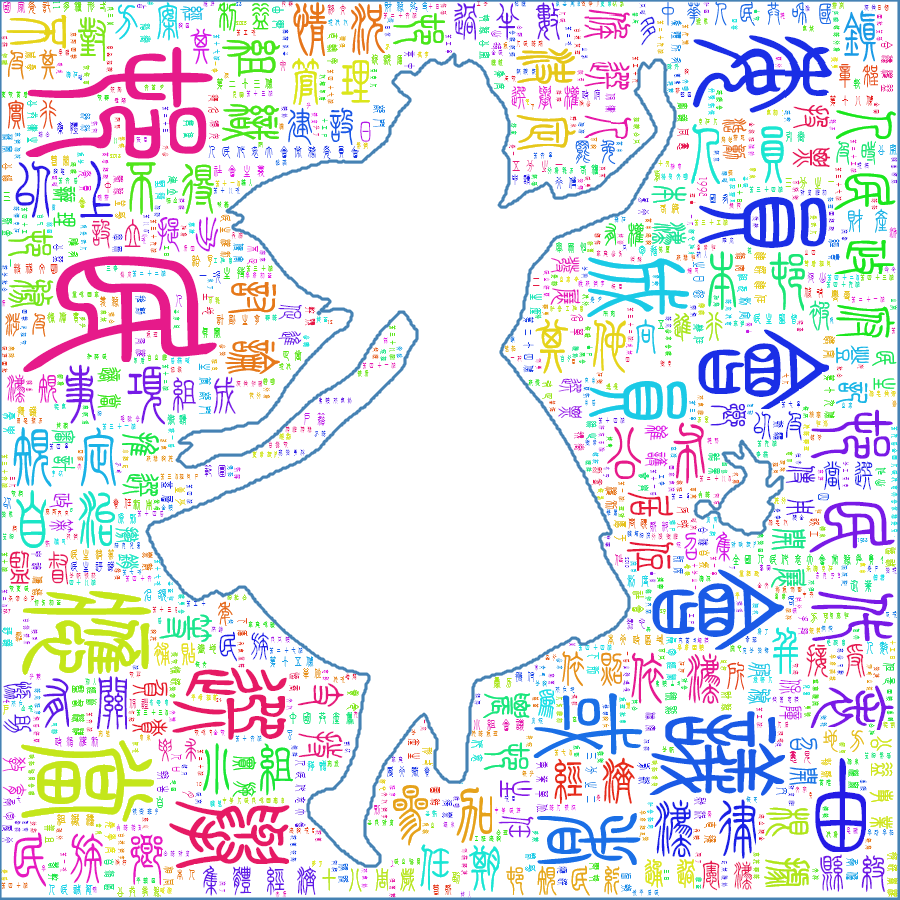
输出: