在 VisionPro 项目开发中,使用CogPMAlignTool做模板匹配是最常用的定位手段。默认 PM 工具只能在结果面板查看位姿数据,很多场景需要直接在图像上叠加文字标签,直观展示匹配目标的 X 坐标、Y 坐标、旋转角度。 VisionPro 的脚本工具(UserScript)可以自定义绘图逻辑,在模板匹配完成后,自动把位姿文本绘制到图像上,不用借助额外图形工具。下面完整介绍实现思路、源码解析、使用步骤与常见坑点。
开发环境:VisionPro 9.x/ 10.x,C# 脚本,ToolBlock 工具组内脚本
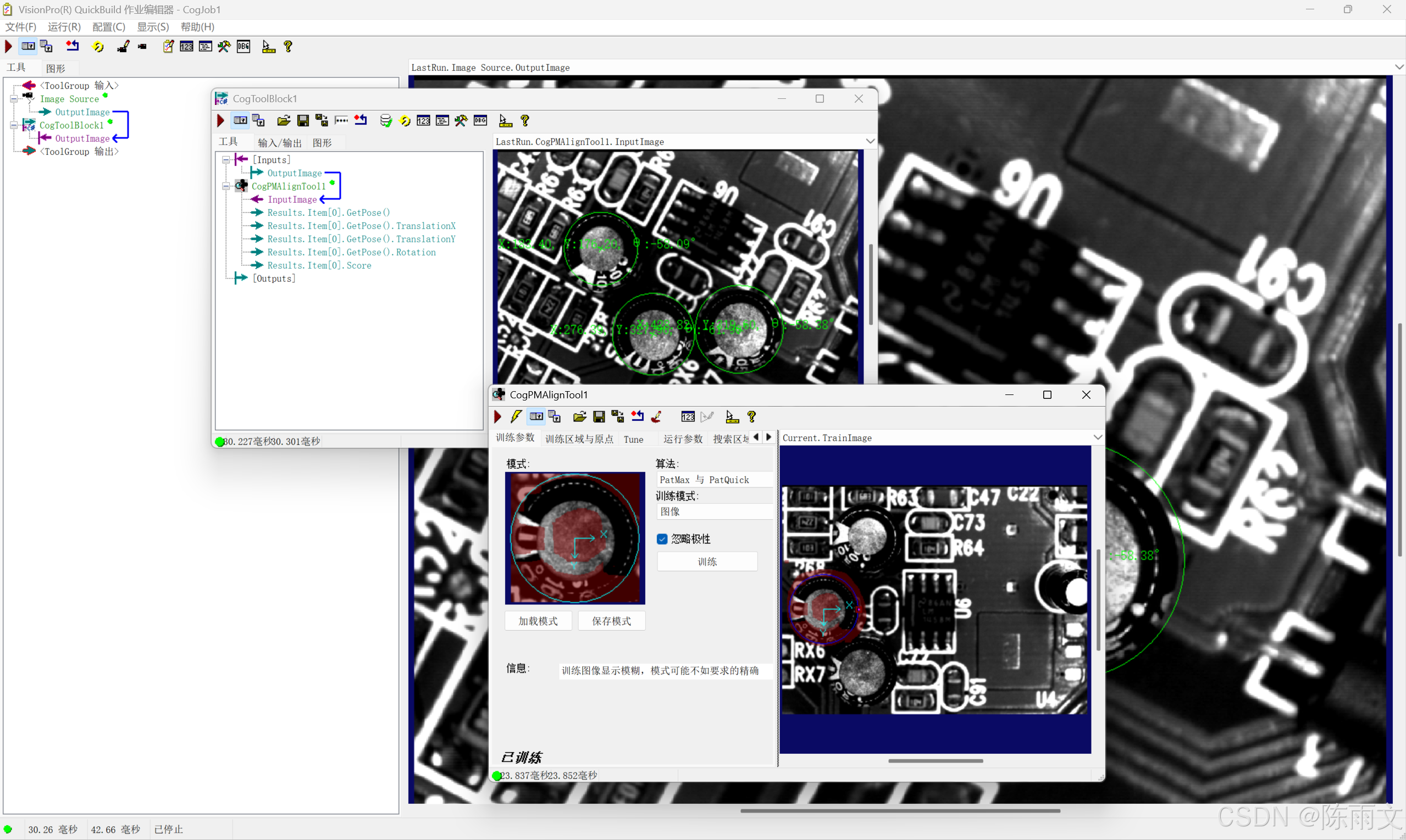
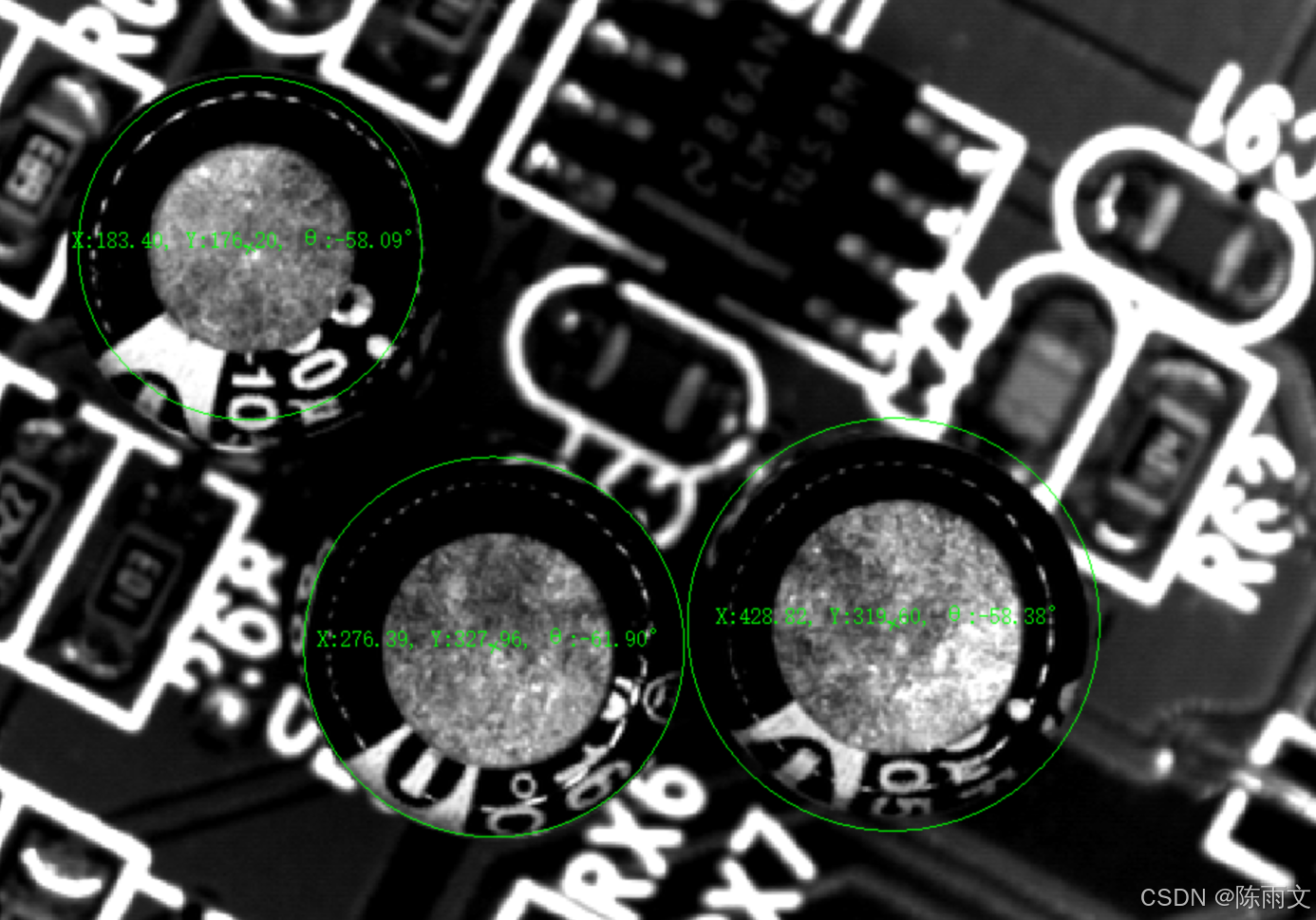
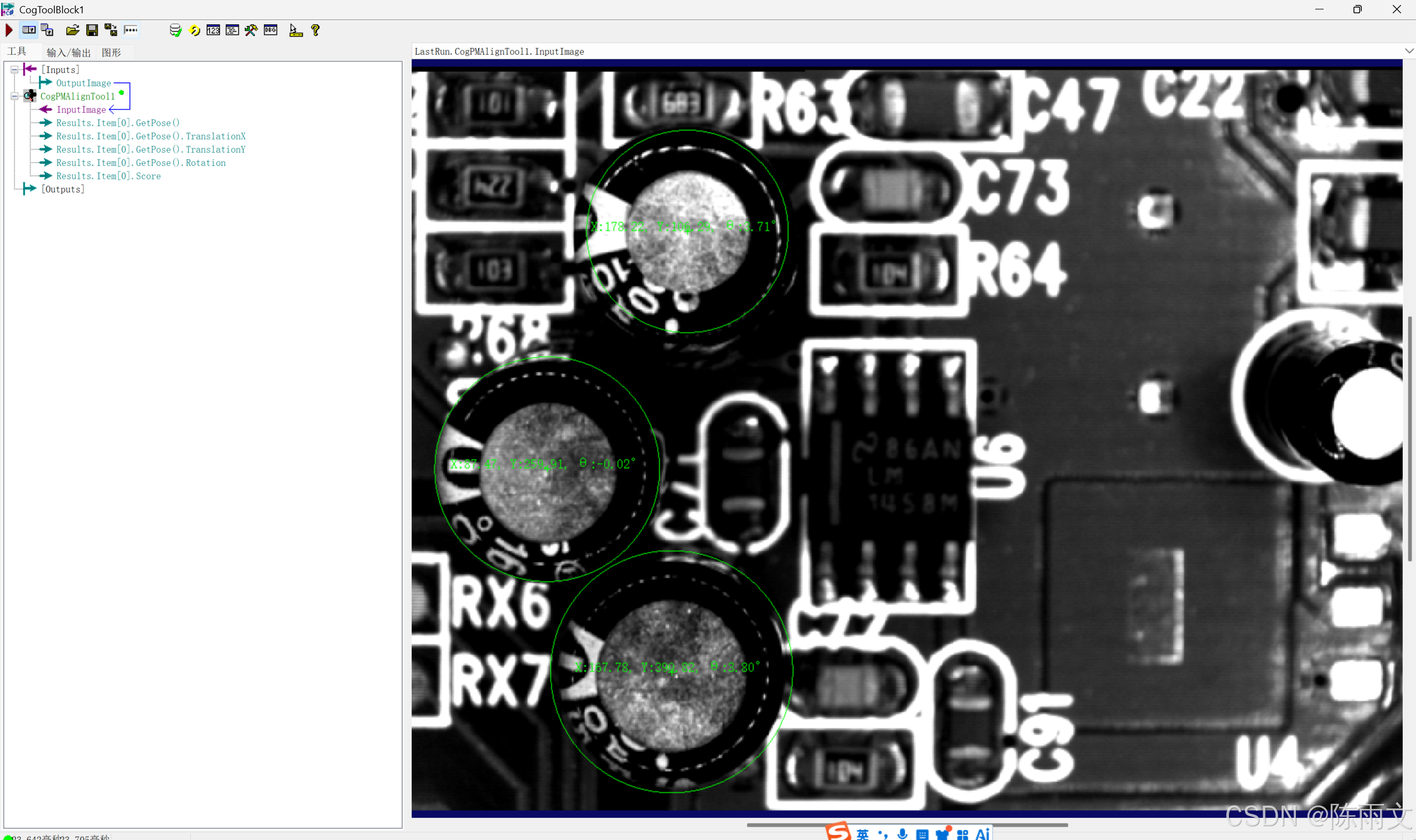
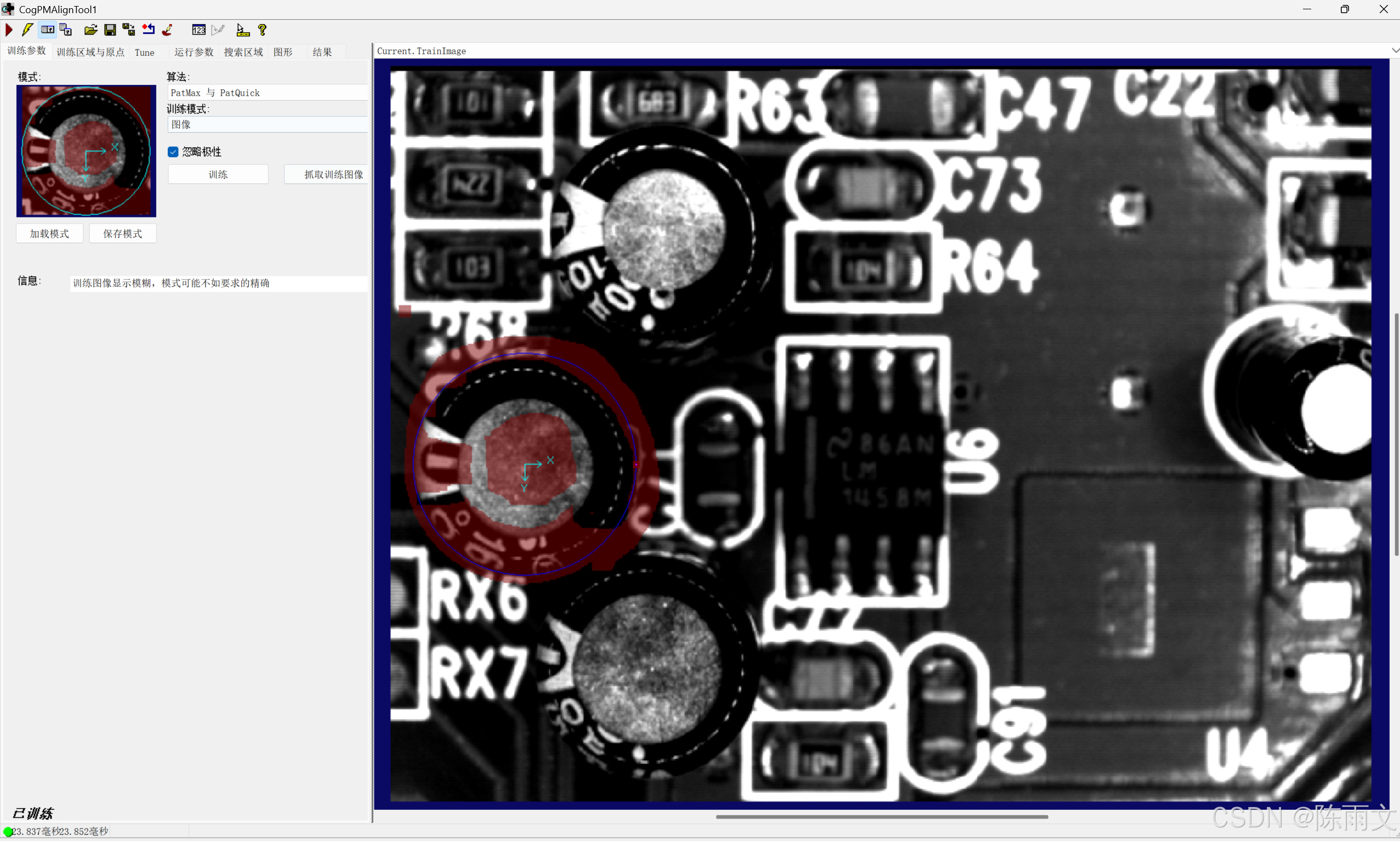
实现原理
- 在 mToolBlock 脚本的
RunTool函数中,先执行组内所有工具,运行CogPMAlignTool1模板匹配; - 获取 PM 匹配结果集合,遍历每一个匹配目标;
- 从匹配结果
CogPMAlignResult中读取位姿Pose:TranslationX、TranslationY、Rotation(弧度); - 弧度转角度:
弧度 × 180 / Math.PI; - 创建
CogGraphicLabel文本图形,放在匹配目标中心位置,设置红色文字; - 将图形存入图形集合
gc; - 重写
ModifyLastRunRecord方法,把图形添加到运行记录,图像窗口即可看到叠加文字。
CogPAMlignTool的脚本函数
1. 图形集合
CogGraphicCollection gc = new CogGraphicCollection();全局图形容器,每次 Run 先 Clear,防止多次运行图形叠加,存储所有文本标签。
2. 读取 PM 匹配位姿
double x = pma.Results[i].GetPose().TranslationX;
double y = pma.Results[i].GetPose().TranslationY;
double angle = pma.Results[i].GetPose().Rotation * 180 / Math.PI;
PM 匹配输出旋转为弧度 ,需要乘以180/Math.PI转为角度;GetPose()获取目标在图像坐标系下的位姿。
3. CogGraphicLabel 文本绘制
cs
      CogGraphicLabel label = new CogGraphicLabel();
      // 获取匹配位姿:X、Y平移,旋转弧度
      double x = pma.Results[i].GetPose().TranslationX;
      double y = pma.Results[i].GetPose().TranslationY;
      double angle = pma.Results[i].GetPose().Rotation * 180 / Math.PI;
      // 拼接文本,保留2位小数
      string str = "X:" + x.ToString("F2") + ", Y:" + y.ToString("F2") + ", θ:" + angle.ToString("F2") +"°";
      // 设置文本绘制坐标与文字内容
      label.SetXYText(x,y,str);
      // 设置文字颜色为绿色
      label.Color = CogColorConstants.Green;
      // 设置字体:宋体12号
      label.Font = new Font("宋体",12);
      // 将标签加入图形集合
gc.Add(label);SetXYText(x,y,str):在指定图像坐标 (x,y) 位置绘制文本; CogColorConstants.Green:VisionPro 内置颜色常量; Font("宋体",12):自定义字体字号。
4. ModifyLastRunRecord 绘图回调
cs
    // 将图形集合里所有标注添加到图像运行记录
    foreach(ICogGraphic g in gc)
    {
      // 参数说明:图形对象,运行记录,绑定图像源,图层名称
      mToolBlock.AddGraphicToRunRecord(g,lastRecord,"CogPMAlignTool1.InputImage","");
}AddGraphicToRunRecord:将图形挂载到指定工具的输入图像记录。
⚠️注意:第二个参数
"CogPMAlignTool1.InputImage"必须和 ToolBlock 内部 PM 工具名称保持一致,如果你的 PM 工具改名,这里字符串同步修改,否则图形无法显示。
CogToolBlock工具高级脚本完整代码
cs
#region namespace imports
using System;
using System.Collections;
using System.Drawing;
using System.IO;
using System.Windows.Forms;
using Cognex.VisionPro;
using Cognex.VisionPro.ToolBlock;
using Cognex.VisionPro3D;
using Cognex.VisionPro.PMAlign;
#endregion

public class CogToolBlockAdvancedScript : CogToolBlockAdvancedScriptBase
{
  #region Private Member Variables
  private Cognex.VisionPro.ToolBlock.CogToolBlock mToolBlock;
  CogGraphicCollection gc = new CogGraphicCollection();
  #endregion

  /// <summary>
  /// Called when the parent tool is run.
  /// Add code here to customize or replace the normal run behavior.
  /// </summary>
  /// <param name="message">Sets the Message in the tool's RunStatus.</param>
  /// <param name="result">Sets the Result in the tool's RunStatus</param>
  /// <returns>True if the tool should run normally,
  ///          False if GroupRun customizes run behavior</returns>
  public override bool GroupRun(ref string message, ref CogToolResultConstants result)
  {
    // To let the execution stop in this script when a debugger is attached, uncomment the following lines.
    // #if DEBUG
    // if (System.Diagnostics.Debugger.IsAttached) System.Diagnostics.Debugger.Break();
    // #endif


    // Run each tool using the RunTool function
    foreach(ICogTool tool in mToolBlock.Tools)
      mToolBlock.RunTool(tool, ref message, ref result);
    gc.Clear();

    CogPMAlignTool pma = mToolBlock.Tools[0] as CogPMAlignTool;
    for(int i = 0; i < pma.Results.Count; i++ )
    {
      CogGraphicLabel label = new CogGraphicLabel();
      double x = pma.Results[i].GetPose().TranslationX;
      double y = pma.Results[i].GetPose().TranslationY;
      double angle = pma.Results[i].GetPose().Rotation * 180 / Math.PI;
      string str = "X:" + x.ToString("F2") + ", Y:" + y.ToString("F2") + ", θ:" + angle.ToString("F2") +"°";
      label.SetXYText(x,y,str);
      label.Color = CogColorConstants.Green;
      label.Font = new Font("宋体",12);
      gc.Add(label);
    }


      return false;
  }

  #region When the Current Run Record is Created
  /// <summary>
  /// Called when the current record may have changed and is being reconstructed
  /// </summary>
  /// <param name="currentRecord">
  /// The new currentRecord is available to be initialized or customized.</param>
  public override void ModifyCurrentRunRecord(Cognex.VisionPro.ICogRecord currentRecord)
  {
  }
  #endregion

  #region When the Last Run Record is Created
  /// <summary>
  /// Called when the last run record may have changed and is being reconstructed
  /// </summary>
  /// <param name="lastRecord">
  /// The new last run record is available to be initialized or customized.</param>
  public override void ModifyLastRunRecord(Cognex.VisionPro.ICogRecord lastRecord)
  {
    foreach(ICogGraphic g in gc)
    {
      mToolBlock.AddGraphicToRunRecord(g,lastRecord,"CogPMAlignTool1.InputImage","");
    }
  }
  #endregion

  #region When the Script is Initialized
  /// <summary>
  /// Perform any initialization required by your script here
  /// </summary>
  /// <param name="host">The host tool</param>
  public override void Initialize(Cognex.VisionPro.ToolGroup.CogToolGroup host)
  {
    // DO NOT REMOVE - Call the base class implementation first - DO NOT REMOVE
    base.Initialize(host);


    // Store a local copy of the script host
    this.mToolBlock = ((Cognex.VisionPro.ToolBlock.CogToolBlock)(host));
  }
  #endregion

}
五、部署步骤(VisionPro 操作)
- 在 ToolBlock 内添加
CogPMAlignTool模板匹配工具,训练模板; - 打开 ToolBlock 脚本编辑器,选择Advanced Script 高级脚本,粘贴代码;
- 核对 PM 工具名称:脚本中
"CogPMAlignTool1.InputImage"和工具名匹配; - 运行 ToolBlock,图像窗口会在每个匹配目标位置显示 X/Y/ 角度绿色文字;
- 支持多目标,找到多少个匹配,就生成多少组文本标注。