作者: yangzhj 原文来源: https://tidb.net/blog/229e283c
背景
在日常运维工作中,我们有时需要将多个生产集群的告警信息展示在一起,统一集中观察和分析TiDB 集群的告警情况。
本文将通过 Grafana 的多数据源功能来将多个TiDB 集群的 emergency级别的告警信息展示到一张 Grafana Dashboard 中。
实现过程示例
首先需要选择某个集群的 grafana 创建 Dashboard。
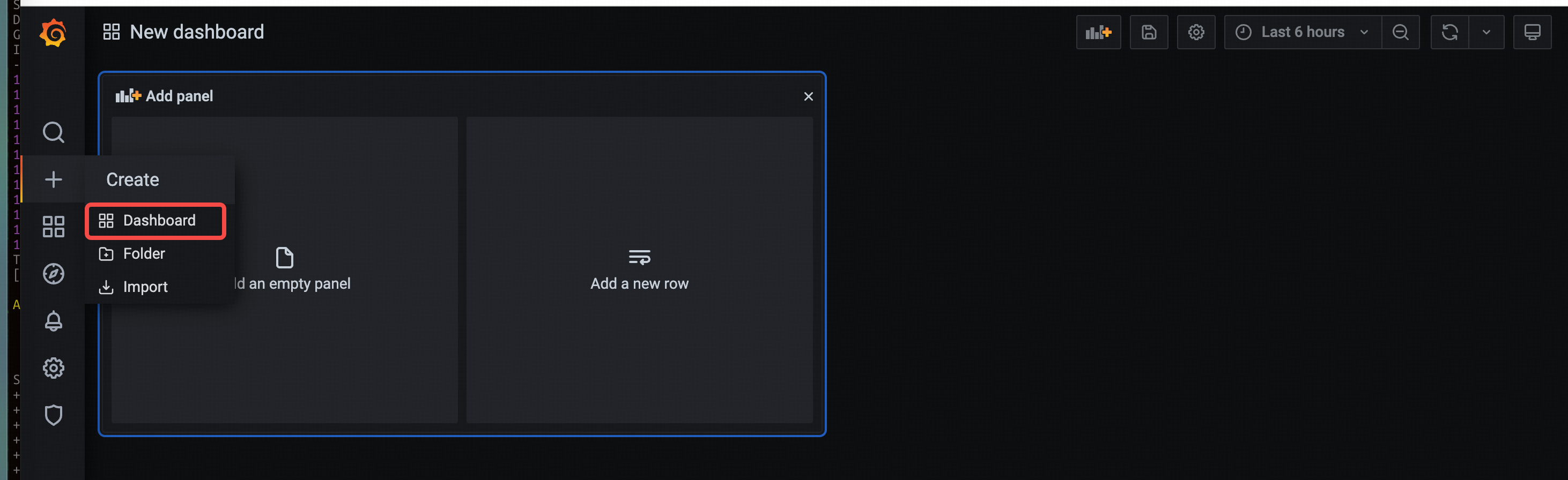
创建dashboard
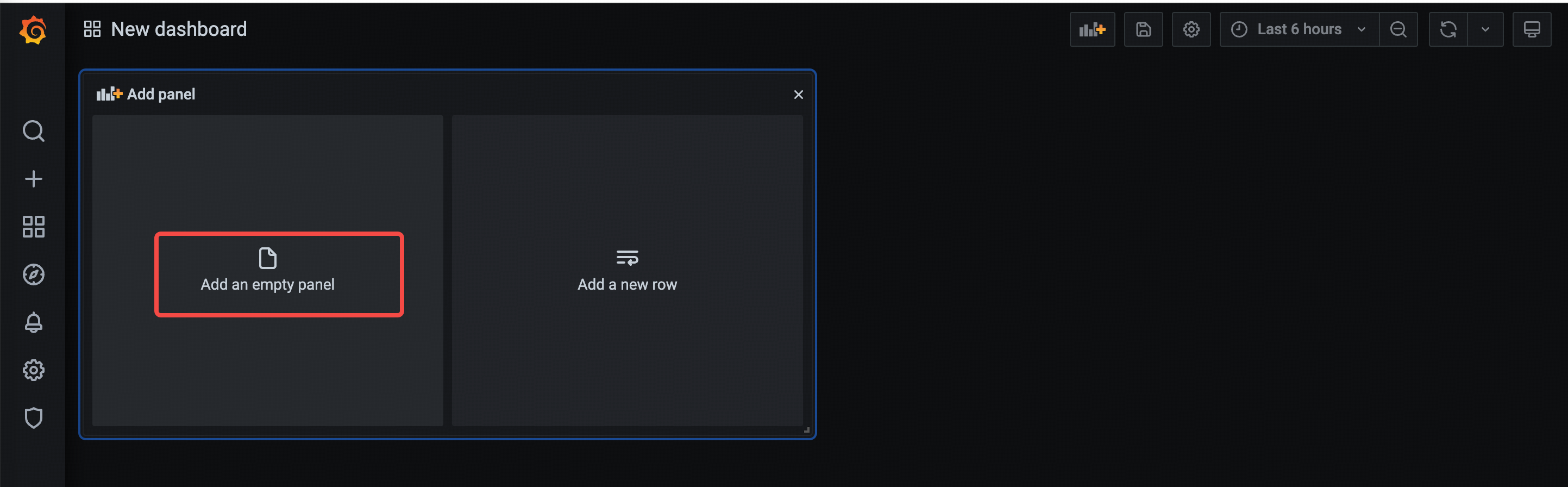
创建panel
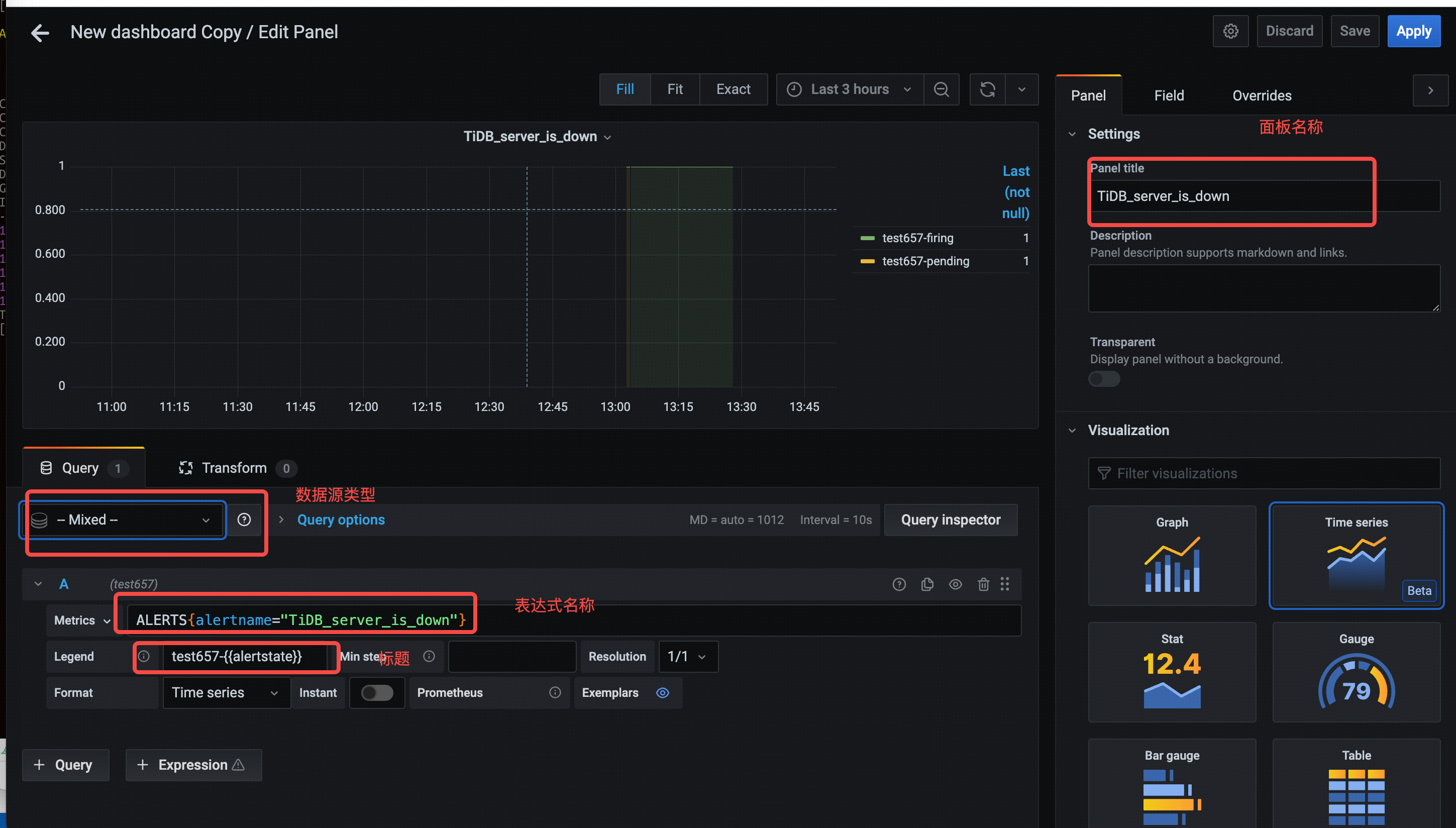
配置panel
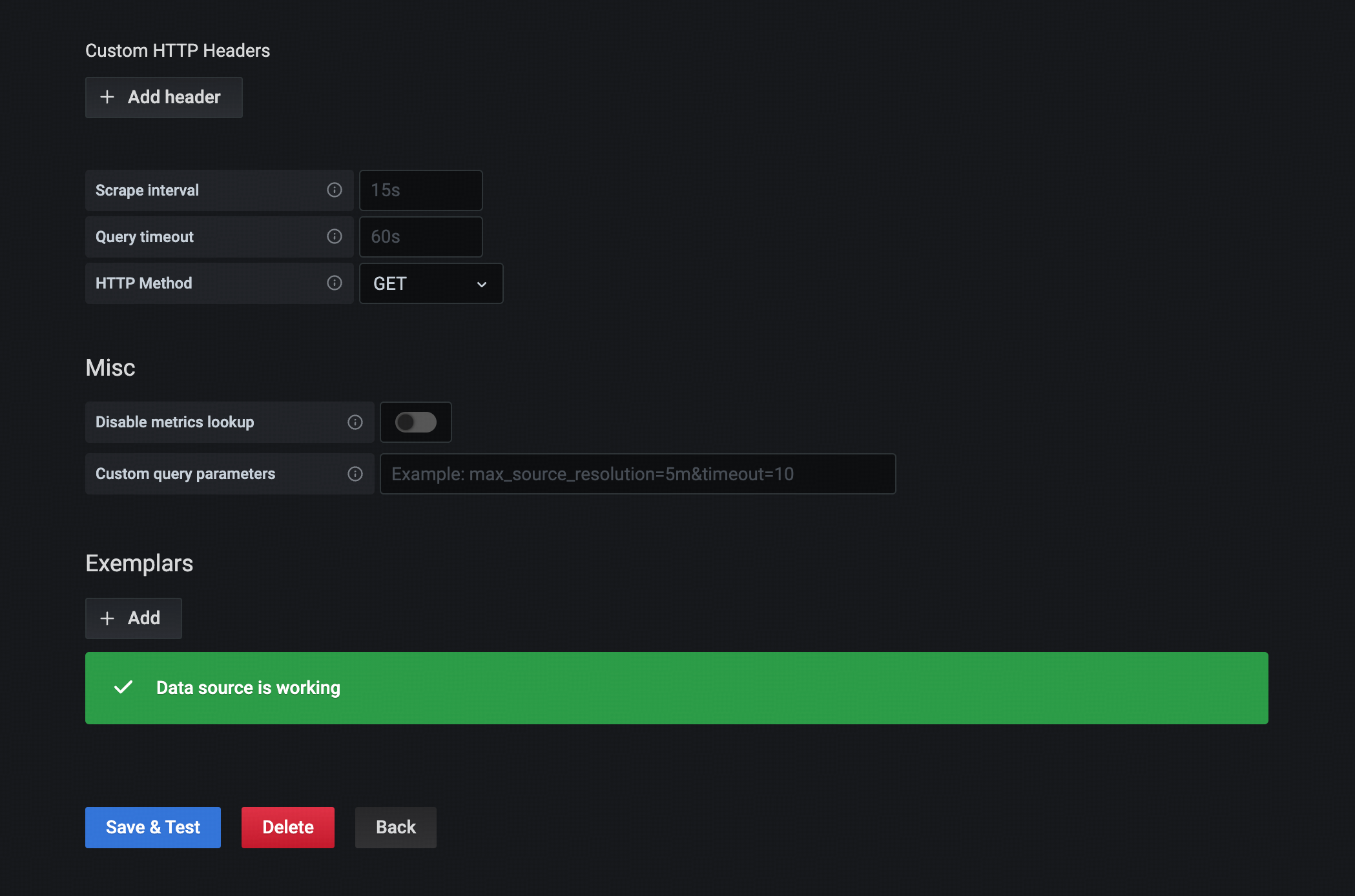
添加其他tidb集群的数据源
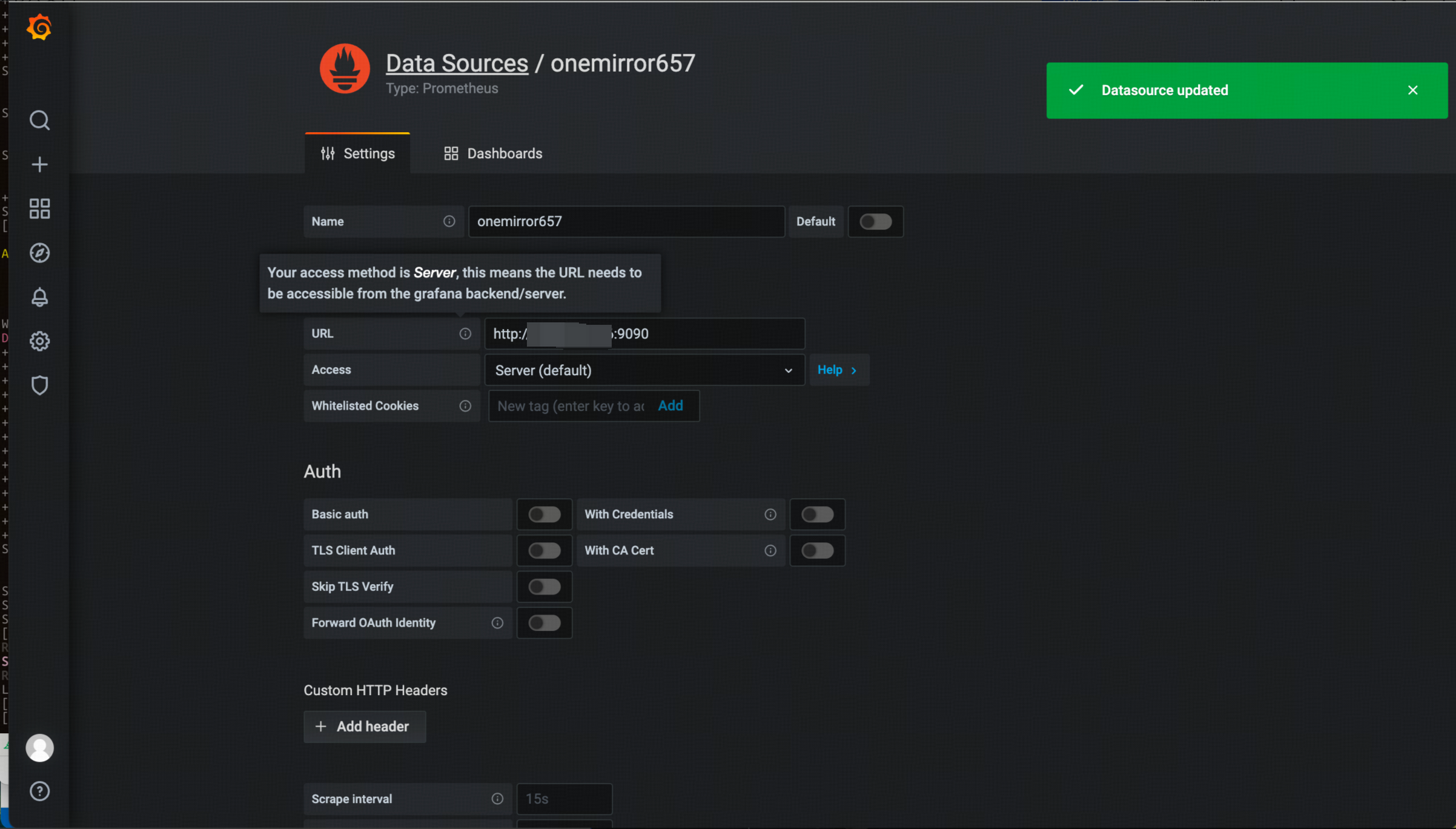
在面板中增加其他数据源的监控指标

添加其他监控指标的面板
其他监控指标面板的方式与上述示例相同,不再重复描述。
示例Dashboard配置
JSON
{
"annotations": {
"list": [
{
"builtIn": 1,
"datasource": "-- Grafana --",
"enable": true,
"hide": true,
"iconColor": "rgba(0, 211, 255, 1)",
"name": "Annotations & Alerts",
"type": "dashboard"
}
]
},
"editable": true,
"gnetId": null,
"graphTooltip": 0,
"id": 27,
"links": [],
"panels": [
{
"datasource": "-- Mixed --",
"description": "",
"fieldConfig": {
"defaults": {
"color": {
"mode": "palette-classic"
},
"custom": {
"axisLabel": "",
"axisPlacement": "auto",
"barAlignment": 0,
"drawStyle": "line",
"fillOpacity": 10,
"gradientMode": "none",
"hideFrom": {
"graph": false,
"legend": false,
"tooltip": false
},
"lineInterpolation": "stepAfter",
"lineStyle": {
"fill": "solid"
},
"lineWidth": 1,
"pointSize": 4,
"scaleDistribution": {
"type": "linear"
},
"showPoints": "always",
"spanNulls": true
},
"mappings": [
{
"from": "",
"id": 1,
"text": "告警中",
"to": "",
"type": 1,
"value": "1"
}
],
"max": 1,
"min": 0,
"thresholds": {
"mode": "absolute",
"steps": [
{
"color": "green",
"value": null
},
{
"color": "red",
"value": 80
}
]
},
"unit": "short"
},
"overrides": []
},
"gridPos": {
"h": 6,
"w": 12,
"x": 0,
"y": 0
},
"id": 2,
"options": {
"graph": {},
"legend": {
"calcs": [
"lastNotNull"
],
"displayMode": "table",
"placement": "right"
},
"tooltipOptions": {
"mode": "multi"
}
},
"pluginVersion": "7.5.11",
"targets": [
{
"datasource": "test657",
"exemplar": false,
"expr": "ALERTS{alertname=\"TiDB_server_is_down\"}",
"instant": false,
"interval": "",
"legendFormat": "test657-{{alertstate}}",
"queryType": "randomWalk",
"refId": "A"
},
{
"datasource": "onemirror657",
"exemplar": true,
"expr": "ALERTS{alertname=\"TiDB_server_is_down\"}",
"format": "time_series",
"hide": false,
"instant": false,
"interval": "",
"legendFormat": "onemirror657-{{alertstate}}",
"refId": "B"
}
],
"timeFrom": null,
"timeShift": null,
"title": "TiDB_server_is_down",
"type": "timeseries"
}
],
"refresh": false,
"schemaVersion": 27,
"style": "dark",
"tags": [],
"templating": {
"list": []
},
"time": {
"from": "now-3h",
"to": "now"
},
"timepicker": {},
"timezone": "",
"title": "New dashboard Copy",
"uid": "RPbLfznHk",
"version": 5
} 询问AI
询问AI