3MF和STL都是 3D 建模软件广泛使用的 3D 文件格式。在某些情况下,由于行业标准要求和兼容性,STL 文件格式更受青睐。本教程将演示借助**++Aspose.3D for .NET++**,使用 C# 以编程方式将 3MF 转换为 STL 。
3D建模SDK-安装
要安装**++Aspose.3D for .NET++** ,您只需下载DLL文件或在NuGet 包管理器中运行以下命令即可:
Install-Package Aspose.3D 使用 C# 将 3MF 文件转换为 STL - 实现
安装此 3D 建模 SDK 后,下一步就是编写代码片段以实现 3MF 到 STL 的转换。
您可以按照以下步骤操作:
- 创建场景类的实例。
- 调用 Open 方法加载源 3MF 文件。
- 实例化StlSaveOptions类的对象以访问将场景导出为 STL 文件的选项。
- 调用Save方法将输出保存为 STL 文件。
以下代码示例演示了如何以编程方式在 C# 中将 3MF 文件转换为 STL:
using Aspose.ThreeD;
using Aspose.ThreeD.Formats;
namespace AsposeThreeD
{
    class Graphics
    {
        // Convert 3MF to STL in C#
        static void Main(string[] args)
        {
            // Set the directory path.
            String dataDir = "data";
            // Create an instance of the Scene class.
            Scene scene = new Scene();
            // Invoke the Open method to load the Source 3MF file.
            scene.Open(dataDir + "torus_sliced.3mf");
            // Instantiate an object of the StlSaveOptions class to access the options for exporting scene as STL file.
            var stlSaveOptions = new StlSaveOptions();
            // Call the Save method to save the output as a STL file.
            scene.Save(dataDir + "sample.stl", stlSaveOptions);
        }
    }
}
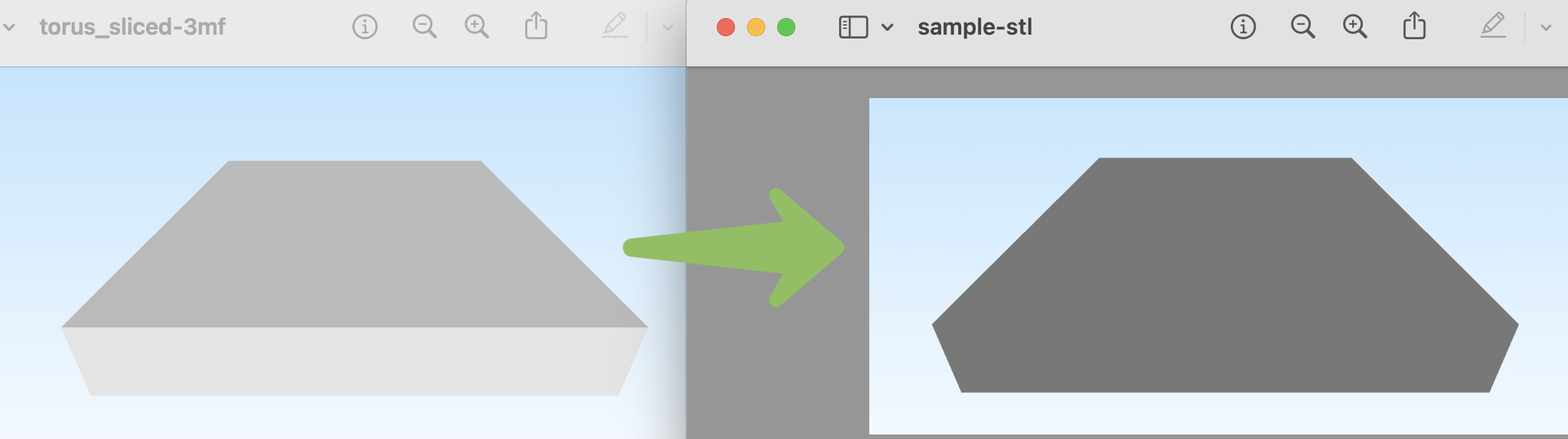
输出:
总结
在 3D 文件格式转换和操作方面, ++++ ++Aspose.3D for .NET++ 是一个强有力的选择。本指南展示了如何使用**++++** ++Aspose.3D for .NET++ 这款 3D 建模 SDK 在 C# 中将 3MF 文件转换为 STL 文件。同样,您也可以使用**++++** **++Aspose.3D for .NET++**为您的应用程序开发一个 3D 文件转换模块。